door lock BMW X5 4.4I 2003 User Guide
[x] Cancel search | Manufacturer: BMW, Model Year: 2003, Model line: X5 4.4I, Model: BMW X5 4.4I 2003Pages: 183, PDF Size: 2.31 MB
Page 50 of 183
50n
Seat, mirror and steering wheel memory
*
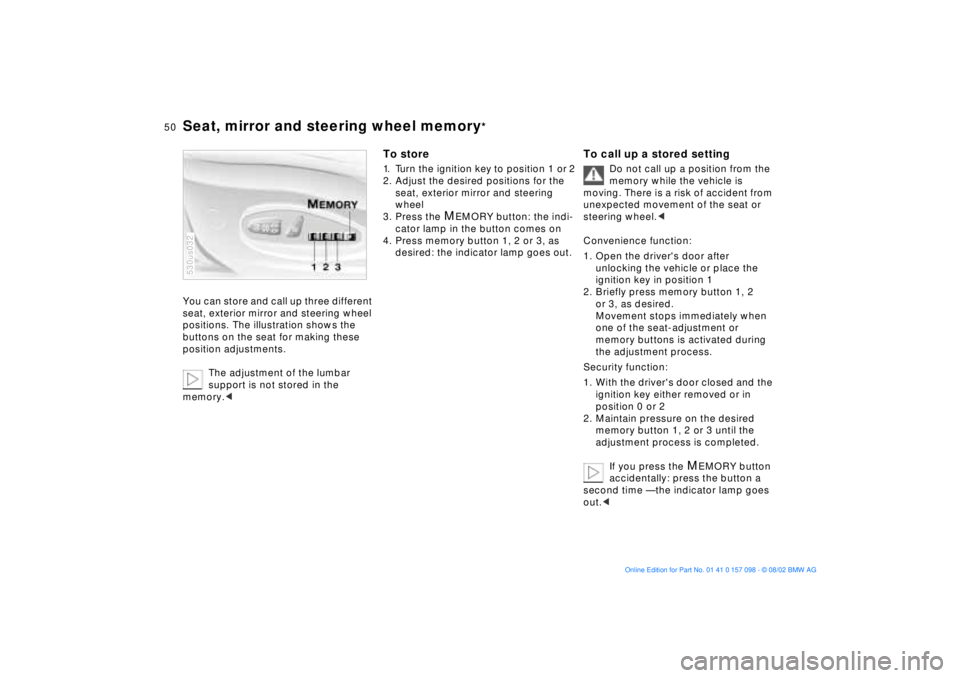
You can store and call up three different
seat, exterior mirror and steering wheel
positions. The illustration shows the
buttons on the seat for making these
position adjustments.
The adjustment of the lumbar
support is not stored in the
memory.<530us032
To store 1. Turn the ignition key to position 1 or 2
2. Adjust the desired positions for the
seat, exterior mirror and steering
wheel
3. Press the
MEMORY button: the indi-
cator lamp in the button comes on
4. Press memory button 1, 2 or 3, as
desired: the indicator lamp goes out.
To call up a stored setting
Do not call up a position from the
memory while the vehicle is
moving. There is a risk of accident from
unexpected movement of the seat or
steering wheel.<
Convenience function:
1. Open the driver's door after
unlocking the vehicle or place the
ignition key in position 1
2. Briefly press memory button 1, 2
or 3, as desired.
Movement stops immediately when
one of the seat-adjustment or
memory buttons is activated during
the adjustment process.
Security function:
1. With the driver's door closed and the
ignition key either removed or in
position 0 or 2
2. Maintain pressure on the desired
memory button 1, 2 or 3 until the
adjustment process is completed.
If you press the
MEMORY button
accidentally: press the button a
second time Ñ the indicator lamp goes
out.<
Page 60 of 183
60n
Transporting children safelyChild-restraint system securityAll of the rear belt retractors and the
front passenger's safety belt can be
locked for mounting and securing child-
restraint systems. Information regarding
this is located near the buckle latch of
each safety belt. Lock the safety belt Pull the entire length of the belt from
the belt retractor. Allow the reel to
retract the belt somewhat and engage
the buckle, then tighten the belt against
the child-restraint system. The retrac-
tion mechanism is now locked. Release the safety belt Release the buckle, remove the child-
restraint device and allow the belt
retractor to reel the belt completely in. 530us104
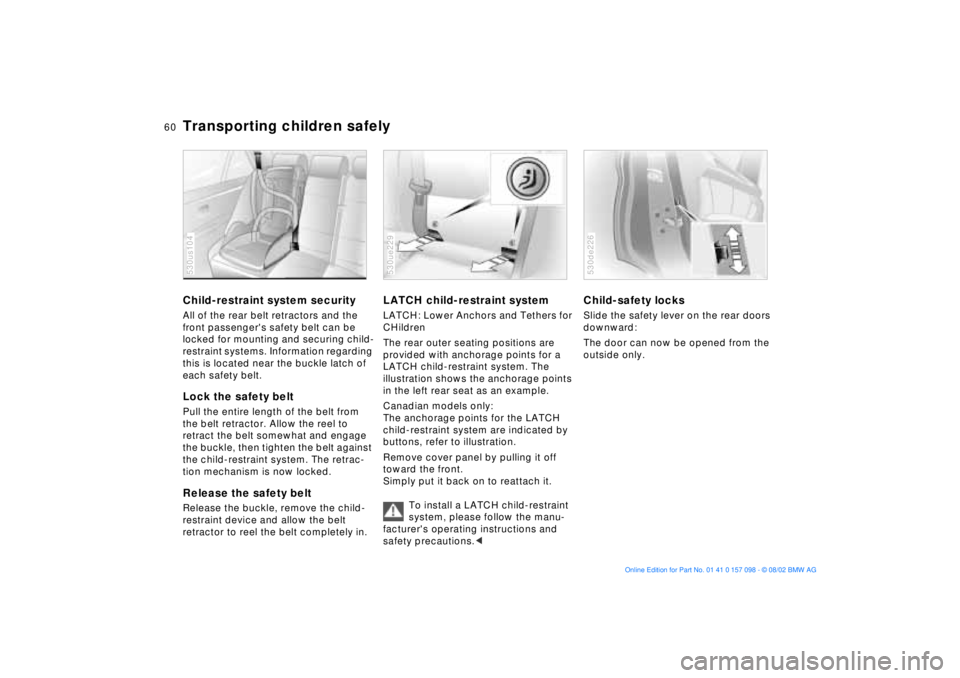
LATCH child-restraint systemLATCH: Lower Anchors and Tethers for
CHildren
The rear outer seating positions are
provided with anchorage points for a
LATCH child-restraint system. The
illustration shows the anchorage points
in the left rear seat as an example.
Canadian models only:
The anchorage points for the LATCH
child-restraint system are indicated by
buttons, refer to illustration.
Remove cover panel by pulling it off
toward the front.
Simply put it back on to reattach it.
To install a LATCH child-restraint
system, please follow the manu-
facturer's operating instructions and
safety precautions.<530ue229
Child-safety locksSlide the safety lever on the rear doors
downward:
The door can now be opened from the
outside only. 530de226
Page 62 of 183
62n
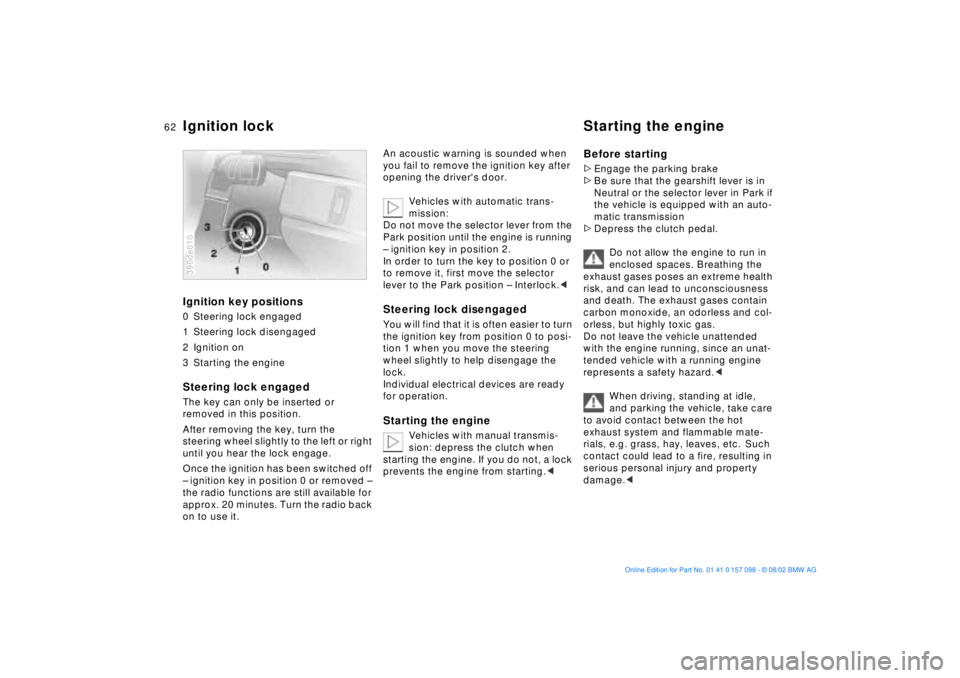
Ignition key positions0 Steering lock engaged
1 Steering lock disengaged
2 Ignition on
3 Starting the engineSteering lock engaged The key can only be inserted or
removed in this position.
After removing the key, turn the
steering wheel slightly to the left or right
until you hear the lock engage.
Once the ignition has been switched off
Ð ignition key in position 0 or removed Ð
the radio functions are still available for
approx. 20 minutes. Turn the radio back
on to use it.390de010
An acoustic warning is sounded when
you fail to remove the ignition key after
opening the driver's door.
Vehicles with automatic trans-
mission:
Do not move the selector lever from the
Park position until the engine is running
Ð ignition key in position 2.
In order to turn the key to position 0 or
to remove it, first move the selector
lever to the Park position Ð Interlock.< Steering lock disengaged You will find that it is often easier to turn
the ignition key from position 0 to posi-
tion 1 when you move the steering
wheel slightly to help disengage the
lock.
Individual electrical devices are ready
for operation. Starting the engine
Vehicles with manual transmis-
sion: depress the clutch when
starting the engine. If you do not, a lock
prevents the engine from starting.<
Before starting >Engage the parking brake
>Be sure that the gearshift lever is in
Neutral or the selector lever in Park if
the vehicle is equipped with an auto-
matic transmission
>Depress the clutch pedal.
Do not allow the engine to run in
enclosed spaces. Breathing the
exhaust gases poses an extreme health
risk, and can lead to unconsciousness
and death. The exhaust gases contain
carbon monoxide, an odorless and col-
orless, but highly toxic gas.
Do not leave the vehicle unattended
with the engine running, since an unat-
tended vehicle with a running engine
represents a safety hazard.<
When driving, standing at idle,
and parking the vehicle, take care
to avoid contact between the hot
exhaust system and flammable mate-
rials, e.g. grass, hay, leaves, etc. Such
contact could lead to a fire, resulting in
serious personal injury and property
damage.<
Ignition lock Starting the engine
Page 77 of 183
77n
OverviewControlsMaintenanceRepairsDataIndex
Check Control Graphic display
*
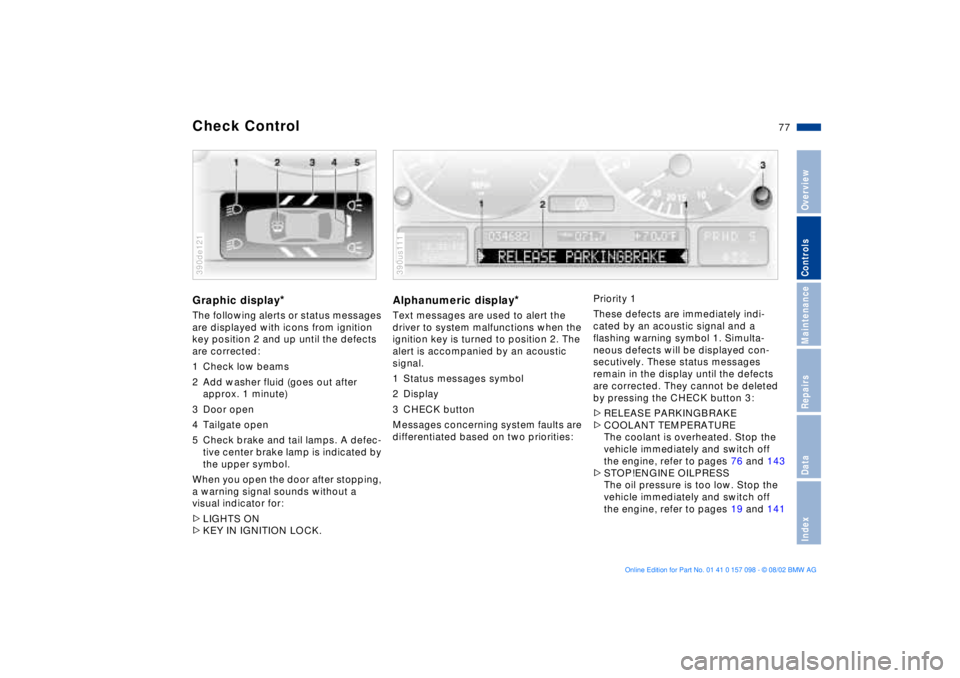
The following alerts or status messages
are displayed with icons from ignition
key position 2 and up until the defects
are corrected:
1 Check low beams
2 Add washer fluid (goes out after
approx. 1 minute)
3 Door open
4 Tailgate open
5 Check brake and tail lamps. A defec-
tive center brake lamp is indicated by
the upper symbol.
When you open the door after stopping,
a warning signal sounds without a
visual indicator for:
>LIGHTS ON
>KEY IN IGNITION LOCK. 390de121
Alphanumeric display
*
Text messages are used to alert the
driver to system malfunctions when the
ignition key is turned to position 2. The
alert is accompanied by an acoustic
signal.
1 Status messages symbol
2 Display
3 CHECK button
Messages concerning system faults are
differentiated based on two priorities: 390us111
Priority 1
These defects are immediately indi-
cated by an acoustic signal and a
flashing warning symbol 1. Simulta-
neous defects will be displayed con-
secutively. These status messages
remain in the display until the defects
are corrected. They cannot be deleted
by pressing the CHECK button 3:
>RELEASE PARKINGBRAKE
>COOLANT TEMPERATURE
The coolant is overheated. Stop the
vehicle immediately and switch off
the engine, refer to pages 76 and 143
>STOP!ENGINE OILPRESS
The oil pressure is too low. Stop the
vehicle immediately and switch off
the engine, refer to pages 19 and 141
Page 79 of 183
79n
OverviewControlsMaintenanceRepairsDataIndex
Check Control >CHECK LOWBEAM LIGHTS
CHECK SIDE LIGHTS
CHECK REAR LIGHTS
CHECK FRONT FOGLAMPS
CHECK LICPLATE LIGHT
CHECK HIGHBEAM LIGHT
CHECK BACK UP LIGHTS
Defective bulb or circuit, refer to
page 151 or consult a BMW Sports
Activity Vehicle center
>TRANS. FAILSAFE PROG
*
Please consult the nearest
BMW Sports Activity Vehicle center,
refer to page 67
>CHECK BRAKE LININGS
Have the brake pads inspected by
your BMW Sports Activity Vehicle
center, refer to page 133
>CHECK COOLANT LEVEL
Coolant too low, top off at the next
opportunity, refer to page 143
>ENGINE FAILSAFE PROG
There is a fault in the engine's elec-
tronic control system.
You can continue to drive with
reduced engine output or engine
speed.
Have the system checked by your
BMW Sports Activity Vehicle center.
Displays after completion of trip All of the malfunctions registered during
the trip appear consecutively when the
ignition key is turned to position 0.
The following displays will appear when
appropriate:
>LIGHTS ON
>KEY IN IGNITION LOCK
>CHECK ENGINE OIL LEV
Add engine oil at the next opportu-
nity, e.g. next stop to refuel, refer to
page 141.
This display appears when you open
the driver's door after parking the
vehicle. A supplementary acoustic
signal is also heard.
Status messages remain available for a
period of approx. three minutes after
the display goes out and the key is
removed from the ignition lock. Press
the CHECK button 3. If there were mul-
tiple messages, press the CHECK
button repeatedly to view them all in
sequence.
To check the Check Control Press the CHECK button 3 with the
ignition key in position 2:
CHECK CONTROL OK appears in the
display.
No malfunctions are present in the
monitored systems.Computer You can find a description of the com-
puter on pages 80 and 85 as well as in
the Owner's Manual for the Onboard
Computer.
You can have the Check Control
and computer messages dis-
played in a different language.<
Page 112 of 183
112n
The concept The BMW Universal Transmitter
replaces up to three hand-held trans-
mitters of different devices such as
garage door openers, alarm systems, or
door locking systems. The BMW
Universal Transmitter recognizes and
learns the transmitted signal of each of
the original hand-held transmitters.
The signal of an original hand-held
transmitter can be programmed on one
of the three channel keys. Following
that, each of the devices can be actu-ated with the appropriately-programmed
channel key. The indicator lamp flashes
to confirm transmission of the signal.
If the vehicle is sold, the memory of the
channel keys should be cleared as
described on page 114. During programming and before
every remote actuation of a
programmed device by the BMW
Universal Transmitter, check to be sure
that there are no persons, animals or
objects within the actuation range of
the device in order to prevent possible
injuries or damage. Also, comply with
the safety precautions of the original
hand-held transmitter.<
To Canadian residents:
During programming, your hand-
held transmitter may automatically stop
transmitting after two seconds. This
may not be long enough to program the
BMW Universal Transmitter. If you are
programming from one of these hand-
held transmitters, the Universal Trans-
mitter's light may begin to flash in a
series of double-blinks. If this occurs,
continue to hold the button of the
Universal Transmitter while you reacti-
vate your hand-held transmitter. You
may have to repeat this function several
times while programming.<
Before programming, read the
User information section on
page 114.<
Original hand-held transmitter
If this symbol is present on the
packaging or in the instructions
of the original hand-held trans-
mitter, it may be assumed that this
hand-held transmitter is compatible
with the BMW Universal Transmitter.
BMW Universal Transmitter
Page 115 of 183
115n
OverviewControlsMaintenanceRepairsDataIndex
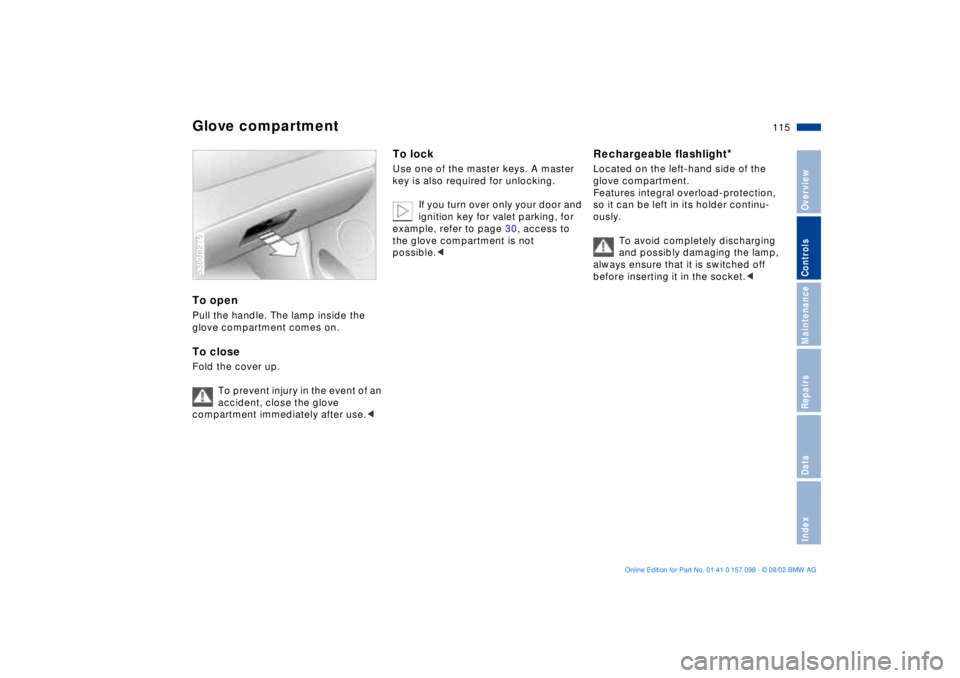
Glove compartment To open Pull the handle. The lamp inside the
glove compartment comes on.To closeFold the cover up.
To prevent injury in the event of an
accident, close the glove
compartment immediately after use.< 530de275
To lock Use one of the master keys. A master
key is also required for unlocking.
If you turn over only your door and
ignition key for valet parking, for
example, refer to page 30, access to
the glove compartment is not
possible.<
Rechargeable flashlight
*
Located on the left-hand side of the
glove compartment.
Features integral overload-protection,
so it can be left in its holder continu-
ously.
To avoid completely discharging
and possibly damaging the lamp,
always ensure that it is switched off
before inserting it in the socket.<
Page 175 of 183
Everything from A to Z
175n
OverviewControlsMaintenanceRepairsDataIndex
Central locking system30
button35
Changing a wheel155
CHECK button77
Check Control77
Check tire pressures26
Checking
engine oil level142
Child-safety locks60
Cigarette lighter
front117
rear118
socket118
Clean the windshield69
Climate control in the rear
passenger area109
Clock82
refer also to the Owner's
Manual for the Onboard
Computer
Cockpit14
Code88
activating88
deactivating88
selecting88
Comfort seat46
Compartments116
Computer80, 81, 85
refer also to the Owner's
Manual for the Onboard
Computer
remote control89Configuring individual
settings via Vehicle and
Key Memory61
Consumption, fuel87
Convenience operation of
windows and sliding/tilt
sunroof34
Convenience starting
feature63
Coolant143
temperature gauge76
Copyright notice4
Correct sitting posture44
seat adjustment44
Cruise control71
Cruising range80, 87
Cup holder116
Curb weight170
DData link connector for On-
board Diagnostics147
Date
calling up82
changing82
refer also to the Owner's
Manual for the Onboard
Computer
Daytime driving lamp99
DBC Dynamic Brake
Control21, 92Deactivating the interior
motion sensor32, 40
Deep water131
Defrosting the
windows104, 107
Digital clock82
refer also to the Owner's
Manual for the Onboard
Computer
Dimensions169
Dipstick, engine oil142
Disc brakes133
Displacement168
Display lighting100
Displays15, 16, 17, 18
Disposal
used batteries160
used oil142
Disposal of battery160
Distance from
destination86
Distance warning90
Divided rear backrest120
Door keys30
Doors
convenience operation34
manual operation34
remote control32
unlocking and locking34
DOT Quality Grades135Drink holder, refer to
beverage holder116
Driving notes132
Driving through water131
Driving with spare
wheel159
Driving your BMW X5131
DSC Dynamic Stability
Control21, 91
Dynamic Brake Control
DBC21, 92
Dynamic Stability Control
DSC21, 91
EElectric power windows40
Electrical malfunction
liftgate36
sliding/tilt sunroof43
tailgate38
Elements of operation14
Emergency operation
doors34
liftgate36
sliding/tilt sunroof43
tailgate38
Energy control74
Engine
output168
power rating168
specifications168
Page 176 of 183
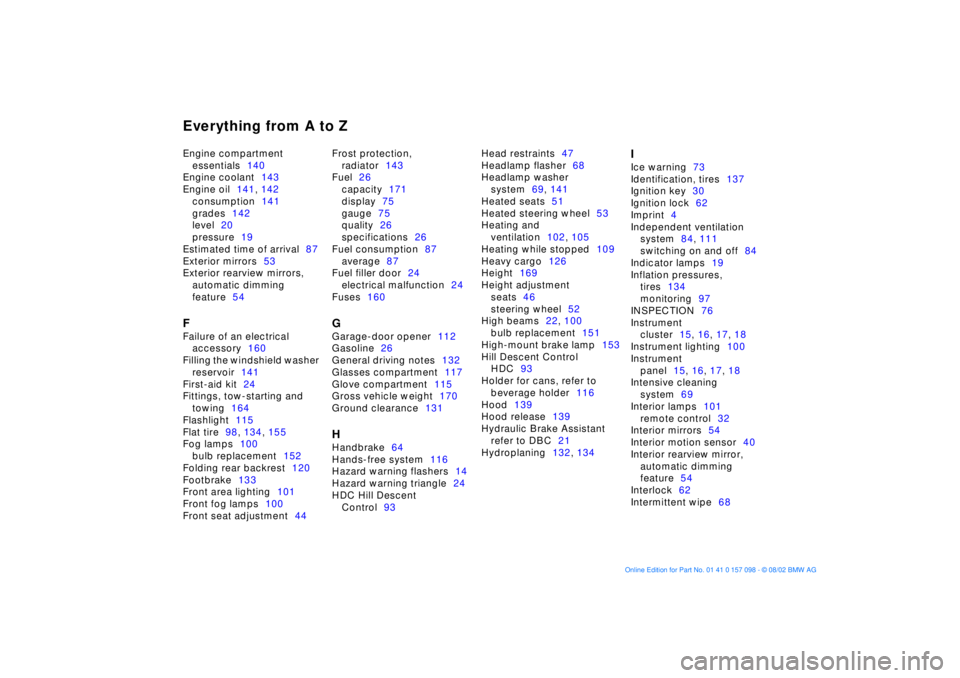
Everything from A to ZEngine compartment
essentials140
Engine coolant143
Engine oil141, 142
consumption141
grades142
level20
pressure19
Estimated time of arrival87
Exterior mirrors53
Exterior rearview mirrors,
automatic dimming
feature54FFailure of an electrical
accessory160
Filling the windshield washer
reservoir141
First-aid kit24
Fittings, tow-starting and
towing164
Flashlight115
Flat tire98, 134, 155
Fog lamps100
bulb replacement152
Folding rear backrest120
Footbrake133
Front area lighting101
Front fog lamps100
Front seat adjustment44Frost protection,
radiator143
Fuel26
capacity171
display75
gauge75
quality26
specifications26
Fuel consumption87
average87
Fuel filler door24
electrical malfunction24
Fuses160
GGarage-door opener112
Gasoline26
General driving notes132
Glasses compartment117
Glove compartment115
Gross vehicle weight170
Ground clearance131HHandbrake64
Hands-free system116
Hazard warning flashers14
Hazard warning triangle24
HDC Hill Descent
Control93Head restraints47
Headlamp flasher68
Headlamp washer
system69, 141
Heated seats51
Heated steering wheel53
Heating and
ventilation102, 105
Heating while stopped109
Heavy cargo126
Height169
Height adjustment
seats46
steering wheel52
High beams22, 100
bulb replacement151
High-mount brake lamp153
Hill Descent Control
HDC93
Holder for cans, refer to
beverage holder116
Hood139
Hood release139
Hydraulic Brake Assistant
refer to DBC21
Hydroplaning132, 134
IIce warning73
Identification, tires137
Ignition key30
Ignition lock62
Imprint4
Independent ventilation
system84, 111
switching on and off84
Indicator lamps19
Inflation pressures,
tires134
monitoring97
INSPECTION76
Instrument
cluster15, 16, 17, 18
Instrument lighting100
Instrument
panel15, 16, 17, 18
Intensive cleaning
system69
Interior lamps101
remote control32
Interior mirrors54
Interior motion sensor40
Interior rearview mirror,
automatic dimming
feature54
Interlock62
Intermittent wipe68
Page 177 of 183
Everything from A to Z
177n
OverviewControlsMaintenanceRepairsDataIndex
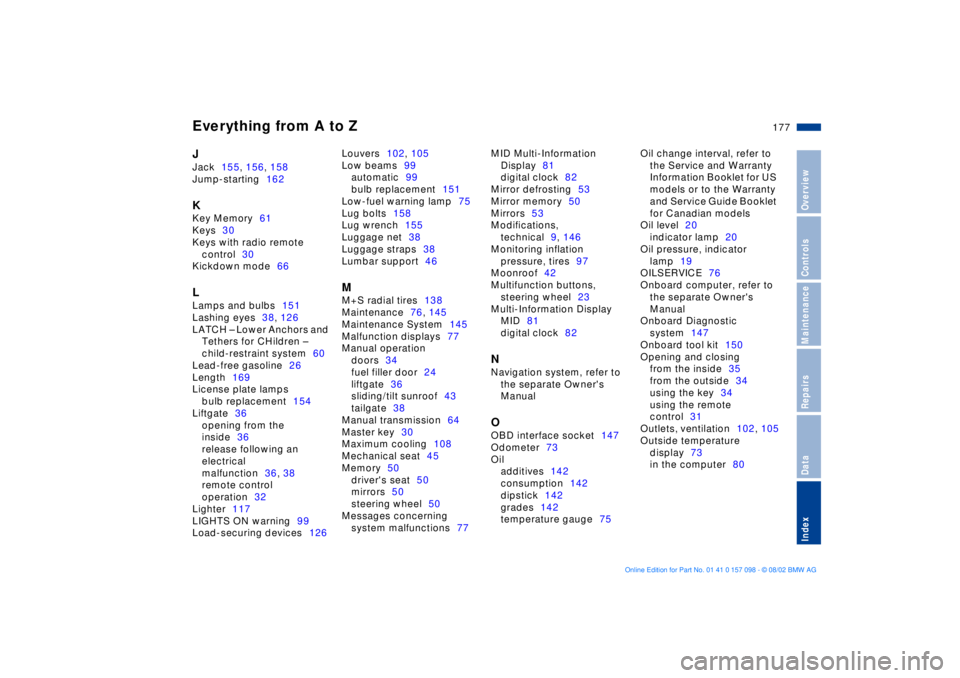
JJack155, 156, 158
Jump-starting162KKey Memory61
Keys30
Keys with radio remote
control30
Kickdown mode66LLamps and bulbs151
Lashing eyes38, 126
LATCH Ð Lower Anchors and
Tethers for CHildren Ð
child-restraint system60
Lead-free gasoline26
Length169
License plate lamps
bulb replacement154
Liftgate36
opening from the
inside36
release following an
electrical
malfunction36, 38
remote control
operation32
Lighter117
LIGHTS ON warning99
Load-securing devices126Louvers102, 105
Low beams99
automatic99
bulb replacement151
Low-fuel warning lamp75
Lug bolts158
Lug wrench155
Luggage net38
Luggage straps38
Lumbar support46
MM+S radial tires138
Maintenance76, 145
Maintenance System145
Malfunction displays77
Manual operation
doors34
fuel filler door24
liftgate36
sliding/tilt sunroof43
tailgate38
Manual transmission64
Master key30
Maximum cooling108
Mechanical seat45
Memory50
driver's seat50
mirrors50
steering wheel50
Messages concerning
system malfunctions77MID Multi-Information
Display81
digital clock82
Mirror defrosting53
Mirror memory50
Mirrors53
Modifications,
technical9, 146
Monitoring inflation
pressure, tires97
Moonroof42
Multifunction buttons,
steering wheel23
Multi-Information Display
MID81
digital clock82
NNavigation system, refer to
the separate Owner's
ManualOOBD interface socket147
Odometer73
Oil
additives142
consumption142
dipstick142
grades142
temperature gauge75Oil change interval, refer to
the Service and Warranty
Information Booklet for US
models or to the Warranty
and Service Guide Booklet
for Canadian models
Oil level20
indicator lamp20
Oil pressure, indicator
lamp19
OILSERVICE76
Onboard computer, refer to
the separate Owner's
Manual
Onboard Diagnostic
system147
Onboard tool kit150
Opening and closing
from the inside35
from the outside34
using the key34
using the remote
control31
Outlets, ventilation102, 105
Outside temperature
display73
in the computer80