fuel consumption BMW X5 4.4I 2003 Owners Manual
[x] Cancel search | Manufacturer: BMW, Model Year: 2003, Model line: X5 4.4I, Model: BMW X5 4.4I 2003Pages: 183, PDF Size: 2.31 MB
Page 16 of 183
16n
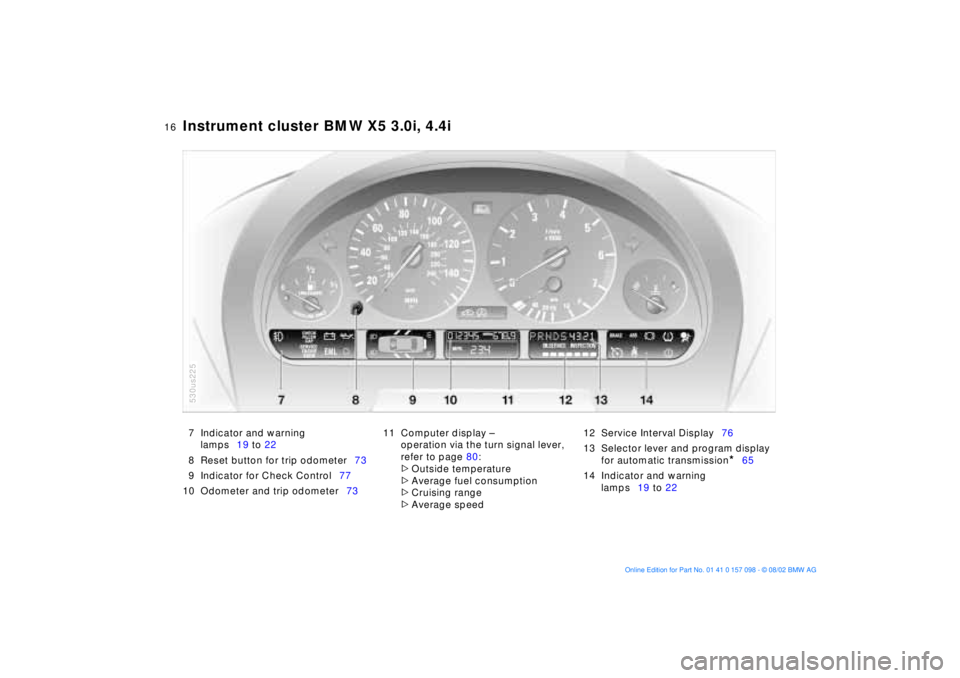
Instrument cluster BMW X5 3.0i, 4.4i
7 Indicator and warning
lamps19 to 22
8 Reset button for trip odometer73
9 Indicator for Check Control77
10 Odometer and trip odometer7311 Computer display Ð
operation via the turn signal lever,
refer to page 80:
>
Outside temperature
>
Average fuel consumption
>
Cruising range
>
Average speed 12 Service Interval Display76
13 Selector lever and program display
for automatic transmission
*
65
14 Indicator and warning
lamps19 to 22
530us225
Page 65 of 183
65n
OverviewControlsMaintenanceRepairsDataIndex
Manual transmission Automatic transmission with Steptronic
*
Reverse Select Reverse only when the vehicle is
completely stopped. Press the gearshift
lever to the left to overcome the resis-
tance.
As you do this, the backup lamps will
turn on automatically when the ignition
key is in position 2.
Do not hold the vehicle in place on
slopes by slipping or riding the
clutch. Use the parking brake instead,
since a slipping clutch increases clutch
wear.<
You can drive as with a normal auto-
matic transmission. In addition, you can
also shift manually.
When you move the selector lever from
the D position to the left into the M/S
range, the performance-oriented shift
programs of the automatic transmission
are engaged. As soon as you tap the
selector lever in the
+ or
Ð direction,
Steptronic changes the gear. The
manual mode is engaged. When you
wish to use the automatic transmission
mode again, move the selector lever to
the right into the D position.
Under normal operating conditions, fuel
consumption is lowest when driving in
position D.
530us040
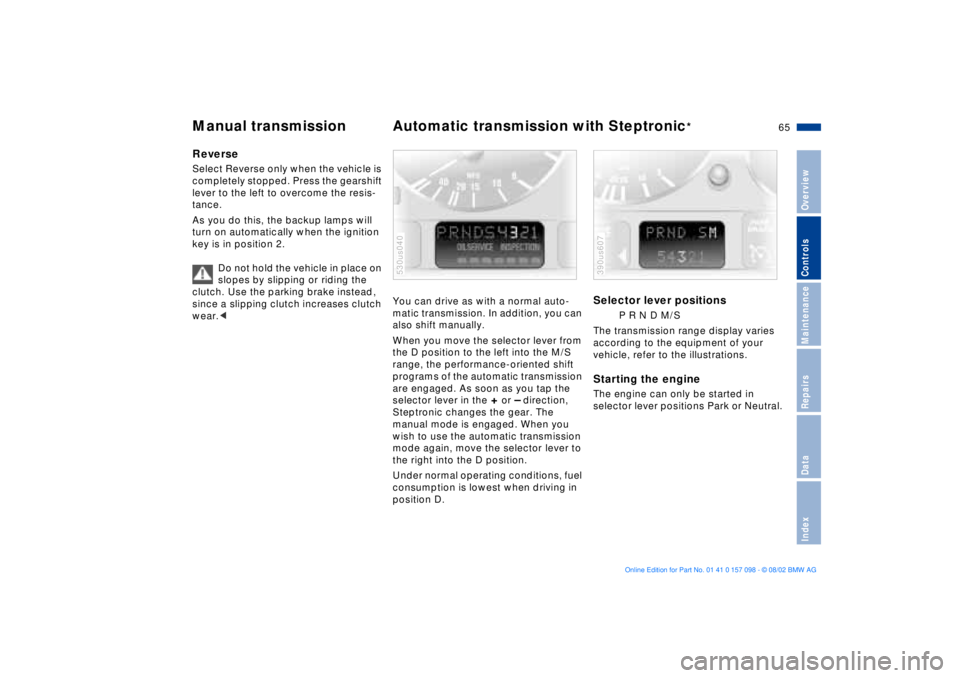
Selector lever positions
P R N D M/S
The transmission range display varies
according to the equipment of your
vehicle, refer to the illustrations.
Starting the engine The engine can only be started in
selector lever positions Park or Neutral. 390us607
Page 74 of 183
74n
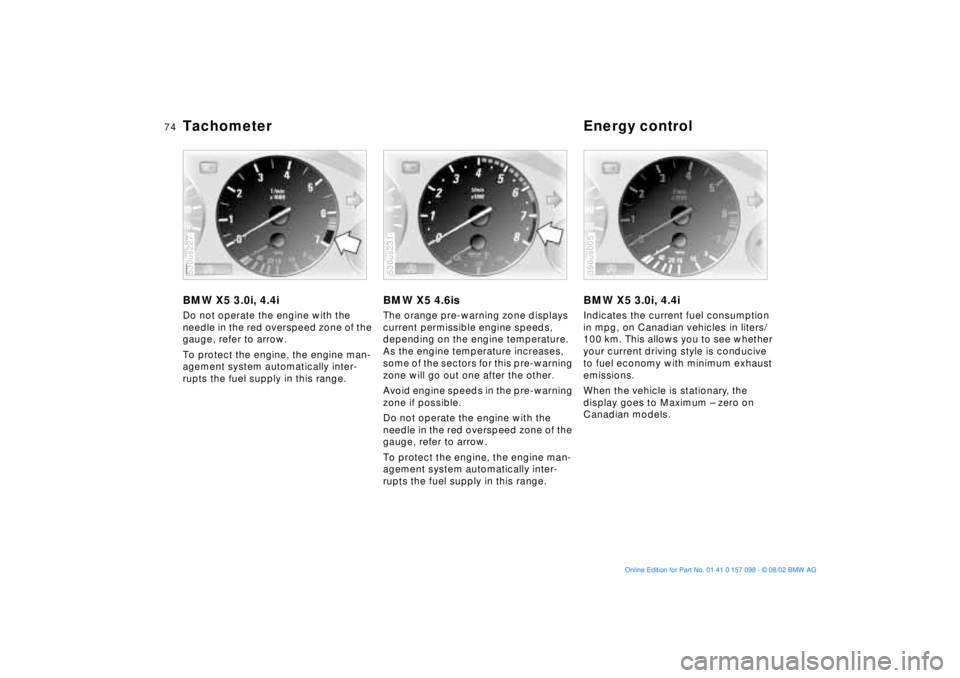
Tachometer Energy controlBMW X5 3.0i, 4.4iDo not operate the engine with the
needle in the red overspeed zone of the
gauge, refer to arrow.
To protect the engine, the engine man-
agement system automatically inter-
rupts the fuel supply in this range.530us227
BMW X5 4.6isThe orange pre-warning zone displays
current permissible engine speeds,
depending on the engine temperature.
As the engine temperature increases,
some of the sectors for this pre-warning
zone will go out one after the other.
Avoid engine speeds in the pre-warning
zone if possible.
Do not operate the engine with the
needle in the red overspeed zone of the
gauge, refer to arrow.
To protect the engine, the engine man-
agement system automatically inter-
rupts the fuel supply in this range.530us231
BMW X5 3.0i, 4.4iIndicates the current fuel consumption
in mpg, on Canadian vehicles in liters/
100 km. This allows you to see whether
your current driving style is conducive
to fuel economy with minimum exhaust
emissions.
When the vehicle is stationary, the
display goes to Maximum Ð zero on
Canadian models.390us005
Page 80 of 183
80n
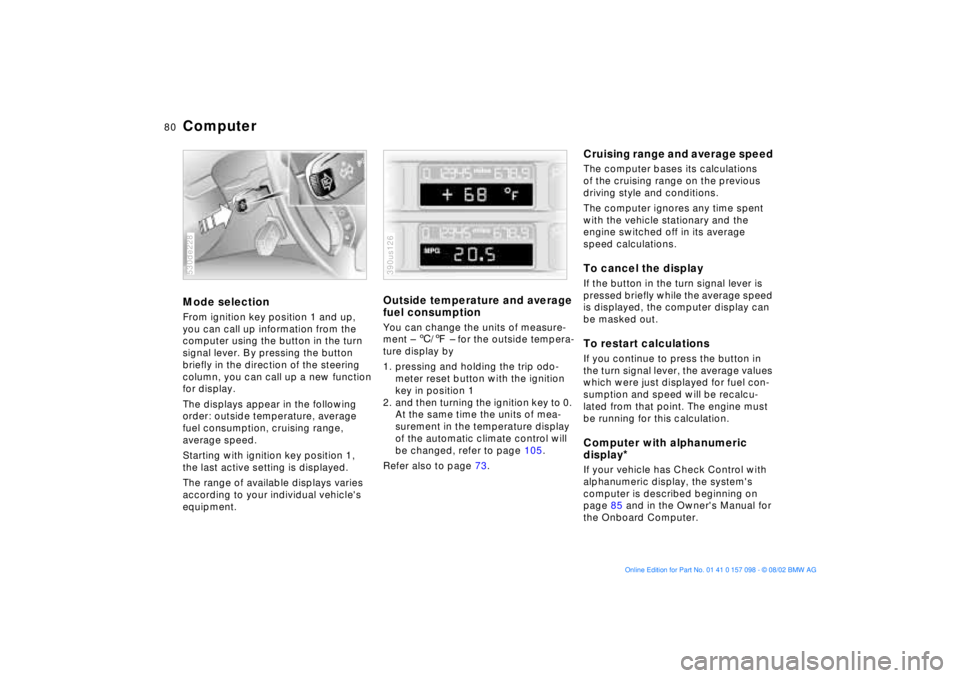
ComputerMode selection From ignition key position 1 and up,
you can call up information from the
computer using the button in the turn
signal lever. By pressing the button
briefly in the direction of the steering
column, you can call up a new function
for display.
The displays appear in the following
order: outside temperature, average
fuel consumption, cruising range,
average speed.
Starting with ignition key position 1,
the last active setting is displayed.
The range of available displays varies
according to your individual vehicle's
equipment.530de228
Outside temperature and average
fuel consumption You can change the units of measure-
ment Ð 6/7 Ð for the outside tempera-
ture display by
1. pressing and holding the trip odo-
meter reset button with the ignition
key in position 1
2. and then turning the ignition key to 0.
At the same time the units of mea-
surement in the temperature display
of the automatic climate control will
be changed, refer to page 105.
Refer also to page 73.390us126
Cruising range and average speed The computer bases its calculations
of the cruising range on the previous
driving style and conditions.
The computer ignores any time spent
with the vehicle stationary and the
engine switched off in its average
speed calculations.To cancel the display If the button in the turn signal lever is
pressed briefly while the average speed
is displayed, the computer display can
be masked out. To restart calculationsIf you continue to press the button in
the turn signal lever, the average values
which were just displayed for fuel con-
sumption and speed will be recalcu-
lated from that point. The engine must
be running for this calculation.Computer with alphanumeric
display
*
If your vehicle has Check Control with
alphanumeric display, the system's
computer is described beginning on
page 85 and in the Owner's Manual for
the Onboard Computer.
Page 81 of 183
81n
OverviewControlsMaintenanceRepairsDataIndex
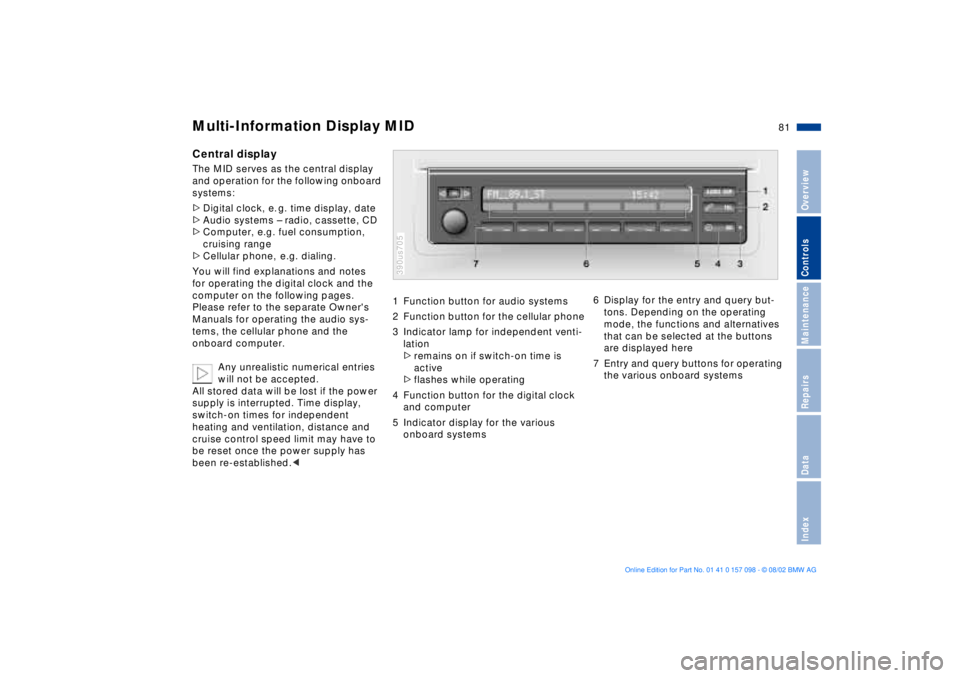
Multi-Information Display MID
Central displayThe MID serves as the central display
and operation for the following onboard
systems:
>Digital clock, e. g. time display, date
>Audio systems Ð radio, cassette, CD
>Computer, e.g. fuel consumption,
cruising range
>Cellular phone, e.g. dialing.
You will find explanations and notes
for operating the digital clock and the
computer on the following pages.
Please refer to the separate Owner's
Manuals for operating the audio sys-
tems, the cellular phone and the
onboard computer.
Any unrealistic numerical entries
will not be accepted.
All stored data will be lost if the power
supply is interrupted. Time display,
switch-on times for independent
heating and ventilation, distance and
cruise control speed limit may have to
be reset once the power supply has
been re-established.<
1 Function button for audio systems
2 Function button for the cellular phone
3 Indicator lamp for independent venti-
lation
>remains on if switch-on time is
active
>flashes while operating
4 Function button for the digital clock
and computer
5 Indicator display for the various
onboard systems390us705
6 Display for the entry and query but-
tons. Depending on the operating
mode, the functions and alternatives
that can be selected at the buttons
are displayed here
7 Entry and query buttons for operating
the various onboard systems
Page 87 of 183
87n
OverviewControlsMaintenanceRepairsDataIndex
Computer
** * * in the MID
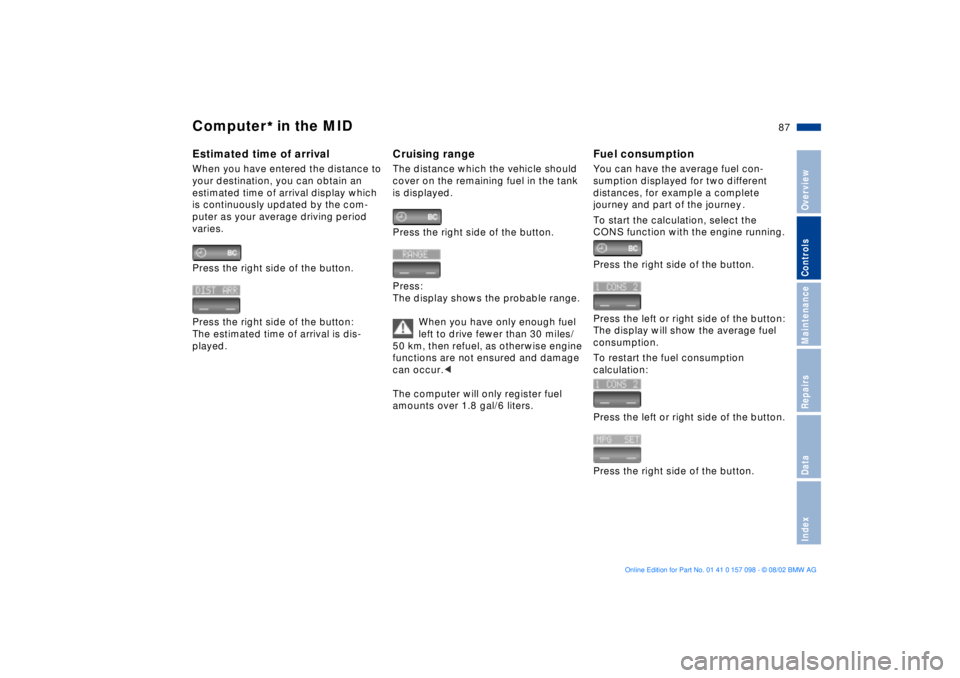
Estimated time of arrival When you have entered the distance to
your destination, you can obtain an
estimated time of arrival display which
is continuously updated by the com-
puter as your average driving period
varies.
Press the right side of the button.
Press the right side of the button:
The estimated time of arrival is dis-
played.
Cruising rangeThe distance which the vehicle should
cover on the remaining fuel in the tank
is displayed.
Press the right side of the button.
Press:
The display shows the probable range.
When you have only enough fuel
left to drive fewer than 30 miles/
50 km, then refuel, as otherwise engine
functions are not ensured and damage
can occur.<
The computer will only register fuel
amounts over 1.8 gal/6 liters.
Fuel consumptionYou can have the average fuel con-
sumption displayed for two different
distances, for example a complete
journey and part of the journey .
To start the calculation, select the
CONS function with the engine running.
Press the right side of the button.
Press the left or right side of the button:
The display will show the average fuel
consumption.
To restart the fuel consumption
calculation:
Press the left or right side of the button.
Press the right side of the button.
Page 141 of 183
141n
OverviewControlsMaintenanceRepairsDataIndex
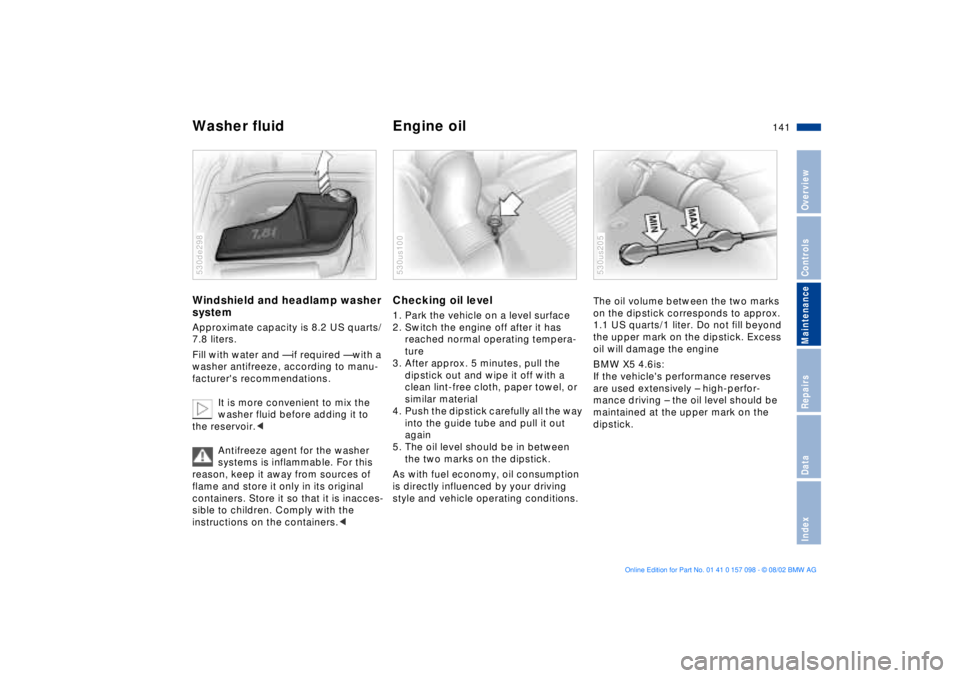
Washer fluid Engine oil Windshield and headlamp washer
system Approximate capacity is 8.2 US quarts/
7.8 liters.
Fill with water and Ñ if required Ñ with a
washer antifreeze, according to manu-
facturer's recommendations.
It is more convenient to mix the
washer fluid before adding it to
the reservoir.<
Antifreeze agent for the washer
systems is inflammable. For this
reason, keep it away from sources of
flame and store it only in its original
containers. Store it so that it is inacces-
sible to children. Comply with the
instructions on the containers.< 530de298
Checking oil level 1. Park the vehicle on a level surface
2. Switch the engine off after it has
reached normal operating tempera-
ture
3. After approx. 5 minutes, pull the
dipstick out and wipe it off with a
clean lint-free cloth, paper towel, or
similar material
4. Push the dipstick carefully all the way
into the guide tube and pull it out
again
5. The oil level should be in between
the two marks on the dipstick.
As with fuel economy, oil consumption
is directly influenced by your driving
style and vehicle operating conditions. 530us100
The oil volume between the two marks
on the dipstick corresponds to approx.
1.1 US quarts/1 liter. Do not fill beyond
the upper mark on the dipstick. Excess
oil will damage the engine
BMW X5 4.6is:
If the vehicle's performance reserves
are used extensively Ð high-perfor-
mance driving Ð the oil level should be
maintained at the upper mark on the
dipstick.530us205
Page 174 of 183
Everything from A to ZAABS Antilock Brake
System20, 132
Accessories9
Activated-charcoal
filter110
Adaptive brake light98
Adding
brake fluid144
coolant143
engine oil141
washer fluid141
Adjusting
head restraints47
mirrors53
seats44
steering wheel52
thigh support45
Air conditioner102
Air distribution103, 107
Air outlets102, 105
Air supply103, 107
Airbags20, 55
Alarm system39
Antifreeze143
Antilock Brake System
ABS20, 132
Anti-theft system31
Approved gross vehicle
weight170
Aquaplaning132, 134Arrival time87
Ashtray
front117
rear118
AUC Automatic recirculated-
air control108
Automatic climate
control105
removing condensation
from the windows107
Automatic cruise control71
Automatic curb monitor51
Automatic dimming
exterior rearview
mirrors54
interior rearview mirror54
Automatic headlamp
control99
Automatic recirculated-air
control AUC108
Automatic steering wheel
adjustment52
Automatic transmission with
Steptronic65
Average fuel
consumption80
Average speed80, 88
Avoiding unintentional
alarms40
Axle loads170
BBackup lamps65
bulb replacement153
Battery160
charge160
discharged163
Battery charge indicator
lamp19
Battery, disposal160
Belts49
Beverage holder116
Blower103, 107
BMW comfort seat46
BMW High Performance
Synthetic Oil142
BMW Maintenance
System145
BMW sports seat45
BMW Universal
Transmitter112
Brake fluid144
Brake fluid level144
Brake lamps
bulb replacement153
Brake light, adaptive98Brake system132
brake fluid144
brake fluid level133
brake pads indicator21
disc brakes133
hydraulic system
indicator19
malfunctions132
Break-in procedures130
Bulbs and lamps151
CCalifornia Proposition
65 Warning146
Can holder, refer to
beverage holder116
Capacities171
Cargo area38, 120
capacity170
cover120
lamps101
partition net122
Cargo floor, pull-out124
Cargo loading126
Cellular phone116
hands-free system116
Center Ð high-mount Ð brake
lamp153
Center (high-mount) brake
lamp153
Page 175 of 183
Everything from A to Z
175n
OverviewControlsMaintenanceRepairsDataIndex
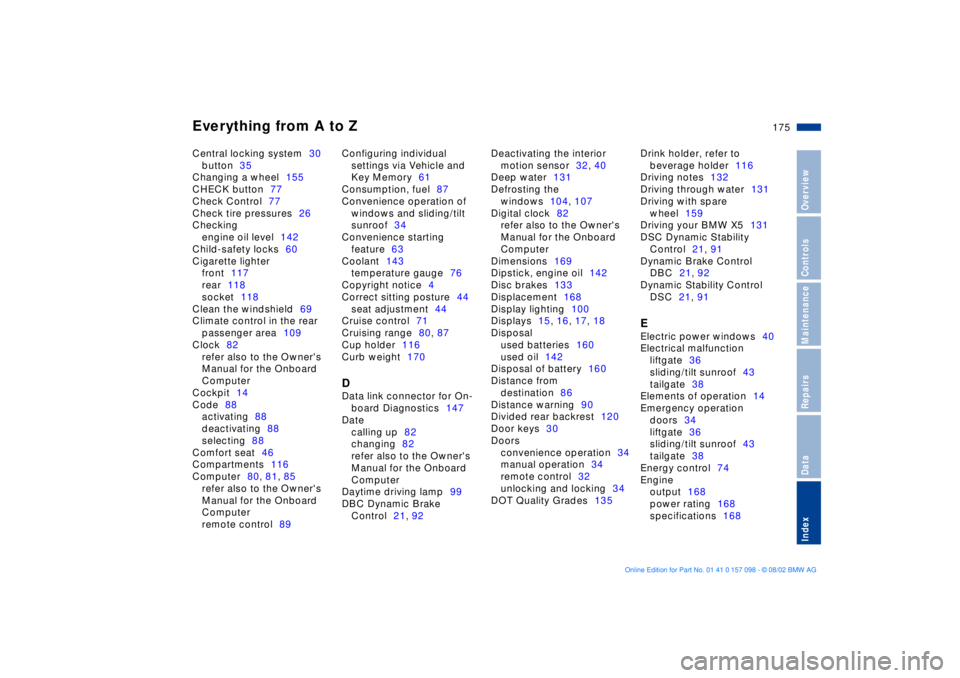
Central locking system30
button35
Changing a wheel155
CHECK button77
Check Control77
Check tire pressures26
Checking
engine oil level142
Child-safety locks60
Cigarette lighter
front117
rear118
socket118
Clean the windshield69
Climate control in the rear
passenger area109
Clock82
refer also to the Owner's
Manual for the Onboard
Computer
Cockpit14
Code88
activating88
deactivating88
selecting88
Comfort seat46
Compartments116
Computer80, 81, 85
refer also to the Owner's
Manual for the Onboard
Computer
remote control89Configuring individual
settings via Vehicle and
Key Memory61
Consumption, fuel87
Convenience operation of
windows and sliding/tilt
sunroof34
Convenience starting
feature63
Coolant143
temperature gauge76
Copyright notice4
Correct sitting posture44
seat adjustment44
Cruise control71
Cruising range80, 87
Cup holder116
Curb weight170
DData link connector for On-
board Diagnostics147
Date
calling up82
changing82
refer also to the Owner's
Manual for the Onboard
Computer
Daytime driving lamp99
DBC Dynamic Brake
Control21, 92Deactivating the interior
motion sensor32, 40
Deep water131
Defrosting the
windows104, 107
Digital clock82
refer also to the Owner's
Manual for the Onboard
Computer
Dimensions169
Dipstick, engine oil142
Disc brakes133
Displacement168
Display lighting100
Displays15, 16, 17, 18
Disposal
used batteries160
used oil142
Disposal of battery160
Distance from
destination86
Distance warning90
Divided rear backrest120
Door keys30
Doors
convenience operation34
manual operation34
remote control32
unlocking and locking34
DOT Quality Grades135Drink holder, refer to
beverage holder116
Driving notes132
Driving through water131
Driving with spare
wheel159
Driving your BMW X5131
DSC Dynamic Stability
Control21, 91
Dynamic Brake Control
DBC21, 92
Dynamic Stability Control
DSC21, 91
EElectric power windows40
Electrical malfunction
liftgate36
sliding/tilt sunroof43
tailgate38
Elements of operation14
Emergency operation
doors34
liftgate36
sliding/tilt sunroof43
tailgate38
Energy control74
Engine
output168
power rating168
specifications168
Page 176 of 183
Everything from A to ZEngine compartment
essentials140
Engine coolant143
Engine oil141, 142
consumption141
grades142
level20
pressure19
Estimated time of arrival87
Exterior mirrors53
Exterior rearview mirrors,
automatic dimming
feature54FFailure of an electrical
accessory160
Filling the windshield washer
reservoir141
First-aid kit24
Fittings, tow-starting and
towing164
Flashlight115
Flat tire98, 134, 155
Fog lamps100
bulb replacement152
Folding rear backrest120
Footbrake133
Front area lighting101
Front fog lamps100
Front seat adjustment44Frost protection,
radiator143
Fuel26
capacity171
display75
gauge75
quality26
specifications26
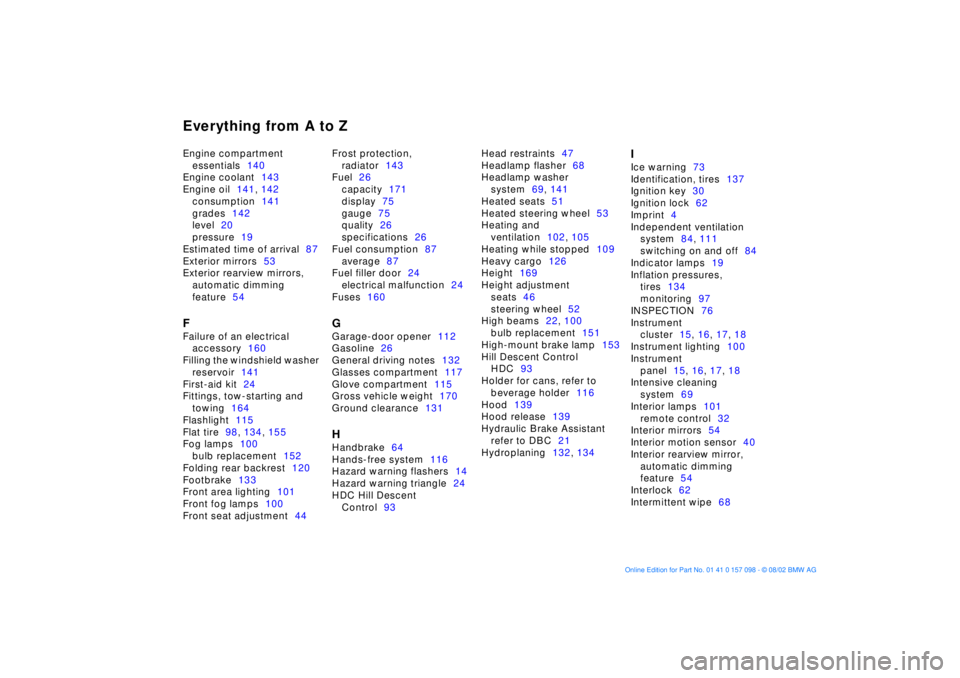
Fuel consumption87
average87
Fuel filler door24
electrical malfunction24
Fuses160
GGarage-door opener112
Gasoline26
General driving notes132
Glasses compartment117
Glove compartment115
Gross vehicle weight170
Ground clearance131HHandbrake64
Hands-free system116
Hazard warning flashers14
Hazard warning triangle24
HDC Hill Descent
Control93Head restraints47
Headlamp flasher68
Headlamp washer
system69, 141
Heated seats51
Heated steering wheel53
Heating and
ventilation102, 105
Heating while stopped109
Heavy cargo126
Height169
Height adjustment
seats46
steering wheel52
High beams22, 100
bulb replacement151
High-mount brake lamp153
Hill Descent Control
HDC93
Holder for cans, refer to
beverage holder116
Hood139
Hood release139
Hydraulic Brake Assistant
refer to DBC21
Hydroplaning132, 134
IIce warning73
Identification, tires137
Ignition key30
Ignition lock62
Imprint4
Independent ventilation
system84, 111
switching on and off84
Indicator lamps19
Inflation pressures,
tires134
monitoring97
INSPECTION76
Instrument
cluster15, 16, 17, 18
Instrument lighting100
Instrument
panel15, 16, 17, 18
Intensive cleaning
system69
Interior lamps101
remote control32
Interior mirrors54
Interior motion sensor40
Interior rearview mirror,
automatic dimming
feature54
Interlock62
Intermittent wipe68