Air BMW X5 4.4I 2004 E53 User Guide
[x] Cancel search | Manufacturer: BMW, Model Year: 2004, Model line: X5 4.4I, Model: BMW X5 4.4I 2004 E53Pages: 200, PDF Size: 3.91 MB
Page 25 of 200
23n
OverviewControlsMaintenanceRepairsDataIndex
Buttons on steering wheel
*
The buttons integrated in the steering
wheel are provided so that you can
operate a number of accessories
quickly and without being distracted
from traffic conditions. You may oper-
ate:
>Selected audio source functions
*
>The recirculated-air mode of the air
conditioner
* or the steering-wheel
heater
*
>The cruise control
>Selected phone functions
* and
>the voice command system*.
In order to operate a system, the
corresponding system must be
switched on.<
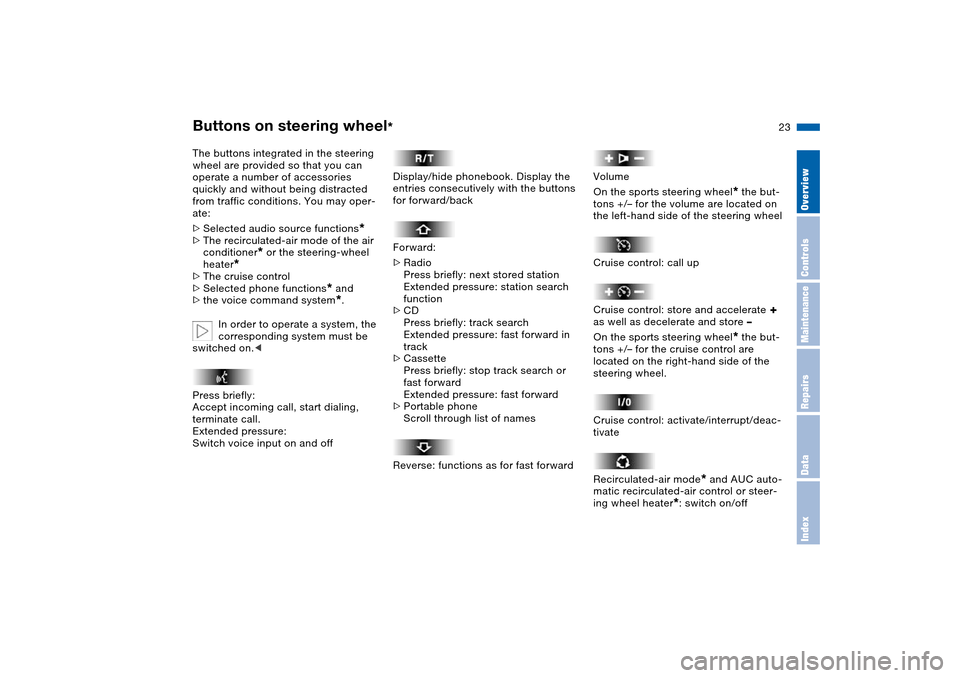
Press briefly:
Accept incoming call, start dialing,
terminate call.
Extended pressure:
Switch voice input on and off
Display/hide phonebook. Display the
entries consecutively with the buttons
for forward/back
Forward:
>Radio
Press briefly: next stored station
Extended pressure: station search
function
>CD
Press briefly: track search
Extended pressure: fast forward in
track
>Cassette
Press briefly: stop track search or
fast forward
Extended pressure: fast forward
>Portable phone
Scroll through list of names
Reverse: functions as for fast forward
Volume
On the sports steering wheel
* the but-
tons +/– for the volume are located on
the left-hand side of the steering wheel
Cruise control: call up
Cruise control: store and accelerate
+
as well as decelerate and store –
On the sports steering wheel
* the but-
tons +/– for the cruise control are
located on the right-hand side of the
steering wheel.
Cruise control: activate/interrupt/deac-
tivate
Recirculated-air mode
* and AUC auto-
matic recirculated-air control or steer-
ing wheel heater
*: switch on/off
Page 27 of 200
25n
OverviewControlsMaintenanceRepairsDataIndex
Refueling
When handling fuels always
observe any safety guidelines
posted at the service station. Never
carry spare fuel containers in your vehi-
cle. Whether empty or full, these con-
tainers can leak, cause an explosion, or
lead to fire in the event of a collision.<
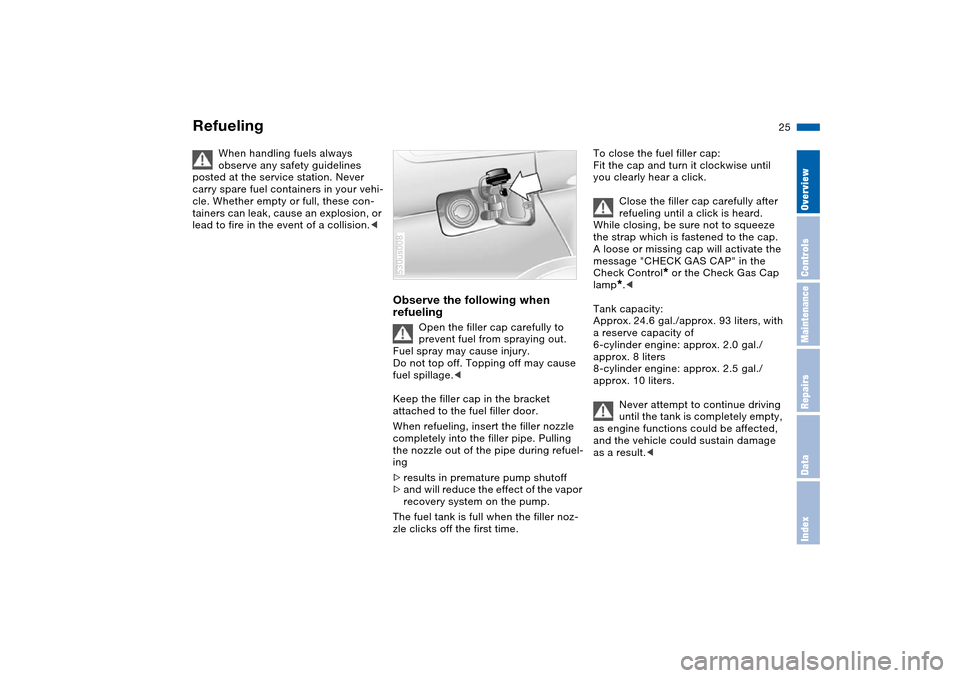
Observe the following when
refueling
Open the filler cap carefully to
prevent fuel from spraying out.
Fuel spray may cause injury.
Do not top off. Topping off may cause
fuel spillage.<
Keep the filler cap in the bracket
attached to the fuel filler door.
When refueling, insert the filler nozzle
completely into the filler pipe. Pulling
the nozzle out of the pipe during refuel-
ing
>results in premature pump shutoff
>and will reduce the effect of the vapor
recovery system on the pump.
The fuel tank is full when the filler noz-
zle clicks off the first time.
530us008
To close the fuel filler cap:
Fit the cap and turn it clockwise until
you clearly hear a click.
Close the filler cap carefully after
refueling until a click is heard.
While closing, be sure not to squeeze
the strap which is fastened to the cap.
A loose or missing cap will activate the
message "CHECK GAS CAP" in the
Check Control
* or the Check Gas Cap
lamp
*.<
Tank capacity:
Approx. 24.6 gal./approx. 93 liters, with
a reserve capacity of
6-cylinder engine: approx. 2.0 gal./
approx. 8 liters
8-cylinder engine: approx. 2.5 gal./
approx. 10 liters.
Never attempt to continue driving
until the tank is completely empty,
as engine functions could be affected,
and the vehicle could sustain damage
as a result.<
Page 29 of 200
27n
OverviewControlsMaintenanceRepairsDataIndex
Page 31 of 200
MaintenanceOverviewControlsRepairsDataIndex
29n
Overview
Controls and features
Operation, maintenance
Index Technical data
Owner service procedures
Page 33 of 200
31n
OverviewControlsMaintenanceRepairsDataIndex
Opening and closing: from outsideUsing remote control When you engage/release the vehicle
locks, you also activate/deactivate the
anti-theft system, arm/disarm the alarm
system, and switch the interior lamps
on/off.
You can have an acknowledgment
signal set to confirm that the vehi-
cle is correctly locked.<
Protect the remote control against
unauthorized use by handing over
only the spare key, for example when
using hotel valet parking.<
You can find more detailed information
on the alarm system on page 38.
Since passengers or animals
remaining in the vehicle might be
able to lock the doors from the inside,
take the vehicle's keys with you so that
the vehicle can be opened again from
the outside at any time.<
Unlocking vehiclePress the button.
Press the button once to unlock the
driver's door and the fuel filler door
only; press a second time to unlock all
remaining doors as well as the liftgate/
tailgate. Convenience opening modePress the button briefly and then hold
down.
The windows and the panorama glass
roof open. Locking and securing Press the button.
Switching on interior lamps If the vehicle is locked, press button.
With this function, you can also search
for your vehicle, e.g. when parked in an
underground garage.Switching off tilt alarm sensor and
interior motion sensorPress the button once again directly
after locking.
For more detailed information, refer to
page 39. Opening liftgate Briefly press the button.
The liftgate will open slightly, regard-
less of whether it was previously locked
or unlocked.
Page 35 of 200
33n
OverviewControlsMaintenanceRepairsDataIndex
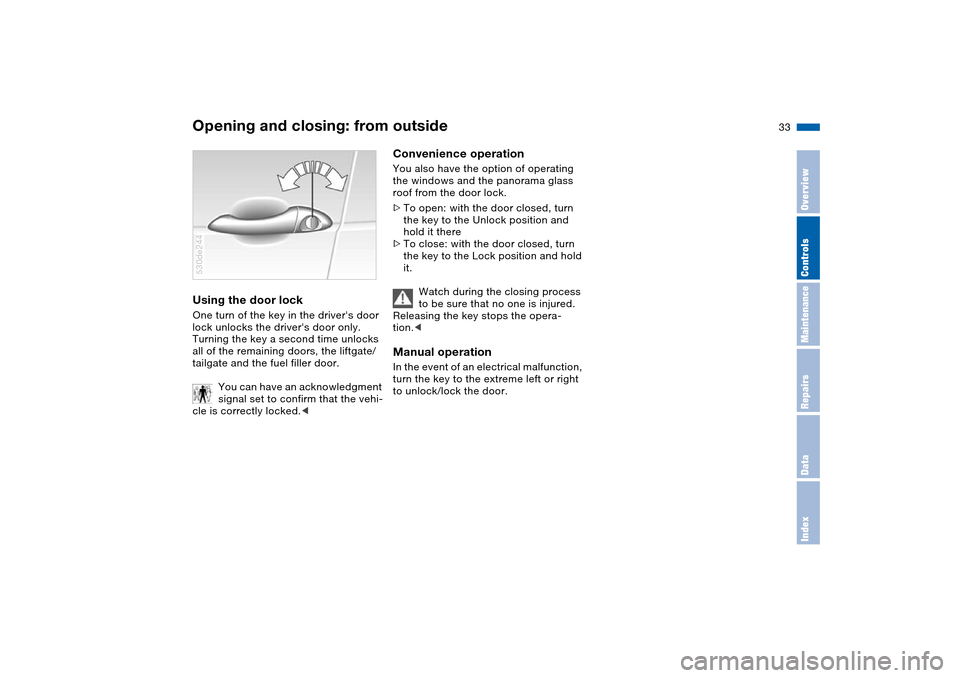
Opening and closing: from outsideUsing the door lock One turn of the key in the driver's door
lock unlocks the driver's door only.
Turning the key a second time unlocks
all of the remaining doors, the liftgate/
tailgate and the fuel filler door.
You can have an acknowledgment
signal set to confirm that the vehi-
cle is correctly locked.< 530de244
Convenience operation You also have the option of operating
the windows and the panorama glass
roof from the door lock.
>To open: with the door closed, turn
the key to the Unlock position and
hold it there
>To close: with the door closed, turn
the key to the Lock position and hold
it.
Watch during the closing process
to be sure that no one is injured.
Releasing the key stops the opera-
tion.< Manual operation In the event of an electrical malfunction,
turn the key to the extreme left or right
to unlock/lock the door.
Page 37 of 200
35n
OverviewControlsMaintenanceRepairsDataIndex
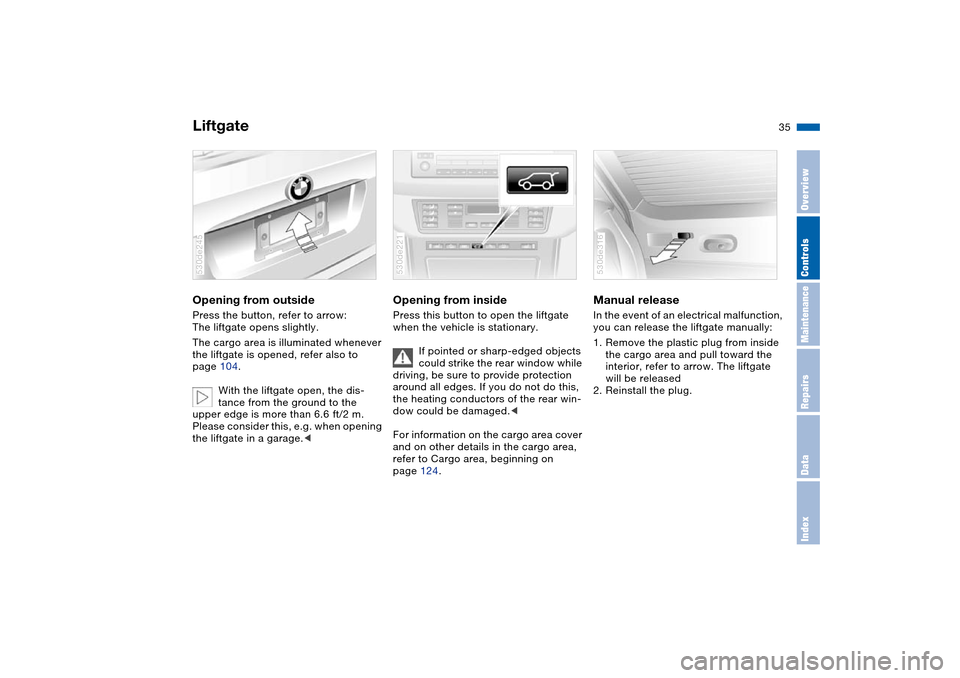
LiftgateOpening from outside Press the button, refer to arrow:
The liftgate opens slightly.
The cargo area is illuminated whenever
the liftgate is opened, refer also to
page 104.
With the liftgate open, the dis-
tance from the ground to the
upper edge is more than 6.6 ft/2 m.
Please consider this, e.g. when opening
the liftgate in a garage.<530de245
Opening from inside Press this button to open the liftgate
when the vehicle is stationary.
If pointed or sharp-edged objects
could strike the rear window while
driving, be sure to provide protection
around all edges. If you do not do this,
the heating conductors of the rear win-
dow could be damaged.<
For information on the cargo area cover
and on other details in the cargo area,
refer to Cargo area, beginning on
page 124.530de221
Manual release In the event of an electrical malfunction,
you can release the liftgate manually:
1. Remove the plastic plug from inside
the cargo area and pull toward the
interior, refer to arrow. The liftgate
will be released
2. Reinstall the plug. 530de316
Page 38 of 200
36n
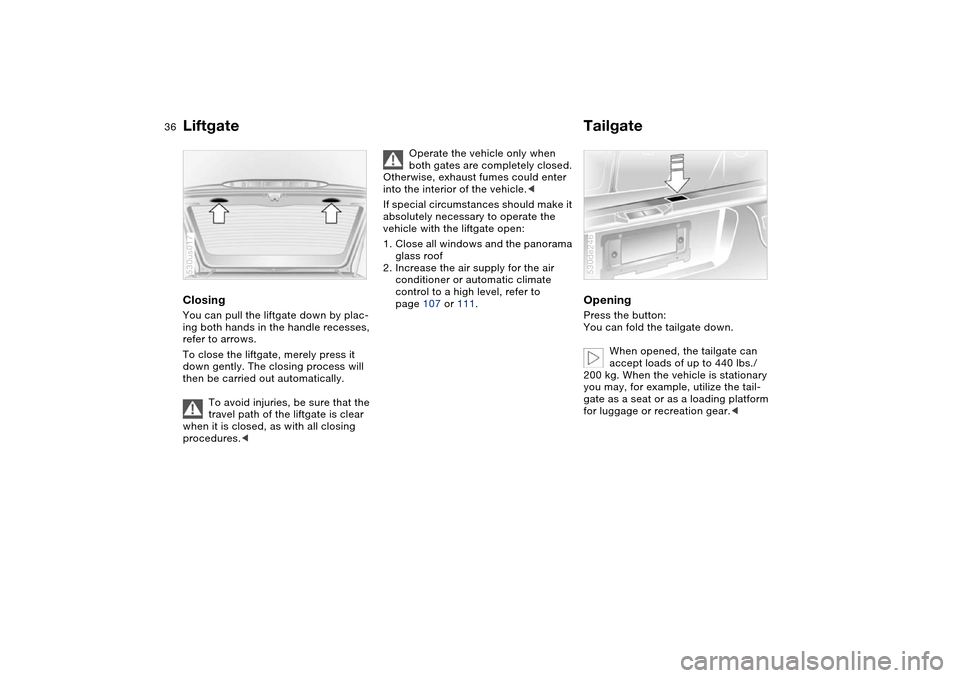
Liftgate TailgateClosing You can pull the liftgate down by plac-
ing both hands in the handle recesses,
refer to arrows.
To close the liftgate, merely press it
down gently. The closing process will
then be carried out automatically.
To avoid injuries, be sure that the
travel path of the liftgate is clear
when it is closed, as with all closing
procedures.< 530us017
Operate the vehicle only when
both gates are completely closed.
Otherwise, exhaust fumes could enter
into the interior of the vehicle.<
If special circumstances should make it
absolutely necessary to operate the
vehicle with the liftgate open:
1. Close all windows and the panorama
glass roof
2. Increase the air supply for the air
conditioner or automatic climate
control to a high level, refer to
page 107 or 111.
Opening Press the button:
You can fold the tailgate down.
When opened, the tailgate can
accept loads of up to 440 lbs./
200 kg. When the vehicle is stationary
you may, for example, utilize the tail-
gate as a seat or as a loading platform
for luggage or recreation gear.< 530de246
Page 39 of 200
37n
OverviewControlsMaintenanceRepairsDataIndex
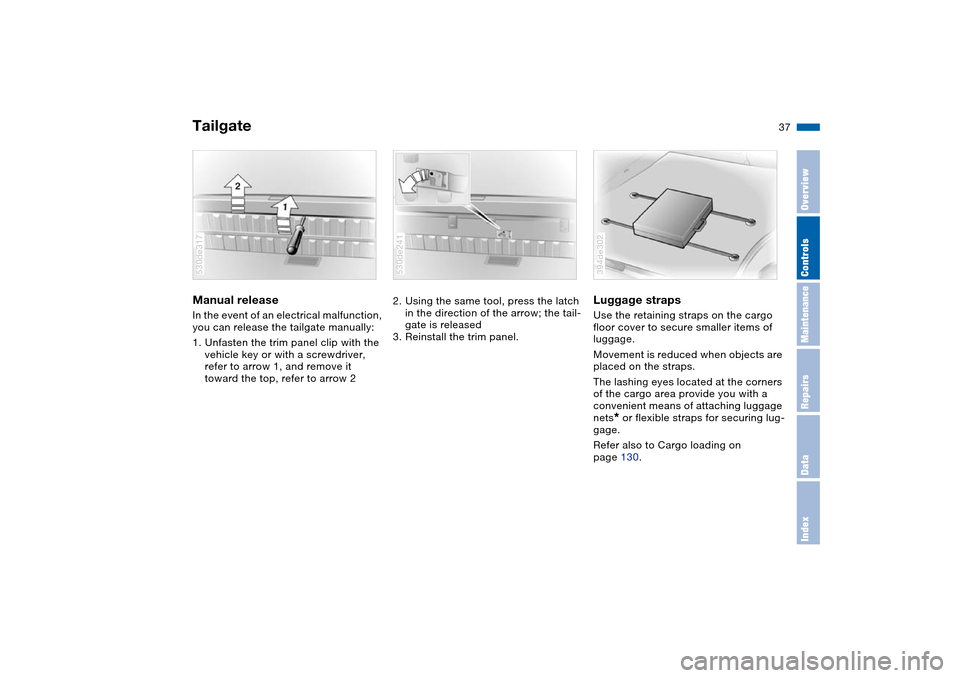
TailgateManual release In the event of an electrical malfunction,
you can release the tailgate manually:
1. Unfasten the trim panel clip with the
vehicle key or with a screwdriver,
refer to arrow 1, and remove it
toward the top, refer to arrow 2530de317
2. Using the same tool, press the latch
in the direction of the arrow; the tail-
gate is released
3. Reinstall the trim panel. 530de241
Luggage straps Use the retaining straps on the cargo
floor cover to secure smaller items of
luggage.
Movement is reduced when objects are
placed on the straps.
The lashing eyes located at the corners
of the cargo area provide you with a
convenient means of attaching luggage
nets
* or flexible straps for securing lug-
gage.
Refer also to Cargo loading on
page 130.
394de302
Page 41 of 200
39n
OverviewControlsMaintenanceRepairsDataIndex
Alarm system Windows>The indicator lamp flashes for
10 seconds after the vehicle is
unlocked: an attempted entry has
been detected in the period since the
system was armed.
Following triggering of an alarm, the
indicator lamp will flash continuously. Tilt alarm sensor and
interior motion sensor Tilt alarm sensor:
The tilt of the vehicle is monitored. The
alarm system reacts, for example, if
someone attempts to steal the wheels
or tow the vehicle.
Interior motion sensor:
In order for the interior motion sensor to
function properly, the windows and
panorama glass roof ‹must be com-
pletely closed.
Avoiding unintentional alarms The tilt alarm sensor and interior motion
sensor may be switched off at the same
time. This prevents unintentional
alarms, e.g. in the following situations:
>In duplex garages
>When transporting on car-carrying
trains
>If animals are to remain in the vehicle.
Switching off the tilt alarm sensor and
interior motion sensor:
Press the button on the remote control
twice consecutively.
The indicator lamp lights up briefly and
then flashes continuously. The tilt alarm
sensor and the interior motion sensor
are switched off up to the next unlock-
ing and locking actions.
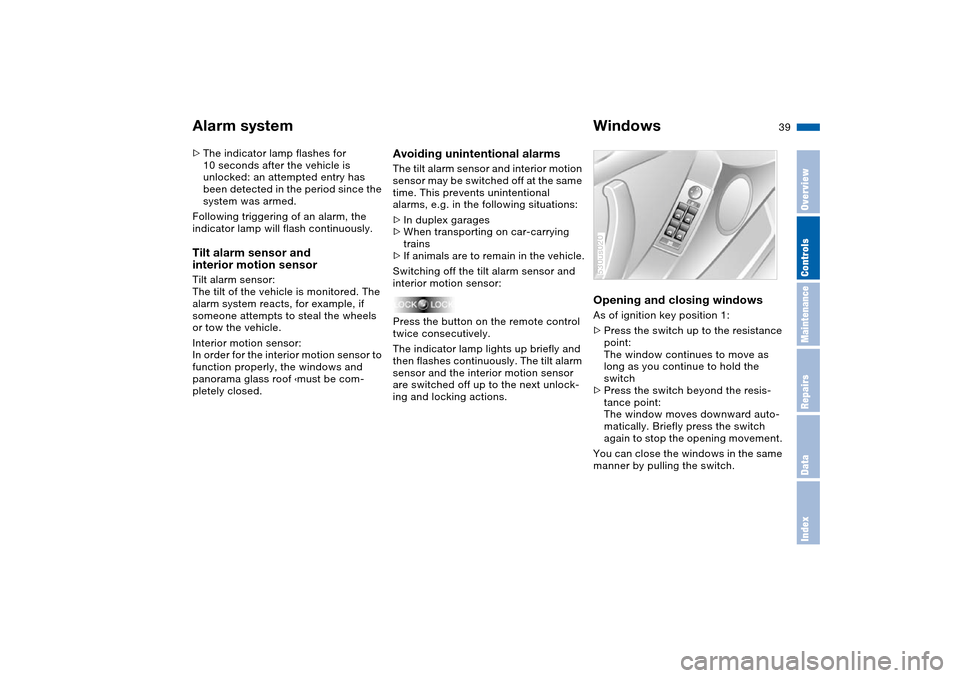
Opening and closing windows As of ignition key position 1:
>Press the switch up to the resistance
point:
The window continues to move as
long as you continue to hold the
switch
>Press the switch beyond the resis-
tance point:
The window moves downward auto-
matically. Briefly press the switch
again to stop the opening movement.
You can close the windows in the same
manner by pulling the switch.530us020