phone BMW X5 4.4I 2004 E53 Owner's Manual
[x] Cancel search | Manufacturer: BMW, Model Year: 2004, Model line: X5 4.4I, Model: BMW X5 4.4I 2004 E53Pages: 200, PDF Size: 3.91 MB
Page 7 of 200
5n
OverviewControlsMaintenanceRepairsDataIndex
Controls and features
Passenger safety systems:
Airbags57
Transporting children safely59
Vehicle Memory,
Key Memory63
Driving:
Ignition lock64
Starting engine64
Switching off engine65
Handbrake66
Manual transmission66
Automatic transmission with
Steptronic67
Turn signals/
headlamp flasher70
Washer/wiper system/
rain sensor71
Cruise control73
Everything under control:
Odometer, outside temperature
display75
Tachometer76
Energy control76
Engine oil thermometer77
Fuel gauge77
Temperature gauge78
Service Interval Display78
Check Control79
Computer82
MID Multi-Information
Display83Digital clock in MID84
Computer in MID87
Technology for safety and
driving convenience:
PDC Park Distance Control92
Antilock Brake System93
DSC Dynamic Stability
Control94
xDrive95
HDC Hill Descent Control96
Self-leveling suspension97
2-axle self-leveling
suspension97
Brake Force Display99
Flat Tire Monitor100
Lamps:
Parking lamps/low beams102
Adaptive Head Light103
High beams/roadside parking
lamps103
Front fog lamps104
Instrument lighting104
Interior lamps104
Controlling climate for pleasant
driving:
Air conditioner106
Automatic climate control109
Roller sun blinds115
Independent ventilation115
Cabin convenience:
Integrated universal remote
control116
Telephone118
Glove compartment119
Storage compartments119
Cup holders120
Ashtray, front121
Ashtray, rear121
Cigarette lighter, rear122
Loading and transporting:
Ski bag123
Cargo area
Folding rear backrests
down124
Roll-up cover125
Partition net125
Cover panels in cargo
area127
Power outlets128
Pull-out cargo floor128
Cargo loading130
Roof-mounted luggage rack132
Page 11 of 200
9n
OverviewControlsMaintenanceRepairsDataIndex
Status at time of printing
BMW pursues a policy of continuous,
ongoing development that is conceived
to ensure that our vehicles continue to
embody the highest quality and safety
standards combined with advanced,
state-of-the-art technology. In isolated
cases, the features described in this
Owner's Manual could differ from those
on your vehicle for this reason.
For your own safety
Maintenance and repair:
Advanced technology, e. g. the
use of modern materials and high-
performance electronics, requires spe-
cially adapted maintenance and repair
methods. Therefore, only have corre-
sponding work on your BMW carried
out by a BMW Sports Activity Vehicle
center or a workshop that works
according to BMW repair procedures
with correspondingly trained personnel.
If work is carried out improperly there is
a danger of consequential damage and
the related safety risks.<
Parts and accessories:
For your own safety, use genuine
parts and accessories approved
by BMW.
When you purchase accessories tested
and approved by BMW and Genuine
BMW Parts, you simultaneously acquire
the assurance that they have been thor-
oughly tested by BMW to ensure opti-
mum performance when installed on
your vehicle.
BMW warrants these parts to be free
from defects in material and workman-
ship.
BMW will not accept any liability for
damages resulting from installation of
parts and accessories not approved by
BMW.
BMW cannot test every product on the
market to determine whether it can be
used on a BMW safely and without risk
to either the vehicle, its operation, or its
occupants.
Genuine BMW Parts, BMW Accessories
and other products approved by BMW,
together with professional advice on
using these items, are available from all
BMW Sports Activity Vehicle centers.
Installation and operation of non-BMW
approved accessories such as alarms,
radios, amplifiers, radar detectors,
wheels, suspension components, brake
dust shields, telephones – including
operation of any portable phone from
within the vehicle without using an
externally mounted antenna – or trans-
ceiver equipment such as CB, walkie-
talkie, ham radio or similar accessories,
may cause extensive damage to the
vehicle, compromise its safety, interfere
with the vehicle's electrical system or
affect the validity of the BMW Limited
Warranty. Refer to your BMW Sports
Activity Vehicle center for additional
information.<
Status at time of printing
Notes
Page 12 of 200
10n
Notes
Maintenance, replacement, or
repair of the emission control
devices and systems may be performed
by any automotive repair establishment
or individual using any certified auto-
motive part.<
Symbol on vehicle parts
Indicates that you should consult
the relevant section of this
Owner's Manual for information on a
particular part or assembly.
Service and Warranty
This manual is supplemented by a Ser-
vice and Warranty Information Booklet
for US models or a Warranty and Ser-
vice Guide Booklet for Canadian mod-
els.
We recommend that you read this pub-
lication thoroughly.
Your BMW is covered by the following
warranties:
>
New Vehicle Limited Warranty
>
Rust Perforation Limited Warranty
>
Federal Emissions System Defect
Warranty
>
Federal Emissions Performance
Warranty
> California Emissions Control System
Limited Warranty
Detailed information about these war-
ranties is listed in the Service and War-
ranty Information Booklet for US mod-
els or in the Warranty and Service
Guide Booklet for Canadian models.
Reporting safety defects
The following only applies to vehicles
owned and operated in the US.
If you believe that your vehicle has a
defect which could cause a crash or
could cause injury or death, you should
immediately inform the National High-
way Traffic Safety Administration
NHTSA in addition to notifying BMW of
North America, LLC, P.O. Box 1227,
Westwood, New Jersey 07675-1227,
Telephone 800-831-1117.
If NHTSA receives similar complaints,
it may open an investigation, and if it
finds that a safety defect exists in a
group of vehicles, it may order a recall
and remedy campaign. However,
NHTSA cannot become involved in indi-
vidual problems between you, your
dealer, or BMW of North America, LLC.
To contact NHTSA, you may either
call the Auto Safety Hotline toll-free
at 1-800-424-9393 or 366-0123 in
Washington, D.C. area or write to:
NHTSA, U.S. Department of Transpor-
tation, Washington, D.C. 20590. You
can also obtain other information about
motor vehicle safety from the Hotline.
For your own safety
Page 25 of 200
23n
OverviewControlsMaintenanceRepairsDataIndex
Buttons on steering wheel
*
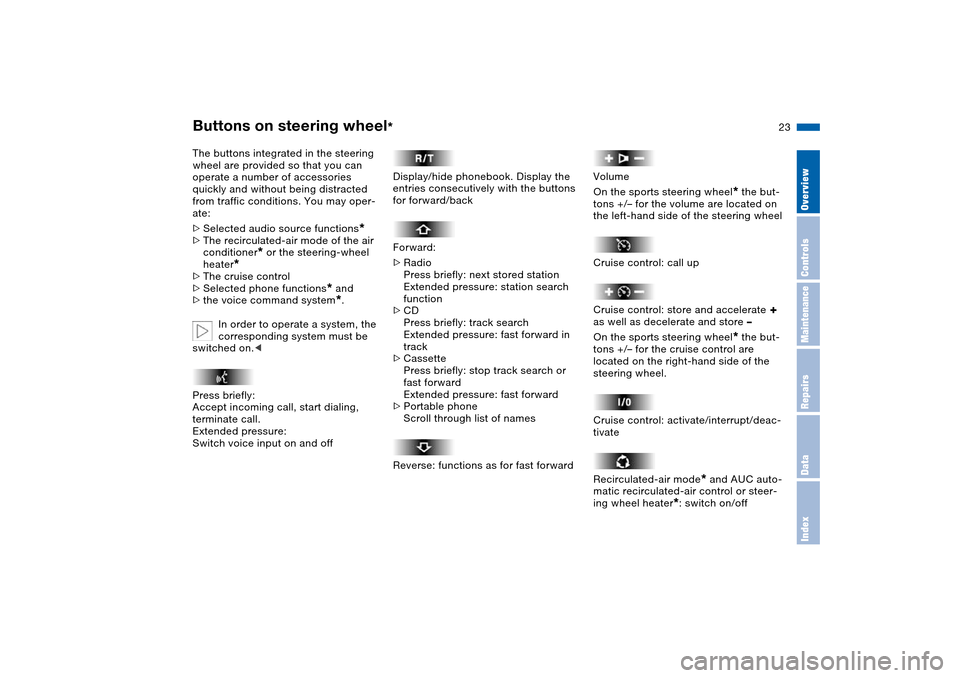
The buttons integrated in the steering
wheel are provided so that you can
operate a number of accessories
quickly and without being distracted
from traffic conditions. You may oper-
ate:
>Selected audio source functions
*
>The recirculated-air mode of the air
conditioner
* or the steering-wheel
heater
*
>The cruise control
>Selected phone functions
* and
>the voice command system*.
In order to operate a system, the
corresponding system must be
switched on.<
Press briefly:
Accept incoming call, start dialing,
terminate call.
Extended pressure:
Switch voice input on and off
Display/hide phonebook. Display the
entries consecutively with the buttons
for forward/back
Forward:
>Radio
Press briefly: next stored station
Extended pressure: station search
function
>CD
Press briefly: track search
Extended pressure: fast forward in
track
>Cassette
Press briefly: stop track search or
fast forward
Extended pressure: fast forward
>Portable phone
Scroll through list of names
Reverse: functions as for fast forward
Volume
On the sports steering wheel
* the but-
tons +/– for the volume are located on
the left-hand side of the steering wheel
Cruise control: call up
Cruise control: store and accelerate
+
as well as decelerate and store –
On the sports steering wheel
* the but-
tons +/– for the cruise control are
located on the right-hand side of the
steering wheel.
Cruise control: activate/interrupt/deac-
tivate
Recirculated-air mode
* and AUC auto-
matic recirculated-air control or steer-
ing wheel heater
*: switch on/off
Page 85 of 200
83n
OverviewControlsMaintenanceRepairsDataIndex
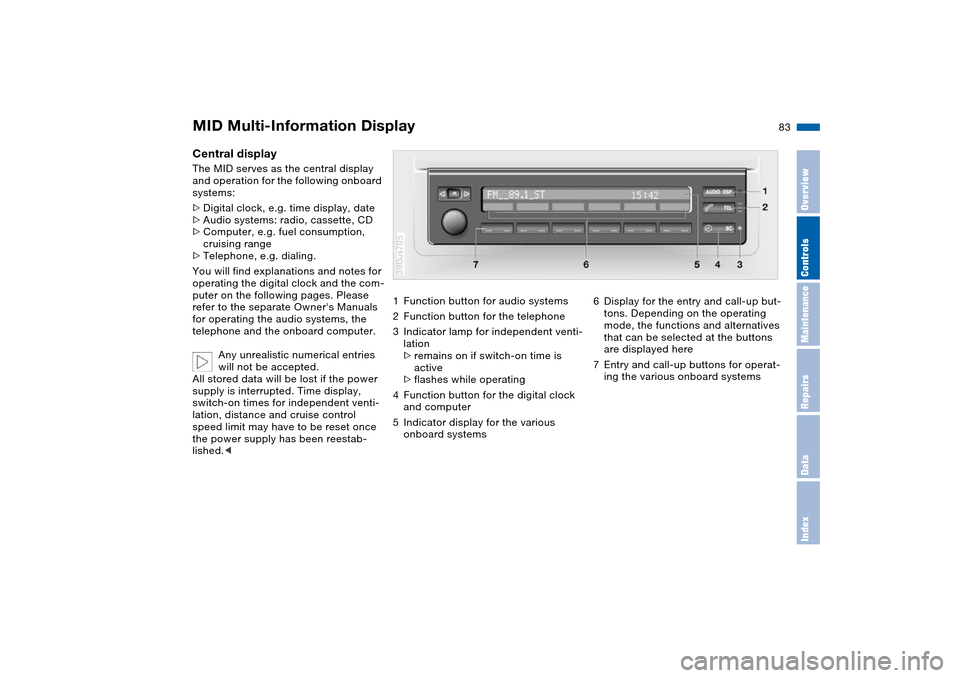
MID Multi-Information Display Central display The MID serves as the central display
and operation for the following onboard
systems:
>Digital clock, e.g. time display, date
>Audio systems: radio, cassette, CD
>Computer, e.g. fuel consumption,
cruising range
>Telephone, e.g. dialing.
You will find explanations and notes for
operating the digital clock and the com-
puter on the following pages. Please
refer to the separate Owner's Manuals
for operating the audio systems, the
telephone and the onboard computer.
Any unrealistic numerical entries
will not be accepted.
All stored data will be lost if the power
supply is interrupted. Time display,
switch-on times for independent venti-
lation, distance and cruise control
speed limit may have to be reset once
the power supply has been reestab-
lished.<
1Function button for audio systems
2Function button for the telephone
3Indicator lamp for independent venti-
lation
>remains on if switch-on time is
active
>flashes while operating
4Function button for the digital clock
and computer
5Indicator display for the various
onboard systems390us705
6Display for the entry and call-up but-
tons. Depending on the operating
mode, the functions and alternatives
that can be selected at the buttons
are displayed here
7Entry and call-up buttons for operat-
ing the various onboard systems
Page 120 of 200
118n
Integrated universal remote control
*
Telephone
*
1. Park your vehicle within the range of
the remote-controlled device
2. Program the integrated universal
remote control as described at the
section on fixed-code hand-held
transmitters
3. Localize the button on the receiver of
the device you want to set up, e.g.
on the upper section of the motor
4. Press the button on the receiver of
the device you want to set up. After
step 4, you have approx. 30 seconds
for step 5
5. Press the programmed memory
button 1 on the integrated universal
remote control three times.
The corresponding memory button 1 is
now programmed with the signal of the
original hand-held transmitter.
If you have any additional ques-
tions, please contact your BMW
Sports Activity Vehicle center.<
Clearing memory buttonsIndividual memory buttons 1 cannot be
cleared. However, you clear all three
memory buttons 1 together as follows:
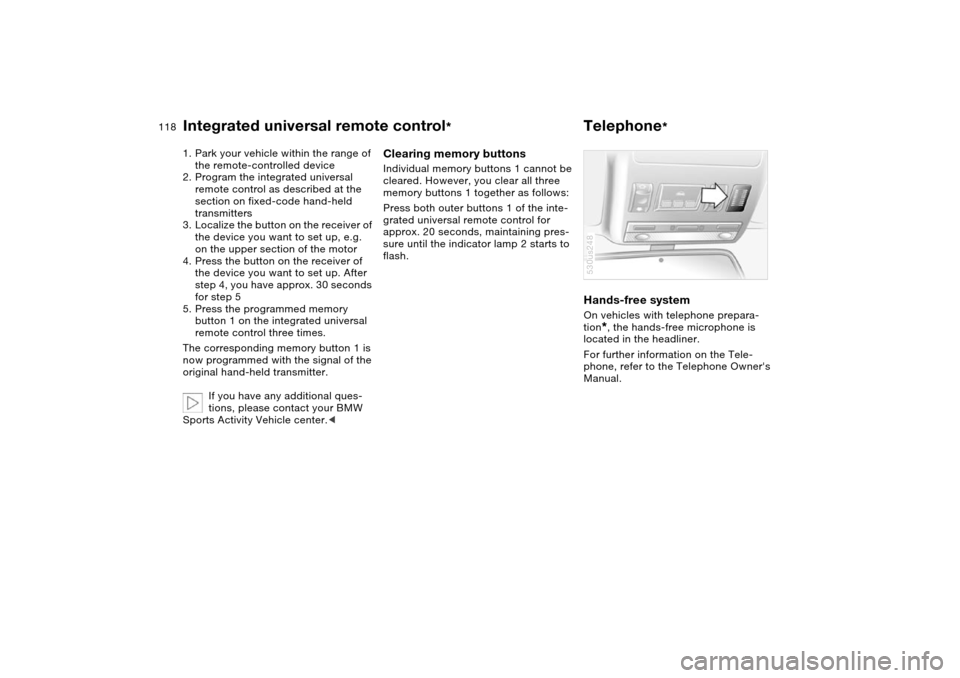
Press both outer buttons 1 of the inte-
grated universal remote control for
approx. 20 seconds, maintaining pres-
sure until the indicator lamp 2 starts to
flash.
Hands-free system On vehicles with telephone prepara-
tion
*, the hands-free microphone is
located in the headliner.
For further information on the Tele-
phone, refer to the Telephone Owner's
Manual.
530us248
Page 121 of 200
119n
OverviewControlsMaintenanceRepairsDataIndex
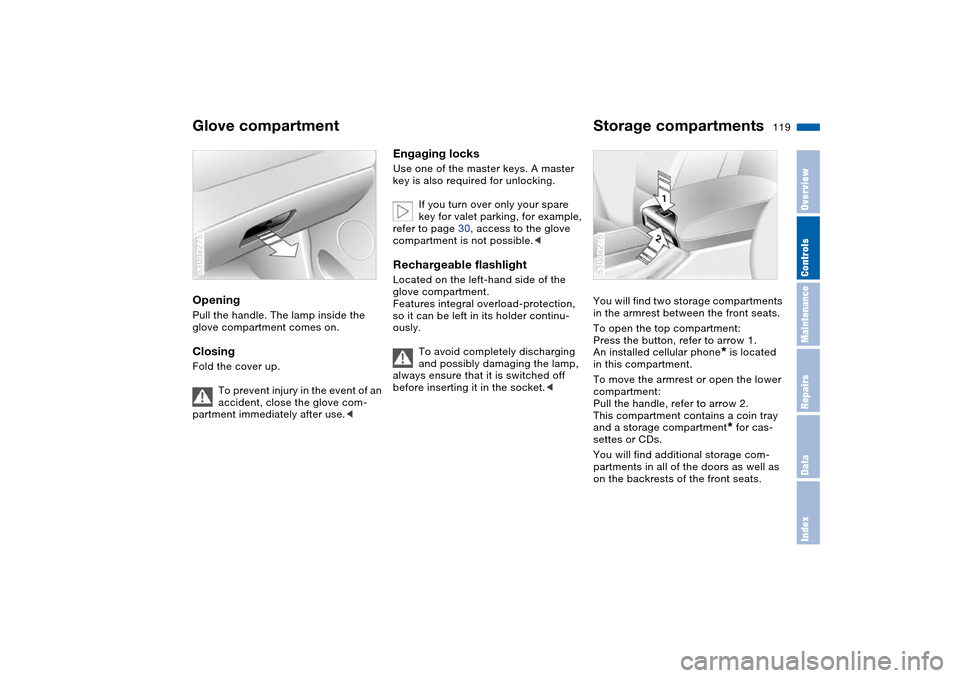
Glove compartment Storage compartments Opening Pull the handle. The lamp inside the
glove compartment comes on.Closing Fold the cover up.
To prevent injury in the event of an
accident, close the glove com-
partment immediately after use.< 530de275
Engaging locks Use one of the master keys. A master
key is also required for unlocking.
If you turn over only your spare
key for valet parking, for example,
refer to page 30, access to the glove
compartment is not possible.< Rechargeable flashlight Located on the left-hand side of the
glove compartment.
Features integral overload-protection,
so it can be left in its holder continu-
ously.
To avoid completely discharging
and possibly damaging the lamp,
always ensure that it is switched off
before inserting it in the socket.<
You will find two storage compartments
in the armrest between the front seats.
To open the top compartment:
Press the button, refer to arrow 1.
An installed cellular phone
* is located
in this compartment.
To move the armrest or open the lower
compartment:
Pull the handle, refer to arrow 2.
This compartment contains a coin tray
and a storage compartment* for cas-
settes or CDs.
You will find additional storage com-
partments in all of the doors as well as
on the backrests of the front seats.
530de276
Page 172 of 200
170n
The Roadside Assistance of the BMW
Group offers you assistance in the
event of a breakdown around the clock,
also at weekends and on public holi-
days.
The phone numbers of the Roadside
Assistance control center in your home
country can be found in the BMW
Dealer Directory.
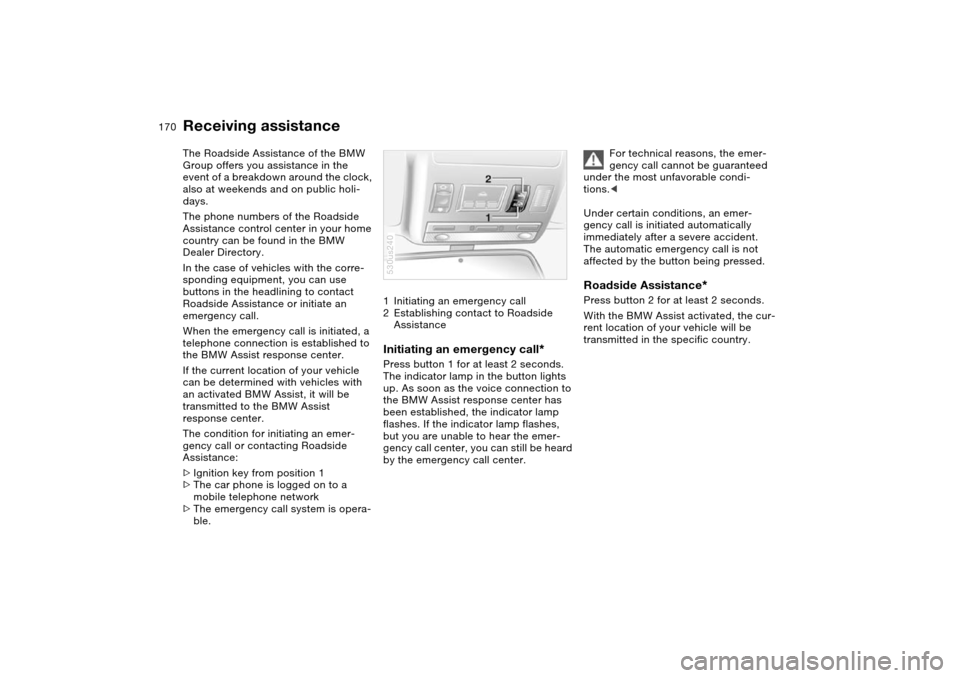
In the case of vehicles with the corre-
sponding equipment, you can use
buttons in the headlining to contact
Roadside Assistance or initiate an
emergency call.
When the emergency call is initiated, a
telephone connection is established to
the BMW Assist response center.
If the current location of your vehicle
can be determined with vehicles with
an activated BMW Assist, it will be
transmitted to the BMW Assist
response center.
The condition for initiating an emer-
gency call or contacting Roadside
Assistance:
>Ignition key from position 1
>The car phone is logged on to a
mobile telephone network
>The emergency call system is opera-
ble.1Initiating an emergency call
2Establishing contact to Roadside
Assistance
Initiating an emergency call
*
Press button 1 for at least 2 seconds.
The indicator lamp in the button lights
up. As soon as the voice connection to
the BMW Assist response center has
been established, the indicator lamp
flashes. If the indicator lamp flashes,
but you are unable to hear the emer-
gency call center, you can still be heard
by the emergency call center.530us240
For technical reasons, the emer-
gency call cannot be guaranteed
under the most unfavorable condi-
tions.<
Under certain conditions, an emer-
gency call is initiated automatically
immediately after a severe accident.
The automatic emergency call is not
affected by the button being pressed.
Roadside Assistance
*
Press button 2 for at least 2 seconds.
With the BMW Assist activated, the cur-
rent location of your vehicle will be
transmitted in the specific country.
Receiving assistance
Page 191 of 200
Everything from A to Z
189n
OverviewControlsMaintenanceRepairsDataIndex
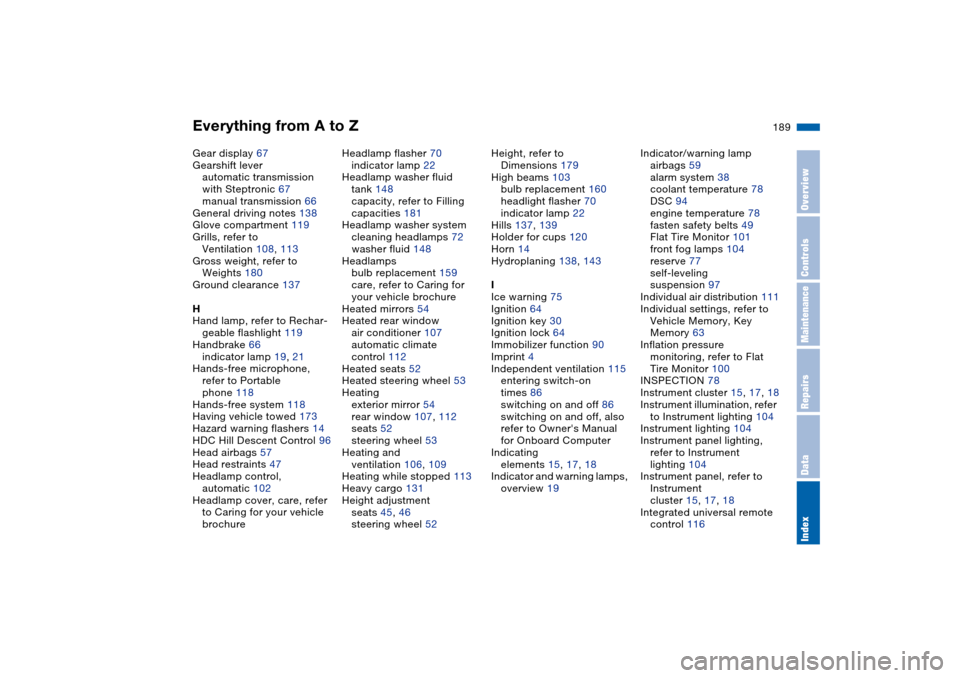
Gear display 67
Gearshift lever
automatic transmission
with Steptronic 67
manual transmission 66
General driving notes 138
Glove compartment 119
Grills, refer to
Ventilation 108, 113
Gross weight, refer to
Weights 180
Ground clearance 137
H
Hand lamp, refer to Rechar-
geable flashlight 119
Handbrake 66
indicator lamp 19, 21
Hands-free microphone,
refer to Portable
phone 118
Hands-free system 118
Having vehicle towed 173
Hazard warning flashers 14
HDC Hill Descent Control 96
Head airbags 57
Head restraints 47
Headlamp control,
automatic 102
Headlamp cover, care, refer
to Caring for your vehicle
brochureHeadlamp flasher 70
indicator lamp 22
Headlamp washer fluid
tank 148
capacity, refer to Filling
capacities 181
Headlamp washer system
cleaning headlamps 72
washer fluid 148
Headlamps
bulb replacement 159
care, refer to Caring for
your vehicle brochure
Heated mirrors 54
Heated rear window
air conditioner 107
automatic climate
control 112
Heated seats 52
Heated steering wheel 53
Heating
exterior mirror 54
rear window 107, 112
seats 52
steering wheel 53
Heating and
ventilation 106, 109
Heating while stopped 113
Heavy cargo 131
Height adjustment
seats 45, 46
steering wheel 52Height, refer to
Dimensions 179
High beams 103
bulb replacement 160
headlight flasher 70
indicator lamp 22
Hills 137, 139
Holder for cups 120
Horn 14
Hydroplaning 138, 143
I
Ice warning 75
Ignition 64
Ignition key 30
Ignition lock 64
Immobilizer function 90
Imprint 4
Independent ventilation 115
entering switch-on
times 86
switching on and off 86
switching on and off, also
refer to Owner's Manual
for Onboard Computer
Indicating
elements 15, 17, 18
Indicator and warning lamps,
overview 19Indicator/warning lamp
airbags 59
alarm system 38
coolant temperature 78
DSC 94
engine temperature 78
fasten safety belts 49
Flat Tire Monitor 101
front fog lamps 104
reserve 77
self-leveling
suspension 97
Individual air distribution 111
Individual settings, refer to
Vehicle Memory, Key
Memory 63
Inflation pressure
monitoring, refer to Flat
Tire Monitor 100
INSPECTION 78
Instrument cluster 15, 17, 18
Instrument illumination, refer
to Instrument lighting 104
Instrument lighting 104
Instrument panel lighting,
refer to Instrument
lighting 104
Instrument panel, refer to
Instrument
cluster 15, 17, 18
Integrated universal remote
control 116
Page 193 of 200
Everything from A to Z
191n
OverviewControlsMaintenanceRepairsDataIndex
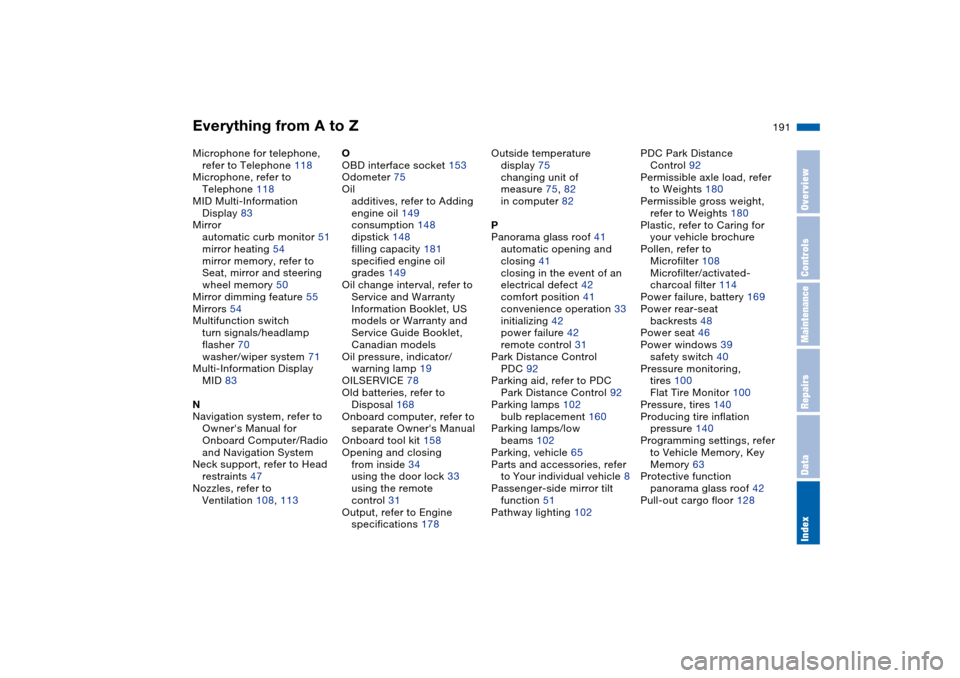
Microphone for telephone,
refer to Telephone 118
Microphone, refer to
Telephone 118
MID Multi-Information
Display 83
Mirror
automatic curb monitor 51
mirror heating 54
mirror memory, refer to
Seat, mirror and steering
wheel memory 50
Mirror dimming feature 55
Mirrors 54
Multifunction switch
turn signals/headlamp
flasher 70
washer/wiper system 71
Multi-Information Display
MID 83
N
Navigation system, refer to
Owner's Manual for
Onboard Computer/Radio
and Navigation System
Neck support, refer to Head
restraints 47
Nozzles, refer to
Ventilation 108, 113O
OBD interface socket 153
Odometer 75
Oil
additives, refer to Adding
engine oil 149
consumption 148
dipstick 148
filling capacity 181
specified engine oil
grades 149
Oil change interval, refer to
Service and Warranty
Information Booklet, US
models or Warranty and
Service Guide Booklet,
Canadian models
Oil pressure, indicator/
warning lamp 19
OILSERVICE 78
Old batteries, refer to
Disposal 168
Onboard computer, refer to
separate Owner's Manual
Onboard tool kit 158
Opening and closing
from inside 34
using the door lock 33
using the remote
control 31
Output, refer to Engine
specifications 178Outside temperature
display 75
changing unit of
measure 75, 82
in computer 82
P
Panorama glass roof 41
automatic opening and
closing 41
closing in the event of an
electrical defect 42
comfort position 41
convenience operation 33
initializing 42
power failure 42
remote control 31
Park Distance Control
PDC 92
Parking aid, refer to PDC
Park Distance Control 92
Parking lamps 102
bulb replacement 160
Parking lamps/low
beams 102
Parking, vehicle 65
Parts and accessories, refer
to Your individual vehicle 8
Passenger-side mirror tilt
function 51
Pathway lighting 102PDC Park Distance
Control 92
Permissible axle load, refer
to Weights 180
Permissible gross weight,
refer to Weights 180
Plastic, refer to Caring for
your vehicle brochure
Pollen, refer to
Microfilter 108
Microfilter/activated-
charcoal filter 114
Power failure, battery 169
Power rear-seat
backrests 48
Power seat 46
Power windows 39
safety switch 40
Pressure monitoring,
tires 100
Flat Tire Monitor 100
Pressure, tires 140
Producing tire inflation
pressure 140
Programming settings, refer
to Vehicle Memory, Key
Memory 63
Protective function
panorama glass roof 42
Pull-out cargo floor 128