buttons BMW X5 4.4I 2005 E53 User Guide
[x] Cancel search | Manufacturer: BMW, Model Year: 2005, Model line: X5 4.4I, Model: BMW X5 4.4I 2005 E53Pages: 200, PDF Size: 3.55 MB
Page 88 of 200
88n
Computer
* in MID
To avoid endangering yourself or
other road users, only make
entries when the vehicle is stationary.<
Computer calculations begin at the
start of the journey.
Information can also be called up in the
display by the remote control, refer to
page92.
Speed limit Speed limit entry:
You can enter the road speed here at
which you wish to hear and see a
reminder signal: a signal will sound,
the word LIMIT will flash, and with the
Check Control with alphanumeric dis-
play
*, the speed limit warning stored in
the memory will appear on the instru-
ment cluster briefly.
The speed limit reminder is only
repeated if road speed has fallen at
least 3 mph/5 km/h below the preset
speed limit.
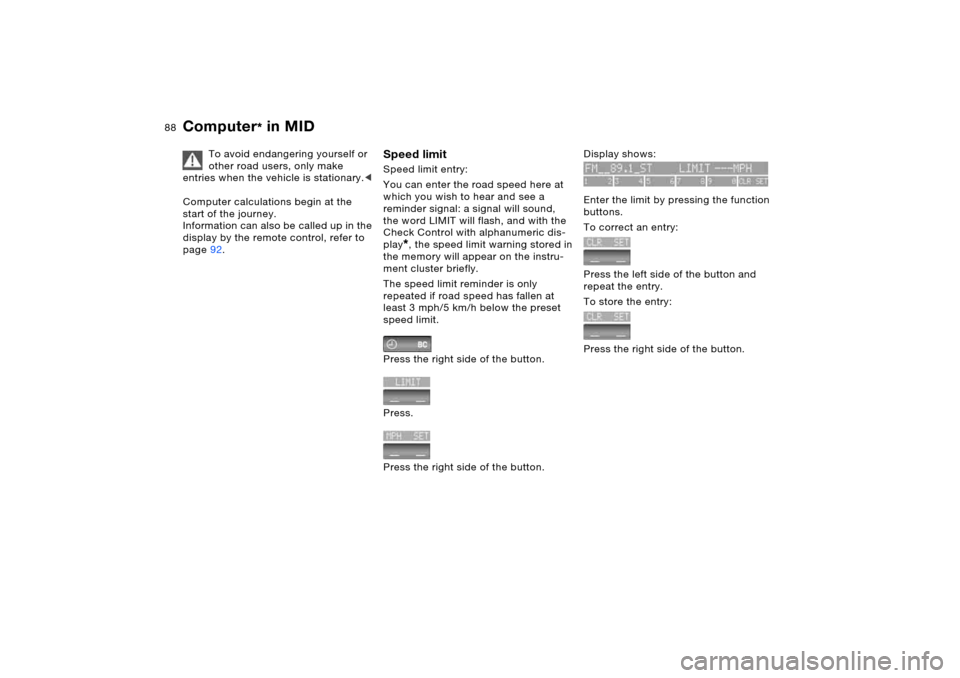
Press the right side of the button.
Press.
Press the right side of the button.
Display shows:
Enter the limit by pressing the function
buttons.
To correct an entry:
Press the left side of the button and
repeat the entry.
To store the entry:
Press the right side of the button.
Page 89 of 200
89n
OverviewControlsMaintenanceRepairsDataIndex
Computer
* in MID
Adopting the current speed as the
speed limit:
Press the right side of the button.
Press.
Press twice at right.
Deactivating the speed limit:
Press the right side of the button.
Press.
The LIMIT display goes out, but the
stored value is not lost and can be
reactivated by pressing the LIMIT but-
ton.
Distance to destination The remaining distance to the destina-
tion will be displayed on the screen.
Enter the entire distance before starting
the journey.
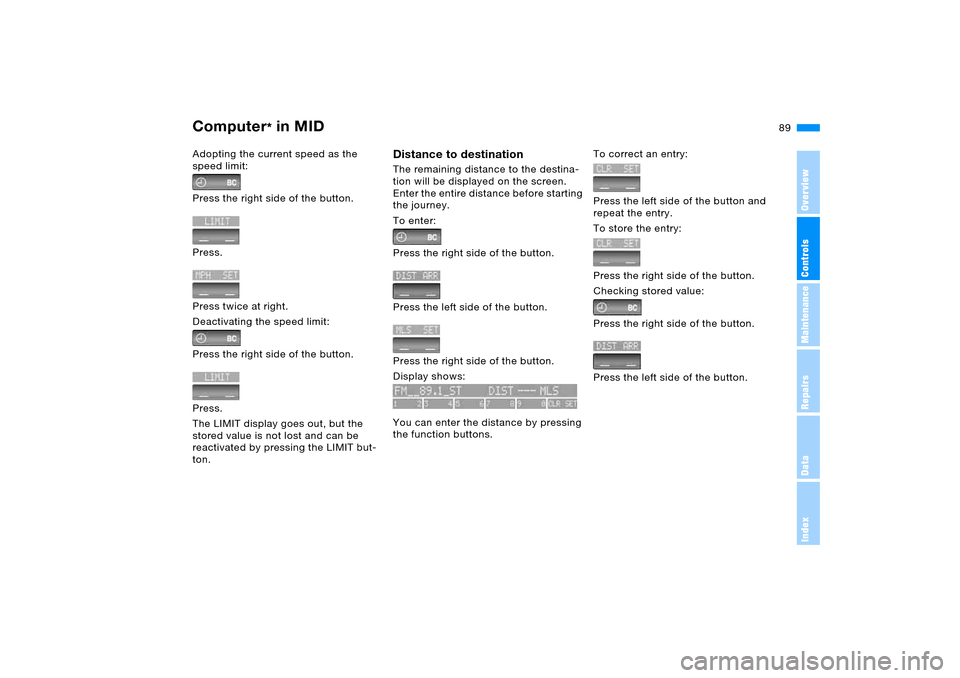
To enter:
Press the right side of the button.
Press the left side of the button.
Press the right side of the button.
Display shows:
You can enter the distance by pressing
the function buttons.
To correct an entry:
Press the left side of the button and
repeat the entry.
To store the entry:
Press the right side of the button.
Checking stored value:
Press the right side of the button.
Press the left side of the button.
Page 92 of 200
92n
Computer
* in MID
After three incorrect code entries, or
three attempts to start the engine with-
out a code entry, the alarm will sound
for 30 seconds on vehicles fitted with
an alarm system.
Deactivating the alarm in an emer-
gency:
If you have forgotten the code, proceed
as follows:
1. Disconnect the battery, wait approx.
2 minutes, then reconnect it. Note
that on vehicles with an alarm sys-
tem, the alarm will sound
2. Set the ignition key to position 1: the
time display will count down for the
next ten minutes
3. After ten minutes, start the engine.
If the code becomes available
again in the meantime, it can be
entered during the waiting period after
pressing the CODE button.<
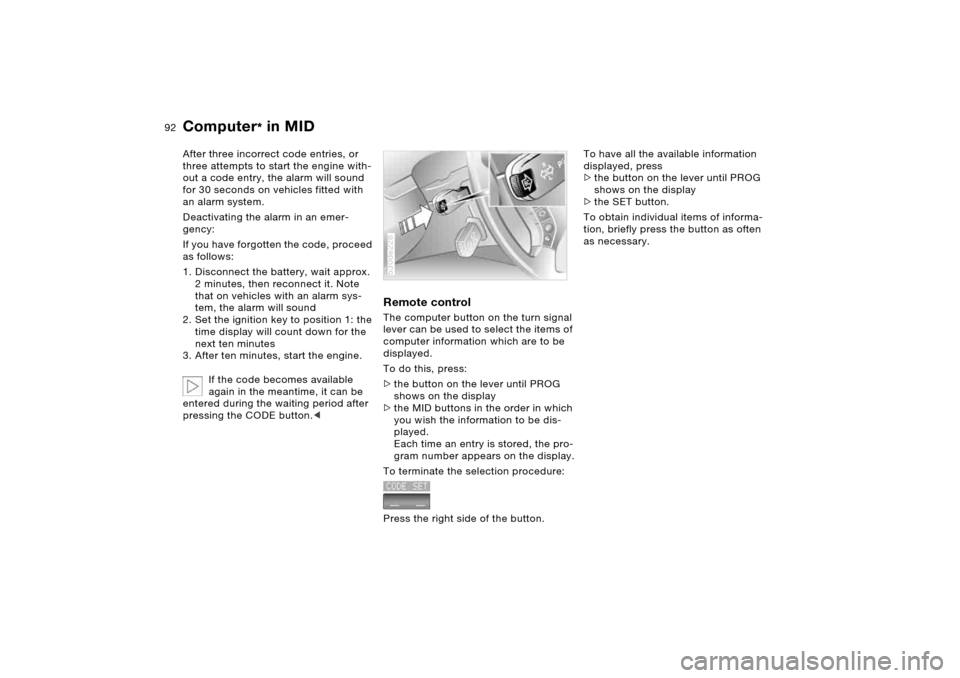
Remote controlThe computer button on the turn signal
lever can be used to select the items of
computer information which are to be
displayed.
To do this, press:
>the button on the lever until PROG
shows on the display
>the MID buttons in the order in which
you wish the information to be dis-
played.
Each time an entry is stored, the pro-
gram number appears on the display.
To terminate the selection procedure:
Press the right side of the button.530de228
To have all the available information
displayed, press
>the button on the lever until PROG
shows on the display
>the SET button.
To obtain individual items of informa-
tion, briefly press the button as often
as necessary.
Page 106 of 200
106n
Interior lampsReading lamps
*
Reading lamps are located at the front
and in the rear next to the dome light.
They can be switched on and off with
the respective buttons 2 located next to
them.Footwell and cargo area lamps The lamps are controlled in the same
manner as the front interior lamps.Front area lighting
*
This lighting system in the two exterior
mirrors illuminates the ground in the
area near the two front doors. It is also
controlled in the same manner as the
front interior lamps, but it does not
function while the vehicle is moving.
In order to prevent battery dis-
charge, all of the lamps in the
vehicle are switched off automatically
approx. 15 minutes after the ignition
key is turned to position 0.<
Page 117 of 200
117n
OverviewControlsMaintenanceRepairsDataIndex
The concept The integrated universal remote control
can replace as many as three hand-
held transmitters for various remote-
controlled accessories, such as door
openers and house alarm systems.
The integrated universal remote control
recognizes and learns the transmitted
signal of each of the original hand-held
transmitters.
The signal of an original hand-held
transmitter can be programmed on one
of the three memory buttons 1. Follow-
ing that, each of the devices can be
actuated with the appropriately-pro-
grammed memory button 1. The indica-
tor lamp 2 flashes to confirm transmis-
sion of the signal.
Should you sell your vehicle one day,
be sure to delete the stored programs
beforehand for your safety, refer to
page119. To prevent possible damage or
injury, before programming or
using the integrated universal remote
control, always inspect the immediate
area to make certain that no people,
animals or objects are within the travel
range of the device. Also, comply with
the safety precautions of the original
hand-held transmitter.<
To Canadian residents:
During programming, your hand-
held transmitter may automatically stop
transmitting after two seconds, which
may not be long enough to program the
integrated universal remote control. If
you are programming from one of these
hand-held transmitters, the integrated
universal remote control's light may
begin to flash in a series of double-
blinks. If this occurs, continue to hold
the button of the integrated universal
remote control while you reactivate
your hand-held transmitter. You may
have to repeat this function several
times while programming.<
Checking compatibility
If you see this symbol on the
packaging or in the manual sup-
plied with the original hand-held
transmitter, it is safe to assume that it is
compatible with the integrated universal
remote control.
A list of compatible hand transmitters
is available via fax polling by calling
+49 (0)6838 907283 3333. For details,
please call the toll-free HomeLink Hot-
line at +49 (0)6838 907 277 or 0800
0466 35465 in Germany.
HomeLink is a registered trademark of
Johnson Controls.
Integrated universal remote control
*
Page 118 of 200
118n
Integrated universal remote control
*
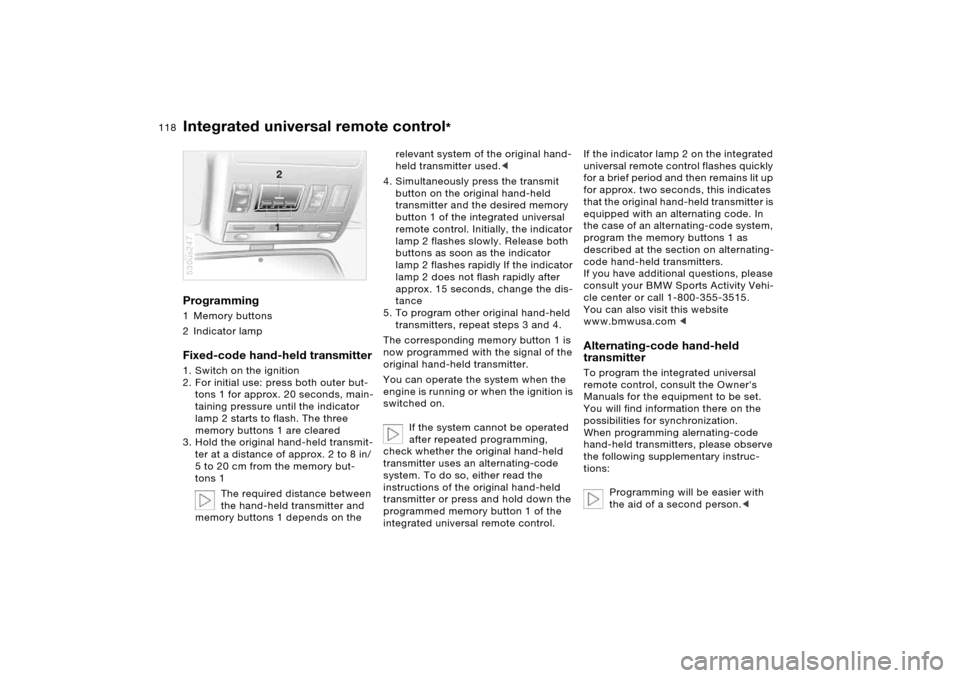
Programming 1 Memory buttons
2 Indicator lampFixed-code hand-held transmitter1. Switch on the ignition
2. For initial use: press both outer but-
tons 1 for approx. 20 seconds, main-
taining pressure until the indicator
lamp 2 starts to flash. The three
memory buttons 1 are cleared
3. Hold the original hand-held transmit-
ter at a distance of approx. 2 to 8 in/
5 to 20 cm from the memory but-
tons 1
The required distance between
the hand-held transmitter and
memory buttons 1 depends on the 530us247
relevant system of the original hand-
held transmitter used.<
4. Simultaneously press the transmit
button on the original hand-held
transmitter and the desired memory
button 1 of the integrated universal
remote control. Initially, the indicator
lamp 2 flashes slowly. Release both
buttons as soon as the indicator
lamp 2 flashes rapidly If the indicator
lamp 2 does not flash rapidly after
approx. 15 seconds, change the dis-
tance
5. To program other original hand-held
transmitters, repeat steps 3 and 4.
The corresponding memory button 1 is
now programmed with the signal of the
original hand-held transmitter.
You can operate the system when the
engine is running or when the ignition is
switched on.
If the system cannot be operated
after repeated programming,
check whether the original hand-held
transmitter uses an alternating-code
system. To do so, either read the
instructions of the original hand-held
transmitter or press and hold down the
programmed memory button 1 of the
integrated universal remote control.
If the indicator lamp 2 on the integrated
universal remote control flashes quickly
for a brief period and then remains lit up
for approx. two seconds, this indicates
that the original hand-held transmitter is
equipped with an alternating code. In
the case of an alternating-code system,
program the memory buttons 1 as
described at the section on alternating-
code hand-held transmitters.
If you have additional questions, please
consult your BMW Sports Activity Vehi-
cle center or call 1-800-355-3515.
You can also visit this website
www.bmwusa.com
remote control, consult the Owner's
Manuals for the equipment to be set.
You will find information there on the
possibilities for synchronization.
When programming alernating-code
hand-held transmitters, please observe
the following supplementary instruc-
tions:
Programming will be easier with
the aid of a second person.<
Page 119 of 200
119n
OverviewControlsMaintenanceRepairsDataIndex
Integrated universal remote control
*
Telephone
*
1. Park your vehicle within the range of
the remote-controlled device
2. Program the integrated universal
remote control as described at the
section on fixed-code hand-held
transmitters
3. Localize the button on the receiver of
the device you want to set up, e.g. on
the upper section of the motor
4. Press the button on the receiver of
the device you want to set up. After
step 4, you have approx. 30 seconds
for step 5
5. Press the programmed memory
button 1 on the integrated universal
remote control three times.
The corresponding memory button 1 is
now programmed with the signal of the
original hand-held transmitter.
If you have any additional ques-
tions, please contact your BMW
Sports Activity Vehicle center.<
Clearing memory buttonsIndividual memory buttons 1 cannot be
cleared. However, you clear all three
memory buttons 1 together as follows:
Press both outer buttons 1 of the inte-
grated universal remote control for
approx. 20 seconds, maintaining pres-
sure until the indicator lamp 2 starts to
flash.
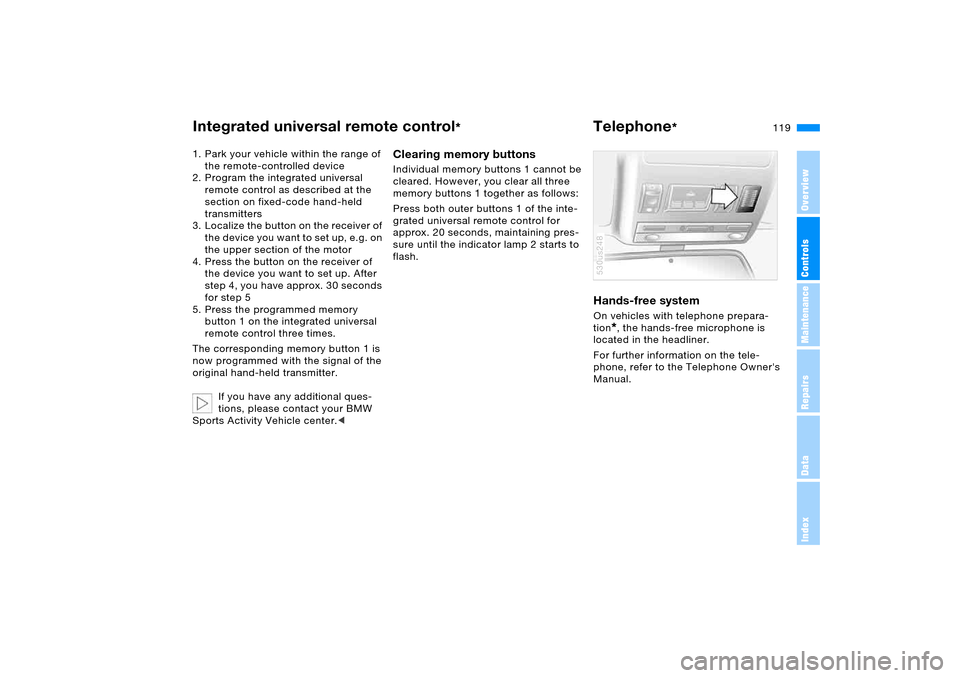
Hands-free system On vehicles with telephone prepara-
tion
*, the hands-free microphone is
located in the headliner.
For further information on the tele-
phone, refer to the Telephone Owner's
Manual.
530us248
Page 170 of 200
170n
The Roadside Assistance of the BMW
Group offers you assistance in the
event of a breakdown around the clock,
also at weekends and on public holi-
days.
The phone numbers of the Roadside
Assistance control center in your home
country can be found in the BMW
Dealer Directory.
In the case of vehicles with the corre-
sponding equipment, you can use
buttons in the headlining to contact
Roadside Assistance or initiate an
emergency call.
When the emergency call is initiated,
a telephone connection with the BMW
Assist response center is established.
In vehicles with activated BMW Assist,
if the current position of your vehicle
can be determined, it is transmitted to
the BMW Assist response center.
The condition for initiating an emer-
gency call or contacting Roadside
Assistance:
>Ignition key in position 1
>The car phone is logged on to a
mobile telephone network
>The emergency call system is opera-
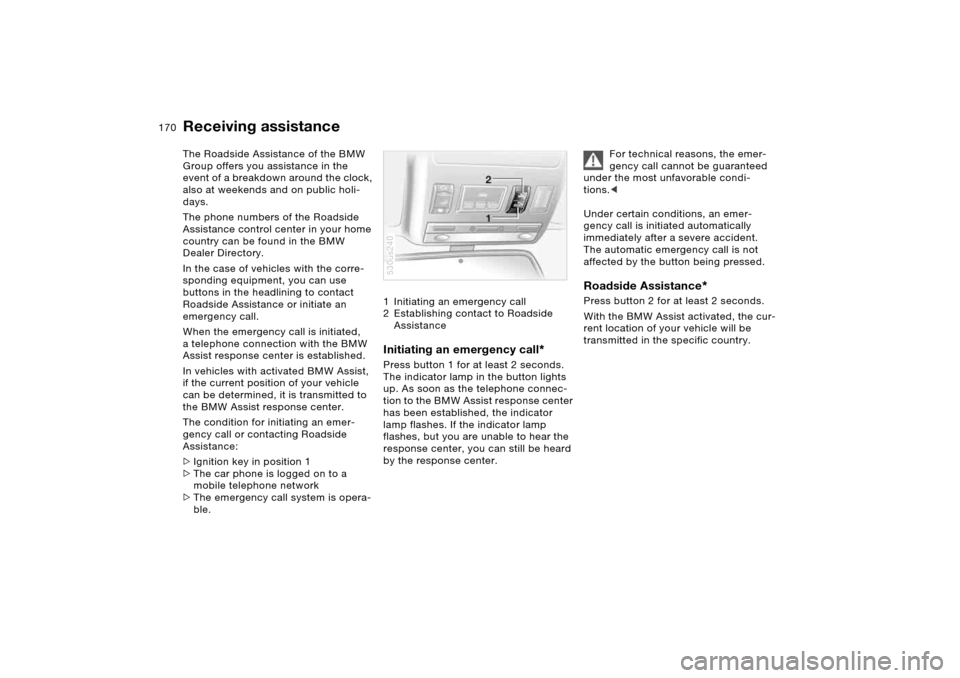
ble.1 Initiating an emergency call
2 Establishing contact to Roadside
Assistance
Initiating an emergency call
*
Press button 1 for at least 2 seconds.
The indicator lamp in the button lights
up. As soon as the telephone connec-
tion to the BMW Assist response center
has been established, the indicator
lamp flashes. If the indicator lamp
flashes, but you are unable to hear the
response center, you can still be heard
by the response center.530us240
For technical reasons, the emer-
gency call cannot be guaranteed
under the most unfavorable condi-
tions.<
Under certain conditions, an emer-
gency call is initiated automatically
immediately after a severe accident.
The automatic emergency call is not
affected by the button being pressed.
Roadside Assistance
*
Press button 2 for at least 2 seconds.
With the BMW Assist activated, the cur-
rent location of your vehicle will be
transmitted in the specific country.
Receiving assistance
Page 185 of 200
Everything from A to Z
185n
OverviewControlsMaintenanceRepairsDataIndex
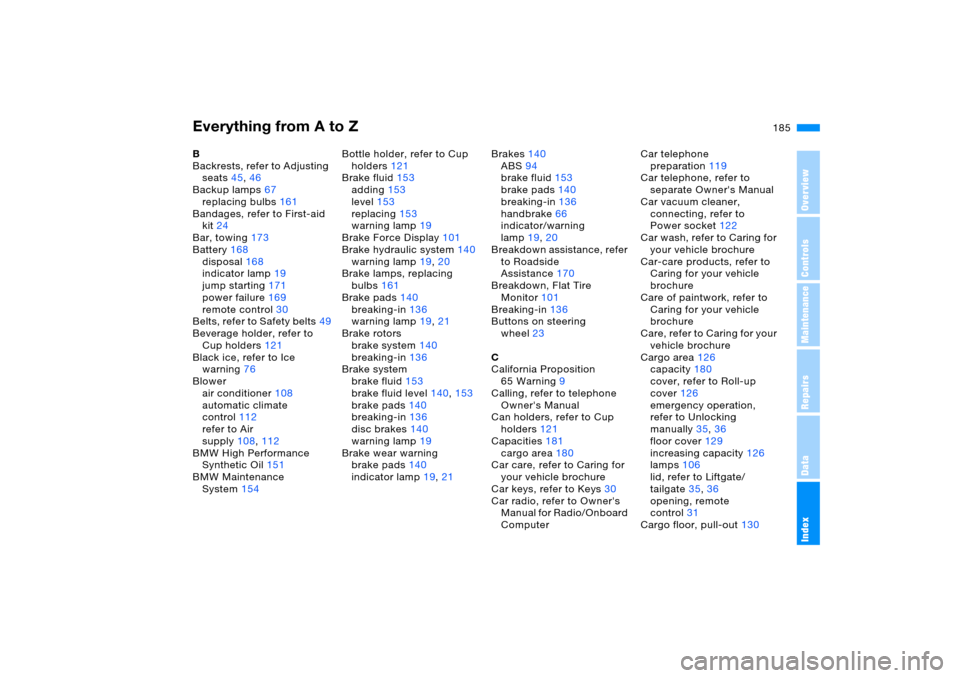
B
Backrests, refer to Adjusting
seats45,46
Backup lamps67
replacing bulbs161
Bandages, refer to First-aid
kit24
Bar, towing173
Battery168
disposal168
indicator lamp19
jump starting171
power failure169
remote control30
Belts, refer to Safety belts49
Beverage holder, refer to
Cup holders121
Black ice, refer to Ice
warning76
Blower
air conditioner108
automatic climate
control112
refer to Air
supply108,112
BMW High Performance
Synthetic Oil151
BMW Maintenance
System154Bottle holder, refer to Cup
holders121
Brake fluid153
adding153
level153
replacing153
warning lamp19
Brake Force Display101
Brake hydraulic system140
warning lamp19,20
Brake lamps, replacing
bulbs161
Brake pads140
breaking-in136
warning lamp19,21
Brake rotors
brake system140
breaking-in136
Brake system
brake fluid153
brake fluid level140,153
brake pads140
breaking-in136
disc brakes140
warning lamp19
Brake wear warning
brake pads140
indicator lamp19,21Brakes140
ABS94
brake fluid153
brake pads140
breaking-in136
handbrake66
indicator/warning
lamp19,20
Breakdown assistance, refer
to Roadside
Assistance170
Breakdown, Flat Tire
Monitor101
Breaking-in136
Buttons on steering
wheel23
C
California Proposition
65 Warning9
Calling, refer to telephone
Owner's Manual
Can holders, refer to Cup
holders121
Capacities181
cargo area180
Car care, refer to Caring for
your vehicle brochure
Car keys, refer to Keys30
Car radio, refer to Owner's
Manual for Radio/Onboard
ComputerCar telephone
preparation119
Car telephone, refer to
separate Owner's Manual
Car vacuum cleaner,
connecting, refer to
Power socket122
Car wash, refer to Caring for
your vehicle brochure
Car-care products, refer to
Caring for your vehicle
brochure
Care of paintwork, refer to
Caring for your vehicle
brochure
Care, refer to Caring for your
vehicle brochure
Cargo area126
capacity180
cover, refer to Roll-up
cover126
emergency operation,
refer to Unlocking
manually35,36
floor cover129
increasing capacity126
lamps106
lid, refer to Liftgate/
tailgate35,36
opening, remote
control31
Cargo floor, pull-out130
Page 187 of 200
Everything from A to Z
187n
OverviewControlsMaintenanceRepairsDataIndex
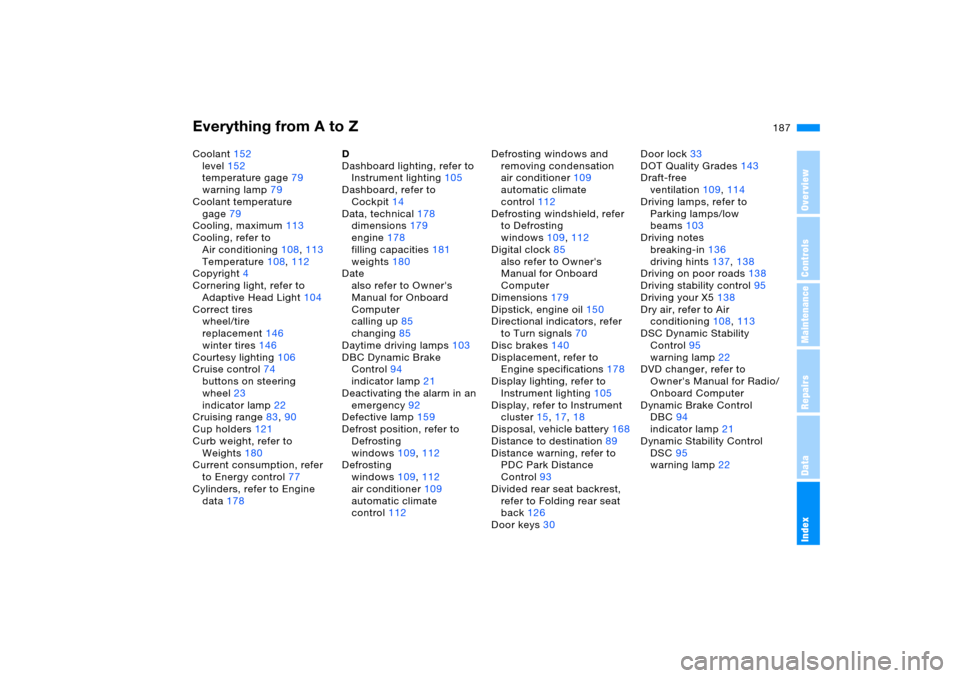
Coolant152
level152
temperature gage79
warning lamp79
Coolant temperature
gage79
Cooling, maximum113
Cooling, refer to
Air conditioning108,113
Temperature108,112
Copyright4
Cornering light, refer to
Adaptive Head Light104
Correct tires
wheel/tire
replacement146
winter tires146
Courtesy lighting106
Cruise control74
buttons on steering
wheel23
indicator lamp22
Cruising range83,90
Cup holders121
Curb weight, refer to
Weights180
Current consumption, refer
to Energy control77
Cylinders, refer to Engine
data178D
Dashboard lighting, refer to
Instrument lighting105
Dashboard, refer to
Cockpit14
Data, technical178
dimensions179
engine178
filling capacities181
weights180
Date
also refer to Owner's
Manual for Onboard
Computer
calling up85
changing85
Daytime driving lamps103
DBC Dynamic Brake
Control94
indicator lamp21
Deactivating the alarm in an
emergency92
Defective lamp159
Defrost position, refer to
Defrosting
windows109,112
Defrosting
windows109,112
air conditioner109
automatic climate
control112Defrosting windows and
removing condensation
air conditioner109
automatic climate
control112
Defrosting windshield, refer
to Defrosting
windows109,112
Digital clock85
also refer to Owner's
Manual for Onboard
Computer
Dimensions179
Dipstick, engine oil150
Directional indicators, refer
to Turn signals70
Disc brakes140
Displacement, refer to
Engine specifications178
Display lighting, refer to
Instrument lighting105
Display, refer to Instrument
cluster15,17,18
Disposal, vehicle battery168
Distance to destination89
Distance warning, refer to
PDC Park Distance
Control93
Divided rear seat backrest,
refer to Folding rear seat
back126
Door keys30Door lock33
DOT Quality Grades143
Draft-free
ventilation109,114
Driving lamps, refer to
Parking lamps/low
beams103
Driving notes
breaking-in136
driving hints137,138
Driving on poor roads138
Driving stability control95
Driving your X5138
Dry air, refer to Air
conditioning108,113
DSC Dynamic Stability
Control95
warning lamp22
DVD changer, refer to
Owner's Manual for Radio/
Onboard Computer
Dynamic Brake Control
DBC94
indicator lamp21
Dynamic Stability Control
DSC95
warning lamp22