maintenance BMW X5 4.4I 2005 E53 Owner's Guide
[x] Cancel search | Manufacturer: BMW, Model Year: 2005, Model line: X5 4.4I, Model: BMW X5 4.4I 2005 E53Pages: 200, PDF Size: 3.55 MB
Page 37 of 200
OverviewControlsMaintenanceRepairsDataIndex
37n
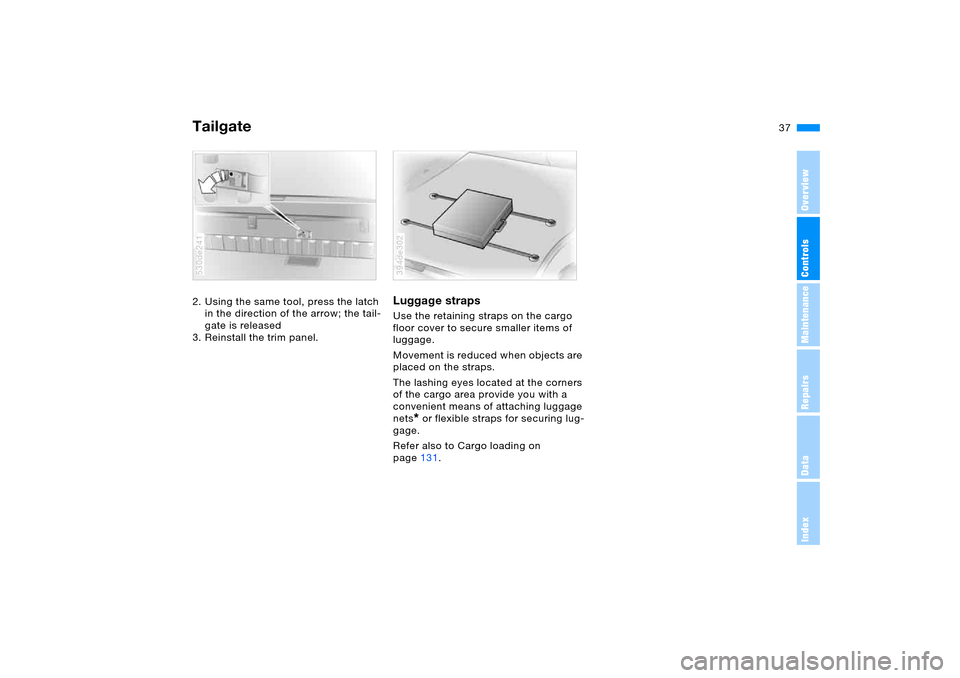
Tailgate2. Using the same tool, press the latch
in the direction of the arrow; the tail-
gate is released
3. Reinstall the trim panel. 530de241
Luggage straps Use the retaining straps on the cargo
floor cover to secure smaller items of
luggage.
Movement is reduced when objects are
placed on the straps.
The lashing eyes located at the corners
of the cargo area provide you with a
convenient means of attaching luggage
nets
* or flexible straps for securing lug-
gage.
Refer also to Cargo loading on
page131.
394de302
Page 39 of 200
OverviewControlsMaintenanceRepairsDataIndex
39n
Alarm system Windows>The indicator lamp flashes for
10 seconds after the vehicle is
unlocked: an attempted entry has
been detected in the period since the
system was armed.
Following triggering of an alarm, the
indicator lamp will flash continuously. Tilt alarm sensor and interior
motion sensor Tilt alarm sensor:
The tilt of the vehicle is monitored. The
alarm system reacts, for example, if
someone attempts to steal the wheels
or tow the vehicle.
Interior motion sensor:
In order for the interior motion sensor
to function properly, the windows and
panorama glass sunroof must be com-
pletely closed.
Avoiding unintentional alarms The tilt alarm sensor and interior motion
s en sor m ay be swi tch e d off a t t h e sam e
time. This prevents unintentional
alarms, e.g. in the following situations:
>In stacking garages
>When transporting on car-carrying
trains
>If animals are to remain in the vehicle.
Switching off the tilt alarm sensor and
interior motion sensor:
Press the button on the remote control
twice consecutively.
The indicator lamp lights up briefly and
then flashes continuously. The tilt alarm
sensor and the interior motion sensor
are switched off up to the next unlock-
ing and locking actions.
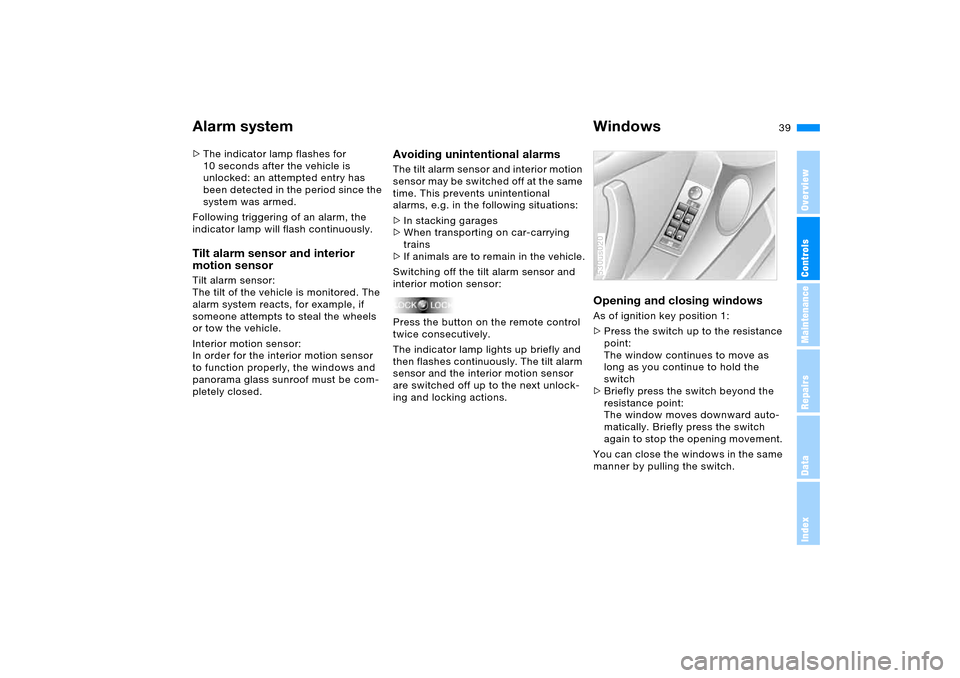
Opening and closing windows As of ignition key position 1:
>Press the switch up to the resistance
point:
The window continues to move as
long as you continue to hold the
switch
>Briefly press the switch beyond the
resistance point:
The window moves downward auto-
matically. Briefly press the switch
again to stop the opening movement.
You can close the windows in the same
manner by pulling the switch.530us020
Page 41 of 200
OverviewControlsMaintenanceRepairsDataIndex
41n
Panorama glass sunroof
*
When leaving the vehicle, always
remove the remote control and
close the doors, as otherwise children
could operate the roof and injure them-
selves etc.<
The panorama glass sunroof is opera-
tional from ignition key position 1.
After the ignition has been switched off:
You can operate the panorama glass
sunroof for up to 1 minute as long as
neither of the doors has been opened.
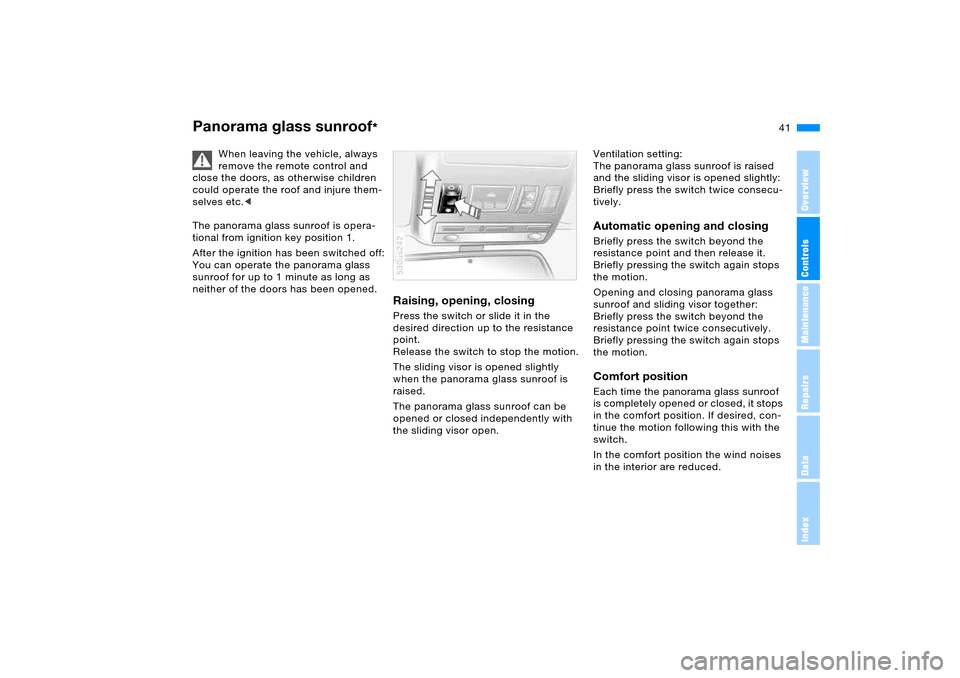
Raising, opening, closingPress the switch or slide it in the
desired direction up to the resistance
point.
Release the switch to stop the motion.
The sliding visor is opened slightly
when the panorama glass sunroof is
raised.
The panorama glass sunroof can be
opened or closed independently with
the sliding visor open.530us242
Ventilation setting:
The panorama glass sunroof is raised
and the sliding visor is opened slightly:
Briefly press the switch twice consecu-
tively.Automatic opening and closing Briefly press the switch beyond the
resistance point and then release it.
Briefly pressing the switch again stops
the motion.
Opening and closing panorama glass
sunroof and sliding visor together:
Briefly press the switch beyond the
resistance point twice consecutively.
Briefly pressing the switch again stops
the motion.Comfort position Each time the panorama glass sunroof
is completely opened or closed, it stops
in the comfort position. If desired, con-
tinue the motion following this with the
switch.
In the comfort position the wind noises
in the interior are reduced.
Page 43 of 200
43n
OverviewControlsMaintenanceRepairsDataIndex
The ideal sitting position can make a
vital contribution to relaxed driving that
is as fatigue-free as possible. In con-
junction with the safety belts, the head
restraints and the airbags, the seat
position also plays an important role for
the passive safety of the occupants in
an accident. To ensure that the safety
systems operate with optimized effi-
ciency, we strongly urge you to observe
the instructions contained in the follow-
ing section.
For additional information on transport-
ing children safely, refer to page59.Airbags
Always maintain an adequate dis-
tance between yourself and the
airbags. Always hold the steering wheel
by its rim with hands at the 9 o'clock
and 3 o'clock positions to minimize the
risk of injuries to your hands and arms
in the event of airbag deployment.
No one and nothing is to come between
the airbags and the seat occupant.
Do not use the cover of the front airbag
on the front passenger side as a stor-
age area. Make sure that the front pas-
senger is correctly seated and does not
rest feet or legs on the instrument
panel, otherwise leg injuries can occur
if the front airbag is triggered. Never let
an occupant's head rest near or on a
side airbag because the inflating airbag
could cause a serious injury.<
Even if you adhere to all the instructions
injuries resulting from contact with air-
bags cannot be fully excluded, depend-
ing on the circumstances. The ignition
and inflation noise may provoke a mild –
usually temporary – hearing loss in
extremely sensitive individuals.
For airbag locations and additional
information on airbags, refer to
page57.Safety belt For every trip, use the safety belt on all
occupied seats. Airbags complement
the safety belt as an additional safety
device, but they do not represent a sub-
stitute.
Your vehicle has five seats that are all
equipped with a safety belt.At all times, occupants should sit
upright and be properly restrained
– infants and small children in appropri-
ate child-restraint systems; larger chil-
dren and adults using the safety belts.
Each safety belt should always be used
by only one person, babies and children
may not ride on the lap of another pas-
senger.
Pregnant women should also always
wear a safety belt and take make espe-
cially sure that the belt rests low on the
hips in the lap area, and does not press
against the abdomen.
Do not route the belt across your neck,
or run it across sharp edges. Be sure
that the belt does not become caught
or jammed. Wear the safety belt without
twisting and tautly across the lap and
shoulders as close to the body as pos-
sible. Be sure not to route it over solid
or breakable objects, as otherwise the
belt can slip over the hips in the lap
area in a frontal impact and injure the
abdomen. Avoid wearing clothing that
prevents the belt from fitting properly
and pull the belt in the upper body area
periodically to readjust the tension, in
order to avoid a reduction in the
restraint of the safety belt.<
Sitting safely
Page 45 of 200
45n
OverviewControlsMaintenanceRepairsDataIndex
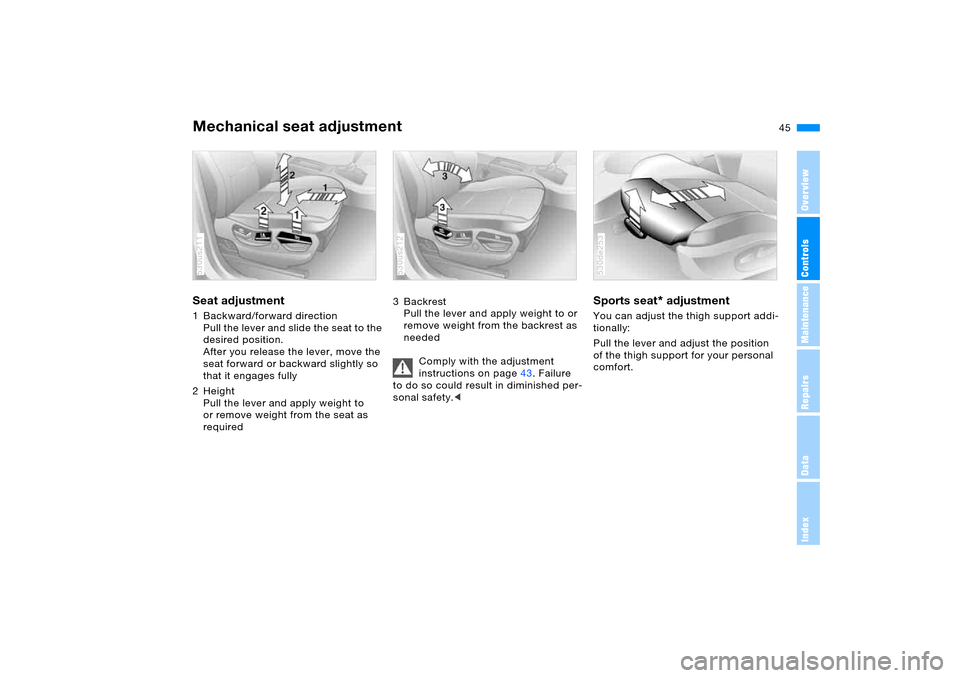
Mechanical seat adjustment Seat adjustment 1 Backward/forward direction
Pull the lever and slide the seat to the
desired position.
After you release the lever, move the
seat forward or backward slightly so
that it engages fully
2Height
Pull the lever and apply weight to
or remove weight from the seat as
required 530us211
3Backrest
Pull the lever and apply weight to or
remove weight from the backrest as
needed
Comply with the adjustment
instructions on page43. Failure
to do so could result in diminished per-
sonal safety.< 530us212
Sports seat
* adjustment
You can adjust the thigh support addi-
tionally:
Pull the lever and adjust the position
of the thigh support for your personal
comfort. 530de253
Page 47 of 200
47n
OverviewControlsMaintenanceRepairsDataIndex
Power seat adjustment
*
Head restraints
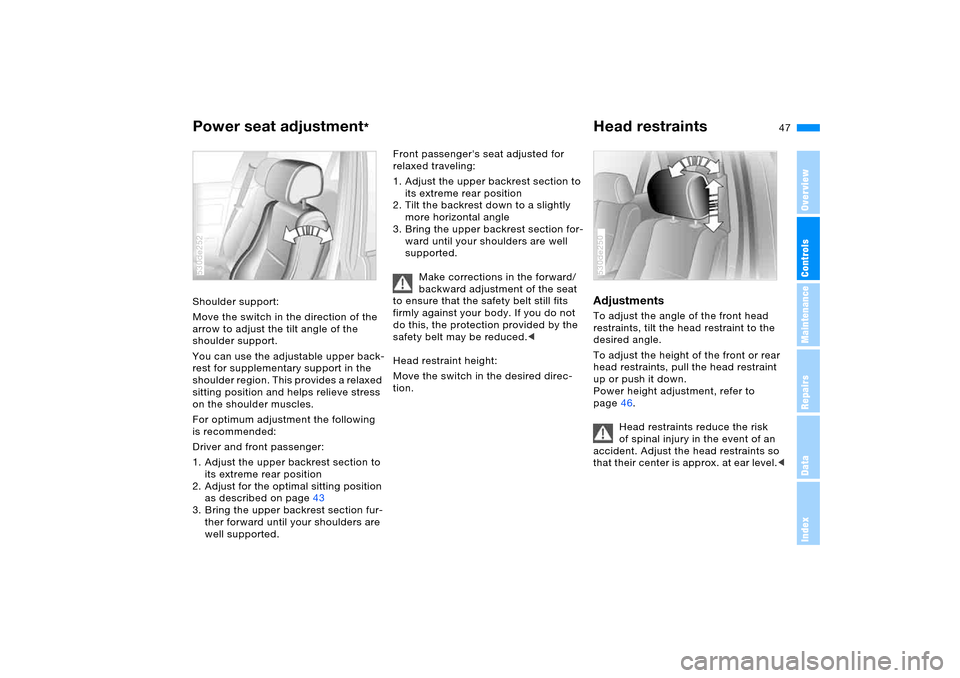
Shoulder support:
Move the switch in the direction of the
arrow to adjust the tilt angle of the
shoulder support.
You can use the adjustable upper back-
rest for supplementary support in the
shoulder region. This provides a relaxed
sitting position and helps relieve stress
on the shoulder muscles.
For optimum adjustment the following
is recommended:
Driver and front passenger:
1. Adjust the upper backrest section to
its extreme rear position
2. Adjust for the optimal sitting position
as described on page43
3. Bring the upper backrest section fur-
ther forward until your shoulders are
well supported.530de252
Front passenger's seat adjusted for
relaxed traveling:
1. Adjust the upper backrest section to
its extreme rear position
2. Tilt the backrest down to a slightly
more horizontal angle
3. Bring the upper backrest section for-
ward until your shoulders are well
supported.
Make corrections in the forward/
backward adjustment of the seat
to ensure that the safety belt still fits
firmly against your body. If you do not
do this, the protection provided by the
safety belt may be reduced.<
Head restraint height:
Move the switch in the desired direc-
tion.
Adjustments To adjust the angle of the front head
restraints, tilt the head restraint to the
desired angle.
To adjust the height of the front or rear
head restraints, pull the head restraint
up or push it down.
Power height adjustment, refer to
page46.
Head restraints reduce the risk
of spinal injury in the event of an
accident. Adjust the head restraints so
that their center is approx. at ear level.<530de250
Page 49 of 200
49n
OverviewControlsMaintenanceRepairsDataIndex
Safety belts
Comply with the instructions on
page43. Failure to do so could
result in diminished personal safety.<
For every trip, use the safety belts on all
occupied seats. Airbags complement
the safety belt as an additional safety
device, but they do not represent a sub-
stitute.
Closing Make sure you hear the latch plate
engage in the belt buckle.Unlocking1. Press the red button in the belt
buckle
2. Hold the belt firmly
3. Guide the belt back into its reel.530us034
In the back, the middle safety belt
buckle is provided for use exclu-
sively by the middle passenger.
If it is not possible to extract the center
belt, this indicates that the larger back-
rest is not securely locked, refer to
page126.<
Safety belt memory for front seat
Indicator lamp flashes or lights
up. In addition, a signal sounds
and, depending on the equip-
ment, a message
* appears in the
Check Control. Please check safety
belts for correct placement.
The belt memory is activated when the
safety belt on the driver's side has not
yet been fastened.
The belt memory is also active from a
speed of approx. 5 mph/8 km/h when
the passenger belt has not yet been
fastened, heavy objects are placed on
the front passenger seat or passengers
sitting in the front remove their safety
belts.
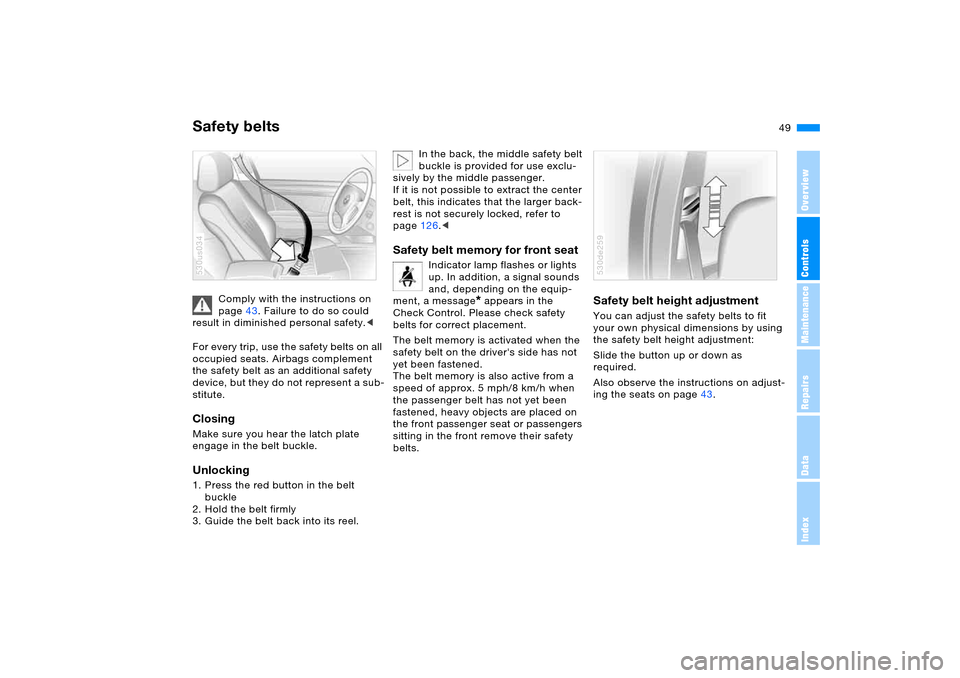
Safety belt height adjustment You can adjust the safety belts to fit
your own physical dimensions by using
the safety belt height adjustment:
Slide the button up or down as
required.
Also observe the instructions on adjust-
ing the seats on page43.530de259
Page 51 of 200
51n
OverviewControlsMaintenanceRepairsDataIndex
Seat, mirror and steering wheel memory
*
Calling up a stored setting
Do not call up a position from the
memory while the vehicle is mov-
ing. There is a risk of accident from
unexpected movement of the seat or
steering wheel.<
Convenience function:
1. Open the driver's door after unlock-
ing the vehicle or place the ignition
key in position 1
2. Briefly press memory button 1, 2
or 3, as desired.
Movement stops immediately when
one of the seat-adjustment or mem-
ory buttons is activated during the
adjustment process.
Security function:
1. With the driver's door closed and the
ignition key either removed or in
position 0 or 2
2. Maintain pressure on the desired
memory button 1, 2 or 3 until the
adjustment process is completed.
If you press the
M
EMORY button
accidentally: press the button a
second time – the indicator lamp goes
out.<
You can have your vehicle pro-
grammed to automatically dial in
your own individual adjustment settings
for the seat, mirrors and steering wheel
whenever you use your personal
remote control to unlock the vehicle.<
If you make use of this adjust-
ment, be sure that the footwell
behind the driver's seat is unobstructed
before unlocking the vehicle. If you fail
to do so, any persons or objects behind
the seat could be injured or damaged
by a rearward movement of the seat.<
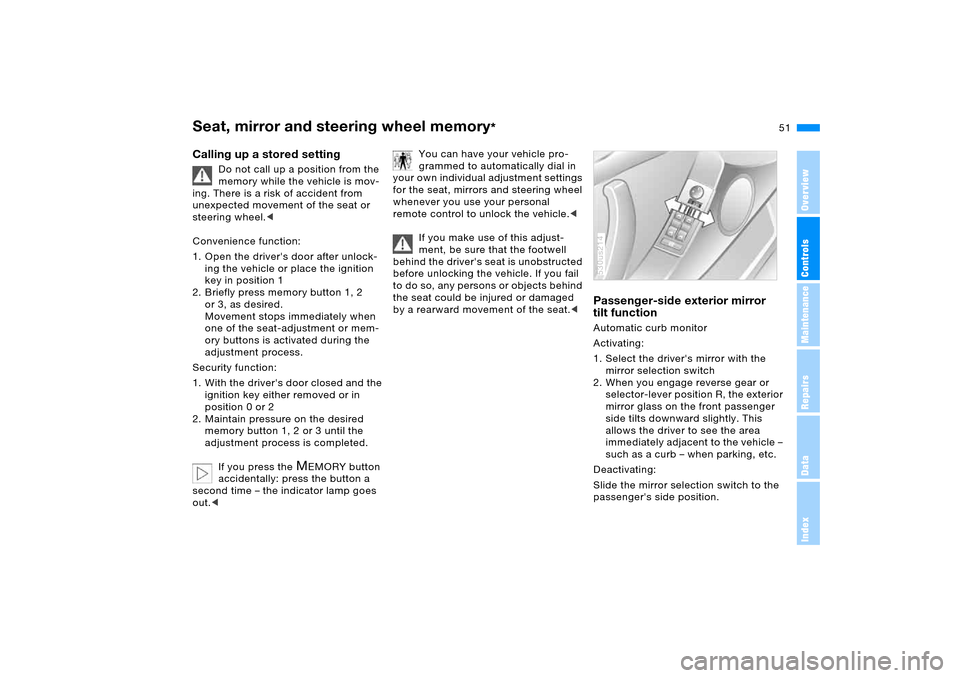
Passenger-side exterior mirror
tilt function Automatic curb monitor
Activating:
1. Select the driver's mirror with the
mirror selection switch
2. When you engage reverse gear or
selector-lever position R, the exterior
mirror glass on the front passenger
side tilts downward slightly. This
allows the driver to see the area
immediately adjacent to the vehicle –
such as a curb – when parking, etc.
Deactivating:
Slide the mirror selection switch to the
passenger's side position.530us214
Page 53 of 200
53n
OverviewControlsMaintenanceRepairsDataIndex
Steering wheel Steering wheel heater
*
Automatic steering wheel
adjustmentonly in conjunction with seat, mirror and
steering wheel memory
In or der to m a ke it e asie r t o get in to an d
out of the vehicle, the steering wheel
automatically moves into the top posi-
tion and returns to the driving or mem-
ory position.
This automatic feature is controlled by
the position of the ignition key and by
the driver's door.
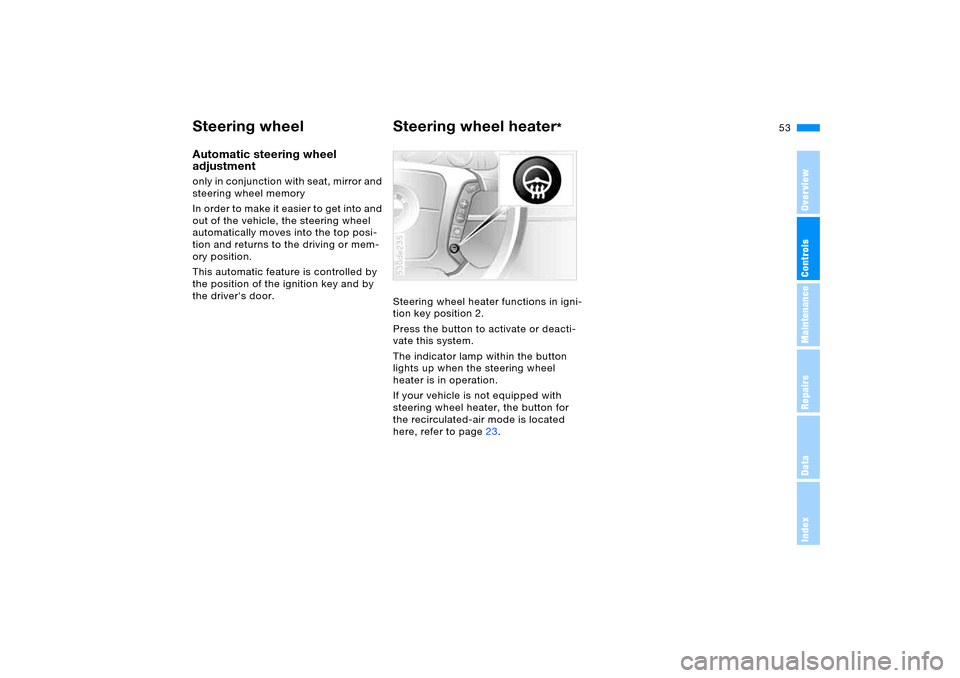
Steering wheel heater functions in igni-
tion key position 2.
Press the button to activate or deacti-
vate this system.
The indicator lamp within the button
lights up when the steering wheel
heater is in operation.
If your vehicle is not equipped with
steering wheel heater, the button for
the recirculated-air mode is located
here, refer to page23.
530de235
Page 55 of 200
55n
OverviewControlsMaintenanceRepairsDataIndex
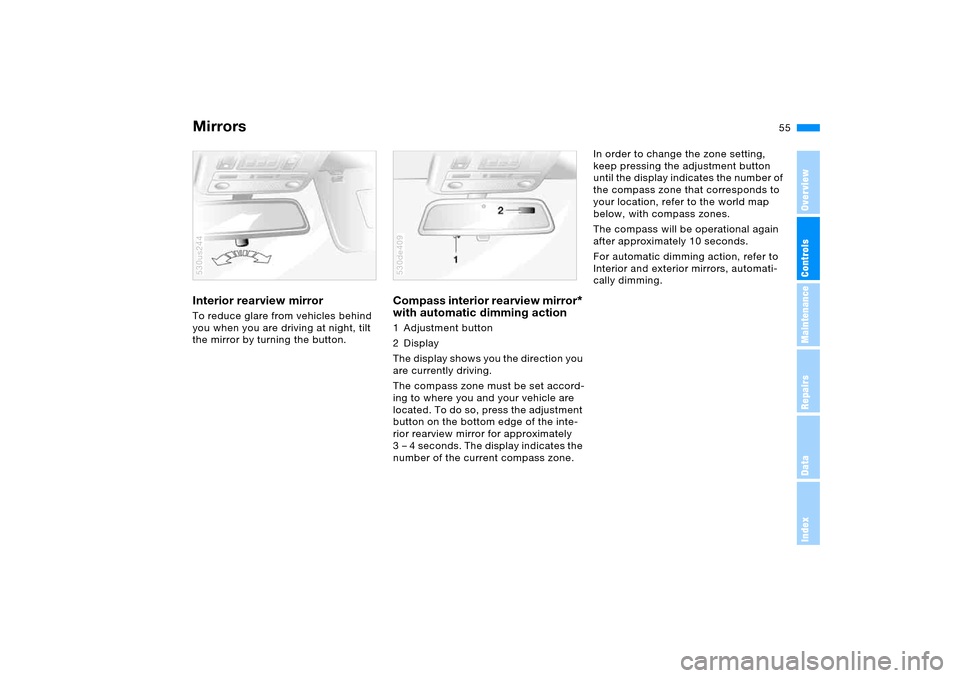
MirrorsInterior rearview mirror To reduce glare from vehicles behind
you when you are driving at night, tilt
the mirror by turning the button. 530us244
Compass interior rearview mirror
*
with automatic dimming action
1 Adjustment button
2Display
The display shows you the direction you
are currently driving.
The compass zone must be set accord-
ing to where you and your vehicle are
located. To do so, press the adjustment
button on the bottom edge of the inte-
rior rearview mirror for approximately
3 – 4 seconds. The display indicates the
number of the current compass zone.530de409
In order to change the zone setting,
keep pressing the adjustment button
until the display indicates the number of
the compass zone that corresponds to
your location, refer to the world map
below, with compass zones.
The compass will be operational again
after approximately 10 seconds.
For automatic dimming action, refer to
Interior and exterior mirrors, automati-
cally dimming.