maintenance BMW X5 4.4I 2006 E53 Workshop Manual
[x] Cancel search | Manufacturer: BMW, Model Year: 2006, Model line: X5 4.4I, Model: BMW X5 4.4I 2006 E53Pages: 202, PDF Size: 4.13 MB
Page 95 of 202
95n
OverviewControlsMaintenanceRepairsDataIndex
HDC Hill Descent Control Self-leveling suspension
*
Using HDC With manual transmission:
Use HDC in first gear and in Reverse
since the engine's braking action is
diminished in the higher gears.
With automatic transmission:
You can use HDC in every drive posi-
tion. In case of a malfunction If the LED in the button goes out during
HDC operation or does not light up
when the HDC is activated:
HDC is temporarily unavailable due to
excessive brake temperature. The warning lamp for the self-
leveling suspension comes on,
or the message SELFLEVEL
SUSP.INACT appears in the Check
Control: there is a malfunction in the
self-leveling suspension.
Stop and inspect the vehicle. If the rear
of the vehicle is visibly lower than the
front, possibly accompanied by a tilt
noticeable when you compare the left
rear with the right rear, please respond
by immediately proceeding to the near-
est BMW Sports Activity Vehicle center.
Drive with appropriate caution in the
meantime. The vehicle has reduced
ground clearance and driving comfort
may be noticeably reduced.
Even when the position of the vehicle is
normal, have the system checked as
soon as possible when a malfunction is
indicated.
Page 97 of 202
97n
OverviewControlsMaintenanceRepairsDataIndex
2-axle self-leveling suspension
*
>LED for current ride height flashes for
roughly 3 seconds when you press
the button: change in ride height is
not possible.
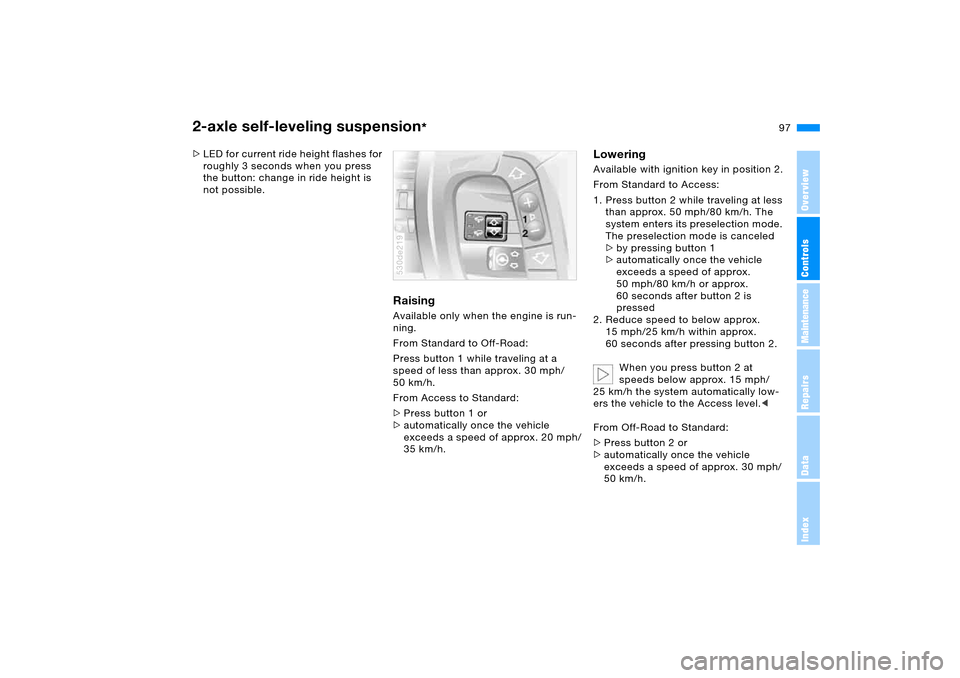
Raising Available only when the engine is run-
ning.
From Standard to Off-Road:
Press button 1 while traveling at a
speed of less than approx. 30 mph/
50 km/h.
From Access to Standard:
>Press button 1 or
>automatically once the vehicle
exceeds a speed of approx. 20 mph/
35 km/h.530de219
Lowering Available with ignition key in position 2.
From Standard to Access:
1. Press button 2 while traveling at less
than approx. 50 mph/80 km/h. The
system enters its preselection mode.
The preselection mode is canceled
>by pressing button 1
>automatically once the vehicle
exceeds a speed of approx.
50 mph/80 km/h or approx.
60 seconds after button 2 is
pressed
2. Reduce speed to below approx.
15 mph/25 km/h within approx.
60 seconds after pressing button 2.
When you press button 2 at
speeds below approx. 15 mph/
25 km/h the system automatically low-
ers the vehicle to the Access level.<
From Off-Road to Standard:
>Press button 2 or
>automatically once the vehicle
exceeds a speed of approx. 30 mph/
50 km/h.
Page 99 of 202
99n
OverviewControlsMaintenanceRepairsDataIndex
Flat Tire MonitorInitializing system
Perform the initialization immedi-
ately every time you correct the
inflation pressure, change a tire or
change a wheel or all wheels. The vehi-
cle must be driven during initialization.<
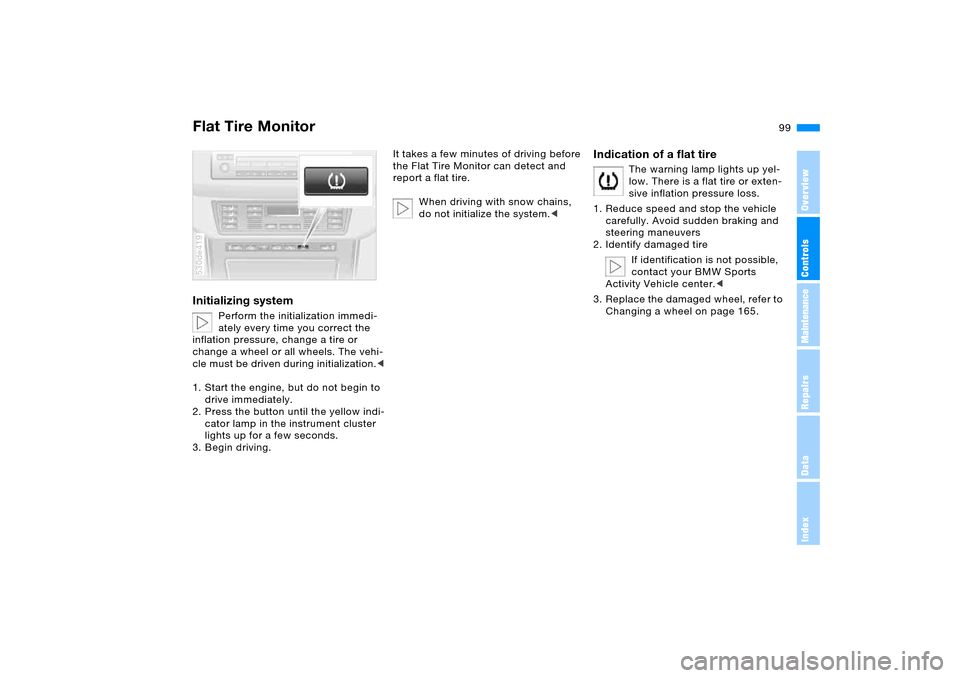
1. Start the engine, but do not begin to
drive immediately.
2. Press the button until the yellow indi-
cator lamp in the instrument cluster
lights up for a few seconds.
3. Begin driving.
530de419
It takes a few minutes of driving before
the Flat Tire Monitor can detect and
report a flat tire.
When driving with snow chains,
do not initialize the system.<
Indication of a flat tire
The warning lamp lights up yel-
low. There is a flat tire or exten-
sive inflation pressure loss.
1. Reduce speed and stop the vehicle
carefully. Avoid sudden braking and
steering maneuvers
2. Identify damaged tire
If identification is not possible,
contact your BMW Sports
Activity Vehicle center.<
3. Replace the damaged wheel, refer to
Changing a wheel on page 165.
Page 101 of 202
101n
OverviewControlsMaintenanceRepairsDataIndex
Adaptive Head Light
*
High beams/roadside parking lamps
The concept Adaptive Head Light is a variable head-
lamp control system that enables better
illumination of the road surface.
Depending on the steering angle and
other assumptions, the light from the
headlamp follows the course of the
road.Activating Adaptive Head Light
In ignition key position 2, turn
the light switch to the position
'Automatic headlamp control',
refer to page100.
To avoid blinding oncoming traffic, the
Adaptive Head Light
>is not active when driving in reverse
>is active only when pointing toward
the passenger side.
MalfunctionsThe LED next to the symbol for auto-
matic headlamp control flashes. Adap-
tive Head Light is faulty or has failed.
Have the system checked as soon as
possible.
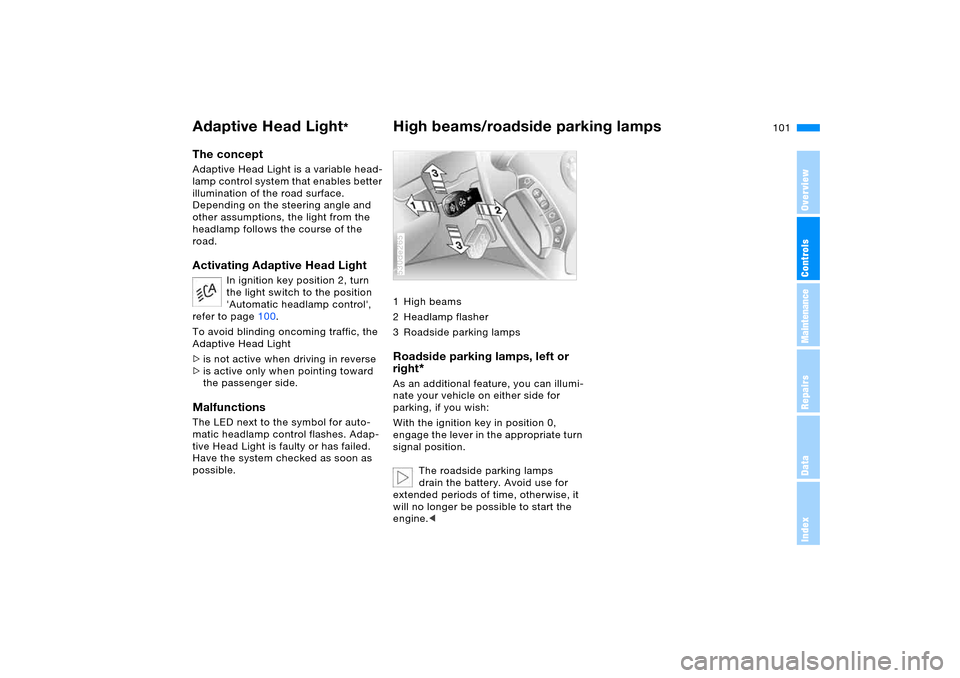
1High beams
2Headlamp flasher
3 Roadside parking lamps Roadside parking lamps, left or
right
*
As an additional feature, you can illumi-
nate your vehicle on either side for
parking, if you wish:
With the ignition key in position 0,
engage the lever in the appropriate turn
signal position.
The roadside parking lamps
drain the battery. Avoid use for
extended periods of time, otherwise, it
will no longer be possible to start the
engine.<530de265
Page 103 of 202
103n
OverviewControlsMaintenanceRepairsDataIndex
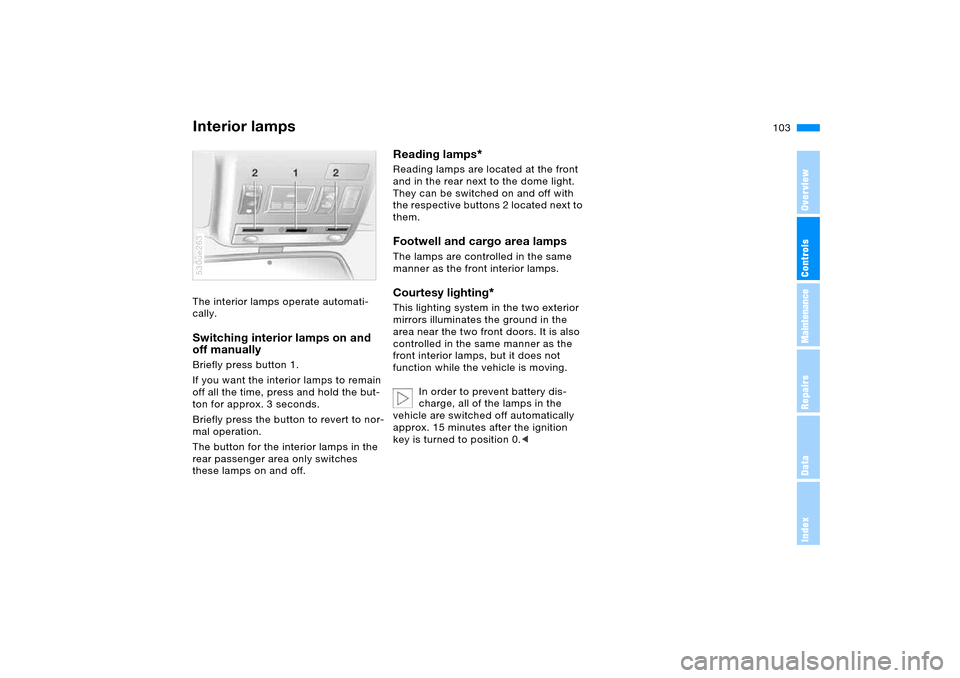
Interior lamps The interior lamps operate automati-
cally. Switching interior lamps on and
off manually Briefly press button 1.
If you want the interior lamps to remain
off all the time, press and hold the but-
ton for approx. 3 seconds.
Briefly press the button to revert to nor-
mal operation.
The button for the interior lamps in the
rear passenger area only switches
these lamps on and off. 530ue263
Reading lamps
*
Reading lamps are located at the front
and in the rear next to the dome light.
They can be switched on and off with
the respective buttons 2 located next to
them.Footwell and cargo area lamps The lamps are controlled in the same
manner as the front interior lamps.Courtesy lighting
*
This lighting system in the two exterior
mirrors illuminates the ground in the
area near the two front doors. It is also
controlled in the same manner as the
front interior lamps, but it does not
function while the vehicle is moving.
In order to prevent battery dis-
charge, all of the lamps in the
vehicle are switched off automatically
approx. 15 minutes after the ignition
key is turned to position 0.<
Page 105 of 202
105n
OverviewControlsMaintenanceRepairsDataIndex
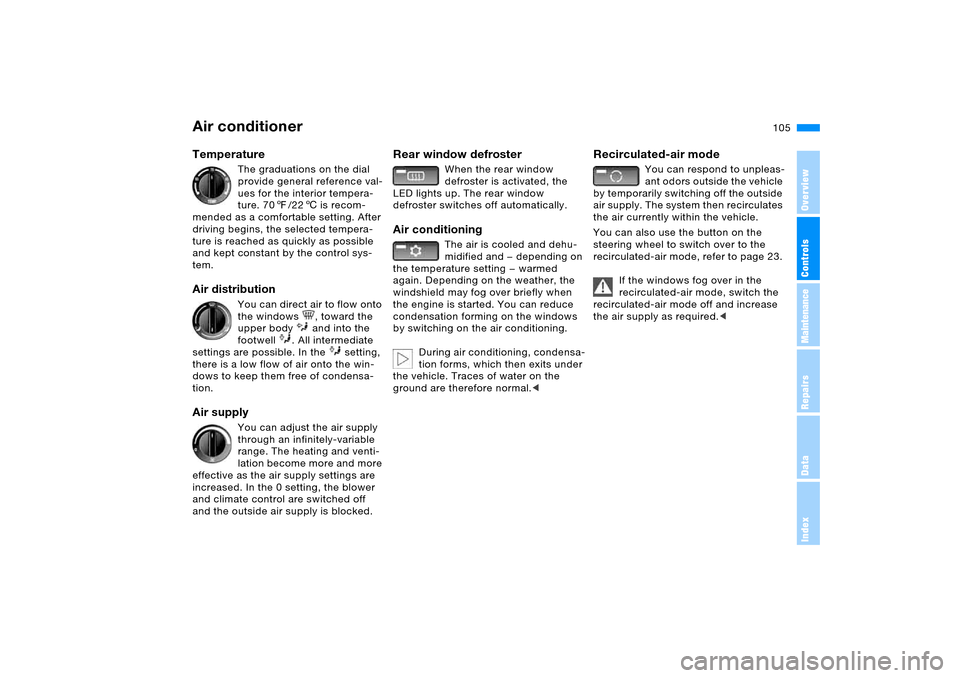
Air conditioner Temperature
The graduations on the dial
provide general reference val-
ues for the interior tempera-
ture. 707/226 is recom-
mended as a comfortable setting. After
driving begins, the selected tempera-
ture is reached as quickly as possible
and kept constant by the control sys-
tem.
Air distribution
You can direct air to flow onto
the windows , toward the
upper body and into the
footwell . All intermediate
settings are possible. In the setting,
there is a low flow of air onto the win-
dows to keep them free of condensa-
tion.
Air supply
You can adjust the air supply
through an infinitely-variable
range. The heating and venti-
lation become more and more
effective as the air supply settings are
increased. In the 0 setting, the blower
and climate control are switched off
and the outside air supply is blocked.
Rear window defroster
When the rear window
defroster is activated, the
LED lights up. The rear window
defroster switches off automatically.
Air conditioning
The air is cooled and dehu-
midified and — depending on
the temperature setting — warmed
again. Depending on the weather, the
windshield may fog over briefly when
the engine is started. You can reduce
condensation forming on the windows
by switching on the air conditioning.
During air conditioning, condensa-
tion forms, which then exits under
the vehicle. Traces of water on the
ground are therefore normal.<
Recirculated-air mode
You can respond to unpleas-
ant odors outside the vehicle
by temporarily switching off the outside
air supply. The system then recirculates
the air currently within the vehicle.
You can also use the button on the
steering wheel to switch over to the
recirculated-air mode, refer to page 23.
If the windows fog over in the
recirculated-air mode, switch the
recirculated-air mode off and increase
the air supply as required.<
Page 106 of 202
106n
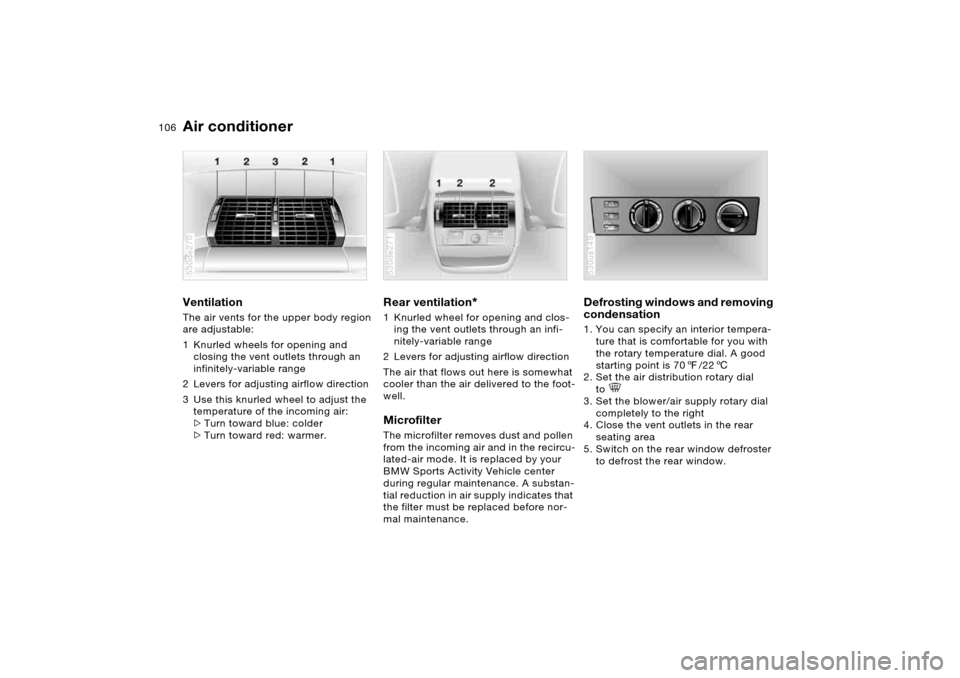
Air conditionerVentilation The air vents for the upper body region
are adjustable:
1 Knurled wheels for opening and
closing the vent outlets through an
infinitely-variable range
2 Levers for adjusting airflow direction
3 Use this knurled wheel to adjust the
temperature of the incoming air:
>Turn toward blue: colder
>Turn toward red: warmer. 530de270
Rear ventilation
*
1 Knurled wheel for opening and clos-
ing the vent outlets through an infi-
nitely-variable range
2 Levers for adjusting airflow direction
The air that flows out here is somewhat
cooler than the air delivered to the foot-
well. Microfilter The microfilter removes dust and pollen
from the incoming air and in the recircu-
lated-air mode. It is replaced by your
BMW Sports Activity Vehicle center
during regular maintenance. A substan-
tial reduction in air supply indicates that
the filter must be replaced before nor-
mal maintenance.530de271
Defrosting windows and removing
condensation 1. You can specify an interior tempera-
ture that is comfortable for you with
the rotary temperature dial. A good
starting point is 707/226
2. Set the air distribution rotary dial
to
3. Set the blower/air supply rotary dial
completely to the right
4. Close the vent outlets in the rear
seating area
5. Switch on the rear window defroster
to defrost the rear window. 530us149
Page 107 of 202
107n
OverviewControlsMaintenanceRepairsDataIndex
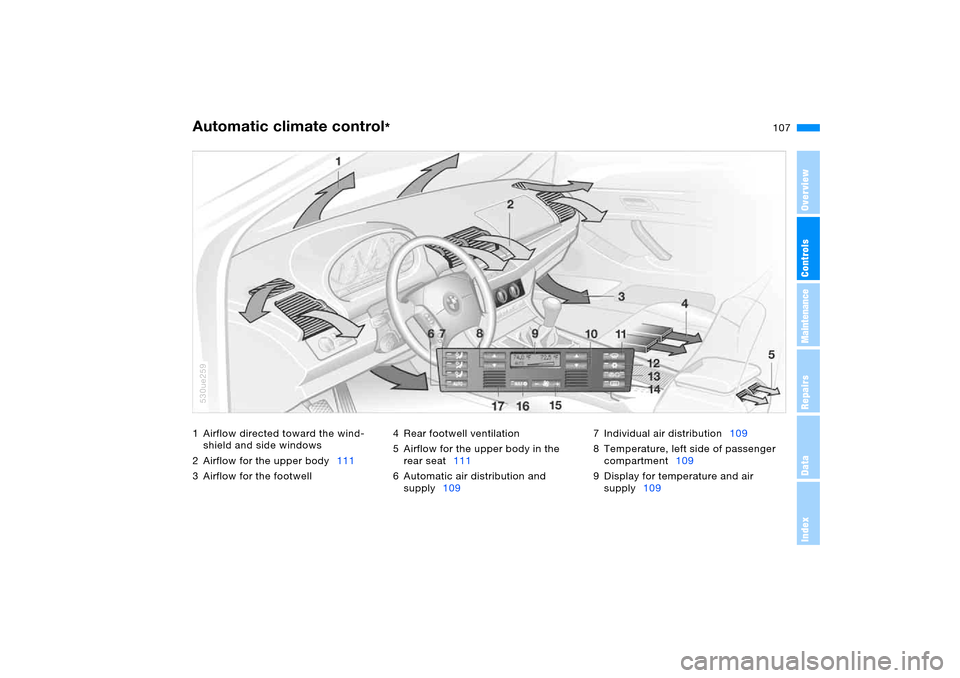
1 Airflow directed toward the wind-
shield and side windows
2 Airflow for the upper body111
3 Airflow for the footwell4 Rear footwell ventilation
5 Airflow for the upper body in the
rear seat111
6 Automatic air distribution and
supply1097 Individual air distribution109
8 Temperature, left side of passenger
compartment109
9 Display for temperature and air
supply109Automatic climate control
*
530ue259
Page 109 of 202
109n
OverviewControlsMaintenanceRepairsDataIndex
Automatic climate control
*
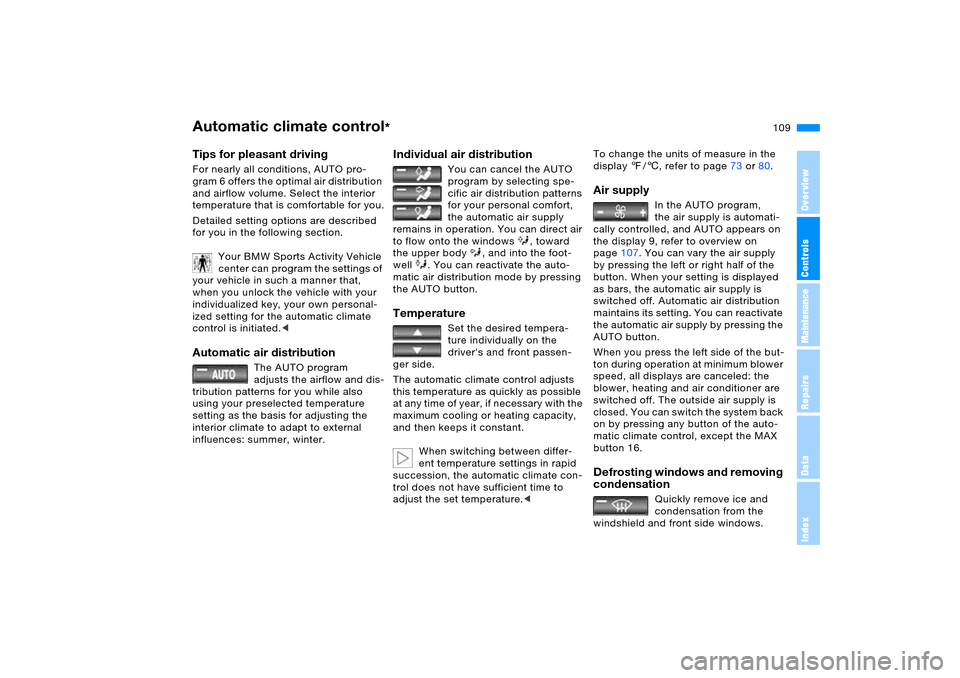
Tips for pleasant drivingFor nearly all conditions, AUTO pro-
gram 6 offers the optimal air distribution
and airflow volume. Select the interior
temperature that is comfortable for you.
Detailed setting options are described
for you in the following section.
Your BMW Sports Activity Vehicle
center can program the settings of
your vehicle in such a manner that,
when you unlock the vehicle with your
individualized key, your own personal-
ized setting for the automatic climate
control is initiated.< Automatic air distribution
The AUTO program
adjusts the airflow and dis-
tribution patterns for you while also
using your preselected temperature
setting as the basis for adjusting the
interior climate to adapt to external
influences: summer, winter.
Individual air distribution
You can cancel the AUTO
program by selecting spe-
cific air distribution patterns
for your personal comfort,
the automatic air supply
remains in operation. You can direct air
to flow onto the windows , toward
the upper body , and into the foot-
well . You can reactivate the auto-
matic air distribution mode by pressing
the AUTO button.
Temperature
Set the desired tempera-
ture individually on the
driver's and front passen-
ger side.
The automatic climate control adjusts
this temperature as quickly as possible
at any time of year, if necessary with the
maximum cooling or heating capacity,
and then keeps it constant.
When switching between differ-
ent temperature settings in rapid
succession, the automatic climate con-
trol does not have sufficient time to
adjust the set temperature.<
To change the units of measure in the
display 7/6, refer to page73 or80.Air supply
In the AUTO program,
the air supply is automati-
cally controlled, and AUTO appears on
the display 9, refer to overview on
page107. You can vary the air supply
by pressing the left or right half of the
button. When your setting is displayed
as bars, the automatic air supply is
switched off. Automatic air distribution
maintains its setting. You can reactivate
the automatic air supply by pressing the
AUTO button.
When you press the left side of the but-
ton during operation at minimum blower
speed, all displays are canceled: the
blower, heating and air conditioner are
switched off. The outside air supply is
closed. You can switch the system back
on by pressing any button of the auto-
matic climate control, except the MAX
button 16.
Defrosting windows and removing
condensation
Quickly remove ice and
condensation from the
windshield and front side windows.
Page 111 of 202
111n
OverviewControlsMaintenanceRepairsDataIndex
Automatic climate control
*
is adequately charged. The LED on the
button will light up when all conditions
have been met.
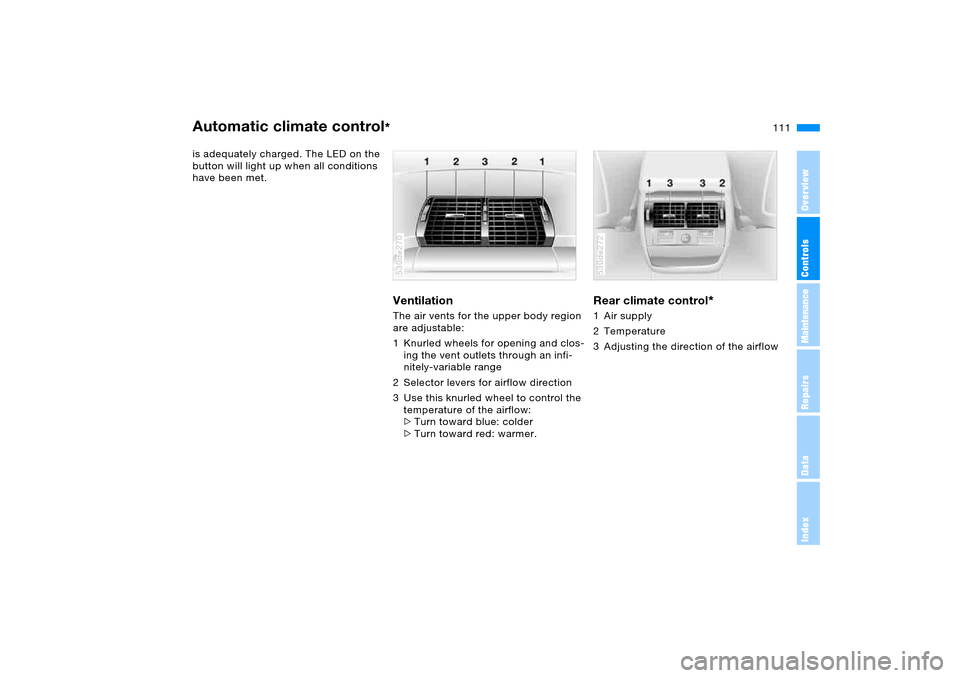
Ventilation The air vents for the upper body region
are adjustable:
1 Knurled wheels for opening and clos-
ing the vent outlets through an infi-
nitely-variable range
2 Selector levers for airflow direction
3 Use this knurled wheel to control the
temperature of the airflow:
>Turn toward blue: colder
>Turn toward red: warmer. 530de270
Rear climate control
*
1 Air supply
2 Temperature
3 Adjusting the direction of the airflow 530de272