maintenance BMW X5 4.6IS 2003 Service Manual
[x] Cancel search | Manufacturer: BMW, Model Year: 2003, Model line: X5 4.6IS, Model: BMW X5 4.6IS 2003Pages: 183, PDF Size: 2.31 MB
Page 77 of 183
77n
OverviewControlsMaintenanceRepairsDataIndex
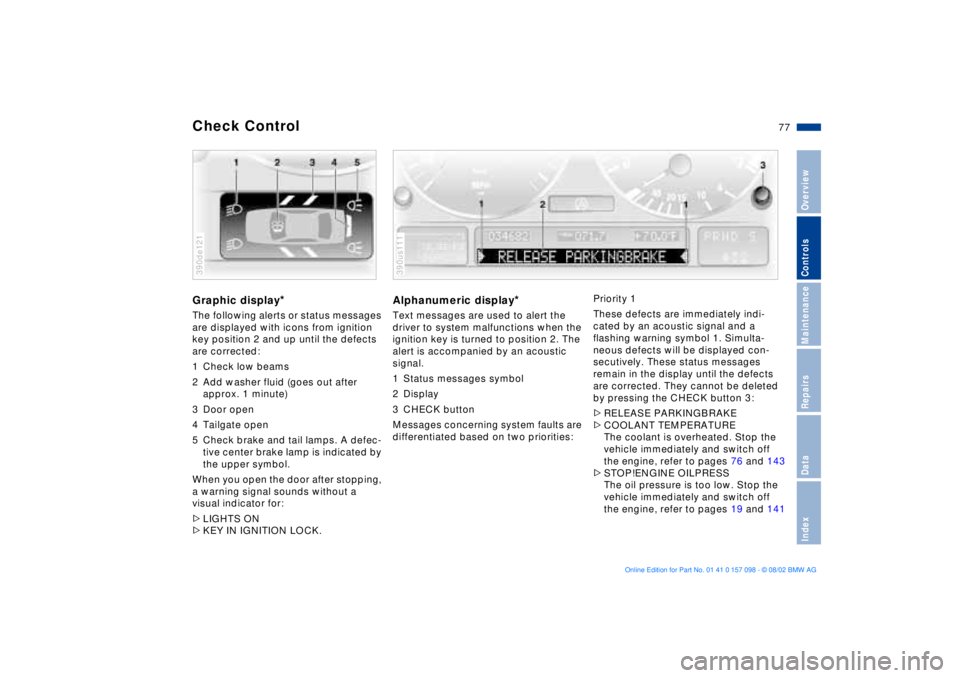
Check Control Graphic display
*
The following alerts or status messages
are displayed with icons from ignition
key position 2 and up until the defects
are corrected:
1 Check low beams
2 Add washer fluid (goes out after
approx. 1 minute)
3 Door open
4 Tailgate open
5 Check brake and tail lamps. A defec-
tive center brake lamp is indicated by
the upper symbol.
When you open the door after stopping,
a warning signal sounds without a
visual indicator for:
>LIGHTS ON
>KEY IN IGNITION LOCK. 390de121
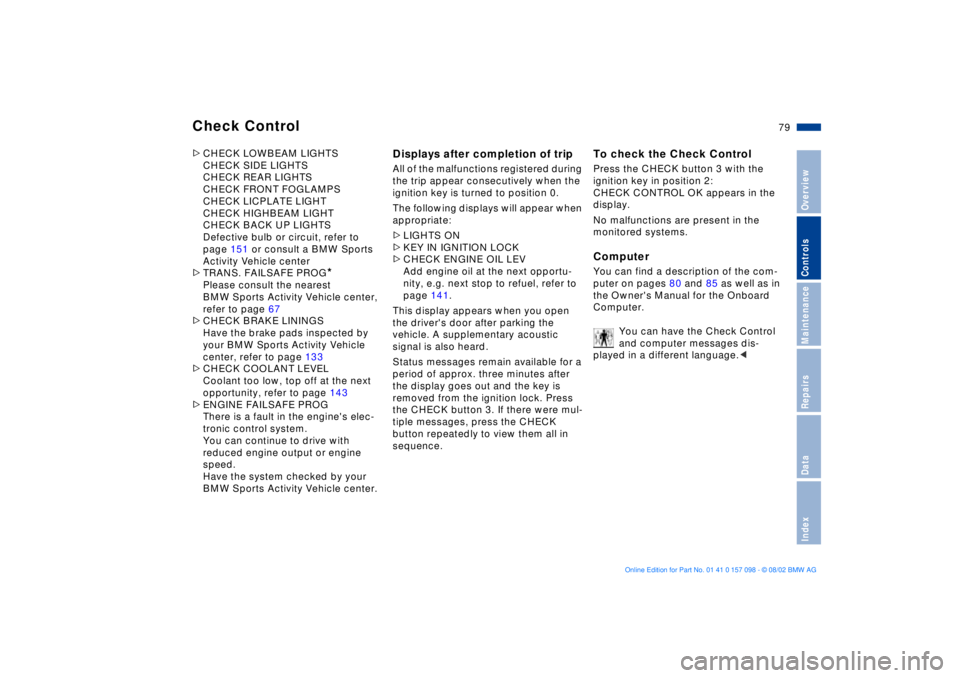
Alphanumeric display
*
Text messages are used to alert the
driver to system malfunctions when the
ignition key is turned to position 2. The
alert is accompanied by an acoustic
signal.
1 Status messages symbol
2 Display
3 CHECK button
Messages concerning system faults are
differentiated based on two priorities: 390us111
Priority 1
These defects are immediately indi-
cated by an acoustic signal and a
flashing warning symbol 1. Simulta-
neous defects will be displayed con-
secutively. These status messages
remain in the display until the defects
are corrected. They cannot be deleted
by pressing the CHECK button 3:
>RELEASE PARKINGBRAKE
>COOLANT TEMPERATURE
The coolant is overheated. Stop the
vehicle immediately and switch off
the engine, refer to pages 76 and 143
>STOP!ENGINE OILPRESS
The oil pressure is too low. Stop the
vehicle immediately and switch off
the engine, refer to pages 19 and 141
Page 79 of 183
79n
OverviewControlsMaintenanceRepairsDataIndex
Check Control >CHECK LOWBEAM LIGHTS
CHECK SIDE LIGHTS
CHECK REAR LIGHTS
CHECK FRONT FOGLAMPS
CHECK LICPLATE LIGHT
CHECK HIGHBEAM LIGHT
CHECK BACK UP LIGHTS
Defective bulb or circuit, refer to
page 151 or consult a BMW Sports
Activity Vehicle center
>TRANS. FAILSAFE PROG
*
Please consult the nearest
BMW Sports Activity Vehicle center,
refer to page 67
>CHECK BRAKE LININGS
Have the brake pads inspected by
your BMW Sports Activity Vehicle
center, refer to page 133
>CHECK COOLANT LEVEL
Coolant too low, top off at the next
opportunity, refer to page 143
>ENGINE FAILSAFE PROG
There is a fault in the engine's elec-
tronic control system.
You can continue to drive with
reduced engine output or engine
speed.
Have the system checked by your
BMW Sports Activity Vehicle center.
Displays after completion of trip All of the malfunctions registered during
the trip appear consecutively when the
ignition key is turned to position 0.
The following displays will appear when
appropriate:
>LIGHTS ON
>KEY IN IGNITION LOCK
>CHECK ENGINE OIL LEV
Add engine oil at the next opportu-
nity, e.g. next stop to refuel, refer to
page 141.
This display appears when you open
the driver's door after parking the
vehicle. A supplementary acoustic
signal is also heard.
Status messages remain available for a
period of approx. three minutes after
the display goes out and the key is
removed from the ignition lock. Press
the CHECK button 3. If there were mul-
tiple messages, press the CHECK
button repeatedly to view them all in
sequence.
To check the Check Control Press the CHECK button 3 with the
ignition key in position 2:
CHECK CONTROL OK appears in the
display.
No malfunctions are present in the
monitored systems.Computer You can find a description of the com-
puter on pages 80 and 85 as well as in
the Owner's Manual for the Onboard
Computer.
You can have the Check Control
and computer messages dis-
played in a different language.<
Page 81 of 183
81n
OverviewControlsMaintenanceRepairsDataIndex
Multi-Information Display MID
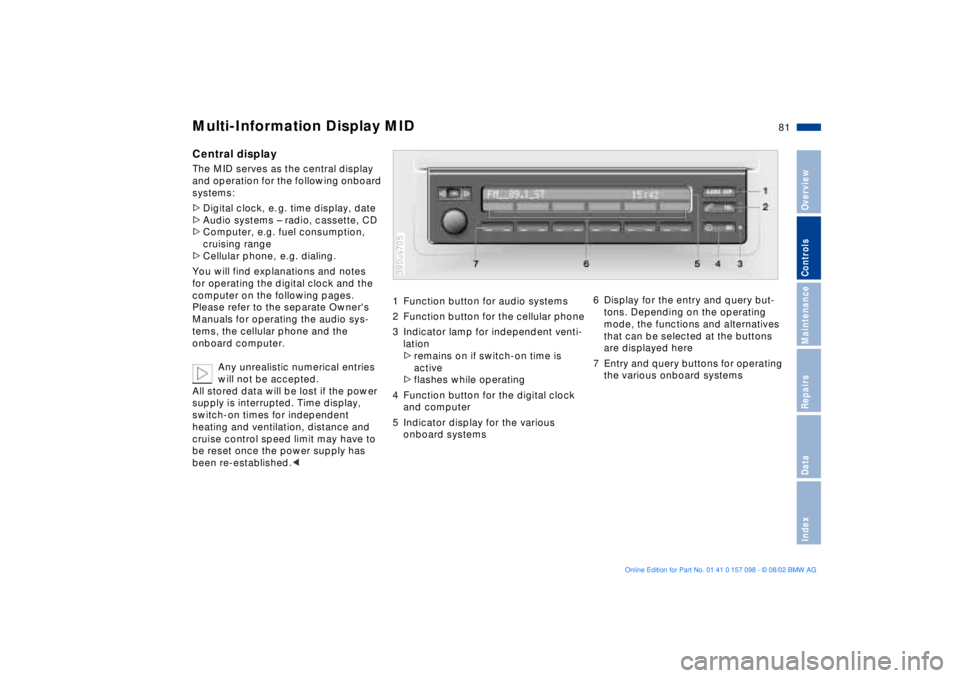
Central displayThe MID serves as the central display
and operation for the following onboard
systems:
>Digital clock, e. g. time display, date
>Audio systems Ð radio, cassette, CD
>Computer, e.g. fuel consumption,
cruising range
>Cellular phone, e.g. dialing.
You will find explanations and notes
for operating the digital clock and the
computer on the following pages.
Please refer to the separate Owner's
Manuals for operating the audio sys-
tems, the cellular phone and the
onboard computer.
Any unrealistic numerical entries
will not be accepted.
All stored data will be lost if the power
supply is interrupted. Time display,
switch-on times for independent
heating and ventilation, distance and
cruise control speed limit may have to
be reset once the power supply has
been re-established.<
1 Function button for audio systems
2 Function button for the cellular phone
3 Indicator lamp for independent venti-
lation
>remains on if switch-on time is
active
>flashes while operating
4 Function button for the digital clock
and computer
5 Indicator display for the various
onboard systems390us705
6 Display for the entry and query but-
tons. Depending on the operating
mode, the functions and alternatives
that can be selected at the buttons
are displayed here
7 Entry and query buttons for operating
the various onboard systems
Page 83 of 183
83n
OverviewControlsMaintenanceRepairsDataIndex
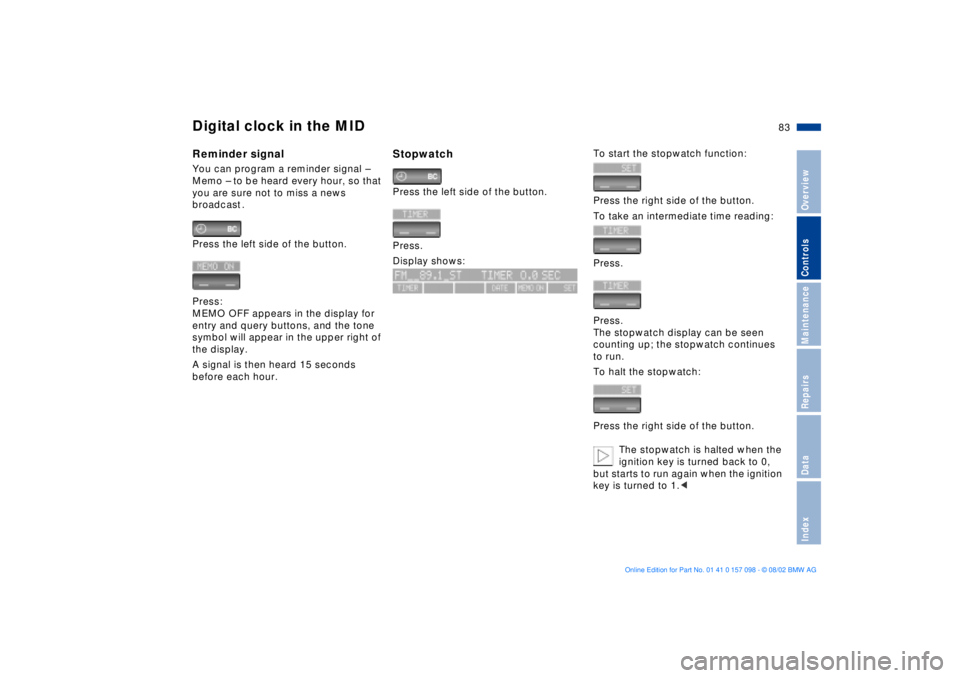
Digital clock in the MIDReminder signalYou can program a reminder signal Ð
Memo Ð to be heard every hour, so that
you are sure not to miss a news
broadcast .
Press the left side of the button.
Press:
MEMO OFF appears in the display for
entry and query buttons, and the tone
symbol will appear in the upper right of
the display.
A signal is then heard 15 seconds
before each hour.
Stopwatch Press the left side of the button.
Press.
Display shows:
To start the stopwatch function:
Press the right side of the button.
To take an intermediate time reading:
Press.
Press.
The stopwatch display can be seen
counting up; the stopwatch continues
to run.
To halt the stopwatch:
Press the right side of the button.
The stopwatch is halted when the
ignition key is turned back to 0,
but starts to run again when the ignition
key is turned to 1.<
Page 85 of 183
85n
OverviewControlsMaintenanceRepairsDataIndex
Computer
** * * in the MID
Only make entries when the
vehicle is stationary Ð to avoid
endangering yourself or other road
users.<
Computer calculations begin at the
start of the journey.
Information can also be called up in the
display by remote control, refer to
page 89.
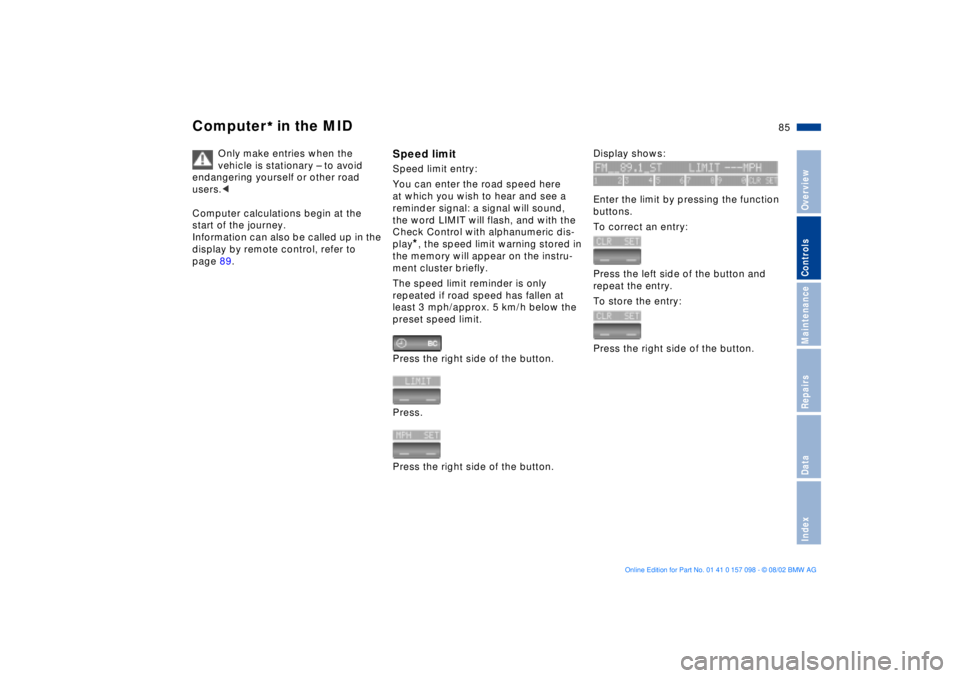
Speed limitSpeed limit entry:
You can enter the road speed here
at which you wish to hear and see a
reminder signal: a signal will sound,
the word LIMIT will flash, and with the
Check Control with alphanumeric dis-
play
*, the speed limit warning stored in
the memory will appear on the instru-
ment cluster briefly.
The speed limit reminder is only
repeated if road speed has fallen at
least 3 mph/approx. 5 km/h below the
preset speed limit.
Press the right side of the button.
Press.
Press the right side of the button.
Display shows:
Enter the limit by pressing the function
buttons.
To correct an entry:
Press the left side of the button and
repeat the entry.
To store the entry:
Press the right side of the button.
Page 87 of 183
87n
OverviewControlsMaintenanceRepairsDataIndex
Computer
** * * in the MID
Estimated time of arrival When you have entered the distance to
your destination, you can obtain an
estimated time of arrival display which
is continuously updated by the com-
puter as your average driving period
varies.
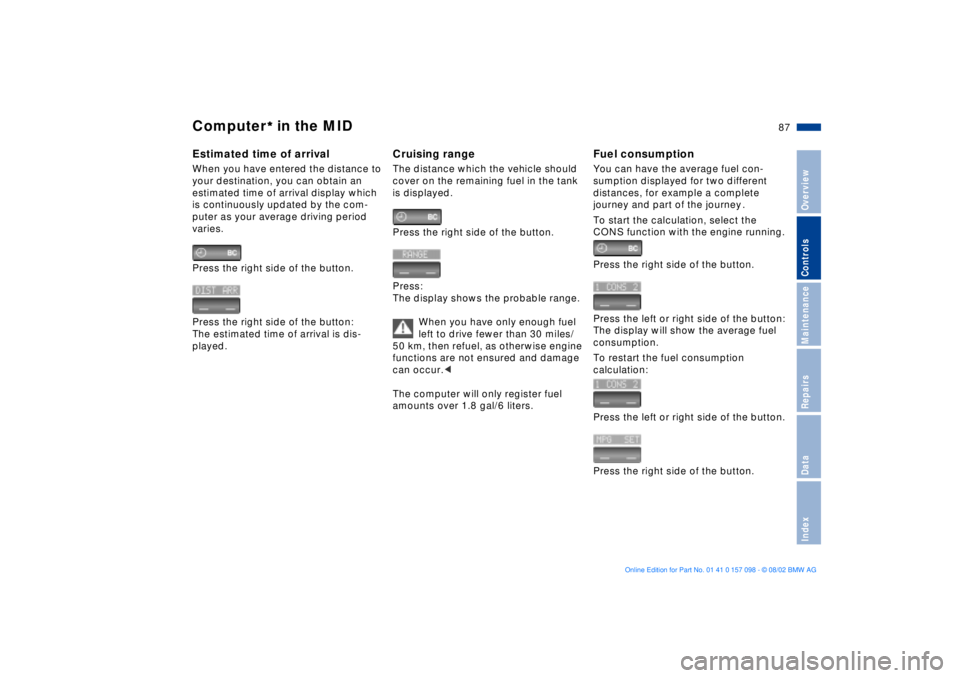
Press the right side of the button.
Press the right side of the button:
The estimated time of arrival is dis-
played.
Cruising rangeThe distance which the vehicle should
cover on the remaining fuel in the tank
is displayed.
Press the right side of the button.
Press:
The display shows the probable range.
When you have only enough fuel
left to drive fewer than 30 miles/
50 km, then refuel, as otherwise engine
functions are not ensured and damage
can occur.<
The computer will only register fuel
amounts over 1.8 gal/6 liters.
Fuel consumptionYou can have the average fuel con-
sumption displayed for two different
distances, for example a complete
journey and part of the journey .
To start the calculation, select the
CONS function with the engine running.
Press the right side of the button.
Press the left or right side of the button:
The display will show the average fuel
consumption.
To restart the fuel consumption
calculation:
Press the left or right side of the button.
Press the right side of the button.
Page 89 of 183
89n
OverviewControlsMaintenanceRepairsDataIndex
Computer
** * * in the MID
After three incorrect code entries, or
three attempts to start the engine
without a code entry, the alarm will
sound for 30 seconds on vehicles fitted
with an alarm system.
Deactivating the alarm in an
emergency:
If you have forgotten the code, proceed
as follows:
1. Disconnect the battery, wait approx.
2 minutes, then reconnect it. Note
that on vehicles with an alarm
system, the alarm will sound
2. Set the ignition key to position 1:
The time display will count down for
the next ten minutes
3. After ten minutes, start the engine.
If the code becomes available
again in the meantime, it can be
entered during the waiting period after
pressing the CODE button.<
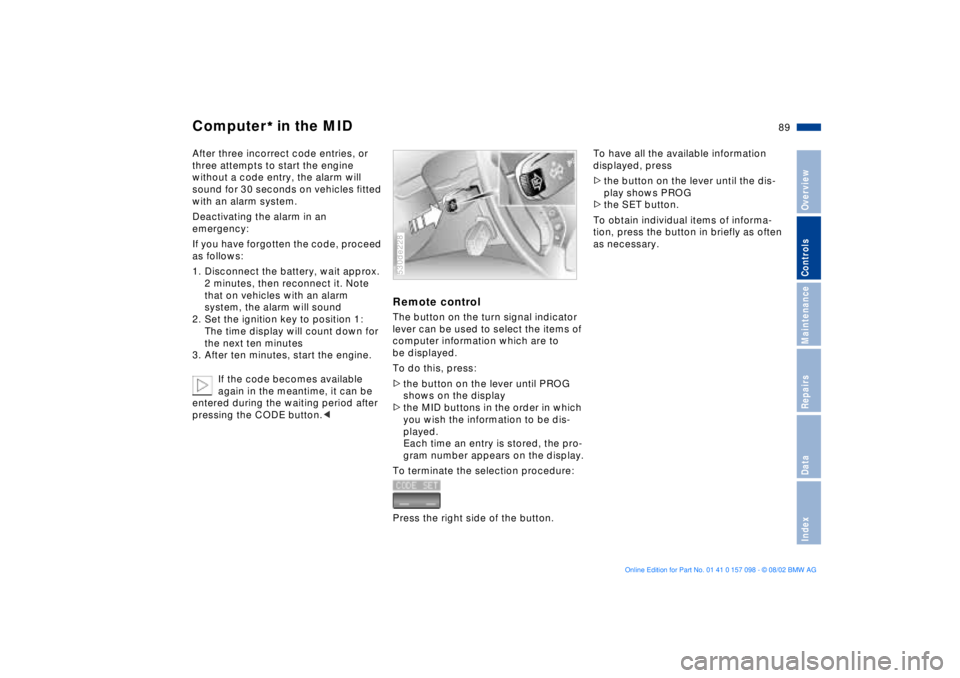
Remote control The button on the turn signal indicator
lever can be used to select the items of
computer information which are to
be displayed.
To do this, press:
>the button on the lever until PROG
shows on the display
>the MID buttons in the order in which
you wish the information to be dis-
played.
Each time an entry is stored, the pro-
gram number appears on the display.
To terminate the selection procedure:
Press the right side of the button.530de228
To have all the available information
displayed, press
>the button on the lever until the dis-
play shows PROG
>the SET button.
To obtain individual items of informa-
tion, press the button in briefly as often
as necessary.
Page 91 of 183
91n
OverviewControlsMaintenanceRepairsDataIndex
PDC
* Dynamic Stability Control DSC
The PDC system does not remove
the driver's personal responsibility
for evaluating the distance between the
vehicle and any objects. Even when
sensors are involved, there is a blind
spot in which objects cannot be
detected. This applies especially in
those cases where the system
approaches the physical constraints of
ultrasonic measurement, as occurs with
tow bars and trailer couplings, and in
the vicinity of thin or wedge-shaped
objects. Similarly, low objects that have
already been detected - e.g. a curb-
stone - may disappear out of the range
of the sensors before a continuous tone
is emitted.
Loud sources of sound, inside and out-
side the vehicle, could drown out the
PDC signal tone.<
Keep the sensors clean and free
of ice or snow in order to ensure
that they continue to operate effectively.
Do not apply high pressure spray to the
sensors for a prolonged period of time.
Maintain an adequate distance of more
than 4 in/10 cm.<
The concept DSC maintains vehicle stability, even in
critical driving situations.
The system optimizes vehicle stability
during acceleration and when starting
from a full stop, as well as optimizing
traction. In addition, it recognizes
unstable vehicle conditions, such as
understeering or oversteering, and, as
far as is possible within the laws of
physics, keeps the vehicle on a steady
course by adapting the rpms and brake
applications to the individual wheels.
The system starts up automatically
each time you start the engine.
Indicator lamp
The indicator lamp in the instru-
ment cluster goes out shortly
after you switch on the ignition,
refer to page 21.
Indicator lamp ßashes:
The system is active and governs drive
and braking force.
If the indicator lamp fails to go out after
the engine is started, or comes on
during normal driving and stays on:
The system is either defective or was
switched off with the button: the stabi-
lizing applications described to the left
are no longer available. The vehicle will
remain completely operational, how-
ever, without DSC.
Consult your BMW Sports Activity
Vehicle center to have the system
repaired.
Page 93 of 183
93n
OverviewControlsMaintenanceRepairsDataIndex
Hill Descent Control HDC The concept HDC is a system for driving downhill in
steep terrain. This system reduces
vehicle speed on steep downhill gradi-
ents, thus allowing you to maintain con-
trol of your BMW under these condi-
tions.
The vehicle moves at slightly more than
walking speed without active interven-
tion from the driver.
HDC is available for activation at
vehicle speeds below approx. 20 mph/
35 km/h. When driving down steep hills
with a speed below approx. 20 mph/
35 km/h, the vehicle reduces speed
automatically down to slightly more
than walking speed (approx. 5 mph/
8 km/h) and then maintains this speed
at a constant.
You can use the accelerator or brakes
to vary this automatically controlled
speed within a range extending from
approx. 3 mph/5 km/h to 15 mph/
25 km/h.
You can specify a target speed
within the same range by using the
+/Ð buttons of the cruise control.
HDC is automatically deactivated once
vehicle speed again exceeds approx.
35 mph/60 km/h.
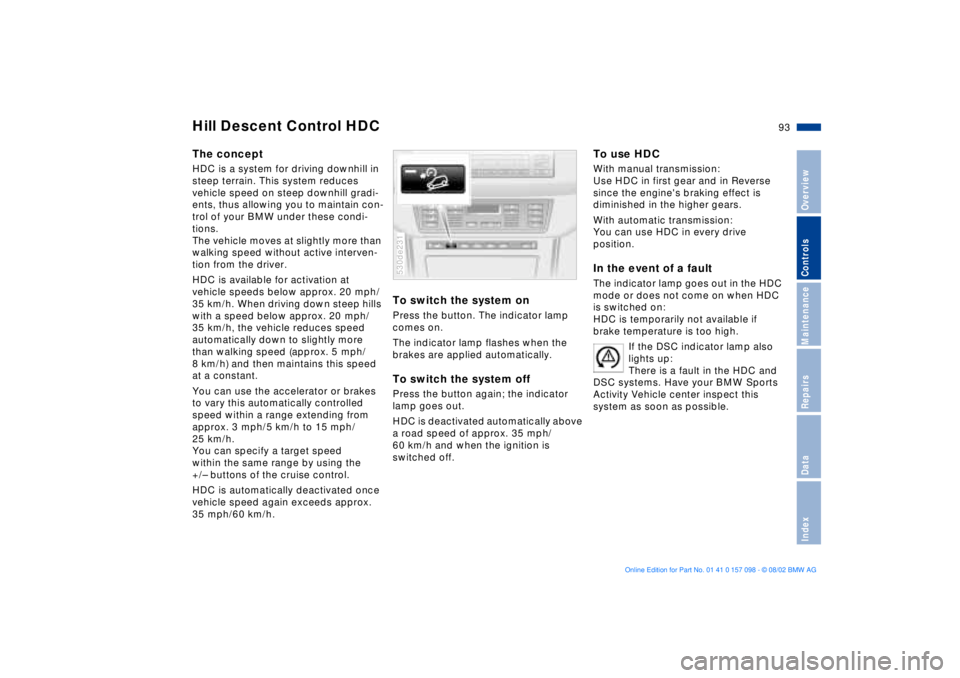
To switch the system onPress the button. The indicator lamp
comes on.
The indicator lamp flashes when the
brakes are applied automatically. To switch the system offPress the button again; the indicator
lamp goes out.
HDC is deactivated automatically above
a road speed of approx. 35 mph/
60 km/h and when the ignition is
switched off. 530de231
To use HDC With manual transmission:
Use HDC in first gear and in Reverse
since the engine's braking effect is
diminished in the higher gears.
With automatic transmission:
You can use HDC in every drive
position. In the event of a faultThe indicator lamp goes out in the HDC
mode or does not come on when HDC
is switched on:
HDC is temporarily not available if
brake temperature is too high.
If the DSC indicator lamp also
lights up:
There is a fault in the HDC and
DSC systems. Have your BMW Sports
Activity Vehicle center inspect this
system as soon as possible.
Page 95 of 183
95n
OverviewControlsMaintenanceRepairsDataIndex
2-axle self-leveling suspension
*
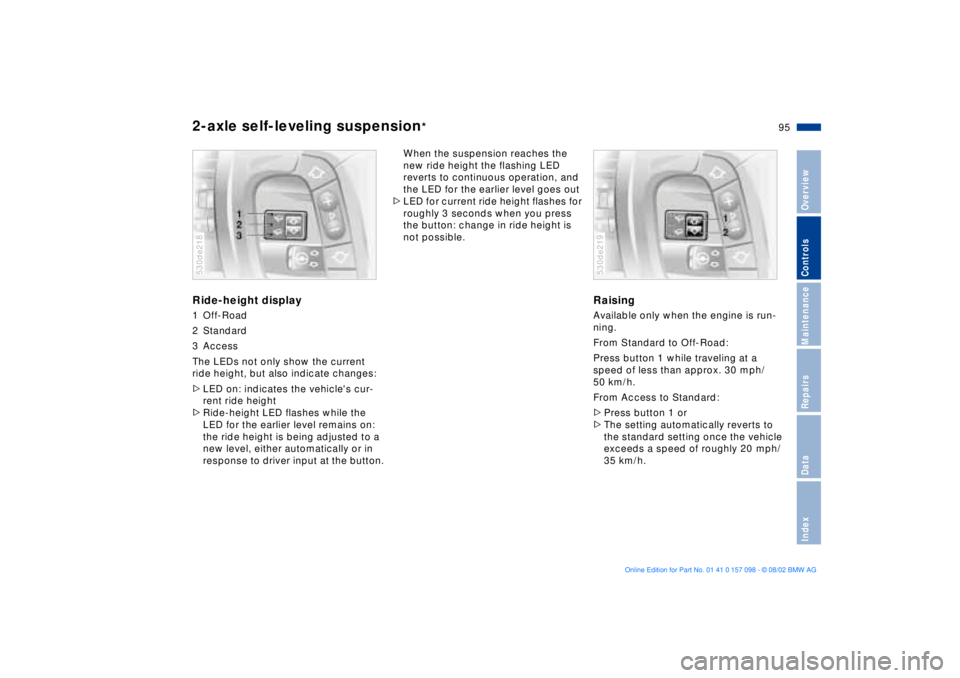
Ride-height display1 Off-Road
2 Standard
3 Access
The LEDs not only show the current
ride height, but also indicate changes:
>LED on: indicates the vehicle's cur-
rent ride height
>Ride-height LED flashes while the
LED for the earlier level remains on:
the ride height is being adjusted to a
new level, either automatically or in
response to driver input at the button.530de218
When the suspension reaches the
new ride height the flashing LED
reverts to continuous operation, and
the LED for the earlier level goes out
>LED for current ride height flashes for
roughly 3 seconds when you press
the button: change in ride height is
not possible.
RaisingAvailable only when the engine is run-
ning.
From Standard to Off-Road:
Press button 1 while traveling at a
speed of less than approx. 30 mph/
50 km/h.
From Access to Standard:
>Press button 1 or
>The setting automatically reverts to
the standard setting once the vehicle
exceeds a speed of roughly 20 mph/
35 km/h.530de219