maintenance BMW X5 4.8I 2007 E70 User Guide
[x] Cancel search | Manufacturer: BMW, Model Year: 2007, Model line: X5 4.8I, Model: BMW X5 4.8I 2007 E70Pages: 272, PDF Size: 9.03 MB
Page 108 of 272
Climate
106
Ventilation for cooling
Adjust the air vents to direct the flow of cool air
in your direction, for instance, if the interior has
become too warm, etc.
Draft-free ventilation
Set the air vents so that the air flows past you
and is not directed straight at you.
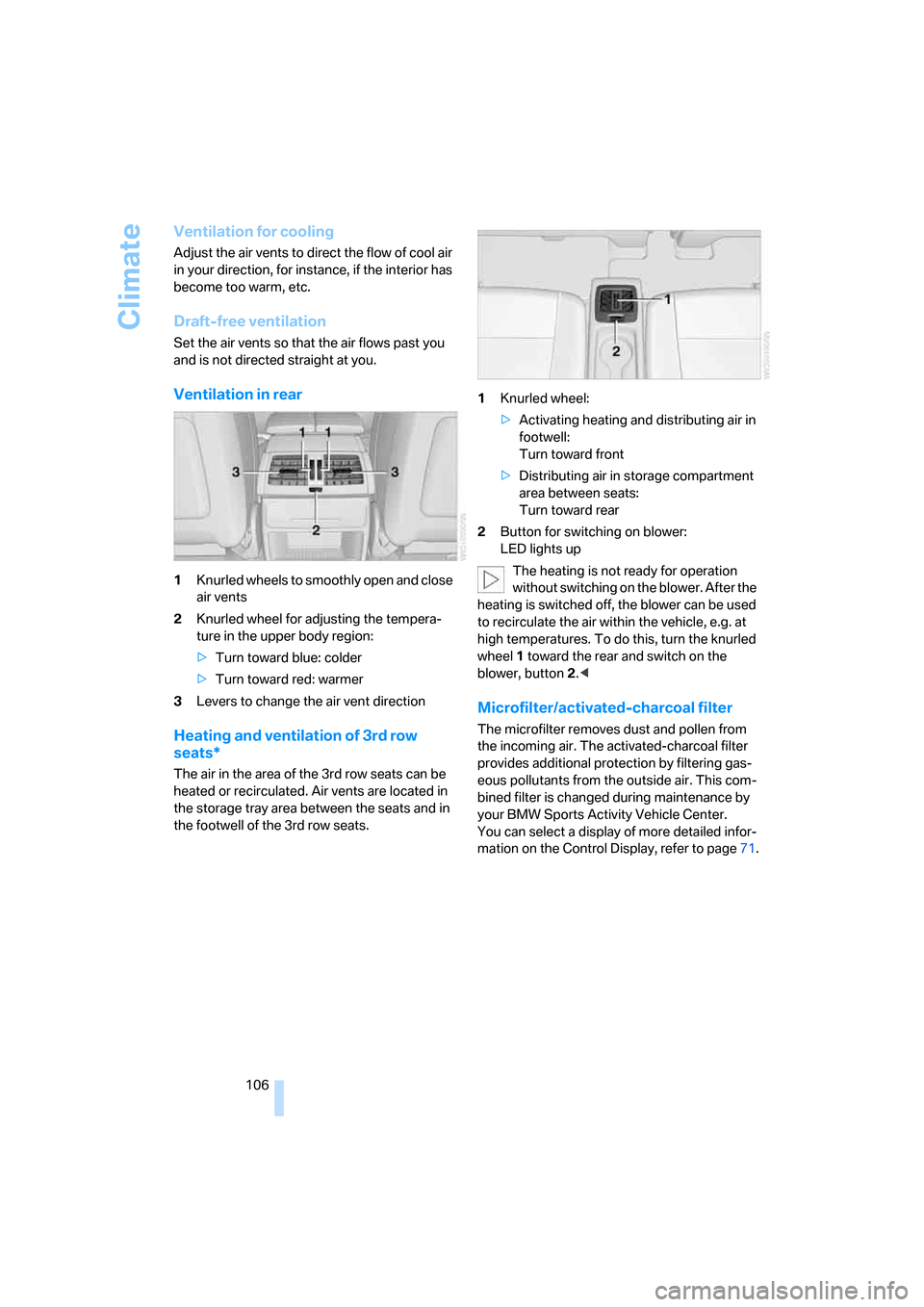
Ventilation in rear
1Knurled wheels to smoothly open and close
air vents
2Knurled wheel for adjusting the tempera-
ture in the upper body region:
>Turn toward blue: colder
>Turn toward red: warmer
3Levers to change the air vent direction
Heating and ventilation of 3rd row
seats*
The air in the area of the 3rd row seats can be
heated or recirculated. Air vents are located in
the storage tray area between the seats and in
the footwell of the 3rd row seats.1Knurled wheel:
>Activating heating and distributing air in
footwell:
Turn toward front
>Distributing air in storage compartment
area between seats:
Turn toward rear
2Button for switching on blower:
LED lights up
The heating is not ready for operation
without switching on the blower. After the
heating is switched off, the blower can be used
to recirculate the air within the vehicle, e.g. at
high temperatures. To do this, turn the knurled
wheel1 toward the rear and switch on the
blower, button2.<
Microfilter/activated-charcoal filter
The microfilter removes dust and pollen from
the incoming air. The activated-charcoal filter
provides additional protection by filtering gas-
eous pollutants from the outside air. This com-
bined filter is changed during maintenance by
your BMW Sports Activity Vehicle Center.
You can select a display of more detailed infor-
mation on the Control Display, refer to page71.
Page 206 of 272
BMW Assist
204 The BMW Assist Response Center will connect
you to the Roadside Assistance of the
BMW Group.
TeleService
Automatic service notification*
The data on the service status of your vehicle or
on necessary inspections is transmitted auto-
matically directly to your BMW Sports Activity
Vehicle Center prior to the due date. You can
check when the BMW Sports Activity Vehicle
Center was notified.
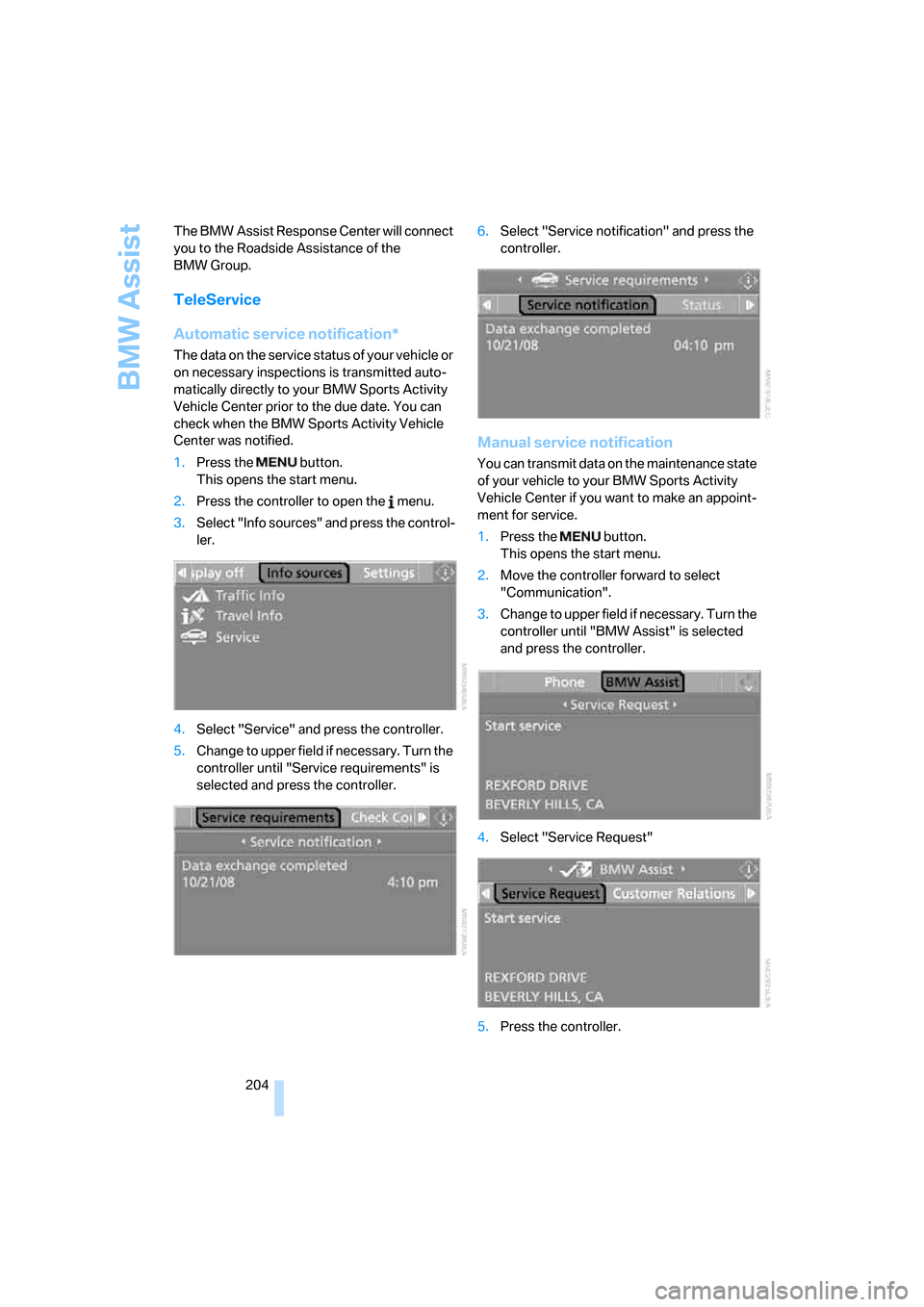
1.Press the button.
This opens the start menu.
2.Press the controller to open the menu.
3.Select "Info sources" and press the control-
ler.
4.Select "Service" and press the controller.
5.Change to upper field if necessary. Turn the
controller until "Service requirements" is
selected and press the controller.6.Select "Service notification" and press the
controller.
Manual service notification
You can transmit data on the maintenance state
of your vehicle to your BMW Sports Activity
Vehicle Center if you want to make an appoint-
ment for service.
1.Press the button.
This opens the start menu.
2.Move the controller forward to select
"Communication".
3.Change to upper field if necessary. Turn the
controller until "BMW Assist" is selected
and press the controller.
4.Select "Service Request"
5.Press the controller.
Page 213 of 272
Mobility
This section helps you maintain your
mobility by supplying important information
on vital topics including fuels and lubricants,
wheels and tires, service, maintenance and
breakdown assistance.
Mobility
Page 215 of 272
Mobility
213Reference
At a glance
Controls
Driving tips
Communications
Navigation
Entertainment
Fuel specifications
Do not use leaded gasoline, otherwise
damage to the catalytic converter will
result.
Do not use E85, i.e. fuel that consists of 85 %
ethanol, or Flex Fuel, otherwise permanent
damage to the engine and the fuel supply sys-
tem will result.<
Required fuel
Super Premium Gasoline/AKI 91
This gasoline is highly recommended.
However, you may also use gasoline with less
AKI. The minimum AKI Rating is 87.
If you use gasoline with this minimum AKI Rat-
ing, the engine may produce knocking sounds
when starting at high outside temperatures.
This has no affect on the engine life.
Do not use gasoline below the specified
minimum quality, otherwise engine dam-
age can result.<
Use high-quality brands
Field experience has indicated significant dif-
ferences in fuel quality: volatility, composition,
additives, etc., among gasolines offered for sale
in the United States and Canada. Fuels contain-
ing up to and including 10 % ethanol or other
oxygenates with up to 2.8 % oxygen by weight,
that is, 15 % MTBE or 3 % methanol plus an
equivalent amount of co-solvent, will not void
the applicable warranties with respect to
defects in materials or workmanship.
The use of poor-quality fuels may result in
drivability, starting and stalling problems
especially under certain environmental condi-
tions such as high ambient temperature and
high altitude.
Should you encounter drivability problems
which you suspect could be related to the fuel
you are using, we recommend that you respond
by switching to a recognized high-quality brand
such as gasoline that is advertised as Top Tier
Detergent Gasoline.Failure to comply with these recommendations
may also result in unscheduled maintenance.<
Page 216 of 272
Wheels and tires
214
Wheels and tires
Tire inflation pressure
Information for your safety
The condition of the tires and the maintenance
of the specified tire pressure are crucial not only
to the tire's service life, but also to driving com-
fort and most importantly, driving safety.
Checking pressure
Only check tire inflation pressure when the tires
are cold. This means after a maximum of
1.25 miles/2 km driving or when the vehicle has
been parked for at least 2 hours. When tires are
warm, the tire inflation pressure increases.
Check the tire inflation pressure regularly
and correct it as needed, even on the
compact tire
*: at least twice a month and before
starting long trips. If you fail to observe this pre-
caution, you may be driving on tires with incor-
rect tire pressures, a condition that can not only
compromise your vehicle's driving stability, but
also lead to tire damage and the risk of an acci-
dent. Do not drive with depressurized, i.e. flat
tires, except run-flat tires. A flat tire will seri-
ously impair your vehicle's handling and braking
response. Attempts to drive on a flat tire can
lead to a loss of control over the vehicle.<
After correcting the tire inflation pressure,
reinitialize the Flat Tire Monitor, refer to
page87, or reset the Tire Pressure Monitor,
refer to page89.<
Pressure specifications
The tables below provide all the correct inflation
pressures for the specified tire sizes at ambient
temperature.
The inflation pressures apply to the tire
sizes and tire brands respectively
approved and recommended by BMW; a list of
these is available from your BMW Sports Activ-
ity Vehicle Center.
ing:
>Tire sizes of your vehicle
>Load conditions
>Maximum allowable driving speed
Tire inflation pressures for speeds
up to 100 mph/160 km/h
For normal driving up to 100 mph/160 km/h,
adjust pressures to the respective tire inflation
pressures listed on the following pages in the
column Traveling speeds up to max. of
100 mph/160 km/h to achieve optimum driving
comfort.
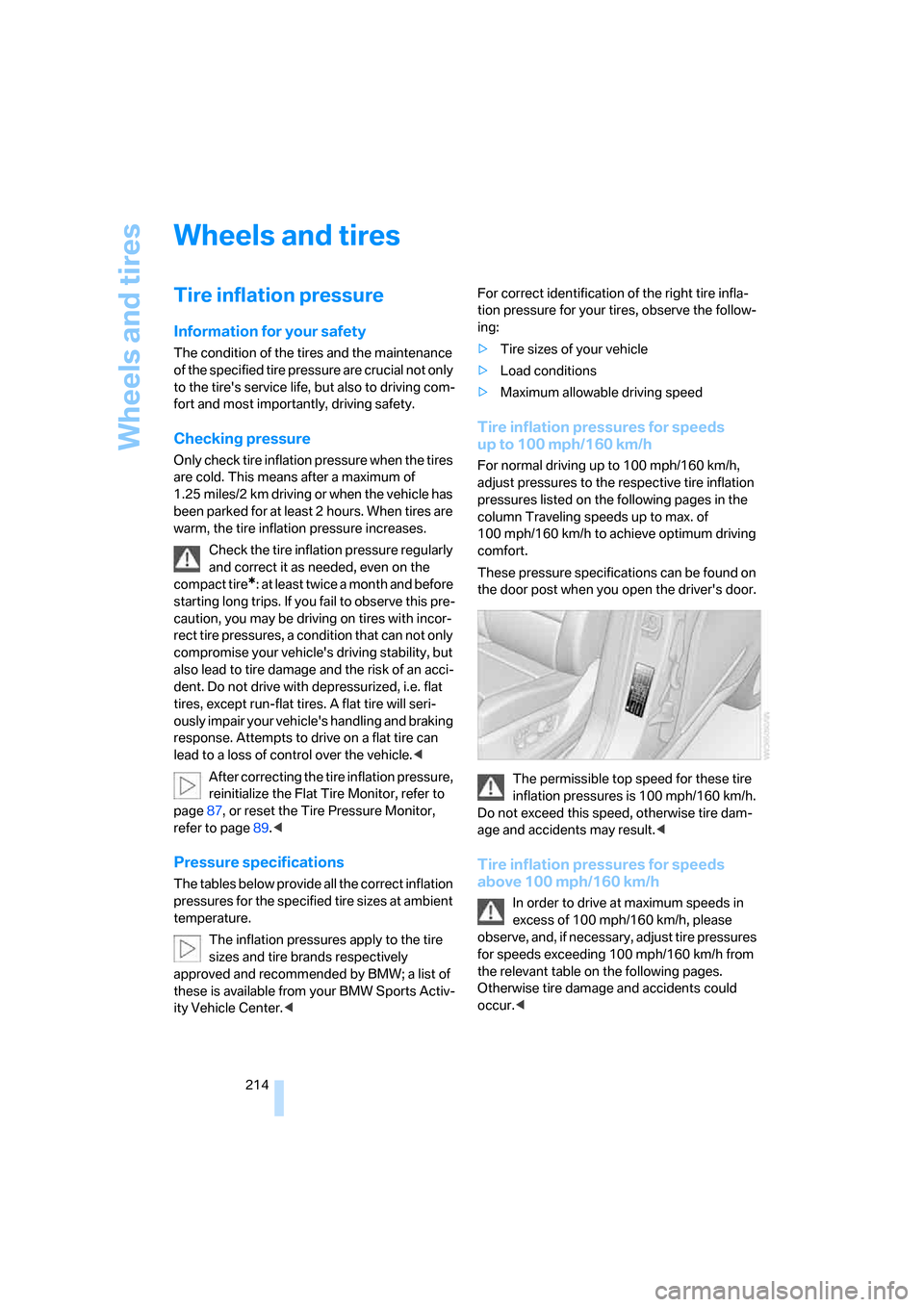
These pressure specifications can be found on
the door post when you open the driver's door.
The permissible top speed for these tire
inflation pressures is 100 mph/160 km/h.
Do not exceed this speed, otherwise tire dam-
age and accidents may result.<
Tire inflation pressures for speeds
above 100 mph/160 km/h
In order to drive at maximum speeds in
excess of 100 mph/160 km/h, please
observe, and, if necessary, adjust tire pressures
for speeds exceeding 100 mph/160 km/h from
the relevant table on the following pages.
Otherwise tire damage and accidents could
occur.<
Page 228 of 272
Maintenance
226
Maintenance
BMW maintenance system
The BMW maintenance system supports the
preservation of the traffic and operating safety
of your BMW. The service schedule also
includes operations related to the vehicle's
comfort and convenience features, such as
replacement of the filters for the inside air.
The ultimate objective is to ensure economical
maintenance by providing the ideal service for
your vehicle.
Should the day come when you decide to sell
your BMW, a complete dealer service history
will prove to be an asset of inestimable value.
CBS Condition Based Service
Sensors and special algorithms take the differ-
ent driving conditions of your BMW into
account. Condition Based Service uses this to
determine the current and future service
requirements. By letting you define a service
and maintenance regimen that reflects your
own individual requirements, the system builds
the basis for trouble-free driving.
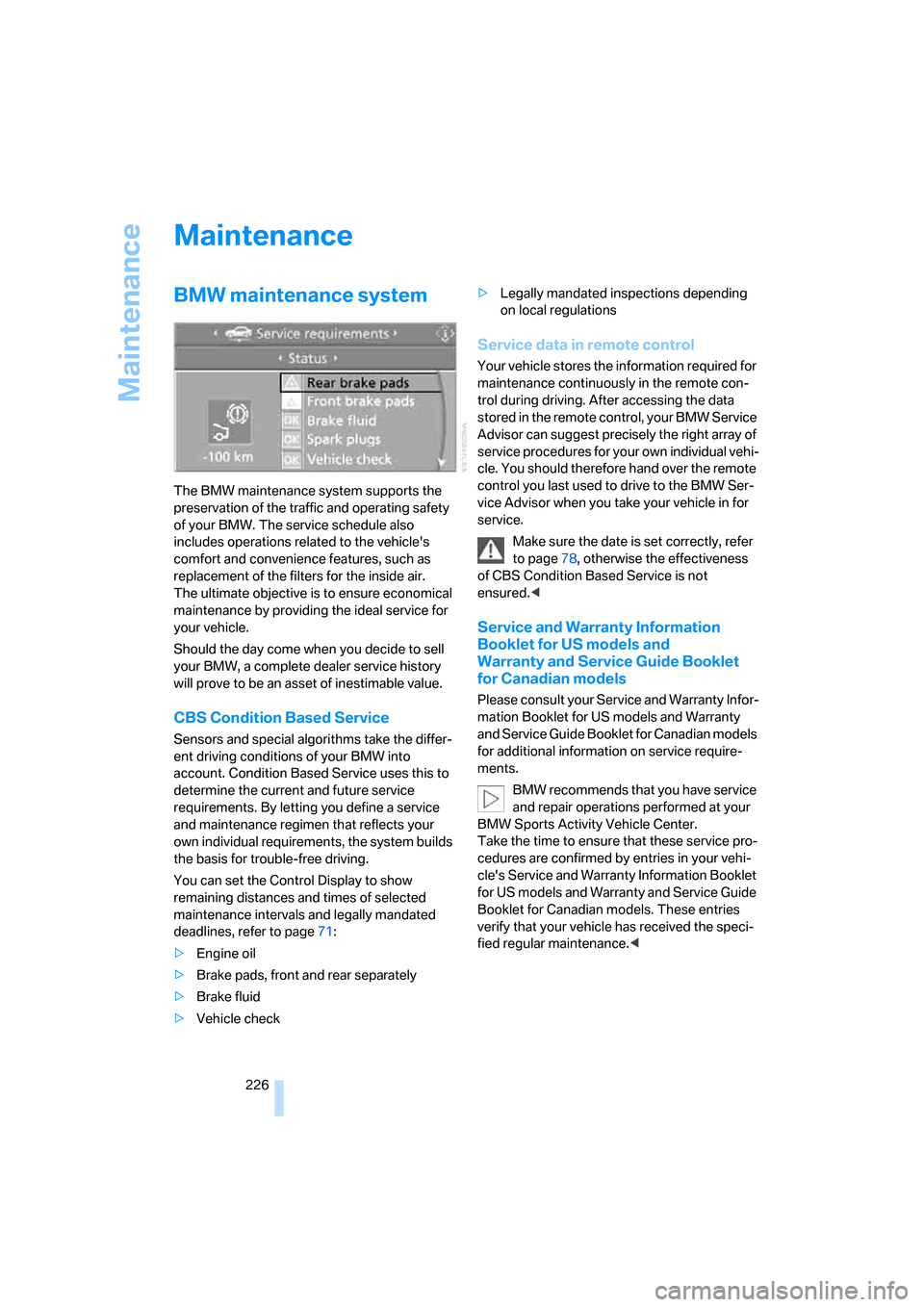
You can set the Control Display to show
remaining distances and times of selected
maintenance intervals and legally mandated
deadlines, refer to page71:
>Engine oil
>Brake pads, front and rear separately
>Brake fluid
>Vehicle check>Legally mandated inspections depending
on local regulations
Service data in remote control
Your vehicle stores the information required for
maintenance continuously in the remote con-
trol during driving. After accessing the data
stored in the remote control, your BMW Service
Advisor can suggest precisely the right array of
service procedures for your own individual vehi-
cle. You should therefore hand over the remote
control you last used to drive to the BMW Ser-
vice Advisor when you take your vehicle in for
service.
Make sure the date is set correctly, refer
to page78, otherwise the effectiveness
of CBS Condition Based Service is not
ensured.<
Service and Warranty Information
Booklet for US models and
Warranty and Service Guide Booklet
for Canadian models
Please consult your Service and Warranty Infor-
mation Booklet for US models and Warranty
and Service Guide Booklet for Canadian models
for additional information on service require-
ments.
BMW recommends that you have service
and repair operations performed at your
BMW Sports Activity Vehicle Center.
Take the time to ensure that these service pro-
cedures are confirmed by entries in your vehi-
cle's Service and Warranty Information Booklet
for US models and Warranty and Service Guide
Booklet for Canadian models. These entries
verify that your vehicle has received the speci-
fied regular maintenance.<
Page 231 of 272
Mobility
229Reference
At a glance
Controls
Driving tips
Communications
Navigation
Entertainment
For care and maintenance of the headlamps,
please follow the instructions in the separate
Caring for your vehicle brochure.
For bulbs for which replacement is not
described and for checking and adjusting
headlamp aim, please contact your BMW
Sports Activity Vehicle Center.<
Light-emitting diodes LEDs
Light-emitting diodes installed behind translu-
cent lenses serve as the light source for many of
the controls and displays in your vehicle. These
light-emitting diodes, which operate using a
concept similar to that applied in conventional
lasers, are officially designated as Class 1 light-
emitting diodes.
Do not remove the covers, and never
stare into the unfiltered light for several
hours, as irritation of the retina could result.<
Xenon bulbs
The service life of these bulbs is very long and
the probability of a failure is very low, provided
that they are not switched on and off an unusual
number of times. If one of these bulbs should
nevertheless fail, it is possible to continue driv-
ing with great caution using the fog lamps, pro-
vided traffic laws in your area do not prohibit
this.
Have work on the xenon light unit includ-
ing changing the bulb carried out only by
your BMW Sports Activity Vehicle Center or a
workshop that works according to BMW repair
procedures with correspondingly trained per-
sonnel. Due to the high voltage present in the
system, there is a danger of fatal injuries when
work is carried out improperly.<
Halogen bulbs:
Parking lamps and low beams
H8 bulb, 35 watts
The bulb is pressurized. Therefore, wear
safety glasses and protective gloves.
Otherwise there is a danger of injuries if the
bulb is accidentally damaged during replace-
ment.<
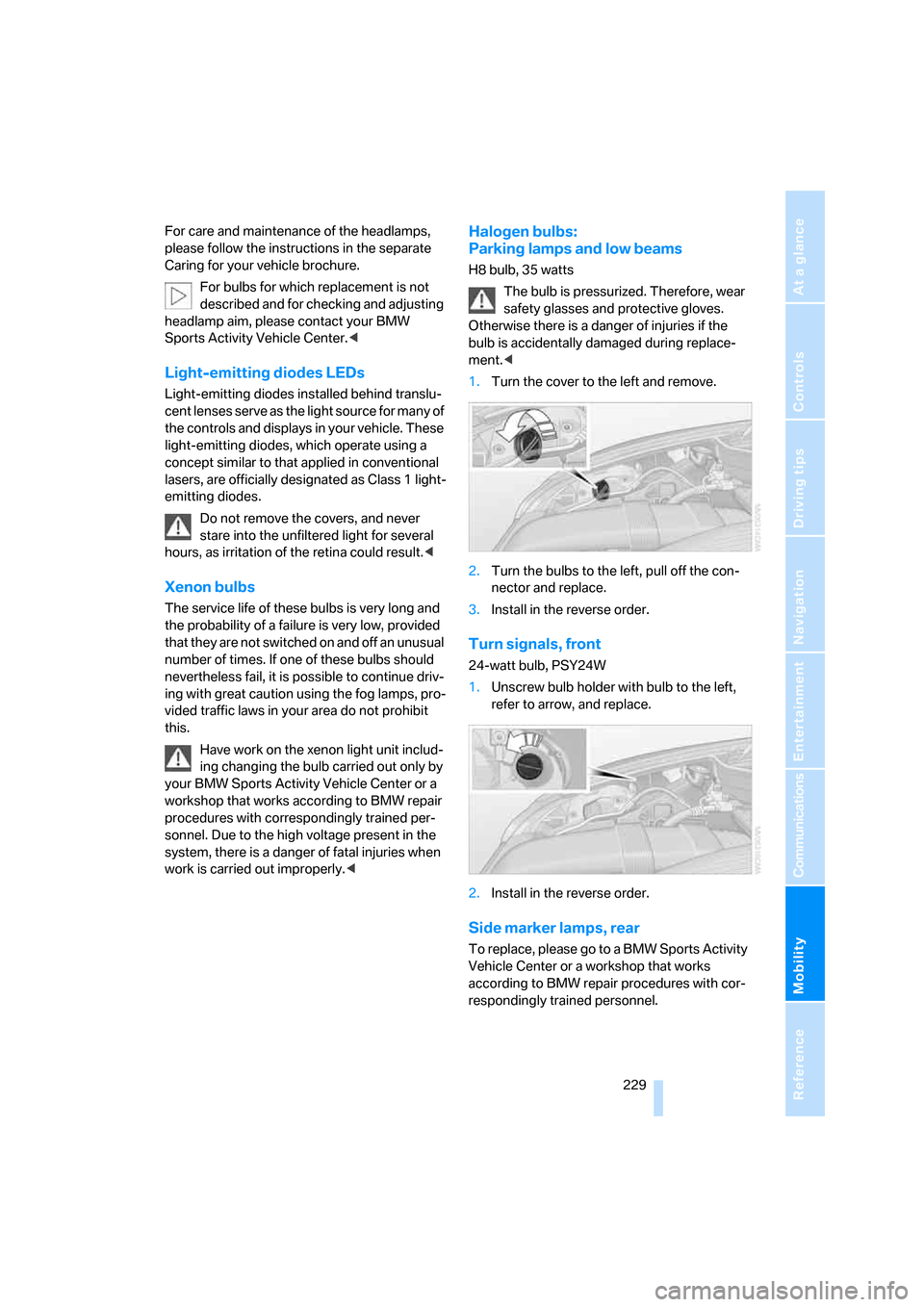
1.Turn the cover to the left and remove.
2.Turn the bulbs to the left, pull off the con-
nector and replace.
3.Install in the reverse order.
Turn signals, front
24-watt bulb, PSY24W
1.Unscrew bulb holder with bulb to the left,
refer to arrow, and replace.
2.Install in the reverse order.
Side marker lamps, rear
To replace, please go to a BMW Sports Activity
Vehicle Center or a workshop that works
according to BMW repair procedures with cor-
respondingly trained personnel.
Page 236 of 272
Replacing components
234 3.Check and correct the tire inflation pressure
at the earliest opportunity.
Protect valve stems with valve screw
caps against dirt and contamination.
Dirt in valve stems is a frequent source of
gradual air loss.<
4.Initialize the Flat Tire Monitor, refer to
page87, or reset the Tire Pressure Monitor,
refer to page89.
5.Replace the damaged tire as soon as possi-
ble and have the new wheel/tire balanced.
Driving with compact wheel
Drive reservedly and do not exceed a speed of
50 mph/80 km/h.
The driving characteristics change, for example
reduced track stability on braking, extended
braking distance, and altered self-steering
characteristics in the limit range. In conjunction
with winter tires, these characteristics are more
pronounced.
Only one compact wheel may be
mounted. You should re-equip with
wheels and tires of the original size as quickly as
possible.<
Vehicle battery
Battery care
The battery is 100 % maintenance-free, i.e., the
electrolyte will last for the life of the battery
when the vehicle is operated in a temperate cli-
mate. Your BMW Sports Activity Vehicle Center
will be glad to advise in all matters concerning
the battery.
Charging battery
Only charge the battery in the vehicle via the
terminals in the engine compartment with the
engine off. Connections, refer to Jump starting
on page237.
Disposal
Have old batteries disposed of following
replacement at your BMW Sports Activity
Vehicle Center or bring them to a collection
point. Maintain the battery in an upright position
for transport and storage. Always restrain the
battery to prevent it from tipping over during
transport.<
Power failure
After a temporary power loss, the functioning of
some equipment may be limited and require
reinitialization. Individual settings are also lost
and must be updated:
>Seat, mirror and steering wheel memory
The positions must be stored again, refer to
page42.
>Time and Date
The values must be updated, refer to
pages77, 78.
>Radio
Stations must be stored again if necessary,
refer to page160.
>Navigation system
Wait until the system starts, refer to
page151.
Fuses
Never attempt to repair a blown fuse and
do not replace a defective fuse with a sub-
stitute of another color or amperage rating, as
this could lead to a circuit overload, ultimately
resulting in a fire in the vehicle.<
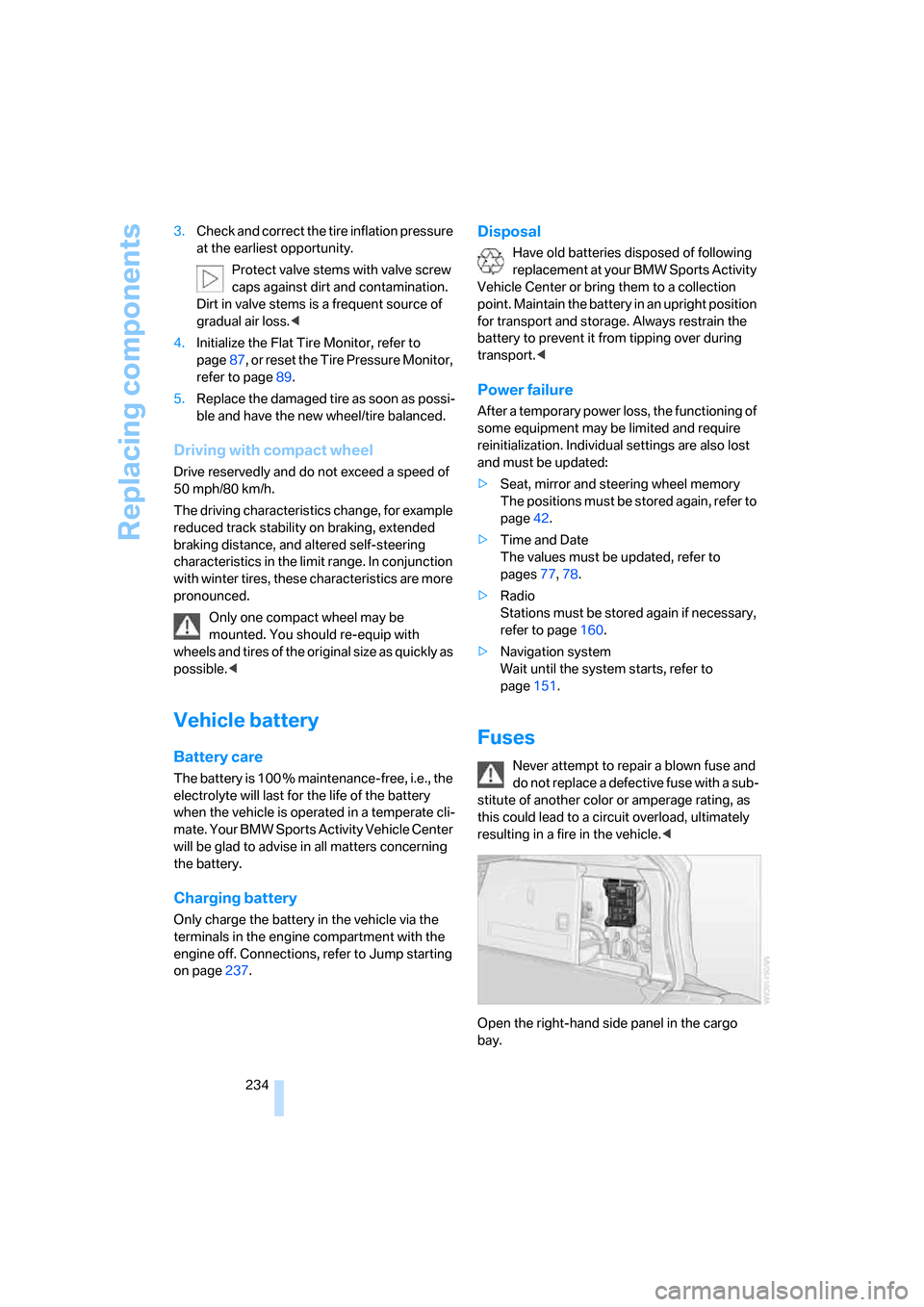
Open the right-hand side panel in the cargo
bay.
Page 254 of 272
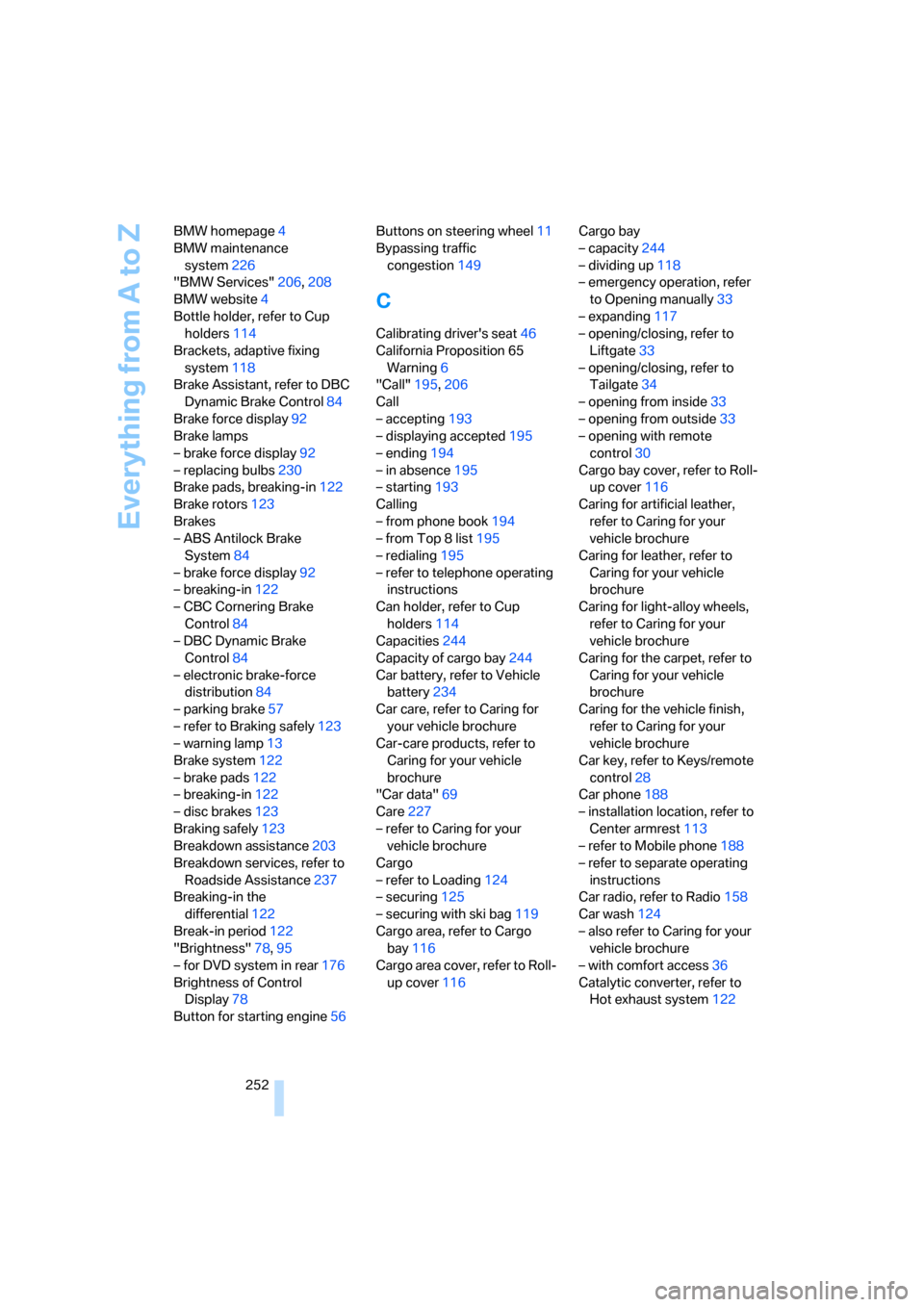
Everything from A to Z
252 BMW homepage4
BMW maintenance
system226
"BMW Services"206,208
BMW website4
Bottle holder, refer to Cup
holders114
Brackets, adaptive fixing
system118
Brake Assistant, refer to DBC
Dynamic Brake Control84
Brake force display92
Brake lamps
– brake force display92
– replacing bulbs230
Brake pads, breaking-in122
Brake rotors123
Brakes
– ABS Antilock Brake
System84
– brake force display92
– breaking-in122
– CBC Cornering Brake
Control84
– DBC Dynamic Brake
Control84
– electronic brake-force
distribution84
– parking brake57
– refer to Braking safely123
– warning lamp13
Brake system122
– brake pads122
– breaking-in122
– disc brakes123
Braking safely123
Breakdown assistance203
Breakdown services, refer to
Roadside Assistance237
Breaking-in the
differential122
Break-in period122
"Brightness"78,95
– for DVD system in rear176
Brightness of Control
Display78
Button for starting engine56Buttons on steering wheel11
Bypassing traffic
congestion149
C
Calibrating driver's seat46
California Proposition 65
Warning6
"Call"195,206
Call
– accepting193
– displaying accepted195
– ending194
– in absence195
– starting193
Calling
– from phone book194
– from Top 8 list195
– redialing195
– refer to telephone operating
instructions
Can holder, refer to Cup
holders114
Capacities244
Capacity of cargo bay244
Car battery, refer to Vehicle
battery234
Car care, refer to Caring for
your vehicle brochure
Car-care products, refer to
Caring for your vehicle
brochure
"Car data"69
Care227
– refer to Caring for your
vehicle brochure
Cargo
– refer to Loading124
– securing125
– securing with ski bag119
Cargo area, refer to Cargo
bay116
Cargo area cover, refer to Roll-
up cover116Cargo bay
– capacity244
– dividing up118
– emergency operation, refer
to Opening manually33
– expanding117
– opening/closing, refer to
Liftgate33
– opening/closing, refer to
Tailgate34
– opening from inside33
– opening from outside33
– opening with remote
control30
Cargo bay cover, refer to Roll-
up cover116
Caring for artificial leather,
refer to Caring for your
vehicle brochure
Caring for leather, refer to
Caring for your vehicle
brochure
Caring for light-alloy wheels,
refer to Caring for your
vehicle brochure
Caring for the carpet, refer to
Caring for your vehicle
brochure
Caring for the vehicle finish,
refer to Caring for your
vehicle brochure
Car key, refer to Keys/remote
control28
Car phone188
– installation location, refer to
Center armrest113
– refer to Mobile phone188
– refer to separate operating
instructions
Car radio, refer to Radio158
Car wash124
– also refer to Caring for your
vehicle brochure
– with comfort access36
Catalytic converter, refer to
Hot exhaust system122
Page 261 of 272
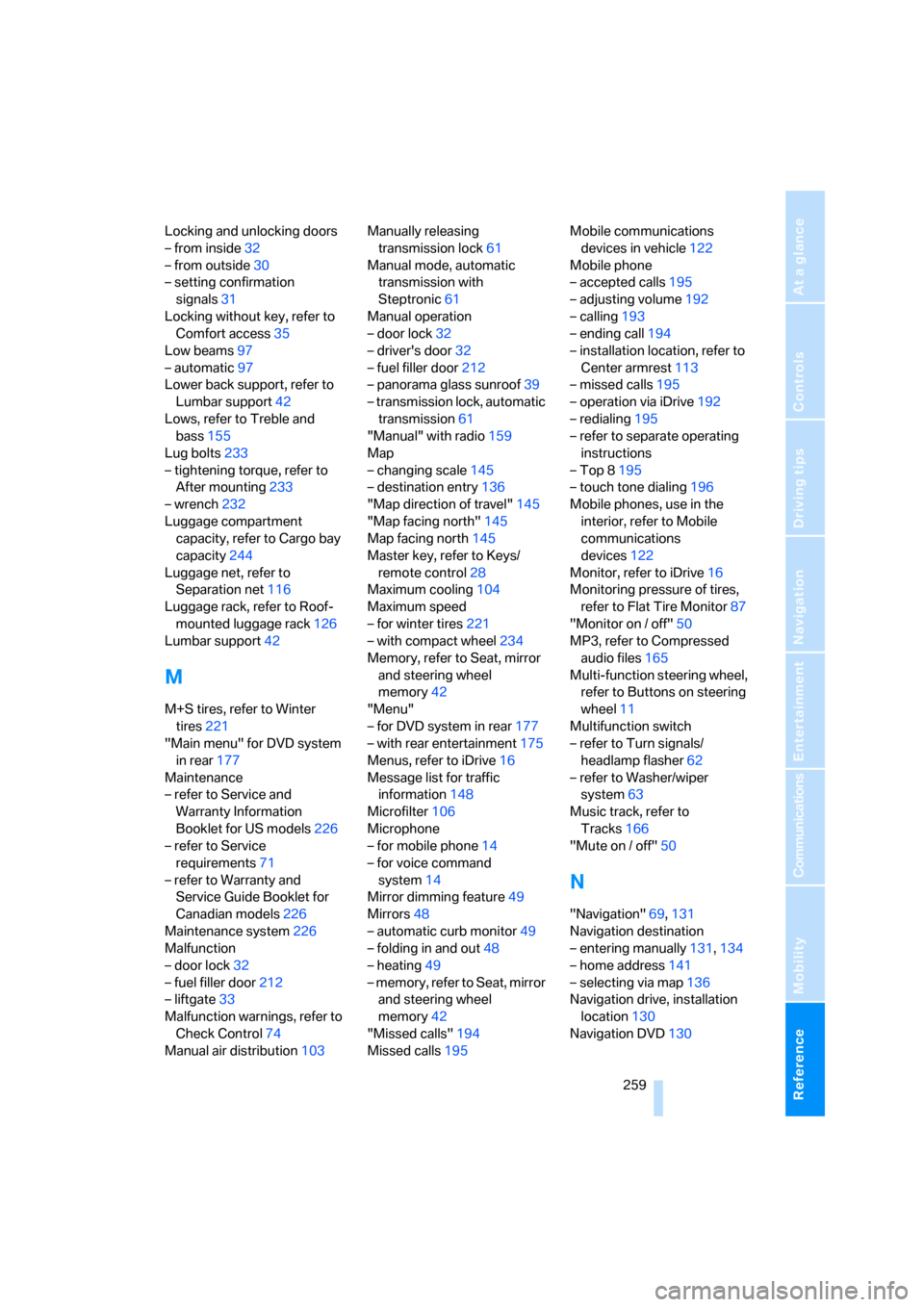
Reference 259
At a glance
Controls
Driving tips
Communications
Navigation
Entertainment
Mobility
Locking and unlocking doors
– from inside32
– from outside30
– setting confirmation
signals31
Locking without key, refer to
Comfort access35
Low beams97
– automatic97
Lower back support, refer to
Lumbar support42
Lows, refer to Treble and
bass155
Lug bolts233
– tightening torque, refer to
After mounting233
– wrench232
Luggage compartment
capacity, refer to Cargo bay
capacity244
Luggage net, refer to
Separation net116
Luggage rack, refer to Roof-
mounted luggage rack126
Lumbar support42
M
M+S tires, refer to Winter
tires221
"Main menu" for DVD system
in rear177
Maintenance
– refer to Service and
Warranty Information
Booklet for US models226
– refer to Service
requirements71
– refer to Warranty and
Service Guide Booklet for
Canadian models226
Maintenance system226
Malfunction
– door lock32
– fuel filler door212
– liftgate33
Malfunction warnings, refer to
Check Control74
Manual air distribution103Manually releasing
transmission lock61
Manual mode, automatic
transmission with
Steptronic61
Manual operation
– door lock32
– driver's door32
– fuel filler door212
– panorama glass sunroof39
– transmission lock, automatic
transmission61
"Manual" with radio159
Map
– changing scale145
– destination entry136
"Map direction of travel"145
"Map facing north"145
Map facing north145
Master key, refer to Keys/
remote control28
Maximum cooling104
Maximum speed
– for winter tires221
– with compact wheel234
Memory, refer to Seat, mirror
and steering wheel
memory42
"Menu"
– for DVD system in rear177
– with rear entertainment175
Menus, refer to iDrive16
Message list for traffic
information148
Microfilter106
Microphone
– for mobile phone14
– for voice command
system14
Mirror dimming feature49
Mirrors48
– automatic curb monitor49
– folding in and out48
– heating
49
– memory, refer to Seat, mirror
and steering wheel
memory42
"Missed calls"194
Missed calls195Mobile communications
devices in vehicle122
Mobile phone
– accepted calls195
– adjusting volume192
– calling193
– ending call194
– installation location, refer to
Center armrest113
– missed calls195
– operation via iDrive192
– redialing195
– refer to separate operating
instructions
– Top 8195
– touch tone dialing196
Mobile phones, use in the
interior, refer to Mobile
communications
devices122
Monitor, refer to iDrive16
Monitoring pressure of tires,
refer to Flat Tire Monitor87
"Monitor on / off"50
MP3, refer to Compressed
audio files165
Multi-function steering wheel,
refer to Buttons on steering
wheel11
Multifunction switch
– refer to Turn signals/
headlamp flasher62
– refer to Washer/wiper
system63
Music track, refer to
Tracks166
"Mute on / off"50
N
"Navigation"69,131
Navigation destination
– entering manually131,134
– home address141
– selecting via map136
Navigation drive, installation
location130
Navigation DVD130