automatic transmission BMW X5 4.8IS 2004 E53 User Guide
[x] Cancel search | Manufacturer: BMW, Model Year: 2004, Model line: X5 4.8IS, Model: BMW X5 4.8IS 2004 E53Pages: 200, PDF Size: 3.91 MB
Page 71 of 200
69n
OverviewControlsMaintenanceRepairsDataIndex
Automatic transmission with SteptronicSport program and M/S manual
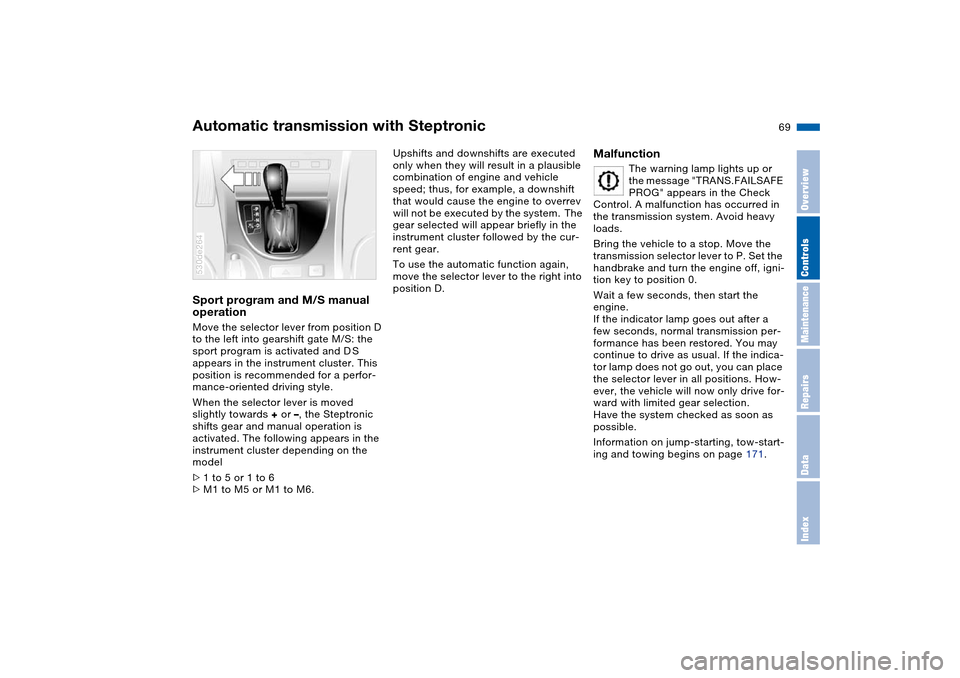
operation Move the selector lever from position D
to the left into gearshift gate M/S: the
sport program is activated and D S
appears in the instrument cluster. This
position is recommended for a perfor-
mance-oriented driving style.
When the selector lever is moved
slightly towards + or –, the Steptronic
shifts gear and manual operation is
activated. The following appears in the
instrument cluster depending on the
model
>1 to 5 or 1 to 6
>M1 to M5 or M1 to M6. 530de264
Upshifts and downshifts are executed
only when they will result in a plausible
combination of engine and vehicle
speed; thus, for example, a downshift
that would cause the engine to overrev
will not be executed by the system. The
gear selected will appear briefly in the
instrument cluster followed by the cur-
rent gear.
To use the automatic function again,
move the selector lever to the right into
position D.
Malfunction
The warning lamp lights up or
the message "TRANS.FAILSAFE
PROG" appears in the Check
Control. A malfunction has occurred in
the transmission system. Avoid heavy
loads.
Bring the vehicle to a stop. Move the
transmission selector lever to P. Set the
handbrake and turn the engine off, igni-
tion key to position 0.
Wait a few seconds, then start the
engine.
If the indicator lamp goes out after a
few seconds, normal transmission per-
formance has been restored. You may
continue to drive as usual. If the indica-
tor lamp does not go out, you can place
the selector lever in all positions. How-
ever, the vehicle will now only drive for-
ward with limited gear selection.
Have the system checked as soon as
possible.
Information on jump-starting, tow-start-
ing and towing begins on page 171.
Page 76 of 200
74n
Cruise control* Deactivating systemPress the button repeatedly until the
indicator lamp in the instrument cluster
goes out.
The cruise control is also deactivated
when the ignition key is turned into
position 0.
The speed stored in the memory is
deleted.Maintaining and storing speed or
accelerating Briefly press button
+:
The system maintains and stores the
current vehicle speed. Every time you
briefly press the button, the speed
increases by approx. 0.6 mph/1 km/h.
Press and hold button +:
The vehicle accelerates without pres-
sure on the accelerator pedal. When
you release the button, the system
maintains and stores the current speed.
If, on a downhill gradient, the
engine's braking effect is not suffi-
cient, the controlled speed can be
exceeded. Speed can drop on uphill
grades if the engine output is insuffi-
cient.<
Decelerating Briefly press button
–:
When cruise control is active, every
brief touch of the button reduces the
speed by approx. 0.6 mph/1 km/h.
Press and hold button –:
With the cruise control active, the sys-
tem automatically reduces the throttle
opening to slow the vehicle. When you
release the button, the system main-
tains and stores the current speed.
Interrupting cruise control When the system is activated, press
button 1. The indicator lamp stays on.
You can use the cruise control again
whenever required by calling up the
speed that was stored last.
In addition, cruise control is interrupted
automatically:
>When you apply pressure to the
brake pedal
>When you apply pressure to the
clutch pedal or when you move the
automatic transmission selector lever
from Drive to Neutral
>If you exceed or fall below the con-
trolled speed for an extended period,
by depressing the accelerator, for
example. Recalling stored setting Press button:
The vehicle accelerates to and main-
tains the last speed stored.
Page 98 of 200
96n
HDC Hill Descent Control The concept HDC is a system for driving downhill in
steep terrain. This system reduces vehi-
cle speed on steep downhill gradients,
thus allowing you to maintain control of
your BMW under these conditions.
The vehicle moves at slightly more than
walking speed without active interven-
tion from the driver.
HDC is available for activation at vehi-
cle speeds below approx. 20 mph/
35 km/h. When driving down steep hills
with a speed below approx. 20 mph/
35 km/h, the vehicle reduces speed
automatically down to slightly more
than walking speed, approx. 5 mph/
8 km/h, and then maintains this speed
at a constant.
You can use the accelerator or brakes
to vary this automatically controlled
speed within a range extending from
approx. 3 mph/5 km/h to 15 mph/
25 km/h.
You can specify a target speed within
the same range by using the +/– but-
tons of the cruise control.
HDC is automatically deactivated once
vehicle speed again exceeds approx.
35 mph/60 km/h.
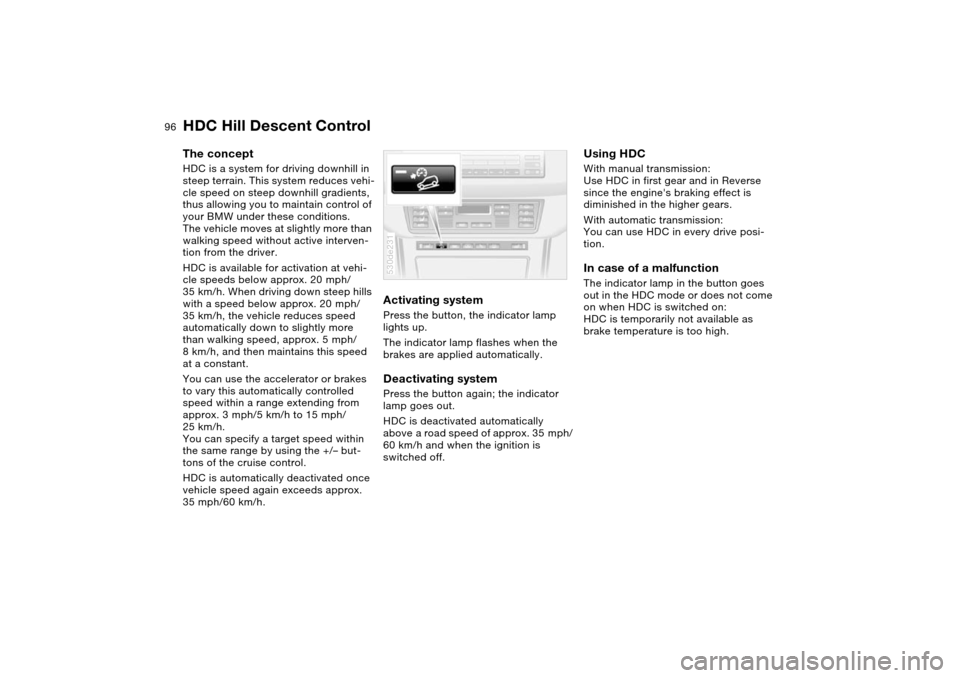
Activating system Press the button, the indicator lamp
lights up.
The indicator lamp flashes when the
brakes are applied automatically. Deactivating system Press the button again; the indicator
lamp goes out.
HDC is deactivated automatically
above a road speed of approx. 35 mph/
60 km/h and when the ignition is
switched off. 530de231
Using HDC With manual transmission:
Use HDC in first gear and in Reverse
since the engine's braking effect is
diminished in the higher gears.
With automatic transmission:
You can use HDC in every drive posi-
tion. In case of a malfunction The indicator lamp in the button goes
out in the HDC mode or does not come
on when HDC is switched on:
HDC is temporarily not available as
brake temperature is too high.
Page 165 of 200
163n
OverviewControlsMaintenanceRepairsDataIndex
Lamps and bulbs Changing a tire Light-emitting diodes LEDs Light-emitting diodes installed behind
translucent lenses serve as the light
source for many of the controls and dis-
plays in your vehicle. The concept
behind their operation is related to that
employed for lasers.
Do not remove the covers, and
never stare into the unfiltered light
several hours, as irritation of the iris
could result.<
Safety precautions to observe in
the event of a flat and during all
tire changes:
Park the vehicle as far as possible from
passing traffic. Park on a firm, flat, sur-
face. Switch on the hazard warning
flashers.
Turn the steering wheel to the straight-
ahead position, remove the key and
engage the steering lock. Shift into 1st
or reverse, selector lever in Park with
automatic transmission, and engage
the handbrake.
All passengers should be outside the
vehicle and well away from your imme-
diate working area, behind a guardrail,
for instance.
If a warning triangle or portable hazard
warning lamp is required, set it up on
the roadside at an appropriate distance
from the rear of the vehicle. Comply
with all safety guidelines and regula-
tions.
Change the wheel only on a level, firm
surface which is not slippery. The vehi-
cle or the jack could slip to the side if
you attempt to raise the vehicle on a
soft or slippery surface such as snow,
ice, tiles, etc.
Position the jack on a firm support sur-
face.
Do not place wooden blocks or similar
objects under the jack. If this is done,
the jack might not be able to reach its
full support capacity because of the
limited height. To avoid serious or fatal
injury: never lie under the vehicle, and
never start the engine while it is sup-
ported by the jack.<
Page 176 of 200
174n
Towing and tow-starting vehicle
Do not exceed a towing speed of
30 mph/50 km/h and a towing dis-
tance of 95 miles/150 km, as otherwise
the drive train may be damaged.<
Vehicles with manual transmission:
Gearshift lever in idle position.
Vehicles with automatic transmission:
Selector lever in N.
Towing methodsIn some countries, towing with a tow
bar or rope on public roads is not per-
mitted.
Familiarize yourself with the regula-
tions on towing in the respective coun-
try.
With tow bar:
The towing vehicle may not be
lighter than the vehicle to be
towed, as otherwise handling will be
uncontrollable.<
The tow fitting of both vehicles should
be on the same side. If an angled posi-
tion of the bar cannot be avoided,
observe the following:
>The freedom of movement is
restricted during cornering
>The angled position of the tow bar
creates lateral forces.
Only secure the tow bar on the
tow fittings. Otherwise, damage
could result on other vehicle compo-
nent.<
With tow-rope:
When starting off in the towing vehicle,
make sure that the tow-rope is taut.
Use nylon ropes or nylon straps
for towing, and avoid all too sud-
den jerking movements. Only secure
tow-ropes on the tow fitting. Otherwise,
damage could result on other vehicle
component.<
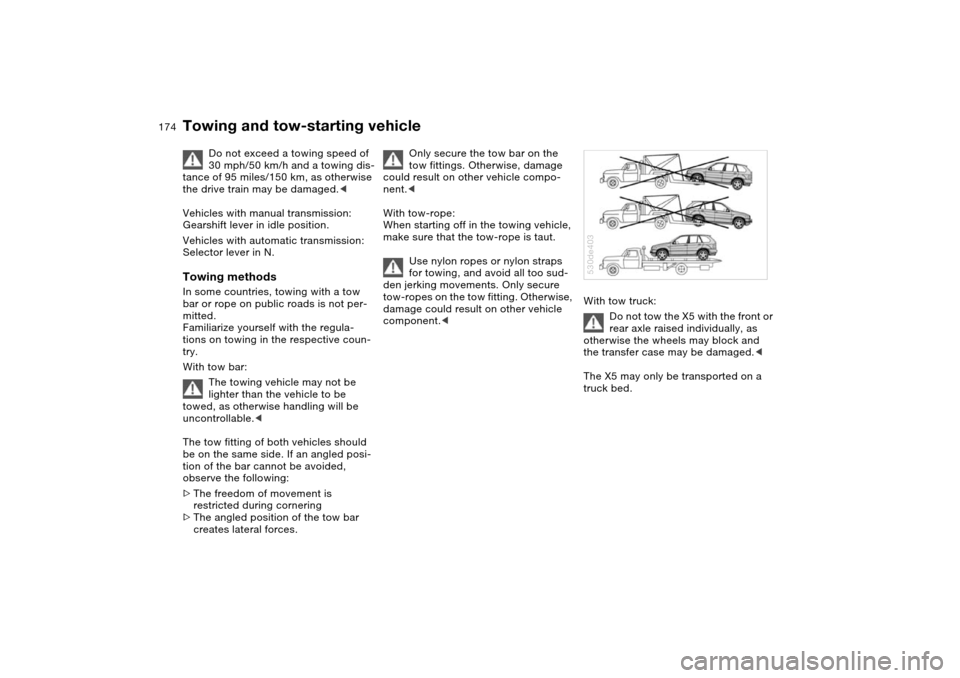
With tow truck:
Do not tow the X5 with the front or
rear axle raised individually, as
otherwise the wheels may block and
the transfer case may be damaged.<
The X5 may only be transported on a
truck bed.530de403
Page 177 of 200
175n
OverviewControlsMaintenanceRepairsDataIndex
Towing and tow-starting vehicleTow-starting
Do not tow-start vehicles with an
automatic transmission.
For information on jump-starting, refer
to page 171.<
Only tow-start vehicles with a catalytic
converter with the engine cold. It is bet-
ter to jump-start the engine, refer to
page 171.
1. Switch on the hazard warning flash-
ers and observe local regulations
2. Turn the ignition key to position 2
3. Engage the 3rd gear
4. Tow-start with the clutch pedal com-
pletely depressed and slowly release
the clutch pedal. After the engine
starts, immediately depress the
clutch pedal completely again
5. Stop at a suitable location, remove
the tow bar or rope and switch off
the hazard warning flashers
6. Have the vehicle checked.
Do not activate the HDC Hill
Descent Control during tow-
starting, refer to page 96.<
Page 182 of 200
180n
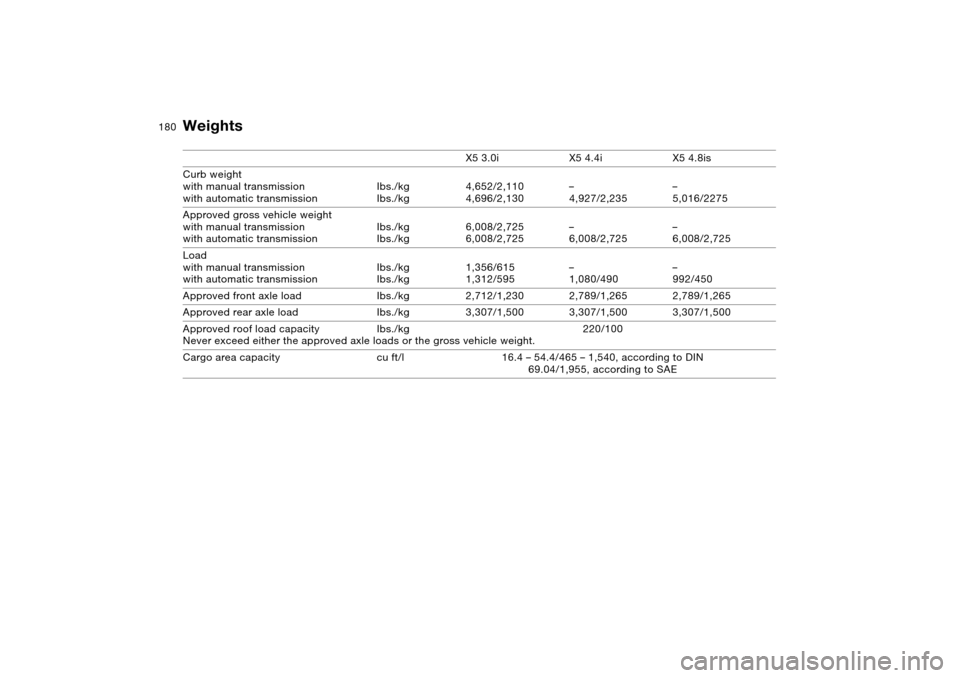
Weights X5 3.0i X5 4.4i X5 4.8is
Curb weight
with manual transmission
with automatic transmission Ibs./kg
Ibs./kg4,652/2,110
4,696/2,130 –
4,927/2,235 –
5,016/2275
Approved gross vehicle weight
with manual transmission
with automatic transmission Ibs./kg
Ibs./kg6,008/2,725
6,008/2,725 –
6,008/2,725 –
6,008/2,725
Load
with manual transmission
with automatic transmissionIbs./kg
Ibs./kg1,356/615
1,312/595–
1,080/490–
992/450
Approved front axle load Ibs./kg 2,712/1,230 2,789/1,265 2,789/1,265
Approved rear axle load Ibs./kg 3,307/1,500 3,307/1,500 3,307/1,500
Approved roof load capacity Ibs./kg 220/100
Never exceed either the approved axle loads or the gross vehicle weight.
Cargo area capacity cu ft/l 16.4 – 54.4/465 – 1,540, according to DIN
69.04/1,955, according to SAE
Page 186 of 200
Everything from A to ZA
Ability to climb, refer to
Driving on bad roads 137
ABS Antilock Brake
System 93
Accessories 9
refer to Your individual
vehicle 8
Accident, refer to
Emergency call 170
Roadside Assistance 170
Activated-charcoal filter 114
Adaptive Head Light 103
Adjusting cooling capacity of
rear climate control 114
Adjusting seats 44
electric 46
electric comfort seat 46
mechanical 45
mechanical sports seat 45
Air circulation, refer to
Recirculated-air mode 107
Air conditioner 106
Air conditioning
air conditioner 107
automatic climate
control 112
switching on and off
manually 107, 112Air distribution
air conditioner 107
automatic climate
control 111
individual 111
Air outlets, refer to
Ventilation 108, 113
Air pressure, refer to Tire
inflation pressure 140
Air recirculation, refer to
AUC Automatic recircu-
lated-air control 112
Air supply
air conditioner 107
automatic climate
control 111
rear climate control 113
Air vents, refer to
Ventilation 106, 109
Air, drying, refer to Air
conditioning 107, 112
Airbags 57
indicator lamp 21
sitting safely 43
Airing, refer to
Ventilation 108, 113
Alarm system 38
avoiding unintentional
alarms 39All-season tires, refer to
Special features of winter
tires 145
Antenna, refer to Caring for
your vehicle brochure
Antifreeze
coolant 150
washer fluid 148
Antilock Brake System
ABS 93
Anti-theft alarm system 31
refer to Alarm system 38
Anti-trapping mechanism
panorama glass roof 42
power windows 40
Armrest, refer to Storage
compartments 119
Artificial leather, refer to
Caring for your vehicle
brochure
Artificial wood trim, refer to
Caring for your vehicle
brochure
Ashtray
front 121
rear 121
AUC Automatic recirculated-
air control 112AUTO program, refer to
Automatic air distribution
and air flow 111
Automatic
air distribution 111
air supply 111
climate control 109
cruise control 73
curb monitor 51
headlamp control 102
rear window washer 73
steering wheel
adjustment 53
Automatic car wash, refer to
Caring for your vehicle
brochure
Automatic recirculated-air
control AUC 112
Automatic speed reduction
for descents, refer to HDC
Hill Descent Control 96
Automatic transmission with
Steptronic 67
ignition 64
indicator lamp 20, 21
interlock 64
selector lever interlock 68
shiftlock 68
towing 174
tow-starting 174
Page 189 of 200
Everything from A to Z
187n
OverviewControlsMaintenanceRepairsDataIndex
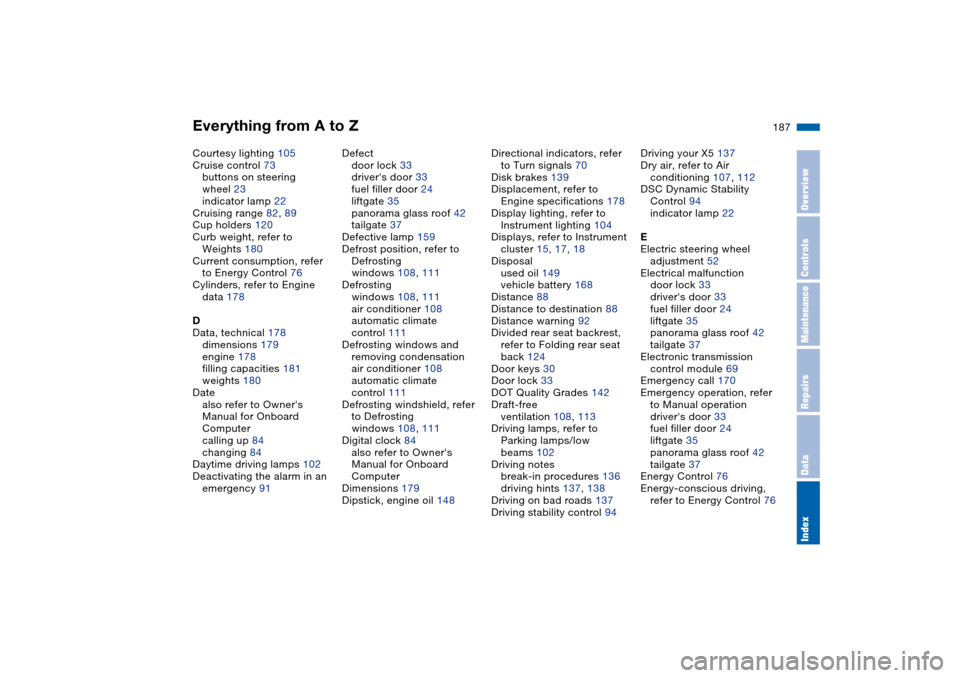
Courtesy lighting 105
Cruise control 73
buttons on steering
wheel 23
indicator lamp 22
Cruising range 82, 89
Cup holders 120
Curb weight, refer to
Weights 180
Current consumption, refer
to Energy Control 76
Cylinders, refer to Engine
data 178
D
Data, technical 178
dimensions 179
engine 178
filling capacities 181
weights 180
Date
also refer to Owner's
Manual for Onboard
Computer
calling up 84
changing 84
Daytime driving lamps 102
Deactivating the alarm in an
emergency 91Defect
door lock 33
driver's door 33
fuel filler door 24
liftgate 35
panorama glass roof 42
tailgate 37
Defective lamp 159
Defrost position, refer to
Defrosting
windows 108, 111
Defrosting
windows 108, 111
air conditioner 108
automatic climate
control 111
Defrosting windows and
removing condensation
air conditioner 108
automatic climate
control 111
Defrosting windshield, refer
to Defrosting
windows 108, 111
Digital clock 84
also refer to Owner's
Manual for Onboard
Computer
Dimensions 179
Dipstick, engine oil 148Directional indicators, refer
to Turn signals 70
Disk brakes 139
Displacement, refer to
Engine specifications 178
Display lighting, refer to
Instrument lighting 104
Displays, refer to Instrument
cluster 15, 17, 18
Disposal
used oil 149
vehicle battery 168
Distance 88
Distance to destination 88
Distance warning 92
Divided rear seat backrest,
refer to Folding rear seat
back 124
Door keys 30
Door lock 33
DOT Quality Grades 142
Draft-free
ventilation 108, 113
Driving lamps, refer to
Parking lamps/low
beams 102
Driving notes
break-in procedures 136
driving hints 137, 138
Driving on bad roads 137
Driving stability control 94Driving your X5 137
Dry air, refer to Air
conditioning 107, 112
DSC Dynamic Stability
Control 94
indicator lamp 22
E
Electric steering wheel
adjustment 52
Electrical malfunction
door lock 33
driver's door 33
fuel filler door 24
liftgate 35
panorama glass roof 42
tailgate 37
Electronic transmission
control module 69
Emergency call 170
Emergency operation, refer
to Manual operation
driver's door 33
fuel filler door 24
liftgate 35
panorama glass roof 42
tailgate 37
Energy Control 76
Energy-conscious driving,
refer to Energy Control 76
Page 190 of 200
Everything from A to ZEngine
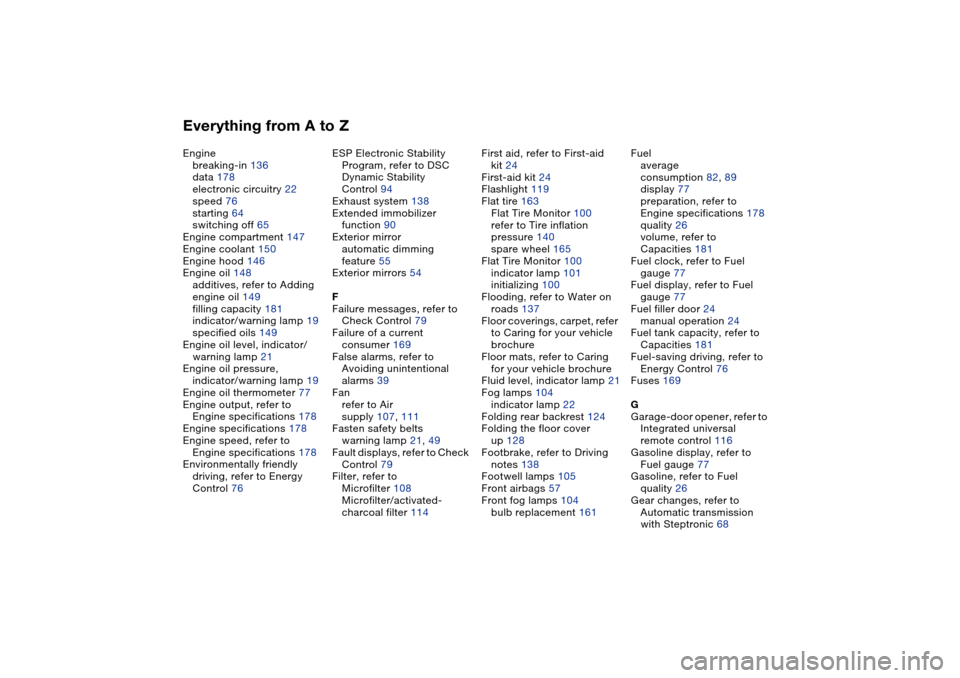
breaking-in 136
data 178
electronic circuitry 22
speed 76
starting 64
switching off 65
Engine compartment 147
Engine coolant 150
Engine hood 146
Engine oil 148
additives, refer to Adding
engine oil 149
filling capacity 181
indicator/warning lamp 19
specified oils 149
Engine oil level, indicator/
warning lamp 21
Engine oil pressure,
indicator/warning lamp 19
Engine oil thermometer 77
Engine output, refer to
Engine specifications 178
Engine specifications 178
Engine speed, refer to
Engine specifications 178
Environmentally friendly
driving, refer to Energy
Control 76ESP Electronic Stability
Program, refer to DSC
Dynamic Stability
Control 94
Exhaust system 138
Extended immobilizer
function 90
Exterior mirror
automatic dimming
feature 55
Exterior mirrors 54
F
Failure messages, refer to
Check Control 79
Failure of a current
consumer 169
False alarms, refer to
Avoiding unintentional
alarms 39
Fan
refer to Air
supply 107, 111
Fasten safety belts
warning lamp 21, 49
Fault displays, refer to Check
Control 79
Filter, refer to
Microfilter 108
Microfilter/activated-
charcoal filter 114First aid, refer to First-aid
kit 24
First-aid kit 24
Flashlight 119
Flat tire 163
Flat Tire Monitor 100
refer to Tire inflation
pressure 140
spare wheel 165
Flat Tire Monitor 100
indicator lamp 101
initializing 100
Flooding, refer to Water on
roads 137
Floor coverings, carpet, refer
to Caring for your vehicle
brochure
Floor mats, refer to Caring
for your vehicle brochure
Fluid level, indicator lamp 21
Fog lamps 104
indicator lamp 22
Folding rear backrest 124
Folding the floor cover
up 128
Footbrake, refer to Driving
notes 138
Footwell lamps 105
Front airbags 57
Front fog lamps 104
bulb replacement 161Fuel
average
consumption 82, 89
display 77
preparation, refer to
Engine specifications 178
quality 26
volume, refer to
Capacities 181
Fuel clock, refer to Fuel
gauge 77
Fuel display, refer to Fuel
gauge 77
Fuel filler door 24
manual operation 24
Fuel tank capacity, refer to
Capacities 181
Fuel-saving driving, refer to
Energy Control 76
Fuses 169
G
Garage-door opener, refer to
Integrated universal
remote control 116
Gasoline display, refer to
Fuel gauge 77
Gasoline, refer to Fuel
quality 26
Gear changes, refer to
Automatic transmission
with Steptronic 68