wheel BMW X5 4.8IS 2004 E53 User Guide
[x] Cancel search | Manufacturer: BMW, Model Year: 2004, Model line: X5 4.8IS, Model: BMW X5 4.8IS 2004 E53Pages: 200, PDF Size: 3.91 MB
Page 53 of 200
51n
OverviewControlsMaintenanceRepairsDataIndex
Seat, mirror and steering wheel memory
*
You can have your vehicle pro-
grammed to automatically dial in
your own individual adjustment settings
for the seat, mirrors and steering wheel
whenever you use your personal
remote control to unlock the vehicle.<
If you make use of this adjust-
ment, be sure that the footwell
behind the driver's seat is unobstructed
before unlocking the vehicle. If you fail
to do so, any persons or objects behind
the seat could be injured or damaged
by a rearward movement of the seat.<
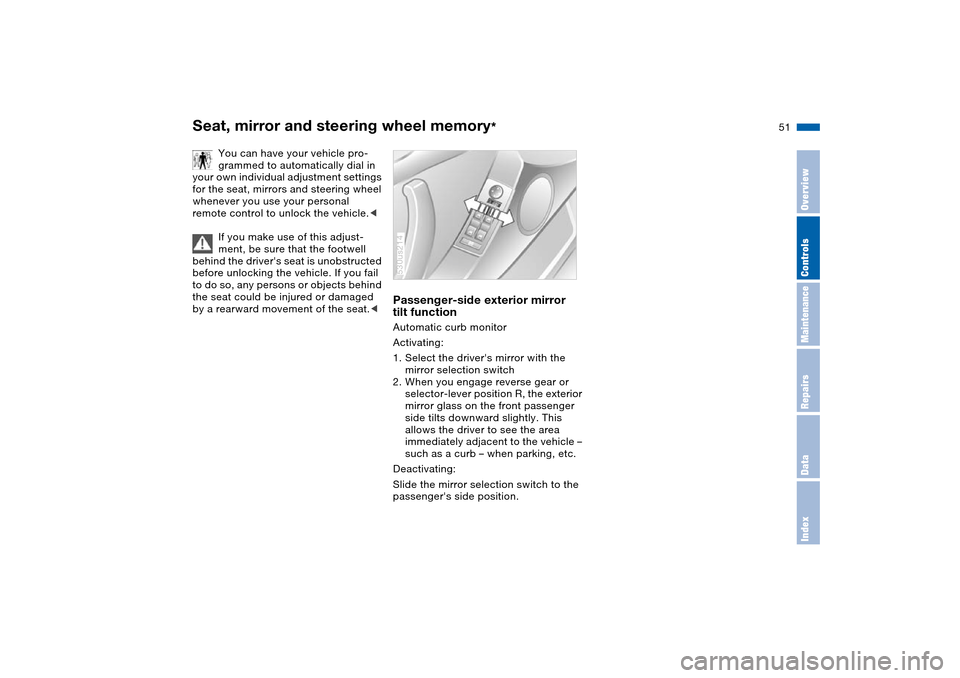
Passenger-side exterior mirror
tilt function Automatic curb monitor
Activating:
1. Select the driver's mirror with the
mirror selection switch
2. When you engage reverse gear or
selector-lever position R, the exterior
mirror glass on the front passenger
side tilts downward slightly. This
allows the driver to see the area
immediately adjacent to the vehicle –
such as a curb – when parking, etc.
Deactivating:
Slide the mirror selection switch to the
passenger's side position.530us214
Page 54 of 200
52n
Heated seats
*
Steering wheel
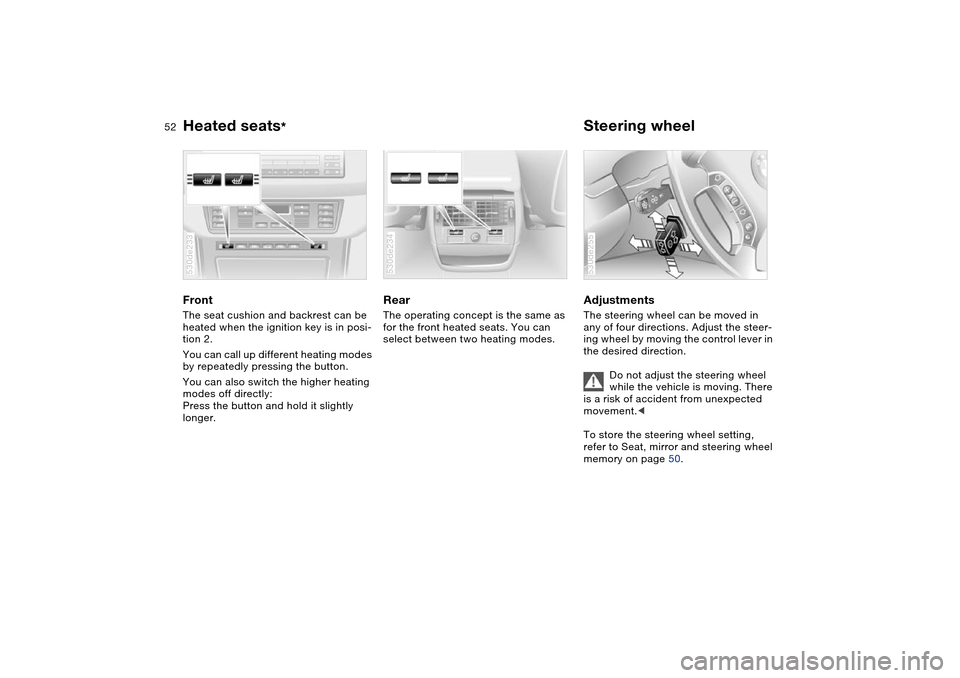
Front The seat cushion and backrest can be
heated when the ignition key is in posi-
tion 2.
You can call up different heating modes
by repeatedly pressing the button.
You can also switch the higher heating
modes off directly:
Press the button and hold it slightly
longer.530de233
Rear The operating concept is the same as
for the front heated seats. You can
select between two heating modes.530de234
Adjustments The steering wheel can be moved in
any of four directions. Adjust the steer-
ing wheel by moving the control lever in
the desired direction.
Do not adjust the steering wheel
while the vehicle is moving. There
is a risk of accident from unexpected
movement.<
To store the steering wheel setting,
refer to Seat, mirror and steering wheel
memory on page 50. 530de255
Page 55 of 200
53n
OverviewControlsMaintenanceRepairsDataIndex
Steering wheel Steering wheel heater
*
Automatic steering wheel
adjustmentonly in conjunction with seat, mirror and
steering wheel memory
In order to make it easier to get into and
out of the vehicle, the steering wheel
automatically moves into the top posi-
tion and returns to the driving or mem-
ory position.
This automatic feature is controlled by
the position of the ignition key and by
the driver's door.
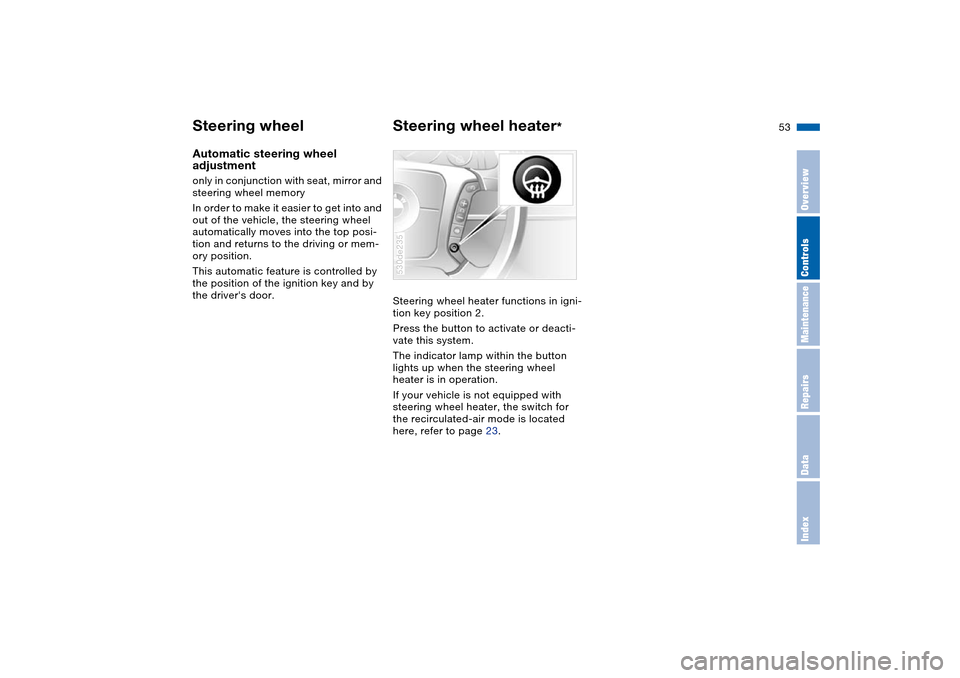
Steering wheel heater functions in igni-
tion key position 2.
Press the button to activate or deacti-
vate this system.
The indicator lamp within the button
lights up when the steering wheel
heater is in operation.
If your vehicle is not equipped with
steering wheel heater, the switch for
the recirculated-air mode is located
here, refer to page 23.
530de235
Page 56 of 200
54n
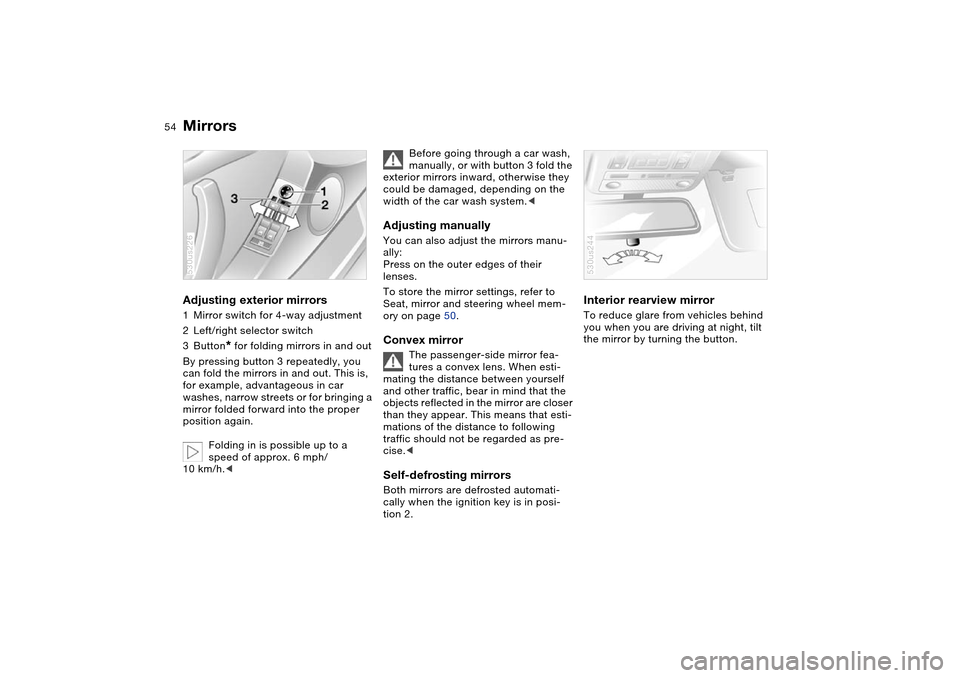
Mirrors Adjusting exterior mirrors 1Mirror switch for 4-way adjustment
2Left/right selector switch
3Button
* for folding mirrors in and out
By pressing button 3 repeatedly, you
can fold the mirrors in and out. This is,
for example, advantageous in car
washes, narrow streets or for bringing a
mirror folded forward into the proper
position again.
Folding in is possible up to a
speed of approx. 6 mph/
10 km/h.<
530us226
Before going through a car wash,
manually, or with button 3 fold the
exterior mirrors inward, otherwise they
could be damaged, depending on the
width of the car wash system.<
Adjusting manuallyYou can also adjust the mirrors manu-
ally:
Press on the outer edges of their
lenses.
To store the mirror settings, refer to
Seat, mirror and steering wheel mem-
ory on page 50. Convex mirror
The passenger-side mirror fea-
tures a convex lens. When esti-
mating the distance between yourself
and other traffic, bear in mind that the
objects reflected in the mirror are closer
than they appear. This means that esti-
mations of the distance to following
traffic should not be regarded as pre-
cise.<
Self-defrosting mirrors Both mirrors are defrosted automati-
cally when the ignition key is in posi-
tion 2.
Interior rearview mirror To reduce glare from vehicles behind
you when you are driving at night, tilt
the mirror by turning the button. 530us244
Page 59 of 200
57n
OverviewControlsMaintenanceRepairsDataIndex
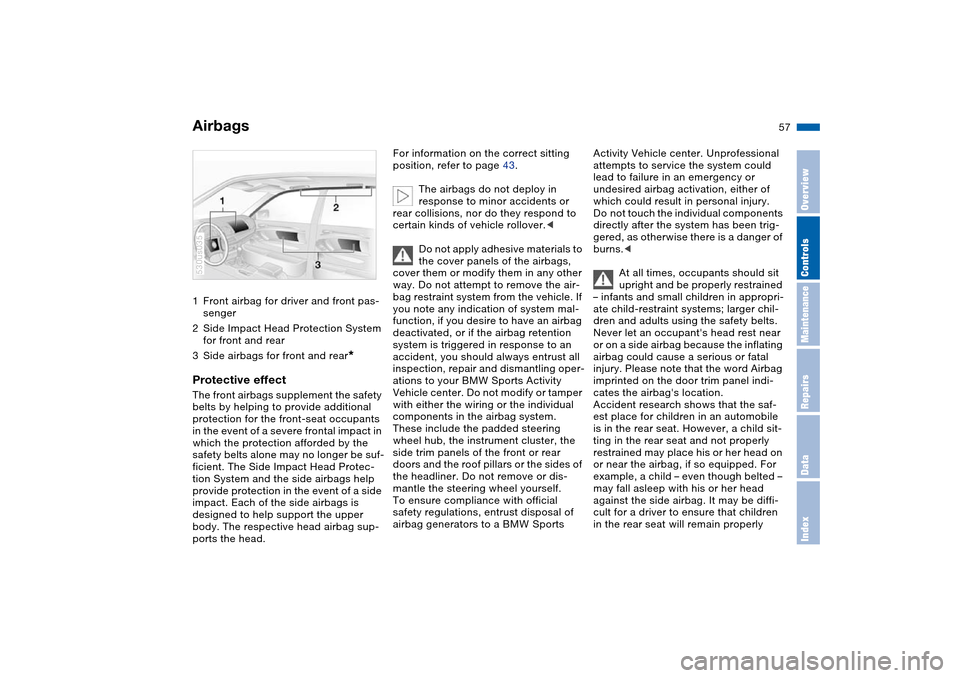
Airbags1Front airbag for driver and front pas-
senger
2Side Impact Head Protection System
for front and rear
3Side airbags for front and rear
*
Protective effect The front airbags supplement the safety
belts by helping to provide additional
protection for the front-seat occupants
in the event of a severe frontal impact in
which the protection afforded by the
safety belts alone may no longer be suf-
ficient. The Side Impact Head Protec-
tion System and the side airbags help
provide protection in the event of a side
impact. Each of the side airbags is
designed to help support the upper
body. The respective head airbag sup-
ports the head.530us035
For information on the correct sitting
position, refer to page 43.
The airbags do not deploy in
response to minor accidents or
rear collisions, nor do they respond to
certain kinds of vehicle rollover.<
Do not apply adhesive materials to
the cover panels of the airbags,
cover them or modify them in any other
way. Do not attempt to remove the air-
bag restraint system from the vehicle. If
you note any indication of system mal-
function, if you desire to have an airbag
deactivated, or if the airbag retention
system is triggered in response to an
accident, you should always entrust all
inspection, repair and dismantling oper-
ations to your BMW Sports Activity
Vehicle center. Do not modify or tamper
with either the wiring or the individual
components in the airbag system.
These include the padded steering
wheel hub, the instrument cluster, the
side trim panels of the front or rear
doors and the roof pillars or the sides of
the headliner. Do not remove or dis-
mantle the steering wheel yourself.
To ensure compliance with official
safety regulations, entrust disposal of
airbag generators to a BMW Sports
Activity Vehicle center. Unprofessional
attempts to service the system could
lead to failure in an emergency or
undesired airbag activation, either of
which could result in personal injury.
Do not touch the individual components
directly after the system has been trig-
gered, as otherwise there is a danger of
burns.<
At all times, occupants should sit
upright and be properly restrained
– infants and small children in appropri-
ate child-restraint systems; larger chil-
dren and adults using the safety belts.
Never let an occupant's head rest near
or on a side airbag because the inflating
airbag could cause a serious or fatal
injury. Please note that the word Airbag
imprinted on the door trim panel indi-
cates the airbag's location.
Accident research shows that the saf-
est place for children in an automobile
is in the rear seat. However, a child sit-
ting in the rear seat and not properly
restrained may place his or her head on
or near the airbag, if so equipped. For
example, a child – even though belted –
may fall asleep with his or her head
against the side airbag. It may be diffi-
cult for a driver to ensure that children
in the rear seat will remain properly
Page 65 of 200
63n
OverviewControlsMaintenanceRepairsDataIndex
Vehicle Memory, Key Memory How the system functions You have probably frequently wished
that you could configure individual
functions of your vehicle to reflect your
own personal requirements. In engi-
neering your vehicle, BMW has
included several user-defined func-
tions in the vehicle's design. Your
BMW Sports Activity Vehicle center can
make these settings for you.
There are vehicle and person-related
adjustments: Vehicle Memory and Key
Memory. You can configure up to four
different basic positions for four differ-
ent persons. The only requirement is
that each person uses his or her own
remote control key.
When your vehicle is unlocked with the
remote control, the vehicle recognizes
the individual user by means of a data
exchange with the key, and makes
adjustments accordingly.
In order for you to distinguish between
the master keys with remote control,
color-coded decals are supplied
together with the keys.
What the system can doYour BMW Sports Activity Vehicle cen-
ter can provide you with details on the
capabilities of the Vehicle Memory and
Key Memory systems.
You will see this symbol through-
out the Owner's Manual. It is to
remind you at appropriate places of the
settings that are available to you.<
Following configuration of the
memory functions, vehicle opera-
tion may differ from the description in
the Owner's Manual. Should you want
to sell your BMW some day, please
remember to have the memory func-
tions reset to the default state.<
Examples for Vehicle Memory:
>Various signals that can serve as
acknowledgment for locking and
unlocking the vehicle, refer to
pages 31, 33
>Deactivating/activating the pathway
lighting function, refer to page 102.
Examples for Key Memory:
>Automatic adjustment of the driver's
seat, exterior mirror and steering
wheel with settings stored in the
memory for the individual driver when
the vehicle is unlocked, refer to
page 51
>Calling up customized settings for
the automatic climate control when
unlocking the vehicle, refer to
page 111.
Page 66 of 200
64n
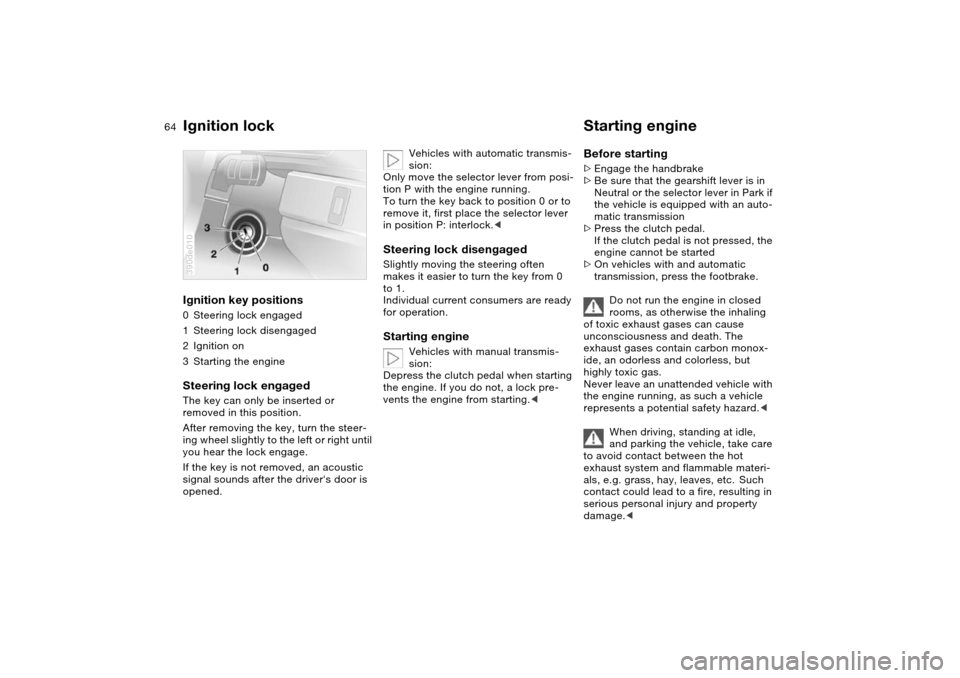
Ignition lock Starting engine Ignition key positions 0Steering lock engaged
1Steering lock disengaged
2Ignition on
3Starting the engineSteering lock engaged The key can only be inserted or
removed in this position.
After removing the key, turn the steer-
ing wheel slightly to the left or right until
you hear the lock engage.
If the key is not removed, an acoustic
signal sounds after the driver's door is
opened.390de010
Vehicles with automatic transmis-
sion:
Only move the selector lever from posi-
tion P with the engine running.
To turn the key back to position 0 or to
remove it, first place the selector lever
in position P: interlock.<
Steering lock disengaged Slightly moving the steering often
makes it easier to turn the key from 0
to 1.
Individual current consumers are ready
for operation. Starting engine
Vehicles with manual transmis-
sion:
Depress the clutch pedal when starting
the engine. If you do not, a lock pre-
vents the engine from starting.<
Before starting >Engage the handbrake
>Be sure that the gearshift lever is in
Neutral or the selector lever in Park if
the vehicle is equipped with an auto-
matic transmission
>Press the clutch pedal.
If the clutch pedal is not pressed, the
engine cannot be started
>On vehicles with and automatic
transmission, press the footbrake.
Do not run the engine in closed
rooms, as otherwise the inhaling
of toxic exhaust gases can cause
unconsciousness and death. The
exhaust gases contain carbon monox-
ide, an odorless and colorless, but
highly toxic gas.
Never leave an unattended vehicle with
the engine running, as such a vehicle
represents a potential safety hazard.<
When driving, standing at idle,
and parking the vehicle, take care
to avoid contact between the hot
exhaust system and flammable materi-
als, e.g. grass, hay, leaves, etc. Such
contact could lead to a fire, resulting in
serious personal injury and property
damage.<
Page 68 of 200
66n
Handbrake Manual transmissionThe handbrake is primarily intended to
prevent the vehicle from rolling while
parked; it brakes the rear wheels.EngagingThe lever engages automatically when
you pull it up and the indicator lamp
comes on in the instrument cluster in
ignition key position 2, refer to
pages 19, 21.Releasing Pull up slightly on the lever, press the
button and lower the lever. 530de262
If exceptional circumstances
should make it necessary to
engage the handbrake while the vehicle
is in motion, do not pull it too strongly.
In doing so, continuously press the but-
ton of the handbrake lever.
Excessive pressure can lead to over-
braking and loss of traction – fishtailing
– at the rear axle.
The brake lamps do not light up when
the handbrake is applied.
Vehicles with manual transmission:
Always engage the handbrake when
parking on slopes and inclined sur-
faces. Even placing the gearshift lever
in 1st gear or reverse may not provide
adequate resistance to rolling.
Vehicles with automatic transmission:
Place the selector lever in Park.<
To avoid corrosion, apply the hand-
brake lightly from time to time when
coasting to a standstill at a traffic sig-
nal, for instance, provided that it is safe
to do so.
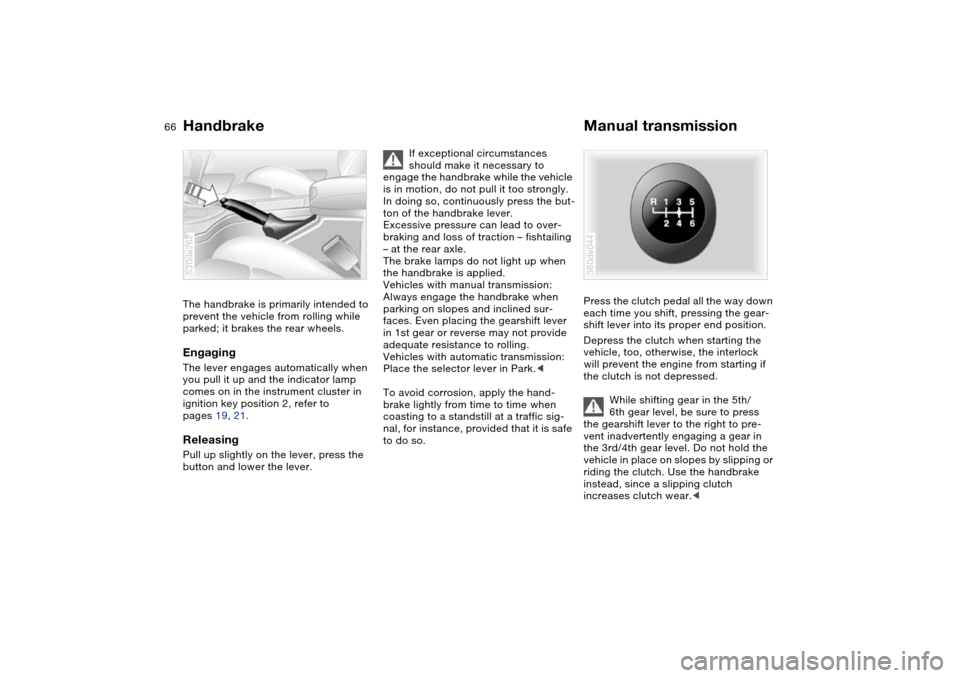
Press the clutch pedal all the way down
each time you shift, pressing the gear-
shift lever into its proper end position.
Depress the clutch when starting the
vehicle, too, otherwise, the interlock
will prevent the engine from starting if
the clutch is not depressed.
While shifting gear in the 5th/
6th gear level, be sure to press
the gearshift lever to the right to pre-
vent inadvertently engaging a gear in
the 3rd/4th gear level. Do not hold the
vehicle in place on slopes by slipping or
riding the clutch. Use the handbrake
instead, since a slipping clutch
increases clutch wear.< 380de044
Page 70 of 200
68n
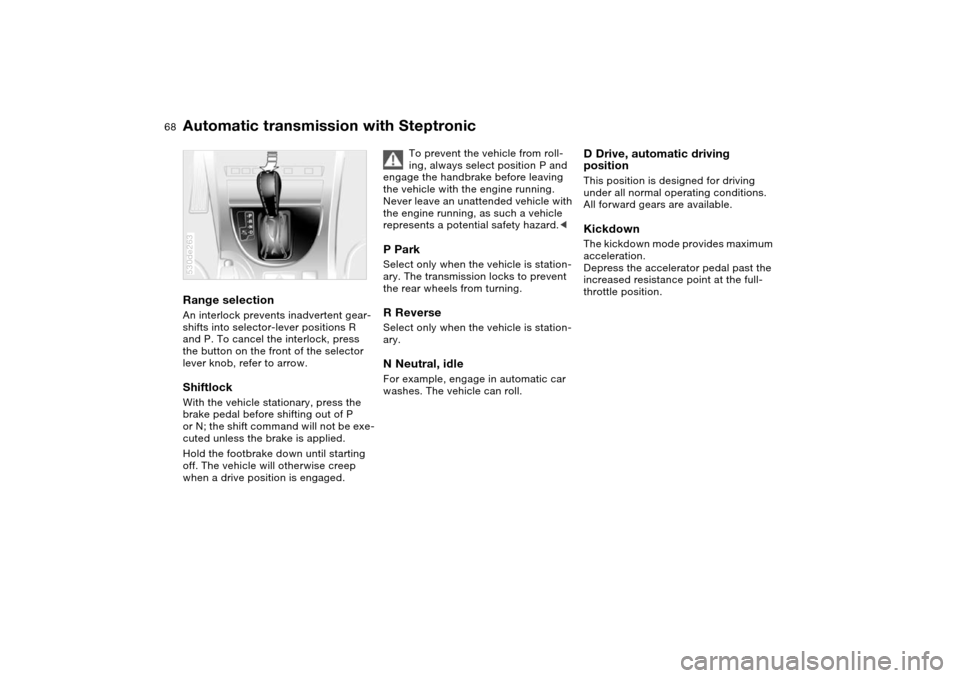
Automatic transmission with SteptronicRange selection An interlock prevents inadvertent gear-
shifts into selector-lever positions R
and P. To cancel the interlock, press
the button on the front of the selector
lever knob, refer to arrow. ShiftlockWith the vehicle stationary, press the
brake pedal before shifting out of P
or N; the shift command will not be exe-
cuted unless the brake is applied.
Hold the footbrake down until starting
off. The vehicle will otherwise creep
when a drive position is engaged.530de263
To prevent the vehicle from roll-
ing, always select position P and
engage the handbrake before leaving
the vehicle with the engine running.
Never leave an unattended vehicle with
the engine running, as such a vehicle
represents a potential safety hazard.<
P Park Select only when the vehicle is station-
ary. The transmission locks to prevent
the rear wheels from turning.R Reverse Select only when the vehicle is station-
ary. N Neutral, idle For example, engage in automatic car
washes. The vehicle can roll.
D Drive, automatic driving
positionThis position is designed for driving
under all normal operating conditions.
All forward gears are available. Kickdown The kickdown mode provides maximum
acceleration.
Depress the accelerator pedal past the
increased resistance point at the full-
throttle position.
Page 75 of 200
73n
OverviewControlsMaintenanceRepairsDataIndex
Washer/wiper system/rain sensor
*
Cruise control
*
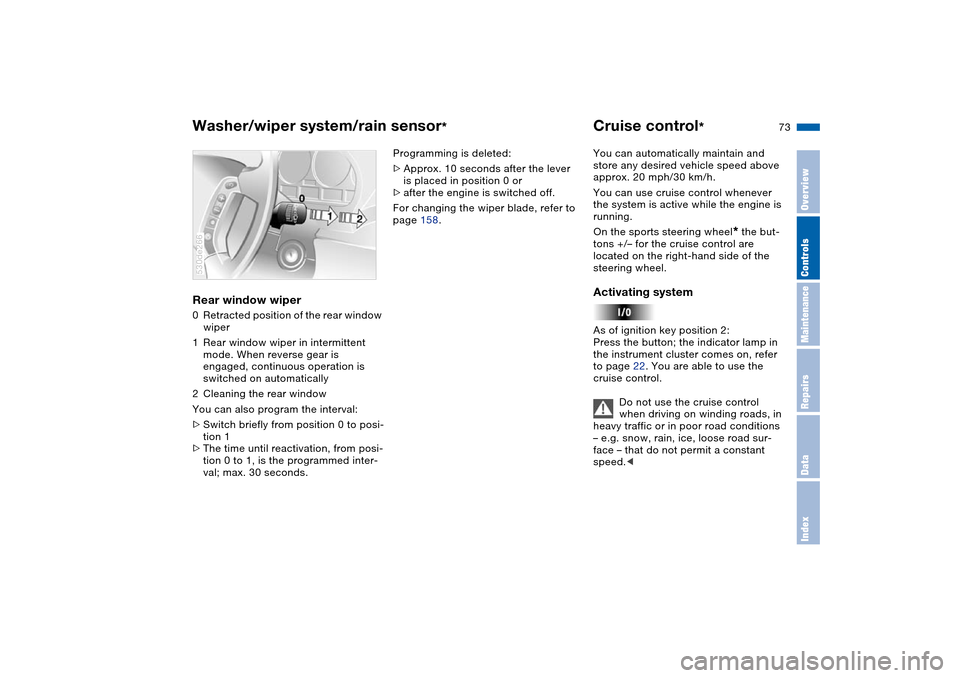
Rear window wiper 0Retracted position of the rear window
wiper
1Rear window wiper in intermittent
mode. When reverse gear is
engaged, continuous operation is
switched on automatically
2Cleaning the rear window
You can also program the interval:
>Switch briefly from position 0 to posi-
tion 1
>The time until reactivation, from posi-
tion 0 to 1, is the programmed inter-
val; max. 30 seconds. 530de266
Programming is deleted:
>Approx. 10 seconds after the lever
is placed in position 0 or
>after the engine is switched off.
For changing the wiper blade, refer to
page 158.You can automatically maintain and
store any desired vehicle speed above
approx. 20 mph/30 km/h.
You can use cruise control whenever
the system is active while the engine is
running.
On the sports steering wheel
* the but-
tons +/– for the cruise control are
located on the right-hand side of the
steering wheel.
Activating system As of ignition key position 2:
Press the button; the indicator lamp in
the instrument cluster comes on, refer
to page 22. You are able to use the
cruise control.
Do not use the cruise control
when driving on winding roads, in
heavy traffic or in poor road conditions
– e.g. snow, rain, ice, loose road sur-
face – that do not permit a constant
speed.<