sport mode BMW X5 4.8IS 2004 E53 Owner's Manual
[x] Cancel search | Manufacturer: BMW, Model Year: 2004, Model line: X5 4.8IS, Model: BMW X5 4.8IS 2004 E53Pages: 200, PDF Size: 3.91 MB
Page 10 of 200
8n About this Owner's Manual We have made every effort to ensure
that you are able to find what you need
in this Owner's Manual as quickly as
possible. The fastest way to find certain
topics is by using the detailed index at
the end. If you desire an initial overview
of your vehicle, this can be found in the
first chapter.
Should you want to sell your BMW
some day, please remember to hand
over the Owner's Manual as well; it is
an important component of your vehi-
cle.
Additional sources of information:
If you have any questions, your
BMW Sports Activity Vehicle center
will be glad to advise you.
You can find information on BMW, e.g.
technology, on the Internet at
www.bmwusa.com.
Symbols used
Indicates precautions that must
be followed precisely in order to
avoid the possibility of personal injury
and serious damage to the vehicle.
Contains information that will
assist you in gaining the optimum
benefit from your vehicle and enable
you to care more effectively for your
vehicle.
Refers to measures that can be
taken to help protect the environ-
ment.
<
Marks the end of a specific item of
information.
*
Indicates special equipment, coun-
try-specific equipment and optional
extras when available.
Vehicle Memory, Key Memory,
refer to page 63. Identifies func-
tions that can be specifically adapted
for a particular key or vehicle. These
adjustments can be performed either by
yourself or by your BMW Sports Activity
Vehicle center.
Your individual vehicle
On buying your BMW, you have
decided in favor of a model with individ-
ualized equipment and features. This
Owner's Manual describes all models
and equipment that BMW offers within
the same group.
We hope you will understand that
equipment and features are included
that you might not have chosen for your
vehicle. Sections describing options
and special equipment are marked by
asterisks
*
to assist you in identifying
possible differences between the
descriptions in this manual and your
own vehicle's equipment.
If your BMW features equipment which
is not described in this Owner's Man-
ual, Supplementary Owner's Manuals
are enclosed. We ask you to read these
manuals as well.
Notes
Symbols
Your individual vehicle
Notes
Page 11 of 200
9n
OverviewControlsMaintenanceRepairsDataIndex
Status at time of printing
BMW pursues a policy of continuous,
ongoing development that is conceived
to ensure that our vehicles continue to
embody the highest quality and safety
standards combined with advanced,
state-of-the-art technology. In isolated
cases, the features described in this
Owner's Manual could differ from those
on your vehicle for this reason.
For your own safety
Maintenance and repair:
Advanced technology, e. g. the
use of modern materials and high-
performance electronics, requires spe-
cially adapted maintenance and repair
methods. Therefore, only have corre-
sponding work on your BMW carried
out by a BMW Sports Activity Vehicle
center or a workshop that works
according to BMW repair procedures
with correspondingly trained personnel.
If work is carried out improperly there is
a danger of consequential damage and
the related safety risks.<
Parts and accessories:
For your own safety, use genuine
parts and accessories approved
by BMW.
When you purchase accessories tested
and approved by BMW and Genuine
BMW Parts, you simultaneously acquire
the assurance that they have been thor-
oughly tested by BMW to ensure opti-
mum performance when installed on
your vehicle.
BMW warrants these parts to be free
from defects in material and workman-
ship.
BMW will not accept any liability for
damages resulting from installation of
parts and accessories not approved by
BMW.
BMW cannot test every product on the
market to determine whether it can be
used on a BMW safely and without risk
to either the vehicle, its operation, or its
occupants.
Genuine BMW Parts, BMW Accessories
and other products approved by BMW,
together with professional advice on
using these items, are available from all
BMW Sports Activity Vehicle centers.
Installation and operation of non-BMW
approved accessories such as alarms,
radios, amplifiers, radar detectors,
wheels, suspension components, brake
dust shields, telephones – including
operation of any portable phone from
within the vehicle without using an
externally mounted antenna – or trans-
ceiver equipment such as CB, walkie-
talkie, ham radio or similar accessories,
may cause extensive damage to the
vehicle, compromise its safety, interfere
with the vehicle's electrical system or
affect the validity of the BMW Limited
Warranty. Refer to your BMW Sports
Activity Vehicle center for additional
information.<
Status at time of printing
Notes
Page 25 of 200
23n
OverviewControlsMaintenanceRepairsDataIndex
Buttons on steering wheel
*
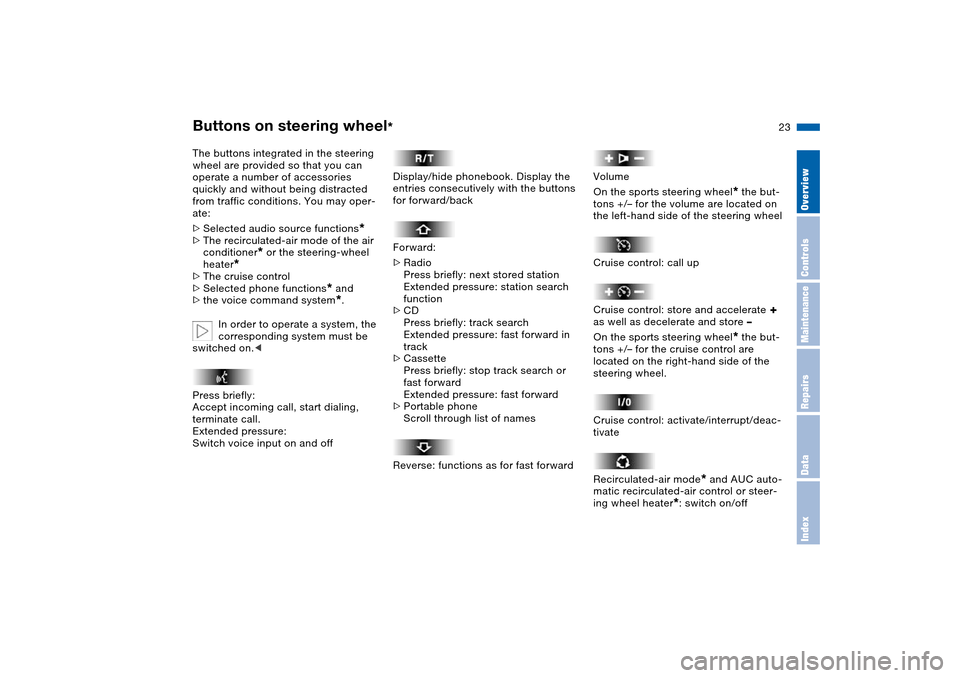
The buttons integrated in the steering
wheel are provided so that you can
operate a number of accessories
quickly and without being distracted
from traffic conditions. You may oper-
ate:
>Selected audio source functions
*
>The recirculated-air mode of the air
conditioner
* or the steering-wheel
heater
*
>The cruise control
>Selected phone functions
* and
>the voice command system*.
In order to operate a system, the
corresponding system must be
switched on.<
Press briefly:
Accept incoming call, start dialing,
terminate call.
Extended pressure:
Switch voice input on and off
Display/hide phonebook. Display the
entries consecutively with the buttons
for forward/back
Forward:
>Radio
Press briefly: next stored station
Extended pressure: station search
function
>CD
Press briefly: track search
Extended pressure: fast forward in
track
>Cassette
Press briefly: stop track search or
fast forward
Extended pressure: fast forward
>Portable phone
Scroll through list of names
Reverse: functions as for fast forward
Volume
On the sports steering wheel
* the but-
tons +/– for the volume are located on
the left-hand side of the steering wheel
Cruise control: call up
Cruise control: store and accelerate
+
as well as decelerate and store –
On the sports steering wheel
* the but-
tons +/– for the cruise control are
located on the right-hand side of the
steering wheel.
Cruise control: activate/interrupt/deac-
tivate
Recirculated-air mode
* and AUC auto-
matic recirculated-air control or steer-
ing wheel heater
*: switch on/off
Page 51 of 200
49n
OverviewControlsMaintenanceRepairsDataIndex
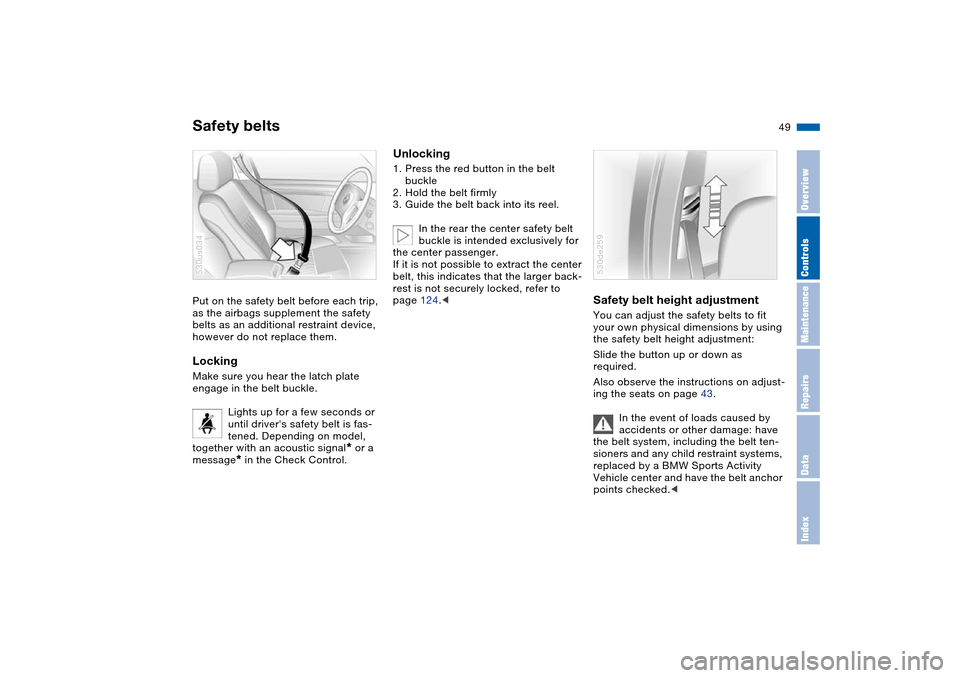
Safety beltsPut on the safety belt before each trip,
as the airbags supplement the safety
belts as an additional restraint device,
however do not replace them.Locking Make sure you hear the latch plate
engage in the belt buckle.
Lights up for a few seconds or
until driver's safety belt is fas-
tened. Depending on model,
together with an acoustic signal
* or a
message
* in the Check Control.
530us034
Unlocking1. Press the red button in the belt
buckle
2. Hold the belt firmly
3. Guide the belt back into its reel.
In the rear the center safety belt
buckle is intended exclusively for
the center passenger.
If it is not possible to extract the center
belt, this indicates that the larger back-
rest is not securely locked, refer to
page 124.<
Safety belt height adjustment You can adjust the safety belts to fit
your own physical dimensions by using
the safety belt height adjustment:
Slide the button up or down as
required.
Also observe the instructions on adjust-
ing the seats on page 43.
In the event of loads caused by
accidents or other damage: have
the belt system, including the belt ten-
sioners and any child restraint systems,
replaced by a BMW Sports Activity
Vehicle center and have the belt anchor
points checked.c530de259
Page 64 of 200
62n
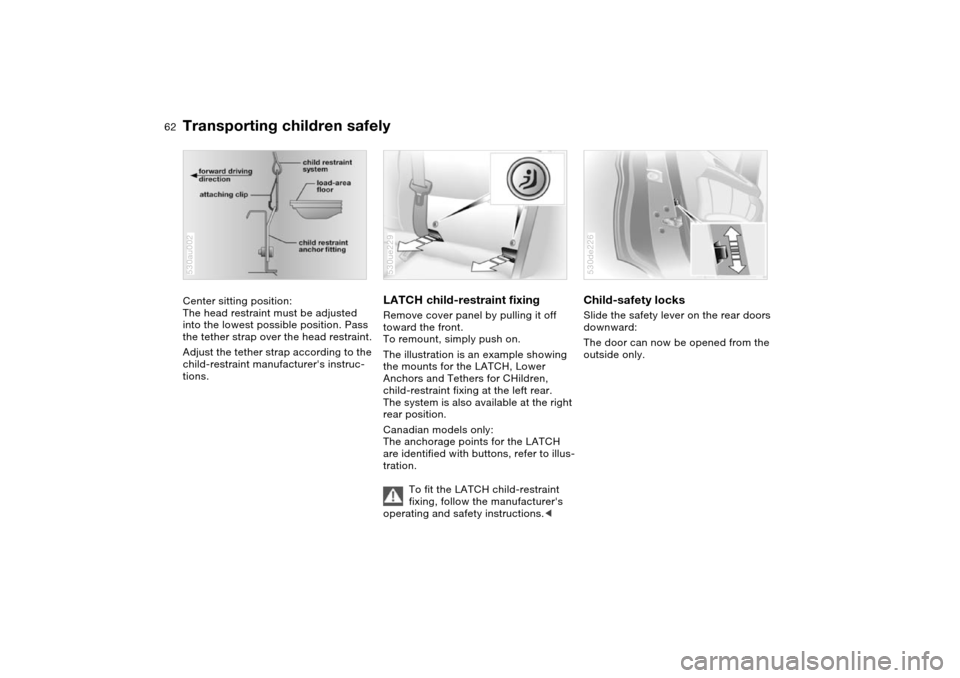
Transporting children safelyCenter sitting position:
The head restraint must be adjusted
into the lowest possible position. Pass
the tether strap over the head restraint.
Adjust the tether strap according to the
child-restraint manufacturer's instruc-
tions.530au002
LATCH child-restraint fixing Remove cover panel by pulling it off
toward the front.
To remount, simply push on.
The illustration is an example showing
the mounts for the LATCH, Lower
Anchors and Tethers for CHildren,
child-restraint fixing at the left rear.
The system is also available at the right
rear position.
Canadian models only:
The anchorage points for the LATCH
are identified with buttons, refer to illus-
tration.
To fit the LATCH child-restraint
fixing, follow the manufacturer's
operating and safety instructions.<530ue229
Child-safety locks Slide the safety lever on the rear doors
downward:
The door can now be opened from the
outside only. 530de226
Page 71 of 200
69n
OverviewControlsMaintenanceRepairsDataIndex
Automatic transmission with SteptronicSport program and M/S manual
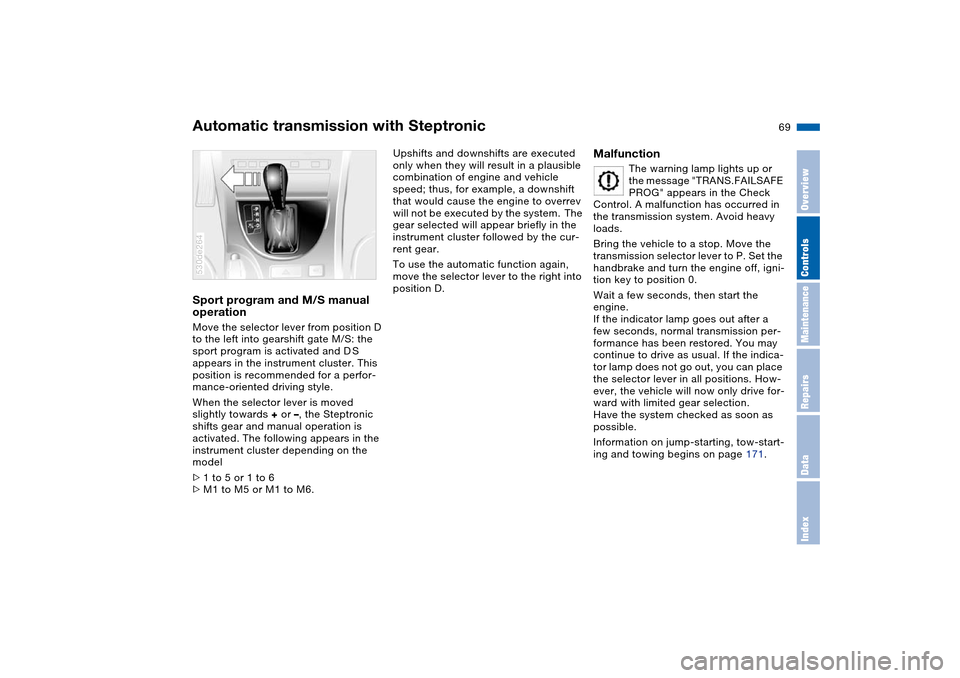
operation Move the selector lever from position D
to the left into gearshift gate M/S: the
sport program is activated and D S
appears in the instrument cluster. This
position is recommended for a perfor-
mance-oriented driving style.
When the selector lever is moved
slightly towards + or –, the Steptronic
shifts gear and manual operation is
activated. The following appears in the
instrument cluster depending on the
model
>1 to 5 or 1 to 6
>M1 to M5 or M1 to M6. 530de264
Upshifts and downshifts are executed
only when they will result in a plausible
combination of engine and vehicle
speed; thus, for example, a downshift
that would cause the engine to overrev
will not be executed by the system. The
gear selected will appear briefly in the
instrument cluster followed by the cur-
rent gear.
To use the automatic function again,
move the selector lever to the right into
position D.
Malfunction
The warning lamp lights up or
the message "TRANS.FAILSAFE
PROG" appears in the Check
Control. A malfunction has occurred in
the transmission system. Avoid heavy
loads.
Bring the vehicle to a stop. Move the
transmission selector lever to P. Set the
handbrake and turn the engine off, igni-
tion key to position 0.
Wait a few seconds, then start the
engine.
If the indicator lamp goes out after a
few seconds, normal transmission per-
formance has been restored. You may
continue to drive as usual. If the indica-
tor lamp does not go out, you can place
the selector lever in all positions. How-
ever, the vehicle will now only drive for-
ward with limited gear selection.
Have the system checked as soon as
possible.
Information on jump-starting, tow-start-
ing and towing begins on page 171.
Page 75 of 200
73n
OverviewControlsMaintenanceRepairsDataIndex
Washer/wiper system/rain sensor
*
Cruise control
*
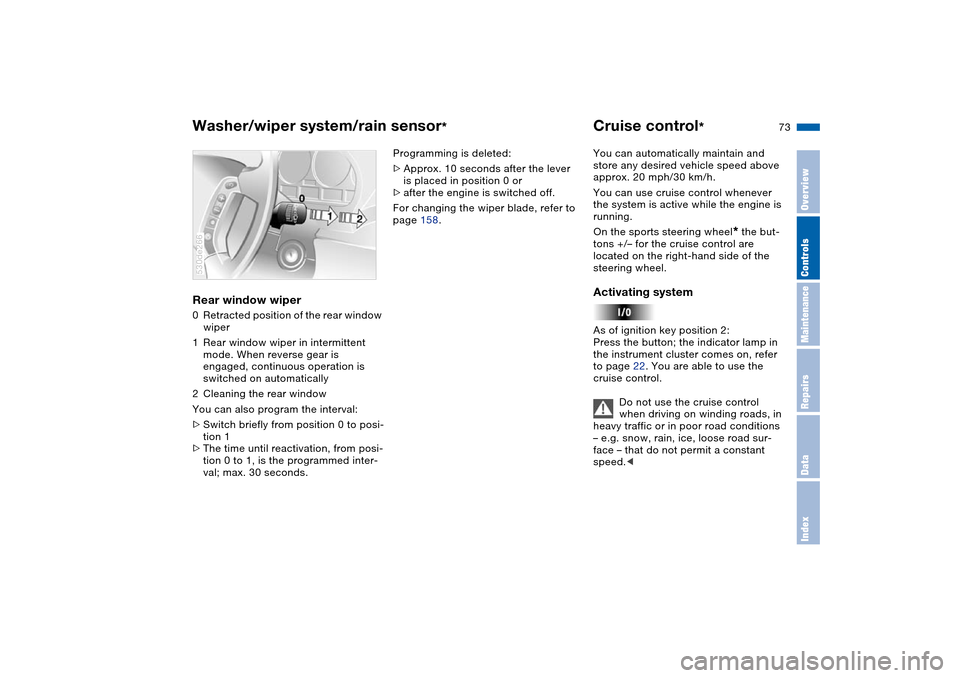
Rear window wiper 0Retracted position of the rear window
wiper
1Rear window wiper in intermittent
mode. When reverse gear is
engaged, continuous operation is
switched on automatically
2Cleaning the rear window
You can also program the interval:
>Switch briefly from position 0 to posi-
tion 1
>The time until reactivation, from posi-
tion 0 to 1, is the programmed inter-
val; max. 30 seconds. 530de266
Programming is deleted:
>Approx. 10 seconds after the lever
is placed in position 0 or
>after the engine is switched off.
For changing the wiper blade, refer to
page 158.You can automatically maintain and
store any desired vehicle speed above
approx. 20 mph/30 km/h.
You can use cruise control whenever
the system is active while the engine is
running.
On the sports steering wheel
* the but-
tons +/– for the cruise control are
located on the right-hand side of the
steering wheel.
Activating system As of ignition key position 2:
Press the button; the indicator lamp in
the instrument cluster comes on, refer
to page 22. You are able to use the
cruise control.
Do not use the cruise control
when driving on winding roads, in
heavy traffic or in poor road conditions
– e.g. snow, rain, ice, loose road sur-
face – that do not permit a constant
speed.<
Page 80 of 200
78n
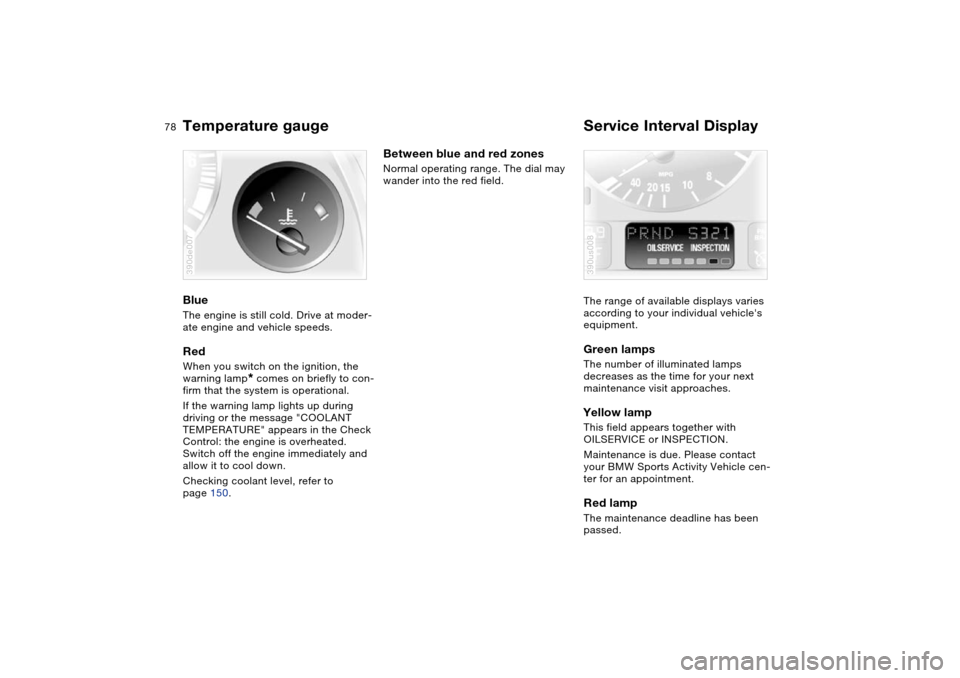
Temperature gauge Service Interval Display Blue The engine is still cold. Drive at moder-
ate engine and vehicle speeds.Red When you switch on the ignition, the
warning lamp
* comes on briefly to con-
firm that the system is operational.
If the warning lamp lights up during
driving or the message "COOLANT
TEMPERATURE" appears in the Check
Control: the engine is overheated.
Switch off the engine immediately and
allow it to cool down.
Checking coolant level, refer to
page 150.
390de007
Between blue and red zones Normal operating range. The dial may
wander into the red field.
The range of available displays varies
according to your individual vehicle's
equipment.
Green lamps The number of illuminated lamps
decreases as the time for your next
maintenance visit approaches.Yellow lamp This field appears together with
OILSERVICE or INSPECTION.
Maintenance is due. Please contact
your BMW Sports Activity Vehicle cen-
ter for an appointment.Red lamp The maintenance deadline has been
passed.390us008
Page 110 of 200
108n
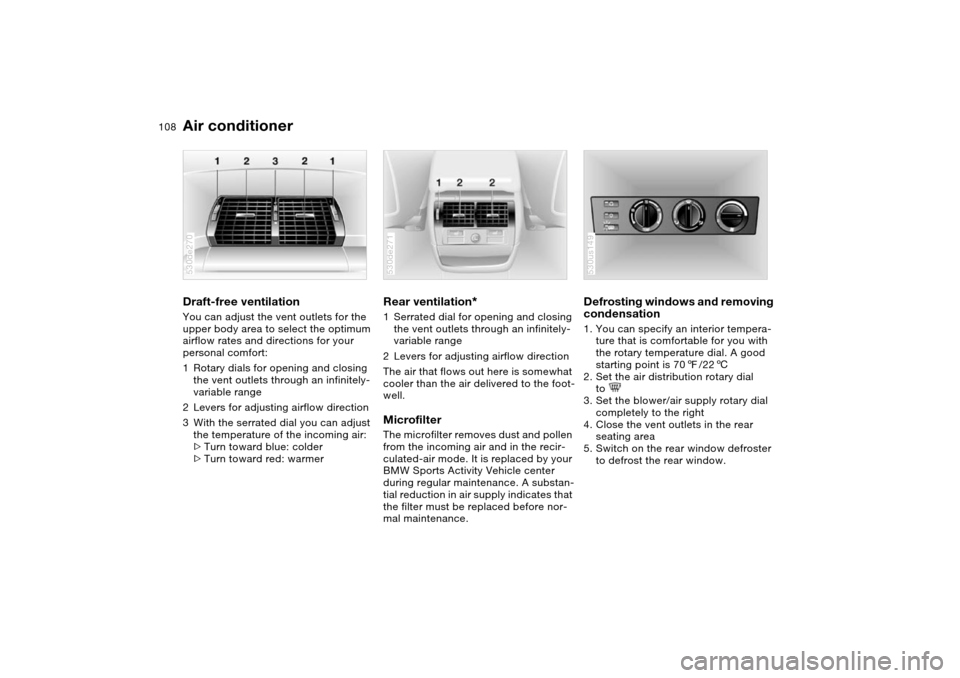
Air conditionerDraft-free ventilation You can adjust the vent outlets for the
upper body area to select the optimum
airflow rates and directions for your
personal comfort:
1Rotary dials for opening and closing
the vent outlets through an infinitely-
variable range
2Levers for adjusting airflow direction
3With the serrated dial you can adjust
the temperature of the incoming air:
>Turn toward blue: colder
>Turn toward red: warmer 530de270
Rear ventilation
*
1Serrated dial for opening and closing
the vent outlets through an infinitely-
variable range
2Levers for adjusting airflow direction
The air that flows out here is somewhat
cooler than the air delivered to the foot-
well. Microfilter The microfilter removes dust and pollen
from the incoming air and in the recir-
culated-air mode. It is replaced by your
BMW Sports Activity Vehicle center
during regular maintenance. A substan-
tial reduction in air supply indicates that
the filter must be replaced before nor-
mal maintenance.530de271
Defrosting windows and removing
condensation 1. You can specify an interior tempera-
ture that is comfortable for you with
the rotary temperature dial. A good
starting point is 707/226
2. Set the air distribution rotary dial
to
3. Set the blower/air supply rotary dial
completely to the right
4. Close the vent outlets in the rear
seating area
5. Switch on the rear window defroster
to defrost the rear window. 530us149
Page 113 of 200
111n
OverviewControlsMaintenanceRepairsDataIndex
Automatic climate control
*
Tips for pleasant drivingTo use the automatic function, press
the AUTO button 6. Select an interior
temperature that is comfortable for you.
Detailed setting options are described
for you in the following section.
Your BMW Sports Activity Vehicle
center can program the settings of
your vehicle in such a manner that,
when you unlock the vehicle with your
individualized key, your own personal-
ized setting for the automatic climate
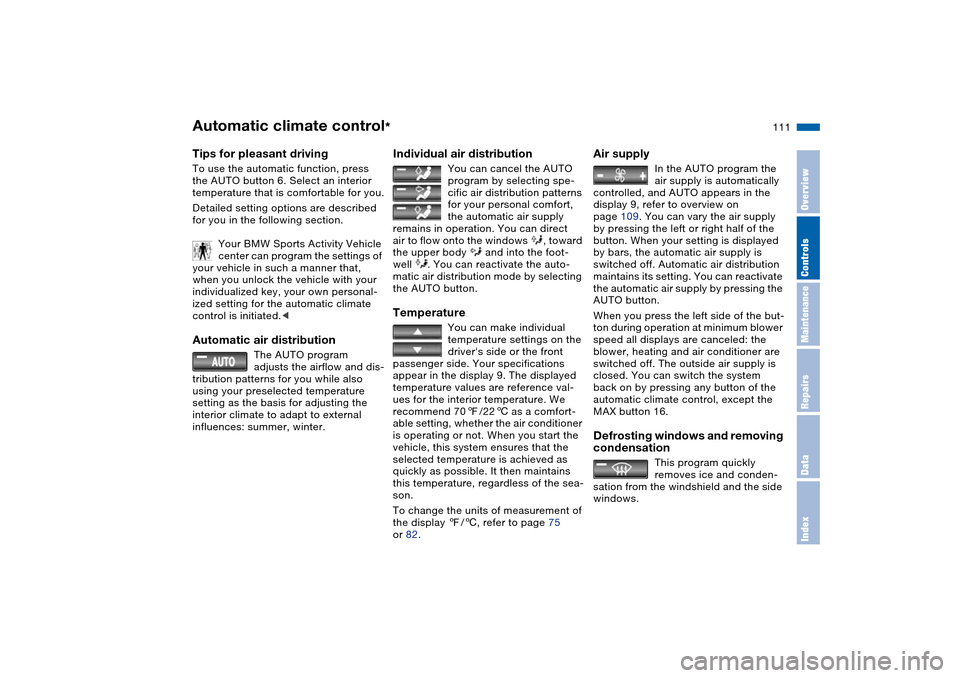
control is initiated.< Automatic air distribution
The AUTO program
adjusts the airflow and dis-
tribution patterns for you while also
using your preselected temperature
setting as the basis for adjusting the
interior climate to adapt to external
influences: summer, winter.
Individual air distribution
You can cancel the AUTO
program by selecting spe-
cific air distribution patterns
for your personal comfort,
the automatic air supply
remains in operation. You can direct
air to flow onto the windows , toward
the upper body and into the foot-
well . You can reactivate the auto-
matic air distribution mode by selecting
the AUTO button.
Temperature
You can make individual
temperature settings on the
driver's side or the front
passenger side. Your specifications
appear in the display 9. The displayed
temperature values are reference val-
ues for the interior temperature. We
recommend 707/226 as a comfort-
able setting, whether the air conditioner
is operating or not. When you start the
vehicle, this system ensures that the
selected temperature is achieved as
quickly as possible. It then maintains
this temperature, regardless of the sea-
son.
To change the units of measurement of
the display 7/6, refer to page 75
or 82.
Air supply
In the AUTO program the
air supply is automatically
controlled, and AUTO appears in the
display 9, refer to overview on
page 109. You can vary the air supply
by pressing the left or right half of the
button. When your setting is displayed
by bars, the automatic air supply is
switched off. Automatic air distribution
maintains its setting. You can reactivate
the automatic air supply by pressing the
AUTO button.
When you press the left side of the but-
ton during operation at minimum blower
speed all displays are canceled: the
blower, heating and air conditioner are
switched off. The outside air supply is
closed. You can switch the system
back on by pressing any button of the
automatic climate control, except the
MAX button 16.
Defrosting windows and removing
condensation
This program quickly
removes ice and conden-
sation from the windshield and the side
windows.