ECU BMW X5 4.8IS 2006 E53 User Guide
[x] Cancel search | Manufacturer: BMW, Model Year: 2006, Model line: X5 4.8IS, Model: BMW X5 4.8IS 2006 E53Pages: 202, PDF Size: 4.13 MB
Page 57 of 202
57n
OverviewControlsMaintenanceRepairsDataIndex
Airbags Transporting children safely >The indicator lamp does not light up
when, for example, a correctly seated
person of sufficient height is detected
on the seat. The front and side airbag
on the front passenger side are acti-
vated
>The indicator lamp does not light up
when the seat is empty.
The front and side airbag on the front
passenger side are not activated.Operational readiness of airbag
system
As of ignition key position 1, the
warning lamp in the instrument
cluster lights up for a short time,
thus indicating the operational readi-
ness of the entire airbag system and the
safety belt tensioners.
Airbag system malfunction:
>Warning lamp does not light up as of
ignition key position 1
>Warning lamp lights up continuously.
Have the airbag system checked
immediately if a malfunction
occurs, as otherwise there is a danger
of the system failing to respond in the
expected manner in an accident of cor-
responding severity.<
The right place for children
Do not leave children unattended
in the vehicle, as otherwise they
could endanger themselves and other
persons, e.g. by opening the doors.<
In principle, all seats in your BMW
except the driver's seat are suitable for
mounting universal child restraint sys-
tems for all ages which are approved
for the respective age group.
Children always in the rear:
Accident research shows that the saf-
est place for children is on the back
seat.
Only transport children under
13 years of age or less than 5 ft/
150 cm tall in the rear in child restraint
systems intended for the respective
age, weight and height of the child.
Otherwise there is an increased danger
of injury in an accident.<
Children 13 years of age or older must
wear a safety belt as soon as a suitable
child restraint system can no longer be
used due to their age, size and weight.
All rear seat positions in your vehicle
comply with the recommendations of
the standard SAE J1819 for the safe
securing of child restraint systems in
motor vehicles.
Exception for front passenger seat:
Should it be necessary to use a
child-restraint system on the front
passenger seat, the front and side air-
bags must be deactivated. Otherwise,
there is an increased risk of injury for
the child when the airbags are trig-
gered, even with a child-restraint sys-
tem. Your BMW Sports Activity Vehicle
center will be happy to advise you.<
More information on automatic deacti-
vation of the front passenger airbags,
refer to page56.
Page 58 of 202
58n
Transporting children safelyInstalling child-restraint systems
Follow the child-restraint system
manufacturer's instructions when
selecting, installing and using child-
restraint systems. Otherwise the degree
of protection can be reduced.<
Commercially available child restraint
systems are designed for securing with
a lap belt or with the lap belt section
of a three-point belt. Incorrectly or
improperly installed child restraint sys-
tems can increase the risk of injury for
children. Always follow the instructions
for installing the system exactly.
On front passenger seat:
Before mounting a child restraint
system on the front passenger
seat, make sure that the front and side
airbag on the front passenger side are
deactivated, as otherwise there is an
increased risk of injury if the airbags are
triggered.<
Before mounting a universal child-
restraint system, move the front pas-
senger seat into the highest position to
achieve the best possible belt routing.
Do not change this seat height.
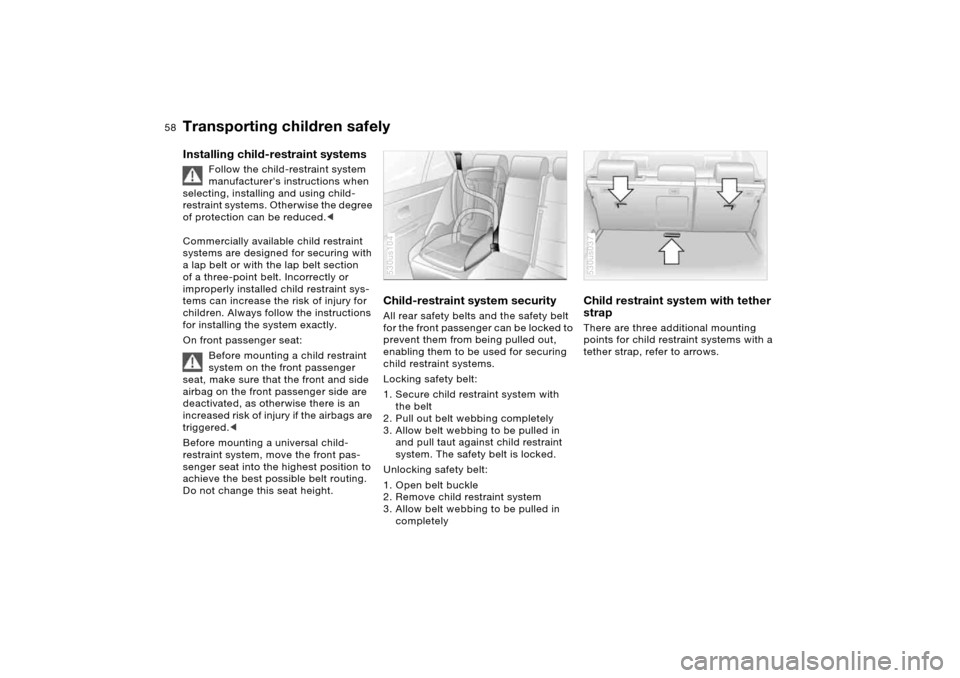
Child-restraint system securityAll rear safety belts and the safety belt
for the front passenger can be locked to
prevent them from being pulled out,
enabling them to be used for securing
child restraint systems.
Locking safety belt:
1. Secure child restraint system with
the belt
2. Pull out belt webbing completely
3. Allow belt webbing to be pulled in
and pull taut against child restraint
system. The safety belt is locked.
Unlocking safety belt:
1. Open belt buckle
2. Remove child restraint system
3. Allow belt webbing to be pulled in
completely530us104
Child restraint system with tether
strapThere are three additional mounting
points for child restraint systems with a
tether strap, refer to arrows.530us037
Page 59 of 202
59n
OverviewControlsMaintenanceRepairsDataIndex
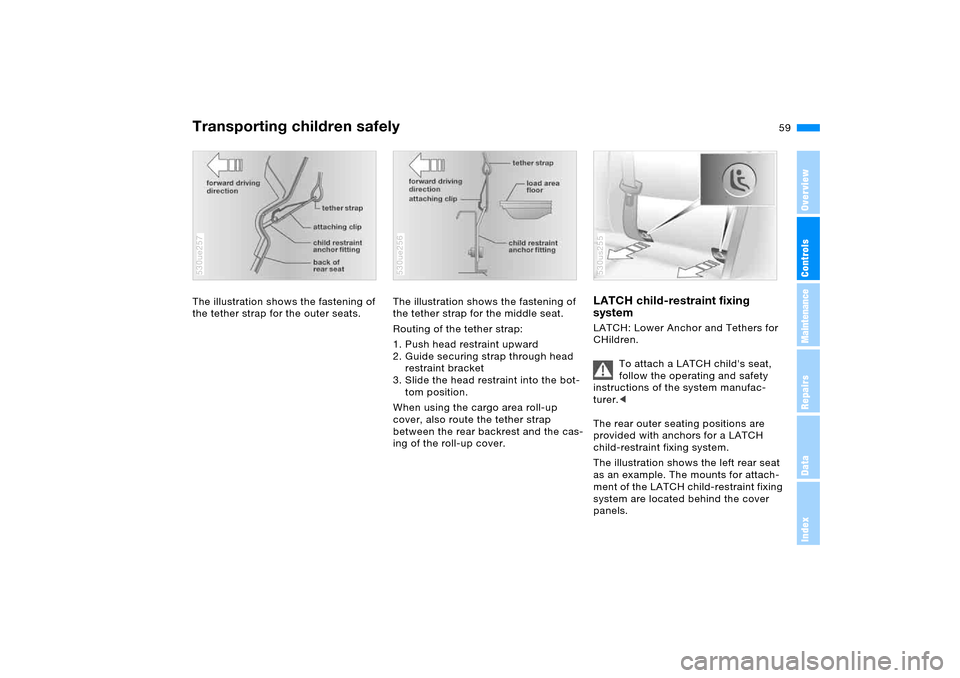
Transporting children safelyThe illustration shows the fastening of
the tether strap for the outer seats.530ue257
The illustration shows the fastening of
the tether strap for the middle seat.
Routing of the tether strap:
1. Push head restraint upward
2. Guide securing strap through head
restraint bracket
3. Slide the head restraint into the bot-
tom position.
When using the cargo area roll-up
cover, also route the tether strap
between the rear backrest and the cas-
ing of the roll-up cover.530ue256
LATCH child-restraint fixing
systemLATCH: Lower Anchor and Tethers for
CHildren.
To attach a LATCH child's seat,
follow the operating and safety
instructions of the system manufac-
turer.<
The rear outer seating positions are
provided with anchors for a LATCH
child-restraint fixing system.
The illustration shows the left rear seat
as an example. The mounts for attach-
ment of the LATCH child-restraint fixing
system are located behind the cover
panels. 530us255
Page 67 of 202
OverviewControlsMaintenanceRepairsDataIndex
67n
Automatic transmission with Steptronic
*
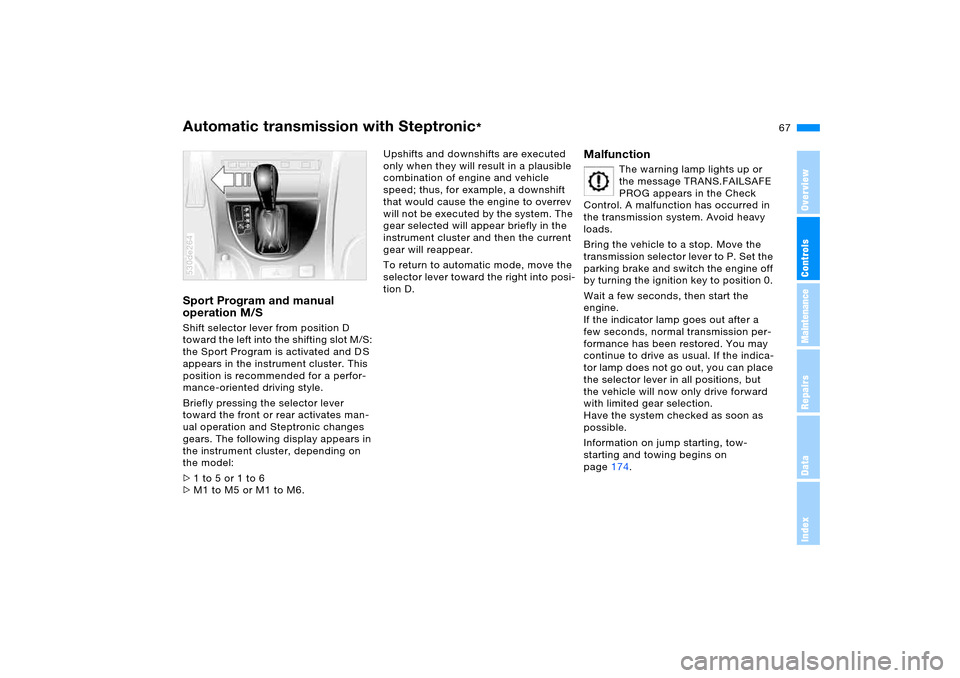
Sport Program and manual
operation M/S Shift selector lever from position D
toward the left into the shifting slot M/S:
the Sport Program is activated and D S
appears in the instrument cluster. This
position is recommended for a perfor-
mance-oriented driving style.
Briefly pressing the selector lever
toward the front or rear activates man-
ual operation and Steptronic changes
gears. The following display appears in
the instrument cluster, depending on
the model:
>1 to 5 or 1 to 6
>M1 to M5 or M1 to M6. 530de264
Upshifts and downshifts are executed
only when they will result in a plausible
combination of engine and vehicle
speed; thus, for example, a downshift
that would cause the engine to overrev
will not be executed by the system. The
gear selected will appear briefly in the
instrument cluster and then the current
gear will reappear.
To return to automatic mode, move the
selector lever toward the right into posi-
tion D.
Malfunction
The warning lamp lights up or
the message TRANS.FAILSAFE
PROG appears in the Check
Control. A malfunction has occurred in
the transmission system. Avoid heavy
loads.
Bring the vehicle to a stop. Move the
transmission selector lever to P. Set the
parking brake and switch the engine off
by turning the ignition key to position 0.
Wait a few seconds, then start the
engine.
If the indicator lamp goes out after a
few seconds, normal transmission per-
formance has been restored. You may
continue to drive as usual. If the indica-
tor lamp does not go out, you can place
the selector lever in all positions, but
the vehicle will now only drive forward
with limited gear selection.
Have the system checked as soon as
possible.
Information on jump starting, tow-
starting and towing begins on
page174.
Page 77 of 202
77n
OverviewControlsMaintenanceRepairsDataIndex
Check Control Graphic display
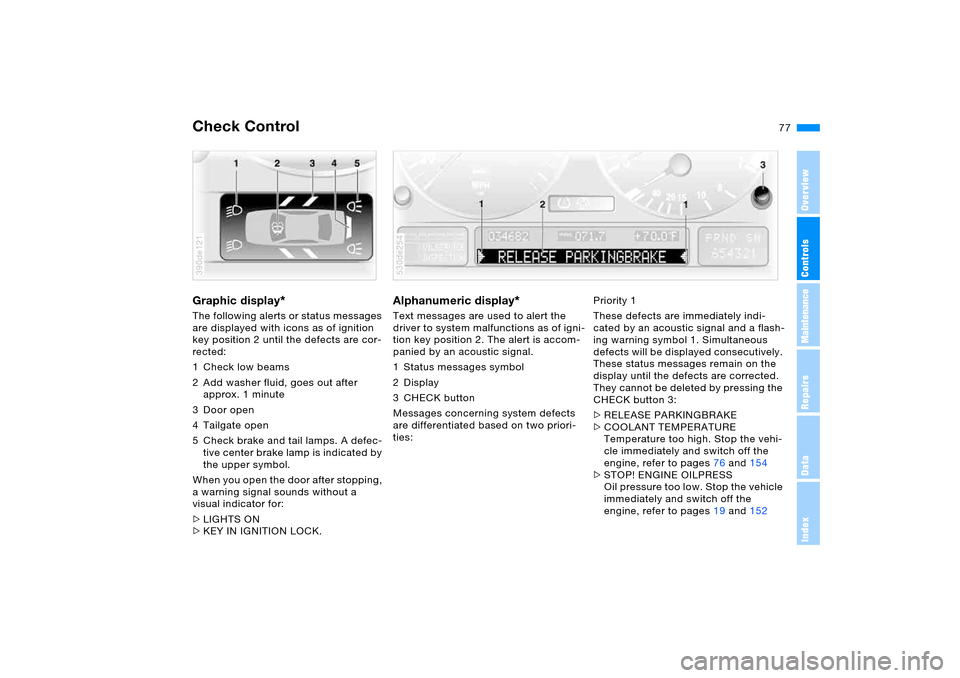
*
The following alerts or status messages
are displayed with icons as of ignition
key position 2 until the defects are cor-
rected:
1 Check low beams
2 Add washer fluid, goes out after
approx. 1 minute
3Door open
4 Tailgate open
5 Check brake and tail lamps. A defec-
tive center brake lamp is indicated by
the upper symbol.
When you open the door after stopping,
a warning signal sounds without a
visual indicator for:
>LIGHTS ON
>KEY IN IGNITION LOCK. 390de121
Alphanumeric display
*
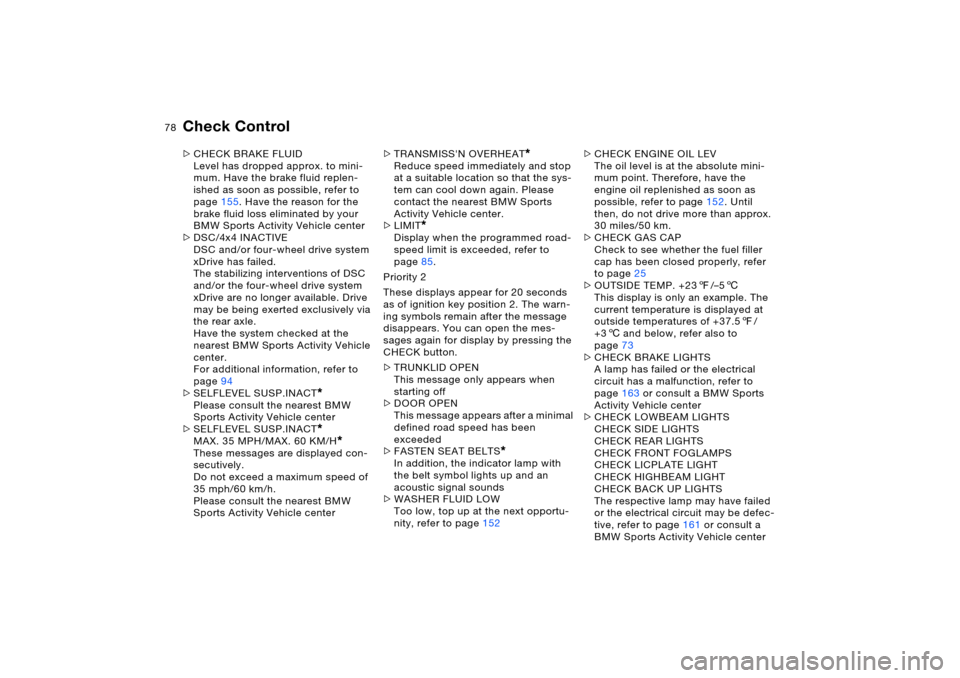
Text messages are used to alert the
driver to system malfunctions as of igni-
tion key position 2. The alert is accom-
panied by an acoustic signal.
1 Status messages symbol
2Display
3CHECK button
Messages concerning system defects
are differentiated based on two priori-
ties: 530de254
Priority 1
These defects are immediately indi-
cated by an acoustic signal and a flash-
ing warning symbol 1. Simultaneous
defects will be displayed consecutively.
These status messages remain on the
display until the defects are corrected.
They cannot be deleted by pressing the
CHECK button 3:
>RELEASE PARKINGBRAKE
>COOLANT TEMPERATURE
Temperature too high. Stop the vehi-
cle immediately and switch off the
engine, refer to pages76 and154
>STOP! ENGINE OILPRESS
Oil pressure too low. Stop the vehicle
immediately and switch off the
engine, refer to pages19 and152
Page 78 of 202
78n
Check Control >CHECK BRAKE FLUID
Level has dropped approx. to mini-
mum. Have the brake fluid replen-
ished as soon as possible, refer to
page155. Have the reason for the
brake fluid loss eliminated by your
BMW Sports Activity Vehicle center
>DSC/4x4 INACTIVE
DSC and/or four-wheel drive system
xDrive has failed.
The stabilizing interventions of DSC
and/or the four-wheel drive system
xDrive are no longer available. Drive
may be being exerted exclusively via
the rear axle.
Have the system checked at the
nearest BMW Sports Activity Vehicle
center.
For additional information, refer to
page94
>SELFLEVEL SUSP.INACT
*
Please consult the nearest BMW
Sports Activity Vehicle center
>SELFLEVEL SUSP.INACT*
MAX. 35 MPH/MAX. 60 KM/H
*
These messages are displayed con-
secutively.
Do not exceed a maximum speed of
35 mph/60 km/h.
Please consult the nearest BMW
Sports Activity Vehicle center>TRANSMISS'N OVERHEAT
*
Reduce speed immediately and stop
at a suitable location so that the sys-
tem can cool down again. Please
contact the nearest BMW Sports
Activity Vehicle center.
>LIMIT
*
Display when the programmed road-
speed limit is exceeded, refer to
page85.
Priority 2
These displays appear for 20 seconds
as of ignition key position 2. The warn-
ing symbols remain after the message
disappears. You can open the mes-
sages again for display by pressing the
CHECK button.
>TRUNKLID OPEN
This message only appears when
starting off
>DOOR OPEN
This message appears after a minimal
defined road speed has been
exceeded
>FASTEN SEAT BELTS
*
In addition, the indicator lamp with
the belt symbol lights up and an
acoustic signal sounds
>WASHER FLUID LOW
Too low, top up at the next opportu-
nity, refer to page152>CHECK ENGINE OIL LEV
The oil level is at the absolute mini-
mum point. Therefore, have the
engine oil replenished as soon as
possible, refer to page152. Until
then, do not drive more than approx.
30 miles/50 km.
>CHECK GAS CAP
Check to see whether the fuel filler
cap has been closed properly, refer
to page25
>OUTSIDE TEMP. +237/–56
This display is only an example. The
current temperature is displayed at
outside temperatures of +37.57/
+36 and below, refer also to
page73
>CHECK BRAKE LIGHTS
A lamp has failed or the electrical
circuit has a malfunction, refer to
page163 or consult a BMW Sports
Activity Vehicle center
>CHECK LOWBEAM LIGHTS
CHECK SIDE LIGHTS
CHECK REAR LIGHTS
CHECK FRONT FOGLAMPS
CHECK LICPLATE LIGHT
CHECK HIGHBEAM LIGHT
CHECK BACK UP LIGHTS
The respective lamp may have failed
or the electrical circuit may be defec-
tive, refer to page161 or consult a
BMW Sports Activity Vehicle center
Page 79 of 202
79n
OverviewControlsMaintenanceRepairsDataIndex
Check Control Computer>TRANS. FAILSAFE PROG
*
Please consult the nearest BMW
Sports Activity Vehicle center, refer to
page67
>CHECK BRAKE LININGS
Have the brake pads inspected by
your BMW Sports Activity Vehicle
center, refer to page140
>CHECK COOLANT LEVEL
Coolant too low, top off at the next
opportunity, refer to page154
>ENGINE FAILSAFE PROG
Fault in the engine electronics.
You can continue to drive with
reduced engine output or engine
speed.
Please have the system inspected by
your BMW Sports Activity Vehicle
center.
Displays after completion of trip All of the malfunctions registered during
the trip appear consecutively when the
ignition key is turned to position 0.
The following displays will appear when
appropriate:
>LIGHTS ON
>KEY IN IGNITION LOCK
>CHECK ENGINE OIL LEV
Replenish engine oil at the next
opportunity, e.g. while refueling, refer
to page152. This display appears when you open
the driver's door after parking the vehi-
cle. A supplementary acoustic signal
also sounds.
Status messages remain available with
the CHECK button 3 for a period of
approx. three minutes after the display
goes out and the key is removed from
the ignition lock. If there are multiple
messages, press the CHECK button
repeatedly to view them all in
sequence.
Checking Check Control Press the CHECK button 3 with the
ignition key in position 2:
CHECK CONTROL OK appears on the
display.
No malfunctions are present in the
monitored systems. Computer You can find a description of the com-
puter below and on page85 as well as
in the Owner's Manual for Onboard
Computer.
You can have the Check Control
and computer messages dis-
played in a different language.<
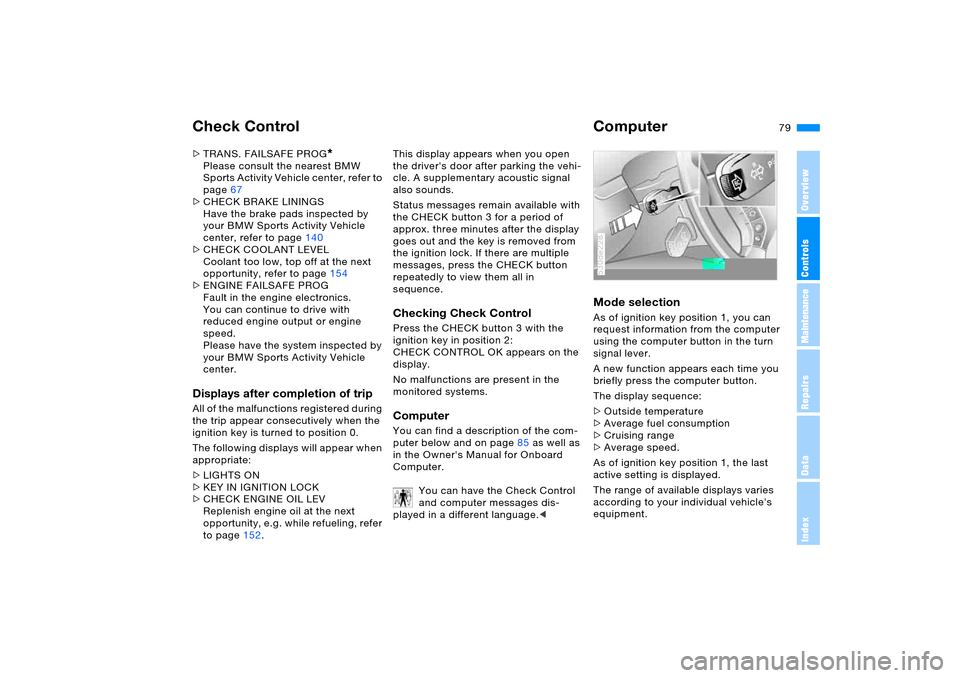
Mode selection As of ignition key position 1, you can
request information from the computer
using the computer button in the turn
signal lever.
A new function appears each time you
briefly press the computer button.
The display sequence:
>Outside temperature
>Average fuel consumption
>Cruising range
>Average speed.
As of ignition key position 1, the last
active setting is displayed.
The range of available displays varies
according to your individual vehicle's
equipment.530de228
Page 80 of 202
80n
ComputerOutside temperature and
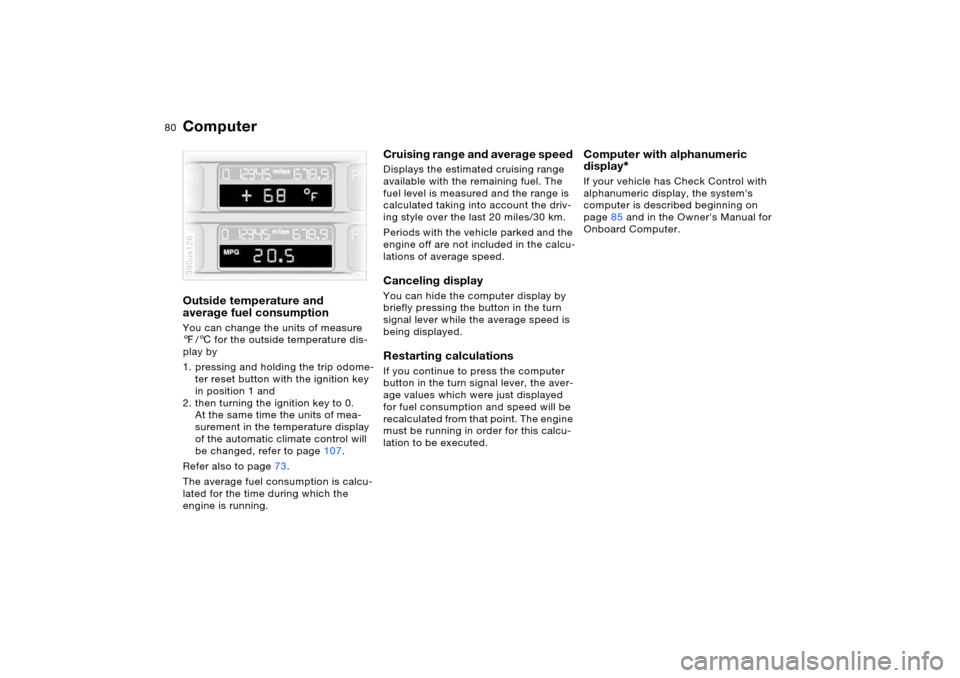
average fuel consumption You can change the units of measure
7/6 for the outside temperature dis-
play by
1. pressing and holding the trip odome-
ter reset button with the ignition key
in position 1 and
2. then turning the ignition key to 0.
At the same time the units of mea-
surement in the temperature display
of the automatic climate control will
be changed, refer to page107.
Refer also to page73.
The average fuel consumption is calcu-
lated for the time during which the
engine is running.390us126
Cruising range and average speed Displays the estimated cruising range
available with the remaining fuel. The
fuel level is measured and the range is
calculated taking into account the driv-
ing style over the last 20 miles/30 km.
Periods with the vehicle parked and the
engine off are not included in the calcu-
lations of average speed.Canceling display You can hide the computer display by
briefly pressing the button in the turn
signal lever while the average speed is
being displayed. Restarting calculations If you continue to press the computer
button in the turn signal lever, the aver-
age values which were just displayed
for fuel consumption and speed will be
recalculated from that point. The engine
must be running in order for this calcu-
lation to be executed.
Computer with alphanumeric
display
*
If your vehicle has Check Control with
alphanumeric display, the system's
computer is described beginning on
page85 and in the Owner's Manual for
Onboard Computer.
Page 96 of 202
96n
2-axle self-leveling suspension
*
The concept Your vehicle is equipped with 2-axle
self-leveling suspension acting on both
the front and rear suspension. This sys-
tem combines automatic self-leveling,
which compensates for variations in
front-to-rear load-distribution patterns,
with a selection feature allowing drivers
to choose from among several ride-
height options.
You may choose from among the fol-
lowing ride heights:
>Normal
The standard setting is intended for
most operating conditions, including
trailer towing
>Off-Road
Increased level for more ground
clearance
>Access
Lowers vehicle for more convenient
cargo handling or easier passenger
entries and exits.
Changes in ride height are initiated
either manually, using the control but-
ton, refer to page 97, or automatically in
response to specific speeds. When the
ride height is selected manually, the
driver has the additional option of revis-
ing the ride-height selection by entering a new command during the adjustment
process.
When the vehicle is stationary, the sys-
tem executes ride-height changes in
both directions – up and down – when-
ever the doors are closed. The tailgate/
liftgate may be open. The system raises
the vehicle only when the engine is run-
ning.
The system's automatic self-leveling
feature automatically compensates for
variations in the vehicle's load.
The ground clearance of the vehicle
6.5-9 in/16.5-22 cm, depending on the
level selected.
Frequent changes in ride height
initiated at short intervals can
overheat the compressor, causing the
system to briefly suspend active opera-
tion.<
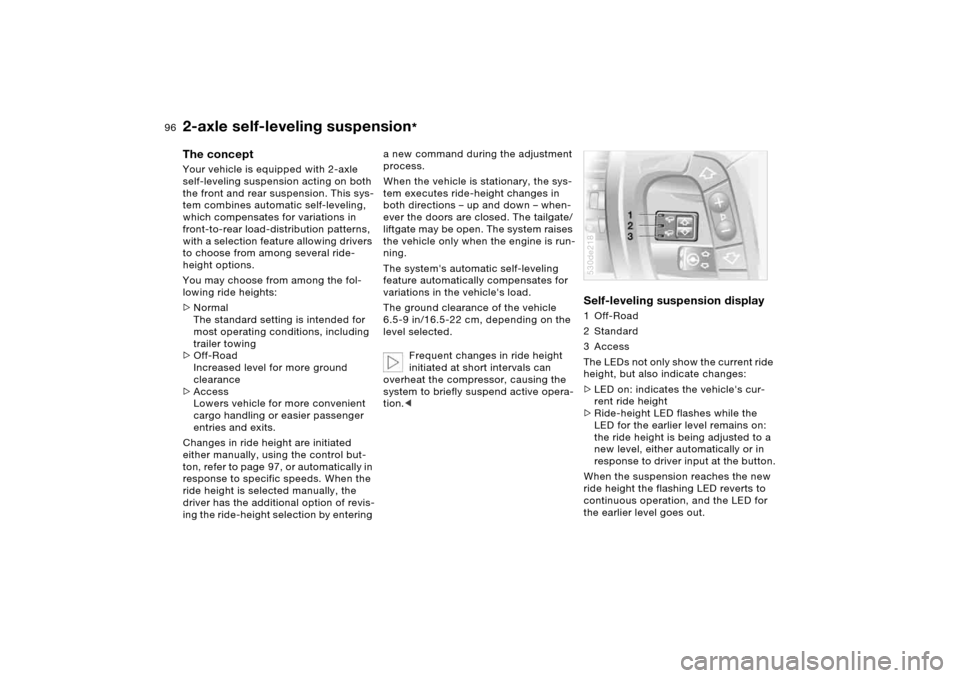
Self-leveling suspension display 1 Off-Road
2Standard
3 Access
The LEDs not only show the current ride
height, but also indicate changes:
>LED on: indicates the vehicle's cur-
rent ride height
>Ride-height LED flashes while the
LED for the earlier level remains on:
the ride height is being adjusted to a
new level, either automatically or in
response to driver input at the button.
When the suspension reaches the new
ride height the flashing LED reverts to
continuous operation, and the LED for
the earlier level goes out.530de218
Page 124 of 202
124n
Ski bag
*
Cargo area
Securing load After loading, secure the ski bag and its
contents. To do so, tighten the retaining
belt at the buckle.
Secure the ski bag in this way. If
you fail to do so, it could endanger
occupants during braking or evasive
maneuvers.<
When stowing the ski bag, proceed in
the reverse order from loading.530de284
If the cover in the cargo area is
concealed by the pull-out cargo
floor, do not fold the larger rear back-
rest down. If you do so, it will damage
the cover.<
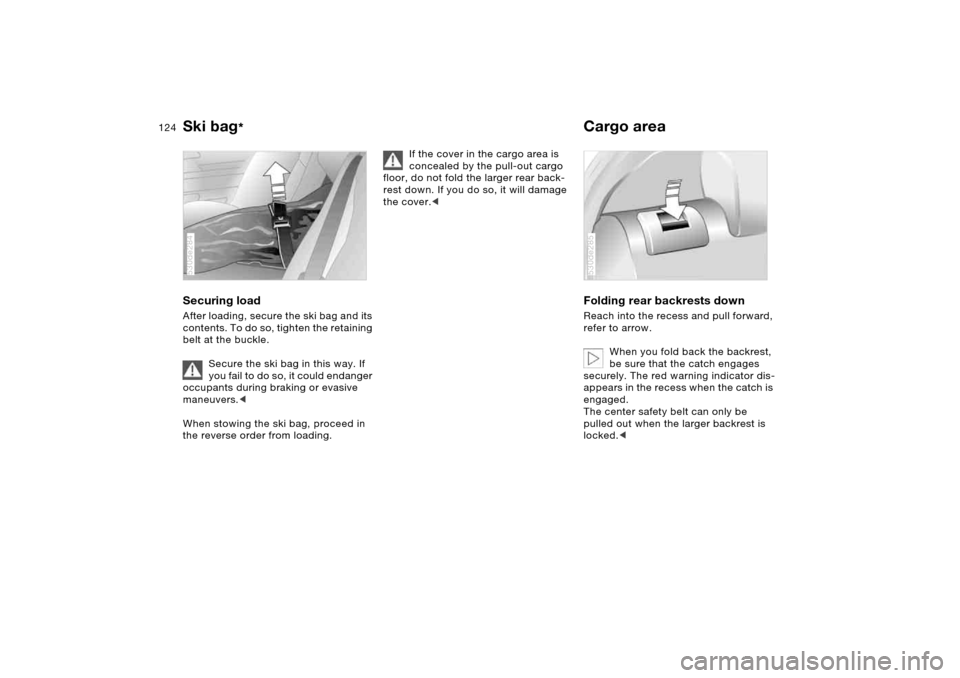
Folding rear backrests down Reach into the recess and pull forward,
refer to arrow.
When you fold back the backrest,
be sure that the catch engages
securely. The red warning indicator dis-
appears in the recess when the catch is
engaged.
The center safety belt can only be
pulled out when the larger backrest is
locked.< 530de285