fuel BMW X5 4.8IS 2006 E53 User Guide
[x] Cancel search | Manufacturer: BMW, Model Year: 2006, Model line: X5 4.8IS, Model: BMW X5 4.8IS 2006 E53Pages: 202, PDF Size: 4.13 MB
Page 26 of 202
26n
Fuel specifications The engine uses lead-free gasoline
only.Required fuelPremium Unleaded Gasoline,
Minimum Octane Rating: 91.
Minimum Octane Rating corresponds to
the Anti Knock Index AKI and is deter-
mined according to the so-called
(R+M)/2 method.
Do not use leaded gasoline: use of
leaded fuel will permanently dam-
age the lambda probe and catalytic
converter of your vehicle.<
Use high-quality brandsField experience has indicated signifi-
cant differences in fuel quality: volatility,
composition, additives, etc., among
gasolines offered for sale in the United
States and Canada. Fuels containing up
to and including 10 % ethanol or other
oxygenates with up to 2.8 % oxygen by
weight, that is, 15 % MTBE or 3 % meth-
anol plus an equivalent amount of co-
solvent, will not void the applicable
warranties with respect to defects in
materials or workmanship.The use of poor-quality fuels may
result in drivability, starting and
stalling problems, especially under cer-
tain environmental conditions such as
high ambient temperature and high alti-
tude.
Should you encounter drivability prob-
lems that you suspect could be related
to the fuel you are using, we recom-
mend that you respond by switching to
a recognized high-quality brand.
Failure to comply with these recom-
mendations may also result in unsched-
uled maintenance.<
Page 30 of 202
30n
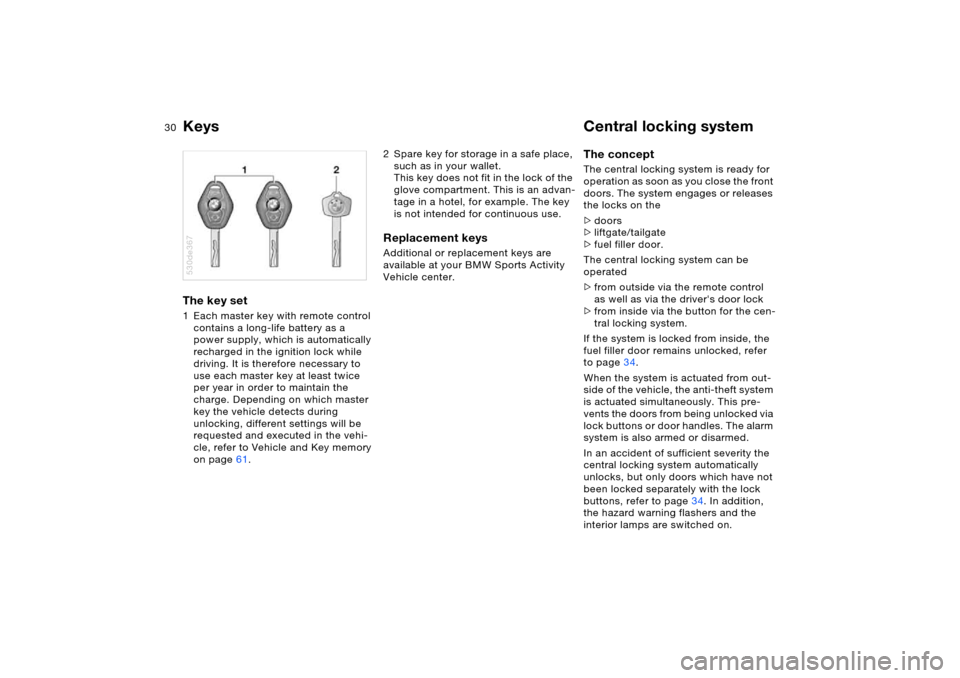
Keys Central locking system The key set 1 Each master key with remote control
contains a long-life battery as a
power supply, which is automatically
recharged in the ignition lock while
driving. It is therefore necessary to
use each master key at least twice
per year in order to maintain the
charge. Depending on which master
key the vehicle detects during
unlocking, different settings will be
requested and executed in the vehi-
cle, refer to Vehicle and Key memory
on page61.530de367
2 Spare key for storage in a safe place,
such as in your wallet.
This key does not fit in the lock of the
glove compartment. This is an advan-
tage in a hotel, for example. The key
is not intended for continuous use.Replacement keys Additional or replacement keys are
available at your BMW Sports Activity
Vehicle center.
The concept The central locking system is ready for
operation as soon as you close the front
doors. The system engages or releases
the locks on the
>doors
>liftgate/tailgate
>fuel filler door.
The central locking system can be
operated
>from outside via the remote control
as well as via the driver's door lock
>from inside via the button for the cen-
tral locking system.
If the system is locked from inside, the
fuel filler door remains unlocked, refer
to page34.
When the system is actuated from out-
side of the vehicle, the anti-theft system
is actuated simultaneously. This pre-
vents the doors from being unlocked via
lock buttons or door handles. The alarm
system is also armed or disarmed.
In an accident of sufficient severity the
central locking system automatically
unlocks, but only doors which have not
been locked separately with the lock
buttons, refer to page34. In addition,
the hazard warning flashers and the
interior lamps are switched on.
Page 31 of 202
31n
OverviewControlsMaintenanceRepairsDataIndex
Opening and closing: from outsideUsing remote control When you engage/release the vehicle
locks, you also activate/deactivate the
anti-theft system, arm/disarm the alarm
system, and switch the interior lamps
on/off.
Protect the remote control against
unauthorized use by handing over
only the spare key, for example when
using hotel valet parking.<
You can find more detailed information
on the alarm system on page38.
Since passengers or animals
remaining in the vehicle might be
able to lock the doors from the inside,
take the vehicle's keys with you so that
the vehicle can be opened again from
the outside at any time.<
Unlocking vehiclePress the button.
Press the button once to unlock the
driver's door and the fuel filler door
only; press a second time to unlock all
remaining doors as well as the liftgate/
tailgate. Convenience opening modePress the button briefly and then hold
down.
The windows and the panorama glass
roof open. Locking and securing Press the button.
As a confirmation that the vehicle is
correctly locked, the hazard warning
flashers light up.
If you so desire, you can have this
function deactivated if your vehi-
cle is not equipped with an alarm sys-
tem.<
Switching on interior lamps If the vehicle is locked, press the but-
ton.
With this function, you can also search
for your vehicle, e.g. when parked in an
underground garage.Switching off tilt alarm sensor and
interior motion sensor
Press the button once again immedi-
ately after locking.
For more detailed information, refer to
page39. Opening liftgate Briefly press the button.
The liftgate will open slightly, regardless
of whether it was previously locked or
unlocked.
Page 33 of 202
33n
OverviewControlsMaintenanceRepairsDataIndex
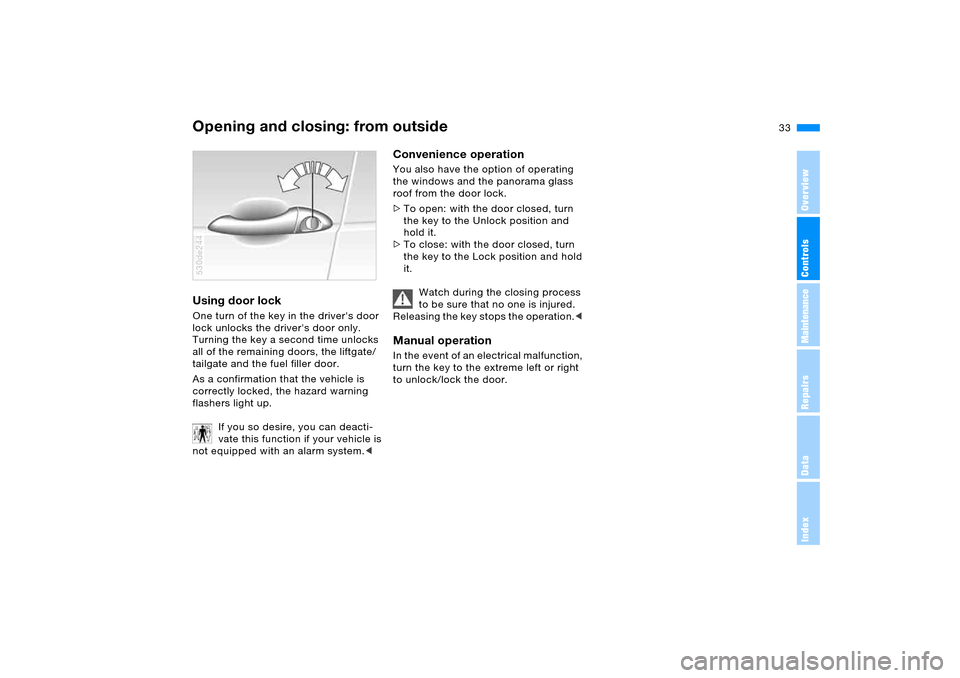
Opening and closing: from outsideUsing door lock One turn of the key in the driver's door
lock unlocks the driver's door only.
Turning the key a second time unlocks
all of the remaining doors, the liftgate/
tailgate and the fuel filler door.
As a confirmation that the vehicle is
correctly locked, the hazard warning
flashers light up.
If you so desire, you can deacti-
vate this function if your vehicle is
not equipped with an alarm system.< 530de244
Convenience operation You also have the option of operating
the windows and the panorama glass
roof from the door lock.
>To open: with the door closed, turn
the key to the Unlock position and
hold it.
>To close: with the door closed, turn
the key to the Lock position and hold
it.
Watch during the closing process
to be sure that no one is injured.
Releasing the key stops the operation.< Manual operation In the event of an electrical malfunction,
turn the key to the extreme left or right
to unlock/lock the door.
Page 34 of 202
34n
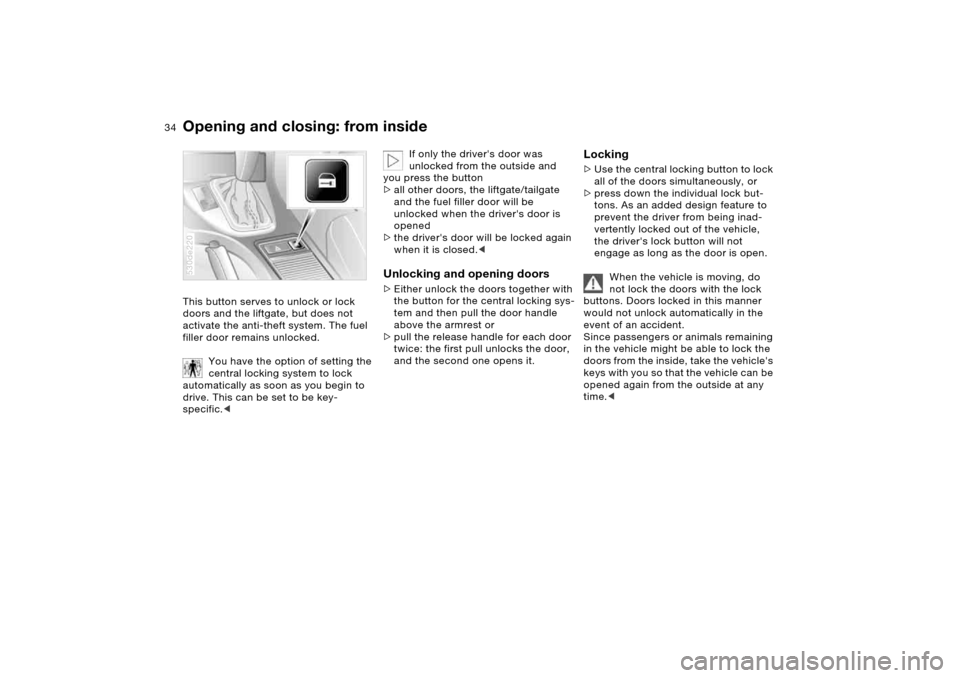
Opening and closing: from insideThis button serves to unlock or lock
doors and the liftgate, but does not
activate the anti-theft system. The fuel
filler door remains unlocked.
You have the option of setting the
central locking system to lock
automatically as soon as you begin to
drive. This can be set to be key-
specific.<530de220
If only the driver's door was
unlocked from the outside and
you press the button
>all other doors, the liftgate/tailgate
and the fuel filler door will be
unlocked when the driver's door is
opened
>the driver's door will be locked again
when it is closed.<
Unlocking and opening doors >Either unlock the doors together with
the button for the central locking sys-
tem and then pull the door handle
above the armrest or
>pull the release handle for each door
twice: the first pull unlocks the door,
and the second one opens it.
Locking >Use the central locking button to lock
all of the doors simultaneously, or
>press down the individual lock but-
tons. As an added design feature to
prevent the driver from being inad-
vertently locked out of the vehicle,
the driver's lock button will not
engage as long as the door is open.
When the vehicle is moving, do
not lock the doors with the lock
buttons. Doors locked in this manner
would not unlock automatically in the
event of an accident.
Since passengers or animals remaining
in the vehicle might be able to lock the
doors from the inside, take the vehicle's
keys with you so that the vehicle can be
opened again from the outside at any
time.<
Page 65 of 202
OverviewControlsMaintenanceRepairsDataIndex
65n
Manual transmission Automatic transmission with Steptronic
*
Reverse Select only when the vehicle is station-
ary. Press the gearshift lever to the left
to overcome the resistance.
As you do this, the backup lamps will
turn on automatically when the ignition
key is in position 2.
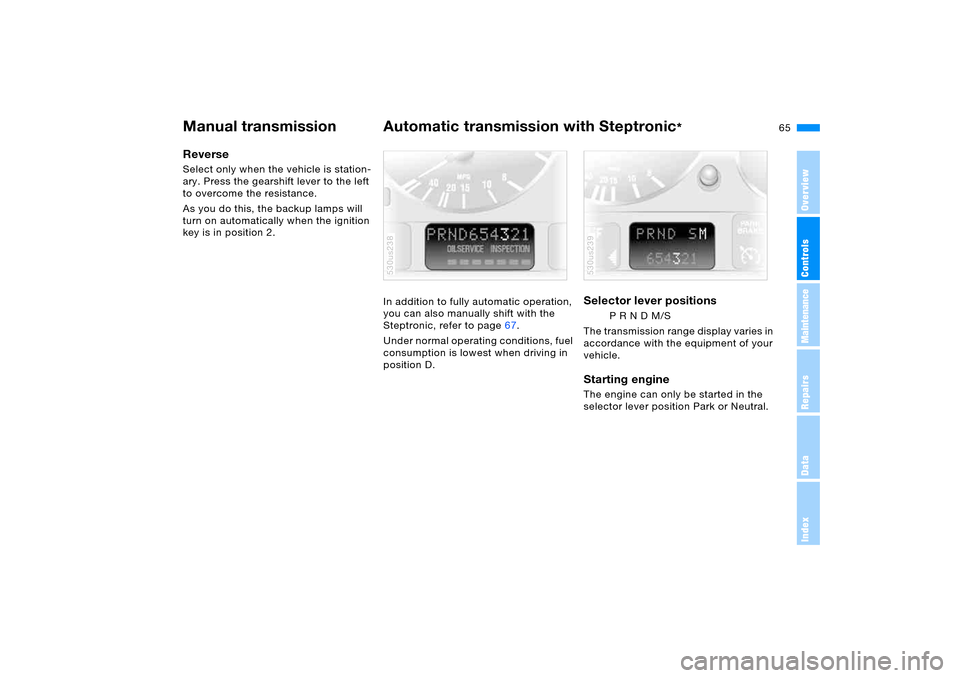
In addition to fully automatic operation,
you can also manually shift with the
Steptronic, refer to page67.
Under normal operating conditions, fuel
consumption is lowest when driving in
position D.
530us238
Selector lever positions
P R N D M/S
The transmission range display varies in
accordance with the equipment of your
vehicle.
Starting engine The engine can only be started in the
selector lever position Park or Neutral. 530us239
Page 74 of 202
74n
Tachometer Energy control X5 3.0i, 4.4i Do not operate the engine with the
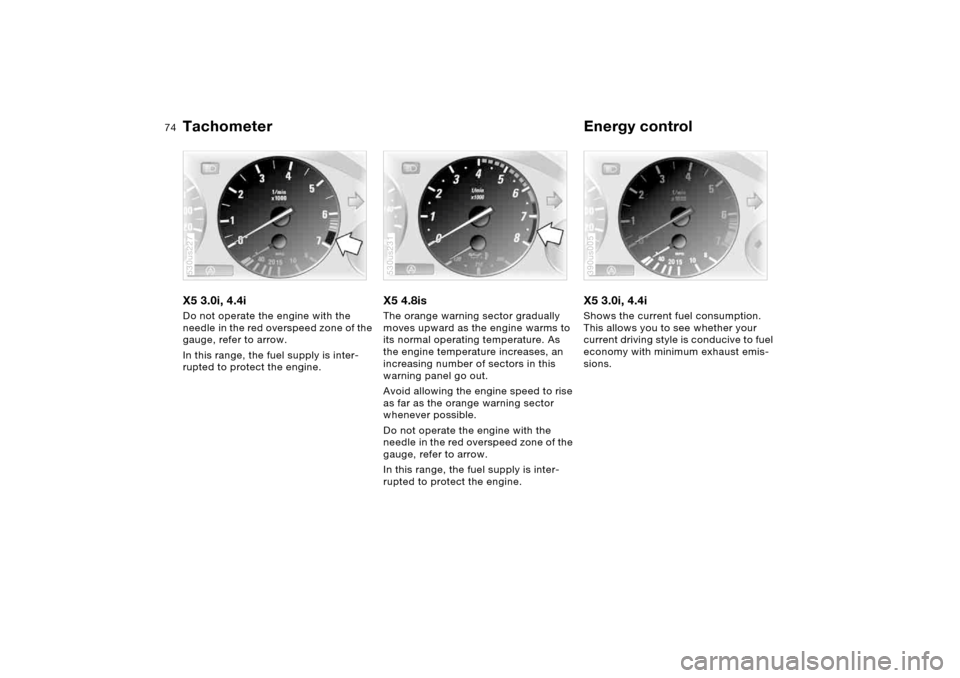
needle in the red overspeed zone of the
gauge, refer to arrow.
In this range, the fuel supply is inter-
rupted to protect the engine.530us227
X5 4.8isThe orange warning sector gradually
moves upward as the engine warms to
its normal operating temperature. As
the engine temperature increases, an
increasing number of sectors in this
warning panel go out.
Avoid allowing the engine speed to rise
as far as the orange warning sector
whenever possible.
Do not operate the engine with the
needle in the red overspeed zone of the
gauge, refer to arrow.
In this range, the fuel supply is inter-
rupted to protect the engine.530us231
X5 3.0i, 4.4i Shows the current fuel consumption.
This allows you to see whether your
current driving style is conducive to fuel
economy with minimum exhaust emis-
sions. 390us005
Page 75 of 202
75n
OverviewControlsMaintenanceRepairsDataIndex
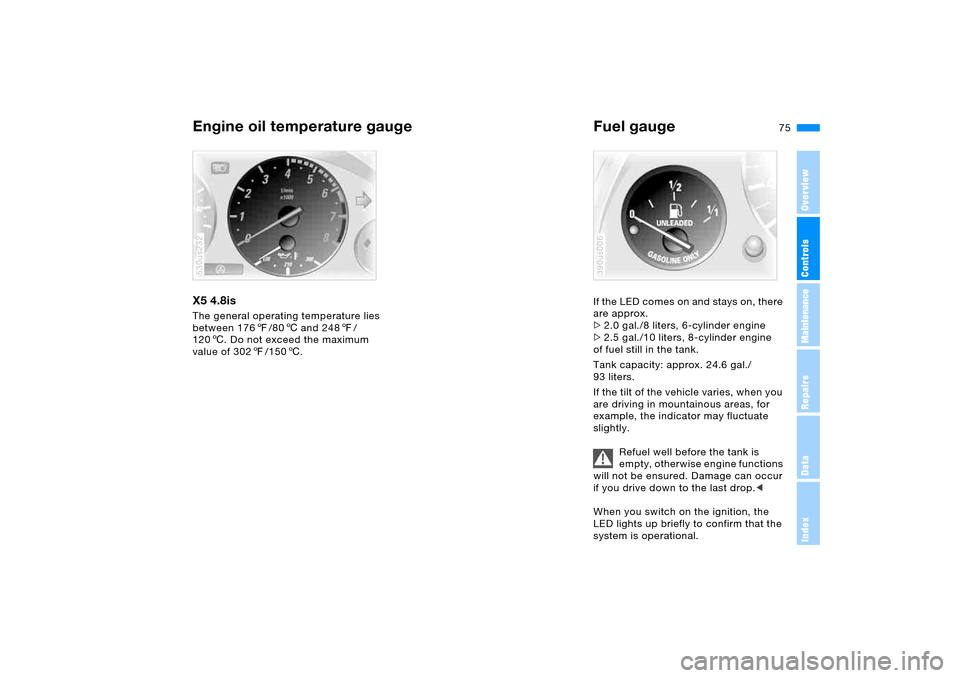
Engine oil temperature gauge Fuel gauge X5 4.8is The general operating temperature lies
between 1767/806 and 2487/
1206. Do not exceed the maximum
value of 3027/1506.530us232
If the LED comes on and stays on, there
are approx.
>2.0 gal./8 liters, 6-cylinder engine
>2.5 gal./10 liters, 8-cylinder engine
of fuel still in the tank.
Tank capacity: approx. 24.6 gal./
93 liters.
If the tilt of the vehicle varies, when you
are driving in mountainous areas, for
example, the indicator may fluctuate
slightly.
Refuel well before the tank is
empty, otherwise engine functions
will not be ensured. Damage can occur
if you drive down to the last drop.<
When you switch on the ignition, the
LED lights up briefly to confirm that the
system is operational.390us006
Page 78 of 202
78n
Check Control >CHECK BRAKE FLUID
Level has dropped approx. to mini-
mum. Have the brake fluid replen-
ished as soon as possible, refer to
page155. Have the reason for the
brake fluid loss eliminated by your
BMW Sports Activity Vehicle center
>DSC/4x4 INACTIVE
DSC and/or four-wheel drive system
xDrive has failed.
The stabilizing interventions of DSC
and/or the four-wheel drive system
xDrive are no longer available. Drive
may be being exerted exclusively via
the rear axle.
Have the system checked at the
nearest BMW Sports Activity Vehicle
center.
For additional information, refer to
page94
>SELFLEVEL SUSP.INACT
*
Please consult the nearest BMW
Sports Activity Vehicle center
>SELFLEVEL SUSP.INACT*
MAX. 35 MPH/MAX. 60 KM/H
*
These messages are displayed con-
secutively.
Do not exceed a maximum speed of
35 mph/60 km/h.
Please consult the nearest BMW
Sports Activity Vehicle center>TRANSMISS'N OVERHEAT
*
Reduce speed immediately and stop
at a suitable location so that the sys-
tem can cool down again. Please
contact the nearest BMW Sports
Activity Vehicle center.
>LIMIT
*
Display when the programmed road-
speed limit is exceeded, refer to
page85.
Priority 2
These displays appear for 20 seconds
as of ignition key position 2. The warn-
ing symbols remain after the message
disappears. You can open the mes-
sages again for display by pressing the
CHECK button.
>TRUNKLID OPEN
This message only appears when
starting off
>DOOR OPEN
This message appears after a minimal
defined road speed has been
exceeded
>FASTEN SEAT BELTS
*
In addition, the indicator lamp with
the belt symbol lights up and an
acoustic signal sounds
>WASHER FLUID LOW
Too low, top up at the next opportu-
nity, refer to page152>CHECK ENGINE OIL LEV
The oil level is at the absolute mini-
mum point. Therefore, have the
engine oil replenished as soon as
possible, refer to page152. Until
then, do not drive more than approx.
30 miles/50 km.
>CHECK GAS CAP
Check to see whether the fuel filler
cap has been closed properly, refer
to page25
>OUTSIDE TEMP. +237/–56
This display is only an example. The
current temperature is displayed at
outside temperatures of +37.57/
+36 and below, refer also to
page73
>CHECK BRAKE LIGHTS
A lamp has failed or the electrical
circuit has a malfunction, refer to
page163 or consult a BMW Sports
Activity Vehicle center
>CHECK LOWBEAM LIGHTS
CHECK SIDE LIGHTS
CHECK REAR LIGHTS
CHECK FRONT FOGLAMPS
CHECK LICPLATE LIGHT
CHECK HIGHBEAM LIGHT
CHECK BACK UP LIGHTS
The respective lamp may have failed
or the electrical circuit may be defec-
tive, refer to page161 or consult a
BMW Sports Activity Vehicle center
Page 79 of 202
79n
OverviewControlsMaintenanceRepairsDataIndex
Check Control Computer>TRANS. FAILSAFE PROG
*
Please consult the nearest BMW
Sports Activity Vehicle center, refer to
page67
>CHECK BRAKE LININGS
Have the brake pads inspected by
your BMW Sports Activity Vehicle
center, refer to page140
>CHECK COOLANT LEVEL
Coolant too low, top off at the next
opportunity, refer to page154
>ENGINE FAILSAFE PROG
Fault in the engine electronics.
You can continue to drive with
reduced engine output or engine
speed.
Please have the system inspected by
your BMW Sports Activity Vehicle
center.
Displays after completion of trip All of the malfunctions registered during
the trip appear consecutively when the
ignition key is turned to position 0.
The following displays will appear when
appropriate:
>LIGHTS ON
>KEY IN IGNITION LOCK
>CHECK ENGINE OIL LEV
Replenish engine oil at the next
opportunity, e.g. while refueling, refer
to page152. This display appears when you open
the driver's door after parking the vehi-
cle. A supplementary acoustic signal
also sounds.
Status messages remain available with
the CHECK button 3 for a period of
approx. three minutes after the display
goes out and the key is removed from
the ignition lock. If there are multiple
messages, press the CHECK button
repeatedly to view them all in
sequence.
Checking Check Control Press the CHECK button 3 with the
ignition key in position 2:
CHECK CONTROL OK appears on the
display.
No malfunctions are present in the
monitored systems. Computer You can find a description of the com-
puter below and on page85 as well as
in the Owner's Manual for Onboard
Computer.
You can have the Check Control
and computer messages dis-
played in a different language.<
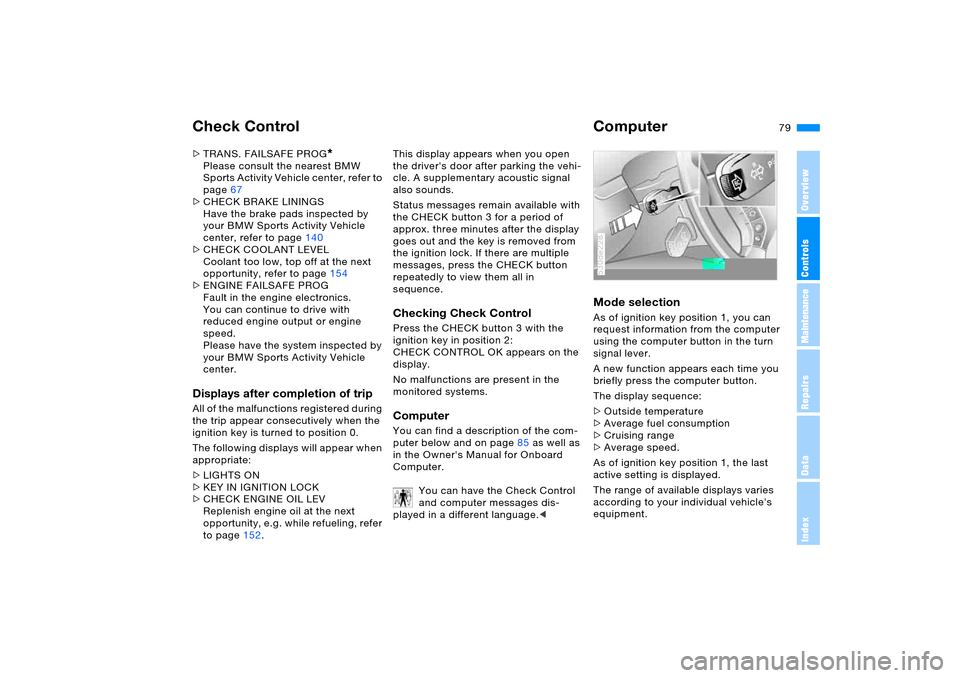
Mode selection As of ignition key position 1, you can
request information from the computer
using the computer button in the turn
signal lever.
A new function appears each time you
briefly press the computer button.
The display sequence:
>Outside temperature
>Average fuel consumption
>Cruising range
>Average speed.
As of ignition key position 1, the last
active setting is displayed.
The range of available displays varies
according to your individual vehicle's
equipment.530de228