navigation system BMW X5 XDRIVE 35I SPORT ACTIVITY 2013 Owner's Manual
[x] Cancel search | Manufacturer: BMW, Model Year: 2013, Model line: X5 XDRIVE 35I SPORT ACTIVITY, Model: BMW X5 XDRIVE 35I SPORT ACTIVITY 2013Pages: 345, PDF Size: 9.45 MB
Page 229 of 345
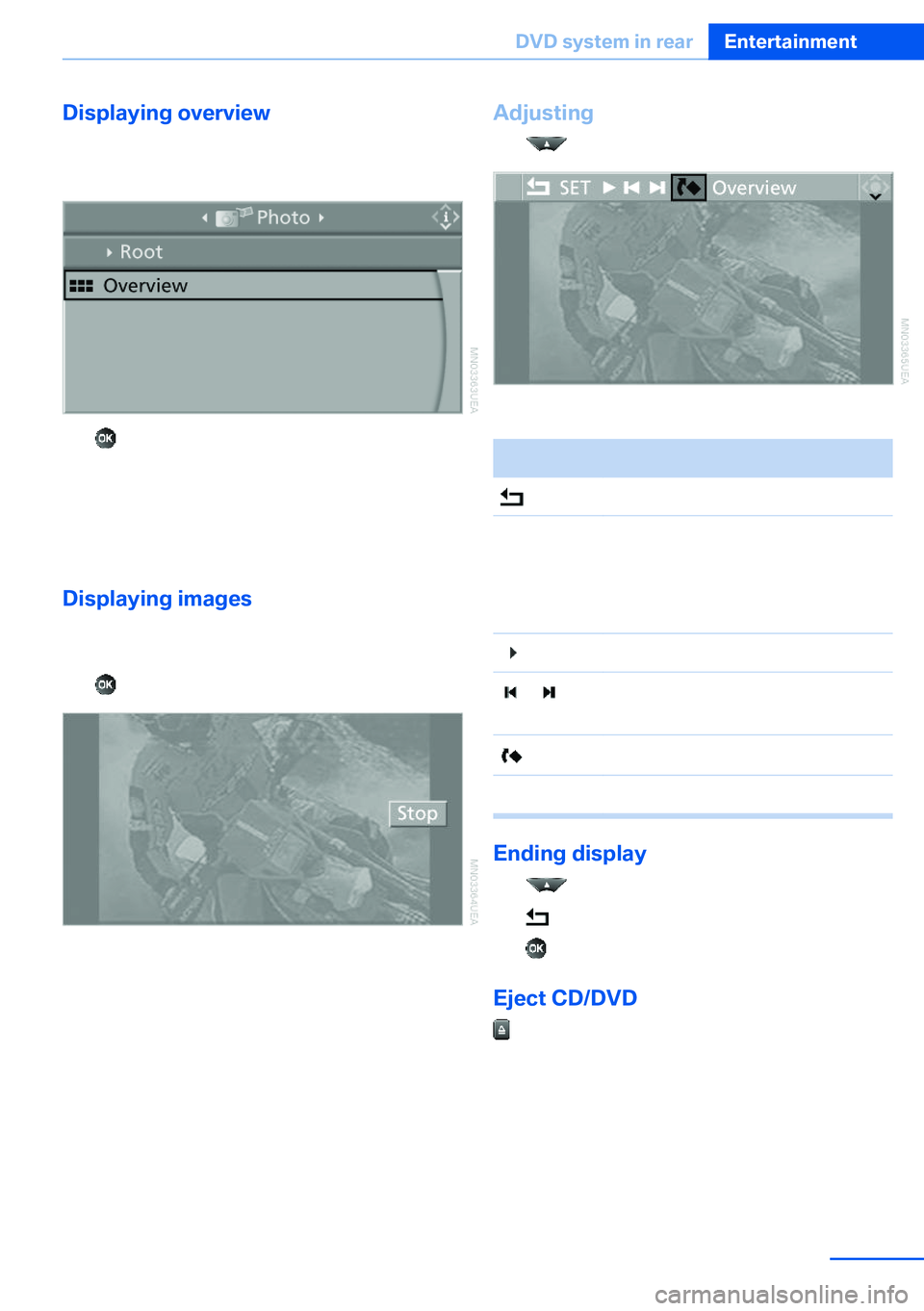
Displaying overview1.Select the subdirectory if necessary.2.Select "Overview".3. Press the button.
It may take some time until the overview is
completely displayed.
If a symbol appears instead of an image, the
image cannot be displayed in the overview.
Displaying images
1.Use the buttons or the thumbwheel of the
remote control to select an image.2. Press the button.3.Displaying images:▷Scroll using the menu navigation but‐
tons of the remote control.▷Display the slide show: turn the thumb‐
wheel to set the display duration of the
images.
Stop the slide show: select "Stop".Adjusting1. Press the button.2.Select a menu item:SymbolFunction Return to the photo menu."SET"Adjust the "Display".
"Language": after switching to
the top window, the system lan‐
guage can be changed. Start the slide show. Display the first/last image of
the current directory. Rotate the image by 90°."Overview"Change to the image overview.
Ending display
1. Press the button.2. Select the symbol.3. Press the button.
Eject CD/DVD
Press the button on the CD/DVD player.
Seite 229DVD system in rearEntertainment229
Online Edition for Part no. 01 40 2 918 395 - III/13
Page 251 of 345
tained in the vehicle. The address can be
checked for this purpose.1.Select the desired contact and highlight
the address.2.Open "Options".3."Check as destination"4.Correct and store the address if necessary.
If the address is corrected and stored, a copy
of it is stored in the vehicle. The address is not
changed on the mobile phone.
New contact
General information
A contact can have up to 8 phone numbers,
2 addresses, 3 e-mail addresses and one Inter‐
net address.
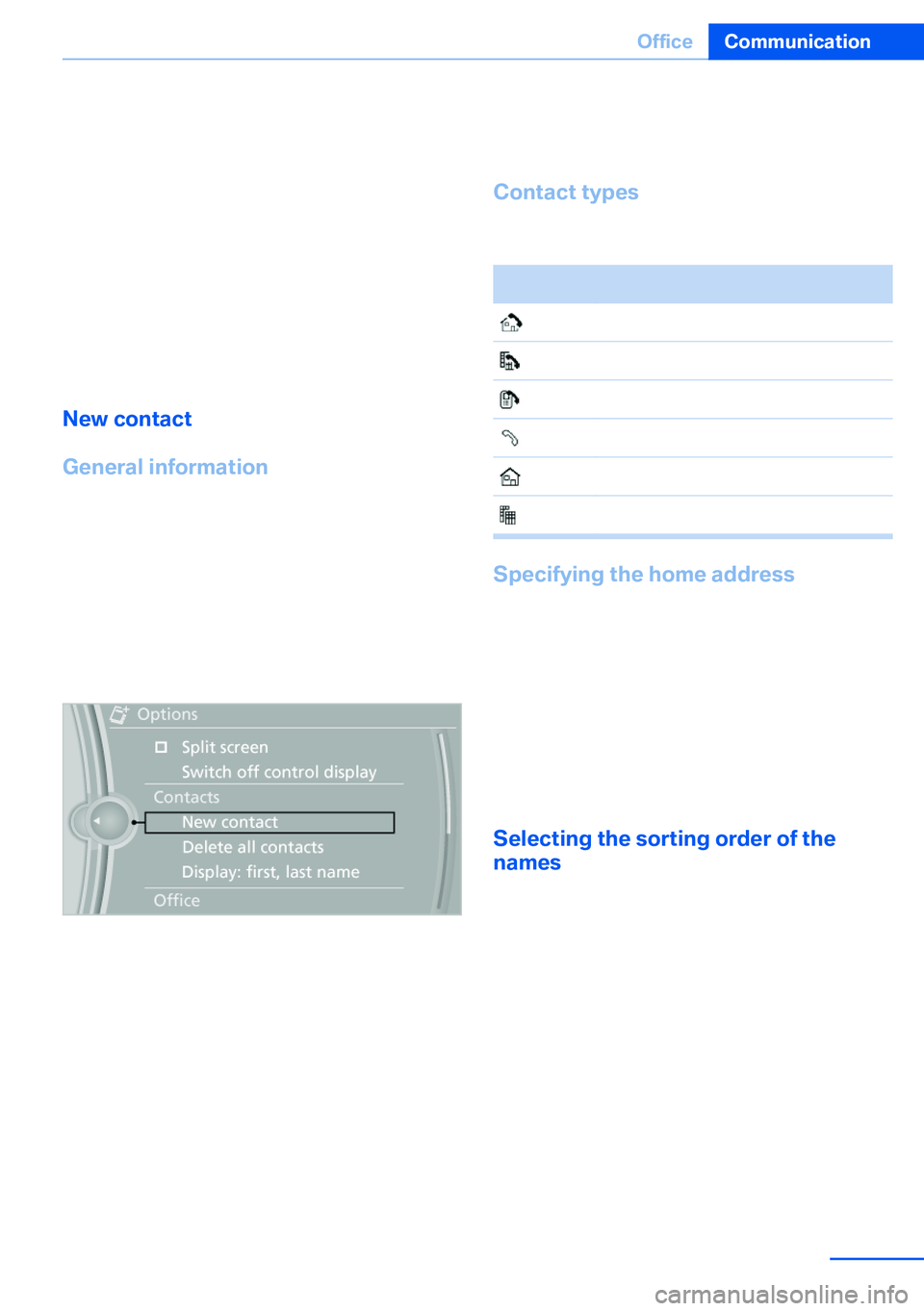
1."Office"2."Contacts"3.Open "Options".4."New contact"5.The entry fields are still filled with the pre‐
vious entries: "Delete input fields"6.Fill in the entry fields: select the symbol
next to the entry field.7.Enter the text and assign the contact type.8.If the vehicle is equipped with a navigation
system: enter the address. Only addresses
contained in the navigation data in the ve‐
hicle can be entered. This ensures that
destination guidance is possible for all ad‐
dresses.If necessary, "Accept address".9."Store contact in vehicle"
Contact types
Various contact types can be assigned to
phone numbers and addresses.
SymbolMeaning Home phone number. Business phone number. Mobile phone number. Other phone number. Home address. Business address.
Specifying the home address
A home address can be stored. It appears at
the top of the contact list.
1."Office"2."Contacts"3."Home"4.Create a contact.5."Store contact in vehicle"
Selecting the sorting order of the
names
Names can be displayed in a different order.
1."Office"2."Contacts"3.Open "Options".4."Display: last, first name" or "Display: first,
last name"
Depending on how the contacts were stored
on the mobile phone, the sorting order of the
names may differ from the selected sorting or‐
der.
Seite 251OfficeCommunication251
Online Edition for Part no. 01 40 2 918 395 - III/13
Page 258 of 345
ContactsVehicle equipmentThis chapter describes all series equipment as
well as country-specific and special equipment
offered for this model series.Therefore, it also
describes equipment that may not be found in
your vehicle, for instance due to the selected
special equipment or the country version. This
also applies to safety-related functions and
systems.
Note
Equipment version without the mobile phone
preparation package.
General information
Contacts can be created and edited. The con‐
tacts from the mobile phone are displayed as
well if this function is supported by the mobile
phone. The addresses can be adopted as des‐
tinations for navigation and the phone num‐
bers can be dialed.
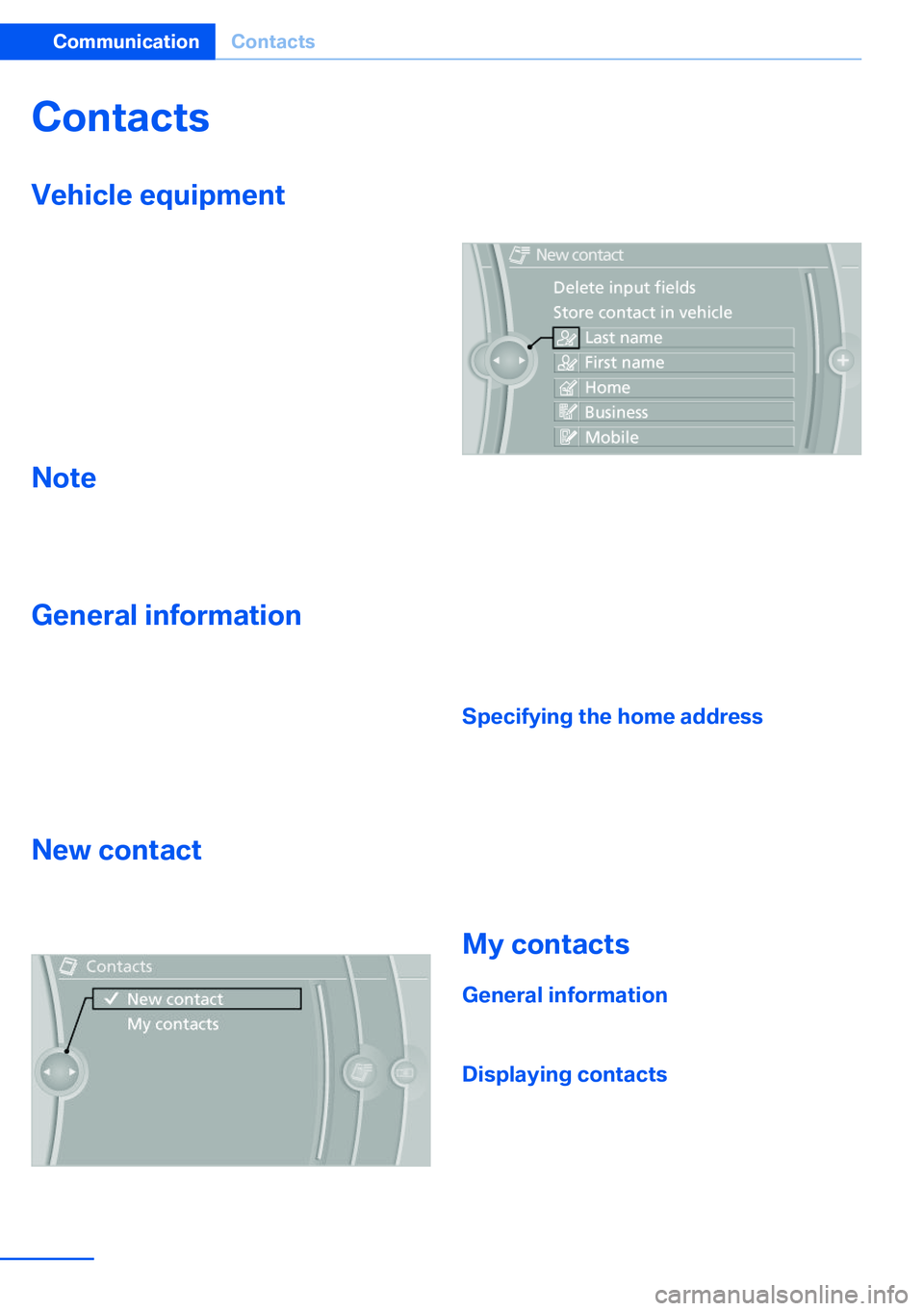
New contact1."Contacts"2."New contact"3.The entry fields are still filled with the pre‐
vious entries: "Delete input fields"4.Fill in the entry fields: select the symbol
next to the entry field.5.Enter the text, refer to page 23.
In vehicles equipped with a navigation sys‐
tem: it is only possible to enter addresses
that are contained in the vehicle navigation
data. This ensures that destination guid‐
ance is possible for all addresses.6.If necessary, "Store".7."Store contact in vehicle"
Specifying the home address
A home address can be stored. It appears at
the top of the contact list.
1."Home"2.Create a contact.3."Store contact in vehicle"
My contacts
General information List of all contacts stored in the vehicle.
Displaying contacts
1."Contacts"Seite 258CommunicationContacts258
Online Edition for Part no. 01 40 2 918 395 - III/13
Page 305 of 345
▷When the vehicle has not been driven for
more than one month.
Starting aid terminals
Only charge using the starting aid terminals,
refer to page 309, in the engine compartment
while the engine is switched off.
Power failure
After a temporary power loss, some equipment
needs to be reinitialized.
Individual settings need to be reprogrammed:
▷Seat and mirror memory: store the posi‐
tions again, refer to page 57.▷Time: update, refer to page 87.▷Date: update, refer to page 87.▷Radio station: save again, refer to
page 192.▷Navigation system: wait for the navigation
system to be operational.▷Glass sunroof/panoramic glass sunroof: it
may only be possible to raise the roof.
Have the system initialized by the service
center.▷Digital compass: recalibrate, refer to
page 141.▷Active steering: the system automatically
initializes for a short time as you drive. Dur‐
ing this time, the system is deactivated, re‐
fer to page 110.▷xDrive: the system automatically initializes
as you drive. During this time, indicator
lamps light up. If the lamps do not disap‐
pear during the current trip, have the sys‐
tem checked.
Disposing of old batteries
Have old batteries disposed of by your
service center or bring them to a recy‐
cling center.
Maintain the battery in an upright position for
transport and storage. Secure the battery so
that it does not tip over during transport.
Fuses
Replacing fuses
Never attempt to repair a blown fuse and
do not replace a defective fuse with a substi‐
tute of another color or amperage rating; this
could lead to a circuit overload, ultimately re‐
sulting in a fire in the vehicle.◀
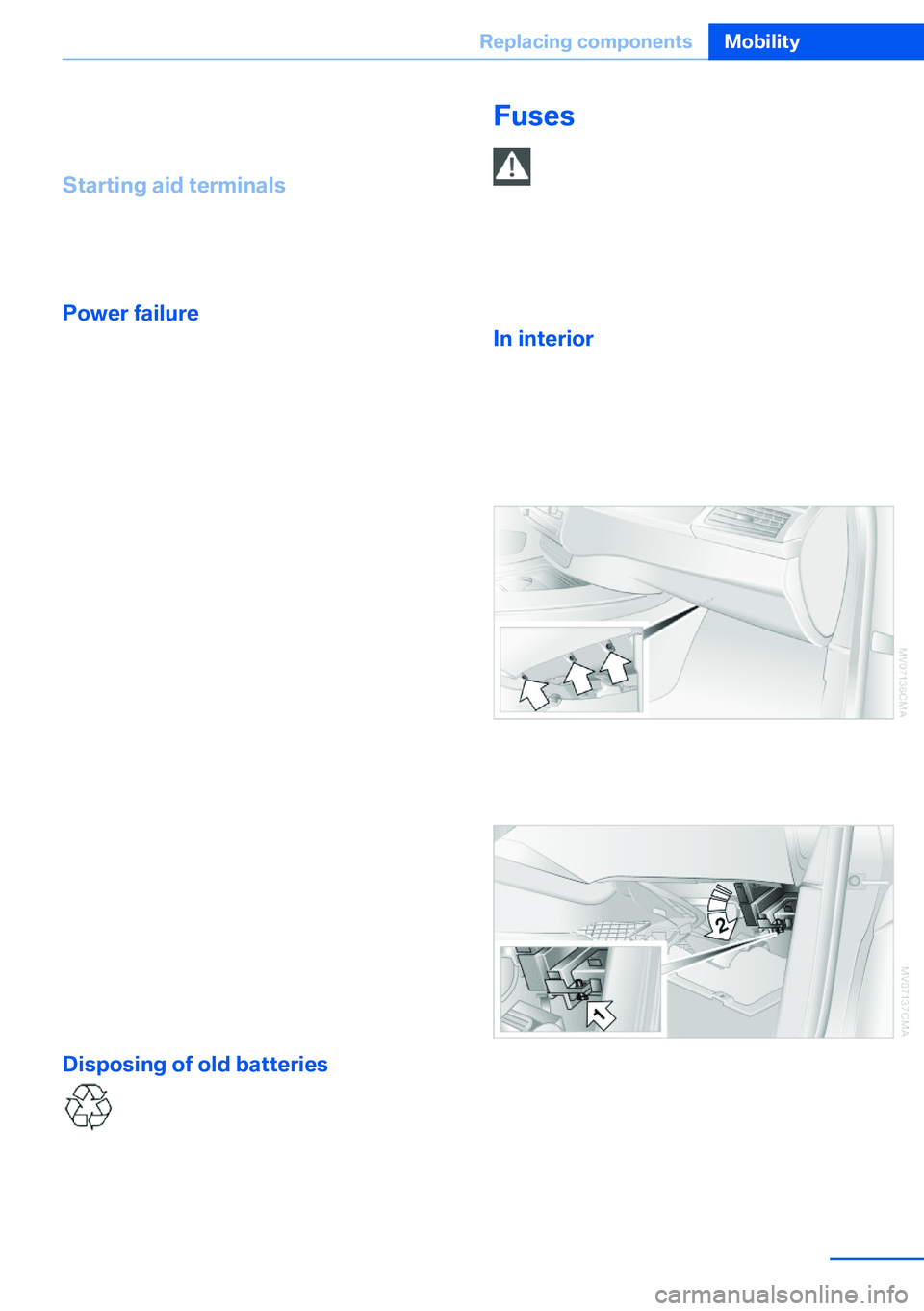
In interior The fuses are located in the front passenger
footwell on the underside of the instrument
cluster.1.Unscrew screws, refer to arrows, of foot‐
well trim panel.2.Lay the trim panel in the footwell.3.Release the screw, arrow 1, and fold the
fuse carrier down, arrow 2.4.Replace the fuse concerned.5.Installation is carried out in the reverse or‐
der of removal. Ensure correct and secure
attachment of the footwell trim panel in the
process.Seite 305Replacing componentsMobility305
Online Edition for Part no. 01 40 2 918 395 - III/13
Page 323 of 345
Equipment FunctionCommandOpen the air conditioning settings.›Climate‹Open the Head-up Display.›head up display‹Enable the rear.›Allow rear control‹
Vehicle information
Computer
FunctionCommandOpen the computer.›Onboard info‹Open the trip computer.›Trip computer‹
Vehicle
FunctionCommandOpen the vehicle information.›Vehicle info‹Open the vehicle status.›Vehicle status‹
Navigation
General information
FunctionCommandNavigation menu.›Navigation‹Open the destination entry.›Enter address‹Enter the address.›Enter address‹Enter the town/city.›City‹Enter the country.›State‹Enter the postal code.›Postal Code‹Open destination guidance.›Guidance‹Seite 323Short commands for voice activation systemReference323
Online Edition for Part no. 01 40 2 918 395 - III/13
Page 330 of 345

Everything from A to Z
Index0-9 3rd row seats 51
A ABS, Antilock Brake Sys‐ tem 105
ACC Active Cruise Con‐ trol 111
Access to 3rd row seats 51
Accident, refer to Emergency Request, initiating 307
Acoustic signal, refer to Check Control 85
Activated-charcoal filter 135
Active Cruise Control ACC 111
Active cruise control, indica‐ tor lamp 115
Active Cruise Control, radar sensor 115
Active Cruise Control, select‐ ing the distance 113
Active Cruise Control, warn‐ ing lamps 115
Active seat 54
Active seat ventilation 53
Active steering 110
Adaptive brake lights, refer to Brake force display 104
Adaptive Drive 109
Adaptive fixing system 150
Adaptive Light Control 91
Additional telephone 236
Additives, coolant 292
Additives, engine oil 291
After washing vehicle 313
Airbags 95
Airbags, indicator/warning light 97 Air circulation, refer to Recir‐
culated air mode 133
Air distribution, auto‐ matic 131, 136
Air distribution, manual 133
Air drying, refer to Cooling function 133
Air flow rate 132
Air flow rate, blower, refer to Air volume 136
Airing, refer to Ventila‐ tion 134
Air pressure, refer to Tire in‐ flation pressure 275
Air vents 130
Air vents, refer to Ventila‐ tion 134
Alarm system 42
Alarm system– Avoiding unintentional
alarms 43– Ending an alarm 43– Interior motion sensor 43– Tilt alarm sensor 43
All around the headliner 17
All-season tires, refer to Win‐ ter tires 286
All-wheel drive, refer to xDrive 107
Alternating-code hand-held transmitter 140
AM/FM station 192
Announcement, navigation, refer to Spoken instruc‐
tions 181
Antifreeze, coolant 292
Antifreeze, washer fluid 75
Antilock Brake System, ABS 105
Anti-slip control, refer to Dy‐
namic Stability Control
DSC 105
Anti-theft protection 32
Appointments 254
Approved axle loads, refer to Weights 320
Approved engine oils 291
Approved gross vehicle weight, refer to
Weights 320
Armrest, refer to Center arm‐ rest 148
Arrival time, refer to Com‐ puter 82
Ashtray 143
Ashtray, front 143
Ashtray, rear 143
Assistance, Roadside Assis‐ tance 308
Assistance with driving off, refer to Drive-off assis‐
tant 109
Assistance with starting en‐ gine, refer to Jump-start‐
ing 308
Audio CD with rear DVD sys‐ tem 226
Audio device, external 148
Audio playback 201
Audio playback, Blue‐ tooth 215
Automatic, air distribu‐ tion 131, 136
Automatic air distribu‐ tion 136
Automatic, air flow rate 131
Automatic car wash 312
Automatic climate con‐ trol 130 Seite 330ReferenceEverything from A to Z330
Online Edition for Part no. 01 40 2 918 395 - III/13
Page 335 of 345

External temperature display,changing the units of meas‐
ure, changing the units of
measure on the Control Dis‐
play 88
External temperature warn‐ ing 79
Externel temperature dis‐ play 79
Eyes for securing cargo 162
F
Fader 190
Failure messages, refer to Check Control 85
False alarm– Avoiding unintentional
alarms 43– Ending an alarm 43
Fastening safety belts, refer
to Safety belts 54
Fault messages, refer to Check Control 85
Filling capacities 321
Filter, refer to Microfilter/acti‐ vated-charcoal filter 135
Fine wood, care 314
First aid kit 308
Fitting for towing 310
Fixing system, adaptive 150
Flashing when locking/ unlocking 33
Flat Tire Monitor FTM 97
Flat Tire Monitor FTM, snow chains 287
Flat tire, run-flat tires 286
Flat tire, Tire Pressure Moni‐ tor TPM 99
Flat tire, warning lamp 98, 100
Flat tire, wheel change 302
Flooding, refer to Driving through water 157
Floor carpet, care 315
Floor mats, care 315
FM/AM station 192
Fog on windows, remov‐
ing 132
Foldable rear seat back‐ rest 146
Foot brake 157
Footwell lamps, refer to Inte‐ rior lamps 94
For your own safety 6
Four-wheel drive, refer to xDrive 107
Front airbags 95
Front fog lamps 93
Front fog lamps, bulb replace‐ ment 297, 300
Front fog lamps, indicator lamp 93
FTM Flat Tire Monitor 97
Fuel 270
Fuel– Refer to Average fuel con‐
sumption 82
Fuel, additives 270
Fuel, average consump‐ tion 82
Fuel cap 268
Fuel cap, closing 268
Fuel consumption display
– Average fuel consump‐
tion 82
Fuel consumption display,
current fuel consump‐
tion 80
Fuel-efficient driving, refer to Current fuel consump‐
tion 80
Fuel filler flap, closing 268
Fuel filler flap, opening 268
Fuel filler flap, unlocking in case of an electrical mal‐
function 268
Fuel gauge 81
Fuel, saving 164
Fuel tank capacity, refer to Filling capacities 321
Fuel tank contents, refer to Filling capacities 321
Fuel tank, refer to Filling ca‐
pacities 321
Fuse 305
G
Garage door opener, refer to Universal Garage Door
Opener 139
Gasoline 270
Gasoline gauge, refer to Fuel gauge 81
Gasoline quality 270
Gas station recommenda‐ tion 181
Gear change, automatic transmission with Step‐
tronic 77
Gear change, via shift pad‐ dles 77
General driving notes 156
Glass sunroof, closing 47
Glass sunroof, electric– Convenient operation 33– Remote control 33
Glass sunroof, initializing 48
Glass sunroof, opening 47
Glass sunroof, pinch protec‐ tion 47
Glass sunroof, power fail‐ ure 48
Glass sunroof, refer to Panor‐ amic glass sunroof 45
Glass sunroof, tilting 47
Glove compartment 147
Glove compartment, light‐ ing 147
GPS navigation, refer to Navi‐ gation system 168
Gross vehicle weight, refer to Weights 320
H
Handbrake, refer to Parking brake 69
Seite 335Everything from A to ZReference335
Online Edition for Part no. 01 40 2 918 395 - III/13
Page 338 of 345

Manual air distribution 133
Manual mode, automatic transmission with Step‐
tronic 77
Manual operation– Door lock 34– Driver's door 34
Manual operation, fuel filler
flap 268
Manual operation of upper tailgate 36
Manual operation, Side View 127
Manual operation, Top View 125
Map, destination entry 175
Map display in black and white 184
Map in split screen 183
Map view 181
Marking on approved tires 286
Master key, refer to Remote control with integrated
key 30
Maximum cooling 133
Maximum speed, winter tires 286
Medical kit, refer to First aid kit 308
Memory, refer to Seat and mirror memory 57
Menus, operating, iDrive 18
Menus, refer to iDrive operat‐ ing concept 19
Message list, traffic bulle‐ tins 183
Messages 252
Microfilter 135
Minimum tread, tires 284
Mirror
– Mirror memory, refer to Seat
and mirror memory 57
Mirrors 58
Mirrors
– Automatic Curb Monitor 58
Mirrors, folding in and out 59
Mirrors, heating 59
Mirrors, interior mirror 59
Mobile communication devi‐ ces in the vehicle 157
Mobile phone, installation lo‐ cation, refer to Center arm‐
rest 148
Mobile phone, refer to Tele‐ phone 236
Modifications, technical, refer to Safety 6
Monitor, refer to Control Dis‐ play 19
Mounting of child restraint fix‐ ing systems 61
MP3 player 212
Multimedia 200
Music collection 207
Music search 208
Music, storing 207
N
Navigation 168
Navigation data 168
Navigation data, updat‐ ing 168
Navigation system– Destination entry by
voice 176
Neck restraints, refer to Head
restraints 55
Nets, refer to Storage com‐ partments 148
Neutral cleaner, care 314
New wheels and tires 285
Notes 6, 255
Nozzles of automatic climate control 130
Nozzles, refer to Ventila‐ tion 134
O OBD Onboard Diagnos‐ tics 294
OBD socket, refer to Socket
for OBD Onboard Diagno‐
sis 294
Octane number, refer to Fuel quality 270
Octane rating, refer to Gaso‐ line quality 270
Odometer 80
Office 249
Oil additives 291
Oil consumption 290
Oil level 290
Oil, refer to Engine oil 290
Oil types, alternative 291
Oil types, approved 291
Old batteries, disposal 305
Onboard Diagnostics OBD 294
Onboard monitor, refer to Control Display 19
Onboard vehicle tool kit 295
Opening and closing– Comfort Access 40– From the inside 35– From the outside 32– Using the door lock 34– Using the remote control 32
Opening height, adjust‐
ing 37, 38
Operating concept, iDrive 18
Outside-air mode, automatic climate control 133
Outside air, refer to Recircu‐ lated air mode 133
Overheating of engine, refer to Coolant temperature 80
P Paint, vehicle 313
Pairing, mobile phone 237
Panic mode 33
Seite 338ReferenceEverything from A to Z338
Online Edition for Part no. 01 40 2 918 395 - III/13
Page 341 of 345

Settings on the Control Dis‐play, changing 87
Shifting, automatic transmis‐ sion with Steptronic 77
Shift paddles 77
Short commands, voice acti‐ vation 322
Side airbags 95
Side View 126
Side windows, refer to Win‐ dows 43
Size, refer to Dimensions 318
Ski bag 151
Slide/tilt glass roof, refer to Glass sunroof 46
Slide/tilt glass roof, refer to Panoramic glass sunroof 45
Slot for remote control 67
Smokers' package, refer to Ashtray 143
Snap-in adapter, mobile phone 247
Snap-in adapter, refer to Storage compartment of
center armrest 148
Snow chains 287
Socket, OBD Onboard Diag‐ nosis 294
Socket, refer to Connecting electrical devices 143
Software applications, iPhone 265
Software part number 236
Software update 218
Soot particulate filter, refer to Diesel particulate filter 157
SOS, refer to Emergency Re‐ quest, initiating 307
Sound output 192, 200
Spare fuse 305
Special destinations, naviga‐ tion 173
Special equipment, series equipment 6
Speed, average 81
Speed limit 86 Speed limit, setting 86
Speedometer 14
Speed, with winter tires 286
Split screen 22
Split screen map set‐ tings 183
Spoken instructions, naviga‐ tion 181
Sport program, automatic transmission with Step‐
tronic 77
Spray nozzles, refer to Clean‐ ing the windshield and head‐
lamps 74
Spray nozzles, refer to Wind‐ shield washer nozzles 74
Stability control systems 105
Start/Stop button 67
Start/Stop button, starting the engine 68
Start/Stop button, switching off the engine 69
Starting the engine 68
Start problems, refer to Jump-starting 308
State/province, selecting for navigation 170
Stations, stored 198
Station, storing 192
Status information, iDrive 22
Status of Owner's Manual 6
Steam jets 312
Steering wheel 60
Steering wheel, adjusting 60
Steering wheel, easy entry/ exit 60
Steering wheel lock 67
Steering with variable transla‐ tion, refer to Active steer‐
ing 110
Steptronic, refer to Sport pro‐ gram and manual mode M/
S 77
Stopping, engine 69
Storage compartment nets 148 Storage compart‐
ments 147, 148
Storage, tires 286
Storing the seat position, re‐ fer to Seat and mirror mem‐
ory 57
Storing the vehicle 315
Street, entering for naviga‐ tion 171
Summer tires, refer to Wheels and tires 275
Summer tires, tread 284
Sunblinds, roller sun‐ blinds 45
Surround View 122
Switches, refer to Cockpit 12
Switching off, engine 69
Switching off, vehicle 69
Switch-on times, parked-car ventilation 137
Symbols 6
T Tachometer 80
Tailgate– Comfort Access 41– Remote control 33
Tailgate, adjusting the open‐
ing height 37, 38
Tailgate, automatic opera‐ tion 38
Tail lamps 297, 300
Tank gauge, refer to Fuel gauge 81
Tasks 255
Technical changes, refer to Safety 6
Technical data 318
Telephone 236
Telephone, adjusting the vol‐ ume 240
Telephone, installation loca‐ tion, refer to Center arm‐
rest 148
TeleService 261
Seite 341Everything from A to ZReference341
Online Edition for Part no. 01 40 2 918 395 - III/13
Page 342 of 345

Temperature, adjusting in up‐per body region 132
Temperature, coolant, refer to Coolant temperature 80
Temperature display– External temperature 79– External temperature warn‐
ing 79
Temperature display, setting
the units 88
Temperature, engine oil 80
Temperature, setting with au‐ tomatic climate con‐
trol 132 , 136
Temperature warning 79
Text messages 252
Theft alarm system, refer to Alarm system 42
Thigh support adjustment 49
Third brake lamp, refer to Center brake lamp 298, 301
Seats, 3rd row seats 51
Tilting the passenger side mirror 58
Time, setting 87
Tire age 283
Tire identification marks 283
Tire inflation pressure 275
Tire inflation pressure, check‐ ing 275
Tire pressure monitor, refer to Flat Tire Monitor 97
Tire Pressure Monitor TPM 99
Tire Quality Grading 283
Tires
– Inflation pressure 275
Tires, breaking in 156
Tires, changing 285
Tires, condition 284
Tires, damage 284
Tire size 283
Tires, minimum tread 284
Tires, retreaded tires 286
Tires, run-flat tires 286
Tires, storage 286
Tire tread 284
Toll roads, route 179
Tone 190
Tool kit, refer to Onboard ve‐ hicle tool kit 295
Tools, refer to Onboard vehi‐ cle tool kit 295
Top View 124
Tow bar 310
Tow fitting 310
Towing 309
Town/city, navigation 171
Tow rope 310
Tow-starting 309, 311
TPM Tire Pressure Moni‐ tor 99
Traction control 106
Traffic bulletins, naviga‐ tion 183
Transmission, automatic transmission with Step‐
tronic 75
Transmission positions, auto‐ matic transmission with
Steptronic 75
Transporting children safely 61
Treble, tone 190
Trip computer, refer to Dis‐ plays on the Control Dis‐
play 82
Trip-distance counter, refer to Trip odometer 80
Triple turn signal activa‐ tion 73
Trip odometer 80
Trips, planning 177
Trunk lid, refer to Tailgate 38
Turning circle, refer to Dimen‐ sions 318
Turning lamps, refer to Adap‐ tive Light Control 91
Turn signal, indicator lamp 14
Turn signals 72
Turn signals, triple turn signal activation 73 U
Uniform Tire Quality Grading/ UTQG 283
Unintentional alarms, avoid‐ ing 43
Units, average fuel consump‐ tion 88
Units, temperature 88
Universal Garage Door Opener 139
Universal remote control 139
Unlocking– From the outside 32– Setting the unlocking char‐
acteristics 32– Tailgate 41– Without remote control, re‐
fer to Comfort Access 40
Unlocking, from the inside 35
Unlocking, hood 289
Updates made after the edito‐ rial deadline 6
Update, software 218
Upholstery care 313
Upper tailgate 36
Upper tailgate, automatic op‐ eration 37
Upper tailgate, closing 36
Upper tailgate, emergency operation, refer to Opening
manually 36
Upper tailgate, opening from the inside 36
Upper tailgate, opening from the outside 36
Upper tailgate, opening man‐ ually 36
USB audio interface 212
USB interface 147
V
Vacuum cleaner, connecting, refer to Connecting electri‐
cal devices 143
Seite 342ReferenceEverything from A to Z342
Online Edition for Part no. 01 40 2 918 395 - III/13