lights BMW X5 XDRIVE 35I SPORT ACTIVITY 2013 Owners Manual
[x] Cancel search | Manufacturer: BMW, Model Year: 2013, Model line: X5 XDRIVE 35I SPORT ACTIVITY, Model: BMW X5 XDRIVE 35I SPORT ACTIVITY 2013Pages: 345, PDF Size: 9.45 MB
Page 8 of 345
hicle to meet different prevailing operating
conditions and homologation requirements.
You should also be aware of any applicable
warranty limitations or exclusions for such
country or region. In such case, please contact
Customer Relations for further information.
Maintenance
Maintain the vehicle regularly to sustain the
road safety, operational reliability and the New
Vehicle Limited Warranty.
Specifications for required maintenance meas‐
ures:▷BMW Maintenance system▷Service and Warranty Information Booklet
for US models▷Warranty and Service Guide Booklet for
Canadian models
If the vehicle is not maintained according to
these specifications, this could result in seri‐
ous damage to the vehicle. Such damage is
not covered by the BMW New Vehicle Limited
Warranty.
Data memory
Numerous electronic components in your vehi‐
cle contain data memories that store technical
information on the vehicle condition, events and faults, either temporarily or permanently.
This technical information generally docu‐
ments the state of a component, a module, a
system or the environment.
▷Operating conditions of system compo‐
nents, such as filling levels.▷Status messages from the vehicle and its
individual components, such as wheel rpm/
speed, motion delay, transverse accelera‐
tion.▷Malfunctions and defects in important sys‐
tem components, such as lights and
brakes.▷Vehicle responses to special driving situa‐
tions, such as airbag deployment, use of
the stability control systems.▷Ambient conditions, such as the tempera‐
ture.
These data are of a technical nature only and
are used to detect and eliminate faults and to
optimize vehicle functions. Travel profiles of
routes driven with the vehicle cannot be cre‐
ated from these data. If services are used, for
instance in the event of repairs, service proc‐
esses, warranty cases, quality assurance, etc.,
this technical information can be read out from
the event and fault data memories by service
personnel, including the manufacturer, using
special diagnosis tools. This service personnel
can provide you with more information if
needed. After troubleshooting, the information
in the fault memory is cleared or overwritten
continuously.
Situations are conceivable during the use of
the vehicle in which these technical data could
become associated with a specific person in
combination with other information, such as an
accident report, damage to the vehicle, wit‐
ness accounts, etc., possibly with the involve‐
ment of an authorized expert.
Additional functions that are contractually
agreed with the customer, such as vehicle lo‐
calization in the event of an emergency, permit
the transfer of certain vehicle data out of the
vehicle.
Reporting safety defects For US customers
The following only applies to vehicles owned
and operated in the US.
If you believe that your vehicle has a defect
which could cause a crash or could cause in‐
jury or death, you should immediately inform
the National Highway Traffic Safety Adminis‐
tration NHTSA, in addition to notifying BMW of
North America, LLC, P.O. Box 1227, West‐
Seite 8Notes8
Online Edition for Part no. 01 40 2 918 395 - III/13
Page 31 of 345
▷The settings are automatically saved in the
profile currently activated in the remote
control.▷The remote control used is detected when
the vehicle is unlocked and the stored pro‐
file is called up.▷Your personal settings will be recognized
and called up again even if the vehicle has
been used in the meantime by someone
else with another remote control.
The individual settings are stored for a maxi‐
mum of four remote controls. They are stored
for two remote controls if Comfort Access is in
use.
Personal Profile settingsThe following functions and settings can be
stored in a profile.
More information on the settings can be found
under:
▷Assigning the programmable memory but‐
tons, refer to page 23.▷Response of the central locking system
when the car is being unlocked, refer to
page 32.▷Automatic locking of the vehicle, refer to
page 35.▷Driver's seat, exterior mirror and steering
wheel positions, refer to page 57.▷Settings for the display on the Control Dis‐
play and in the instrument cluster:▷12h/24h clock format, refer to
page 87.▷Date format, refer to page 88.▷Brightness of the Control Display, refer
to page 88.▷Language on the Control Display, refer
to page 88.▷Units of measure for fuel consumption,
distance covered/remaining distances,
and temperature, refer to page 88.▷Show visual warning for the Park Distance
Control PDC, refer to page 121.▷Show visual warning for Top View, refer to
page 124.▷Show Side View, refer to page 126.▷Backup camera:▷Function selection, refer to page 123.▷Type of display, refer to page 124.▷Lane departure warning: last setting, on/
off, refer to page 102.▷Head-up Display: selection, brightness and
position of the display, refer to page 127.▷Adaptive Drive: selected chassis and sus‐
pension tuning, refer to page 109.▷Light settings:▷Triple turn signal activation, refer to
page 73.▷Welcome lamps, refer to page 90.▷Headlamp courtesy delay feature, refer
to page 91.▷Daytime running lights, refer to
page 91.▷High-beam Assistant, refer to
page 92.▷Automatic climate control with 2-zone con‐
trol: settings, refer to page 131.▷Navigation:▷Voice activation, refer to page 181.▷Route criteria, refer to page 179.▷Map view settings, refer to page 183.▷Entertainment:▷Tone control, refer to page 190.▷Radio, stored stations, refer to
page 198.▷CD/multimedia, audio source listened
to last, refer to page 200.▷Telephone: volume, refer to page 240.Seite 31Opening and closingControls31
Online Edition for Part no. 01 40 2 918 395 - III/13
Page 41 of 345
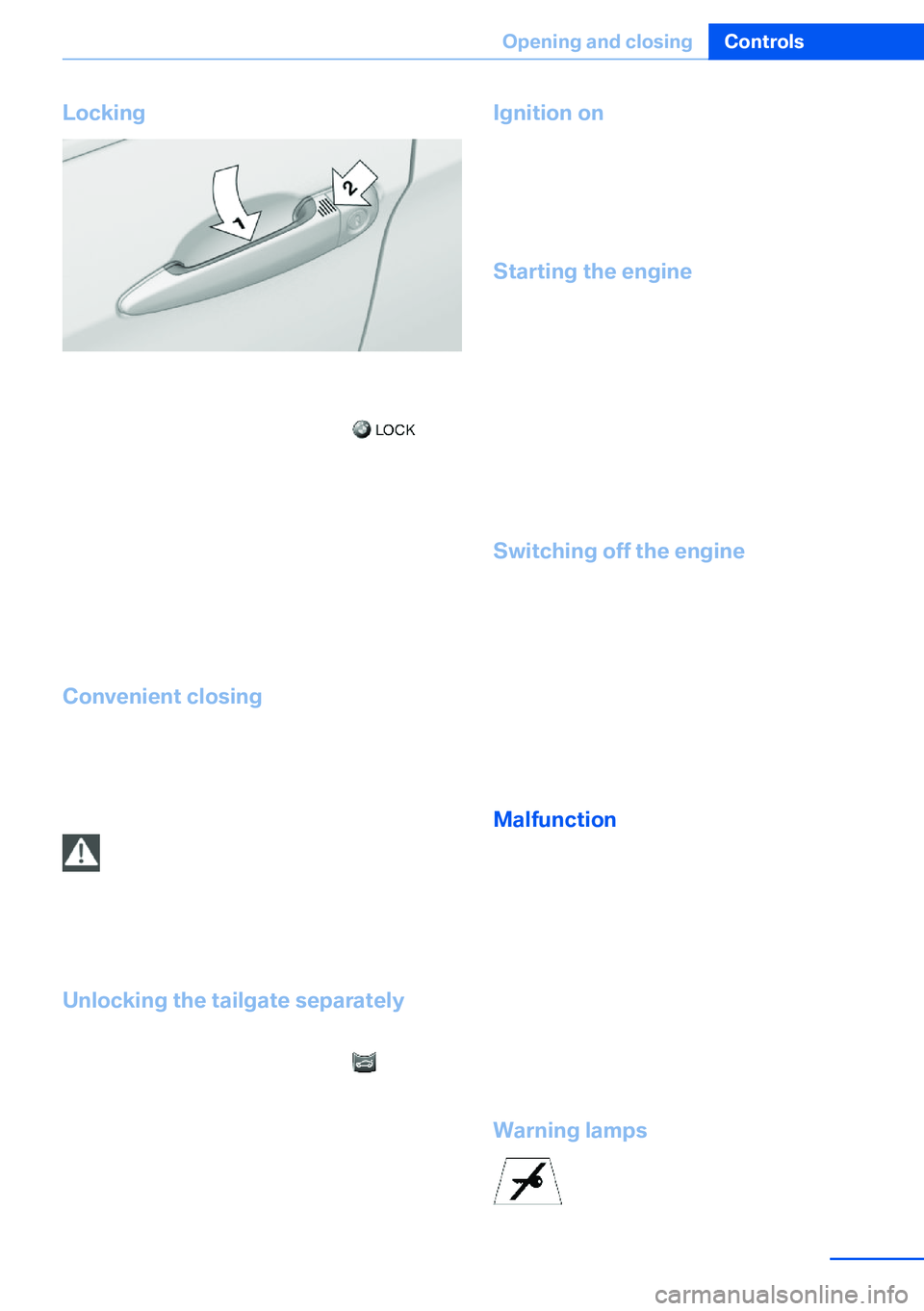
Locking
Touch the area on the door handle, arrow 2,
with your finger for approx. 1 second.
This corresponds to pressing the
but‐
ton.
To save battery power, ensure that the ignition
and all electronic systems and/or power con‐
sumers are switched off before locking the ve‐
hicle.
If a remote control is detected within the vehi‐
cle, the vehicle does not lock or is unlocked
again.
Convenient closing Press the area, arrow 2, with your finger and
hold.
In addition, the windows and the glass sunroof/
panoramic glass sunroof close.
Monitor the closing process
Watch during the closing process to be
sure that no one is injured. Removing the hand
from the door handle immediately stops the closing process.◀
Unlocking the tailgate separately
Press the button on the exterior of the tailgate.
This corresponds to pressing the
button.
If a remote control accidentally left in the cargo
area is detected in the locked vehicle, the tail‐
gate opens again.
The hazard warning flashers flash and a signal
sounds.
Ignition on
Pressing the Start/Stop button switches the
ignition on.
When doing so, do not depress the brake
pedal, otherwise the engine will start.
Starting the engine
The engine can be started or the ignition can
be switched on when a remote control is inside
the vehicle. It is not necessary to insert a re‐
mote control into the ignition lock, refer to
page 67.
As long as no remote control is detected in the
vehicle, it is only possible to restart the engine
within approx. 10 seconds after it is switched
off if no door has been opened.
Switching off the engine▷Remote control not in ignition lock:
After switching off the engine, the trans‐
mission is automatically switched into
transmission position P.▷Remote control in ignition lock:
If transmission position N is engaged, the
transmission remains in this position after
the engine is switched off.
Malfunction
The Comfort Access functions can be distur‐
bed by local radio waves, such as by a mobile
phone in the immediate vicinity of the remote
control or when a mobile phone is being
charged in the vehicle.
If this occurs, open or close the vehicle using
the buttons on the remote control or use the
integrated key in the door lock.
To start the engine afterward, insert the re‐
mote control into the ignition switch.
Warning lamps The warning lamp in the instrument
cluster lights up when you attempt to
Seite 41Opening and closingControls41
Online Edition for Part no. 01 40 2 918 395 - III/13
Page 42 of 345
start the engine: the engine cannot be started.
The remote control is not in the vehicle or has
a malfunction. Take the remote control with
you inside the vehicle or have it checked. If
necessary, insert another remote control into
the ignition switch.
The warning lamp in the instrumentcluster lights up while the engine is
running: the remote control is no lon‐
ger inside the vehicle.
After switching off the engine, the engine can
only be started again within approx. 10 sec‐
onds if no door has been opened.
The indicator lamp in the instrument
cluster comes on and a message ap‐
pears on the Control Display: replace
the remote control battery.
Replacing the battery
The remote control for Comfort Access con‐
tains a battery that will need to be replaced
from time to time.1.Take the integrated key out of the remote
control, refer to page 30.2.Remove the cover.3.Insert a new battery of the same type with
the positive side facing upwards.4.Press the cover closed.
Return used battery to a recycling collec‐
tion point or to your service center.
Alarm system
The conceptThe vehicle alarm system responds to:▷Opening of a door, the hood or the tailgate.▷Movements in the vehicle: interior motion
sensor, refer to page 43.▷Changes in the vehicle tilt, e.g., during at‐
tempts to steal a wheel or tow the car.▷Interruptions in battery voltage.
The alarm system briefly indicates tampering:
▷By sounding an acoustic alarm.▷By switching on the hazard warning sys‐
tem.▷By flashing the high beams.
Arming and disarming the alarm
system
General information
When you lock or unlock the vehicle, either
with the remote control or at the door lock, the
alarm system is armed or disarmed at the
same time.
Door lock and armed alarm systemUnlocking via the door lock will trigger the
alarm on some market-specific versions.
To stop this alarm, unlock the vehicle with the
remote control or switch on the ignition.
Tailgate and armed alarm system
The tailgate can be opened using the remote
control, even if the alarm system is armed.
Press the button on the remote control.
After the tailgate is closed, it is locked and
monitored again by the alarm system. The haz‐
ard warning system flashes once.
In some market-specific versions, the tailgate
can only be opened using the remote control if
the vehicle was unlocked first.
Seite 42ControlsOpening and closing42
Online Edition for Part no. 01 40 2 918 395 - III/13
Page 43 of 345
Switching off the alarm▷Unlock the vehicle using the remote con‐
trol, refer to page 32.▷Insert the remote control all the way into
the ignition lock.
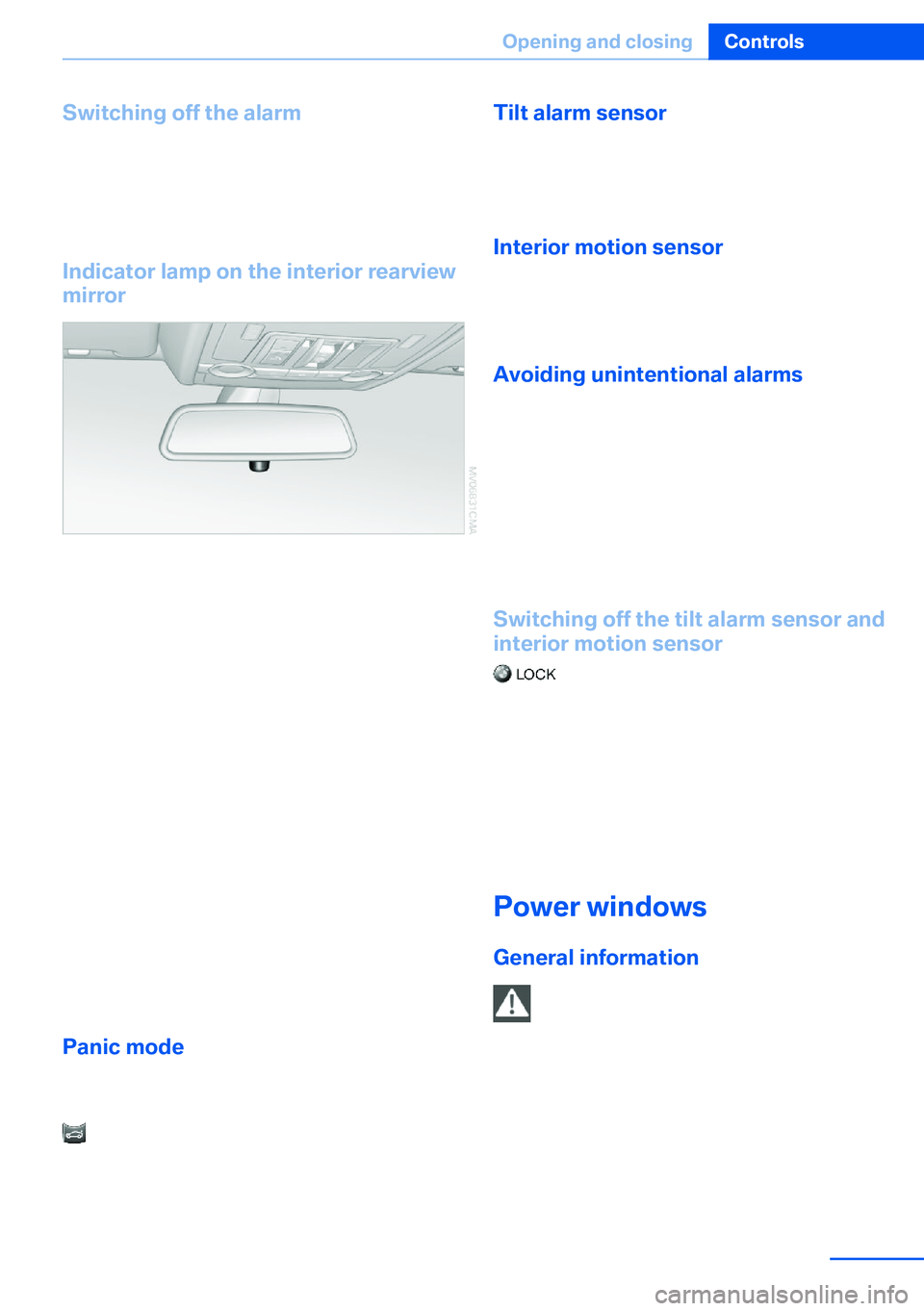
Indicator lamp on the interior rearview
mirror
▷The indicator lamp flashes continuously:
The system is armed.▷The indicator lamp flashes after locking:
The doors, hood or tailgate is not closed
properly, but the rest of the vehicle is se‐
cured.
The indicator lamp flashes continuously af‐
ter approx. 10 seconds. The interior motion
sensor is not active.▷The indicator lamp goes out after unlock‐
ing:
The vehicle has not been tampered with.▷If the indicator lamp flashes after unlocking
until the remote control is inserted in the
ignition, but for no longer than approx.
5 minutes:
An alarm has been triggered.
Panic mode
In dangerous situations, trigger the alarm sys‐
tem:
Press the button on the remote control for
at least 3 seconds.
To switch off the alarm: press any button.
Tilt alarm sensor The tilt of the vehicle is monitored.
The alarm system responds in situations such
as attempts to steal a wheel or tow the car.
Interior motion sensor For the sensor to function properly, the win‐
dows and glass sunroof/panoramic glass sun‐
roof must be closed.
Avoiding unintentional alarms The tilt alarm sensor and interior motion sen‐
sor can be switched off together, such as in
the following situations:▷In duplex garages.▷During transport on car-carrying trains, at
sea or on a trailer.▷When animals are to remain in the vehicle.
Switching off the tilt alarm sensor and
interior motion sensor
Press the remote control button again
within 10 seconds after the vehicle is locked.
The indicator lamp lights up for approx. 2 sec‐
onds and then flashes continuously.
The tilt alarm sensor and interior motion sen‐
sor remain switched off until the vehicle is
locked again.
Power windows General information Take the remote control with youTake the remote control with you when
leaving the vehicle so that children, for exam‐
ple, cannot operate the power windows and in‐
jure themselves.◀
Seite 43Opening and closingControls43
Online Edition for Part no. 01 40 2 918 395 - III/13
Page 51 of 345
▷Increase or decrease curvature:
Press front or rear section of switch.▷Shift curvature up or down:
Press upper or lower section of switch.
BMW X5: rear seats
2nd row seats If the row of seats is divided, each side can be
adjusted separately.
Do not adjust the seat while driving
Never adjust the 2nd row seats while the
vehicle is moving, as otherwise the passengers
on the 3rd row seats could be injured.
Make sure that the locking devices of the 2nd
row seats engage properly. Otherwise the re‐
straining effect of the safety belts during an ac‐
cident could be reduced.◀
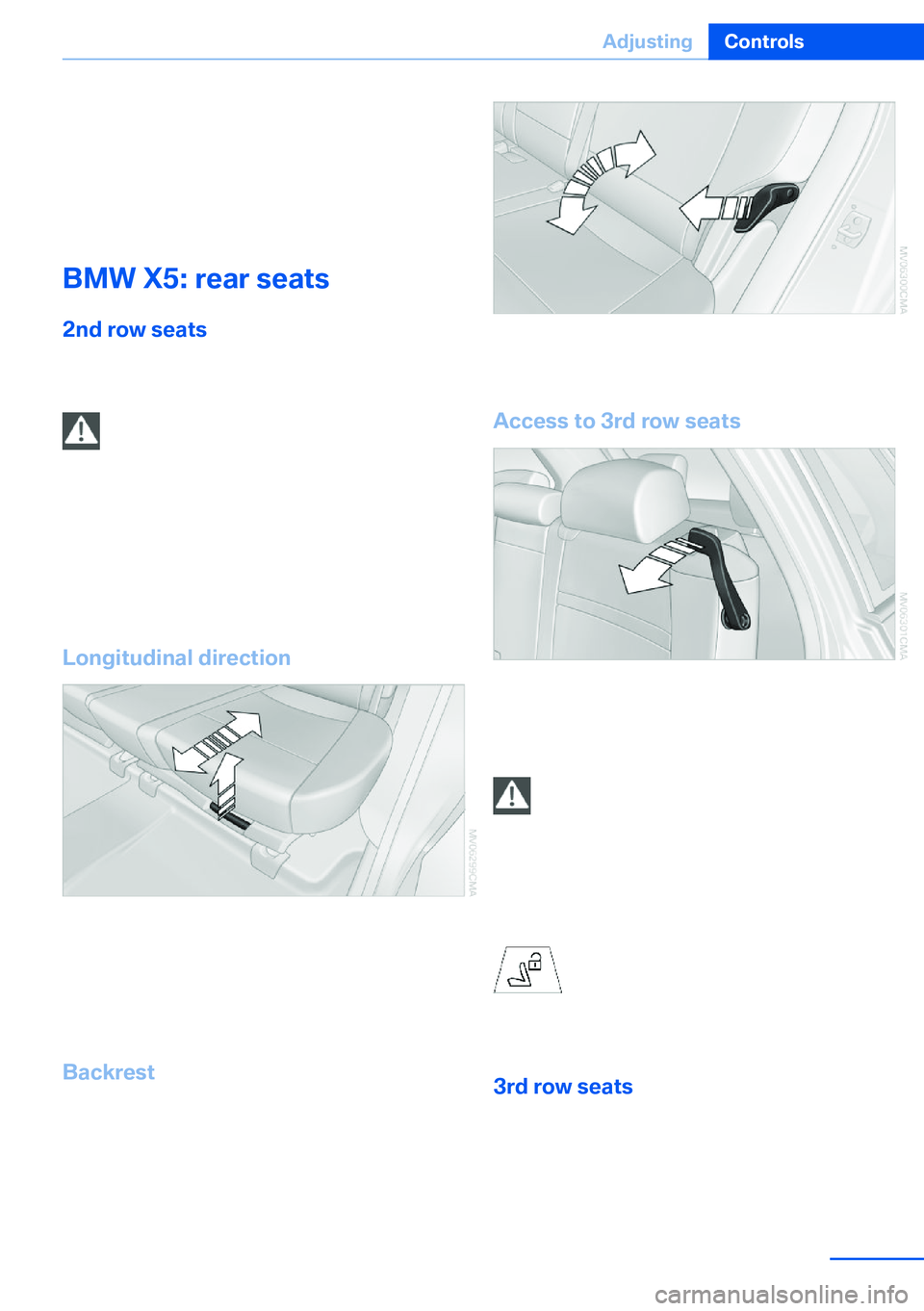
Longitudinal direction
1.Pull the lever and slide the seat into the de‐
sired position.2.Release the lever and move the seat
slightly forward or back so that it engages
properly.
Backrest
The backrests can be adjusted in four steps.
Pull the lever and apply weight to or remove
weight from the backrest as needed.
Access to 3rd row seats
Pull the lever and fold the seat forward.
The handle recess on the interior trim of the
door pillar makes climbing in easier.
Keep the footwell under the 2nd row
seats clear
When folding back the 2nd row seats, make
sure that the footwell under the 2nd row seats
is clear. Otherwise persons in the 3rd row
seats could be injured or objects damaged.◀
Warning lamp for the 2nd row seats:
lights up if the 2nd row seats are not
locked. A message also appears on
the Control Display.
3rd row seats
The 3rd row seats are divided and offer space
for two persons.
Seite 51AdjustingControls51
Online Edition for Part no. 01 40 2 918 395 - III/13
Page 53 of 345
Active seat ventilation and
seat heating
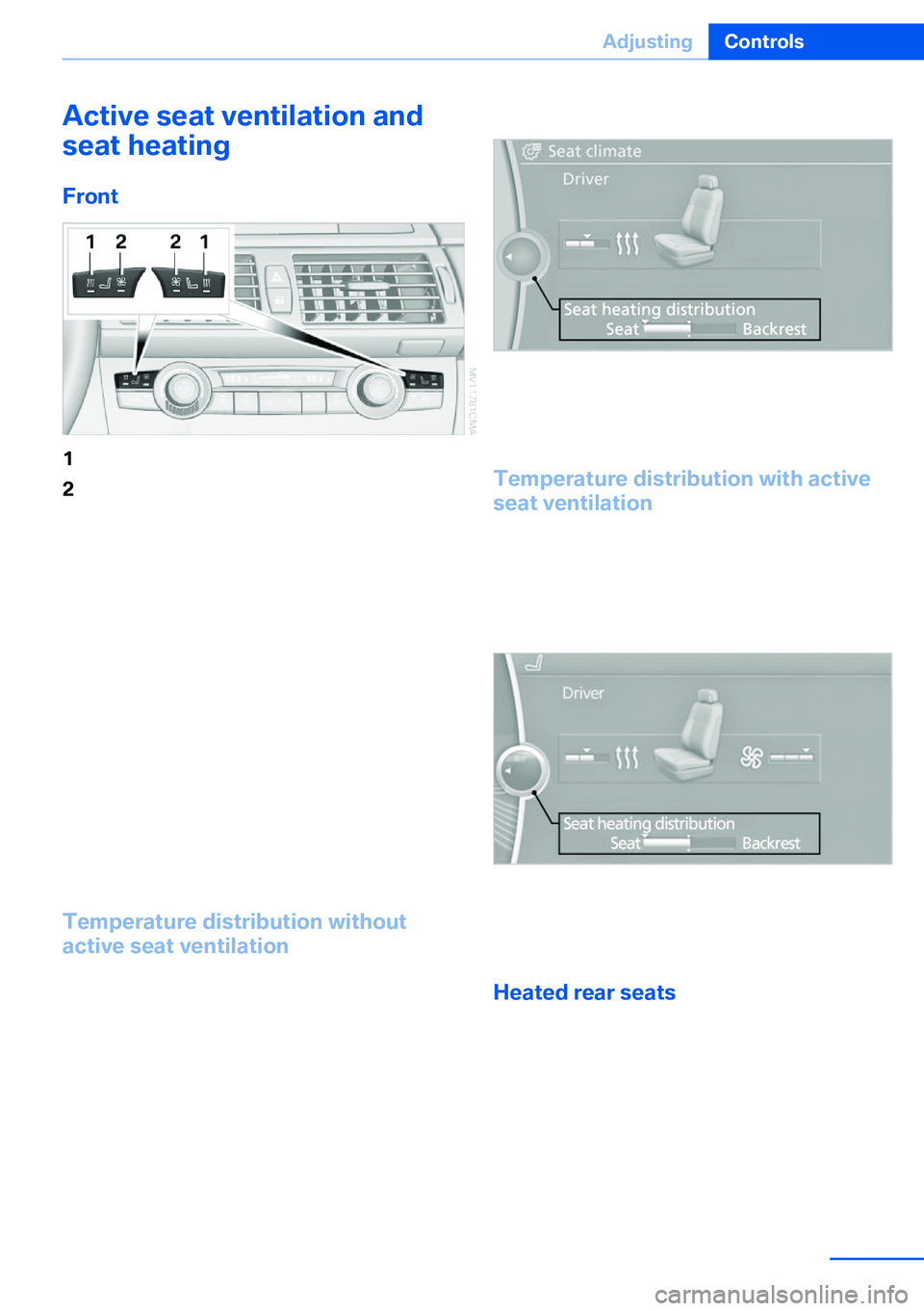
Front1Seat heating2Active seat ventilation
Press button 1 or 2 once depending on the
temperature or ventilation position. The LED in
the respective button lights up.
The temperature and ventilation levels are dis‐
played in bar form on the Control Display. A
display of three bars indicates the highest level
of seat heating or seat ventilation.
The air flow rate may be reduced or the blower
may be switched off entirely to save on battery
power. The LEDs remain lit.
If the trip is continued within approx. 15 mi‐
nutes, the seat heating is activated automati‐
cally with the temperature set last.
To switch off: press and hold button 1 or 2.
Temperature distribution without
active seat ventilation
The heat output can be distributed variously in
the seat cushion and the backrest.
1.Press button 1.2."Seat heating distribution"3.Turn the controller to adjust the distribu‐
tion.
The setting is applied.
Temperature distribution with active
seat ventilation
The heat output can be distributed variously in
the seat cushion and the backrest.
1.Press button 1.2."Seat heating distribution"3.Turn the controller to adjust the distribu‐
tion.
The setting is applied.
Heated rear seats Operation similar to front seat heating, without
temperature distribution, refer to page 52.
Seite 53AdjustingControls53
Online Edition for Part no. 01 40 2 918 395 - III/13
Page 54 of 345
Active seat
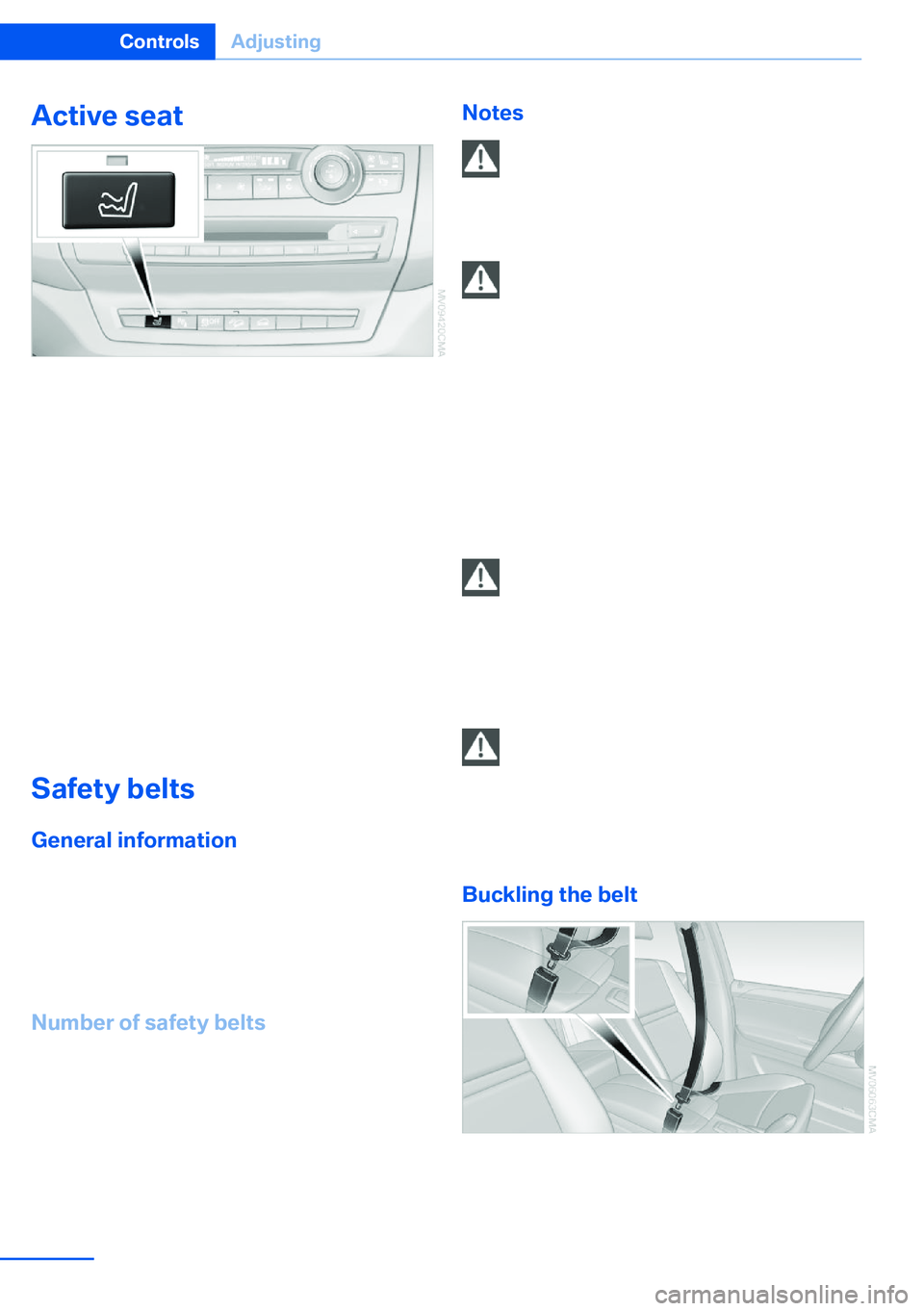
The seat cushion is actively varied by alter‐
nately raising and lowering the right and left
half of the seat cushion. This reduces muscu‐
lar tension and fatigue to help prevent lower
back pain.
Press the button to switch on; the LED lights
up.
The action of the system is reduced and if
need be, switched off in order to reduce the
load on the battery. The LED remains lit.
When the active seat is switched off, it can
take up to 1 minute before the two halves of
the seat cushion have returned to their initial
position.
Safety belts
General information
Always make sure that safety belts are being
worn by all occupants before driving away.
Although airbags enhance safety by providing
added protection, they are not a substitute for
safety belts.
Number of safety belts
Your vehicle has been fitted with safety belts
for the safety of you and your passengers.
▷BMW X5: five or seven safety belts.▷BMW X6: four or five safety belts.Notes
One person per safety belt
Never allow more than one person to
wear a single safety belt. Never allow infants or
small children to ride on a passenger's lap.◀
Putting on the belt
Lay the belt, without twisting, snugly
across the lap and shoulders, as close to the
body as possible. Make sure that the belt lies
low around the hips in the lap area and does
not press on the abdomen. Otherwise, the belt
can slip over the hips in the lap area in a frontal
impact and injure the abdomen.
The safety belt must not lie across the neck,
rub on sharp edges, be routed over solid or
breakable objects, or be pinched.◀
Reduction of restraining effect
Avoid wearing clothing that prevents the
belt from fitting properly, and pull the shoulder
belt periodically to readjust the tension across
your lap; otherwise, the retention effect of the
safety belt may be reduced.◀
Using the middle safety belt
If the middle safety belt in the rear is
used, the larger section of the backrest must
be locked. Otherwise, the safety belt will not
have a restraining effect.◀
Buckling the belt
Make sure you hear the latch plate engage in
the belt buckle.
Seite 54ControlsAdjusting54
Online Edition for Part no. 01 40 2 918 395 - III/13
Page 57 of 345
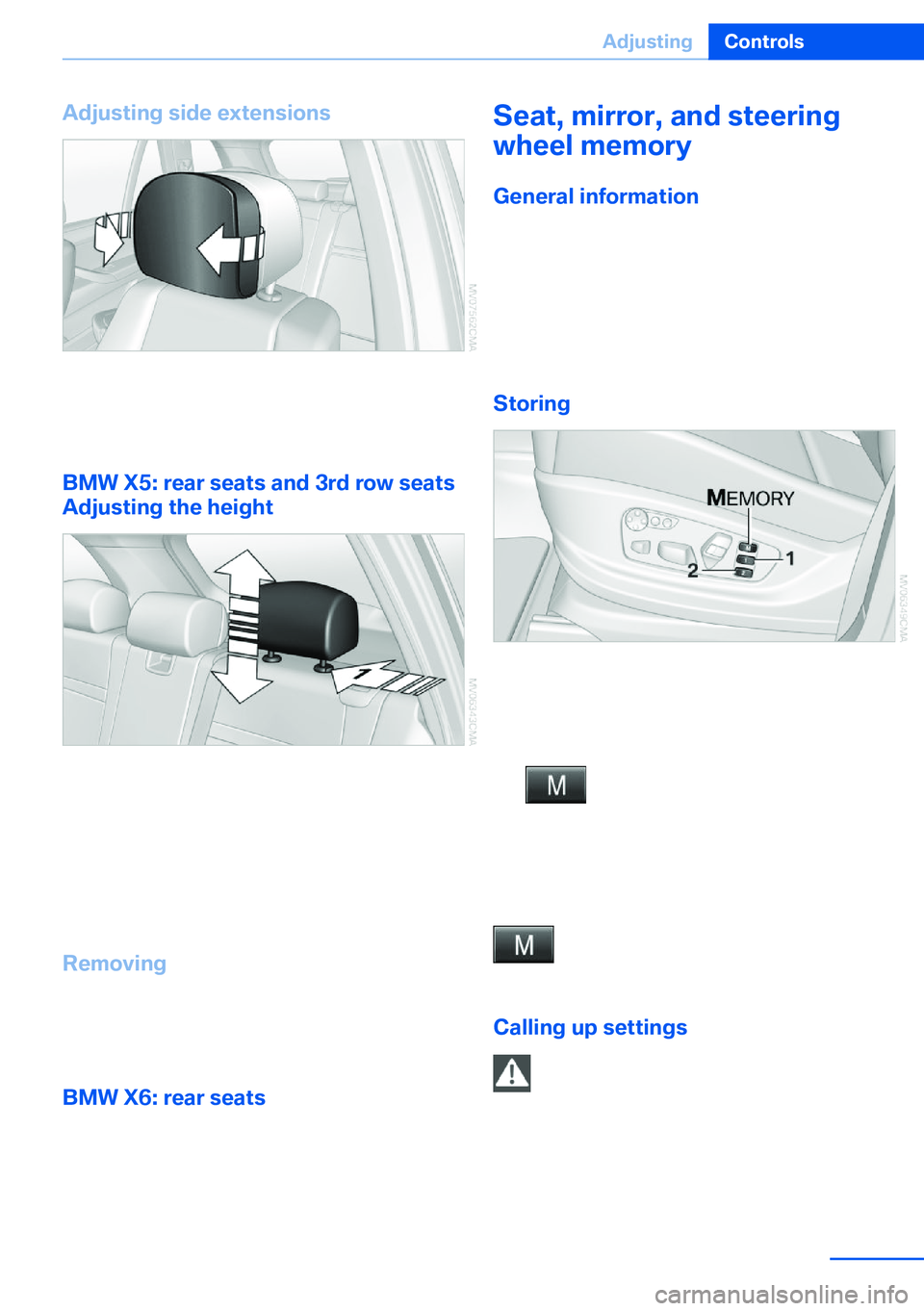
Adjusting side extensions
You can fold the side extensions on the head
restraint forward for increased lateral support
in the resting position.
BMW X5: rear seats and 3rd row seats
Adjusting the height
▷To raise: pull.▷To lower: press the button, arrow 1, and
push the head restraint down.
In vehicles equipped with 3rd row seats, the
height of the middle head restraint is not ad‐
justable.
Removing
1.Pull the head restraint upward to the stop.2.Press the button, arrow 1, and pull the
head restraint out completely.
BMW X6: rear seats
The head restraints in the rear cannot be ad‐
justed and cannot be removed.
Seat, mirror, and steering
wheel memory
General information
Two different driver's seat and front passenger
seat positions, exterior mirror positions and
steering wheel positions can be stored and re‐
trieved.
The adjustment of the backrest width and the
lumbar support is not stored in the memory.
Storing1.Switch on the radio ready state or the igni‐
tion, refer to page 67.2.Set the desired seat, exterior mirror and
steering wheel positions.3. Press the button. The LED in the
button lights up.4.Press the desired memory button 1 or 2.
The LED goes out.
If the M button is pressed accidentally:
Press the button again. The LED goes
out.
Calling up settings Do not retrieve the memory setting while
driving
Do not retrieve the memory setting while driv‐ ing, as an unexpected seat movement could
result in an accident.◀
Seite 57AdjustingControls57
Online Edition for Part no. 01 40 2 918 395 - III/13
Page 60 of 345
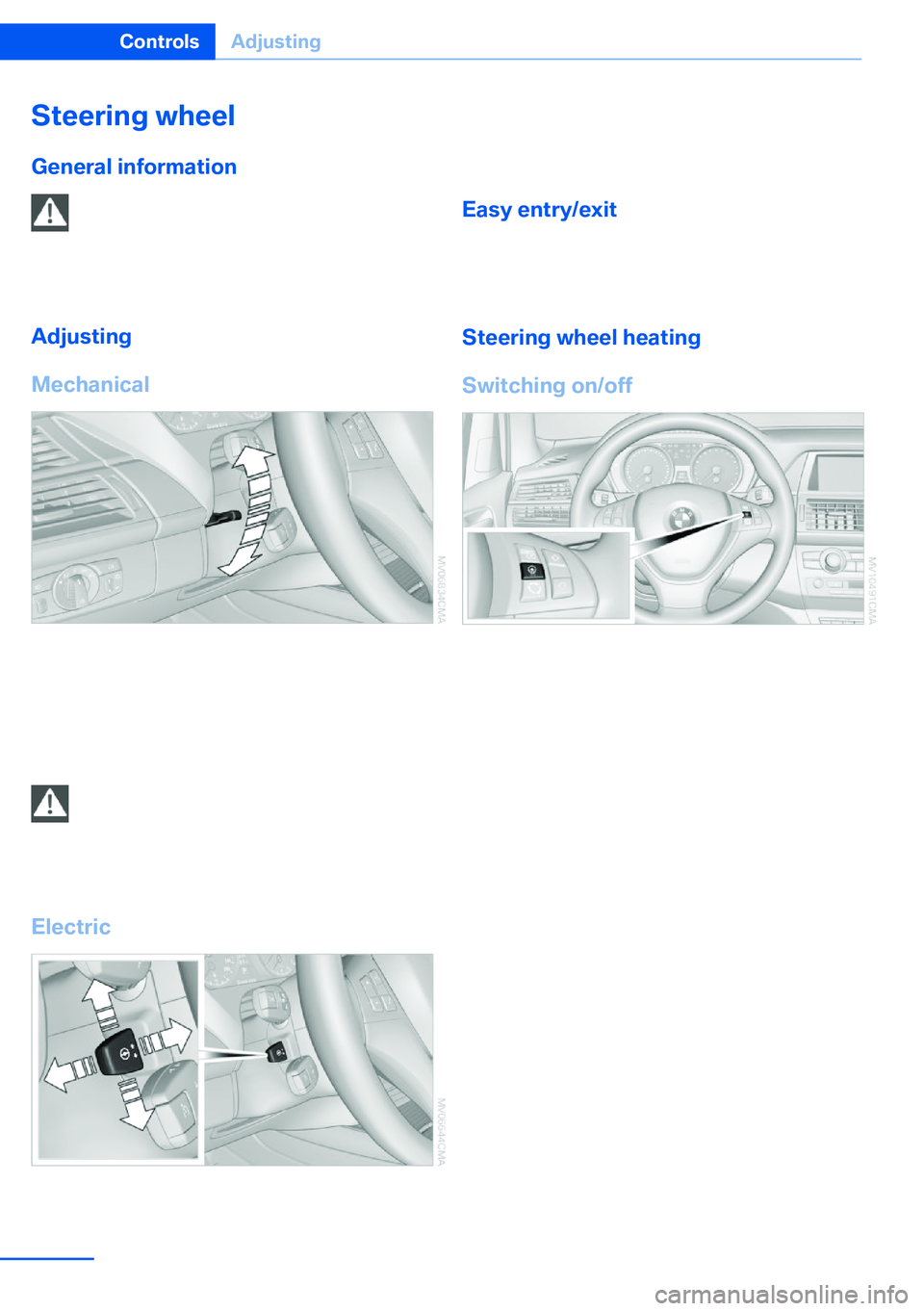
Steering wheel
General information Do not adjust while driving
Do not adjust the steering wheel while
driving; otherwise, an unexpected movement
could result in an accident.◀
Adjusting
Mechanical1.Fold the lever down.2.Move the steering wheel to the preferred
height and angle to suit your seating posi‐
tion.3.Fold the lever back.
Do not use force to swing the lever back.
Do not use force to swing the lever back
up; otherwise, the mechanism will be dam‐
aged.◀
Electric
The steering wheel can be adjusted in four di‐
rections.
Storing steering wheel positions, refer to Seat,
mirror, and steering wheel memory, refer to
page 57.
Easy entry/exit To facilitate entry and exit, the steering wheel
temporarily moves into the uppermost posi‐
tion.
Steering wheel heating
Switching on/off
Press the button.
▷On: the LED lights up.▷Off: the LED goes out.Seite 60ControlsAdjusting60
Online Edition for Part no. 01 40 2 918 395 - III/13