light BMW X5 XDRIVE 50I 2014 Manual Online
[x] Cancel search | Manufacturer: BMW, Model Year: 2014, Model line: X5 XDRIVE 50I, Model: BMW X5 XDRIVE 50I 2014Pages: 265, PDF Size: 6.2 MB
Page 173 of 265
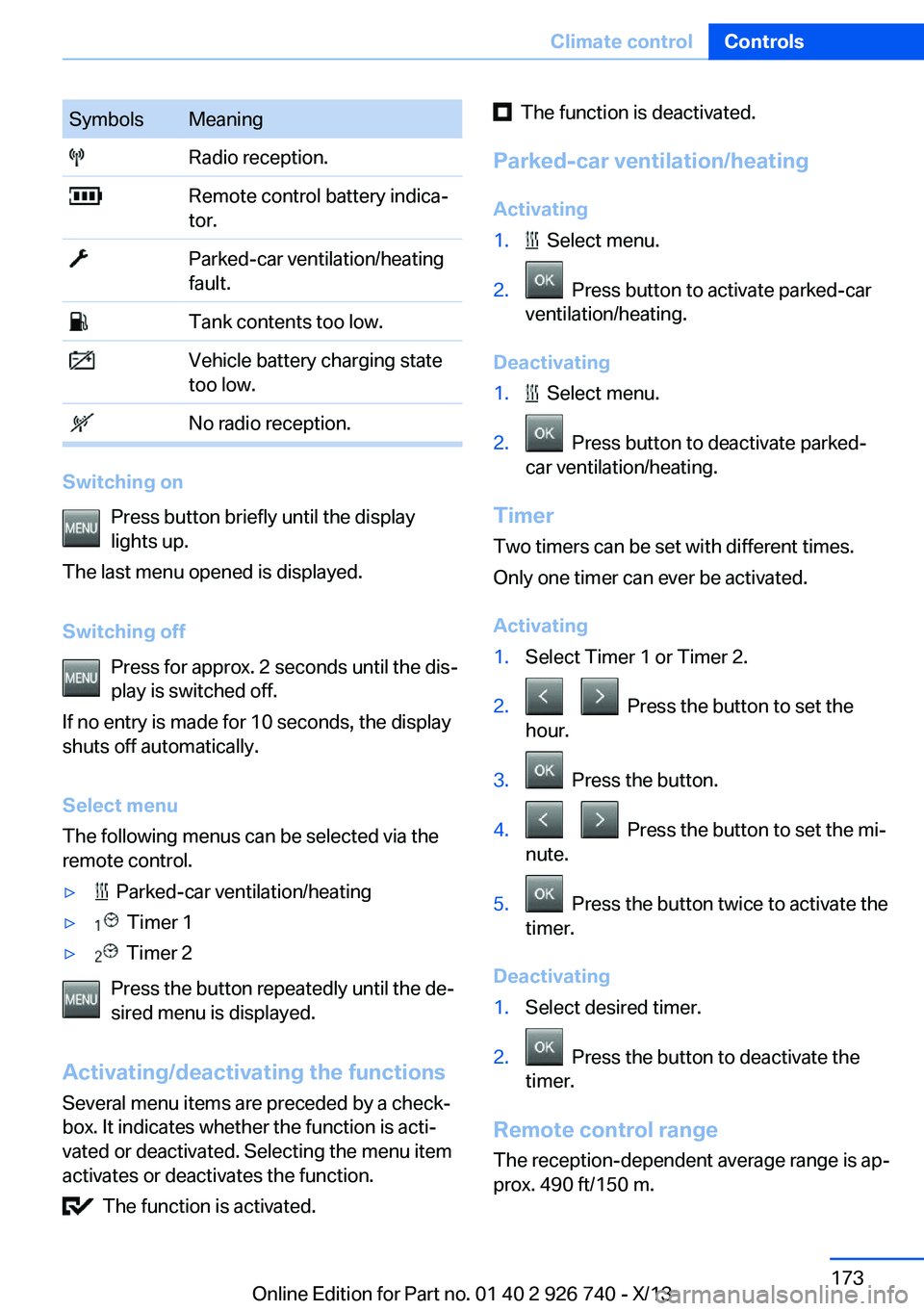
SymbolsMeaning Radio reception. Remote control battery indica‐
tor. Parked-car ventilation/heating
fault. Tank contents too low. Vehicle battery charging state
too low. No radio reception.
Switching on
Press button briefly until the display
lights up.
The last menu opened is displayed.
Switching off Press for approx. 2 seconds until the dis‐
play is switched off.
If no entry is made for 10 seconds, the display
shuts off automatically.
Select menu
The following menus can be selected via the
remote control.
▷ Parked-car ventilation/heating▷ Timer 1▷ Timer 2
Press the button repeatedly until the de‐
sired menu is displayed.
Activating/deactivating the functions Several menu items are preceded by a check‐
box. It indicates whether the function is acti‐
vated or deactivated. Selecting the menu item
activates or deactivates the function.
The function is activated.
The function is deactivated.
Parked-car ventilation/heating Activating1. Select menu.2. Press button to activate parked-car
ventilation/heating.
Deactivating
1. Select menu.2. Press button to deactivate parked-
car ventilation/heating.
Timer
Two timers can be set with different times.
Only one timer can ever be activated.
Activating
1.Select Timer 1 or Timer 2.2. Press the button to set the
hour.3. Press the button.4. Press the button to set the mi‐
nute.5. Press the button twice to activate the
timer.
Deactivating
1.Select desired timer.2. Press the button to deactivate the
timer.
Remote control range
The reception-dependent average range is ap‐
prox. 490 ft/150 m.
Seite 173Climate controlControls173
Online Edition for Part no. 01 40 2 926 740 - X/13
Page 175 of 265

Interior equipmentVehicle equipmentAll standard, country-specific and optional
equipment that is offered in the model series is
described in this chapter. Therefore, equip‐
ment is also described that is not available in a
vehicle, e. g., because of the selected optional
equipment or country variant. This also applies
for safety-related functions and systems.
Universal garage door
opener
The concept
The universal garage door opener can operate
up to 3 functions of remote-controlled sys‐
tems such as garage door drives or lighting
systems. The universal garage door opener re‐
places up to 3 different hand-held transmitters.
To operate the remote control, the buttons on
the interior rearview mirror must be program‐
med with the desired functions. The hand-held
transmitter for the particular system is required
in order to program the remote control.
During programming
During programming and before activat‐
ing a device using the integrated universal re‐
mote control, ensure that there are no people,
animals, or objects in the range of movement
of the remote-controlled device; otherwise,
there is a risk of injury or damage.
Also follow the safety instructions of the hand-
held transmitter.◀
Before selling the vehicle, delete the stored
functions for the sake of security.
Compatibility If this symbol is printed on the packag‐
ing or in the instructions of the system
to be controlled, the system is gener‐ally compatible with the universal garage door
opener.
If you have any questions, please contact:▷Your service center.▷www.homelink.com on the Internet.
HomeLink is a registered trademark of John‐
son Controls, Inc.
Controls on the interior rearview
mirror
▷LED, arrow 1.▷Buttons, arrow 2.▷The hand-held transmitter, arrow 3, is re‐
quired for programming.
Programming
General information
1.Switch on the ignition.2.Initial setup:
Press and hold the left and right button on
the interior rearview mirror simultaneously
for approximately 20 seconds until the LED
on the interior rearview mirror flashes. This
erases all programming of the buttons on
the interior rearview mirror.3.Hold the hand-held transmitter for the sys‐
tem to be controlled approx. 1 to 3 in/2.5 to
8 cm away from the buttons on the interiorSeite 175Interior equipmentControls175
Online Edition for Part no. 01 40 2 926 740 - X/13
Page 177 of 265
indicates that the button on the interior
rearview mirror has been programmed.
The system can then be controlled by the
button on the interior rearview mirror.
If the LED does not flash faster after at
least 60 seconds, change the distance and
repeat the step. Several more attempts at
different distances may be necessary. Wait
at least 15 seconds between attempts.
Canada: if programming with the hand-
held transmitter was interrupted, hold
down the interior rearview mirror button
and repeatedly press and release the
hand-held transmitter button for 2 sec‐
onds.
Controls
Before operation
Before operating a system using the
integrated universal remote control, ensure
that there are no people, animals, or objects
within the range of movement of the remote- controlled system; otherwise, there is a risk of
injury or damage.
Also follow the safety instructions of the hand-
held transmitter.◀
The system, such as the garage door, can be
operated using the button on the interior rear‐
view mirror while the engine is running or when
the ignition is started. To do this, hold down
the button within receiving range of the system
until the function is activated. The interior rear‐ view mirror LED stays lit while the wireless sig‐
nal is being transmitted.
Deleting stored functions Press and hold the left and right button on the
interior rearview mirror simultaneously for ap‐
proximately 20 seconds until the LED flashes
rapidly. All stored functions are deleted. The
functions cannot be deleted individually.
Ashtray
Front
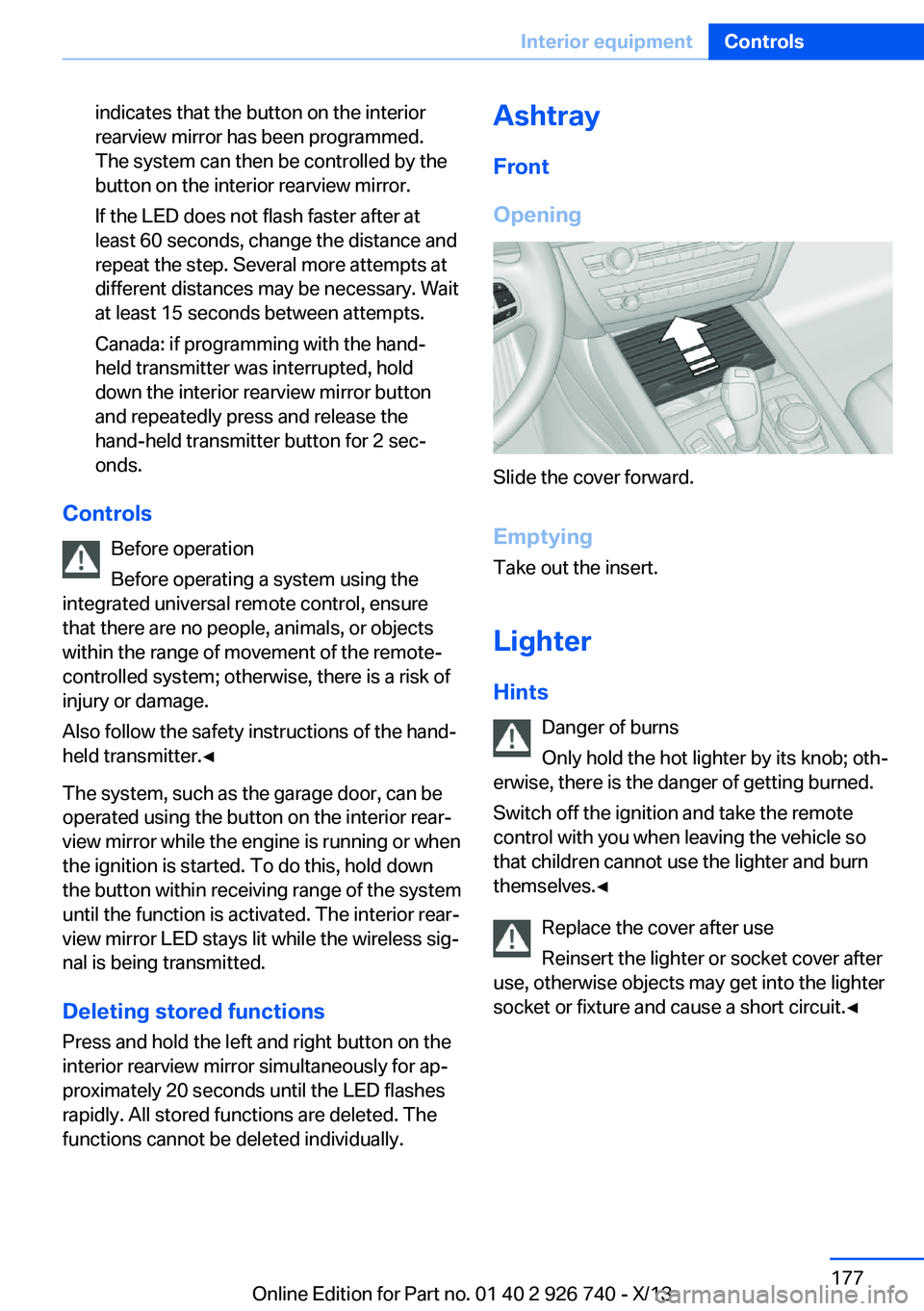
Opening
Slide the cover forward.
Emptying Take out the insert.
Lighter Hints Danger of burns
Only hold the hot lighter by its knob; oth‐
erwise, there is the danger of getting burned.
Switch off the ignition and take the remote
control with you when leaving the vehicle so
that children cannot use the lighter and burn
themselves.◀
Replace the cover after use
Reinsert the lighter or socket cover after
use, otherwise objects may get into the lighter
socket or fixture and cause a short circuit.◀
Seite 177Interior equipmentControls177
Online Edition for Part no. 01 40 2 926 740 - X/13
Page 178 of 265

Front
At a glance
The lighter is located next to the ashtray.
Controls Push in the lighter.
The lighter can be removed as
soon as it pops back out.
Rear
At a glance
The cigarette lighter is located in the rear cen‐
ter console.
Controls Push in the lighter.
The lighter can be removed as
soon as it pops back out.
Connecting electrical
devices
Hints Do not plug chargers into the socket
Do not connect battery chargers to the
factory-installed sockets in the vehicle as this
may damage the battery.◀
Replace the cover after use
Reinsert the lighter or socket cover after
use, otherwise objects may get into the lighter
socket or fixture and cause a short circuit.◀
Sockets
The lighter socket can be used as a socket for
electrical equipment while the engine is run‐
ning or when the ignition is switched on. The
total load of all sockets must not exceed
140 watts at 12 volts.
Do not damage the socket by using unsuitable
connectors.
Front center console
Slide the cover forward.
Remove the cover or cigarette lighter.
Seite 178ControlsInterior equipment178
Online Edition for Part no. 01 40 2 926 740 - X/13
Page 179 of 265
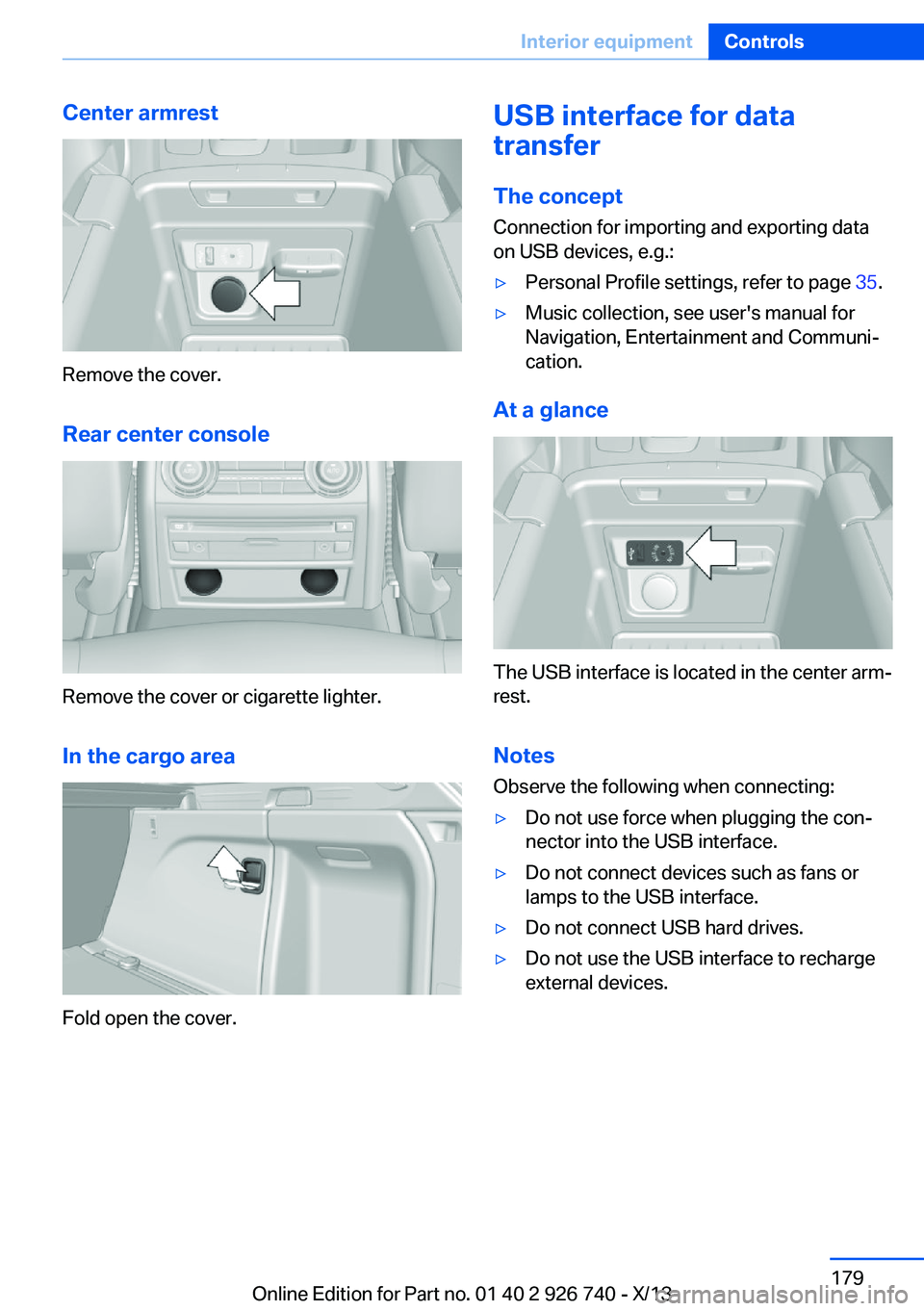
Center armrest
Remove the cover.
Rear center console
Remove the cover or cigarette lighter.
In the cargo area
Fold open the cover.
USB interface for data
transfer
The concept Connection for importing and exporting data
on USB devices, e.g.:▷Personal Profile settings, refer to page 35.▷Music collection, see user's manual for
Navigation, Entertainment and Communi‐
cation.
At a glance
The USB interface is located in the center arm‐
rest.
Notes Observe the following when connecting:
▷Do not use force when plugging the con‐
nector into the USB interface.▷Do not connect devices such as fans or
lamps to the USB interface.▷Do not connect USB hard drives.▷Do not use the USB interface to recharge
external devices.Seite 179Interior equipmentControls179
Online Edition for Part no. 01 40 2 926 740 - X/13
Page 181 of 265
ited, and there is an increased risk of injury be‐
cause of unexpected movement of the rear
seat backrest.◀
Ensure that the lock is securely engaged
When folding back the backrest, make
sure that it securely locks in place. When this
happens the red warning field on the seat dis‐
appears. If the backrest is not properly en‐
gaged, transported cargo could enter the pas‐
senger compartment during braking or evasive
maneuvers and endanger the vehicle occu‐
pants.◀
Using the middle safety belt
If the middle safety belt in the rear is
used, the larger section of the backrest must
be locked. Otherwise, the safety belt will not
have a restraining effect.◀
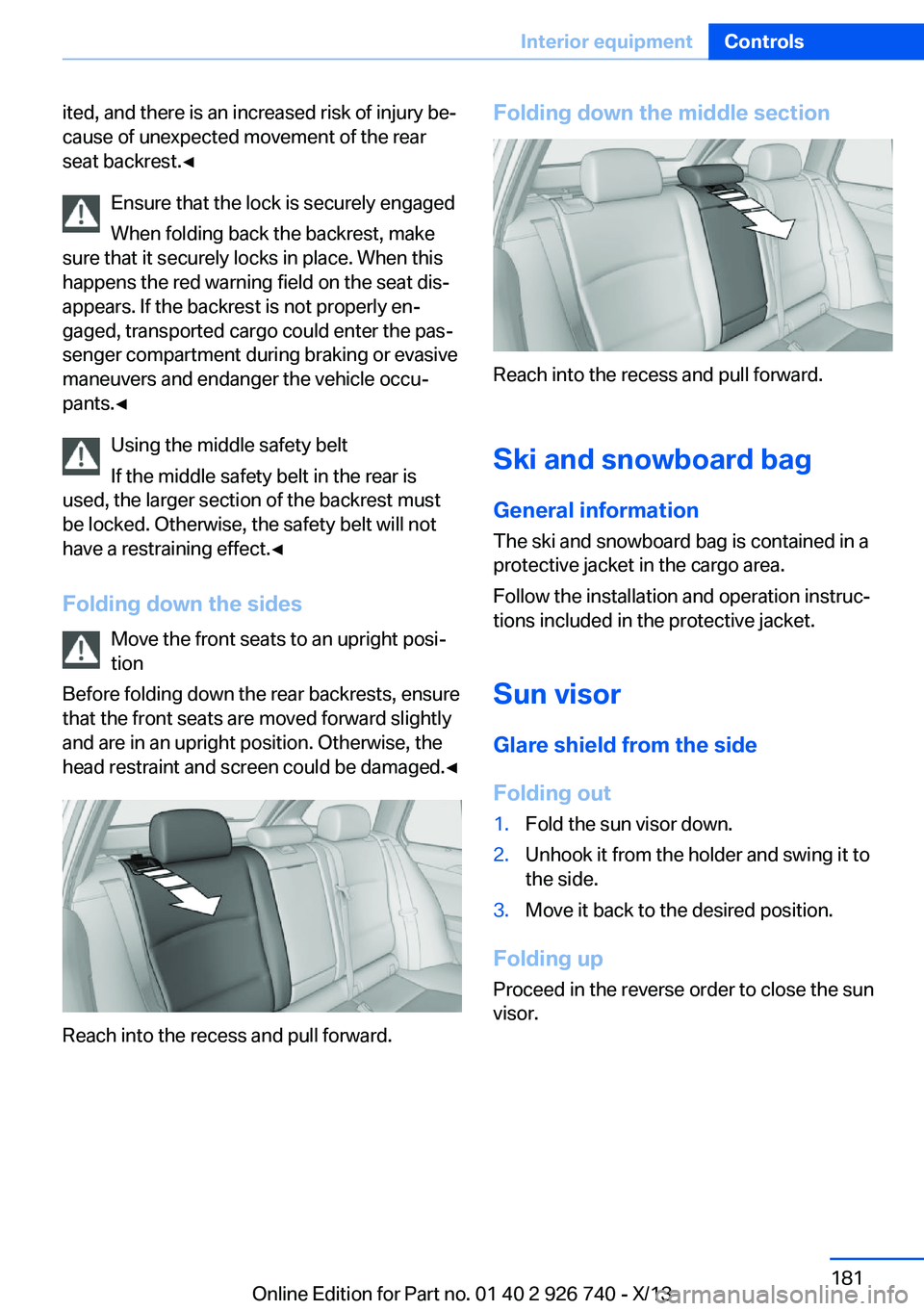
Folding down the sides Move the front seats to an upright posi‐
tion
Before folding down the rear backrests, ensure
that the front seats are moved forward slightly
and are in an upright position. Otherwise, the
head restraint and screen could be damaged.◀
Reach into the recess and pull forward.
Folding down the middle section
Reach into the recess and pull forward.
Ski and snowboard bag General information
The ski and snowboard bag is contained in a
protective jacket in the cargo area.
Follow the installation and operation instruc‐
tions included in the protective jacket.
Sun visorGlare shield from the sideFolding out
1.Fold the sun visor down.2.Unhook it from the holder and swing it to
the side.3.Move it back to the desired position.
Folding up
Proceed in the reverse order to close the sun
visor.
Seite 181Interior equipmentControls181
Online Edition for Part no. 01 40 2 926 740 - X/13
Page 182 of 265
Storage compartmentsVehicle equipmentAll standard, country-specific and optional
equipment that is offered in the model series is
described in this chapter. Therefore, equip‐
ment is also described that is not available in a
vehicle, e. g., because of the selected optional
equipment or country variant. This also applies
for safety-related functions and systems.
Notes No loose objects in the passenger com‐
partment
Do not stow any objects in the passenger
compartment without securing them; other‐
wise, they may present a danger to occupants
for instance during braking and avoidance ma‐
neuvers.◀
Do not place anti-slip mats on the dash‐
board
Do not place anti-slip mats on the dashboard.
The mat materials could damage the dash‐
board.◀
Storage compartments
The following storage compartments are avail‐
able in the vehicle interior:▷Glove compartment on the front passenger
side, refer to page 182.▷Glove compartment on the driver's side,
refer to page 183.▷Compartments in the doors, refer to
page 183.▷Storage compartment on the center arm‐
rest, refer to page 183.▷Center armrest, refer to page 183▷Glasses compartment, refer to page 184.Glove compartment
Front passenger side
Note Close the glove compartment again im‐
mediately
Close the glove compartment immediately af‐
ter use while driving; otherwise, injury may oc‐
cur during accidents.◀
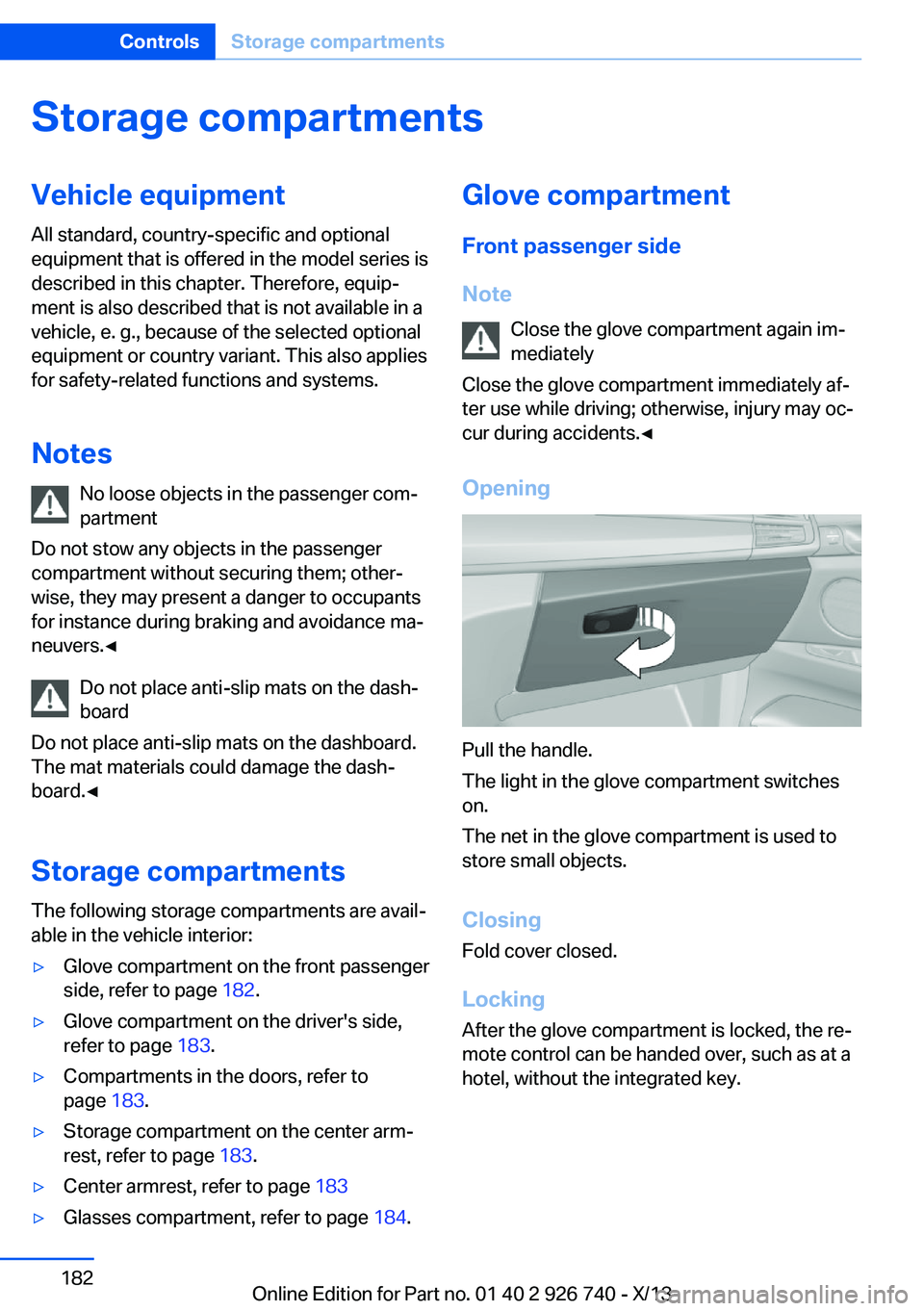
Opening
Pull the handle.
The light in the glove compartment switches
on.
The net in the glove compartment is used to
store small objects.
Closing Fold cover closed.
Locking After the glove compartment is locked, the re‐
mote control can be handed over, such as at a
hotel, without the integrated key.
Seite 182ControlsStorage compartments182
Online Edition for Part no. 01 40 2 926 740 - X/13
Page 184 of 265

Opening
Push the cover down slightly and press the
button, see arrow. The respective cover folds
up.
ClosingFold the respective cover down until it latches.
Connection for an external audio
device
.
Description, see user's manual for Navigation,
Entertainment and Communication.
Rear
At a glance
A storage compartment is located in the center
armrest between the seats.
Opening1.Pull on the loop and fold down the center
armrest.2.Pull the handle.
Closing
Press cover down until it latches.
Glasses compartment At a glance
The glasses compartment is located between
the interior mirror and interior lamps.
Seite 184ControlsStorage compartments184
Online Edition for Part no. 01 40 2 926 740 - X/13
Page 185 of 265

Opening
Press the button.Closing
Press the cover up until it latches.
Cupholders
Hints Shatter-proof containers and no hot
drinks
Use light and shatter-proof containers and do
not transport hot drinks. Otherwise, there is
the increased danger of injury in an accident.◀
Unsuitable containers
Do not forcefully push unsuitable con‐
tainers into the cupholders. This may result in
damage.◀
Front
At a glance In the center console.
Slide the cover forward.
Two cupholders are located in the center con‐
sole.
Rear
Note Pushing back the covers
Push back the covers before folding up
the center armrest; otherwise, the cupholder
could become damaged.◀
At a glance
In the center armrest.
Seite 185Storage compartmentsControls185
Online Edition for Part no. 01 40 2 926 740 - X/13
Page 191 of 265
Do not remove the heat shields installed and
never apply undercoating to them. Make sure
that flammable materials, e. g. hay, leaves,
grass, etc. do not come in contact with the hot
exhaust system during driving, while in idle po‐
sition mode, or when parked. Such contact
could lead to a fire, and with it the risk of seri‐
ous personal injury as well as property dam‐
age.
Do not touch hot exhaust pipes; otherwise,
there is the danger of getting burned.◀
Diesel particulate filter
The diesel particulate filter collects soot parti‐
cles and burns them periodically at high tem‐
peratures.
During the cleaning time of several minutes,
the following may occur:▷Temporarily, the engine may run less
smoothly.▷Noises and a slight amount of smoke com‐
ing from the exhaust until shortly after the
engine is shut down.▷A somewhat higher engine speed is neces‐
sary to achieve the accustomed perform‐
ance.
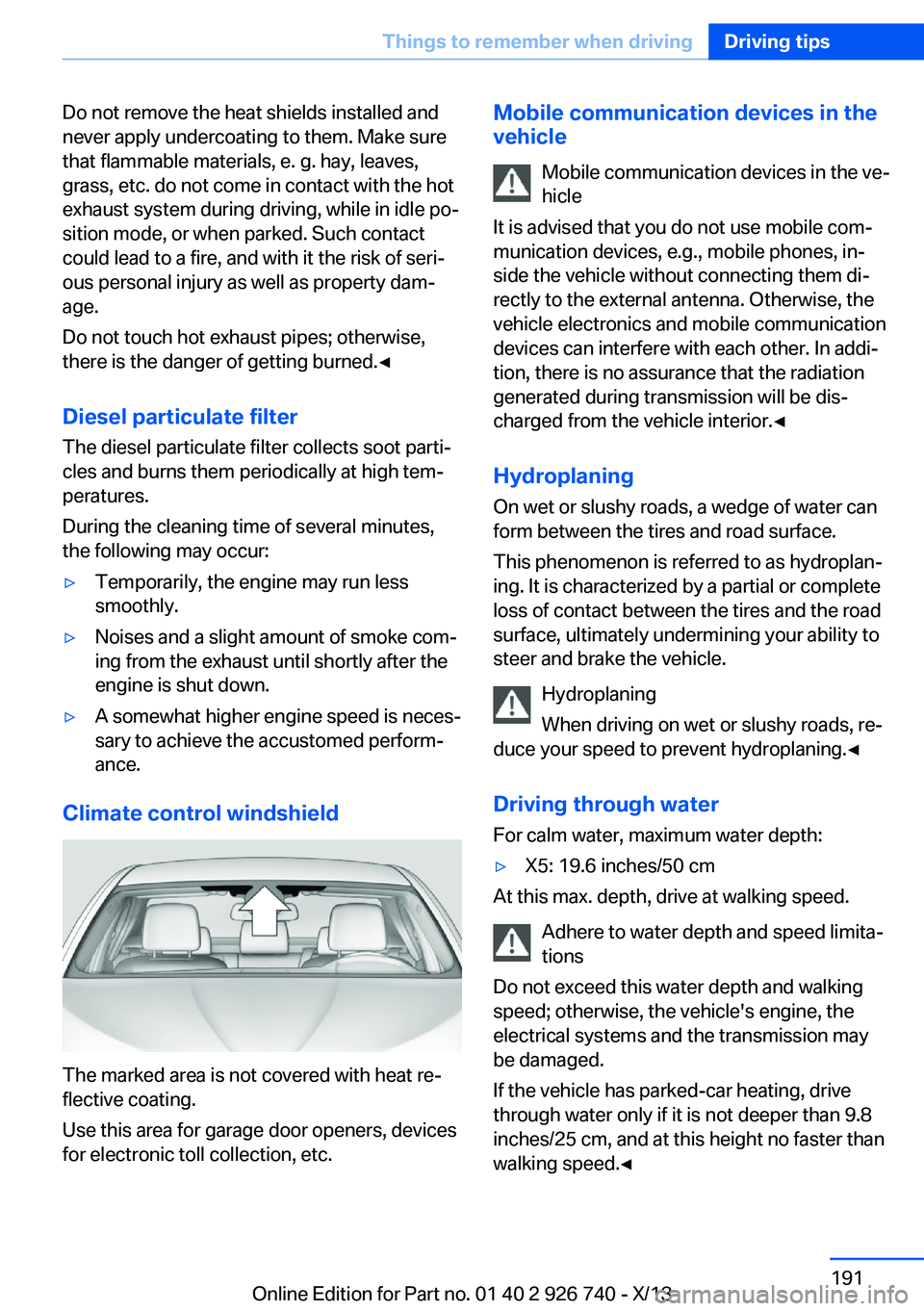
Climate control windshield
The marked area is not covered with heat re‐
flective coating.
Use this area for garage door openers, devices
for electronic toll collection, etc.
Mobile communication devices in the
vehicle
Mobile communication devices in the ve‐
hicle
It is advised that you do not use mobile com‐
munication devices, e.g., mobile phones, in‐
side the vehicle without connecting them di‐
rectly to the external antenna. Otherwise, the
vehicle electronics and mobile communication
devices can interfere with each other. In addi‐
tion, there is no assurance that the radiation
generated during transmission will be dis‐
charged from the vehicle interior.◀
Hydroplaning
On wet or slushy roads, a wedge of water can
form between the tires and road surface.
This phenomenon is referred to as hydroplan‐
ing. It is characterized by a partial or complete
loss of contact between the tires and the road
surface, ultimately undermining your ability to steer and brake the vehicle.
Hydroplaning
When driving on wet or slushy roads, re‐
duce your speed to prevent hydroplaning.◀
Driving through water
For calm water, maximum water depth:▷X5: 19.6 inches/50 cm
At this max. depth, drive at walking speed.
Adhere to water depth and speed limita‐
tions
Do not exceed this water depth and walking
speed; otherwise, the vehicle's engine, the
electrical systems and the transmission may
be damaged.
If the vehicle has parked-car heating, drive
through water only if it is not deeper than 9.8
inches/25 cm, and at this height no faster than
walking speed.◀
Seite 191Things to remember when drivingDriving tips191
Online Edition for Part no. 01 40 2 926 740 - X/13