steer BMW X5 XDRIVE35D 2012 Owner's Manual
[x] Cancel search | Manufacturer: BMW, Model Year: 2012, Model line: X5 XDRIVE35D, Model: BMW X5 XDRIVE35D 2012Pages: 317, PDF Size: 8.83 MB
Page 96 of 317
Driving stability control systems
Antilock Brake System ABS
ABS
prevents locking of the wheels during brak‐
ing.
The vehicle remains steerable even during full
brake applications, thus increasing active
safety.
ABS is operational every time you start the en‐
gine.
CBC Cornering Brake Control
When braking during curves or when braking
during a lane change, driving stability and steer‐
ing response are improved further.
Electronic brake-force
distribution
The system controls the brake pressure in the
rear wheels to ensure stable braking behavior.
Brake assistant
When you apply the brakes rapidly, this system
automatically produces the maximum braking
force boost. It thus helps to achieve the shortest
possible braking distance during full braking.
This system utilizes all of the benefits provided
by ABS.
Do not reduce the pressure on the brake pedal
for the duration of the full braking.
Dynamic Stability Control
DSC
The concept
DSC prevents traction loss in the driving wheels
when driving away and accelerating. DSC also recognizes unstable vehicle condi‐
tions,
such as fishtailing or nose-diving. Subject
to physical limits, DSC helps to keep the vehicle
on a steady course by reducing engine speed
and by applying brakes to the individual wheels.
Adjust your driving style to the situation
An appropriate driving style is always the
responsibility of the driver.
The laws of physics cannot be repealed, even
with DSC.
Do not reduce the additional safety margin with
a risky driving style, as otherwise there is a risk
of an accident.◀
Deactivating DSC: DSC OFF
When DSC is deactivated, driving stability is re‐
duced during acceleration and when driving in
bends.
To increase vehicle stability, activate DSC again
as soon as possible.
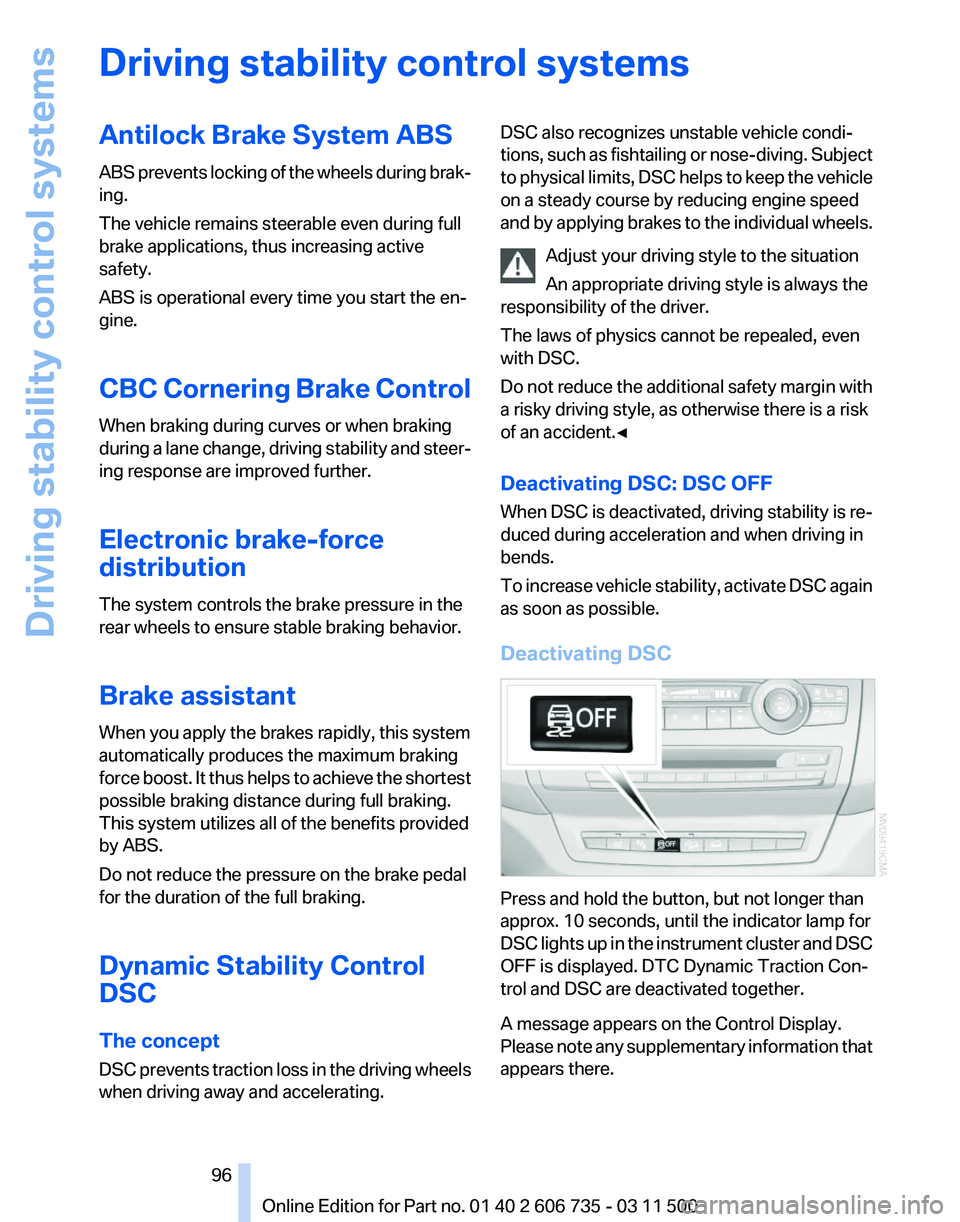
Deactivating DSC Press and hold the button, but not longer than
approx. 10 seconds, until the indicator lamp for
DSC
lights up in the instrument cluster and DSC
OFF is displayed. DTC Dynamic Traction Con‐
trol and DSC are deactivated together.
A message appears on the Control Display.
Please note any supplementary information that
appears there. Seite 96
96 Online Edition for Part no. 01 40 2 606 735 - 03 11 500
Driving stability control systems
Page 98 of 317
DTC is activated.
xDrive
xDrive is the all-wheel-drive system of your ve‐
hicle. The combined effects of xDrive and DSC
further optimize the traction and dynamic driv‐
ing characteristics. The 4-wheel drive system
xDrive
variably distributes the drive forces to the
front and rear axle depending on the driving sit‐
uation and prevailing road conditions.
Dynamic Performance
Control*
The concept
Dynamic Performance Control optimizes the
handling characteristics of your vehicle when
starting off, cornering, and during evasive ma‐
neuvers.
To achieve this, the system variably distributes
the drive torque of the rear axle to the two rear
wheels. This further increases the steering pre‐
cision and tracking stability of your vehicle.
Display
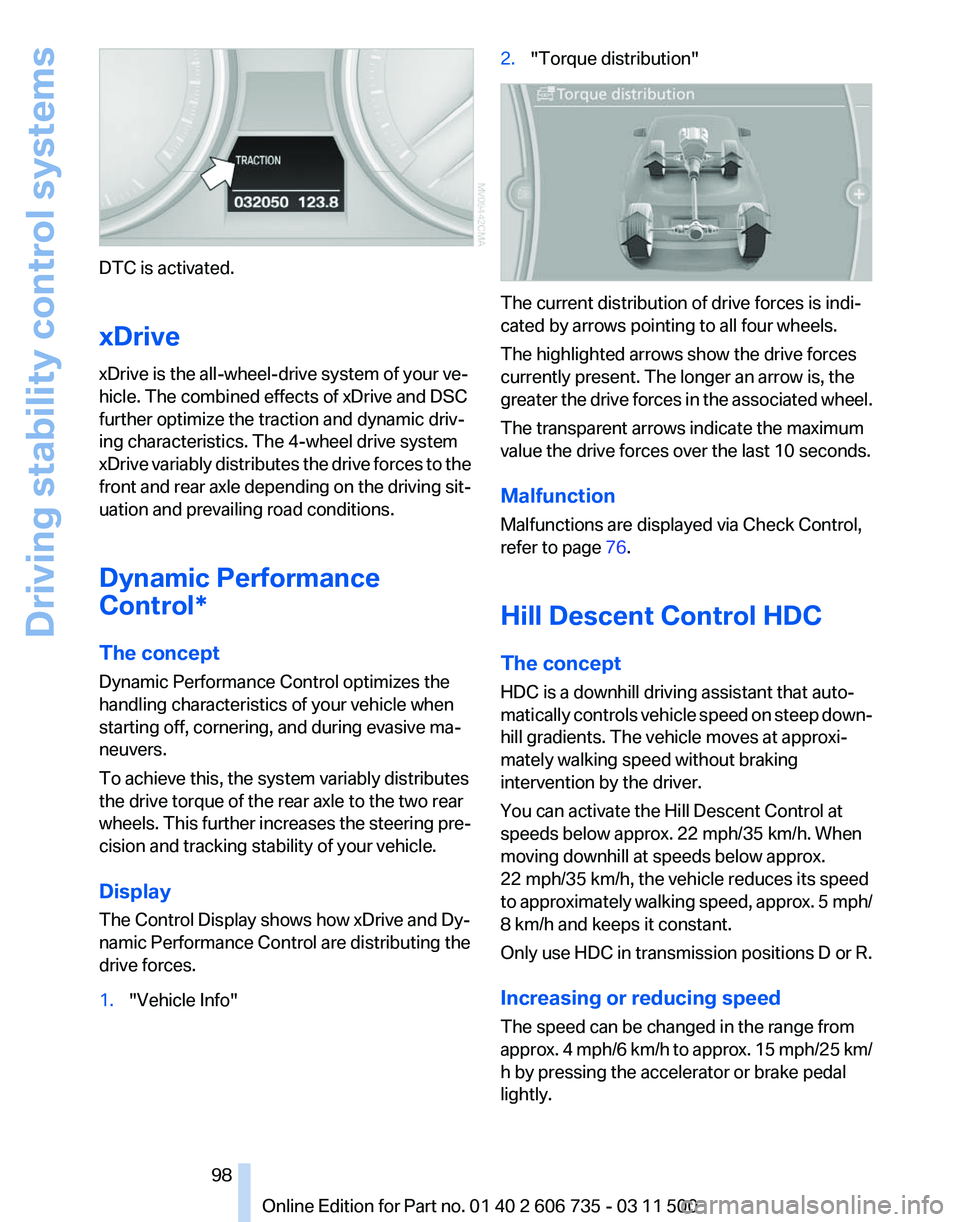
The Control Display shows how xDrive and Dy‐
namic Performance Control are distributing the
drive forces.
1. "Vehicle Info" 2.
"Torque distribution" The current distribution of drive forces is indi‐
cated by arrows pointing to all four wheels.
The highlighted arrows show the drive forces
currently present. The longer an arrow is, the
greater
the drive forces in the associated wheel.
The transparent arrows indicate the maximum
value the drive forces over the last 10 seconds.
Malfunction
Malfunctions are displayed via Check Control,
refer to page 76.
Hill Descent Control HDC
The concept
HDC is a downhill driving assistant that auto‐
matically controls vehicle speed on steep down‐
hill gradients. The vehicle moves at approxi‐
mately walking speed without braking
intervention by the driver.
You can activate the Hill Descent Control at
speeds below approx. 22 mph/35 km/h. When
moving downhill at speeds below approx.
22 mph/35 km/h, the vehicle reduces its speed
to approximately walking speed, approx. 5 mph/
8 km/h and keeps it constant.
Only use HDC in transmission positions D or R.
Increasing or reducing speed
The speed can be changed in the range from
approx. 4 mph/6 km/h to approx. 15 mph/25 km/
h by pressing the accelerator or brake pedal
lightly.
Seite 98
98 Online Edition for Part no. 01 40 2 606 735 - 03 11 500
Driving stability control systems
Page 99 of 317
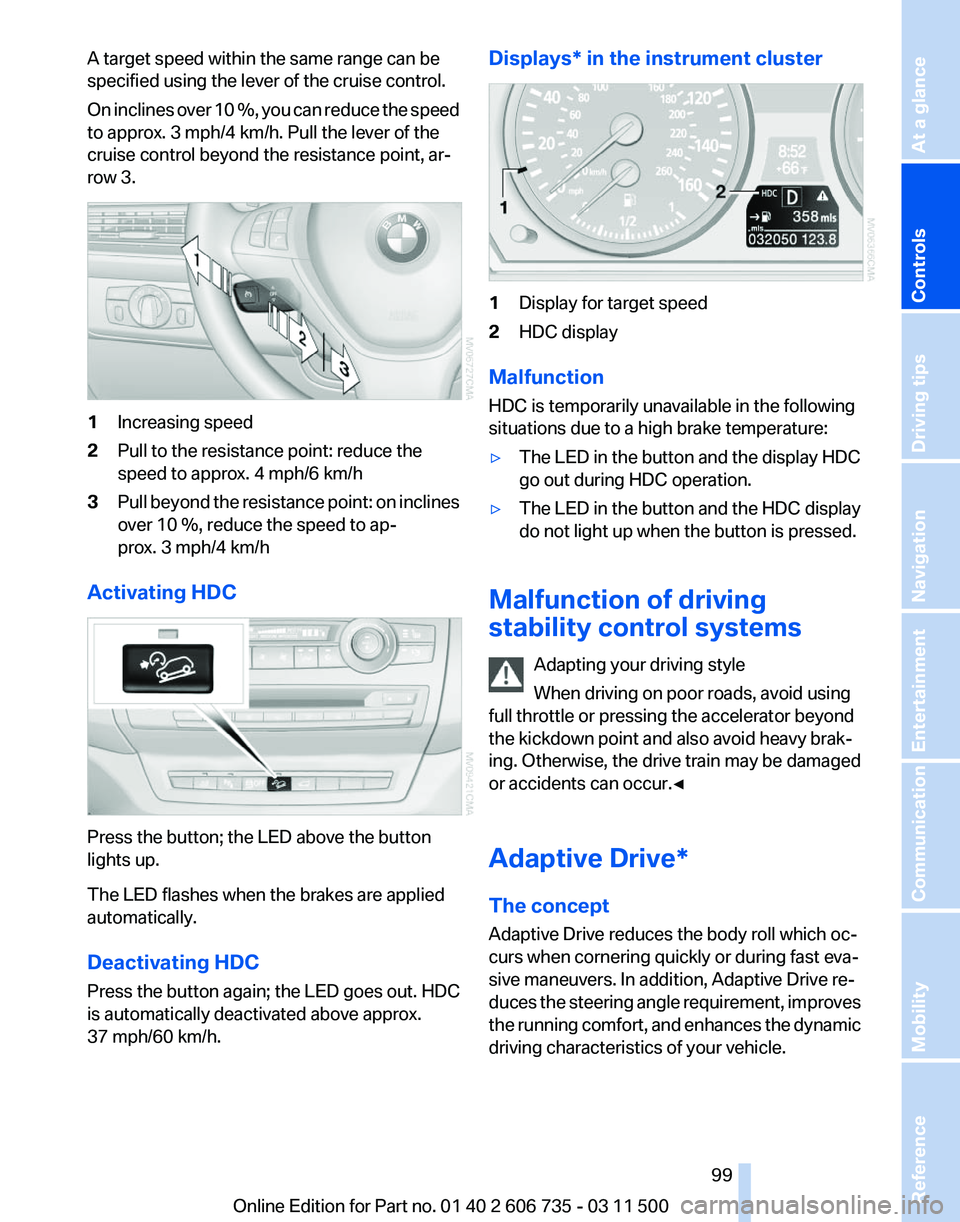
A target speed within the same range can be
specified using the lever of the cruise control.
On
inclines over 10 %, you can reduce the speed
to approx. 3 mph/4 km/h. Pull the lever of the
cruise control beyond the resistance point, ar‐
row 3. 1
Increasing speed
2 Pull to the resistance point: reduce the
speed to approx. 4 mph/6 km/h
3 Pull beyond the resistance point: on inclines
over 10 %, reduce the speed to ap‐
prox. 3 mph/4 km/h
Activating HDC Press the button; the LED above the button
lights up.
The LED flashes when the brakes are applied
automatically.
Deactivating HDC
Press the button again; the LED goes out. HDC
is automatically deactivated above approx.
37 mph/60 km/h. Displays* in the instrument cluster
1
Display for target speed
2 HDC display
Malfunction
HDC is temporarily unavailable in the following
situations due to a high brake temperature:
▷ The LED in the button and the display HDC
go out during HDC operation.
▷ The LED in the button and the HDC display
do not light up when the button is pressed.
Malfunction of driving
stability control systems Adapting your driving style
When driving on poor roads, avoid using
full throttle or pressing the accelerator beyond
the kickdown point and also avoid heavy brak‐
ing. Otherwise, the drive train may be damaged
or accidents can occur.◀
Adaptive Drive*
The concept
Adaptive Drive reduces the body roll which oc‐
curs when cornering quickly or during fast eva‐
sive maneuvers. In addition, Adaptive Drive re‐
duces
the steering angle requirement, improves
the running comfort, and enhances the dynamic
driving characteristics of your vehicle. Seite 99
99Online Edition for Part no. 01 40 2 606 735 - 03 11 500
Reference Mobility Communication Entertainment Navigation Driving tips
Controls At a glance
Page 100 of 317
Chassis and suspension tuning
Two chassis and suspension tunings are avail‐
able for selection.
▷
Normal:
The comfortable basic setting offers opti‐
mum comfort when traveling.
▷ Sport:
The sporty basic setting offers increased
driving agility.
Selecting chassis and suspension
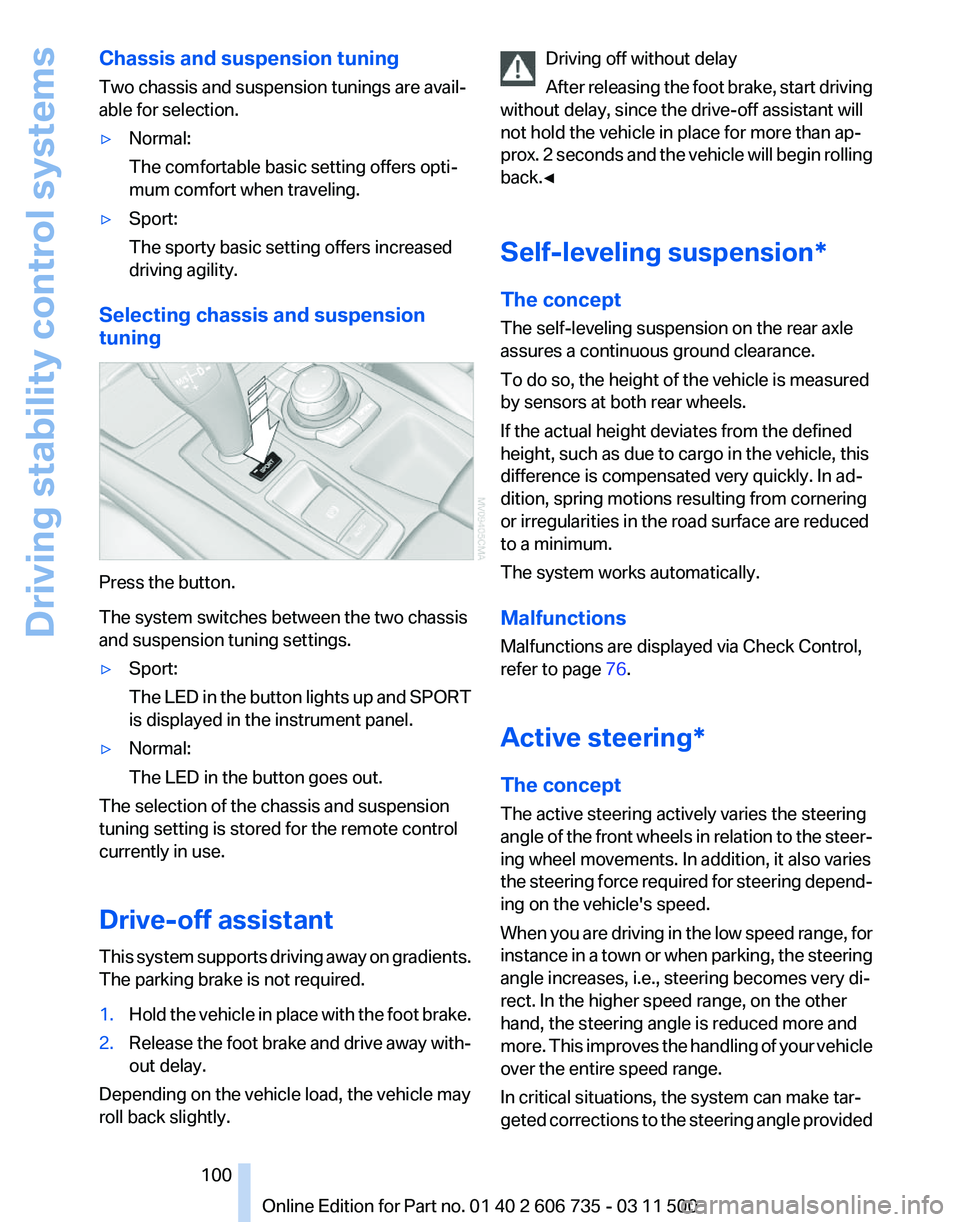
tuning Press the button.
The system switches between the two chassis
and suspension tuning settings.
▷
Sport:
The
LED in the button lights up and SPORT
is displayed in the instrument panel.
▷ Normal:
The LED in the button goes out.
The selection of the chassis and suspension
tuning setting is stored for the remote control
currently in use.
Drive-off assistant
This
system supports driving away on gradients.
The parking brake is not required.
1. Hold the vehicle in place with the foot brake.
2. Release the foot brake and drive away with‐
out delay.
Depending on the vehicle load, the vehicle may
roll back slightly. Driving off without delay
After
releasing the foot brake, start driving
without delay, since the drive-off assistant will
not hold the vehicle in place for more than ap‐
prox. 2 seconds and the vehicle will begin rolling
back.◀
Self-leveling suspension*
The concept
The self-leveling suspension on the rear axle
assures a continuous ground clearance.
To do so, the height of the vehicle is measured
by sensors at both rear wheels.
If the actual height deviates from the defined
height, such as due to cargo in the vehicle, this
difference is compensated very quickly. In ad‐
dition, spring motions resulting from cornering
or irregularities in the road surface are reduced
to a minimum.
The system works automatically.
Malfunctions
Malfunctions are displayed via Check Control,
refer to page 76.
Active steering*
The concept
The active steering actively varies the steering
angle of the front wheels in relation to the steer‐
ing wheel movements. In addition, it also varies
the steering force required for steering depend‐
ing on the vehicle's speed.
When you are driving in the low speed range, for
instance in a town or when parking, the steering
angle increases, i.e., steering becomes very di‐
rect. In the higher speed range, on the other
hand, the steering angle is reduced more and
more. This improves the handling of your vehicle
over the entire speed range.
In critical situations, the system can make tar‐
geted corrections to the steering angle provided Seite 100
100 Online Edition for Part no. 01 40 2 606 735 - 03 11 500
Driving stability control systems
Page 101 of 317
by the driver and thus stabilize the vehicle before
the driver intervenes.
Malfunction
The
warning lamp lights up yellow and
a message is shown on the Control
Display. The active steering is defec‐
tive or has been temporarily deacti‐
vated. At low speeds, greater steering wheel
movements are required, whereas at higher
speeds, the vehicle reacts more sensitively to
steering wheel movements. The stability-pro‐
moting intervention can also be deactivated.
Proceed cautiously and drive defensively.
Deactivation
Active steering deactivates in order to carry out
an initialization. This deactivation is displayed by
means of a message. The initialization can take
several minutes.
If the message does not disappear during the
current trip, have the system checked.
Defect
In the event of a defect, a corresponding text
message is displayed. Have the system
checked. Seite 101
101Online Edition for Part no. 01 40 2 606 735 - 03 11 500
Reference Mobility Communication Entertainment Navigation Driving tips
Controls At a glance
Page 108 of 317
the bend of the curve. Any deceleration of the
vehicle by the system can be compensated for
by briefly accelerating. After the accelerator
pedal is released, the system becomes active
again and independently controls the speed.
Driving away
In some situations, the vehicle cannot drive
away automatically, e.g., on steep inclines, with
a heavy trailer or behind bumps in the road.
Driver interventions and your
responsibility
Your
actions have priority at all times. When you
press on the accelerator pedal while driving, au‐
tomatic braking is not performed and the bars in
the distance display go out until you lift your foot
from the accelerator pedal. Once you release the
accelerator pedal, the desired speed is achieved
again on clear roads or the selected distance to
the vehicle ahead is maintained.
Making braking possible
Anytime the driver presses down on the
accelerator pedal, any braking action by the sys‐
tem is interrupted and the distance indicator
goes out until the pedal is fully released. As soon
as you fully release the accelerator, the system
will again control your cruising speed and dis‐
tance setting. While driving with the system ac‐
tivated, resting your foot on the acelerator pedal
will cause the system not to brake even if nec‐
essary. Be certain that floormats or other ob‐
jects on the vehicle floor do not interfere with
movement of the acccelerator pedal.◀
Limits of automatic braking
While active cruise control is capable of
braking your vehicle automatically when you ap‐
proach a slower vehicle ahead, it is important to
be aware that the ability of the system to apply
the brakes is also limited, e.g. when you reduce
your desired speed sharply. lt uses only a portion
of braking system capacity and does not utilize
the full capacity of the vehicle braking system.
Therefore, the system cannot decrease your
speed for large differences in speed between
your vehicle and the vehicle ahead. Examples: when you approach a vehicle traveling at a much
lower speed than your own speed such as ap‐
proaching a toll booth or when a much slower
vehicle cuts in front of you at close range.◀
Cruise control*
The concept
The
system is functional at speeds beginning at
approx. 20 mph/30 km/h.
The speed specified using the lever on the
steering column is maintained.
The system brakes on downhill gradients if en‐
gine braking action is insufficient.
Do not use cruise control
Do not use the system if unfavorable con‐
ditions make it impossible to drive at a constant
speed, for instance:
▷ On curvy roads.
▷ In heavy traffic.
▷ On slippery roads, in fog, snow or rain, or on
a loose road surface.
Otherwise, you could lose control of the vehicle
and cause an accident.◀
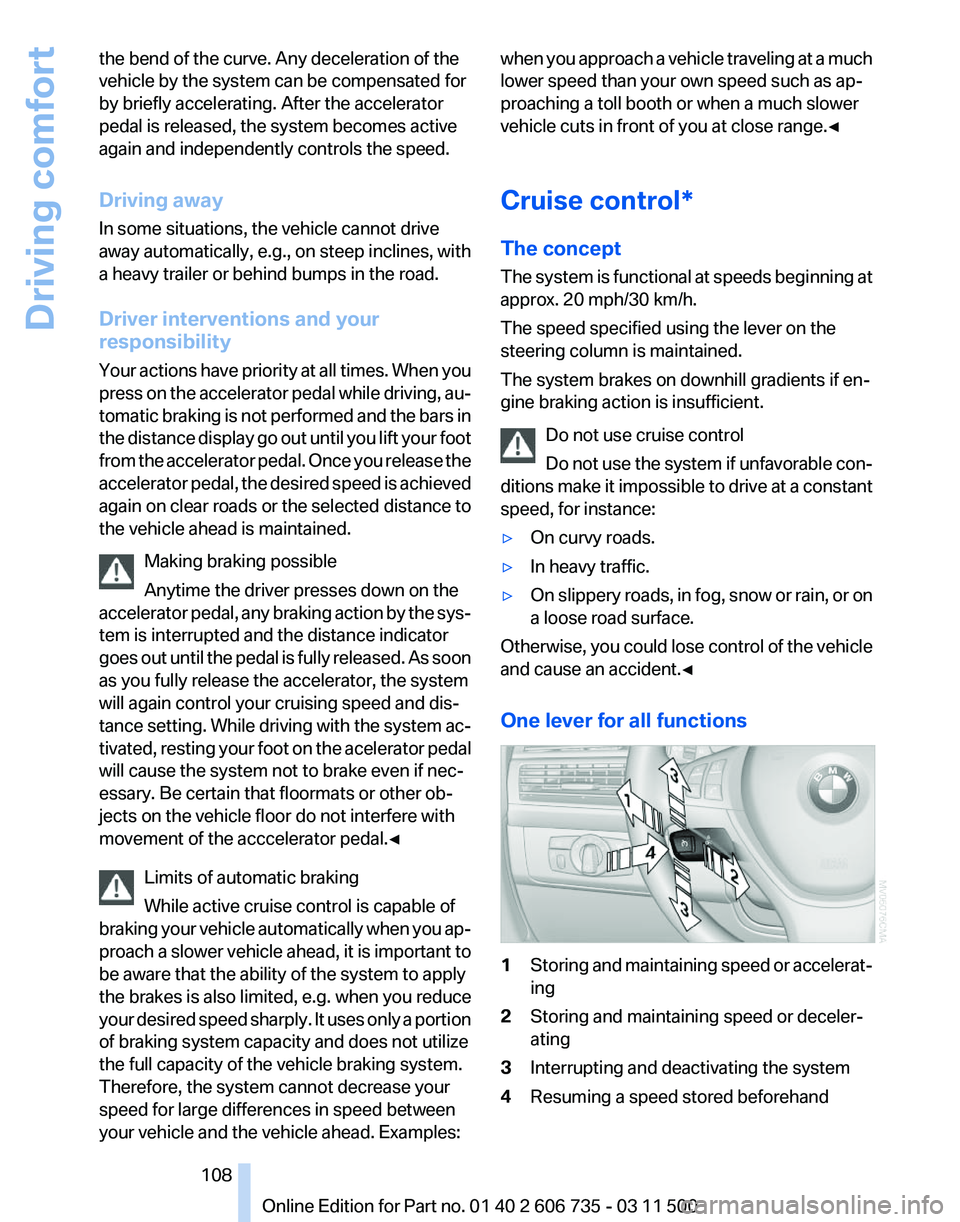
One lever for all functions 1
Storing and maintaining speed or accelerat‐
ing
2 Storing and maintaining speed or deceler‐
ating
3 Interrupting and deactivating the system
4 Resuming a speed stored beforehand Seite 108
108 Online Edition for Part no. 01 40 2 606 735 - 03 11 500
Driving comfort
Page 113 of 317
Assistance functions
Functional requirement
▷
Rear view camera is switched on.
▷ Tailgate is completely closed.
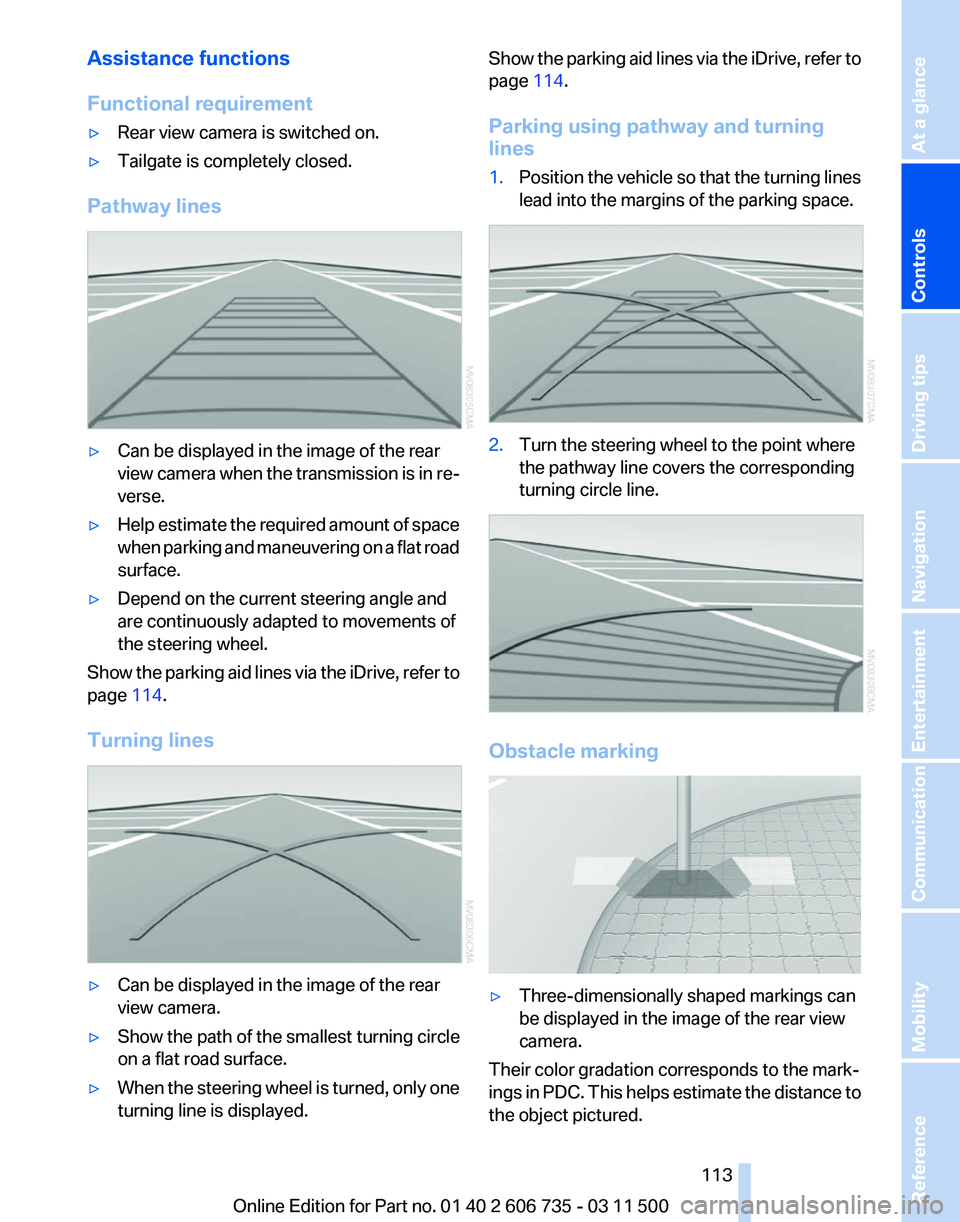
Pathway lines ▷
Can be displayed in the image of the rear
view
camera when the transmission is in re‐
verse.
▷ Help estimate the required amount of space
when
parking and maneuvering on a flat road
surface.
▷ Depend on the current steering angle and
are continuously adapted to movements of
the steering wheel.
Show the parking aid lines via the iDrive, refer to
page 114.
Turning lines ▷
Can be displayed in the image of the rear
view camera.
▷ Show the path of the smallest turning circle
on a flat road surface.
▷ When the steering wheel is turned, only one
turning line is displayed. Show the parking aid lines via the iDrive, refer to
page
114.
Parking using pathway and turning
lines
1. Position the vehicle so that the turning lines
lead into the margins of the parking space. 2.
Turn the steering wheel to the point where
the pathway line covers the corresponding
turning circle line. Obstacle marking
▷
Three-dimensionally shaped markings can
be displayed in the image of the rear view
camera.
Their color gradation corresponds to the mark‐
ings
in PDC. This helps estimate the distance to
the object pictured.
Seite 113
113Online Edition for Part no. 01 40 2 606 735 - 03 11 500
Reference Mobility Communication Entertainment Navigation Driving tips
Controls At a glance
Page 116 of 317
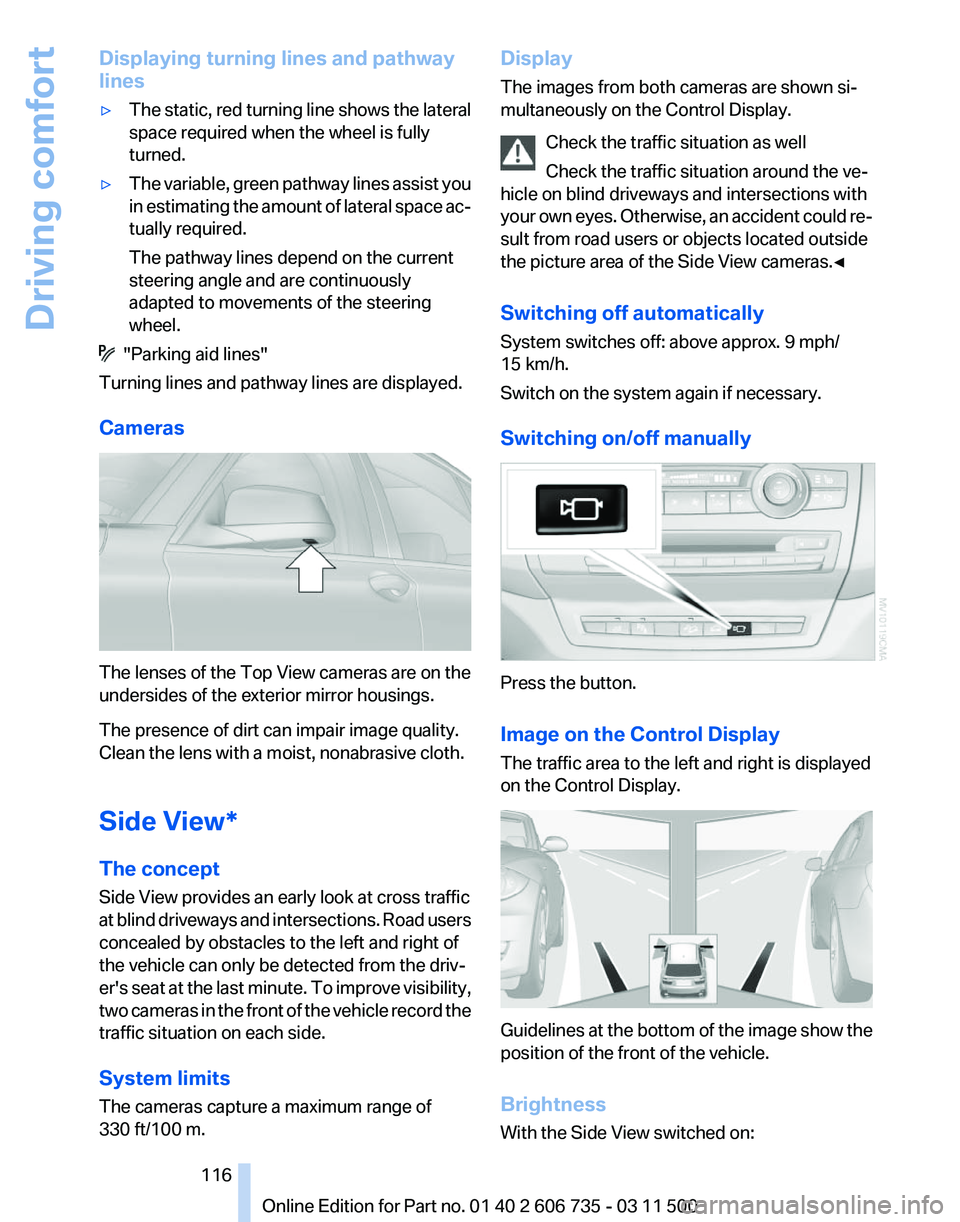
Displaying turning lines and pathway
lines
▷
The static, red turning line shows the lateral
space required when the wheel is fully
turned.
▷ The variable, green pathway lines assist you
in
estimating the amount of lateral space ac‐
tually required.
The pathway lines depend on the current
steering angle and are continuously
adapted to movements of the steering
wheel. "Parking aid lines"
Turning lines and pathway lines are displayed.
Cameras The lenses of the Top View cameras are on the
undersides of the exterior mirror housings.
The presence of dirt can impair image quality.
Clean the lens with a moist, nonabrasive cloth.
Side View*
The concept
Side View provides an early look at cross traffic
at
blind driveways and intersections. Road users
concealed by obstacles to the left and right of
the vehicle can only be detected from the driv‐
er's seat at the last minute. To improve visibility,
two cameras in the front of the vehicle record the
traffic situation on each side.
System limits
The cameras capture a maximum range of
330 ft/100 m. Display
The images from both cameras are shown si‐
multaneously on the Control Display.
Check the traffic situation as well
Check the traffic situation around the ve‐
hicle on blind driveways and intersections with
your
own eyes. Otherwise, an accident could re‐
sult from road users or objects located outside
the picture area of the Side View cameras.◀
Switching off automatically
System switches off: above approx. 9 mph/
15 km/h.
Switch on the system again if necessary.
Switching on/off manually Press the button.
Image on the Control Display
The traffic area to the left and right is displayed
on the Control Display.
Guidelines at the bottom of the image show the
position of the front of the vehicle.
Brightness
With the Side View switched on: Seite 116
116 Online Edition for Part no. 01 40 2 606 735 - 03 11 500
Driving comfort
Page 129 of 317
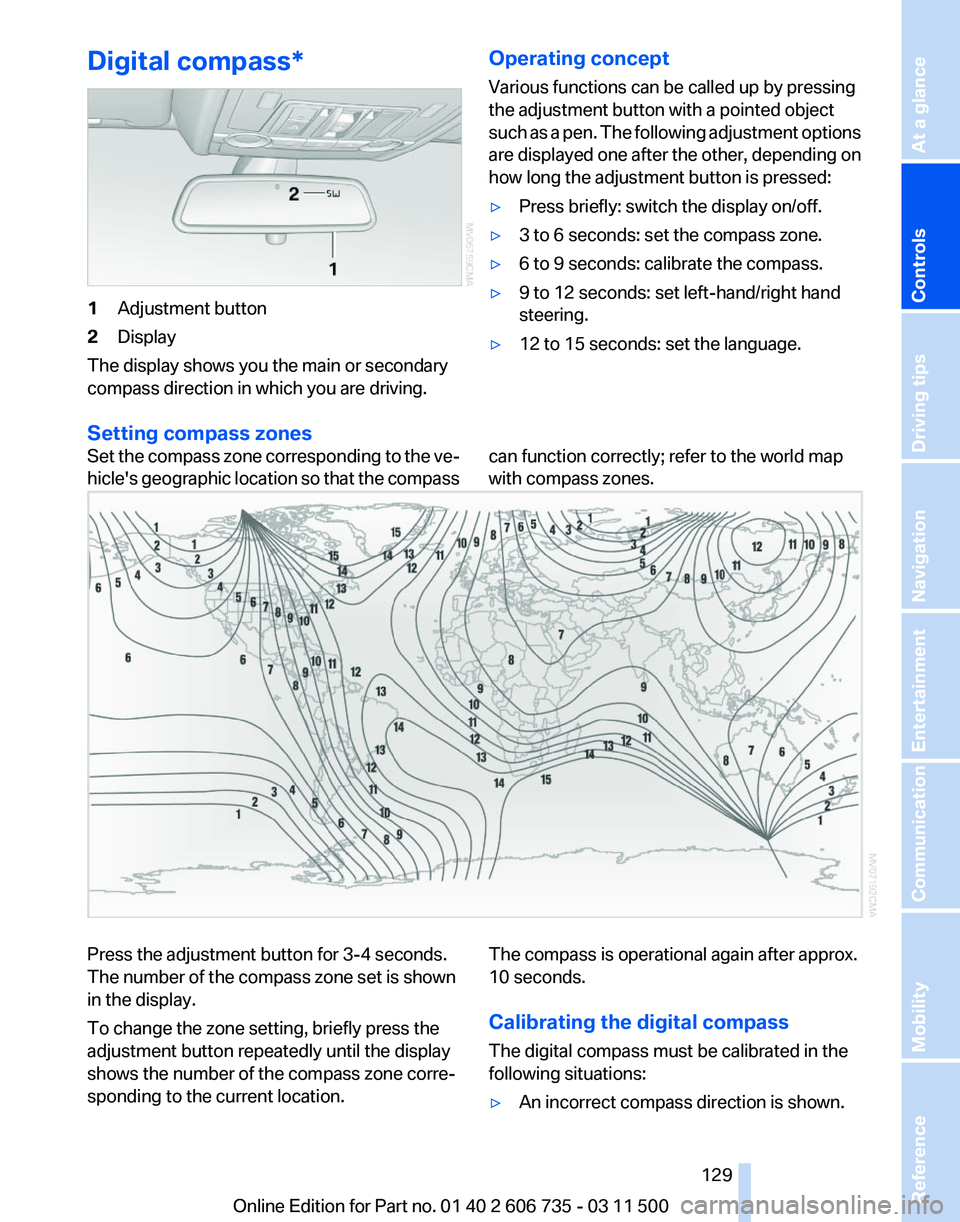
Digital compass*
1
Adjustment button
2 Display
The display shows you the main or secondary
compass direction in which you are driving. Operating concept
Various functions can be called up by pressing
the adjustment button with a pointed object
such
as a pen. The following adjustment options
are displayed one after the other, depending on
how long the adjustment button is pressed:
▷ Press briefly: switch the display on/off.
▷ 3 to 6 seconds: set the compass zone.
▷ 6 to 9 seconds: calibrate the compass.
▷ 9 to 12 seconds: set left-hand/right hand
steering.
▷ 12 to 15 seconds: set the language.
Setting compass zones
Set the compass zone corresponding to the ve‐
hicle's
geographic location so that the compass can function correctly; refer to the world map
with compass zones.Press the adjustment button for 3‑4 seconds.
The number of the compass zone set is shown
in the display.
To change the zone setting, briefly press the
adjustment button repeatedly until the display
shows the number of the compass zone corre‐
sponding to the current location.
The compass is operational again after approx.
10 seconds.
Calibrating the digital compass
The digital compass must be calibrated in the
following situations:
▷
An incorrect compass direction is shown.
Seite 129
129Online Edition for Part no. 01 40 2 606 735 - 03 11 500
Reference Mobility Communication Entertainment Navigation Driving tips
Controls At a glance
Page 130 of 317
▷
The cardinal direction displayed does not
change even if the direction of travel
changes.
▷ Not all compass directions are shown.
Procedure
1. Make sure that there are no large metal ob‐
jects or overhead power lines in the vicinity
of
the vehicle and that there is enough space
to drive in a circle.
2. Set the currently valid compass zone.
3. Press the adjustment button for 6‑7 sec‐
onds
to call up C. Then drive at least one full
circle at a maximum speed of 4 mph/7 km/h.
When the system is calibrated, the C is re‐
placed by the compass directions.
Right-hand/left-hand steering
The
digital compass is set for right-hand or left-
hand steering at the factory.
Setting the language
Press the adjustment button for 12‑13 seconds.
Briefly press the adjustment button again to
switch between English "E" and German "O".
The setting is automatically saved after approx.
10 seconds.
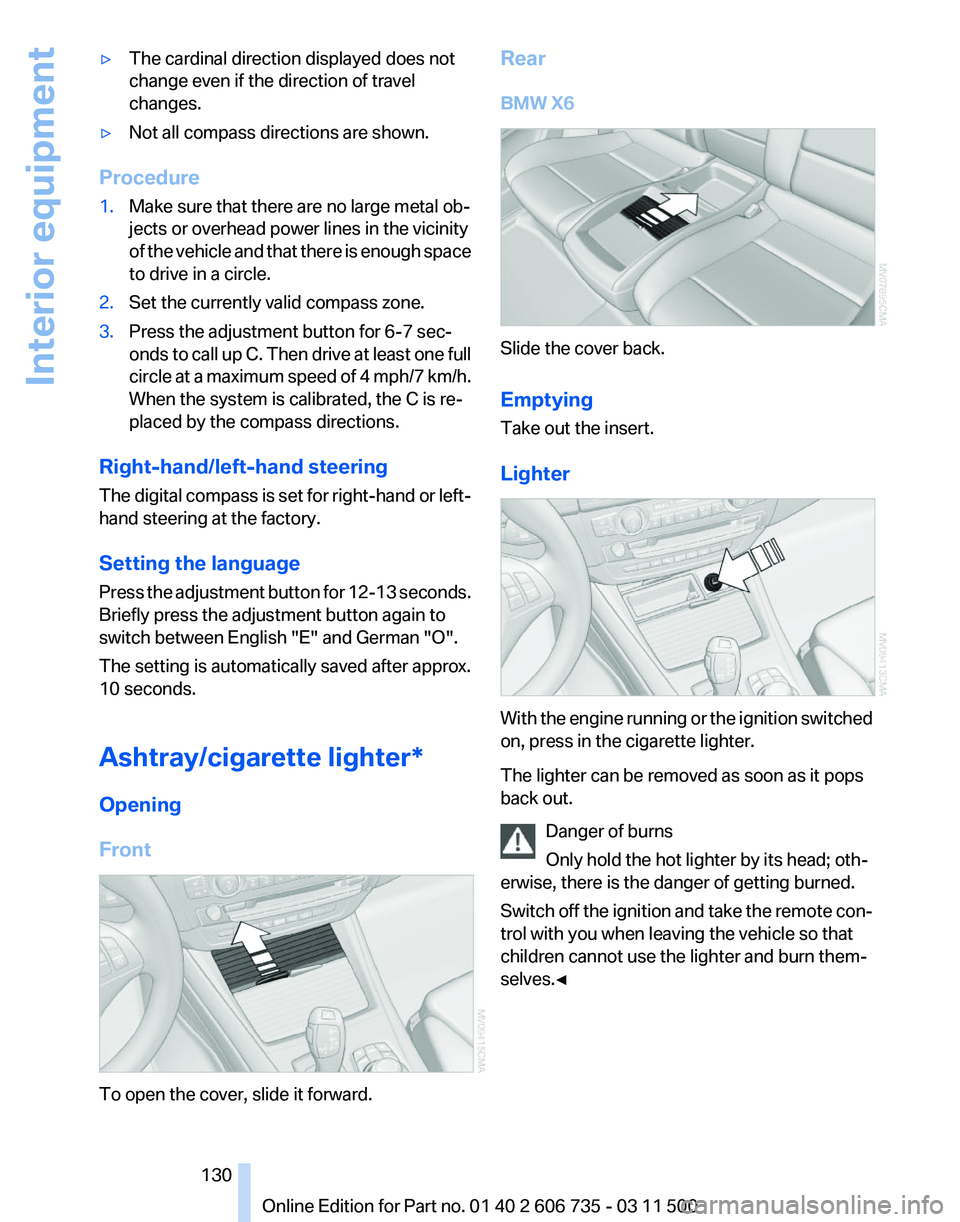
Ashtray/cigarette lighter*
Opening
Front To open the cover, slide it forward. Rear
BMW X6
Slide the cover back.
Emptying
Take out the insert.
Lighter
With the engine running or the ignition switched
on, press in the cigarette lighter.
The lighter can be removed as soon as it pops
back out.
Danger of burns
Only hold the hot lighter by its head; oth‐
erwise, there is the danger of getting burned.
Switch
off the ignition and take the remote con‐
trol with you when leaving the vehicle so that
children cannot use the lighter and burn them‐
selves.◀ Seite 130
130 Online Edition for Part no. 01 40 2 606 735 - 03 11 500
Interior equipment