door lock BMW X5 XDRIVE35I 2015 Owner's Manual
[x] Cancel search | Manufacturer: BMW, Model Year: 2015, Model line: X5 XDRIVE35I, Model: BMW X5 XDRIVE35I 2015Pages: 275, PDF Size: 6.46 MB
Page 75 of 275
ActivatingThis function can be activated when the driv‐
er's door is closed, the safety belt is fastened
and the engine is running.
Press button.
The LED and the letters AUTO H light
up.
The indicator lamp lights up.
Automatic Hold is activated.
Deactivating Press button again.
The LED and the letters AUTO H go
out.
Automatic Hold is deactivated.
If the vehicle is being held by Automatic Hold,
press on the brake pedal to deactivate it.
When the parking brake is set manually, Auto‐
matic Hold is deactivated automatically.
Driving Automatic Hold is activated: the vehicle is au‐
tomatically secured against rolling after brak‐
ing to a standstill.
The indicator lamp lights up green.
Step on the accelerator pedal to drive
off.
The brake is released automatically.
The indicator lamp goes out.
CAUTION
If the vehicle is stationary, Automatic
Hold engages the parking brake. It prevents
the vehicle from rolling in a car wash. There is
risk of property damage. Deactivate Automatic
Hold prior to entering the car wash.◀Parking
The parking brake is automatically set if the
engine is switched off while the vehicle is be‐
ing held by Automatic Hold.
The indicator lamp changes from green
to red.
The parking brake is not set if the en‐
gine is switched off while the vehicle is coast‐
ing to a halt. Automatic Hold is deactivated.
Automatic Hold remains activated during the
engine stop brought about by the Auto Start/
Stop function.
WARNING
Unattended children or animals can
move the vehicle and endanger themselves
and traffic, e.g. with the following actions:▷Pressing the Start/Stop button.▷Releasing the parking brake.▷Opening and closing of doors or windows.▷Shifting the selector lever into neutral.▷Using vehicle equipment.
There is risk of accidents or injuries. Do not
leave children or animals unattended in the ve‐
hicle. Carry remote control along when exiting
and lock the vehicle.◀
Malfunction
In the event of a failure or malfunction of the
parking brake, secure the vehicle against roll‐
ing using a wheel chock, e.g., when leaving it.
Manual release WARNING
An unsecured vehicle can put itself into
motion and roll away. There is risk of an acci‐
dent. Before exiting, secure the vehicle against
rolling.
In order to ensure that the vehicle is secured
against rolling away, observe the following:
▷Set the parking brake.Seite 75DrivingControls75
Online Edition for Part no. 01 40 2 963 410 - VI/15
Page 81 of 275
When the ignition is switched off, refer to
page 69, selector lever position P is engaged
automatically.
P Park Select only when the vehicle is stationary. The
drive wheels are blocked.
P is engaged automatically:▷After the engine is switched off when the
vehicle is in radio-ready state, refer to
page 69, or when the ignition is switched
off, refer to page 69, and when selector
lever position R or D is set.▷With the ignition off, if selector lever posi‐
tion N is set.▷If the driver's safety belt is released, the
driver's door is opened, and the brake
pedal is not pressed while the vehicle is
stationary and selector lever position D or
R is set.
Before exiting the vehicle, make sure that se‐
lector lever position P is set. Otherwise, the ve‐
hicle may begin to move.
Kickdown Kickdown is used to achieve maximum driving
performance. Step on the accelerator pedal
beyond the resistance point at the full throttle
position.
Engaging selector lever positions
General information To prevent the vehicle from creeping after you
select a gear, maintain pressure on the brake
pedal until you are ready to start.
▷It is not possible to shift out of selector
lever position P until the engine is running
and the brake is applied.▷With the vehicle is stationary, press on the
brake pedal before shifting out of selector
lever position P or N; otherwise, the shift
command will not be executed: shift lock.A block prevents the inadvertent switching to
selector lever position P or R or the inadvertent
change from selector lever position P.
Engaging selector lever position D, N,
R
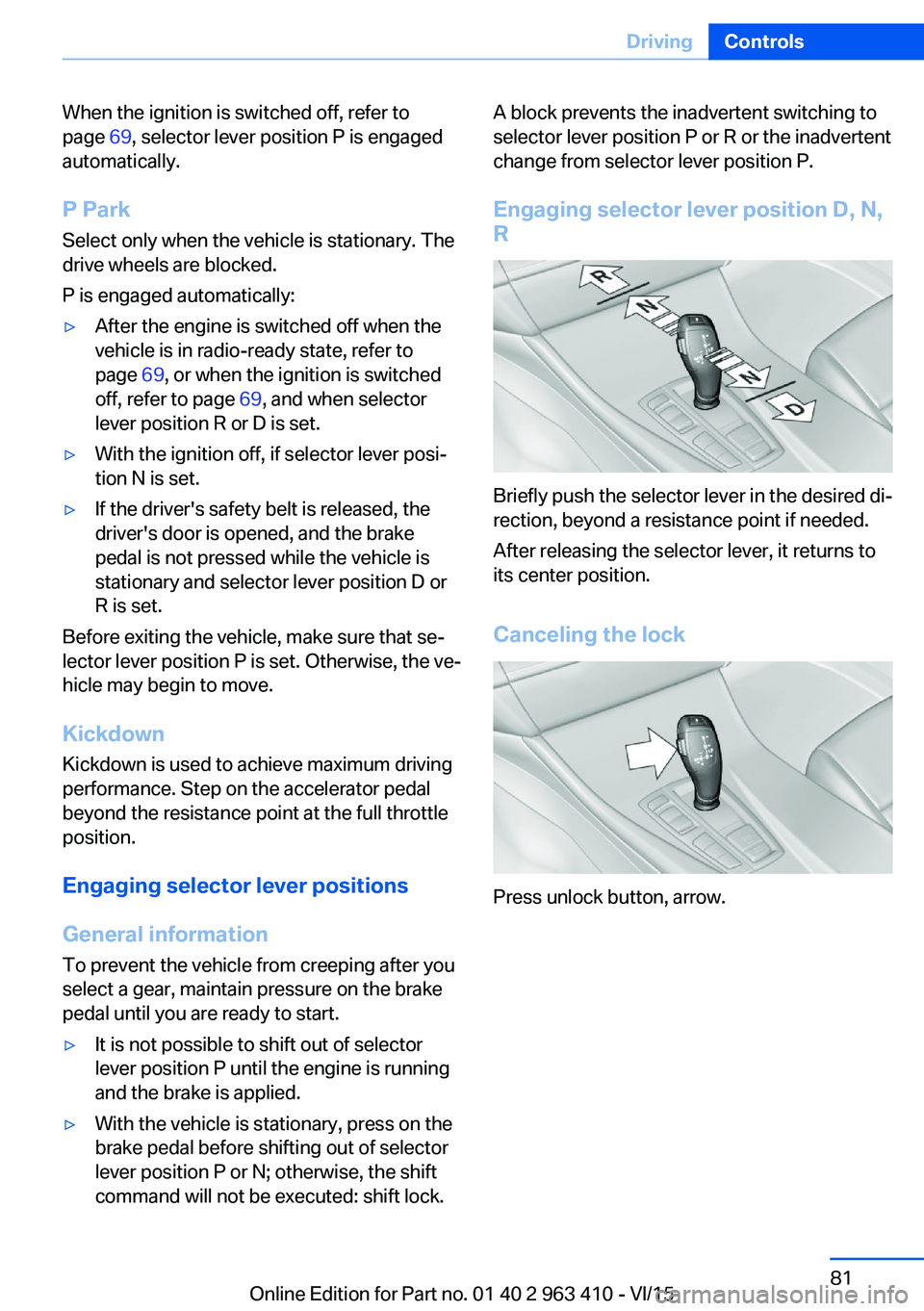
Briefly push the selector lever in the desired di‐
rection, beyond a resistance point if needed.
After releasing the selector lever, it returns to
its center position.
Canceling the lock
Press unlock button, arrow.
Seite 81DrivingControls81
Online Edition for Part no. 01 40 2 963 410 - VI/15
Page 184 of 275
LockingThe glove compartment can be locked with an
integrated key. This prevents access to the
glove compartment.
After the glove compartment is locked, the re‐
mote control can be handed over, such as at a
hotel, without the integrated key.
Driver's side
Information WARNING
Folded open, the glove compartment
protrudes in the car's interior. Objects in the glove compartment can be thrown into the
car's interior while driving, e.g. in the event of
an accident or during braking and evasive ma‐
neuvers. There is risk of injuries. Always close
the glove compartment immediately after us‐ ing it.◀
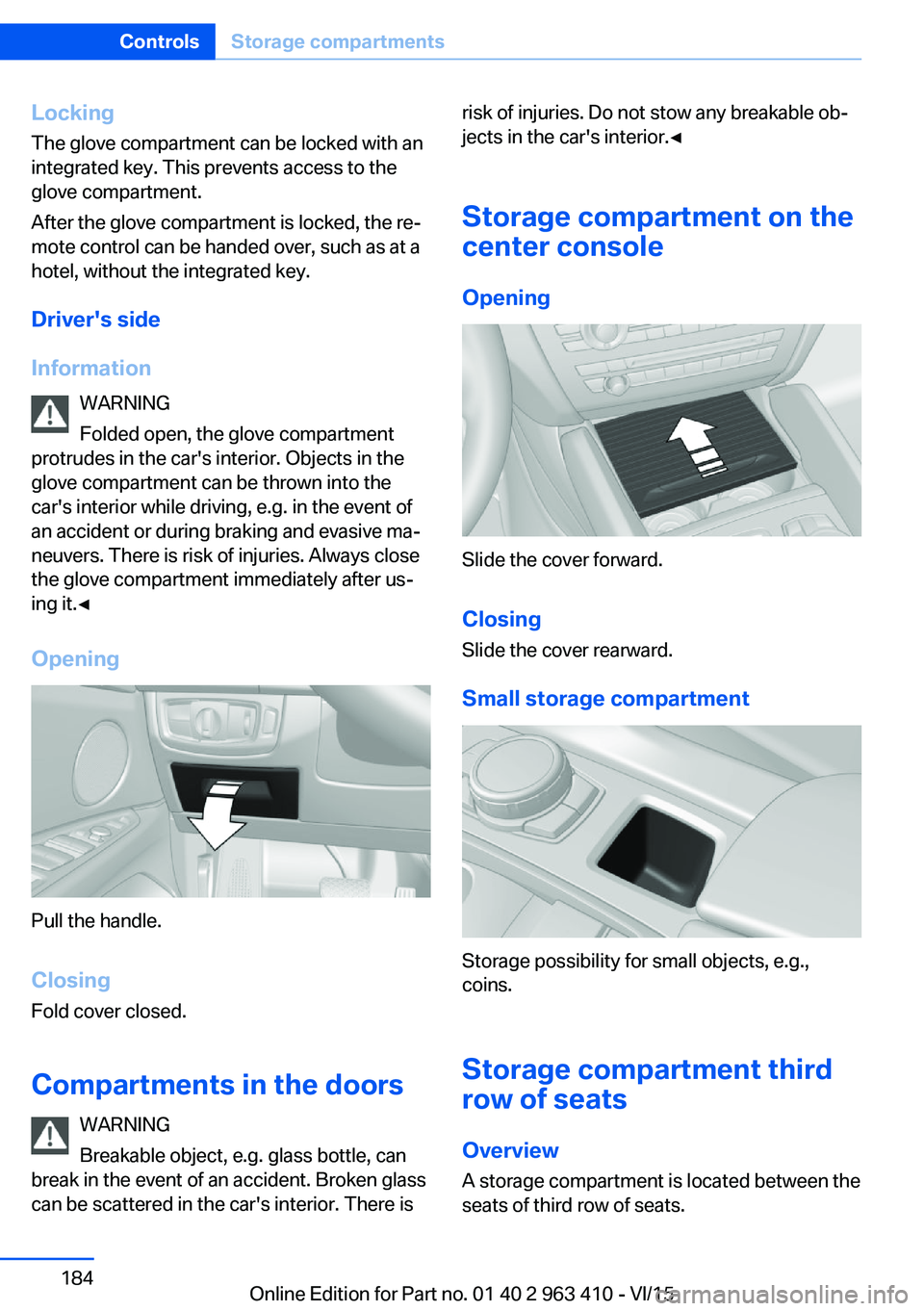
Opening
Pull the handle.
ClosingFold cover closed.
Compartments in the doors WARNING
Breakable object, e.g. glass bottle, can
break in the event of an accident. Broken glass
can be scattered in the car's interior. There is
risk of injuries. Do not stow any breakable ob‐
jects in the car's interior.◀
Storage compartment on the
center console
Opening
Slide the cover forward.
Closing Slide the cover rearward.
Small storage compartment
Storage possibility for small objects, e.g.,
coins.
Storage compartment third
row of seats
Overview
A storage compartment is located between the
seats of third row of seats.
Seite 184ControlsStorage compartments184
Online Edition for Part no. 01 40 2 963 410 - VI/15
Page 255 of 275
Before driving into a car wash
In order to ensure that the vehicle can roll in a
car wash, take the following steps:1.Drive into the car wash.2.Engage selector lever position N.3.Deactivating Automatic Hold, refer to
page 75.4.Release the parking brake.5.Switch the engine off.
In this way, the ignition remains switched
on, and a Check-Control message is dis‐
played.
CAUTION
Selector lever position P is automati‐
cally engaged when the ignition is
switched off. There is risk of property dam‐
age. Do not switch ignition off in car
washes.◀
The vehicle cannot be locked from the outside
when in selector lever position N. A signal
sounds when an attempt is made to lock the
vehicle.
To start the engine:
1.Depress the brake pedal.2.Press the Start/Stop button.
Pressing the Start/Stop button without step‐
ping on the brake turns the ignition off.
Selector lever positionSelector lever position P is engaged automati‐
cally:
▷When the ignition is switched off.▷After approx. 15 minutes.
Headlights
▷Do not rub dry and do not use abrasive or
acidic cleansers.▷Soak areas that have been dirtied e. g.,
from insects, with shampoo and wash off
with water.▷Thaw ice with de-icing spray; do not use an
ice scraper.
After washing the vehicle
After washing the vehicle, apply the brakes
briefly to dry them; otherwise, braking action
can be reduced and corrosion of the brake
discs can occur.
Completely remove all residues on the win‐
dows, to minimize loss of visibility due to
smearing and to reduce wiper noises and
wiper blade wear.
Vehicle care
Car care products The manufacturer of your vehicle recommends
using car care and cleaning products from
BMW.
WARNING
Cleansers can contain substances that
are dangerous and harmful to your health.
There is risk of injuries. When cleaning the in‐
terior, open the doors or windows. Only use
products intended for cleaning vehicles. Fol‐
low the instructions on the container.◀
Vehicle paint
Regular care contributes to driving safety and
value retention. Environmental influences in
areas with elevated air pollution or natural con‐
taminants, such as tree resin or pollen can af‐
fect the vehicle's paintwork. Tailor the fre‐
quency and extent of your car care to these
influences.
Aggressive substances such as spilled fuel, oil,
grease or bird droppings, must be removed im‐
mediately to prevent the finish from being al‐
tered or discolored.
Leather care
Remove dust from the leather often, using a
cloth or vacuum cleaner.
Seite 255CareMobility255
Online Edition for Part no. 01 40 2 963 410 - VI/15
Page 264 of 275
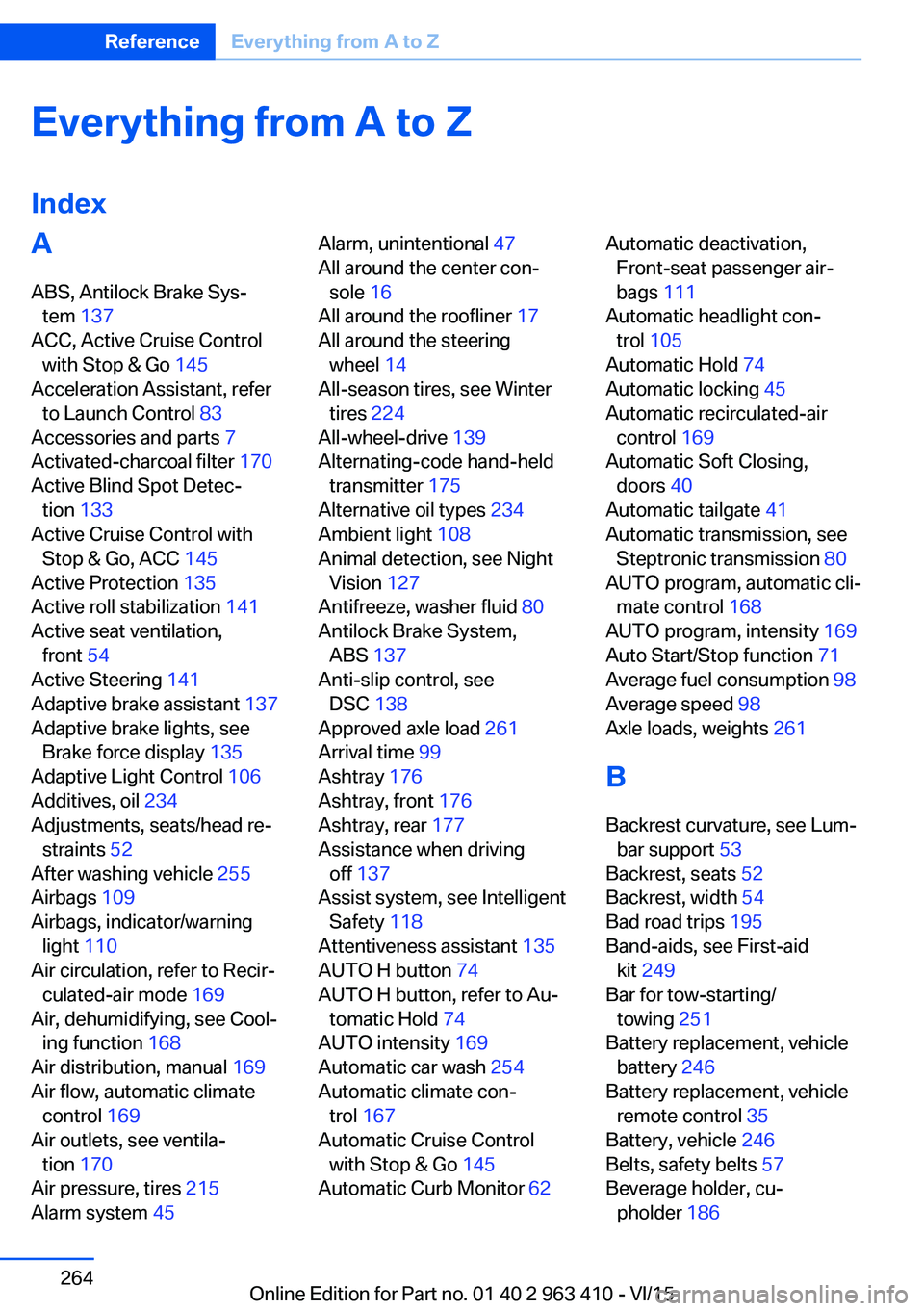
Everything from A to Z
IndexA ABS, Antilock Brake Sys‐ tem 137
ACC, Active Cruise Control with Stop & Go 145
Acceleration Assistant, refer to Launch Control 83
Accessories and parts 7
Activated-charcoal filter 170
Active Blind Spot Detec‐ tion 133
Active Cruise Control with Stop & Go, ACC 145
Active Protection 135
Active roll stabilization 141
Active seat ventilation, front 54
Active Steering 141
Adaptive brake assistant 137
Adaptive brake lights, see Brake force display 135
Adaptive Light Control 106
Additives, oil 234
Adjustments, seats/head re‐ straints 52
After washing vehicle 255
Airbags 109
Airbags, indicator/warning light 110
Air circulation, refer to Recir‐ culated-air mode 169
Air, dehumidifying, see Cool‐ ing function 168
Air distribution, manual 169
Air flow, automatic climate control 169
Air outlets, see ventila‐ tion 170
Air pressure, tires 215
Alarm system 45 Alarm, unintentional 47
All around the center con‐ sole 16
All around the roofliner 17
All around the steering wheel 14
All-season tires, see Winter tires 224
All-wheel-drive 139
Alternating-code hand-held transmitter 175
Alternative oil types 234
Ambient light 108
Animal detection, see Night Vision 127
Antifreeze, washer fluid 80
Antilock Brake System, ABS 137
Anti-slip control, see DSC 138
Approved axle load 261
Arrival time 99
Ashtray 176
Ashtray, front 176
Ashtray, rear 177
Assistance when driving off 137
Assist system, see Intelligent Safety 118
Attentiveness assistant 135
AUTO H button 74
AUTO H button, refer to Au‐ tomatic Hold 74
AUTO intensity 169
Automatic car wash 254
Automatic climate con‐ trol 167
Automatic Cruise Control with Stop & Go 145
Automatic Curb Monitor 62 Automatic deactivation,
Front-seat passenger air‐
bags 111
Automatic headlight con‐ trol 105
Automatic Hold 74
Automatic locking 45
Automatic recirculated-air control 169
Automatic Soft Closing, doors 40
Automatic tailgate 41
Automatic transmission, see Steptronic transmission 80
AUTO program, automatic cli‐ mate control 168
AUTO program, intensity 169
Auto Start/Stop function 71
Average fuel consumption 98
Average speed 98
Axle loads, weights 261
B Backrest curvature, see Lum‐ bar support 53
Backrest, seats 52
Backrest, width 54
Bad road trips 195
Band-aids, see First-aid kit 249
Bar for tow-starting/ towing 251
Battery replacement, vehicle battery 246
Battery replacement, vehicle remote control 35
Battery, vehicle 246
Belts, safety belts 57
Beverage holder, cu‐ pholder 186 Seite 264ReferenceEverything from A to Z264
Online Edition for Part no. 01 40 2 963 410 - VI/15
Page 265 of 275
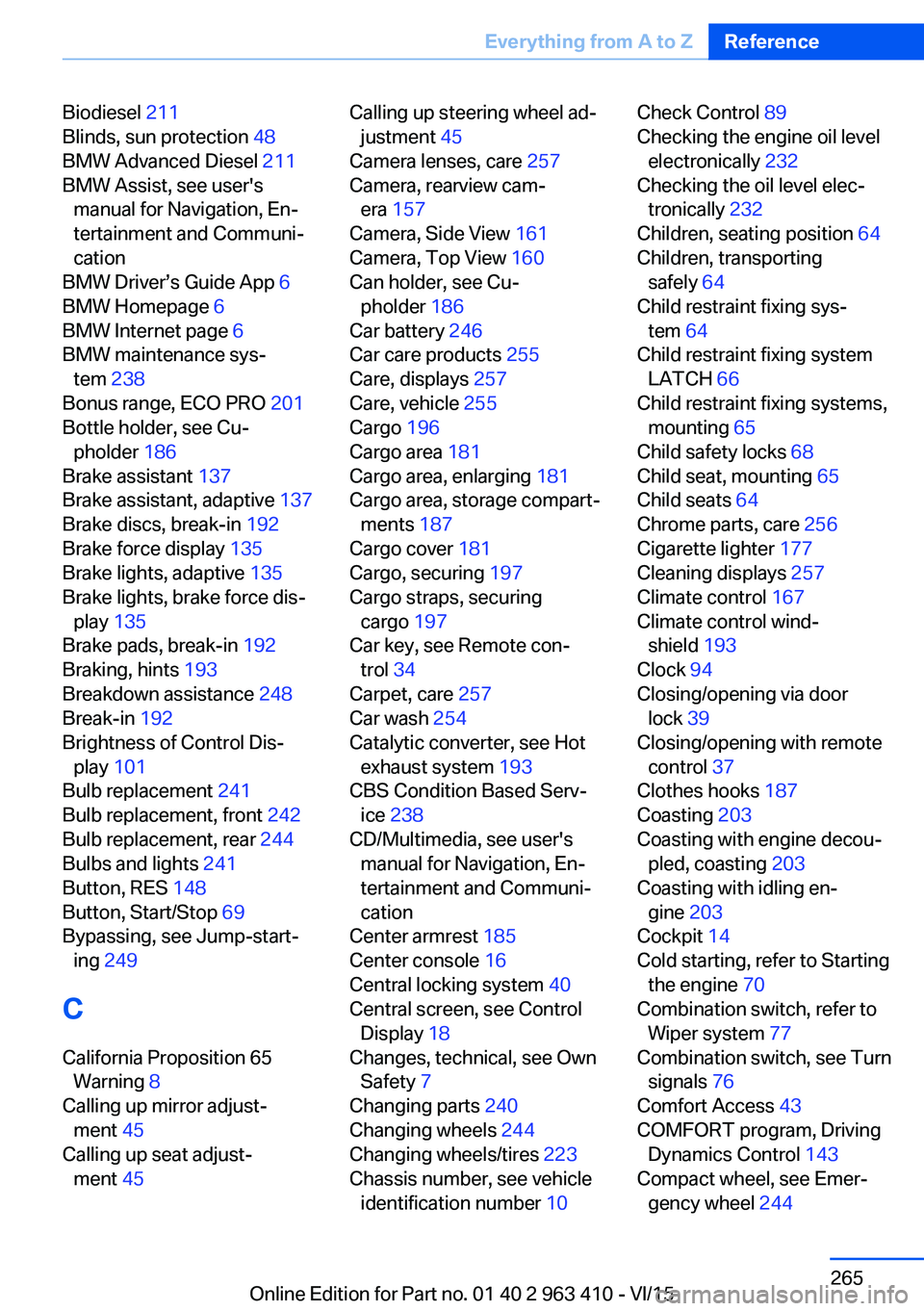
Biodiesel 211
Blinds, sun protection 48
BMW Advanced Diesel 211
BMW Assist, see user's manual for Navigation, En‐
tertainment and Communi‐
cation
BMW Driver’s Guide App 6
BMW Homepage 6
BMW Internet page 6
BMW maintenance sys‐ tem 238
Bonus range, ECO PRO 201
Bottle holder, see Cu‐ pholder 186
Brake assistant 137
Brake assistant, adaptive 137
Brake discs, break-in 192
Brake force display 135
Brake lights, adaptive 135
Brake lights, brake force dis‐ play 135
Brake pads, break-in 192
Braking, hints 193
Breakdown assistance 248
Break-in 192
Brightness of Control Dis‐ play 101
Bulb replacement 241
Bulb replacement, front 242
Bulb replacement, rear 244
Bulbs and lights 241
Button, RES 148
Button, Start/Stop 69
Bypassing, see Jump-start‐ ing 249
C
California Proposition 65 Warning 8
Calling up mirror adjust‐ ment 45
Calling up seat adjust‐ ment 45 Calling up steering wheel ad‐
justment 45
Camera lenses, care 257
Camera, rearview cam‐ era 157
Camera, Side View 161
Camera, Top View 160
Can holder, see Cu‐ pholder 186
Car battery 246
Car care products 255
Care, displays 257
Care, vehicle 255
Cargo 196
Cargo area 181
Cargo area, enlarging 181
Cargo area, storage compart‐ ments 187
Cargo cover 181
Cargo, securing 197
Cargo straps, securing cargo 197
Car key, see Remote con‐ trol 34
Carpet, care 257
Car wash 254
Catalytic converter, see Hot exhaust system 193
CBS Condition Based Serv‐ ice 238
CD/Multimedia, see user's manual for Navigation, En‐
tertainment and Communi‐
cation
Center armrest 185
Center console 16
Central locking system 40
Central screen, see Control Display 18
Changes, technical, see Own Safety 7
Changing parts 240
Changing wheels 244
Changing wheels/tires 223
Chassis number, see vehicle identification number 10 Check Control 89
Checking the engine oil level electronically 232
Checking the oil level elec‐ tronically 232
Children, seating position 64
Children, transporting safely 64
Child restraint fixing sys‐ tem 64
Child restraint fixing system LATCH 66
Child restraint fixing systems, mounting 65
Child safety locks 68
Child seat, mounting 65
Child seats 64
Chrome parts, care 256
Cigarette lighter 177
Cleaning displays 257
Climate control 167
Climate control wind‐ shield 193
Clock 94
Closing/opening via door lock 39
Closing/opening with remote control 37
Clothes hooks 187
Coasting 203
Coasting with engine decou‐ pled, coasting 203
Coasting with idling en‐ gine 203
Cockpit 14
Cold starting, refer to Starting the engine 70
Combination switch, refer to Wiper system 77
Combination switch, see Turn signals 76
Comfort Access 43
COMFORT program, Driving Dynamics Control 143
Compact wheel, see Emer‐ gency wheel 244 Seite 265Everything from A to ZReference265
Online Edition for Part no. 01 40 2 963 410 - VI/15
Page 266 of 275
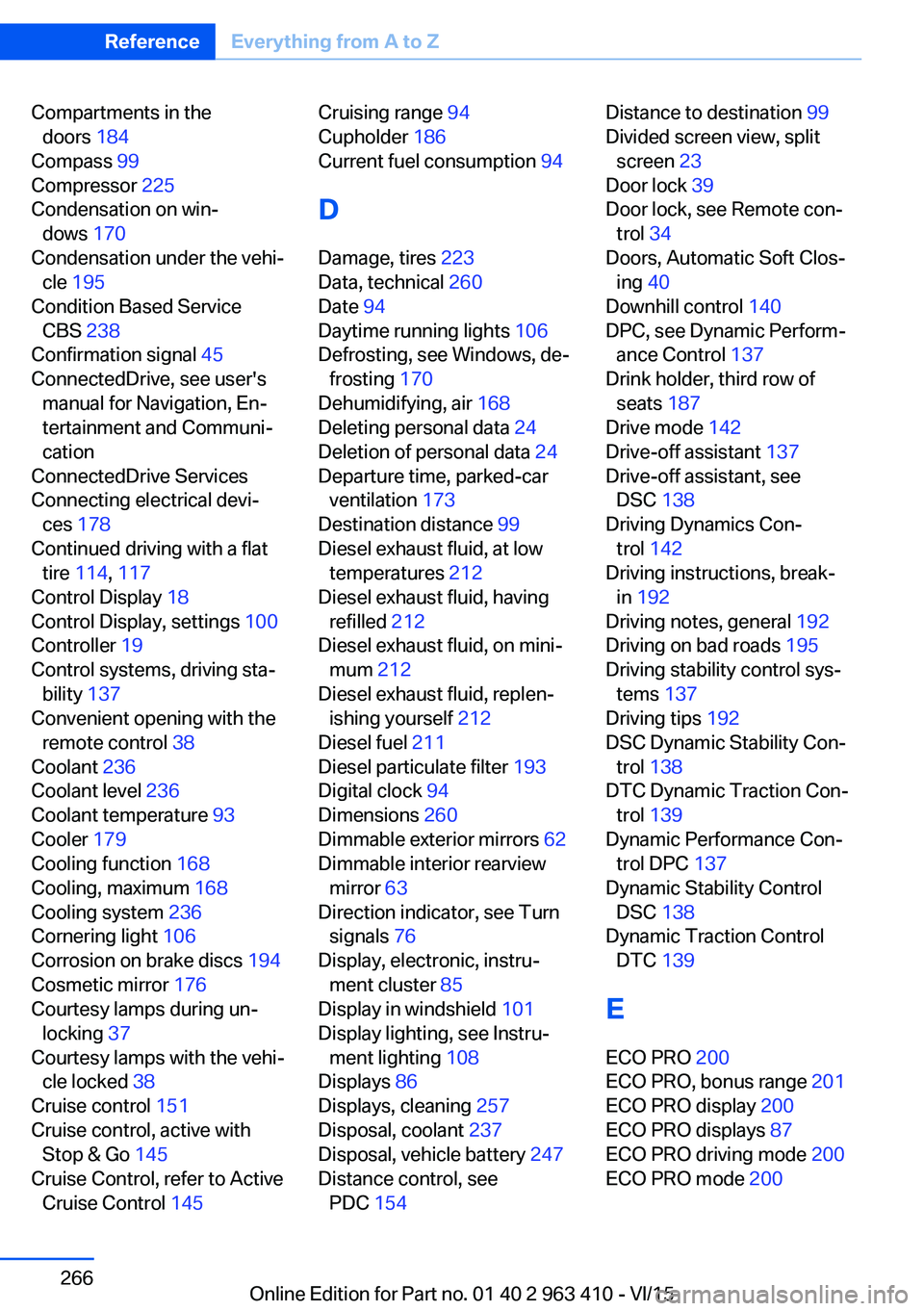
Compartments in thedoors 184
Compass 99
Compressor 225
Condensation on win‐ dows 170
Condensation under the vehi‐ cle 195
Condition Based Service CBS 238
Confirmation signal 45
ConnectedDrive, see user's manual for Navigation, En‐
tertainment and Communi‐
cation
ConnectedDrive Services
Connecting electrical devi‐ ces 178
Continued driving with a flat tire 114 , 117
Control Display 18
Control Display, settings 100
Controller 19
Control systems, driving sta‐ bility 137
Convenient opening with the remote control 38
Coolant 236
Coolant level 236
Coolant temperature 93
Cooler 179
Cooling function 168
Cooling, maximum 168
Cooling system 236
Cornering light 106
Corrosion on brake discs 194
Cosmetic mirror 176
Courtesy lamps during un‐ locking 37
Courtesy lamps with the vehi‐ cle locked 38
Cruise control 151
Cruise control, active with Stop & Go 145
Cruise Control, refer to Active Cruise Control 145 Cruising range 94
Cupholder 186
Current fuel consumption 94
D
Damage, tires 223
Data, technical 260
Date 94
Daytime running lights 106
Defrosting, see Windows, de‐ frosting 170
Dehumidifying, air 168
Deleting personal data 24
Deletion of personal data 24
Departure time, parked-car ventilation 173
Destination distance 99
Diesel exhaust fluid, at low temperatures 212
Diesel exhaust fluid, having refilled 212
Diesel exhaust fluid, on mini‐ mum 212
Diesel exhaust fluid, replen‐ ishing yourself 212
Diesel fuel 211
Diesel particulate filter 193
Digital clock 94
Dimensions 260
Dimmable exterior mirrors 62
Dimmable interior rearview mirror 63
Direction indicator, see Turn signals 76
Display, electronic, instru‐ ment cluster 85
Display in windshield 101
Display lighting, see Instru‐ ment lighting 108
Displays 86
Displays, cleaning 257
Disposal, coolant 237
Disposal, vehicle battery 247
Distance control, see PDC 154 Distance to destination 99
Divided screen view, split screen 23
Door lock 39
Door lock, see Remote con‐ trol 34
Doors, Automatic Soft Clos‐ ing 40
Downhill control 140
DPC, see Dynamic Perform‐ ance Control 137
Drink holder, third row of seats 187
Drive mode 142
Drive-off assistant 137
Drive-off assistant, see DSC 138
Driving Dynamics Con‐ trol 142
Driving instructions, break- in 192
Driving notes, general 192
Driving on bad roads 195
Driving stability control sys‐ tems 137
Driving tips 192
DSC Dynamic Stability Con‐ trol 138
DTC Dynamic Traction Con‐ trol 139
Dynamic Performance Con‐ trol DPC 137
Dynamic Stability Control DSC 138
Dynamic Traction Control DTC 139
E
ECO PRO 200
ECO PRO, bonus range 201
ECO PRO display 200
ECO PRO displays 87
ECO PRO driving mode 200
ECO PRO mode 200 Seite 266ReferenceEverything from A to Z266
Online Edition for Part no. 01 40 2 963 410 - VI/15
Page 267 of 275
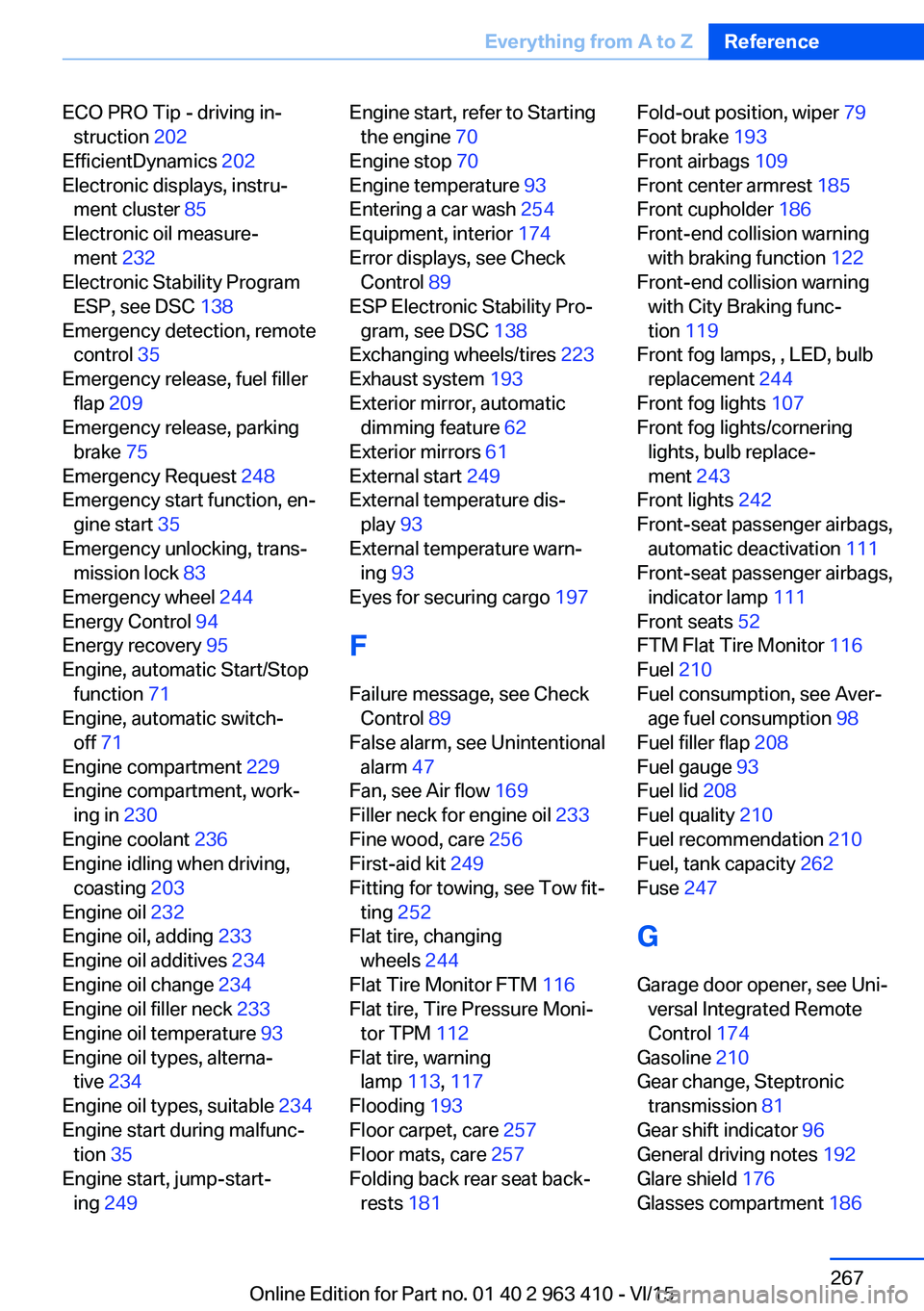
ECO PRO Tip - driving in‐struction 202
EfficientDynamics 202
Electronic displays, instru‐ ment cluster 85
Electronic oil measure‐ ment 232
Electronic Stability Program ESP, see DSC 138
Emergency detection, remote control 35
Emergency release, fuel filler flap 209
Emergency release, parking brake 75
Emergency Request 248
Emergency start function, en‐ gine start 35
Emergency unlocking, trans‐ mission lock 83
Emergency wheel 244
Energy Control 94
Energy recovery 95
Engine, automatic Start/Stop function 71
Engine, automatic switch- off 71
Engine compartment 229
Engine compartment, work‐ ing in 230
Engine coolant 236
Engine idling when driving, coasting 203
Engine oil 232
Engine oil, adding 233
Engine oil additives 234
Engine oil change 234
Engine oil filler neck 233
Engine oil temperature 93
Engine oil types, alterna‐ tive 234
Engine oil types, suitable 234
Engine start during malfunc‐ tion 35
Engine start, jump-start‐ ing 249 Engine start, refer to Starting
the engine 70
Engine stop 70
Engine temperature 93
Entering a car wash 254
Equipment, interior 174
Error displays, see Check Control 89
ESP Electronic Stability Pro‐ gram, see DSC 138
Exchanging wheels/tires 223
Exhaust system 193
Exterior mirror, automatic dimming feature 62
Exterior mirrors 61
External start 249
External temperature dis‐ play 93
External temperature warn‐ ing 93
Eyes for securing cargo 197
F
Failure message, see Check Control 89
False alarm, see Unintentional alarm 47
Fan, see Air flow 169
Filler neck for engine oil 233
Fine wood, care 256
First-aid kit 249
Fitting for towing, see Tow fit‐ ting 252
Flat tire, changing wheels 244
Flat Tire Monitor FTM 116
Flat tire, Tire Pressure Moni‐ tor TPM 112
Flat tire, warning lamp 113, 117
Flooding 193
Floor carpet, care 257
Floor mats, care 257
Folding back rear seat back‐ rests 181 Fold-out position, wiper 79
Foot brake 193
Front airbags 109
Front center armrest 185
Front cupholder 186
Front-end collision warning with braking function 122
Front-end collision warning with City Braking func‐
tion 119
Front fog lamps, , LED, bulb replacement 244
Front fog lights 107
Front fog lights/cornering lights, bulb replace‐
ment 243
Front lights 242
Front-seat passenger airbags, automatic deactivation 111
Front-seat passenger airbags, indicator lamp 111
Front seats 52
FTM Flat Tire Monitor 116
Fuel 210
Fuel consumption, see Aver‐ age fuel consumption 98
Fuel filler flap 208
Fuel gauge 93
Fuel lid 208
Fuel quality 210
Fuel recommendation 210
Fuel, tank capacity 262
Fuse 247
G
Garage door opener, see Uni‐ versal Integrated Remote
Control 174
Gasoline 210
Gear change, Steptronic transmission 81
Gear shift indicator 96
General driving notes 192
Glare shield 176
Glasses compartment 186 Seite 267Everything from A to ZReference267
Online Edition for Part no. 01 40 2 963 410 - VI/15
Page 269 of 275
Lane margin, warning 131
Language on Control Dis‐ play 101
Lashing eyes, securing cargo 197
LATCH child restraint sys‐ tem 66
Launch Control 83
Leather, care 255
LED headlights, bulb replace‐ ment 243
LEDs, light-emitting di‐ odes 242
Letters and numbers, enter‐ ing 25
Light 104
Light alloy wheels, care 256
Light control 106
Light-emitting diodes, LEDs 242
Lighting 104
Lights and bulbs 241
Light switch 104
Load 197
Loading 196
Lock, door 39
Locking/unlocking via door lock 39
Locking/unlocking with re‐ mote control 37
Locking, automatic 45
Locking, settings 44
Lock, power window 48
Locks, doors, and win‐ dows 68
Low beams 104
Low beams, automatic, see High-beam Assistant 106
Lower back support 53
Lower tailgate 43
Low-Sulfur Diesel 211
Luggage rack, see Roof- mounted luggage rack 198
Lumbar support 53 M
Maintenance 238
Maintenance require‐ ments 238
Maintenance, service require‐ ments 95
Maintenance system, BMW 238
Make-up mirror 176
Malfunction displays, see Check Control 89
Malfunction, self-leveling sus‐ pension 142
Manual air distribution 169
Manual air flow 169
Manual brake, see Parking brake 73
Manual mode, Steptronic transmission 82
Manual operation, door lock 39
Manual operation, exterior mirrors 62
Manual operation, fuel filler flap 209
Manual operation, Park Dis‐ tance Control PDC 155
Manual operation, parking brake 75
Manual operation, rearview camera 157
Manual operation, Top View 160
Marking, run-flat tires 225
Master key, see Remote con‐ trol 34
Maximum cooling 168
Maximum speed, display 96
Maximum speed, winter tires 224
Measurement, units of 101
Medical kit 249
Memory for seat, mirrors, steering wheel 60
Menu, EfficientDynamics 202 Menu in instrument clus‐
ter 97
Menus, operating, iDrive 18
Menus, refer to iDrive operat‐ ing concept 20
Messages, see Check Con‐ trol 89
Microfilter 170
Minimum tread, tires 223
Mirror 61
Mirror memory 60
Mobile communication devi‐ ces in the vehicle 193
Mobility System 225
Modifications, technical, see Own Safety 7
Moisture in headlight 242
Monitor, see Control Dis‐ play 18
Mounting of child restraint systems 65
Moving sun visor 176
Multifunctional instrument display 86
Multifunction steering wheel, buttons 14
N Navigation, see user's manual for Navigation, Entertain‐
ment and Communication
Neck restraints, front, see Head restraints 58
Neck restraints, rear, see Head restraints 59
Neutral cleaner, see wheel cleaner 256
New wheels and tires 223
Night Vision 127
Night Vision device, see Night Vision 127
Nylon rope for tow-starting/ towing 251 Seite 269Everything from A to ZReference269
Online Edition for Part no. 01 40 2 963 410 - VI/15
Page 270 of 275
OOBD Onboard Diagnosis 239
OBD, see OBD Onboard Di‐ agnosis 239
Object detection, see Night Vision 127
Obstacle marking, rearview camera 158
Octane rating, see Recom‐ mended fuel grade 210
Odometer 93
Office, see user's manual for Navigation, Entertainment
and Communication
Offroad trips 195
Oil 232
Oil, adding 233
Oil additives 234
Oil change 234
Oil change interval, service requirements 95
Oil filler neck 233
Oil types, alternative 234
Oil types, suitable 234
Old batteries, disposal 247
On-board computer 98
On-board computer, refer to On-board computer 98
Onboard monitor, see Control Display 18
Onboard vehicle tool kit 240
Opening/closing via door lock 39
Opening and closing 34
Opening and closing, without remote control 39
Opening and closing, with re‐ mote control 37
Operating concept, iDrive 18
Optional equipment, standard equipment 7
Outside air, refer to Auto‐ matic recirculated-air con‐
trol 169 Overheating of engine, see
Coolant temperature 93
Own Safety 7
P Paint, vehicle 255
Panoramic glass sunroof 49
Parallel parking assistant 163
Park Distance Control PDC 154
Parked-car ventilation 173
Parked vehicle, condensa‐ tion 195
Parking aid, see PDC 154
Parking assistant 163
Parking brake 73
Parking lights 104
Parking with Automatic Hold 74
Particulate filter 193
Parts and accessories 7
Passenger side mirror, tilting downward 62
Pathway lines, rearview cam‐ era 158
PDC Park Distance Con‐ trol 154
Pedestrian detection, see Night Vision 127
Pedestrian warning with city braking function 125
Personal Profile 35
Personal Profile, exporting profiles 36
Pinch protection system, glass sunroof 50
Pinch protection system, win‐ dows 48
Plastic, care 256
Power failure 247
Power windows 47
Prescribed engine oil types 234
Pressure, tire air pres‐ sure 215 Pressure warning FTM,
tires 116
Profile, see Personal Pro‐ file 35
Programmable memory but‐ tons, iDrive 24
Protective function, glass sunroof 50
Protective function, win‐ dows 48
Push-and-turn switch, see Controller 19
R Radiator fluid 236
Radio-operated key, see Re‐ mote control 34
Radio ready state 69
Radio, see user's manual for Navigation, Entertainment
and Communication
Rain sensor 78
Rapeseed-oil methyl ester RME 211
Rear automatic climate con‐ trol 171
Rear center armrest 185
Rear cooler 179
Rear drink holder 186
Rear lights 244
Rear seats 55
Rear ventilation, third row of seats, ventilation, third row
of seats 171
Rearview camera 156
Rearview mirror 61
Rear window defroster 170
Recirculated-air mode 169
Recommended fuel grade 210
Recommended tire brands 224
Refueling 208
Remaining range 94
Remote control/key 34 Seite 270ReferenceEverything from A to Z270
Online Edition for Part no. 01 40 2 963 410 - VI/15