Amp BMW X5M 2010 E70 User Guide
[x] Cancel search | Manufacturer: BMW, Model Year: 2010, Model line: X5M, Model: BMW X5M 2010 E70Pages: 300, PDF Size: 12.41 MB
Page 24 of 300
Voice activation system
22
Voice activation system
The concept
The voice activation system allows you to con-
trol operation of various vehicle systems with-
out ever removing your hands from the steering
wheel.
Individual menu items on the Control Display
can be spoken as commands. This frees you of
having to use the controller.
The voice activation system transforms your
oral commands into control signals for the
selected systems and provides support in the
form of instructions or questions.
The voice activation system uses a special
microphone located in the area of the interior
rearview mirror, refer to page14.
Precondition
Using iDrive, set the language that applies for
the voice activation system in order to enable
identification of the spoken commands. To set
the language of iDrive, refer to page81.
Symbols in Owner's Manual
Voice commands
Activating voice command system
1.Press the button on the steering wheel.
This symbol on the Control Display and
an acoustic signal tell you that the voice
activation system can respond to com-
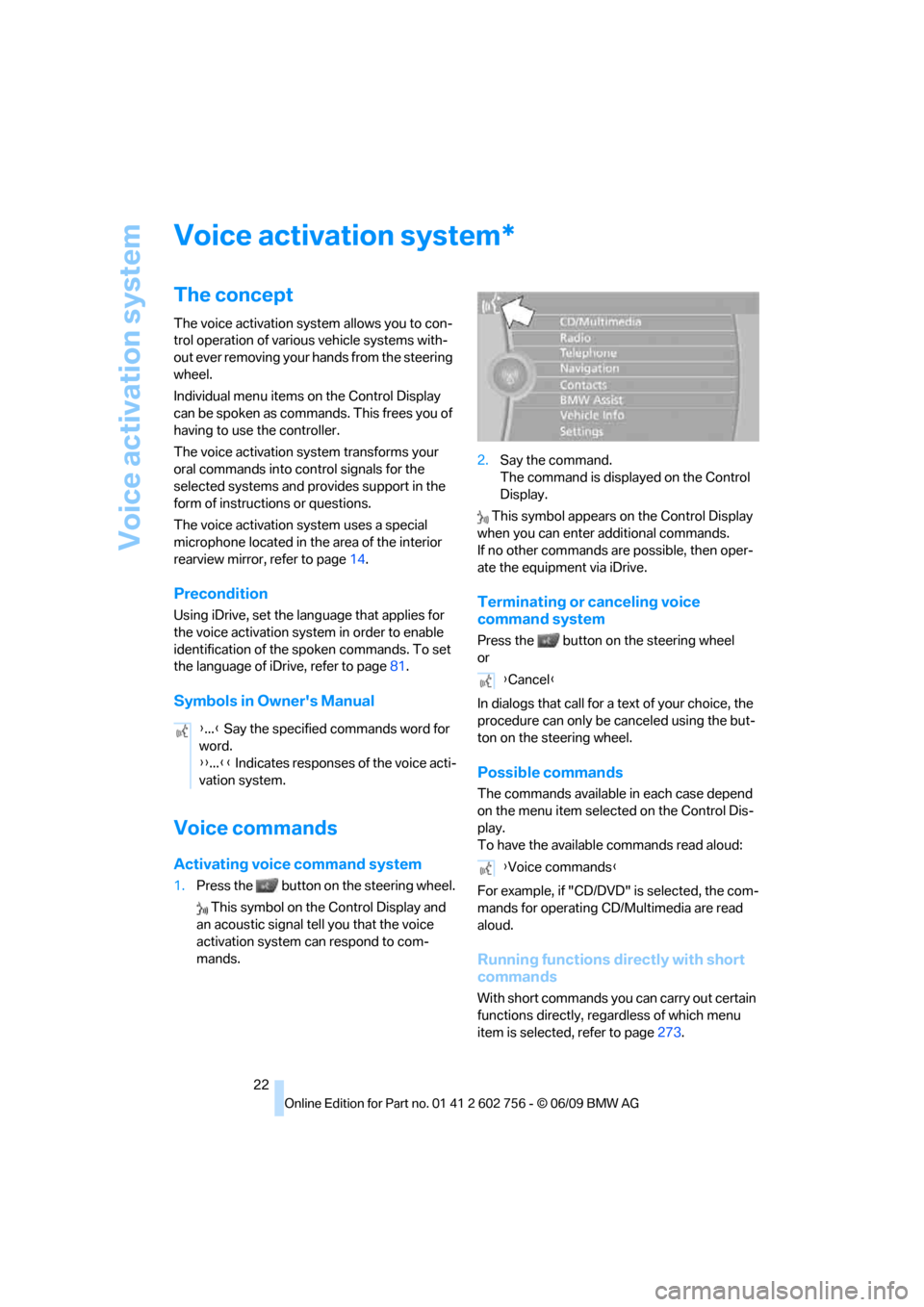
mands.2.Say the command.
The command is displayed on the Control
Display.
This symbol appears on the Control Display
when you can enter additional commands.
If no other commands are possible, then oper-
ate the equipment via iDrive.
Terminating or canceling voice
command system
Press the button on the steering wheel
or
In dialogs that call for a text of your choice, the
procedure can only be canceled using the but-
ton on the steering wheel.
Possible commands
The commands available in each case depend
on the menu item selected on the Control Dis-
play.
To have the available commands read aloud:
For example, if "CD/DVD" is selected, the com-
mands for operating CD/Multimedia are read
aloud.
Running functions directly with short
commands
With short commands you can carry out certain
functions directly, regardless of which menu
item is selected, refer to page273.
*
{...} Say the specified commands word for
word.
{{...}} Indicates responses of the voice acti-
vation system.
{Cancel}
{Voice commands}
ba8_e70ag.book Seite 22 Freitag, 5. Juni 2009 11:42 11
Page 25 of 300
At a glance
23Reference
Controls
Driving tips
Communications
Navigation
Entertainment
Mobility
Example: selecting the track of a CD
1.Switch on Entertainment sound output if
necessary.
2.Press the button on the steering wheel.
Setting the voice dialog
You can set whether the system should use the
standard dialog or a shorter variant. In the
shorter variant of the voice dialog, the prompts
and responses from the system are abbrevi-
ated.
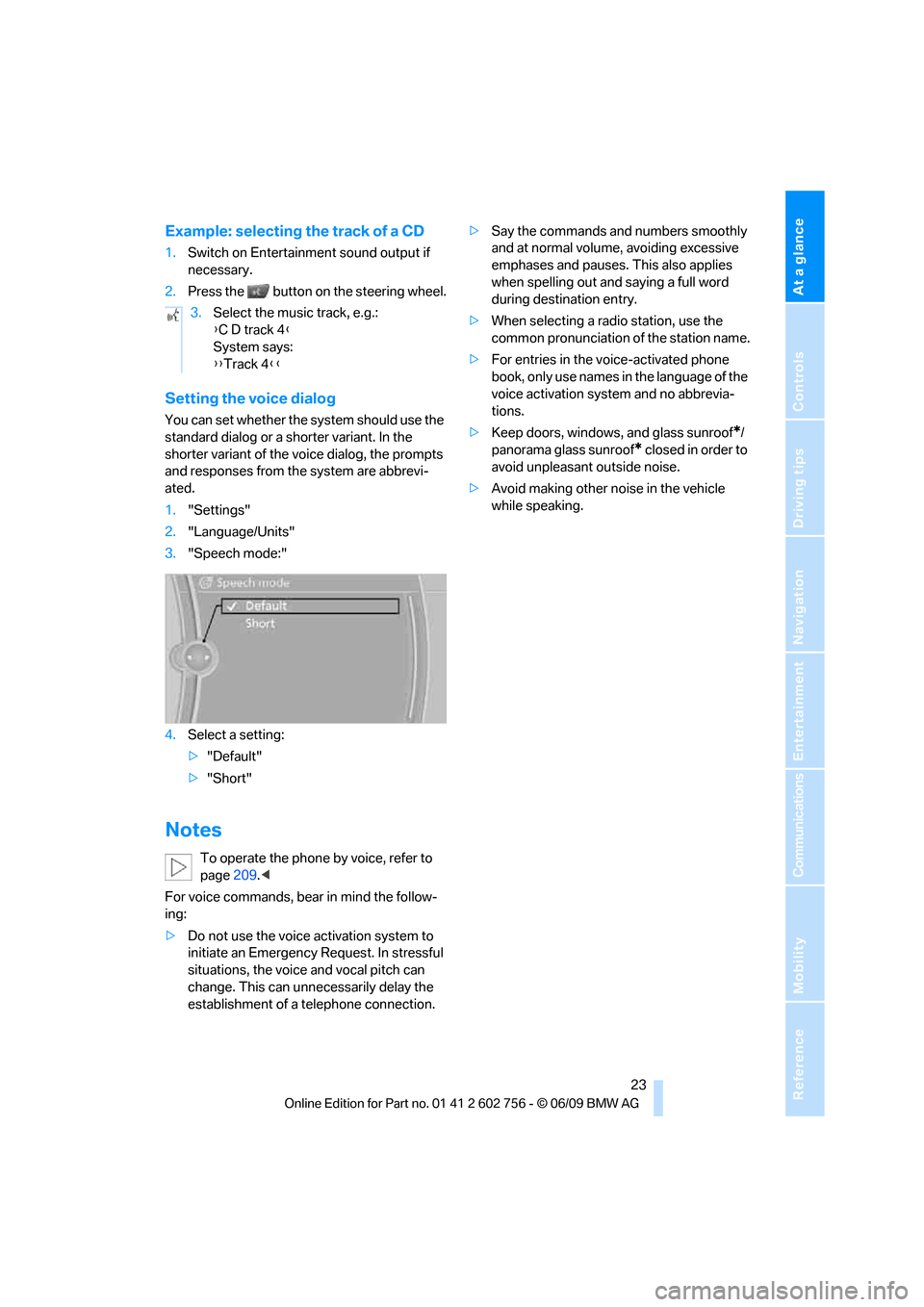
1."Settings"
2."Language/Units"
3."Speech mode:"
4.Select a setting:
>"Default"
>"Short"
Notes
To operate the phone by voice, refer to
page209.<
For voice commands, bear in mind the follow-
ing:
>Do not use the voice activation system to
initiate an Emergency Request. In stressful
situations, the voice and vocal pitch can
change. This can unnecessarily delay the
establishment of a telephone connection.>Say the commands and numbers smoothly
and at normal volume, avoiding excessive
emphases and pauses. This also applies
when spelling out and saying a full word
during destination entry.
>When selecting a radio station, use the
common pronunciation of the station name.
>For entries in the voice-activated phone
book, only use names in the language of the
voice activation system and no abbrevia-
tions.
>Keep doors, windows, and glass sunroof
*/
panorama glass sunroof
* closed in order to
avoid unpleasant outside noise.
>Avoid making other noise in the vehicle
while speaking. 3.Select the music track, e.g.:
{C D track 4}
System says:
{{Track 4}}
ba8_e70ag.book Seite 23 Freitag, 5. Juni 2009 11:42 11
Page 29 of 300
Controls
27Reference
At a glance
Driving tips
Communications
Navigation
Entertainment
Mobility
>12h/24h clock format, refer to page80
>Date format, refer to page80
>Lighting settings:
>Triple turn signal activation, refer to
page67
>Welcome lamps, refer to page102
>Pathway lighting, refer to page103
>Daytime driving lamps
*, refer to
page103
>High-beam assistant
*, refer to page104
>PDC Park Distance Control
*: optical warn-
ing, refer to page83
>Top View
*: optical warning, refer to
page85
>Rear view camera
*:
>Selecting functions, refer to page86
>Type of display, refer to page87
>Head-Up Display
*: selection, brightness
and position of display, refer to page100
>Automatic climate control: AUTO program
and intensity, cooling function, and auto-
matic recirculated-air control/recirculated-
air mode, temperature, air distribution, ven-
tilation temperature, starting on page108
>Programmable memory buttons: selecting
stored functions, refer to page20
>Positions of driver's seat, outside mirrors,
and steering wheel
*, refer to page45
>Adaptive Drive
*: selected chassis and sus-
pension tuning, refer to page91
>Audio sources: volume and tone settings,
refer to page160
>Radio:
>Display of stored stations, refer to
page165
>Switching RDS Radio Data System on/
off
*, refer to page164
>Phone: volume setting, refer to
pages205,210
Central locking system
The concept
The central locking system functions when the
driver's door is closed.
The system simultaneously engages and
releases the locks on the following:
>Doors
>liftgate
>Fuel filler door
Operating from outside
>using the remote control
>using the door lock
>with comfort access
* using the door han-
dles
The interior lamps and the courtesy lamps
* are
also switched on and off with the remote con-
trol. The alarm system
is armed/disarmed at the
same time.
You can find more detailed information on the
alarm system
on page34.
Operating from inside
Using the button for central locking, refer to
page30. The fuel filler door is not locked.
In an accident of sufficient severity, the central
locking system automatically unlocks the vehi-
cle. In addition, the hazard warning flashers and
interior lamps come on.
Opening and closing:
Using remote control
Persons or animals in a parked vehicle
could lock the doors from the inside.
Always take along the remote control when
leaving the vehicle so that the vehicle can then
be opened from the outside.<
Unlocking
Press the button.
This unlocks the vehicle.
ba8_e70ag.book Seite 27 Freitag, 5. Juni 2009 11:42 11
Page 30 of 300
Opening and closing
28
Setting unlocking behavior
You can set whether the first press of the button
unlocks only the driver's door or the entire vehi-
cle.
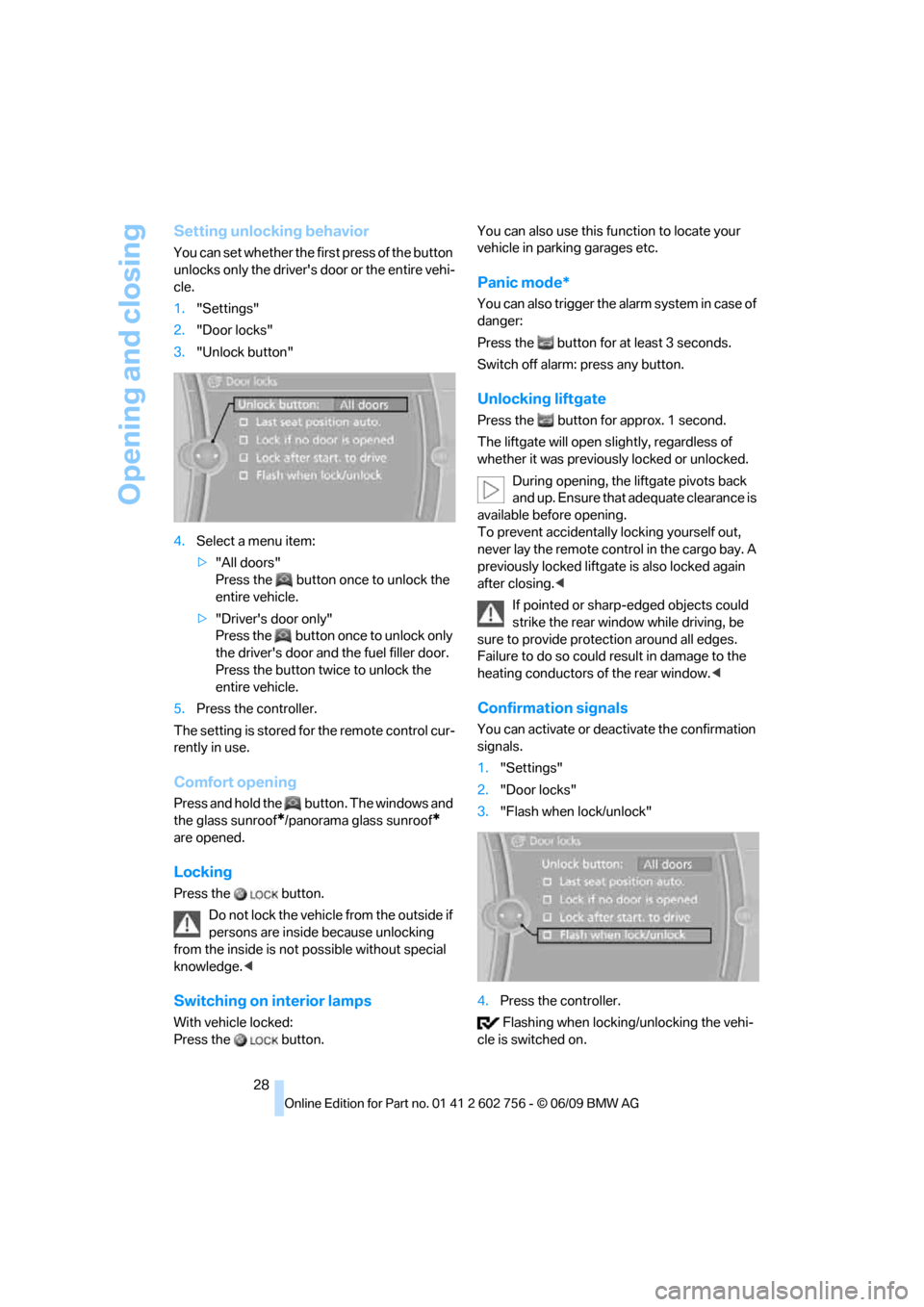
1."Settings"
2."Door locks"
3."Unlock button"
4.Select a menu item:
>"All doors"
Press the button once to unlock the
entire vehicle.
>"Driver's door only"
Press the button once to unlock only
the driver's door and the fuel filler door.
Press the button twice to unlock the
entire vehicle.
5.Press the controller.
The setting is stored for the remote control cur-
rently in use.
Comfort opening
Press and hold the button. The windows and
the glass sunroof
*/panorama glass sunroof*
are opened.
Locking
Press the button.
Do not lock the vehicle from the outside if
persons are inside because unlocking
from the inside is not possible without special
knowledge.<
Switching on interior lamps
With vehicle locked:
Press the button.You can also use this function to locate your
vehicle in parking garages etc.
Panic mode*
You can also trigger the alarm system in case of
danger:
Press the button for at least 3 seconds.
Switch off alarm: press any button.
Unlocking liftgate
Press the button for approx. 1 second.
The liftgate will open slightly, regardless of
whether it was previously locked or unlocked.
During opening, the liftgate pivots back
and up. Ensure that adequate clearance is
available before opening.
To prevent accidentally locking yourself out,
never lay the remote control in the cargo bay. A
previously locked liftgate is also locked again
after closing.<
If pointed or sharp-edged objects could
strike the rear window while driving, be
sure to provide protection around all edges.
Failure to do so could result in damage to the
heating conductors of the rear window.<
Confirmation signals
You can activate or deactivate the confirmation
signals.
1."Settings"
2."Door locks"
3."Flash when lock/unlock"
4.Press the controller.
Flashing when locking/unlocking the vehi-
cle is switched on.
ba8_e70ag.book Seite 28 Freitag, 5. Juni 2009 11:42 11
Page 33 of 300
Controls
31Reference
At a glance
Driving tips
Communications
Navigation
Entertainment
Mobility
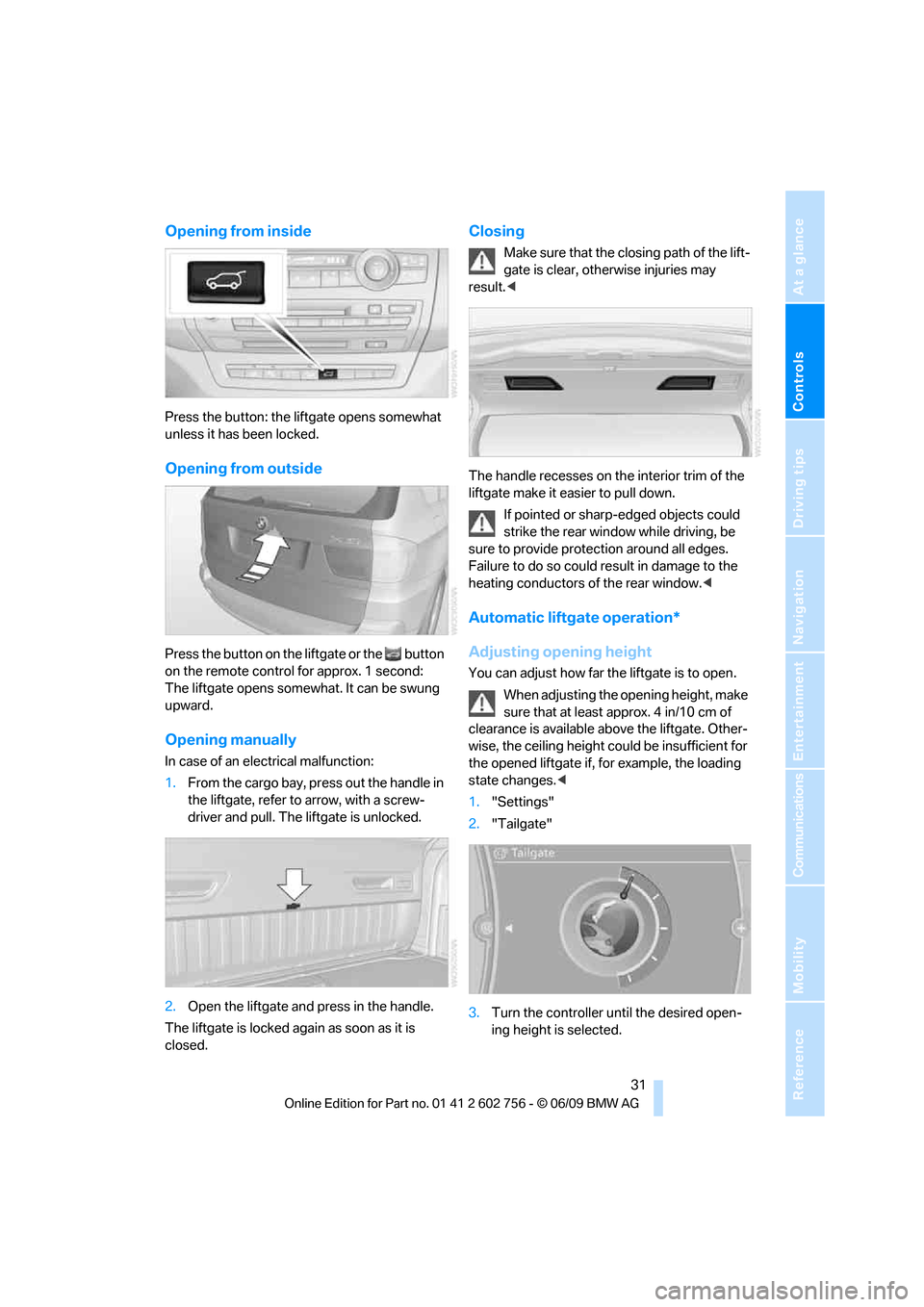
Opening from inside
Press the button: the liftgate opens somewhat
unless it has been locked.
Opening from outside
Press the button on the liftgate or the button
on the remote control for approx. 1 second:
The liftgate opens somewhat. It can be swung
upward.
Opening manually
In case of an electrical malfunction:
1.From the cargo bay, press out the handle in
the liftgate, refer to arrow, with a screw-
driver and pull. The liftgate is unlocked.
2.Open the liftgate and press in the handle.
The liftgate is locked again as soon as it is
closed.
Closing
Make sure that the closing path of the lift-
gate is clear, otherwise injuries may
result.<
The handle recesses on the interior trim of the
liftgate make it easier to pull down.
If pointed or sharp-edged objects could
strike the rear window while driving, be
sure to provide protection around all edges.
Failure to do so could result in damage to the
heating conductors of the rear window.<
Automatic liftgate operation*
Adjusting opening height
You can adjust how far the liftgate is to open.
When adjusting the opening height, make
sure that at least approx. 4 in/10 cm of
clearance is available above the liftgate. Other-
wise, the ceiling height could be insufficient for
the opened liftgate if, for example, the loading
state changes.<
1."Settings"
2."Tailgate"
3.Turn the controller until the desired open-
ing height is selected.
ba8_e70ag.book Seite 31 Freitag, 5. Juni 2009 11:42 11
Page 35 of 300
Controls
33Reference
At a glance
Driving tips
Communications
Navigation
Entertainment
Mobility
BMW X5: tailgate
Opening
Pull the lever and swing the tailgate downward.
The open tailgate can support loads of up
to 550 lbs./250 kg.<
Closing
Fold the tailgate up and press closed.
BMW X6: liftgate
During opening, the liftgate pivots back
and up. Ensure that adequate clearance is
available before opening.<
Adjusting opening height
You can adjust how far the liftgate is to open.
When adjusting the opening height, make
sure that at least approx. 4 in/10 cm of
clearance is available above the liftgate. Other-
wise, the ceiling height could be insufficient for
the opened liftgate if, for example, the loading
state changes.<
1."Settings"
2."Tailgate"3.Turn the controller until the desired open-
ing height is selected.
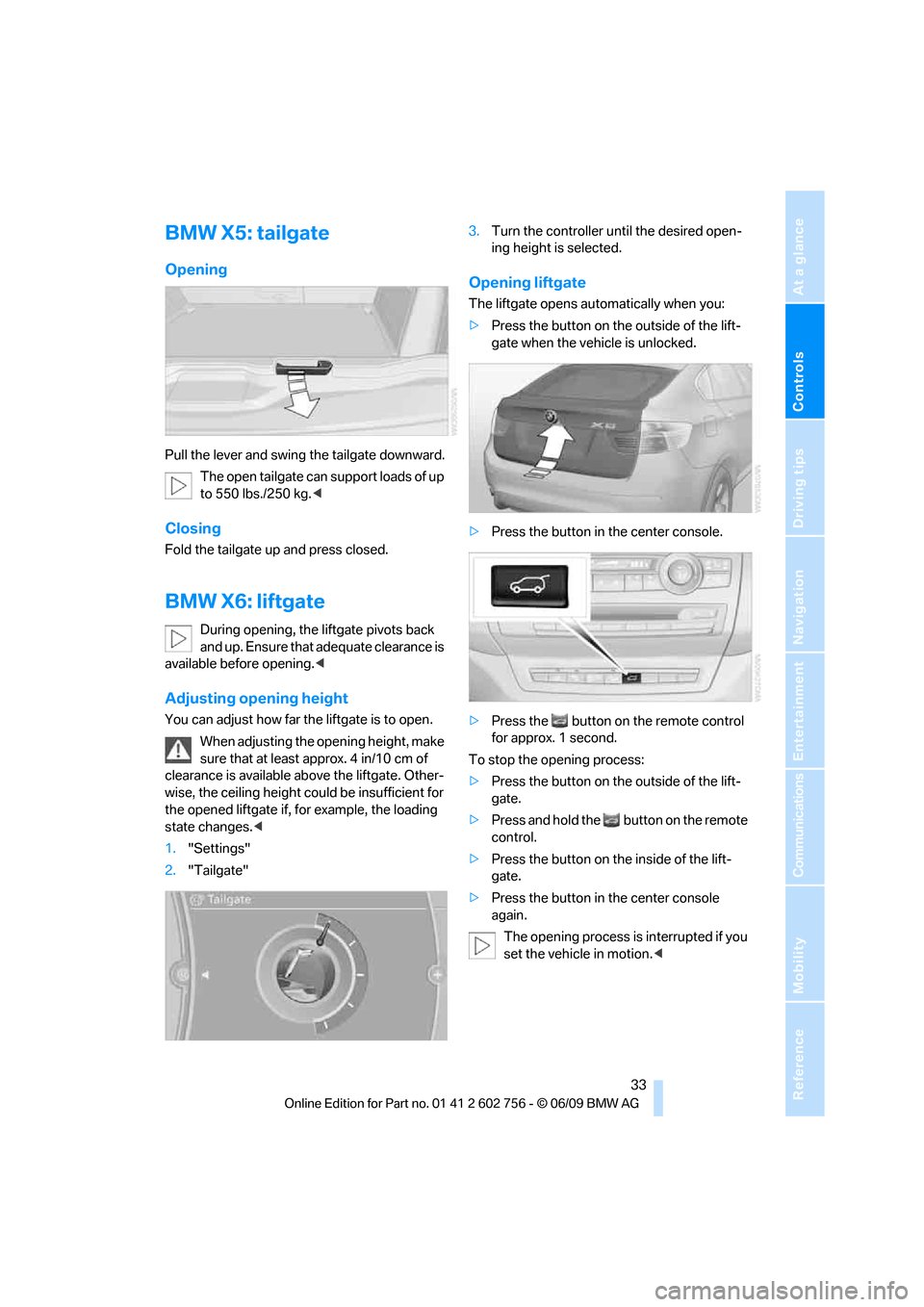
Opening liftgate
The liftgate opens automatically when you:
>Press the button on the outside of the lift-
gate when the vehicle is unlocked.
>Press the button in the center console.
>Press the button on the remote control
for approx. 1 second.
To stop the opening process:
>Press the button on the outside of the lift-
gate.
>Press and hold the button on the remote
control.
>Press the button on the inside of the lift-
gate.
>Press the button in the center console
again.
The opening process is interrupted if you
set the vehicle in motion.<
ba8_e70ag.book Seite 33 Freitag, 5. Juni 2009 11:42 11
Page 37 of 300
Controls
35Reference
At a glance
Driving tips
Communications
Navigation
Entertainment
Mobility
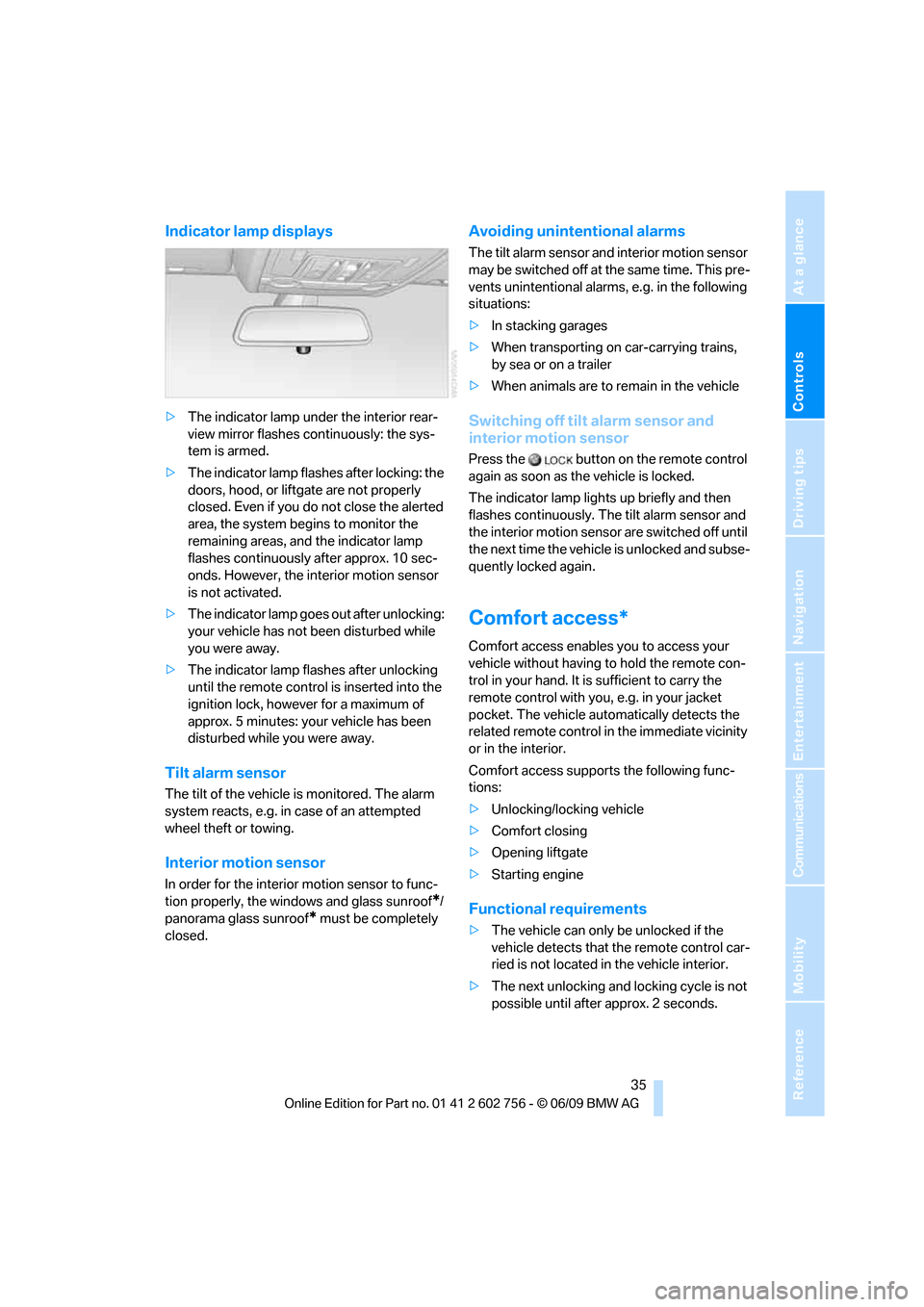
Indicator lamp displays
>The indicator lamp under the interior rear-
view mirror flashes continuously: the sys-
tem is armed.
>The indicator lamp flashes after locking: the
doors, hood, or liftgate are not properly
closed. Even if you do not close the alerted
area, the system begins to monitor the
remaining areas, and the indicator lamp
flashes continuously after approx. 10 sec-
onds. However, the interior motion sensor
is not activated.
>The indicator lamp goes out after unlocking:
your vehicle has not been disturbed while
you were away.
>The indicator lamp flashes after unlocking
until the remote control is inserted into the
ignition lock, however for a maximum of
approx. 5 minutes: your vehicle has been
disturbed while you were away.
Tilt alarm sensor
The tilt of the vehicle is monitored. The alarm
system reacts, e.g. in case of an attempted
wheel theft or towing.
Interior motion sensor
In order for the interior motion sensor to func-
tion properly, the windows and glass sunroof
*/
panorama glass sunroof
* must be completely
closed.
Avoiding unintentional alarms
The tilt alarm sensor and interior motion sensor
may be switched off at the same time. This pre-
vents unintentional alarms, e.g. in the following
situations:
>In stacking garages
>When transporting on car-carrying trains,
by sea or on a trailer
>When animals are to remain in the vehicle
Switching off tilt alarm sensor and
interior motion sensor
Press the button on the remote control
again as soon as the vehicle is locked.
The indicator lamp lights up briefly and then
flashes continuously. The tilt alarm sensor and
the interior motion sensor are switched off until
the next time the vehicle is unlocked and subse-
quently locked again.
Comfort access*
Comfort access enables you to access your
vehicle without having to hold the remote con-
trol in your hand. It is sufficient to carry the
remote control with you, e.g. in your jacket
pocket. The vehicle automatically detects the
related remote control in the immediate vicinity
or in the interior.
Comfort access supports the following func-
tions:
>Unlocking/locking vehicle
>Comfort closing
>Opening liftgate
>Starting engine
Functional requirements
>The vehicle can only be unlocked if the
vehicle detects that the remote control car-
ried is not located in the vehicle interior.
>The next unlocking and locking cycle is not
possible until after approx. 2 seconds.
ba8_e70ag.book Seite 35 Freitag, 5. Juni 2009 11:42 11
Page 39 of 300
Controls
37Reference
At a glance
Driving tips
Communications
Navigation
Entertainment
Mobility
Before driving into a car wash
The vehicle can roll if you proceed according to
the following steps:
1.Insert remote control into ignition lock.
2.Depress brake pedal.
3.Engage transmission position N.
4.Release the parking brake.
5.Switch off the engine.
6.Leave the remote control in the ignition
lock.
Malfunction
The comfort access function may malfunction
due to local radio waves. Then open or close the
vehicle with the buttons on the remote control
or with a key. To start the engine following this,
insert the remote control in the ignition lock.
The warning lamp in the instrument
panel lights up when an attempt is
made to start the engine: starting the
engine is not possible. The remote control is
not in the vehicle or has a malfunction. Take
along the remote control into the vehicle or
have it checked. Insert another remote control
into the ignition lock if necessary.
The warning lamp in the instrument
panel lights up when the engine is
running: the remote control is no
longer in the vehicle. After switching off the
engine, the engine can only be started again
within approx. 10 seconds if no door has been
opened.
The indicator lamp in the instrument
panel lights up and a message
appears on the Control Display:
replace the battery of the remote control.
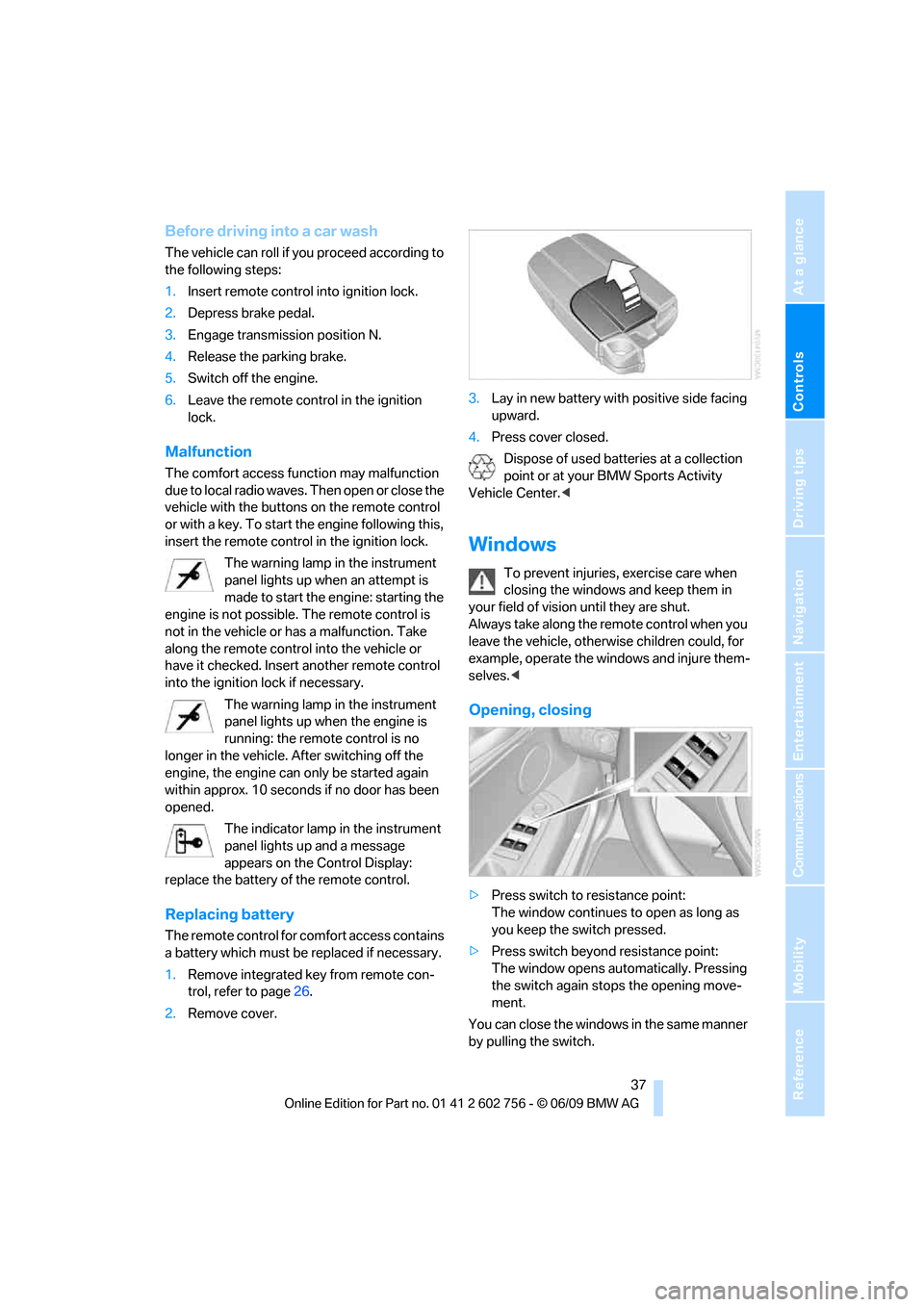
Replacing battery
The remote control for comfort access contains
a battery which must be replaced if necessary.
1.Remove integrated key from remote con-
trol, refer to page26.
2.Remove cover.3.Lay in new battery with positive side facing
upward.
4.Press cover closed.
Dispose of used batteries at a collection
point or at your BMW Sports Activity
Vehicle Center.<
Windows
To prevent injuries, exercise care when
closing the windows and keep them in
your field of vision until they are shut.
Always take along the remote control when you
leave the vehicle, otherwise children could, for
example, operate the windows and injure them-
selves.<
Opening, closing
>Press switch to resistance point:
The window continues to open as long as
you keep the switch pressed.
>Press switch beyond resistance point:
The window opens automatically. Pressing
the switch again stops the opening move-
ment.
You can close the windows in the same manner
by pulling the switch.
ba8_e70ag.book Seite 37 Freitag, 5. Juni 2009 11:42 11
Page 40 of 300
Opening and closing
38 Separate switches for the rear windows are
located in the rear.
For information on using convenience opera-
tion at the door lock or with the remote control,
refer to page28 or29.
For information on comfort closing with comfort
access, refer to page36.
After switching off ignition
You can still operate the windows with the
remote control removed or the ignition
switched off for approx. 1 minute, as long as
neither of the front doors has been opened.
Pinch protection system
If the closing force rises beyond a predefined
threshold during closing, the system will stop
moving the window prior to lowering it again
slightly.
Despite the pinch protection system,
inspect the window's travel path prior to
closing it, as the safety system might fail to
detect certain kinds of obstructions, such as
thin objects, and the window would continue
closing.
Do not install any accessories in the range of
movement of the windows, otherwise the pinch
protection system will be impaired.<
Closing without pinch protection
system
In case of danger from outside or if, for example,
ice on the window prevents normal closing, pro-
ceed as follows:
1.Pull the switch beyond the resistance point
and hold. The pinch protection system is
limited and the window opens slightly if the
closing force exceeds a certain value.
2.Pull the switch beyond the resistance point
and hold again within approx. 4 seconds.
The window closes without the pinch pro-
tection system.
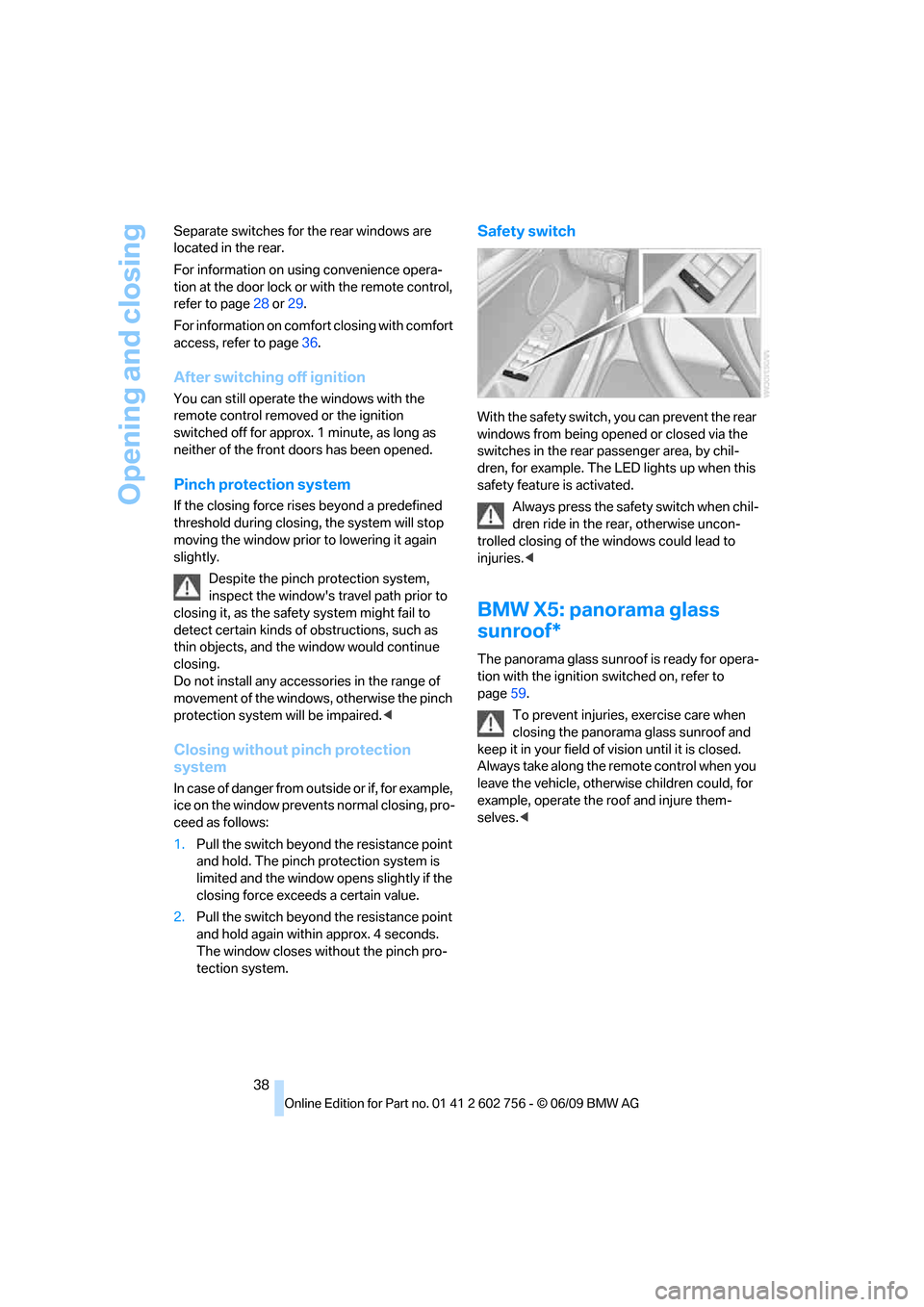
Safety switch
With the safety switch, you can prevent the rear
windows from being opened or closed via the
switches in the rear passenger area, by chil-
dren, for example. The LED lights up when this
safety feature is activated.
Always press the safety switch when chil-
dren ride in the rear, otherwise uncon-
trolled closing of the windows could lead to
injuries.<
BMW X5: panorama glass
sunroof*
The panorama glass sunroof is ready for opera-
tion with the ignition switched on, refer to
page59.
To prevent injuries, exercise care when
closing the panorama glass sunroof and
keep it in your field of vision until it is closed.
Always take along the remote control when you
leave the vehicle, otherwise children could, for
example, operate the roof and injure them-
selves.<
ba8_e70ag.book Seite 38 Freitag, 5. Juni 2009 11:42 11
Page 42 of 300
Opening and closing
40 The roof closes without the pinch protection
system.
Following interruptions in electrical
power supply
After a power loss, the sunroof may only
respond to the raise command. Then have the
system initialized. BMW recommends having
this work carried out by your BMW Sports
Activity Vehicle Center.
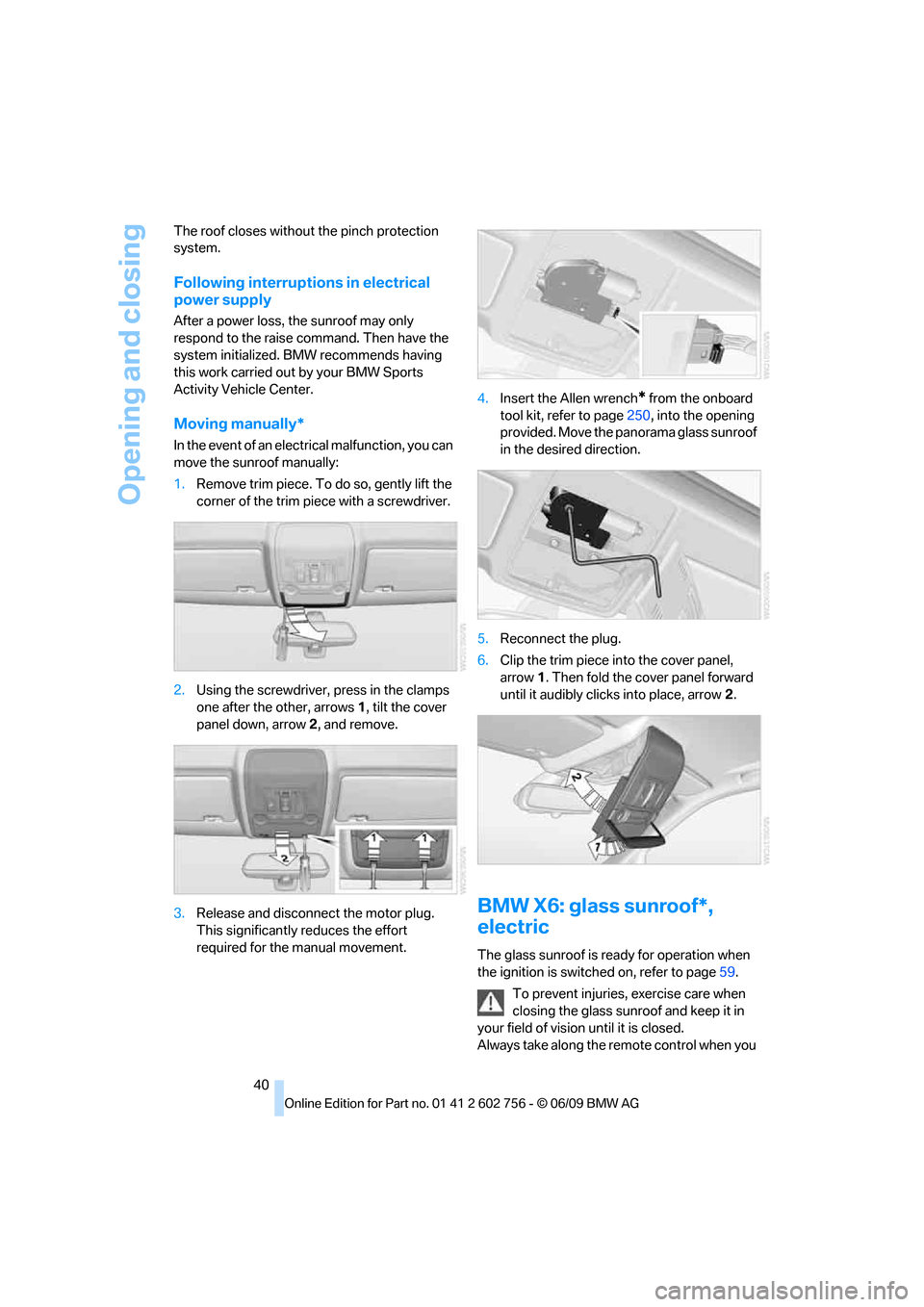
Moving manually*
In the event of an electrical malfunction, you can
move the sunroof manually:
1.Remove trim piece. To do so, gently lift the
corner of the trim piece with a screwdriver.
2.Using the screwdriver, press in the clamps
one after the other, arrows 1, tilt the cover
panel down, arrow 2, and remove.
3.Release and disconnect the motor plug.
This significantly reduces the effort
required for the manual movement.4.Insert the Allen wrench
* from the onboard
tool kit, refer to page250, into the opening
provided. Move the panorama glass sunroof
in the desired direction.
5.Reconnect the plug.
6.Clip the trim piece into the cover panel,
arrow1. Then fold the cover panel forward
until it audibly clicks into place, arrow2.
BMW X6: glass sunroof*,
electric
The glass sunroof is ready for operation when
the ignition is switched on, refer to page59.
To prevent injuries, exercise care when
closing the glass sunroof and keep it in
your field of vision until it is closed.
Always take along the remote control when you
ba8_e70ag.book Seite 40 Freitag, 5. Juni 2009 11:42 11