fluid BMW X5M 2011 E70 User Guide
[x] Cancel search | Manufacturer: BMW, Model Year: 2011, Model line: X5M, Model: BMW X5M 2011 E70Pages: 312, PDF Size: 8.96 MB
Page 255 of 312
Mobility
253Reference
At a glance
Controls
Driving tips
Communications
Navigation
Entertainment
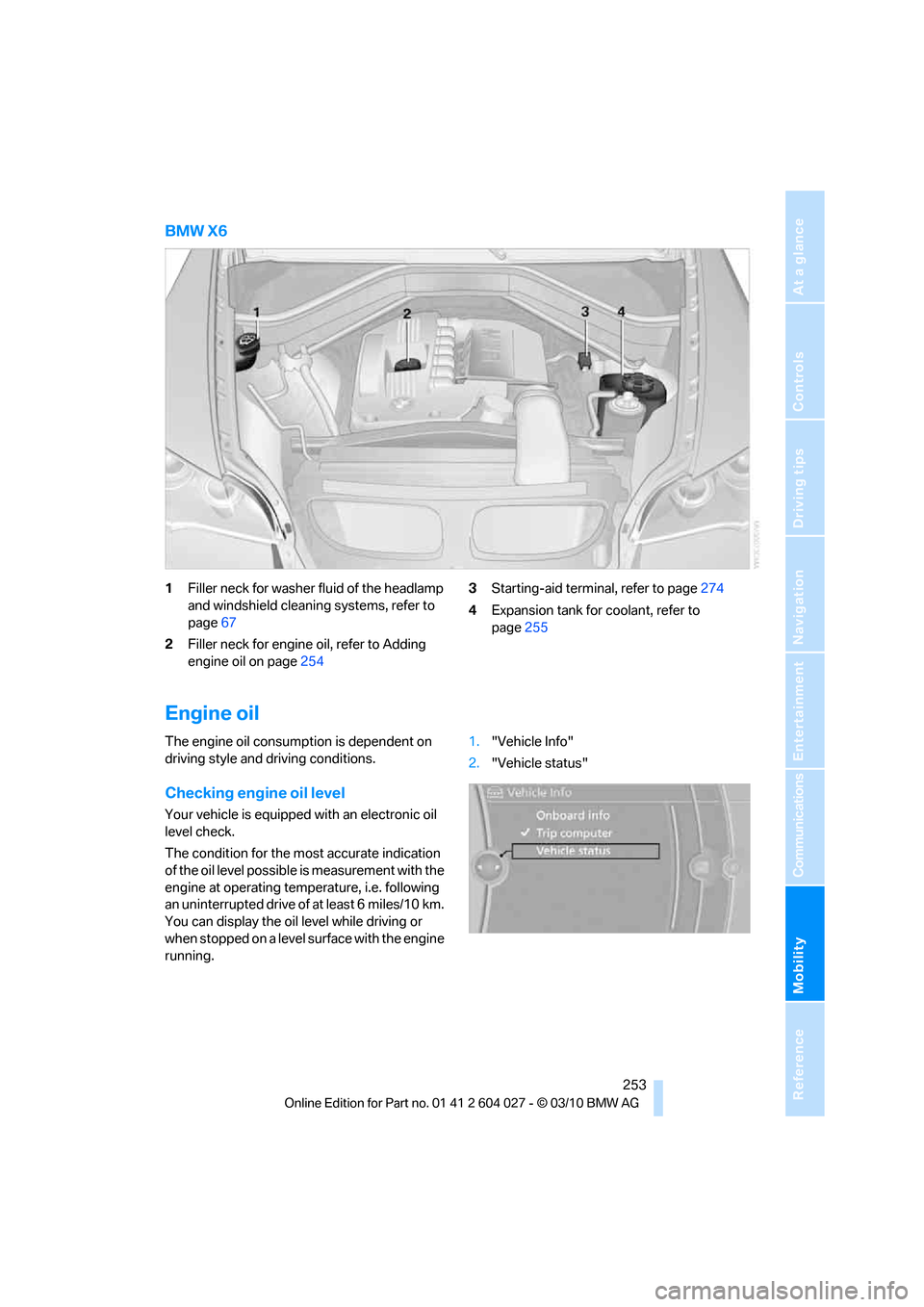
BMW X6
1Filler neck for washer fluid of the headlamp
and windshield cleaning systems, refer to
page67
2Filler neck for engine oil, refer to Adding
engine oil on page2543Starting-aid terminal, refer to page274
4Expansion tank for coolant, refer to
page255
Engine oil
The engine oil consumption is dependent on
driving style and driving conditions.
Checking engine oil level
Your vehicle is equipped with an electronic oil
level check.
The condition for the most accurate indication
of the oil level possible is measurement with the
engine at operating temperature, i.e. following
an uninterrupted drive of at least 6 miles/10 km.
You can display the oil level while driving or
when stopped on a level surface with the engine
running.1."Vehicle Info"
2."Vehicle status"
Page 258 of 312
Maintenance
256
Maintenance
BMW maintenance system
The BMW maintenance system supports the
preservation of the traffic and operating safety
of your BMW. The service schedule also
includes operations related to the vehicle's
comfort and convenience features, such as
replacement of the filters for the inside air.
The ultimate objective is to ensure economical
maintenance by providing the ideal service for
your vehicle.
Should the day come when you decide to sell
your BMW, a complete center service history
will prove to be an asset of inestimable value.
CBS Condition Based Service
Sensors and special algorithms take the differ-
ent driving conditions of your BMW into
account. Condition Based Service uses this to
determine the current and future service
requirements. By letting you define a service
and maintenance regimen that reflects your
own individual requirements, the system builds
the basis for trouble-free driving.
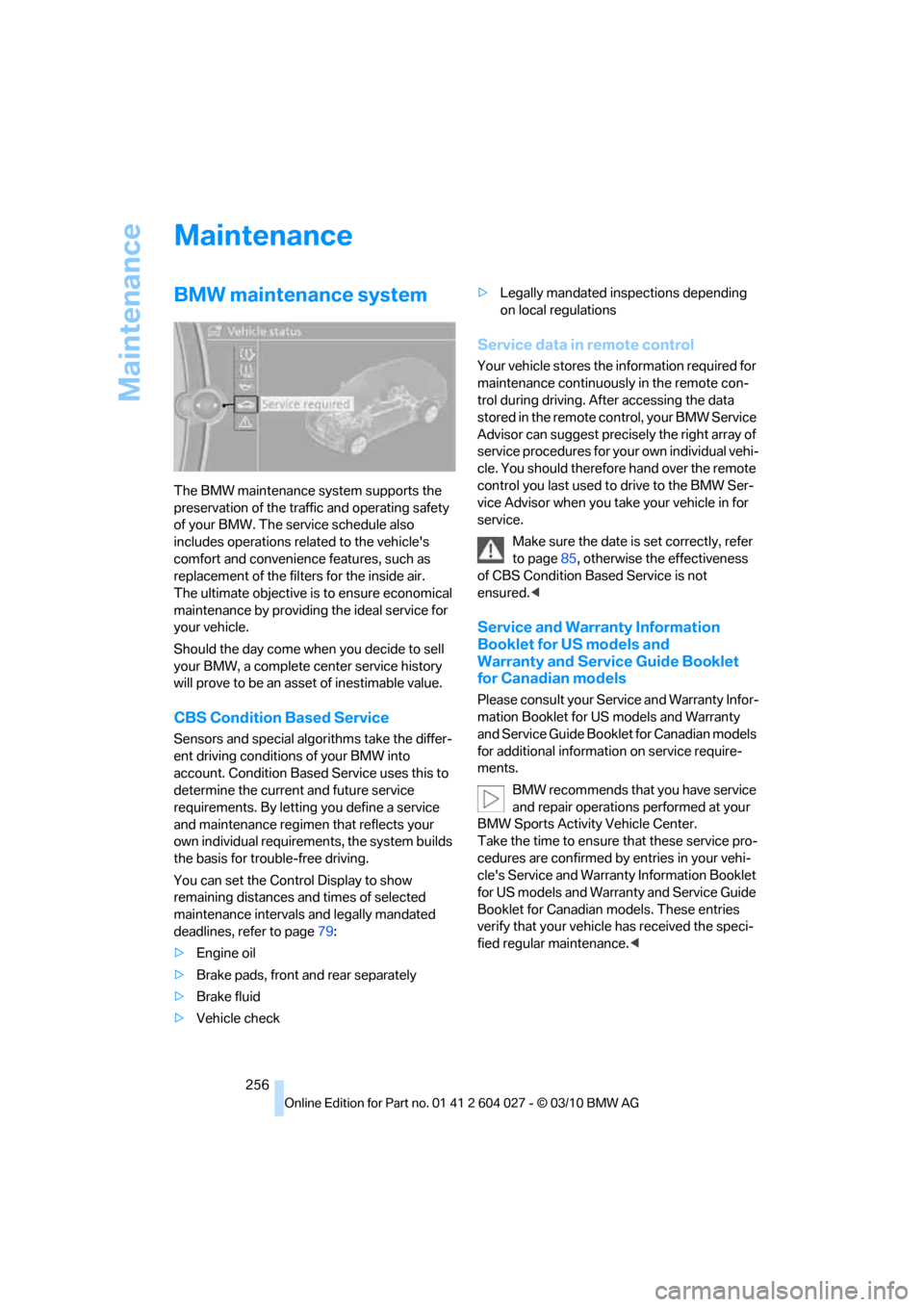
You can set the Control Display to show
remaining distances and times of selected
maintenance intervals and legally mandated
deadlines, refer to page79:
>Engine oil
>Brake pads, front and rear separately
>Brake fluid
>Vehicle check>Legally mandated inspections depending
on local regulations
Service data in remote control
Your vehicle stores the information required for
maintenance continuously in the remote con-
trol during driving. After accessing the data
stored in the remote control, your BMW Service
Advisor can suggest precisely the right array of
service procedures for your own individual vehi-
cle. You should therefore hand over the remote
control you last used to drive to the BMW Ser-
vice Advisor when you take your vehicle in for
service.
Make sure the date is set correctly, refer
to page85, otherwise the effectiveness
of CBS Condition Based Service is not
ensured.<
Service and Warranty Information
Booklet for US models and
Warranty and Service Guide Booklet
for Canadian models
Please consult your Service and Warranty Infor-
mation Booklet for US models and Warranty
and Service Guide Booklet for Canadian models
for additional information on service require-
ments.
BMW recommends that you have service
and repair operations performed at your
BMW Sports Activity Vehicle Center.
Take the time to ensure that these service pro-
cedures are confirmed by entries in your vehi-
cle's Service and Warranty Information Booklet
for US models and Warranty and Service Guide
Booklet for Canadian models. These entries
verify that your vehicle has received the speci-
fied regular maintenance.<
Page 261 of 312
Mobility
259Reference
At a glance
Controls
Driving tips
Communications
Navigation
Entertainment
Steam cleaners/high-pressure
cleaning jets
When using steam cleaners or high-pres-
sure cleaning jets, make sure to maintain
a sufficient distance and stay below a maximum
temperature of 1407/606.
Insufficient distance or excessive pressure or
temperature can damage parts of the vehicle or
can result in water penetration. Follow the oper-
ating instructions for the high-pressure clean-
ing jets.<
Do not spray the sensors and cameras,
e.g. of Park Distance Control, Top View,
or rear view camera, with high-pressure clean-
ers for long periods and keep the spray nozzle
at least 12 in/30 cm away from them.<
Hand washing
When washing the vehicle by hand, use plenty
of water and car washing shampoo. Clean the
vehicle with gentle pressure using a sponge or a
washing brush.
Before cleaning the windshield, deacti-
vate the rain sensor or switch off the igni-
tion to prevent unwanted wiper operation.<
Follow local guidelines for washing vehi-
cles by hand.<
Headlamps
Do not rub dry and never use abrasives or
strong solvents to clean the covers.
Loosen dirt, e.g. insects, with shampoo or
insect remover and wash away with plenty of
water.
Use a window de-icer to remove accumulated
ice and snow, not a scraper.
Windows
Use a glass cleaner to clean the inside and out-
side surfaces of the windows and the glass sur-
faces of the mirrors.
Do not use quartz-containing cleansers
to clean glass surfaces of the mirrors.<
Caring for the vehicle finish
Regular care helps your vehicle retain its value
and protects the paint from the long-term
effects of aggressive substances.
Regionally occurring environmental factors can
affect and damage vehicle finish. It is therefore
important to tailor the frequency and extent of
your car care accordingly.
Immediately remove particularly aggressive
substances such as spilled fuel, oil, grease,
brake fluid, tree resin, or bird droppings; other-
wise, they may damage your paint.
Repairing paint damage
Repair stone damage or scratches imme-
diately, depending on the severity of the
damage, to prevent the formation of rust.<
BMW recommends having paint damage pro-
fessionally repaired using Genuine BMW finish
materials in accordance with factory guidelines.
Waxing
Sealant is required when water no longer beads
on the clean surface of the paint. Use only prod-
ucts that contain carnauba wax or synthetic wax
to seal your finish.
Rubber gaskets
Treat only with water or a rubber care product.
To avoid noise or damage, do not use
products that contain silicone to care for
rubber gaskets.<
Chrome components
Particularly after exposure to road salt, thor-
oughly cleanse parts like the radiator grille, door
handles, or window frames with plenty of water
with shampoo added to it. For additional treat-
ment, use chrome polish.
Alloy wheels
Depending on your system, braking can gener-
ate dust, which settles on the light-alloy wheels.
Remove this dust regularly with acid-free wheel
cleaner.
Page 277 of 312
Mobility
275Reference
At a glance
Controls
Driving tips
Communications
Navigation
Entertainment
Your BMW has a special nut as body ground
or negative pole.
5.Attach the second end of the cable to the
negative terminal of the battery or to the
engine or body ground of the vehicle to be
started.
Starting engine
1.Start the engine on the assisting vehicle
and allow it to run at idle for several minutes
at slightly increased speed.
2.Start the engine on the other vehicle in the
usual way.
If the first starting attempt is not successful,
wait a few minutes before another attempt
in order to allow the discharged battery to
recharge.
3.Let the engines run for a few minutes.
4.Disconnect the jumper cables by reversing
the connection sequence.
Check the battery and recharge if necessary.
Never use spray fluids to start the
engine.<
Tow-starting and towing
Observe applicable laws and regulations
for tow-starting and towing.<
Do not transport any passengers other
than the driver in a vehicle that is being
towed.<
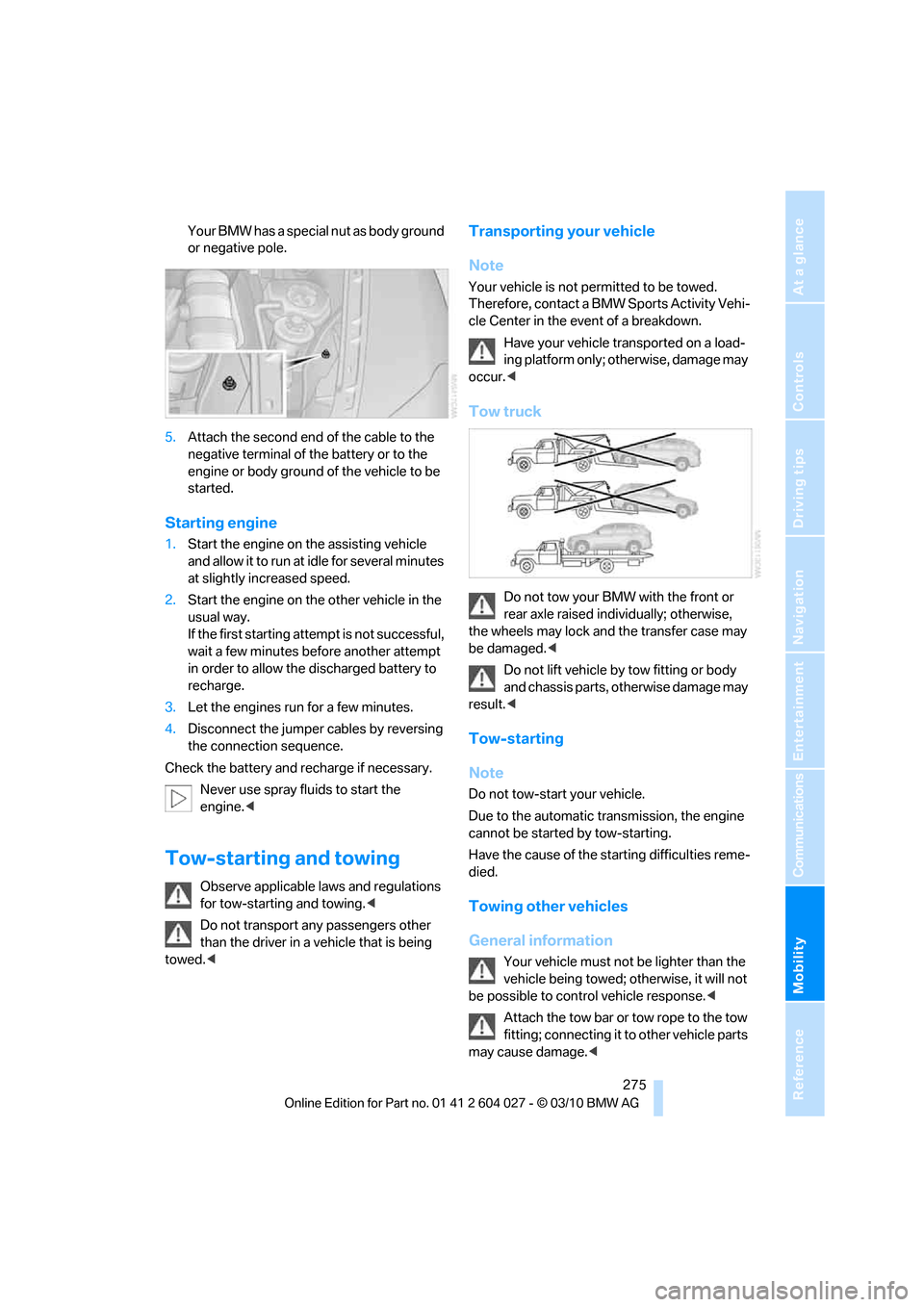
Transporting your vehicle
Note
Your vehicle is not permitted to be towed.
Therefore, contact a BMW Sports Activity Vehi-
cle Center in the event of a breakdown.
Have your vehicle transported on a load-
ing platform only; otherwise, damage may
occur.<
Tow truck
Do not tow your BMW with the front or
rear axle raised individually; otherwise,
the wheels may lock and the transfer case may
be damaged.<
Do not lift vehicle by tow fitting or body
and chassis parts, otherwise damage may
result.<
Tow-starting
Note
Do not tow-start your vehicle.
Due to the automatic transmission, the engine
cannot be started by tow-starting.
Have the cause of the starting difficulties reme-
died.
Towing other vehicles
General information
Your vehicle must not be lighter than the
vehicle being towed; otherwise, it will not
be possible to control vehicle response.<
Attach the tow bar or tow rope to the tow
fitting; connecting it to other vehicle parts
may cause damage.<
Page 294 of 312
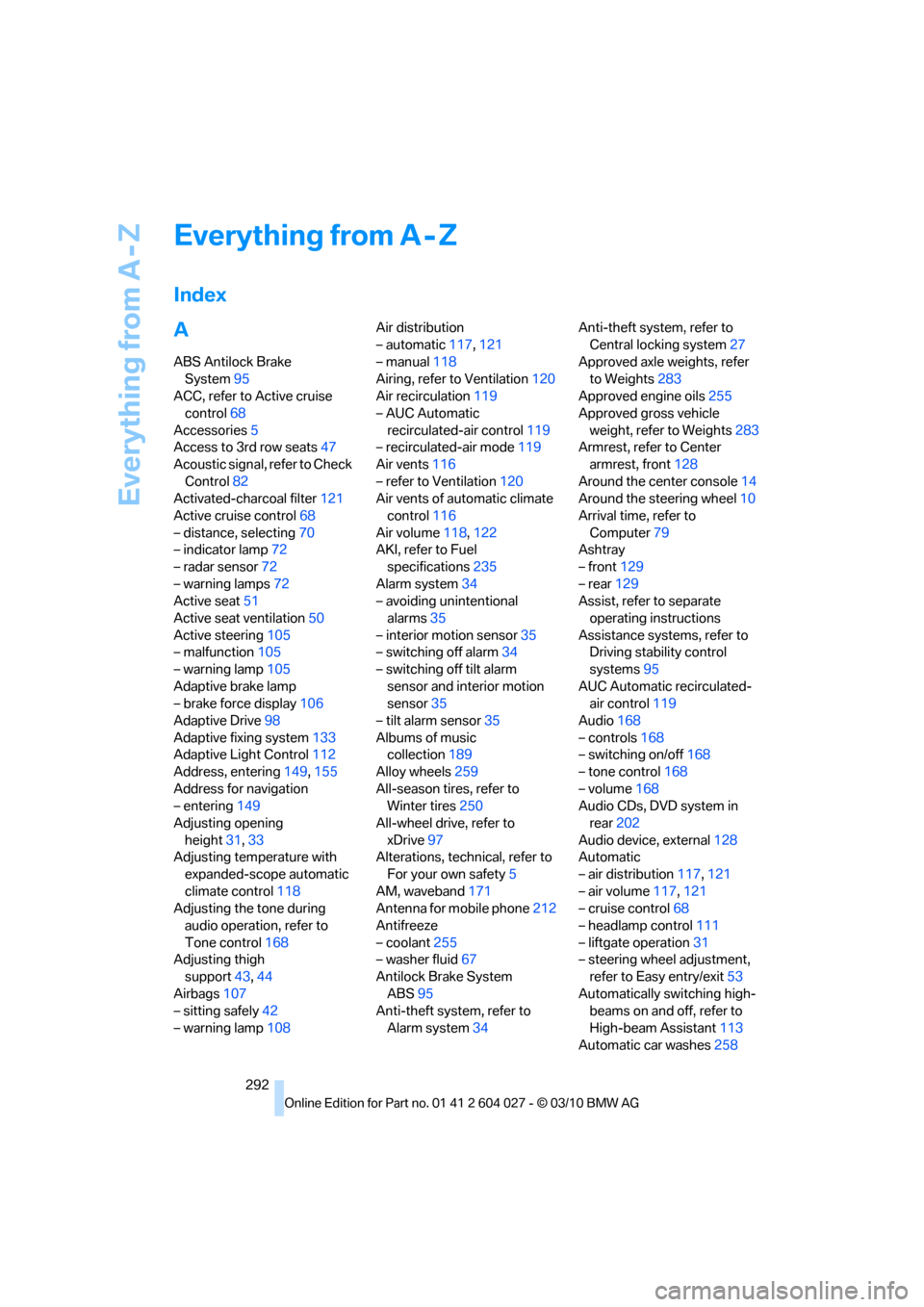
Everything from A - Z
292
Everything from A - Z
Index
A
ABS Antilock Brake
System95
ACC, refer to Active cruise
control68
Accessories5
Access to 3rd row seats47
Acoustic signal, refer to Check
Control82
Activated-charcoal filter121
Active cruise control68
– distance, selecting70
– indicator lamp72
– radar sensor72
– warning lamps72
Active seat51
Active seat ventilation50
Active steering105
– malfunction105
– warning lamp105
Adaptive brake lamp
– brake force display106
Adaptive Drive98
Adaptive fixing system133
Adaptive Light Control112
Address, entering149,155
Address for navigation
– entering149
Adjusting opening
height31,33
Adjusting temperature with
expanded-scope automatic
climate control118
Adjusting the tone during
audio operation, refer to
Tone control168
Adjusting thigh
support43,44
Airbags107
– sitting safely42
– warning lamp108Air distribution
– automatic117,121
– manual118
Airing, refer to Ventilation120
Air recirculation119
– AUC Automatic
recirculated-air control119
– recirculated-air mode119
Air vents116
– refer to Ventilation120
Air vents of automatic climate
control116
Air volume118,
122
AKI, refer to Fuel
specifications235
Alarm system34
– avoiding unintentional
alarms35
– interior motion sensor35
– switching off alarm34
– switching off tilt alarm
sensor and interior motion
sensor35
– tilt alarm sensor35
Albums of music
collection189
Alloy wheels259
All-season tires, refer to
Winter tires250
All-wheel drive, refer to
xDrive97
Alterations, technical, refer to
For your own safety5
AM, waveband171
Antenna for mobile phone212
Antifreeze
– coolant255
– washer fluid67
Antilock Brake System
ABS95
Anti-theft system, refer to
Alarm system34Anti-theft system, refer to
Central locking system27
Approved axle weights, refer
to Weights283
Approved engine oils255
Approved gross vehicle
weight, refer to Weights283
Armrest, refer to Center
armrest, front128
Around the center console14
Around the steering wheel10
Arrival time, refer to
Computer79
Ashtray
– front129
– rear129
Assist, refer to separate
operating instructions
Assistance systems, refer to
Driving stability control
systems95
AUC Automatic recirculated-
air control119
Audio168
– controls168
– switching on/off168
– tone control168
– volume168
Audio CDs, DVD system in
rear202
Audio device, external128
Automatic
– air distribution117,121
– air volume
117,121
– cruise control68
– headlamp control111
– liftgate operation31
– steering wheel adjustment,
refer to Easy entry/exit53
Automatically switching high-
beams on and off, refer to
High-beam Assistant113
Automatic car washes258
Page 298 of 312
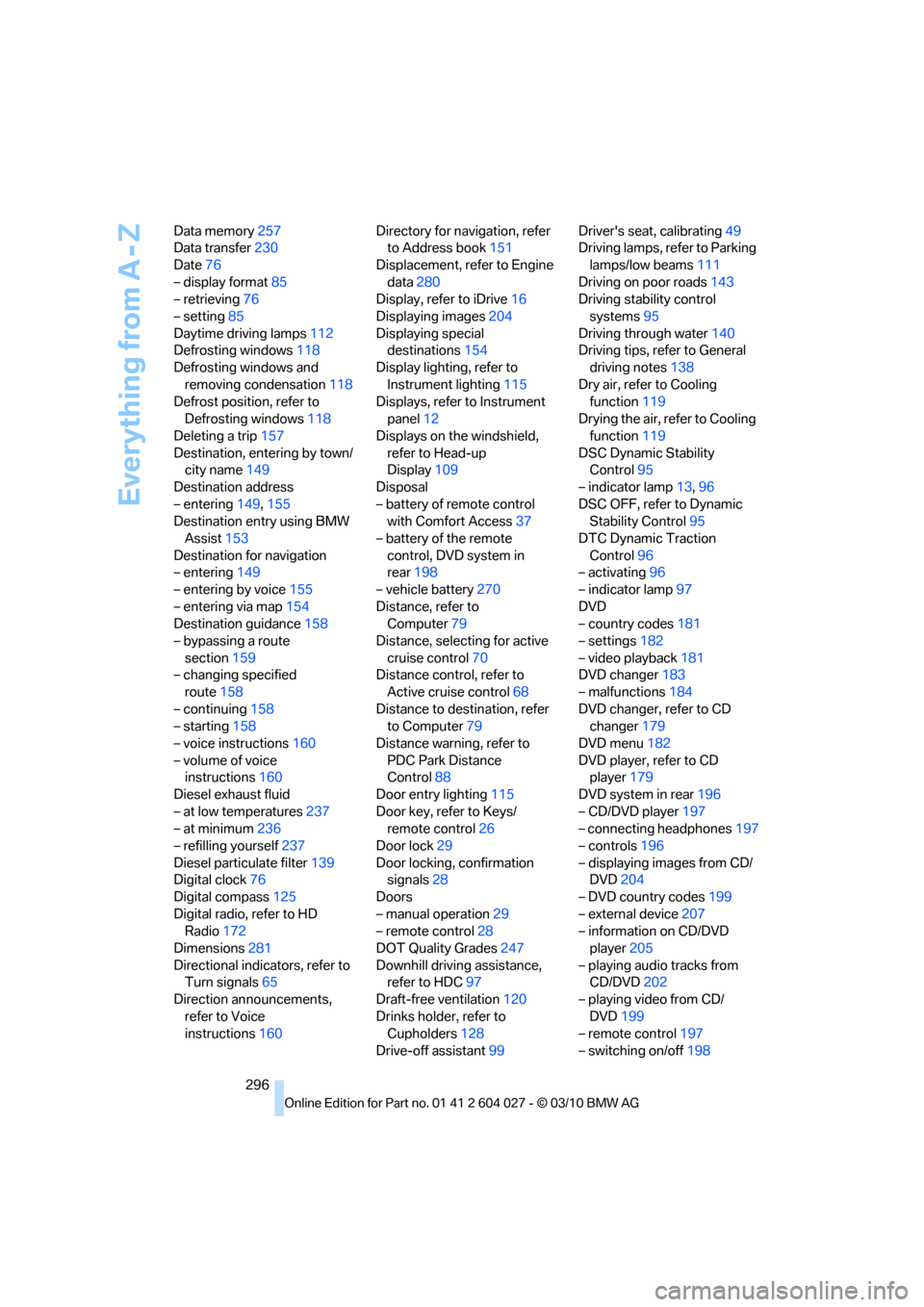
Everything from A - Z
296 Data memory257
Data transfer230
Date76
– display format85
– retrieving76
– setting85
Daytime driving lamps112
Defrosting windows118
Defrosting windows and
removing condensation118
Defrost position, refer to
Defrosting windows118
Deleting a trip157
Destination, entering by town/
city name149
Destination address
– entering149,155
Destination entry using BMW
Assist153
Destination for navigation
– entering149
– entering by voice155
– entering via map154
Destination guidance158
– bypassing a route
section159
– changing specified
route158
– continuing158
– starting158
– voice instructions160
– volume of voice
instructions160
Diesel exhaust fluid
– at low temperatures237
– at minimum236
– refilling yourself237
Diesel particulate filter139
Digital clock76
Digital compass125
Digital radio, refer to HD
Radio172
Dimensions281
Directional indicators, refer to
Turn signals65
Direction announcements,
refer to Voice
instructions160Directory for navigation, refer
to Address book151
Displacement, refer to Engine
data280
Display, refer to iDrive16
Displaying images204
Displaying special
destinations154
Display lighting, refer to
Instrument lighting115
Displays, refer to Instrument
panel12
Displays on the windshield,
refer to Head-up
Display109
Disposal
– battery of remote control
with Comfort Access37
– battery of the remote
control, DVD system in
rear198
– vehicle battery270
Distance, refer to
Computer79
Distance, selecting for active
cruise control70
Distance control, refer to
Active cruise control68
Distance to destination, refer
to Computer79
Distance warning, refer to
PDC Park Distance
Control88
Door entry lighting115
Door key, refer to Keys/
remote control26
Door lock29
Door locking, confirmation
signals28
Doors
– manual operation29
– remote control28
DOT Quality Grades247
Downhill driving assistance,
refer to HDC97
Draft-free ventilation120
Drinks holder, refer to
Cupholders128
Drive-off assistant99Driver's seat, calibrating49
Driving lamps, refer to Parking
lamps/low beams111
Driving on poor roads143
Driving stability control
systems95
Driving through water140
Driving tips, refer to General
driving notes138
Dry air, refer to Cooling
function119
Drying the air, refer to Cooling
function119
DSC Dynamic Stability
Control95
– indicator lamp13,96
DSC OFF, refer to Dynamic
Stability Control95
DTC Dynamic Traction
Control96
– activating96
– indicator lamp97
DVD
– country codes181
– settings182
– video playback181
DVD changer183
– malfunctions184
DVD changer, refer to CD
changer179
DVD menu182
DVD player, refer to CD
player179
DVD system in rear196
– CD/DVD player197
– connecting headphones197
– controls196
– displaying images from CD/
DVD204
– DVD country codes199
– external device207
– information on CD/DVD
player205
– playing audio tracks from
CD/DVD202
– playing video from CD/
DVD199
– remote control197
– switching on/off198
Page 299 of 312
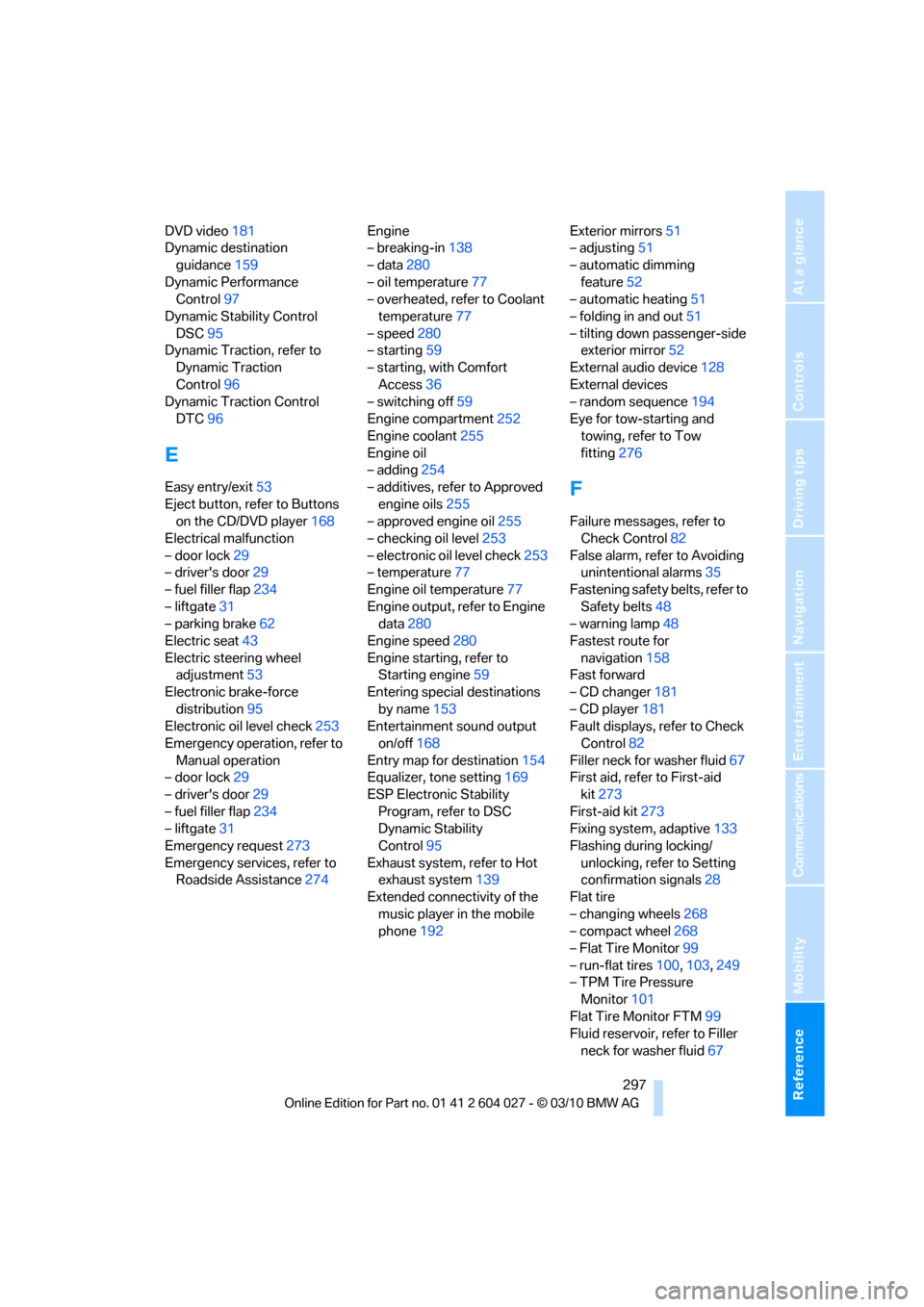
Reference 297
At a glance
Controls
Driving tips
Communications
Navigation
Entertainment
Mobility
DVD video181
Dynamic destination
guidance159
Dynamic Performance
Control97
Dynamic Stability Control
DSC95
Dynamic Traction, refer to
Dynamic Traction
Control96
Dynamic Traction Control
DTC96
E
Easy entry/exit53
Eject button, refer to Buttons
on the CD/DVD player168
Electrical malfunction
– door lock29
– driver's door29
– fuel filler flap234
– liftgate31
– parking brake62
Electric seat43
Electric steering wheel
adjustment53
Electronic brake-force
distribution95
Electronic oil level check253
Emergency operation, refer to
Manual operation
– door lock29
– driver's door29
– fuel filler flap234
– liftgate31
Emergency request273
Emergency services, refer to
Roadside Assistance274Engine
– breaking-in138
– data280
– oil temperature77
– overheated, refer to Coolant
temperature77
– speed280
– starting59
– starting, with Comfort
Access36
– switching off59
Engine compartment252
Engine coolant255
Engine oil
– adding254
– additives, refer to Approved
engine oils255
– approved engine oil255
– checking oil level253
– electronic oil level check253
– temperature77
Engine oil temperature77
Engine output, refer to Engine
data280
Engine speed280
Engine starting, refer to
Starting engine59
Entering special destinations
by name153
Entertainment sound output
on/off168
Entry map for destination154
Equalizer, tone setting169
ESP Electronic Stability
Program, refer to DSC
Dynamic Stability
Control95
Exhaust system, refer to Hot
exhaust system139
Extended connectivity of the
music player in the mobile
phone192Exterior mirrors51
– adjusting51
– automatic dimming
feature52
– automatic heating51
– folding in and out51
– tilting down passenger-side
exterior mirror52
External audio device128
External devices
– random sequence194
Eye for tow-starting and
towing, refer to Tow
fitting276
F
Failure messages, refer to
Check Control82
False alarm, refer to Avoiding
unintentional alarms35
Fastening safety belts, refer to
Safety belts48
– warning lamp48
Fastest route for
navigation158
Fast forward
– CD changer181
– CD player181
Fault displays, refer to Check
Control82
Filler neck for washer fluid67
First aid, refer to First-aid
kit273
First-aid kit273
Fixing system, adaptive133
Flashing during locking/
unlocking, refer to Setting
confirmation signals28
Flat tire
– changing wheels268
– compact wheel268
– Flat Tire Monitor99
– run-flat tires100,103,249
– TPM Tire Pressure
Monitor101
Flat Tire Monitor FTM99
Fluid reservoir, refer to Filler
neck for washer fluid67
Page 300 of 312
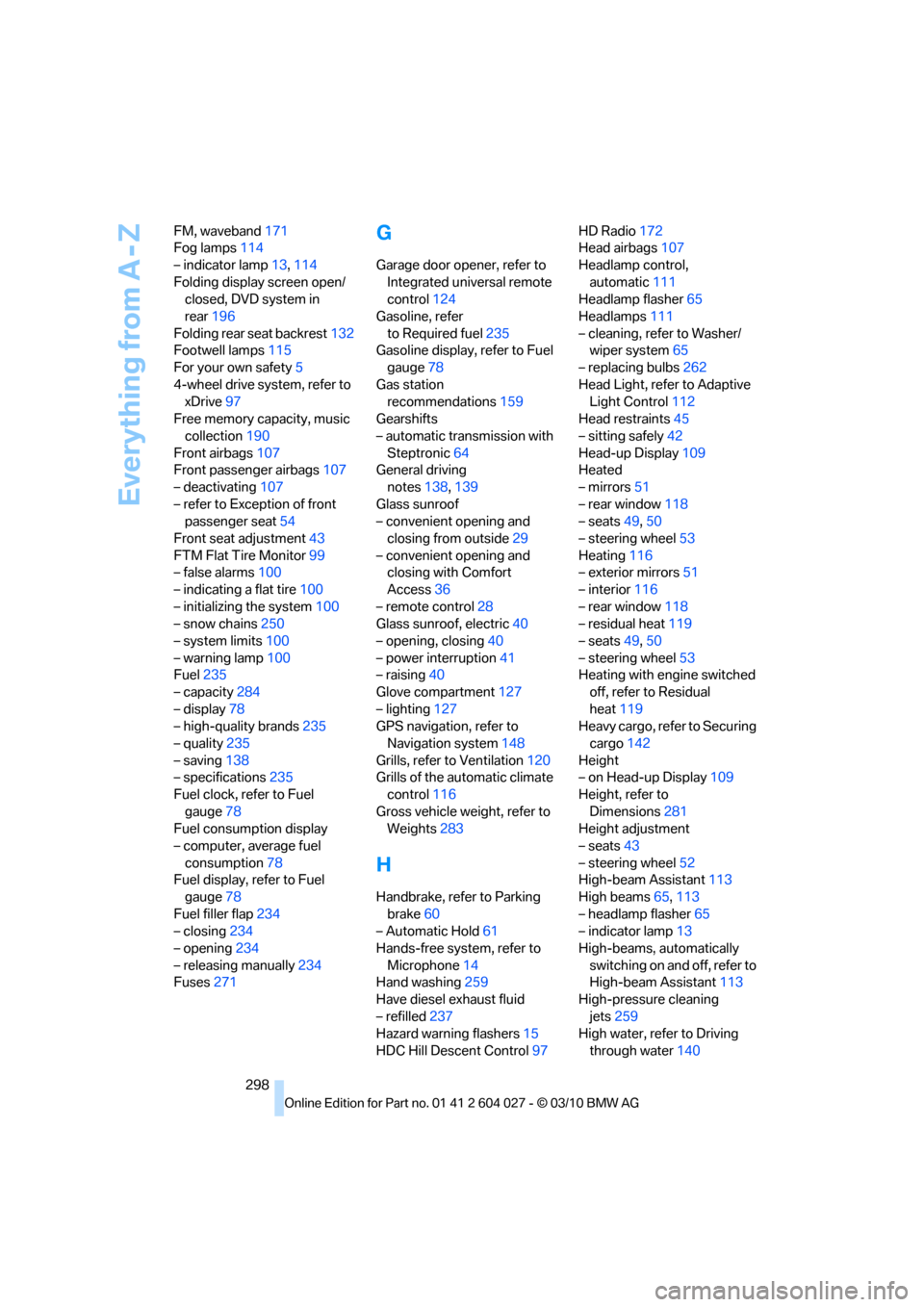
Everything from A - Z
298 FM, waveband171
Fog lamps114
– indicator lamp13,114
Folding display screen open/
closed, DVD system in
rear196
Folding rear seat backrest132
Footwell lamps115
For your own safety5
4-wheel drive system, refer to
xDrive97
Free memory capacity, music
collection190
Front airbags107
Front passenger airbags107
– deactivating107
– refer to Exception of front
passenger seat54
Front seat adjustment43
FTM Flat Tire Monitor99
– false alarms100
– indicating a flat tire100
– initializing the system100
– snow chains250
– system limits100
– warning lamp100
Fuel235
– capacity284
– display78
– high-quality brands235
– quality235
– saving138
– specifications235
Fuel clock, refer to Fuel
gauge78
Fuel consumption display
– computer, average fuel
consumption78
Fuel display, refer to Fuel
gauge78
Fuel filler flap234
– closing234
– opening234
– releasing manually234
Fuses271
G
Garage door opener, refer to
Integrated universal remote
control124
Gasoline, refer
to Required fuel235
Gasoline display, refer to Fuel
gauge78
Gas station
recommendations159
Gearshifts
– automatic transmission with
Steptronic64
General driving
notes138,139
Glass sunroof
– convenient opening and
closing from outside29
– convenient opening and
closing with Comfort
Access36
– remote control28
Glass sunroof, electric40
– opening, closing40
– power interruption41
– raising40
Glove compartment127
– lighting127
GPS navigation, refer to
Navigation system148
Grills, refer to Ventilation120
Grills of the automatic climate
control116
Gross vehicle weight, refer to
Weights283
H
Handbrake, refer to Parking
brake60
– Automatic Hold61
Hands-free system, refer to
Microphone14
Hand washing259
Have diesel exhaust fluid
– refilled237
Hazard warning flashers15
HDC Hill Descent Control97HD Radio172
Head airbags107
Headlamp control,
automatic111
Headlamp flasher65
Headlamps111
– cleaning, refer to Washer/
wiper system65
– replacing bulbs262
Head Light, refer to Adaptive
Light Control112
Head restraints45
– sitting safely42
Head-up Display109
Heated
– mirrors51
– rear window118
– seats49,50
– steering wheel53
Heating116
– exterior mirrors51
– interior116
– rear window118
– residual heat119
– seats49,50
– steering wheel53
Heating with engine switched
off, refer to Residual
heat119
Heavy cargo, refer to Securing
cargo142
Height
– on Head-up Display109
Height, refer to
Dimensions281
Height adjustment
– seats43
– steering wheel52
High-beam Assistant113
High beams65,113
– headlamp flasher65
– indicator lamp13
High-beams, automatically
switching on and off, refer to
High-beam Assistant113
High-pressure cleaning
jets259
High water, refer to Driving
through water140
Page 309 of 312
Reference 307
At a glance
Controls
Driving tips
Communications
Navigation
Entertainment
Mobility
Unlocking
– from inside30
– liftgate28
– setting behavior28
– using remote control28
– without key, refer to Comfort
Access35
Unlocking and locking doors
– using remote control28
Unlocking without key, refer to
Comfort Access35
Updating the navigation
data148
USB audio interface192
Used batteries
– refer to Disposal270
– refer to Replacing battery37
V
Valve screw caps, refer to
After mounting270
VCD181
Vehicle
– battery270
– breaking-in138
– loading140
– measurements, refer to
Dimensions281
– parking59
– storing261
– weights283
Vehicle care, refer to Care258
Vehicle jack269
– jacking points269
Ventilation120
– draft-free120
– in the rear120
– rear automatic climate
control122
– 3rd row seats120
– while stationary122
Vents, refer to Ventilation120
Vents of the automatic climate
control116
Video menu181
Video playback181Voice, refer to Destination
guidance through voice
instructions160
Voice activation system22
– short commands285
Voice commands
– telephone219
Voice instructions for
navigation system160
– repeating160
– switching on/off160
– volume160
Voice phone book221
Volume168
– audio sources168
– mobile phone215
– voice instructions160
Volume balance, tone
setting169
Volume of warning tones87
W
Warning lamps, refer to
Indicator and warning
lamps13
Warning messages, refer to
Check Control82
Warning tone, volume87
Warning triangle273
Warranty and Service Guide
Booklet for Canadian
models256
Washer/wiper system65
– rain sensor66
– washer fluid67
– windshield washer
nozzles66
Washer fluid67
– capacity of the reservoir67
Washing the car258
Water on roads, refer to
Driving through water140
Water penetration259
Waveband for radio171
Wear indicators in tires, refer
to Minimum tread depth248
Website4
Weights283Wheel/tire combination, refer
to New wheels and tires249
Wheel/tire damage248
Wheelbase, refer to
Dimensions281
Wheels and tires239
Width, refer to
Dimensions281
Windows37
– convenient opening and
closing28
– convenient opening and
closing from outside29
– convenient opening and
closing with Comfort
Access36
– opening, closing37
– pinch protection system38
– safety switch38
Windshield
– cleaning, refer to Washer/
wiper system65
– defrosting, refer to
Defrosting windows118
– displays, refer to Head-up
Display109
Windshield washer system
– refer to Washer/wiper
system65
– windshield washer
nozzles66
Windshield wipers, refer to
Washer/wiper system65
– replacing wiper blades262
Winter diesel235
Winter tires250
– storage250
Word matching principle for
navigation157
Working in the engine
compartment251
Wrenches/screwdrivers, refer
to Onboard toolkit262
X
xDrive97
Xenon lamps263,265
– bulb changing263,265