parking brake BMW X5M 2012 User Guide
[x] Cancel search | Manufacturer: BMW, Model Year: 2012, Model line: X5M, Model: BMW X5M 2012Pages: 317, PDF Size: 8.83 MB
Page 106 of 317
vention. The system applies the brakes until you
actively assume control.
Radar sensor
Position
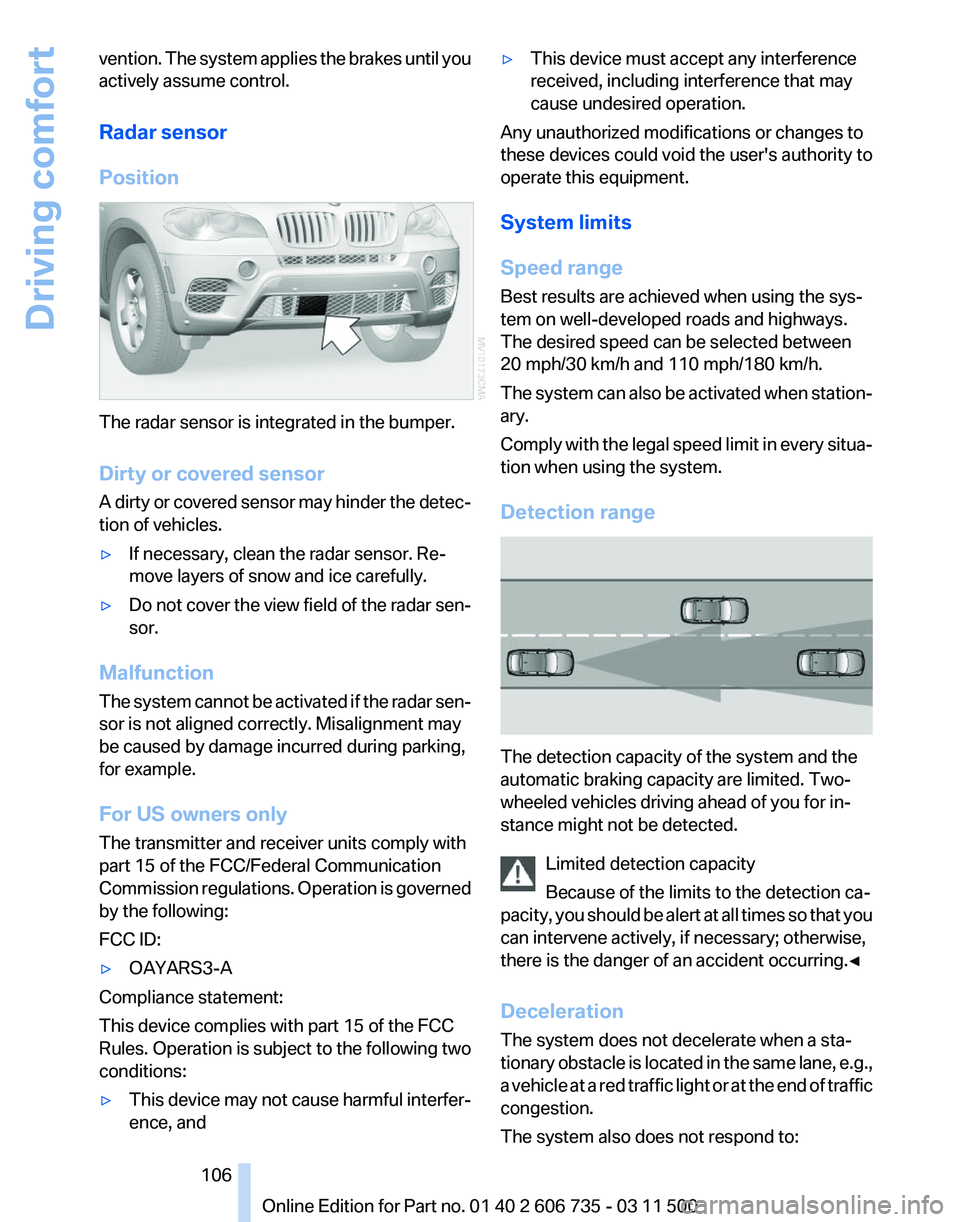
The radar sensor is integrated in the bumper.
Dirty or covered sensor
A
dirty or covered sensor may hinder the detec‐
tion of vehicles.
▷ If necessary, clean the radar sensor. Re‐
move layers of snow and ice carefully.
▷ Do not cover the view field of the radar sen‐
sor.
Malfunction
The
system cannot be activated if the radar sen‐
sor is not aligned correctly. Misalignment may
be caused by damage incurred during parking,
for example.
For US owners only
The transmitter and receiver units comply with
part 15 of the FCC/Federal Communication
Commission regulations. Operation is governed
by the following:
FCC ID:
▷ OAYARS3-A
Compliance statement:
This device complies with part 15 of the FCC
Rules. Operation is subject to the following two
conditions:
▷ This device may not cause harmful interfer‐
ence, and ▷
This device must accept any interference
received, including interference that may
cause undesired operation.
Any unauthorized modifications or changes to
these devices could void the user's authority to
operate this equipment.
System limits
Speed range
Best results are achieved when using the sys‐
tem on well-developed roads and highways.
The desired speed can be selected between
20 mph/30 km/h and 110 mph/180 km/h.
The
system can also be activated when station‐
ary.
Comply with the legal speed limit in every situa‐
tion when using the system.
Detection range The detection capacity of the system and the
automatic braking capacity are limited. Two-
wheeled vehicles driving ahead of you for in‐
stance might not be detected.
Limited detection capacity
Because of the limits to the detection ca‐
pacity,
you should be alert at all times so that you
can intervene actively, if necessary; otherwise,
there is the danger of an accident occurring.◀
Deceleration
The system does not decelerate when a sta‐
tionary obstacle is located in the same lane, e.g.,
a vehicle at a red traffic light or at the end of traffic
congestion.
The system also does not respond to: Seite 106
106 Online Edition for Part no. 01 40 2 606 735 - 03 11 500
Driving comfort
Page 183 of 317
Automatic repeat*
The
selected CDs/DVDs are repeated automat‐
ically.
Video playback*
Country codes
Only DVDs with the code of the home region can
be played back; also refer to the information on
the DVD. Code Region
1 USA, Canada
2 Japan, Europe, Middle East, South Af‐
rica
3 Southeast Asia
4 Australia, Central and South America, New Zealand
5 Northwest Asia, North Africa
6 China
0 All regions Playback
The
video image is displayed on the Control Dis‐
play up to a speed of approx. 2 mph/3 km/h; in
some countries, it is only displayed while the
parking brake is set or the automatic transmis‐
sion is in position P.
DVD video
1. "CD/Multimedia"
2. "CD/DVD"
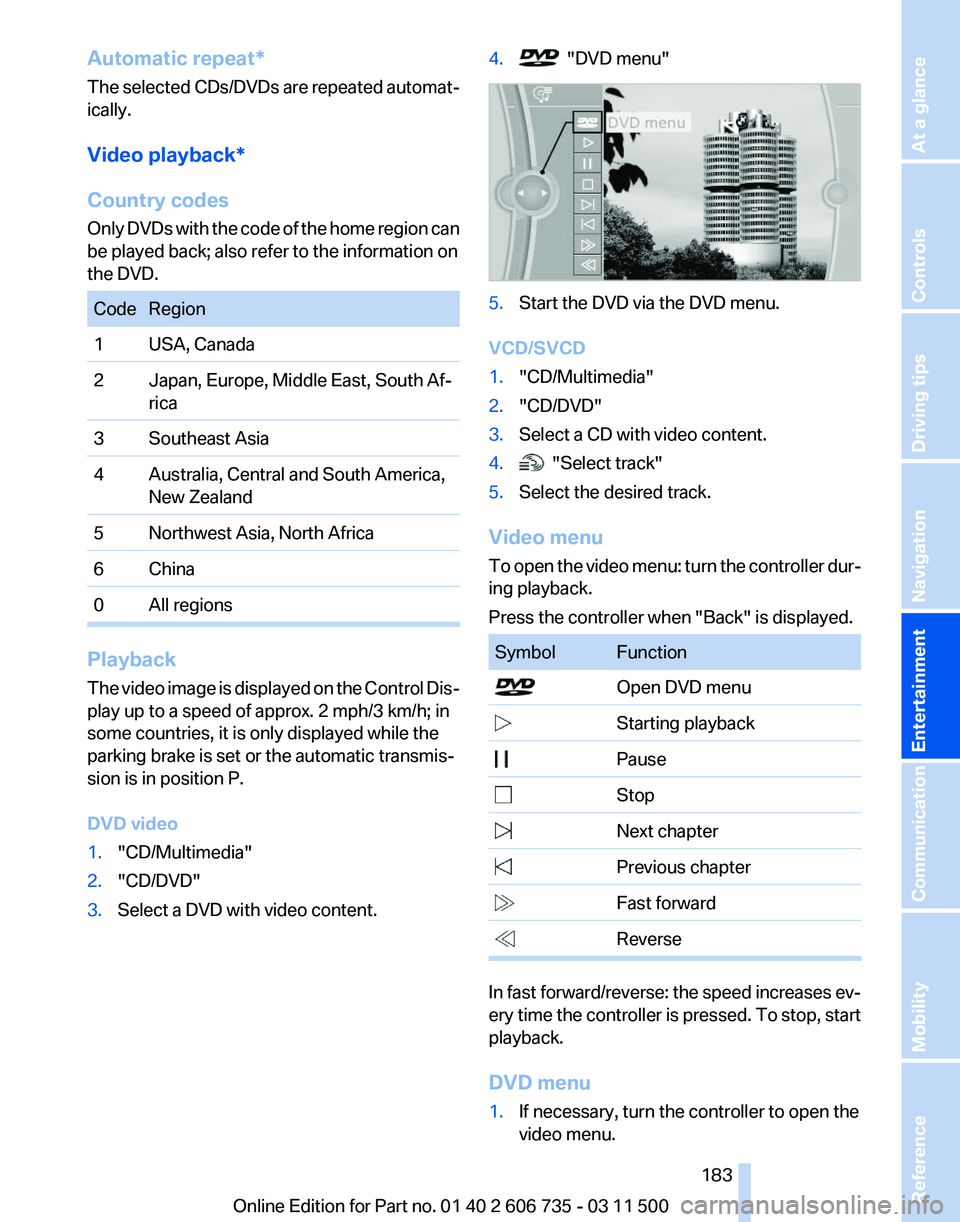
3. Select a DVD with video content. 4. "DVD menu"
5.
Start the DVD via the DVD menu.
VCD/SVCD
1. "CD/Multimedia"
2. "CD/DVD"
3. Select a CD with video content.
4. "Select track"
5. Select the desired track.
Video menu
To
open the video menu: turn the controller dur‐
ing playback.
Press the controller when "Back" is displayed. Symbol Function
Open DVD menu
Starting playback
Pause
Stop
Next chapter
Previous chapter
Fast forward
Reverse In fast forward/reverse: the speed increases ev‐
ery
time the controller is pressed. To stop, start
playback.
DVD menu
1. If necessary, turn the controller to open the
video menu.
Seite 183
183Online Edition for Part no. 01 40 2 606 735 - 03 11 500
Reference Mobility Communication
Entertainment Navigation Driving tips Controls At a glance
Page 195 of 317
first letter. If multiple letters are entered,
all
results that contain that sequence are
displayed.
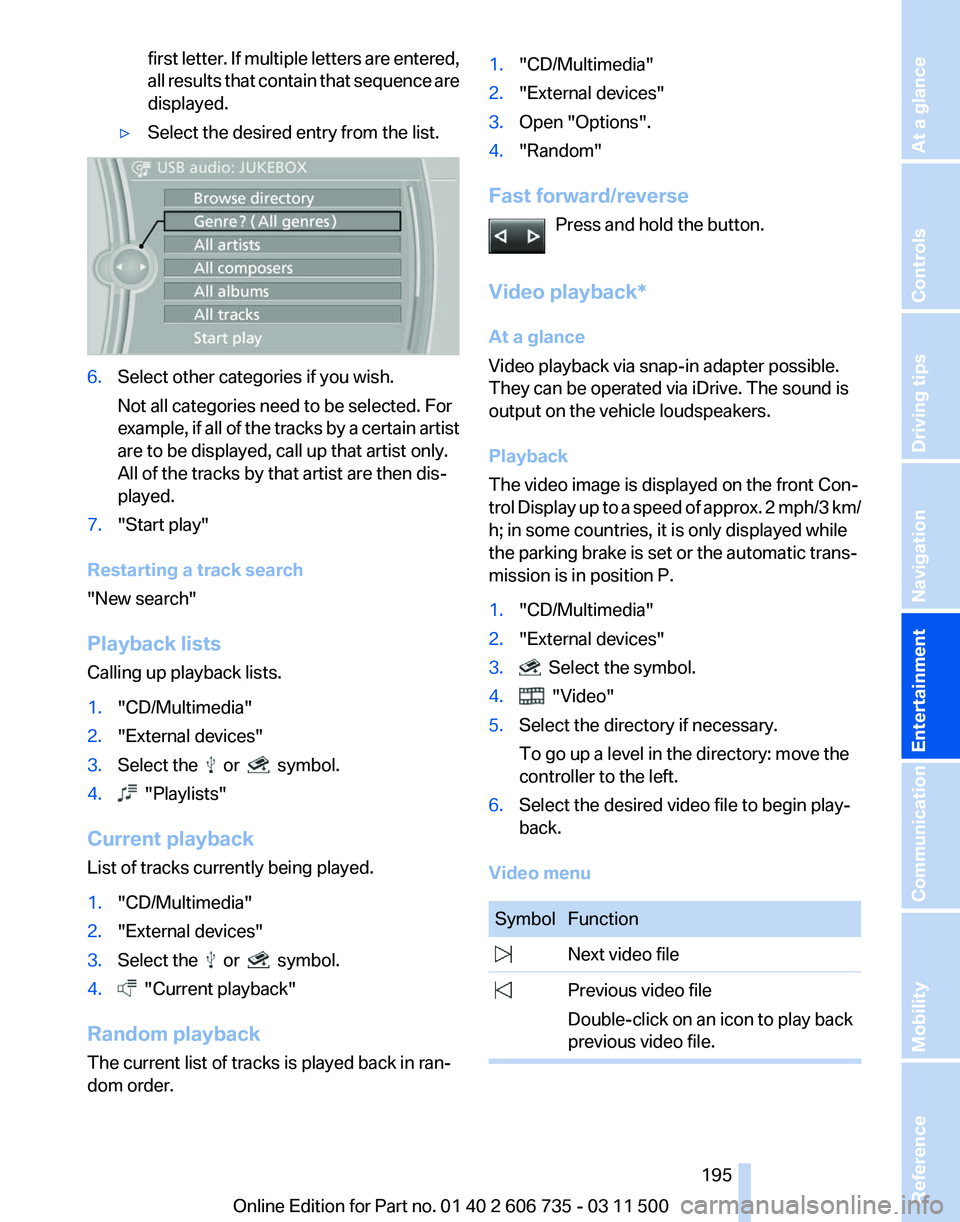
▷ Select the desired entry from the list. 6.
Select other categories if you wish.
Not all categories need to be selected. For
example,
if all of the tracks by a certain artist
are to be displayed, call up that artist only.
All of the tracks by that artist are then dis‐
played.
7. "Start play"
Restarting a track search
"New search"
Playback lists
Calling up playback lists.
1. "CD/Multimedia"
2. "External devices"
3. Select the or symbol.
4. "Playlists"
Current playback
List of tracks currently being played.
1. "CD/Multimedia"
2. "External devices"
3. Select the or symbol.
4. "Current playback"
Random playback
The current list of tracks is played back in ran‐
dom order. 1.
"CD/Multimedia"
2. "External devices"
3. Open "Options".
4. "Random"
Fast forward/reverse Press and hold the button.
Video playback*
At a glance
Video playback via snap-in adapter possible.
They can be operated via iDrive. The sound is
output on the vehicle loudspeakers.
Playback
The video image is displayed on the front Con‐
trol
Display up to a speed of approx. 2 mph/3 km/
h; in some countries, it is only displayed while
the parking brake is set or the automatic trans‐
mission is in position P.
1. "CD/Multimedia"
2. "External devices"
3. Select the symbol.
4. "Video"
5. Select the directory if necessary.
To go up a level in the directory: move the
controller to the left.
6. Select the desired video file to begin play‐
back.
Video menu Symbol Function
Next video file
Previous video file
Double-click on an icon to play back
previous video file. Seite 195
195Online Edition for Part no. 01 40 2 606 735 - 03 11 500
Reference Mobility Communication
Entertainment Navigation Driving tips Controls At a glance
Page 239 of 317
nection is established to Roadside Assis‐
tance.
Starting Roadside Assistance with
BMW Assist or TeleService
General information
In vehicles equipped with TeleService, support
is first offered by TeleService Diagnosis and
then, if necessary, by TeleService Help.
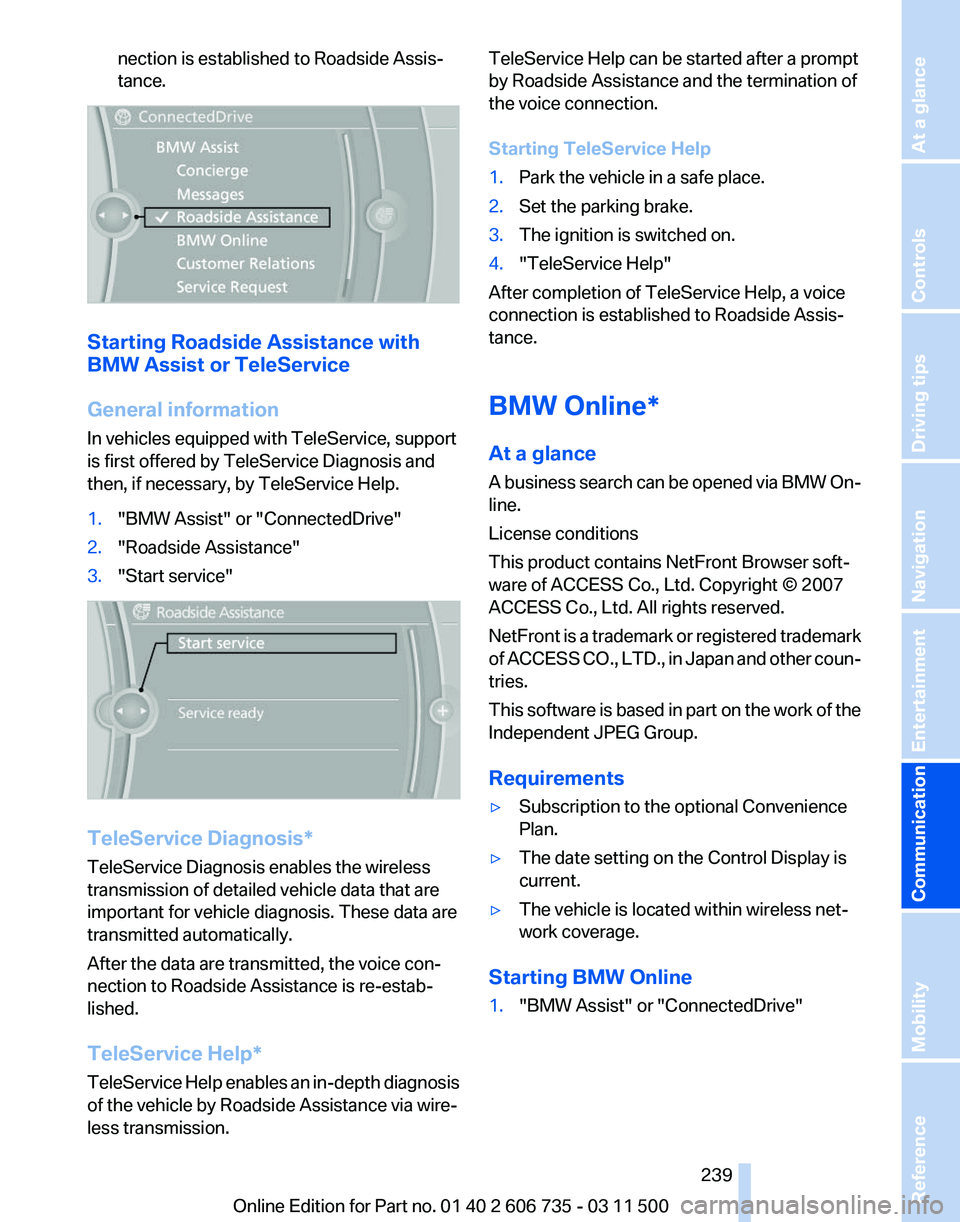
1.
"BMW Assist" or "ConnectedDrive"
2. "Roadside Assistance"
3. "Start service" TeleService Diagnosis*
TeleService Diagnosis enables the wireless
transmission of detailed vehicle data that are
important for vehicle diagnosis. These data are
transmitted automatically.
After the data are transmitted, the voice con‐
nection to Roadside Assistance is re-estab‐
lished.
TeleService Help
*
TeleService Help enables an in-depth diagnosis
of the vehicle by Roadside Assistance via wire‐
less transmission. TeleService Help can be started after a prompt
by Roadside Assistance and the termination of
the voice connection.
Starting TeleService Help
1.
Park the vehicle in a safe place.
2. Set the parking brake.
3. The ignition is switched on.
4. "TeleService Help"
After completion of TeleService Help, a voice
connection is established to Roadside Assis‐
tance.
BMW Online*
At a glance
A
business search can be opened via BMW On‐
line.
License conditions
This product contains NetFront Browser soft‐
ware of ACCESS Co., Ltd. Copyright © 2007
ACCESS Co., Ltd. All rights reserved.
NetFront is a trademark or registered trademark
of ACCESS CO., LTD., in Japan and other coun‐
tries.
This software is based in part on the work of the
Independent JPEG Group.
Requirements
▷ Subscription to the optional Convenience
Plan.
▷ The date setting on the Control Display is
current.
▷ The vehicle is located within wireless net‐
work coverage.
Starting BMW Online
1. "BMW Assist" or "ConnectedDrive"
Seite 239
239Online Edition for Part no. 01 40 2 606 735 - 03 11 500
Reference Mobility
Communication Entertainment Navigation Driving tips Controls At a glance
Page 271 of 317
Do not touch the bulbs
Do not touch the glass of new bulbs with
your bare hands, as even minute amounts of
contamination will burn into the bulb's surface
and reduce its service life.
Use
a clean tissue, cloth or something similar, or
hold the bulb by its base.◀
Light-emitting diodes LED
Light-emitting diodes installed behind translu‐
cent lenses serve as the light source for many of
the controls, displays and other equipment in
your vehicle.
These light-emitting diodes, which operate us‐
ing a concept similar to that applied in conven‐
tional lasers, are officially designated as Class 1
light-emitting diodes.
Do not remove the covers
Do not remove the covers, and never stare
into the unfiltered light for several hours; other‐
wise, irritation of the retina could result.◀
Headlamp glass
Condensation can form on the inside of the ex‐
ternal lamps in cool or humid weather. When the
light is switched on, the condensation evapo‐
rates after a short time. The headlamp glasses
do not need to be changed.
If there is a large amount of moisture, e.g., water
droplets form in the lamp, have the lamp
checked by your service center.
BMW X5: bulb replacement
Xenon headlamps
Because of the long life of these bulbs, the like‐
lihood of failure is very low. Switching the lamps
on and off frequently shortens their life.
If a bulb fails, switch on the front fog lamps* and
continue the trip with great care. Comply with
local regulations. Do not perform work/bulb replacement on
xenon headlamps
Have
any work on the xenon lighting system, in‐
cluding bulb replacement, performed only by a
service center.
Due to the high voltage present in the system,
there is the danger of fatal injuries if work is car‐
ried out improperly.◀
Parking lamps, roadside parking lamps,
daytime running lights*
These lamps are made using LED technology.
Contact your service center in the event of a
malfunction.
Turn signals, front
24-watt bulb, PY24W
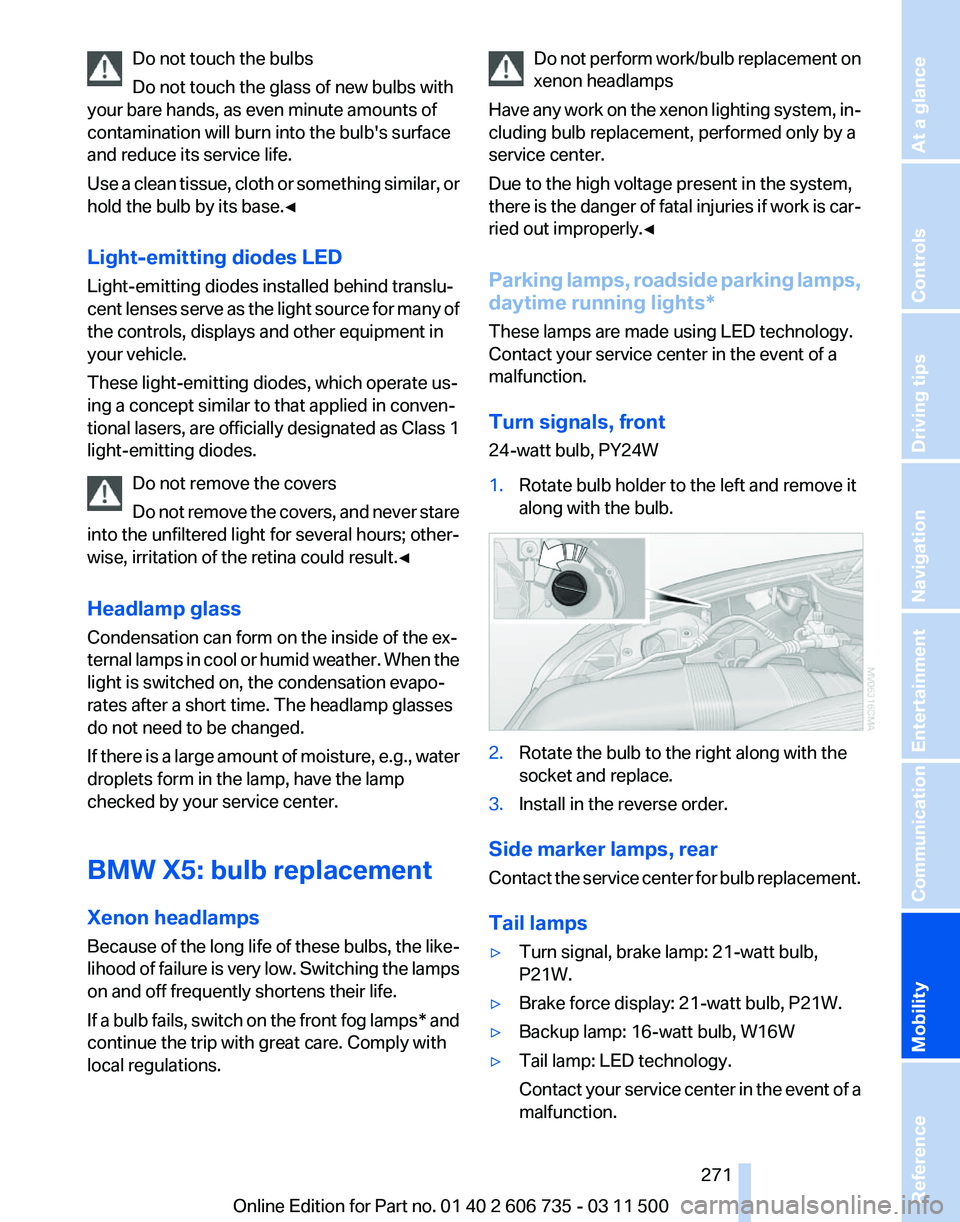
1. Rotate bulb holder to the left and remove it
along with the bulb. 2.
Rotate the bulb to the right along with the
socket and replace.
3. Install in the reverse order.
Side marker lamps, rear
Contact
the service center for bulb replacement.
Tail lamps
▷ Turn signal, brake lamp: 21-watt bulb,
P21W.
▷ Brake force display: 21-watt bulb, P21W.
▷ Backup lamp: 16-watt bulb, W16W
▷ Tail lamp: LED technology.
Contact
your service center in the event of a
malfunction. Seite 271
271Online Edition for Part no. 01 40 2 606 735 - 03 11 500
Reference
Mobility Communication Entertainment Navigation Driving tips Controls At a glance
Page 273 of 317
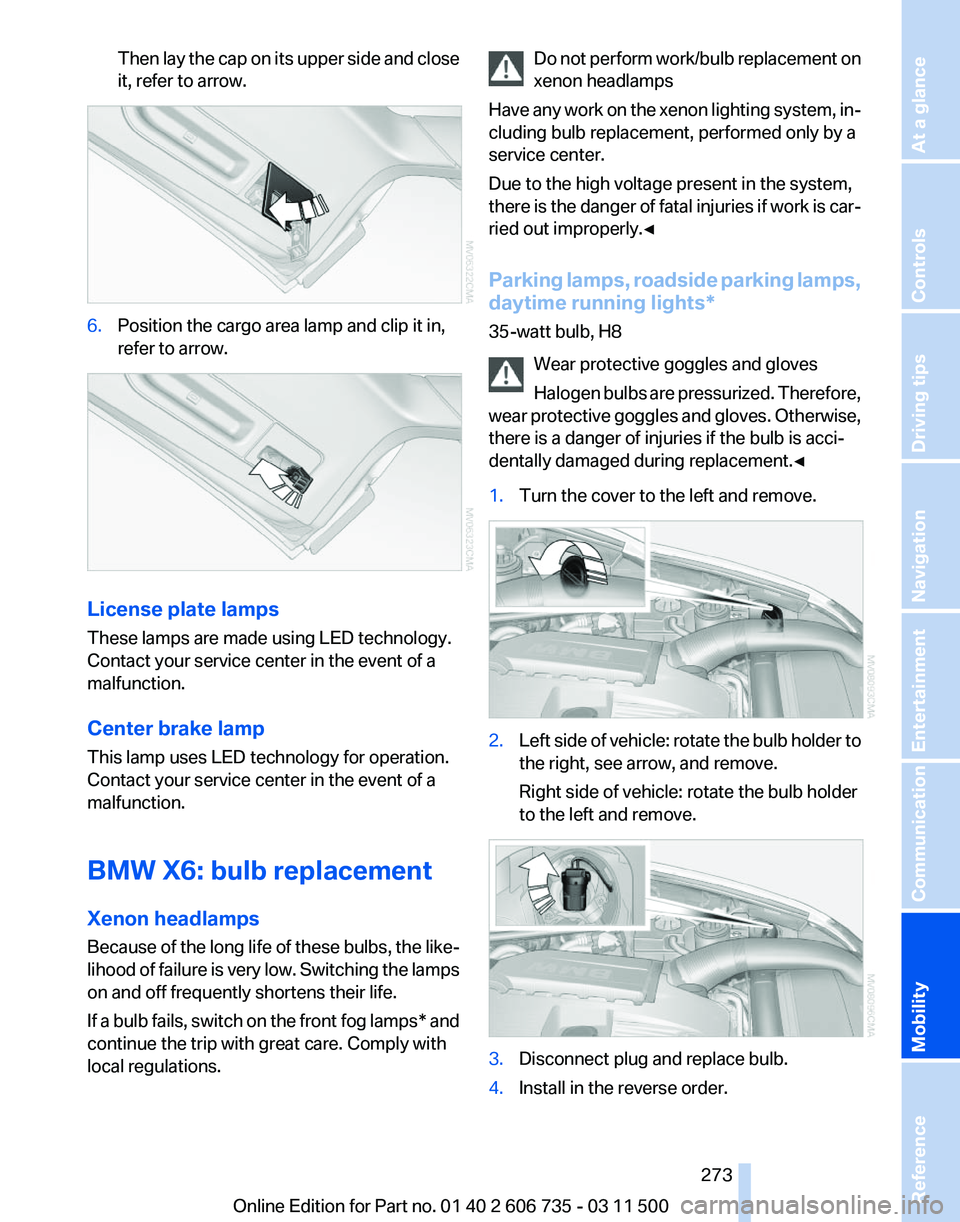
Then lay the cap on its upper side and close
it, refer to arrow.
6.
Position the cargo area lamp and clip it in,
refer to arrow. License plate lamps
These lamps are made using LED technology.
Contact your service center in the event of a
malfunction.
Center brake lamp
This lamp uses LED technology for operation.
Contact your service center in the event of a
malfunction.
BMW X6: bulb replacement
Xenon headlamps
Because
of the long life of these bulbs, the like‐
lihood of failure is very low. Switching the lamps
on and off frequently shortens their life.
If a bulb fails, switch on the front fog lamps* and
continue the trip with great care. Comply with
local regulations. Do not perform work/bulb replacement on
xenon headlamps
Have
any work on the xenon lighting system, in‐
cluding bulb replacement, performed only by a
service center.
Due to the high voltage present in the system,
there is the danger of fatal injuries if work is car‐
ried out improperly.◀
Parking lamps, roadside parking lamps,
daytime running lights*
35-watt bulb, H8
Wear protective goggles and gloves
Halogen bulbs are pressurized. Therefore,
wear protective goggles and gloves. Otherwise,
there is a danger of injuries if the bulb is acci‐
dentally damaged during replacement.◀
1. Turn the cover to the left and remove. 2.
Left side of vehicle: rotate the bulb holder to
the right, see arrow, and remove.
Right side of vehicle: rotate the bulb holder
to the left and remove. 3.
Disconnect plug and replace bulb.
4. Install in the reverse order. Seite 273
273Online Edition for Part no. 01 40 2 606 735 - 03 11 500
Reference
Mobility Communication Entertainment Navigation Driving tips Controls At a glance
Page 276 of 317
They do not need to be replaced immediately in
the event of a puncture.
When mounting new tires or changing from
summer
to winter tires or vice versa, use run-flat
tires for your own safety.
BMW X6: do not rotate the front wheels to the
rear or vice versa, as otherwise the handling
characteristics will be negatively affected.
The tools for changing wheels are available as
accessories from your service center.
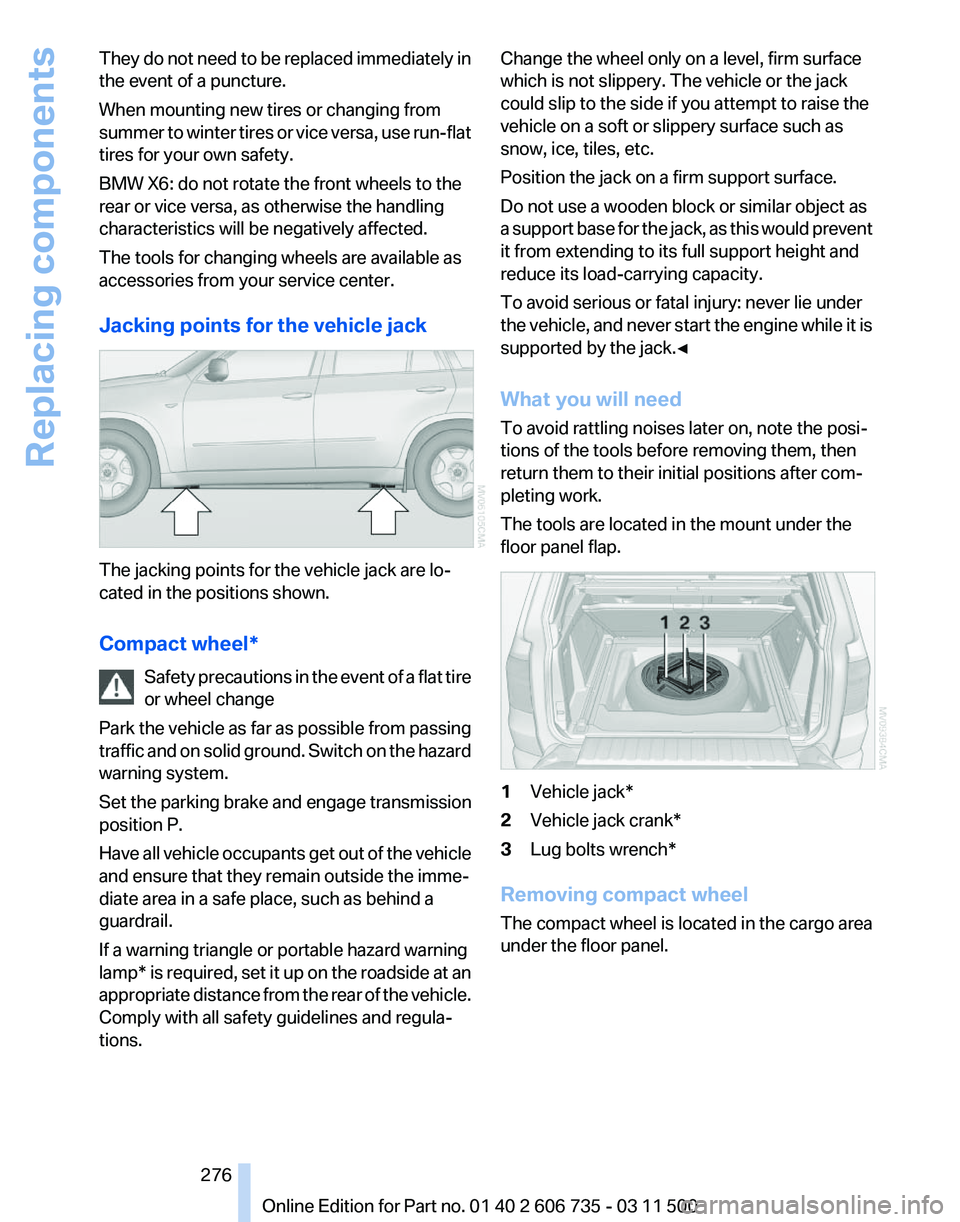
Jacking points for the vehicle jack The jacking points for the vehicle jack are lo‐
cated in the positions shown.
Compact wheel*
Safety
precautions in the event of a flat tire
or wheel change
Park the vehicle as far as possible from passing
traffic and on solid ground. Switch on the hazard
warning system.
Set the parking brake and engage transmission
position P.
Have all vehicle occupants get out of the vehicle
and ensure that they remain outside the imme‐
diate area in a safe place, such as behind a
guardrail.
If a warning triangle or portable hazard warning
lamp* is required, set it up on the roadside at an
appropriate distance from the rear of the vehicle.
Comply with all safety guidelines and regula‐
tions. Change the wheel only on a level, firm surface
which is not slippery. The vehicle or the jack
could slip to the side if you attempt to raise the
vehicle on a soft or slippery surface such as
snow, ice, tiles, etc.
Position the jack on a firm support surface.
Do not use a wooden block or similar object as
a
support base for the jack, as this would prevent
it from extending to its full support height and
reduce its load-carrying capacity.
To avoid serious or fatal injury: never lie under
the vehicle, and never start the engine while it is
supported by the jack.◀
What you will need
To avoid rattling noises later on, note the posi‐
tions of the tools before removing them, then
return them to their initial positions after com‐
pleting work.
The tools are located in the mount under the
floor panel flap. 1
Vehicle jack*
2 Vehicle jack crank*
3 Lug bolts wrench*
Removing compact wheel
The compact wheel is located in the cargo area
under the floor panel.
Seite 276
276 Online Edition for Part no. 01 40 2 606 735 - 03 11 500
Replacing components
Page 285 of 317
Care
Car washes
Notes
Steam jets or high-pressure washers
When using steam jets or high-pressure
washers, hold them a sufficient distance away
and use a maximum temperature of 140 ℉/
60 ℃.
Holding them too close or using excessively
high
pressures or temperatures can cause dam‐
age or preliminary damage that may then lead to
long-term damage.
Follow the operating instructions for the high-
pressure washer.◀
Cleaning sensors/cameras with high-
pressure washers
When using high-pressure washers, do not
spray the exterior sensors and cameras, for Park
Distance Control* or the backup camera*, for
instance, for extended periods of time and only
from a distance of at least 12 in/30 cm.◀
Wash your vehicle frequently, particularly in win‐
ter.
Intense soiling and road salt can damage the ve‐
hicle.
Washing in automatic car washes
Your vehicle can be washed in automatic car
washes right from the start.
Give preference to cloth car washes or those
that use soft brushes in order to avoid paint
damage.
Notes
Note the following:
▷ Make sure that the wheels and tires are not
damaged by the transport mechanisms.
▷ Fold in the exterior mirrors; otherwise, they
may
be damaged, depending on the width of
the vehicle. ▷
Deactivate rain sensor, refer to page 67, to
prevent unintentional wiper action.
▷ BMW X5: deactivate the rear window wiper
and protect it from damage. Ask the car
wash
operator about any necessary protec‐
tive measures.
▷ Remove additional attachments, for in‐
stance a spoiler or telephone antenna, if
there is a risk that these may be damaged.
Guide rails in car washes
Avoid car washes with guide rails higher
than 4 in/10 cm; otherwise, the vehicle body
could be damaged.
◀
Before driving into a car wash
The vehicle is able to roll if the following steps
are taken.
1. Insert the remote control into the ignition
lock, even with Comfort Access.
2. Engage transmission position N.
3. Release the parking brake.
4. Deactivating Automatic Hold, refer to
page 64.
5. Switch the engine off.
6. Leave the remote control in the ignition lock
so that the vehicle can roll.
Mixed tires* Note the vehicle width
Before driving into a car wash, make sure
that
the vehicle width is not too large for the car
wash, as otherwise the vehicle and the car wash
could be damaged.◀
Headlamps
▷ Do not rub dry and do not use abrasive or
caustic cleansers.
▷ Soak areas that have been soiled e.g. due to
insects, with shampoo and wash off with
water. Seite 285
285Online Edition for Part no. 01 40 2 606 735 - 03 11 500
Reference
Mobility Communication Entertainment Navigation Driving tips Controls At a glance
Page 303 of 317
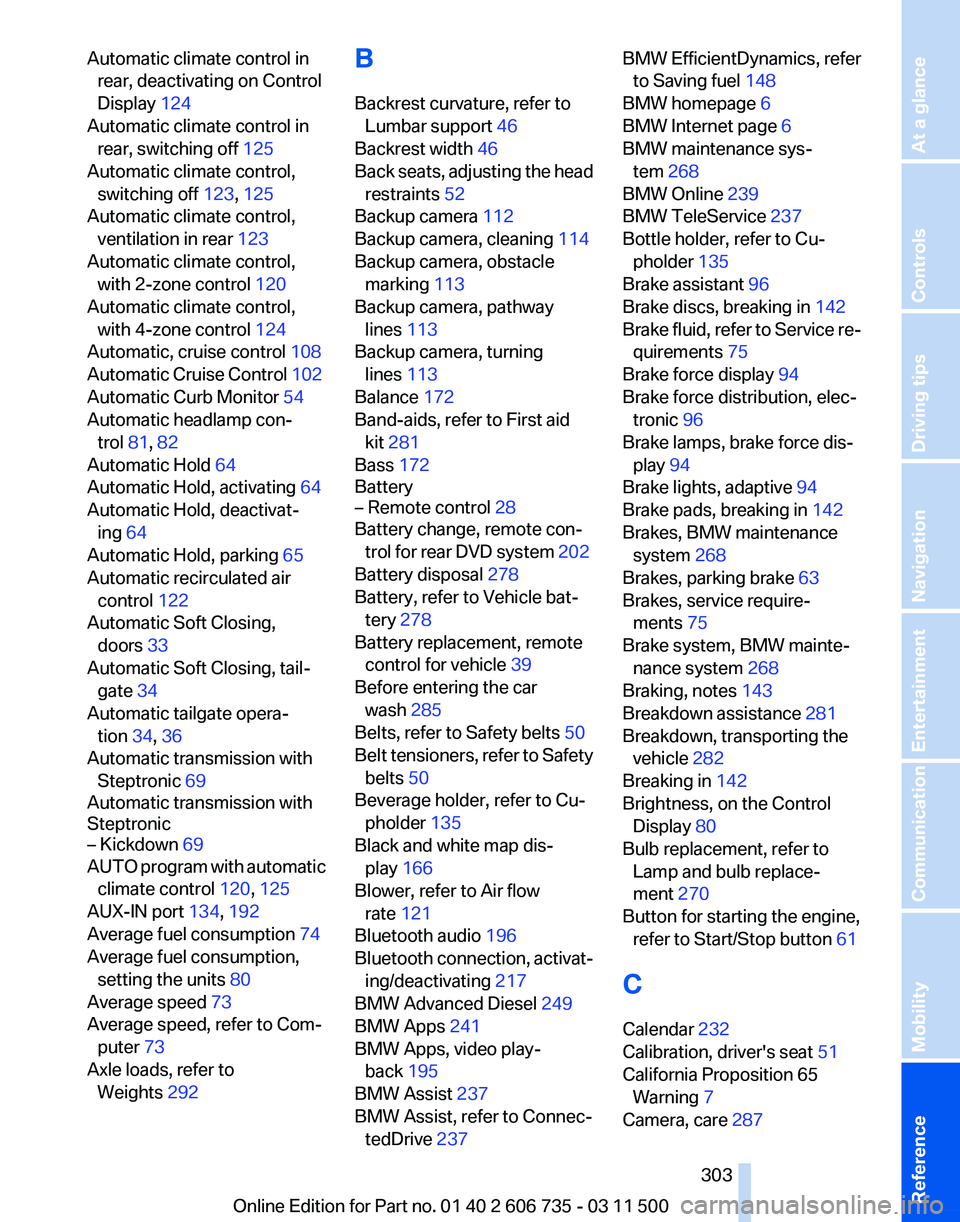
Automatic climate control in
rear, deactivating on Control
Display 124
Automatic climate control in rear, switching off 125
Automatic climate control, switching off 123, 125
Automatic climate control, ventilation in rear 123
Automatic climate control, with 2-zone control 120
Automatic climate control, with 4-zone control 124
Automatic, cruise control 108
Automatic
Cruise Control 102
Automatic Curb Monitor 54
Automatic headlamp con‐ trol 81, 82
Automatic Hold 64
Automatic Hold, activating 64
Automatic Hold, deactivat‐ ing 64
Automatic Hold, parking 65
Automatic recirculated air control 122
Automatic Soft Closing, doors 33
Automatic Soft Closing, tail‐ gate 34
Automatic tailgate opera‐ tion 34, 36
Automatic transmission with Steptronic 69
Automatic transmission with
Steptronic
– Kickdown 69
AUTO program with automatic
climate control 120, 125
AUX-IN port 134, 192
Average fuel consumption 74
Average fuel consumption, setting the units 80
Average speed 73
Average speed, refer to Com‐ puter 73
Axle loads, refer to Weights 292 B
Backrest curvature, refer to
Lumbar support 46
Backrest width 46
Back
seats, adjusting the head
restraints 52
Backup camera 112
Backup camera, cleaning 114
Backup camera, obstacle marking 113
Backup camera, pathway lines 113
Backup camera, turning lines 113
Balance 172
Band-aids, refer to First aid kit 281
Bass 172
Battery
– Remote control 28
Battery change, remote con‐
trol
for rear DVD system 202
Battery disposal 278
Battery, refer to Vehicle bat‐ tery 278
Battery replacement, remote control for vehicle 39
Before entering the car wash 285
Belts, refer to Safety belts 50
Belt tensioners, refer to Safety belts 50
Beverage holder, refer to Cu‐ pholder 135
Black and white map dis‐ play 166
Blower, refer to Air flow rate 121
Bluetooth audio 196
Bluetooth connection, activat‐ ing/deactivating 217
BMW Advanced Diesel 249
BMW Apps 241
BMW Apps, video play‐ back 195
BMW Assist 237
BMW Assist, refer to Connec‐ tedDrive 237 BMW EfficientDynamics, refer
to Saving fuel 148
BMW homepage 6
BMW Internet page 6
BMW maintenance sys‐ tem 268
BMW Online 239
BMW TeleService 237
Bottle holder, refer to Cu‐ pholder 135
Brake assistant 96
Brake discs, breaking in 142
Brake
fluid, refer to Service re‐
quirements 75
Brake force display 94
Brake force distribution, elec‐ tronic 96
Brake lamps, brake force dis‐ play 94
Brake lights, adaptive 94
Brake pads, breaking in 142
Brakes, BMW maintenance system 268
Brakes, parking brake 63
Brakes, service require‐ ments 75
Brake system, BMW mainte‐ nance system 268
Braking, notes 143
Breakdown assistance 281
Breakdown, transporting the vehicle 282
Breaking in 142
Brightness, on the Control Display 80
Bulb replacement, refer to Lamp and bulb replace‐
ment 270
Button for starting the engine, refer to Start/Stop button 61
C
Calendar 232
Calibration, driver's seat 51
California Proposition 65 Warning 7
Camera, care 287
Seite 303
303Online Edition for Part no. 01 40 2 606 735 - 03 11 500
Reference Mobility Communication Entertainment Navigation Driving tips Controls At a glance
Page 306 of 317
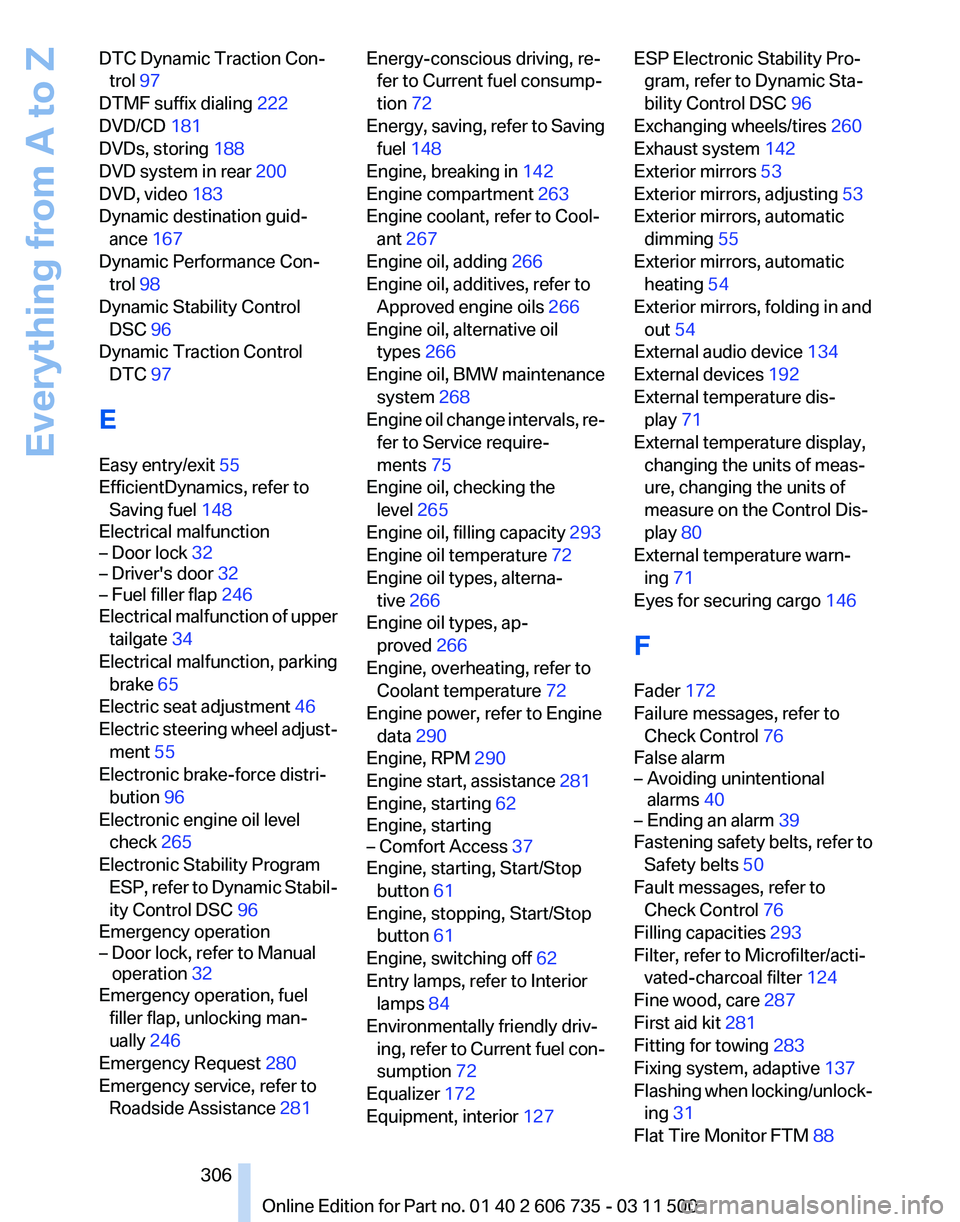
DTC Dynamic Traction Con‐
trol 97
DTMF suffix dialing 222
DVD/CD 181
DVDs, storing 188
DVD system in rear 200
DVD, video 183
Dynamic destination guid‐ ance 167
Dynamic Performance Con‐ trol 98
Dynamic Stability Control DSC 96
Dynamic Traction Control DTC 97
E
Easy entry/exit 55
EfficientDynamics, refer to Saving fuel 148
Electrical malfunction
– Door lock 32
– Driver's door 32
– Fuel filler flap 246
Electrical malfunction of upper
tailgate 34
Electrical malfunction, parking brake 65
Electric seat adjustment 46
Electric
steering wheel adjust‐
ment 55
Electronic brake-force distri‐ bution 96
Electronic engine oil level check 265
Electronic Stability Program ESP, refer to Dynamic Stabil‐
ity Control DSC 96
Emergency operation
– Door lock, refer to Manual operation 32
Emergency operation, fuel
filler flap, unlocking man‐
ually 246
Emergency Request 280
Emergency service, refer to Roadside Assistance 281 Energy-conscious driving, re‐
fer to Current fuel consump‐
tion 72
Energy,
saving, refer to Saving
fuel 148
Engine, breaking in 142
Engine compartment 263
Engine coolant, refer to Cool‐ ant 267
Engine oil, adding 266
Engine oil, additives, refer to Approved engine oils 266
Engine oil, alternative oil types 266
Engine oil, BMW maintenance system 268
Engine oil change intervals, re‐ fer to Service require‐
ments 75
Engine oil, checking the level 265
Engine oil, filling capacity 293
Engine oil temperature 72
Engine oil types, alterna‐ tive 266
Engine oil types, ap‐ proved 266
Engine, overheating, refer to Coolant temperature 72
Engine power, refer to Engine data 290
Engine, RPM 290
Engine start, assistance 281
Engine, starting 62
Engine, starting
– Comfort Access 37
Engine, starting, Start/Stop
button 61
Engine, stopping, Start/Stop button 61
Engine, switching off 62
Entry lamps, refer to Interior lamps 84
Environmentally friendly driv‐ ing,
refer to Current fuel con‐
sumption 72
Equalizer 172
Equipment, interior 127 ESP Electronic Stability Pro‐
gram, refer to Dynamic Sta‐
bility Control DSC 96
Exchanging wheels/tires 260
Exhaust system 142
Exterior mirrors 53
Exterior mirrors, adjusting 53
Exterior mirrors, automatic dimming 55
Exterior mirrors, automatic heating 54
Exterior mirrors, folding in and out 54
External audio device 134
External devices 192
External temperature dis‐ play 71
External temperature display, changing the units of meas‐
ure, changing the units of
measure on the Control Dis‐
play 80
External temperature warn‐ ing 71
Eyes for securing cargo 146
F
Fader 172
Failure messages, refer to Check Control 76
False alarm
– Avoiding unintentional alarms 40
– Ending an alarm 39
Fastening safety belts, refer to
Safety belts 50
Fault messages, refer to Check Control 76
Filling capacities 293
Filter, refer to Microfilter/acti‐ vated-charcoal filter 124
Fine wood, care 287
First aid kit 281
Fitting for towing 283
Fixing system, adaptive 137
Flashing
when locking/unlock‐
ing 31
Flat Tire Monitor FTM 88
Seite 306
306 Online Edition for Part no. 01 40 2 606 735 - 03 11 500
Everything from A to Z