reset BMW X5M 2012 Owner's Manual
[x] Cancel search | Manufacturer: BMW, Model Year: 2012, Model line: X5M, Model: BMW X5M 2012Pages: 317, PDF Size: 8.83 MB
Page 278 of 317
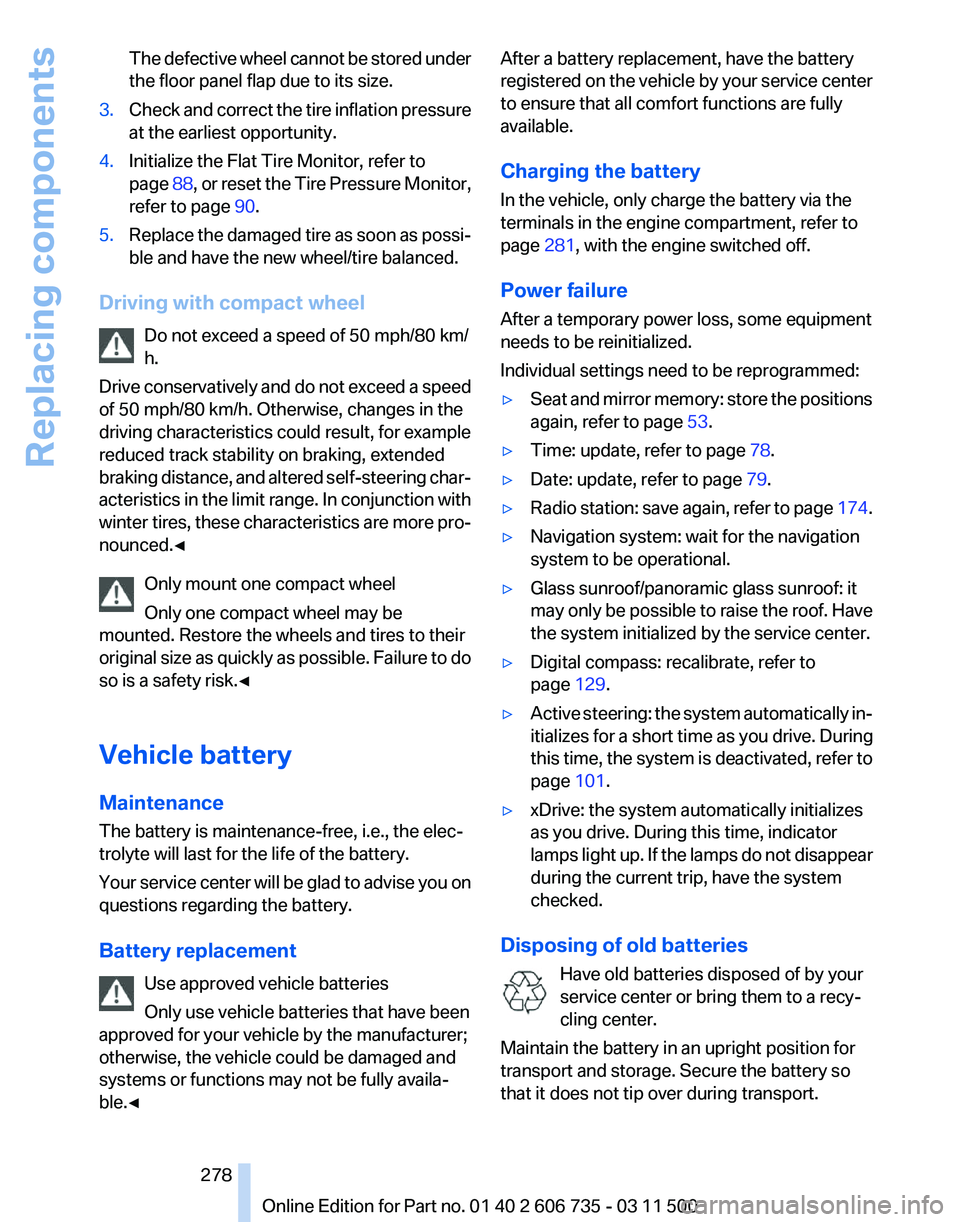
The defective wheel cannot be stored under
the floor panel flap due to its size.
3. Check and correct the tire inflation pressure
at the earliest opportunity.
4. Initialize the Flat Tire Monitor, refer to
page 88,
or reset the Tire Pressure Monitor,
refer to page 90.
5. Replace the damaged tire as soon as possi‐
ble and have the new wheel/tire balanced.
Driving with compact wheel Do not exceed a speed of 50 mph/80 km/
h.
Drive
conservatively and do not exceed a speed
of 50 mph/80 km/h. Otherwise, changes in the
driving characteristics could result, for example
reduced track stability on braking, extended
braking distance, and altered self-steering char‐
acteristics in the limit range. In conjunction with
winter tires, these characteristics are more pro‐
nounced.◀
Only mount one compact wheel
Only one compact wheel may be
mounted. Restore the wheels and tires to their
original size as quickly as possible. Failure to do
so is a safety risk.◀
Vehicle battery
Maintenance
The battery is maintenance-free, i.e., the elec‐
trolyte will last for the life of the battery.
Your service center will be glad to advise you on
questions regarding the battery.
Battery replacement
Use approved vehicle batteries
Only use vehicle batteries that have been
approved for your vehicle by the manufacturer;
otherwise, the vehicle could be damaged and
systems or functions may not be fully availa‐
ble.◀ After a battery replacement, have the battery
registered
on the vehicle by your service center
to ensure that all comfort functions are fully
available.
Charging the battery
In the vehicle, only charge the battery via the
terminals in the engine compartment, refer to
page 281, with the engine switched off.
Power failure
After a temporary power loss, some equipment
needs to be reinitialized.
Individual settings need to be reprogrammed:
▷ Seat and mirror memory: store the positions
again, refer to page 53.
▷ Time: update, refer to page 78.
▷ Date: update, refer to page 79.
▷ Radio station: save again, refer to page 174.
▷ Navigation system: wait for the navigation
system to be operational.
▷ Glass sunroof/panoramic glass sunroof: it
may
only be possible to raise the roof. Have
the system initialized by the service center.
▷ Digital compass: recalibrate, refer to
page 129.
▷ Active steering: the system automatically in‐
itializes for a short time as you drive. During
this
time, the system is deactivated, refer to
page 101.
▷ xDrive: the system automatically initializes
as you drive. During this time, indicator
lamps
light up. If the lamps do not disappear
during the current trip, have the system
checked.
Disposing of old batteries Have old batteries disposed of by your
service center or bring them to a recy‐
cling center.
Maintain the battery in an upright position for
transport and storage. Secure the battery so
that it does not tip over during transport. Seite 278
278 Online Edition for Part no. 01 40 2 606 735 - 03 11 500
Replacing components
Page 299 of 317
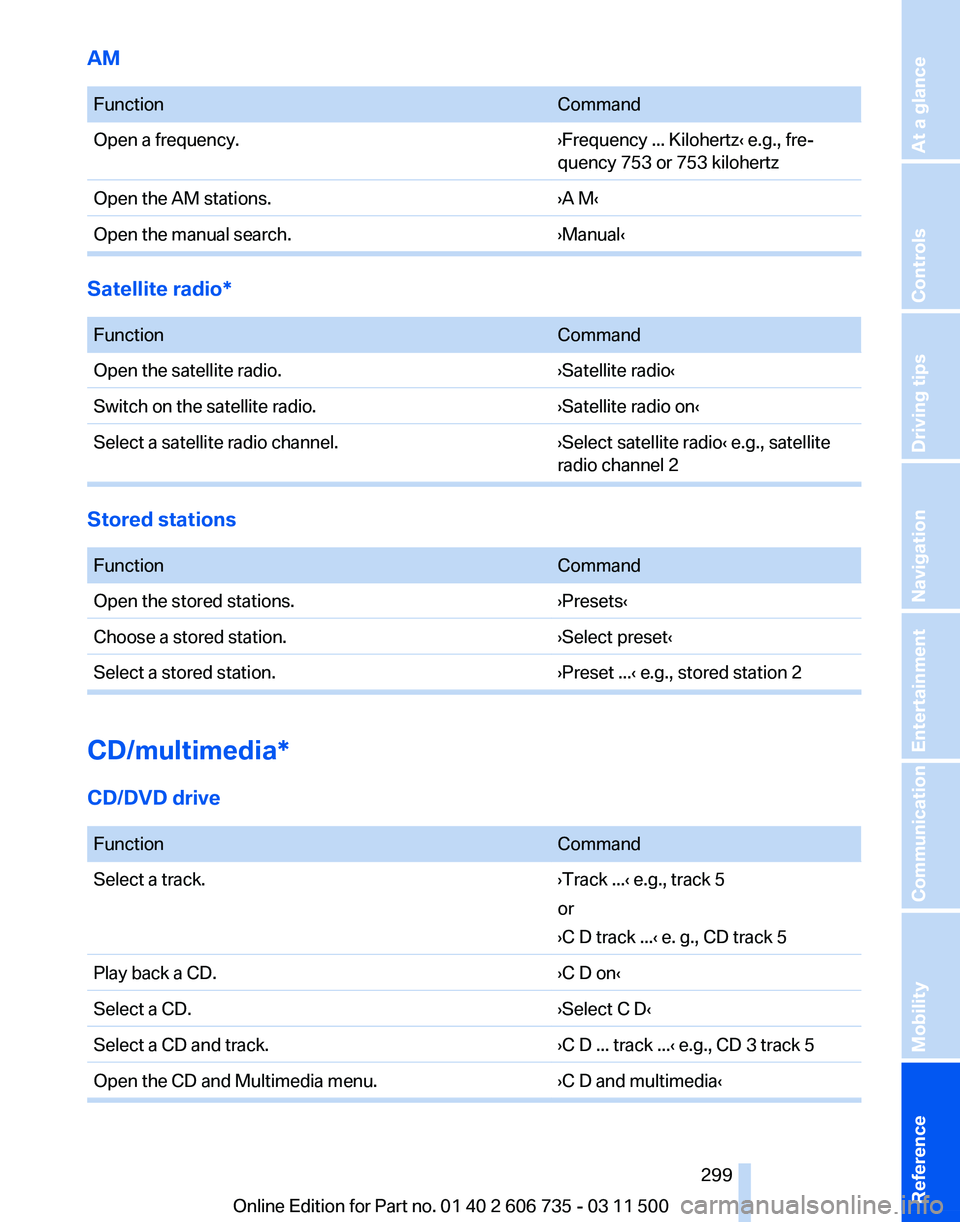
AM
Function
Command
Open a frequency. ›Frequency ... Kilohertz‹ e.g., fre‐
quency 753 or 753 kilohertz
Open the AM stations. ›A M‹
Open the manual search. ›Manual‹Satellite radio*
Function
Command
Open the satellite radio. ›Satellite radio‹
Switch on the satellite radio. ›Satellite radio on‹
Select a satellite radio channel. ›Select satellite radio‹ e.g., satellite
radio channel 2Stored stations
Function
Command
Open the stored stations. ›Presets‹
Choose a stored station. ›Select preset‹
Select a stored station. ›Preset ...‹ e.g., stored station 2CD/multimedia*
CD/DVD drive
Function
Command
Select a track. ›Track ...‹ e.g., track 5
or
›C D track ...
‹ e. g., CD track 5
Play back a CD. ›C D on‹
Select a CD. ›Select C D‹
Select a CD and track. ›C D ... track ...‹ e.g., CD 3 track 5
Open the CD and Multimedia menu. ›C D and multimedia‹ Seite 299
299Online Edition for Part no. 01 40 2 606 735 - 03 11 500
Reference Mobility Communication Entertainment Navigation Driving tips Controls At a glance
Page 311 of 317
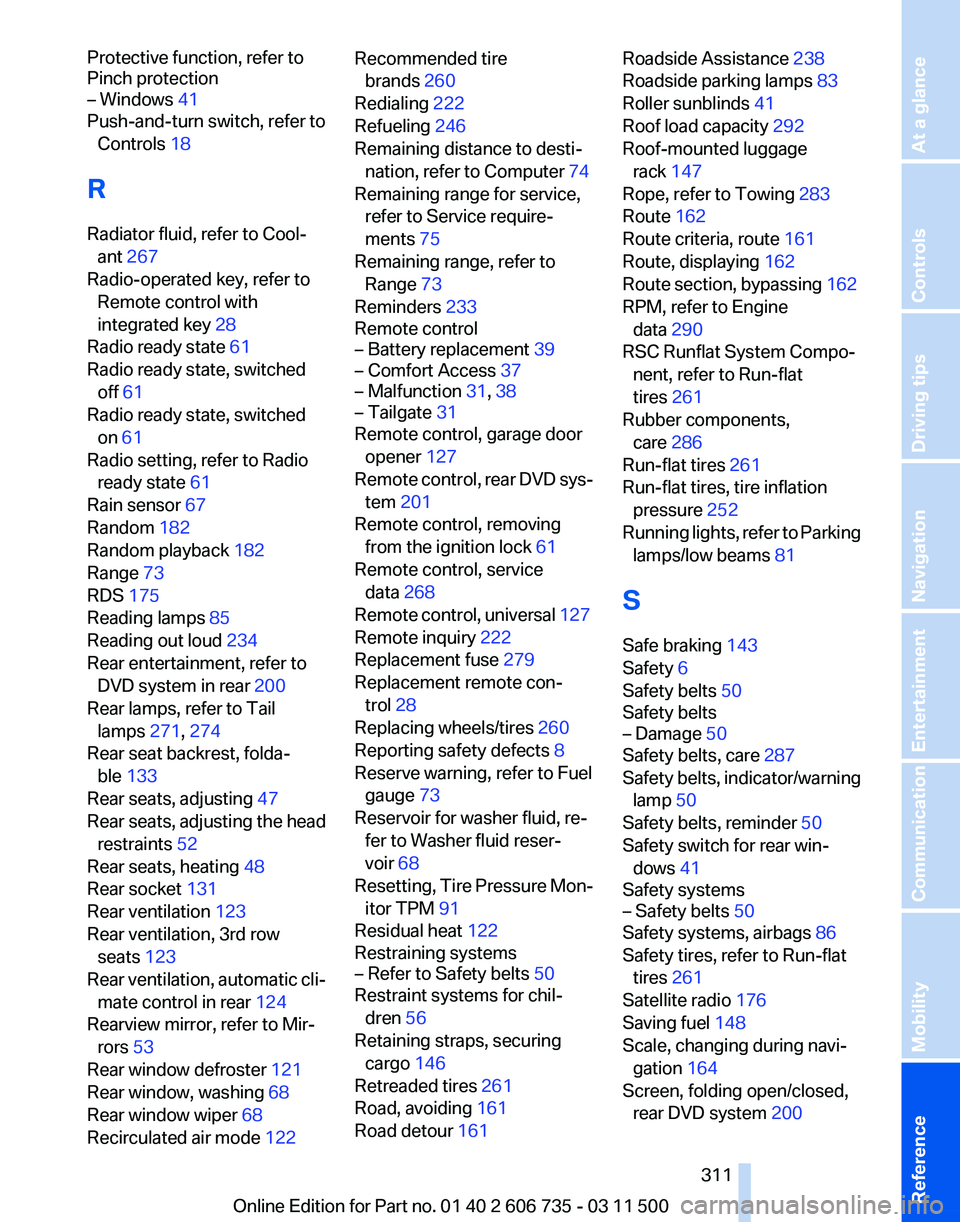
Protective function, refer to
Pinch protection
– Windows 41
Push-and-turn switch, refer to
Controls 18
R
Radiator fluid, refer to Cool‐ ant 267
Radio-operated key, refer to Remote control with
integrated key 28
Radio ready state 61
Radio ready state, switched off 61
Radio ready state, switched on 61
Radio setting, refer to Radio ready state 61
Rain sensor 67
Random 182
Random playback 182
Range 73
RDS 175
Reading lamps 85
Reading out loud 234
Rear entertainment, refer to DVD system in rear 200
Rear lamps, refer to Tail lamps 271, 274
Rear seat backrest, folda‐ ble 133
Rear seats, adjusting 47
Rear
seats, adjusting the head
restraints 52
Rear seats, heating 48
Rear socket 131
Rear ventilation 123
Rear ventilation, 3rd row seats 123
Rear ventilation, automatic cli‐ mate control in rear 124
Rearview mirror, refer to Mir‐ rors 53
Rear window defroster 121
Rear window, washing 68
Rear window wiper 68
Recirculated air mode 122 Recommended tire
brands 260
Redialing 222
Refueling 246
Remaining distance to desti‐ nation,
refer to Computer 74
Remaining range for service, refer to Service require‐
ments 75
Remaining range, refer to Range 73
Reminders 233
Remote control
– Battery replacement 39
– Comfort Access 37
– Malfunction 31, 38
– Tailgate 31
Remote control, garage door
opener 127
Remote
control, rear DVD sys‐
tem 201
Remote control, removing from the ignition lock 61
Remote control, service data 268
Remote control, universal 127
Remote inquiry 222
Replacement fuse 279
Replacement remote con‐ trol 28
Replacing wheels/tires 260
Reporting safety defects 8
Reserve warning, refer to Fuel gauge 73
Reservoir for washer fluid, re‐ fer to Washer fluid reser‐
voir 68
Resetting, Tire Pressure Mon‐ itor TPM 91
Residual heat 122
Restraining systems
– Refer to Safety belts 50
Restraint systems for chil‐
dren 56
Retaining straps, securing cargo 146
Retreaded tires 261
Road, avoiding 161
Road detour 161 Roadside Assistance 238
Roadside parking lamps
83
Roller sunblinds 41
Roof load capacity 292
Roof-mounted luggage rack 147
Rope, refer to Towing 283
Route 162
Route criteria, route 161
Route, displaying 162
Route
section, bypassing 162
RPM, refer to Engine data 290
RSC Runflat System Compo‐ nent, refer to Run-flat
tires 261
Rubber components, care 286
Run-flat tires 261
Run-flat tires, tire inflation pressure 252
Running lights, refer to Parking lamps/low beams 81
S
Safe braking 143
Safety 6
Safety belts 50
Safety belts
– Damage 50
Safety belts, care 287
Safety
belts, indicator/warning
lamp 50
Safety belts, reminder 50
Safety switch for rear win‐ dows 41
Safety systems
– Safety belts 50
Safety systems, airbags 86
Safety tires, refer to Run-flat tires 261
Satellite radio 176
Saving fuel 148
Scale, changing during navi‐ gation 164
Screen, folding open/closed, rear DVD system 200
Seite 311
311Online Edition for Part no. 01 40 2 606 735 - 03 11 500
Reference Mobility Communication Entertainment Navigation Driving tips Controls At a glance