change time BMW X5M 2013 Owner's Guide
[x] Cancel search | Manufacturer: BMW, Model Year: 2013, Model line: X5M, Model: BMW X5M 2013Pages: 345, PDF Size: 9.44 MB
Page 222 of 345
Menu navigation
You can use the thumbwheel and buttons 1 to
navigate through the menus.▷Turn the thumbwheel: select a menu item.▷Press the arrow buttons: change between
fields.▷ Press the button: activate the menu
item.
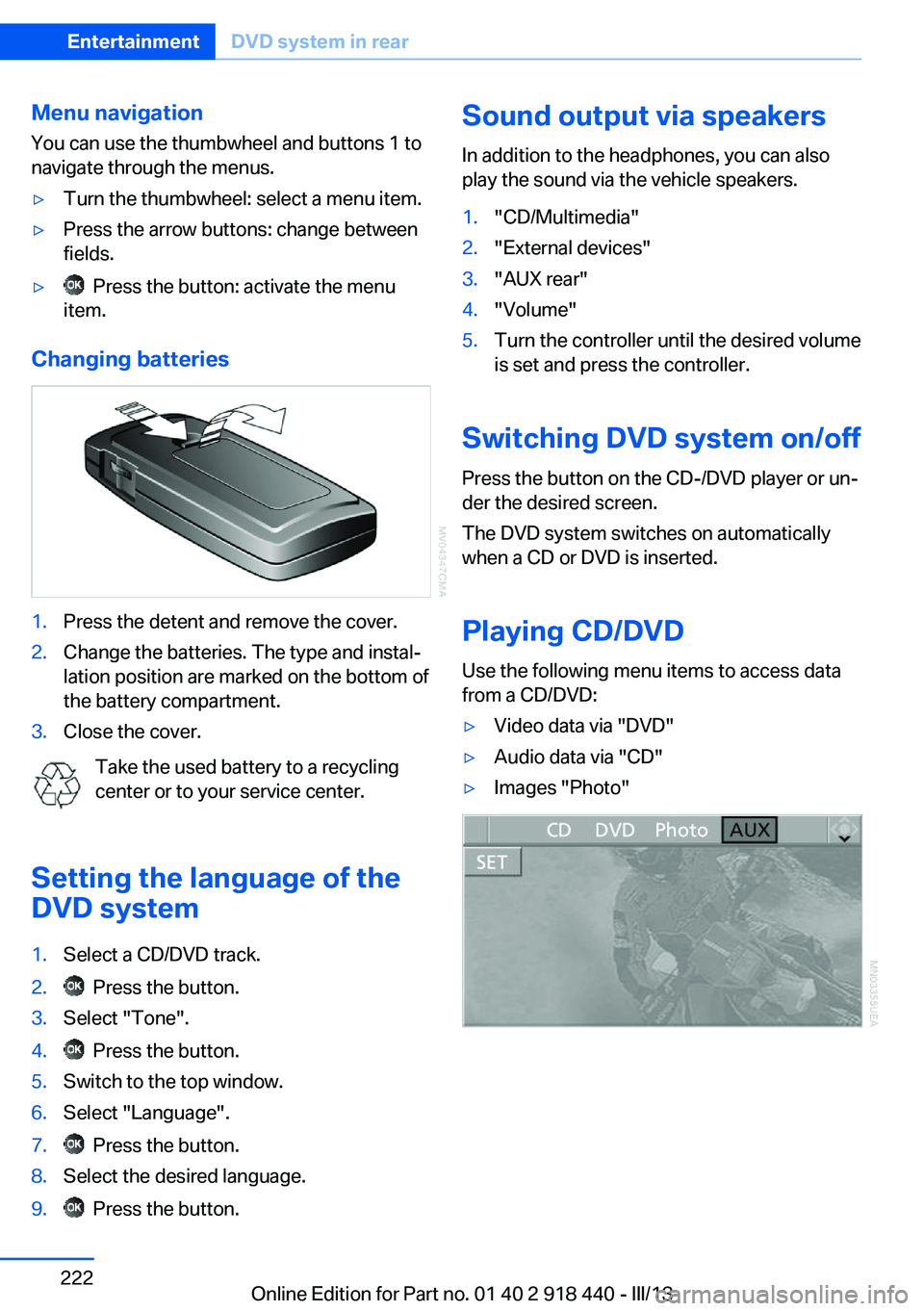
Changing batteries
1.Press the detent and remove the cover.2.Change the batteries. The type and instal‐
lation position are marked on the bottom of
the battery compartment.3.Close the cover.
Take the used battery to a recycling
center or to your service center.
Setting the language of the
DVD system
1.Select a CD/DVD track.2. Press the button.3.Select "Tone".4. Press the button.5.Switch to the top window.6.Select "Language".7. Press the button.8.Select the desired language.9. Press the button.Sound output via speakers
In addition to the headphones, you can also
play the sound via the vehicle speakers.1."CD/Multimedia"2."External devices"3."AUX rear"4."Volume"5.Turn the controller until the desired volume
is set and press the controller.
Switching DVD system on/off
Press the button on the CD-/DVD player or un‐
der the desired screen.
The DVD system switches on automatically
when a CD or DVD is inserted.
Playing CD/DVD
Use the following menu items to access data
from a CD/DVD:
▷Video data via "DVD"▷Audio data via "CD"▷Images "Photo"Seite 222EntertainmentDVD system in rear222
Online Edition for Part no. 01 40 2 918 440 - III/13
Page 224 of 345
SymbolFunction Activate and deactivate freeze
frame. Skip a chapter. Fast forward/reverse."Menu"Open the DVD-specific menu.
The DVD control disappears again after a short
time if you have not selected a function.
Or:
Press the button on the remote control
to exit the DVD control.
Fast forward/reverse
Forward/reverse with DVD control
1. Press the button on the remote con‐
trol during playback.2. Select the symbol.3. Press the button.4. Press the button several times to in‐
crease the fast forward/reverse speed.
The DVD playback will be distorted.
To cancel fast forward/reverse:
1. Select the symbol.2. Press the button.
Or:
Press the button on the CD/DVD player.
The DVD will start play at the point selected.
Forward/reverse with remote control
Press and hold the button until you
reach the desired point.
Or:
1.During playback, turn the thumbwheel.
Fast forward/reverse is interrupted.2.Continue to turn the thumbwheel. The
speed is increased.3. Press the button on the CD/DVD
player. Fast forward/reverse is interrupted.
The DVD will start play at the point se‐
lected.
Skipping chapter
You can change to the next or previous chap‐
ter during playback.
1. Press the button on the remote con‐
trol during playback.2. Select the symbol.3. Press the button repeatedly, continuing
until you reach the desired chapter.
Or:
Press the button on the left or right on
the remote control repeatedly until you reach
the desired chapter.
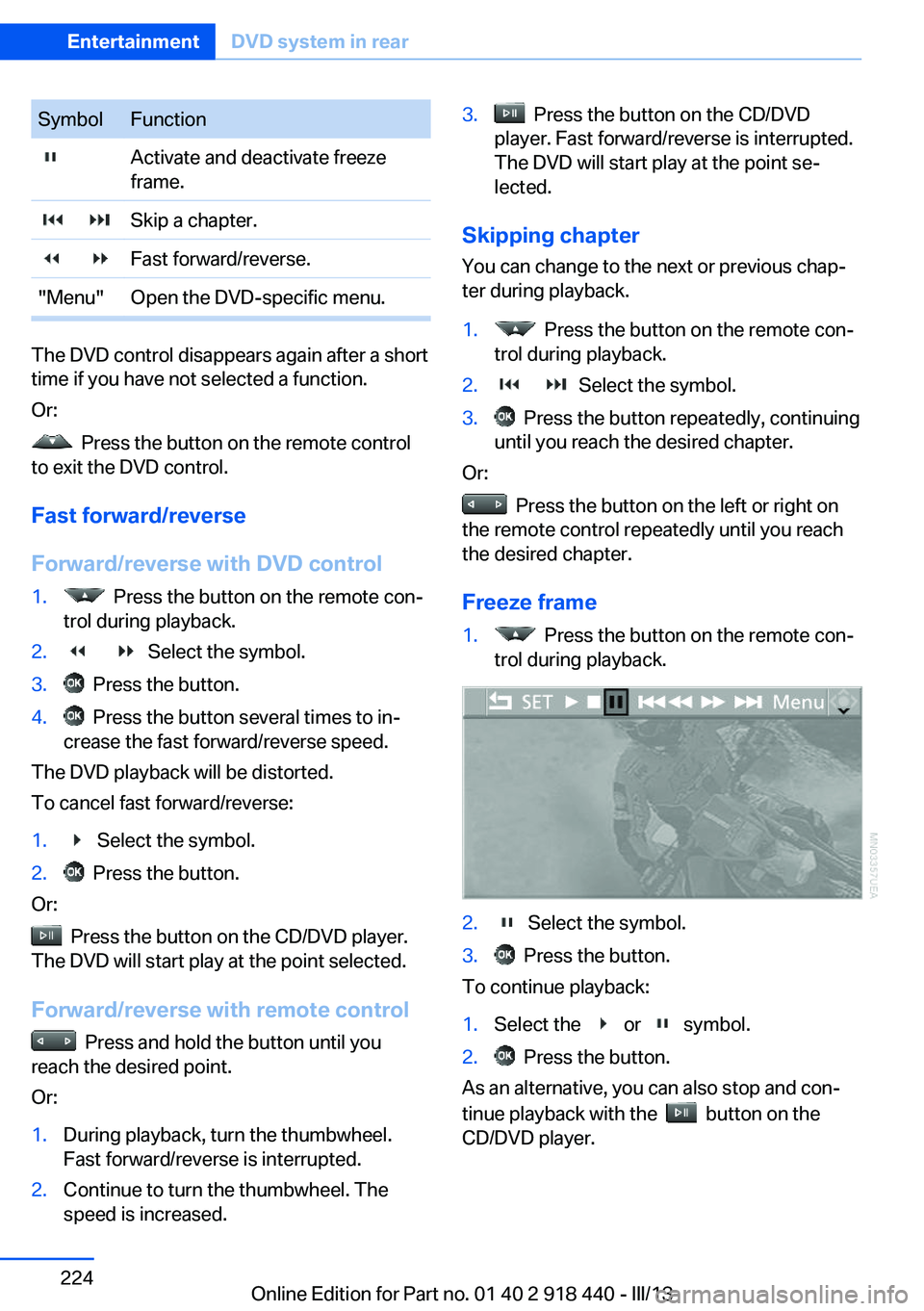
Freeze frame
1. Press the button on the remote con‐
trol during playback.2. Select the symbol.3. Press the button.
To continue playback:
1.Select the or symbol.2. Press the button.
As an alternative, you can also stop and con‐
tinue playback with the
button on the
CD/DVD player.
Seite 224EntertainmentDVD system in rear224
Online Edition for Part no. 01 40 2 918 440 - III/13
Page 225 of 345
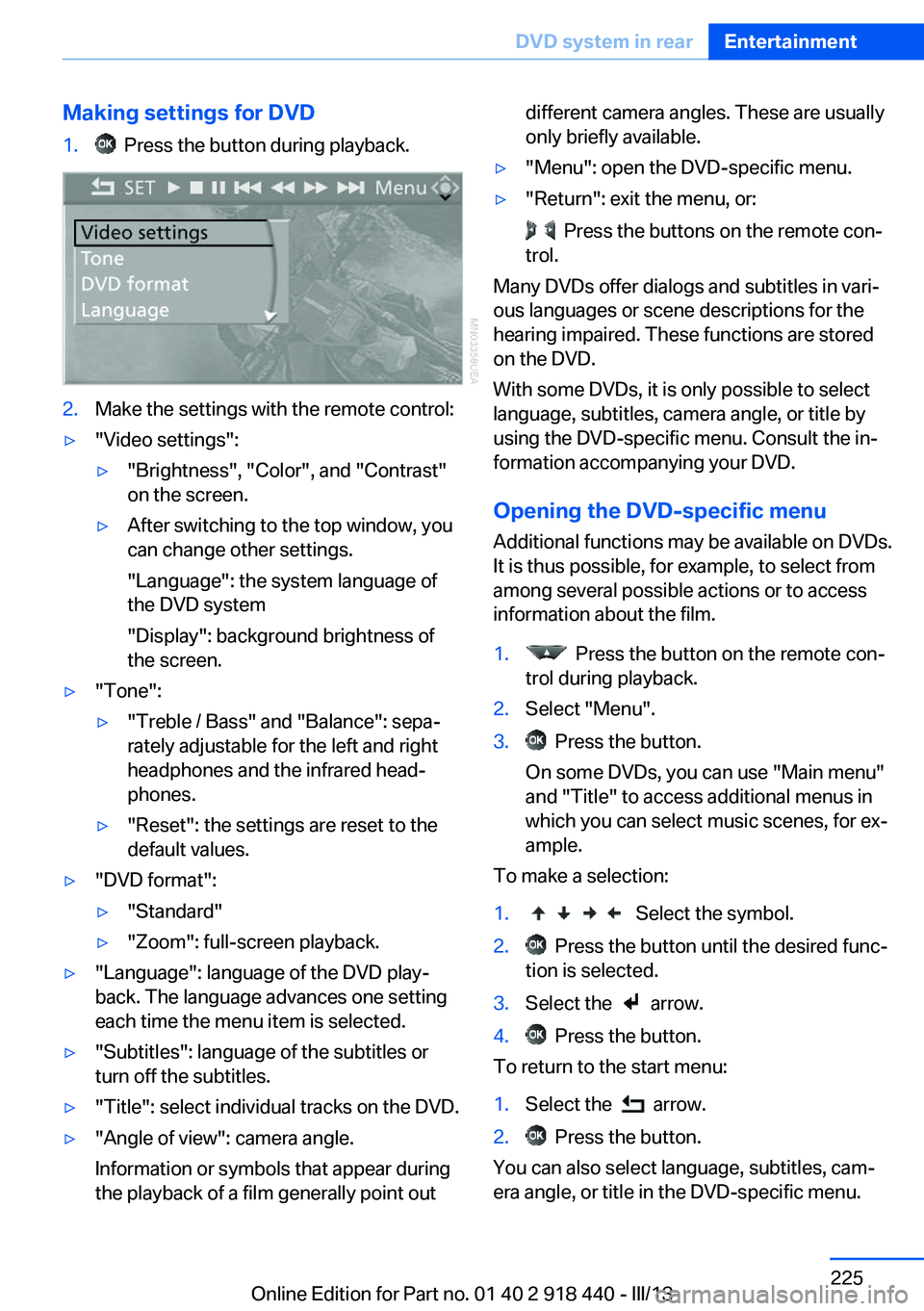
Making settings for DVD1. Press the button during playback.2.Make the settings with the remote control:▷"Video settings":▷"Brightness", "Color", and "Contrast"
on the screen.▷After switching to the top window, you
can change other settings.
"Language": the system language of
the DVD system
"Display": background brightness of
the screen.▷"Tone":▷"Treble / Bass" and "Balance": sepa‐
rately adjustable for the left and right
headphones and the infrared head‐
phones.▷"Reset": the settings are reset to the
default values.▷"DVD format":▷"Standard"▷"Zoom": full-screen playback.▷"Language": language of the DVD play‐
back. The language advances one setting
each time the menu item is selected.▷"Subtitles": language of the subtitles or
turn off the subtitles.▷"Title": select individual tracks on the DVD.▷"Angle of view": camera angle.
Information or symbols that appear during
the playback of a film generally point outdifferent camera angles. These are usually
only briefly available.▷"Menu": open the DVD-specific menu.▷"Return": exit the menu, or:
Press the buttons on the remote con‐
trol.
Many DVDs offer dialogs and subtitles in vari‐
ous languages or scene descriptions for the
hearing impaired. These functions are stored
on the DVD.
With some DVDs, it is only possible to select
language, subtitles, camera angle, or title by
using the DVD-specific menu. Consult the in‐
formation accompanying your DVD.
Opening the DVD-specific menu
Additional functions may be available on DVDs.
It is thus possible, for example, to select from
among several possible actions or to access
information about the film.
1. Press the button on the remote con‐
trol during playback.2.Select "Menu".3. Press the button.
On some DVDs, you can use "Main menu"
and "Title" to access additional menus in
which you can select music scenes, for ex‐
ample.
To make a selection:
1. Select the symbol.2. Press the button until the desired func‐
tion is selected.3.Select the arrow.4. Press the button.
To return to the start menu:
1.Select the arrow.2. Press the button.
You can also select language, subtitles, cam‐
era angle, or title in the DVD-specific menu.
Seite 225DVD system in rearEntertainment225
Online Edition for Part no. 01 40 2 918 440 - III/13
Page 229 of 345
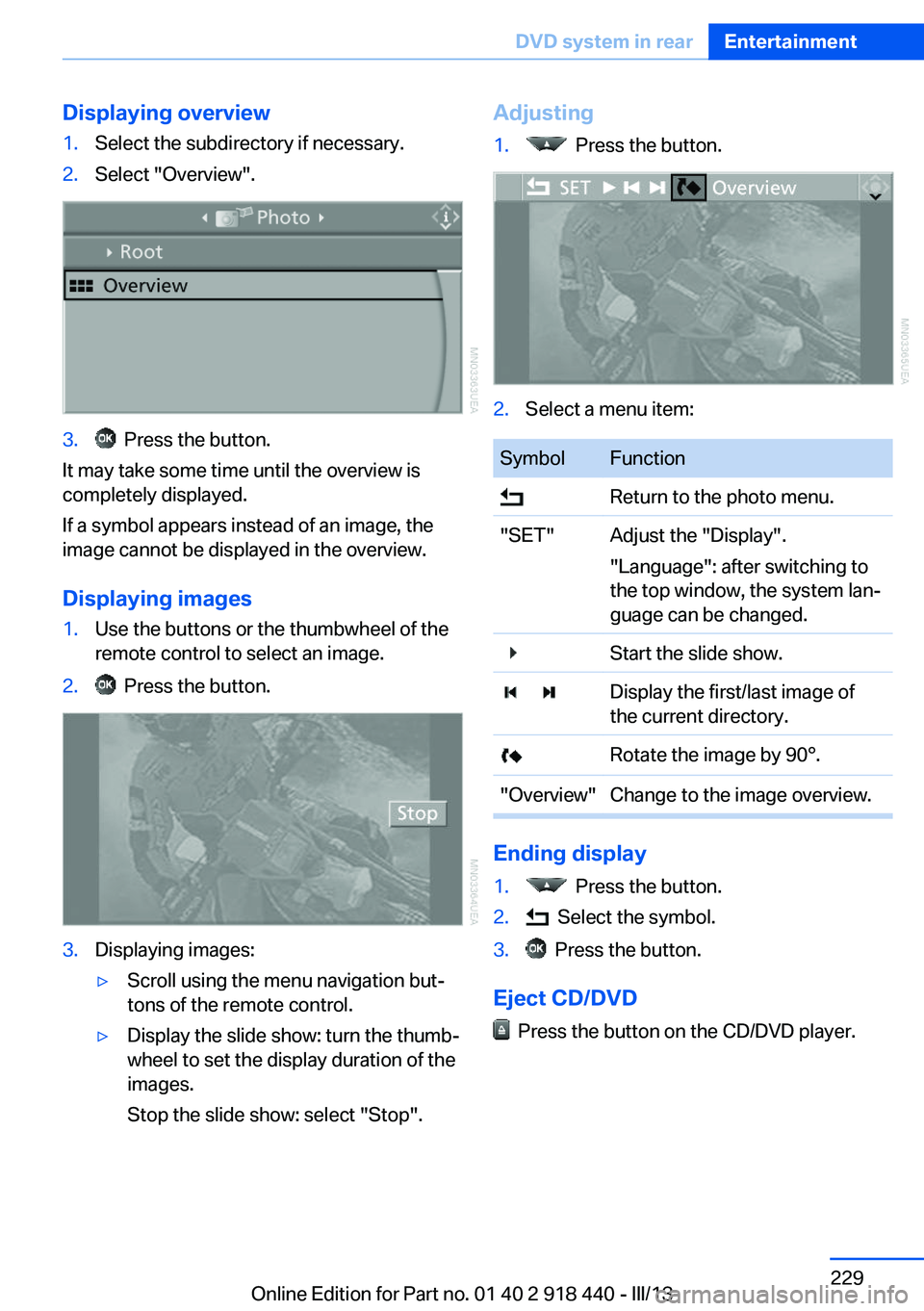
Displaying overview1.Select the subdirectory if necessary.2.Select "Overview".3. Press the button.
It may take some time until the overview is
completely displayed.
If a symbol appears instead of an image, the
image cannot be displayed in the overview.
Displaying images
1.Use the buttons or the thumbwheel of the
remote control to select an image.2. Press the button.3.Displaying images:▷Scroll using the menu navigation but‐
tons of the remote control.▷Display the slide show: turn the thumb‐
wheel to set the display duration of the
images.
Stop the slide show: select "Stop".Adjusting1. Press the button.2.Select a menu item:SymbolFunction Return to the photo menu."SET"Adjust the "Display".
"Language": after switching to
the top window, the system lan‐
guage can be changed. Start the slide show. Display the first/last image of
the current directory. Rotate the image by 90°."Overview"Change to the image overview.
Ending display
1. Press the button.2. Select the symbol.3. Press the button.
Eject CD/DVD
Press the button on the CD/DVD player.
Seite 229DVD system in rearEntertainment229
Online Edition for Part no. 01 40 2 918 440 - III/13
Page 296 of 345
The manufacturer of the vehicle recommends
that you entrust corresponding procedures to
the service center if you are unfamiliar with
them or they are not described here.
You can obtain a selection of replacement
bulbs at the service center.
Danger of burns
Only change bulbs when they are cool;
otherwise, there is the danger of getting
burned.◀
Working on the lighting system
When working on the lighting system,
you should always switch off the lights af‐
fected to prevent short circuits.
To avoid possible injury or equipment damage
when replacing bulbs, observe any instructions
provided by the bulb manufacturer.◀
Do not perform work/bulb replacement
on xenon headlamps
Have any work on the xenon lighting system,
including bulb replacement, performed only by
a service center.
Due to the high voltage present in the system,
there is the danger of fatal injuries if work is
carried out improperly.◀
Do not touch the bulbs
Do not touch the glass of new bulbs with
your bare hands, as even minute amounts of
contamination will burn into the bulb's surface
and reduce its service life.
Use a clean tissue, cloth or something similar,
or hold the bulb by its base.◀
Light-emitting diodes LED
Light-emitting diodes installed behind translu‐
cent lenses serve as the light source for many
of the controls, displays and other equipment
in your vehicle.
These light-emitting diodes, which operate us‐
ing a concept similar to that applied in conven‐tional lasers, are officially designated as
Class 1 light-emitting diodes.
Do not remove the covers
Do not remove the covers, and never
stare into the unfiltered light for several hours;
otherwise, irritation of the retina could result.◀
Headlamp glass
Condensation can form on the inside of the
headlamps in cool or humid weather. When
you drive with the lights switched on, the con‐
densation evaporates after a short time. The
headlamps do not need to be changed.
If the condensation in the headlamps does not
evaporate after trips with the lights switched
on, and the amount of moisture in the head‐
lamps increases, for example if water droplets
form, have them checked by your service cen‐
ter.
BMW X5: bulb replacementXenon headlamps
Notes
Because of the long life of these bulbs, the
likelihood of failure is very low. Switching the
lamps on and off frequently shortens their life.
If a xenon bulb fails, switch on the front fog
lamps and continue the trip with great care.
Comply with local regulations.
Do not perform work/bulb replacement
on xenon headlamps
Have any work on the xenon lighting system,
including bulb replacement, performed only by
a service center.
Due to the high voltage present in the system,
there is the danger of fatal injuries if work is
carried out improperly.◀
Follow the general instructions on lamps and
bulbs, refer to page 295.Seite 296MobilityReplacing components296
Online Edition for Part no. 01 40 2 918 440 - III/13
Page 341 of 345
Settings on the Control Dis‐play, changing 87
Shifting, automatic transmis‐ sion with Steptronic 77
Shift paddles 77
Short commands, voice acti‐ vation 322
Side airbags 95
Side View 126
Side windows, refer to Win‐ dows 43
Size, refer to Dimensions 318
Ski bag 151
Slide/tilt glass roof, refer to Glass sunroof 46
Slide/tilt glass roof, refer to Panoramic glass sunroof 45
Slot for remote control 67
Smokers' package, refer to Ashtray 143
Snap-in adapter, mobile phone 247
Snap-in adapter, refer to Storage compartment of
center armrest 148
Snow chains 287
Socket, OBD Onboard Diag‐ nosis 294
Socket, refer to Connecting electrical devices 143
Software applications, iPhone 265
Software part number 236
Software update 218
Soot particulate filter, refer to Diesel particulate filter 157
SOS, refer to Emergency Re‐ quest, initiating 307
Sound output 192, 200
Spare fuse 305
Special destinations, naviga‐ tion 173
Special equipment, series equipment 6
Speed, average 81
Speed limit 86 Speed limit, setting 86
Speedometer 14
Speed, with winter tires 286
Split screen 22
Split screen map set‐ tings 183
Spoken instructions, naviga‐ tion 181
Sport program, automatic transmission with Step‐
tronic 77
Spray nozzles, refer to Clean‐ ing the windshield and head‐
lamps 74
Spray nozzles, refer to Wind‐ shield washer nozzles 74
Stability control systems 105
Start/Stop button 67
Start/Stop button, starting the engine 68
Start/Stop button, switching off the engine 69
Starting the engine 68
Start problems, refer to Jump-starting 308
State/province, selecting for navigation 170
Stations, stored 198
Station, storing 192
Status information, iDrive 22
Status of Owner's Manual 6
Steam jets 312
Steering wheel 60
Steering wheel, adjusting 60
Steering wheel, easy entry/ exit 60
Steering wheel lock 67
Steering with variable transla‐ tion, refer to Active steer‐
ing 110
Steptronic, refer to Sport pro‐ gram and manual mode M/
S 77
Stopping, engine 69
Storage compartment nets 148 Storage compart‐
ments 147, 148
Storage, tires 286
Storing the seat position, re‐ fer to Seat and mirror mem‐
ory 57
Storing the vehicle 315
Street, entering for naviga‐ tion 171
Summer tires, refer to Wheels and tires 275
Summer tires, tread 284
Sunblinds, roller sun‐ blinds 45
Surround View 122
Switches, refer to Cockpit 12
Switching off, engine 69
Switching off, vehicle 69
Switch-on times, parked-car ventilation 137
Symbols 6
T Tachometer 80
Tailgate– Comfort Access 41– Remote control 33
Tailgate, adjusting the open‐
ing height 37, 38
Tailgate, automatic opera‐ tion 38
Tail lamps 297, 300
Tank gauge, refer to Fuel gauge 81
Tasks 255
Technical changes, refer to Safety 6
Technical data 318
Telephone 236
Telephone, adjusting the vol‐ ume 240
Telephone, installation loca‐ tion, refer to Center arm‐
rest 148
TeleService 261
Seite 341Everything from A to ZReference341
Online Edition for Part no. 01 40 2 918 440 - III/13