towing BMW X5M 2014 F85 Owner's Manual
[x] Cancel search | Manufacturer: BMW, Model Year: 2014, Model line: X5M, Model: BMW X5M 2014 F85Pages: 251, PDF Size: 7.35 MB
Page 50 of 251
▷"Acoustic sig. lock/unlock"▷"Flash when lock/unlock"
Automatic lockingThe settings are saved in the active profile, re‐fer to page 35.
1."Settings"2."Doors/key"3.Select the desired function:▷"Lock if no door is opened"
The vehicle locks automatically after a
short period of time if no door is
opened.▷"Lock after start driving"
The vehicle locks automatically after
you drive off.
Retrieving the seat, mirror, and
steering wheel settings
The driver's seat, exterior mirror, and steering
wheel position adjusted last will be stored for
the active profile.
When the vehicle is unlocked, these positions
are automatically retrieved if this function was
activated.
Pinch hazard when moving back the seat
If this function is used, first make sure
that the footwell behind the driver's seat is
empty. Otherwise, people might get injured or
objects damaged when the seat is moved
back.◀
The adjustment procedure is interrupted:
▷When a seat position reel is pressed.▷When a button of the seat, mirror, and
steering wheel memory is pressed briefly.
Activating the setting
1."Settings"2."Doors/key"3."Last seat position autom."Alarm system
The conceptWhen the vehicle is locked, the vehicle alarm
system responds to:▷Opening a door, the hood or the tailgate.▷Movements in the interior.▷Changes in the vehicle tilt, e. g., during at‐
tempts at stealing a wheel or when towing
the car.▷Disconnected battery voltage.
The alarm system briefly signals tampering:
▷By sounding an acoustic alarm.▷By switching on the hazard warning sys‐
tem.▷By flashing the daytime running lights.
Arming and disarming the alarm
system
When you unlock or lock the vehicle, either
with the remote control or via the Comfort Ac‐
cess, the alarm system is disarmed or armed at
the same time.
Door lock and armed alarm systemThe alarm system is triggered when the door is
opened, when the vehicle is unlocked via the
door lock.
Tailgate and armed alarm system
The tailgate can be opened even when the
alarm system is armed.
After the tailgate is closed, it is locked and
monitored again when the doors are locked.
The hazard warning system flashes once.
Panic mode You can trigger the alarm system if you find
yourself in a dangerous situation.
Press button on the remote control for
at least 3 seconds.
Seite 46ControlsOpening and closing46
Online Edition for Part no. 01 40 2 956 993 - X/14
Page 120 of 251
Braking intervention
The warning prompts the driver himself/herself
to react. During a warning, the maximum brak‐
ing force is used. Premise for the brake boos‐
ter is sufficiently quick and hard stepping on
the brake pedal. The system can assist with
some braking intervention if there is risk of a
collision. At low speeds vehicles may thus
come to a complete stop.
The braking intervention is executed only if
DSC Dynamic Stability Control is switched on
and M Dynamic mode MDM is not activated.
The braking intervention can be interrupted by
stepping on the accelerator pedal or by ac‐
tively moving the steering wheel.
Object detection can be restricted. Limitations
of the detection range and functional restric‐
tions are to be considered.
Tow-starting and towing
For towing the vehicle turn, switch off the
Intelligent Safety systems; otherwise malfunc‐
tions of the individual braking systems might
lead to accidents.◀
System limits Be alert
Due to system limitations, warnings may
be not issued at all, or may be issued late or
improperly. Therefore, always be alert and
ready to intervene; otherwise, there is the risk
of an accident.◀
Detection range
The system's detection potential is limited.
Thus a warning might not be issued or be is‐
sued late.
E. g. the following situations may not be de‐
tected:▷Slow moving vehicles when you approach
them at high speed.▷Vehicles that suddenly swerve in front of
you, or sharply decelerating vehicles.▷Vehicles with an unusual rear appearance.▷Two-wheeled vehicles ahead of you.
Functional limitations
The system may not be fully functional in the
following situations:
▷In heavy fog, rain, sprayed water or snow‐
fall.▷In tight curves.▷If the driving stability control systems are
limited or deactivated, e.g., DSC OFF.▷If the field of view of the camera in the mir‐
ror is dirty or obscured.▷Up to 10 seconds after the start of the en‐
gine, via the Start/Stop knob.▷During calibration of the camera immedi‐
ately after vehicle shipment.▷If there is constant blinding effects be‐
cause of oncoming light, e.g., from the sun
low in the sky.
Warning sensitivity
The more sensitive the warning settings are,
the more warnings are displayed. However,
there may also be an excess of false warnings.
Pedestrian warning
Depending on how the vehicle is equipped, the
function warns of an imminent collision with
pedestrians during daytime or nighttime.
The function is subdivided into the following
systems:
▷During daytime: Pedestrian warning with
city braking function, refer to page 117▷At night: Night vision, refer to page 119Seite 116ControlsSafety116
Online Edition for Part no. 01 40 2 956 993 - X/14
Page 122 of 251
Camera
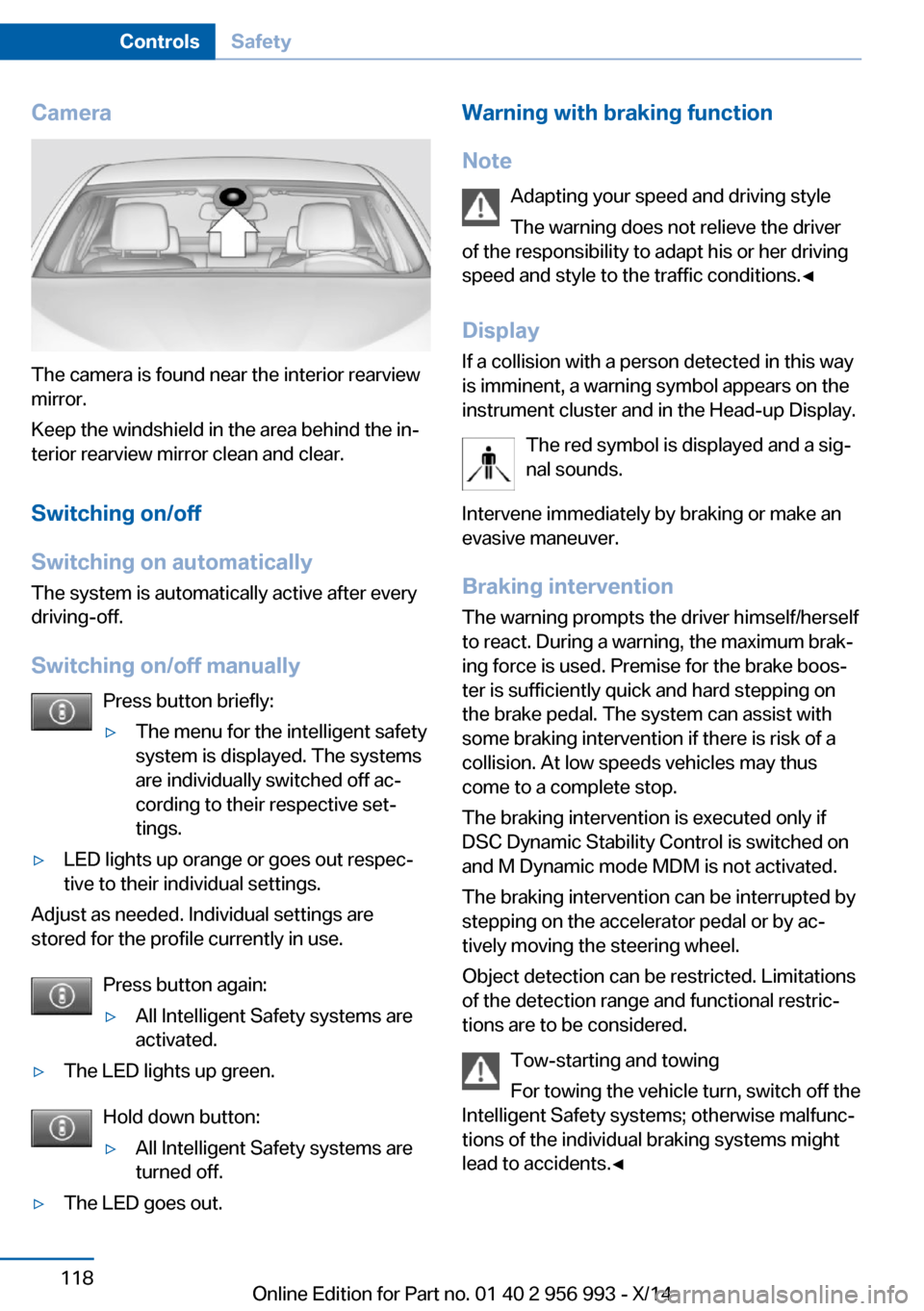
The camera is found near the interior rearview
mirror.
Keep the windshield in the area behind the in‐
terior rearview mirror clean and clear.
Switching on/off
Switching on automatically The system is automatically active after every
driving-off.
Switching on/off manually Press button briefly:
▷The menu for the intelligent safety
system is displayed. The systems
are individually switched off ac‐
cording to their respective set‐
tings.▷LED lights up orange or goes out respec‐
tive to their individual settings.
Adjust as needed. Individual settings are
stored for the profile currently in use.
Press button again:
▷All Intelligent Safety systems are
activated.▷The LED lights up green.
Hold down button:
▷All Intelligent Safety systems are
turned off.▷The LED goes out.Warning with braking function
Note Adapting your speed and driving styleThe warning does not relieve the driver
of the responsibility to adapt his or her driving
speed and style to the traffic conditions.◀
Display If a collision with a person detected in this way
is imminent, a warning symbol appears on the
instrument cluster and in the Head-up Display.
The red symbol is displayed and a sig‐
nal sounds.
Intervene immediately by braking or make an
evasive maneuver.
Braking intervention The warning prompts the driver himself/herself
to react. During a warning, the maximum brak‐
ing force is used. Premise for the brake boos‐
ter is sufficiently quick and hard stepping on
the brake pedal. The system can assist with
some braking intervention if there is risk of a
collision. At low speeds vehicles may thus
come to a complete stop.
The braking intervention is executed only if
DSC Dynamic Stability Control is switched on
and M Dynamic mode MDM is not activated.
The braking intervention can be interrupted by
stepping on the accelerator pedal or by ac‐
tively moving the steering wheel.
Object detection can be restricted. Limitations
of the detection range and functional restric‐
tions are to be considered.
Tow-starting and towing
For towing the vehicle turn, switch off the
Intelligent Safety systems; otherwise malfunc‐
tions of the individual braking systems might
lead to accidents.◀Seite 118ControlsSafety118
Online Edition for Part no. 01 40 2 956 993 - X/14
Page 186 of 251
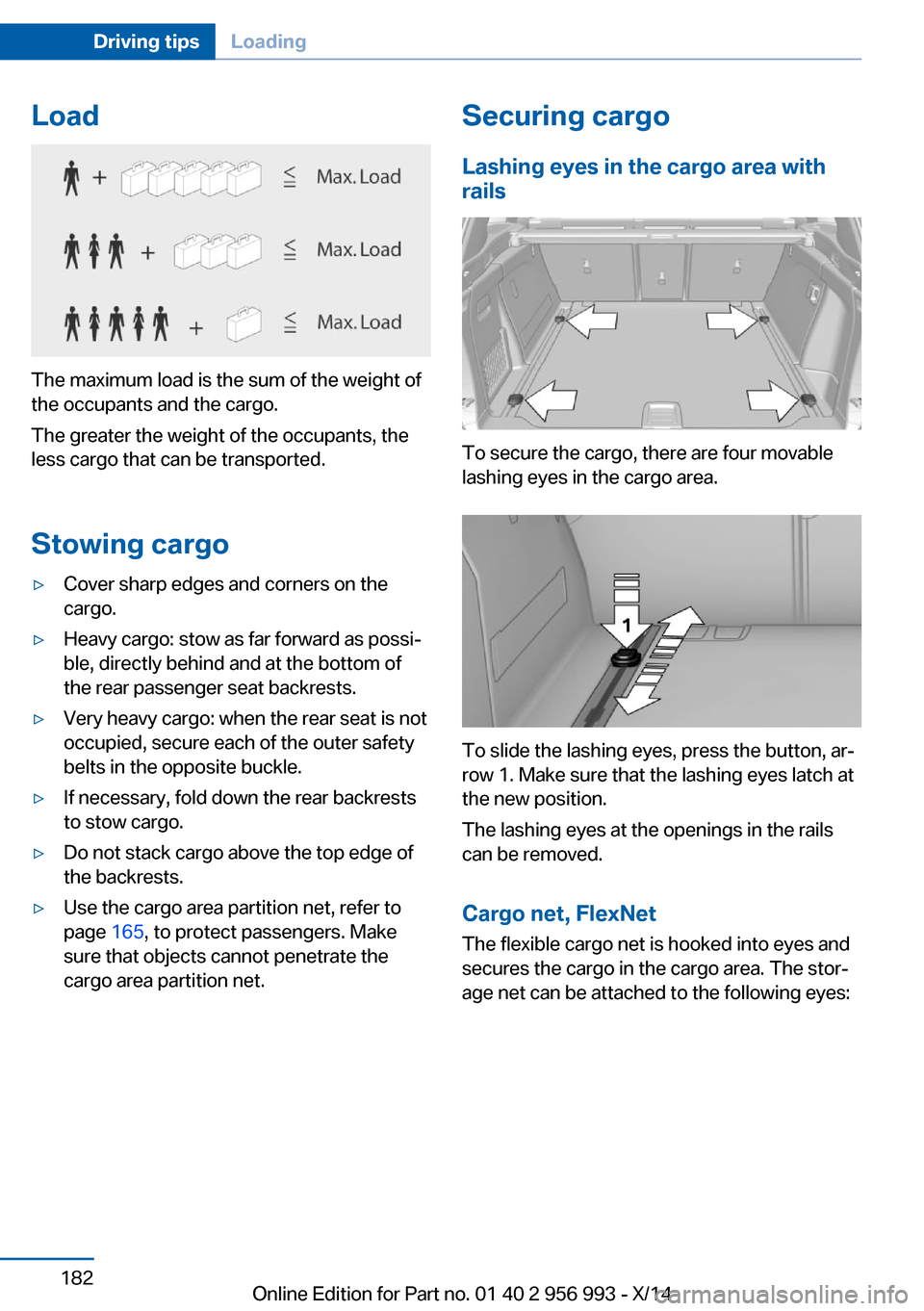
Load
The maximum load is the sum of the weight of
the occupants and the cargo.
The greater the weight of the occupants, the
less cargo that can be transported.
Stowing cargo
▷Cover sharp edges and corners on the
cargo.▷Heavy cargo: stow as far forward as possi‐
ble, directly behind and at the bottom of
the rear passenger seat backrests.▷Very heavy cargo: when the rear seat is not
occupied, secure each of the outer safety
belts in the opposite buckle.▷If necessary, fold down the rear backrests
to stow cargo.▷Do not stack cargo above the top edge of
the backrests.▷Use the cargo area partition net, refer to
page 165, to protect passengers. Make
sure that objects cannot penetrate the
cargo area partition net.Securing cargo
Lashing eyes in the cargo area with
rails
To secure the cargo, there are four movable
lashing eyes in the cargo area.
To slide the lashing eyes, press the button, ar‐
row 1. Make sure that the lashing eyes latch at
the new position.
The lashing eyes at the openings in the rails
can be removed.
Cargo net, FlexNet The flexible cargo net is hooked into eyes and
secures the cargo in the cargo area. The stor‐
age net can be attached to the following eyes:
Seite 182Driving tipsLoading182
Online Edition for Part no. 01 40 2 956 993 - X/14
Page 206 of 251
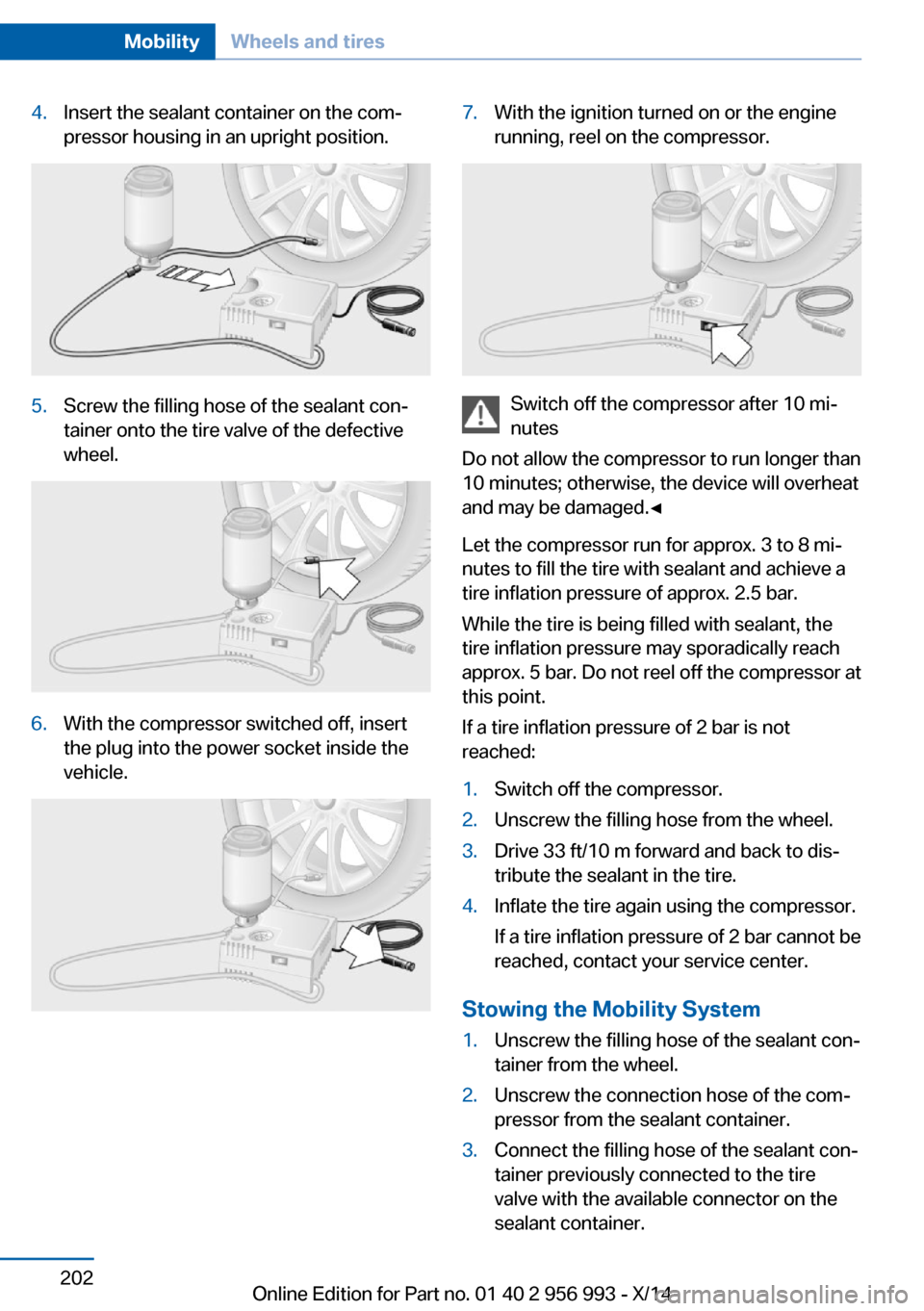
4.Insert the sealant container on the com‐
pressor housing in an upright position.5.Screw the filling hose of the sealant con‐
tainer onto the tire valve of the defective
wheel.6.With the compressor switched off, insert
the plug into the power socket inside the
vehicle.7.With the ignition turned on or the engine
running, reel on the compressor.
Switch off the compressor after 10 mi‐
nutes
Do not allow the compressor to run longer than
10 minutes; otherwise, the device will overheat
and may be damaged.◀
Let the compressor run for approx. 3 to 8 mi‐
nutes to fill the tire with sealant and achieve a
tire inflation pressure of approx. 2.5 bar.
While the tire is being filled with sealant, the
tire inflation pressure may sporadically reach
approx. 5 bar. Do not reel off the compressor at
this point.
If a tire inflation pressure of 2 bar is not
reached:
1.Switch off the compressor.2.Unscrew the filling hose from the wheel.3.Drive 33 ft/10 m forward and back to dis‐
tribute the sealant in the tire.4.Inflate the tire again using the compressor.
If a tire inflation pressure of 2 bar cannot be
reached, contact your service center.
Stowing the Mobility System
1.Unscrew the filling hose of the sealant con‐
tainer from the wheel.2.Unscrew the connection hose of the com‐
pressor from the sealant container.3.Connect the filling hose of the sealant con‐
tainer previously connected to the tire
valve with the available connector on the
sealant container.Seite 202MobilityWheels and tires202
Online Edition for Part no. 01 40 2 956 993 - X/14
Page 227 of 251
corresponding engine or body ground of
the vehicle to be started.
Starting the engine
Never use spray fluids to start the engine.
1.Start the engine of the assisting vehicle
and let it run for several minutes at an in‐
creased idle speed.2.Start the engine of the vehicle that is to be
started in the usual way.
If the first starting attempt is not success‐
ful, wait a few minutes before making an‐
other attempt in order to allow the dis‐
charged battery to recharge.3.Let both engines run for several minutes.4.Disconnect the jumper cables in the re‐
verse order.
Check the battery and recharge if needed.
Tow-starting and towing Note Tow-starting and towing
For towing the vehicle turn, switch off the
Intelligent Safety systems; otherwise malfunc‐
tions of the individual braking systems might
lead to accidents.◀
Transporting your vehicle
Note Your vehicle is not permitted to be towed.
Therefore, contact a service center in the
event of a breakdown.
Do not have the vehicle towed
Have your vehicle transported on a load‐
ing platform only; otherwise, damage may oc‐ cur.◀
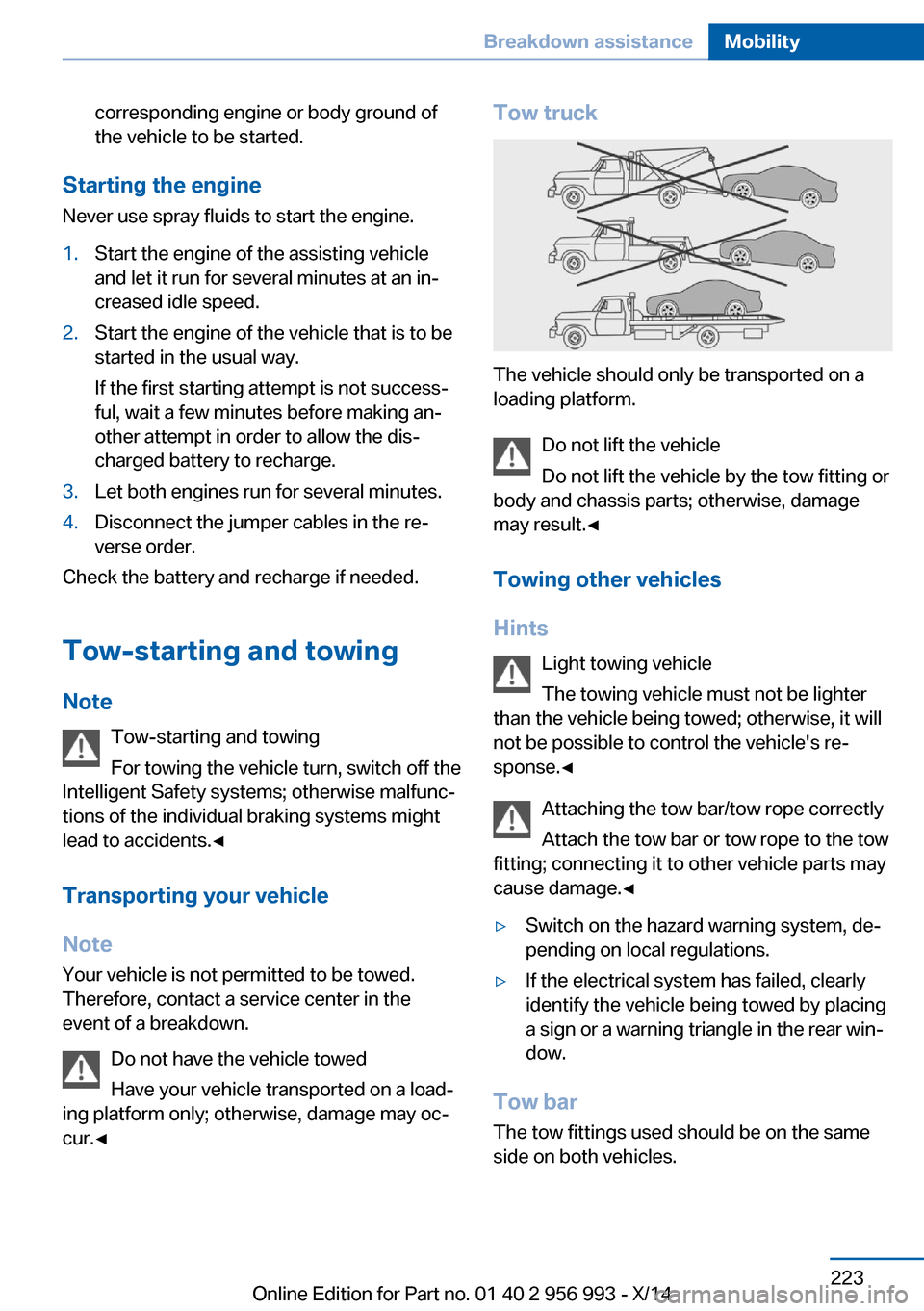
Tow truck
The vehicle should only be transported on a
loading platform.
Do not lift the vehicle
Do not lift the vehicle by the tow fitting or
body and chassis parts; otherwise, damage
may result.◀
Towing other vehicles
Hints Light towing vehicle
The towing vehicle must not be lighter
than the vehicle being towed; otherwise, it will
not be possible to control the vehicle's re‐
sponse.◀
Attaching the tow bar/tow rope correctly
Attach the tow bar or tow rope to the tow
fitting; connecting it to other vehicle parts may
cause damage.◀
▷Switch on the hazard warning system, de‐
pending on local regulations.▷If the electrical system has failed, clearly
identify the vehicle being towed by placing
a sign or a warning triangle in the rear win‐
dow.
Tow bar
The tow fittings used should be on the same
side on both vehicles.
Seite 223Breakdown assistanceMobility223
Online Edition for Part no. 01 40 2 956 993 - X/14
Page 228 of 251
Should it prove impossible to avoid mounting
the tow bar at an offset angle, please observe
the following:▷Maneuvering capability is limited going
around corners.▷The tow bar will generate lateral forces if it
is secured with an offset.
Tow rope
When starting to tow the vehicle, make sure
that the tow rope is taut.
To avoid jerking and the associated stresses
on the vehicle components when towing, al‐
ways use nylon ropes or nylon straps.
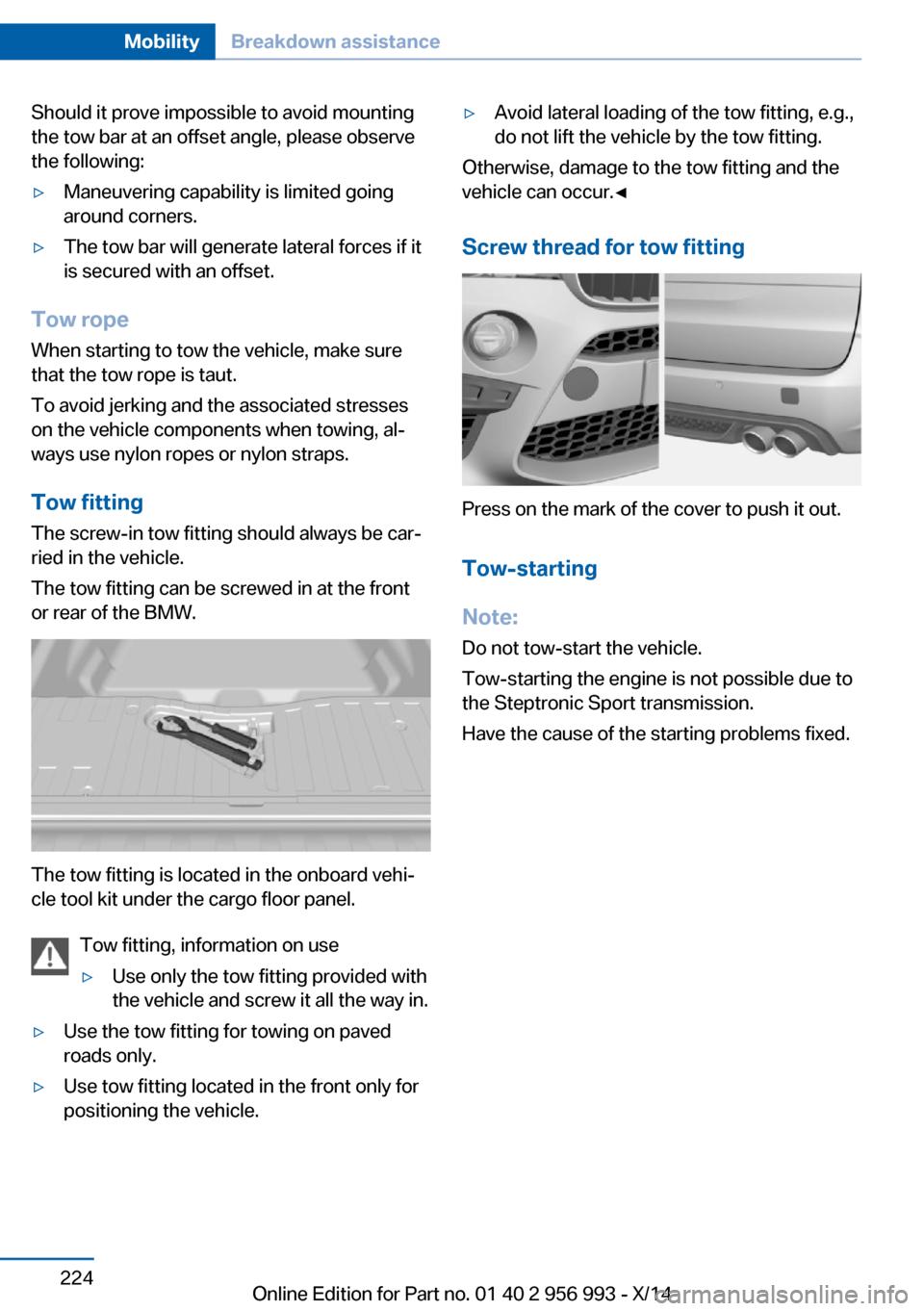
Tow fitting
The screw-in tow fitting should always be car‐
ried in the vehicle.
The tow fitting can be screwed in at the front
or rear of the BMW.
The tow fitting is located in the onboard vehi‐
cle tool kit under the cargo floor panel.
Tow fitting, information on use
▷Use only the tow fitting provided with
the vehicle and screw it all the way in.▷Use the tow fitting for towing on paved
roads only.▷Use tow fitting located in the front only for
positioning the vehicle.▷Avoid lateral loading of the tow fitting, e.g.,
do not lift the vehicle by the tow fitting.
Otherwise, damage to the tow fitting and the
vehicle can occur.◀
Screw thread for tow fitting
Press on the mark of the cover to push it out.
Tow-starting
Note:
Do not tow-start the vehicle.
Tow-starting the engine is not possible due to
the Steptronic Sport transmission.
Have the cause of the starting problems fixed.
Seite 224MobilityBreakdown assistance224
Online Edition for Part no. 01 40 2 956 993 - X/14
Page 240 of 251
Everything from A to Z
IndexA ABS, Antilock Brake Sys‐ tem 129
Acceleration Assistant, refer to Launch Control 82
Activated-charcoal filter 153
Active Blind Spot Detec‐ tion 124
Active Protection 127
Active seat ventilation, front 54
Adaptive brake lights, refer to Brake force display 126
Adaptive Light Control 102
Additives, oil 207
Adjustments, seats/head re‐ straints 52
After washing vehicle 226
Airbags 106
Airbags, indicator/warning light 107
Air circulation, refer to Recir‐ culated-air mode 152
Air, dehumidifying, refer to Cooling function 152
Air distribution, manual 151
Air flow, automatic climate control 151
Air outlets, see ventila‐ tion 153
Air pressure, tires 194
Alarm system 46
Alarm, unintentional 47
All around the center con‐ sole 16
All around the roofliner 17
All around the steering wheel 14
All-season tires, refer to Win‐ ter tires 199 All-wheel-drive 132
Alternating-code hand-held transmitter 158
Alternative oil types 208
Animal detection, see Night Vision 119
Antifreeze, washer fluid 77
Antilock Brake System, ABS 129
Anti-slip control, refer to DSC 130
Approved axle load 233
Approved engine oils 208
Arrival time 96
Ashtray 159
Ashtray, front 159
Ashtray, rear 160
Assistance, Roadside Assis‐ tance 221
Assistance when driving off 129
Assist system, refer to Intelli‐ gent Safety 113
Attentiveness assistant 127
AUTO H button 73
AUTO H button, refer to Au‐ tomatic Hold 73
AUTO intensity 151
Automatic car wash 225
Automatic climate con‐ trol 150
Automatic Curb Monitor 60
Automatic deactivation, front- seat passenger airbags 108
Automatic headlight con‐ trol 102
Automatic Hold 73
Automatic locking 46
Automatic recirculated-air control 152 Automatic Soft Closing,
doors 40
Automatic tailgate 40
Automatic transmission 78
AUTO program, automatic cli‐ mate control 151
AUTO program, intensity 151
Auto Start/Stop function 70
Average fuel consumption 96
Average speed 96
Axle loads, weights 233
B Backrest curvature, refer to Lumbar support 53
Backrest, seats 52
Backrest, width 54
Bad road trips 179
Band-aids, refer to First aid kit 221
Bar for tow-starting/ towing 223
Battery replacement, vehicle battery 218
Battery replacement, vehicle remote control 34
Battery, vehicle 218
Belts, safety belts 55
Beverage holder, cu‐ pholder 171
Blinds, sun protection 49
BMW Assist, see user's manual for Navigation, En‐
tertainment and Communi‐
cation
BMW maintenance sys‐ tem 211
BMW M technology 176
Bottle holder, refer to Cu‐ pholder 171 Seite 236ReferenceEverything from A to Z236
Online Edition for Part no. 01 40 2 956 993 - X/14
Page 243 of 251
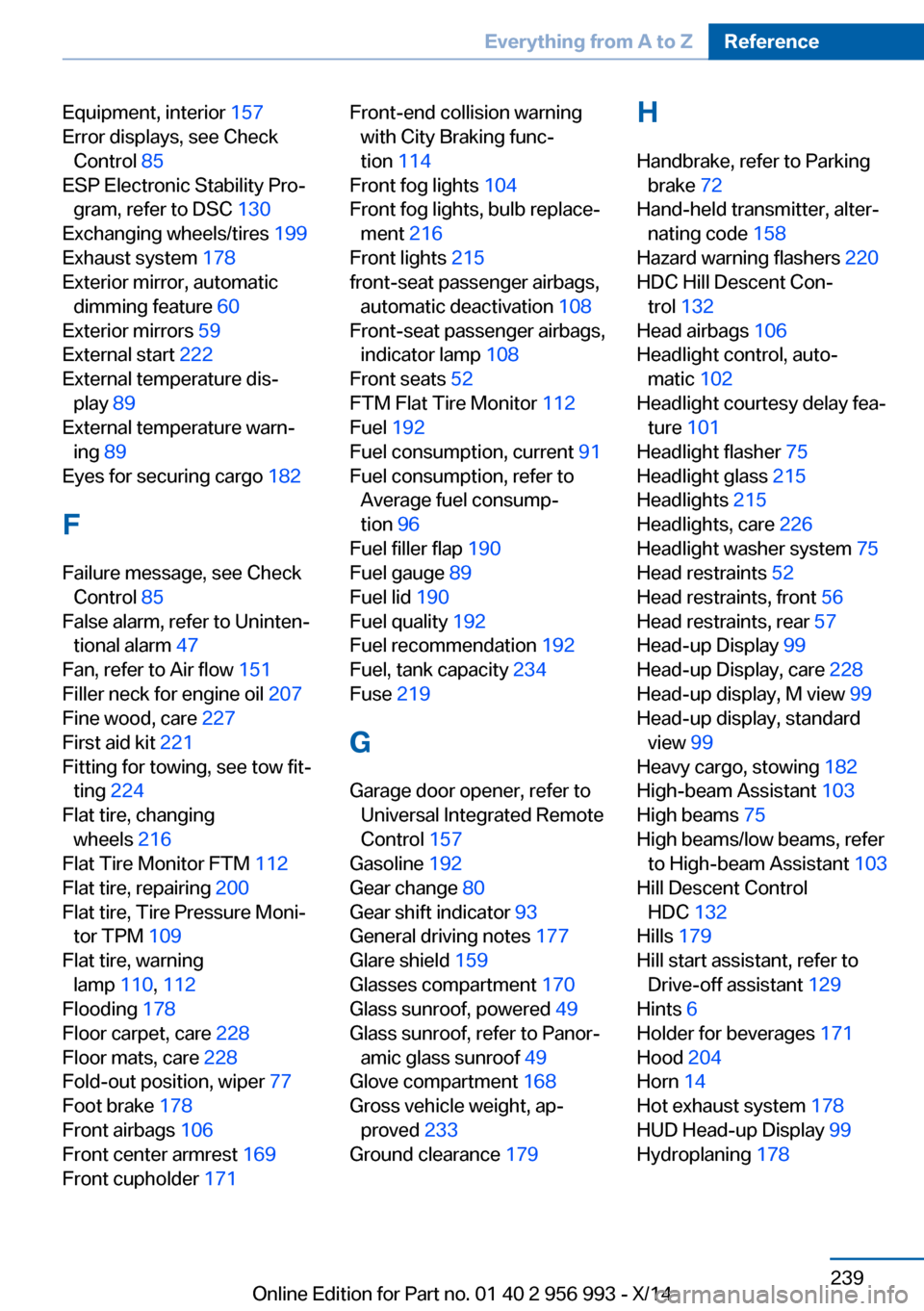
Equipment, interior 157
Error displays, see Check Control 85
ESP Electronic Stability Pro‐ gram, refer to DSC 130
Exchanging wheels/tires 199
Exhaust system 178
Exterior mirror, automatic dimming feature 60
Exterior mirrors 59
External start 222
External temperature dis‐ play 89
External temperature warn‐ ing 89
Eyes for securing cargo 182
F
Failure message, see Check Control 85
False alarm, refer to Uninten‐ tional alarm 47
Fan, refer to Air flow 151
Filler neck for engine oil 207
Fine wood, care 227
First aid kit 221
Fitting for towing, see tow fit‐ ting 224
Flat tire, changing wheels 216
Flat Tire Monitor FTM 112
Flat tire, repairing 200
Flat tire, Tire Pressure Moni‐ tor TPM 109
Flat tire, warning lamp 110, 112
Flooding 178
Floor carpet, care 228
Floor mats, care 228
Fold-out position, wiper 77
Foot brake 178
Front airbags 106
Front center armrest 169
Front cupholder 171 Front-end collision warning
with City Braking func‐
tion 114
Front fog lights 104
Front fog lights, bulb replace‐ ment 216
Front lights 215
front-seat passenger airbags, automatic deactivation 108
Front-seat passenger airbags, indicator lamp 108
Front seats 52
FTM Flat Tire Monitor 112
Fuel 192
Fuel consumption, current 91
Fuel consumption, refer to Average fuel consump‐
tion 96
Fuel filler flap 190
Fuel gauge 89
Fuel lid 190
Fuel quality 192
Fuel recommendation 192
Fuel, tank capacity 234
Fuse 219
G
Garage door opener, refer to Universal Integrated Remote
Control 157
Gasoline 192
Gear change 80
Gear shift indicator 93
General driving notes 177
Glare shield 159
Glasses compartment 170
Glass sunroof, powered 49
Glass sunroof, refer to Panor‐ amic glass sunroof 49
Glove compartment 168
Gross vehicle weight, ap‐ proved 233
Ground clearance 179 H
Handbrake, refer to Parking brake 72
Hand-held transmitter, alter‐ nating code 158
Hazard warning flashers 220
HDC Hill Descent Con‐ trol 132
Head airbags 106
Headlight control, auto‐ matic 102
Headlight courtesy delay fea‐ ture 101
Headlight flasher 75
Headlight glass 215
Headlights 215
Headlights, care 226
Headlight washer system 75
Head restraints 52
Head restraints, front 56
Head restraints, rear 57
Head-up Display 99
Head-up Display, care 228
Head-up display, M view 99
Head-up display, standard view 99
Heavy cargo, stowing 182
High-beam Assistant 103
High beams 75
High beams/low beams, refer to High-beam Assistant 103
Hill Descent Control HDC 132
Hills 179
Hill start assistant, refer to Drive-off assistant 129
Hints 6
Holder for beverages 171
Hood 204
Horn 14
Hot exhaust system 178
HUD Head-up Display 99
Hydroplaning 178 Seite 239Everything from A to ZReference239
Online Edition for Part no. 01 40 2 956 993 - X/14
Page 245 of 251
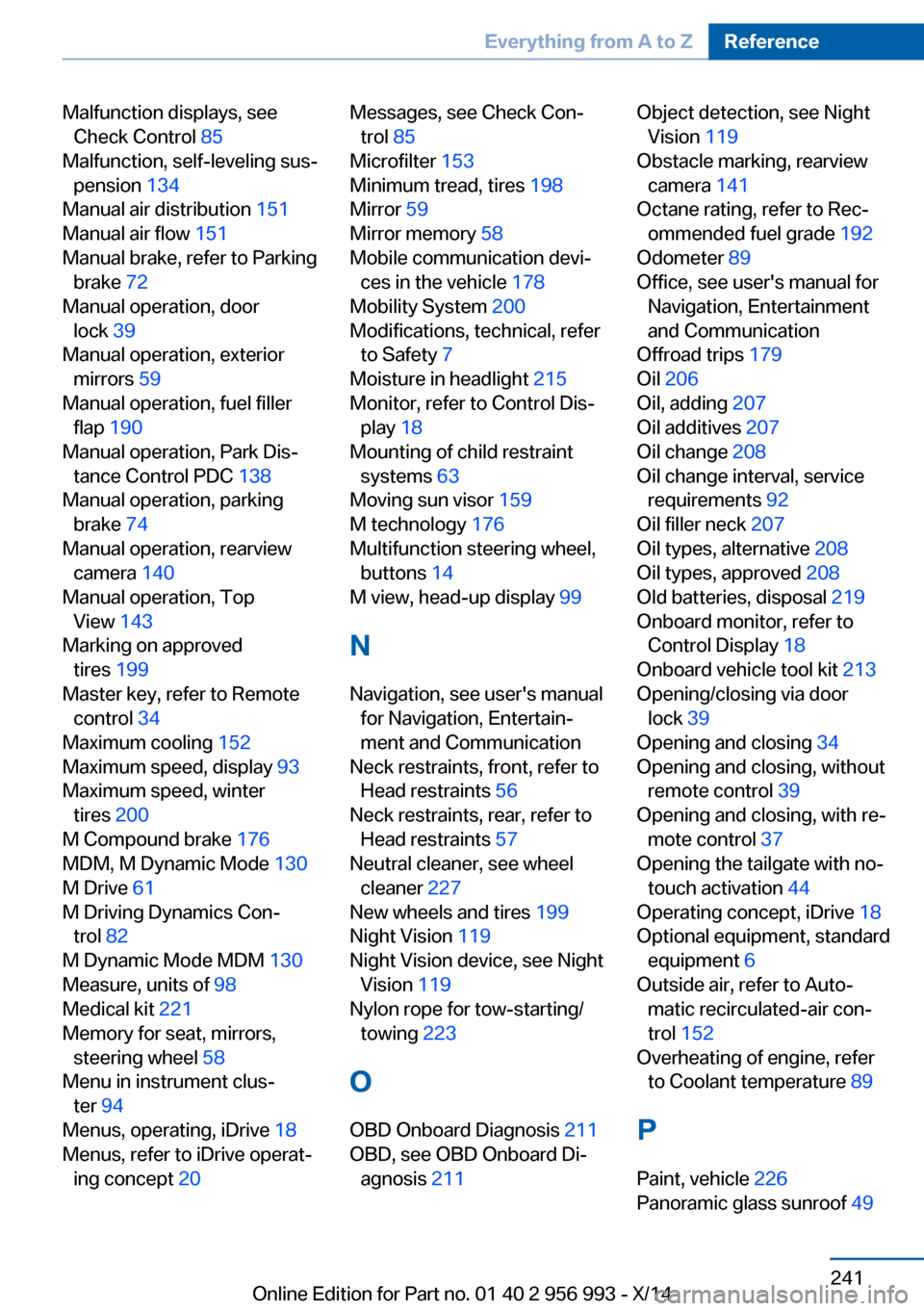
Malfunction displays, seeCheck Control 85
Malfunction, self-leveling sus‐ pension 134
Manual air distribution 151
Manual air flow 151
Manual brake, refer to Parking brake 72
Manual operation, door lock 39
Manual operation, exterior mirrors 59
Manual operation, fuel filler flap 190
Manual operation, Park Dis‐ tance Control PDC 138
Manual operation, parking brake 74
Manual operation, rearview camera 140
Manual operation, Top View 143
Marking on approved tires 199
Master key, refer to Remote control 34
Maximum cooling 152
Maximum speed, display 93
Maximum speed, winter tires 200
M Compound brake 176
MDM, M Dynamic Mode 130
M Drive 61
M Driving Dynamics Con‐ trol 82
M Dynamic Mode MDM 130
Measure, units of 98
Medical kit 221
Memory for seat, mirrors, steering wheel 58
Menu in instrument clus‐ ter 94
Menus, operating, iDrive 18
Menus, refer to iDrive operat‐ ing concept 20 Messages, see Check Con‐
trol 85
Microfilter 153
Minimum tread, tires 198
Mirror 59
Mirror memory 58
Mobile communication devi‐ ces in the vehicle 178
Mobility System 200
Modifications, technical, refer to Safety 7
Moisture in headlight 215
Monitor, refer to Control Dis‐ play 18
Mounting of child restraint systems 63
Moving sun visor 159
M technology 176
Multifunction steering wheel, buttons 14
M view, head-up display 99
N Navigation, see user's manual for Navigation, Entertain‐
ment and Communication
Neck restraints, front, refer to Head restraints 56
Neck restraints, rear, refer to Head restraints 57
Neutral cleaner, see wheel cleaner 227
New wheels and tires 199
Night Vision 119
Night Vision device, see Night Vision 119
Nylon rope for tow-starting/ towing 223
O OBD Onboard Diagnosis 211
OBD, see OBD Onboard Di‐ agnosis 211 Object detection, see Night
Vision 119
Obstacle marking, rearview camera 141
Octane rating, refer to Rec‐ ommended fuel grade 192
Odometer 89
Office, see user's manual for Navigation, Entertainment
and Communication
Offroad trips 179
Oil 206
Oil, adding 207
Oil additives 207
Oil change 208
Oil change interval, service requirements 92
Oil filler neck 207
Oil types, alternative 208
Oil types, approved 208
Old batteries, disposal 219
Onboard monitor, refer to Control Display 18
Onboard vehicle tool kit 213
Opening/closing via door lock 39
Opening and closing 34
Opening and closing, without remote control 39
Opening and closing, with re‐ mote control 37
Opening the tailgate with no- touch activation 44
Operating concept, iDrive 18
Optional equipment, standard equipment 6
Outside air, refer to Auto‐ matic recirculated-air con‐
trol 152
Overheating of engine, refer to Coolant temperature 89
P Paint, vehicle 226
Panoramic glass sunroof 49 Seite 241Everything from A to ZReference241
Online Edition for Part no. 01 40 2 956 993 - X/14