light BMW X5M 2016 F85 Owner's Manual
[x] Cancel search | Manufacturer: BMW, Model Year: 2016, Model line: X5M, Model: BMW X5M 2016 F85Pages: 255, PDF Size: 6.73 MB
Page 222 of 255
placement be performed by a dealer’s service
center or another qualified service center or re‐
pair shop.◀
Light-emitting diodes (LEDs)
Some items of equipment use light-emitting
diodes installed behind a cover as a light
source.
These light-emitting diodes, which are related
to conventional lasers, are officially designated
as Class 1 light-emitting diodes.
WARNING
Too intensive brightness can irritate or
damage the retina of the eye. There is risk of
injuries. Do not look directly into the headlights
or other light sources for an extended period of
time. Do not remove the LED covers.◀
Headlight glass
Condensation can form on the inside of the ex‐
ternal lights in cool or humid weather. When
driving with the lights switched on, the con‐
densation evaporates after a short time. The
headlight glass does not need to be changed.
If despite driving with the lights switched on,
increasing humidity forms, e. g. water droplets
in the lamp, the manufacturer of your vehicle
recommends having it checked by a dealer’s
service center or another qualified service cen‐
ter or repair shop.
Headlight setting The headlight adjustments can be affected by
changing lights and bulbs. After the headlight
adjustment was changed, have it checked and,
if necessary, corrected by a dealer’s service
center or another qualified service center or re‐
pair shop.Front lights, bulb replacement
Xenon headlights
Information
Because of the long service life of these bulbs,
the likelihood of failure is very low. Switching
the lights on and off frequently shortens their
service life.
If a bulb fails, turn on the front fog lights and
continue the trip with great care. Comply with local regulations.
DANGER
There can be high voltage in the lighting
system. There is danger to life. The manufac‐
turer of your vehicle recommends that the work on the lighting system including bulb re‐
placement be performed by a dealer’s service
center or another qualified service center or re‐
pair shop.◀
For checking and adjusting headlamp aim,
contact a dealer’s service center or another
qualified service center or repair shop.
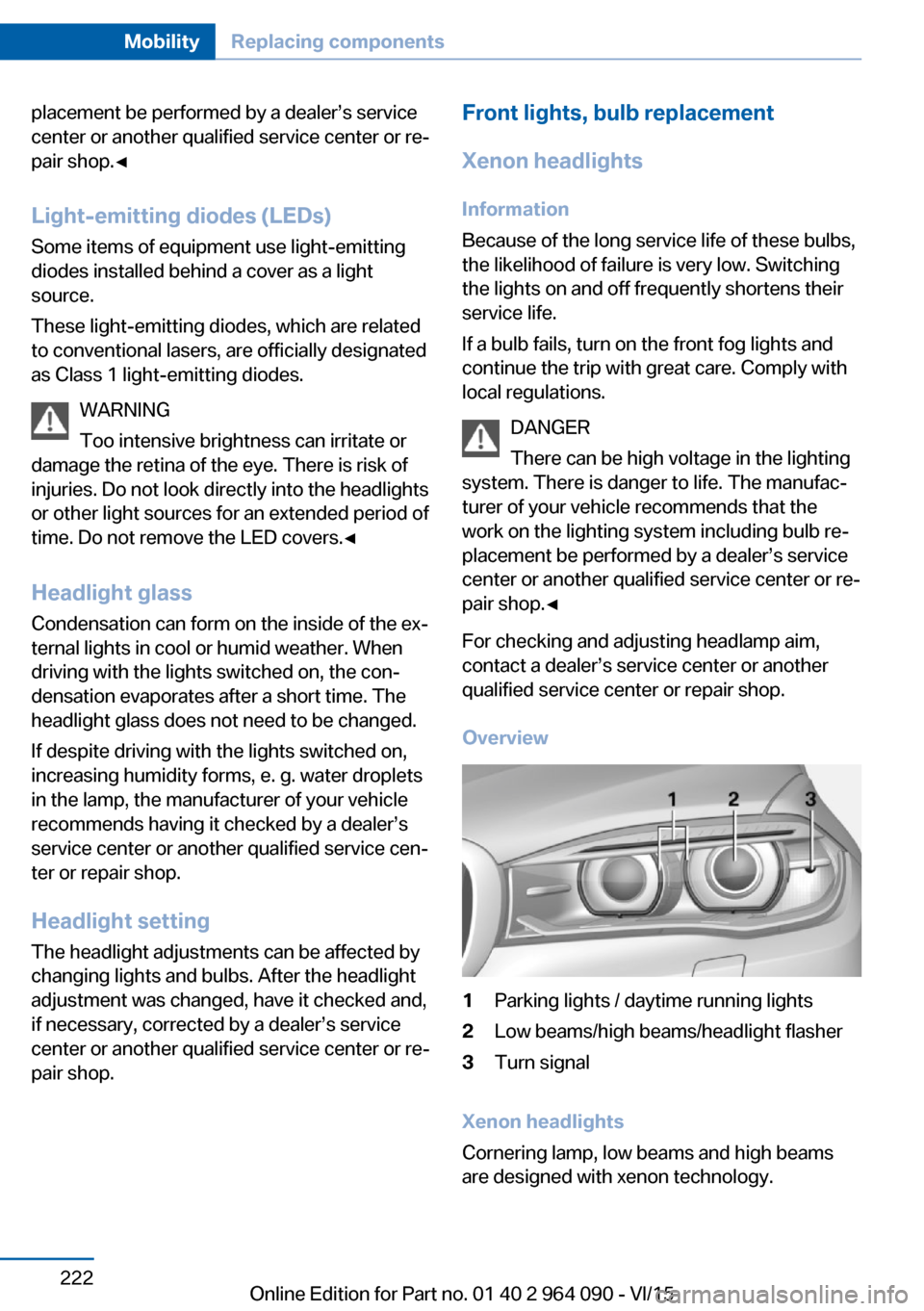
Overview1Parking lights / daytime running lights2Low beams/high beams/headlight flasher3Turn signal
Xenon headlights
Cornering lamp, low beams and high beams
are designed with xenon technology.
Seite 222MobilityReplacing components222
Online Edition for Part no. 01 40 2 964 090 - VI/15
Page 223 of 255
The parking lights and daylight running lights
are made using LED technology.
Contact a dealer’s service center or another
qualified service center or repair shop in the
event of a malfunction.
LED headlights With LED headlights, all front lights and side
indicators are designed with LED technology.
If an LED fails, switch on the front fog lights and continue the trip with great care. Comply
with local regulations.
Contact a dealer’s service center or another
qualified service center or repair shop in the
event of a malfunction.
Turn signal
Information
Follow general instructions, refer to page 221.
Replacement
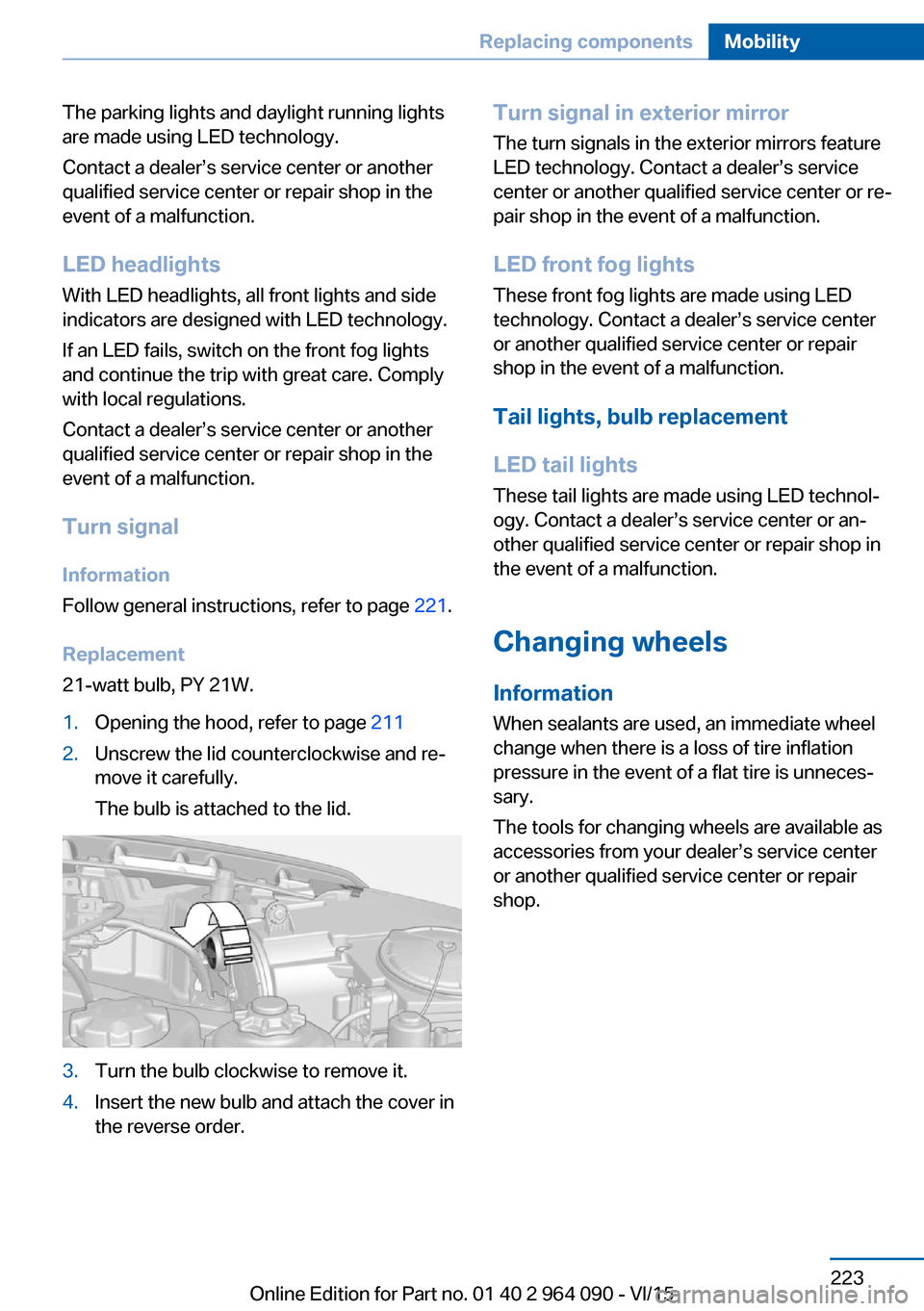
21-watt bulb, PY 21W.1.Opening the hood, refer to page 2112.Unscrew the lid counterclockwise and re‐
move it carefully.
The bulb is attached to the lid.3.Turn the bulb clockwise to remove it.4.Insert the new bulb and attach the cover in
the reverse order.Turn signal in exterior mirror
The turn signals in the exterior mirrors feature
LED technology. Contact a dealer’s service
center or another qualified service center or re‐
pair shop in the event of a malfunction.
LED front fog lights
These front fog lights are made using LED
technology. Contact a dealer’s service center
or another qualified service center or repair
shop in the event of a malfunction.
Tail lights, bulb replacement
LED tail lights These tail lights are made using LED technol‐
ogy. Contact a dealer’s service center or an‐
other qualified service center or repair shop in
the event of a malfunction.
Changing wheels
Information When sealants are used, an immediate wheel
change when there is a loss of tire inflation
pressure in the event of a flat tire is unneces‐
sary.
The tools for changing wheels are available as
accessories from your dealer’s service center
or another qualified service center or repair
shop.Seite 223Replacing componentsMobility223
Online Edition for Part no. 01 40 2 964 090 - VI/15
Page 225 of 255
Prepare wheel change1.Follow the Safety instructions, refer to
page 224.2.Loosen the wheel lug bolts a half turn.
Jacking up the vehicle
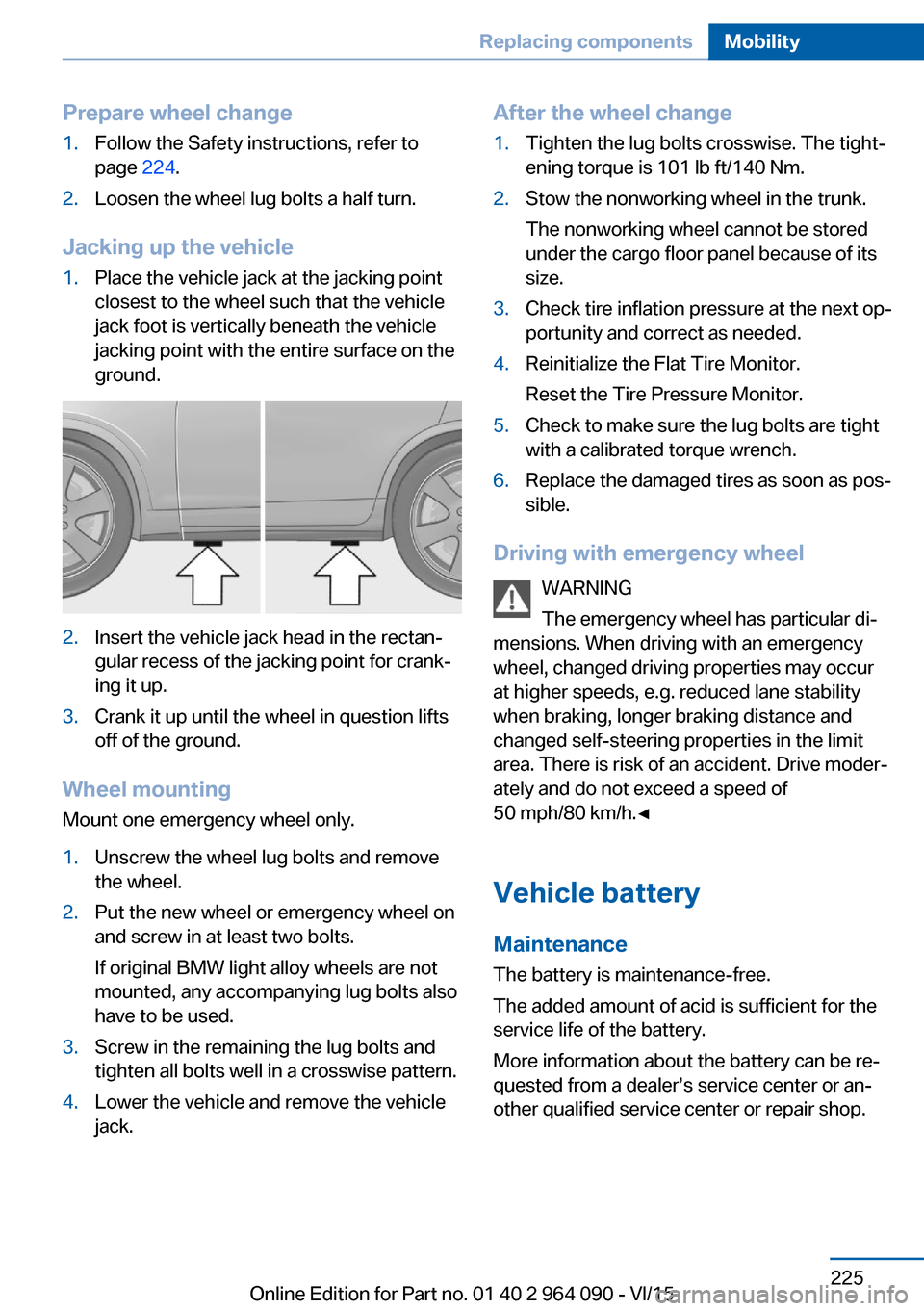
1.Place the vehicle jack at the jacking point
closest to the wheel such that the vehicle
jack foot is vertically beneath the vehicle
jacking point with the entire surface on the
ground.2.Insert the vehicle jack head in the rectan‐
gular recess of the jacking point for crank‐
ing it up.3.Crank it up until the wheel in question lifts
off of the ground.
Wheel mounting
Mount one emergency wheel only.
1.Unscrew the wheel lug bolts and remove
the wheel.2.Put the new wheel or emergency wheel on
and screw in at least two bolts.
If original BMW light alloy wheels are not
mounted, any accompanying lug bolts also
have to be used.3.Screw in the remaining the lug bolts and
tighten all bolts well in a crosswise pattern.4.Lower the vehicle and remove the vehicle
jack.After the wheel change1.Tighten the lug bolts crosswise. The tight‐
ening torque is 101 lb ft/140 Nm.2.Stow the nonworking wheel in the trunk.
The nonworking wheel cannot be stored
under the cargo floor panel because of its
size.3.Check tire inflation pressure at the next op‐
portunity and correct as needed.4.Reinitialize the Flat Tire Monitor.
Reset the Tire Pressure Monitor.5.Check to make sure the lug bolts are tight
with a calibrated torque wrench.6.Replace the damaged tires as soon as pos‐
sible.
Driving with emergency wheel
WARNING
The emergency wheel has particular di‐
mensions. When driving with an emergency
wheel, changed driving properties may occur
at higher speeds, e.g. reduced lane stability
when braking, longer braking distance and
changed self-steering properties in the limit
area. There is risk of an accident. Drive moder‐
ately and do not exceed a speed of
50 mph/80 km/h.◀
Vehicle battery Maintenance
The battery is maintenance-free.
The added amount of acid is sufficient for the
service life of the battery.
More information about the battery can be re‐
quested from a dealer’s service center or an‐
other qualified service center or repair shop.
Seite 225Replacing componentsMobility225
Online Edition for Part no. 01 40 2 964 090 - VI/15
Page 228 of 255
Breakdown assistanceVehicle features and options
This chapter describes all standard, country-
specific and optional features offered with the
series. It also describes features that are not
necessarily available in your car, e. g., due to
the selected options or country versions. This
also applies to safety-related functions and
systems. The respectively applicable country
provisions must be observed when using the
respective features and systems.
Hazard warning flashers
The button is located in the center console.
Intelligent Emergency
Request
The concept In case of an emergency, an Emergency Re‐
quest can be made through this system.
General information
Only press the SOS button in an emergency.
For technical reasons, the Emergency Request
cannot be guaranteed under unfavorable con‐
ditions.
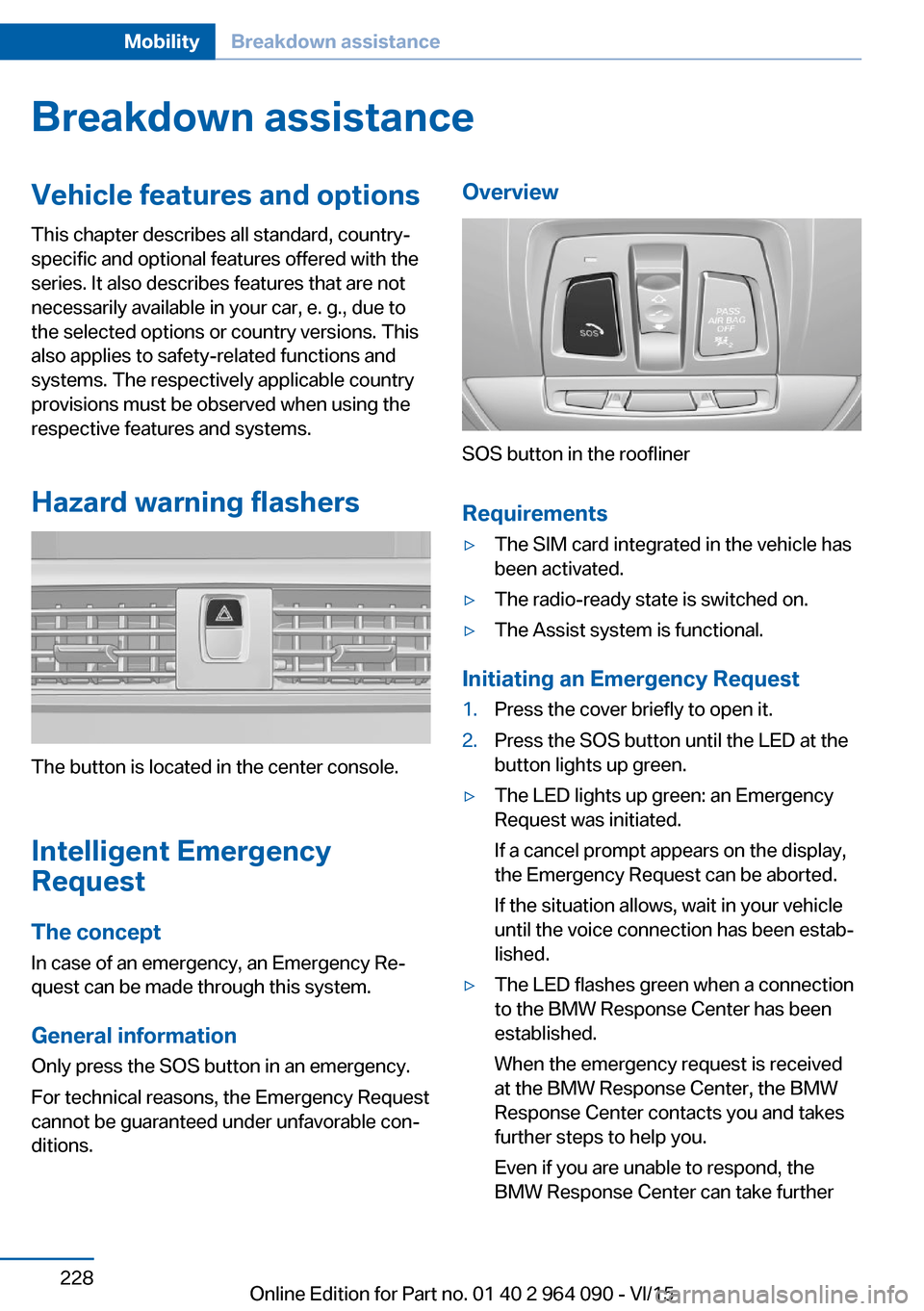
Overview
SOS button in the roofliner
Requirements
▷The SIM card integrated in the vehicle has
been activated.▷The radio-ready state is switched on.▷The Assist system is functional.
Initiating an Emergency Request
1.Press the cover briefly to open it.2.Press the SOS button until the LED at the
button lights up green.▷The LED lights up green: an Emergency
Request was initiated.
If a cancel prompt appears on the display,
the Emergency Request can be aborted.
If the situation allows, wait in your vehicle
until the voice connection has been estab‐
lished.▷The LED flashes green when a connection
to the BMW Response Center has been
established.
When the emergency request is received
at the BMW Response Center, the BMW
Response Center contacts you and takes
further steps to help you.
Even if you are unable to respond, the
BMW Response Center can take furtherSeite 228MobilityBreakdown assistance228
Online Edition for Part no. 01 40 2 964 090 - VI/15
Page 229 of 255
steps to help you under certain circum‐
stances.
For this, data are transmitted to the BMW
Response Center which serve to deter‐
mine the necessary rescue measures. E. g.
the current position of the vehicle, if it can
be established.▷If the LED is flashing green, but the BMW
Response Center can no longer be heard
via the speaker, you can nevertheless still
be heard at the BMW Response Center.
Initiating an Emergency Request
automatically
Under certain conditions, an Emergency Re‐
quest is automatically initiated immediately af‐
ter a severe accident. Automatic Collision Noti‐
fication is not affected by pressing the SOS
button.
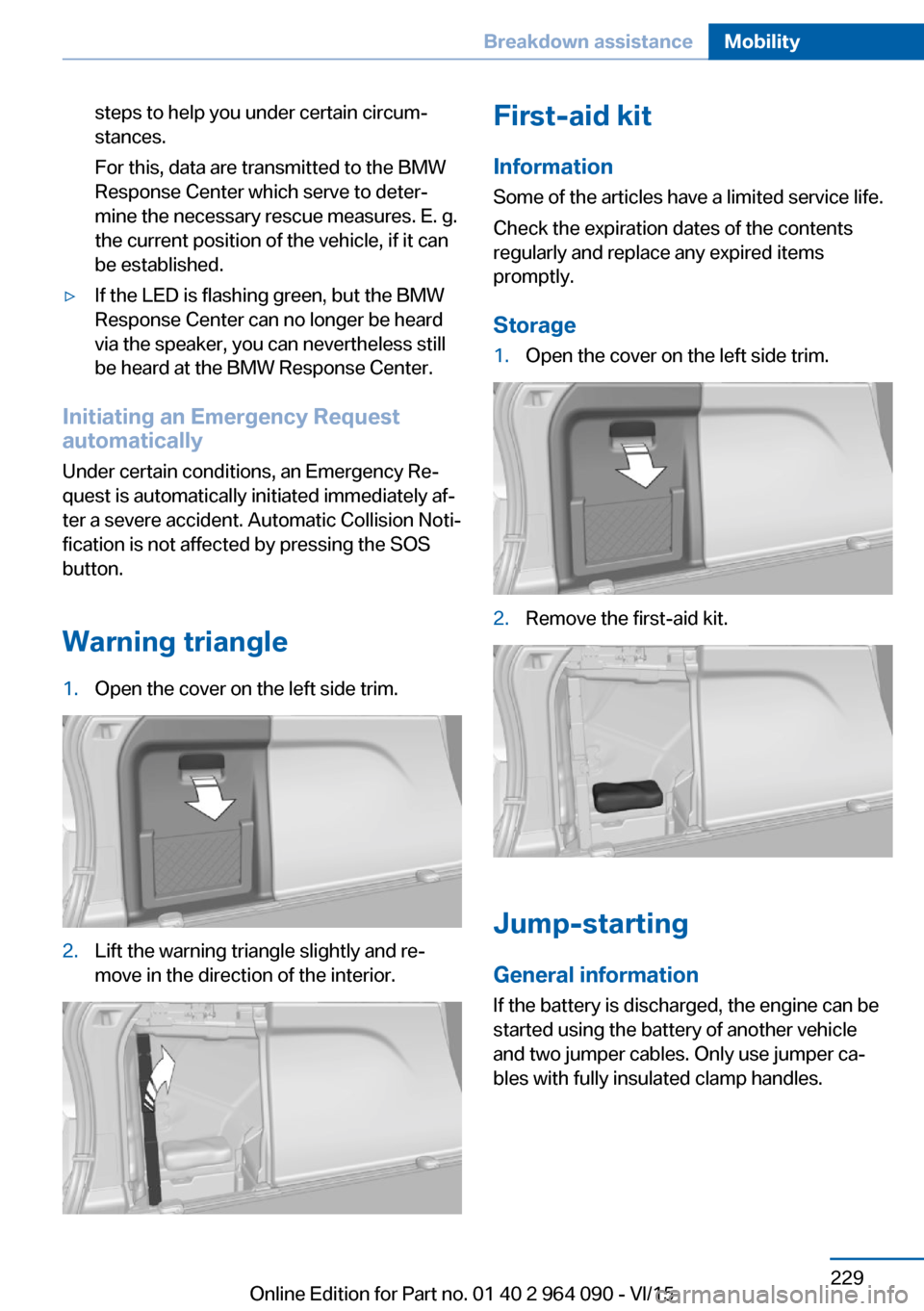
Warning triangle
1.Open the cover on the left side trim.2.Lift the warning triangle slightly and re‐
move in the direction of the interior.First-aid kit
Information
Some of the articles have a limited service life.
Check the expiration dates of the contents
regularly and replace any expired items
promptly.
Storage1.Open the cover on the left side trim.2.Remove the first-aid kit.
Jump-starting
General information If the battery is discharged, the engine can be
started using the battery of another vehicle
and two jumper cables. Only use jumper ca‐
bles with fully insulated clamp handles.
Seite 229Breakdown assistanceMobility229
Online Edition for Part no. 01 40 2 964 090 - VI/15
Page 231 of 255
corresponding engine or body ground of
the vehicle to be started.
Starting the engine
Never use spray fluids to start the engine.
1.Start the engine of the assisting vehicle
and let it run for several minutes at an in‐
creased idle speed.2.Start the engine of the vehicle that is to be
started in the usual way.
If the first starting attempt is not success‐
ful, wait a few minutes before making an‐
other attempt in order to allow the dis‐
charged battery to recharge.3.Let both engines run for several minutes.4.Disconnect the jumper cables in the re‐
verse order.
Check the battery and recharge if needed.
Tow-starting and towing Information WARNING
Due to system limits, individual functions
can malfunction during tow-starting/towing
with the Intelligent Safety systems activated,
e.g. approach control warning with light brak‐
ing function. There is risk of an accident.
Switch all Intelligent Safety systems off prior to
tow-starting/towing.◀
Transporting the vehicle
Information CAUTION
The vehicle can be damaged when tow‐
ing the vehicle with a single lifted axle. There is risk of property damage. The vehicle should
only be transported on a loading platform.◀
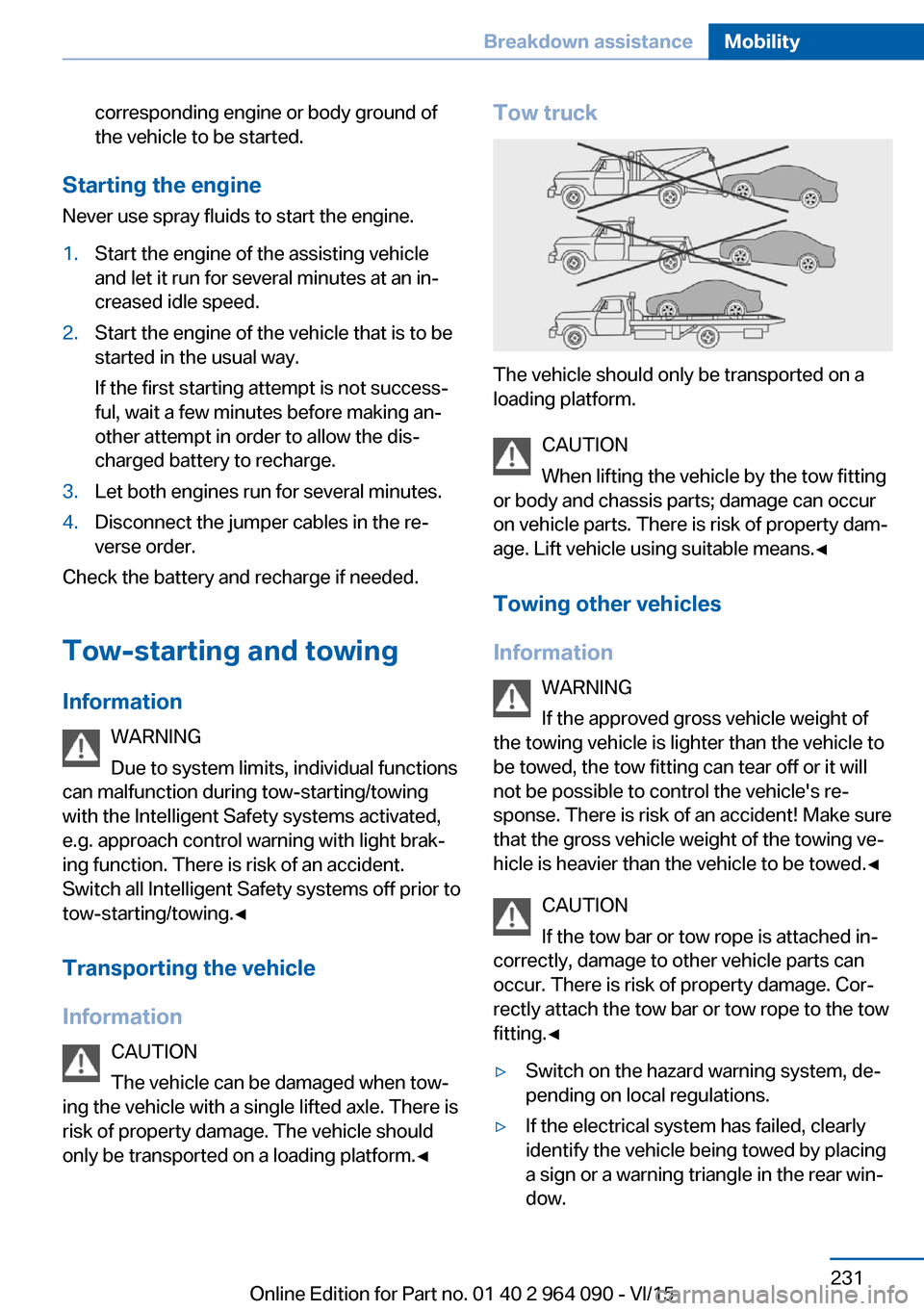
Tow truck
The vehicle should only be transported on a
loading platform.
CAUTION
When lifting the vehicle by the tow fitting
or body and chassis parts; damage can occur
on vehicle parts. There is risk of property dam‐
age. Lift vehicle using suitable means.◀
Towing other vehicles
Information WARNING
If the approved gross vehicle weight of
the towing vehicle is lighter than the vehicle to
be towed, the tow fitting can tear off or it will
not be possible to control the vehicle's re‐
sponse. There is risk of an accident! Make sure
that the gross vehicle weight of the towing ve‐
hicle is heavier than the vehicle to be towed.◀
CAUTION
If the tow bar or tow rope is attached in‐
correctly, damage to other vehicle parts can
occur. There is risk of property damage. Cor‐
rectly attach the tow bar or tow rope to the tow
fitting.◀
▷Switch on the hazard warning system, de‐
pending on local regulations.▷If the electrical system has failed, clearly
identify the vehicle being towed by placing
a sign or a warning triangle in the rear win‐
dow.Seite 231Breakdown assistanceMobility231
Online Edition for Part no. 01 40 2 964 090 - VI/15
Page 234 of 255
Before driving into a car wash
In order to ensure that the vehicle can roll in a
car wash, take the following steps:1.Drive into the car wash.2.Engage selector lever position N.3.Deactivating Automatic Hold, refer to
page 75.4.Release the parking brake.5.Switch the engine off.
In this way, the ignition remains switched
on, and a Check-Control message is dis‐
played.
CAUTION
Selector lever position P is automati‐
cally engaged when the ignition is
switched off. There is risk of property dam‐
age. Do not switch ignition off in car
washes.◀
The vehicle cannot be locked from the outside
when in selector lever position N. A signal
sounds when an attempt is made to lock the
vehicle.
To start the engine:
1.Depress the brake pedal.2.Press the Start/Stop button.
Pressing the Start/Stop button without step‐
ping on the brake turns the ignition off.
Transmission position
Transmission position P is engaged automati‐
cally:
▷When the ignition is switched off.▷After approx. 15 minutes.
Headlights
▷Do not rub dry and do not use abrasive or
acidic cleansers.▷Soak areas that have been dirtied e. g.,
from insects, with shampoo and wash off
with water.▷Thaw ice with de-icing spray; do not use an
ice scraper.
After washing the vehicle
After washing the vehicle, apply the brakes
briefly to dry them; otherwise, braking action
can be reduced and corrosion of the brake
discs can occur.
Completely remove all residues on the win‐
dows, to minimize loss of visibility due to
smearing and to reduce wiper noises and
wiper blade wear.
Vehicle care
Car care products The manufacturer of your vehicle recommends
using car care and cleaning products from
BMW.
WARNING
Cleansers can contain substances that
are dangerous and harmful to your health.
There is risk of injuries. When cleaning the in‐
terior, open the doors or windows. Only use
products intended for cleaning vehicles. Fol‐
low the instructions on the container.◀
Vehicle paint
Regular care contributes to driving safety and
value retention. Environmental influences in
areas with elevated air pollution or natural con‐
taminants, such as tree resin or pollen can af‐
fect the vehicle's paintwork. Tailor the fre‐
quency and extent of your car care to these
influences.
Aggressive substances such as spilled fuel, oil,
grease or bird droppings, must be removed im‐
mediately to prevent the finish from being al‐
tered or discolored.
Leather care
Remove dust from the leather often, using a
cloth or vacuum cleaner.
Seite 234MobilityCare234
Online Edition for Part no. 01 40 2 964 090 - VI/15
Page 235 of 255
Otherwise, particles of dust and road grime
chafe in pores and folds, and lead to increased
wear and premature degradation of the leather
surface.
To guard against discoloration, such as from
clothing, provide leather care roughly every
two months.
Clean light-colored leather more frequently be‐
cause soiling on such surfaces is substantially
more visible.
Use leather care products; otherwise, dirt and
grease will gradually break down the protective
layer of the leather surface.
Suitable care products are available from a
dealer’s service center or another qualified
service center or repair shop.
Upholstery material careVacuum regularly with a vacuum cleaner.
If upholstery is very dirty, e.g., with beverage
stains, use a soft sponge or microfiber cloth
with a suitable interior cleaner.
Clean the upholstery down to the seams using
large sweeping motions. Avoid rubbing the
material vigorously.
CAUTION
Open Velcro® fasteners on articles of
clothing can damage the seat covers. There is
risk of property damage. Ensure that any Vel‐
cro® fasteners are closed.◀
Caring for special components
Light-alloy wheels When cleaning the vehicle, use only neutral
wheel cleaners having a pH value from 5 to 9.
Do not use abrasive cleaning agents or steam jets above 140 ℉/60 ℃. Follow the manufac‐
turer's instructions.
Aggressive, acidic or alkaline cleaning agents
can destroy the protective layer of adjacent
components, such as the brake disk.Chrome surfaces
Carefully clean components such as the radia‐
tor grille or door handles with an ample supply
of water, possibly with shampoo added, partic‐
ularly when they have been exposed to road
salt.
Rubber components
Environmental influences can cause surface
soiling of rubber parts and a loss of gloss. For cleaning, use only water and suitable care
products, the manufacturer of your vehicle rec‐
ommends original BMW care products.
Treat especially worn rubber parts with rubber
care agents at regular intervals. When cleaning
rubber seals, do not use any silicon-containing
car care products in order to avoid damage or noises.
Fine wood partsClean fine wood facing and fine wood compo‐
nents only with a moist rag. Then dry with a
soft cloth.
Plastic components
These include:▷Imitation leather surfaces.▷Roofliner.▷Lamp lenses.▷Instrument cluster cover.▷Matt black spray-coated components.▷Painted parts in the interior.
Clean with a microfiber cloth.
Dampen cloth lightly with water.
Do not soak the roofliner.
CAUTION
Cleansers that contain alcohol or sol‐
vents, such as lacquer thinners, heavy-duty
grease removers, fuel, or such, can damage
plastic parts. There is risk of property damage.
Clean with a microfiber cloth. Dampen cloth
lightly with water.◀
Seite 235CareMobility235
Online Edition for Part no. 01 40 2 964 090 - VI/15
Page 244 of 255
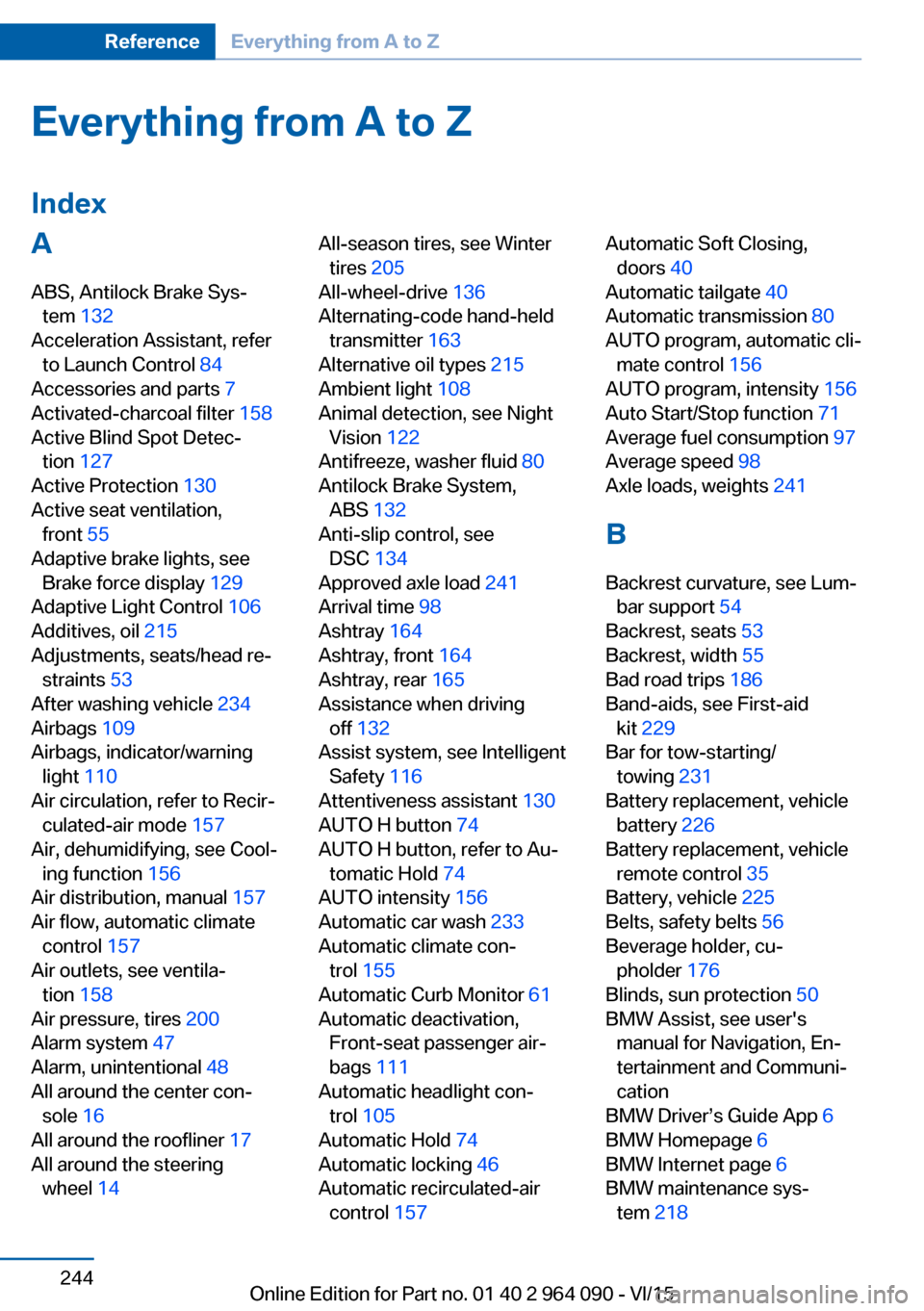
Everything from A to Z
IndexA ABS, Antilock Brake Sys‐ tem 132
Acceleration Assistant, refer to Launch Control 84
Accessories and parts 7
Activated-charcoal filter 158
Active Blind Spot Detec‐ tion 127
Active Protection 130
Active seat ventilation, front 55
Adaptive brake lights, see Brake force display 129
Adaptive Light Control 106
Additives, oil 215
Adjustments, seats/head re‐ straints 53
After washing vehicle 234
Airbags 109
Airbags, indicator/warning light 110
Air circulation, refer to Recir‐ culated-air mode 157
Air, dehumidifying, see Cool‐ ing function 156
Air distribution, manual 157
Air flow, automatic climate control 157
Air outlets, see ventila‐ tion 158
Air pressure, tires 200
Alarm system 47
Alarm, unintentional 48
All around the center con‐ sole 16
All around the roofliner 17
All around the steering wheel 14 All-season tires, see Winter
tires 205
All-wheel-drive 136
Alternating-code hand-held transmitter 163
Alternative oil types 215
Ambient light 108
Animal detection, see Night Vision 122
Antifreeze, washer fluid 80
Antilock Brake System, ABS 132
Anti-slip control, see DSC 134
Approved axle load 241
Arrival time 98
Ashtray 164
Ashtray, front 164
Ashtray, rear 165
Assistance when driving off 132
Assist system, see Intelligent Safety 116
Attentiveness assistant 130
AUTO H button 74
AUTO H button, refer to Au‐ tomatic Hold 74
AUTO intensity 156
Automatic car wash 233
Automatic climate con‐ trol 155
Automatic Curb Monitor 61
Automatic deactivation, Front-seat passenger air‐
bags 111
Automatic headlight con‐ trol 105
Automatic Hold 74
Automatic locking 46
Automatic recirculated-air control 157 Automatic Soft Closing,
doors 40
Automatic tailgate 40
Automatic transmission 80
AUTO program, automatic cli‐ mate control 156
AUTO program, intensity 156
Auto Start/Stop function 71
Average fuel consumption 97
Average speed 98
Axle loads, weights 241
B Backrest curvature, see Lum‐ bar support 54
Backrest, seats 53
Backrest, width 55
Bad road trips 186
Band-aids, see First-aid kit 229
Bar for tow-starting/ towing 231
Battery replacement, vehicle battery 226
Battery replacement, vehicle remote control 35
Battery, vehicle 225
Belts, safety belts 56
Beverage holder, cu‐ pholder 176
Blinds, sun protection 50
BMW Assist, see user's manual for Navigation, En‐
tertainment and Communi‐
cation
BMW Driver’s Guide App 6
BMW Homepage 6
BMW Internet page 6
BMW maintenance sys‐ tem 218 Seite 244ReferenceEverything from A to Z244
Online Edition for Part no. 01 40 2 964 090 - VI/15
Page 245 of 255
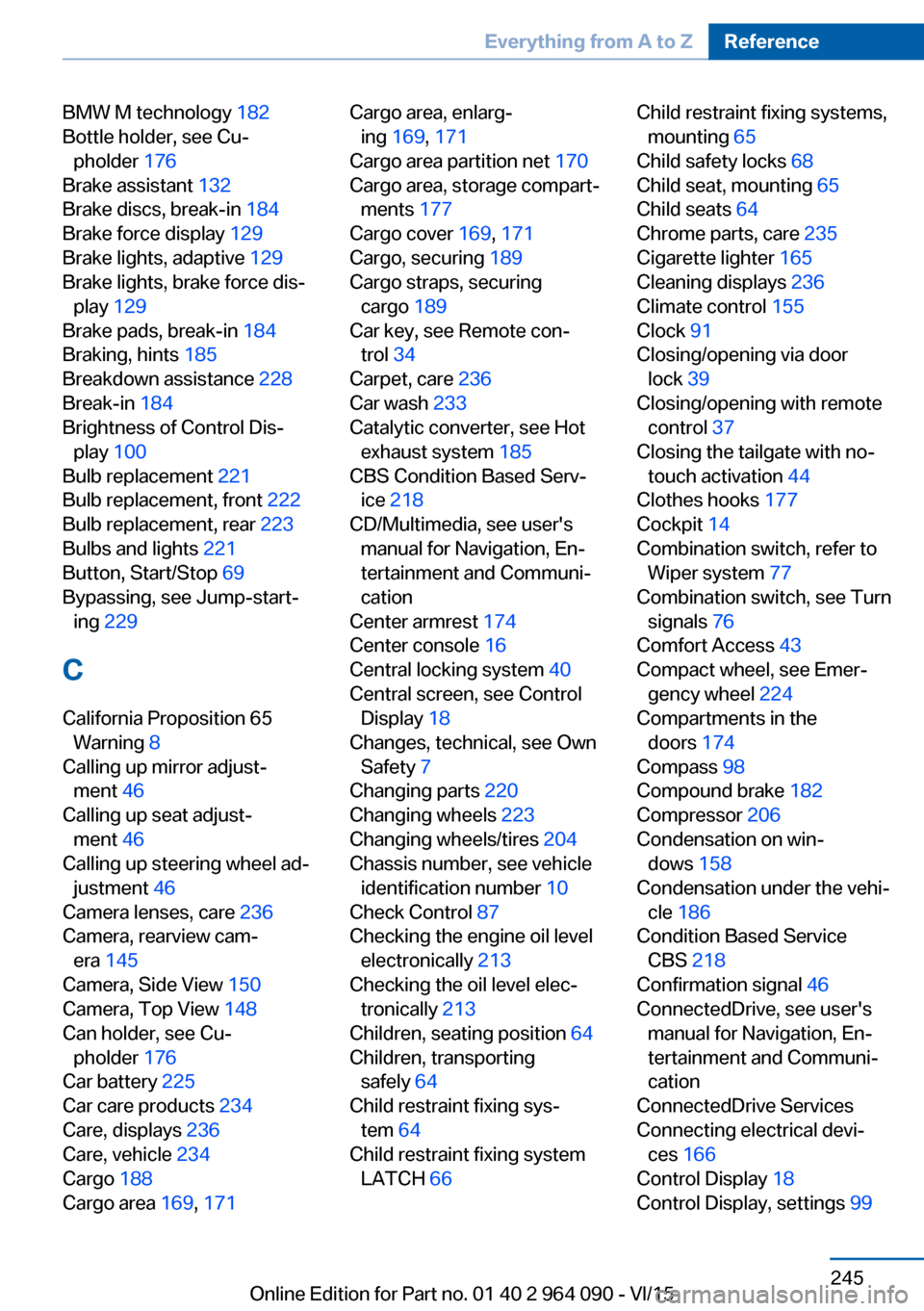
BMW M technology 182
Bottle holder, see Cu‐ pholder 176
Brake assistant 132
Brake discs, break-in 184
Brake force display 129
Brake lights, adaptive 129
Brake lights, brake force dis‐ play 129
Brake pads, break-in 184
Braking, hints 185
Breakdown assistance 228
Break-in 184
Brightness of Control Dis‐ play 100
Bulb replacement 221
Bulb replacement, front 222
Bulb replacement, rear 223
Bulbs and lights 221
Button, Start/Stop 69
Bypassing, see Jump-start‐ ing 229
C
California Proposition 65 Warning 8
Calling up mirror adjust‐ ment 46
Calling up seat adjust‐ ment 46
Calling up steering wheel ad‐ justment 46
Camera lenses, care 236
Camera, rearview cam‐ era 145
Camera, Side View 150
Camera, Top View 148
Can holder, see Cu‐ pholder 176
Car battery 225
Car care products 234
Care, displays 236
Care, vehicle 234
Cargo 188
Cargo area 169, 171 Cargo area, enlarg‐
ing 169 , 171
Cargo area partition net 170
Cargo area, storage compart‐ ments 177
Cargo cover 169, 171
Cargo, securing 189
Cargo straps, securing cargo 189
Car key, see Remote con‐ trol 34
Carpet, care 236
Car wash 233
Catalytic converter, see Hot exhaust system 185
CBS Condition Based Serv‐ ice 218
CD/Multimedia, see user's manual for Navigation, En‐
tertainment and Communi‐
cation
Center armrest 174
Center console 16
Central locking system 40
Central screen, see Control Display 18
Changes, technical, see Own Safety 7
Changing parts 220
Changing wheels 223
Changing wheels/tires 204
Chassis number, see vehicle identification number 10
Check Control 87
Checking the engine oil level electronically 213
Checking the oil level elec‐ tronically 213
Children, seating position 64
Children, transporting safely 64
Child restraint fixing sys‐ tem 64
Child restraint fixing system LATCH 66 Child restraint fixing systems,
mounting 65
Child safety locks 68
Child seat, mounting 65
Child seats 64
Chrome parts, care 235
Cigarette lighter 165
Cleaning displays 236
Climate control 155
Clock 91
Closing/opening via door lock 39
Closing/opening with remote control 37
Closing the tailgate with no- touch activation 44
Clothes hooks 177
Cockpit 14
Combination switch, refer to Wiper system 77
Combination switch, see Turn signals 76
Comfort Access 43
Compact wheel, see Emer‐ gency wheel 224
Compartments in the doors 174
Compass 98
Compound brake 182
Compressor 206
Condensation on win‐ dows 158
Condensation under the vehi‐ cle 186
Condition Based Service CBS 218
Confirmation signal 46
ConnectedDrive, see user's manual for Navigation, En‐
tertainment and Communi‐
cation
ConnectedDrive Services
Connecting electrical devi‐ ces 166
Control Display 18
Control Display, settings 99 Seite 245Everything from A to ZReference245
Online Edition for Part no. 01 40 2 964 090 - VI/15