light BMW X6 2012 E71 Owners Manual
[x] Cancel search | Manufacturer: BMW, Model Year: 2012, Model line: X6, Model: BMW X6 2012 E71Pages: 312, PDF Size: 8.91 MB
Page 220 of 312
Telephone
218
Editing a contact
The entries in the contacts can be changed.
When a contact from the mobile phone is
changed, the changes are not stored on the
mobile phone. A copy of the entry is stored in
the vehicle.
1.Highlight the contact.
2.Open "Options".
3."Edit entry"
The contact can be edited.
Redialing
The eight phone numbers dialed last are stored.
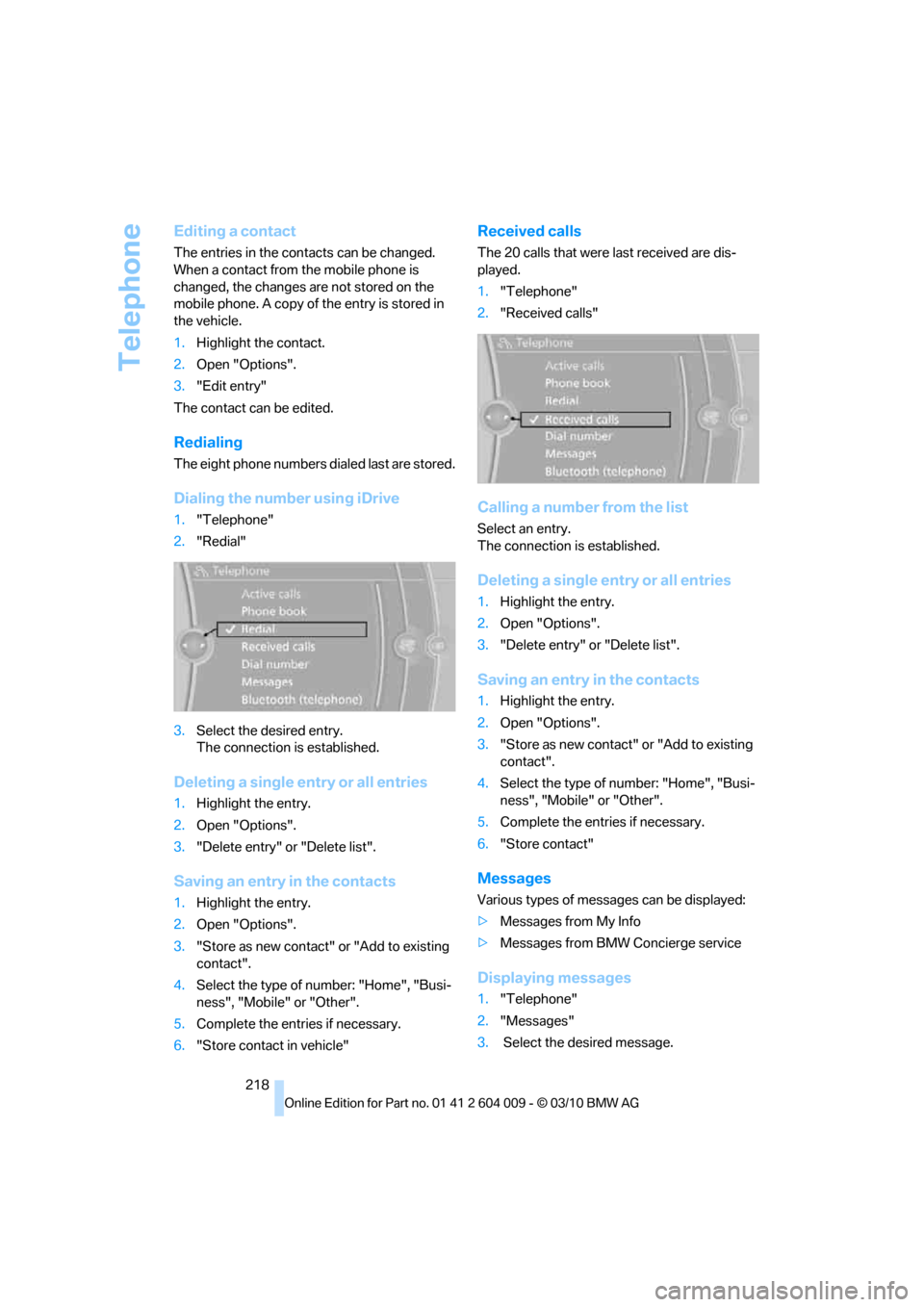
Dialing the number using iDrive
1."Telephone"
2."Redial"
3.Select the desired entry.
The connection is established.
Deleting a single entry or all entries
1.Highlight the entry.
2.Open "Options".
3."Delete entry" or "Delete list".
Saving an entry in the contacts
1.Highlight the entry.
2.Open "Options".
3."Store as new contact" or "Add to existing
contact".
4.Select the type of number: "Home", "Busi-
ness", "Mobile" or "Other".
5.Complete the entries if necessary.
6."Store contact in vehicle"
Received calls
The 20 calls that were last received are dis-
played.
1."Telephone"
2."Received calls"
Calling a number from the list
Select an entry.
The connection is established.
Deleting a single entry or all entries
1.Highlight the entry.
2.Open "Options".
3."Delete entry" or "Delete list".
Saving an entry in the contacts
1.Highlight the entry.
2.Open "Options".
3."Store as new contact" or "Add to existing
contact".
4.Select the type of number: "Home", "Busi-
ness", "Mobile" or "Other".
5.Complete the entries if necessary.
6."Store contact"
Messages
Various types of messages can be displayed:
>Messages from My Info
>Messages from BMW Concierge service
Displaying messages
1."Telephone"
2."Messages"
3. Select the desired message.
Page 227 of 312
225
Entertainment
Reference
At a glance
Controls
Driving tips Communications
Navigation
Mobility
Selecting how names are displayed
Names can be displayed in different orders.
1."My contacts"
2.Highlight the contact.
3.Open "Options".
4."Display: last, first name" or "Display: first,
last name"
Depending on how the contacts were stored on
your mobile phone, the names may be dis-
played differently than the display selected.
Selecting a contact as the navigation
destination
1."My contacts"
2.Select the desired contact.
3.Select the desired address.
Contacts from the mobile phone
* may contain
addresses that do not match the navigation
data contained in the vehicle and thus cannot
be used for destination guidance. In this case:
Manually correct the address.
Checking the address as a destination*
An address that is to be used for destination
guidance must match the navigation data con-
tained in the vehicle. An address that is stored
on the mobile phone can be corrected to match
the navigation data.
1.Select the desired contact and highlight the
address.
2.Open "Options".
3."Check as destination"
4.Correct and store the address, if necessary.
If the address is corrected and stored, a copy of
it is stored in the vehicle. The address is not
changed on the mobile phone.
Dialing a phone number*
1."My contacts"
2.Select the desired contact.
3.Select the desired phone number.
The connection is established.
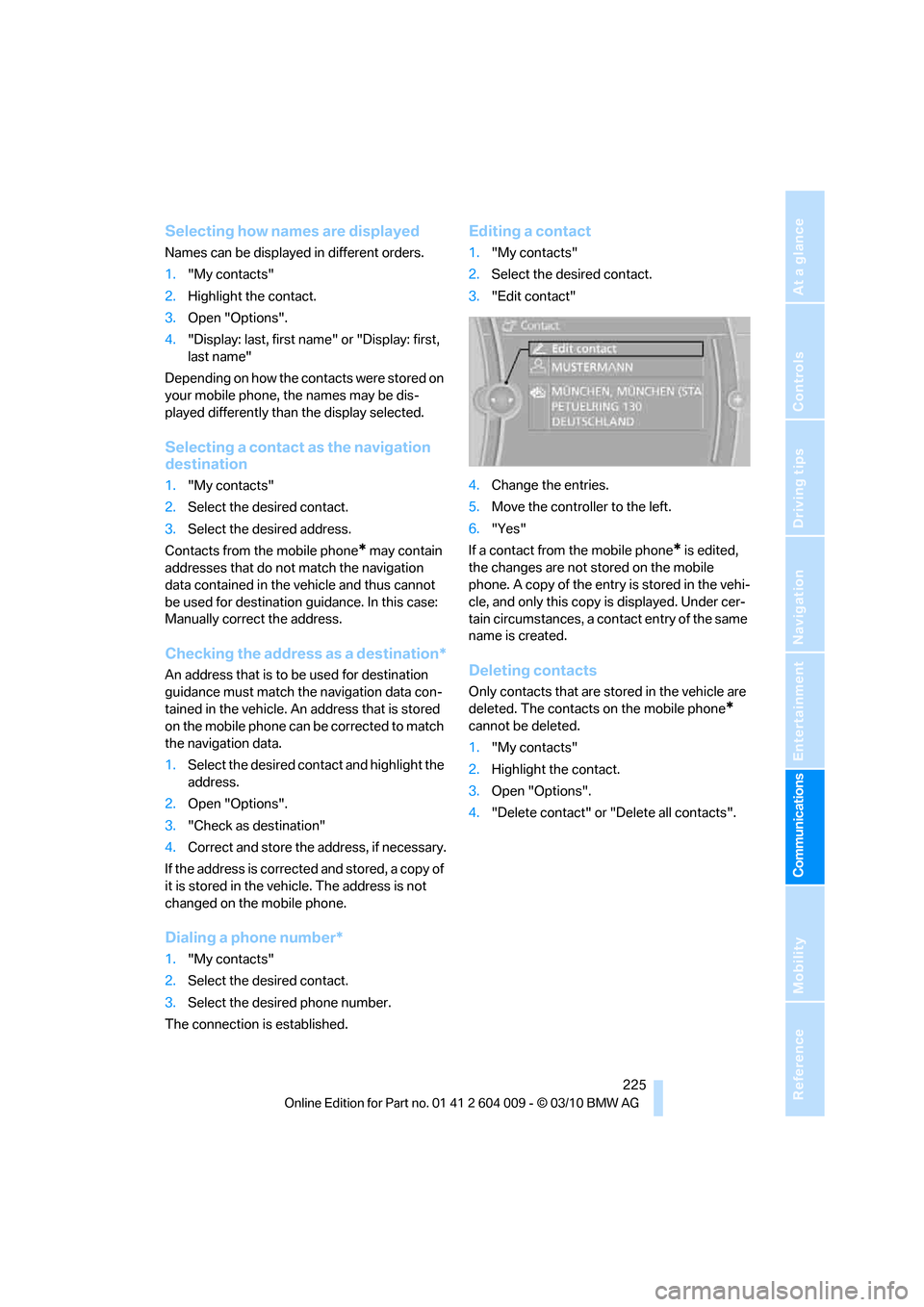
Editing a contact
1."My contacts"
2.Select the desired contact.
3."Edit contact"
4.Change the entries.
5.Move the controller to the left.
6."Yes"
If a contact from the mobile phone
* is edited,
the changes are not stored on the mobile
phone. A copy of the entry is stored in the vehi-
cle, and only this copy is displayed. Under cer-
tain circumstances, a contact entry of the same
name is created.
Deleting contacts
Only contacts that are stored in the vehicle are
deleted. The contacts on the mobile phone
*
cannot be deleted.
1."My contacts"
2.Highlight the contact.
3.Open "Options".
4."Delete contact" or "Delete all contacts".
Page 231 of 312
229
Entertainment
Reference
At a glance
Controls
Driving tips Communications
Navigation
Mobility
Using BMW Search
To select and display content:
>Turn the controller to highlight an element.
>Press the controller to display an element.
Opening start page
1.Open "Options".
2."Display start page"
Loading a new page
1.Open "Options".
2."Reload"
Canceling
1.Open "Options".
2."Cancel loading"
Customer Relations
Overview
Contact Customer Relations for information on
all aspects of your vehicle.
Calling Customer Relations
Vehicle equipped with BMW Assist or
BMW TeleService
1."BMW Assist"
2."Customer Relations"
3."Start service"
A voice connection is established to Customer
Relations.
Vehicle not equipped with BMW Assist
or BMW TeleService
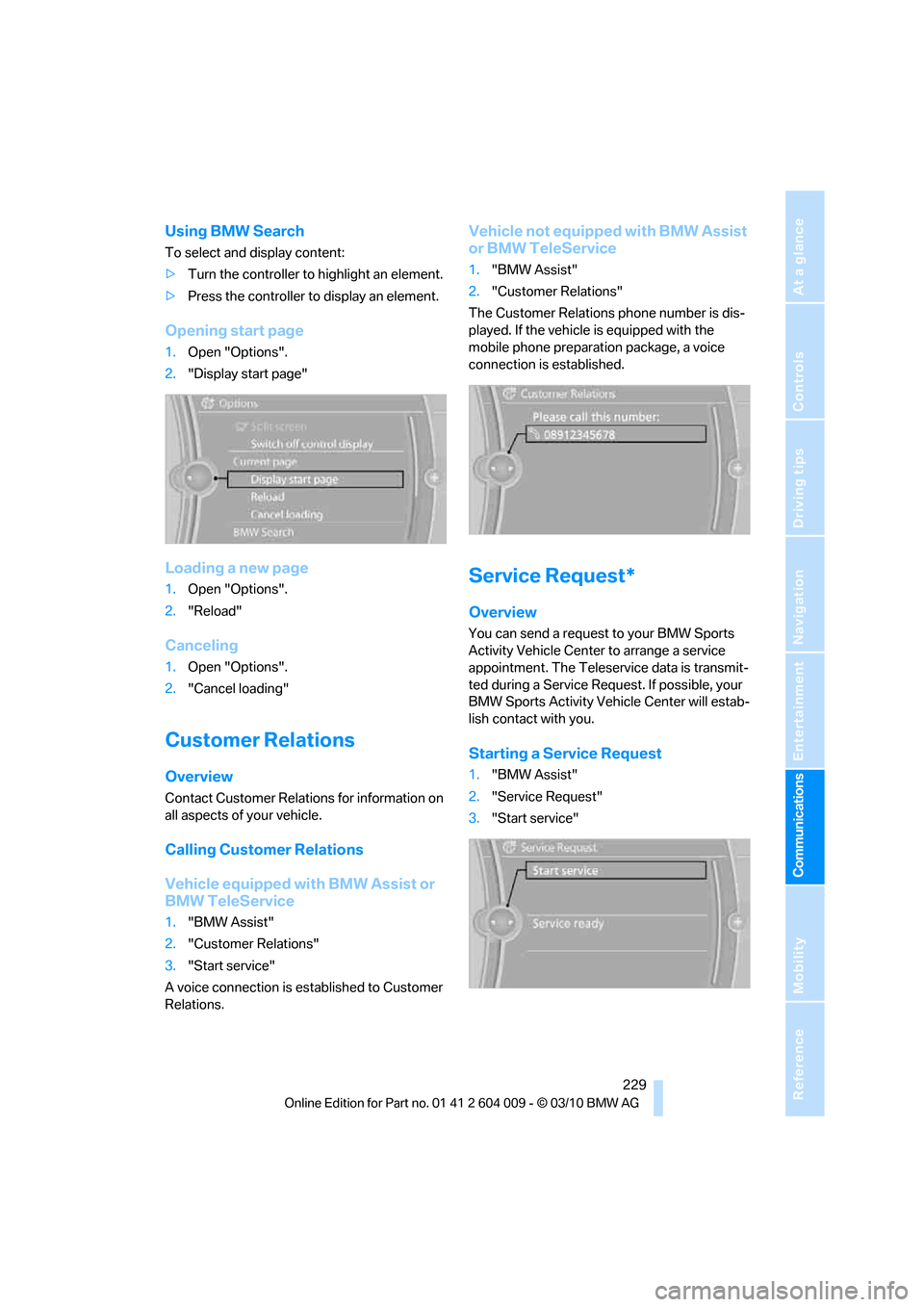
1."BMW Assist"
2."Customer Relations"
The Customer Relations phone number is dis-
played. If the vehicle is equipped with the
mobile phone preparation package, a voice
connection is established.
Service Request*
Overview
You can send a request to your BMW Sports
Activity Vehicle Center to arrange a service
appointment. The Teleservice data is transmit-
ted during a Service Request. If possible, your
BMW Sports Activity Vehicle Center will estab-
lish contact with you.
Starting a Service Request
1."BMW Assist"
2."Service Request"
3."Start service"
Page 238 of 312
Refueling
236 Do not mix in any additives or gasoline;
otherwise, there is the risk of engine dam-
age.<
BMW X5 with BMW Advanced
Diesel
The concept
BMW Advanced Diesel reduces nitrogen oxides
in the diesel exhaust of your vehicle by injecting
the reducing agent diesel exhaust fluid into the
exhaust line. In the catalytic converter, a chem-
ical reaction occurs that minimizes nitrogen
oxides.
In order to be able to start the engine in the
usual way, there must be a sufficient supply of
diesel exhaust fluid in the separate reservoir.
System heating
In order to bring the system to operating tem-
perature after a cold start of the engine, the
automatic transmission shifts into the next
higher gear at a later point.
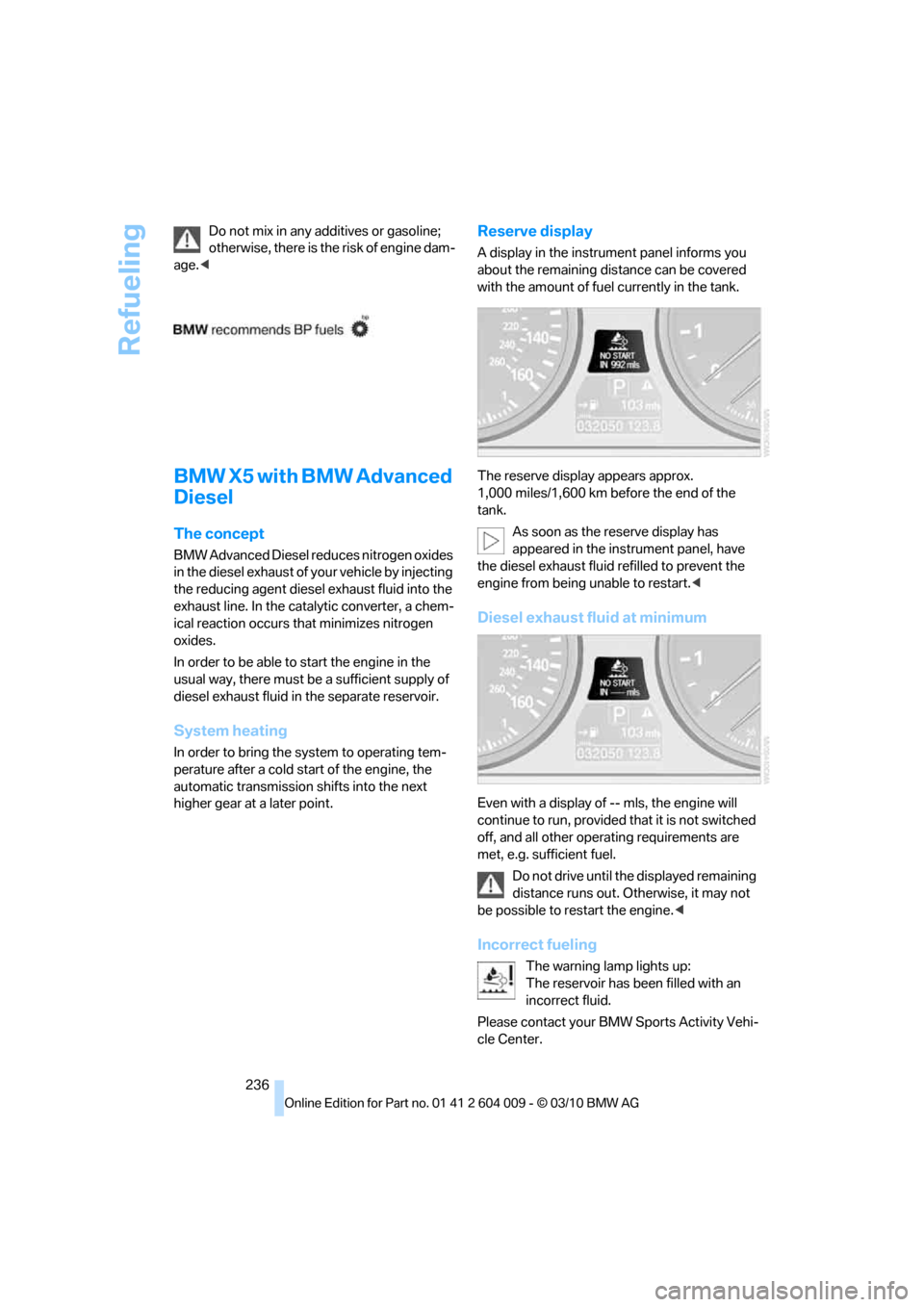
Reserve display
A display in the instrument panel informs you
about the remaining distance can be covered
with the amount of fuel currently in the tank.
The reserve display appears approx.
1,000 miles/1,600 km before the end of the
tank.
As soon as the reserve display has
appeared in the instrument panel, have
the diesel exhaust fluid refilled to prevent the
engine from being unable to restart.<
Diesel exhaust fluid at minimum
Even with a display of -- mls, the engine will
continue to run, provided that it is not switched
off, and all other operating requirements are
met, e.g. sufficient fuel.
Do not drive until the displayed remaining
distance runs out. Otherwise, it may not
be possible to restart the engine.<
Incorrect fueling
The warning lamp lights up:
The reservoir has been filled with an
incorrect fluid.
Please contact your BMW Sports Activity Vehi-
cle Center.
Page 252 of 312
Wheels and tires
250 Tire Pressure Monitor cannot detect a flat tire,
refer to page101. Your BMW Sports Activity
Vehicle Center will be happy to advise you on
this subject.
Recommended tire brands
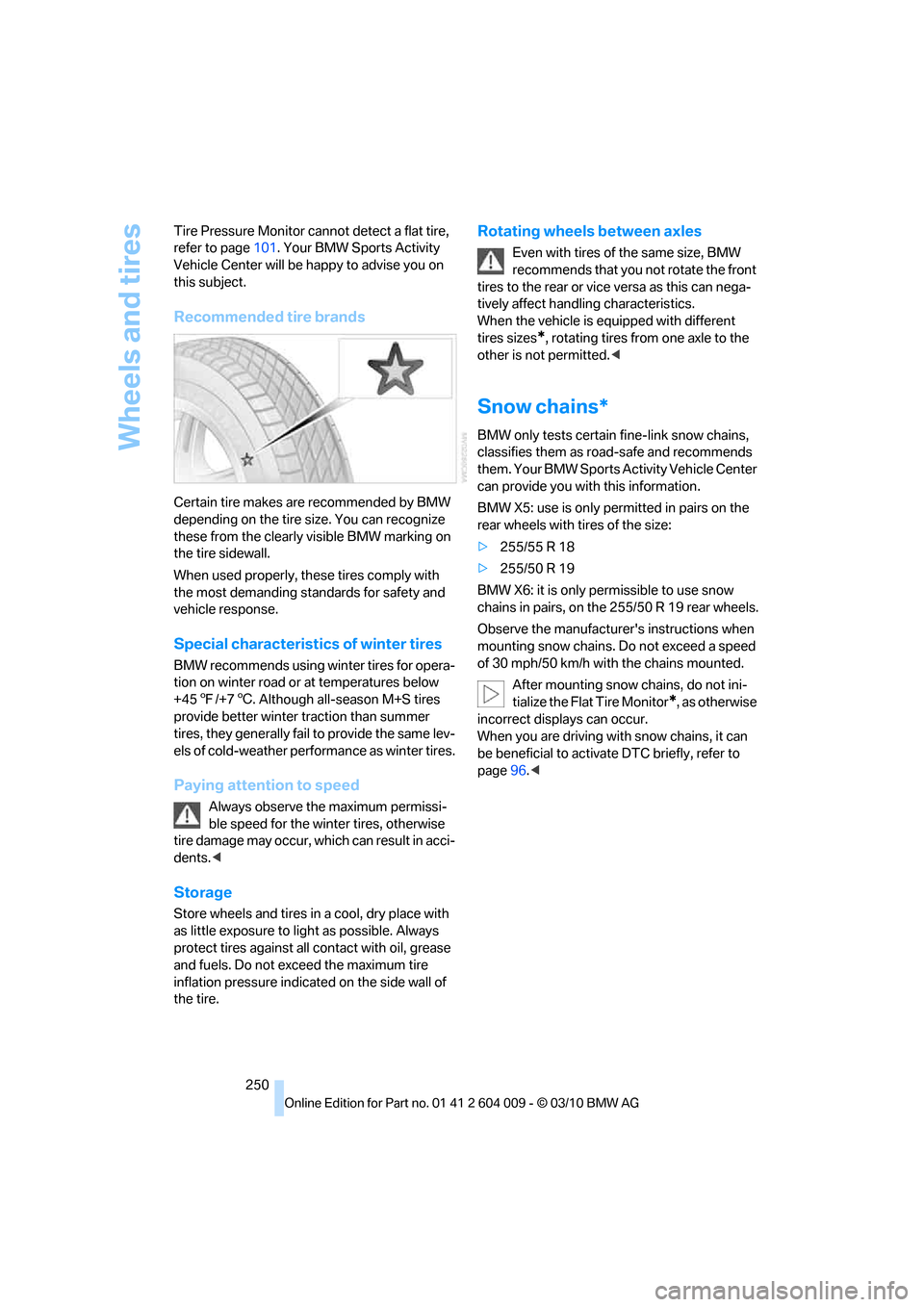
Certain tire makes are recommended by BMW
depending on the tire size. You can recognize
these from the clearly visible BMW marking on
the tire sidewall.
When used properly, these tires comply with
the most demanding standards for safety and
vehicle response.
Special characteristics of winter tires
BMW recommends using winter tires for opera-
tion on winter road or at temperatures below
+457/+76. Although all-season M+S tires
provide better winter traction than summer
tires, they generally fail to provide the same lev-
els of cold-weather performance as winter tires.
Paying attention to speed
Always observe the maximum permissi-
ble speed for the winter tires, otherwise
tire damage may occur, which can result in acci-
dents.<
Storage
Store wheels and tires in a cool, dry place with
as little exposure to light as possible. Always
protect tires against all contact with oil, grease
and fuels. Do not exceed the maximum tire
inflation pressure indicated on the side wall of
the tire.
Rotating wheels between axles
Even with tires of the same size, BMW
recommends that you not rotate the front
tires to the rear or vice versa as this can nega-
tively affect handling characteristics.
When the vehicle is equipped with different
tires sizes
*, rotating tires from one axle to the
other is not permitted.<
Snow chains*
BMW only tests certain fine-link snow chains,
classifies them as road-safe and recommends
them. Your BMW Sports Activity Vehicle Center
can provide you with this information.
BMW X5: use is only permitted in pairs on the
rear wheels with tires of the size:
>255/55 R 18
>255/50 R 19
BMW X6: it is only permissible to use snow
chains in pairs, on the 255/50 R 19 rear wheels.
Observe the manufacturer's instructions when
mounting snow chains. Do not exceed a speed
of 30 mph/50 km/h with the chains mounted.
After mounting snow chains, do not ini-
tialize the Flat Tire Monitor
*, as otherwise
incorrect displays can occur.
When you are driving with snow chains, it can
be beneficial to activate DTC briefly, refer to
page96.<
Page 259 of 312
Mobility
257Reference
At a glance
Controls
Driving tips
Communications
Navigation
Entertainment
Socket for OBD Onboard
Diagnostics interface
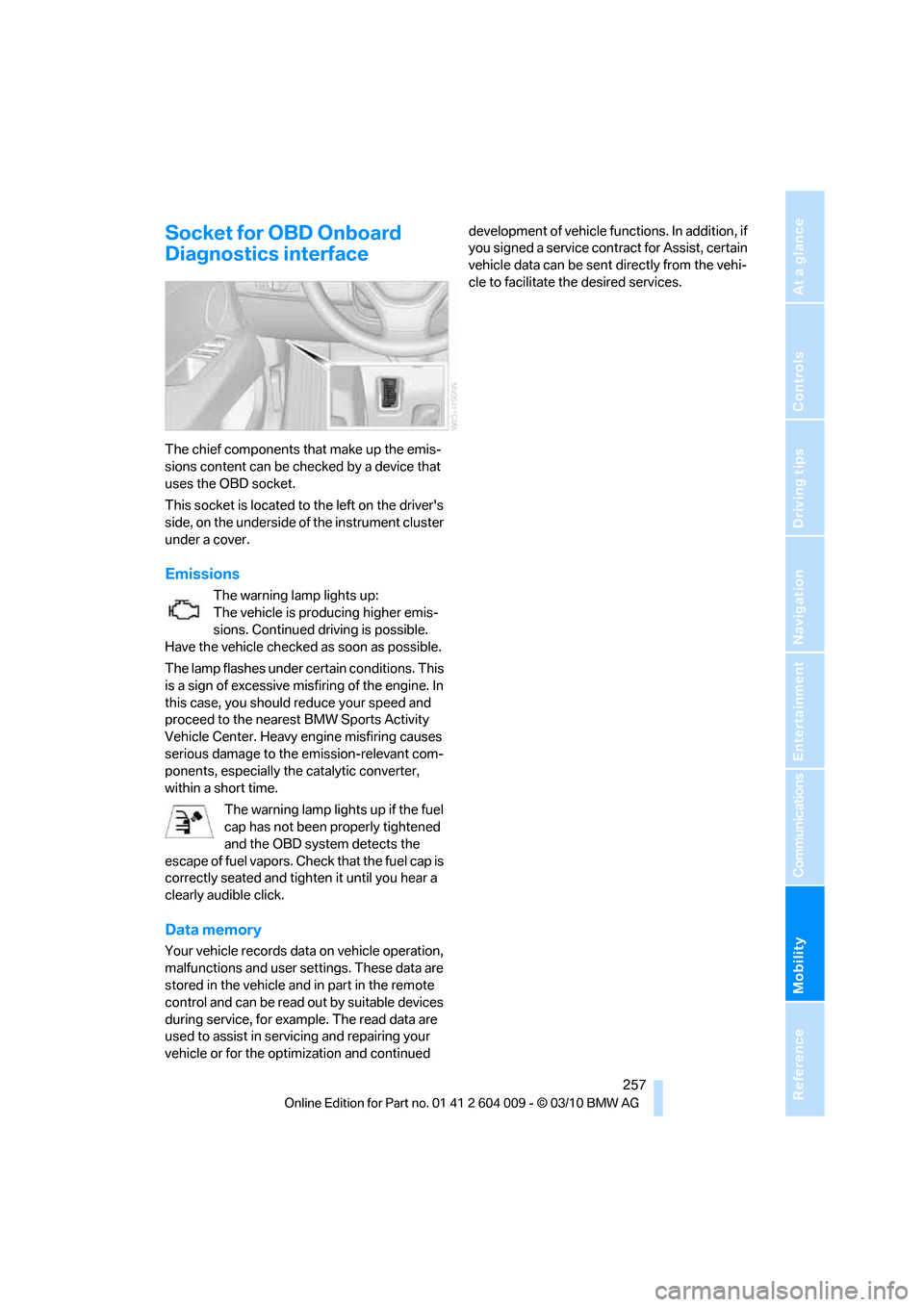
The chief components that make up the emis-
sions content can be checked by a device that
uses the OBD socket.
This socket is located to the left on the driver's
side, on the underside of the instrument cluster
under a cover.
Emissions
The warning lamp lights up:
The vehicle is producing higher emis-
sions. Continued driving is possible.
Have the vehicle checked as soon as possible.
The lamp flashes under certain conditions. This
is a sign of excessive misfiring of the engine. In
this case, you should reduce your speed and
proceed to the nearest BMW Sports Activity
Vehicle Center. Heavy engine misfiring causes
serious damage to the emission-relevant com-
ponents, especially the catalytic converter,
within a short time.
The warning lamp lights up if the fuel
cap has not been properly tightened
and the OBD system detects the
escape of fuel vapors. Check that the fuel cap is
correctly seated and tighten it until you hear a
clearly audible click.
Data memory
Your vehicle records data on vehicle operation,
malfunctions and user settings. These data are
stored in the vehicle and in part in the remote
control and can be read out by suitable devices
during service, for example. The read data are
used to assist in servicing and repairing your
vehicle or for the optimization and continued development of vehicle functions. In addition, if
you signed a service contract for Assist, certain
vehicle data can be sent directly from the vehi-
cle to facilitate the desired services.
Page 261 of 312
Mobility
259Reference
At a glance
Controls
Driving tips
Communications
Navigation
Entertainment
Steam cleaners/high-pressure
cleaning jets
When using steam cleaners or high-pres-
sure cleaning jets, make sure to maintain
a sufficient distance and stay below a maximum
temperature of 1407/606.
Insufficient distance or excessive pressure or
temperature can damage parts of the vehicle or
can result in water penetration. Follow the oper-
ating instructions for the high-pressure clean-
ing jets.<
Do not spray the sensors and cameras,
e.g. of Park Distance Control, Top View,
or rear view camera, with high-pressure clean-
ers for long periods and keep the spray nozzle
at least 12 in/30 cm away from them.<
Hand washing
When washing the vehicle by hand, use plenty
of water and car washing shampoo. Clean the
vehicle with gentle pressure using a sponge or a
washing brush.
Before cleaning the windshield, deacti-
vate the rain sensor or switch off the igni-
tion to prevent unwanted wiper operation.<
Follow local guidelines for washing vehi-
cles by hand.<
Headlamps
Do not rub dry and never use abrasives or
strong solvents to clean the covers.
Loosen dirt, e.g. insects, with shampoo or
insect remover and wash away with plenty of
water.
Use a window de-icer to remove accumulated
ice and snow, not a scraper.
Windows
Use a glass cleaner to clean the inside and out-
side surfaces of the windows and the glass sur-
faces of the mirrors.
Do not use quartz-containing cleansers
to clean glass surfaces of the mirrors.<
Caring for the vehicle finish
Regular care helps your vehicle retain its value
and protects the paint from the long-term
effects of aggressive substances.
Regionally occurring environmental factors can
affect and damage vehicle finish. It is therefore
important to tailor the frequency and extent of
your car care accordingly.
Immediately remove particularly aggressive
substances such as spilled fuel, oil, grease,
brake fluid, tree resin, or bird droppings; other-
wise, they may damage your paint.
Repairing paint damage
Repair stone damage or scratches imme-
diately, depending on the severity of the
damage, to prevent the formation of rust.<
BMW recommends having paint damage pro-
fessionally repaired using Genuine BMW finish
materials in accordance with factory guidelines.
Waxing
Sealant is required when water no longer beads
on the clean surface of the paint. Use only prod-
ucts that contain carnauba wax or synthetic wax
to seal your finish.
Rubber gaskets
Treat only with water or a rubber care product.
To avoid noise or damage, do not use
products that contain silicone to care for
rubber gaskets.<
Chrome components
Particularly after exposure to road salt, thor-
oughly cleanse parts like the radiator grille, door
handles, or window frames with plenty of water
with shampoo added to it. For additional treat-
ment, use chrome polish.
Alloy wheels
Depending on your system, braking can gener-
ate dust, which settles on the light-alloy wheels.
Remove this dust regularly with acid-free wheel
cleaner.
Page 262 of 312
Care
260 Do not use aggressive, acid-containing,
strongly alkaline, or coarse cleansers and
do not use steam cleaners at temperatures
greater than 1407/606; otherwise you may
damage your vehicle.<
Aluminum running boards
A rust film on the aluminum running boards can
be removed with a special cleaning agent.
Outside sensors/cameras
Make sure that sensors and cameras out-
side the vehicle, e.g. Park Distance Con-
trol, Top View, or rear view camera, are kept
clean and free of ice in order to assure full func-
tionality.<
Interior care
Upholstery materials/cloth-covered
paneling
Clean regularly with a vacuum cleaner in order
to remove surface dirt.
In the event of more serious soiling such as bev-
erage stains, use a soft sponge or a lint-free
microfiber cloth in combination with suitable
interior cleaners. Follow the instructions on the
packaging.
Clean upholstery material over a large
area extending out to the seams. Avoid
intense friction.<
Open Velcro fasteners on pants or other
items of clothing can cause damage to
the seat covering. Make sure that the Velcro
fasteners are closed.<
Leather/leather-covered paneling
The leather used by BMW is a high quality
natural product. Slight patterns in the
grain are part of the typical properties of a natu-
ral leather.<
Dust and dirt from the road chafe in pores and
folds and result in considerable wear and cause
the leather surface to become prematurely brit-
tle. We therefore suggest that you clean the leather with a dust cloth or vacuum cleaner at
regular intervals.
Particularly with light-colored leather, make
sure to clean it regularly since it has a greater
tendency to become soiled.
Treat the leather twice a year with a leather
lotion since dirt and grease harm the protective
layer of the leather.
Carpeting/floor mats*
Floor mats can be removed for cleaning.
If the carpets are very dirty, clean with a microfi-
ber cloth and water or an interior cleaner. To
prevent matting of the carpet, rub back and
forth in the direction of travel only.
Plastic components inside
>Vinyl upholstery surfaces
>Lamp lenses
>Cover glass of instrument cluster
>Matte parts
Should be cleaned with water and, if necessary,
solvent-free plastic cleaner.
Fine wooden components
Use a damp cloth to clean fine wooden trim
panels and components. Follow up by drying
with a soft cloth.
Safety belts
Soiled seatbelt straps hinder the reeling, thus
reducing safety.
Do not use chemical cleansers as they
can destroy the webbing.<
Inside sensors/cameras
Clean inside sensors and cameras, such as
those of the high-beam assistant, using a lint-
free cloth moistened with glass cleaner.
Displays
Clean displays like the radio or the instrument
cluster using a display-cleaning cloth or a soft,
nonabrasive lint-free cloth.
Page 265 of 312
Mobility
263Reference
At a glance
Controls
Driving tips
Communications
Navigation
Entertainment
When performing care and maintenance on the
headlamps, please observe the information on
page259.
For bulbs for which replacement is not
described and for checking and adjusting
headlamp aim, please contact your BMW
Sports Activity Vehicle Center.<
Light-emitting diodes LEDs
Light-emitting diodes installed behind translu-
c e n t l e n s e s s e r v e a s t h e l i g h t s o u r c e f o r m a n y o f
the controls and displays in your vehicle. These
light-emitting diodes, which operate using a
concept similar to that applied in conventional
lasers, are officially designated as Class 1 light-
emitting diodes.
Do not remove the covers, and never
stare into the unfiltered light for several
hours, as irritation of the retina could result.<
Headlamp glass
Condensation can form on the inside of the
external lamps in cool or humid weather. When
the light is switched on, the condensation evap-
orates after a short time. The headlamp glasses
do not need to be changed.
If there is a large amount of moisture, for exam-
ple if water droplets form in the lamp, have it
checked by your BMW Sports Activity Vehicle
Center.
BMW X5: changing lamps
Xenon lamps
These bulbs have a very long service life and
the probability of a failure is very low. If a lamp
should nevertheless fail, you can continue driv-
ing cautiously with fog lamps
* provided that
this is permitted by the country-specific laws.
Have work on the xenon light unit includ-
ing changing the bulb carried out only by
your BMW Sports Activity Vehicle Center or a
workshop that works according to BMW repair
procedures with correspondingly trained per-
sonnel. Due to the high voltage present in the system, there is a danger of fatal injuries when
work is carried out improperly.<
Halogen bulbs:
Parking lamps and roadside parking
lamps, daytime driving lamps
35-Watt bulb, H8
The bulb is pressurized. Therefore, wear
safety glasses and protective gloves.
Otherwise there is a danger of injuries if the
bulb is accidentally damaged during replace-
ment.<
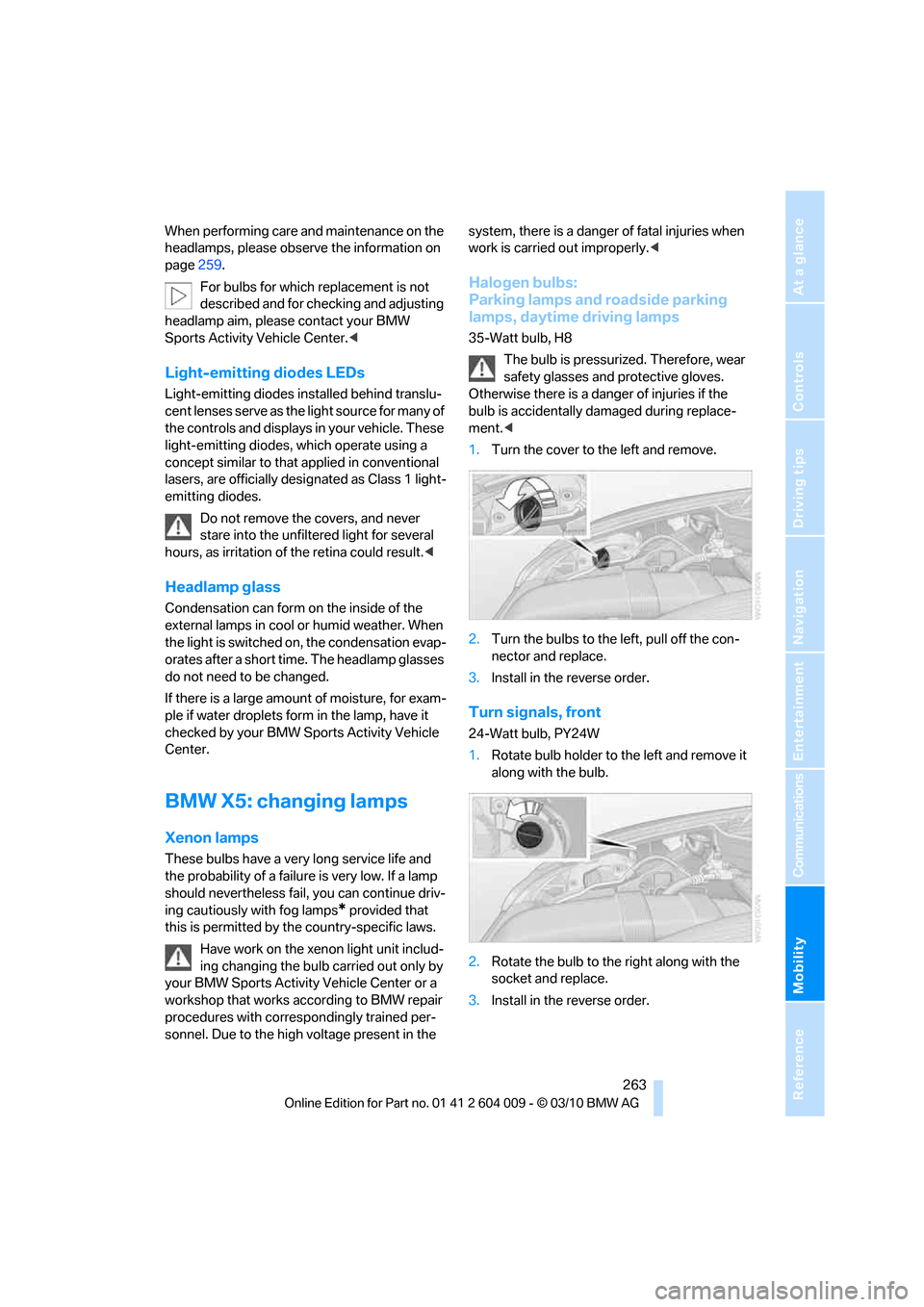
1.Turn the cover to the left and remove.
2.Turn the bulbs to the left, pull off the con-
nector and replace.
3.Install in the reverse order.
Turn signals, front
24-Watt bulb, PY24W
1.Rotate bulb holder to the left and remove it
along with the bulb.
2.Rotate the bulb to the right along with the
socket and replace.
3.Install in the reverse order.
Page 266 of 312
Replacing components
264
Side marker lamps, rear
To replace, please go to a BMW Sports Activity
Vehicle Center or a workshop that works
according to BMW repair procedures with cor-
respondingly trained personnel.
Tail lamps
>Turn signals, brake lamps: 21-watt bulb,
P21W
>Brake force display: 21-watt bulb, P21W
>Backup lamp: 16-watt bulb, W16W
>Rear lamp: LED technology.
In case of a defect, please go to a BMW
Sports Activity Vehicle Center or a work-
shop that works according to BMW repair
procedures with correspondingly trained
personnel.
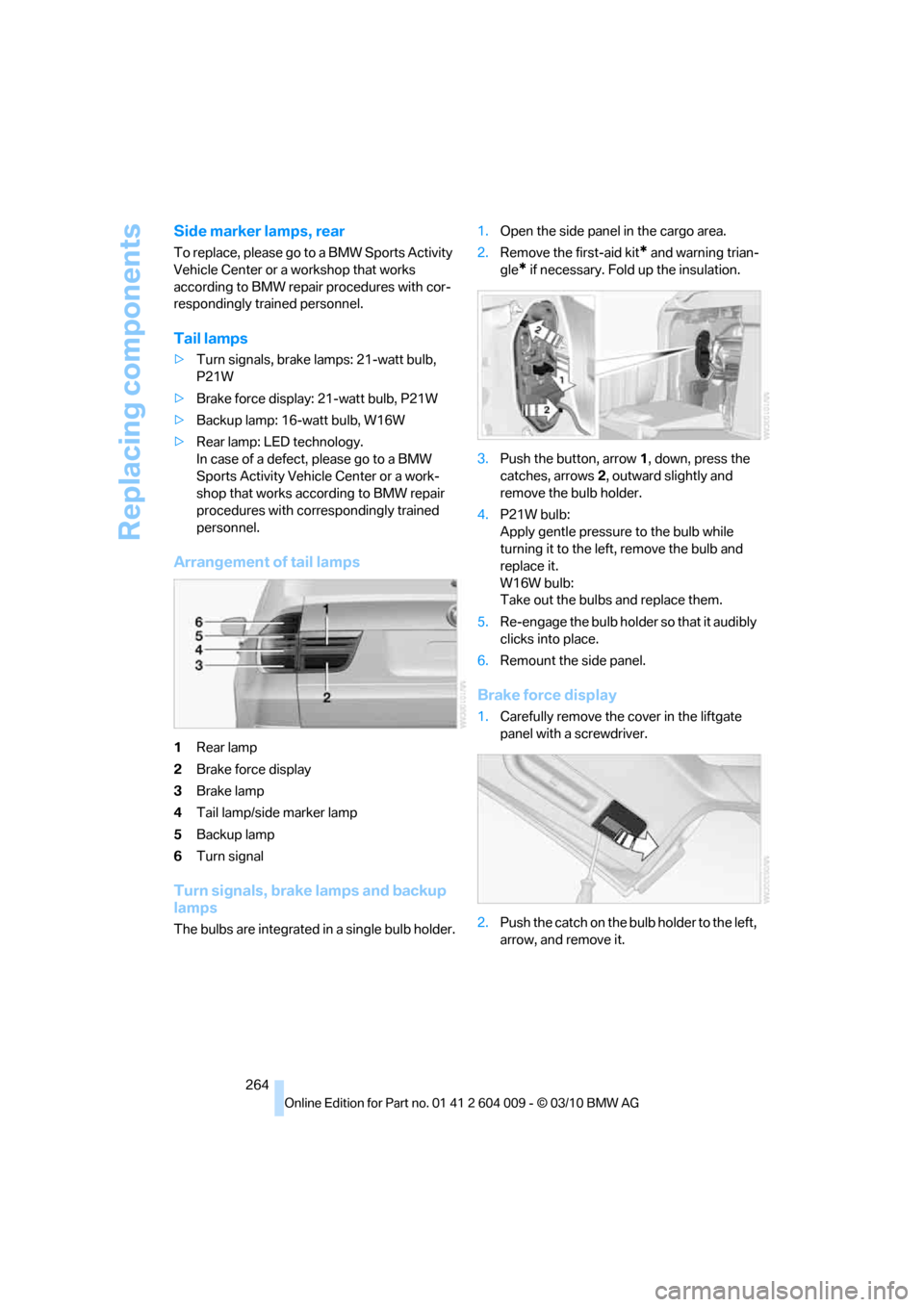
Arrangement of tail lamps
1Rear lamp
2Brake force display
3Brake lamp
4Tail lamp/side marker lamp
5Backup lamp
6Turn signal
Turn signals, brake lamps and backup
lamps
The bulbs are integrated in a single bulb holder.1.Open the side panel in the cargo area.
2.Remove the first-aid kit
* and warning trian-
gle
* if necessary. Fold up the insulation.
3.Push the button, arrow1, down, press the
catches, arrows2, outward slightly and
remove the bulb holder.
4.P21W bulb:
Apply gentle pressure to the bulb while
turning it to the left, remove the bulb and
replace it.
W16W bulb:
Take out the bulbs and replace them.
5.Re-engage the bulb holder so that it audibly
clicks into place.
6.Remount the side panel.
Brake force display
1.Carefully remove the cover in the liftgate
panel with a screwdriver.
2.Push the catch on the bulb holder to the left,
arrow, and remove it.