width BMW X6 2013 E71 Owner's Manual
[x] Cancel search | Manufacturer: BMW, Model Year: 2013, Model line: X6, Model: BMW X6 2013 E71Pages: 327, PDF Size: 7.71 MB
Page 49 of 327
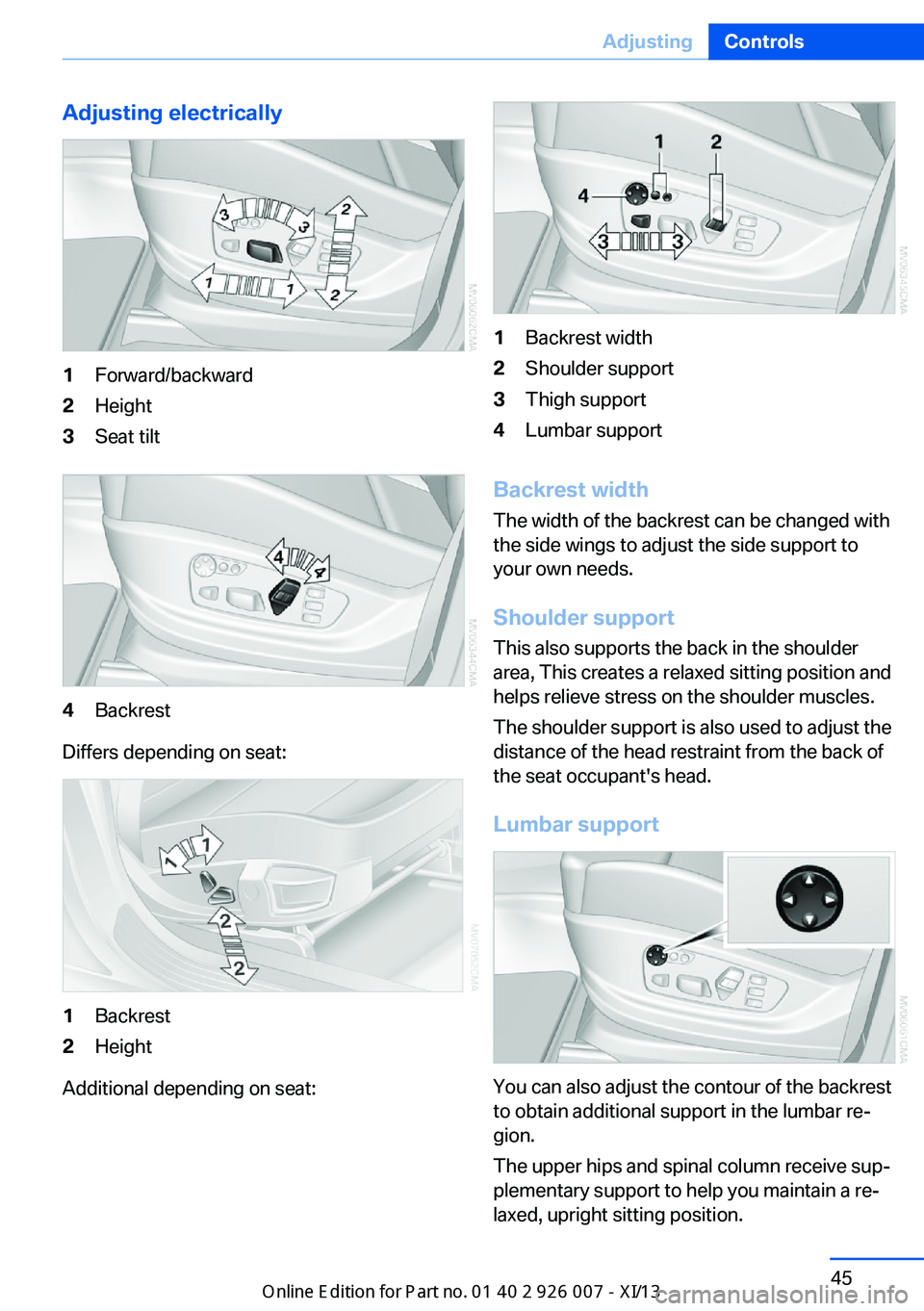
Adjusting electrically1Forward/backward2Height3Seat tilt4Backrest
Differs depending on seat:
1Backrest2Height
Additional depending on seat:
1Backrest width2Shoulder support3Thigh support4Lumbar support
Backrest widthThe width of the backrest can be changed with
the side wings to adjust the side support to
your own needs.
Shoulder support This also supports the back in the shoulder
area, This creates a relaxed sitting position and
helps relieve stress on the shoulder muscles.
The shoulder support is also used to adjust the
distance of the head restraint from the back of
the seat occupant's head.
Lumbar support
You can also adjust the contour of the backrest
to obtain additional support in the lumbar re‐
gion.
The upper hips and spinal column receive sup‐
plementary support to help you maintain a re‐
laxed, upright sitting position.
Seite 45AdjustingControls45
Online Edition for Part no. 01 40 2 910 876 - VII/13
Page 54 of 327
Electric
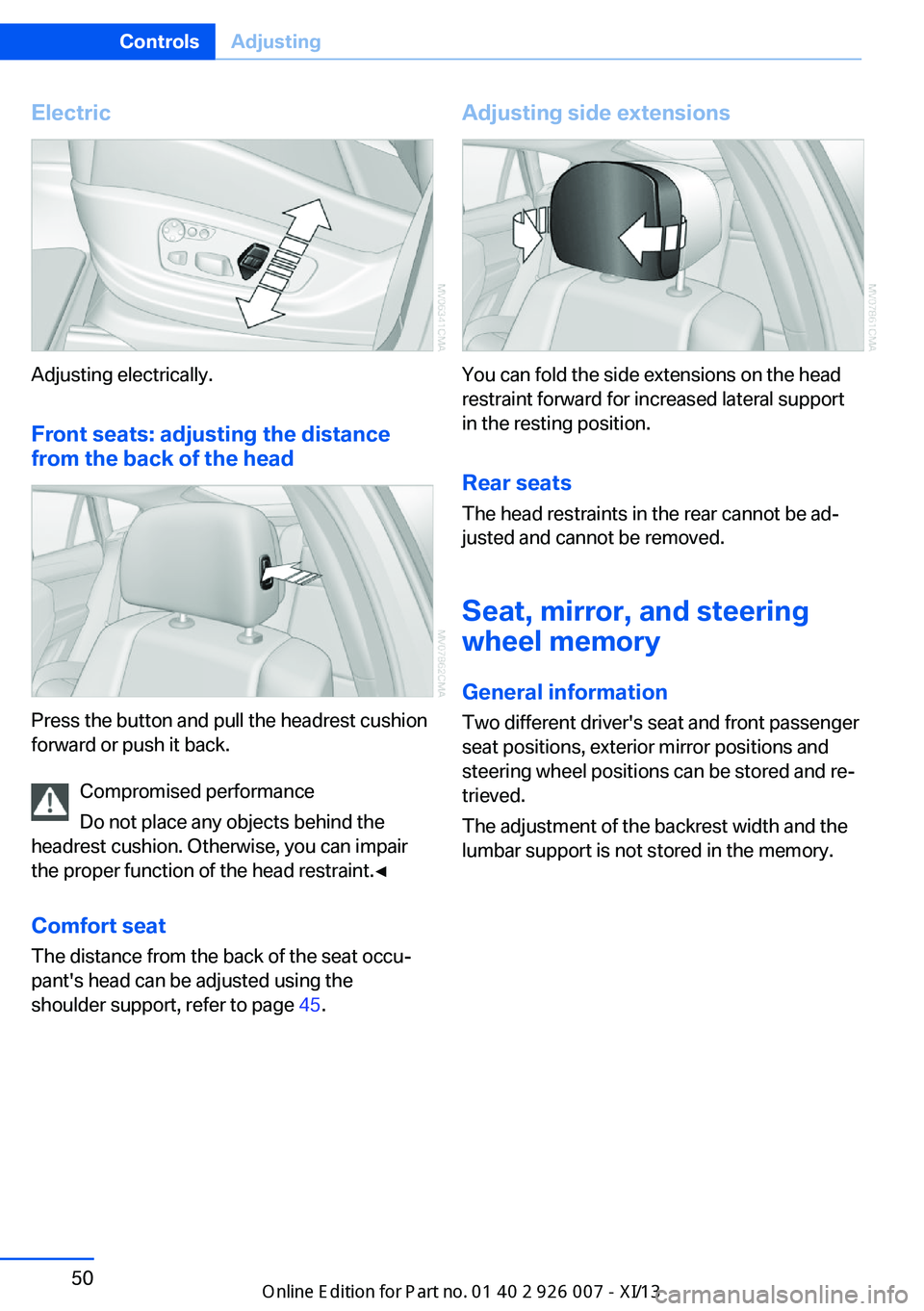
Adjusting electrically.Front seats: adjusting the distance
from the back of the head
Press the button and pull the headrest cushion
forward or push it back.
Compromised performance
Do not place any objects behind the
headrest cushion. Otherwise, you can impair
the proper function of the head restraint.◀
Comfort seat The distance from the back of the seat occu‐
pant's head can be adjusted using the
shoulder support, refer to page 45.
Adjusting side extensions
You can fold the side extensions on the head
restraint forward for increased lateral support
in the resting position.
Rear seats The head restraints in the rear cannot be ad‐
justed and cannot be removed.
Seat, mirror, and steering
wheel memory
General information
Two different driver's seat and front passenger
seat positions, exterior mirror positions and
steering wheel positions can be stored and re‐
trieved.
The adjustment of the backrest width and the
lumbar support is not stored in the memory.
Seite 50ControlsAdjusting50
Online Edition for Part no. 01 40 2 910 876 - VII/13
Page 56 of 327
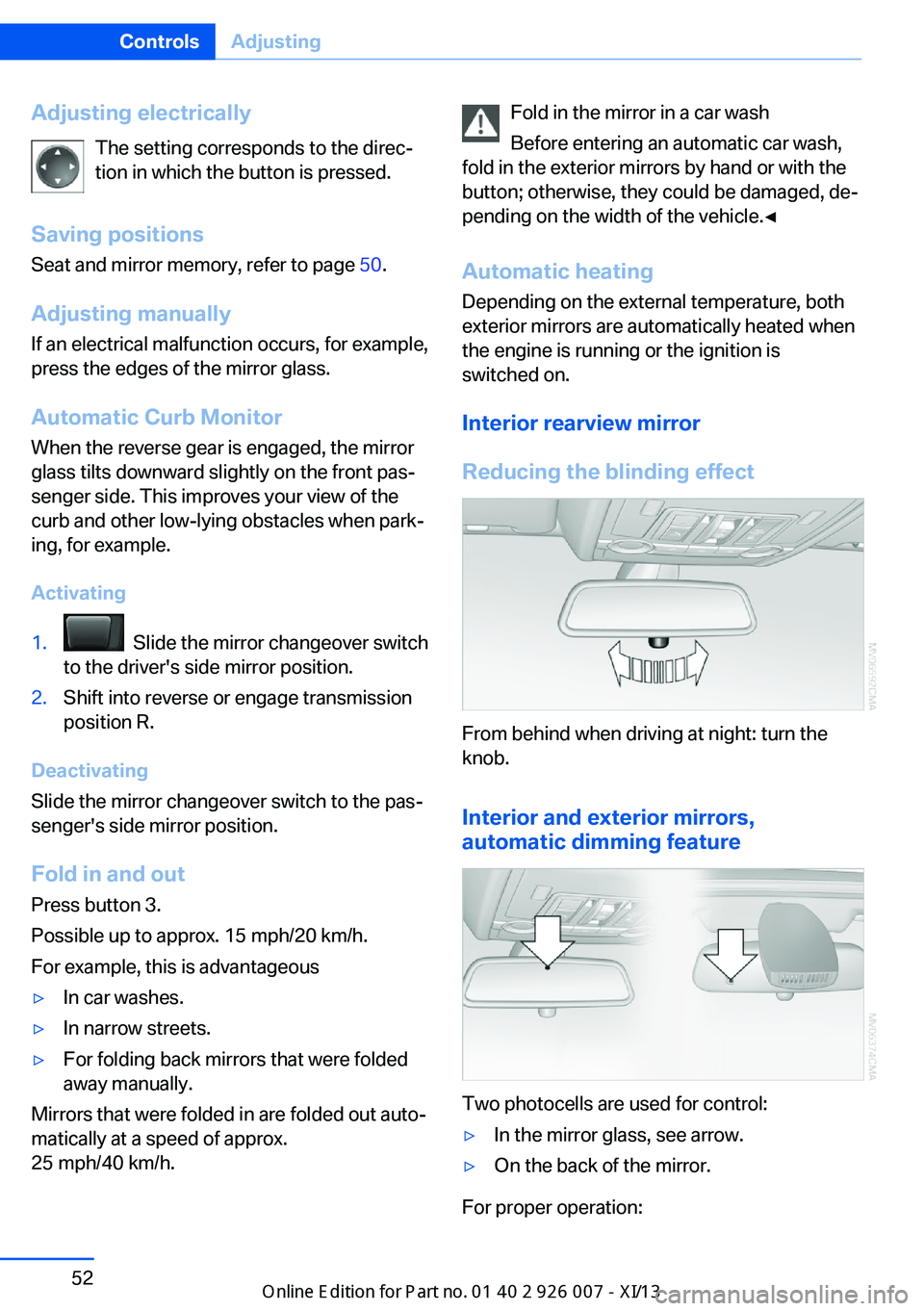
Adjusting electricallyThe setting corresponds to the direc‐
tion in which the button is pressed.
Saving positions
Seat and mirror memory, refer to page 50.
Adjusting manually If an electrical malfunction occurs, for example,
press the edges of the mirror glass.
Automatic Curb Monitor When the reverse gear is engaged, the mirror
glass tilts downward slightly on the front pas‐
senger side. This improves your view of the
curb and other low-lying obstacles when park‐
ing, for example.
Activating1. Slide the mirror changeover switch
to the driver's side mirror position.2.Shift into reverse or engage transmission
position R.
Deactivating
Slide the mirror changeover switch to the pas‐
senger's side mirror position.
Fold in and out Press button 3.
Possible up to approx. 15 mph/20 km/h.
For example, this is advantageous
▷In car washes.▷In narrow streets.▷For folding back mirrors that were folded
away manually.
Mirrors that were folded in are folded out auto‐
matically at a speed of approx.
25 mph/40 km/h.
Fold in the mirror in a car wash
Before entering an automatic car wash,
fold in the exterior mirrors by hand or with the
button; otherwise, they could be damaged, de‐
pending on the width of the vehicle.◀
Automatic heating
Depending on the external temperature, both
exterior mirrors are automatically heated when
the engine is running or the ignition is
switched on.
Interior rearview mirror
Reducing the blinding effect
From behind when driving at night: turn the
knob.
Interior and exterior mirrors,
automatic dimming feature
Two photocells are used for control:
▷In the mirror glass, see arrow.▷On the back of the mirror.
For proper operation:
Seite 52ControlsAdjusting52
Online Edition for Part no. 01 40 2 910 876 - VII/13
Page 59 of 327
possible and adjust its height to the highest
position to obtain the best possible position for
the belt and to offer optimal protection in the
event of an accident.
Do not change the seat position and height af‐
ter this.
Backrest width Before mounting a child restraint fixing system
on the front passenger seat, open the backrest
width, refer to page 45, completely. Do not
change the backrest width after this.
Backrest width for the child seat
Before installing a child restraint fixing
system in the front passenger seat, the back‐
rest width must be opened completely. Do not
change the adjustment after this; otherwise,
the stability of the child seat will be reduced.◀
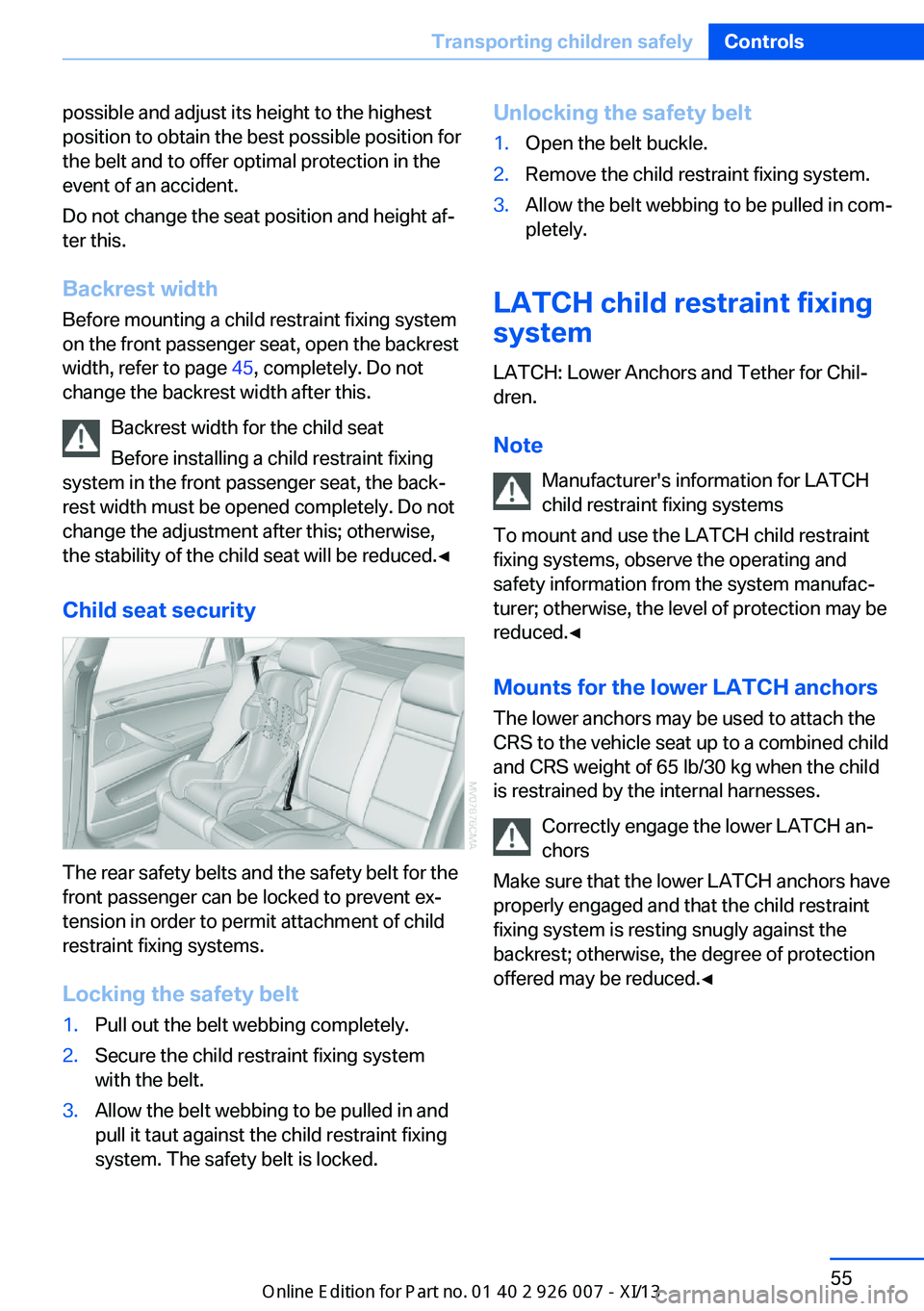
Child seat security
The rear safety belts and the safety belt for the
front passenger can be locked to prevent ex‐
tension in order to permit attachment of child
restraint fixing systems.
Locking the safety belt
1.Pull out the belt webbing completely.2.Secure the child restraint fixing system
with the belt.3.Allow the belt webbing to be pulled in and
pull it taut against the child restraint fixing
system. The safety belt is locked.Unlocking the safety belt1.Open the belt buckle.2.Remove the child restraint fixing system.3.Allow the belt webbing to be pulled in com‐
pletely.
LATCH child restraint fixing
system
LATCH: Lower Anchors and Tether for Chil‐
dren.
Note Manufacturer's information for LATCH
child restraint fixing systems
To mount and use the LATCH child restraint
fixing systems, observe the operating and
safety information from the system manufac‐
turer; otherwise, the level of protection may be
reduced.◀
Mounts for the lower LATCH anchors The lower anchors may be used to attach the
CRS to the vehicle seat up to a combined child
and CRS weight of 65 lb/30 kg when the child
is restrained by the internal harnesses.
Correctly engage the lower LATCH an‐
chors
Make sure that the lower LATCH anchors have
properly engaged and that the child restraint
fixing system is resting snugly against the
backrest; otherwise, the degree of protection
offered may be reduced.◀
Seite 55Transporting children safelyControls55
Online Edition for Part no. 01 40 2 910 876 - VII/13
Page 269 of 327
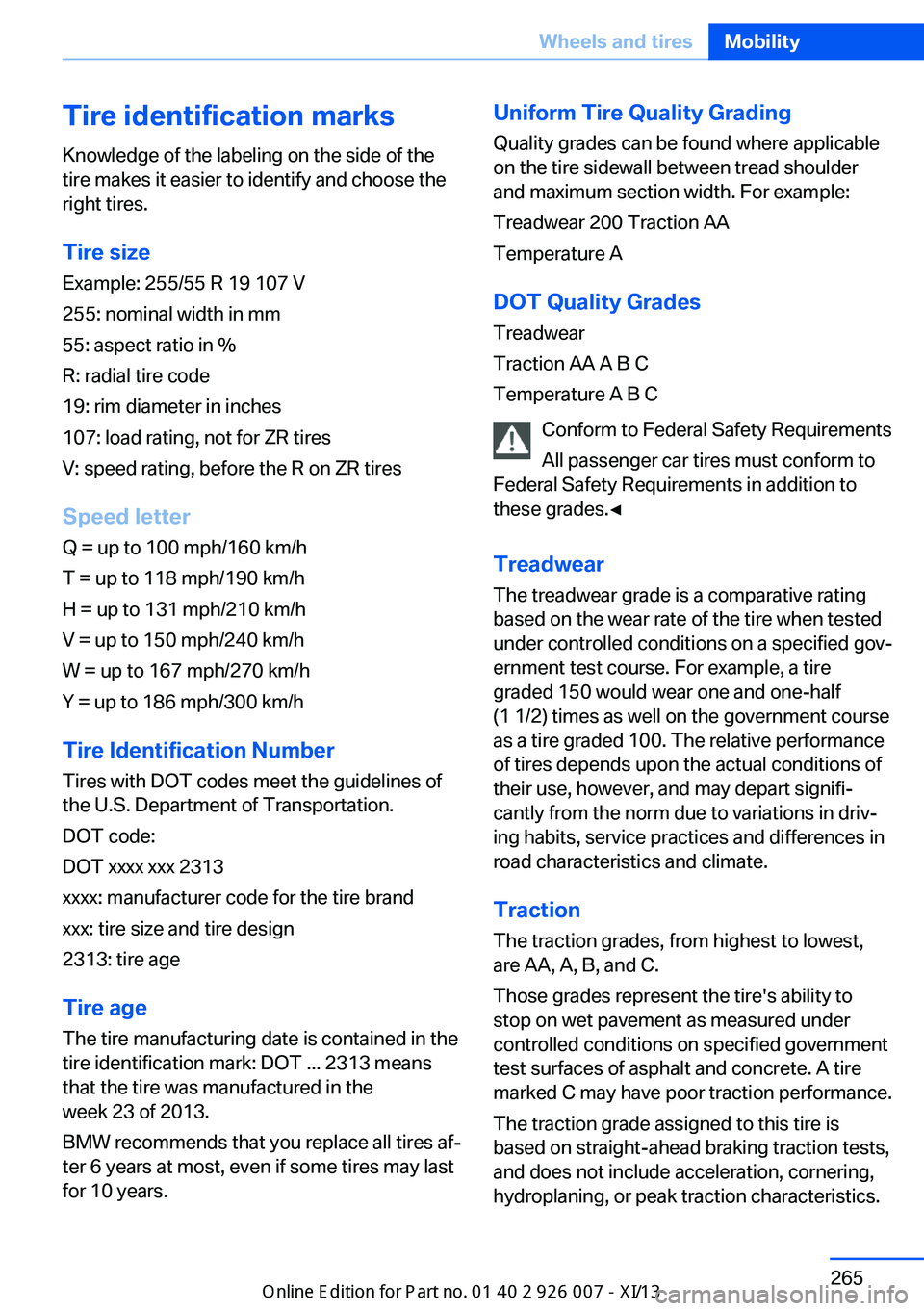
Tire identification marksKnowledge of the labeling on the side of the
tire makes it easier to identify and choose the
right tires.
Tire size
Example: 255/55 R 19 107 V
255: nominal width in mm
55: aspect ratio in %
R: radial tire code
19: rim diameter in inches
107: load rating, not for ZR tires
V: speed rating, before the R on ZR tires
Speed letter
Q = up to 100 mph/160 km/h
T = up to 118 mph/190 km/h
H = up to 131 mph/210 km/h
V = up to 150 mph/240 km/h
W = up to 167 mph/270 km/h
Y = up to 186 mph/300 km/h
Tire Identification Number Tires with DOT codes meet the guidelines of
the U.S. Department of Transportation.
DOT code:
DOT xxxx xxx 2313
xxxx: manufacturer code for the tire brand
xxx: tire size and tire design
2313: tire age
Tire age
The tire manufacturing date is contained in the
tire identification mark: DOT ... 2313 means
that the tire was manufactured in the
week 23 of 2013.
BMW recommends that you replace all tires af‐
ter 6 years at most, even if some tires may last
for 10 years.Uniform Tire Quality Grading
Quality grades can be found where applicable
on the tire sidewall between tread shoulder
and maximum section width. For example:
Treadwear 200 Traction AA
Temperature A
DOT Quality Grades
Treadwear
Traction AA A B C
Temperature A B C
Conform to Federal Safety Requirements
All passenger car tires must conform to
Federal Safety Requirements in addition to
these grades.◀
Treadwear The treadwear grade is a comparative rating
based on the wear rate of the tire when tested
under controlled conditions on a specified gov‐
ernment test course. For example, a tire graded 150 would wear one and one-half
(1 1/2) times as well on the government course
as a tire graded 100. The relative performance
of tires depends upon the actual conditions of
their use, however, and may depart signifi‐
cantly from the norm due to variations in driv‐
ing habits, service practices and differences in
road characteristics and climate.
Traction
The traction grades, from highest to lowest,
are AA, A, B, and C.
Those grades represent the tire's ability to
stop on wet pavement as measured under
controlled conditions on specified government
test surfaces of asphalt and concrete. A tire
marked C may have poor traction performance.
The traction grade assigned to this tire is
based on straight-ahead braking traction tests,
and does not include acceleration, cornering,
hydroplaning, or peak traction characteristics.Seite 265Wheels and tiresMobility265
Online Edition for Part no. 01 40 2 910 876 - VII/13
Page 295 of 327
CareVehicle equipmentThis chapter describes all series equipment as
well as country-specific and special equipment
offered for this model series.Therefore, it also
describes equipment that may not be found in
your vehicle, for instance due to the selected
special equipment or the country version. This
also applies to safety-related functions and
systems.
Car washes
Notes Steam jets or high-pressure washers
When using steam jets or high-pressure
washers, hold them a sufficient distance away
and use a maximum temperature of
140 ℉/60 ℃.
Holding them too close or using excessively
high pressures or temperatures can cause
damage or preliminary damage that may then lead to long-term damage.
Follow the operating instructions for the high-
pressure washer.◀
Cleaning sensors/cameras with high-
pressure washers
When using high-pressure washers, do not
spray the exterior sensors and cameras, for
Park Distance Control or the backup camera,
for instance, for extended periods of time and
only from a distance of at least 12 in/30 cm.◀
Regularly remove foreign bodies, such as
leaves, from the area below the windshield
when the hood is open.
Wash your vehicle frequently, particularly in
winter.
Intense soiling and road salt can damage the
vehicle.Washing in automatic car washes
Give preference to cloth car washes or those
that use soft brushes in order to avoid paint
damage.
Notes
Note the following:▷Make sure that the wheels and tires are not
damaged by the transport mechanisms.▷Fold in the exterior mirrors; otherwise, they
may be damaged, depending on the width
of the vehicle.▷Deactivate rain sensor, refer to page 66, to
prevent unintentional wiper action.▷Remove additional attachments, for in‐
stance a spoiler or telephone antenna, if
there is a risk that these may be damaged.
Guide rails in car washes
Avoid car washes with guide rails higher
than 4 in/10 cm; otherwise, the vehicle body
could be damaged.◀
Before driving into a car wash The vehicle is able to roll if the following steps
are taken.
1.Insert the remote control into the ignition
lock, even with Comfort Access.2.Engage transmission position N.3.Release the parking brake.4.Deactivating Automatic Hold, refer to
page 62.5.Switch the engine off.6.Leave the remote control in the ignition
lock so that the vehicle can roll.
Transmission position P will be engaged:
▷Automatically after approx. 30 minutes.Seite 291CareMobility291
Online Edition for Part no. 01 40 2 910 876 - VII/13
Page 296 of 327
▷When the remote control is removed from
the ignition lock.
Mixed tires
Note the vehicle width
Before driving into a car wash, make sure
that the vehicle width is not too large for the
car wash, as otherwise the vehicle and the car
wash could be damaged.◀
Headlamps
▷Do not rub dry and do not use abrasive or
caustic cleansers.▷Soak areas that have been soiled e.g. due
to insects, with shampoo and wash off with
water.▷Thaw ice with de-icing spray; do not use an
ice scraper.
After washing the vehicle
After washing the vehicle, apply the brakes
briefly to dry them; otherwise, braking action
can be reduced and corrosion of the brake
discs can occur.
Fully remove any residue from the windows to
prevent obstruction of view from streaking,
wiping noises, and wiper wear.
Vehicle careCar care productsBMW recommends using cleaning and care
products from BMW, since these have been
tested and approved.
Car care and cleaning products
Follow the instructions on the container.
When cleaning the interior, open the doors or
windows.
Only use products intended for cleaning vehi‐
cles.
Cleansers can contain substances that are
dangerous and harmful to your health.◀
Vehicle paint
Regular care contributes to driving safety and value retention. Environmental influences in
areas with high air pollution or natural contami‐
nants, such as tree resin or pollen, can have an
impact on the vehicle paint. Tailor the fre‐
quency and extent of your car care to these in‐
fluences.
Immediately remove aggressive substances,
such as spilled fuel, oil, grease, or bird drop‐
pings, to prevent damage to or discoloration of
the paintwork.
Leather care
Remove dust from the leather often, using a
cloth or vacuum cleaner.
Otherwise, particles of dust and road grime
chafe in pores and folds, and lead to increased
wear and premature degradation of the leather
surface.
To guard against discoloration, such as from
clothing, provide leather care roughly every
two months.
Clean light-colored leather more frequently as
dust and dirt are more noticeable.
Use leather care products; otherwise, dirt and
grease will gradually break down the protective
layer of the leather surface.
Suitable care products are available from the
service center.
Upholstery material care Vacuum regularly with a vacuum cleaner.
If they are very dirty, e.g., beverage stains, use
a soft sponge or microfiber cloth with a suita‐
ble interior cleaner.
Clean the upholstery down to the seams using
large sweeping motions. Avoid rubbing the
material vigorously.Seite 292MobilityCare292
Online Edition for Part no. 01 40 2 910 876 - VII/13
Page 302 of 327
Technical dataVehicle equipment
This chapter describes all series equipment as
well as country-specific and special equipment
offered for this model series.Therefore, it alsodescribes equipment that may not be found in
your vehicle, for instance due to the selected
special equipment or the country version. This
also applies to safety-related functions and
systems.
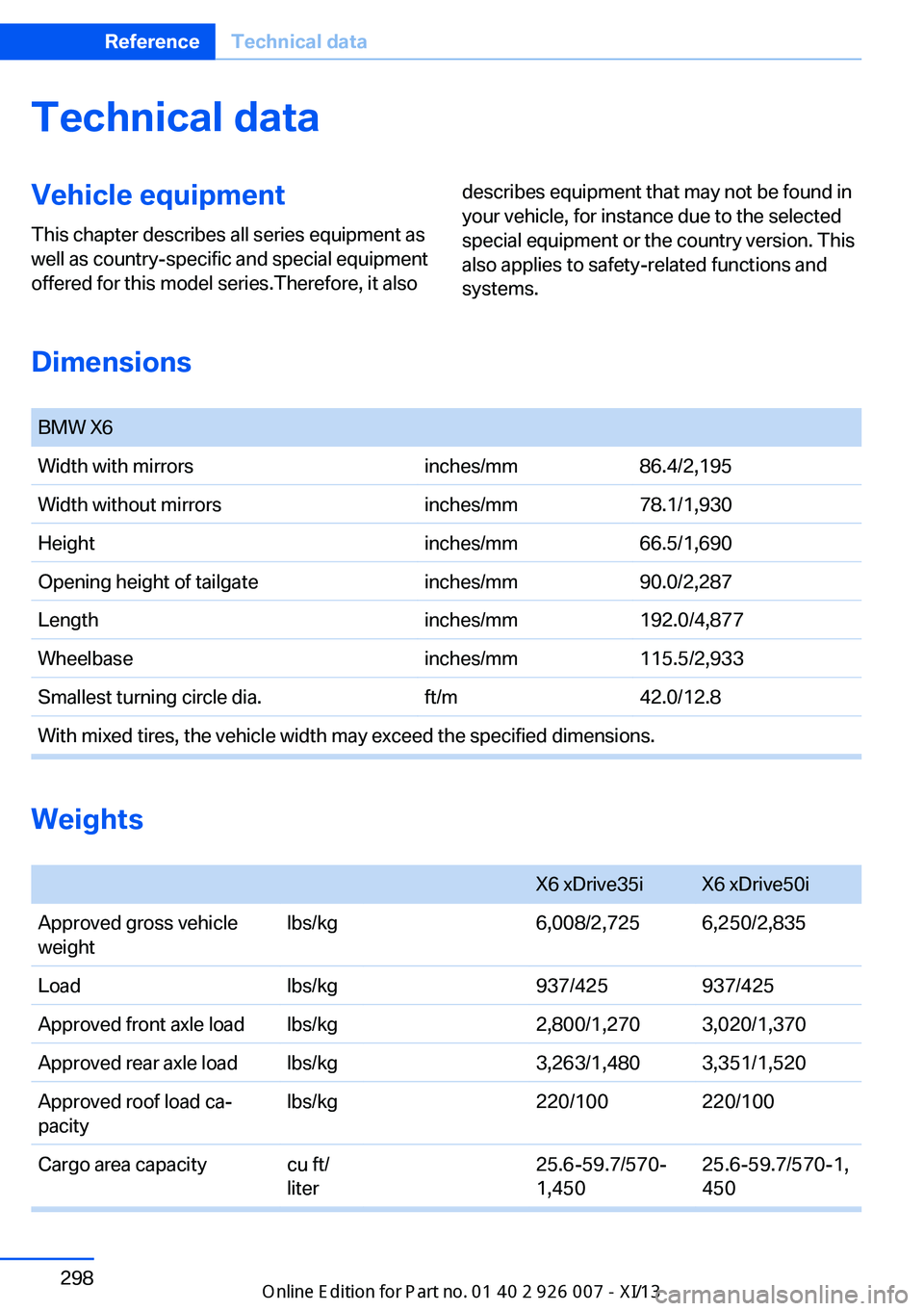
Dimensions
BMW X6Width with mirrorsinches/mm86.4/2,195Width without mirrorsinches/mm78.1/1,930Heightinches/mm66.5/1,690Opening height of tailgateinches/mm90.0/2,287Lengthinches/mm192.0/4,877Wheelbaseinches/mm115.5/2,933Smallest turning circle dia.ft/m42.0/12.8With mixed tires, the vehicle width may exceed the specified dimensions.
Weights
X6 xDrive35iX6 xDrive50iApproved gross vehicle
weightlbs/kg6,008/2,7256,250/2,835Loadlbs/kg937/425937/425Approved front axle loadlbs/kg2,800/1,2703,020/1,370Approved rear axle loadlbs/kg3,263/1,4803,351/1,520Approved roof load ca‐
pacitylbs/kg220/100220/100Cargo area capacitycu ft/
liter25.6-59.7/570‐
1,45025.6-59.7/570-1,
450Seite 298ReferenceTechnical data298
Online Edition for Part no. 01 40 2 910 876 - VII/13
Page 313 of 327
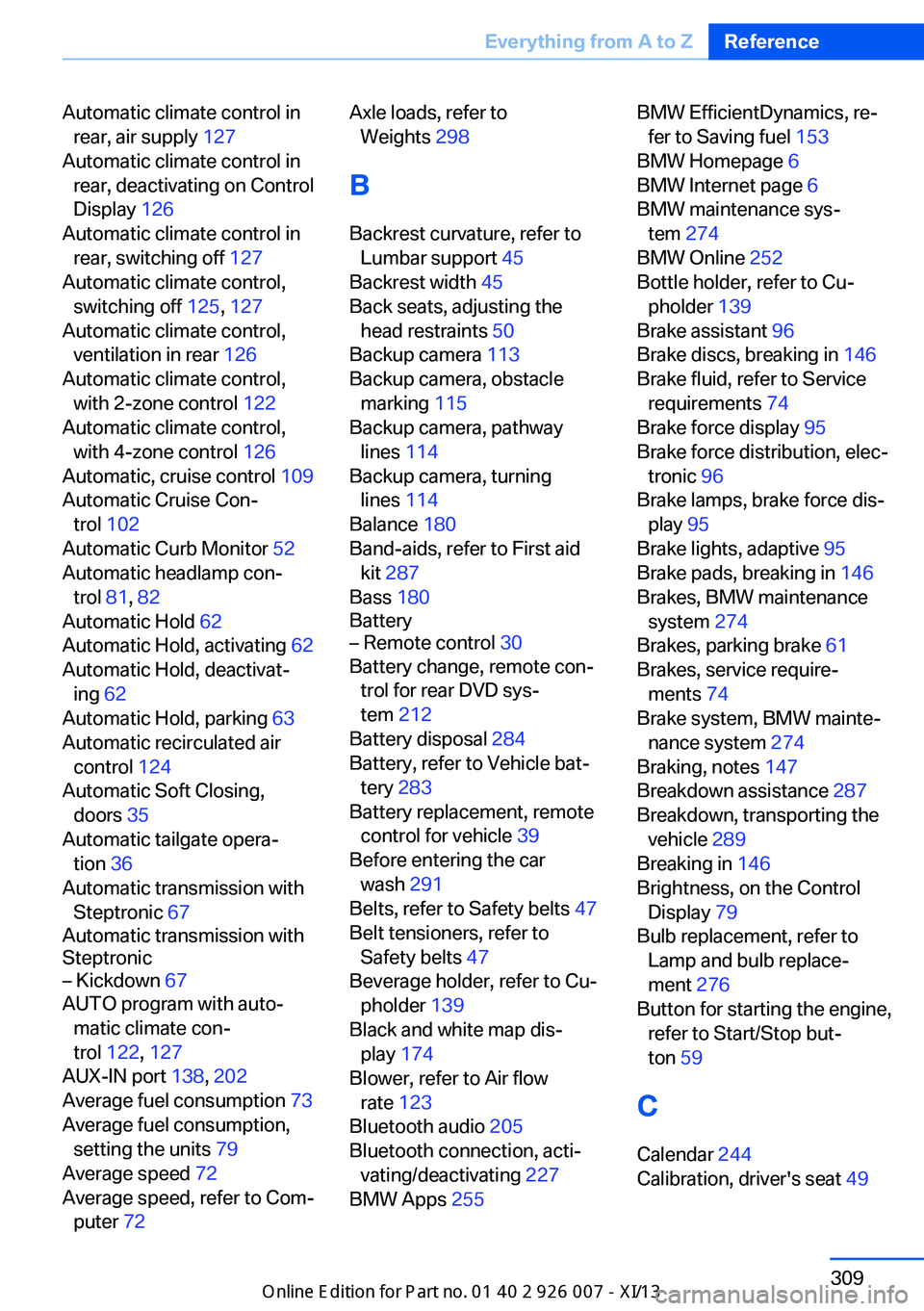
Automatic climate control inrear, air supply 127
Automatic climate control in rear, deactivating on Control
Display 126
Automatic climate control in rear, switching off 127
Automatic climate control, switching off 125, 127
Automatic climate control, ventilation in rear 126
Automatic climate control, with 2-zone control 122
Automatic climate control, with 4-zone control 126
Automatic, cruise control 109
Automatic Cruise Con‐ trol 102
Automatic Curb Monitor 52
Automatic headlamp con‐ trol 81, 82
Automatic Hold 62
Automatic Hold, activating 62
Automatic Hold, deactivat‐ ing 62
Automatic Hold, parking 63
Automatic recirculated air control 124
Automatic Soft Closing, doors 35
Automatic tailgate opera‐ tion 36
Automatic transmission with Steptronic 67
Automatic transmission with
Steptronic– Kickdown 67
AUTO program with auto‐
matic climate con‐
trol 122 , 127
AUX-IN port 138, 202
Average fuel consumption 73
Average fuel consumption, setting the units 79
Average speed 72
Average speed, refer to Com‐ puter 72
Axle loads, refer to
Weights 298
B
Backrest curvature, refer to Lumbar support 45
Backrest width 45
Back seats, adjusting the head restraints 50
Backup camera 113
Backup camera, obstacle marking 115
Backup camera, pathway lines 114
Backup camera, turning lines 114
Balance 180
Band-aids, refer to First aid kit 287
Bass 180
Battery– Remote control 30
Battery change, remote con‐
trol for rear DVD sys‐
tem 212
Battery disposal 284
Battery, refer to Vehicle bat‐ tery 283
Battery replacement, remote control for vehicle 39
Before entering the car wash 291
Belts, refer to Safety belts 47
Belt tensioners, refer to Safety belts 47
Beverage holder, refer to Cu‐ pholder 139
Black and white map dis‐ play 174
Blower, refer to Air flow rate 123
Bluetooth audio 205
Bluetooth connection, acti‐ vating/deactivating 227
BMW Apps 255
BMW EfficientDynamics, re‐
fer to Saving fuel 153
BMW Homepage 6
BMW Internet page 6
BMW maintenance sys‐ tem 274
BMW Online 252
Bottle holder, refer to Cu‐ pholder 139
Brake assistant 96
Brake discs, breaking in 146
Brake fluid, refer to Service requirements 74
Brake force display 95
Brake force distribution, elec‐ tronic 96
Brake lamps, brake force dis‐ play 95
Brake lights, adaptive 95
Brake pads, breaking in 146
Brakes, BMW maintenance system 274
Brakes, parking brake 61
Brakes, service require‐ ments 74
Brake system, BMW mainte‐ nance system 274
Braking, notes 147
Breakdown assistance 287
Breakdown, transporting the vehicle 289
Breaking in 146
Brightness, on the Control Display 79
Bulb replacement, refer to Lamp and bulb replace‐
ment 276
Button for starting the engine, refer to Start/Stop but‐
ton 59
C
Calendar 244
Calibration, driver's seat 49 Seite 309Everything from A to ZReference309
Online Edition for Part no. 01 40 2 910 876 - VII/13
Page 322 of 327
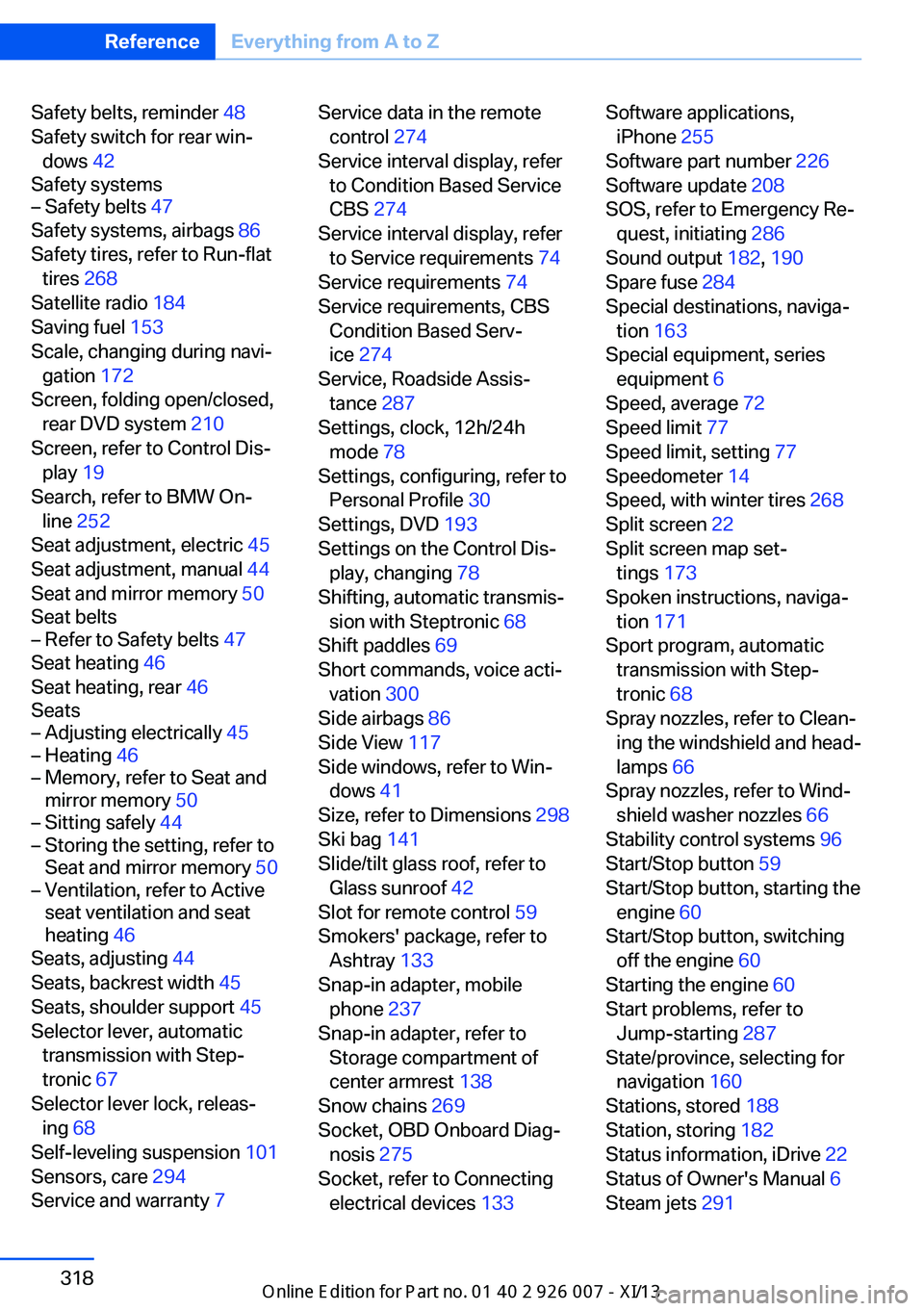
Safety belts, reminder 48
Safety switch for rear win‐ dows 42
Safety systems– Safety belts 47
Safety systems, airbags 86
Safety tires, refer to Run-flat tires 268
Satellite radio 184
Saving fuel 153
Scale, changing during navi‐ gation 172
Screen, folding open/closed, rear DVD system 210
Screen, refer to Control Dis‐ play 19
Search, refer to BMW On‐ line 252
Seat adjustment, electric 45
Seat adjustment, manual 44
Seat and mirror memory 50
Seat belts
– Refer to Safety belts 47
Seat heating 46
Seat heating, rear 46
Seats
– Adjusting electrically 45– Heating 46– Memory, refer to Seat and
mirror memory 50– Sitting safely 44– Storing the setting, refer to
Seat and mirror memory 50– Ventilation, refer to Active
seat ventilation and seat
heating 46
Seats, adjusting 44
Seats, backrest width 45
Seats, shoulder support 45
Selector lever, automatic transmission with Step‐
tronic 67
Selector lever lock, releas‐ ing 68
Self-leveling suspension 101
Sensors, care 294
Service and warranty 7
Service data in the remote
control 274
Service interval display, refer to Condition Based Service
CBS 274
Service interval display, refer to Service requirements 74
Service requirements 74
Service requirements, CBS Condition Based Serv‐
ice 274
Service, Roadside Assis‐ tance 287
Settings, clock, 12h/24h mode 78
Settings, configuring, refer to Personal Profile 30
Settings, DVD 193
Settings on the Control Dis‐ play, changing 78
Shifting, automatic transmis‐ sion with Steptronic 68
Shift paddles 69
Short commands, voice acti‐ vation 300
Side airbags 86
Side View 117
Side windows, refer to Win‐ dows 41
Size, refer to Dimensions 298
Ski bag 141
Slide/tilt glass roof, refer to Glass sunroof 42
Slot for remote control 59
Smokers' package, refer to Ashtray 133
Snap-in adapter, mobile phone 237
Snap-in adapter, refer to Storage compartment of
center armrest 138
Snow chains 269
Socket, OBD Onboard Diag‐ nosis 275
Socket, refer to Connecting electrical devices 133 Software applications,
iPhone 255
Software part number 226
Software update 208
SOS, refer to Emergency Re‐ quest, initiating 286
Sound output 182, 190
Spare fuse 284
Special destinations, naviga‐ tion 163
Special equipment, series equipment 6
Speed, average 72
Speed limit 77
Speed limit, setting 77
Speedometer 14
Speed, with winter tires 268
Split screen 22
Split screen map set‐ tings 173
Spoken instructions, naviga‐ tion 171
Sport program, automatic transmission with Step‐
tronic 68
Spray nozzles, refer to Clean‐ ing the windshield and head‐
lamps 66
Spray nozzles, refer to Wind‐ shield washer nozzles 66
Stability control systems 96
Start/Stop button 59
Start/Stop button, starting the engine 60
Start/Stop button, switching off the engine 60
Starting the engine 60
Start problems, refer to Jump-starting 287
State/province, selecting for navigation 160
Stations, stored 188
Station, storing 182
Status information, iDrive 22
Status of Owner's Manual 6
Steam jets 291 Seite 318ReferenceEverything from A to Z318
Online Edition for Part no. 01 40 2 910 876 - VII/13