sunroof BMW X6 2013 E71 User Guide
[x] Cancel search | Manufacturer: BMW, Model Year: 2013, Model line: X6, Model: BMW X6 2013 E71Pages: 345, PDF Size: 9.45 MB
Page 156 of 345
Things to remember when drivingVehicle equipment
This chapter describes all series equipment as
well as country-specific and special equipment
offered for this model series.Therefore, it also
describes equipment that may not be found in
your vehicle, for instance due to the selected
special equipment or the country version. This
also applies to safety-related functions and
systems.
Breaking-in period
General information Moving parts need to be broken in to adjust to
each other.
The following instructions will help achieve a
long vehicle life and good economy.
Engine and differential Always obey all official speed limits.
Up to 1,200 miles/2,000 km
Do not exceed the maximum engine and road
speeds:▷For a gasoline engine, 4,500 rpm and
100 mph/160 km/h.▷For a diesel engine, 3,500 rpm and
93 mph/150 km/h.
Avoid full-throttle operation and use of the
transmission's kickdown mode for the initial
miles.
From 1,200 miles/2,000 km The engine and vehicle speed can gradually be
increased.
Tires
Due to technical factors associated with their
manufacture, tires do not achieve their full
traction potential until after an initial breaking-
in period.
Drive conservatively for the first
200 miles/300 km.
Brake system
Brakes require an initial break-in period of ap‐
prox. 300 miles/500 km to achieve optimized
contact and wear patterns between brake pads and rotors. Drive cautiously during this break-
in period.
Following part replacement
The same breaking in procedures should be
observed if any of the components mentioned
above have to be renewed in the course of the
vehicle's operating life.
General driving notes
Closing tailgate Drive with the tailgate closed
Only drive with the tailgate closed; other‐
wise, passengers and other road users may be
endangered or the vehicle may be damaged if
an accident occurs or during braking or evasive
maneuvers. In addition, exhaust fumes may
enter the passenger compartment.◀
If, despite this, the vehicle must be driven with
the tailgate open:▷Drive moderately.▷Close all windows and the glass sunroof/
panoramic glass sunroof.▷Greatly increase the blower speed.Seite 156Driving tipsThings to remember when driving156
Online Edition for Part no. 01 40 2 918 395 - III/13
Page 163 of 345
Be sure that adequate clearance is maintained
for tilting and opening the glass sunroof/panor‐
amic glass sunroof.
Loading Because roof racks raise the vehicle's center
of gravity when loaded, they have a major ef‐
fect on vehicle handling and steering re‐
sponse.
Therefore, note the following when loading
and driving:▷Do not exceed the approved roof/axle
loads and the approved gross vehicle
weight.▷Distribute the roof load uniformly.▷The roof load should not be too large in
area.▷Always load the heaviest pieces on the
bottom.▷Fasten the roof-mounted luggage se‐
curely, for instance using lashing straps.▷Do not let objects project into the opening
path of the tailgate.▷Drive smoothly. Avoid sudden acceleration
and braking maneuvers. Take corners gen‐
tly.Seite 163LoadingDriving tips163
Online Edition for Part no. 01 40 2 918 395 - III/13
Page 164 of 345
Saving fuelVehicle equipmentThis chapter describes all series equipment as
well as country-specific and special equipment
offered for this model series.Therefore, it also
describes equipment that may not be found in
your vehicle, for instance due to the selected
special equipment or the country version. This
also applies to safety-related functions and
systems.
General information
Your vehicle contains advanced technology for
the reduction of fuel consumption and emis‐
sions.
Fuel consumption depends on a number of dif‐
ferent factors.
The implementation of certain measures, driv‐
ing style and regular maintenance, refer to
page 293, can have an influence on fuel con‐
sumption and on the environmental impact.
Remove unnecessary cargo
Additional weight increases fuel consumption.
Remove attached parts
following use
Remove unneeded auxiliary mirrors, roof or
rear luggage racks after use.
Attached parts on the vehicle impair the aero‐
dynamics and increase the fuel consumption.Closing the windows and
glass sunroof/panoramic
glass sunroof
Driving with the glass sunroof/panoramic glass
sunroof and windows open results in increased
air resistance and raises fuel consumption.
Check the tire inflation
pressure regularly
Check and, if necessary, correct the tire infla‐
tion pressure, refer to page 275, at least twice
a month and before starting on a long trip.
Low tire inflation pressure increases rolling re‐
sistance and thus raises fuel consumption and
tire wear.
Drive away without delay
Do not wait for the engine to warm-up while
the vehicle remains stationary. Start driving
right away, but at moderate engine speeds.
This is the fastest way for the cold engine to
reach its operating temperature.
Look well ahead when
driving
Avoid unnecessary acceleration and braking.
By maintaining a suitable distance to the vehi‐
cle driving ahead of you.
Driving smoothly and looking ahead reduces
fuel consumption.
Avoid high engine speeds Driving at a low engine speed reduces fuel
consumption and minimizes wear.Seite 164Driving tipsSaving fuel164
Online Edition for Part no. 01 40 2 918 395 - III/13
Page 305 of 345
▷When the vehicle has not been driven for
more than one month.
Starting aid terminals
Only charge using the starting aid terminals,
refer to page 309, in the engine compartment
while the engine is switched off.
Power failure
After a temporary power loss, some equipment
needs to be reinitialized.
Individual settings need to be reprogrammed:
▷Seat and mirror memory: store the posi‐
tions again, refer to page 57.▷Time: update, refer to page 87.▷Date: update, refer to page 87.▷Radio station: save again, refer to
page 192.▷Navigation system: wait for the navigation
system to be operational.▷Glass sunroof/panoramic glass sunroof: it
may only be possible to raise the roof.
Have the system initialized by the service
center.▷Digital compass: recalibrate, refer to
page 141.▷Active steering: the system automatically
initializes for a short time as you drive. Dur‐
ing this time, the system is deactivated, re‐
fer to page 110.▷xDrive: the system automatically initializes
as you drive. During this time, indicator
lamps light up. If the lamps do not disap‐
pear during the current trip, have the sys‐
tem checked.
Disposing of old batteries
Have old batteries disposed of by your
service center or bring them to a recy‐
cling center.
Maintain the battery in an upright position for
transport and storage. Secure the battery so
that it does not tip over during transport.
Fuses
Replacing fuses
Never attempt to repair a blown fuse and
do not replace a defective fuse with a substi‐
tute of another color or amperage rating; this
could lead to a circuit overload, ultimately re‐
sulting in a fire in the vehicle.◀
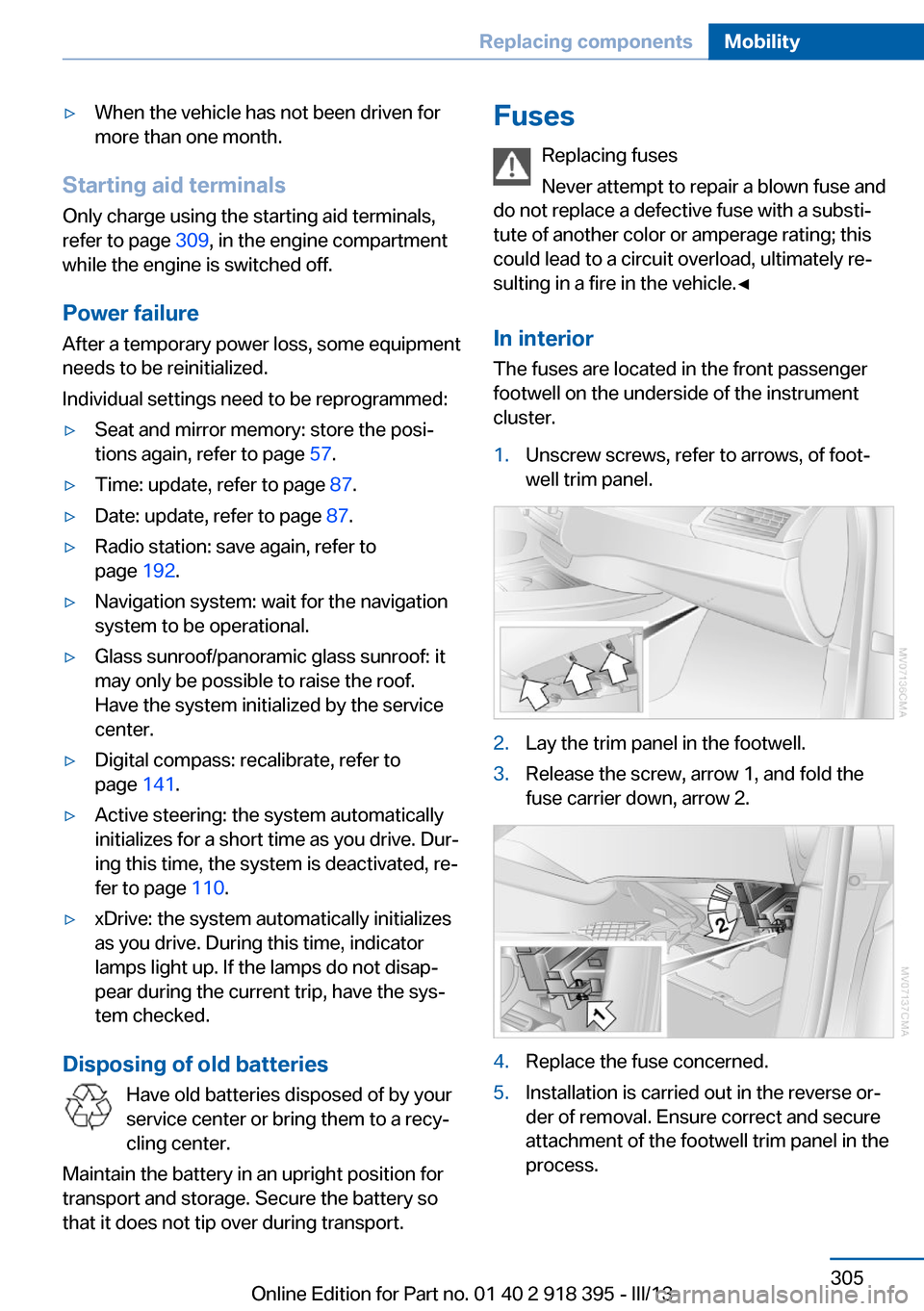
In interior The fuses are located in the front passenger
footwell on the underside of the instrument
cluster.1.Unscrew screws, refer to arrows, of foot‐
well trim panel.2.Lay the trim panel in the footwell.3.Release the screw, arrow 1, and fold the
fuse carrier down, arrow 2.4.Replace the fuse concerned.5.Installation is carried out in the reverse or‐
der of removal. Ensure correct and secure
attachment of the footwell trim panel in the
process.Seite 305Replacing componentsMobility305
Online Edition for Part no. 01 40 2 918 395 - III/13
Page 333 of 345
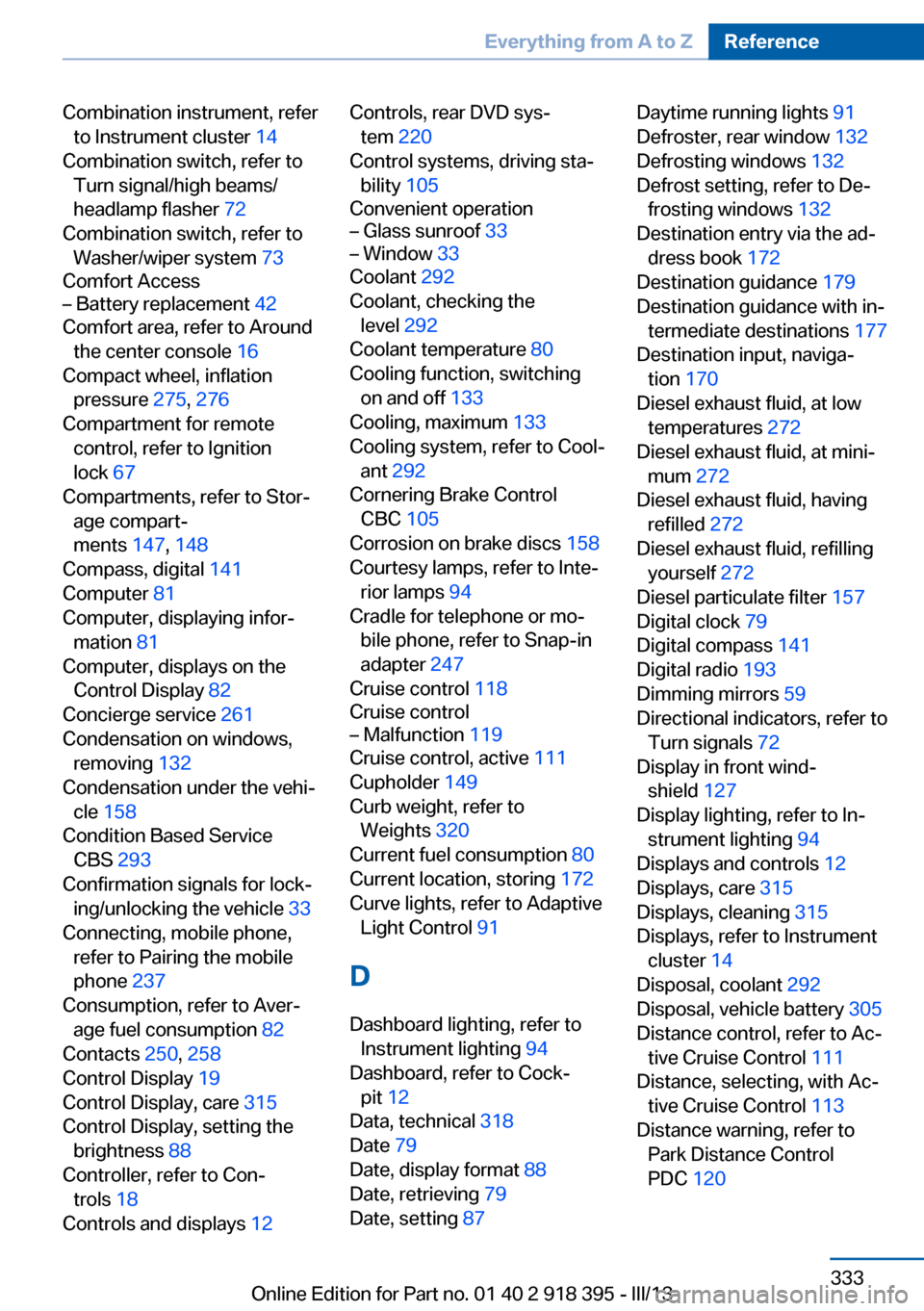
Combination instrument, referto Instrument cluster 14
Combination switch, refer to Turn signal/high beams/
headlamp flasher 72
Combination switch, refer to Washer/wiper system 73
Comfort Access– Battery replacement 42
Comfort area, refer to Around
the center console 16
Compact wheel, inflation pressure 275, 276
Compartment for remote control, refer to Ignition
lock 67
Compartments, refer to Stor‐ age compart‐
ments 147, 148
Compass, digital 141
Computer 81
Computer, displaying infor‐ mation 81
Computer, displays on the Control Display 82
Concierge service 261
Condensation on windows, removing 132
Condensation under the vehi‐ cle 158
Condition Based Service CBS 293
Confirmation signals for lock‐ ing/unlocking the vehicle 33
Connecting, mobile phone, refer to Pairing the mobile
phone 237
Consumption, refer to Aver‐ age fuel consumption 82
Contacts 250, 258
Control Display 19
Control Display, care 315
Control Display, setting the brightness 88
Controller, refer to Con‐ trols 18
Controls and displays 12
Controls, rear DVD sys‐
tem 220
Control systems, driving sta‐ bility 105
Convenient operation– Glass sunroof 33– Window 33
Coolant 292
Coolant, checking the level 292
Coolant temperature 80
Cooling function, switching on and off 133
Cooling, maximum 133
Cooling system, refer to Cool‐ ant 292
Cornering Brake Control CBC 105
Corrosion on brake discs 158
Courtesy lamps, refer to Inte‐ rior lamps 94
Cradle for telephone or mo‐ bile phone, refer to Snap-in
adapter 247
Cruise control 118
Cruise control
– Malfunction 119
Cruise control, active 111
Cupholder 149
Curb weight, refer to Weights 320
Current fuel consumption 80
Current location, storing 172
Curve lights, refer to Adaptive Light Control 91
D
Dashboard lighting, refer to Instrument lighting 94
Dashboard, refer to Cock‐ pit 12
Data, technical 318
Date 79
Date, display format 88
Date, retrieving 79
Date, setting 87
Daytime running lights 91
Defroster, rear window 132
Defrosting windows 132
Defrost setting, refer to De‐ frosting windows 132
Destination entry via the ad‐ dress book 172
Destination guidance 179
Destination guidance with in‐ termediate destinations 177
Destination input, naviga‐ tion 170
Diesel exhaust fluid, at low temperatures 272
Diesel exhaust fluid, at mini‐ mum 272
Diesel exhaust fluid, having refilled 272
Diesel exhaust fluid, refilling yourself 272
Diesel particulate filter 157
Digital clock 79
Digital compass 141
Digital radio 193
Dimming mirrors 59
Directional indicators, refer to Turn signals 72
Display in front wind‐ shield 127
Display lighting, refer to In‐ strument lighting 94
Displays and controls 12
Displays, care 315
Displays, cleaning 315
Displays, refer to Instrument cluster 14
Disposal, coolant 292
Disposal, vehicle battery 305
Distance control, refer to Ac‐ tive Cruise Control 111
Distance, selecting, with Ac‐ tive Cruise Control 113
Distance warning, refer to Park Distance Control
PDC 120 Seite 333Everything from A to ZReference333
Online Edition for Part no. 01 40 2 918 395 - III/13
Page 335 of 345
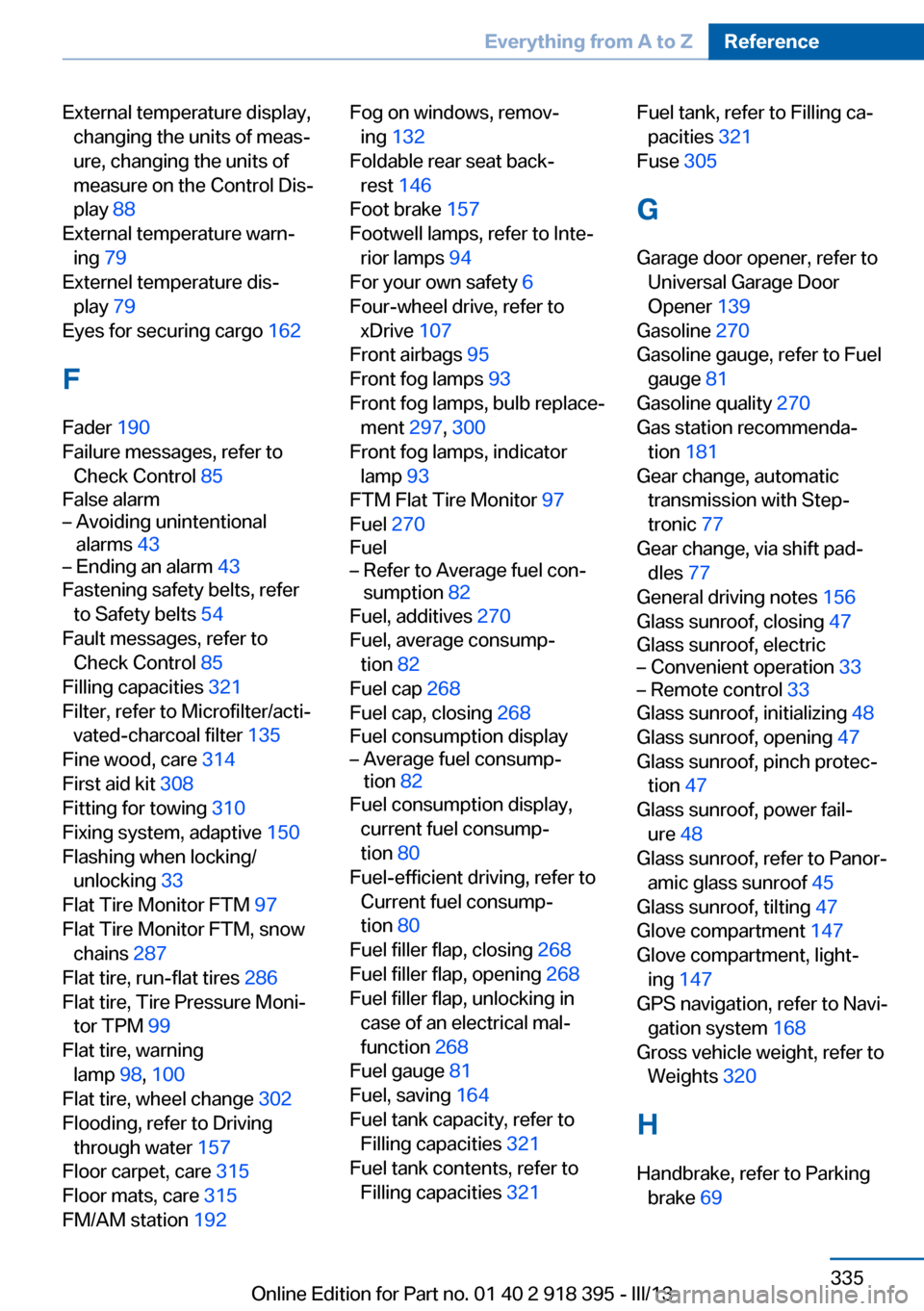
External temperature display,changing the units of meas‐
ure, changing the units of
measure on the Control Dis‐
play 88
External temperature warn‐ ing 79
Externel temperature dis‐ play 79
Eyes for securing cargo 162
F
Fader 190
Failure messages, refer to Check Control 85
False alarm– Avoiding unintentional
alarms 43– Ending an alarm 43
Fastening safety belts, refer
to Safety belts 54
Fault messages, refer to Check Control 85
Filling capacities 321
Filter, refer to Microfilter/acti‐ vated-charcoal filter 135
Fine wood, care 314
First aid kit 308
Fitting for towing 310
Fixing system, adaptive 150
Flashing when locking/ unlocking 33
Flat Tire Monitor FTM 97
Flat Tire Monitor FTM, snow chains 287
Flat tire, run-flat tires 286
Flat tire, Tire Pressure Moni‐ tor TPM 99
Flat tire, warning lamp 98, 100
Flat tire, wheel change 302
Flooding, refer to Driving through water 157
Floor carpet, care 315
Floor mats, care 315
FM/AM station 192
Fog on windows, remov‐
ing 132
Foldable rear seat back‐ rest 146
Foot brake 157
Footwell lamps, refer to Inte‐ rior lamps 94
For your own safety 6
Four-wheel drive, refer to xDrive 107
Front airbags 95
Front fog lamps 93
Front fog lamps, bulb replace‐ ment 297, 300
Front fog lamps, indicator lamp 93
FTM Flat Tire Monitor 97
Fuel 270
Fuel– Refer to Average fuel con‐
sumption 82
Fuel, additives 270
Fuel, average consump‐ tion 82
Fuel cap 268
Fuel cap, closing 268
Fuel consumption display
– Average fuel consump‐
tion 82
Fuel consumption display,
current fuel consump‐
tion 80
Fuel-efficient driving, refer to Current fuel consump‐
tion 80
Fuel filler flap, closing 268
Fuel filler flap, opening 268
Fuel filler flap, unlocking in case of an electrical mal‐
function 268
Fuel gauge 81
Fuel, saving 164
Fuel tank capacity, refer to Filling capacities 321
Fuel tank contents, refer to Filling capacities 321
Fuel tank, refer to Filling ca‐
pacities 321
Fuse 305
G
Garage door opener, refer to Universal Garage Door
Opener 139
Gasoline 270
Gasoline gauge, refer to Fuel gauge 81
Gasoline quality 270
Gas station recommenda‐ tion 181
Gear change, automatic transmission with Step‐
tronic 77
Gear change, via shift pad‐ dles 77
General driving notes 156
Glass sunroof, closing 47
Glass sunroof, electric– Convenient operation 33– Remote control 33
Glass sunroof, initializing 48
Glass sunroof, opening 47
Glass sunroof, pinch protec‐ tion 47
Glass sunroof, power fail‐ ure 48
Glass sunroof, refer to Panor‐ amic glass sunroof 45
Glass sunroof, tilting 47
Glove compartment 147
Glove compartment, light‐ ing 147
GPS navigation, refer to Navi‐ gation system 168
Gross vehicle weight, refer to Weights 320
H
Handbrake, refer to Parking brake 69
Seite 335Everything from A to ZReference335
Online Edition for Part no. 01 40 2 918 395 - III/13
Page 336 of 345
Hand-held transmitter, alter‐nating code 140
Hands-free microphone 16
Hazard warning sys‐ tem 16, 307
HDC Hill Descent Con‐ trol 108
HD Radio 193
Head airbags 95
Headlamp control, auto‐ matic 90, 91
Headlamp courtesy delay fea‐ ture 91
Headlamp flasher 72, 92
Headlamp flasher, indicator lamp 15
Headlamps 90
Headlamps, care 313
Headlamps, cleaning 74
Headlamps, cleaning, washer fluid 75
Headliner 17
Headphones, connecting, rear DVD system 221
Head restraints 55
Head-up Display 127
Head-up Display, care 315
Heatable rear window 132
Heating 130
Heating– Seats 52
Heating, interior 130
Heating, mirrors 59
Heating, residual heat 134
Heating with the engine switched off, refer to Resid‐
ual heat 134
Heavy cargo, refer to Stowing cargo 161
Height, refer to Dimen‐ sions 318
High-beam Assistant 92
High beams 92
High beams/low beams, auto‐ matic, refer to High-beam
Assistant 92
High beams, indicator
lamp 15
High-pressure washers 312
Hill Descent Control HDC 108
Hill drive-off assistant, refer to Drive-off assistant 109
Hills 158
Holder for beverages 149
Holder for remote control, re‐ fer to Ignition lock 67
Homepage 6
Hood 289
Hood, opening 289
Horn 12
Hot exhaust system 157
Hotline 263
House number, entering for navigation 171
Hydraulic brake assis‐ tant 105
Hydroplaning 157
I Ice warning, refer to External temperature warning 79
Icy roads, refer to External temperature warning 79
Identification marks, tires 283
iDrive 18
iDrive, changing settings 87
iDrive, changing the lan‐ guage 88
iDrive, changing the units of measure and display for‐
mat 88
iDrive, setting the bright‐ ness 88
iDrive, setting the date 87
iDrive, setting the time 87
Ignition 68
Ignition key position 1, refer to Radio ready state 67
Ignition key position 2, refer to Ignition on 68 Ignition key, refer to Remote
control with integrated
key 30
Ignition lock 67
Ignition, switched off 68
Ignition, switched on 68
Images, displaying, rear DVD system 228
Indication of a flat tire 98, 100
Indicator and warning lamps 15
Inflation pressure monitor, re‐ fer to Flat Tire Monitor 97
Inflation pressure, refer to Tire inflation pressure 275
Information on the navigation data 168
Initialization after power fail‐ ure 305
Initializing– Compass, refer to Calibrat‐
ing 142– Panoramic glass sunroof 46
Initializing, Flat Tire Monitor
FTM 98
Initializing, glass sunroof 48
Initializing, refer to Setting the date 87
Initializing, refer to Setting the time 87
Initializing, Tire Pressure Monitor TPM 100
Installation location, tele‐ phone 148
Instrument cluster 14
Instrument lighting 94
Instrument panel, refer to In‐ strument cluster 14
Instruments, refer to Cock‐ pit 12
Integrated key 30
Interactive map 175
Interior equipment 139
Interior lamps 94
Interior lamps
– Remote control 33
Interior mirror 59
Seite 336ReferenceEverything from A to Z336
Online Edition for Part no. 01 40 2 918 395 - III/13
Page 339 of 345
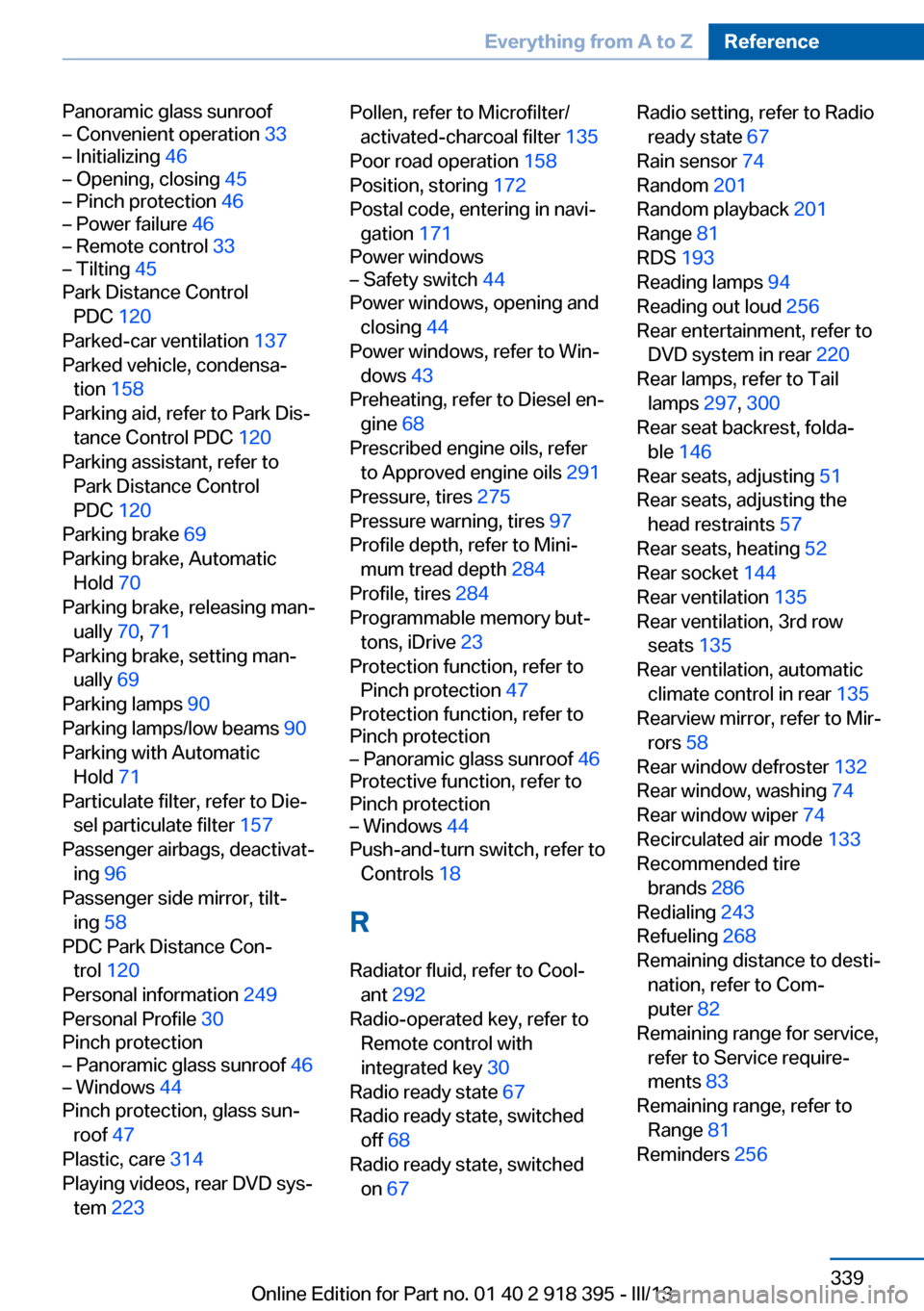
Panoramic glass sunroof– Convenient operation 33– Initializing 46– Opening, closing 45– Pinch protection 46– Power failure 46– Remote control 33– Tilting 45
Park Distance Control
PDC 120
Parked-car ventilation 137
Parked vehicle, condensa‐ tion 158
Parking aid, refer to Park Dis‐ tance Control PDC 120
Parking assistant, refer to Park Distance Control
PDC 120
Parking brake 69
Parking brake, Automatic Hold 70
Parking brake, releasing man‐ ually 70, 71
Parking brake, setting man‐ ually 69
Parking lamps 90
Parking lamps/low beams 90
Parking with Automatic Hold 71
Particulate filter, refer to Die‐ sel particulate filter 157
Passenger airbags, deactivat‐ ing 96
Passenger side mirror, tilt‐ ing 58
PDC Park Distance Con‐ trol 120
Personal information 249
Personal Profile 30
Pinch protection
– Panoramic glass sunroof 46– Windows 44
Pinch protection, glass sun‐
roof 47
Plastic, care 314
Playing videos, rear DVD sys‐ tem 223
Pollen, refer to Microfilter/
activated-charcoal filter 135
Poor road operation 158
Position, storing 172
Postal code, entering in navi‐ gation 171
Power windows– Safety switch 44
Power windows, opening and
closing 44
Power windows, refer to Win‐ dows 43
Preheating, refer to Diesel en‐ gine 68
Prescribed engine oils, refer to Approved engine oils 291
Pressure, tires 275
Pressure warning, tires 97
Profile depth, refer to Mini‐ mum tread depth 284
Profile, tires 284
Programmable memory but‐ tons, iDrive 23
Protection function, refer to Pinch protection 47
Protection function, refer to
Pinch protection
– Panoramic glass sunroof 46
Protective function, refer to
Pinch protection
– Windows 44
Push-and-turn switch, refer to
Controls 18
R Radiator fluid, refer to Cool‐ ant 292
Radio-operated key, refer to Remote control with
integrated key 30
Radio ready state 67
Radio ready state, switched off 68
Radio ready state, switched on 67
Radio setting, refer to Radio
ready state 67
Rain sensor 74
Random 201
Random playback 201
Range 81
RDS 193
Reading lamps 94
Reading out loud 256
Rear entertainment, refer to DVD system in rear 220
Rear lamps, refer to Tail lamps 297, 300
Rear seat backrest, folda‐ ble 146
Rear seats, adjusting 51
Rear seats, adjusting the head restraints 57
Rear seats, heating 52
Rear socket 144
Rear ventilation 135
Rear ventilation, 3rd row seats 135
Rear ventilation, automatic climate control in rear 135
Rearview mirror, refer to Mir‐ rors 58
Rear window defroster 132
Rear window, washing 74
Rear window wiper 74
Recirculated air mode 133
Recommended tire brands 286
Redialing 243
Refueling 268
Remaining distance to desti‐ nation, refer to Com‐
puter 82
Remaining range for service, refer to Service require‐
ments 83
Remaining range, refer to Range 81
Reminders 256 Seite 339Everything from A to ZReference339
Online Edition for Part no. 01 40 2 918 395 - III/13
Page 341 of 345
Settings on the Control Dis‐play, changing 87
Shifting, automatic transmis‐ sion with Steptronic 77
Shift paddles 77
Short commands, voice acti‐ vation 322
Side airbags 95
Side View 126
Side windows, refer to Win‐ dows 43
Size, refer to Dimensions 318
Ski bag 151
Slide/tilt glass roof, refer to Glass sunroof 46
Slide/tilt glass roof, refer to Panoramic glass sunroof 45
Slot for remote control 67
Smokers' package, refer to Ashtray 143
Snap-in adapter, mobile phone 247
Snap-in adapter, refer to Storage compartment of
center armrest 148
Snow chains 287
Socket, OBD Onboard Diag‐ nosis 294
Socket, refer to Connecting electrical devices 143
Software applications, iPhone 265
Software part number 236
Software update 218
Soot particulate filter, refer to Diesel particulate filter 157
SOS, refer to Emergency Re‐ quest, initiating 307
Sound output 192, 200
Spare fuse 305
Special destinations, naviga‐ tion 173
Special equipment, series equipment 6
Speed, average 81
Speed limit 86 Speed limit, setting 86
Speedometer 14
Speed, with winter tires 286
Split screen 22
Split screen map set‐ tings 183
Spoken instructions, naviga‐ tion 181
Sport program, automatic transmission with Step‐
tronic 77
Spray nozzles, refer to Clean‐ ing the windshield and head‐
lamps 74
Spray nozzles, refer to Wind‐ shield washer nozzles 74
Stability control systems 105
Start/Stop button 67
Start/Stop button, starting the engine 68
Start/Stop button, switching off the engine 69
Starting the engine 68
Start problems, refer to Jump-starting 308
State/province, selecting for navigation 170
Stations, stored 198
Station, storing 192
Status information, iDrive 22
Status of Owner's Manual 6
Steam jets 312
Steering wheel 60
Steering wheel, adjusting 60
Steering wheel, easy entry/ exit 60
Steering wheel lock 67
Steering with variable transla‐ tion, refer to Active steer‐
ing 110
Steptronic, refer to Sport pro‐ gram and manual mode M/
S 77
Stopping, engine 69
Storage compartment nets 148 Storage compart‐
ments 147, 148
Storage, tires 286
Storing the seat position, re‐ fer to Seat and mirror mem‐
ory 57
Storing the vehicle 315
Street, entering for naviga‐ tion 171
Summer tires, refer to Wheels and tires 275
Summer tires, tread 284
Sunblinds, roller sun‐ blinds 45
Surround View 122
Switches, refer to Cockpit 12
Switching off, engine 69
Switching off, vehicle 69
Switch-on times, parked-car ventilation 137
Symbols 6
T Tachometer 80
Tailgate– Comfort Access 41– Remote control 33
Tailgate, adjusting the open‐
ing height 37, 38
Tailgate, automatic opera‐ tion 38
Tail lamps 297, 300
Tank gauge, refer to Fuel gauge 81
Tasks 255
Technical changes, refer to Safety 6
Technical data 318
Telephone 236
Telephone, adjusting the vol‐ ume 240
Telephone, installation loca‐ tion, refer to Center arm‐
rest 148
TeleService 261
Seite 341Everything from A to ZReference341
Online Edition for Part no. 01 40 2 918 395 - III/13