change wheel BMW X6 2013 E71 Owner's Guide
[x] Cancel search | Manufacturer: BMW, Model Year: 2013, Model line: X6, Model: BMW X6 2013 E71Pages: 345, PDF Size: 9.45 MB
Page 229 of 345
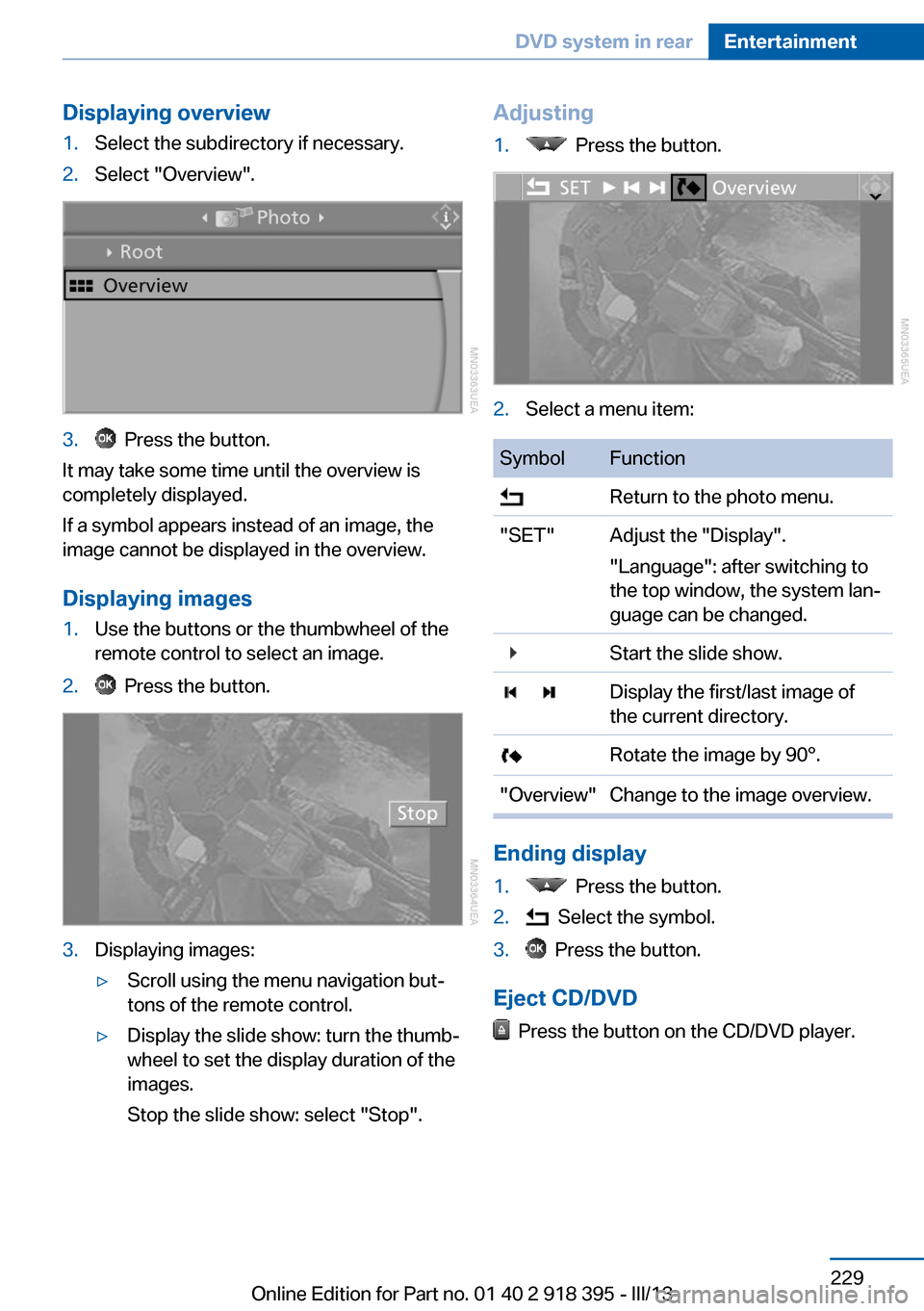
Displaying overview1.Select the subdirectory if necessary.2.Select "Overview".3. Press the button.
It may take some time until the overview is
completely displayed.
If a symbol appears instead of an image, the
image cannot be displayed in the overview.
Displaying images
1.Use the buttons or the thumbwheel of the
remote control to select an image.2. Press the button.3.Displaying images:▷Scroll using the menu navigation but‐
tons of the remote control.▷Display the slide show: turn the thumb‐
wheel to set the display duration of the
images.
Stop the slide show: select "Stop".Adjusting1. Press the button.2.Select a menu item:SymbolFunction Return to the photo menu."SET"Adjust the "Display".
"Language": after switching to
the top window, the system lan‐
guage can be changed. Start the slide show. Display the first/last image of
the current directory. Rotate the image by 90°."Overview"Change to the image overview.
Ending display
1. Press the button.2. Select the symbol.3. Press the button.
Eject CD/DVD
Press the button on the CD/DVD player.
Seite 229DVD system in rearEntertainment229
Online Edition for Part no. 01 40 2 918 395 - III/13
Page 243 of 345
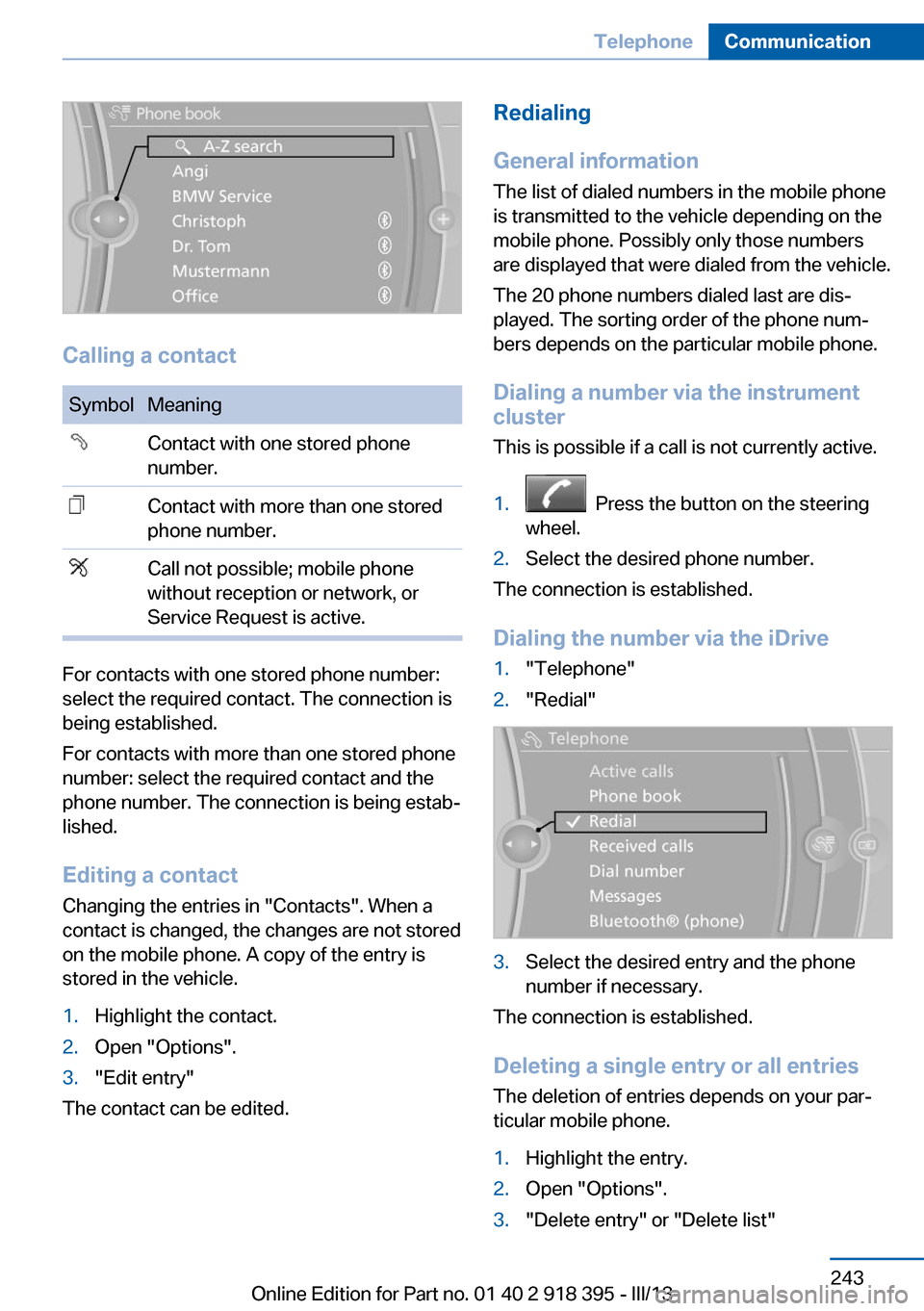
Calling a contact
SymbolMeaningContact with one stored phone
number.Contact with more than one stored
phone number.Call not possible; mobile phone
without reception or network, or
Service Request is active.
For contacts with one stored phone number:
select the required contact. The connection is
being established.
For contacts with more than one stored phone
number: select the required contact and the
phone number. The connection is being estab‐
lished.
Editing a contact Changing the entries in "Contacts". When a
contact is changed, the changes are not stored
on the mobile phone. A copy of the entry is
stored in the vehicle.
1.Highlight the contact.2.Open "Options".3."Edit entry"
The contact can be edited.
Redialing
General information
The list of dialed numbers in the mobile phone
is transmitted to the vehicle depending on the
mobile phone. Possibly only those numbers
are displayed that were dialed from the vehicle.
The 20 phone numbers dialed last are dis‐
played. The sorting order of the phone num‐
bers depends on the particular mobile phone.
Dialing a number via the instrument cluster
This is possible if a call is not currently active.1. Press the button on the steering
wheel.2.Select the desired phone number.
The connection is established.
Dialing the number via the iDrive
1."Telephone"2."Redial"3.Select the desired entry and the phone
number if necessary.
The connection is established.
Deleting a single entry or all entries The deletion of entries depends on your par‐
ticular mobile phone.
1.Highlight the entry.2.Open "Options".3."Delete entry" or "Delete list"Seite 243TelephoneCommunication243
Online Edition for Part no. 01 40 2 918 395 - III/13
Page 302 of 345
This lamp uses LED technology for operation.
Contact your service center in the event of a
malfunction.
Changing wheels
Notes Your vehicle is equipped with run-flat tires, re‐
fer to page 286, as standard equipment.
They do not need to be replaced immediately
in the event of a puncture.
When mounting new tires or changing from
summer to winter tires or vice versa, use run-
flat tires for your own safety.
BMW X6: do not rotate the front wheels to the
rear or vice versa, as otherwise the handling
characteristics will be negatively affected.
Suitable tools for changing the wheels are
available from the service center as an acces‐
sory.
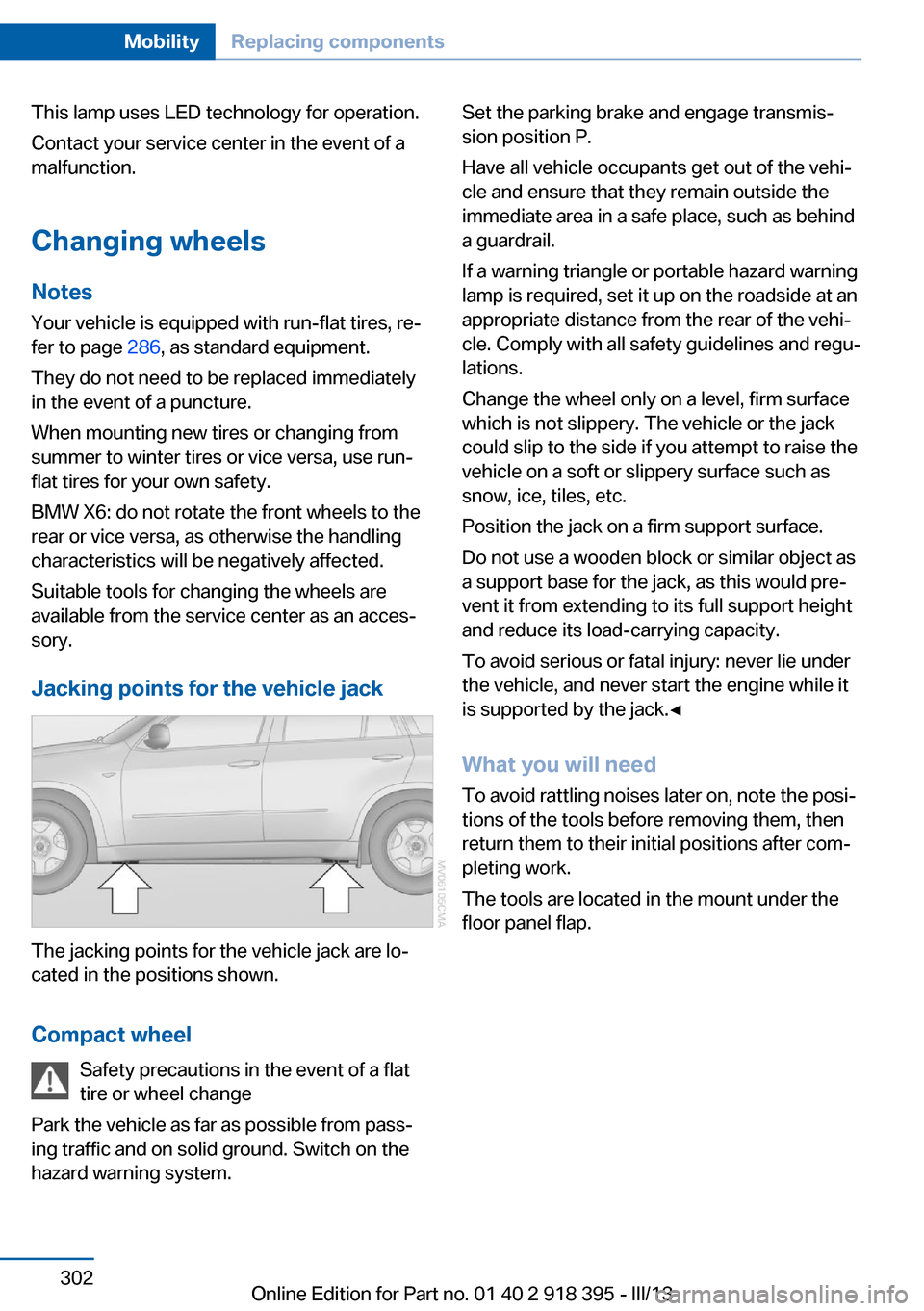
Jacking points for the vehicle jack
The jacking points for the vehicle jack are lo‐
cated in the positions shown.
Compact wheel Safety precautions in the event of a flat
tire or wheel change
Park the vehicle as far as possible from pass‐
ing traffic and on solid ground. Switch on the
hazard warning system.
Set the parking brake and engage transmis‐
sion position P.
Have all vehicle occupants get out of the vehi‐
cle and ensure that they remain outside the
immediate area in a safe place, such as behind
a guardrail.
If a warning triangle or portable hazard warning
lamp is required, set it up on the roadside at an
appropriate distance from the rear of the vehi‐
cle. Comply with all safety guidelines and regu‐
lations.
Change the wheel only on a level, firm surface
which is not slippery. The vehicle or the jack
could slip to the side if you attempt to raise the
vehicle on a soft or slippery surface such as
snow, ice, tiles, etc.
Position the jack on a firm support surface.
Do not use a wooden block or similar object as
a support base for the jack, as this would pre‐
vent it from extending to its full support height
and reduce its load-carrying capacity.
To avoid serious or fatal injury: never lie under
the vehicle, and never start the engine while it
is supported by the jack.◀
What you will need
To avoid rattling noises later on, note the posi‐
tions of the tools before removing them, then
return them to their initial positions after com‐
pleting work.
The tools are located in the mount under the
floor panel flap.Seite 302MobilityReplacing components302
Online Edition for Part no. 01 40 2 918 395 - III/13
Page 303 of 345
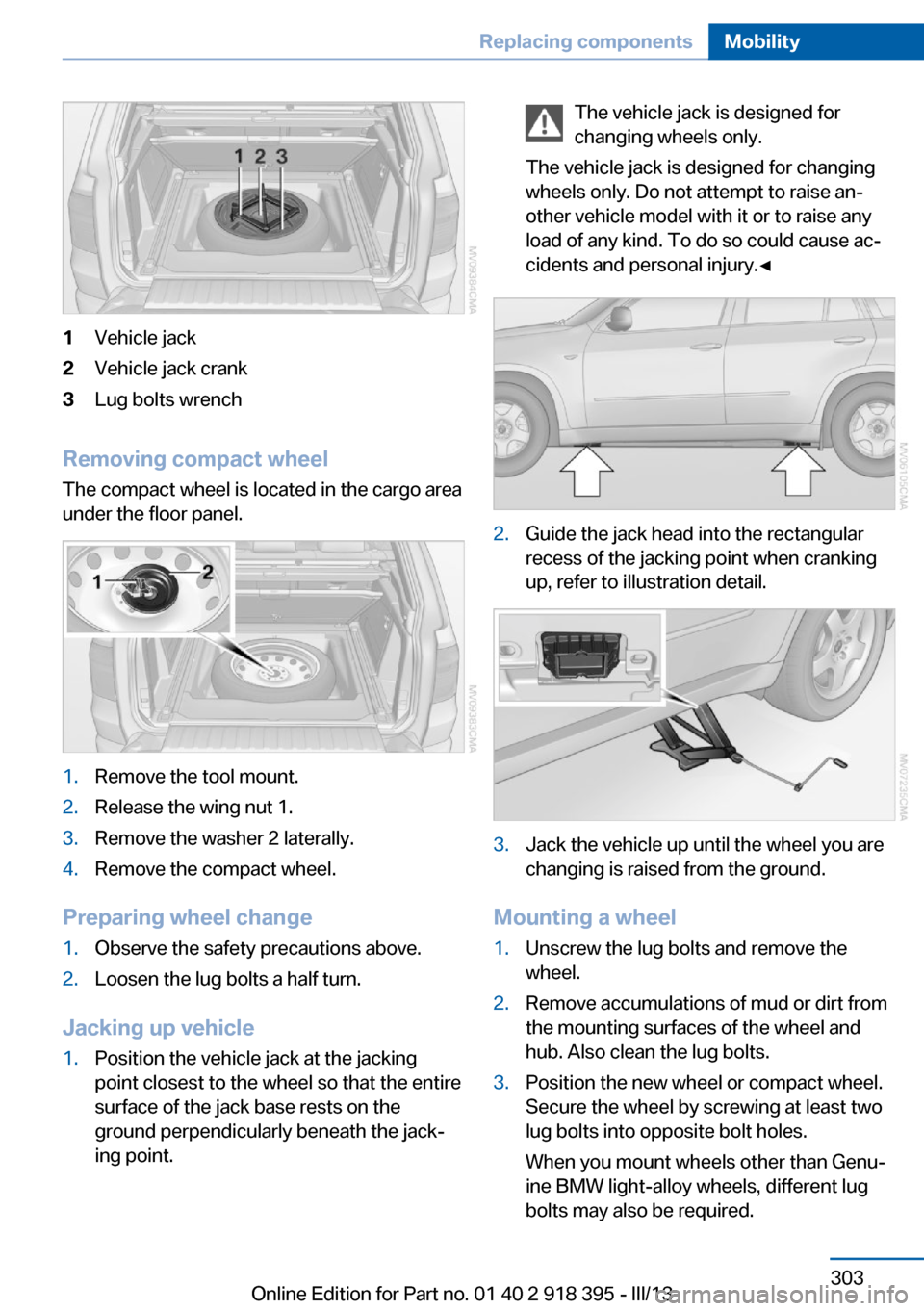
1Vehicle jack2Vehicle jack crank3Lug bolts wrench
Removing compact wheelThe compact wheel is located in the cargo area
under the floor panel.
1.Remove the tool mount.2.Release the wing nut 1.3.Remove the washer 2 laterally.4.Remove the compact wheel.
Preparing wheel change
1.Observe the safety precautions above.2.Loosen the lug bolts a half turn.
Jacking up vehicle
1.Position the vehicle jack at the jacking
point closest to the wheel so that the entire
surface of the jack base rests on the
ground perpendicularly beneath the jack‐
ing point.The vehicle jack is designed for
changing wheels only.
The vehicle jack is designed for changing
wheels only. Do not attempt to raise an‐
other vehicle model with it or to raise any
load of any kind. To do so could cause ac‐
cidents and personal injury.◀2.Guide the jack head into the rectangular
recess of the jacking point when cranking
up, refer to illustration detail.3.Jack the vehicle up until the wheel you are
changing is raised from the ground.
Mounting a wheel
1.Unscrew the lug bolts and remove the
wheel.2.Remove accumulations of mud or dirt from
the mounting surfaces of the wheel and
hub. Also clean the lug bolts.3.Position the new wheel or compact wheel.
Secure the wheel by screwing at least two
lug bolts into opposite bolt holes.
When you mount wheels other than Genu‐
ine BMW light-alloy wheels, different lug
bolts may also be required.Seite 303Replacing componentsMobility303
Online Edition for Part no. 01 40 2 918 395 - III/13
Page 304 of 345
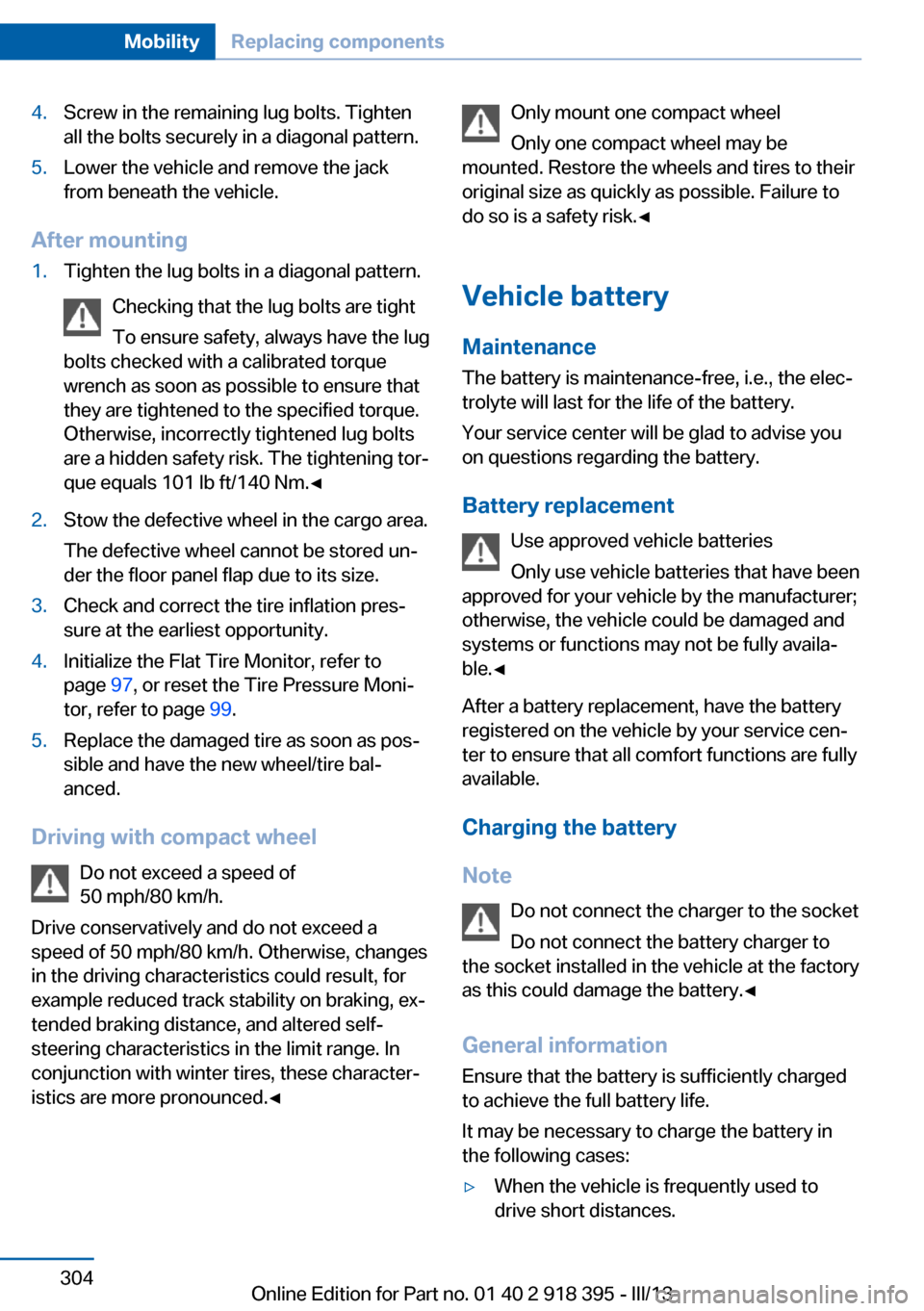
4.Screw in the remaining lug bolts. Tighten
all the bolts securely in a diagonal pattern.5.Lower the vehicle and remove the jack
from beneath the vehicle.
After mounting
1.Tighten the lug bolts in a diagonal pattern.
Checking that the lug bolts are tight
To ensure safety, always have the lug
bolts checked with a calibrated torque
wrench as soon as possible to ensure that
they are tightened to the specified torque.
Otherwise, incorrectly tightened lug bolts
are a hidden safety risk. The tightening tor‐
que equals 101 lb ft/140 Nm.◀2.Stow the defective wheel in the cargo area.
The defective wheel cannot be stored un‐
der the floor panel flap due to its size.3.Check and correct the tire inflation pres‐
sure at the earliest opportunity.4.Initialize the Flat Tire Monitor, refer to
page 97, or reset the Tire Pressure Moni‐
tor, refer to page 99.5.Replace the damaged tire as soon as pos‐
sible and have the new wheel/tire bal‐
anced.
Driving with compact wheel
Do not exceed a speed of
50 mph/80 km/h.
Drive conservatively and do not exceed a
speed of 50 mph/80 km/h. Otherwise, changes
in the driving characteristics could result, for
example reduced track stability on braking, ex‐ tended braking distance, and altered self-
steering characteristics in the limit range. In
conjunction with winter tires, these character‐
istics are more pronounced.◀
Only mount one compact wheel
Only one compact wheel may be
mounted. Restore the wheels and tires to their
original size as quickly as possible. Failure to
do so is a safety risk.◀
Vehicle battery
Maintenance
The battery is maintenance-free, i.e., the elec‐
trolyte will last for the life of the battery.
Your service center will be glad to advise you
on questions regarding the battery.
Battery replacement Use approved vehicle batteries
Only use vehicle batteries that have been
approved for your vehicle by the manufacturer;
otherwise, the vehicle could be damaged and
systems or functions may not be fully availa‐
ble.◀
After a battery replacement, have the battery
registered on the vehicle by your service cen‐
ter to ensure that all comfort functions are fully
available.
Charging the battery
Note Do not connect the charger to the socket
Do not connect the battery charger to
the socket installed in the vehicle at the factory as this could damage the battery.◀
General information Ensure that the battery is sufficiently charged
to achieve the full battery life.
It may be necessary to charge the battery in
the following cases:▷When the vehicle is frequently used to
drive short distances.Seite 304MobilityReplacing components304
Online Edition for Part no. 01 40 2 918 395 - III/13
Page 332 of 345
Bulb replacement, refer toLamp and bulb replace‐
ment 295
Button for starting the engine, refer to Start/Stop but‐
ton 67
C
Calendar 254
Calibration, driver's seat 55
California Proposition 65 Warning 7
Camera, care 315
Camera, refer to Backup cam‐ era 122
Camera, Side View 127
Camera, Top View 126
Can holder, refer to Cu‐ pholder 149
Car battery, refer to Vehicle battery 304
Car care products 313
Care 312
Care, displays 315
Care, vehicle 313
Cargo 160
Cargo area– Comfort Access 41
Cargo area, capacities 320
Cargo area, enlarging 146
Cargo area lamp, refer to Inte‐ rior lamps 94
Cargo area lid, refer to Tail‐ gate 36, 38
Cargo area, opening/closing, refer to Lower tailgate 38
Cargo area, opening/closing, refer to Tailgate 36, 38
Cargo area, opening from the inside 36
Cargo area, opening from the outside 36
Cargo area, refer to Cargo area 145
Cargo cover, refer to Luggage
compartment roller
cover 145
Cargo, securing with ski bag, refer to Securing cargo 152
Cargo straps, securing cargo 162
Car key, refer to Integrated key/remote control 30
Carpet, care 315
Car phone, installation loca‐ tion, refer to Center arm‐
rest 148
Car phone, refer to Tele‐ phone 236
Car vacuum cleaner, connect‐ ing, refer to Connecting
electrical devices 143
Car wash 312
Catalytic converter, refer to Hot exhaust system 157
CBC, refer to Cornering Brake Control 105
CBS Condition Based Serv‐ ice 293
CD/DVD 200
CD/DVD changer 204
CD/DVD in rear 221
CD/DVD notes 206
CD, refer to Playing audio tracks, rear DVD sys‐
tem 226
CDs, storing 207
Cell phone 236
Cell phone, installation loca‐ tion, refer to Center arm‐
rest 148
Center armrest, front 148
Center armrest, rear 148
Center brake lamp 298, 301
Center console, refer to Around the center con‐
sole 16 Central locking– Comfort Access 40– From the inside 35– Setting the unlocking char‐
acteristics 32
Central locking system
– From the outside 32– Principle 32
Central screen, refer to Con‐
trol Display 19
Changes, technical, refer to Safety 6
Changing wheels/tires 285
Chassis number, refer to En‐ gine compartment 288
Check Control 85
Children, transporting 61
Child restraint fixing system LATCH 62
Child restraint fixing sys‐ tems 61
Child restraint fixing systems, mounting 61
Child safety locks 66
Child seat, mounting 61
Child seats, refer to Trans‐ porting children safely 61
Chrome parts, care 314
Cigarette lighter, connecting electrical devices 143
Cigarette lighter, refer to Lighter 143
Cigarette lighter socket 143
Circulation of air, refer to Re‐ circulated air mode 133
Cleaning, displays 315
Cleaning your BMW, refer to Care 312
Clock 79
Clock, 12h/24h mode 87
Closing
– From the inside 35– From the outside 32
Clothes hooks 149
Cockpit 12
Cold start, refer to Starting the engine 68
Seite 332ReferenceEverything from A to Z332
Online Edition for Part no. 01 40 2 918 395 - III/13
Page 334 of 345
Divided screen view, splitscreen 22
Door key, refer to Remote control with integrated
key 30
Door lock 34
Doors, manual operation 34
Doors, unlocking and locking– Confirmation signals 33– From the inside 35– From the outside 32
DOT Quality Grades 283
Downhill control 108
Draft-free ventilation 134
Drive-off assistant 109
Driver's seat, calibrating 55
Driving away on inclines, refer to Drive-off assistant 109
Driving notes, breaking in 156
Driving notes, general 156
Driving on poor roads 158
Driving stability control sys‐ tems 105
Driving through water 157
Driving tips, refer to Driving notes 156
Dry air, refer to Cooling func‐ tion 133
DSC Dynamic Stability Con‐ trol 105
DTC Dynamic Traction Con‐ trol 106
DTMF suffix dialing 242
DVD/CD 200
DVDs, storing 207
DVD system in rear 220
DVD, video 202
Dynamic destination guid‐ ance 186
Dynamic Performance Con‐ trol 107
Dynamic Stability Control DSC 105
Dynamic Traction Control DTC 106
E
Easy entry/exit 60
EfficientDynamics, refer to Saving fuel 164
Electrical malfunction– Door lock 34– Driver's door 34– Fuel filler flap 268
Electrical malfunction of up‐
per tailgate 36
Electrical malfunction, park‐ ing brake 71
Electric seat adjustment 50
Electric steering wheel ad‐ justment 60
Electronic brake-force distri‐ bution 105
Electronic engine oil level check 290
Electronic Stability Program ESP, refer to Dynamic Sta‐
bility Control DSC 105
Emergency operation
– Door lock, refer to Manual
operation 34
Emergency operation, fuel
filler flap, unlocking man‐
ually 268
Emergency Request 307
Emergency service, refer to Roadside Assistance 308
Energy-conscious driving, re‐ fer to Current fuel consump‐
tion 80
Energy, saving, refer to Sav‐ ing fuel 164
Engine, breaking in 156
Engine compartment 288
Engine coolant, refer to Cool‐ ant 292
Engine oil, adding 291
Engine oil, additives, refer to Approved engine oils 291
Engine oil, alternative oil types 292
Engine oil, BMW maintenance
system 293
Engine oil change intervals, refer to Service require‐
ments 83
Engine oil, checking the level 290
Engine oil, filling ca‐ pacity 321
Engine oil temperature 80
Engine oil types, alterna‐ tive 291
Engine oil types, ap‐ proved 291
Engine, overheating, refer to Coolant temperature 80
Engine start, assistance 308
Engine, starting 68
Engine, starting– Comfort Access 40
Engine, starting, Start/Stop
button 67
Engine, stopping, Start/Stop
button 67
Engine, switching off 69
Environmentally friendly driv‐ ing, refer to Current fuel
consumption 80
Equalizer 190
Equipment, interior 139
ESP Electronic Stability Pro‐ gram, refer to Dynamic Sta‐
bility Control DSC 105
Exchanging wheels/tires 285
Exhaust system 157
Exterior mirrors 58
Exterior mirrors, adjusting 58
Exterior mirrors, automatic dimming 59
Exterior mirrors, automatic heating 59
Exterior mirrors, folding in and out 59
External audio device 148
External devices 212
External temperature dis‐ play 79
Seite 334ReferenceEverything from A to Z334
Online Edition for Part no. 01 40 2 918 395 - III/13
Page 335 of 345
External temperature display,changing the units of meas‐
ure, changing the units of
measure on the Control Dis‐
play 88
External temperature warn‐ ing 79
Externel temperature dis‐ play 79
Eyes for securing cargo 162
F
Fader 190
Failure messages, refer to Check Control 85
False alarm– Avoiding unintentional
alarms 43– Ending an alarm 43
Fastening safety belts, refer
to Safety belts 54
Fault messages, refer to Check Control 85
Filling capacities 321
Filter, refer to Microfilter/acti‐ vated-charcoal filter 135
Fine wood, care 314
First aid kit 308
Fitting for towing 310
Fixing system, adaptive 150
Flashing when locking/ unlocking 33
Flat Tire Monitor FTM 97
Flat Tire Monitor FTM, snow chains 287
Flat tire, run-flat tires 286
Flat tire, Tire Pressure Moni‐ tor TPM 99
Flat tire, warning lamp 98, 100
Flat tire, wheel change 302
Flooding, refer to Driving through water 157
Floor carpet, care 315
Floor mats, care 315
FM/AM station 192
Fog on windows, remov‐
ing 132
Foldable rear seat back‐ rest 146
Foot brake 157
Footwell lamps, refer to Inte‐ rior lamps 94
For your own safety 6
Four-wheel drive, refer to xDrive 107
Front airbags 95
Front fog lamps 93
Front fog lamps, bulb replace‐ ment 297, 300
Front fog lamps, indicator lamp 93
FTM Flat Tire Monitor 97
Fuel 270
Fuel– Refer to Average fuel con‐
sumption 82
Fuel, additives 270
Fuel, average consump‐ tion 82
Fuel cap 268
Fuel cap, closing 268
Fuel consumption display
– Average fuel consump‐
tion 82
Fuel consumption display,
current fuel consump‐
tion 80
Fuel-efficient driving, refer to Current fuel consump‐
tion 80
Fuel filler flap, closing 268
Fuel filler flap, opening 268
Fuel filler flap, unlocking in case of an electrical mal‐
function 268
Fuel gauge 81
Fuel, saving 164
Fuel tank capacity, refer to Filling capacities 321
Fuel tank contents, refer to Filling capacities 321
Fuel tank, refer to Filling ca‐
pacities 321
Fuse 305
G
Garage door opener, refer to Universal Garage Door
Opener 139
Gasoline 270
Gasoline gauge, refer to Fuel gauge 81
Gasoline quality 270
Gas station recommenda‐ tion 181
Gear change, automatic transmission with Step‐
tronic 77
Gear change, via shift pad‐ dles 77
General driving notes 156
Glass sunroof, closing 47
Glass sunroof, electric– Convenient operation 33– Remote control 33
Glass sunroof, initializing 48
Glass sunroof, opening 47
Glass sunroof, pinch protec‐ tion 47
Glass sunroof, power fail‐ ure 48
Glass sunroof, refer to Panor‐ amic glass sunroof 45
Glass sunroof, tilting 47
Glove compartment 147
Glove compartment, light‐ ing 147
GPS navigation, refer to Navi‐ gation system 168
Gross vehicle weight, refer to Weights 320
H
Handbrake, refer to Parking brake 69
Seite 335Everything from A to ZReference335
Online Edition for Part no. 01 40 2 918 395 - III/13
Page 341 of 345
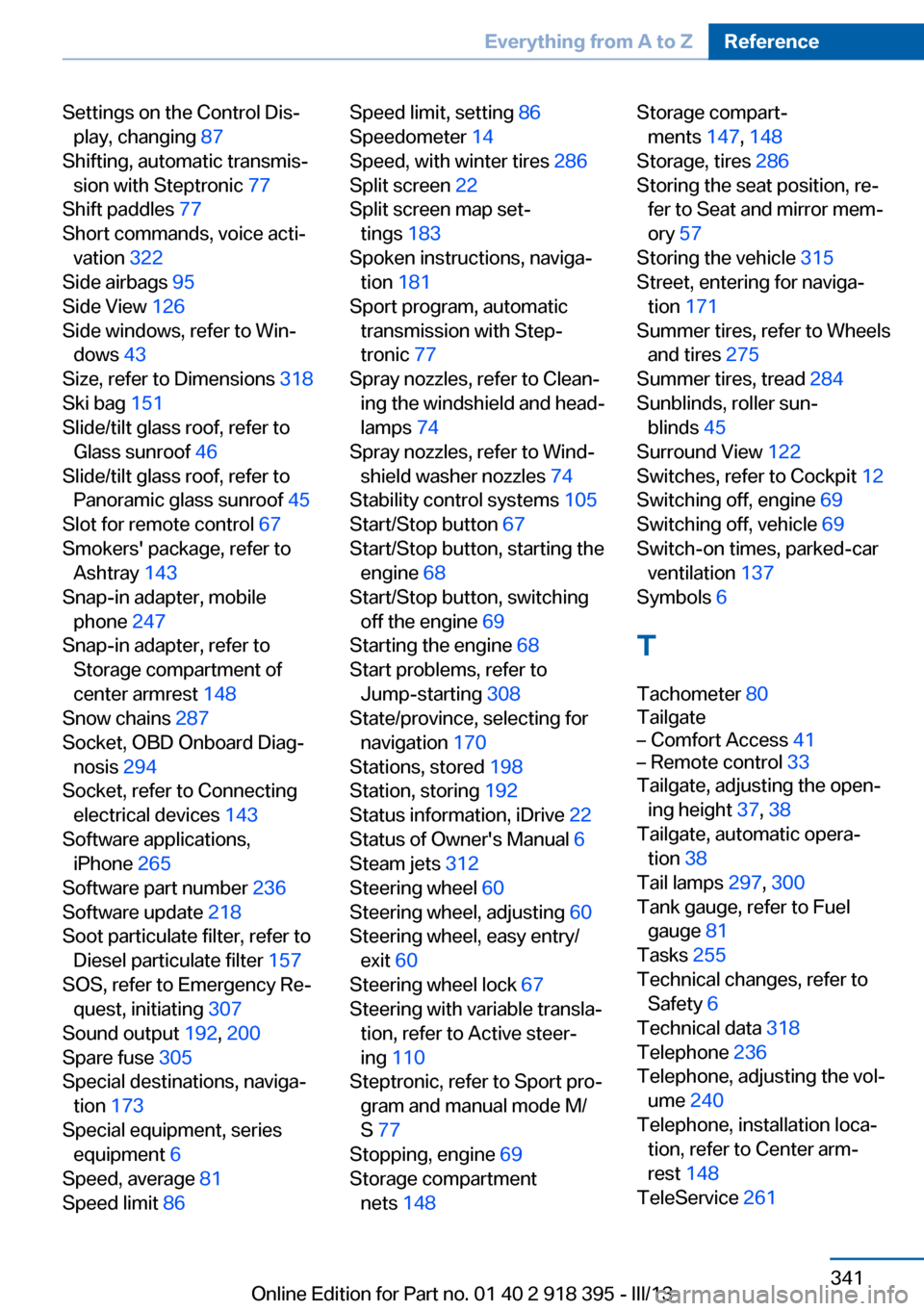
Settings on the Control Dis‐play, changing 87
Shifting, automatic transmis‐ sion with Steptronic 77
Shift paddles 77
Short commands, voice acti‐ vation 322
Side airbags 95
Side View 126
Side windows, refer to Win‐ dows 43
Size, refer to Dimensions 318
Ski bag 151
Slide/tilt glass roof, refer to Glass sunroof 46
Slide/tilt glass roof, refer to Panoramic glass sunroof 45
Slot for remote control 67
Smokers' package, refer to Ashtray 143
Snap-in adapter, mobile phone 247
Snap-in adapter, refer to Storage compartment of
center armrest 148
Snow chains 287
Socket, OBD Onboard Diag‐ nosis 294
Socket, refer to Connecting electrical devices 143
Software applications, iPhone 265
Software part number 236
Software update 218
Soot particulate filter, refer to Diesel particulate filter 157
SOS, refer to Emergency Re‐ quest, initiating 307
Sound output 192, 200
Spare fuse 305
Special destinations, naviga‐ tion 173
Special equipment, series equipment 6
Speed, average 81
Speed limit 86 Speed limit, setting 86
Speedometer 14
Speed, with winter tires 286
Split screen 22
Split screen map set‐ tings 183
Spoken instructions, naviga‐ tion 181
Sport program, automatic transmission with Step‐
tronic 77
Spray nozzles, refer to Clean‐ ing the windshield and head‐
lamps 74
Spray nozzles, refer to Wind‐ shield washer nozzles 74
Stability control systems 105
Start/Stop button 67
Start/Stop button, starting the engine 68
Start/Stop button, switching off the engine 69
Starting the engine 68
Start problems, refer to Jump-starting 308
State/province, selecting for navigation 170
Stations, stored 198
Station, storing 192
Status information, iDrive 22
Status of Owner's Manual 6
Steam jets 312
Steering wheel 60
Steering wheel, adjusting 60
Steering wheel, easy entry/ exit 60
Steering wheel lock 67
Steering with variable transla‐ tion, refer to Active steer‐
ing 110
Steptronic, refer to Sport pro‐ gram and manual mode M/
S 77
Stopping, engine 69
Storage compartment nets 148 Storage compart‐
ments 147, 148
Storage, tires 286
Storing the seat position, re‐ fer to Seat and mirror mem‐
ory 57
Storing the vehicle 315
Street, entering for naviga‐ tion 171
Summer tires, refer to Wheels and tires 275
Summer tires, tread 284
Sunblinds, roller sun‐ blinds 45
Surround View 122
Switches, refer to Cockpit 12
Switching off, engine 69
Switching off, vehicle 69
Switch-on times, parked-car ventilation 137
Symbols 6
T Tachometer 80
Tailgate– Comfort Access 41– Remote control 33
Tailgate, adjusting the open‐
ing height 37, 38
Tailgate, automatic opera‐ tion 38
Tail lamps 297, 300
Tank gauge, refer to Fuel gauge 81
Tasks 255
Technical changes, refer to Safety 6
Technical data 318
Telephone 236
Telephone, adjusting the vol‐ ume 240
Telephone, installation loca‐ tion, refer to Center arm‐
rest 148
TeleService 261
Seite 341Everything from A to ZReference341
Online Edition for Part no. 01 40 2 918 395 - III/13
Page 343 of 345
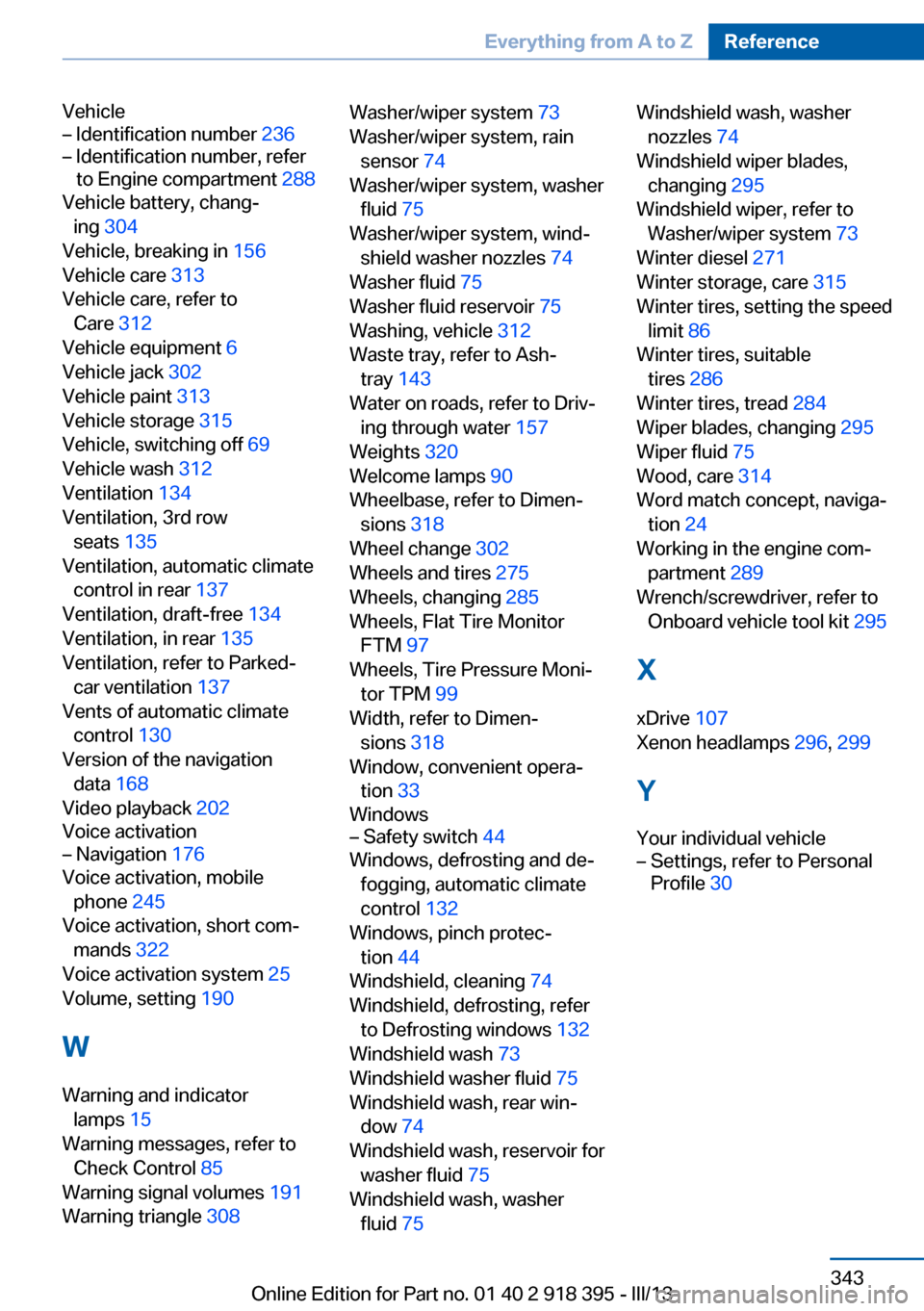
Vehicle– Identification number 236– Identification number, refer
to Engine compartment 288
Vehicle battery, chang‐
ing 304
Vehicle, breaking in 156
Vehicle care 313
Vehicle care, refer to Care 312
Vehicle equipment 6
Vehicle jack 302
Vehicle paint 313
Vehicle storage 315
Vehicle, switching off 69
Vehicle wash 312
Ventilation 134
Ventilation, 3rd row seats 135
Ventilation, automatic climate control in rear 137
Ventilation, draft-free 134
Ventilation, in rear 135
Ventilation, refer to Parked-
car ventilation 137
Vents of automatic climate control 130
Version of the navigation data 168
Video playback 202
Voice activation
– Navigation 176
Voice activation, mobile
phone 245
Voice activation, short com‐ mands 322
Voice activation system 25
Volume, setting 190
W Warning and indicator lamps 15
Warning messages, refer to Check Control 85
Warning signal volumes 191
Warning triangle 308
Washer/wiper system 73
Washer/wiper system, rain sensor 74
Washer/wiper system, washer fluid 75
Washer/wiper system, wind‐ shield washer nozzles 74
Washer fluid 75
Washer fluid reservoir 75
Washing, vehicle 312
Waste tray, refer to Ash‐ tray 143
Water on roads, refer to Driv‐ ing through water 157
Weights 320
Welcome lamps 90
Wheelbase, refer to Dimen‐ sions 318
Wheel change 302
Wheels and tires 275
Wheels, changing 285
Wheels, Flat Tire Monitor FTM 97
Wheels, Tire Pressure Moni‐ tor TPM 99
Width, refer to Dimen‐ sions 318
Window, convenient opera‐ tion 33
Windows– Safety switch 44
Windows, defrosting and de‐
fogging, automatic climate
control 132
Windows, pinch protec‐ tion 44
Windshield, cleaning 74
Windshield, defrosting, refer to Defrosting windows 132
Windshield wash 73
Windshield washer fluid 75
Windshield wash, rear win‐ dow 74
Windshield wash, reservoir for washer fluid 75
Windshield wash, washer fluid 75
Windshield wash, washer
nozzles 74
Windshield wiper blades, changing 295
Windshield wiper, refer to Washer/wiper system 73
Winter diesel 271
Winter storage, care 315
Winter tires, setting the speed limit 86
Winter tires, suitable tires 286
Winter tires, tread 284
Wiper blades, changing 295
Wiper fluid 75
Wood, care 314
Word match concept, naviga‐ tion 24
Working in the engine com‐ partment 289
Wrench/screwdriver, refer to Onboard vehicle tool kit 295
X xDrive 107
Xenon headlamps 296, 299
Y Your individual vehicle– Settings, refer to Personal
Profile 30Seite 343Everything from A to ZReference343
Online Edition for Part no. 01 40 2 918 395 - III/13