brake BMW X6 M 2012 User Guide
[x] Cancel search | Manufacturer: BMW, Model Year: 2012, Model line: X6 M, Model: BMW X6 M 2012Pages: 317, PDF Size: 8.83 MB
Page 69 of 317
Automatic transmission with
Steptronic
Transmission positions
D Drive, automatic position
Position for normal vehicle operation. All for‐
ward gears are available.
Under normal operating conditions, fuel con‐
sumption is lowest when you are driving in po‐
sition D.
Kickdown
Kickdown is used to achieve maximum driving
performance. Press on the accelerator beyond
the resistance point at the full throttle position.
R is Reverse
Select only when the vehicle is stationary.
N is Neutral
Use in automatic car washes, for example. The
vehicle can roll.
When the ignition is switched off, refer to
page
61, position P is engaged automatically.
P Park
Select only when the vehicle is stationary. The
drive wheels are blocked.
P is engaged automatically as soon as the en‐
gine
is switched off unless N is engaged and, in
vehicles with Comfort Access, the remote con‐
trol is inserted in the ignition lock, refer to
page 61. Before leaving the vehicle, ensure that
the transmission position P is engaged; other‐
wise, the vehicle may begin to roll.
Engaging transmission position
▷ Transmission position P can only be disen‐
gaged
if the engine is running and the brake
pedal is pressed.
▷ With the vehicle stationary, press on the
brake pedal before shifting out of P or N;
otherwise, the shift command will not be
executed: shift lock. Press on the brake pedal until you start
driving
To prevent the vehicle from creeping after you
select a driving position, maintain pressure on
the brake pedal until you are ready to start.
◀
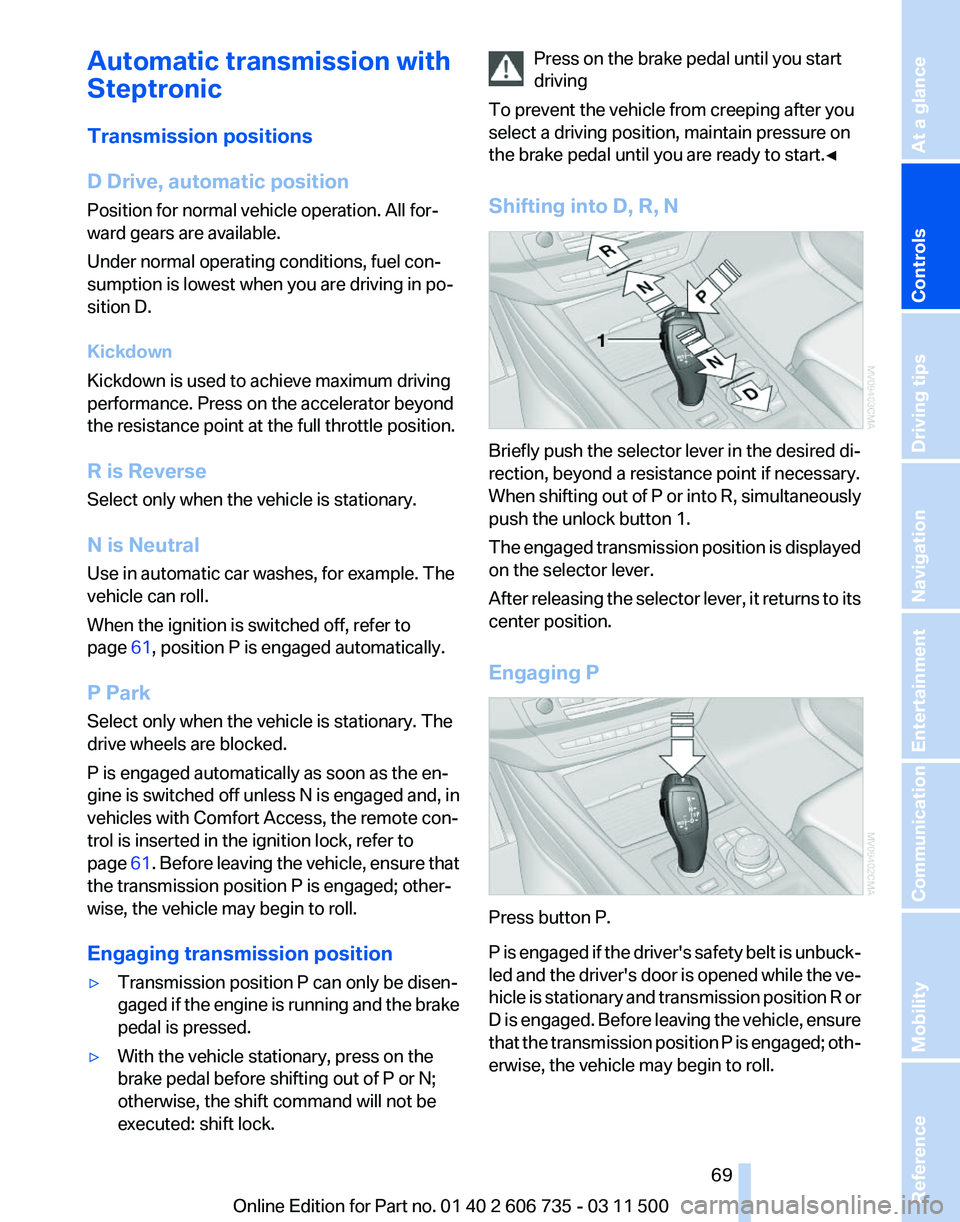
Shifting into D, R, N Briefly push the selector lever in the desired di‐
rection, beyond a resistance point if necessary.
When
shifting out of P or into R, simultaneously
push the unlock button 1.
The engaged transmission position is displayed
on the selector lever.
After releasing the selector lever, it returns to its
center position.
Engaging P Press button P.
P
is engaged if the driver's safety belt is unbuck‐
led and the driver's door is opened while the ve‐
hicle is stationary and transmission position R or
D is engaged. Before leaving the vehicle, ensure
that the transmission position P is engaged; oth‐
erwise, the vehicle may begin to roll. Seite 69
69Online Edition for Part no. 01 40 2 606 735 - 03 11 500
Reference Mobility Communication Entertainment Navigation Driving tips
Controls At a glance
Page 75 of 317
Service requirements
The remaining driving distance and the date of
the
next scheduled service are displayed briefly
immediately after you start the engine or switch
on the ignition.
The current service requirements can be read
out from the remote control by the service spe‐
cialist.
For certain maintenance operations, you can
view the distance remaining or the due date for
that operation in the instrument cluster. 1.
With the ignition switched on, press the
knob in the instrument cluster, refer to
page 71, for approx. 5 seconds until the
service requirements are displayed.
2. Press the knob repeatedly to display the in‐
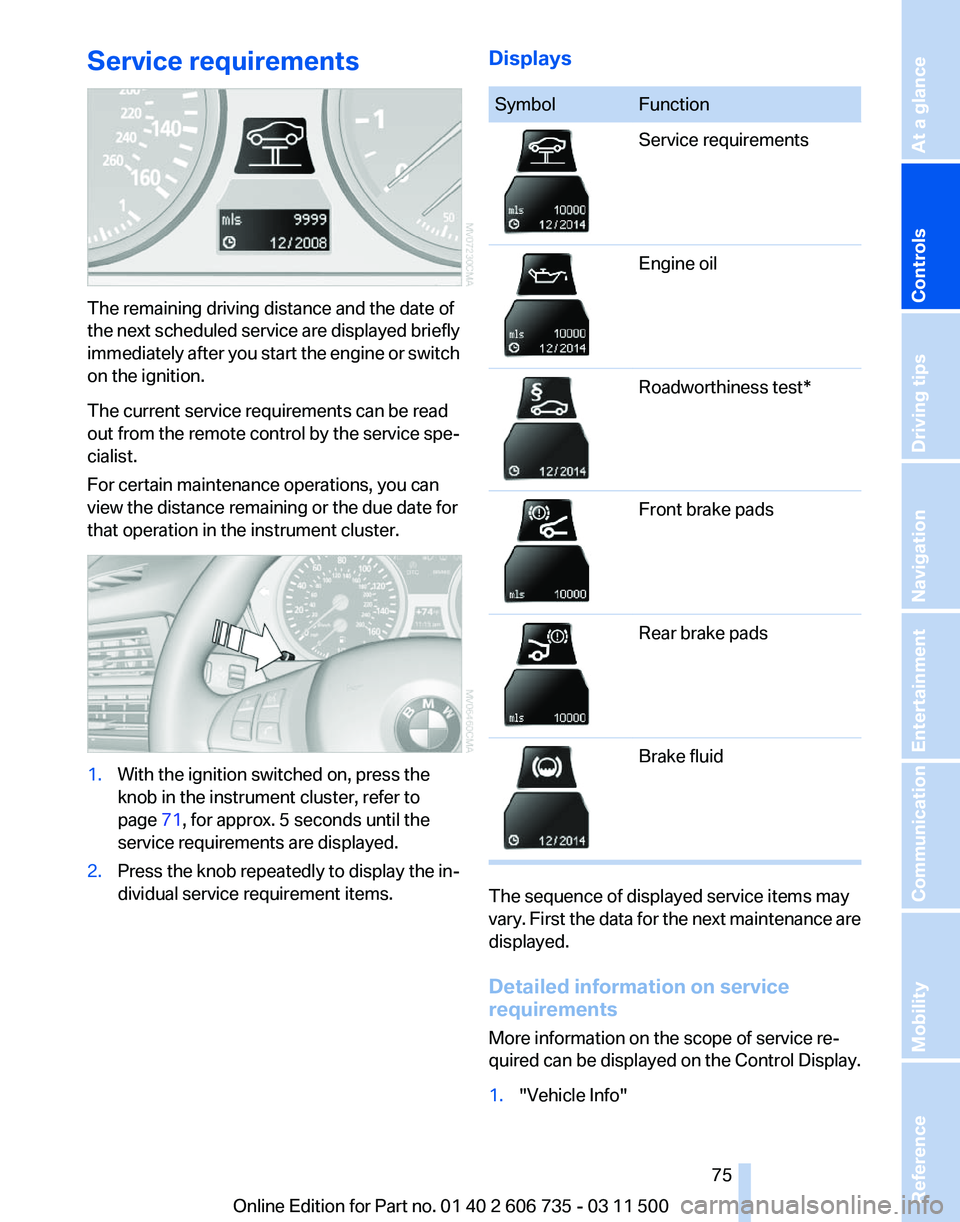
dividual service requirement items. Displays Symbol Function
Service requirements
Engine oil
Roadworthiness test*
Front brake pads
Rear brake pads
Brake fluid
The sequence of displayed service items may
vary.
First the data for the next maintenance are
displayed.
Detailed information on service
requirements
More information on the scope of service re‐
quired can be displayed on the Control Display.
1. "Vehicle Info"
Seite 75
75Online Edition for Part no. 01 40 2 606 735 - 03 11 500
Reference Mobility Communication Entertainment Navigation Driving tips
Controls At a glance
Page 94 of 317
▷
During heavy brake application.
▷ When the turn signal flashes.
System limits Personal responsibility
The system cannot serve as a substitute
for
the driver's personal judgment of the course
of the road and the traffic situation.
In the event of a warning, do not jerk the steering
wheel; otherwise, you may lose control over the
vehicle.◀
The system may not be fully functional in the
following situations:
▷ In heavy fog, rain or snowfall.
▷ In the event of worn, poorly visible, merging,
diverging,
or multiple lane markings such as
in construction areas.
▷ When the demarcation lines are covered by
snow, ice, dirt or water.
▷ In tight curves or on narrow lanes.
▷ When the demarcation lines are covered by
objects.
▷ When driving very close to the vehicle in
front of you.
▷ When driving toward bright lights.
▷ When the windshield is fogged over, dirty or
covered by a sticker, etc., in front of the in‐
terior rearview mirror.
Malfunctions
Steering wheel vibration
Frequent
activation of the steering wheel vibra‐
tion causes the system to overheat.
This causes the lane departure warning to be‐
come deactivated.
Let the system cool and reactivate it by pressing
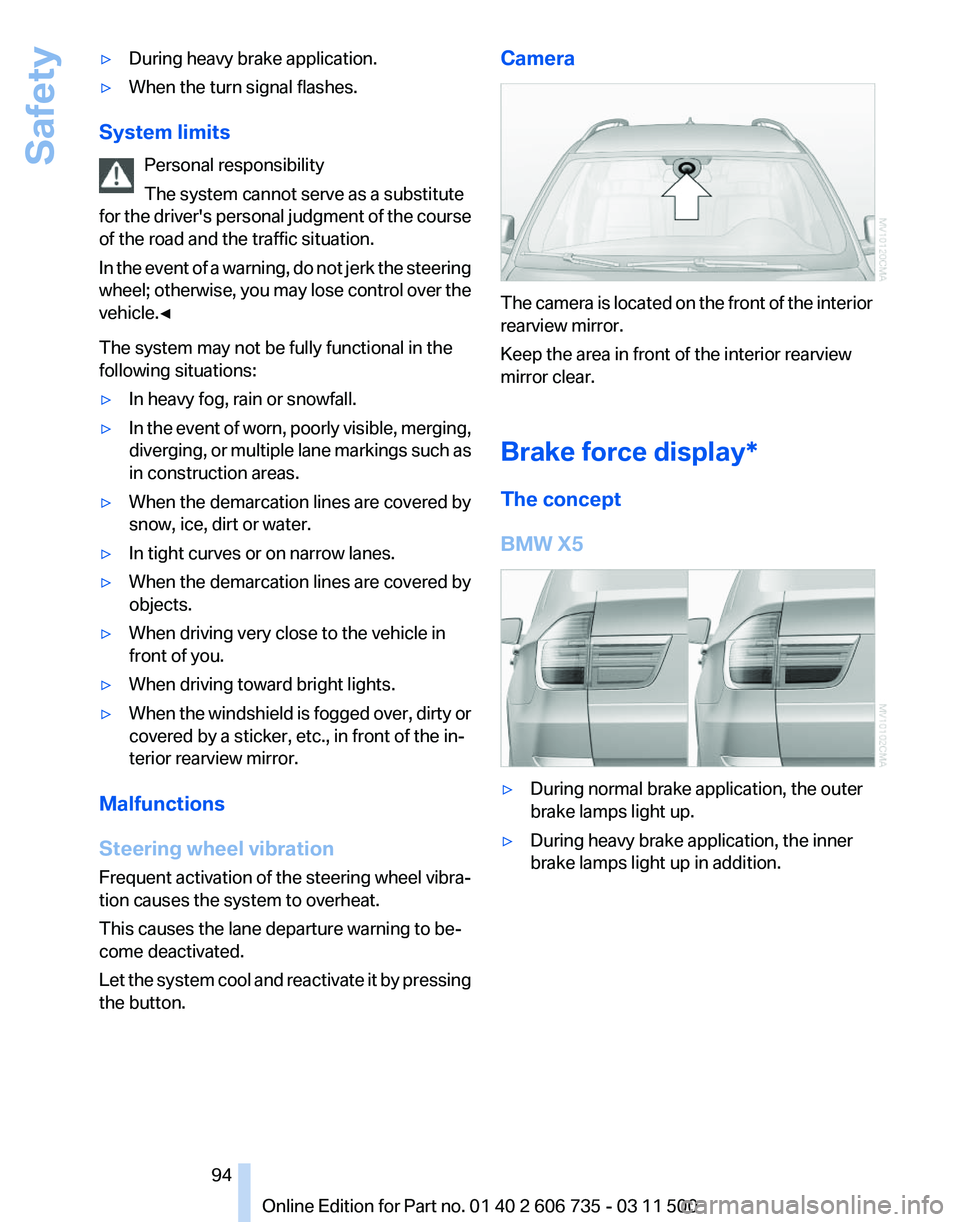
the button. Camera
The camera is located on the front of the interior
rearview mirror.
Keep the area in front of the interior rearview
mirror clear.
Brake force display*
The concept
BMW X5
▷
During normal brake application, the outer
brake lamps light up.
▷ During heavy brake application, the inner
brake lamps light up in addition.
Seite 94
94 Online Edition for Part no. 01 40 2 606 735 - 03 11 500
Safety
Page 95 of 317
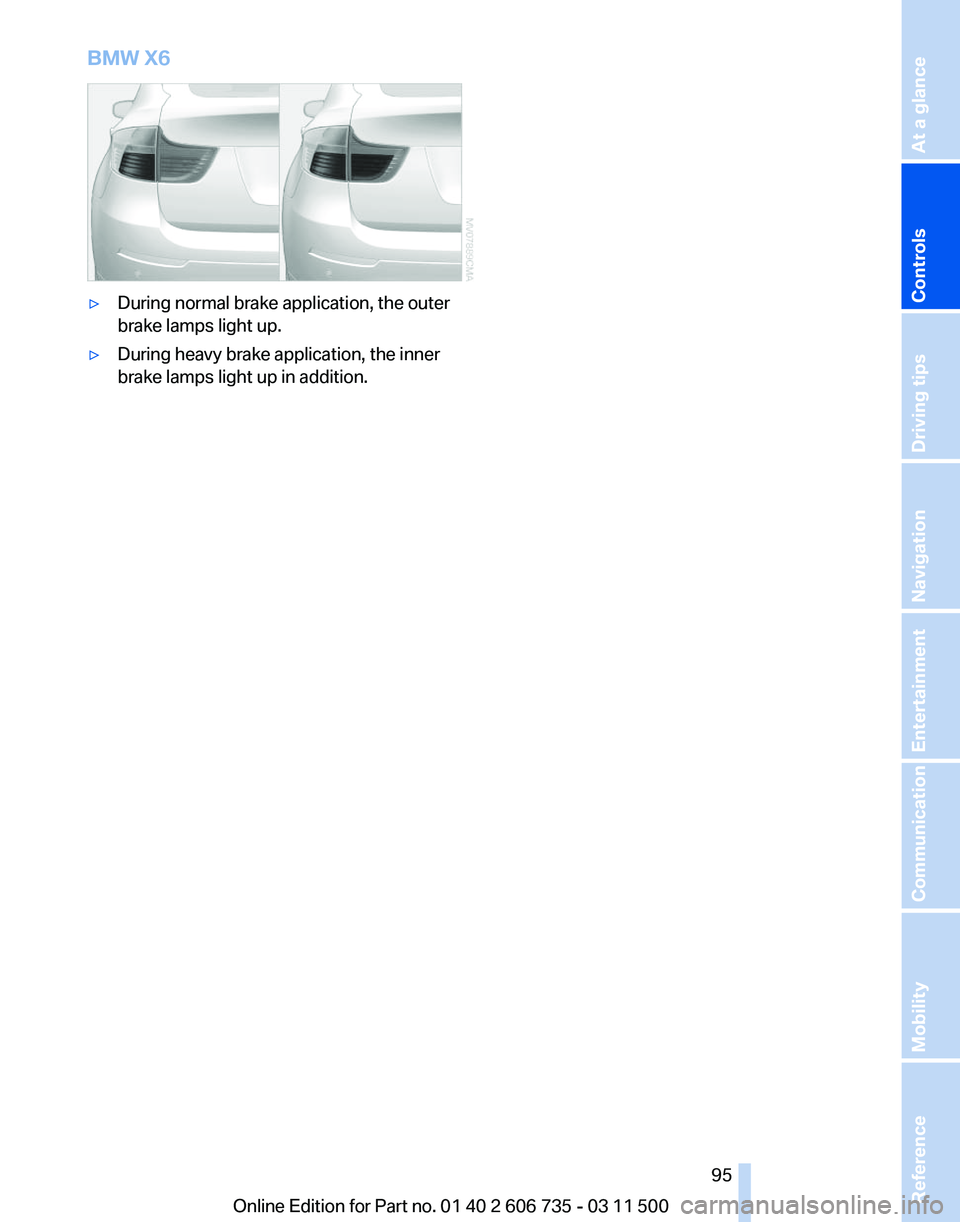
BMW X6
▷
During normal brake application, the outer
brake lamps light up.
▷ During heavy brake application, the inner
brake lamps light up in addition.
Seite 95
95Online Edition for Part no. 01 40 2 606 735 - 03 11 500
Reference Mobility Communication Entertainment Navigation Driving tips
Controls At a glance
Page 96 of 317
Driving stability control systems
Antilock Brake System ABS
ABS
prevents locking of the wheels during brak‐
ing.
The vehicle remains steerable even during full
brake applications, thus increasing active
safety.
ABS is operational every time you start the en‐
gine.
CBC Cornering Brake Control
When braking during curves or when braking
during a lane change, driving stability and steer‐
ing response are improved further.
Electronic brake-force
distribution
The system controls the brake pressure in the
rear wheels to ensure stable braking behavior.
Brake assistant
When you apply the brakes rapidly, this system
automatically produces the maximum braking
force boost. It thus helps to achieve the shortest
possible braking distance during full braking.
This system utilizes all of the benefits provided
by ABS.
Do not reduce the pressure on the brake pedal
for the duration of the full braking.
Dynamic Stability Control
DSC
The concept
DSC prevents traction loss in the driving wheels
when driving away and accelerating. DSC also recognizes unstable vehicle condi‐
tions,
such as fishtailing or nose-diving. Subject
to physical limits, DSC helps to keep the vehicle
on a steady course by reducing engine speed
and by applying brakes to the individual wheels.
Adjust your driving style to the situation
An appropriate driving style is always the
responsibility of the driver.
The laws of physics cannot be repealed, even
with DSC.
Do not reduce the additional safety margin with
a risky driving style, as otherwise there is a risk
of an accident.◀
Deactivating DSC: DSC OFF
When DSC is deactivated, driving stability is re‐
duced during acceleration and when driving in
bends.
To increase vehicle stability, activate DSC again
as soon as possible.
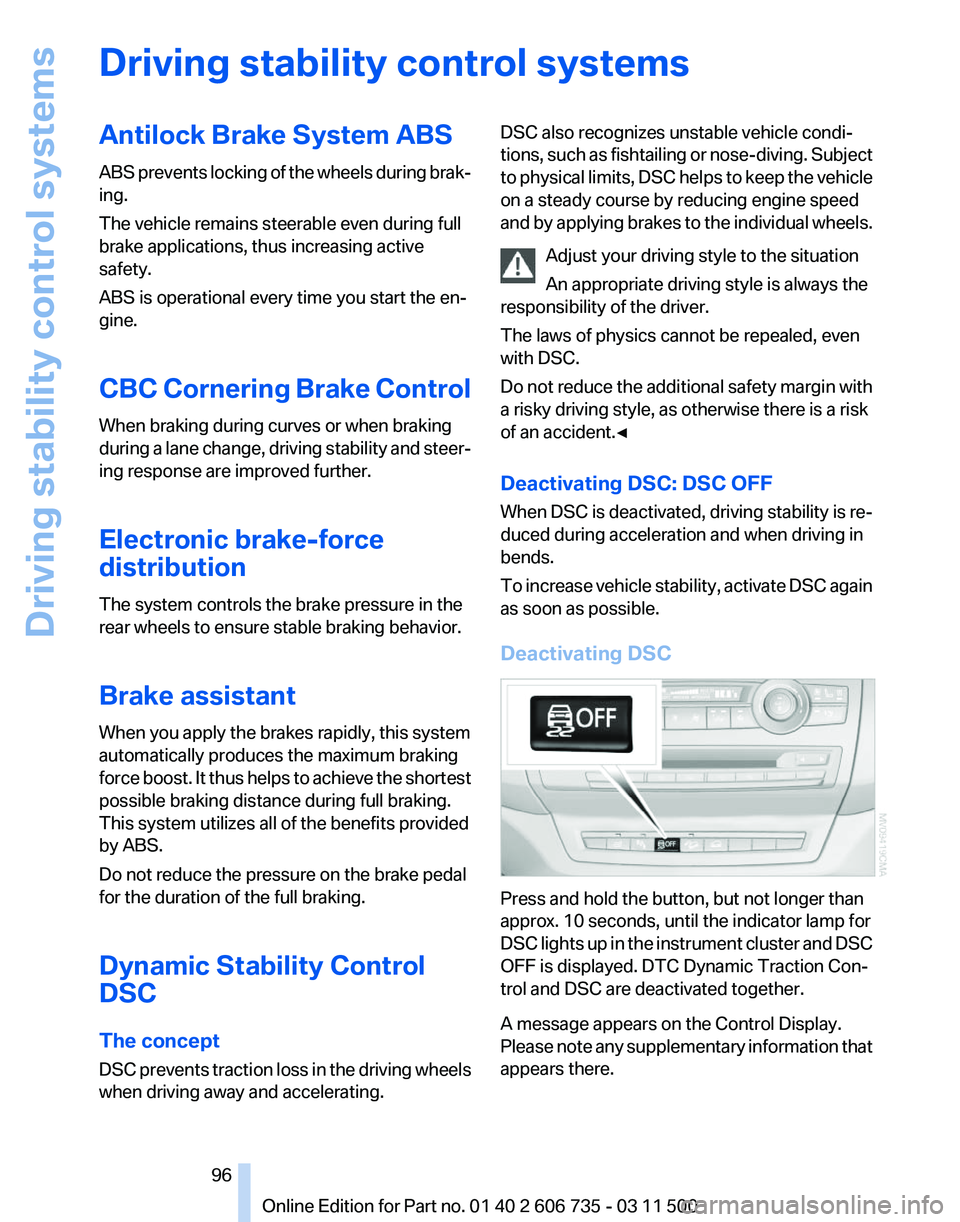
Deactivating DSC Press and hold the button, but not longer than
approx. 10 seconds, until the indicator lamp for
DSC
lights up in the instrument cluster and DSC
OFF is displayed. DTC Dynamic Traction Con‐
trol and DSC are deactivated together.
A message appears on the Control Display.
Please note any supplementary information that
appears there. Seite 96
96 Online Edition for Part no. 01 40 2 606 735 - 03 11 500
Driving stability control systems
Page 97 of 317
Activating DSC
Press the button.
DSC OFF and the indicator lamp in the instru‐
ment cluster go out.
For better control
The indicator lamp flashes: DSC con‐
trols the drive forces and brake forces.
The indicator lamp lights up: DSC and
DTC has failed.
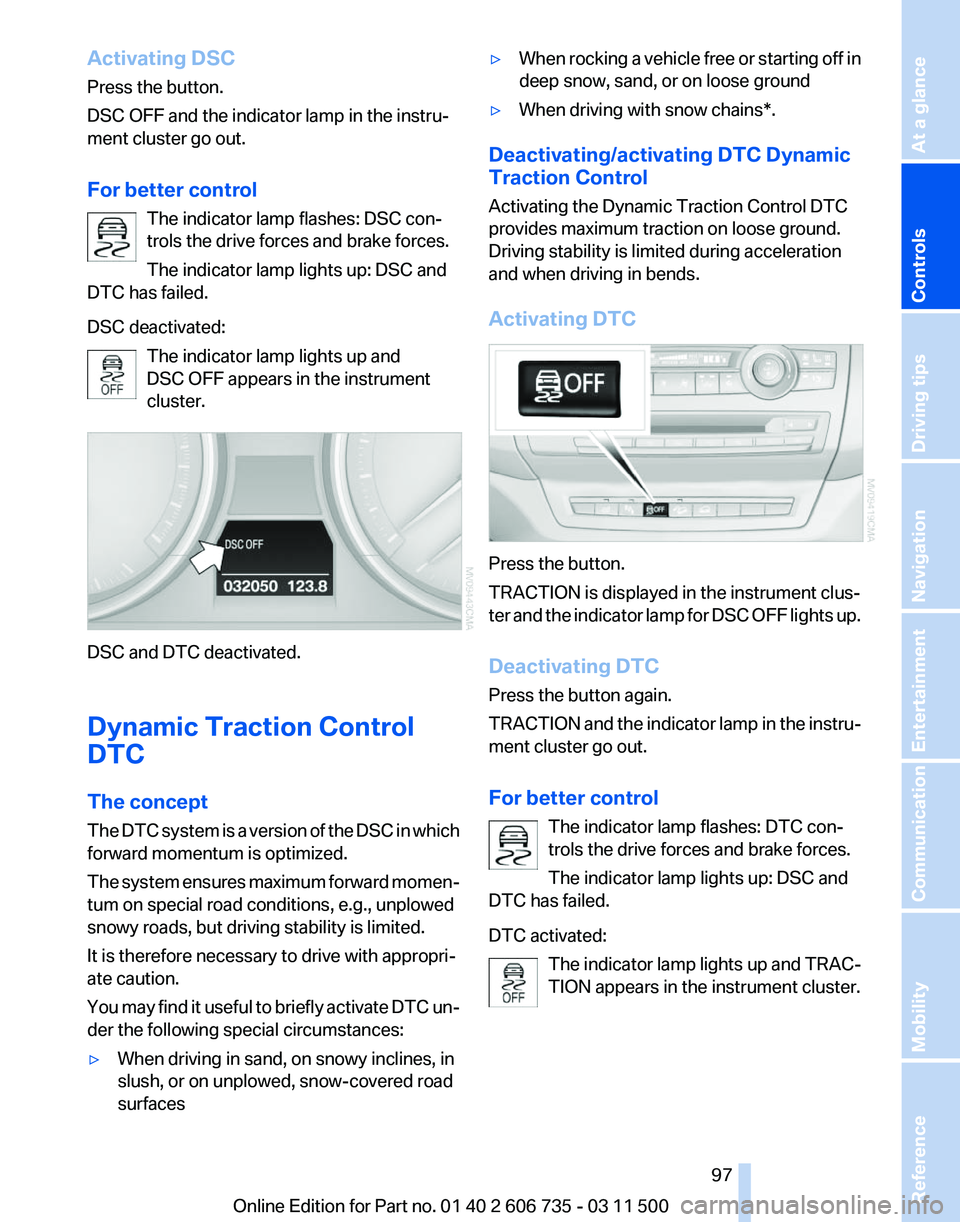
DSC deactivated:
The indicator lamp lights up and
DSC OFF appears in the instrument
cluster. DSC and DTC deactivated.
Dynamic Traction Control
DTC
The concept
The
DTC system is a version of the DSC in which
forward momentum is optimized.
The system ensures maximum forward momen‐
tum on special road conditions, e.g., unplowed
snowy roads, but driving stability is limited.
It is therefore necessary to drive with appropri‐
ate caution.
You may find it useful to briefly activate DTC un‐
der the following special circumstances:
▷ When driving in sand, on snowy inclines, in
slush, or on unplowed, snow-covered road
surfaces ▷
When rocking a vehicle free or starting off in
deep snow, sand, or on loose ground
▷ When driving with snow chains*.
Deactivating/activating DTC Dynamic
Traction Control
Activating the Dynamic Traction Control DTC
provides maximum traction on loose ground.
Driving stability is limited during acceleration
and when driving in bends.
Activating DTC Press the button.
TRACTION is displayed in the instrument clus‐
ter
and the indicator lamp for DSC OFF lights up.
Deactivating DTC
Press the button again.
TRACTION and the indicator lamp in the instru‐
ment cluster go out.
For better control The indicator lamp flashes: DTC con‐
trols the drive forces and brake forces.
The indicator lamp lights up: DSC and
DTC has failed.
DTC activated:
The indicator lamp lights up and TRAC‐
TION appears in the instrument cluster. Seite 97
97Online Edition for Part no. 01 40 2 606 735 - 03 11 500
Reference Mobility Communication Entertainment Navigation Driving tips
Controls At a glance
Page 98 of 317
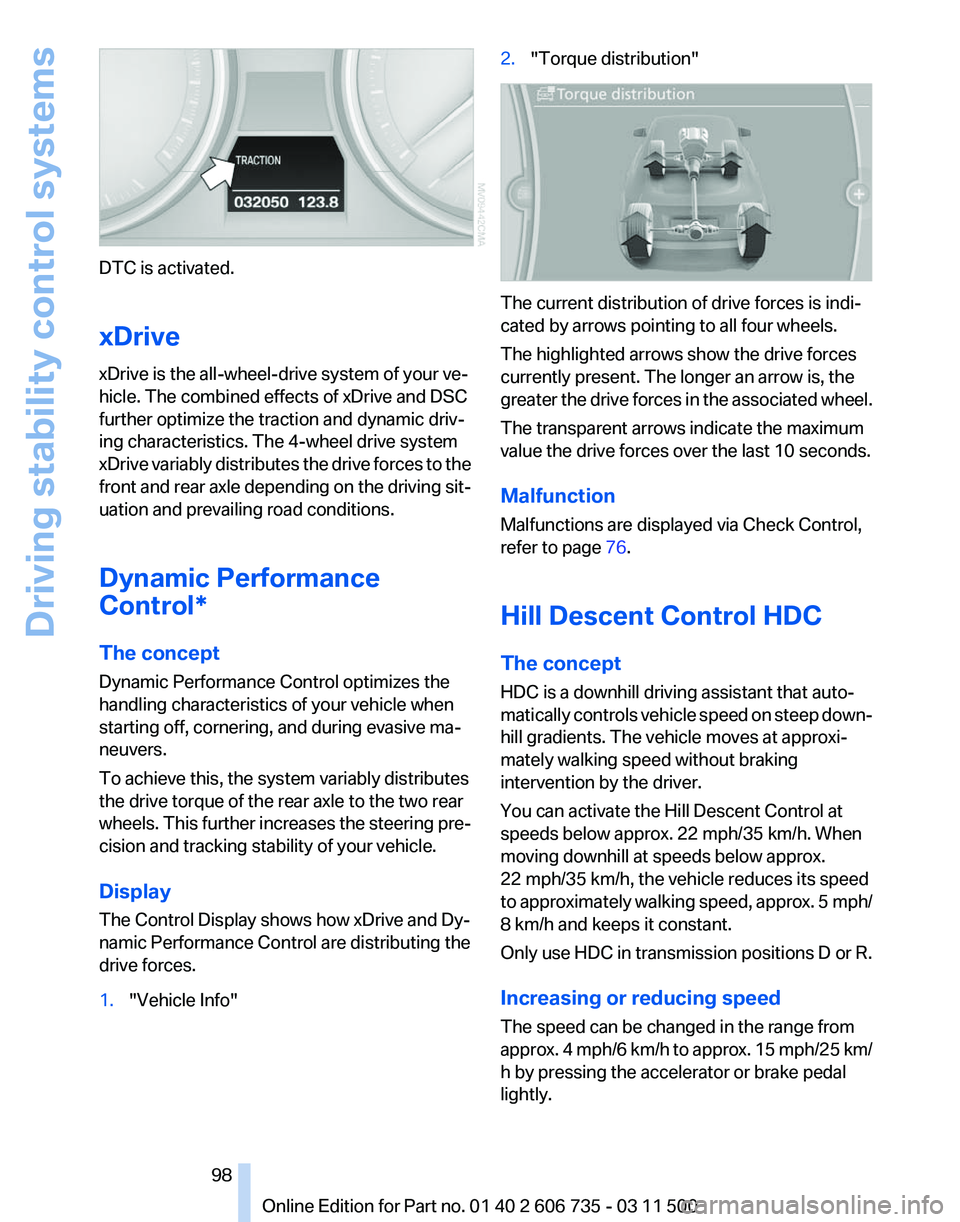
DTC is activated.
xDrive
xDrive is the all-wheel-drive system of your ve‐
hicle. The combined effects of xDrive and DSC
further optimize the traction and dynamic driv‐
ing characteristics. The 4-wheel drive system
xDrive
variably distributes the drive forces to the
front and rear axle depending on the driving sit‐
uation and prevailing road conditions.
Dynamic Performance
Control*
The concept
Dynamic Performance Control optimizes the
handling characteristics of your vehicle when
starting off, cornering, and during evasive ma‐
neuvers.
To achieve this, the system variably distributes
the drive torque of the rear axle to the two rear
wheels. This further increases the steering pre‐
cision and tracking stability of your vehicle.
Display
The Control Display shows how xDrive and Dy‐
namic Performance Control are distributing the
drive forces.
1. "Vehicle Info" 2.
"Torque distribution" The current distribution of drive forces is indi‐
cated by arrows pointing to all four wheels.
The highlighted arrows show the drive forces
currently present. The longer an arrow is, the
greater
the drive forces in the associated wheel.
The transparent arrows indicate the maximum
value the drive forces over the last 10 seconds.
Malfunction
Malfunctions are displayed via Check Control,
refer to page 76.
Hill Descent Control HDC
The concept
HDC is a downhill driving assistant that auto‐
matically controls vehicle speed on steep down‐
hill gradients. The vehicle moves at approxi‐
mately walking speed without braking
intervention by the driver.
You can activate the Hill Descent Control at
speeds below approx. 22 mph/35 km/h. When
moving downhill at speeds below approx.
22 mph/35 km/h, the vehicle reduces its speed
to approximately walking speed, approx. 5 mph/
8 km/h and keeps it constant.
Only use HDC in transmission positions D or R.
Increasing or reducing speed
The speed can be changed in the range from
approx. 4 mph/6 km/h to approx. 15 mph/25 km/
h by pressing the accelerator or brake pedal
lightly.
Seite 98
98 Online Edition for Part no. 01 40 2 606 735 - 03 11 500
Driving stability control systems
Page 99 of 317
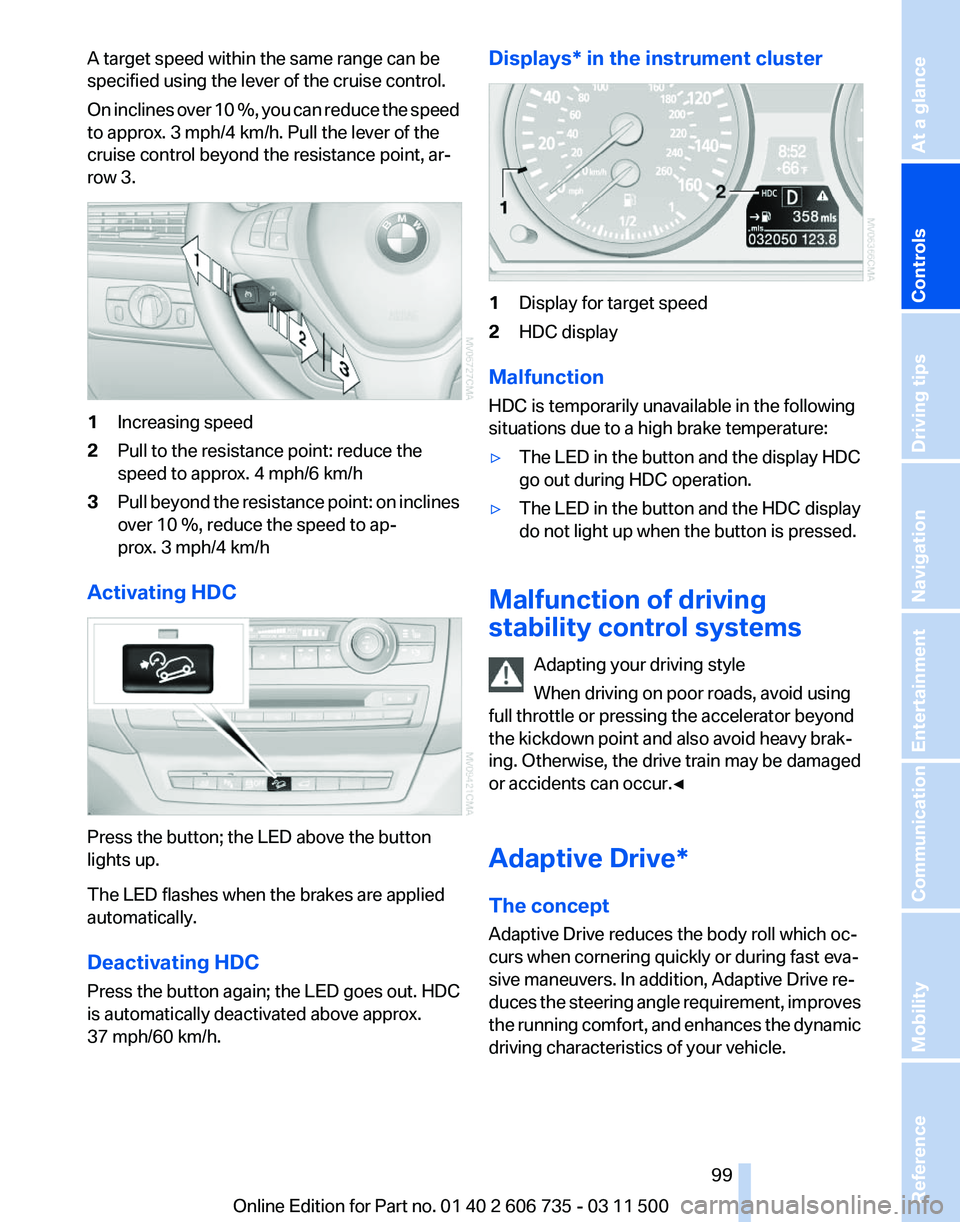
A target speed within the same range can be
specified using the lever of the cruise control.
On
inclines over 10 %, you can reduce the speed
to approx. 3 mph/4 km/h. Pull the lever of the
cruise control beyond the resistance point, ar‐
row 3. 1
Increasing speed
2 Pull to the resistance point: reduce the
speed to approx. 4 mph/6 km/h
3 Pull beyond the resistance point: on inclines
over 10 %, reduce the speed to ap‐
prox. 3 mph/4 km/h
Activating HDC Press the button; the LED above the button
lights up.
The LED flashes when the brakes are applied
automatically.
Deactivating HDC
Press the button again; the LED goes out. HDC
is automatically deactivated above approx.
37 mph/60 km/h. Displays* in the instrument cluster
1
Display for target speed
2 HDC display
Malfunction
HDC is temporarily unavailable in the following
situations due to a high brake temperature:
▷ The LED in the button and the display HDC
go out during HDC operation.
▷ The LED in the button and the HDC display
do not light up when the button is pressed.
Malfunction of driving
stability control systems Adapting your driving style
When driving on poor roads, avoid using
full throttle or pressing the accelerator beyond
the kickdown point and also avoid heavy brak‐
ing. Otherwise, the drive train may be damaged
or accidents can occur.◀
Adaptive Drive*
The concept
Adaptive Drive reduces the body roll which oc‐
curs when cornering quickly or during fast eva‐
sive maneuvers. In addition, Adaptive Drive re‐
duces
the steering angle requirement, improves
the running comfort, and enhances the dynamic
driving characteristics of your vehicle. Seite 99
99Online Edition for Part no. 01 40 2 606 735 - 03 11 500
Reference Mobility Communication Entertainment Navigation Driving tips
Controls At a glance
Page 100 of 317
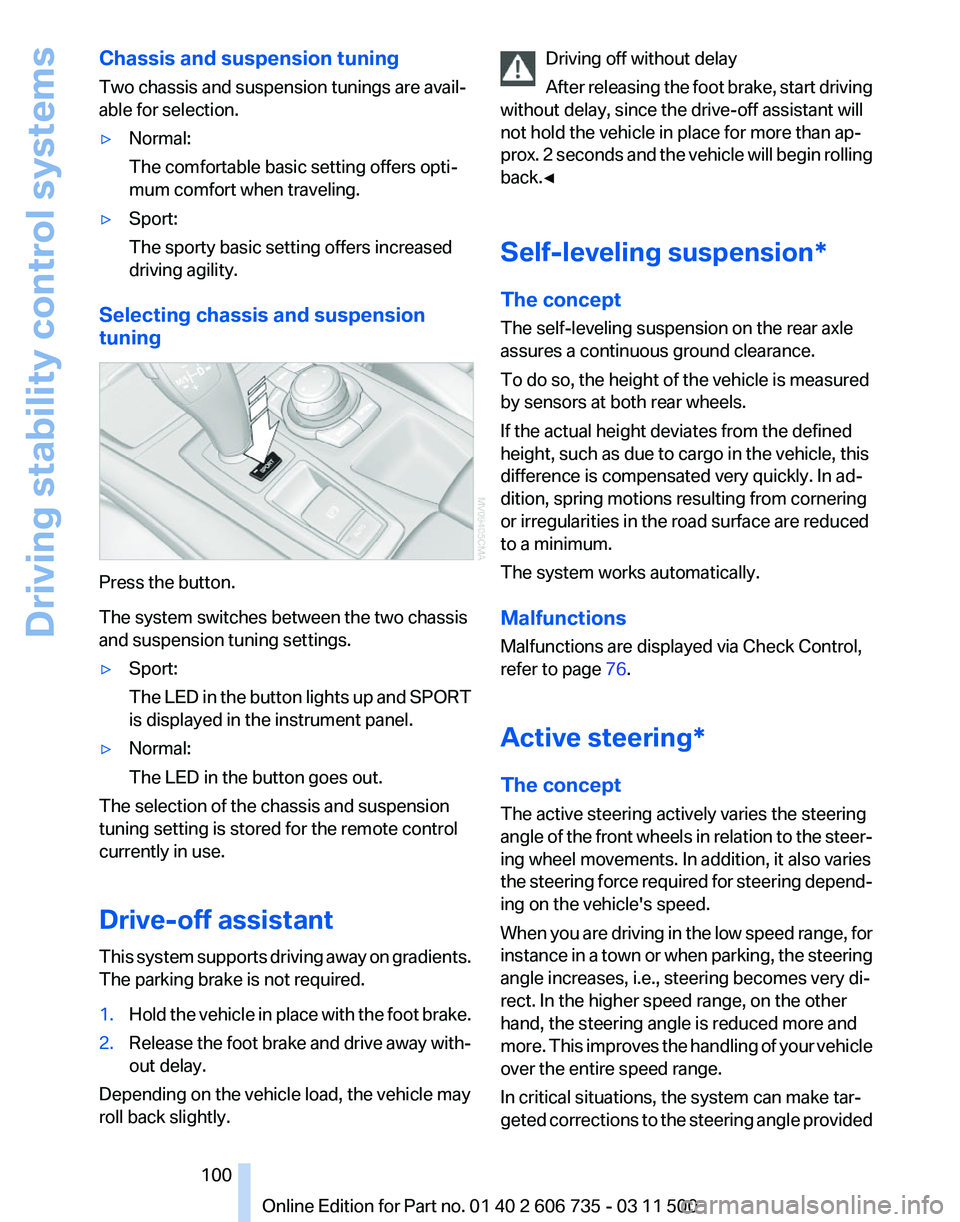
Chassis and suspension tuning
Two chassis and suspension tunings are avail‐
able for selection.
▷
Normal:
The comfortable basic setting offers opti‐
mum comfort when traveling.
▷ Sport:
The sporty basic setting offers increased
driving agility.
Selecting chassis and suspension
tuning Press the button.
The system switches between the two chassis
and suspension tuning settings.
▷
Sport:
The
LED in the button lights up and SPORT
is displayed in the instrument panel.
▷ Normal:
The LED in the button goes out.
The selection of the chassis and suspension
tuning setting is stored for the remote control
currently in use.
Drive-off assistant
This
system supports driving away on gradients.
The parking brake is not required.
1. Hold the vehicle in place with the foot brake.
2. Release the foot brake and drive away with‐
out delay.
Depending on the vehicle load, the vehicle may
roll back slightly. Driving off without delay
After
releasing the foot brake, start driving
without delay, since the drive-off assistant will
not hold the vehicle in place for more than ap‐
prox. 2 seconds and the vehicle will begin rolling
back.◀
Self-leveling suspension*
The concept
The self-leveling suspension on the rear axle
assures a continuous ground clearance.
To do so, the height of the vehicle is measured
by sensors at both rear wheels.
If the actual height deviates from the defined
height, such as due to cargo in the vehicle, this
difference is compensated very quickly. In ad‐
dition, spring motions resulting from cornering
or irregularities in the road surface are reduced
to a minimum.
The system works automatically.
Malfunctions
Malfunctions are displayed via Check Control,
refer to page 76.
Active steering*
The concept
The active steering actively varies the steering
angle of the front wheels in relation to the steer‐
ing wheel movements. In addition, it also varies
the steering force required for steering depend‐
ing on the vehicle's speed.
When you are driving in the low speed range, for
instance in a town or when parking, the steering
angle increases, i.e., steering becomes very di‐
rect. In the higher speed range, on the other
hand, the steering angle is reduced more and
more. This improves the handling of your vehicle
over the entire speed range.
In critical situations, the system can make tar‐
geted corrections to the steering angle provided Seite 100
100 Online Edition for Part no. 01 40 2 606 735 - 03 11 500
Driving stability control systems
Page 102 of 317
Driving comfort
Active cruise control*
With active cruise control you can select a de‐
sired speed which is then automatically main‐
tained when driving on open roadways and is
varied
to maintain a selected distance setting to
slower moving vehicles ahead.
Active cruise control represents a technological
advance over the familiar cruise control and is a
welcome relief from the constant adjustment of
speed that can accompany driving in traffic on
highways or other high-speed thoroughfares.
Especially on longer trips and in traffic conges‐
tion, the system can reduce fatigue and tension,
while increasing your enjoyment of driving.
Please use it safely and responsibly.
In addition to holding a steady cruising speed, if
you encounter slower vehicles ahead, active
cruise control will, within limits, adjust your ve‐
hicle's speed automatically so that you can flow
with the traffic without having to make constant
adjustments. If, for example, while cruising at the
selected speed, you begin to approach a slower
vehicle ahead of you in the same lane, the sys‐
tem will reduce your vehicle's speed to the same
as that of the vehicle ahead to maintain your se‐
lected distance setting. You can vary the follow‐
ing distance, which will vary with speed. Based
on your selected distance setting, the system
automatically decreases the throttle setting and
lightly applies the brakes if necessary. In addi‐
tion, if the vehicle ahead of you slows to a com‐
plete stop, the system can follow this action
within the given scope and can also accelerate
from a complete stop if the vehicle ahead of you
drives off again shortly thereafter. During brak‐
ing, your vehicle brake lamps will automatically
illuminate to alert a following driver to take ac‐
tion. In addition, it may be necessary for your
vehicle to downshift the automatic transmission
to maintain the distance setting selected. As
soon as the road in front of you has no moving
vehicles, the system will accelerate to your de‐
sired speed. This set speed is also maintained
on downhill grades, however the vehicle speed can drop below the set speed when driving uphill
if the engine output is not sufficient.
Personal responsibility
Active cruise control cannot detect stop
signs,
red lights, or any object that is stopped or
is blocking the road. Active cruise control is not
and must not be used as a collision avoidance/
warning system. Since this active cruise control
system is a new technology and operates dif‐
ferently from conventional cruise control sys‐
tems to which you may be accustomed, it is
necessary that you read all of the pages relating
to this system before use. Carefully read and
observe the information on the system limita‐
tions, refer to page 106, to obtain a good com‐
mand of the system and its range of applica‐
tions.◀
Brake pedal feel
When the system brakes and you also depress
the brake pedal, a somewhat different braking
feel results.
Professional navigation system*
If the vehicle is equipped with a Professional
navigation system, the system adapts the ac‐
celeration and deceleration behavior of the ve‐
hicle to the road on which you are currently driv‐
ing.
To ensure that the system has the latest infor‐
mation on the course of the road, use the most
recent version of the navigation data.
If the vehicle position is unknown, e.g., if you
have left the region covered by the map, the
navigation system ceases to influence vehicle
behavior.
Applications
Please try the system first during sparse traffic
and clear road conditions so that you can get
used to the system. After you have experience
and understand the system, only then use it dur‐
ing normal traffic. Seite 102
102 Online Edition for Part no. 01 40 2 606 735 - 03 11 500
Driving comfort