indicator BMW X6 XDRIVE 35I 2009 E71 Owner's Guide
[x] Cancel search | Manufacturer: BMW, Model Year: 2009, Model line: X6 XDRIVE 35I, Model: BMW X6 XDRIVE 35I 2009 E71Pages: 317, PDF Size: 9.56 MB
Page 134 of 317
Practical interior accessories
132
Installing
When installing, proceed in the opposite order
of removal.
1.Set the cargo bay cove r into place on the
left and right sides.
2. Lift the back of the co ver slightly and slide
forward until it snaps into the two side
brackets.
Expanding cargo bay
The rear seat backrest is divided. You can fold
down both sides separate ly in order to expand
the cargo bay.
BMW X6: before folding the rear seat
backrest forward or using the ski bag,
remove beverage containers from the cup
holder and close the cup holder. <
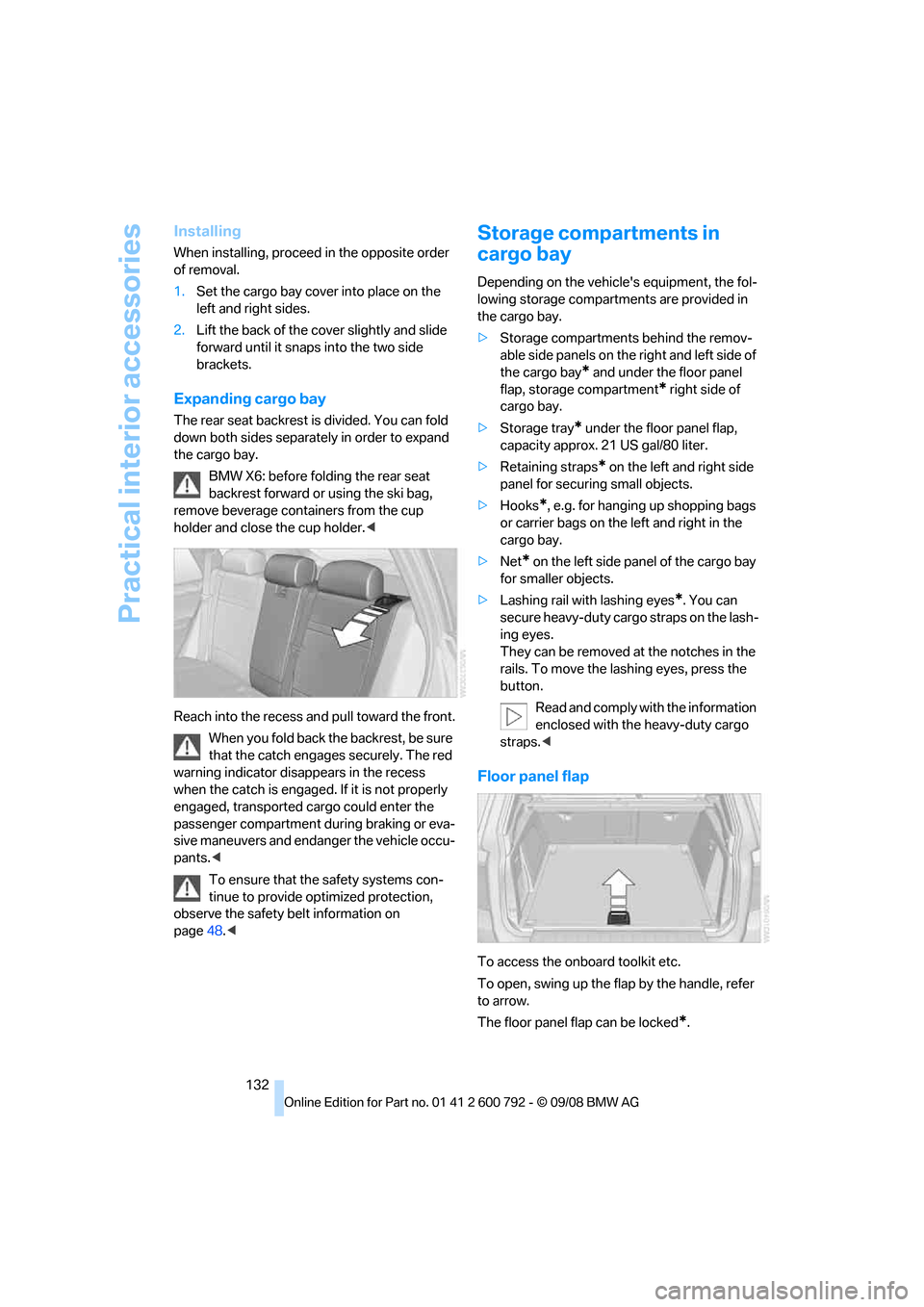
Reach into the recess an d pull toward the front.
When you fold back the backrest, be sure
that the catch engages securely. The red
warning indicator disappears in the recess
when the catch is engaged. If it is not properly
engaged, transported cargo could enter the
passenger compartment during braking or eva-
sive maneuvers and endanger the vehicle occu-
pants. <
To ensure that the safety systems con-
tinue to provide optimized protection,
observe the safety belt information on
page 48.<
Storage compartments in
cargo bay
Depending on the vehicle's equipment, the fol-
lowing storage compartments are provided in
the cargo bay.
> Storage compartments behind the remov-
able side panels on the right and left side of
the cargo bay
* and under the floor panel
flap, storage compartment
* right side of
cargo bay.
> Storage tray
* under the floor panel flap,
capacity approx. 21 US gal/80 liter.
> Retaining straps
* on the left and right side
panel for securing small objects.
> Hooks
*, e.g. for hanging up shopping bags
or carrier bags on the left and right in the
cargo bay.
> Net
* on the left side pa nel of the cargo bay
for smaller objects.
> Lashing rail with lashing eyes
*. You can
secure heavy-duty cargo straps on the lash-
ing eyes.
They can be removed at the notches in the
rails. To move the lashing eyes, press the
button.
Read and comply with the information
enclosed with the heavy-duty cargo
straps. <
Floor panel flap
To access the onboard toolkit etc.
To open, swing up the flap by the handle, refer
to arrow.
The floor panel flap can be locked
*.
Page 238 of 317
BMW Assist
236
on route planning, traffic conditions, and the
weather. With Critical
Calling, you can make a
limited number of calls via the BMW Assist
Response Center, e.g. if you do not have your
mobile phone with you.
Press the SOS button to contact the BMW
Assist Response Center, see below.
You also have access to the BMW Assist con-
cierge service via the Internet.
Characteristics of offered services
The following special aspects apply to the ser-
vices:
>The services offered are country-specific.
> Voice contact is esta blished or data are
transferred, depending on the equipment
and the country. In some countries, it is
possible to do both.
> The data transferred can, for example, be
the vehicle data, your cu rrent position or the
data of the CBS Cond ition Based Service.
Using services
Contact to the BMW Assist Response
Center
You can contact the BMW Assist Response
Center via the SOS button.
1.Briefly press protective cover to open.
Depending on the vehicle's equipment, the
arrangement of the switches and indicator
lamps may differ somewhat.
2. Press the button for at least 2 seconds.
The BMW Assist Response Center is con-
tacted.
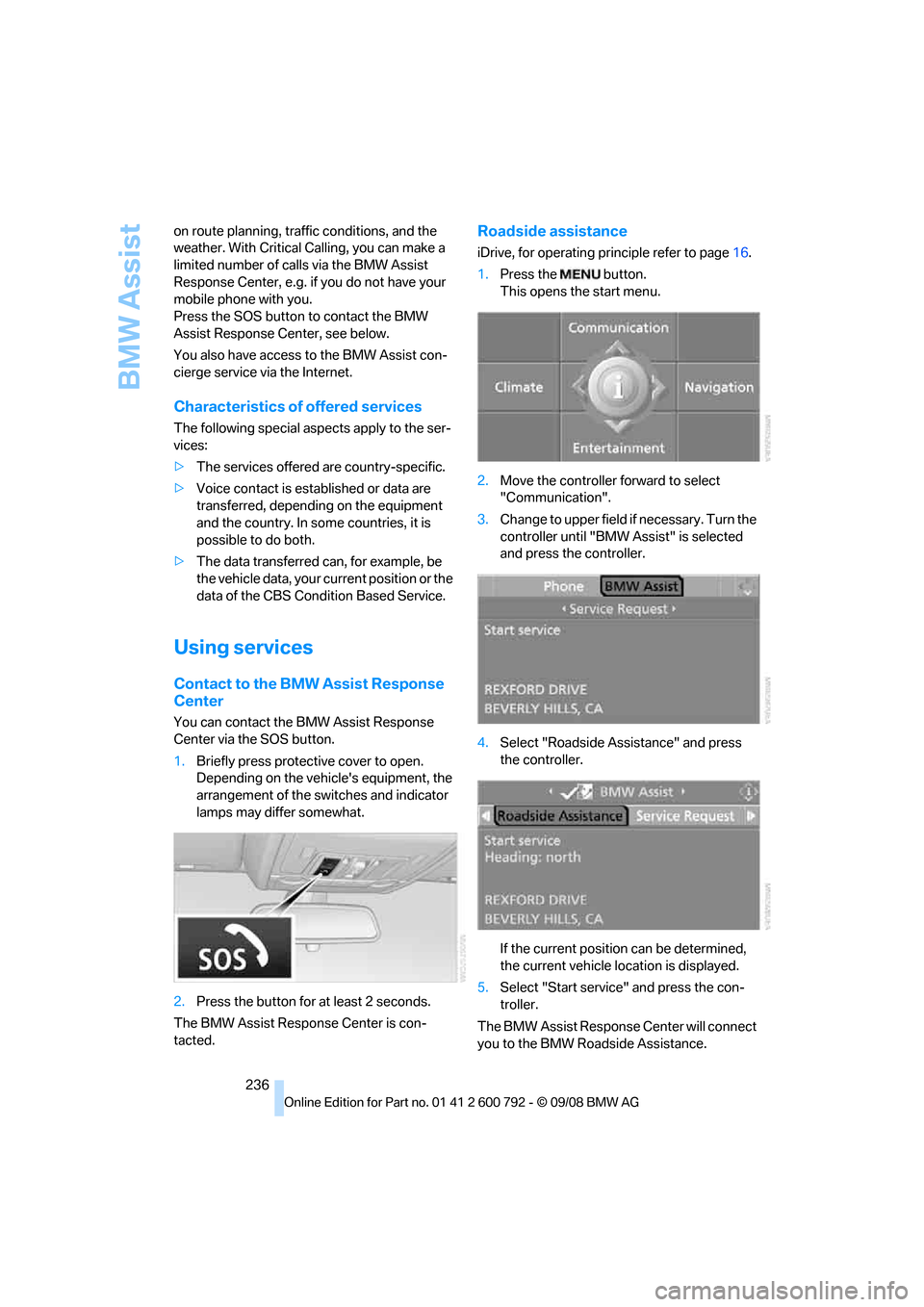
Roadside assistance
iDrive, for operating pr inciple refer to page16.
1. Press the button.
This opens the start menu.
2. Move the controller forward to select
"Communication".
3. Change to upper field if necessary. Turn the
controller until "BMW Assist" is selected
and press the controller.
4. Select "Roadside Assistance" and press
the controller.
If the current position can be determined,
the current vehicle location is displayed.
5. Select "Start service" and press the con-
troller.
The BMW Assist Response Center will connect
you to the BMW Roadside Assistance.
Page 257 of 317
Mobility
255Reference
At a glance
Controls
Driving tips
Communications
Navigation
Entertainment
Temperature
The temperature grades are A, the highest, B,
and C, representing the tire's resistance to the
generation of heat and its ability to dissipate
heat when tested under controlled conditions
on a specified indoor laboratory test wheel.
Sustained high temperature can cause the
material of the tire to degenerate and reduce
tire life, and excessive temperature can lead to
sudden tire failure. The grade C corresponds to
a level of performance which all passenger car
tires must meet under the Federal Motor Vehi-
cle Safety Standard No. 109. Grades B and A
represent higher levels of performance on the
laboratory test wheel than the minimum
required by law.
The temperature grade for this tire is
established for a tire that is properly
inflated and not overloaded. Excessive speed,
underinflation, or excessive loading, either sep-
arately or in combination, can cause heat
buildup and possible tire failure. <
RSC – run-flat tires
You will recognize run-flat tires by a circular
symbol containing the letters RSC on the side
of the tire, refer to page256.
M+S
Winter and all-season tires.
These have better winter properties than sum-
mer tires.
XL
Indicates specially reinforced tires.
Tire condition
Inspect your tires freq uently for tread wear,
signs of damage and for foreign objects lodged
in the tread. Check the tread depth.
Minimum tread depth
The tread depth should not drop below 0.12 in/
3 mm, although, for example, European legisla-
tion only specifies a minimum tread depth of 0.063 in/1.6 mm. At tread depths below 0.12 in/
3 mm there is an increased risk of high-speed
hydroplaning, even when only small amounts of
water are present on the road surface.
When winter tires wear down past a tread depth
of 0.16 in/4 mm, they become perceptibly less
suitable for winter conditions. For the sake of
safety, new tires should be installed.
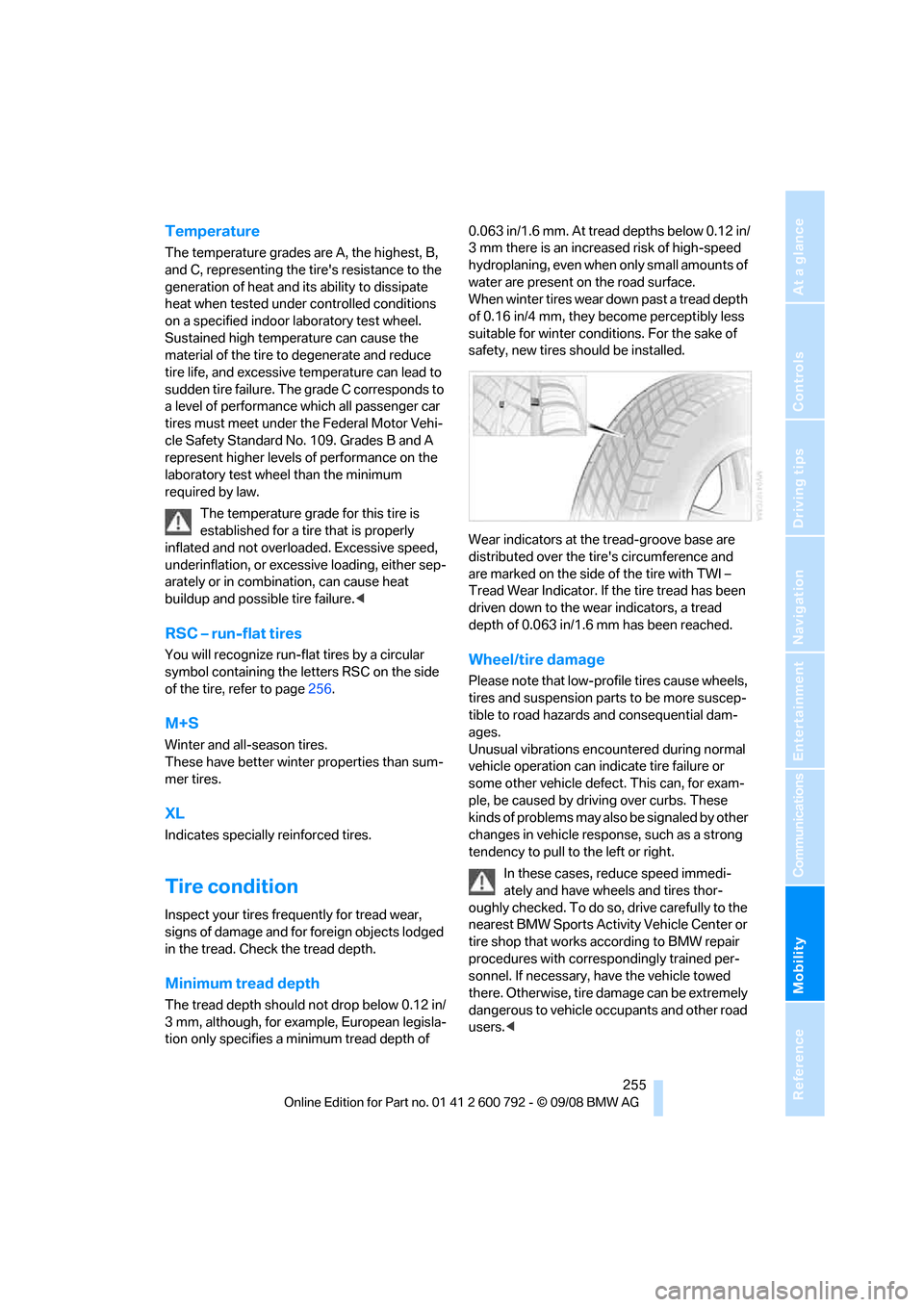
Wear indicators at the tread-groove base are
distributed over the ti
re's circumference and
are marked on the side of the tire with TWI –
Tread Wear Indicator. If the tire tread has been
driven down to the we ar indicators, a tread
depth of 0.063 in/1.6 mm has been reached.
Wheel/tire damage
Please note that low-pr ofile tires cause wheels,
tires and suspension parts to be more suscep-
tible to road hazards and consequential dam-
ages.
Unusual vibrations encountered during normal
vehicle operation can indi cate tire failure or
some other vehicle defect. This can, for exam-
ple, be caused by driving over curbs. These
kinds of problems may also be signaled by other
changes in vehicle response, such as a strong
tendency to pull to the left or right.
In these cases, reduce speed immedi-
ately and have wheels and tires thor-
oughly checked. To do so , drive carefully to the
nearest BMW Sports Activity Vehicle Center or
tire shop that works ac cording to BMW repair
procedures with corres pondingly trained per-
sonnel. If necessary, have the vehicle towed
there. Otherwise, tire damage can be extremely
dangerous to vehicle occupants and other road
users. <
Page 281 of 317
Mobility
279Reference
At a glance
Controls
Driving tips
Communications
Navigation
Entertainment
Giving and receiving assistance
Emergency request
Conditions for an emergency request:
>Full preparation package mobile phone.
With this equipment, an emergency request
is still possible when no mobile phone is
paired in the vehicle.
> BMW Assist is activated.
Activating BMW Assist, refer to page 240.
> Radio readiness is switched on.
> The BMW Assist system is logged in on a
wireless communications network.
> The emergency request system is opera-
ble.
When the contract of participation with BMW
Assist expires, the BMW Assist system can be
deactivated by a BMW Sports Activity Vehicle
Center without having to visit a workshop. Once
the BMW Assist system has been deactivated,
emergency requests are not possible. The
BMW Assist system be reactivated by a BMW
Sports Activity Vehicle Center after signing a
new contract.
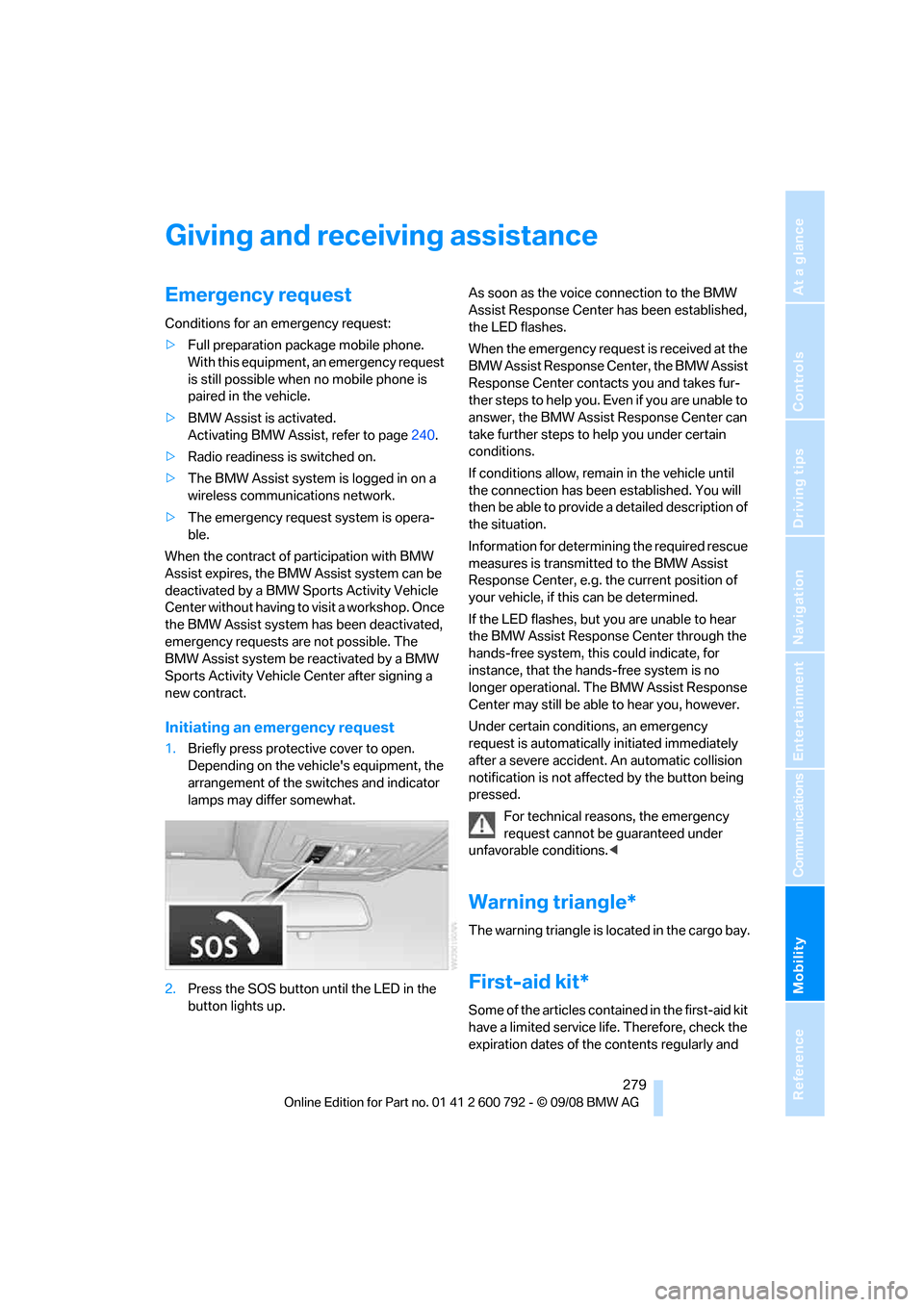
Initiating an emergency request
1. Briefly press protective cover to open.
Depending on the vehicle's equipment, the
arrangement of the switches and indicator
lamps may differ somewhat.
2. Press the SOS button until the LED in the
button lights up. As soon as the voice connection to the BMW
Assist Response Center has been established,
the LED flashes.
When the emergency request is received at the
BMW Assist Response Center, the BMW Assist
Response Center contacts you and takes fur-
ther steps to help you. Even if you are unable to
answer, the BMW Assist Response Center can
take further steps to help you under certain
conditions.
If conditions allow, remain in the vehicle until
the connection has been
established. You will
then be able to provide a detailed description of
the situation.
Information for determining the required rescue
measures is transmitted to the BMW Assist
Response Center, e.g. the current position of
your vehicle, if this can be determined.
If the LED flashes, but you are unable to hear
the BMW Assist Response Center through the
hands-free system, this could indicate, for
instance, that the hand s-free system is no
longer operational. The BMW Assist Response
Center may still be able to hear you, however.
Under certain conditions, an emergency
request is automatically initiated immediately
after a severe accident . An automatic collision
notification is not affected by the button being
pressed.
For technical reasons, the emergency
request cannot be guaranteed under
unfavorable conditions. <
Warning triangle*
The warning triangle is located in the cargo bay.
First-aid kit*
Some of the articles cont ained in the first-aid kit
have a limited service life. Therefore, check the
expiration dates of the contents regularly and
Page 302 of 317
Everything from A to Z
300
Compartments, refer to
Storage compartments 127
Compass, digital 124
Computer 80
– displays in instrument
panel 80
– displays on Control Display 80
– trip computer 81
"Concierge" 239
Concierge service 239
Condition Based Service CBS 263
"Confirmation" 31
Connecting car vacuum cleaner, refer to Connecting
electrical devices 129
Connecting headphones 205
Consumption, refer to
Average fuel
consumption 80
Consumption indicator,
energy control 79
Consumption statistics, refer to Average fuel
consumption 80
"Contrast"
– DVD changer 196
– DVD system in rear 208
Control Center, refer to iDrive 16
Control Display, refer to iDrive 16
– setting brightness 89
Controller, refer to iDrive 16
Controls
– DVD changer 193
– DVD system in rear 204
– refer to Cockpit 10
Convenience operation
– glass sunroof 30,32
– glass sunroof with comfort access 40
– windows 30,32
– windows with comfort access 40
– with comfort access 40Coolant
262
– checking level 262
– temperature 79
Cooling, maximum 117
Cornering Brake Control
CBC 96
Courtesy lamps, refer to Interior lamps 113
Cradle for telephone or mobile phone 127
Cruise control 75
Cruising range 80
Cup holders 127
Curb weight, refer to Wei
ghts 289
"Current position" 169
Current position
– displaying 169
– entering 158
– storing 158
"Customer Relations" 230,238
Cylinders, refer to Engine data 286
D
Data 286
– capacities 290
– dimensions 287
– engine 286
– technical data 286
– weights 289
"Date" 89
Date 78
– display format 89
– retrieving 78
– setting 89
"Date format" 89
Daytime driving lamps 111
"Deactivated" 51
Defrosting windows 116
Defrosting windows and
removing condensation 116
Defrost position, refer to Defrosting windows 116
"Delete all numbers" on the mobile phone 229 "Delete data" for
navigation 159
"Delete" for mobile phone 229
Destination address
– deleting 159
– entering 151,153
Destination for navigation
– destination list 157
– entering 150
– selecting from address
book 159
– selecting using
information 156
– selecting using voice 153
– storing 158
Destination guidance 162
– canceling voice instructions 60
– changing specified route 160
– displaying route 163
– distance and arrival 162
– ending/continuing 162
– starting 162
– voice instructions 165
– volume of voice instructions 166
Destination list for navigation system 157
Destinations recently driven
to 157
"Details"
– DVD system in the rear 212
– in audio mode 202
"Dial" for mobile phone 227
"Dial number" 227
"
Diamond button" 59
Diesel exhaust fluid
– at low temperatures 246
– at minimum 246
– refilling yourself 247
Diesel particulate filter 139
Digital clock 78
Digital compass 124
Digital radio, refer to High
Definition Radio 181
Page 303 of 317
Reference 301
At a glance
Controls
Driving tips
Communications
Navigation
Entertainment
Mobility
Digital Versatile Disc, refer to
– DVD changer193
– Player for navigation DVD 174
Dimensions 287
Directional indicators, refer to Turn signals 73
Direction announcements,
refer to Voice
instructions 165
Direction instructions, refer to
Voice instructions 165
Directory for navigation, refer
to Address book 158
Displacement, refer to Engine data 286
Display, refer to iDrive 16
Displaying images 212
Display lighting, refer to
Instrument lighting 113
"Display off" 21
Displays, refer to Instrument
panel 12
"Display settings" 89,107
Displays on the windshield,
refer to Head-Up
Display 107
Disposal
– battery of remote control with comfort access 41
– remote control battery 206
– vehicle battery 277
Distance, refer to Computer 80
"Distance to dest." 81
Distance to destination, refer to Computer 80
Distance warning, refer to PDC Park Distance
Control 91
Door entry lighting 113
Door key, refer to Keys/ remote control 28
Door lock 32
Door locking, confirmation signals 31 "Door locks"
30,31,83
Doors
– manual operation 32
– remote control 29
DOT Quality Grades 254
Downhill driving assistance, refer to HDC 98
Draft-free ventilation 118
Drinks holder, refer to Cup holders 127
Drive for navigation DVDs 174
"Driver's door only" 30
Driver's seat, calibrating 55
"Driver's seat climate" 56
Dr
iving lamps, refer to Parking
lamps/low beams 110
Driving on poor roads 144
Driving route, refer to Displaying route 163
Driving stability control systems 96
Driving through water 140
Driving tips, refer to General driving notes 138
Dry air, refer to Cooling
function 117
Drying the air, refer to Cooling function 117
DSC Dynamic Stability Control 96
– indicator lamp 13,97
DTC Dynamic Traction Control 97
– activating 97
– indicator lamp 97
"DVD"
– for DVD system in rear 206
– in DVD changer 194
DVD
– DVD changer 193
– DVD system in rear 204
– player for navigation DVD 174 DVD changer
193
– adjusting brightness 196
– adjusting contrast 196
– audio and video playback 194
– audio playback 197
– chapter selection 198
– controls 193
– DVD audio content 198
– DVD control 194
– DVD country codes 194
– DVD-specific menu 197
– fast forward 195
– filling 193
– installation position 193
– malfunctions 194
– removing DVDs 193
– reverse 195
– selecting audio
language 198
– selecting language 196
– selecting subtitles 196
– selecting title 197
– selecting viewing angle 197
– skip chapter 195
– tone control 195,198
– zoom 196
"DVD form
at"
– for DVD system in rear 209
– in DVD changer 196
DVD for navigation 148
DVD system in rear 204
– CD/DVD player 205
– connecting headphones 205
– controls 204
– displaying images from CD/ DVD 212
– DVD country codes 206
– external device 215
– information on CD/DVD
player 214
– playing audio tracks from CD/DVD 210
– playing video from CD/ DVD 206
– remote control 205
– switching on/off 206
Page 305 of 317
Reference 303
At a glance
Controls
Driving tips
Communications
Navigation
Entertainment
Mobility
Flat tire
– changing wheels275
– compact wheel 275
– Flat Tire Monitor 100
– run-flat tires 101,103, 256
– TPM Tire Pressure Monitor 101
Flat Tire Monitor FTM 100
Fluid reservoir, refer to Filler neck for washer fluid 75
"FM", reception
range 175,178
FM, waveband 178
Fog lamps 112
– indicator lamp 13,112
Folding display screen open/
closed, DVD system in
rear 204
Folding rear seat backrest 132
Footbrake, refer to Braking safely 140
Footwell lamps 113
For your own safety 5
4-wheel drive system, refer to xDrive 97
Front airbags 105
Front passenger airbags 105
– deactivating 106
– refer to Exception of front passenger seat 61
Front seat adjustment 49
FTM Flat Tire Monitor 100
– false alarms 100
– indicating a flat tire 101
– initializing the system 100
– snow chains 257
– system limits 100
– warning lamp 101
Fuel 245
– capacity 290
– display 80
– high-quality brands 245
– quality 245
– saving 138
– specifications 245
Fuel clock, refer to Fuel
gauge 80 Fuel consumption display
– computer, average fuel
consumption 80
Fuel display, refer to Fuel gauge 80
Fuel filler door 244
– closing 24
4
– opening 244
– releasing manually 244
Fuses 278
G
Garage door opener, refer to
Integrated universal remote
control 123
Gasoline, refer to Required fuel 245
Gasoline display, refer to Fuel
gauge 80
Gearshifts, automatic transmission with
Steptronic 71
General driving notes 138,139
Glass sunroof
– convenience operation from outside 32
– convenience operation with comfort access 40
– remote control 30
Glass sunroof, electric 45
– moving manually 46
– opening, closing 45
– power interruption 46
– raising 45
Glove compartment 126
– lighting 126
GPS navigation, refer to Navigation system 148
Grills, refer to Ventilation 118
Grills of the automatic climate control 114
Gross vehicle weight, refer to Weights 289
H
Handbrake, refer to Parking
brake 67
Hands-free system, refer to
Microphone 14
Hand washing 266
Have diesel exhaust fluid
refilled 246
Hazard warning flashers 15
HDC Hill Descent Control 98
"HD radio" 181
HD radio, refer to High
Definition Radio 181
Head airbags 105
Headlamp control,
automatic 110
Headlamp flasher 73
Headlamps 110
– cleaning, refer to Washer/ wiper system 74
– replacing bulbs 269
Head Light, refer to Adaptive Head Light 112
Head restraints 52
– sitting safely 48
"Head-Up Display" 108
Head-Up Display 107
Heated
– mirrors 58
– rear window 116
– seats 55,56
– steering wheel 59
Heating 114
– exterior mirrors 58
– interior 114
– rear window 116
– residual heat 118
– seats 55,56
– steering wheel 59
Heating with engine switched off, refer to Residual
heat 118
Heavy cargo, refer to Securing cargo 143
Height, refer to
Dimensions 287
Page 306 of 317
Everything from A to Z
304
Height adjustment
– seats
49
– steering wheel 58
High beams 73,112
– headlamp flasher 73
– indicator lamp 13
High Definition Radio 181
High-pressure cleaning
jets 266
Highs, refer to Treble and bass 175
High water, refer to Driving through water 140
Highway, refer to Route criteria 160
Hill Descent Control HDC 98
Hills 140
Holder for cups 127
Home address 160
"Home address" in navigation 160
Homepage 4
Hood 258
Horn 10
Hot exhaust system 139
"Hour memo" 88
"House number" for destination entry 153
Hydraulic brake assistant, refer to Brake assistant 96
Hydroplaning 139
I
IBOC, refer to High Definition
Radio 181
Ice, refer to Outside
temperature warning 78
Ice warning, refer to Outside temperature warning 78
ID3 tag, refer to Information on track 188
Identification, tire 257
Identification mark, run-flat tires 256 iDrive
16
– assistance window 20
– changing language 90
– changing menu page 19
– changing settings 88
– changing units of measure and display type 89
– confirming selection or
entry 19
– controller 16
– controls 16
– displays, menus 17
– selecting menu item 19
– setting brightness 89
– setting date 89
– setting time 88
– start menu 17
– status information 20
– symbols 18
Ignition 65
– switched off 65
– switched on 65
Ignition key, refer to Keys/ remote control 28
Ignition key position 1, refer to
Radio readiness 65
Ignition key position 2, refer to Ignition on 65
Ignition lock 65
– starting engine with comfort access 40
Indicator/warning lamps 13
– active steering 104
– airbags 107
– DSC 13,97
– DTC 97
– fasten safety belt 55
– Flat Tire Monitor 101
– fog lamps 13
– TPM Tire Pressure
Monitor 103
Individual air distribution 117
Individually programmable
buttons on steering
wheel 59
Individual settings, refer to
Personal Profile 28
I
nflation pressure, refer to Tire inflation pressure 249Inflation pressure monitoring
– refer to FTM Flat Tire
Monitor 100
– refer to TPM Tire Pressure Monitor 101
Information
– on another location 156
– on country 156
– on current position 156
– on destination location 156
"Information on
destination" 157
"Info sources" 83
Initializing
– Flat Tire Monitor 100
– refer to Power failure 278
– refer to Setting date 89
– refer to Setting time 88
– seat, mirror and steering
wheel memory 50
Installation location
– drive for navigation DVD 148
– DVD changer 193
– mobile phone 127
Instructions for navigation
system, refer to Voice
instructions 165
Instrument cluster
– refer to Cockpit 10
– refer to Instrument panel 12
Instrument illumination, refer
to Instrument lighting 113
Instrument lighting 113
Instrument panel 12
– refer to Cockpit 10
Integrated key 28
Integrated universal remote
control 123
Interesting destination for navigation 156
"Interim time" 87
Interior lamps 113
– switching on with remote
control 30
Interior motion sensor 39
– switching off 39
Page 309 of 317
Reference 307
At a glance
Controls
Driving tips
Communications
Navigation
Entertainment
Mobility
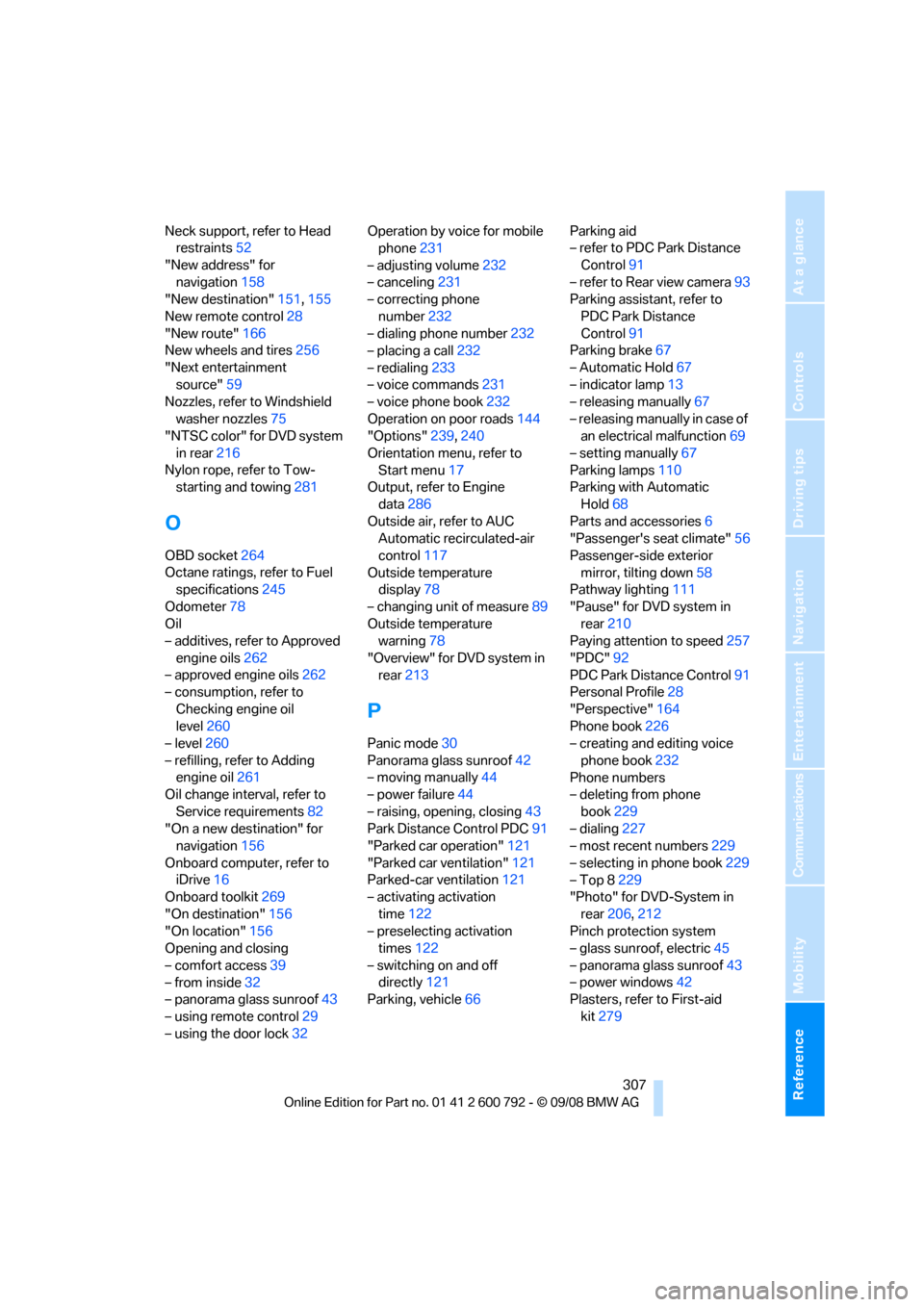
Neck support, refer to Head restraints 52
"New address" for navigation 158
"New destination" 151,155
New remote control 28
"New route" 166
New wheels and tires 256
"Next entertainment source" 59
Nozzles, refer to Windshield
washer nozzles 75
"NTSC color" for DVD system
in rear 216
Nylon rope, refer to Tow- starting and towing 281
O
OBD socket264
Octane ratings, refer to Fuel specifications 245
Odometer 78
Oil
– additives, refer to Approved
engine oils 262
– approved engine oils 262
– consumption, refer to
Checking engine oil
level 260
– level 260
– refilling, refer to Adding engine oil 261
Oil change interval, refer to
Service requirements 82
"On a new destination" for navigation 156
Onboard computer, refer to iDrive 16
Onboard toolkit 269
"On destination" 156
"On location" 156
Opening and closing
– comfort access 39
– from inside 32
– panorama glass sunroof 43
– using remote control 29
– using the door lock 32Operation by voice for mobile
phone 231
– adjusting volume 232
– canceling 231
– correcting phone
number 232
– dialing phone number 232
– placing a call 232
– redialing 233
– voice commands 231
– voice phone book 232
Operation on poor roads 144
"Options" 239,240
Orientation menu, refer to Start menu 17
Output, refer to Engine
data 286
Outside air, refer to AUC Automatic recirculated-air
control 117
Outside temperature display 78
– changing unit of measure 89
Outside temperature warning 78
"Overview" for DVD system in rear 213
P
Panic mode 30
Panorama glass sunroof 42
– moving manually 44
– power failure 44
– raising, opening, closing 43
Park Distance Control PDC 91
"Parked car operation" 121
"Parked car ventilation" 121
Parked-car ventilation 121
– activating activation
time 122
– preselecting activation times 122
– switching on and off directly 121
Parking, vehicle 66 Parking aid
– refer to PDC Park Distance
Control 91
– refer to Rear view camera 93
Parking assistant, refer to
PDC Park Distance
Control 91
Parking brake 67
– Automatic Hold 67
– indicator lamp 13
– releasing manually 67
– releasing manually in case of an electrical malfunction 69
– setting manually 67
Parking lamps 110
Parking with Automatic
Hold 68
Parts and accessories 6
"Passenger's seat climate" 56
Passenger-side exterior mirror, tilting down 58
Pathway lighting 111
"Pause" for DVD system in rear 210
Paying attention to speed 257
"PDC" 92
PDC Park Distance Control 91
Personal Profile 28
"Perspective" 164
Phone book 226
– creating and editing voice
phone book 232
Phone numbers
– deleting from phone
book 229
– dialing 227
– most recent numbers 229
– selecting in phone book 229
– Top 8 229
"Photo" for DVD-System in
rear 206,212
Pinch protection system
– glass sunroof, electric 45
– panorama glass
sunroof43
– power windows 42
Plasters, refer to First-aid
kit 279
Page 312 of 317
Everything from A to Z
310
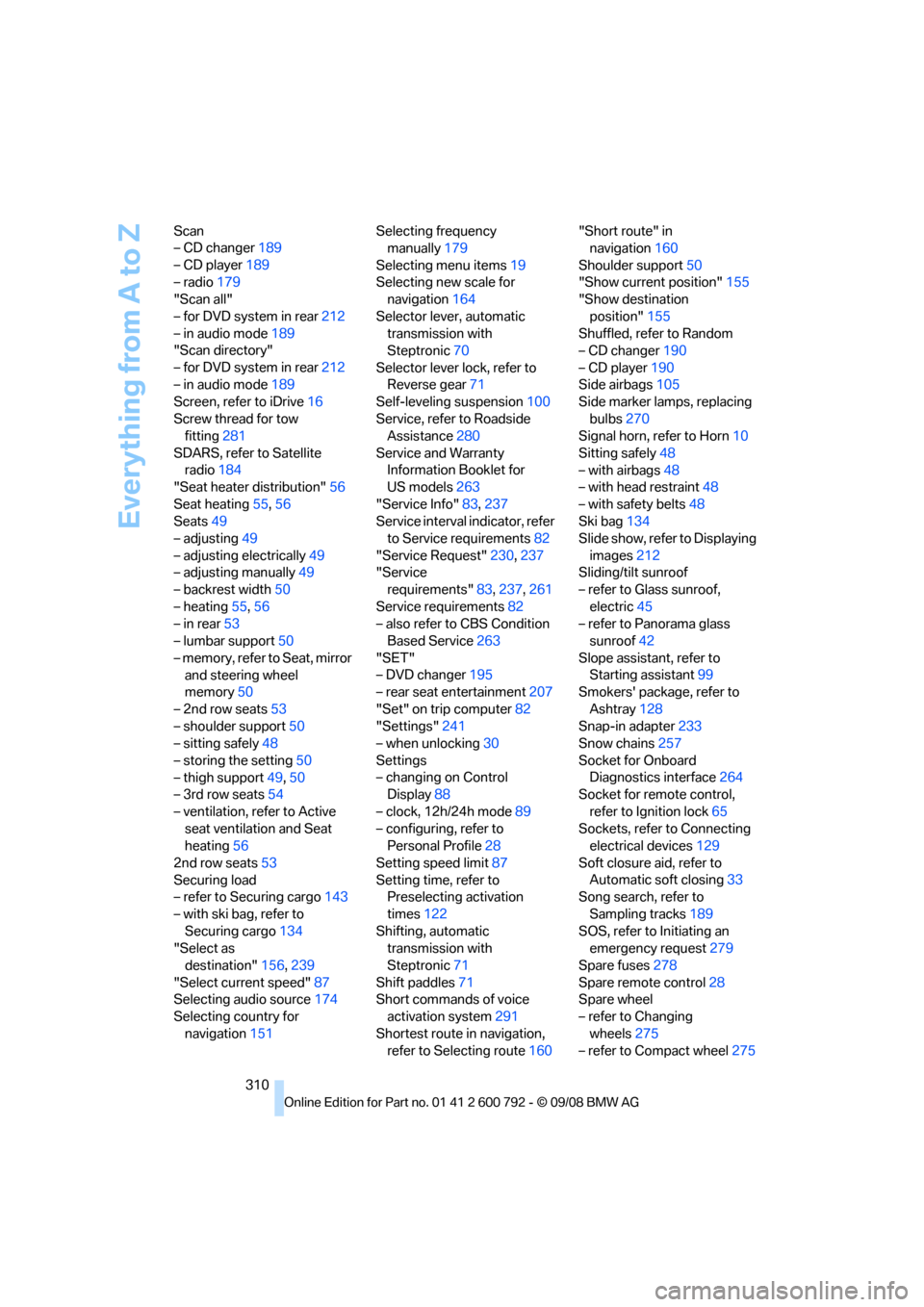
Scan
– CD changer
189
– CD player 189
– radio 179
"Scan all"
– for DVD system in rear 212
– in audio mode 189
"Scan directory"
– for DVD system in rear 212
– in audio mode 189
Screen, refer to iDrive 16
Screw thread for tow fitting 281
SDARS, refer to Satellite radio 184
"Seat heater distribution" 56
Seat heating 55,56
Seats 49
– adjusting 49
– adjusting electrically 49
– adjusting manually 49
– backrest width 50
– heating 55,56
– in rear 53
– lumbar support 50
– memory, refer to Seat, mirror and steering wheel
memory 50
– 2nd row seats 53
– shoulder support 50
– sitting safely 48
– storing the setting 50
– thigh support 49,50
– 3rd row seats 54
– ventilation, refer to Active seat ventilation and Seat
heating 56
2nd row seats 53
Securing load
– refer to Securing cargo 143
– with ski bag, refer to Securing cargo 134
"Select as
destination" 156,239
"Select current speed" 87
Selecting audio source 174
Selecting country for navigation 151 Selecting frequency
manually 179
Selecting menu items 19
Selecting new scale for navigation 164
Selector lever, automatic transmission with
Steptronic 70
Selector lever lock, refer to Reverse gear 71
Self-leve
ling suspension 100
Service, refer to Roadside Assistance 280
Service and Warranty Information Booklet for
US models 263
"Service Info" 83,237
Service interval indicator, refer to Service requirements 82
"Service Request" 230,237
"Service requirements" 83,237, 261
Service requirements 82
– also refer to CBS Condition Based Service 263
"SET"
– DVD changer 195
– rear seat entertainment 207
"Set" on trip computer 82
"Settings" 241
– when unlocking 30
Settings
– changing on Control Display 88
– clock, 12h/24h mode 89
– configuring, refer to Personal Profile 28
Setting speed limit 87
Setting time, refer to Preselecting activation
times 122
Shifting, automatic transmission with
Steptronic 71
Shift paddles 71
Short commands of voice
activation system 291
Shortest route in navigation, refer to Selecting route 160"Short route" in
navigation 160
Shoulder support 50
"Show current position" 155
"Show destination
position" 155
Shuffled, refer to Random
– CD changer 190
– CD player 190
Side airbags 105
Side marker lamps, replacing
bulbs 270
Signal horn, refer to Horn 10
Sitting safely 48
– with airbags 48
– with head restraint 48
– with safety belts 48
Ski bag 134
Slide show, refer
to Displaying
images 212
Sliding/tilt sunroof
– refer to Glass sunroof,
electric 45
– refer to Panorama glass sunroof 42
Slope assistant, refer to Starting assistant 99
Smokers' package, refer to
Ashtray 128
Snap-in adapter 233
Snow chains 257
Socket for Onboard Diagnostics interface 264
Socket for remote control,
refer to Ignition lock 65
Sockets, refer to Connecting electrical devices 129
Soft closure aid, refer to Automatic soft closing 33
Song search, refer to
Sampling tracks 189
SOS, refer to Initiating an emergency request 279
Spare fuses 278
Spare remote control 28
Spare wheel
– refer to Changing wheels 275
– refer to Compact wheel 275