door lock BMW X6M 2011 E71 User Guide
[x] Cancel search | Manufacturer: BMW, Model Year: 2011, Model line: X6M, Model: BMW X6M 2011 E71Pages: 312, PDF Size: 8.96 MB
Page 41 of 312
Controls
39Reference
At a glance
Driving tips
Communications
Navigation
Entertainment
Mobility
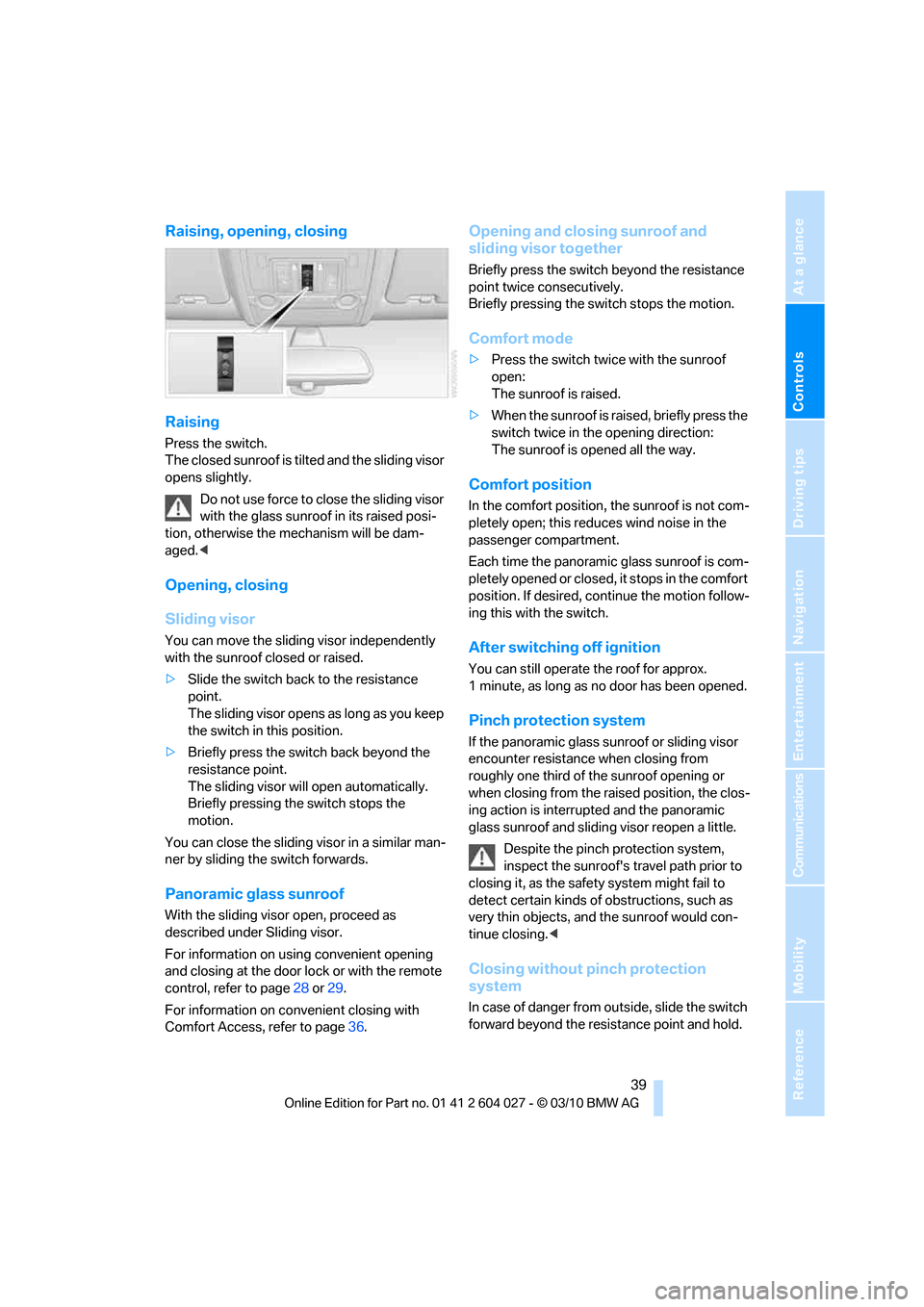
Raising, opening, closing
Raising
Press the switch.
The closed sunroof is tilted and the sliding visor
opens slightly.
Do not use force to close the sliding visor
with the glass sunroof in its raised posi-
tion, otherwise the mechanism will be dam-
aged.<
Opening, closing
Sliding visor
You can move the sliding visor independently
with the sunroof closed or raised.
>Slide the switch back to the resistance
point.
The sliding visor opens as long as you keep
the switch in this position.
>Briefly press the switch back beyond the
resistance point.
The sliding visor will open automatically.
Briefly pressing the switch stops the
motion.
You can close the sliding visor in a similar man-
ner by sliding the switch forwards.
Panoramic glass sunroof
With the sliding visor open, proceed as
described under Sliding visor.
For information on using convenient opening
and closing at the door lock or with the remote
control, refer to page28 or29.
For information on convenient closing with
Comfort Access, refer to page36.
Opening and closing sunroof and
sliding visor together
Briefly press the switch beyond the resistance
point twice consecutively.
Briefly pressing the switch stops the motion.
Comfort mode
>Press the switch twice with the sunroof
open:
The sunroof is raised.
>When the sunroof is raised, briefly press the
switch twice in the opening direction:
The sunroof is opened all the way.
Comfort position
In the comfort position, the sunroof is not com-
pletely open; this reduces wind noise in the
passenger compartment.
Each time the panoramic glass sunroof is com-
pletely opened or closed, it stops in the comfort
position. If desired, continue the motion follow-
ing this with the switch.
After switching off ignition
You can still operate the roof for approx.
1 minute, as long as no door has been opened.
Pinch protection system
If the panoramic glass sunroof or sliding visor
encounter resistance when closing from
roughly one third of the sunroof opening or
when closing from the raised position, the clos-
ing action is interrupted and the panoramic
glass sunroof and sliding visor reopen a little.
Despite the pinch protection system,
inspect the sunroof's travel path prior to
closing it, as the safety system might fail to
detect certain kinds of obstructions, such as
very thin objects, and the sunroof would con-
tinue closing.<
Closing without pinch protection
system
In case of danger from outside, slide the switch
forward beyond the resistance point and hold.
Page 42 of 312
Opening and closing
40 The roof closes without the pinch protection
system.
Following interruptions in electrical
power supply
After a power loss, the sunroof may only
respond to the raise command. Then have the
system initialized. BMW recommends having
this work carried out by your BMW Sports
Activity Vehicle Center.
BMW X6: glass sunroof*,
electric
The glass sunroof is ready for operation when
the ignition is switched on, refer to page58.
To prevent injuries, exercise care when
closing the glass sunroof and keep it in
your field of vision until it is closed.
Always take along the remote control when you
leave the vehicle, otherwise children could, for
example, operate the roof and injure them-
selves.<
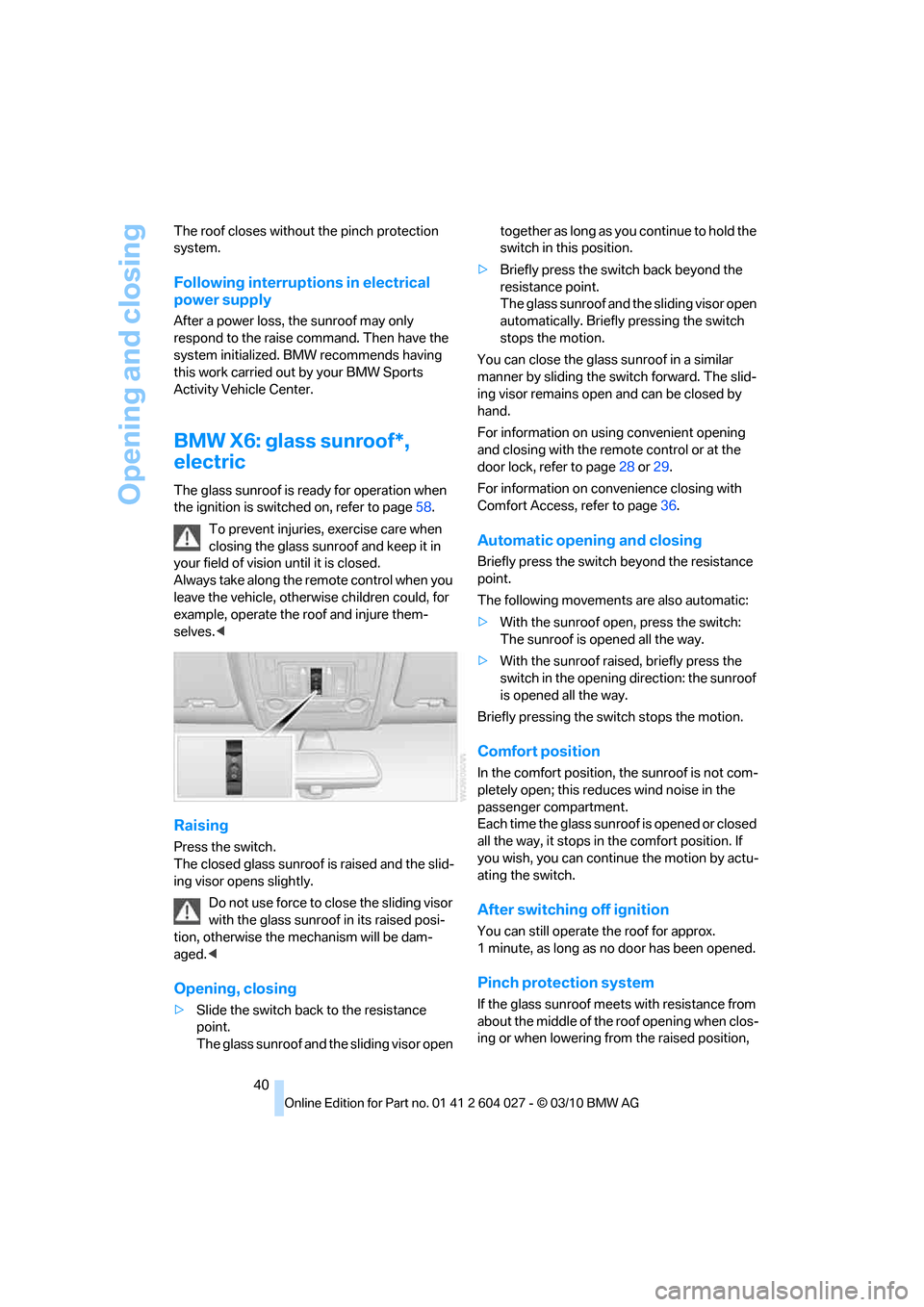
Raising
Press the switch.
The closed glass sunroof is raised and the slid-
ing visor opens slightly.
Do not use force to close the sliding visor
with the glass sunroof in its raised posi-
tion, otherwise the mechanism will be dam-
aged.<
Opening, closing
>Slide the switch back to the resistance
point.
The glass sunroof and the sliding visor open together as long as you continue to hold the
switch in this position.
>Briefly press the switch back beyond the
resistance point.
The glass sunroof and the sliding visor open
automatically. Briefly pressing the switch
stops the motion.
You can close the glass sunroof in a similar
manner by sliding the switch forward. The slid-
ing visor remains open and can be closed by
hand.
For information on using convenient opening
and closing with the remote control or at the
door lock, refer to page28 or29.
For information on convenience closing with
Comfort Access, refer to page36.
Automatic opening and closing
Briefly press the switch beyond the resistance
point.
The following movements are also automatic:
>With the sunroof open, press the switch:
The sunroof is opened all the way.
>With the sunroof raised, briefly press the
switch in the opening direction: the sunroof
is opened all the way.
Briefly pressing the switch stops the motion.
Comfort position
In the comfort position, the sunroof is not com-
pletely open; this reduces wind noise in the
passenger compartment.
Each time the glass sunroof is opened or closed
all the way, it stops in the comfort position. If
you wish, you can continue the motion by actu-
ating the switch.
After switching off ignition
You can still operate the roof for approx.
1 minute, as long as no door has been opened.
Pinch protection system
If the glass sunroof meets with resistance from
about the middle of the roof opening when clos-
ing or when lowering from the raised position,
Page 47 of 312
Controls
45Reference
At a glance
Driving tips
Communications
Navigation
Entertainment
Mobility
3.Press the button:
The LED in the button lights up.
4.Press the desired memory button1 or2:
the LED goes out.
The positions of the driver's seat, the exte-
rior mirrors, and steering wheel are stored
for the remote control currently in use.
Activating
Do not activate the memory function
while the vehicle is moving. There is a risk
of accident from unexpected movement of the
seat or steering wheel.<
Comfort mode
1.After unlocking, open the driver's door or
switch on radio readiness, refer to page58.
2.Briefly press the desired memory button1
or 2.
The adjusting procedure is canceled if you
briefly press a seat-adjusting switch or one of
the memory buttons.
Safety feature
1.Close the driver's door and switch the igni-
tion on or off, refer to page58.
2.Press the desired memory button1 or2
and maintain pressure until the adjustment
process has been completed.
If the button was pressed inadvertently:
press the button again; the LED goes out.
Activating with the remote control
The driver's seat position last set is stored for
the remote control currently in use.
You can select whether or not the seat is reset
to that position automatically.
When using this feature, always make
sure that the footwell behind the driver's
seat is empty and unobstructed. Failure to do
so could cause injury to persons or damage to
objects behind the seat as a result of a rearward
movement of the seat.
the memory buttons.
Selecting automatic activation
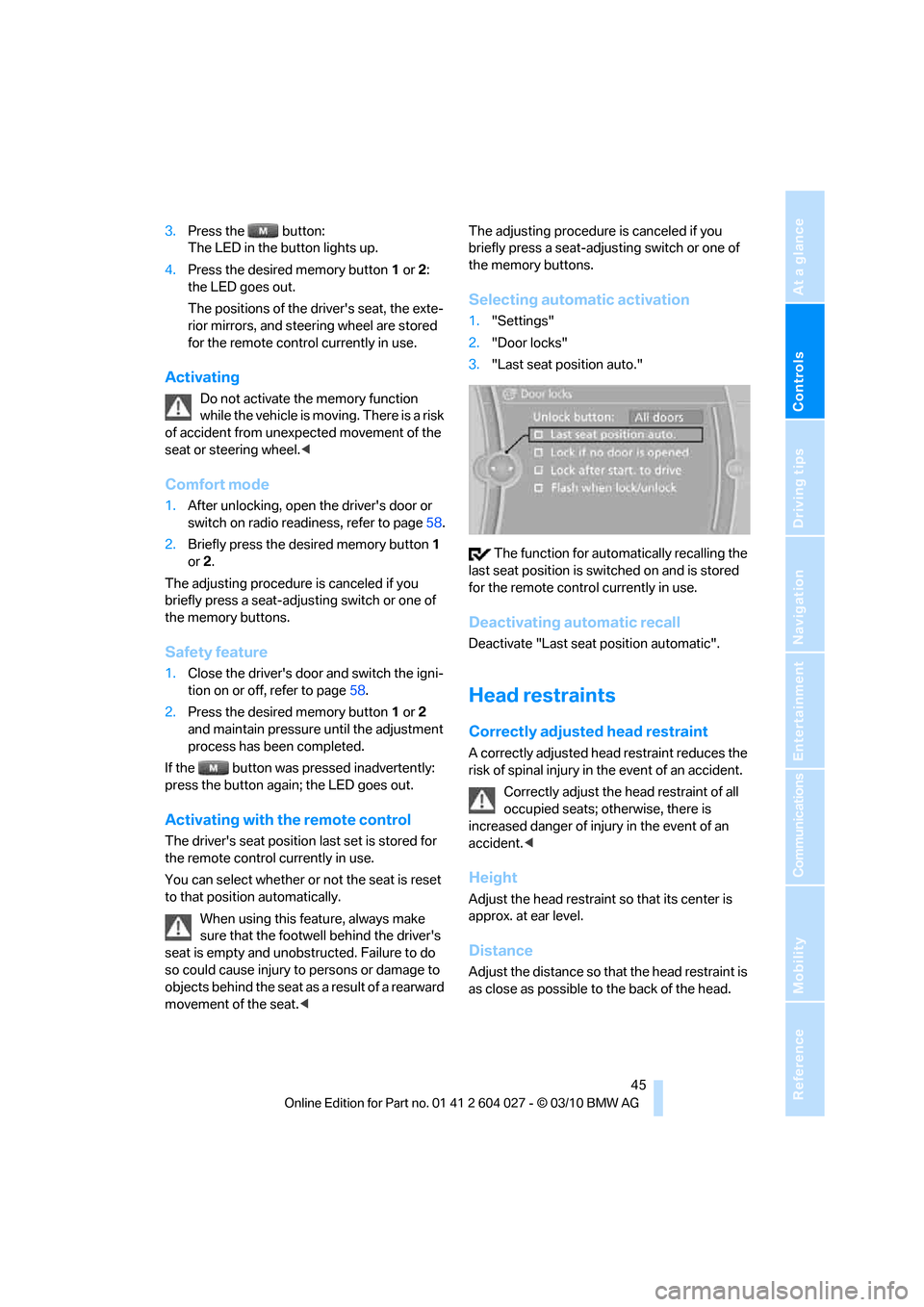
1."Settings"
2."Door locks"
3."Last seat position auto."
The function for automatically recalling the
last seat position is switched on and is stored
for the remote control currently in use.
Deactivating automatic recall
Deactivate "Last seat position automatic".
Head restraints
Correctly adjusted head restraint
A correctly adjusted head restraint reduces the
risk of spinal injury in the event of an accident.
Correctly adjust the head restraint of all
occupied seats; otherwise, there is
increased danger of injury in the event of an
accident.<
Height
Adjust the head restraint so that its center is
approx. at ear level.
Distance
Adjust the distance so that the head restraint is
as close as possible to the back of the head.
Page 49 of 312
Controls
47Reference
At a glance
Driving tips
Communications
Navigation
Entertainment
Mobility
BMW X5: rear seats and 3rd row seats*,
adjusting height
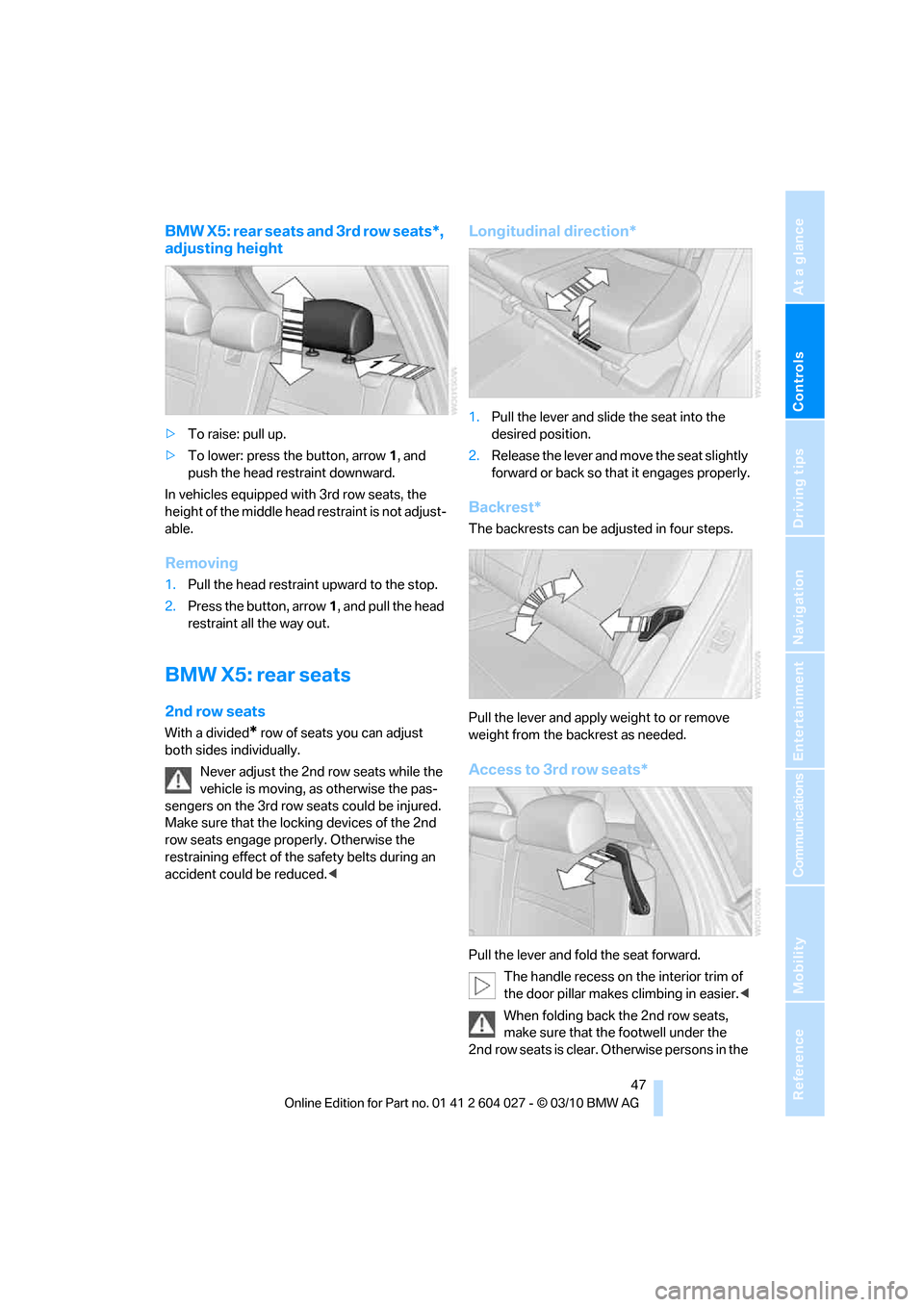
>To raise: pull up.
>To lower: press the button, arrow1, and
push the head restraint downward.
In vehicles equipped with 3rd row seats, the
height of the middle head restraint is not adjust-
able.
Removing
1.Pull the head restraint upward to the stop.
2.Press the button, arrow1, and pull the head
restraint all the way out.
BMW X5: rear seats
2nd row seats
With a divided* row of seats you can adjust
both sides individually.
Never adjust the 2nd row seats while the
vehicle is moving, as otherwise the pas-
sengers on the 3rd row seats could be injured.
Make sure that the locking devices of the 2nd
row seats engage properly. Otherwise the
restraining effect of the safety belts during an
accident could be reduced.<
Longitudinal direction*
1.Pull the lever and slide the seat into the
desired position.
2.Release the lever and move the seat slightly
forward or back so that it engages properly.
Backrest*
The backrests can be adjusted in four steps.
Pull the lever and apply weight to or remove
weight from the backrest as needed.
Access to 3rd row seats*
Pull the lever and fold the seat forward.
The handle recess on the interior trim of
the door pillar makes climbing in easier.<
When folding back the 2nd row seats,
make sure that the footwell under the
2nd row seats is clear. Otherwise persons in the
Page 56 of 312
Transporting children safely
54
Transporting children safely
The right place for children
Do not leave children unattended in the
vehicle, otherwise they could endanger
themselves and other persons, e.g. by opening
the doors.<
Children always in rear
Accident research shows that the safest place
for children is on the rear seat.
Children younger than 13 years of age or
with a height under 5 ft/150 cm may only
be transported on the 2nd row seats in child
restraint devices which correspond to the age,
weight and height of the child. Otherwise there
is an increased danger of injury in an accident.<
Children 13 years of age or older must wear a
safety belt as soon as a suitable child restraint
device can no longer be used due to their age,
weight and size.
Children on the front passenger seat
Should it be necessary to use a child
restraint device on the front passenger
seat, the front and side airbags on the passen-
ger side must be deactivated. Otherwise, there
is an increased risk of injury for the child if the
airbags are triggered, even with a child restraint
device.<
For more information on automatic deactivation
of the front passenger airbags, refer to
page107.
Installing child restraint
devices
Follow the child restraint device manufac-
turer's instructions for selection, installa-
tion, and use of child restraint devices. Other-
wise, the degree of protection may be
reduced.<
BMW X5: for equipment with 3rd row
seats
*, make sure that the seat of the 2nd row seats on which the child restraint device is
mounted is properly locked. Otherwise there is
an increased risk of injury for the child in an
accident.
Do not mount child restraint devices on the
3rd row seats, as otherwise the protection pro-
vided by these child restraint devices may be
reduced.<
BMW X5: before mounting a child restraint
device in the center seat of the 2nd row seats,
move the outer seat cushions and backrests
into the rearmost positions.
On front passenger seat
After mounting a child restraint device on
the front passenger seat, make sure that
the front and side airbags on the front passen-
ger side are deactivated; otherwise, there is an
increased risk of injury if the airbags are trig-
gered.<
Seat position
Before installing a child restraint device, move
the front passenger seat as far back and as high
as possible to obtain the best possible position
for the belt. Do not change the seat position
after this.
Backrest width*
The backrest width adjustment of the
front passenger seat must be completely
open. After installing the child seat, no memory
position may be called up; otherwise, the stabil-
ity of the child's seat on the front passenger
seat is reduced.<
1.Open backrest width adjustment com-
pletely, refer to page44.
2.Install child's seat.
Page 59 of 312
Controls
57Reference
At a glance
Driving tips
Communications
Navigation
Entertainment
Mobility
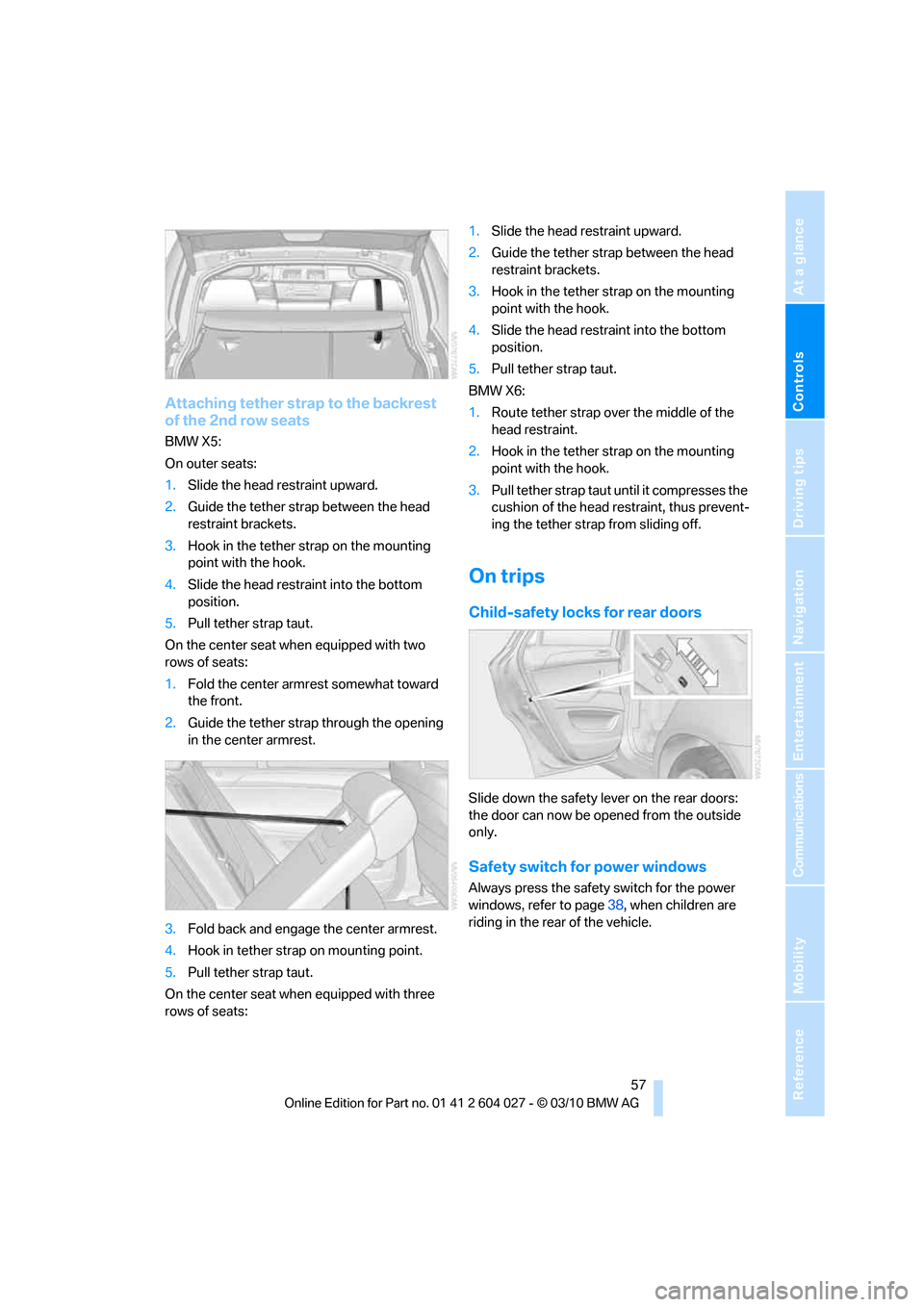
Attaching tether strap to the backrest
of the 2nd row seats
BMW X5:
On outer seats:
1.Slide the head restraint upward.
2.Guide the tether strap between the head
restraint brackets.
3.Hook in the tether strap on the mounting
point with the hook.
4.Slide the head restraint into the bottom
position.
5.Pull tether strap taut.
On the center seat when equipped with two
rows of seats:
1.Fold the center armrest somewhat toward
the front.
2.Guide the tether strap through the opening
in the center armrest.
3.Fold back and engage the center armrest.
4.Hook in tether strap on mounting point.
5.Pull tether strap taut.
On the center seat when equipped with three
rows of seats:1.Slide the head restraint upward.
2.Guide the tether strap between the head
restraint brackets.
3.Hook in the tether strap on the mounting
point with the hook.
4.Slide the head restraint into the bottom
position.
5.Pull tether strap taut.
BMW X6:
1.Route tether strap over the middle of the
head restraint.
2.Hook in the tether strap on the mounting
point with the hook.
3.Pull tether strap taut until it compresses the
cushion of the head restraint, thus prevent-
ing the tether strap from sliding off.
On trips
Child-safety locks for rear doors
Slide down the safety lever on the rear doors:
the door can now be opened from the outside
only.
Safety switch for power windows
Always press the safety switch for the power
windows, refer to page38, when children are
riding in the rear of the vehicle.
Page 60 of 312
Driving
58
Driving
Ignition lock
Inserting remote control into ignition
lock
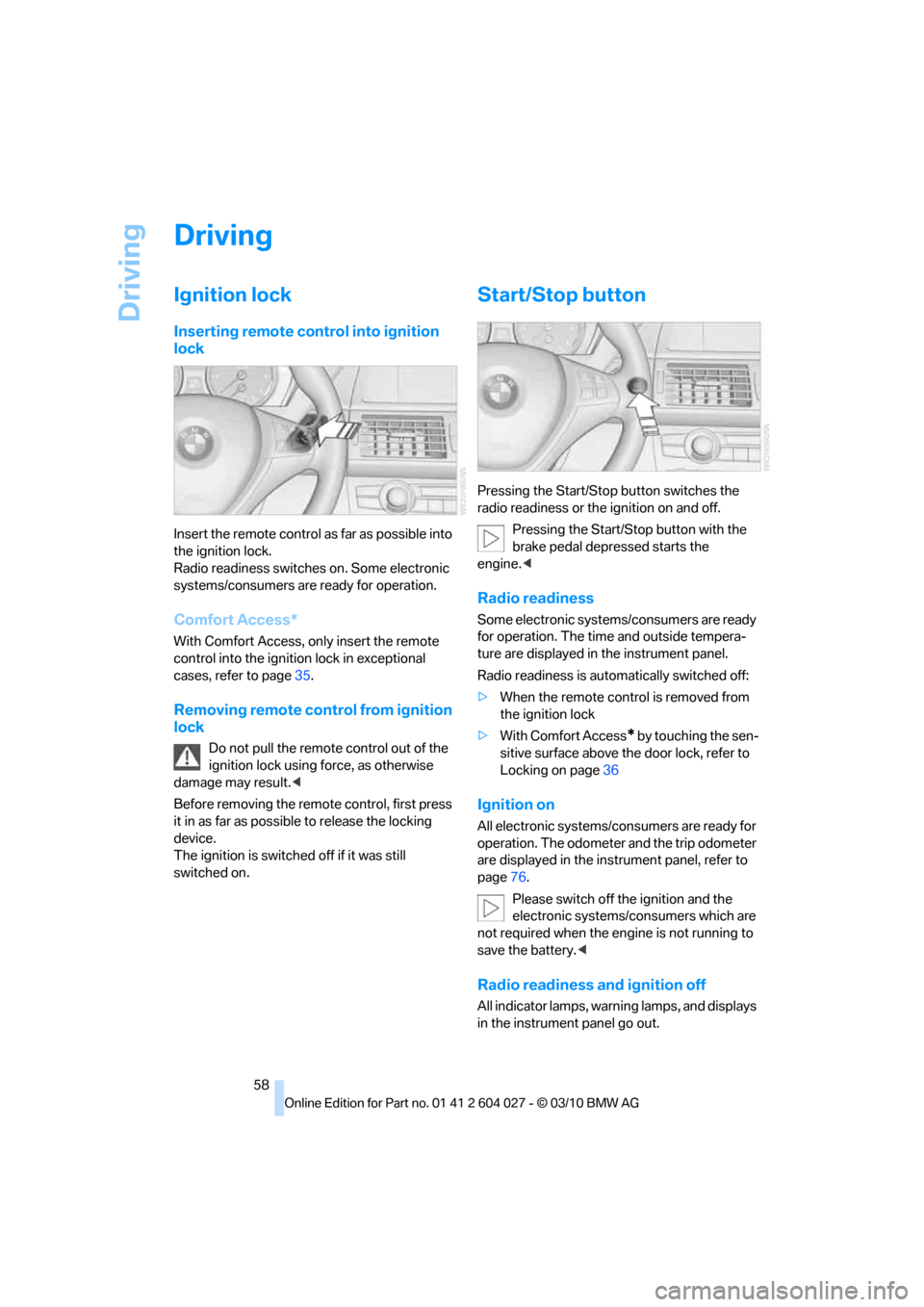
Insert the remote control as far as possible into
the ignition lock.
Radio readiness switches on. Some electronic
systems/consumers are ready for operation.
Comfort Access*
With Comfort Access, only insert the remote
control into the ignition lock in exceptional
cases, refer to page35.
Removing remote control from ignition
lock
Do not pull the remote control out of the
ignition lock using force, as otherwise
damage may result.<
Before removing the remote control, first press
it in as far as possible to release the locking
device.
The ignition is switched off if it was still
switched on.
Start/Stop button
Pressing the Start/Stop button switches the
radio readiness or the ignition on and off.
Pressing the Start/Stop button with the
brake pedal depressed starts the
engine.<
Radio readiness
Some electronic systems/consumers are ready
for operation. The time and outside tempera-
ture are displayed in the instrument panel.
Radio readiness is automatically switched off:
>When the remote control is removed from
the ignition lock
>With Comfort Access
* by touching the sen-
sitive surface above the door lock, refer to
Locking on page36
Ignition on
All electronic systems/consumers are ready for
operation. The odometer and the trip odometer
are displayed in the instrument panel, refer to
page76.
Please switch off the ignition and the
electronic systems/consumers which are
not required when the engine is not running to
save the battery.<
Radio readiness and ignition off
All indicator lamps, warning lamps, and displays
in the instrument panel go out.
Page 61 of 312
Controls
59Reference
At a glance
Driving tips
Communications
Navigation
Entertainment
Mobility
The ignition switches off automatically* if the
driver's door is opened. Pressing the Start/Stop
button again switches the ignition back on.
For example, the ignition is not switched off in
the following situations:
>The brakes are actuated
>The low beams are switched on
Starting engine
Do not run the engine in enclosed areas,
otherwise the inhalation of toxic exhaust
gases can cause loss of consciousness and
death. The exhaust gases contain carbon mon-
oxide, an odorless and colorless, but highly
toxic gas.
Never leave an unattended vehicle with the
engine running, as such a vehicle represents a
potential safety hazard.
To prevent the vehicle from rolling, always
engage transmission position N or P and set the
parking brake before leaving the vehicle with
the engine running.<
Do not allow the engine to warm up by leaving it
running while the vehicle remains stationary.
Instead, begin to drive at a moderate engine
speed.
The engine starts when you depress the
brake pedal while pressing the Start/Stop
button.<
Avoid frequent starting in quick succes-
sion or repeated starting attempts in
which the engine does not start. Otherwise, the
fuel is not burned or inadequately burned and
there is a danger of overheating and damaging
the catalytic converter.
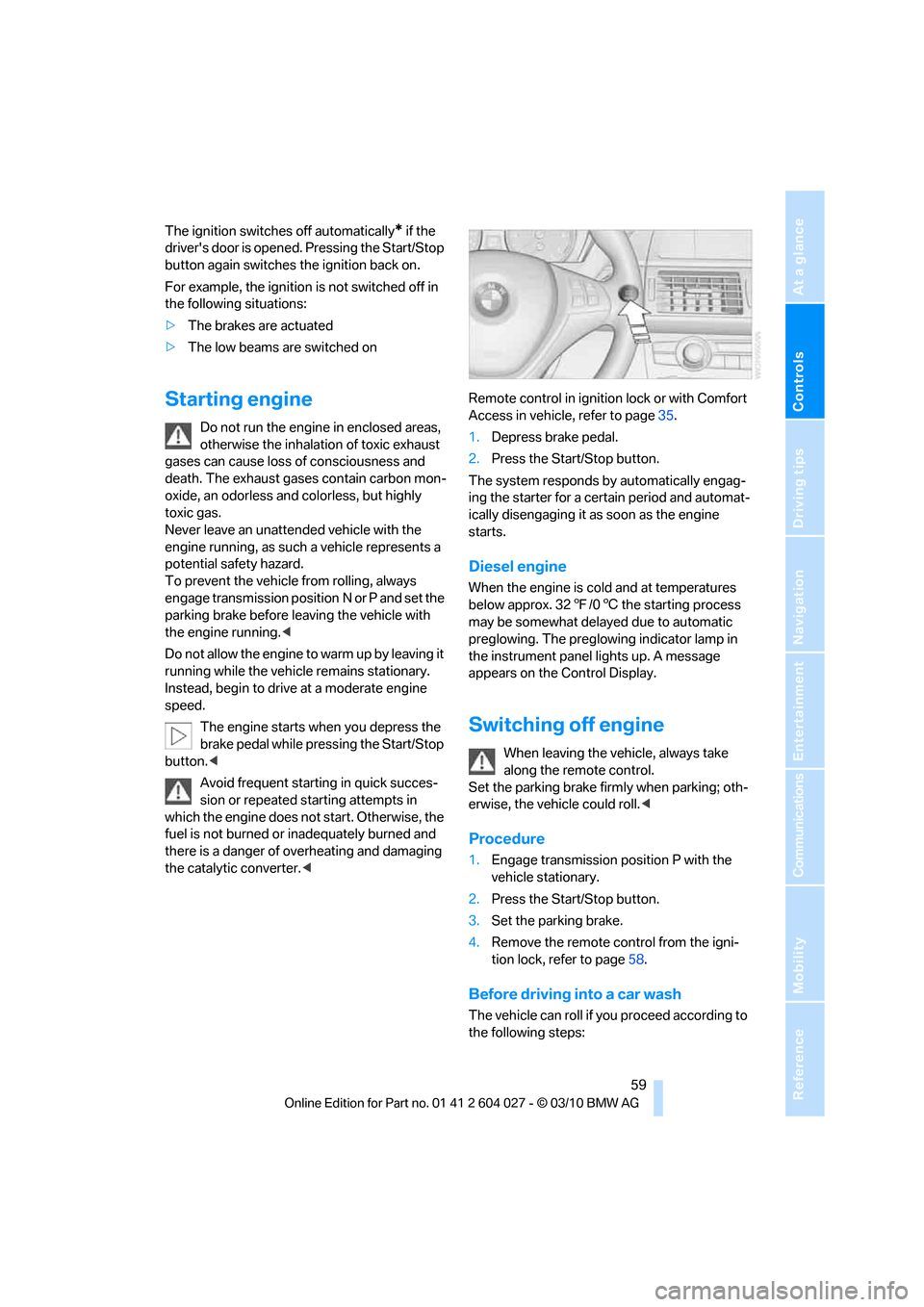
1.Depress brake pedal.
2.Press the Start/Stop button.
The system responds by automatically engag-
ing the starter for a certain period and automat-
ically disengaging it as soon as the engine
starts.
Diesel engine
When the engine is cold and at temperatures
below approx. 327/06 the starting process
may be somewhat delayed due to automatic
preglowing. The preglowing indicator lamp in
the instrument panel lights up. A message
appears on the Control Display.
Switching off engine
When leaving the vehicle, always take
along the remote control.
Set the parking brake firmly when parking; oth-
erwise, the vehicle could roll.<
Procedure
1.Engage transmission position P with the
vehicle stationary.
2.Press the Start/Stop button.
3.Set the parking brake.
4.Remove the remote control from the igni-
tion lock, refer to page58.
Before driving into a car wash
The vehicle can roll if you proceed according to
the following steps:
Page 65 of 312
Controls
63Reference
At a glance
Driving tips
Communications
Navigation
Entertainment
Mobility
Procedure
1.Switch on the ignition.
2.Press the button with the brake depressed.
The indicator lamp in the instrument
panel goes out as soon as the parking
brake is ready for operation again.
Indicator lamp on Canadian models.
Any noises which occur are normal. Startup
may take several seconds.
Automatic transmission with
Steptronic
In addition to fully automatic operation, you can
also manually shift with the Steptronic, refer to
page64.
Transmission positions
P R N D M/S + –
To prevent the vehicle from creeping
after you select a driving position, main-
tain pressure on the brake pedal until you are
ready to start.<
Displays in instrument panel
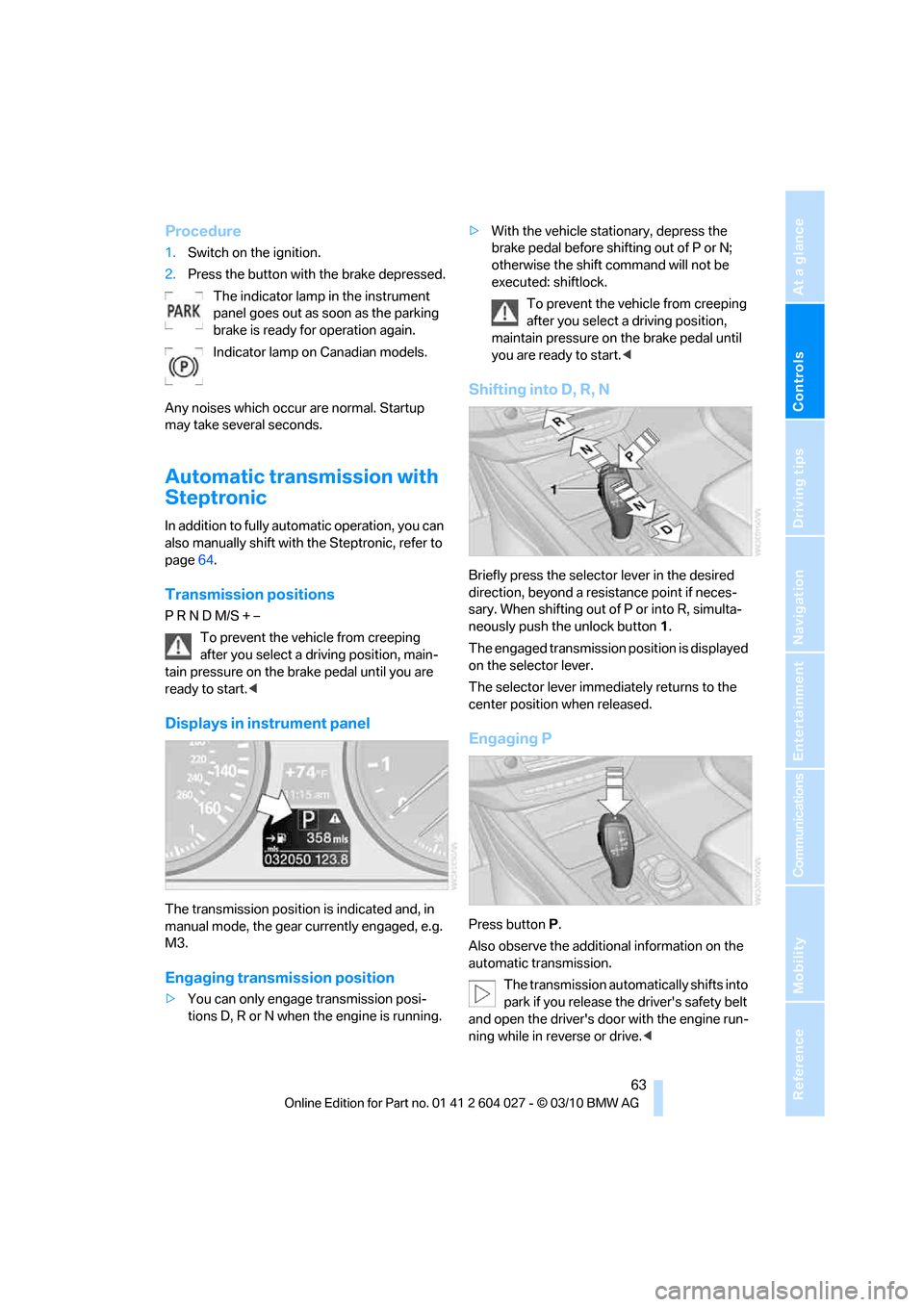
The transmission position is indicated and, in
manual mode, the gear currently engaged, e.g.
M3.
Engaging transmission position
>You can only engage transmission posi-
tions D, R or N when the engine is running.>With the vehicle stationary, depress the
brake pedal before shifting out of P or N;
otherwise the shift command will not be
executed: shiftlock.
To prevent the vehicle from creeping
after you select a driving position,
maintain pressure on the brake pedal until
you are ready to start.<
Shifting into D, R, N
Briefly press the selector lever in the desired
direction, beyond a resistance point if neces-
sary. When shifting out of P or into R, simulta-
neously push the unlock button1.
The engaged transmission position is displayed
on the selector lever.
The selector lever immediately returns to the
center position when released.
Engaging P
Press buttonP.
Also observe the additional information on the
automatic transmission.
The transmission automatically shifts into
park if you release the driver's safety belt
and open the driver's door with the engine run-
ning while in reverse or drive.<
Page 113 of 312
Controls
111Reference
At a glance
Driving tips
Communications
Navigation
Entertainment
Mobility
Lamps
Parking lamps/low beams
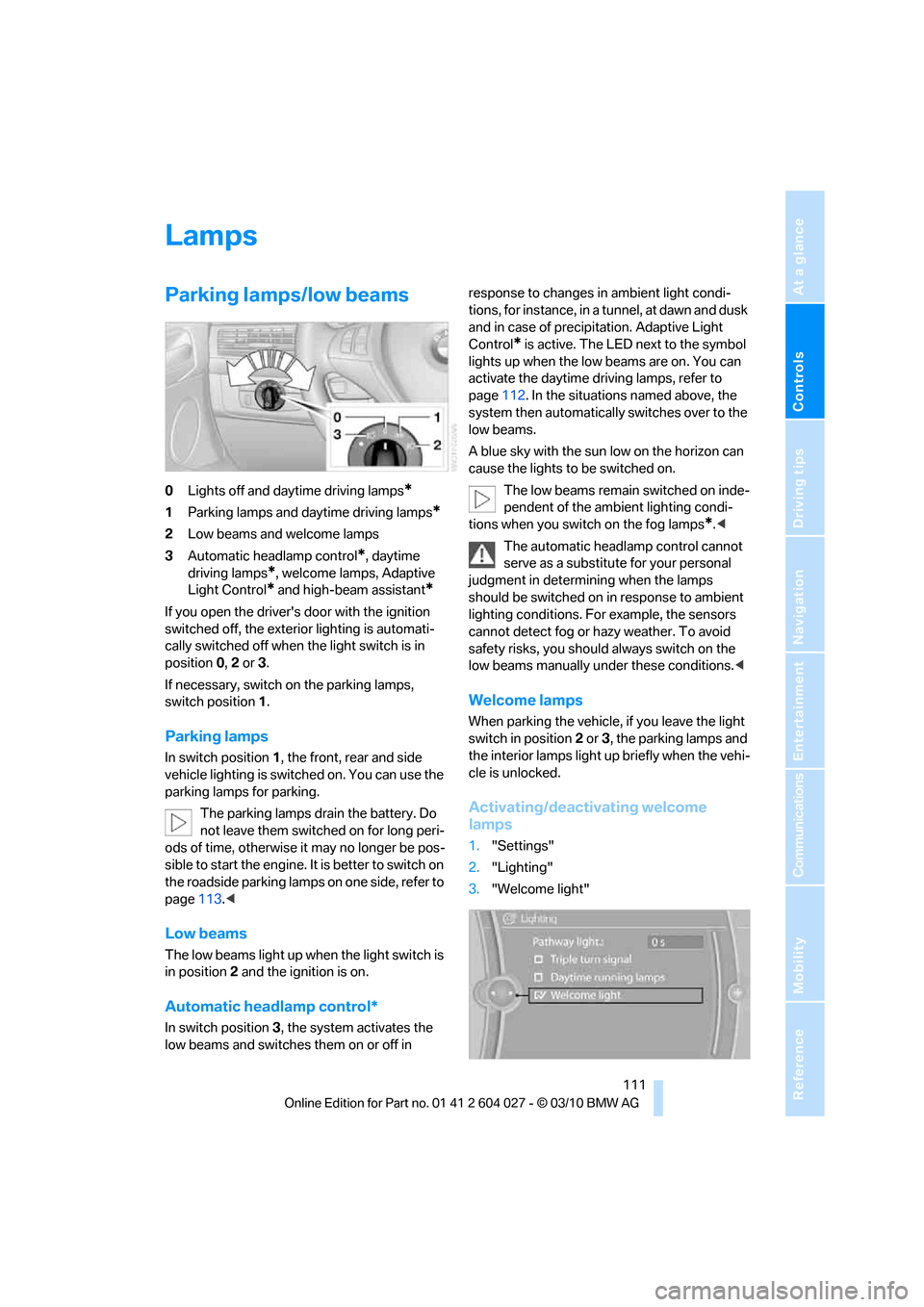
0Lights off and daytime driving lamps*
1Parking lamps and daytime driving lamps*
2Low beams and welcome lamps
3Automatic headlamp control
*, daytime
driving lamps
*, welcome lamps, Adaptive
Light Control
* and high-beam assistant*
If you open the driver's door with the ignition
switched off, the exterior lighting is automati-
cally switched off when the light switch is in
position0, 2 or 3.
If necessary, switch on the parking lamps,
switch position1.
Parking lamps
In switch position1, the front, rear and side
vehicle lighting is switched on. You can use the
parking lamps for parking.
The parking lamps drain the battery. Do
not leave them switched on for long peri-
ods of time, otherwise it may no longer be pos-
sible to start the engine. It is better to switch on
the roadside parking lamps on one side, refer to
page113.<
Low beams
The low beams light up when the light switch is
in position 2 and the ignition is on.
Automatic headlamp control*
In switch position3, the system activates the
low beams and switches them on or off in response to changes in ambient light condi-
tions, for instance, in a tunnel, at dawn and dusk
and in case of precipitation. Adaptive Light
Control
* is active. The LED next to the symbol
lights up when the low beams are on. You can
activate the daytime driving lamps, refer to
page112. In the situations named above, the
system then automatically switches over to the
low beams.
A blue sky with the sun low on the horizon can
cause the lights to be switched on.
The low beams remain switched on inde-
pendent of the ambient lighting condi-
tions when you switch on the fog lamps
*.<
The automatic headlamp control cannot
serve as a substitute for your personal
judgment in determining when the lamps
should be switched on in response to ambient
lighting conditions. For example, the sensors
cannot detect fog or hazy weather. To avoid
safety risks, you should always switch on the
low beams manually under these conditions.<
Welcome lamps
When parking the vehicle, if you leave the light
switch in position2 or3, the parking lamps and
the interior lamps light up briefly when the vehi-
cle is unlocked.
Activating/deactivating welcome
lamps
1."Settings"
2."Lighting"
3."Welcome light"