automatic transmission BMW X6M 2011 E71 Owner's Guide
[x] Cancel search | Manufacturer: BMW, Model Year: 2011, Model line: X6M, Model: BMW X6M 2011 E71Pages: 312, PDF Size: 8.96 MB
Page 200 of 312
DVD system in rear
198 >Press the arrow buttons:
To switch between windows.
>Press the button:
To activate the menu item.
The transmission time of the remote control is
limited in accordance with legal guidelines. A
function can be repeated by pressing or turning
the appropriate button or knob.
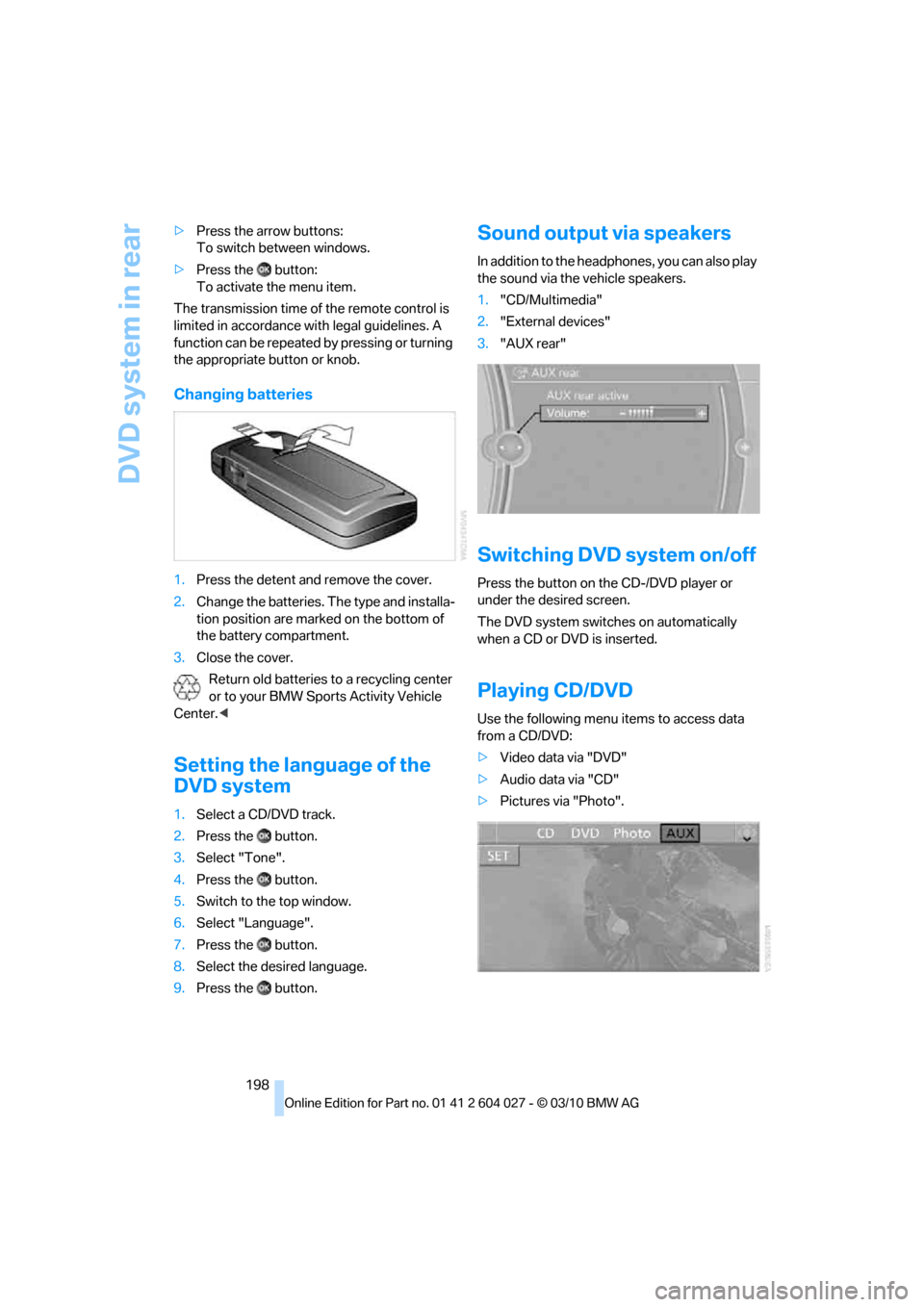
Changing batteries
1.Press the detent and remove the cover.
2.Change the batteries. The type and installa-
tion position are marked on the bottom of
the battery compartment.
3.Close the cover.
Return old batteries to a recycling center
or to your BMW Sports Activity Vehicle
Center.<
Setting the language of the
DVD system
1.Select a CD/DVD track.
2.Press the button.
3.Select "Tone".
4.Press the button.
5.Switch to the top window.
6.Select "Language".
7.Press the button.
8.Select the desired language.
9.Press the button.
Sound output via speakers
In addition to the headphones, you can also play
the sound via the vehicle speakers.
1."CD/Multimedia"
2."External devices"
3."AUX rear"
Switching DVD system on/off
Press the button on the CD-/DVD player or
under the desired screen.
The DVD system switches on automatically
when a CD or DVD is inserted.
Playing CD/DVD
Use the following menu items to access data
from a CD/DVD:
>Video data via "DVD"
>Audio data via "CD"
>Pictures via "Photo".
Page 238 of 312
Refueling
236 Do not mix in any additives or gasoline;
otherwise, there is the risk of engine dam-
age.<
BMW X5 with BMW Advanced
Diesel
The concept
BMW Advanced Diesel reduces nitrogen oxides
in the diesel exhaust of your vehicle by injecting
the reducing agent diesel exhaust fluid into the
exhaust line. In the catalytic converter, a chem-
ical reaction occurs that minimizes nitrogen
oxides.
In order to be able to start the engine in the
usual way, there must be a sufficient supply of
diesel exhaust fluid in the separate reservoir.
System heating
In order to bring the system to operating tem-
perature after a cold start of the engine, the
automatic transmission shifts into the next
higher gear at a later point.
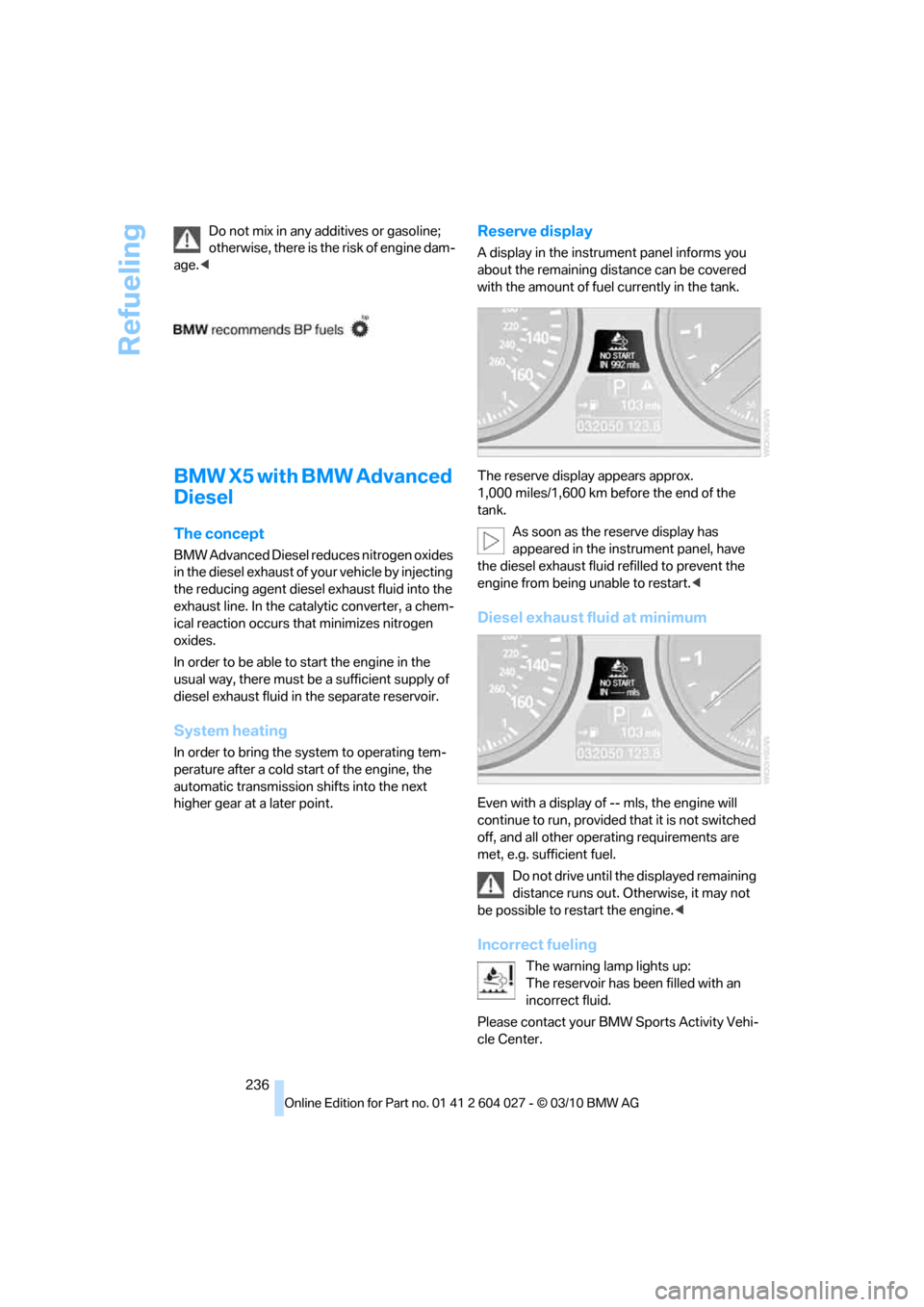
Reserve display
A display in the instrument panel informs you
about the remaining distance can be covered
with the amount of fuel currently in the tank.
The reserve display appears approx.
1,000 miles/1,600 km before the end of the
tank.
As soon as the reserve display has
appeared in the instrument panel, have
the diesel exhaust fluid refilled to prevent the
engine from being unable to restart.<
Diesel exhaust fluid at minimum
Even with a display of -- mls, the engine will
continue to run, provided that it is not switched
off, and all other operating requirements are
met, e.g. sufficient fuel.
Do not drive until the displayed remaining
distance runs out. Otherwise, it may not
be possible to restart the engine.<
Incorrect fueling
The warning lamp lights up:
The reservoir has been filled with an
incorrect fluid.
Please contact your BMW Sports Activity Vehi-
cle Center.
Page 260 of 312
Care
258
Care
Car-care products
For the cleaning and care of your vehicle, BMW
recommends using only products that BMW
has approved for this purpose.
Regular cleaning and care make a significant
contribution to retaining your BMW's value.
The BMW Sports Activity Vehicle Center will be
happy to consult you on products and services
for the cleaning and care of your BMW.
Genuine BMW Care Products are materi-
als tested, laboratory tested, and tested in
actual use. They offer optimum care and pro-
tection for your vehicle.<
Do not use cleaners that contain alcohol
or solvents; they can damage your vehi-
cle.<
Cleaning agents can contain substances
that are dangerous or pose health risks.
You should therefore heed the warnings and
hazard indications on the packaging. Open the
doors or windows on your vehicle whenever
cleaning the interior. Make sure there is suffi-
cient ventilation in enclosed spaces. Use only
products that are formulated for vehicle clean-
ing.<
Exterior care
Washing your vehicle
In the winter months, it is especially
important to ensure that the vehicle is
washed on a regular basis. Otherwise, signifi-
cant soiling and road salt can cause damage to
the vehicle.<
After washing the vehicle, apply the
brakes briefly to dry them. Failure to do so
may lead to a reduction in braking efficiency and
also to corrosion of the brake rotors.<
Car washes
Give preference to cloth car washes.Before driving into the car wash, make sure that
it is suitable for your BMW. Pay attention to the
following points:
>Dimensions of your vehicle, refer to
page281.
>If necessary, fold in exterior mirrors, refer to
page51.
>Maximum permissible tire width.
Avoid car washes with guide rails higher
than 4 in/10 cm as these may damage
parts of the vehicle body.<
Preparations for driving into the car wash:
>Deactivate the rain sensor to prevent
undesired wiper operation.
>BMW X5: deactivate rear window wiper and
protect it from damage. Take appropriate
protective measures; inquiring with the car
wash operator as needed.
>Remove add-on parts such as spoilers or
phone antennas if they risk being damaged.
Before driving into the car wash, observe the
following so that the vehicle is able to roll:
1.Insert the remote control into the ignition
lock, even with Comfort Access.
2.Shift into transmission position N.
3.Release the parking brake.
4.Deactivate Automatic Hold, refer to
page61.
5.Switch off the engine.
6.Leave the remote control in the ignition lock
so that the vehicle can roll.
Mixed tires*
Before driving into a car wash, make sure
that the vehicle width is not too large for
the car wash, as otherwise the vehicle and the
car wash could be damaged.<
Page 277 of 312
Mobility
275Reference
At a glance
Controls
Driving tips
Communications
Navigation
Entertainment
Your BMW has a special nut as body ground
or negative pole.
5.Attach the second end of the cable to the
negative terminal of the battery or to the
engine or body ground of the vehicle to be
started.
Starting engine
1.Start the engine on the assisting vehicle
and allow it to run at idle for several minutes
at slightly increased speed.
2.Start the engine on the other vehicle in the
usual way.
If the first starting attempt is not successful,
wait a few minutes before another attempt
in order to allow the discharged battery to
recharge.
3.Let the engines run for a few minutes.
4.Disconnect the jumper cables by reversing
the connection sequence.
Check the battery and recharge if necessary.
Never use spray fluids to start the
engine.<
Tow-starting and towing
Observe applicable laws and regulations
for tow-starting and towing.<
Do not transport any passengers other
than the driver in a vehicle that is being
towed.<
Transporting your vehicle
Note
Your vehicle is not permitted to be towed.
Therefore, contact a BMW Sports Activity Vehi-
cle Center in the event of a breakdown.
Have your vehicle transported on a load-
ing platform only; otherwise, damage may
occur.<
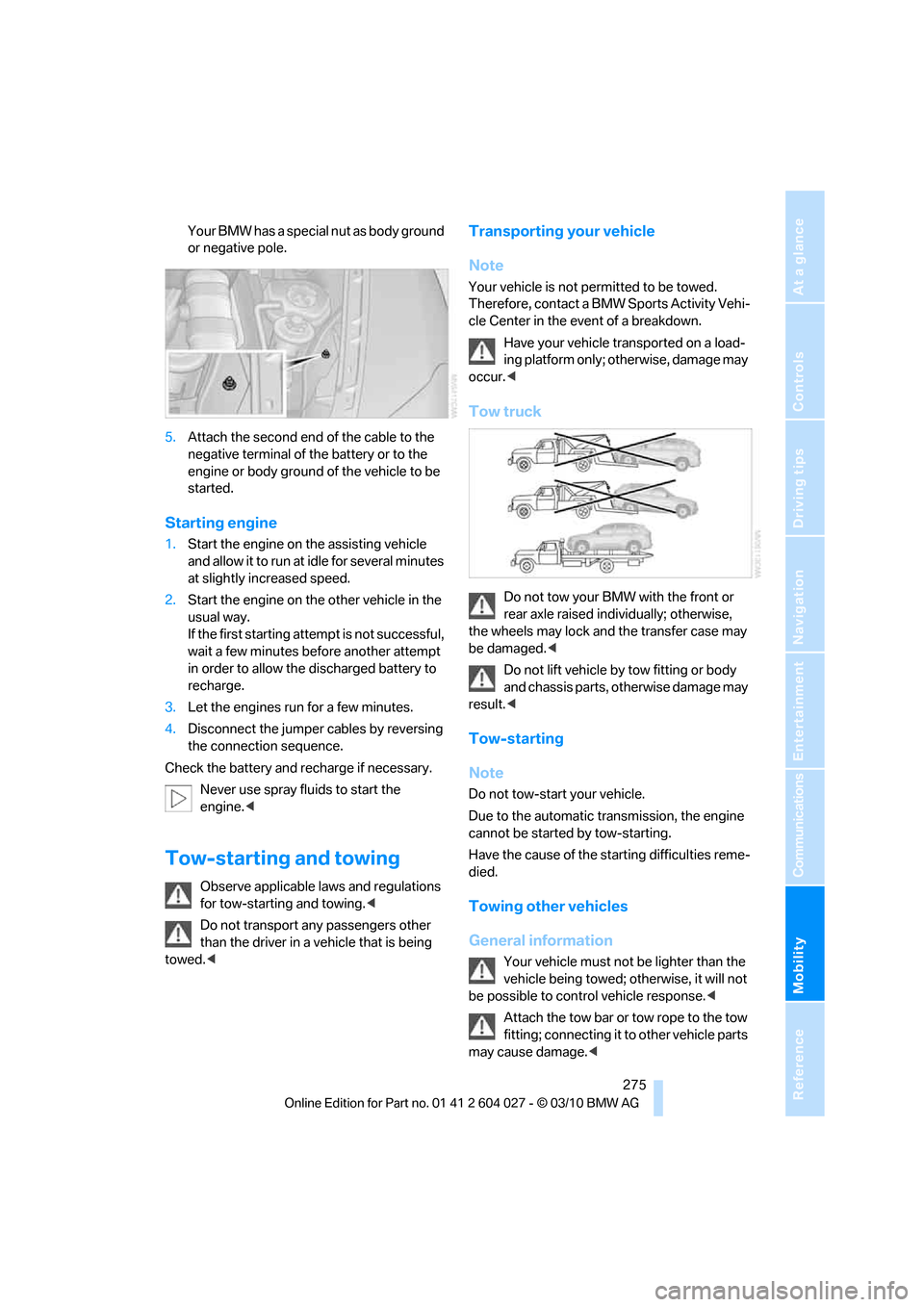
Tow truck
Do not tow your BMW with the front or
rear axle raised individually; otherwise,
the wheels may lock and the transfer case may
be damaged.<
Do not lift vehicle by tow fitting or body
and chassis parts, otherwise damage may
result.<
Tow-starting
Note
Do not tow-start your vehicle.
Due to the automatic transmission, the engine
cannot be started by tow-starting.
Have the cause of the starting difficulties reme-
died.
Towing other vehicles
General information
Your vehicle must not be lighter than the
vehicle being towed; otherwise, it will not
be possible to control vehicle response.<
Attach the tow bar or tow rope to the tow
fitting; connecting it to other vehicle parts
may cause damage.<
Page 295 of 312
Reference 293
At a glance
Controls
Driving tips
Communications
Navigation
Entertainment
Mobility
Automatic climate control
– automatic air
distribution117,121
– in rear121
– switching off120,122
– ventilation in rear120
– with 2-zone control117
– with 4-zone control121
Automatic climate control in
rear
– activating on Control
Display121
– deactivating on Control
Display121
Automatic closing of doors,
refer to Automatic soft
closing30
Automatic curb monitor52
Automatic garage door
opener124
Automatic headlamps
– refer to High-beam
Assistant113
Automatic Hold61
– activating61
– deactivating61
– parking61
Automatic lighting
– refer to Automatic headlamp
control111
– refer to Daytime driving
lamps112
– refer to Interior lamps115
– refer to Pathway lighting112
Automatic low-beams, refer to
High-beam Assistant113
Automatic recirculated-air
control AUC119
Automatic Service
Request230
Automatic soft closing30
Automatic transmission with
Steptronic63
– deactivating selector lever
interlock64
– kickdown64
– with Comfort Access36AUTO program of the
automatic climate
control117,121
AUX-IN connection128,192
Available services230
Average fuel consumption78
– setting units86
Average speed, refer to
Computer78
Avoiding highways for
navigation158
Avoiding unintentional
alarms35
Axle weights, refer to
Weights283
B
Backrest contour, refer to
Lumbar support44
Backrests, refer to Seats43
Backrest width adjustment44
Backup lamps, replacing
bulbs264,266
Band-aids, refer to First-aid
kit273
Base plate for telephone or
mobile phone
– refer to Snap-in adapter222
Bass, tone setting168
Battery
– charging270
– jump starting274
– power failure270
Battery, refer to Vehicle
battery270
Battery disposal
– remote control with Comfort
Access37
– vehicle battery270
Battery for mobile phone223
Battery replacement
– remote control for DVD
system in rear198
– remote control with Comfort
Access37
Belts, refer to Safety belts48
Beverage holder, refer to
Cupholders128Blower, refer to Air
volume118,122
Bluetooth, activating/
deactivating214
BMW Assist,
activating228,230
BMW Advanced Diesel236
BMW Assist226
BMW homepage4
BMW maintenance
system256
BMW Search228
BMW TeleService226
BMW website4
Bottle holder, refer to
Cupholders128
Brake assistant95
Brake force display106
Brake lamps
– brake force display106
– replacing bulbs264,266
Brake pedal, refer to Braking
safely140
Brake rotors140
Brakes
– ABS Antilock Brake
System95
– brake assistant95
– brake force display106
– breaking-in138
– CBC Cornering Brake
Control95
– electronic brake-force
distribution95
– parking brake60
– refer to Braking safely140
– warning lamp13
Brake system138
– brake pads138
– breaking-in138
– disc brakes140
Braking safely140
Breakdown
– Flat Tire Monitor99
Breakdown, transporting your
vehicle275
Breakdown services, refer to
Roadside Assistance274
Breaking-in brake pads138
Page 300 of 312
Everything from A - Z
298 FM, waveband171
Fog lamps114
– indicator lamp13,114
Folding display screen open/
closed, DVD system in
rear196
Folding rear seat backrest132
Footwell lamps115
For your own safety5
4-wheel drive system, refer to
xDrive97
Free memory capacity, music
collection190
Front airbags107
Front passenger airbags107
– deactivating107
– refer to Exception of front
passenger seat54
Front seat adjustment43
FTM Flat Tire Monitor99
– false alarms100
– indicating a flat tire100
– initializing the system100
– snow chains250
– system limits100
– warning lamp100
Fuel235
– capacity284
– display78
– high-quality brands235
– quality235
– saving138
– specifications235
Fuel clock, refer to Fuel
gauge78
Fuel consumption display
– computer, average fuel
consumption78
Fuel display, refer to Fuel
gauge78
Fuel filler flap234
– closing234
– opening234
– releasing manually234
Fuses271
G
Garage door opener, refer to
Integrated universal remote
control124
Gasoline, refer
to Required fuel235
Gasoline display, refer to Fuel
gauge78
Gas station
recommendations159
Gearshifts
– automatic transmission with
Steptronic64
General driving
notes138,139
Glass sunroof
– convenient opening and
closing from outside29
– convenient opening and
closing with Comfort
Access36
– remote control28
Glass sunroof, electric40
– opening, closing40
– power interruption41
– raising40
Glove compartment127
– lighting127
GPS navigation, refer to
Navigation system148
Grills, refer to Ventilation120
Grills of the automatic climate
control116
Gross vehicle weight, refer to
Weights283
H
Handbrake, refer to Parking
brake60
– Automatic Hold61
Hands-free system, refer to
Microphone14
Hand washing259
Have diesel exhaust fluid
– refilled237
Hazard warning flashers15
HDC Hill Descent Control97HD Radio172
Head airbags107
Headlamp control,
automatic111
Headlamp flasher65
Headlamps111
– cleaning, refer to Washer/
wiper system65
– replacing bulbs262
Head Light, refer to Adaptive
Light Control112
Head restraints45
– sitting safely42
Head-up Display109
Heated
– mirrors51
– rear window118
– seats49,50
– steering wheel53
Heating116
– exterior mirrors51
– interior116
– rear window118
– residual heat119
– seats49,50
– steering wheel53
Heating with engine switched
off, refer to Residual
heat119
Heavy cargo, refer to Securing
cargo142
Height
– on Head-up Display109
Height, refer to
Dimensions281
Height adjustment
– seats43
– steering wheel52
High-beam Assistant113
High beams65,113
– headlamp flasher65
– indicator lamp13
High-beams, automatically
switching on and off, refer to
High-beam Assistant113
High-pressure cleaning
jets259
High water, refer to Driving
through water140
Page 301 of 312
Reference 299
At a glance
Controls
Driving tips
Communications
Navigation
Entertainment
Mobility
Highway, refer to Route
criteria158
Hill Descent Control HDC97
Hills140
Holder for cups128
Homepage4
Hood251
Horn10
Hot exhaust system139
Hydraulic brake assistant,
refer to Brake assistant95
Hydroplaning139
I
IBOC, refer to HD Radio172
Ice, refer to Outside
temperature warning76
Ice warning, refer to Outside
temperature warning76
Identification
– tire250
Identification mark
– run-flat tires249
iDrive16
– changing language86
– changing settings85
– changing units of measure
and display type86
– controller16
– controls16
– main menu17
– setting brightness86
– setting date85
– setting time85
– status information19
Ignition58
– switched off58
– switched on58
Ignition key, refer to Keys/
remote control26
Ignition key position 1, refer to
Radio readiness58
Ignition key position 2, refer to
Ignition on58
Ignition lock58
– starting engine with Comfort
Access36
Imprint2Indicator/warning lamps13
– active steering105
– airbags108
– DSC13,96
– DTC97
– fasten safety belt48
– Flat Tire Monitor100
– fog lamps13
– TPM Tire Pressure
Monitor103
Individual settings, refer to
Personal Profile26
Inflation pressure, refer to Tire
inflation pressure239
Inflation pressure monitoring,
refer to FTM Flat Tire
Monitor99
Inflation pressure monitoring,
refer to TPM Tire Pressure
Monitor101
Initializing
– Flat Tire Monitor100
– radio, refer to Station,
storing171
– refer to Power failure270
– refer to Setting date
85
– refer to Setting time85
– seat, mirror and steering
wheel memory44
Installation location
– mobile phone128
Instructions for navigation
system, refer to Voice
instructions160
Instrument lighting115
Instrument panel12
Instrument panel, refer to
Cockpit10
Integrated key26
Integrated universal remote
control124
Interactive map154
Interior lamps115
– switching on with remote
control28
Interior motion sensor35
– switching off35Interior rearview mirror52
– automatic dimming
feature52
– compass125
Intermittent mode of the
wipers66
Intersection, entering,
navigation150
iPod, connecting, refer to
AUX-IN connection192
iPod, connecting, refer to USB
audio interface192
J
Jacking points269
Joystick
– refer to iDrive16
– refer to Selector lever,
selecting transmission
positions63
Jumpering, refer to Jump
starting274
Jump starting274
K
Keyless go, refer to Comfort
Access35
Keyless opening and closing,
refer to Comfort Access35
Key Memory, refer to Personal
Profile26
Keys26
– key-related settings, refer to
Personal Profile26
Kickdown, automatic
transmission with
Steptronic64
Knock control235
L
Lamps, refer to Parking lamps/
low beams111
Lamps and bulbs262
Lashing eyes, refer to
Securing cargo142
Last destinations152
Page 302 of 312
Everything from A - Z
300 LATCH child restraint fixing
system55
Leather care260
LEDs light-emitting
diodes263
Length, refer to
Dimensions281
License plate lamp, replacing
bulbs265,268
Liftgate30,33
– adjusting opening
height31,33
– automatic operation31
– closing31,33
– locking and unlocking from
inside30
– manually opening or
closing34
– opening33
– opening from inside31
– opening from outside31
– opening manually31
Light
– refer to High-beam
Assistant113
Light-emitting diodes
LEDs263
Lighter130
Lighter socket130
Lighting
– instruments115
– lamps and bulbs262
– of the vehicle, refer to
Lamps111
Light switch111
Load141
Loading140
– securing cargo142
– stowing cargo142
– vehicle140
Load securing equipment,
refer to Securing cargo142
Lock buttons in the doors,
refer to Locking30Locking
– from inside30
– setting confirmation
signals28
– using remote control28
– without key, refer to Comfort
Access35
Locking and unlocking doors
– from inside30
– setting confirmation
signals28
Locking without key, refer to
Comfort Access
35
Low beams111
– automatic111
Lower back support, refer to
Lumbar support44
Low-sulfur diesel235
Lug bolts269
– tightening torque, refer to
After mounting270
– wrench269
Luggage compartment
capacity, refer to Cargo area
capacity283
Luggage compartment roller
cover131
Luggage rack, refer to Roof-
mounted luggage rack143
Lumbar support44
M
M+S tires, refer to Winter
tires250
Main menu, iDrive17
Maintenance
– refer to Service and
Warranty Information
Booklet for US models256
– refer to Warranty and
Service Guide Booklet for
Canadian models256
Maintenance, refer to Service
requirements79
Maintenance system256Malfunction
– door lock29
– driver's door29
– fuel filler flap234
– liftgate31
– parking brake62
Malfunction warnings, refer to
Check Control82
Manual air distribution118
Manual mode, automatic
transmission with
Steptronic64
Manual operation
– door lock29
– driver's door29
– fuel filler flap234
Manual operation, Side
View92
Map display160
Map for navigation
– changing scale161
– entering destination154
Master key, refer to Keys/
remote control26
Maximum cooling119
Maximum speed
– for winter tires250
– with compact wheel270
Memory, refer to Seat, mirror
and steering wheel
memory44
Menus, refer to iDrive16
Messages218
Messages from the concierge
service219
Microfilter121
Microphone
– for mobile phone14
– for telephone14
– for voice activation
system14
Mirror dimming feature52
Page 305 of 312
Reference 303
At a glance
Controls
Driving tips
Communications
Navigation
Entertainment
Mobility
Rear automatic climate
control
– air flow122
– switching off122
Rear entertainment, refer to
DVD system in rear196
Rear fog lamps
– indicator lamp13
Rear lamps, refer to Tail
lamps264,266
– replacing bulbs264,266
Rear seat backrest,
folding132
Rear seats
– adjusting47
– adjusting head restraints47
– folding over backrest132
– head restraint adjustment47
– heating50
Rear seats, heating50
Rear socket130
Rear ventilation120
– automatic climate control in
rear121
– 3rd row seats120
Rear view camera93
– cleaning95
– displays on Control
Display95
– driver assistance
functions93
– switching off93
– switching on93
Rearview mirror51
Rear window
– replacing wiper blade262
– windshield wiper66,258
Rear window, heating118
Rear window safety switch38
Rear window wiper, replacing
wiper blade262
Reception
– quality172
– radio station172
Reception level of mobile
phone, refer to Status
information19Recirculated-air mode119
– air recirculation119
– AUC Automatic
recirculated-air control119
Reclining seat, refer to
Seats43
Reflectors, refer to Tail
lamps264,266
Refueling234
Releasing
– hood251
Releasing, refer to
Unlocking36
Remaining distance, refer to
Cruising range78
Remaining distance to
destination, refer to
Computer79
Remote control26
– Comfort Access35
– garage door opener124
– liftgate28
– malfunction29,37
– replacing battery37
Remote control, DVD system
in rear197
– battery replacement198
Removing condensation on
the windows118
Replacement fuses271
Replacement of tires249
– changing wheels268
– new wheels and tires249
Replacing bulbs, refer to
Lamps and bulbs262
Replacing wheels/tires, refer
to New wheels and tires249
Replacing wiper blades262
Reporting an accident, refer to
Initiating an emergency
request273
Reporting safety defects7
Reserve warning, refer to Fuel
gauge78
Reset, refer to Resetting tone
settings170
Residual heat119Restraint systems
– for children54
– refer to Safety belts48
Retreaded tires249
Reverse
– CD changer181
– CD player181
Reverse gear, automatic
transmission with
Steptronic64
Road map160
Roadside
Assistance227,274
Roadside parking lamps113
Roller blind
– luggage compartment roller
cover131
Roller blinds
– roller sun blinds127
Roller blinds, refer to Roller
sun blinds127
Roller sun blinds127
Roof load capacity
283
Roof-mounted luggage
rack143
Rope, refer to Tow-starting
and towing275
Rotary pushbutton, refer to
iDrive16
Route158,159
– bypassing sections159
– changing158,159
– changing criteria158
– displaying map view160
– displaying streets or towns/
cities159
– selecting158
Route instructions, refer to
Destination guidance
through voice
instructions160
Route map, refer to Map
display160
Route section, changing159
Route selection158
RSC Runflat System
Component, refer to Run-
flat tires249
Page 306 of 312
Everything from A - Z
304 Runflat System Component
RSC, refer to Run-flat
tires249
Run-flat tires249
– driving with a damaged
tire100,103
– flat tire100,103
– inflation pressure100,103
– new wheels and tires249
– replacing249
– tire inflation pressure239
S
Safety5
Safety belts48
– damage49
– sitting safely42
– warning lamp48
Safety belt tensioners
– refer to Airbags107
– refer to Safety belts48
Safety systems
– ABS Antilock Brake
System95
– airbags107
– driving stability control
systems95
– DSC Dynamic Stability
Control95
– safety belts48
Safety tires, refer to Run-flat
tires249
Satellite radio174
– channel, activating or
deactivating174
– channel, selecting175
– channel, storing175
– favorites176
– time shift176
– Traffic Jump177
Screen, refer to iDrive16
Screw thread for tow
fitting276
SDARS, refer to Satellite
radio174
Seat heating49,50Seats43
– adjusting43
– adjusting electrically43
– adjusting manually43
– backrest width44
– heating49,50
– in rear47
– lumbar support44
– memory, refer to Seat, mirror
and steering wheel
memory44
– 2nd row seats47
– shoulder support44
– sitting safely42
– storing the setting44
– thigh support43,44
– 3rd row seats48
– ventilation, refer to Active
seat ventilation and Seat
heating50
2nd row seats47
Securing load
– refer to Securing cargo142
– with ski bag, refer to
Securing cargo135
Selecting a detour164
Selecting new scale for
navigation161
Selector lever, automatic
transmission with
Steptronic63
Selector lever lock, refer to
Reverse gear64
Self-leveling suspension99
Service, refer to Roadside
Assistance274
Service and Warranty
Information Booklet for
US models256
Service interval indicator, refer
to Service requirements79
Service Request229
Service requirements79
– also refer to CBS Condition
Based Service256
Service status230Settings
– changing on Control
Display85
– clock, 12h/24h mode85
– configuring, refer to
Personal Profile26
– DVD182
– language86
Settings for the map
display161
Setting speed limit84
Setting time, refer to
Preselecting activation
times123
Shifting, automatic
transmission with
Steptronic64
Shift paddles64
Short commands of the voice
activation system285
Short route in navigation, refer
to Selecting route158
Shoulder support44
Shuffled, refer to Random
– CD changer180
– CD player180
Side airbags107
Side marker lamps, replacing
bulbs264
Side View92
Signal horn, refer to Horn10
Sitting safely42
– with airbags42
– with head restraint42
– with safety belts42
Ski bag134
Slide show, refer to Displaying
images204
Sliding/tilt sunroof, refer to
Glass sunroof, electric
40
Sliding/tilt sunroof, refer to
Panoramic glass sunroof38
Slope assistant, refer to Drive-
off assistant99
Smokers' package, refer to
Ashtray129
Snap-in adapter
– inserting/removing222
– use212