climate control BMW X6M 2013 E71 User Guide
[x] Cancel search | Manufacturer: BMW, Model Year: 2013, Model line: X6M, Model: BMW X6M 2013 E71Pages: 327, PDF Size: 7.71 MB
Page 132 of 327
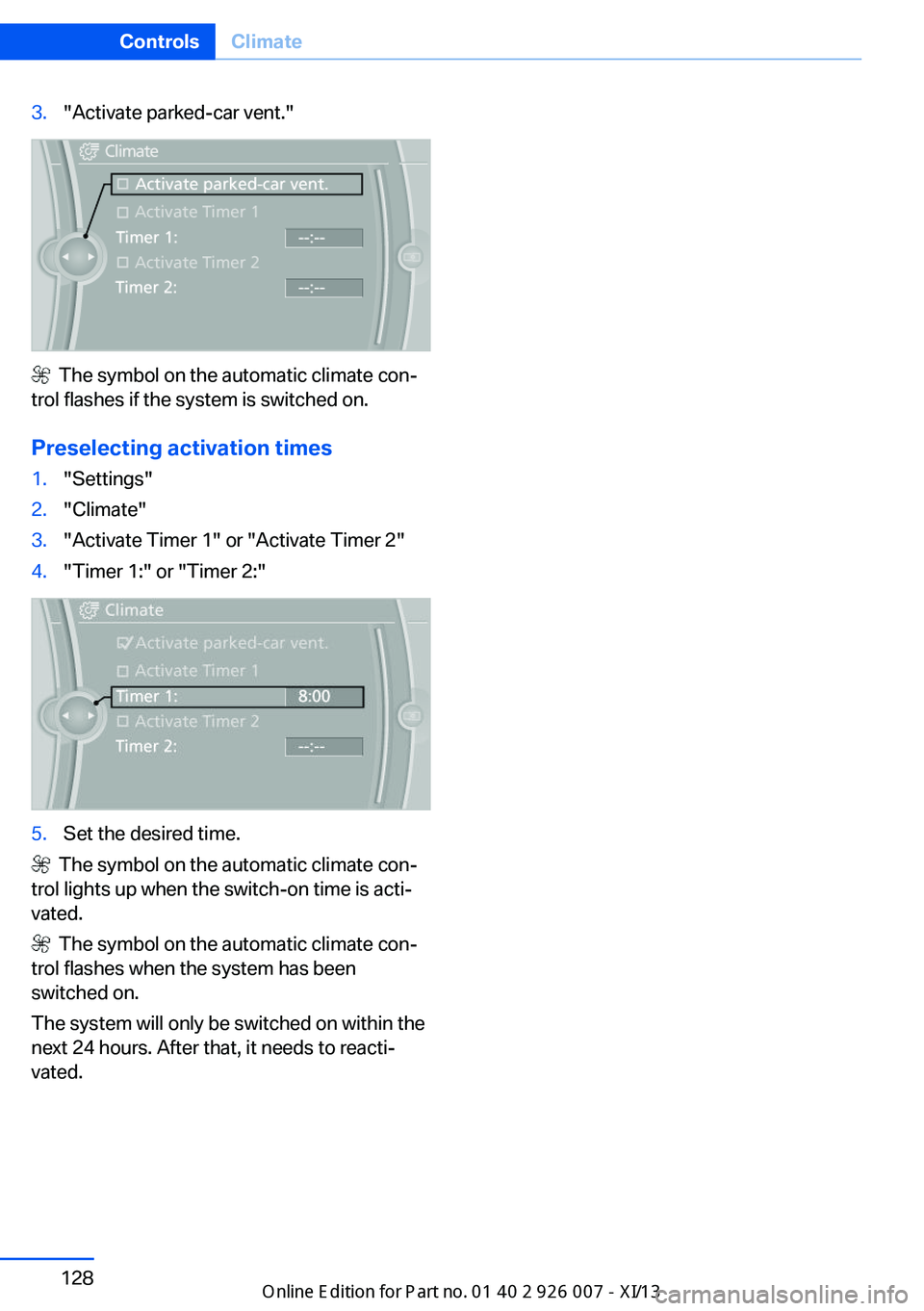
3."Activate parked-car vent."
The symbol on the automatic climate con‐
trol flashes if the system is switched on.
Preselecting activation times
1."Settings"2."Climate"3."Activate Timer 1" or "Activate Timer 2"4."Timer 1:" or "Timer 2:"5.Set the desired time.
The symbol on the automatic climate con‐
trol lights up when the switch-on time is acti‐
vated.
The symbol on the automatic climate con‐
trol flashes when the system has been
switched on.
The system will only be switched on within the
next 24 hours. After that, it needs to reacti‐
vated.
Seite 128ControlsClimate128
Online Edition for Part no. 01 40 2 910 876 - VII/13
Page 152 of 327
Driving in wet conditionsWhen roads are wet or there is heavy rain,
briefly exert gentle pressure on the brake pedal
every few miles.
Ensure that this action does not endanger
other road users.
The heat generated in this process helps dry
the brake discs and pads.
In this way braking efficiency will be available
when you need it.
Hills
Drive long or steep downhill gradients in the
gear in which the least braking is required.
Otherwise, the brake system may overheat, re‐
sulting in a reduction in the brake system effi‐
ciency.
You can increase the engine's braking effect
by shifting down in the manual mode of the au‐
tomatic transmission, refer to page 67.
Avoid load on the brakes
Avoid placing excessive load on the
brake system. Light but consistent brake pres‐
sure can lead to high temperatures, brake wear
and possibly even brake failure.◀
Do not drive in neutral
Do not drive in neutral or with the engine
stopped, as doing so disables engine braking.
In addition, steering and brake assist is un‐
available with the engine stopped.◀
Brake disc corrosion
Corrosion on the brake discs and contamina‐
tion on the brake pads are furthered by:▷Low mileage.▷Extended periods when the vehicle is not
used at all.▷Infrequent use of the brakes.
Corrosion occurs when the minimum pressure
that must be exerted by the pads during brake
applications to clean the discs is not reached.
Should corrosion form on the brake discs, the
brakes will tend to respond with a pulsating ef‐
fect that generally cannot be corrected.
Condensation under the parkedvehicle
When using the automatic climate control,
condensation water develops that exits under‐
neath the vehicle.
Therefore, traces of condensed water under
the vehicle are normal.
Driving on poor roads Your vehicle combines an all-wheel drive sys‐
tem with the advantages of a normal passen‐
ger car.
Do not drive on unpaved terrain
Do not drive on unpaved terrain, as oth‐
erwise the vehicle may be damaged.◀
For your own safety and the safety of passen‐
gers and the vehicle, adhere to the following
points:▷Familiarize yourself with the vehicle before
driving; never take risks.▷Adjust speeds according to road condi‐
tions. The steeper and rougher the road
surface is, the lower the speed should be.▷When driving on steep uphill and downhill
grades: the engine oil and coolant should
be filled nearly to the MAX mark.▷Use Hill Descent Control HDC, refer to
page 99, on steep downhill grades.▷Watch for stones, holes, and other obsta‐
cles and drive around these where possi‐
ble.▷On bumps and rough roads, avoid contact
between the vehicle body and the ground.
The maximum ground clearance is 8 in‐
ches/20 cm and may vary with the loaded
cargo.Seite 148Driving tipsThings to remember when driving148
Online Edition for Part no. 01 40 2 910 876 - VII/13
Page 269 of 327
Tire identification marksKnowledge of the labeling on the side of the
tire makes it easier to identify and choose the
right tires.
Tire size
Example: 255/55 R 19 107 V
255: nominal width in mm
55: aspect ratio in %
R: radial tire code
19: rim diameter in inches
107: load rating, not for ZR tires
V: speed rating, before the R on ZR tires
Speed letter
Q = up to 100 mph/160 km/h
T = up to 118 mph/190 km/h
H = up to 131 mph/210 km/h
V = up to 150 mph/240 km/h
W = up to 167 mph/270 km/h
Y = up to 186 mph/300 km/h
Tire Identification Number Tires with DOT codes meet the guidelines of
the U.S. Department of Transportation.
DOT code:
DOT xxxx xxx 2313
xxxx: manufacturer code for the tire brand
xxx: tire size and tire design
2313: tire age
Tire age
The tire manufacturing date is contained in the
tire identification mark: DOT ... 2313 means
that the tire was manufactured in the
week 23 of 2013.
BMW recommends that you replace all tires af‐
ter 6 years at most, even if some tires may last
for 10 years.Uniform Tire Quality Grading
Quality grades can be found where applicable
on the tire sidewall between tread shoulder
and maximum section width. For example:
Treadwear 200 Traction AA
Temperature A
DOT Quality Grades
Treadwear
Traction AA A B C
Temperature A B C
Conform to Federal Safety Requirements
All passenger car tires must conform to
Federal Safety Requirements in addition to
these grades.◀
Treadwear The treadwear grade is a comparative rating
based on the wear rate of the tire when tested
under controlled conditions on a specified gov‐
ernment test course. For example, a tire graded 150 would wear one and one-half
(1 1/2) times as well on the government course
as a tire graded 100. The relative performance
of tires depends upon the actual conditions of
their use, however, and may depart signifi‐
cantly from the norm due to variations in driv‐
ing habits, service practices and differences in
road characteristics and climate.
Traction
The traction grades, from highest to lowest,
are AA, A, B, and C.
Those grades represent the tire's ability to
stop on wet pavement as measured under
controlled conditions on specified government
test surfaces of asphalt and concrete. A tire
marked C may have poor traction performance.
The traction grade assigned to this tire is
based on straight-ahead braking traction tests,
and does not include acceleration, cornering,
hydroplaning, or peak traction characteristics.Seite 265Wheels and tiresMobility265
Online Edition for Part no. 01 40 2 910 876 - VII/13
Page 305 of 327
Equipment FunctionCommandOpen the air conditioning settings.›Climate‹Open the Head-up Display.›head up display‹Enable the rear.›Allow rear control‹
Vehicle information
Computer
FunctionCommandOpen the computer.›Onboard info‹Open the trip computer.›Trip computer‹
Vehicle
FunctionCommandOpen the vehicle information.›Vehicle info‹Open the vehicle status.›Vehicle status‹
Navigation
General information
FunctionCommandNavigation menu.›Navigation‹Open the destination entry.›Enter address‹Enter the address.›Enter address‹Enter the town/city.›City‹Enter the country.›State‹Enter the postal code.›Postal Code‹Open destination guidance.›Guidance‹Seite 301Short commands for voice activation systemReference301
Online Edition for Part no. 01 40 2 910 876 - VII/13
Page 312 of 327
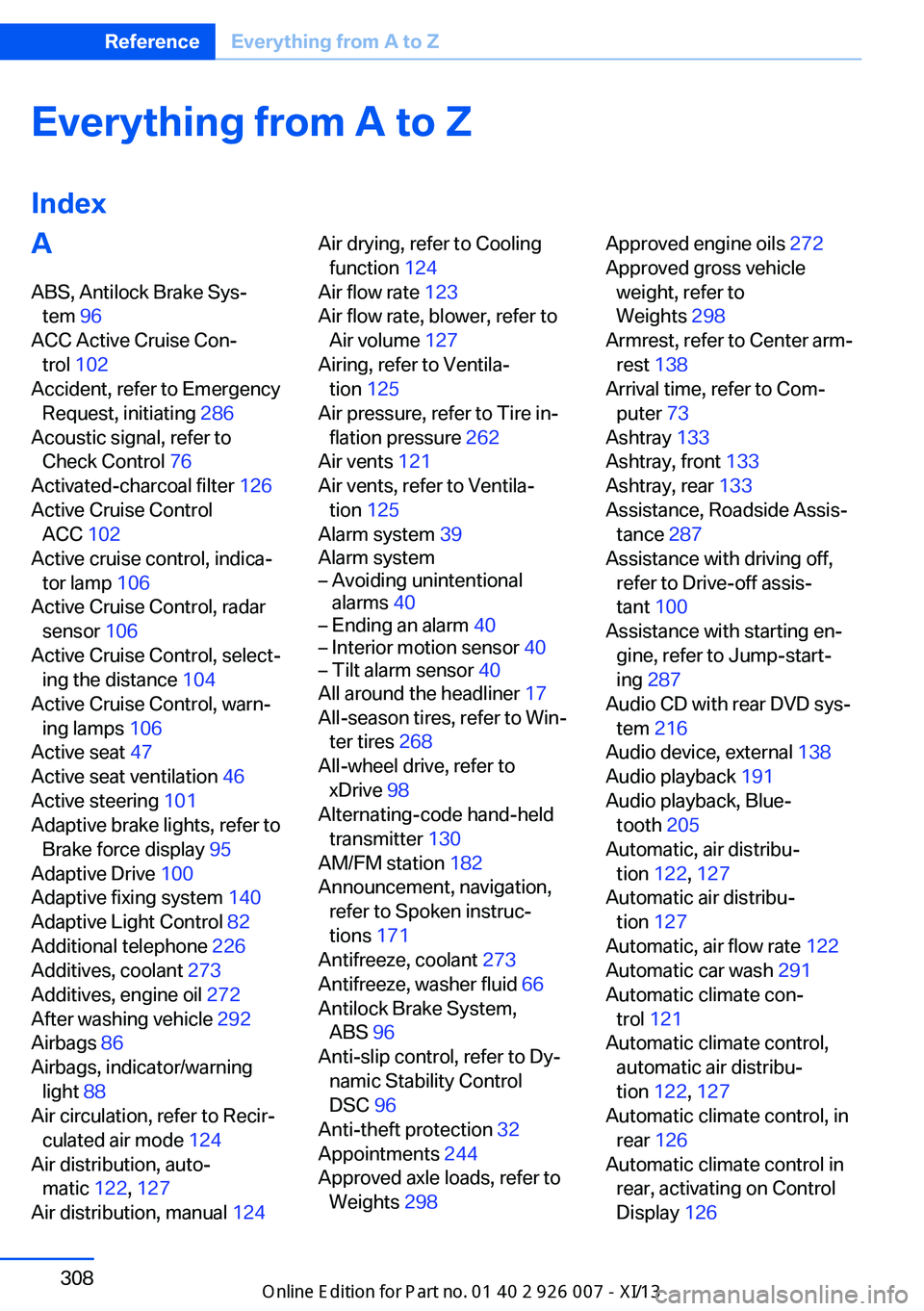
Everything from A to Z
IndexA ABS, Antilock Brake Sys‐ tem 96
ACC Active Cruise Con‐ trol 102
Accident, refer to Emergency Request, initiating 286
Acoustic signal, refer to Check Control 76
Activated-charcoal filter 126
Active Cruise Control ACC 102
Active cruise control, indica‐ tor lamp 106
Active Cruise Control, radar sensor 106
Active Cruise Control, select‐ ing the distance 104
Active Cruise Control, warn‐ ing lamps 106
Active seat 47
Active seat ventilation 46
Active steering 101
Adaptive brake lights, refer to Brake force display 95
Adaptive Drive 100
Adaptive fixing system 140
Adaptive Light Control 82
Additional telephone 226
Additives, coolant 273
Additives, engine oil 272
After washing vehicle 292
Airbags 86
Airbags, indicator/warning light 88
Air circulation, refer to Recir‐ culated air mode 124
Air distribution, auto‐ matic 122, 127
Air distribution, manual 124 Air drying, refer to Cooling
function 124
Air flow rate 123
Air flow rate, blower, refer to Air volume 127
Airing, refer to Ventila‐ tion 125
Air pressure, refer to Tire in‐ flation pressure 262
Air vents 121
Air vents, refer to Ventila‐ tion 125
Alarm system 39
Alarm system– Avoiding unintentional
alarms 40– Ending an alarm 40– Interior motion sensor 40– Tilt alarm sensor 40
All around the headliner 17
All-season tires, refer to Win‐ ter tires 268
All-wheel drive, refer to
xDrive 98
Alternating-code hand-held transmitter 130
AM/FM station 182
Announcement, navigation, refer to Spoken instruc‐
tions 171
Antifreeze, coolant 273
Antifreeze, washer fluid 66
Antilock Brake System, ABS 96
Anti-slip control, refer to Dy‐ namic Stability Control
DSC 96
Anti-theft protection 32
Appointments 244
Approved axle loads, refer to Weights 298
Approved engine oils 272
Approved gross vehicle weight, refer to
Weights 298
Armrest, refer to Center arm‐ rest 138
Arrival time, refer to Com‐ puter 73
Ashtray 133
Ashtray, front 133
Ashtray, rear 133
Assistance, Roadside Assis‐ tance 287
Assistance with driving off, refer to Drive-off assis‐
tant 100
Assistance with starting en‐ gine, refer to Jump-start‐
ing 287
Audio CD with rear DVD sys‐ tem 216
Audio device, external 138
Audio playback 191
Audio playback, Blue‐ tooth 205
Automatic, air distribu‐ tion 122, 127
Automatic air distribu‐ tion 127
Automatic, air flow rate 122
Automatic car wash 291
Automatic climate con‐ trol 121
Automatic climate control, automatic air distribu‐
tion 122, 127
Automatic climate control, in rear 126
Automatic climate control in rear, activating on Control
Display 126 Seite 308ReferenceEverything from A to Z308
Online Edition for Part no. 01 40 2 910 876 - VII/13
Page 313 of 327
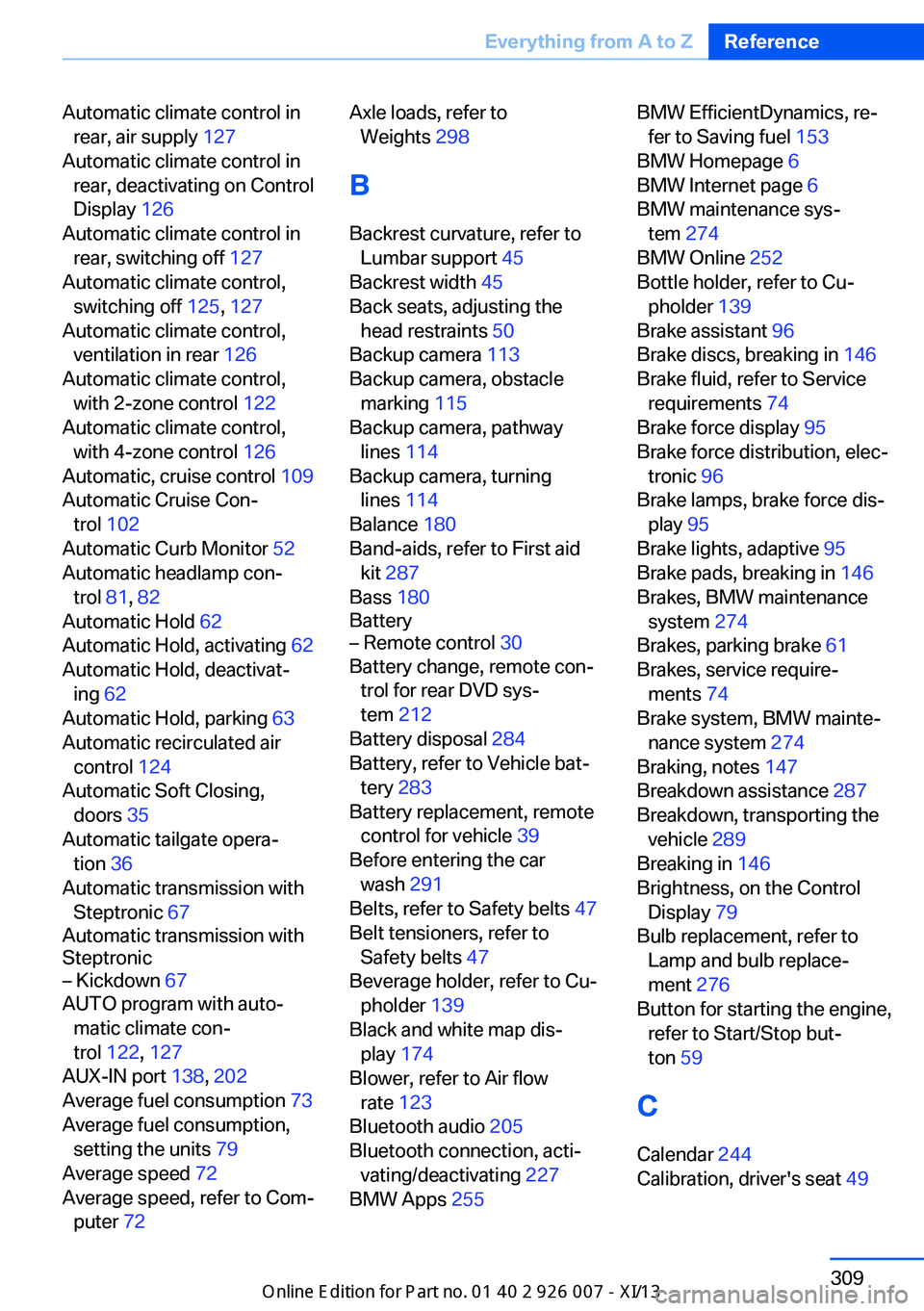
Automatic climate control inrear, air supply 127
Automatic climate control in rear, deactivating on Control
Display 126
Automatic climate control in rear, switching off 127
Automatic climate control, switching off 125, 127
Automatic climate control, ventilation in rear 126
Automatic climate control, with 2-zone control 122
Automatic climate control, with 4-zone control 126
Automatic, cruise control 109
Automatic Cruise Con‐ trol 102
Automatic Curb Monitor 52
Automatic headlamp con‐ trol 81, 82
Automatic Hold 62
Automatic Hold, activating 62
Automatic Hold, deactivat‐ ing 62
Automatic Hold, parking 63
Automatic recirculated air control 124
Automatic Soft Closing, doors 35
Automatic tailgate opera‐ tion 36
Automatic transmission with Steptronic 67
Automatic transmission with
Steptronic– Kickdown 67
AUTO program with auto‐
matic climate con‐
trol 122 , 127
AUX-IN port 138, 202
Average fuel consumption 73
Average fuel consumption, setting the units 79
Average speed 72
Average speed, refer to Com‐ puter 72
Axle loads, refer to
Weights 298
B
Backrest curvature, refer to Lumbar support 45
Backrest width 45
Back seats, adjusting the head restraints 50
Backup camera 113
Backup camera, obstacle marking 115
Backup camera, pathway lines 114
Backup camera, turning lines 114
Balance 180
Band-aids, refer to First aid kit 287
Bass 180
Battery– Remote control 30
Battery change, remote con‐
trol for rear DVD sys‐
tem 212
Battery disposal 284
Battery, refer to Vehicle bat‐ tery 283
Battery replacement, remote control for vehicle 39
Before entering the car wash 291
Belts, refer to Safety belts 47
Belt tensioners, refer to Safety belts 47
Beverage holder, refer to Cu‐ pholder 139
Black and white map dis‐ play 174
Blower, refer to Air flow rate 123
Bluetooth audio 205
Bluetooth connection, acti‐ vating/deactivating 227
BMW Apps 255
BMW EfficientDynamics, re‐
fer to Saving fuel 153
BMW Homepage 6
BMW Internet page 6
BMW maintenance sys‐ tem 274
BMW Online 252
Bottle holder, refer to Cu‐ pholder 139
Brake assistant 96
Brake discs, breaking in 146
Brake fluid, refer to Service requirements 74
Brake force display 95
Brake force distribution, elec‐ tronic 96
Brake lamps, brake force dis‐ play 95
Brake lights, adaptive 95
Brake pads, breaking in 146
Brakes, BMW maintenance system 274
Brakes, parking brake 61
Brakes, service require‐ ments 74
Brake system, BMW mainte‐ nance system 274
Braking, notes 147
Breakdown assistance 287
Breakdown, transporting the vehicle 289
Breaking in 146
Brightness, on the Control Display 79
Bulb replacement, refer to Lamp and bulb replace‐
ment 276
Button for starting the engine, refer to Start/Stop but‐
ton 59
C
Calendar 244
Calibration, driver's seat 49 Seite 309Everything from A to ZReference309
Online Edition for Part no. 01 40 2 910 876 - VII/13
Page 318 of 327
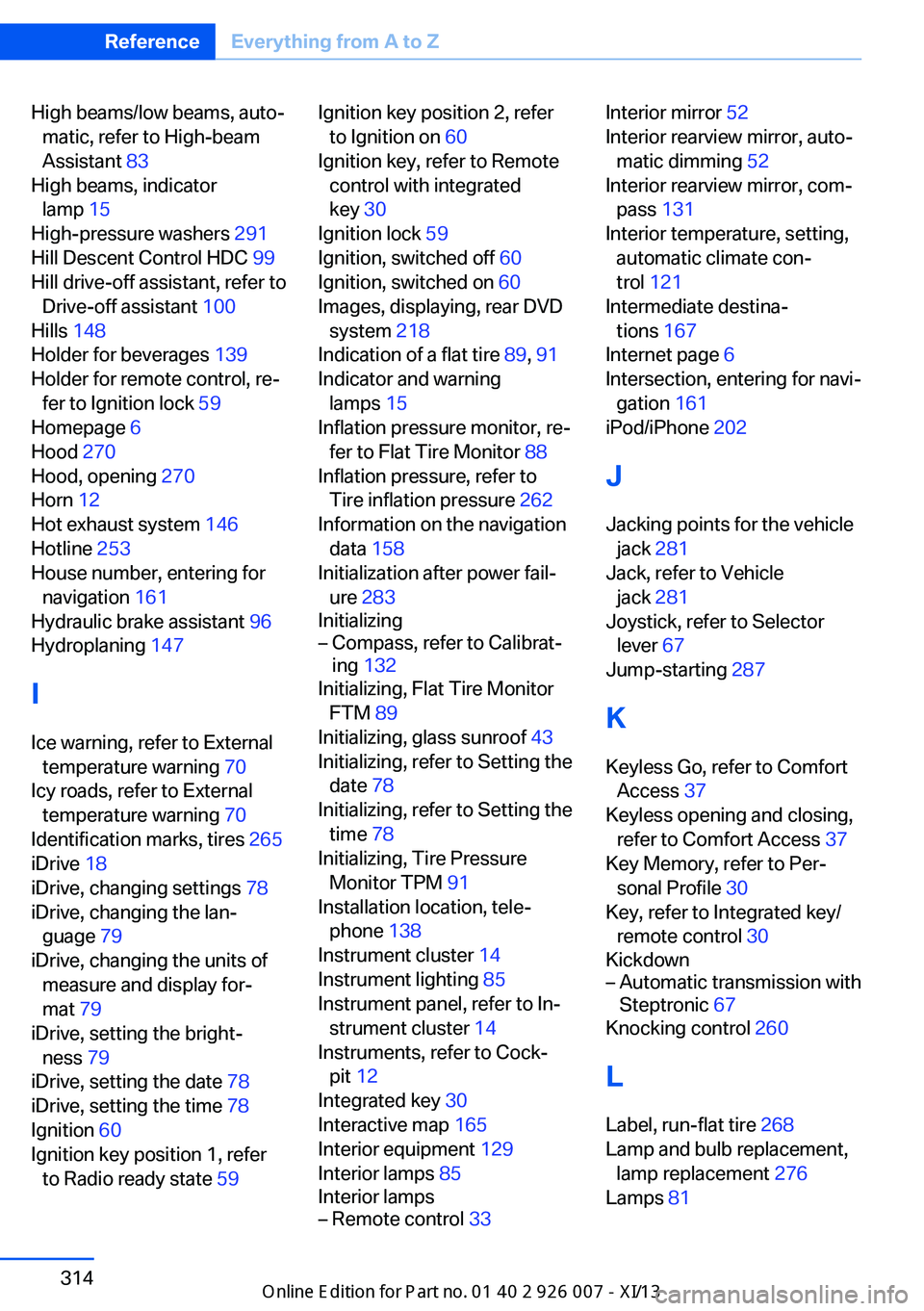
High beams/low beams, auto‐matic, refer to High-beam
Assistant 83
High beams, indicator lamp 15
High-pressure washers 291
Hill Descent Control HDC 99
Hill drive-off assistant, refer to Drive-off assistant 100
Hills 148
Holder for beverages 139
Holder for remote control, re‐ fer to Ignition lock 59
Homepage 6
Hood 270
Hood, opening 270
Horn 12
Hot exhaust system 146
Hotline 253
House number, entering for navigation 161
Hydraulic brake assistant 96
Hydroplaning 147
I Ice warning, refer to External temperature warning 70
Icy roads, refer to External temperature warning 70
Identification marks, tires 265
iDrive 18
iDrive, changing settings 78
iDrive, changing the lan‐ guage 79
iDrive, changing the units of measure and display for‐
mat 79
iDrive, setting the bright‐ ness 79
iDrive, setting the date 78
iDrive, setting the time 78
Ignition 60
Ignition key position 1, refer to Radio ready state 59 Ignition key position 2, refer
to Ignition on 60
Ignition key, refer to Remote control with integrated
key 30
Ignition lock 59
Ignition, switched off 60
Ignition, switched on 60
Images, displaying, rear DVD system 218
Indication of a flat tire 89, 91
Indicator and warning lamps 15
Inflation pressure monitor, re‐ fer to Flat Tire Monitor 88
Inflation pressure, refer to Tire inflation pressure 262
Information on the navigation data 158
Initialization after power fail‐ ure 283
Initializing– Compass, refer to Calibrat‐
ing 132
Initializing, Flat Tire Monitor
FTM 89
Initializing, glass sunroof 43
Initializing, refer to Setting the date 78
Initializing, refer to Setting the time 78
Initializing, Tire Pressure Monitor TPM 91
Installation location, tele‐ phone 138
Instrument cluster 14
Instrument lighting 85
Instrument panel, refer to In‐ strument cluster 14
Instruments, refer to Cock‐ pit 12
Integrated key 30
Interactive map 165
Interior equipment 129
Interior lamps 85
Interior lamps
– Remote control 33Interior mirror 52
Interior rearview mirror, auto‐ matic dimming 52
Interior rearview mirror, com‐ pass 131
Interior temperature, setting, automatic climate con‐
trol 121
Intermediate destina‐ tions 167
Internet page 6
Intersection, entering for navi‐ gation 161
iPod/iPhone 202
J
Jacking points for the vehicle jack 281
Jack, refer to Vehicle jack 281
Joystick, refer to Selector lever 67
Jump-starting 287
K
Keyless Go, refer to Comfort Access 37
Keyless opening and closing, refer to Comfort Access 37
Key Memory, refer to Per‐ sonal Profile 30
Key, refer to Integrated key/ remote control 30
Kickdown– Automatic transmission with
Steptronic 67
Knocking control 260
L
Label, run-flat tire 268
Lamp and bulb replacement, lamp replacement 276
Lamps 81
Seite 314ReferenceEverything from A to Z314
Online Edition for Part no. 01 40 2 910 876 - VII/13
Page 320 of 327
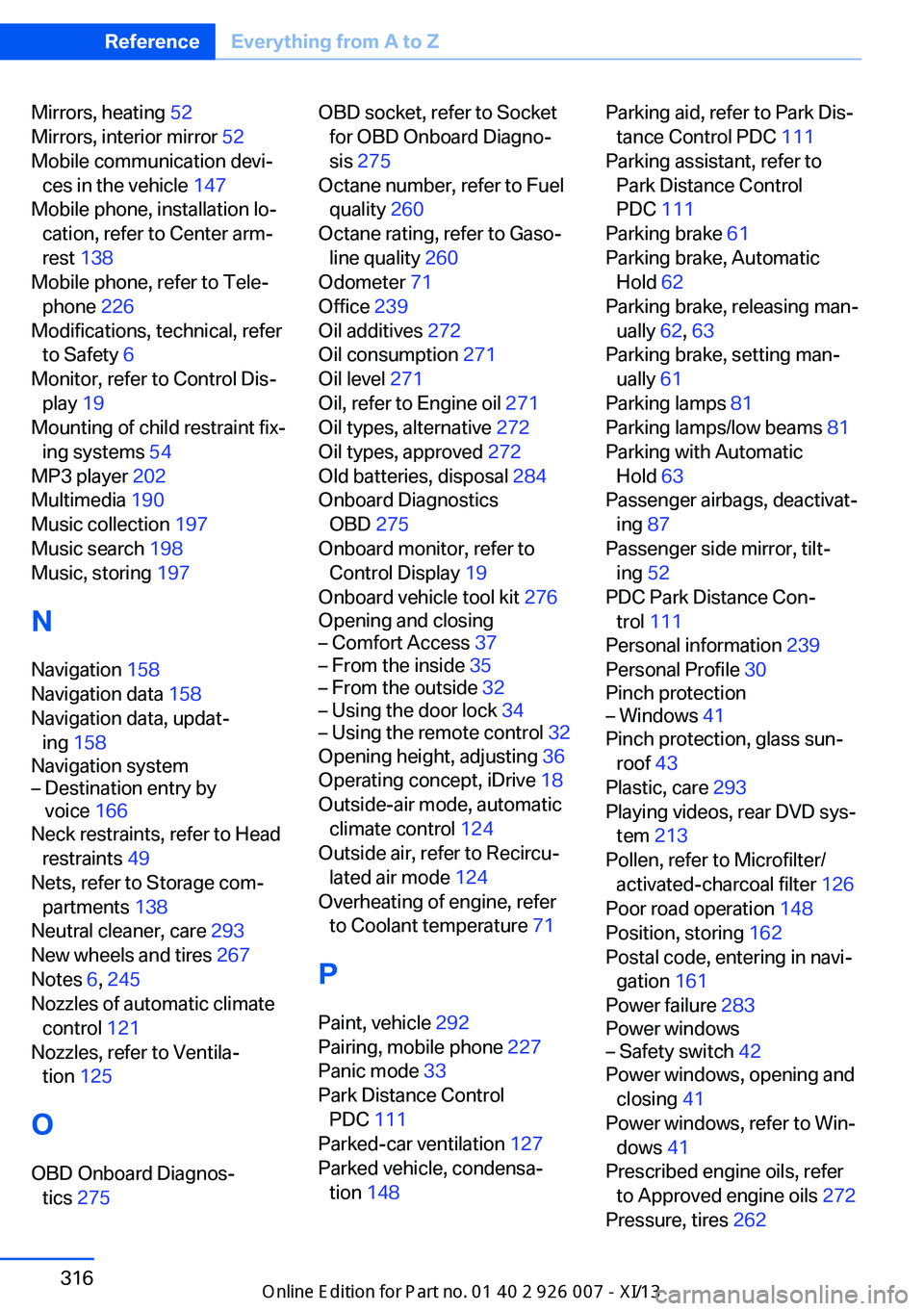
Mirrors, heating 52
Mirrors, interior mirror 52
Mobile communication devi‐ ces in the vehicle 147
Mobile phone, installation lo‐ cation, refer to Center arm‐
rest 138
Mobile phone, refer to Tele‐ phone 226
Modifications, technical, refer to Safety 6
Monitor, refer to Control Dis‐ play 19
Mounting of child restraint fix‐ ing systems 54
MP3 player 202
Multimedia 190
Music collection 197
Music search 198
Music, storing 197
N
Navigation 158
Navigation data 158
Navigation data, updat‐ ing 158
Navigation system– Destination entry by
voice 166
Neck restraints, refer to Head
restraints 49
Nets, refer to Storage com‐ partments 138
Neutral cleaner, care 293
New wheels and tires 267
Notes 6, 245
Nozzles of automatic climate control 121
Nozzles, refer to Ventila‐ tion 125
O OBD Onboard Diagnos‐ tics 275
OBD socket, refer to Socket
for OBD Onboard Diagno‐
sis 275
Octane number, refer to Fuel quality 260
Octane rating, refer to Gaso‐ line quality 260
Odometer 71
Office 239
Oil additives 272
Oil consumption 271
Oil level 271
Oil, refer to Engine oil 271
Oil types, alternative 272
Oil types, approved 272
Old batteries, disposal 284
Onboard Diagnostics OBD 275
Onboard monitor, refer to Control Display 19
Onboard vehicle tool kit 276
Opening and closing– Comfort Access 37– From the inside 35– From the outside 32– Using the door lock 34– Using the remote control 32
Opening height, adjusting 36
Operating concept, iDrive 18
Outside-air mode, automatic climate control 124
Outside air, refer to Recircu‐ lated air mode 124
Overheating of engine, refer to Coolant temperature 71
P Paint, vehicle 292
Pairing, mobile phone 227
Panic mode 33
Park Distance Control PDC 111
Parked-car ventilation 127
Parked vehicle, condensa‐ tion 148
Parking aid, refer to Park Dis‐
tance Control PDC 111
Parking assistant, refer to Park Distance Control
PDC 111
Parking brake 61
Parking brake, Automatic Hold 62
Parking brake, releasing man‐ ually 62, 63
Parking brake, setting man‐ ually 61
Parking lamps 81
Parking lamps/low beams 81
Parking with Automatic Hold 63
Passenger airbags, deactivat‐ ing 87
Passenger side mirror, tilt‐ ing 52
PDC Park Distance Con‐ trol 111
Personal information 239
Personal Profile 30
Pinch protection– Windows 41
Pinch protection, glass sun‐
roof 43
Plastic, care 293
Playing videos, rear DVD sys‐ tem 213
Pollen, refer to Microfilter/ activated-charcoal filter 126
Poor road operation 148
Position, storing 162
Postal code, entering in navi‐ gation 161
Power failure 283
Power windows
– Safety switch 42
Power windows, opening and
closing 41
Power windows, refer to Win‐ dows 41
Prescribed engine oils, refer to Approved engine oils 272
Pressure, tires 262
Seite 316ReferenceEverything from A to Z316
Online Edition for Part no. 01 40 2 910 876 - VII/13
Page 321 of 327
Pressure warning, tires 88
Profile depth, refer to Mini‐ mum tread depth 266
Profile, tires 266
Programmable memory but‐ tons, iDrive 23
Protection function, refer to Pinch protection 43
Protective function, refer to
Pinch protection– Windows 41
Push-and-turn switch, refer to
Controls 18
R Radiator fluid, refer to Cool‐ ant 273
Radio-operated key, refer to Remote control with
integrated key 30
Radio ready state 59
Radio ready state, switched off 60
Radio ready state, switched on 59
Radio setting, refer to Radio ready state 59
Rain sensor 66
Random 191
Random playback 191
Range 72
RDS 183
Reading lamps 85
Reading out loud 246
Rear entertainment, refer to DVD system in rear 210
Rear lamps, refer to Tail lamps 279
Rear seat backrest, folda‐ ble 135
Rear seats, adjusting the head restraints 50
Rear seats, heating 46
Rear socket 134
Rear ventilation 126
Rear ventilation, automatic
climate control in rear 126
Rearview camera, clean‐ ing 115
Rearview mirror, refer to Mir‐ rors 51
Rear window defroster 123
Recirculated air mode 124
Recommended tire brands 268
Redialing 233
Refueling 258
Remaining distance to desti‐ nation, refer to Com‐
puter 73
Remaining range for service, refer to Service require‐
ments 74
Remaining range, refer to Range 72
Reminders 246
Remote control– Battery replacement 39– Comfort Access 37– Garage door opener 129– Malfunction 34, 39– Tailgate 33– Universal 129
Remote control, rear DVD
system 211
Remote control, removing from the ignition lock 59
Remote control, service data 274
Remote inquiry 232
Replacement fuse 284
Replacement remote con‐ trol 30
Replacing wheels/tires 267
Reporting safety defects 9
Reserve warning, refer to Fuel gauge 72
Reservoir for washer fluid, re‐ fer to Washer fluid reser‐
voir 67
Resetting, Tire Pressure Monitor TPM 91
Residual heat 125
Restraining systems– Refer to Safety belts 47
Restraint systems for chil‐
dren 54
Retaining straps, securing cargo 151
Retreaded tires 268
Rim cleaner, care 293
Road, avoiding 169
Road detour 169
Roadside Assistance 252
Roadside parking lamps 83
Roller sunblinds 42
RON gasoline quality 260
RON, refer to Fuel qual‐ ity 260
Roof load capacity 298
Roof-mounted luggage rack 152
Rope, refer to Towing 289
Route 170
Route criteria, route 169
Route, displaying 170
Route section, bypass‐ ing 170
RSC Runflat System Compo‐ nent, refer to Run-flat
tires 268
Rubber components, care 293
Run-flat tires 268
Run-flat tires, tire inflation pressure 262
Running lights, refer to Park‐ ing lamps/low beams 81
S Safe braking 147
Safety 6
Safety belts 47
Safety belts
– Damage 48
Safety belts, care 293
Safety belts, indicator/warn‐ ing lamp 48
Seite 317Everything from A to ZReference317
Online Edition for Part no. 01 40 2 910 876 - VII/13
Page 323 of 327
Steering wheel 53
Steering wheel, adjusting 53
Steering wheel, easy entry/ exit 53
Steering wheel lock 59
Steering with variable transla‐ tion, refer to Active steer‐
ing 101
Steptronic, refer to Sport pro‐ gram and manual mode M/
S 68
Stopping, engine 60
Storage compartment nets 138
Storage compart‐ ments 137, 138
Storage, tires 268
Storing the seat position, re‐ fer to Seat and mirror mem‐
ory 50
Storing the vehicle 294
Street, entering for naviga‐ tion 161
Summer tires, refer to Wheels and tires 262
Summer tires, tread 266
Sunblinds, roller sun‐ blinds 42
Surround View 113
Switches, refer to Cockpit 12
Switching off, engine 60
Switching off, vehicle 60
Switch-on times, parked-car ventilation 128
Symbols 6
T Tachometer 71
Tailgate– Comfort Access 38– Remote control 33
Tailgate, adjusting the open‐
ing height 36
Tailgate, automatic opera‐ tion 36
Tail lamps 279
Tank gauge, refer to Fuel
gauge 72
Tasks 245
Technical changes, refer to Safety 6
Technical data 298
Telephone 226
Telephone, adjusting the vol‐ ume 230
Telephone, installation loca‐ tion, refer to Center arm‐
rest 138
TeleService 251
Temperature, adjusting in up‐ per body region 123
Temperature, coolant, refer to Coolant temperature 71
Temperature display– External temperature 70– External temperature warn‐
ing 70
Temperature display, setting
the units 79
Temperature, engine oil 71
Temperature, setting with au‐ tomatic climate con‐
trol 123 , 127
Temperature warning 70
Text messages 242
Theft alarm system, refer to Alarm system 39
Thigh support adjustment 44
Third brake lamp, refer to Center brake lamp 280
Tilting the passenger side mirror 52
Time, setting 78
Tire age 265
Tire identification marks 265
Tire inflation pressure 262
Tire inflation pressure, check‐ ing 262
Tire pressure monitor, refer to Flat Tire Monitor 88
Tire Pressure Monitor TPM 90
Tire Quality Grading 265
Tires– Inflation pressure 262
Tires, breaking in 146
Tires, changing 267
Tires, condition 266
Tires, damage 266
Tire size 265
Tires, minimum tread 266
Tires, retreaded tires 268
Tires, run-flat tires 268
Tires, storage 268
Tire tread 266
Toll roads, route 169
Tone 180
Tool kit, refer to Onboard ve‐ hicle tool kit 276
Tools, refer to Onboard vehi‐ cle tool kit 276
Top View 115
Tow bar 289
Tow fitting 290
Towing 289
Town/city, navigation 161
Tow rope 289
Tow-starting 289, 290
TPM Tire Pressure Moni‐ tor 90
Traction control 97
Traffic bulletins, naviga‐ tion 173
Transmission, automatic transmission with Step‐
tronic 67
Transmission positions, auto‐ matic transmission with
Steptronic 67
Transporting children safely 54
Treble, tone 180
Trip computer, refer to Dis‐ plays on the Control Dis‐
play 73
Trip-distance counter, refer to Trip odometer 71
Triple turn signal activa‐ tion 65
Trip odometer 71
Seite 319Everything from A to ZReference319
Online Edition for Part no. 01 40 2 910 876 - VII/13