display BMW Z4 2.5I 2005 User Guide
[x] Cancel search | Manufacturer: BMW, Model Year: 2005, Model line: Z4 2.5I, Model: BMW Z4 2.5I 2005Pages: 120, PDF Size: 3.82 MB
Page 49 of 120
Reference
At a glance
Controls
Driving tips
Mobility
47
Between the blue and red zones
Normal operating range. The needle may rise as
far as the edge of the red sector during normal
operation.
Red
When you switch on the ignition, warning
lamp1 comes on briefly to indicate an opera-
tional check.
Comes on while driving:
The engine has overheated. Stop and switch
the engine off immediately and allow it to cool
down.
For checking the coolant level, refer to page87.
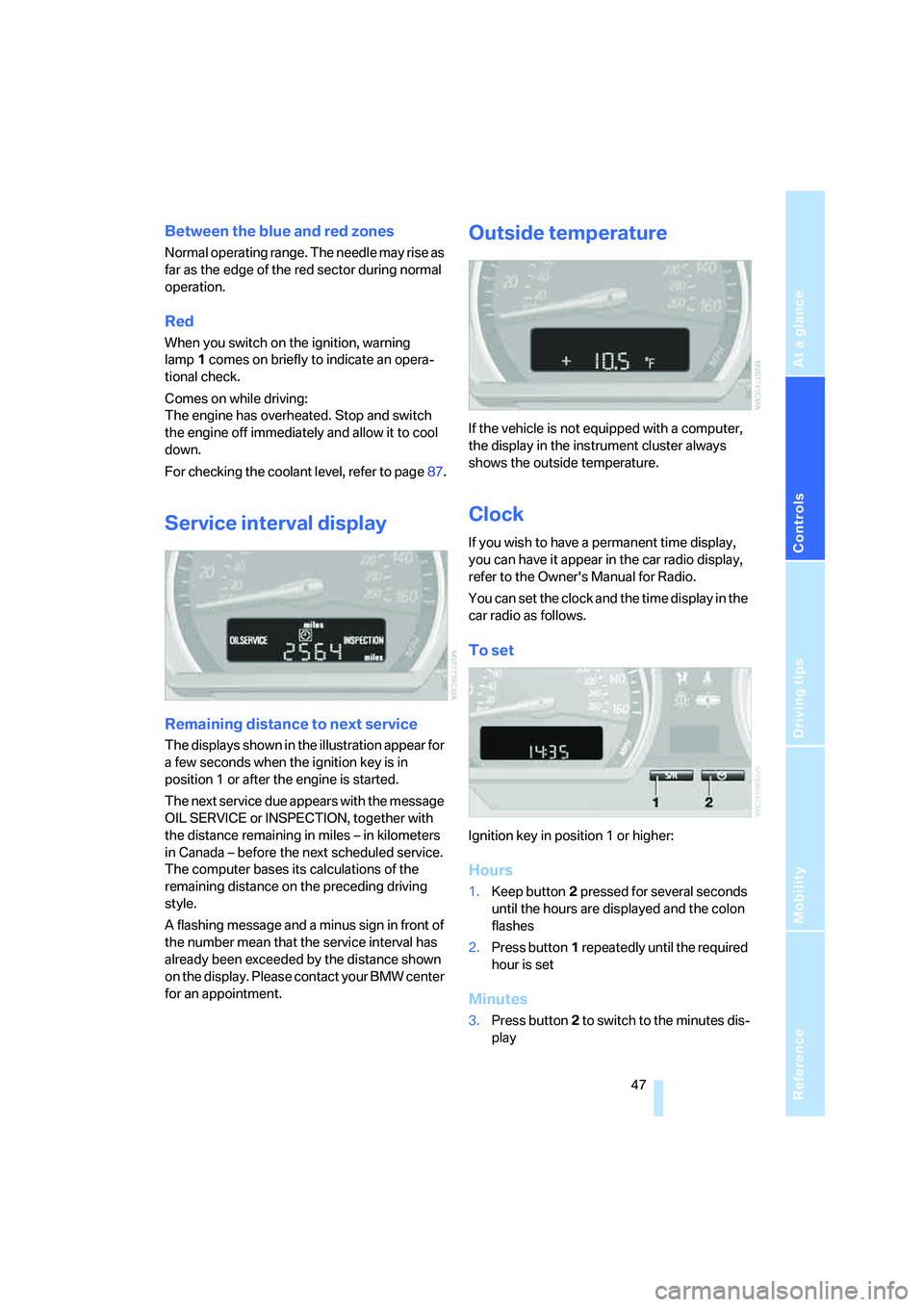
Service interval display
Remaining distance to next service
The displays shown in the illustration appear for
a few seconds when the ignition key is in
position 1 or after the engine is started.
The next service due appears with the message
OIL SERVICE or INSPECTION, together with
the distance remaining in miles – in kilometers
in Canada – before the next scheduled service.
The computer bases its calculations of the
remaining distance on the preceding driving
style.
A flashing message and a minus sign in front of
the number mean that the service interval has
already been exceeded by the distance shown
on the display. Please contact your BMW center
for an appointment.
Outside temperature
If the vehicle is not equipped with a computer,
the display in the instrument cluster always
shows the outside temperature.
Clock
If you wish to have a permanent time display,
you can have it appear in the car radio display,
refer to the Owner's Manual for Radio.
You can set the clock and the time display in the
car radio as follows.
To set
Ignition key in position 1 or higher:
Hours
1.Keep button2 pressed for several seconds
until the hours are displayed and the colon
flashes
2.Press button1 repeatedly until the required
hour is set
Minutes
3.Press button2 to switch to the minutes dis-
play
Page 50 of 120
Everything under control
48 4.Press button1 repeatedly until the required
minutes are set
5.Press button2 to confirm the settings.
The set time of day is transferred to the car
radio display or appears in the instrument clus-
ter display.
Display mode
In ignition key position 0:
Press button1.
The time of day is displayed for several sec-
onds.
Computer*
Mode selection
With the ignition key in position 1 or higher, you
can use the onboard computer button BC in the
turn signal lever to retrieve information from the
computer for display in the instrument cluster.
Every time you tap the onboard computer but-
ton BC, another function is displayed.
The order of the displays:
>Time
>Outside temperature
>Average fuel consumption
>Cruising range
>Average speed.
With the ignition key in position 1 or higher, the
last active setting is displayed.
If you wish, you can have all the displays
of the following functions shown in
another unit of measure.<
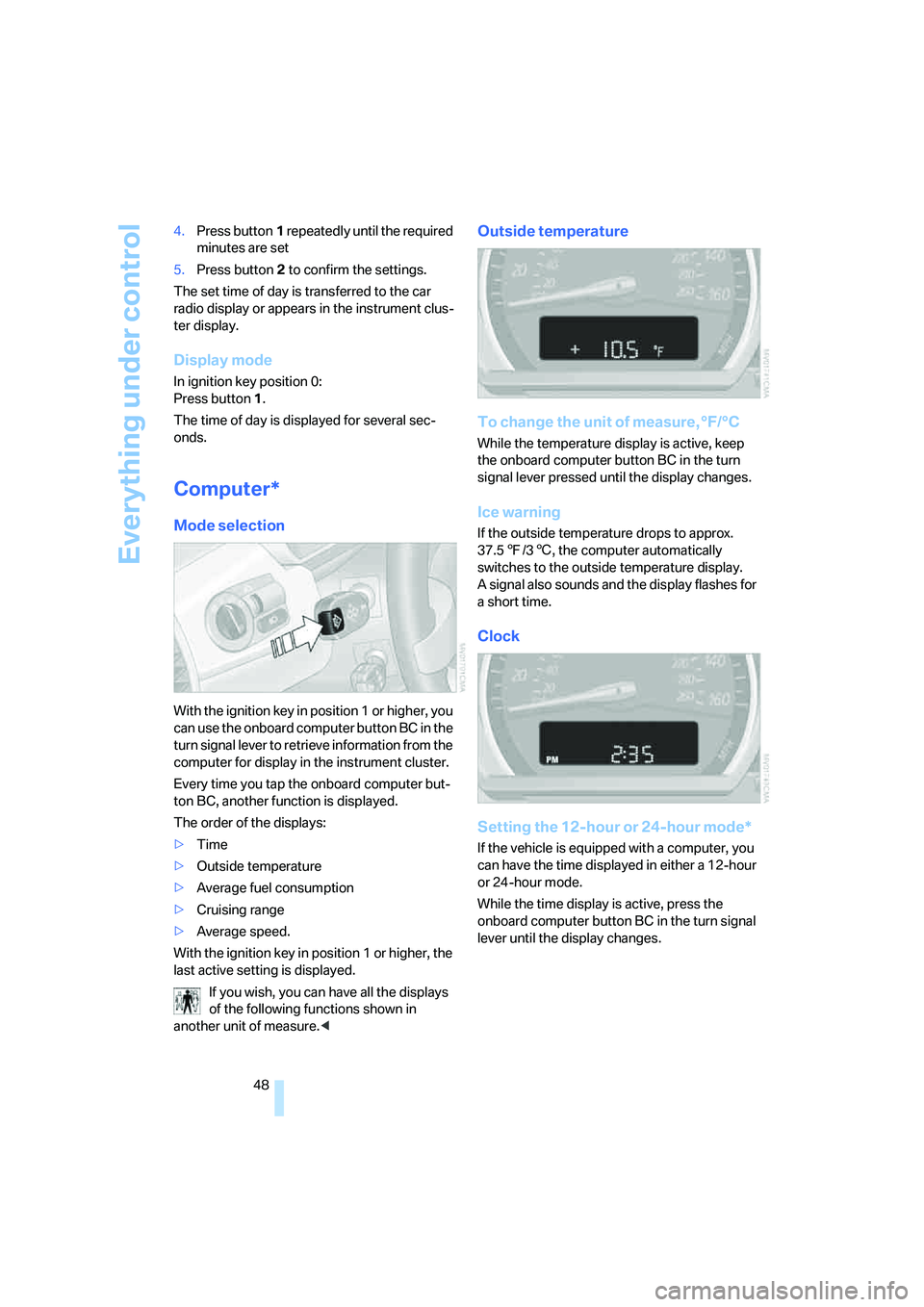
Outside temperature
To change the unit of measure, °F/°C
While the temperature display is active, keep
the onboard computer button BC in the turn
signal lever pressed until the display changes.
Ice warning
If the outside temperature drops to approx.
37.57/36, the computer automatically
switches to the outside temperature display.
A signal also sounds and the display flashes for
a short time.
Clock
Setting the 12-hour or 24-hour mode*
If the vehicle is equipped with a computer, you
can have the time displayed in either a 12-hour
or 24-hour mode.
While the time display is active, press the
onboard computer button BC in the turn signal
lever until the display changes.
Page 51 of 120
Reference
At a glance
Controls
Driving tips
Mobility
49
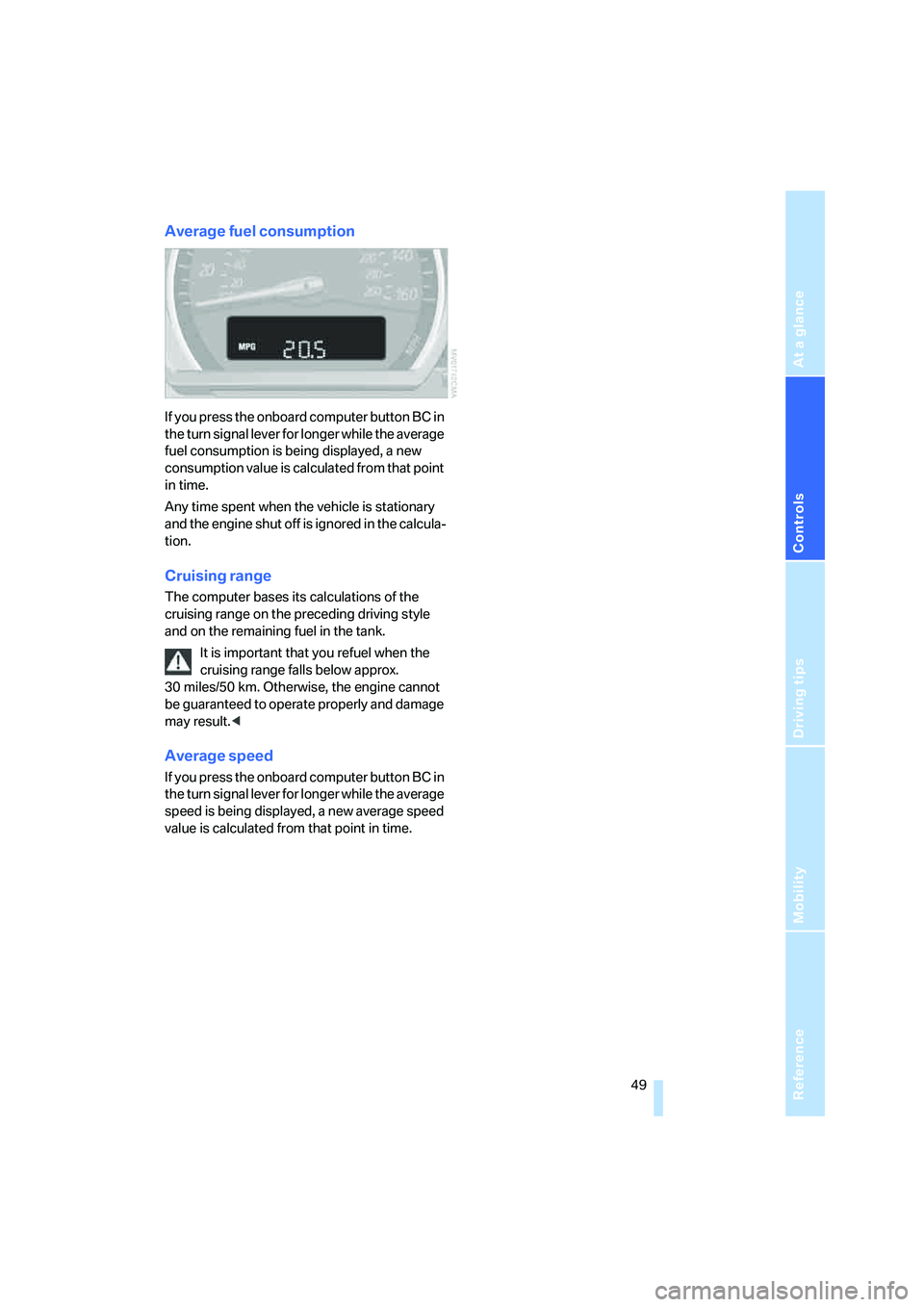
Average fuel consumption
If you press the onboard computer button BC in
the turn signal lever for longer while the average
fuel consumption is being displayed, a new
consumption value is calculated from that point
in time.
Any time spent when the vehicle is stationary
and the engine shut off is ignored in the calcula-
tion.
Cruising range
The computer bases its calculations of the
cruising range on the preceding driving style
and on the remaining fuel in the tank.
It is important that you refuel when the
cruising range falls below approx.
30 miles/50 km. Otherwise, the engine cannot
be guaranteed to operate properly and damage
may result.<
Average speed
If you press the onboard computer button BC in
the turn signal lever for longer while the average
speed is being displayed, a new average speed
value is calculated from that point in time.
Page 54 of 120
Technology for safety and driving convenience
52
Brake force display
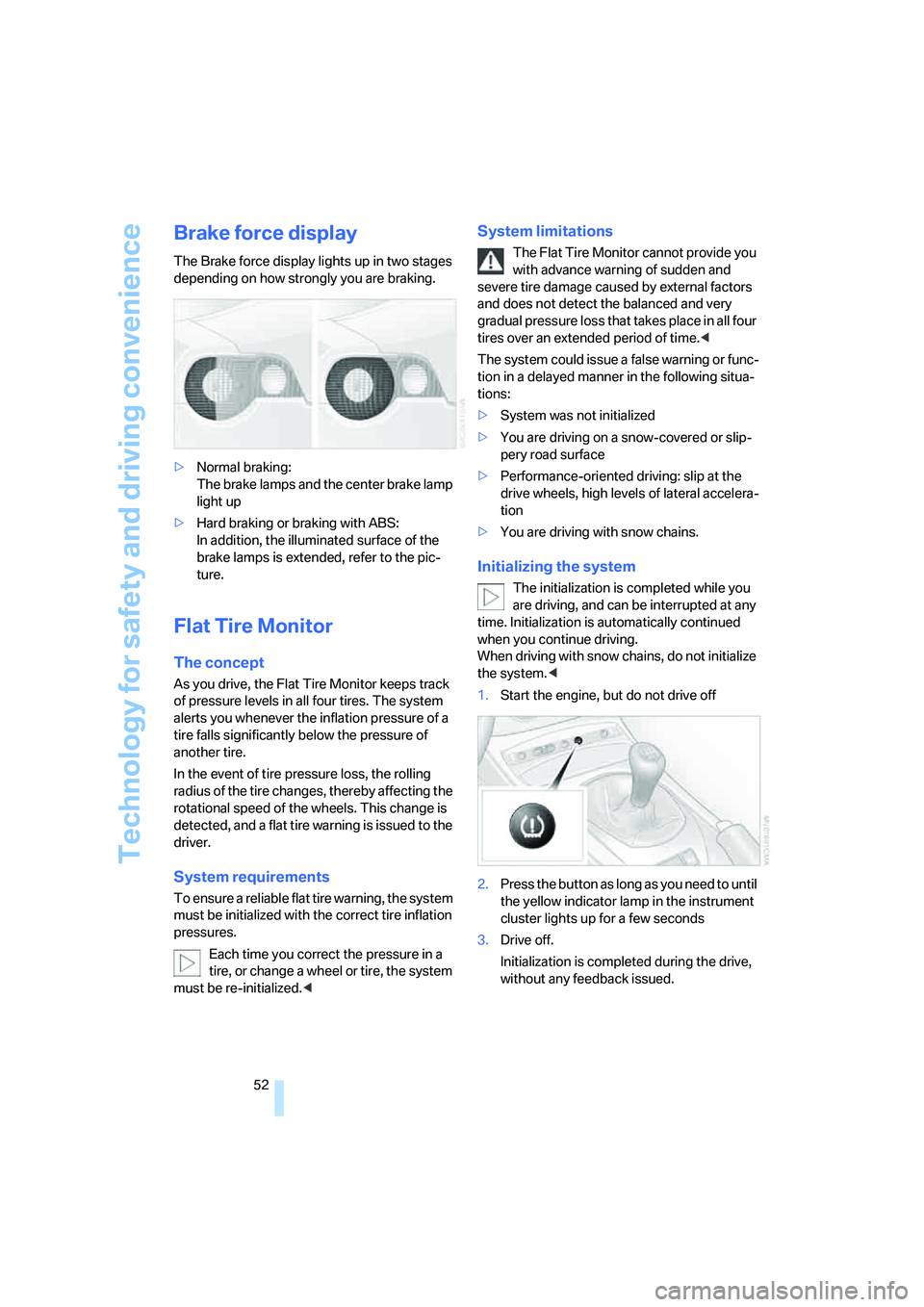
The Brake force display lights up in two stages
depending on how strongly you are braking.
>Normal braking:
The brake lamps and the center brake lamp
light up
>Hard braking or braking with ABS:
In addition, the illuminated surface of the
brake lamps is extended, refer to the pic-
ture.
Flat Tire Monitor
The concept
As you drive, the Flat Tire Monitor keeps track
of pressure levels in all four tires. The system
alerts you whenever the inflation pressure of a
tire falls significantly below the pressure of
another tire.
In the event of tire pressure loss, the rolling
radius of the tire changes, thereby affecting the
rotational speed of the wheels. This change is
detected, and a flat tire warning is issued to the
driver.
System requirements
To ensure a reliable flat tire warning, the system
must be initialized with the correct tire inflation
pressures.
Each time you correct the pressure in a
tire, or change a wheel or tire, the system
must be re-initialized.<
System limitations
The Flat Tire Monitor cannot provide you
with advance warning of sudden and
severe tire damage caused by external factors
and does not detect the balanced and very
gradual pressure loss that takes place in all four
tires over an extended period of time.<
The system could issue a false warning or func-
tion in a delayed manner in the following situa-
tions:
>System was not initialized
>You are driving on a snow-covered or slip-
pery road surface
>Performance-oriented driving: slip at the
drive wheels, high levels of lateral accelera-
tion
>You are driving with snow chains.
Initializing the system
The initialization is completed while you
are driving, and can be interrupted at any
time. Initialization is automatically continued
when you continue driving.
When driving with snow chains, do not initialize
the system.<
1.Start the engine, but do not drive off
2.Press the button as long as you need to until
the yellow indicator lamp in the instrument
cluster lights up for a few seconds
3.Drive off.
Initialization is completed during the drive,
without any feedback issued.
Page 64 of 120
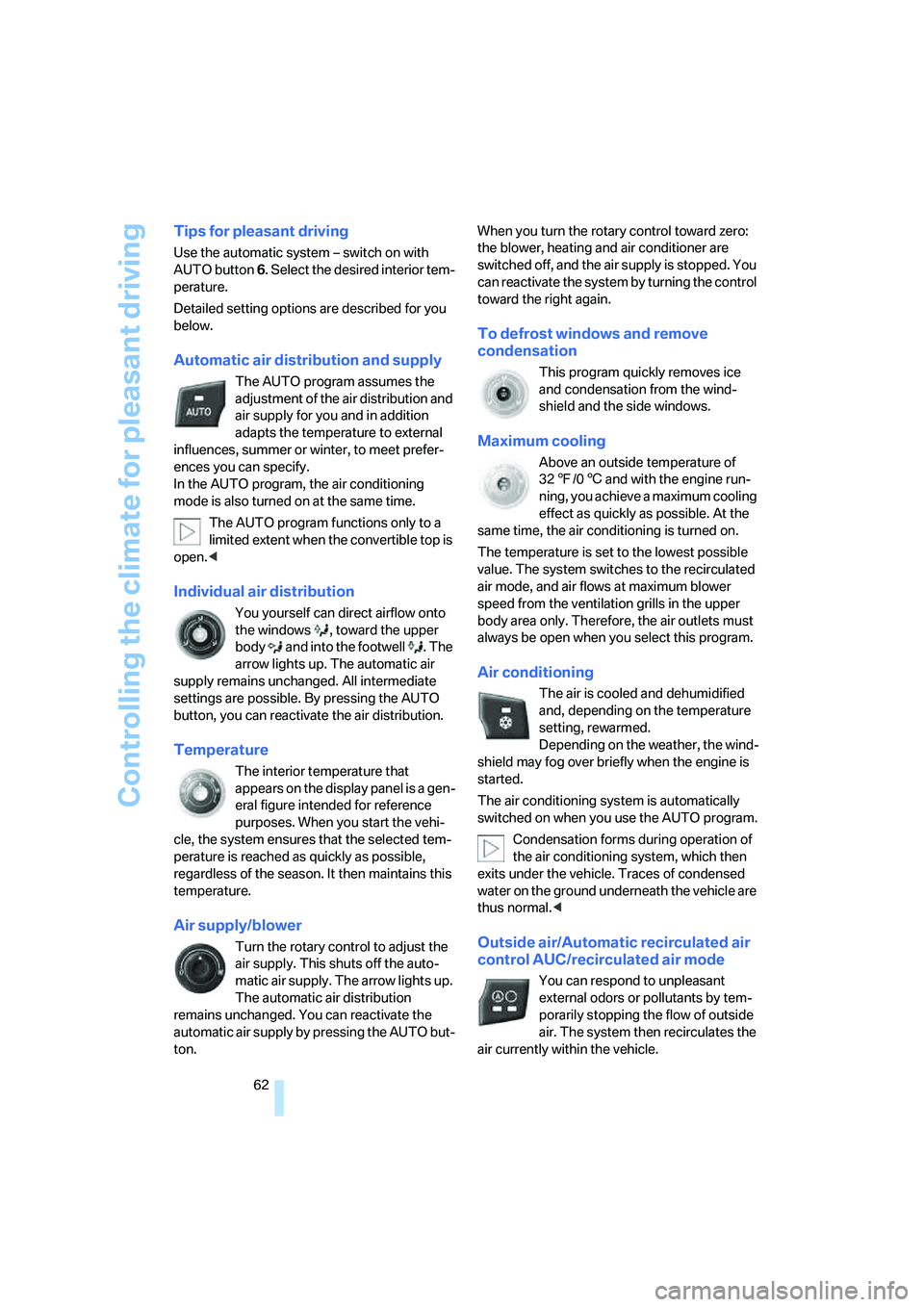
Controlling the climate for pleasant driving
62
Tips for pleasant driving
Use the automatic system – switch on with
AUTO button 6. Select the desired interior tem-
perature.
Detailed setting options are described for you
below.
Automatic air distribution and supply
The AUTO program assumes the
adjustment of the air distribution and
air supply for you and in addition
adapts the temperature to external
influences, summer or winter, to meet prefer-
ences you can specify.
In the AUTO program, the air conditioning
mode is also turned on at the same time.
The AUTO program functions only to a
limited extent when the convertible top is
open.<
Individual air distribution
You yourself can direct airflow onto
the windows , toward the upper
body and into the footwell . The
arrow lights up. The automatic air
supply remains unchanged. All intermediate
settings are possible. By pressing the AUTO
button, you can reactivate the air distribution.
Temperature
The interior temperature that
appears on the display panel is a gen-
eral figure intended for reference
purposes. When you start the vehi-
cle, the system ensures that the selected tem-
perature is reached as quickly as possible,
regardless of the season. It then maintains this
temperature.
Air supply/blower
Turn the rotary control to adjust the
air supply. This shuts off the auto-
matic air supply. The arrow lights up.
The automatic air distribution
remains unchanged. You can reactivate the
automatic air supply by pressing the AUTO but-
ton.When you turn the rotary control toward zero:
the blower, heating and air conditioner are
switched off, and the air supply is stopped. You
can reactivate the system by turning the control
toward the right again.
To defrost windows and remove
condensation
This program quickly removes ice
and condensation from the wind-
shield and the side windows.
Maximum cooling
Above an outside temperature of
327/06 and with the engine run-
ning, you achieve a maximum cooling
effect as quickly as possible. At the
same time, the air conditioning is turned on.
The temperature is set to the lowest possible
value. The system switches to the recirculated
air mode, and air flows at maximum blower
speed from the ventilation grills in the upper
body area only. Therefore, the air outlets must
always be open when you select this program.
Air conditioning
The air is cooled and dehumidified
and, depending on the temperature
setting, rewarmed.
Depending on the weather, the wind-
shield may fog over briefly when the engine is
started.
The air conditioning system is automatically
switched on when you use the AUTO program.
Condensation forms during operation of
the air conditioning system, which then
exits under the vehicle. Traces of condensed
water on the ground underneath the vehicle are
thus normal.<
Outside air/Automatic recirculated air
control AUC/recirculated air mode
You can respond to unpleasant
external odors or pollutants by tem-
porarily stopping the flow of outside
air. The system then recirculates the
air currently within the vehicle.
Page 83 of 120
Reference
At a glance
Controls
Driving tips
Mobility
81
Temperature
The temperature grades are A, the highest, B
and C, representing the tire’s resistance to the
generation of heat and its ability to dissipate
heat when tested under controlled conditions
on a specified indoor laboratory test wheel.
Sustained high temperature can cause the
material of the tire to degenerate and reduce
tire life, and excessive temperature can lead to
sudden tire failure. The grade C corresponds to
a level of performance which all passenger car
tires must meet under the Federal Motor Vehi-
cle Safety Standard No. 109. Grades B and A
represent higher levels of performance on the
laboratory test wheel than the minimum
required by law.
The temperature grade for this tire is
established for a tire that is properly
inflated and not overloaded. Excessive speed,
under-inflation, or excessive loading, either
separately or in combination, can cause heat
buildup and possible tire failure.<
RSC: Run Flat tires
Run Flat tires are labeled on the sidewall with a
circular symbol containing the letters RSC.
Refer to page82.
M+S
Winter and all-season tires.
These have better winter performance proper-
ties than summer tires.
Tire condition
Inspect your tires frequently for tread wear,
signs of damage and for foreign objects lodged
in the tread. Check the tread depth.
Tire tread
Tread depth should not be allowed to go below
1/8 in / 3 mm even though in Europe, for exam-
ple, the legally specified minimum tread depth
is only 1/16 in / 1.6 mm. Below 1/8 in / 3 mm
tread depth, there is a very high risk of hydro-
planing, even with only small amounts of water
on the road and at relatively moderate speeds.At tread depths below approx. 1/6in/ 4mm,
winter tires display a perceptible decrease in
their ability to cope with winter driving condi-
tions, and should be replaced in the interest of
safety.
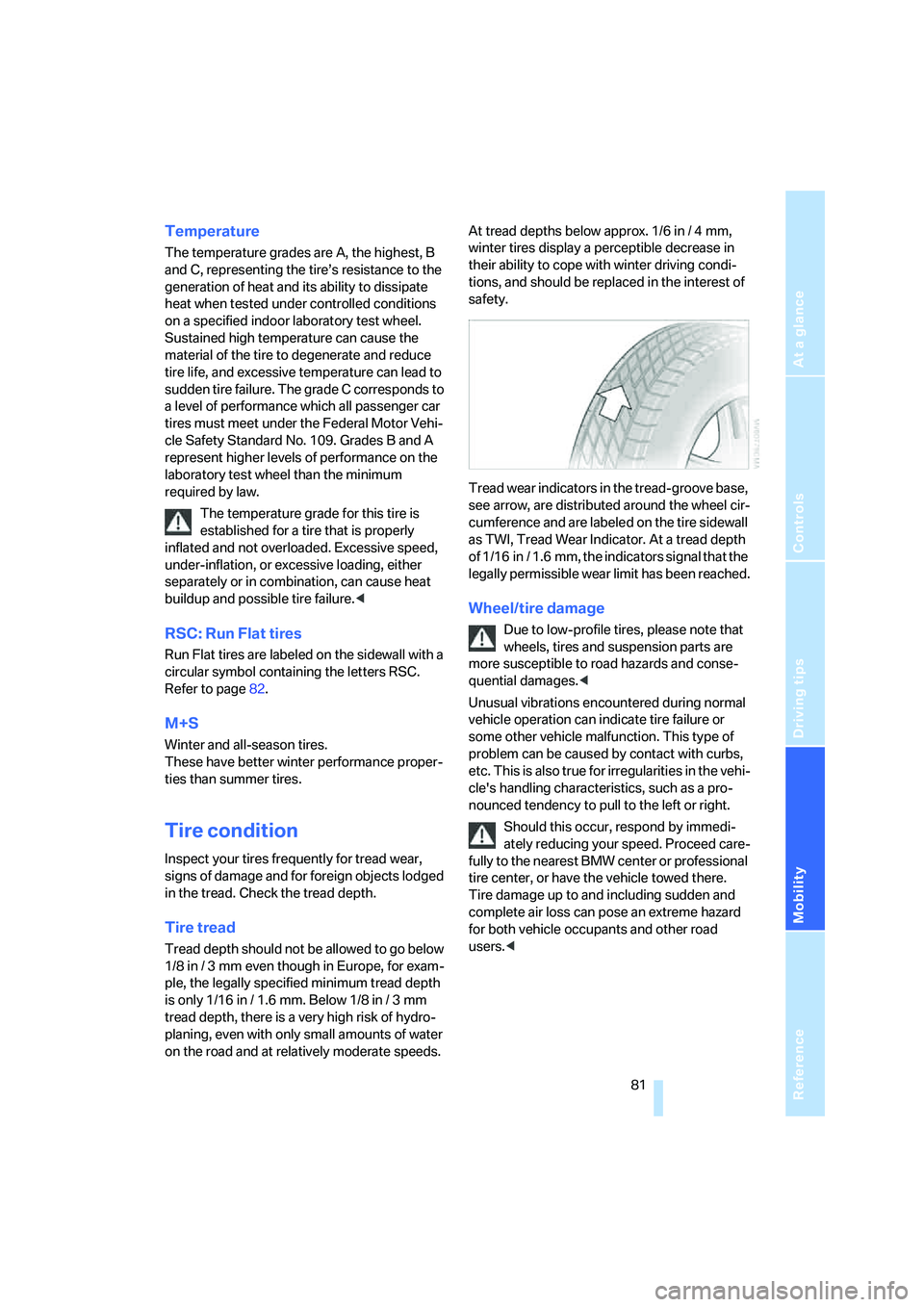
Tread wear indicators in the tread-groove base,
see arrow, are distributed around the wheel cir-
cumference and are labeled on the tire sidewall
as TWI, Tread Wear Indicator. At a tread depth
of 1/16 in / 1.6 mm, the indicators signal that the
legally permissible wear limit has been reached.
Wheel/tire damage
Due to low-profile tires, please note that
wheels, tires and suspension parts are
more susceptible to road hazards and conse-
quential damages.<
Unusual vibrations encountered during normal
vehicle operation can indicate tire failure or
some other vehicle malfunction. This type of
problem can be caused by contact with curbs,
etc. This is also true for irregularities in the vehi-
cle's handling characteristics, such as a pro-
nounced tendency to pull to the left or right.
Should this occur, respond by immedi-
ately reducing your speed. Proceed care-
fully to the nearest BMW center or professional
tire center, or have the vehicle towed there.
Tire damage up to and including sudden and
complete air loss can pose an extreme hazard
for both vehicle occupants and other road
users.<
Page 91 of 120
Reference
At a glance
Controls
Driving tips
Mobility
89
Maintenance
The BMW Maintenance
System
The BMW Maintenance System helps maintain
the road safety and operating reliability of your
BMW.
Please keep in mind that regular maintenance is
not only necessary for the safety of your vehi-
cle, but also plays a significant role in maintain-
ing the resale value of your vehicle.
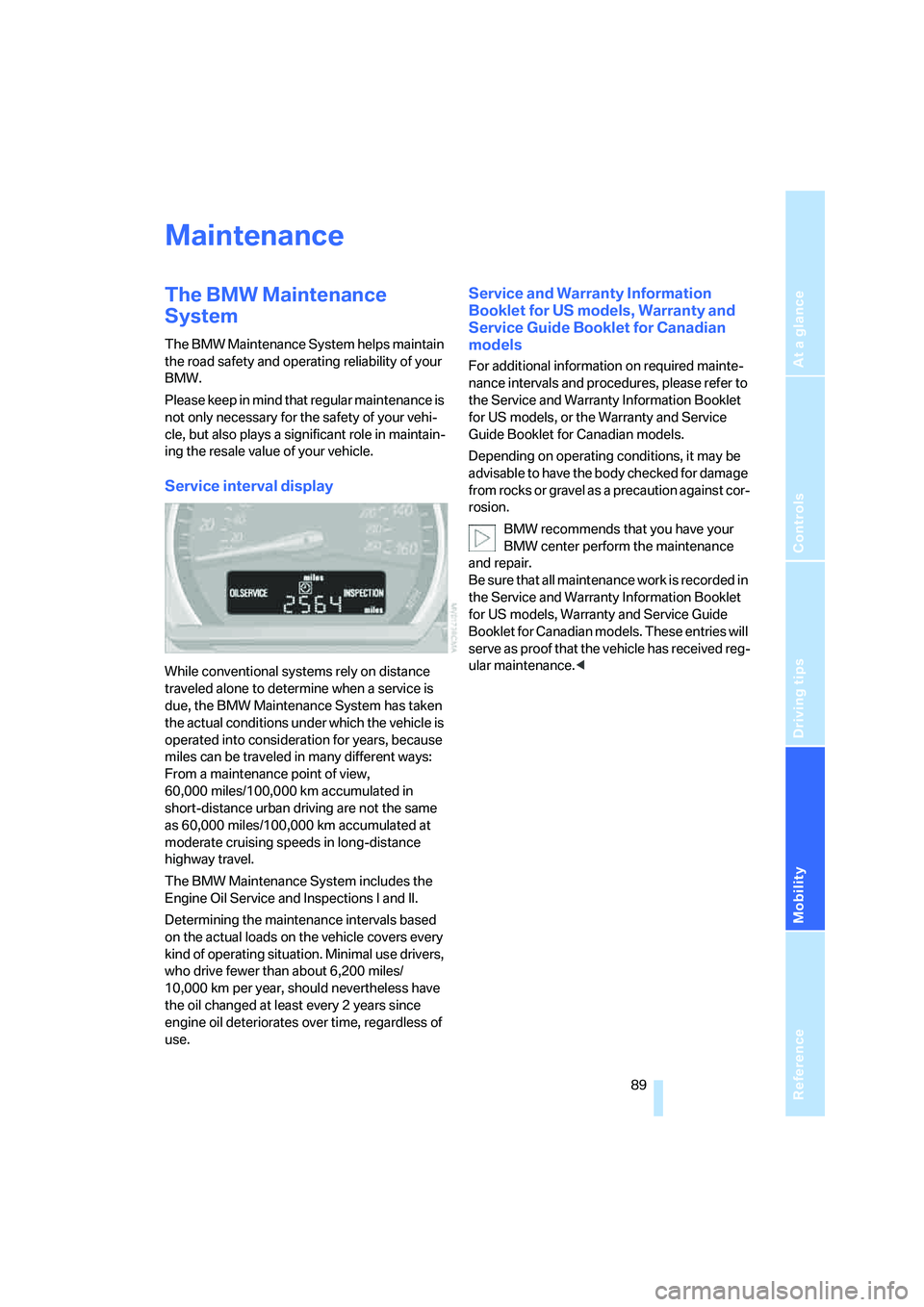
Service interval display
While conventional systems rely on distance
traveled alone to determine when a service is
due, the BMW Maintenance System has taken
the actual conditions under which the vehicle is
operated into consideration for years, because
miles can be traveled in many different ways:
From a maintenance point of view,
60,000 miles/100,000 km accumulated in
short-distance urban driving are not the same
as 60,000 miles/100,000 km accumulated at
moderate cruising speeds in long-distance
highway travel.
The BMW Maintenance System includes the
Engine Oil Service and Inspections I and II.
Determining the maintenance intervals based
on the actual loads on the vehicle covers every
kind of operating situation. Minimal use drivers,
who drive fewer than about 6,200 miles/
10,000 km per year, should nevertheless have
the oil changed at least every 2 years since
engine oil deteriorates over time, regardless of
use.
Service and Warranty Information
Booklet for US models, Warranty and
Service Guide Booklet for Canadian
models
For additional information on required mainte-
nance intervals and procedures, please refer to
the Service and Warranty Information Booklet
for US models, or the Warranty and Service
Guide Booklet for Canadian models.
Depending on operating conditions, it may be
advisable to have the body checked for damage
from rocks or gravel as a precaution against cor-
rosion.
BMW recommends that you have your
BMW center perform the maintenance
and repair.
Be sure that all maintenance work is recorded in
the Service and Warranty Information Booklet
for US models, Warranty and Service Guide
Booklet for Canadian models. These entries will
serve as proof that the vehicle has received reg-
ular maintenance.<
Page 96 of 120
Replacement procedures
94 Please contact a BMW center in case of a mal-
function.
License plate lamps
5 watt bulb
1.Push out the lamp with a suitable object and
remove it
2.Replace the bulb.
Snap the lamp back into place.
Light-emitting diodes LEDs
Control elements, display units and other inte-
rior equipment in your vehicle use a light-emit-
ting diode behind a cover as a light source.
These light-emitting diodes are similar to con-
ventional lasers.
Do not remove the covers, and do not
look directly at the unfiltered light for sev-
eral hours. Otherwise, it can lead to retinal irrita-
tion of the eye.<
Changing a wheel
Run Flat tires
Your BMW is equipped with Run Flat tires.
Therefore, the wheel no longer has to be
changed immediately in the event of a loss in
inflation pressure.
Run Flat tires are labeled on the sidewall with a
circular symbol containing the letters RSC.
Refer to page82.
BMW recommends that you consult your BMW
center if you wish to replace the tires of your
B MW , o r change from summe r to winter tire s o r
vice versa.
Your BMW center knows how to work with Run Flat tires and is equipped with the necessary
special tools.
When mounting or replacing summer
tires with winter tires, or vice versa, use
only Run Flat tires since no spare wheel is avail-
able in the event of a flat.<
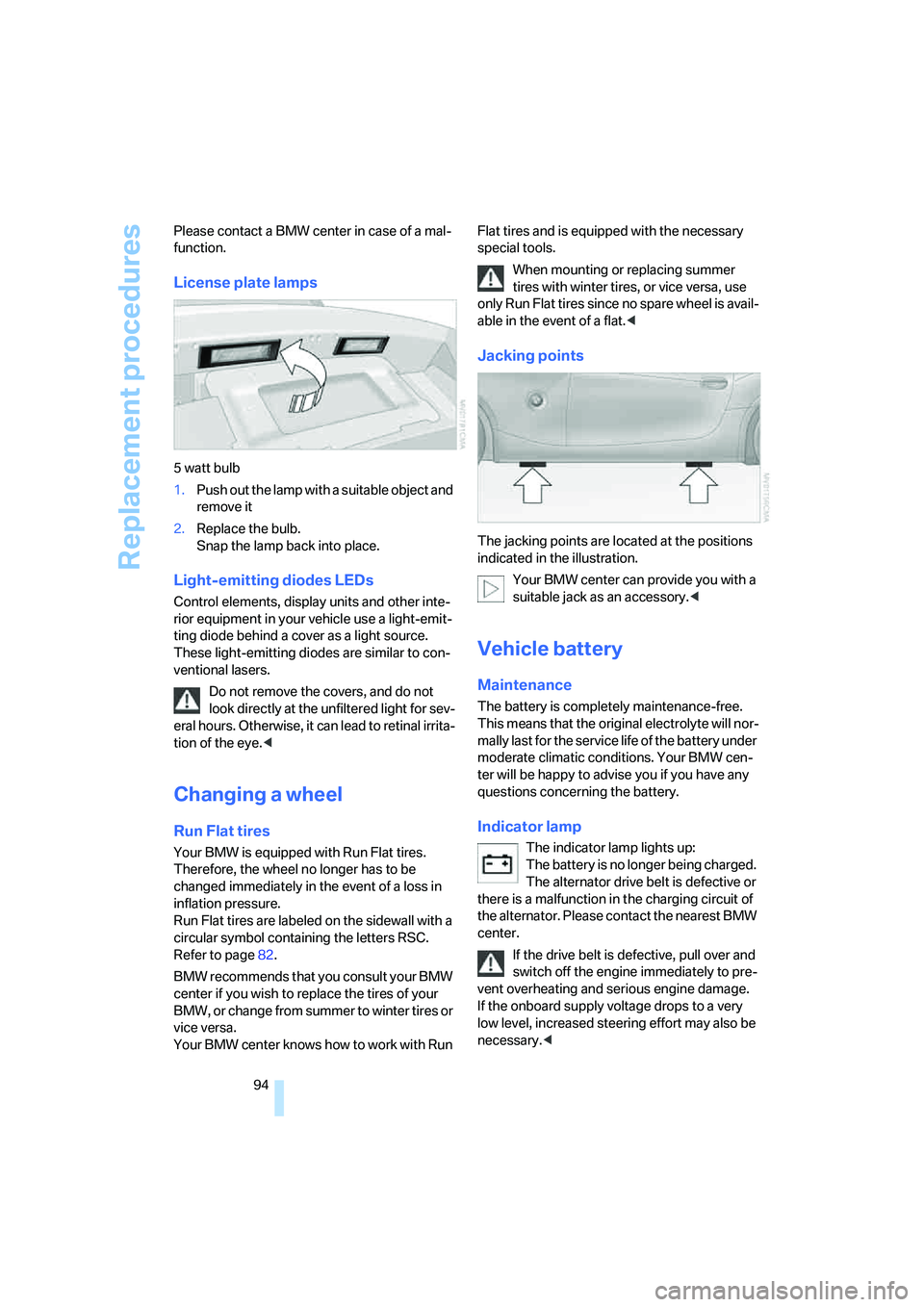
Jacking points
The jacking points are located at the positions
indicated in the illustration.
Your BMW center can provide you with a
suitable jack as an accessory.<
Vehicle battery
Maintenance
The battery is completely maintenance-free.
This means that the original electrolyte will nor-
mally last for the service life of the battery under
moderate climatic conditions. Your BMW cen-
ter will be happy to advise you if you have any
questions concerning the battery.
Indicator lamp
The indicator lamp lights up:
The battery is no longer being charged.
The alternator drive belt is defective or
there is a malfunction in the charging circuit of
the alternator. Please contact the nearest BMW
center.
If the drive belt is defective, pull over and
switch off the engine immediately to pre-
vent overheating and serious engine damage.
If the onboard supply voltage drops to a very
low level, increased steering effort may also be
necessary.<
Page 109 of 120
Reference
At a glance
Controls
Driving tips
Mobility
107
Bandages, refer to First-aid
kit97
Bar, towing99
Battery94
– charging95
– disposal95
– indicator lamp12,94
– jump-starting97
– power supply interruption95
– remote control16
Belts, refer to Safety belts30
Belt tensioner, refer to Safety
belts30
Beverage holders64
Blower
– air conditioning59
– automatic climate control62
Blower, refer to Air
supply59,62
BMW5
BMW Maintenance
System89
Bottle holders, refer to
Beverage holders64
Brake fluid88
– filling88
– indicator/warning
lamp13,88
– level88
Brake force display52
Brake hydraulic system88
– indicator/warning
lamp13,88
Brake lamps
– brake force display52
– bulb replacement93
– indicator lamp, defective
lamp13
Brake pads88
– break-in procedures68
– warning lamp88
Brake pad wear indicator
– brake pads88
– warning lamp13
Brake rotors
– brake system69
– break-in procedures68Brakes
– ABS50
– brake fluid88
– brake pads88
– break-in procedures68
– indicator/warning
lamps13,51
– parking brake37
Brake system
– brake fluid88
– brake pads88
– break-in procedures68
– disc brakes69
– indicator lamp13
Breakdown
– Flat Tire Monitor52
Breakdown service, refer to
Mobile Service96
Breaking in the differential,
refer to Engine and
differential68
Break-in procedures68
Bridging, refer to Jump-
starting97
Bulb replacement, refer to
Lamps and bulbs91
Buttons in the multifunction
steering wheel10
C
California laws
– Event Data Recorders90
– Proposition 65 warning6
Can holders, refer to Beverage
holders64
Capacities105
Capacity
– luggage compartment, refer
to Weights103
Car battery94
Car care, refer to the Caring
for your vehicle brochure
Car-care products, refer to the
Caring for your vehicle
brochure
Care, refer to the Caring for
your vehicle brochure
Car keys, refer to Keys16Carpet care, refer to the
Caring for your vehicle
brochure
Car radio, refer to the separate
Owner's Manual
Car telephone, refer to the
separate Owner's Manual
Car wash, refer to the Caring
for your vehicle brochure
Catalytic converter, refer to
Hot exhaust system69
CD changer, refer to Owner's
Manual for Radio/Onboard
Computer
CD operation, refer to Owner's
Manual for Radio/Onboard
Computer
Center high-mount brake
lamp, bulb replacement93
Central locking system16
– interior18
Changes, technical, refer to
For your own safety6
Changing a wheel94
– Run Flat tires94
Charge indicator lamp12,94
Check gas cap, indicator
lamp13
Child-restraint mounting
system, LATCH35
Child-restraint systems33
Child seat, refer to
Installing child-restraint
systems34
Chrome parts, refer to the
Caring for your vehicle
brochure
Cigarette lighter65
Cigarette lighter socket65
Cleaning the rear window,
refer to the Caring for your
vehicle brochure
Cleaning the vehicle, refer to
the Caring for your vehicle
brochure
Page 110 of 120
Everything from A to Z
108 Clock47,48
– 12- or 24-hour mode48
– refer to Owner's Manual for
Radio/Onboard Computer
– setting47
Clothes hooks25
Clutch, break-in
procedures68
Cockpit10
Cold start, refer to
Starting the engine36
Compact disc operation, refer
to Owner's Manual for
Radio/Onboard Computer
Compartments64
Computer48
– clock, 12- or 24-hour
mode48
– refer to Owner's Manual for
Onboard Computer
Computer, refer to Onboard
Computer48
Condensation, refer to Air
conditioning mode59,62
Condensation, removing from
windows
– air conditioning60
– automatic climate control62
Configuring settings, refer to
Vehicle Memory,
Key Memory31
Connecting a vacuum cleaner,
refer to Power socket65
Consumption, refer to
Average consumption49
Consumption display, refer to
Fuel gauge46
Contents3
Control elements, refer to
Cockpit10
Controls, lighting, refer to
Instrument lighting57
Convenience operation
– convertible top18
– from outside18
– windows18Convertible top20,21
– care, refer to the Caring for
your vehicle brochure
– convenience operation18
– electrical fault23
– emergency closing23
– fully automatic21
– malfunction23
– manual20
– mechanical20
Convertible top compartment
panel19
Coolant87
– indicator lamp13
– level88
– thermometer46
Coolant water, refer to
Coolant87
Cooling
– maximum62
– refer to Air conditioning
mode59,62
Cooling system, refer to
Capacities105
Copyright2
Correct tires82
Cruise control44
Cruising range49
Cup holders, refer to
Beverage holders64
Curb weight, refer to
Weights103
Cylinders, refer to Engine
data102
D
Dashboard, refer to
Cockpit10
Data, technical102
– capacities105
– dimensions104
– engine data102
– weights103
Daytime driving lamps56
DBC Dynamic Brake
Control50
– warning lamp13,51
Defective bulb56Defrosting rear window
– air conditioning59
– automatic climate control63
Defrosting windows60,62
Defrosting windows and
removing condensation
– air conditioning60
– automatic climate control62
Defrosting windshield, refer to
Defrosting windows60,62
Defrost position, refer to
Defrosting windows60,62
Digital clock47
Dimensions104
Dimming mirrors70
Dipstick, engine oil86
Directional indicators, refer to
Turn signal indicators42
Disc brakes69
Displacement, refer to Engine
data102
Display elements12
Display lighting,
refer to Instrument
lighting57
Displays, refer to Instrument
cluster12
Disposal
– of engine oil87
– vehicle battery95
Distance remaining, refer to
Range49
Door key16
Door lock17
Doors, unlocking and locking
– from inside18
– from outside16,17
DOT quality grades80
Draft-free ventilation59,63
Driving Dynamic Control41
Driving light, refer to Parking
lamps/Low beams56
Driving notes68
– break-in procedures68
– driving tips68
Driving stability control50
Driving stability control
systems50