page 51 BMW Z4 2013 E89 Owner's Guide
[x] Cancel search | Manufacturer: BMW, Model Year: 2013, Model line: Z4, Model: BMW Z4 2013 E89Pages: 289, PDF Size: 6.86 MB
Page 71 of 289
N is NeutralThe vehicle can roll.
N remains engaged after the engine is
switched off if the remote control remains in
the ignition lock. This function can be used in
an automatic car wash, refer to page 255, for
example. P is automatically engaged after ap‐
prox. 30 minutes.
D drive mode
In drive mode, all forward gears are shifted au‐
tomatically.
R is Reverse
Select only when the vehicle is stationary.
P ParkThe rear wheels are locked.
P is engaged automatically when the following
conditions are met:▷The driver's door is opened while the en‐
gine is running, the safety belt is not fas‐
tened and neither the brake pedal nor the
accelerator is activated.▷The engine is switched off unless N is en‐
gaged and the remote control is in the igni‐
tion lock.▷The remote control is removed from the ig‐
nition lock, refer to page 55.
Before leaving the vehicle, ensure that the
transmission position P is engaged; otherwise,
the vehicle may begin to roll.
Engaging transmission position P Select only when the vehicle is stationary.
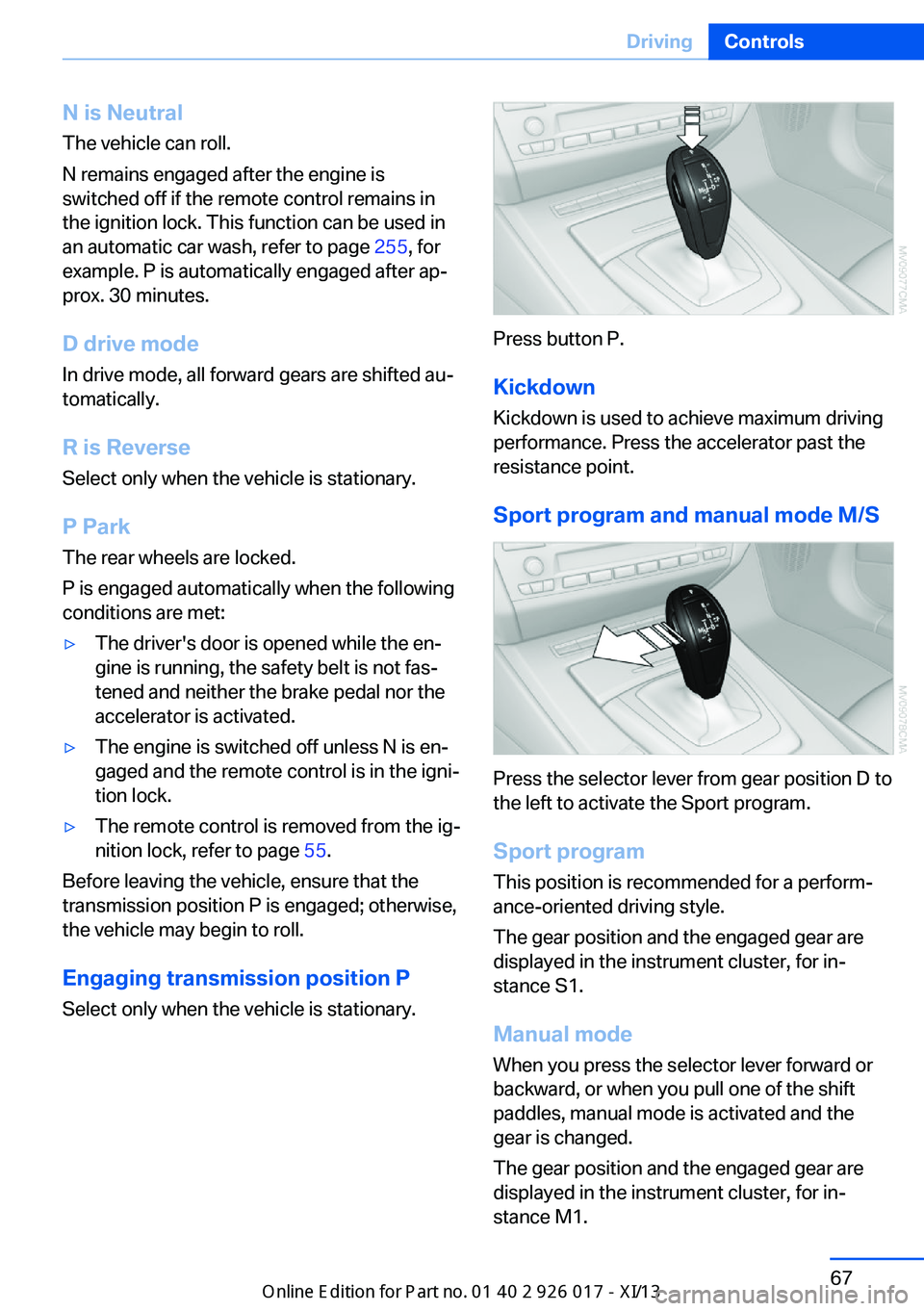
Press button P.
Kickdown Kickdown is used to achieve maximum driving
performance. Press the accelerator past the
resistance point.
Sport program and manual mode M/S
Press the selector lever from gear position D to
the left to activate the Sport program.
Sport program
This position is recommended for a perform‐
ance-oriented driving style.
The gear position and the engaged gear are
displayed in the instrument cluster, for in‐
stance S1.
Manual mode
When you press the selector lever forward or
backward, or when you pull one of the shift
paddles, manual mode is activated and the
gear is changed.
The gear position and the engaged gear are
displayed in the instrument cluster, for in‐
stance M1.
Seite 67DrivingControls67
Online Edition for Part no. 01 40 2 911 315 - VI/13
Page 72 of 289
The transmission provides assistance in the
following situations:▷Upshifts and downshifts are executed only
when they will result in a plausible combi‐
nation of engine and vehicle speed; thus,
for example, a downshift that would cause
the engine to overrev will not be executed
by the system.▷When the vehicle stops, the transmission
automatically shifts down to first gear.▷Shortly before the vehicle slows down to
below the minimum speed of the gear cur‐
rently engaged, the transmission automati‐
cally shifts down without requiring your in‐
tervention.
Shifting down rapidly: even in manual mode,
you can skip several gears to achieve optimal
acceleration. Do so by pressing the accelerator
past the resistance point.
Changing to drive mode
Push the selector lever to the right.
Shifting gears via the selector lever In manual mode:
▷To shift up, pull back the selector lever.▷To shift down, push it forward.
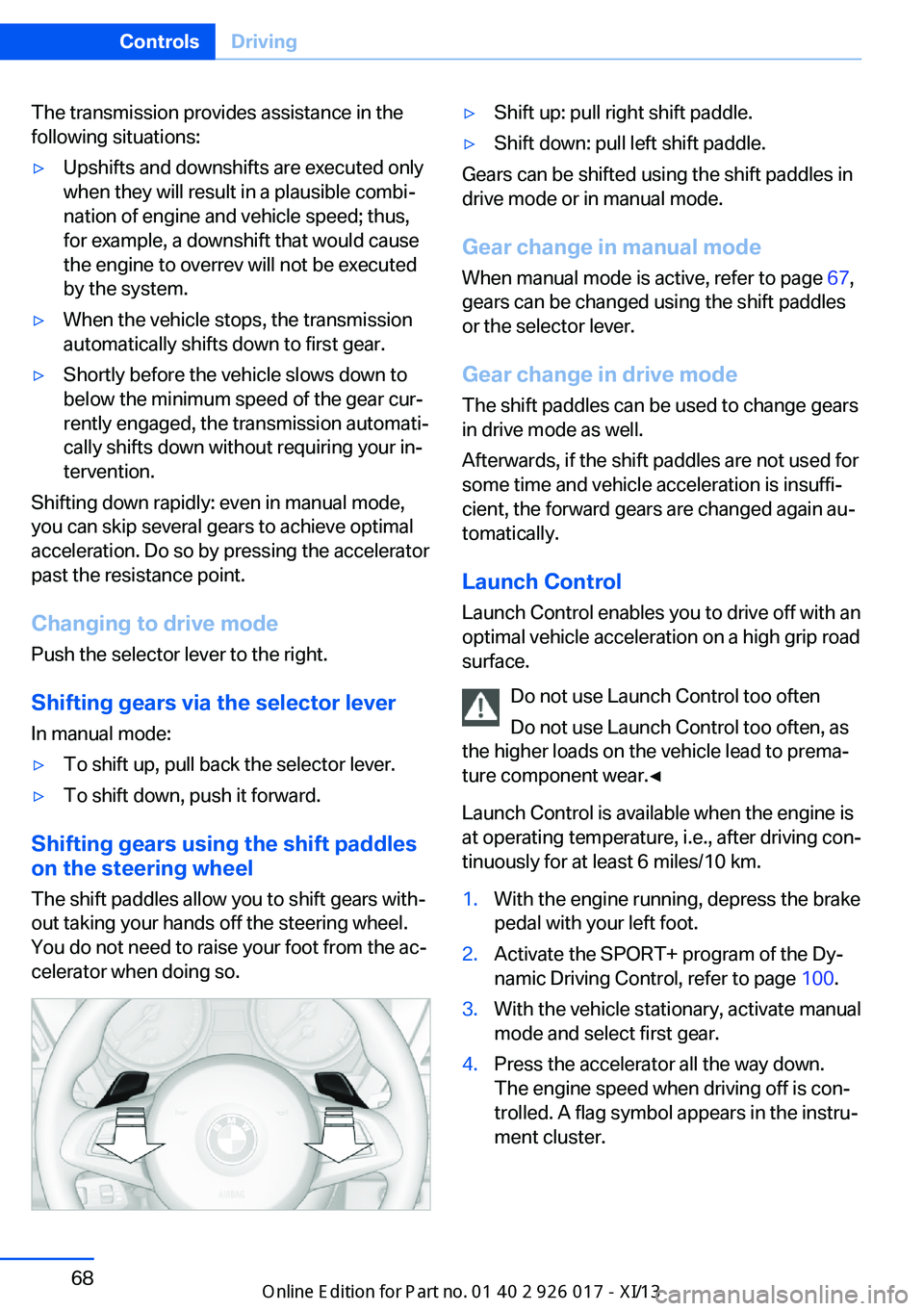
Shifting gears using the shift paddles
on the steering wheel
The shift paddles allow you to shift gears with‐
out taking your hands off the steering wheel.
You do not need to raise your foot from the ac‐
celerator when doing so.
▷Shift up: pull right shift paddle.▷Shift down: pull left shift paddle.
Gears can be shifted using the shift paddles in
drive mode or in manual mode.
Gear change in manual mode
When manual mode is active, refer to page 67,
gears can be changed using the shift paddles
or the selector lever.
Gear change in drive mode
The shift paddles can be used to change gears in drive mode as well.
Afterwards, if the shift paddles are not used for
some time and vehicle acceleration is insuffi‐
cient, the forward gears are changed again au‐ tomatically.
Launch Control
Launch Control enables you to drive off with an
optimal vehicle acceleration on a high grip road
surface.
Do not use Launch Control too often
Do not use Launch Control too often, as
the higher loads on the vehicle lead to prema‐
ture component wear.◀
Launch Control is available when the engine is
at operating temperature, i.e., after driving con‐
tinuously for at least 6 miles/10 km.
1.With the engine running, depress the brake
pedal with your left foot.2.Activate the SPORT+ program of the Dy‐
namic Driving Control, refer to page 100.3.With the vehicle stationary, activate manual
mode and select first gear.4.Press the accelerator all the way down.
The engine speed when driving off is con‐
trolled. A flag symbol appears in the instru‐
ment cluster.Seite 68ControlsDriving68
Online Edition for Part no. 01 40 2 911 315 - VI/13
Page 73 of 289
5.The vehicle accelerates when you release
the brake pedal. Keep the accelerator
pressed all the way down.6.The transmission shifts up automatically as
long as the accelerator is pressed all the
way down.
Launch Control only becomes available again
after a certain distance has been driven.
Launch Control can only be used after the
break-in phase, refer to page 128.
To maintain driving stability, activate DSC
whenever possible.
Manually releasing and engaging the
transmission lock
If a power failure occurs, e.g., if the battery is
discharged or disconnected, the transmission
lock must be released manually, otherwise the
rear wheels are blocked and the vehicle cannot
be towed.
Release the transmission lock manually for
towing only and set the parking brake before‐
hand to prevent the vehicle from rolling. After
parking the vehicle, engage the transmission
lock again manually, refer to page 70.
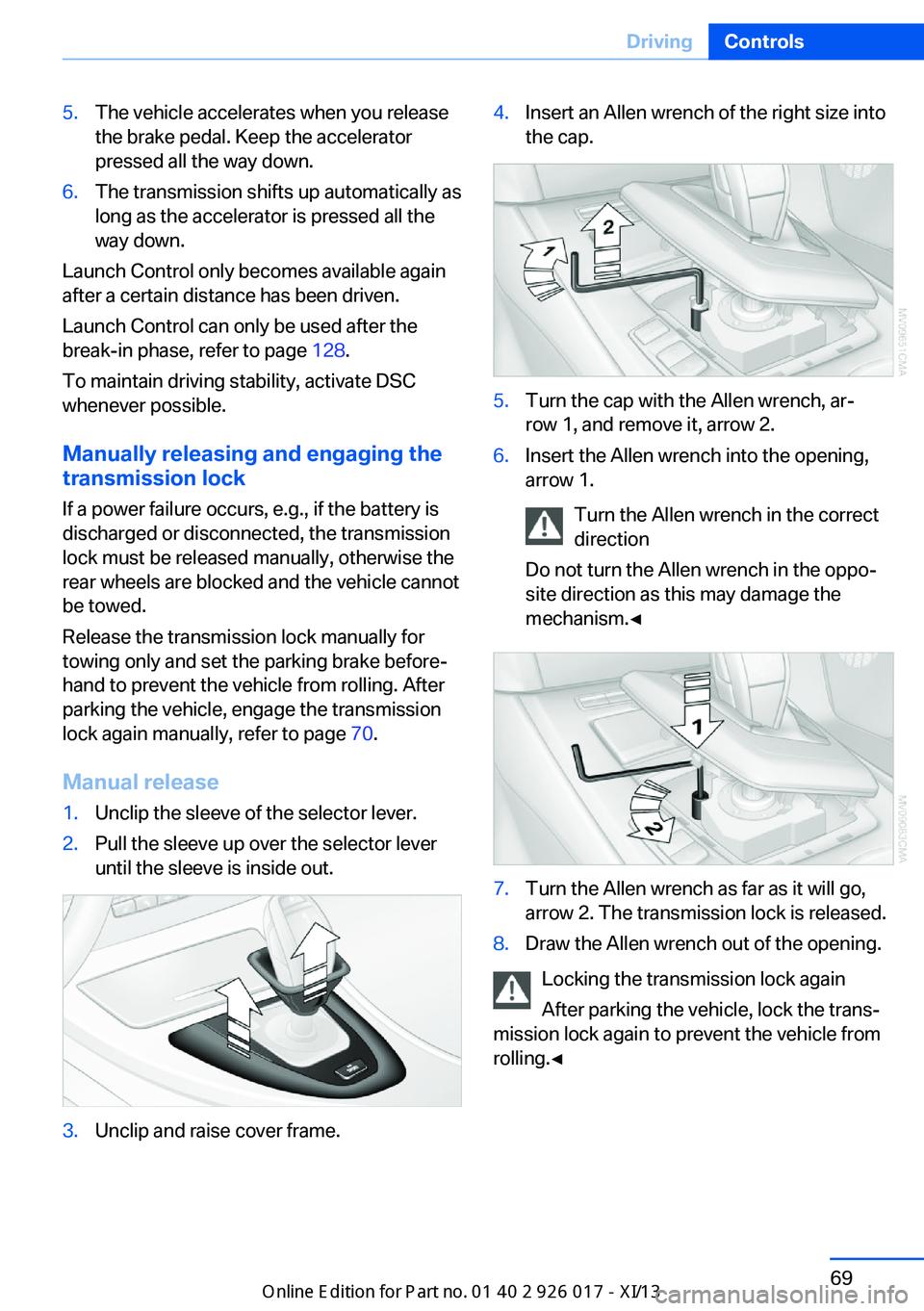
Manual release
1.Unclip the sleeve of the selector lever.2.Pull the sleeve up over the selector lever
until the sleeve is inside out.3.Unclip and raise cover frame.4.Insert an Allen wrench of the right size into
the cap.5.Turn the cap with the Allen wrench, ar‐
row 1, and remove it, arrow 2.6.Insert the Allen wrench into the opening,
arrow 1.
Turn the Allen wrench in the correct
direction
Do not turn the Allen wrench in the oppo‐
site direction as this may damage the
mechanism.◀7.Turn the Allen wrench as far as it will go,
arrow 2. The transmission lock is released.8.Draw the Allen wrench out of the opening.
Locking the transmission lock again
After parking the vehicle, lock the trans‐
mission lock again to prevent the vehicle from
rolling.◀
Seite 69DrivingControls69
Online Edition for Part no. 01 40 2 911 315 - VI/13
Page 74 of 289
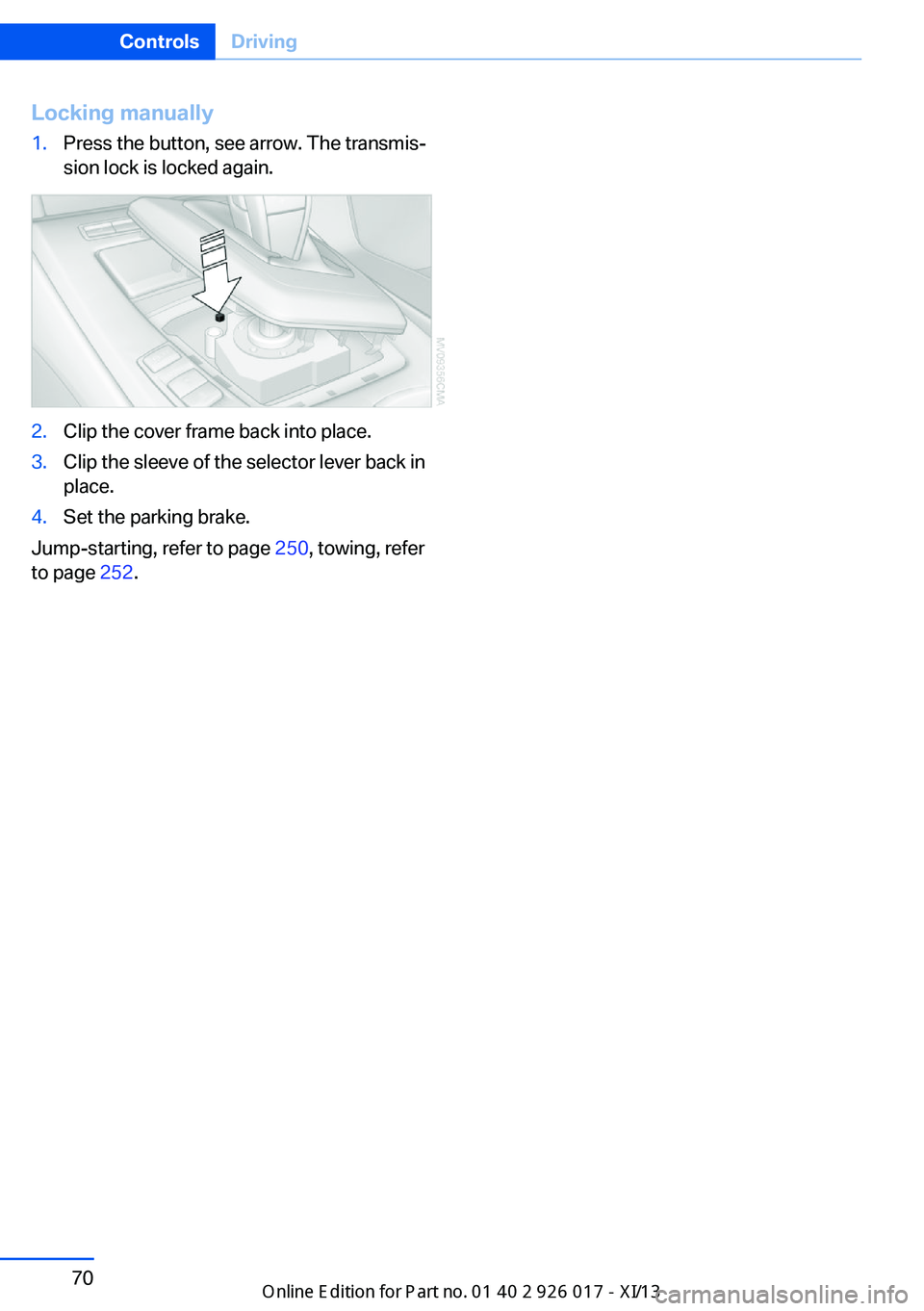
Locking manually1.Press the button, see arrow. The transmis‐
sion lock is locked again.2.Clip the cover frame back into place.3.Clip the sleeve of the selector lever back in
place.4.Set the parking brake.
Jump-starting, refer to page 250, towing, refer
to page 252.
Seite 70ControlsDriving70
Online Edition for Part no. 01 40 2 911 315 - VI/13
Page 75 of 289
DisplaysVehicle equipmentThis chapter describes all series equipment as
well as country-specific and special equipment
offered for this model series.Therefore, it also
describes equipment that may not be found in
your vehicle, for instance due to the selected
special equipment or the country version. This
also applies to safety-related functions and
systems.
Odometer, outside
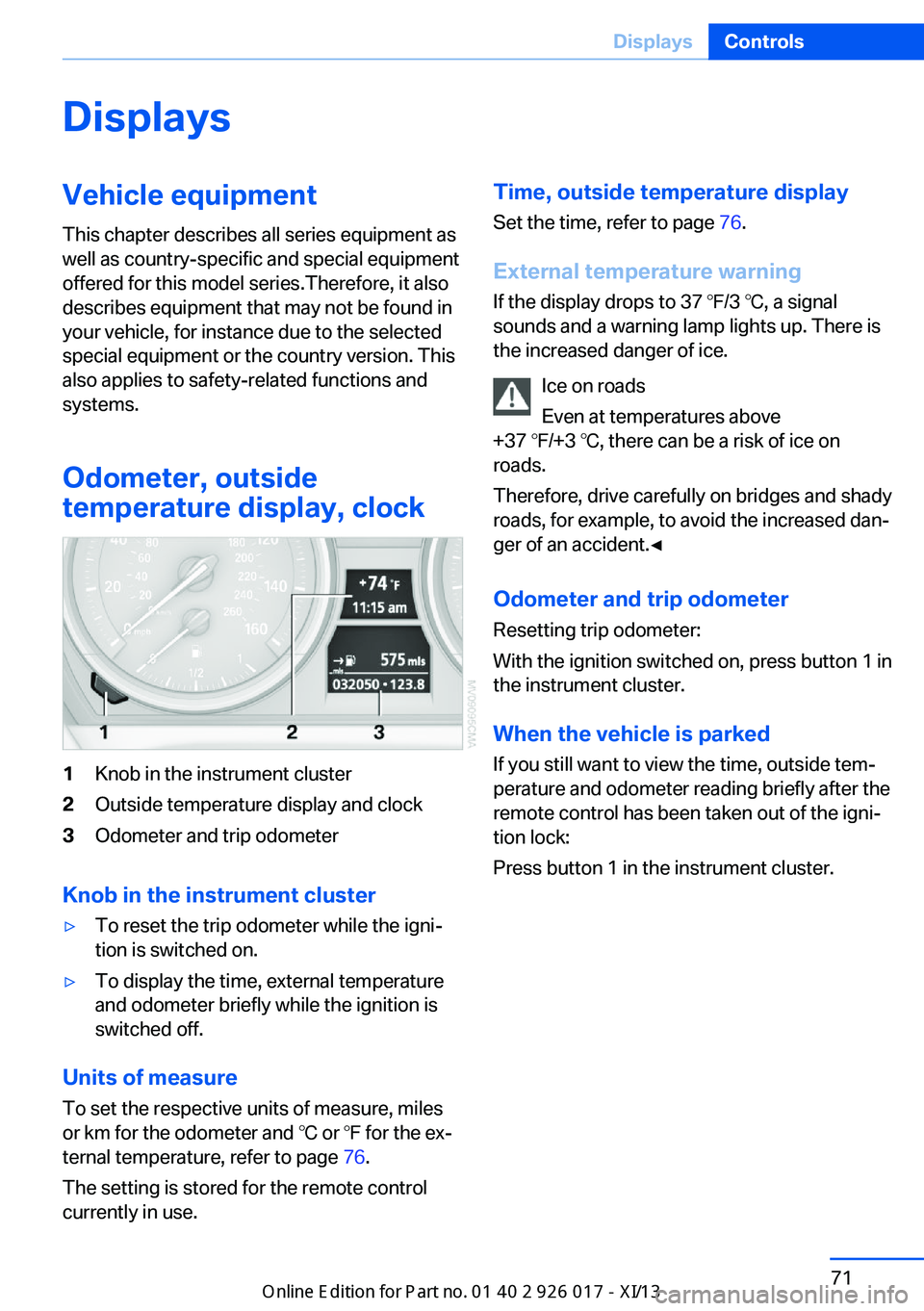
temperature display, clock1Knob in the instrument cluster2Outside temperature display and clock3Odometer and trip odometer
Knob in the instrument cluster
▷To reset the trip odometer while the igni‐
tion is switched on.▷To display the time, external temperature
and odometer briefly while the ignition is
switched off.
Units of measure
To set the respective units of measure, miles
or km for the odometer and ℃ or ℉ for the ex‐
ternal temperature, refer to page 76.
The setting is stored for the remote control
currently in use.
Time, outside temperature display
Set the time, refer to page 76.
External temperature warning
If the display drops to 37 ℉/3 ℃, a signal
sounds and a warning lamp lights up. There is
the increased danger of ice.
Ice on roads
Even at temperatures above
+37 ℉/+3 ℃, there can be a risk of ice on
roads.
Therefore, drive carefully on bridges and shady
roads, for example, to avoid the increased dan‐
ger of an accident.◀
Odometer and trip odometer
Resetting trip odometer:
With the ignition switched on, press button 1 in
the instrument cluster.
When the vehicle is parked If you still want to view the time, outside tem‐
perature and odometer reading briefly after the
remote control has been taken out of the igni‐
tion lock:
Press button 1 in the instrument cluster.Seite 71DisplaysControls71
Online Edition for Part no. 01 40 2 911 315 - VI/13
Page 76 of 289
Tachometer
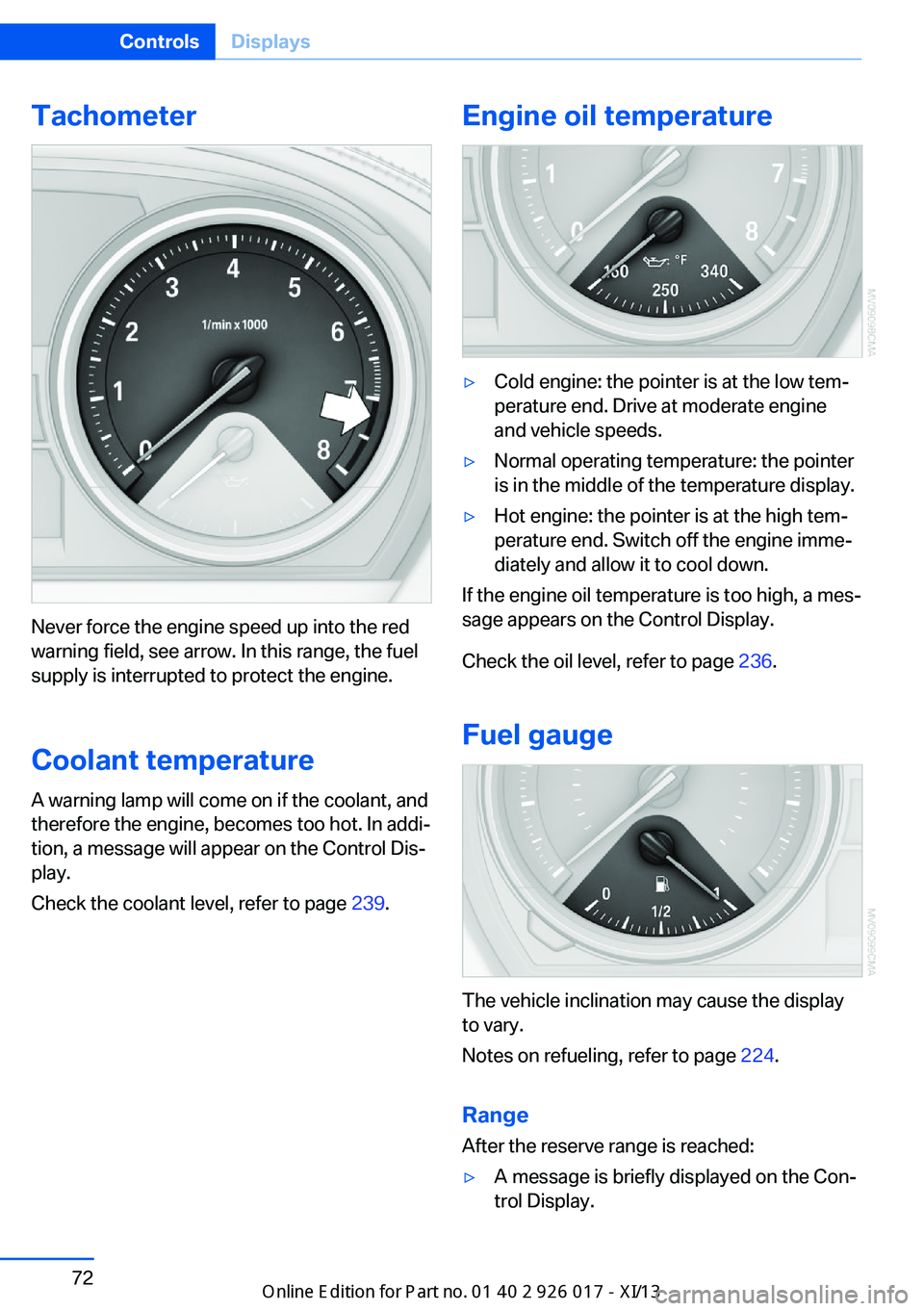
Never force the engine speed up into the red
warning field, see arrow. In this range, the fuel
supply is interrupted to protect the engine.
Coolant temperature A warning lamp will come on if the coolant, and
therefore the engine, becomes too hot. In addi‐
tion, a message will appear on the Control Dis‐
play.
Check the coolant level, refer to page 239.
Engine oil temperature▷Cold engine: the pointer is at the low tem‐
perature end. Drive at moderate engine
and vehicle speeds.▷Normal operating temperature: the pointer
is in the middle of the temperature display.▷Hot engine: the pointer is at the high tem‐
perature end. Switch off the engine imme‐
diately and allow it to cool down.
If the engine oil temperature is too high, a mes‐
sage appears on the Control Display.
Check the oil level, refer to page 236.
Fuel gauge
The vehicle inclination may cause the display
to vary.
Notes on refueling, refer to page 224.
Range
After the reserve range is reached:
▷A message is briefly displayed on the Con‐
trol Display.Seite 72ControlsDisplays72
Online Edition for Part no. 01 40 2 911 315 - VI/13
Page 77 of 289
▷The remaining range is shown on the com‐
puter.▷When a dynamic driving style is used, such
as when corners are taken rapidly, engine
functions are not ensured.
Below a range of approx. 30 miles/50 km, the
message is displayed continuously.
Refuel promptly
At the latest, refuel at a range of
30 miles/50 km; otherwise, the engine function
is not ensured and damage may occur.◀
Computer Displays in the instrument cluster
Calling up information
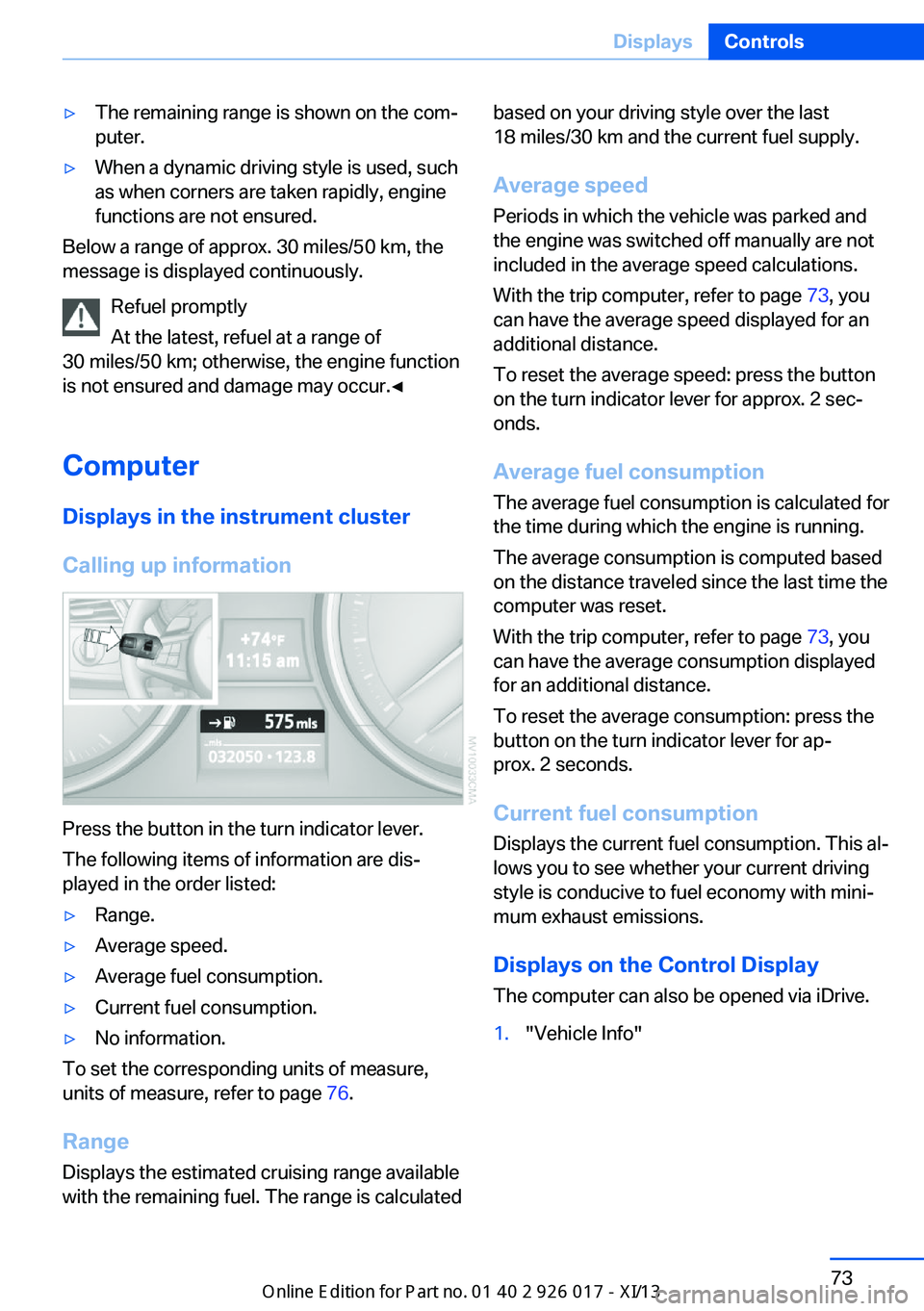
Press the button in the turn indicator lever.
The following items of information are dis‐
played in the order listed:
▷Range.▷Average speed.▷Average fuel consumption.▷Current fuel consumption.▷No information.
To set the corresponding units of measure,
units of measure, refer to page 76.
Range
Displays the estimated cruising range available
with the remaining fuel. The range is calculated
based on your driving style over the last
18 miles/30 km and the current fuel supply.
Average speed
Periods in which the vehicle was parked and
the engine was switched off manually are not
included in the average speed calculations.
With the trip computer, refer to page 73, you
can have the average speed displayed for an
additional distance.
To reset the average speed: press the button
on the turn indicator lever for approx. 2 sec‐
onds.
Average fuel consumption
The average fuel consumption is calculated for
the time during which the engine is running.
The average consumption is computed based
on the distance traveled since the last time the
computer was reset.
With the trip computer, refer to page 73, you
can have the average consumption displayed
for an additional distance.
To reset the average consumption: press the
button on the turn indicator lever for ap‐
prox. 2 seconds.
Current fuel consumption Displays the current fuel consumption. This al‐
lows you to see whether your current driving
style is conducive to fuel economy with mini‐
mum exhaust emissions.
Displays on the Control Display
The computer can also be opened via iDrive.1."Vehicle Info"Seite 73DisplaysControls73
Online Edition for Part no. 01 40 2 911 315 - VI/13
Page 78 of 289
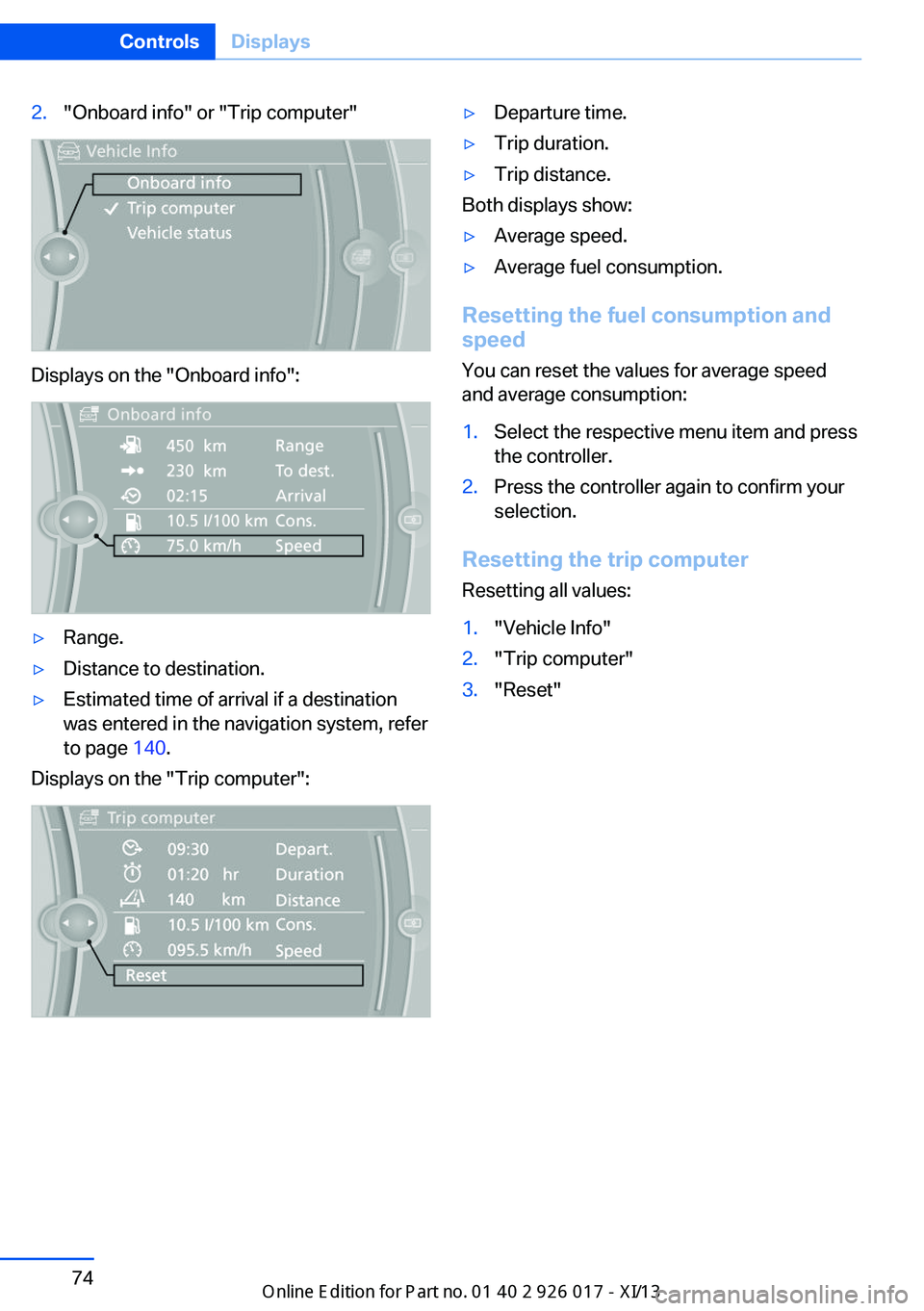
2."Onboard info" or "Trip computer"
Displays on the "Onboard info":
▷Range.▷Distance to destination.▷Estimated time of arrival if a destination
was entered in the navigation system, refer
to page 140.
Displays on the "Trip computer":
▷Departure time.▷Trip duration.▷Trip distance.
Both displays show:
▷Average speed.▷Average fuel consumption.
Resetting the fuel consumption and
speed
You can reset the values for average speed
and average consumption:
1.Select the respective menu item and press
the controller.2.Press the controller again to confirm your
selection.
Resetting the trip computer
Resetting all values:
1."Vehicle Info"2."Trip computer"3."Reset"Seite 74ControlsDisplays74
Online Edition for Part no. 01 40 2 911 315 - VI/13
Page 81 of 289
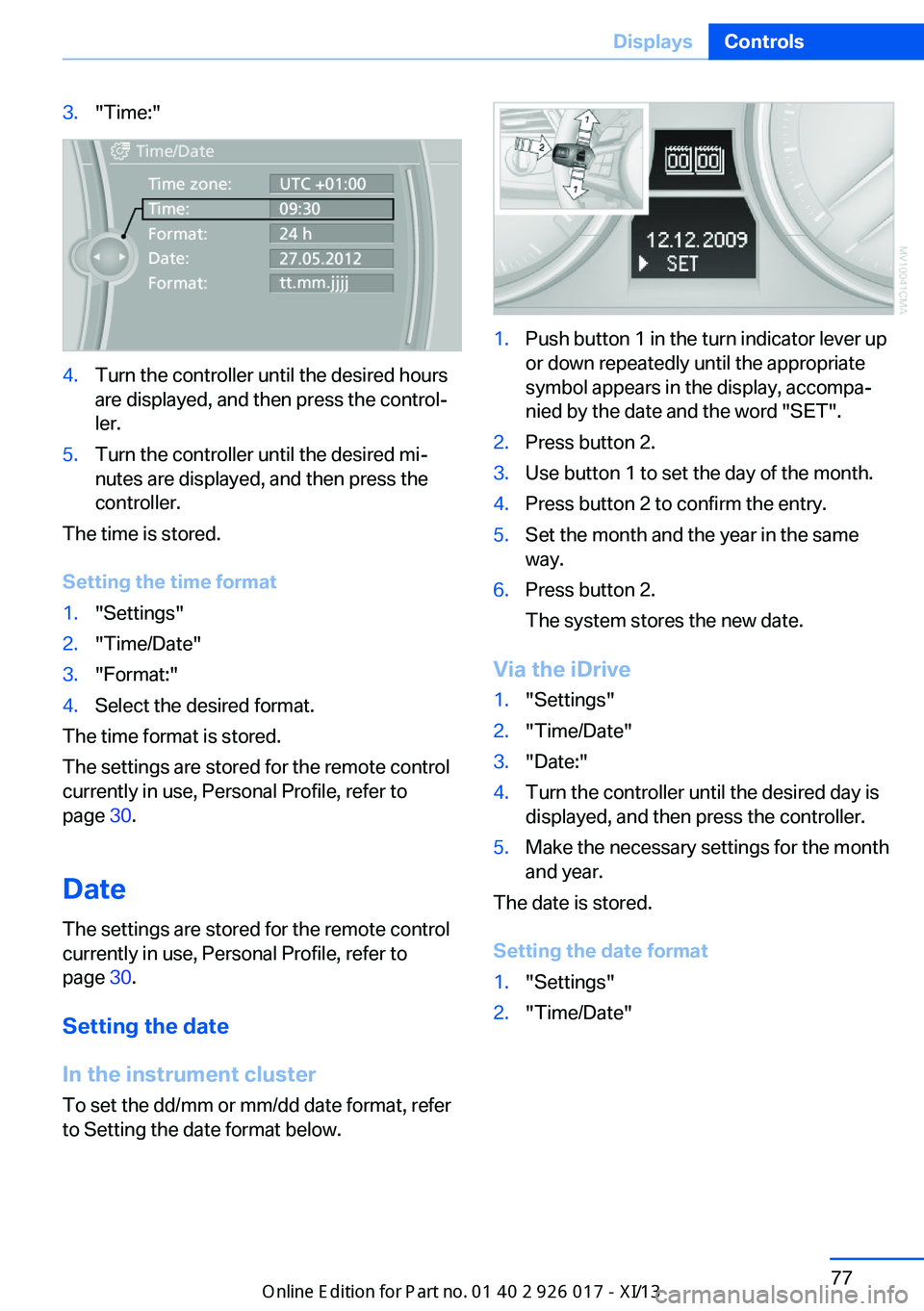
3."Time:"4.Turn the controller until the desired hours
are displayed, and then press the control‐
ler.5.Turn the controller until the desired mi‐
nutes are displayed, and then press the
controller.
The time is stored.
Setting the time format
1."Settings"2."Time/Date"3."Format:"4.Select the desired format.
The time format is stored.
The settings are stored for the remote control
currently in use, Personal Profile, refer to
page 30.
Date
The settings are stored for the remote control
currently in use, Personal Profile, refer to
page 30.
Setting the date
In the instrument cluster To set the dd/mm or mm/dd date format, refer
to Setting the date format below.
1.Push button 1 in the turn indicator lever up
or down repeatedly until the appropriate
symbol appears in the display, accompa‐
nied by the date and the word "SET".2.Press button 2.3.Use button 1 to set the day of the month.4.Press button 2 to confirm the entry.5.Set the month and the year in the same
way.6.Press button 2.
The system stores the new date.
Via the iDrive
1."Settings"2."Time/Date"3."Date:"4.Turn the controller until the desired day is
displayed, and then press the controller.5.Make the necessary settings for the month
and year.
The date is stored.
Setting the date format
1."Settings"2."Time/Date"Seite 77DisplaysControls77
Online Edition for Part no. 01 40 2 911 315 - VI/13
Page 82 of 289
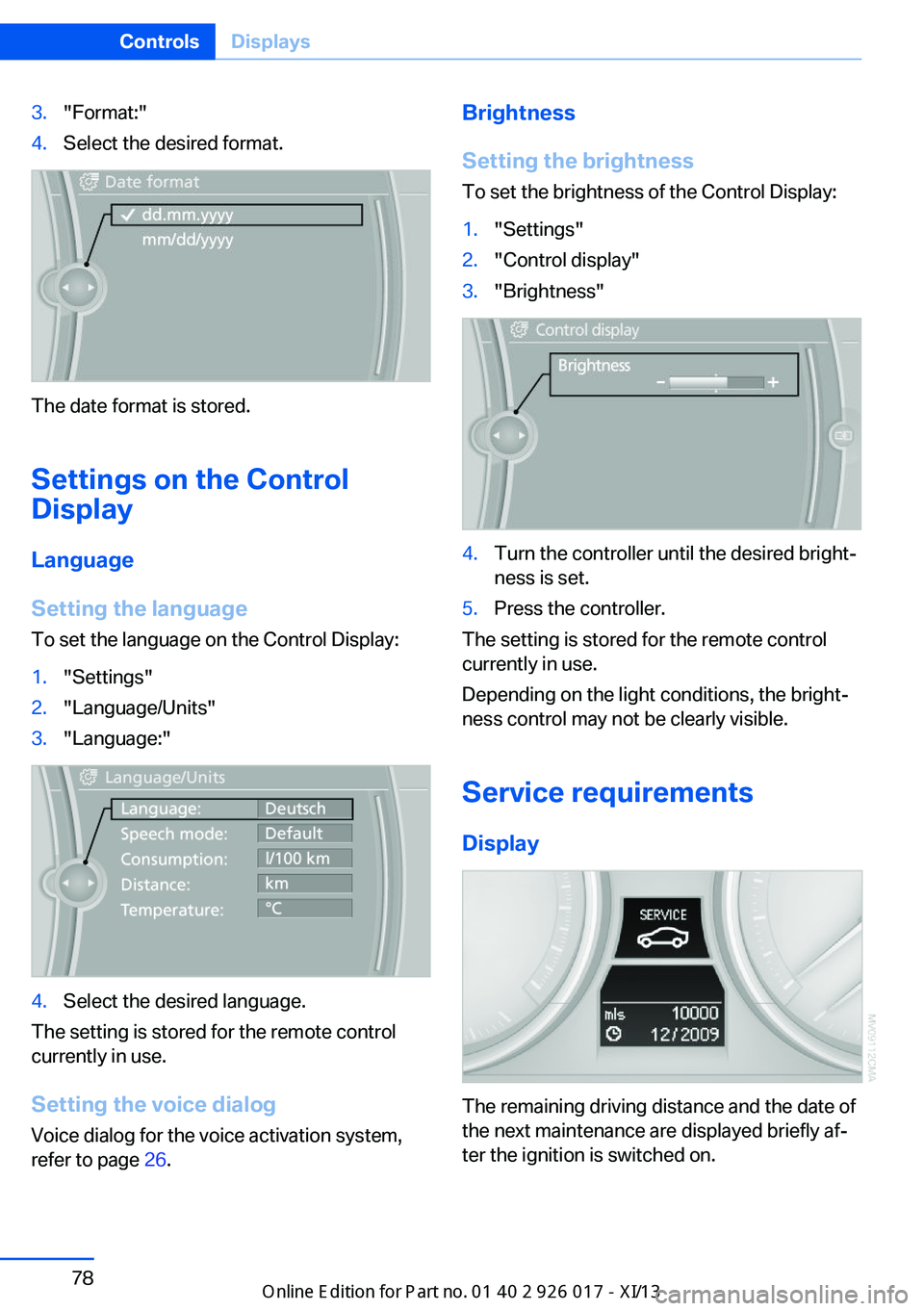
3."Format:"4.Select the desired format.
The date format is stored.
Settings on the Control
Display
Language
Setting the language
To set the language on the Control Display:
1."Settings"2."Language/Units"3."Language:"4.Select the desired language.
The setting is stored for the remote control
currently in use.
Setting the voice dialog
Voice dialog for the voice activation system,
refer to page 26.
Brightness
Setting the brightness
To set the brightness of the Control Display:1."Settings"2."Control display"3."Brightness"4.Turn the controller until the desired bright‐
ness is set.5.Press the controller.
The setting is stored for the remote control
currently in use.
Depending on the light conditions, the bright‐
ness control may not be clearly visible.
Service requirements
Display
The remaining driving distance and the date of
the next maintenance are displayed briefly af‐
ter the ignition is switched on.
Seite 78ControlsDisplays78
Online Edition for Part no. 01 40 2 911 315 - VI/13