belt BMW Z4 2015 E89 User Guide
[x] Cancel search | Manufacturer: BMW, Model Year: 2015, Model line: Z4, Model: BMW Z4 2015 E89Pages: 289, PDF Size: 7.16 MB
Page 71 of 289
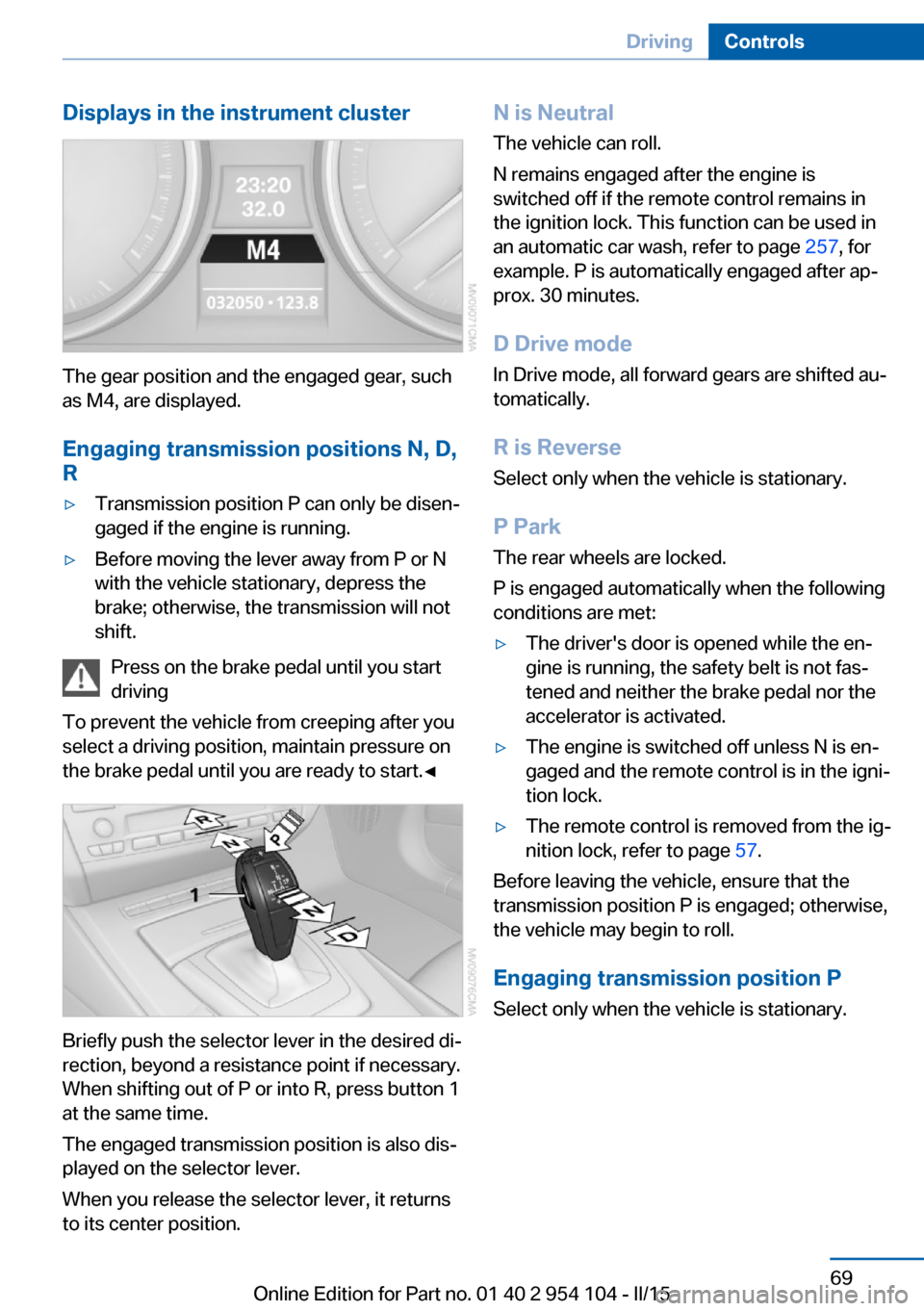
Displays in the instrument cluster
The gear position and the engaged gear, such
as M4, are displayed.
Engaging transmission positions N, D,
R
▷Transmission position P can only be disen‐
gaged if the engine is running.▷Before moving the lever away from P or N
with the vehicle stationary, depress the
brake; otherwise, the transmission will not
shift.
Press on the brake pedal until you start
driving
To prevent the vehicle from creeping after you
select a driving position, maintain pressure on
the brake pedal until you are ready to start.◀
Briefly push the selector lever in the desired di‐
rection, beyond a resistance point if necessary.
When shifting out of P or into R, press button 1
at the same time.
The engaged transmission position is also dis‐
played on the selector lever.
When you release the selector lever, it returns
to its center position.
N is Neutral
The vehicle can roll.
N remains engaged after the engine is
switched off if the remote control remains in
the ignition lock. This function can be used in
an automatic car wash, refer to page 257, for
example. P is automatically engaged after ap‐
prox. 30 minutes.
D Drive mode
In Drive mode, all forward gears are shifted au‐
tomatically.
R is Reverse
Select only when the vehicle is stationary.
P Park The rear wheels are locked.
P is engaged automatically when the following
conditions are met:▷The driver's door is opened while the en‐
gine is running, the safety belt is not fas‐
tened and neither the brake pedal nor the
accelerator is activated.▷The engine is switched off unless N is en‐
gaged and the remote control is in the igni‐
tion lock.▷The remote control is removed from the ig‐
nition lock, refer to page 57.
Before leaving the vehicle, ensure that the
transmission position P is engaged; otherwise,
the vehicle may begin to roll.
Engaging transmission position P Select only when the vehicle is stationary.
Seite 69DrivingControls69
Online Edition for Part no. 01 40 2 954 104 - II/15
Page 94 of 289
SafetyVehicle equipment
This chapter describes all series equipment as
well as country-specific and special equipment
offered for this model series. Therefore, it also
describes equipment that may not be found in
your vehicle, for instance due to the selected
special equipment or the country version. This
also applies to safety-related functions and
systems.
When using the features and systems descri‐
bed here, adhere to local regulations.
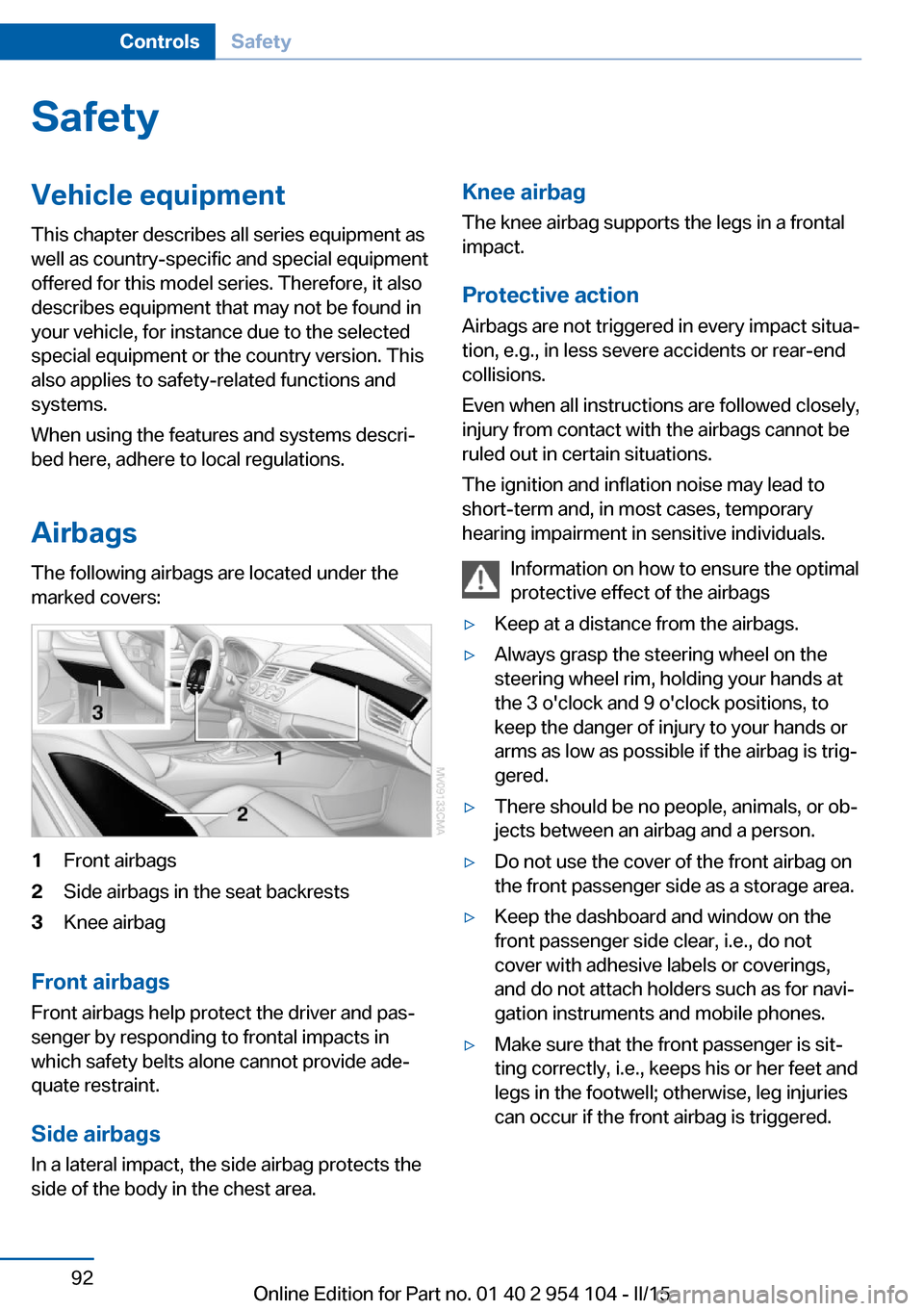
Airbags The following airbags are located under the
marked covers:1Front airbags2Side airbags in the seat backrests3Knee airbag
Front airbags
Front airbags help protect the driver and pas‐
senger by responding to frontal impacts in
which safety belts alone cannot provide ade‐
quate restraint.
Side airbags
In a lateral impact, the side airbag protects the
side of the body in the chest area.
Knee airbag
The knee airbag supports the legs in a frontal
impact.
Protective action
Airbags are not triggered in every impact situa‐
tion, e.g., in less severe accidents or rear-end
collisions.
Even when all instructions are followed closely,
injury from contact with the airbags cannot be
ruled out in certain situations.
The ignition and inflation noise may lead to
short-term and, in most cases, temporary
hearing impairment in sensitive individuals.
Information on how to ensure the optimal
protective effect of the airbags▷Keep at a distance from the airbags.▷Always grasp the steering wheel on the
steering wheel rim, holding your hands at
the 3 o'clock and 9 o'clock positions, to
keep the danger of injury to your hands or
arms as low as possible if the airbag is trig‐
gered.▷There should be no people, animals, or ob‐
jects between an airbag and a person.▷Do not use the cover of the front airbag on
the front passenger side as a storage area.▷Keep the dashboard and window on the
front passenger side clear, i.e., do not
cover with adhesive labels or coverings,
and do not attach holders such as for navi‐
gation instruments and mobile phones.▷Make sure that the front passenger is sit‐
ting correctly, i.e., keeps his or her feet and
legs in the footwell; otherwise, leg injuries
can occur if the front airbag is triggered.Seite 92ControlsSafety92
Online Edition for Part no. 01 40 2 954 104 - II/15
Page 96 of 289
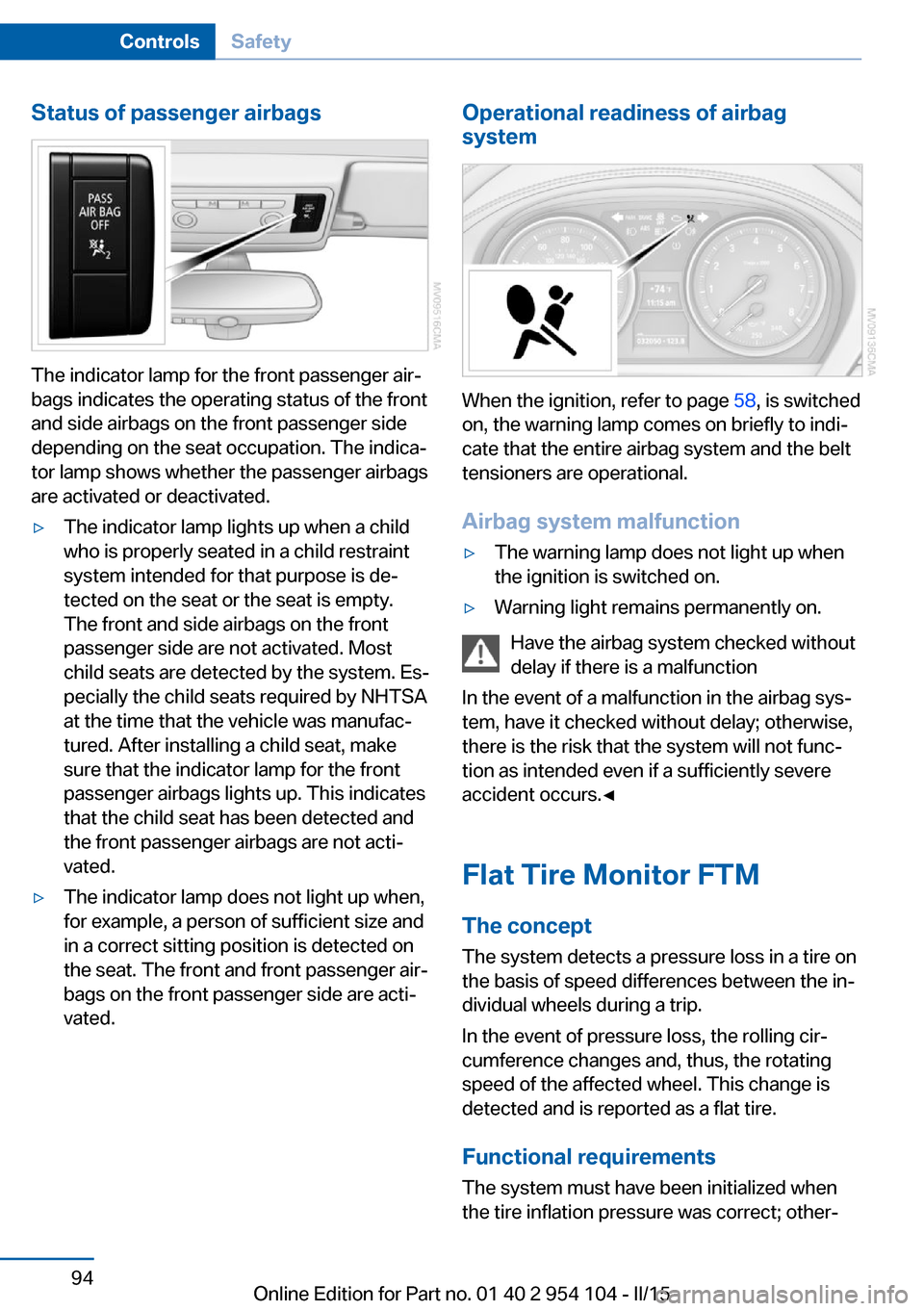
Status of passenger airbags
The indicator lamp for the front passenger air‐
bags indicates the operating status of the front
and side airbags on the front passenger side
depending on the seat occupation. The indica‐
tor lamp shows whether the passenger airbags
are activated or deactivated.
▷The indicator lamp lights up when a child
who is properly seated in a child restraint
system intended for that purpose is de‐
tected on the seat or the seat is empty.
The front and side airbags on the front
passenger side are not activated. Most
child seats are detected by the system. Es‐
pecially the child seats required by NHTSA
at the time that the vehicle was manufac‐
tured. After installing a child seat, make
sure that the indicator lamp for the front
passenger airbags lights up. This indicates
that the child seat has been detected and
the front passenger airbags are not acti‐
vated.▷The indicator lamp does not light up when,
for example, a person of sufficient size and
in a correct sitting position is detected on
the seat. The front and front passenger air‐
bags on the front passenger side are acti‐
vated.Operational readiness of airbag
system
When the ignition, refer to page 58, is switched
on, the warning lamp comes on briefly to indi‐
cate that the entire airbag system and the belt
tensioners are operational.
Airbag system malfunction
▷The warning lamp does not light up when
the ignition is switched on.▷Warning light remains permanently on.
Have the airbag system checked without
delay if there is a malfunction
In the event of a malfunction in the airbag sys‐
tem, have it checked without delay; otherwise,
there is the risk that the system will not func‐
tion as intended even if a sufficiently severe
accident occurs.◀
Flat Tire Monitor FTM The conceptThe system detects a pressure loss in a tire on
the basis of speed differences between the in‐
dividual wheels during a trip.
In the event of pressure loss, the rolling cir‐
cumference changes and, thus, the rotating
speed of the affected wheel. This change is
detected and is reported as a flat tire.
Functional requirements
The system must have been initialized when
the tire inflation pressure was correct; other‐
Seite 94ControlsSafety94
Online Edition for Part no. 01 40 2 954 104 - II/15
Page 124 of 289
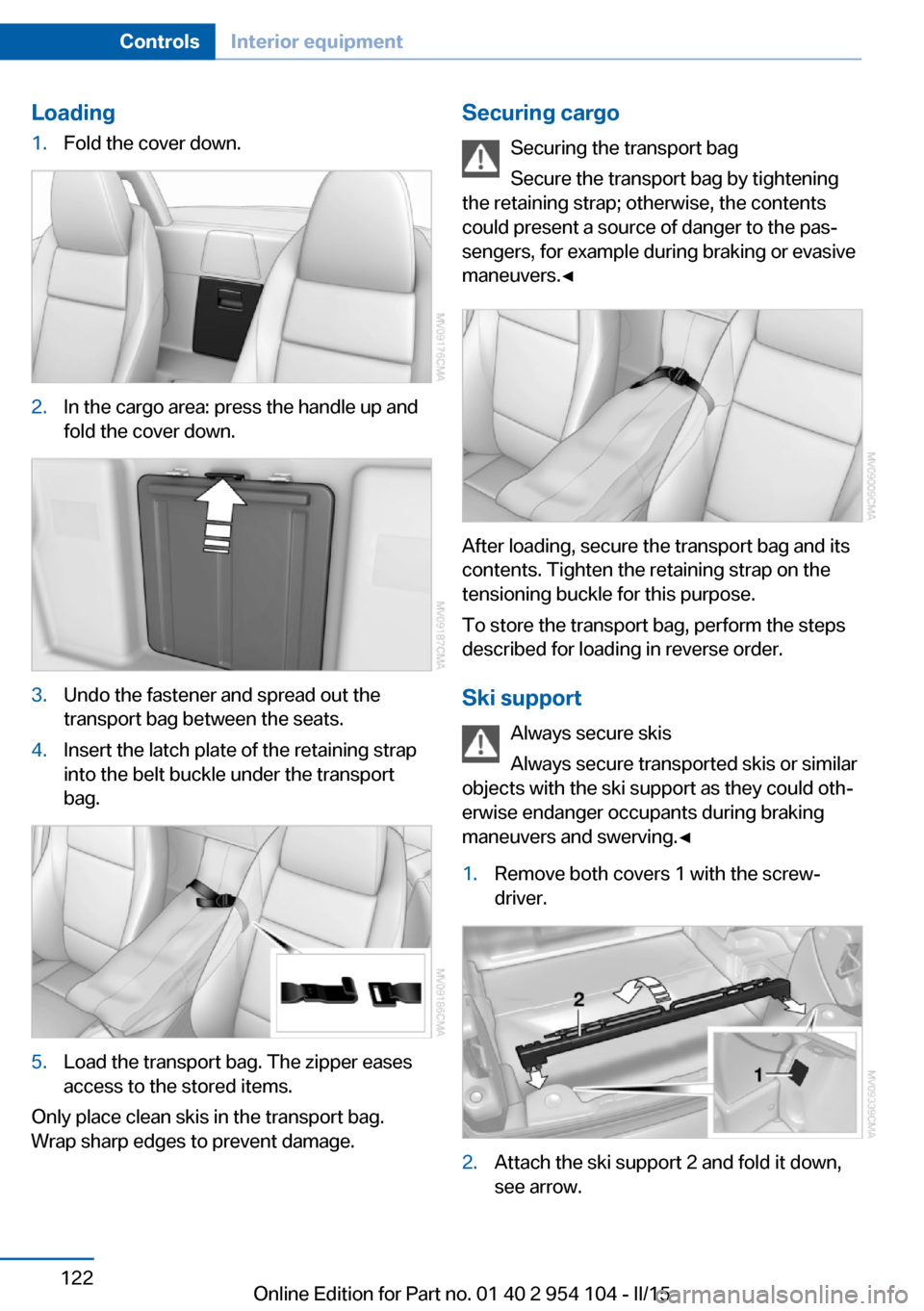
Loading1.Fold the cover down.2.In the cargo area: press the handle up and
fold the cover down.3.Undo the fastener and spread out the
transport bag between the seats.4.Insert the latch plate of the retaining strap
into the belt buckle under the transport
bag.5.Load the transport bag. The zipper eases
access to the stored items.
Only place clean skis in the transport bag.
Wrap sharp edges to prevent damage.
Securing cargo
Securing the transport bag
Secure the transport bag by tightening
the retaining strap; otherwise, the contents
could present a source of danger to the pas‐
sengers, for example during braking or evasive
maneuvers.◀
After loading, secure the transport bag and its
contents. Tighten the retaining strap on the
tensioning buckle for this purpose.
To store the transport bag, perform the steps
described for loading in reverse order.
Ski support Always secure skis
Always secure transported skis or similar
objects with the ski support as they could oth‐
erwise endanger occupants during braking
maneuvers and swerving.◀
1.Remove both covers 1 with the screw‐
driver.2.Attach the ski support 2 and fold it down,
see arrow.Seite 122ControlsInterior equipment122
Online Edition for Part no. 01 40 2 954 104 - II/15
Page 165 of 289
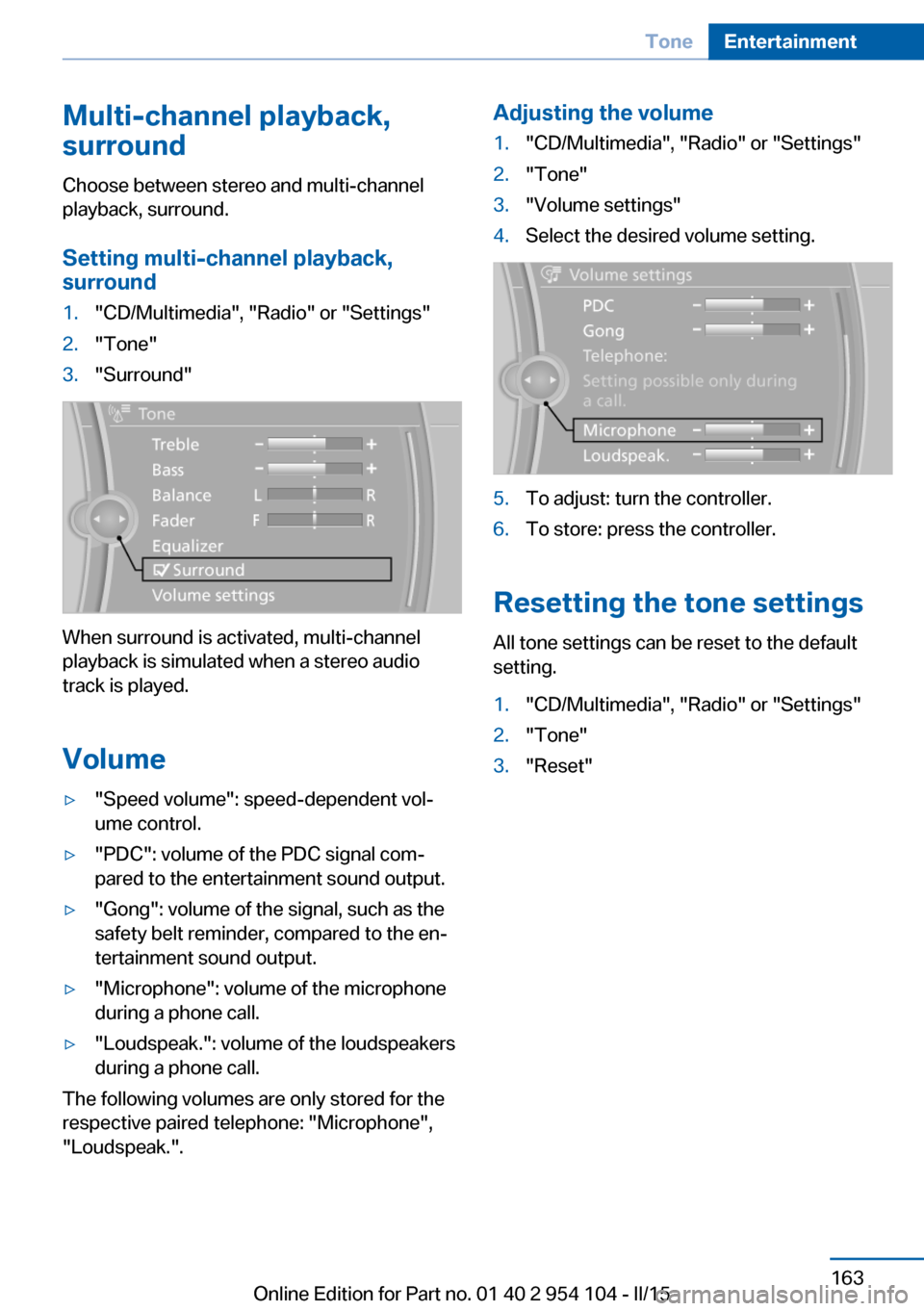
Multi-channel playback,
surround
Choose between stereo and multi-channel
playback, surround.
Setting multi-channel playback,
surround1."CD/Multimedia", "Radio" or "Settings"2."Tone"3."Surround"
When surround is activated, multi-channel
playback is simulated when a stereo audio
track is played.
Volume
▷"Speed volume": speed-dependent vol‐
ume control.▷"PDC": volume of the PDC signal com‐
pared to the entertainment sound output.▷"Gong": volume of the signal, such as the
safety belt reminder, compared to the en‐
tertainment sound output.▷"Microphone": volume of the microphone
during a phone call.▷"Loudspeak.": volume of the loudspeakers
during a phone call.
The following volumes are only stored for the
respective paired telephone: "Microphone",
"Loudspeak.".
Adjusting the volume1."CD/Multimedia", "Radio" or "Settings"2."Tone"3."Volume settings"4.Select the desired volume setting.5.To adjust: turn the controller.6.To store: press the controller.
Resetting the tone settings
All tone settings can be reset to the default
setting.
1."CD/Multimedia", "Radio" or "Settings"2."Tone"3."Reset"Seite 163ToneEntertainment163
Online Edition for Part no. 01 40 2 954 104 - II/15
Page 261 of 289
Clean light-colored leather more frequently as
dust and dirt are more noticeable.
Use leather care products; otherwise, dirt and
grease will gradually break down the protective
layer of the leather surface.
Suitable care products are available from the
service center.
Upholstery material care Vacuum regularly with a vacuum cleaner.
If they are very dirty, e.g., beverage stains, use
a soft sponge or microfiber cloth with a suita‐
ble interior cleaner.
Clean the upholstery down to the seams using
large sweeping motions. Avoid rubbing the
material vigorously.
Damage from Velcro® fasteners
Open Velcro® fasteners on pants or
other articles of clothing can damage the seat
covers. Ensure that any Velcro® fasteners are
closed.◀
Caring for special components
Light-alloy wheels When cleaning the wheels on the vehicle, only
use a neutral wheel rim cleaner with a pH value
of 5 to 9. Do not use abrasive cleaners or a
steam jet hotter than 140 ℉/60 ℃; otherwise,
damage may result. Adhere to the manufac‐
turer instructions.
Aggressive, acidic, or alkaline cleaners may
destroy the protective coating of neighboring
components such as the brake disc.
Chrome surfaces
Carefully clean components such as the radia‐
tor grille or door handles with an ample supply
of water, possibly with shampoo added, partic‐
ularly when they have been exposed to road
salt.Rubber components
Aside from water, treat only with rubber
cleansers.
When cleaning rubber seals, do not use any
silicon-containing car care products in order to
avoid damage or reduced noise damping.
Fine wood partsClean fine wood facing and fine wood compo‐
nents only with a moist rag. Then dry with a
soft cloth.
Plastic components These include:▷Imitation leather surfaces.▷Headliner.▷Lamp lenses.▷Instrument cluster cover.▷Matte black spray-coated components.▷Painted parts in the interior.
Clean with a microfiber cloth.
Moisten the cloth lightly with water if neces‐
sary.
Do not soak the headliner.
Do not use cleansers that contain alcohol
or solvents
Do not use cleansers that contain alcohol or
solvents, such as lacquer thinners, heavy-duty
grease removers, fuel, or such; this could lead
to surface damage.◀
Safety belts
Dirty belt straps impede the reeling action and
thus have a negative impact on safety.
No chemical cleaning
Do not clean chemically; this can destroy
the webbing.◀
Use only a mild soapy solution, with the safety
belts clipped into their buckles.
Seite 259CareMobility259
Online Edition for Part no. 01 40 2 954 104 - II/15
Page 262 of 289
Do not allow the reels to retract the safety
belts until they are dry.
Carpets and floor mats No objects in the area around the pedals
Keep floor mats, carpets, and any other
objects out of the area of motion of the pedals;
otherwise, the function of the pedals could be
impeded while driving
Do not place additional floor mats over existing
mats or other objects.
Only use floor mats that have been approved
for the vehicle and can be properly fixed in
place.
Ensure that the floor mats are securely fas‐
tened again when they are returned after being
removed, such as for cleaning.◀
Floor mats can be removed from the passen‐
ger compartment for cleaning.
When returning the floor mats, secure them
again to prevent slipping.
If the floor carpets are very dirty, clean with a
microfiber cloth and water or a textile cleaner.
To prevent matting of the carpet, rub back and
forth in the direction of travel only.
Cleaning the interior
When cleaning the interior, do not move
both seats all the way forward while moving
them to their uppermost position and leaning
the backrests forward. Otherwise, the seats
could hit and damage the seal on the wind‐
shield and the sun visor.◀
Sensors/cameras
To clean the sensors or cameras of equipment
such as the High-beam Assistant or Park Dis‐
tance Control PDC, use a cloth moistened with
a small amount of glass cleaner.
Displays/screens
Clean the displays with an anti-static micro‐
fiber cloth.Cleaning displays
Do not use chemical or household
cleansers.
Keep all fluids and moisture away from the
unit.
Otherwise, they could affect or damage surfa‐
ces or electrical components.
Avoid pressing too hard when cleaning and do
not use abrasive materials; otherwise, damage
can result.◀
Long-term vehicle storage
Your service center can advise you on what to
consider when storing the vehicle for longer
than three months.Seite 260MobilityCare260
Online Edition for Part no. 01 40 2 954 104 - II/15
Page 277 of 289
AUTO program with auto‐matic climate control 113
AUX-IN port 182
Average fuel consumption 75
Average fuel consumption, setting the unit 78
Average speed 75
Axle loads, refer to Weights 264
B
Backrest curvature, refer to Lumbar support 49
Backrests, refer to Seat ad‐ justment 48
Backrest width adjust‐ ment 50
Backup lights, bulb replace‐ ment 247
Balance 162
Band-aids, refer to First aid kit 252
Bass 162
Battery, disposal 41
Battery, power failure 249
Battery, remote control 32
Battery, replacement in the remote control 41
Battery replacement, vehicle battery 249
Battery, vehicle 249
Before entering the car wash 257
Belts, refer to Safety belts 50
Belt tensioners, refer to Safety belts 50
Beverage holder, refer to Cu‐ pholder 126
Black and white map dis‐ play 156
Blower, refer to Air flow rate 111, 114
Bluetooth audio 185
Bluetooth connection, acti‐ vating/deactivating 195 BMW Apps 220
BMW Driver's Guide App 6
BMW EfficientDynamics, re‐ fer to Saving fuel 134
BMW Homepage 6
BMW Internet page 6
BMW Maintenance Sys‐ tem 243
BMW Online 218
Bottle holder, refer to Cu‐ pholder 126
Brake assistant, refer to Dy‐ namic Brake Control 101
Brake discs, breaking in 130
Brake force display 100
Brake force distribution, elec‐ tronic 101
Brake lights, adaptive 100
Brake lights, brake force dis‐ play 100
Brake lights, bulb replace‐ ment 247
Brake pads, breaking in 130
Brake, refer to Parking brake 61
Brakes, ABS 101
Braking, notes 131
Braking, parking brake 61
Breakdown assistance, refer to Roadside Assistance 217
Break-in 130
Brightness of Control Dis‐ play 80
Bulbs, replacing, refer to Lamps and bulbs 245
Button for starting the engine, refer to Start/Stop but‐
ton 57
Buttons on the steering wheel 14
Bypassing, see Starting aid 252
C Calendar 210 California Proposition 65
Warning 7
Camera, care 260
Can holder, refer to Cu‐ pholder 126
Capacities 265
Capacities, cargo area, refer to Weights 264
Capacities, fuel tank, refer to Filling capacities 265
Car battery 249
Car care products 258
Care 257
Care, displays 260
Care, vehicle 258
Cargo 132
Cargo area 121
Cargo area, capacity 264
Cargo area capacity, enlarg‐ ing 121
Cargo area, Comfort Ac‐ cess 40
Cargo area, lamp, refer to In‐ terior lights 91
Cargo area, opening from the inside 38
Cargo area, opening from the outside 38
Cargo, securing 122
Cargo straps, securing cargo 134
Car key, refer to Integrated key/remote control 32
Carpet, care 260
Car phone installation loca‐ tion, refer to Center arm‐
rest 124
Car phone, refer to Tele‐ phone 194
Car vacuum cleaner, connect‐ ing, refer to Connecting
electrical devices 120
Car wash 257
Car wash, with Comfort Ac‐ cess 40 Seite 275Everything from A to ZReference275
Online Edition for Part no. 01 40 2 954 104 - II/15
Page 280 of 289
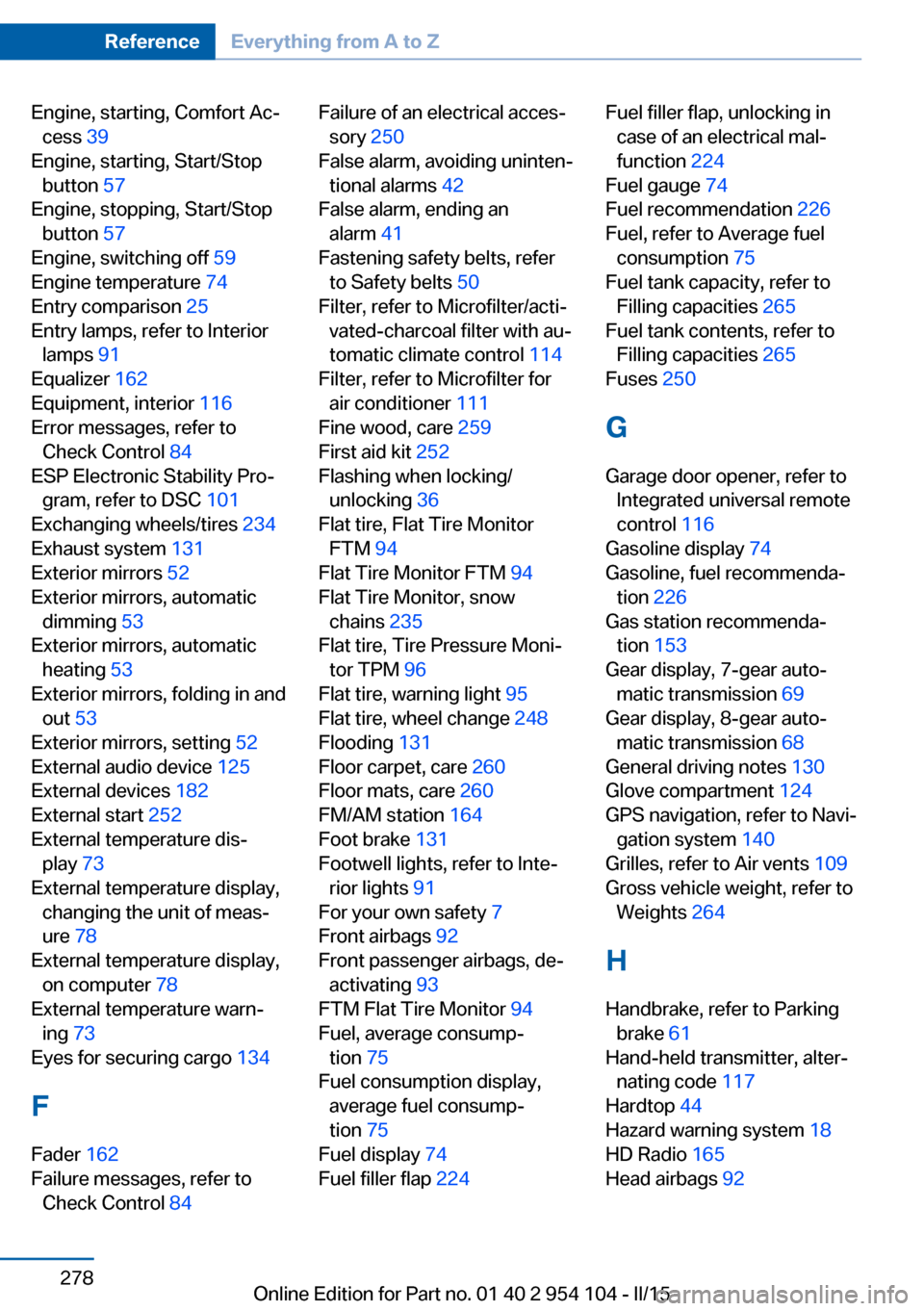
Engine, starting, Comfort Ac‐cess 39
Engine, starting, Start/Stop button 57
Engine, stopping, Start/Stop button 57
Engine, switching off 59
Engine temperature 74
Entry comparison 25
Entry lamps, refer to Interior lamps 91
Equalizer 162
Equipment, interior 116
Error messages, refer to Check Control 84
ESP Electronic Stability Pro‐ gram, refer to DSC 101
Exchanging wheels/tires 234
Exhaust system 131
Exterior mirrors 52
Exterior mirrors, automatic dimming 53
Exterior mirrors, automatic heating 53
Exterior mirrors, folding in and out 53
Exterior mirrors, setting 52
External audio device 125
External devices 182
External start 252
External temperature dis‐ play 73
External temperature display, changing the unit of meas‐
ure 78
External temperature display, on computer 78
External temperature warn‐ ing 73
Eyes for securing cargo 134
F
Fader 162
Failure messages, refer to Check Control 84 Failure of an electrical acces‐
sory 250
False alarm, avoiding uninten‐ tional alarms 42
False alarm, ending an alarm 41
Fastening safety belts, refer to Safety belts 50
Filter, refer to Microfilter/acti‐ vated-charcoal filter with au‐
tomatic climate control 114
Filter, refer to Microfilter for air conditioner 111
Fine wood, care 259
First aid kit 252
Flashing when locking/ unlocking 36
Flat tire, Flat Tire Monitor FTM 94
Flat Tire Monitor FTM 94
Flat Tire Monitor, snow chains 235
Flat tire, Tire Pressure Moni‐ tor TPM 96
Flat tire, warning light 95
Flat tire, wheel change 248
Flooding 131
Floor carpet, care 260
Floor mats, care 260
FM/AM station 164
Foot brake 131
Footwell lights, refer to Inte‐ rior lights 91
For your own safety 7
Front airbags 92
Front passenger airbags, de‐ activating 93
FTM Flat Tire Monitor 94
Fuel, average consump‐ tion 75
Fuel consumption display, average fuel consump‐
tion 75
Fuel display 74
Fuel filler flap 224 Fuel filler flap, unlocking in
case of an electrical mal‐
function 224
Fuel gauge 74
Fuel recommendation 226
Fuel, refer to Average fuel consumption 75
Fuel tank capacity, refer to Filling capacities 265
Fuel tank contents, refer to Filling capacities 265
Fuses 250
G
Garage door opener, refer to Integrated universal remote
control 116
Gasoline display 74
Gasoline, fuel recommenda‐ tion 226
Gas station recommenda‐ tion 153
Gear display, 7-gear auto‐ matic transmission 69
Gear display, 8-gear auto‐ matic transmission 68
General driving notes 130
Glove compartment 124
GPS navigation, refer to Navi‐ gation system 140
Grilles, refer to Air vents 109
Gross vehicle weight, refer to Weights 264
H Handbrake, refer to Parking brake 61
Hand-held transmitter, alter‐ nating code 117
Hardtop 44
Hazard warning system 18
HD Radio 165
Head airbags 92 Seite 278ReferenceEverything from A to Z278
Online Edition for Part no. 01 40 2 954 104 - II/15
Page 282 of 289
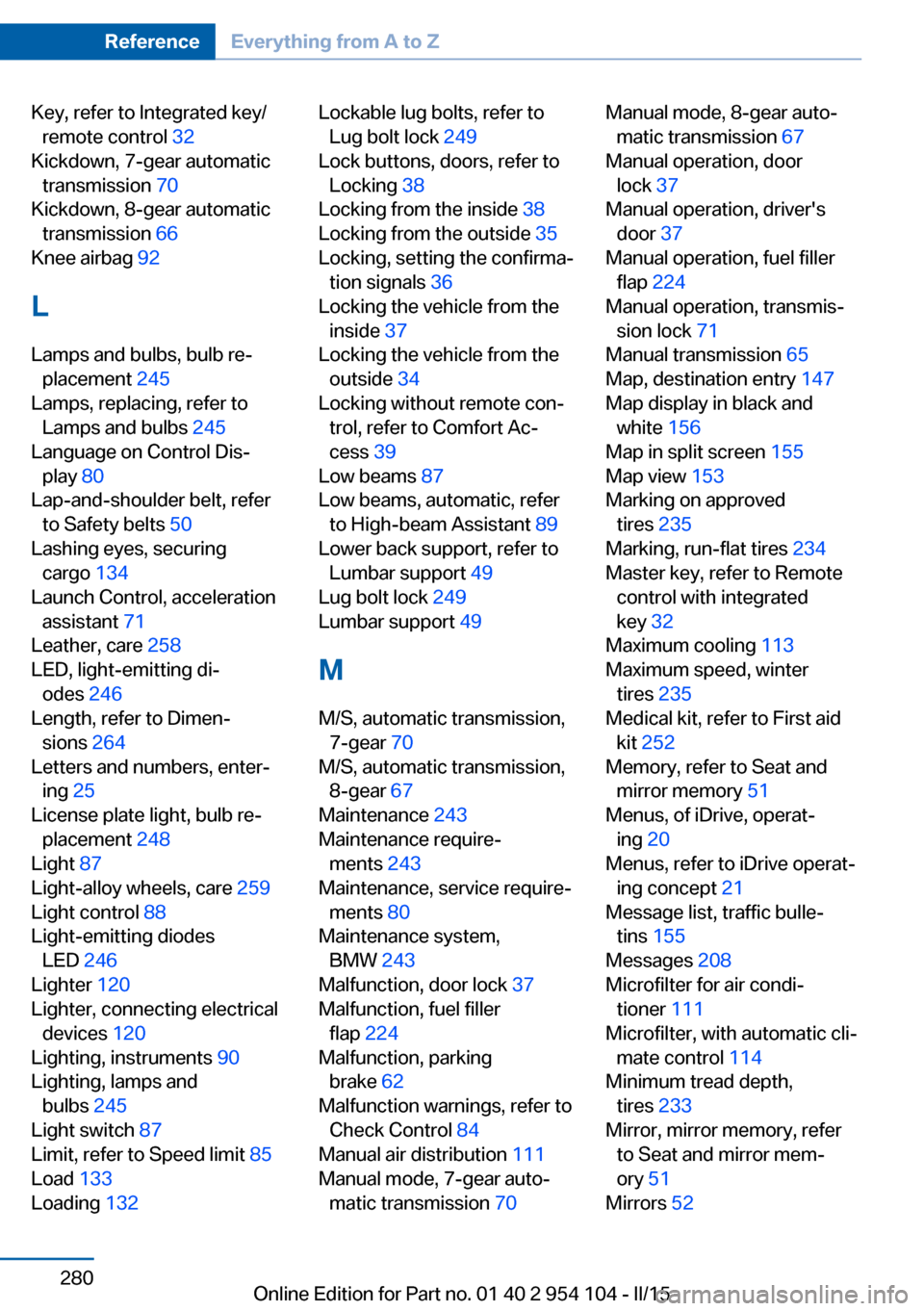
Key, refer to Integrated key/remote control 32
Kickdown, 7-gear automatic transmission 70
Kickdown, 8-gear automatic transmission 66
Knee airbag 92
L
Lamps and bulbs, bulb re‐ placement 245
Lamps, replacing, refer to Lamps and bulbs 245
Language on Control Dis‐ play 80
Lap-and-shoulder belt, refer to Safety belts 50
Lashing eyes, securing cargo 134
Launch Control, acceleration assistant 71
Leather, care 258
LED, light-emitting di‐ odes 246
Length, refer to Dimen‐ sions 264
Letters and numbers, enter‐ ing 25
License plate light, bulb re‐ placement 248
Light 87
Light-alloy wheels, care 259
Light control 88
Light-emitting diodes LED 246
Lighter 120
Lighter, connecting electrical devices 120
Lighting, instruments 90
Lighting, lamps and bulbs 245
Light switch 87
Limit, refer to Speed limit 85
Load 133
Loading 132 Lockable lug bolts, refer to
Lug bolt lock 249
Lock buttons, doors, refer to Locking 38
Locking from the inside 38
Locking from the outside 35
Locking, setting the confirma‐ tion signals 36
Locking the vehicle from the inside 37
Locking the vehicle from the outside 34
Locking without remote con‐ trol, refer to Comfort Ac‐
cess 39
Low beams 87
Low beams, automatic, refer to High-beam Assistant 89
Lower back support, refer to Lumbar support 49
Lug bolt lock 249
Lumbar support 49
M
M/S, automatic transmission, 7-gear 70
M/S, automatic transmission, 8-gear 67
Maintenance 243
Maintenance require‐ ments 243
Maintenance, service require‐ ments 80
Maintenance system, BMW 243
Malfunction, door lock 37
Malfunction, fuel filler flap 224
Malfunction, parking brake 62
Malfunction warnings, refer to Check Control 84
Manual air distribution 111
Manual mode, 7-gear auto‐ matic transmission 70 Manual mode, 8-gear auto‐
matic transmission 67
Manual operation, door lock 37
Manual operation, driver's door 37
Manual operation, fuel filler flap 224
Manual operation, transmis‐ sion lock 71
Manual transmission 65
Map, destination entry 147
Map display in black and white 156
Map in split screen 155
Map view 153
Marking on approved tires 235
Marking, run-flat tires 234
Master key, refer to Remote control with integrated
key 32
Maximum cooling 113
Maximum speed, winter tires 235
Medical kit, refer to First aid kit 252
Memory, refer to Seat and mirror memory 51
Menus, of iDrive, operat‐ ing 20
Menus, refer to iDrive operat‐ ing concept 21
Message list, traffic bulle‐ tins 155
Messages 208
Microfilter for air condi‐ tioner 111
Microfilter, with automatic cli‐ mate control 114
Minimum tread depth, tires 233
Mirror, mirror memory, refer to Seat and mirror mem‐
ory 51
Mirrors 52 Seite 280ReferenceEverything from A to Z280
Online Edition for Part no. 01 40 2 954 104 - II/15