locked out BMW Z4 2015 E89 User Guide
[x] Cancel search | Manufacturer: BMW, Model Year: 2015, Model line: Z4, Model: BMW Z4 2015 E89Pages: 289, PDF Size: 7.16 MB
Page 44 of 289
▷Insert the remote control all the way into
the ignition lock.▷With Comfort Access: if you are carrying
the remote control with you, pull on the
door handle.
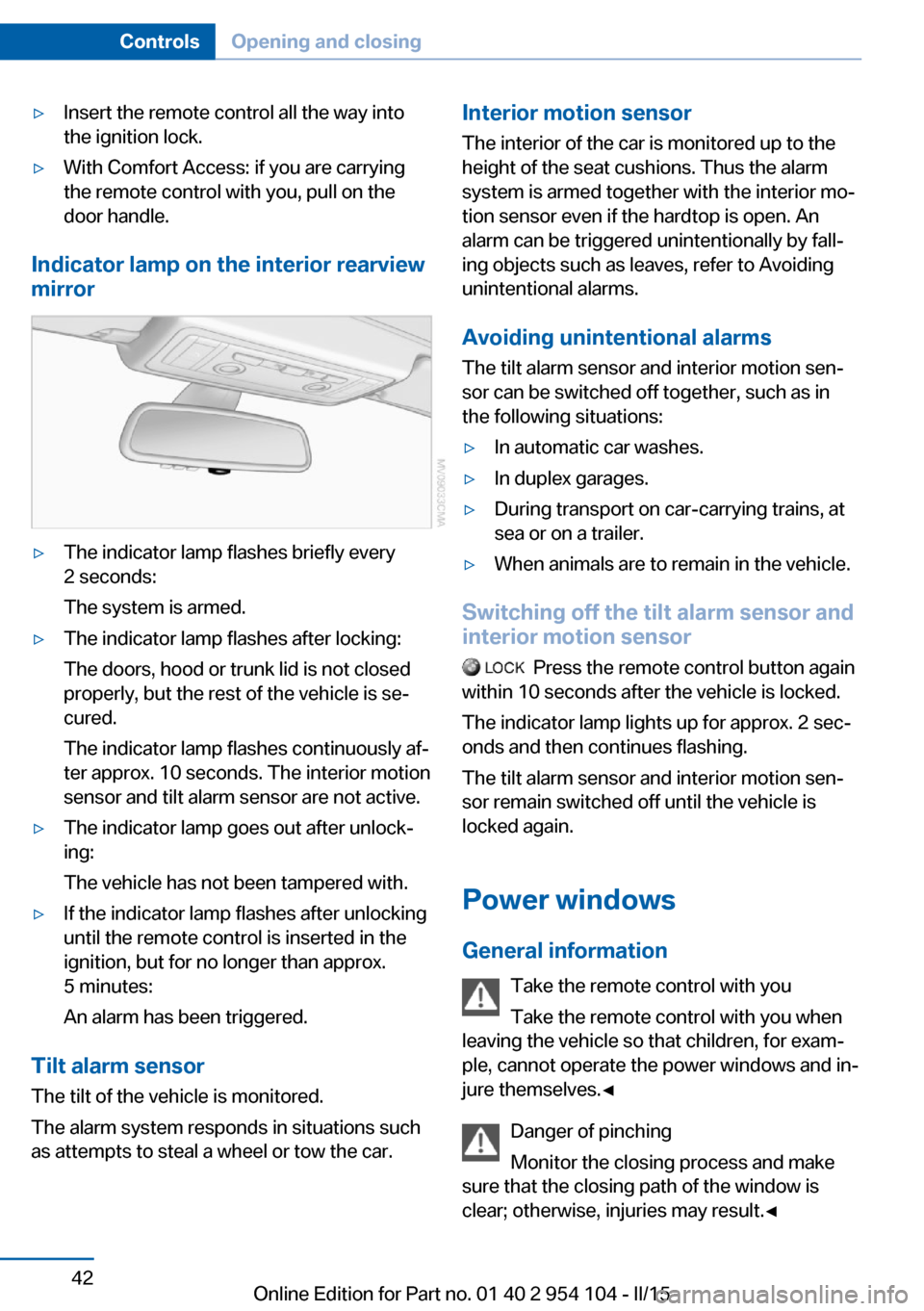
Indicator lamp on the interior rearview
mirror
▷The indicator lamp flashes briefly every
2 seconds:
The system is armed.▷The indicator lamp flashes after locking:
The doors, hood or trunk lid is not closed
properly, but the rest of the vehicle is se‐
cured.
The indicator lamp flashes continuously af‐
ter approx. 10 seconds. The interior motion
sensor and tilt alarm sensor are not active.▷The indicator lamp goes out after unlock‐
ing:
The vehicle has not been tampered with.▷If the indicator lamp flashes after unlocking
until the remote control is inserted in the
ignition, but for no longer than approx.
5 minutes:
An alarm has been triggered.
Tilt alarm sensor The tilt of the vehicle is monitored.
The alarm system responds in situations such
as attempts to steal a wheel or tow the car.
Interior motion sensor
The interior of the car is monitored up to theheight of the seat cushions. Thus the alarm
system is armed together with the interior mo‐
tion sensor even if the hardtop is open. An
alarm can be triggered unintentionally by fall‐
ing objects such as leaves, refer to Avoiding unintentional alarms.
Avoiding unintentional alarms The tilt alarm sensor and interior motion sen‐
sor can be switched off together, such as in
the following situations:▷In automatic car washes.▷In duplex garages.▷During transport on car-carrying trains, at
sea or on a trailer.▷When animals are to remain in the vehicle.
Switching off the tilt alarm sensor and
interior motion sensor
Press the remote control button again
within 10 seconds after the vehicle is locked.
The indicator lamp lights up for approx. 2 sec‐
onds and then continues flashing.
The tilt alarm sensor and interior motion sen‐
sor remain switched off until the vehicle is
locked again.
Power windows General information Take the remote control with youTake the remote control with you when
leaving the vehicle so that children, for exam‐
ple, cannot operate the power windows and in‐
jure themselves.◀
Danger of pinching
Monitor the closing process and make
sure that the closing path of the window is
clear; otherwise, injuries may result.◀
Seite 42ControlsOpening and closing42
Online Edition for Part no. 01 40 2 954 104 - II/15
Page 54 of 289
Comfort function1.Open the driver's door or switch on the
radio ready state, refer to page 57.2.Briefly press the desired memory but‐
ton 1 or 2.
The seat is automatically moved to the stored
position.
The procedure stops when a switch for adjust‐
ing the seat or one of the buttons is pressed.
Safety mode
1.Close the driver's door and switch the igni‐
tion on or off, refer to page 57.2.Press and hold the desired button 1 or 2
until the adjustment procedure is com‐
pleted.
Mirrors
Exterior mirrors
General information The mirror on the passenger side is more
curved than the driver's mirror.
Estimating distances correctly
Objects reflected in the mirror are closer
than they appear. Do not estimate the distance
to the traffic behind you based on what you
see in the mirror, as this will increase your risk
of an accident.◀
The setting for the exterior mirrors is stored for
the remote control currently in use. The stored
position is called up automatically when the
vehicle is unlocked.
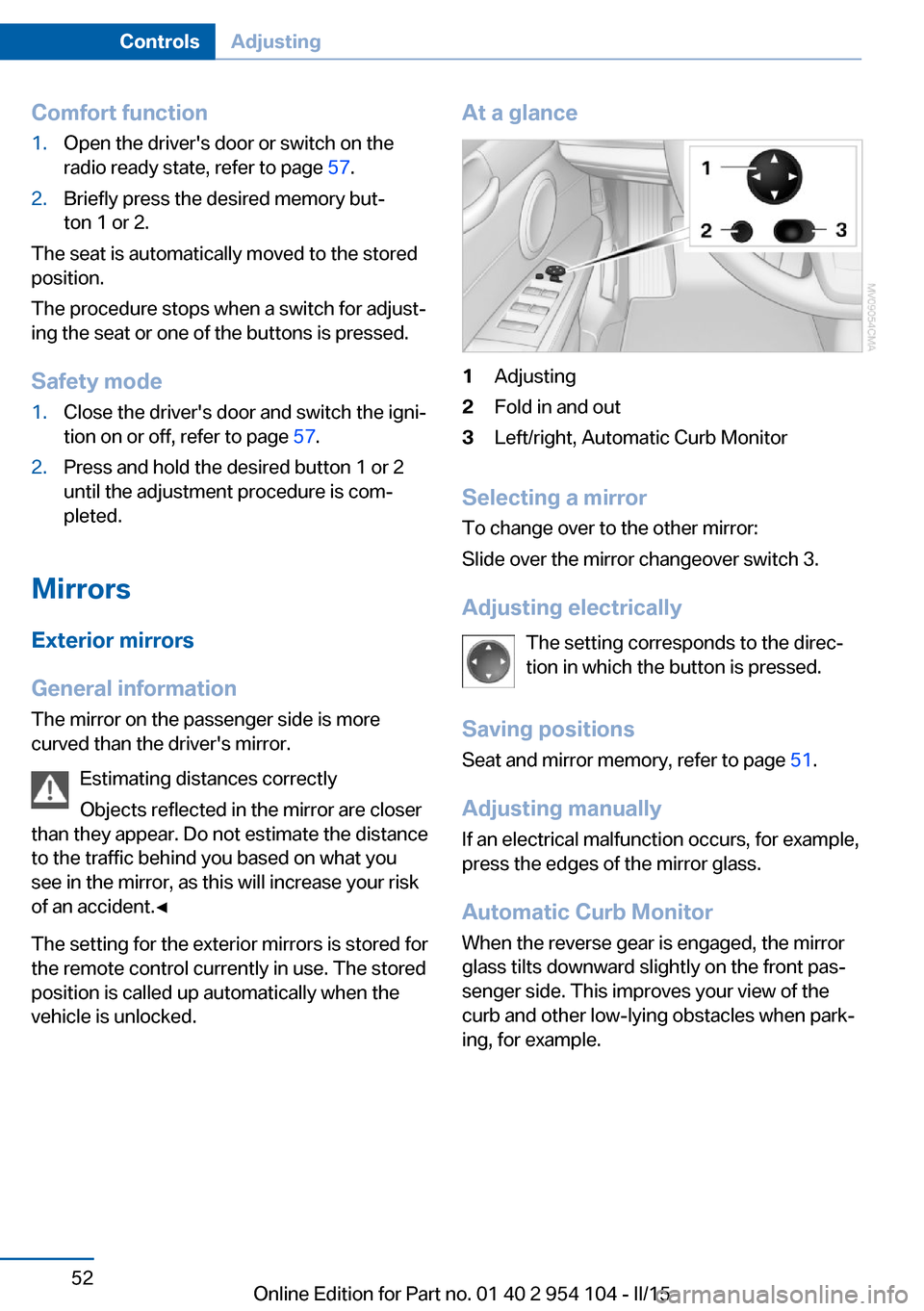
At a glance1Adjusting2Fold in and out3Left/right, Automatic Curb Monitor
Selecting a mirror
To change over to the other mirror:
Slide over the mirror changeover switch 3.
Adjusting electrically The setting corresponds to the direc‐
tion in which the button is pressed.
Saving positions Seat and mirror memory, refer to page 51.
Adjusting manually If an electrical malfunction occurs, for example,
press the edges of the mirror glass.
Automatic Curb Monitor When the reverse gear is engaged, the mirror
glass tilts downward slightly on the front pas‐
senger side. This improves your view of the
curb and other low-lying obstacles when park‐
ing, for example.
Seite 52ControlsAdjusting52
Online Edition for Part no. 01 40 2 954 104 - II/15
Page 58 of 289
Seat position
Before installing a child restraint fixing system,
move the passenger seat as far back and as
high as possible to obtain the best possible
position for the belt.
Backrest width1.Adjust the backrest width to its widest set‐
ting, refer to page 50.2.Install the child seat.
Backrest width for the child seat
Before installing a child restraint fixing
system in the front passenger seat, the back‐
rest width must be opened completely. Do not
change the adjustment after this; otherwise,
the stability of the child seat will be reduced.◀
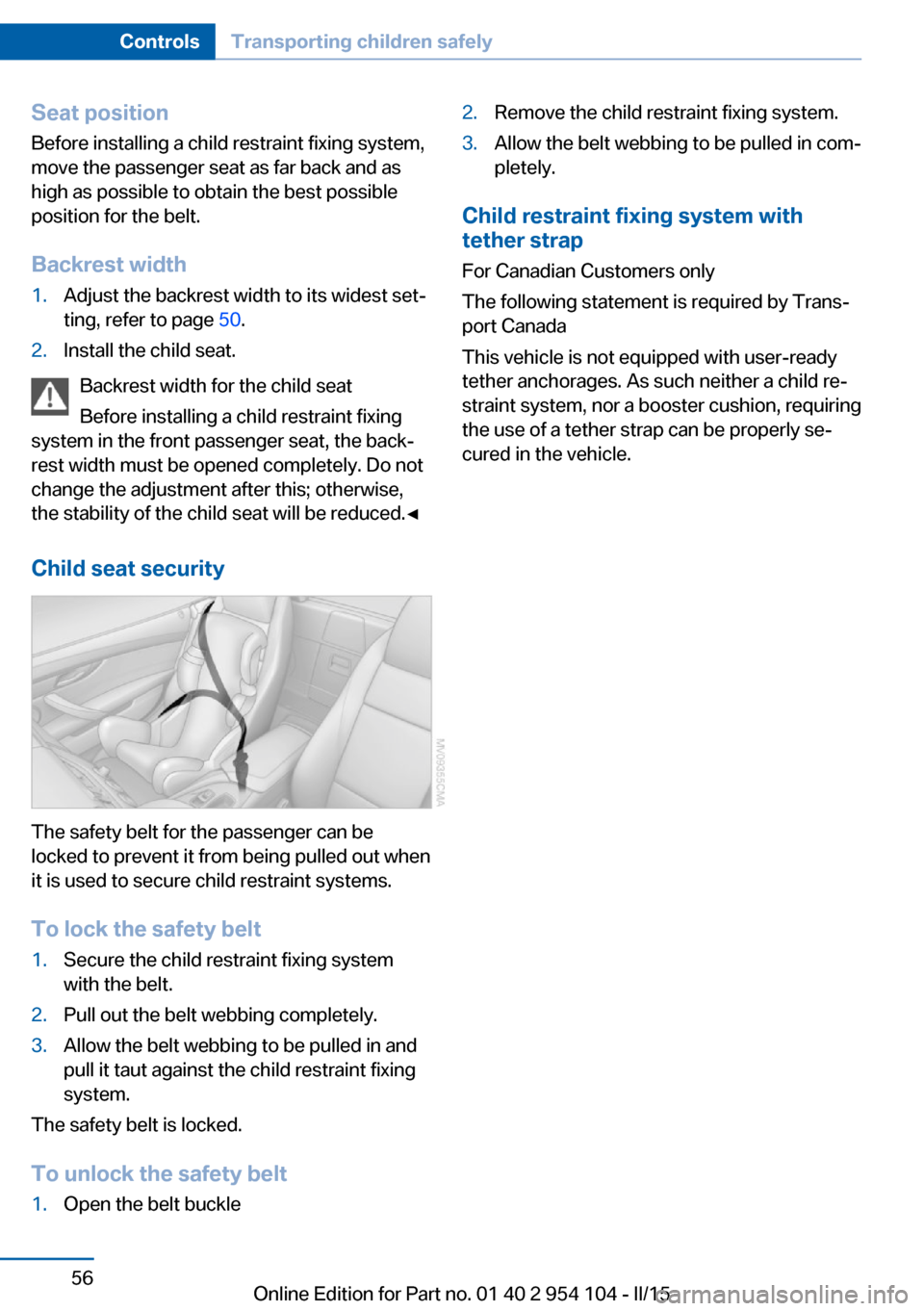
Child seat security
The safety belt for the passenger can be
locked to prevent it from being pulled out when
it is used to secure child restraint systems.
To lock the safety belt
1.Secure the child restraint fixing system
with the belt.2.Pull out the belt webbing completely.3.Allow the belt webbing to be pulled in and
pull it taut against the child restraint fixing
system.
The safety belt is locked.
To unlock the safety belt
1.Open the belt buckle2.Remove the child restraint fixing system.3.Allow the belt webbing to be pulled in com‐
pletely.
Child restraint fixing system with
tether strap
For Canadian Customers only
The following statement is required by Trans‐
port Canada
This vehicle is not equipped with user-ready
tether anchorages. As such neither a child re‐
straint system, nor a booster cushion, requiring
the use of a tether strap can be properly se‐
cured in the vehicle.
Seite 56ControlsTransporting children safely56
Online Edition for Part no. 01 40 2 954 104 - II/15
Page 68 of 289
8-gear Sport automatic
transmission
Transmission positions
D Drive, automatic position Position for normal vehicle operation. All for‐
ward gears are available.
Under normal operating conditions, fuel con‐
sumption is lowest when you are driving in po‐
sition D.
Kickdown
Kickdown is used to achieve maximum driving
performance. Press on the accelerator beyond
the resistance point at the full throttle position.
R is Reverse
Select only when the vehicle is stationary.
N is NeutralThe vehicle can roll.
N remains engaged after the engine is
switched off if the remote control remains in
the ignition lock. This function can be used in
an automatic car wash, refer to page 257, for
example. P is automatically engaged after ap‐
prox. 30 minutes.
P Park The rear wheels are locked.
P is engaged automatically when the following
conditions are met:▷The driver's door is opened while the en‐
gine is running, the safety belt is not fas‐
tened and neither the brake pedal nor the
accelerator is activated.▷The engine is switched off unless N is en‐
gaged and the remote control is in the igni‐
tion lock.▷The remote control is removed from the ig‐
nition lock, refer to page 57.Before leaving the vehicle, ensure that the
transmission position P is engaged; otherwise,
the vehicle may begin to roll.
Engaging transmission position▷Transmission position P can only be disen‐
gaged if the engine is running and the
brake pedal is pressed.▷With the vehicle stationary, press on the
brake pedal before shifting out of P or N;
otherwise, the shift command will not be
executed: shift lock.
Press on the brake pedal until you start
driving
To prevent the vehicle from creeping after you
select a driving position, maintain pressure on
the brake pedal until you are ready to start.◀
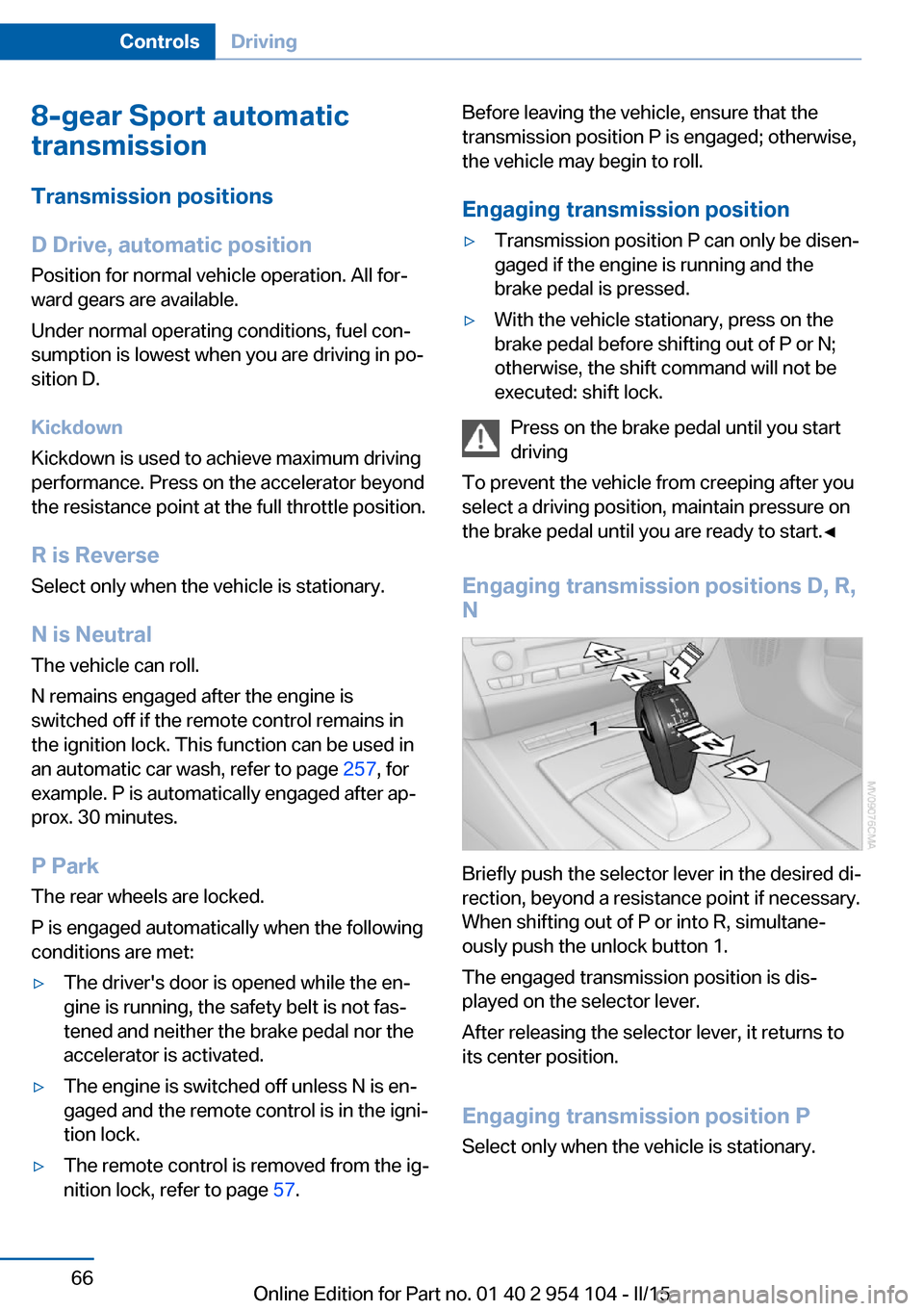
Engaging transmission positions D, R,
N
Briefly push the selector lever in the desired di‐
rection, beyond a resistance point if necessary.
When shifting out of P or into R, simultane‐
ously push the unlock button 1.
The engaged transmission position is dis‐
played on the selector lever.
After releasing the selector lever, it returns to
its center position.
Engaging transmission position P Select only when the vehicle is stationary.
Seite 66ControlsDriving66
Online Edition for Part no. 01 40 2 954 104 - II/15
Page 71 of 289
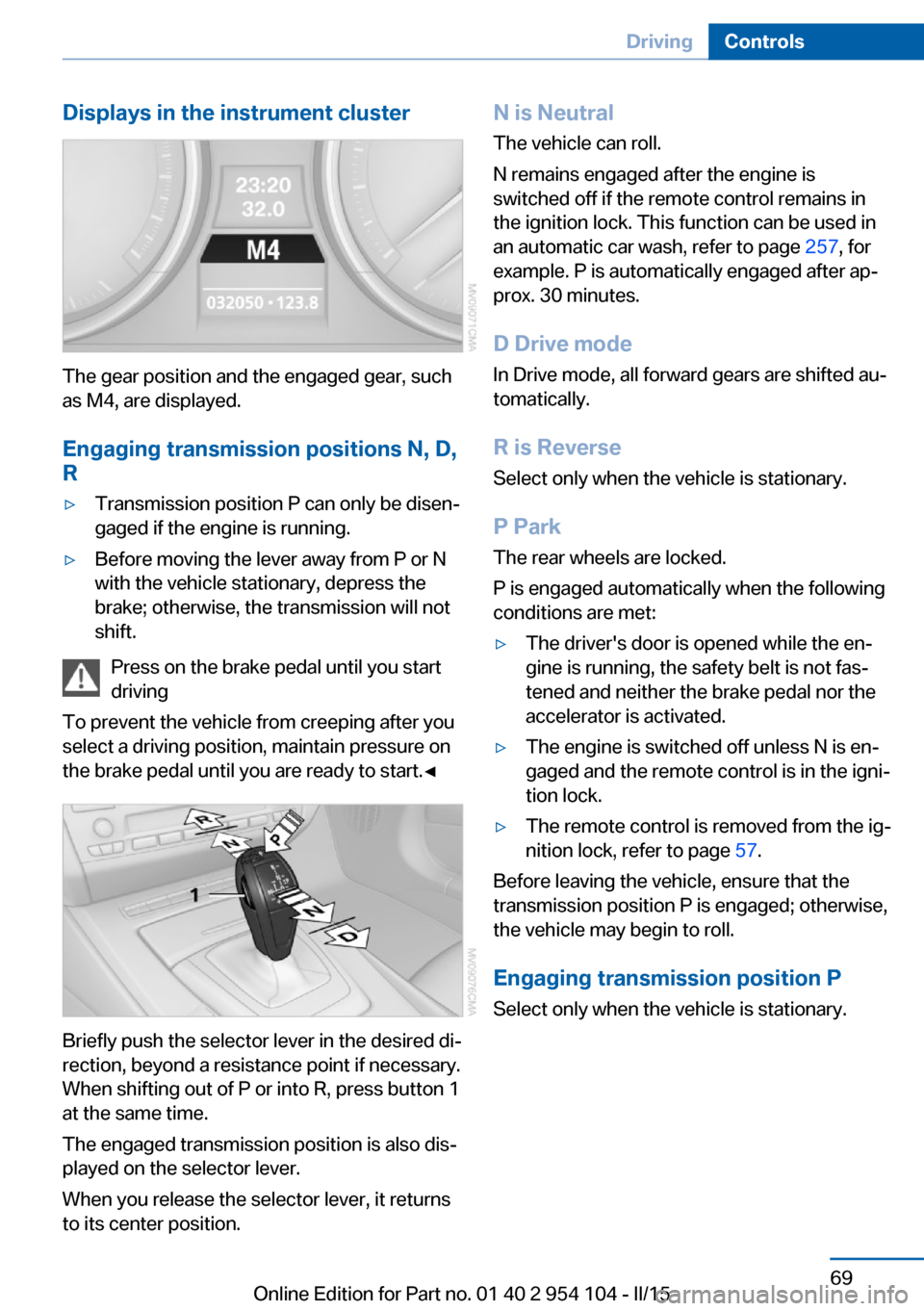
Displays in the instrument cluster
The gear position and the engaged gear, such
as M4, are displayed.
Engaging transmission positions N, D,
R
▷Transmission position P can only be disen‐
gaged if the engine is running.▷Before moving the lever away from P or N
with the vehicle stationary, depress the
brake; otherwise, the transmission will not
shift.
Press on the brake pedal until you start
driving
To prevent the vehicle from creeping after you
select a driving position, maintain pressure on
the brake pedal until you are ready to start.◀
Briefly push the selector lever in the desired di‐
rection, beyond a resistance point if necessary.
When shifting out of P or into R, press button 1
at the same time.
The engaged transmission position is also dis‐
played on the selector lever.
When you release the selector lever, it returns
to its center position.
N is Neutral
The vehicle can roll.
N remains engaged after the engine is
switched off if the remote control remains in
the ignition lock. This function can be used in
an automatic car wash, refer to page 257, for
example. P is automatically engaged after ap‐
prox. 30 minutes.
D Drive mode
In Drive mode, all forward gears are shifted au‐
tomatically.
R is Reverse
Select only when the vehicle is stationary.
P Park The rear wheels are locked.
P is engaged automatically when the following
conditions are met:▷The driver's door is opened while the en‐
gine is running, the safety belt is not fas‐
tened and neither the brake pedal nor the
accelerator is activated.▷The engine is switched off unless N is en‐
gaged and the remote control is in the igni‐
tion lock.▷The remote control is removed from the ig‐
nition lock, refer to page 57.
Before leaving the vehicle, ensure that the
transmission position P is engaged; otherwise,
the vehicle may begin to roll.
Engaging transmission position P Select only when the vehicle is stationary.
Seite 69DrivingControls69
Online Edition for Part no. 01 40 2 954 104 - II/15
Page 73 of 289
▷Shift up: pull right shift paddle.▷Shift down: pull left shift paddle.
Gears can be shifted using the shift paddles in
Drive mode or in manual mode.
Gear change in manual mode
When manual mode is active, refer to page 70,
gears can be changed using the shift paddles
or the selector lever.
Gear change in Drive mode The shift paddles can be used to change gears
in Drive mode as well.
Afterwards, if the shift paddles are not used for
some time and vehicle acceleration is insuffi‐
cient, the forward gears are changed again au‐ tomatically.
Launch Control
Launch Control enables you to drive off with an
optimal vehicle acceleration on a high grip road
surface.
Do not use Launch Control too often
Do not use Launch Control too often, as
the higher loads on the vehicle lead to prema‐
ture component wear.◀
Launch Control is available when the engine is
at operating temperature, i.e., after driving con‐
tinuously for at least 6 miles/10 km.
1.With the engine running, depress the brake
pedal with your left foot.2.Activate the SPORT+ program of the Dy‐
namic Driving Control, refer to page 102.3.With the vehicle stationary, activate manual
mode and select first gear.4.Press the accelerator all the way down.
The engine speed when driving off is con‐
trolled. A flag symbol appears in the instru‐
ment cluster.5.The vehicle accelerates when you release
the brake pedal. Keep the accelerator
pressed all the way down.6.The transmission shifts up automatically as
long as the accelerator is pressed all the
way down.
Launch Control only becomes available again
after a certain distance has been driven.
Launch Control can only be used after the
break-in phase, refer to page 130.
To maintain driving stability, activate DSC
whenever possible.
Manually releasing and engaging the
transmission lock
If a power failure occurs, e.g., if the battery is
discharged or disconnected, the transmission
lock must be released manually, otherwise the
rear wheels are blocked and the vehicle cannot
be towed.
Release the transmission lock manually for
towing only and set the parking brake before‐
hand to prevent the vehicle from rolling. After
parking the vehicle, engage the transmission
lock again manually, refer to page 72.
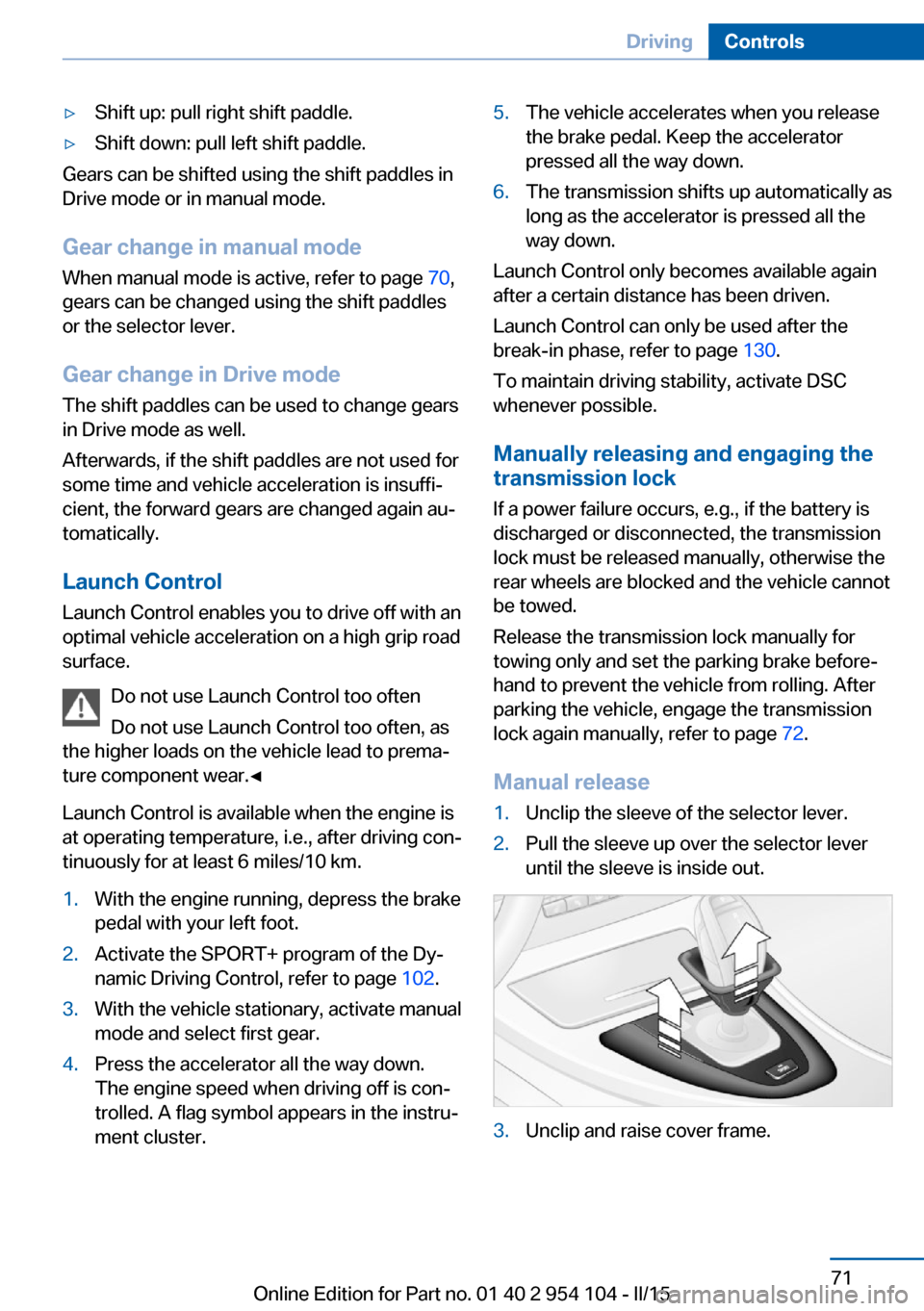
Manual release
1.Unclip the sleeve of the selector lever.2.Pull the sleeve up over the selector lever
until the sleeve is inside out.3.Unclip and raise cover frame.Seite 71DrivingControls71
Online Edition for Part no. 01 40 2 954 104 - II/15
Page 74 of 289
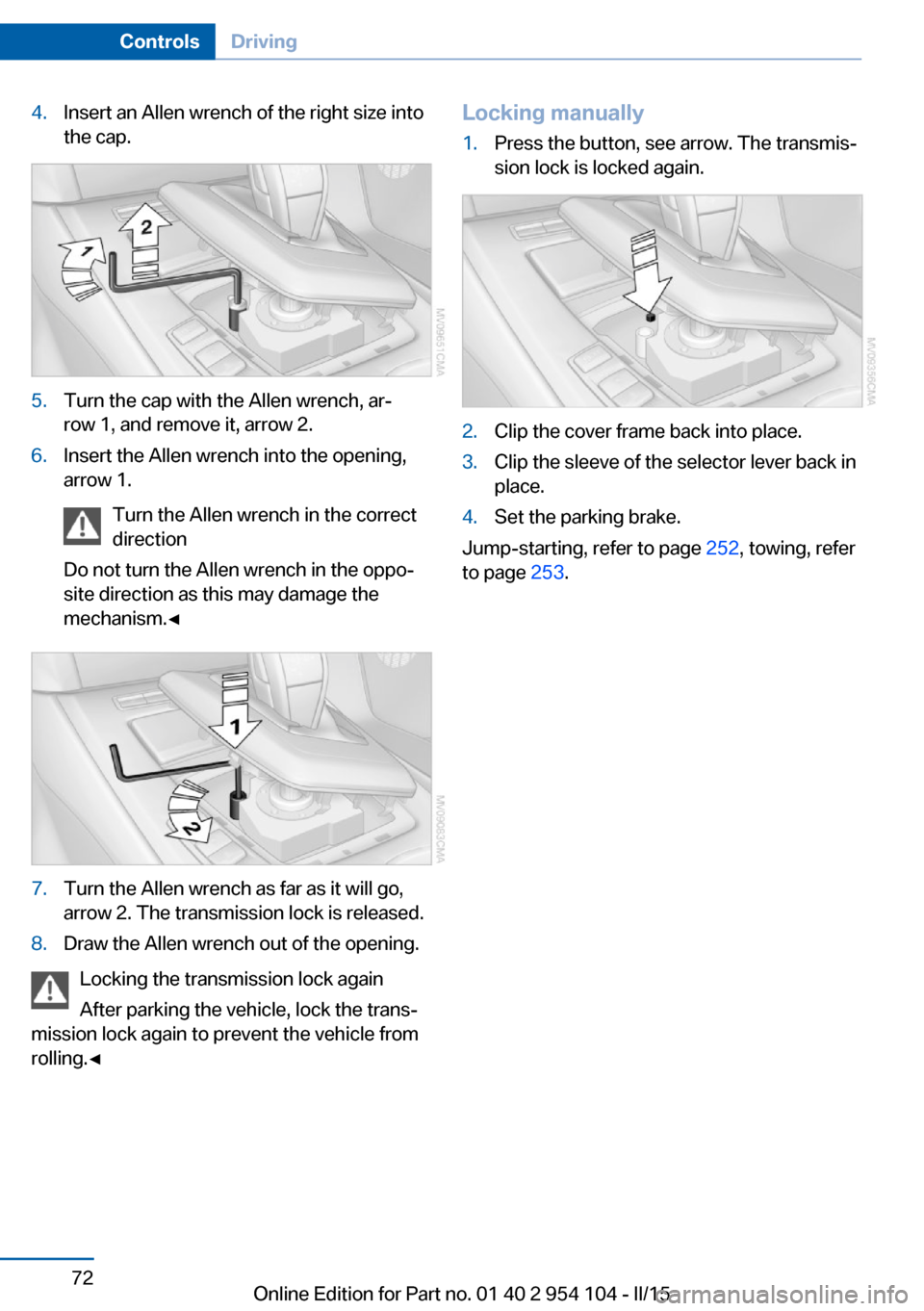
4.Insert an Allen wrench of the right size into
the cap.5.Turn the cap with the Allen wrench, ar‐
row 1, and remove it, arrow 2.6.Insert the Allen wrench into the opening,
arrow 1.
Turn the Allen wrench in the correct
direction
Do not turn the Allen wrench in the oppo‐
site direction as this may damage the
mechanism.◀7.Turn the Allen wrench as far as it will go,
arrow 2. The transmission lock is released.8.Draw the Allen wrench out of the opening.
Locking the transmission lock again
After parking the vehicle, lock the trans‐
mission lock again to prevent the vehicle from
rolling.◀
Locking manually1.Press the button, see arrow. The transmis‐
sion lock is locked again.2.Clip the cover frame back into place.3.Clip the sleeve of the selector lever back in
place.4.Set the parking brake.
Jump-starting, refer to page 252, towing, refer
to page 253.
Seite 72ControlsDriving72
Online Edition for Part no. 01 40 2 954 104 - II/15
Page 116 of 289
▷Left LED on, automatic recirculated air
control: a sensor detects pollutants in the
outside air. If necessary, the system blocks
the supply of outside air and recirculates
the inside air. As soon as the concentration
of pollutants in the outside air has de‐
creased sufficiently, the system automati‐
cally switches back to outside air supply.▷Right LED on, recirculated air mode: the
supply of outside air into the vehicle is per‐
manently blocked. The system then recir‐
culates the air currently within the vehicle.
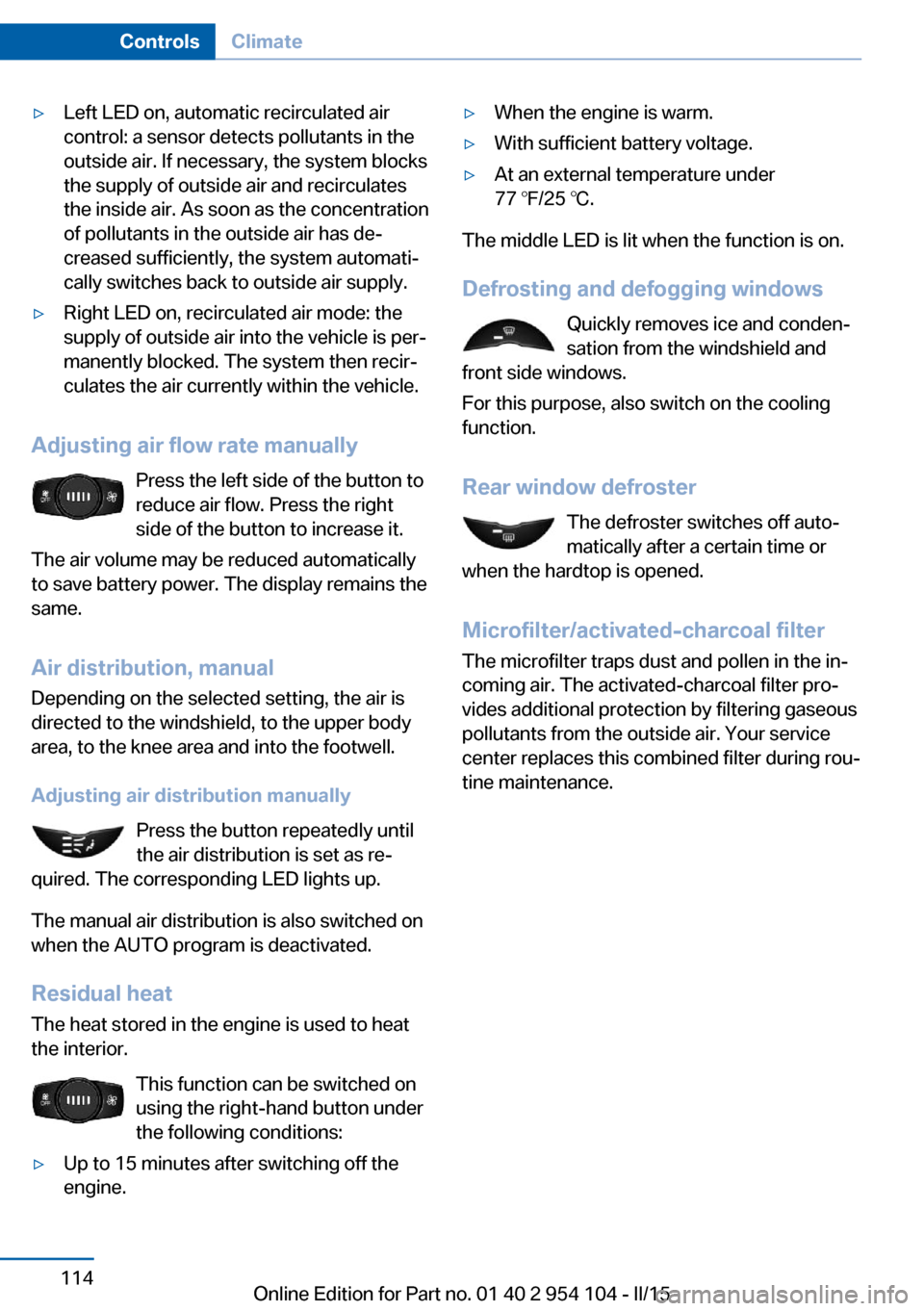
Adjusting air flow rate manually
Press the left side of the button to
reduce air flow. Press the right
side of the button to increase it.
The air volume may be reduced automatically
to save battery power. The display remains the
same.
Air distribution, manual
Depending on the selected setting, the air is
directed to the windshield, to the upper body
area, to the knee area and into the footwell.
Adjusting air distribution manually Press the button repeatedly until
the air distribution is set as re‐
quired. The corresponding LED lights up.
The manual air distribution is also switched on
when the AUTO program is deactivated.
Residual heat
The heat stored in the engine is used to heat
the interior.
This function can be switched on
using the right-hand button under
the following conditions:
▷Up to 15 minutes after switching off the
engine.▷When the engine is warm.▷With sufficient battery voltage.▷At an external temperature under
77 ℉/25 ℃.
The middle LED is lit when the function is on.
Defrosting and defogging windows Quickly removes ice and conden‐
sation from the windshield and
front side windows.
For this purpose, also switch on the cooling
function.
Rear window defroster The defroster switches off auto‐
matically after a certain time or
when the hardtop is opened.
Microfilter/activated-charcoal filter
The microfilter traps dust and pollen in the in‐
coming air. The activated-charcoal filter pro‐
vides additional protection by filtering gaseous
pollutants from the outside air. Your service
center replaces this combined filter during rou‐
tine maintenance.
Seite 114ControlsClimate114
Online Edition for Part no. 01 40 2 954 104 - II/15
Page 126 of 289
Storage compartmentsVehicle equipmentThis chapter describes all series equipment as
well as country-specific and special equipment
offered for this model series. Therefore, it also
describes equipment that may not be found in
your vehicle, for instance due to the selected
special equipment or the country version. This
also applies to safety-related functions and
systems.
When using the features and systems descri‐
bed here, adhere to local regulations.
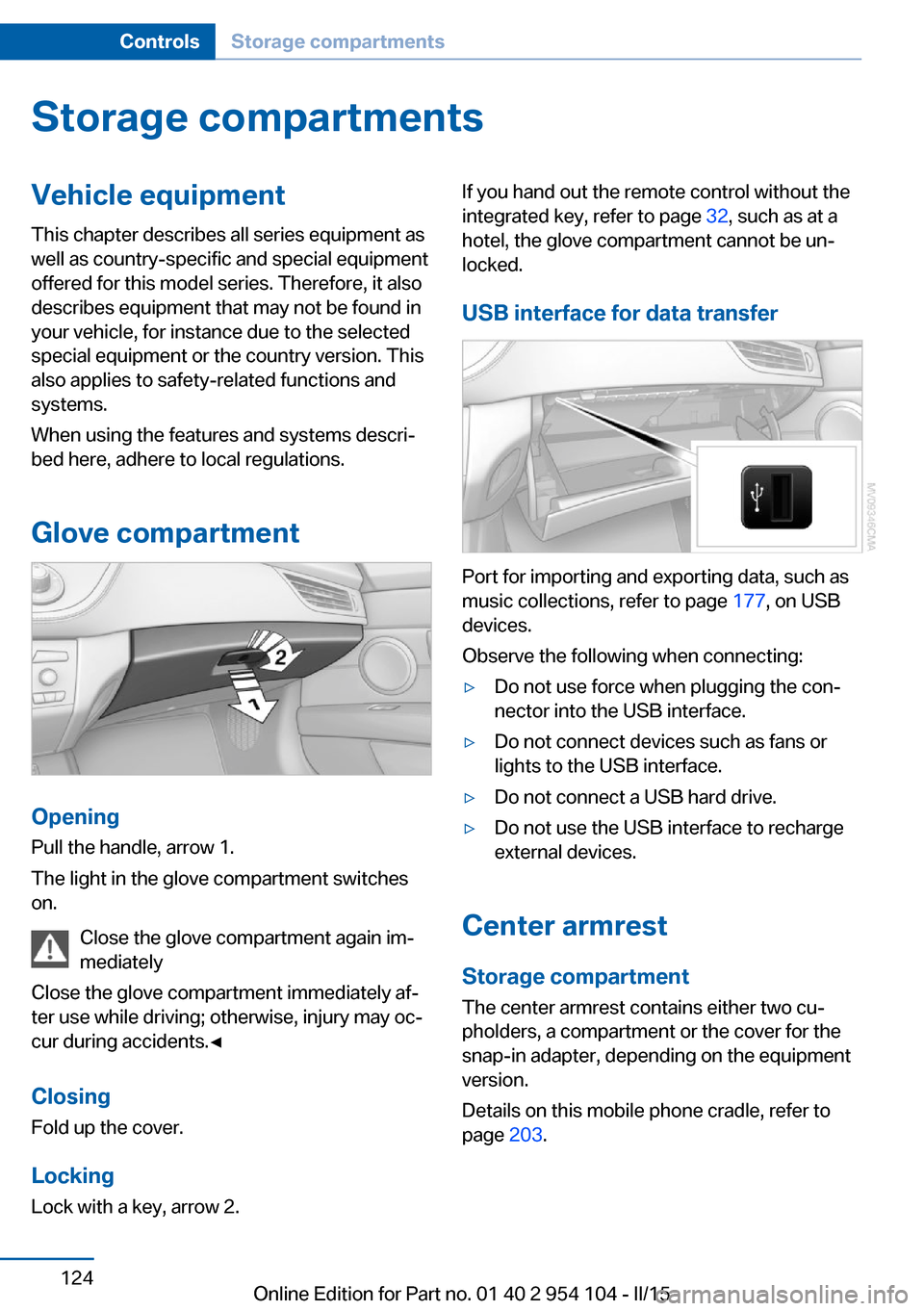
Glove compartment
Opening
Pull the handle, arrow 1.
The light in the glove compartment switches
on.
Close the glove compartment again im‐
mediately
Close the glove compartment immediately af‐
ter use while driving; otherwise, injury may oc‐
cur during accidents.◀
ClosingFold up the cover.
Locking
Lock with a key, arrow 2.
If you hand out the remote control without the
integrated key, refer to page 32, such as at a
hotel, the glove compartment cannot be un‐
locked.
USB interface for data transfer
Port for importing and exporting data, such as
music collections, refer to page 177, on USB
devices.
Observe the following when connecting:
▷Do not use force when plugging the con‐
nector into the USB interface.▷Do not connect devices such as fans or
lights to the USB interface.▷Do not connect a USB hard drive.▷Do not use the USB interface to recharge
external devices.
Center armrest
Storage compartment The center armrest contains either two cu‐
pholders, a compartment or the cover for the
snap-in adapter, depending on the equipment
version.
Details on this mobile phone cradle, refer to
page 203.
Seite 124ControlsStorage compartments124
Online Edition for Part no. 01 40 2 954 104 - II/15
Page 127 of 289
Locking the storage compartment
When you lock the vehicle from the outside,
the storage compartment in the center armrest
is locked as well.
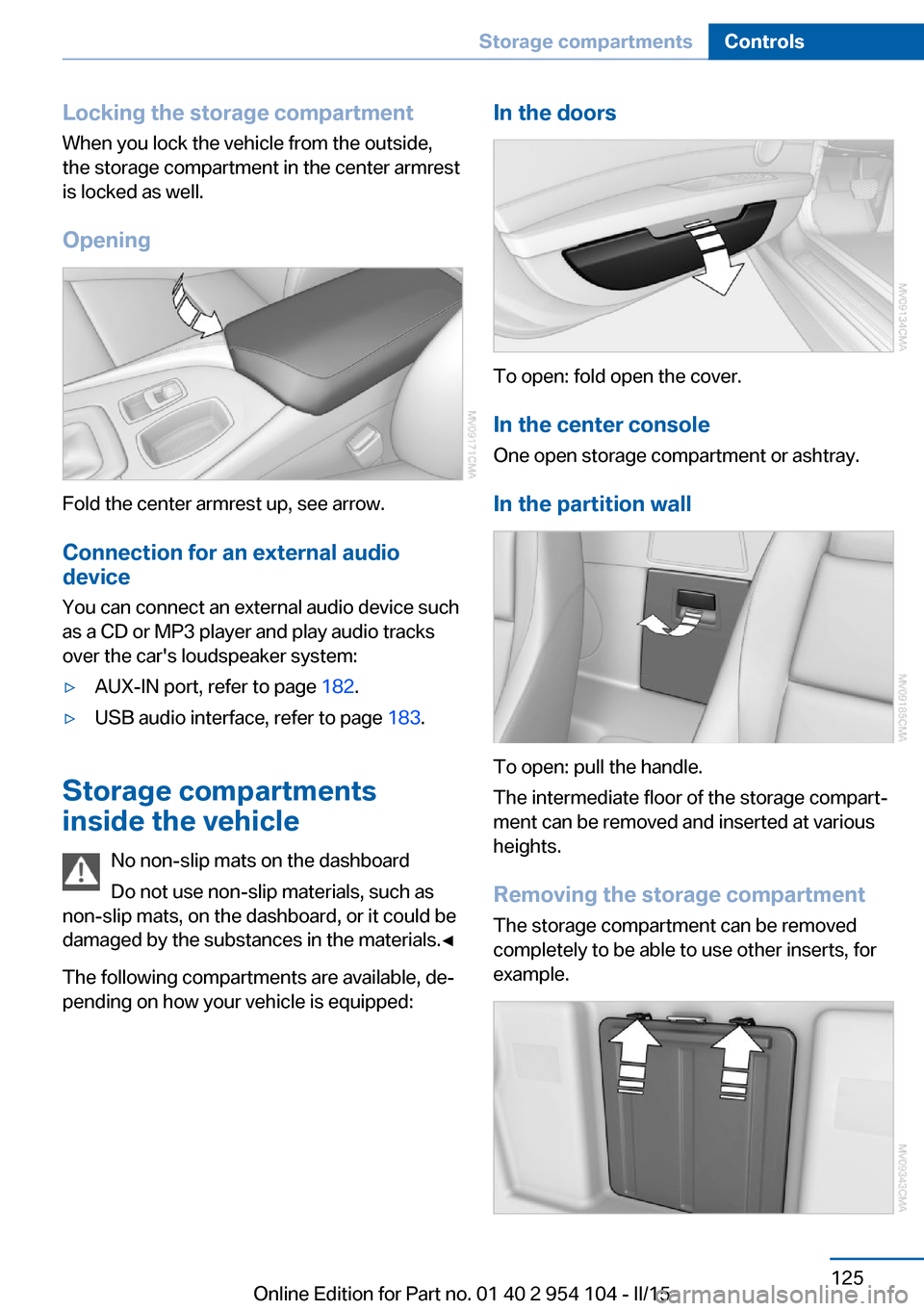
Opening
Fold the center armrest up, see arrow.Connection for an external audio
device
You can connect an external audio device such
as a CD or MP3 player and play audio tracks over the car's loudspeaker system:
▷AUX-IN port, refer to page 182.▷USB audio interface, refer to page 183.
Storage compartments
inside the vehicle
No non-slip mats on the dashboard
Do not use non-slip materials, such as
non-slip mats, on the dashboard, or it could be
damaged by the substances in the materials.◀
The following compartments are available, de‐
pending on how your vehicle is equipped:
In the doors
To open: fold open the cover.
In the center console One open storage compartment or ashtray.
In the partition wall
To open: pull the handle.
The intermediate floor of the storage compart‐
ment can be removed and inserted at various
heights.
Removing the storage compartment The storage compartment can be removed
completely to be able to use other inserts, for
example.
Seite 125Storage compartmentsControls125
Online Edition for Part no. 01 40 2 954 104 - II/15