clutch BMW Z4 2016 E89 User Guide
[x] Cancel search | Manufacturer: BMW, Model Year: 2016, Model line: Z4, Model: BMW Z4 2016 E89Pages: 289, PDF Size: 7.13 MB
Page 132 of 289
Things to remember when drivingVehicle equipment
This chapter describes all series equipment as
well as country-specific and special equipment
offered for this model series. Therefore, it also
describes equipment that may not be found in
your vehicle, for instance due to the selected
special equipment or the country version. This
also applies to safety-related functions and
systems.
When using the features and systems descri‐
bed here, adhere to local regulations.
Breaking-in period General information Moving parts need to be broken in to adjust to
each other.
The following instructions will help achieve a
long vehicle life and good economy.
Engine and differential
Always obey the official speed limits.
Up to 1,200 miles/2,000 km
Do not exceed the maximum engine and road
speeds:▷4,500 rpm and 100 mph/160 km/h.
Do not drive with full-throttle operation, and do
not use the transmission's kickdown mode or
Launch Control.
From 1,200 miles/2,000 km The engine and vehicle speed can gradually be
increased.
Tires
Due to technical factors associated with their
manufacture, tires do not achieve their full
traction potential until after an initial breaking-
in period.
Drive conservatively for the first
200 miles/300 km.
Brake system
Brakes require an initial break-in period of ap‐
prox. 300 miles/500 km to achieve optimized
contact and wear patterns between brake pads and discs. Drive cautiously during this break-in
period.
Clutch
The clutch requires an initial break-in period of
approx. 300 miles/500 km to function at an op‐
timal level.
During this break-in period, engage the clutch
gently.
Following part replacement
The same breaking in procedures should be
observed if any of the components mentioned
above have to be renewed in the course of the
vehicle's operating life.
General driving notes
Ground clearance Limited ground clearance
Note that the Z4 sDrive35 has limited
ground clearance, for instance when driving
into underground parking garages or over ob‐
stacles. Otherwise, the vehicle may be dam‐
aged.◀Seite 128Driving tipsThings to remember when driving128
Online Edition for Part no. 01 40 2 957 403 - X/14
Page 134 of 289
Objects in the area around the pedalsNo objects in the area around the pedals
Keep floor mats, carpets, and any other
objects out of the area of motion of the pedals;
otherwise, the function of the pedals could be
impeded while driving
Do not place additional floor mats over existing
mats or other objects.
Only use floor mats that have been approved
for the vehicle and can be properly fixed in
place.
Ensure that the floor mats are securely fas‐
tened again when they are returned after being
removed, such as for cleaning.◀
Driving in wet conditionsWhen roads are wet or there is heavy rain,
briefly exert gentle pressure on the brake pedal
every few miles.
Ensure that this action does not endanger
other road users.
The heat generated in this process helps dry
the brake discs and pads.
In this way braking efficiency will be available
when you need it.
Hills
Drive long or steep downhill gradients in the
gear in which the least braking is required.
Otherwise, the brake system may overheat, re‐
sulting in a reduction in the brake system effi‐
ciency.
You can increase the engine's braking effect
by shifting down, going all the way to first gear,
if necessary.
Downshifting in manual mode of the 8-gear
Sport automatic transmission, refer to
page 64.
Downshifting in manual mode of the 7-gear
Sport automatic transmission with dual clutch,
refer to page 67.Avoid load on the brakes
Avoid placing excessive load on the
brake system. Light but consistent brake pres‐
sure can lead to high temperatures, brake wear
and possibly even brake failure.◀
Do not drive in neutral
Never drive with the transmission in neu‐
tral, with the engine switched off or with the
clutch depressed; otherwise, you will have nei‐
ther the braking action of the engine or nor its
power assistance when braking or steering.◀
Brake disc corrosion Corrosion on the brake discs and contamina‐
tion on the brake pads are furthered by:▷Low mileage.▷Extended periods when the vehicle is not
used at all.▷Infrequent use of the brakes.
Corrosion occurs when the minimum pressure
that must be exerted by the pads during brake
applications to clean the discs is not reached.
Should corrosion form on the brake discs, the
brakes will tend to respond with a pulsating ef‐
fect that generally cannot be corrected.
Condensation under the parked
vehicle
When using the automatic climate control,
condensation water develops that exits under‐
neath the vehicle.
Therefore, traces of condensed water under
the vehicle are normal.
Loading Overloading the vehicle
To avoid exceeding the approved carry‐
ing capacity of the tires, never overload the ve‐
hicle. Overloading can lead to overheating and
increases the rate at which damage develops
Seite 130Driving tipsThings to remember when driving130
Online Edition for Part no. 01 40 2 957 403 - X/14
Page 256 of 289
Tow truck
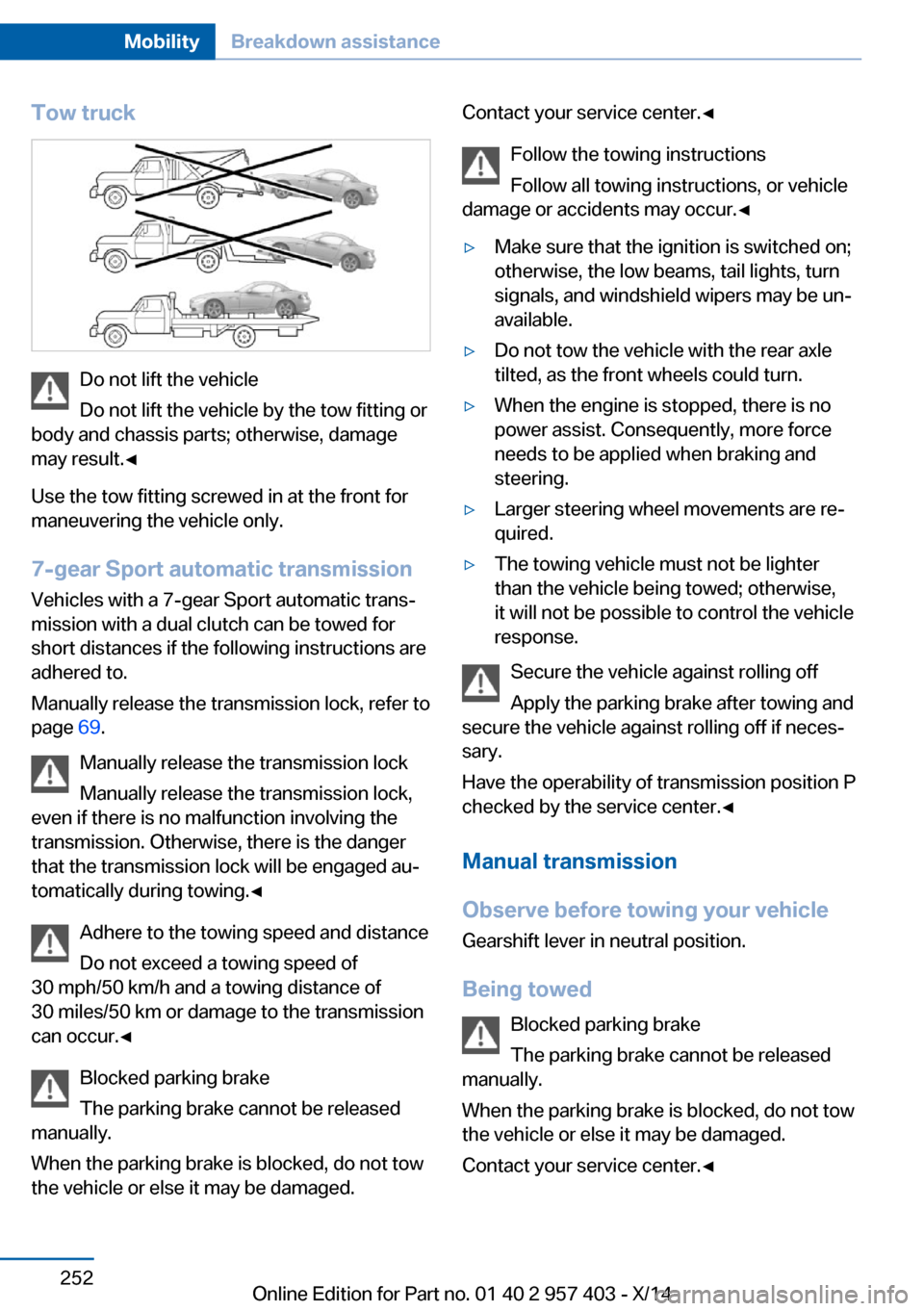
Do not lift the vehicle
Do not lift the vehicle by the tow fitting or
body and chassis parts; otherwise, damage
may result.◀
Use the tow fitting screwed in at the front for
maneuvering the vehicle only.
7-gear Sport automatic transmission
Vehicles with a 7-gear Sport automatic trans‐
mission with a dual clutch can be towed for
short distances if the following instructions are
adhered to.
Manually release the transmission lock, refer to
page 69.
Manually release the transmission lock
Manually release the transmission lock,
even if there is no malfunction involving the
transmission. Otherwise, there is the danger
that the transmission lock will be engaged au‐
tomatically during towing.◀
Adhere to the towing speed and distance
Do not exceed a towing speed of
30 mph/50 km/h and a towing distance of
30 miles/50 km or damage to the transmission
can occur.◀
Blocked parking brake
The parking brake cannot be released
manually.
When the parking brake is blocked, do not tow
the vehicle or else it may be damaged.
Contact your service center.◀
Follow the towing instructions
Follow all towing instructions, or vehicle
damage or accidents may occur.◀▷Make sure that the ignition is switched on;
otherwise, the low beams, tail lights, turn
signals, and windshield wipers may be un‐
available.▷Do not tow the vehicle with the rear axle
tilted, as the front wheels could turn.▷When the engine is stopped, there is no
power assist. Consequently, more force
needs to be applied when braking and
steering.▷Larger steering wheel movements are re‐
quired.▷The towing vehicle must not be lighter
than the vehicle being towed; otherwise,
it will not be possible to control the vehicle
response.
Secure the vehicle against rolling off
Apply the parking brake after towing and
secure the vehicle against rolling off if neces‐
sary.
Have the operability of transmission position P
checked by the service center.◀
Manual transmission
Observe before towing your vehicle Gearshift lever in neutral position.
Being towed Blocked parking brake
The parking brake cannot be released
manually.
When the parking brake is blocked, do not tow
the vehicle or else it may be damaged.
Contact your service center.◀
Seite 252MobilityBreakdown assistance252
Online Edition for Part no. 01 40 2 957 403 - X/14
Page 258 of 289
Tow fitting
The screw-in tow fitting should always be car‐
ried in the vehicle. It can be screwed in at the
front or rear of the BMW.
It is stored in the onboard vehicle tool kit under
the cargo floor panel, refer to page 243.
Tow fitting, information on use▷Use only the tow fitting provided with
the vehicle and screw it all the way in.▷Use the tow fitting for towing on paved
roads only.▷Avoid lateral loading of the tow fitting, e.g.,
do not lift the vehicle by the tow fitting.
Otherwise, damage to the tow fitting and the
vehicle can occur.◀
Screw thread
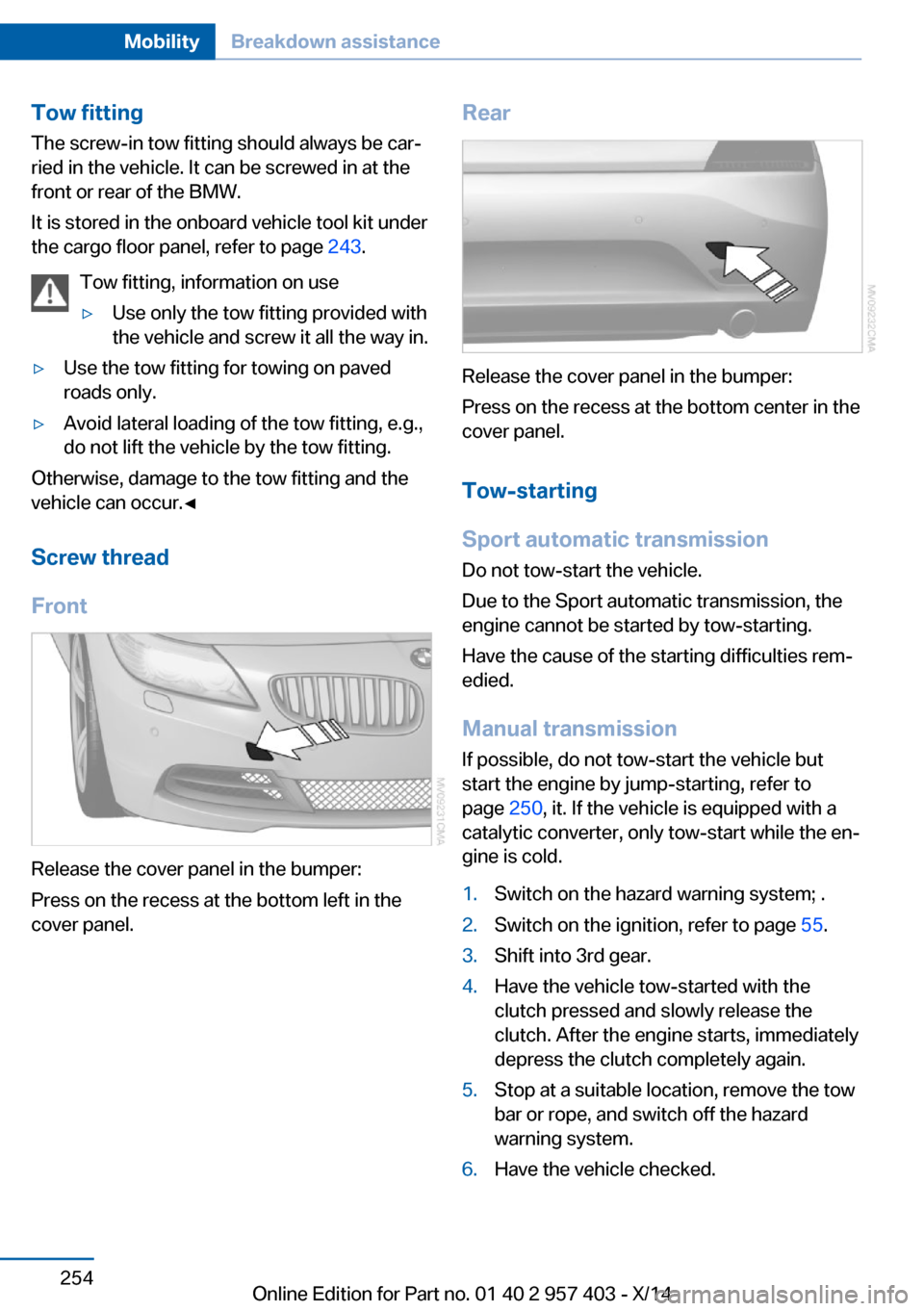
Front
Release the cover panel in the bumper:
Press on the recess at the bottom left in the
cover panel.
Rear
Release the cover panel in the bumper:
Press on the recess at the bottom center in the
cover panel.
Tow-starting
Sport automatic transmission Do not tow-start the vehicle.
Due to the Sport automatic transmission, the
engine cannot be started by tow-starting.
Have the cause of the starting difficulties rem‐
edied.
Manual transmission If possible, do not tow-start the vehicle but
start the engine by jump-starting, refer to
page 250, it. If the vehicle is equipped with a
catalytic converter, only tow-start while the en‐
gine is cold.
1.Switch on the hazard warning system; .2.Switch on the ignition, refer to page 55.3.Shift into 3rd gear.4.Have the vehicle tow-started with the
clutch pressed and slowly release the
clutch. After the engine starts, immediately
depress the clutch completely again.5.Stop at a suitable location, remove the tow
bar or rope, and switch off the hazard
warning system.6.Have the vehicle checked.Seite 254MobilityBreakdown assistance254
Online Edition for Part no. 01 40 2 957 403 - X/14
Page 276 of 289
Everything from A to Z
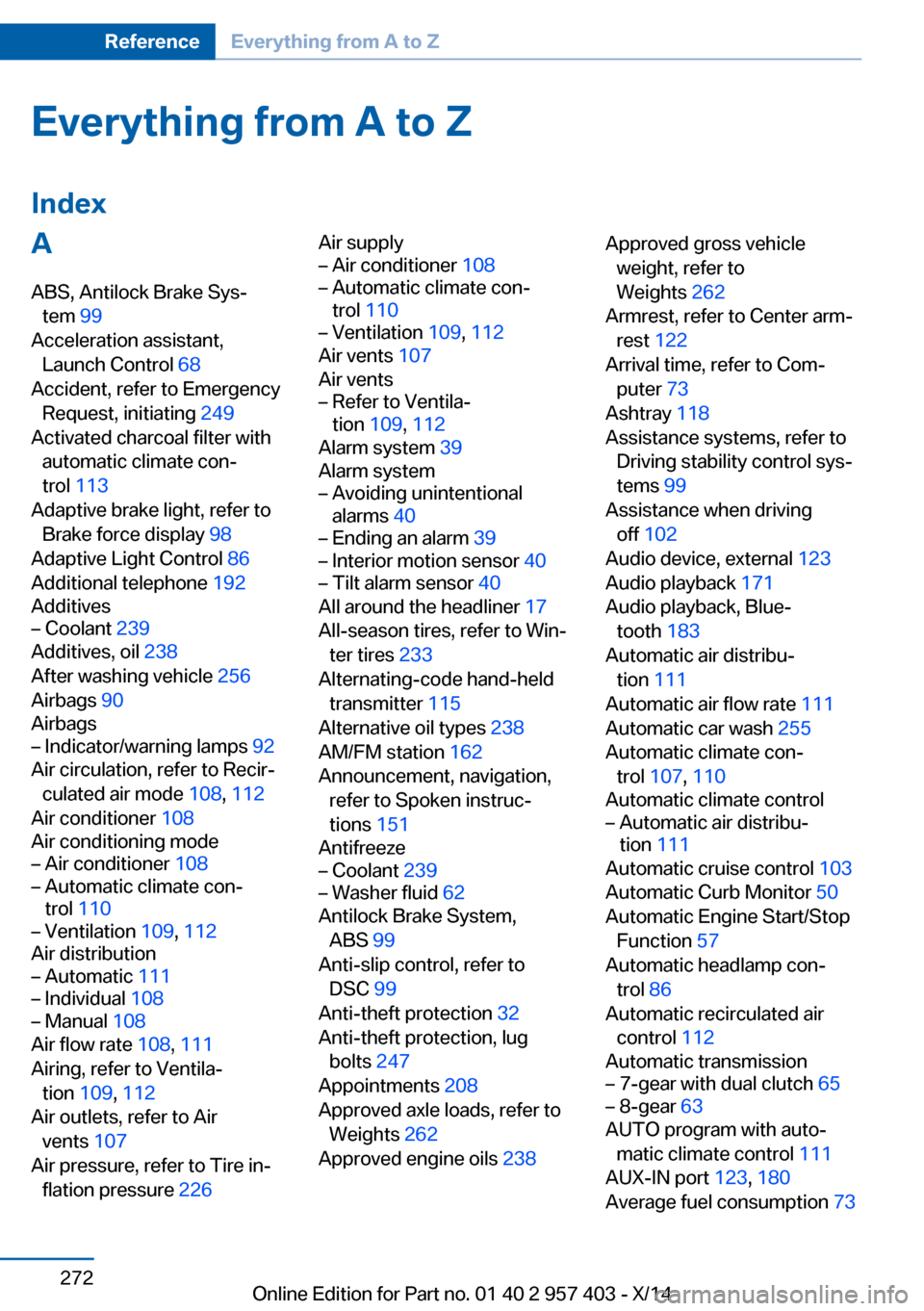
IndexA ABS, Antilock Brake Sys‐ tem 99
Acceleration assistant, Launch Control 68
Accident, refer to Emergency Request, initiating 249
Activated charcoal filter with automatic climate con‐
trol 113
Adaptive brake light, refer to Brake force display 98
Adaptive Light Control 86
Additional telephone 192
Additives– Coolant 239
Additives, oil 238
After washing vehicle 256
Airbags 90
Airbags
– Indicator/warning lamps 92
Air circulation, refer to Recir‐
culated air mode 108, 112
Air conditioner 108
Air conditioning mode
– Air conditioner 108– Automatic climate con‐
trol 110– Ventilation 109, 112
Air distribution
– Automatic 111– Individual 108– Manual 108
Air flow rate 108, 111
Airing, refer to Ventila‐ tion 109, 112
Air outlets, refer to Air vents 107
Air pressure, refer to Tire in‐ flation pressure 226
Air supply– Air conditioner 108– Automatic climate con‐
trol 110– Ventilation 109, 112
Air vents 107
Air vents
– Refer to Ventila‐
tion 109, 112
Alarm system 39
Alarm system
– Avoiding unintentional
alarms 40– Ending an alarm 39– Interior motion sensor 40– Tilt alarm sensor 40
All around the headliner 17
All-season tires, refer to Win‐ ter tires 233
Alternating-code hand-held transmitter 115
Alternative oil types 238
AM/FM station 162
Announcement, navigation, refer to Spoken instruc‐
tions 151
Antifreeze
– Coolant 239– Washer fluid 62
Antilock Brake System,
ABS 99
Anti-slip control, refer to DSC 99
Anti-theft protection 32
Anti-theft protection, lug bolts 247
Appointments 208
Approved axle loads, refer to Weights 262
Approved engine oils 238
Approved gross vehicle
weight, refer to
Weights 262
Armrest, refer to Center arm‐ rest 122
Arrival time, refer to Com‐ puter 73
Ashtray 118
Assistance systems, refer to Driving stability control sys‐
tems 99
Assistance when driving off 102
Audio device, external 123
Audio playback 171
Audio playback, Blue‐ tooth 183
Automatic air distribu‐ tion 111
Automatic air flow rate 111
Automatic car wash 255
Automatic climate con‐ trol 107 , 110
Automatic climate control– Automatic air distribu‐
tion 111
Automatic cruise control 103
Automatic Curb Monitor 50
Automatic Engine Start/Stop Function 57
Automatic headlamp con‐ trol 86
Automatic recirculated air control 112
Automatic transmission
– 7-gear with dual clutch 65– 8-gear 63
AUTO program with auto‐
matic climate control 111
AUX-IN port 123, 180
Average fuel consumption 73
Seite 272ReferenceEverything from A to Z272
Online Edition for Part no. 01 40 2 957 403 - X/14
Page 286 of 289
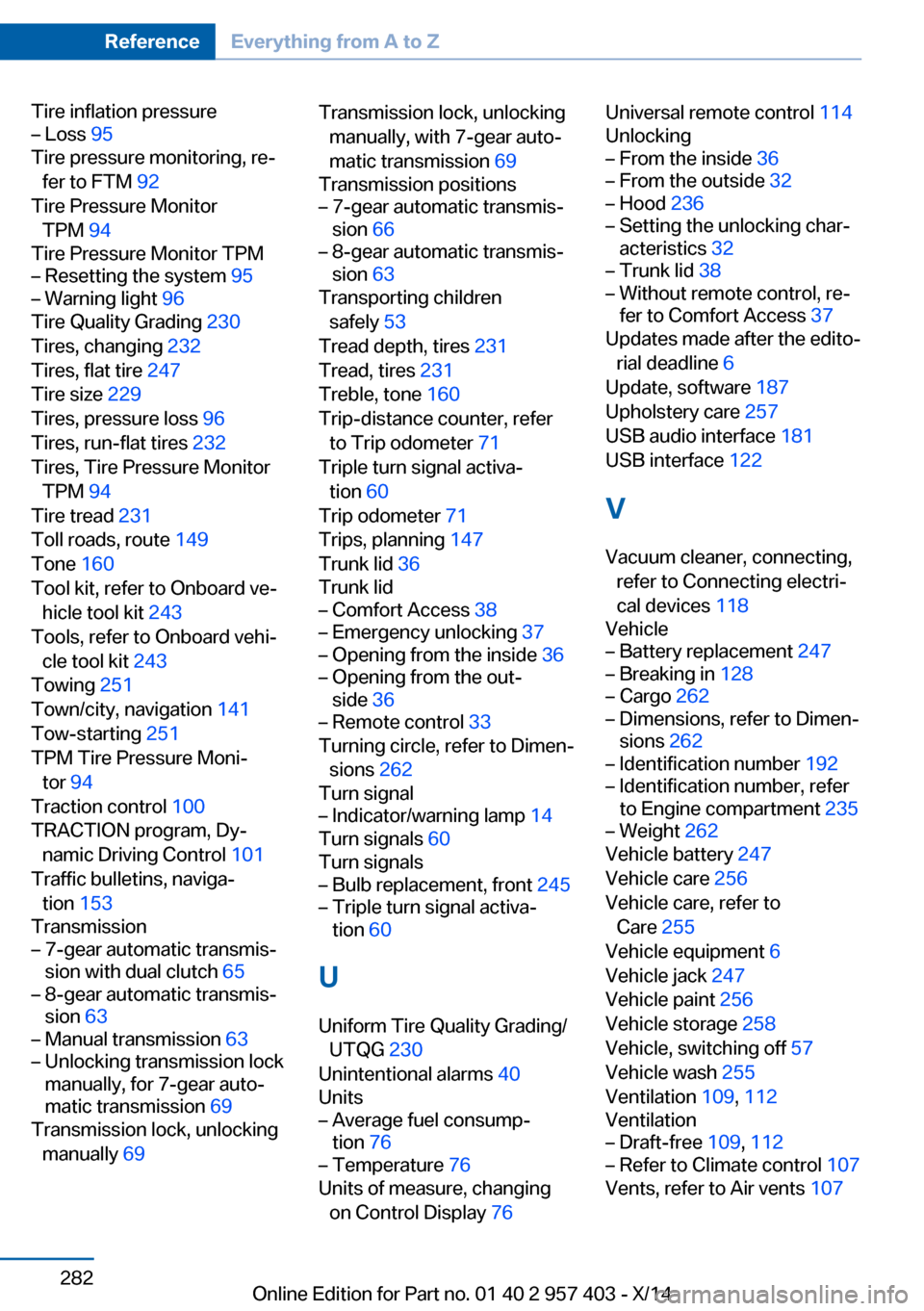
Tire inflation pressure– Loss 95
Tire pressure monitoring, re‐
fer to FTM 92
Tire Pressure Monitor TPM 94
Tire Pressure Monitor TPM
– Resetting the system 95– Warning light 96
Tire Quality Grading 230
Tires, changing 232
Tires, flat tire 247
Tire size 229
Tires, pressure loss 96
Tires, run-flat tires 232
Tires, Tire Pressure Monitor TPM 94
Tire tread 231
Toll roads, route 149
Tone 160
Tool kit, refer to Onboard ve‐ hicle tool kit 243
Tools, refer to Onboard vehi‐ cle tool kit 243
Towing 251
Town/city, navigation 141
Tow-starting 251
TPM Tire Pressure Moni‐ tor 94
Traction control 100
TRACTION program, Dy‐ namic Driving Control 101
Traffic bulletins, naviga‐ tion 153
Transmission
– 7-gear automatic transmis‐
sion with dual clutch 65– 8-gear automatic transmis‐
sion 63– Manual transmission 63– Unlocking transmission lock
manually, for 7-gear auto‐
matic transmission 69
Transmission lock, unlocking
manually 69
Transmission lock, unlocking
manually, with 7-gear auto‐
matic transmission 69
Transmission positions– 7-gear automatic transmis‐
sion 66– 8-gear automatic transmis‐
sion 63
Transporting children
safely 53
Tread depth, tires 231
Tread, tires 231
Treble, tone 160
Trip-distance counter, refer to Trip odometer 71
Triple turn signal activa‐ tion 60
Trip odometer 71
Trips, planning 147
Trunk lid 36
Trunk lid
– Comfort Access 38– Emergency unlocking 37– Opening from the inside 36– Opening from the out‐
side 36– Remote control 33
Turning circle, refer to Dimen‐
sions 262
Turn signal
– Indicator/warning lamp 14
Turn signals 60
Turn signals
– Bulb replacement, front 245– Triple turn signal activa‐
tion 60
U
Uniform Tire Quality Grading/ UTQG 230
Unintentional alarms 40
Units
– Average fuel consump‐
tion 76– Temperature 76
Units of measure, changing
on Control Display 76
Universal remote control 114
Unlocking– From the inside 36– From the outside 32– Hood 236– Setting the unlocking char‐
acteristics 32– Trunk lid 38– Without remote control, re‐
fer to Comfort Access 37
Updates made after the edito‐
rial deadline 6
Update, software 187
Upholstery care 257
USB audio interface 181
USB interface 122
V
Vacuum cleaner, connecting, refer to Connecting electri‐
cal devices 118
Vehicle
– Battery replacement 247– Breaking in 128– Cargo 262– Dimensions, refer to Dimen‐
sions 262– Identification number 192– Identification number, refer
to Engine compartment 235– Weight 262
Vehicle battery 247
Vehicle care 256
Vehicle care, refer to Care 255
Vehicle equipment 6
Vehicle jack 247
Vehicle paint 256
Vehicle storage 258
Vehicle, switching off 57
Vehicle wash 255
Ventilation 109, 112
Ventilation
– Draft-free 109, 112– Refer to Climate control 107
Vents, refer to Air vents 107
Seite 282ReferenceEverything from A to Z282
Online Edition for Part no. 01 40 2 957 403 - X/14