ESP BMW Z4 ROADSTER 2006 E85 Owner's Guide
[x] Cancel search | Manufacturer: BMW, Model Year: 2006, Model line: Z4 ROADSTER, Model: BMW Z4 ROADSTER 2006 E85Pages: 128, PDF Size: 4.41 MB
Page 100 of 128
Giving and receiving assistance
98
Giving and receiving assistance
Receiving assistance
If your vehicle has the necessary equipment,
you can use buttons in the center console to
contact Roadside Assistance or issue an emer-
gency call.
Requirements for initiating an emergency call or
contacting Roadside Assistance:
>The key must be in position 1 or higher.
>The car phone must be logged on to a
mobile telephone network.
>The emergency call system must be opera-
ble.
Access to the buttons
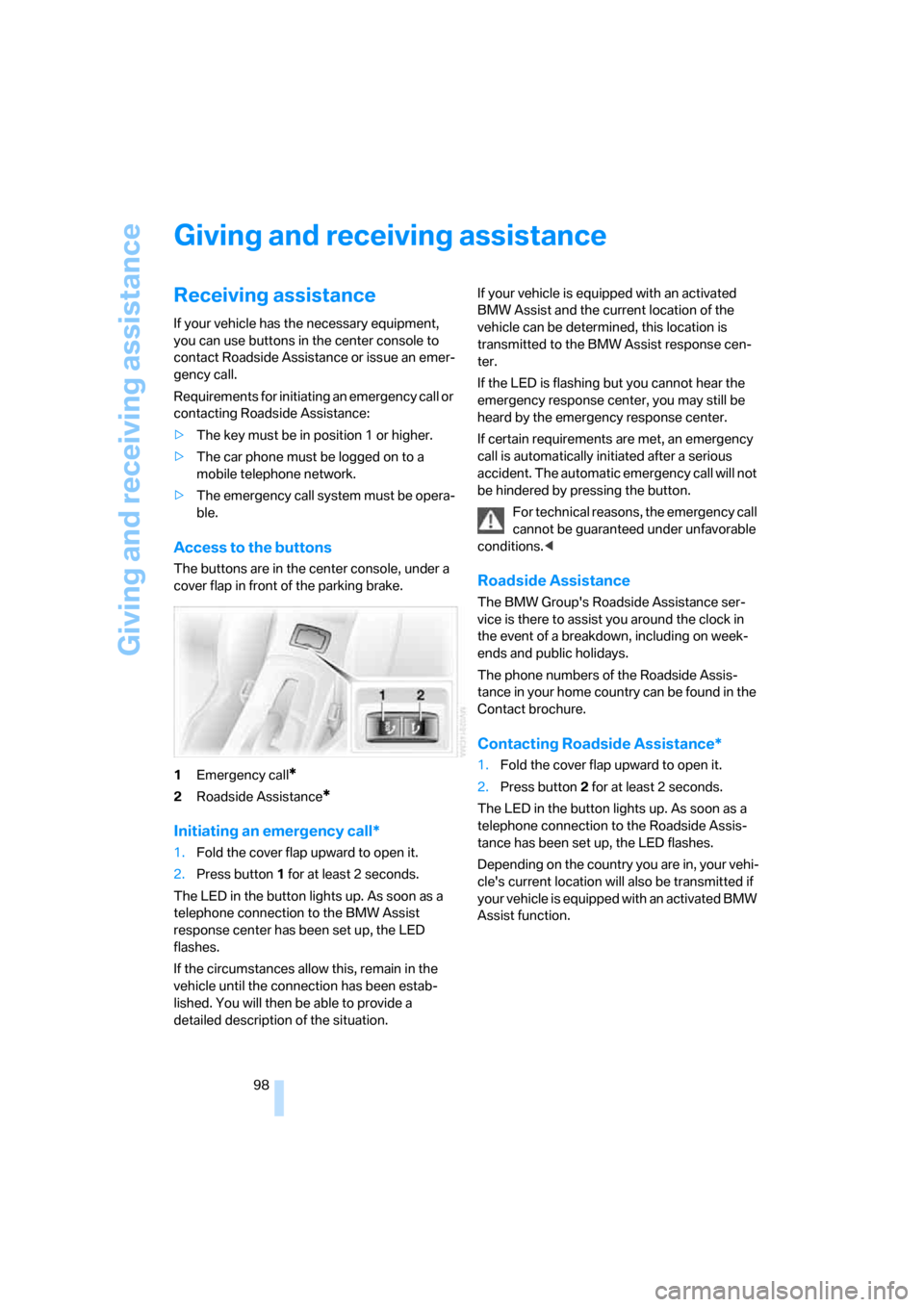
The buttons are in the center console, under a
cover flap in front of the parking brake.
1Emergency call
*
2Roadside Assistance*
Initiating an emergency call*
1.Fold the cover flap upward to open it.
2.Press button1 for at least 2 seconds.
The LED in the button lights up. As soon as a
telephone connection to the BMW Assist
response center has been set up, the LED
flashes.
If the circumstances allow this, remain in the
vehicle until the connection has been estab-
lished. You will then be able to provide a
detailed description of the situation.If your vehicle is equipped with an activated
BMW Assist and the current location of the
vehicle can be determined, this location is
transmitted to the BMW Assist response cen-
ter.
If the LED is flashing but you cannot hear the
emergency response center, you may still be
heard by the emergency response center.
If certain requirements are met, an emergency
call is automatically initiated after a serious
accident. The automatic emergency call will not
be hindered by pressing the button.
For technical reasons, the emergency call
cannot be guaranteed under unfavorable
conditions.<
Roadside Assistance
The BMW Group's Roadside Assistance ser-
vice is there to assist you around the clock in
the event of a breakdown, including on week-
ends and public holidays.
The phone numbers of the Roadside Assis-
tance in your home country can be found in the
Contact brochure.
Contacting Roadside Assistance*
1.Fold the cover flap upward to open it.
2.Press button2 for at least 2 seconds.
The LED in the button lights up. As soon as a
telephone connection to the Roadside Assis-
tance has been set up, the LED flashes.
Depending on the country you are in, your vehi-
cle's current location will also be transmitted if
your vehicle is equipped with an activated BMW
Assist function.
Page 117 of 128
Reference
At a glance
Controls
Driving tips
Mobility
115
Defrost position, refer to
Defrosting windows59,62
Dehumidifying air, refer to
Switching cooling function
on/off59,62
Digital clock47
Dimensions107,108
Dimming mirrors71
Directional indicators, refer to
Turn signal indicators42
Disc brakes72
Displacement, refer to Engine
data106
Display elements, refer to
Instrument cluster12
Display lighting, refer to
Instrument lighting56
Displays, refer to Instrument
cluster12
Displays and controls10
Disposal
– coolant89
– vehicle battery97
Distance remaining, refer to
Cruising range48
Door keys, refer to The key
set18
Door lock20
Doors, unlocking and locking
– acknowledgment
signals19,20
– from inside21
– from outside19
DOT quality grades82
Draft-free ventilation59,63
Drive-off assistant50
Driving Dynamic Control42
Driving light, refer to Parking
lamps/Low beams55
Driving notes70
Driving stability control
systems49
Driving through water71
Driving tips, refer to Driving
notes70
Dry air, refer to Switching
cooling function on/
off59,62DSC Dynamic Stability
Control49
– indicator/warning lamp49
– indicator lamp13
DTC Dynamic Traction
Control49
– indicator/warning
lamp13
,50
Dynamic Brake Control
DBC49
– indicator/warning lamp13
Dynamic Stability Control
DSC49
– indicator/warning lamp49
Dynamic Traction Control
DTC49
– indicator/warning lamp50
E
EBV Electronic brake-force
distribution49
Electric
– seat adjustment31
Electrical malfunction
– automatic transmission with
Steptronic41
– convertible top28
– door lock20
– fuel filler door78
– luggage compartment lid22
– storage compartments64
– tailgate22
Electric Power Steering
EPS52
– indicator/warning
lamp13,52
Electric power windows25
– power loss25
Electronic
– brake-force distribution49
– oil level check88
Emergency call98
– button98
Emergency operation, refer to
Opening manually
– tailgate22
Emergency services, refer to
Roadside Assistance98Engine38
– break-in period70
– electronics13
– indicator lamp13
– overheated, refer to Coolant
thermometer47
– speed46
– starting38
– switching off39
– temperature47
Engine compartment87
Engine coolant, refer to
Coolant89
Engine oil87
– adding89
– additives, refer to Approved
engine oils89
– alternative oil grades89
– approved engine oils89
– capacity110
– change intervals, refer to
Service and Warranty
Information Booklet for US
models, Warranty and
Service Guide Booklet for
Canadian models
– change intervals, refer to
Service interval display47
– checking level88
– indicator/warning lamp12
– oil level87
– pressure
87
Engine output, refer to Engine
data106
Engine starting, refer to
Starting the engine38
EPS Electric Power
Steering52
Equipment scope, refer to the
Service and Warranty
Information Booklet for US
models, Warranty and
Service Guide Booklet
ESP Electronic Stability
Program, refer to DSC
Dynamic Stability
Control49
Exhaust system, refer to Hot
exhaust system70
Page 127 of 128
Refueling
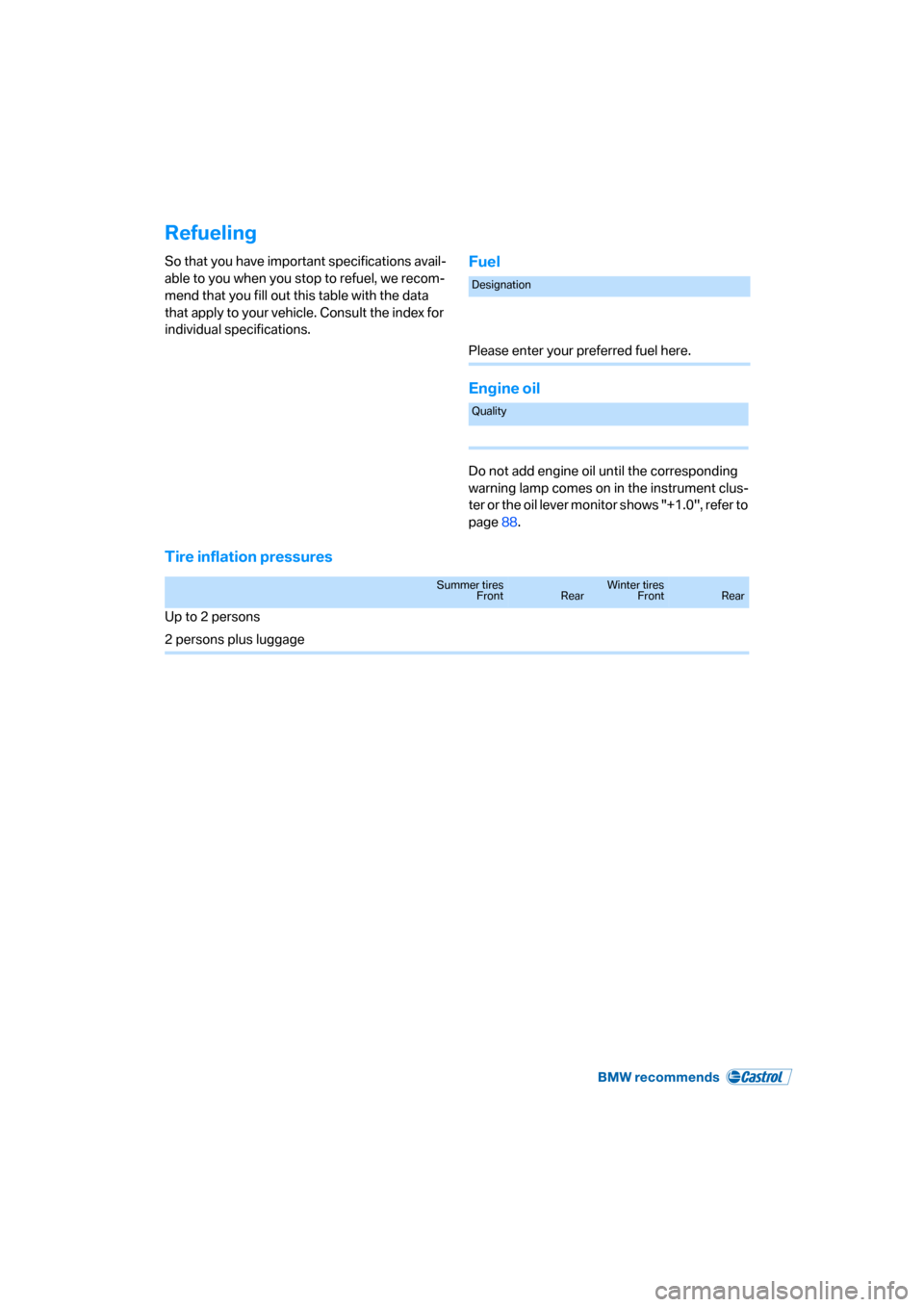
So that you have important specifications avail-
able to you when you stop to refuel, we recom-
mend that you fill out this table with the data
that apply to your vehicle. Consult the index for
individual specifications.Fuel
Engine oil
Do not add engine oil until the corresponding
warning lamp comes on in the instrument clus-
ter or the oil lever monitor shows "+1.0", refer to
page88.
Tire inflation pressures
Designation
Please enter your preferred fuel here.
Quality
Summer tires
FrontRearWinter tires
FrontRear
Up to 2 persons
2 persons plus luggage