transmission BMW Z4 ROADSTER SDRIVE35I 2010 E89 Owner's Guide
[x] Cancel search | Manufacturer: BMW, Model Year: 2010, Model line: Z4 ROADSTER SDRIVE35I, Model: BMW Z4 ROADSTER SDRIVE35I 2010 E89Pages: 254, PDF Size: 8.04 MB
Page 166 of 254
External devices
164 Due to the large number of different audio
devices/mobile phones available on the market,
it cannot be ensured that every audio device/
mobile phone is operable on the vehicle.
Ask about suitable audio devices/mobile
phones at your BMW center.
Audio files
Standard audio formats, e.g., MP3, WMA, WAV
(PCM) and AAC, and playlists in the M3U format
can be played.
Connecting via USB audio interface
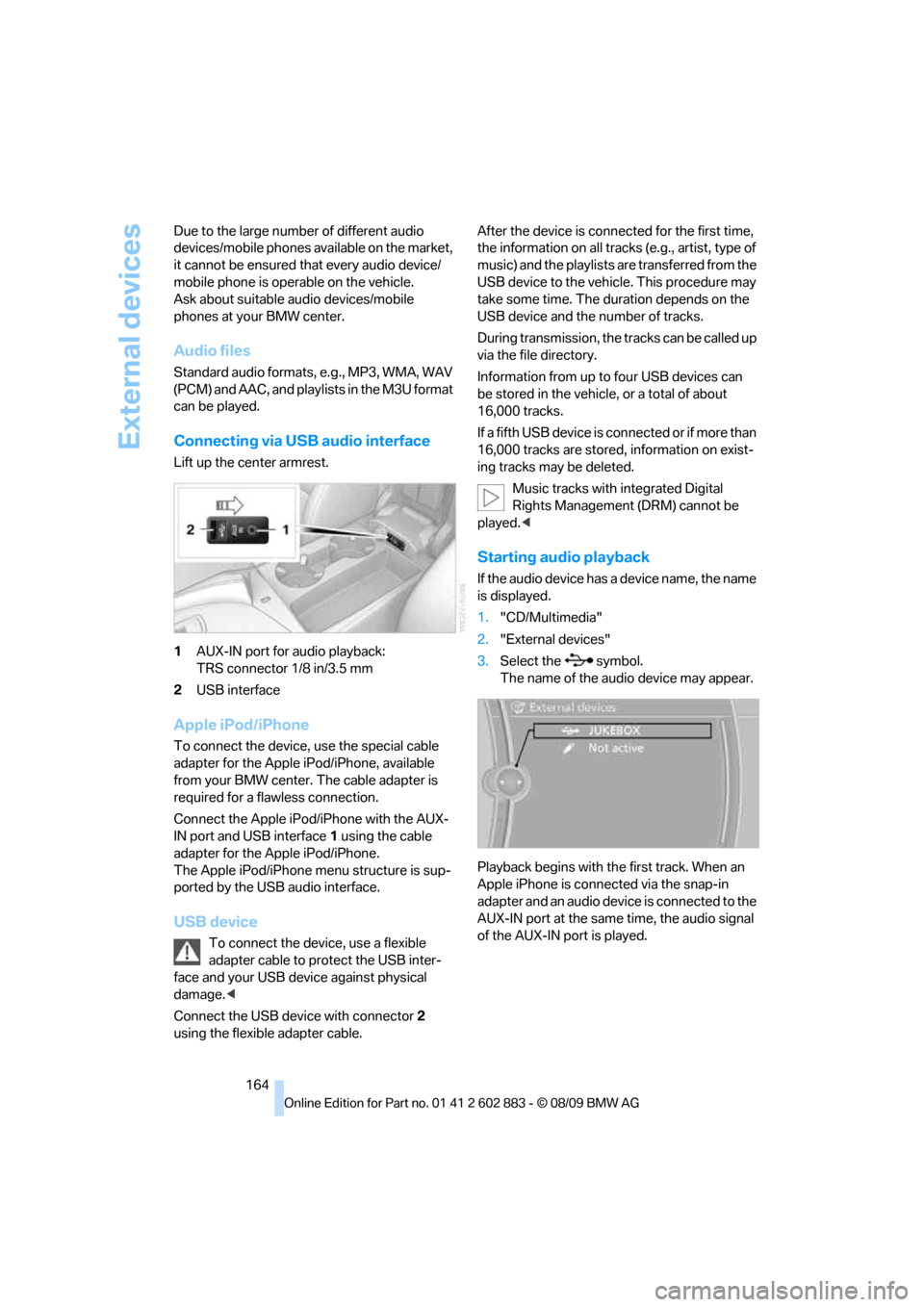
Lift up the center armrest.
1AUX-IN port for audio playback:
TRS connector 1/8 in/3.5 mm
2USB interface
Apple iPod/iPhone
To connect the device, use the special cable
adapter for the Apple iPod/iPhone, available
from your BMW center. The cable adapter is
required for a flawless connection.
Connect the Apple iPod/iPhone with the AUX-
IN port and USB interface1 using the cable
adapter for the Apple iPod/iPhone.
The Apple iPod/iPhone menu structure is sup-
ported by the USB audio interface.
USB device
To connect the device, use a flexible
adapter cable to protect the USB inter-
face and your USB device against physical
damage.<
Connect the USB device with connector 2
using the flexible adapter cable.After the device is connected for the first time,
the information on all tracks (e.g., artist, type of
music) and the playlists are transferred from the
USB device to the vehicle. This procedure may
take some time. The duration depends on the
USB device and the number of tracks.
During transmission, the tracks can be called up
via the file directory.
Information from up to four USB devices can
be stored in the vehicle, or a total of about
16,000 tracks.
I f a f i f t h U S B d e v i c e i s c o n n e c t e d o r i f m o r e t h a n
16,000 tracks are stored, information on exist-
ing tracks may be deleted.
Music tracks with integrated Digital
Rights Management (DRM) cannot be
played.<
Starting audio playback
If the audio device has a device name, the name
is displayed.
1."CD/Multimedia"
2."External devices"
3.Select the symbol.
The name of the audio device may appear.
Playback begins with the first track. When an
Apple iPhone is connected via the snap-in
adapter and an audio device is connected to the
AUX-IN port at the same time, the audio signal
of the AUX-IN port is played.
Page 188 of 254
BMW Assist
186
Vehicle equipped with BMW Assist or
TeleService
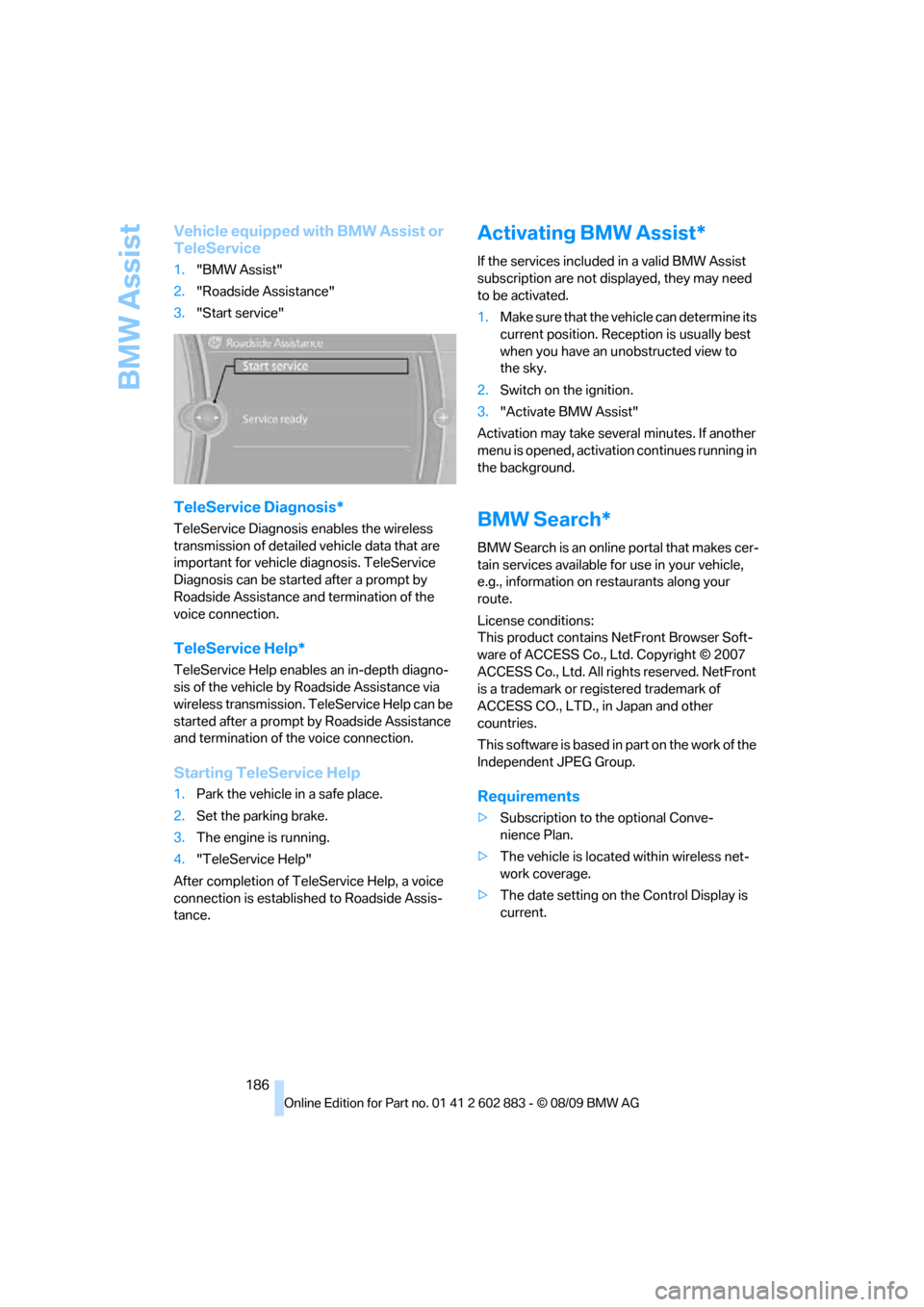
1."BMW Assist"
2."Roadside Assistance"
3."Start service"
TeleService Diagnosis*
TeleService Diagnosis enables the wireless
transmission of detailed vehicle data that are
important for vehicle diagnosis. TeleService
Diagnosis can be started after a prompt by
Roadside Assistance and termination of the
voice connection.
TeleService Help*
TeleService Help enables an in-depth diagno-
sis of the vehicle by Roadside Assistance via
wireless transmission. TeleService Help can be
started after a prompt by Roadside Assistance
and termination of the voice connection.
Starting TeleService Help
1.Park the vehicle in a safe place.
2.Set the parking brake.
3.The engine is running.
4."TeleService Help"
After completion of TeleService Help, a voice
connection is established to Roadside Assis-
tance.
Activating BMW Assist*
If the services included in a valid BMW Assist
subscription are not displayed, they may need
to be activated.
1.Make sure that the vehicle can determine its
current position. Reception is usually best
when you have an unobstructed view to
the sky.
2.Switch on the ignition.
3."Activate BMW Assist"
Activation may take several minutes. If another
menu is opened, activation continues running in
the background.
BMW Search*
BMW Search is an online portal that makes cer-
tain services available for use in your vehicle,
e.g., information on restaurants along your
route.
License conditions:
This product contains NetFront Browser Soft-
ware of ACCESS Co., Ltd. Copyright © 2007
ACCESS Co., Ltd. All rights reserved. NetFront
is a trademark or registered trademark of
ACCESS CO., LTD., in Japan and other
countries.
T h i s s o f t w a r e i s b a s e d i n p a r t o n t h e w o r k o f t h e
Independent JPEG Group.
Requirements
>Subscription to the optional Conve-
nience Plan.
>The vehicle is located within wireless net-
work coverage.
>The date setting on the Control Display is
current.
Page 210 of 254
Care
208
Care
Care products
Regular cleaning and care contributes signifi-
cantly to the value retention of your BMW.
BMW recommends cleaning and caring for your
vehicle with products that are approved by
BMW for this purpose.
Your BMW center will be happy to advise you on
the products and services available for cleaning
and caring for your BMW.
Original BMW CareProducts have been
material-tested, laboratory-checked and
proven in the field, and offer optimal care and
protection for your vehicle.<
Do not use cleaners that contain alcohol
or solvents as these may result in
damage.<
Cleaning agents can contain substances
that are dangerous or hazardous to your
health. Therefore, follow the warning and safety
instructions on the packaging. When cleaning
inside the vehicle, always open the doors or
windows of the vehicle. In enclosed areas, pro-
vide for sufficient ventilation. Only use products
designed for cleaning vehicles.<
Exterior care
Washing the vehicle
Especially during the winter months,
ensure that the vehicle is washed more
frequently. Heavy soiling and road salt can lead
to vehicle damage.<
After washing the vehicle, apply the
brakes briefly to dry them; otherwise,
water can reduce braking efficiency over the
short term and brake discs can corrode.<
Automatic car washes
Preference should be given to cloth car washes.
Do not use high-pressure car washes;
otherwise, water may drip into the vehicle
around the windows.<
Before driving into a car wash, ensure that it is
suitable for your BMW. Check the following:
>Dimensions of your vehicle, refer
to page227.
>If necessary: fold in the exterior mirrors,
refer to page45.
>Maximum permissible tire width.
Avoid car washes with guide rail heights
over 4 in/10 cm; otherwise, there is dan-
ger of damaging chassis parts.<
Preparations before driving into an automatic
car wash:
>Unscrew the rod antenna
*.
>Deactivate the rain sensor
* to avoid unin-
tentional activation of the wipers.
>Remove additional attachments, e.g., spoil-
ers or telephone antennas, if there is a pos-
sibility that they could be damaged.
Automatic transmission
Before driving into an automatic car wash, per-
form the following steps to ensure that the vehi-
cle can roll:
1.Insert the remote control, even with Com-
fort Access, into the ignition lock.
2.Move the selector lever to position N.
3.Release the parking brake.
4.Switch off the engine.
5.Leave the remote control in the ignition lock
so that the vehicle can roll.
Page 211 of 254
Mobility
209Reference
At a glance
Controls
Driving tips
Communications
Navigation
Entertainment
7-gear sport automatic transmission
with dual clutch
Before driving into an automatic car wash, per-
form the following steps to ensure that the vehi-
cle can roll:
1.Insert the remote control, even with Com-
fort Access, into the ignition lock.
2.Engage transmission position N.
3.Release the parking brake.
4.Switch off the engine.
5.Leave the remote control in the ignition lock
so that the vehicle can roll.
Transmission position P is engaged:
>Automatically after approx. 30 minutes
>When you take the remote control out of the
ignition lock
Steam jets / high-pressure washers
When using steam jets or high-pressure
washers, ensure that you maintain suffi-
cient clearance to the vehicle and do not exceed
a temperature of 1407/606.
Insufficient clearance or excessive pressure or
temperature can lead to component damage or
water penetration. Follow the operating instruc-
tions of the high-pressure washer.<
When using high-pressure washers, do
not spray against the seals of the retract-
able hardtop, the sensors and the cameras, e.g.,
of the Park Distance Control or Rear View Cam-
era, for an extended period and maintain a dis-
tance of at least 12 in/30 cm.<
Manual car wash
When washing the vehicle by hand, use large
quantities of water and car shampoo if neces-
sary. Clean the vehicle with a sponge or wash-
ing brush, applying light pressure only.
Before cleaning the windshield, deacti-
vate the rain sensor or switch off the igni-
tion to prevent unintentional activation of the
wipers.<
Observe local regulations pertaining to
washing vehicles by hand.<
Headlamps
Do not rub them dry and do not use abrasive or
corrosive cleaning agents.
Loosen dirt, e.g., insects, with shampoo or
insect remover and wash away with copious
quantities of water.
Thaw ice with a windshield deicer and do not
use an ice scraper.
Windows
Clean the inside and outside surfaces of the
windows and the mirrors with window cleaner.
Do not clean the mirrors with cleaners
containing quartz.<
Retractable hardtop
Proceed as you would in a normal car wash.
When you open a wet hardtop, water
drops may run into the cargo area. If nec-
essary, remove items from the cargo area
beforehand to avoid water stains or soiling.<
Paintwork care
Regular care contributes to value retention and
protects the paintwork against the long-term
effects of damaging substances.
Region-specific environmental influences can
damage the vehicle paintwork. Therefore, it is
important to adapt the frequency and scope of
car care accordingly.
Immediately remove aggressive materials such
as spilled fuel, oil, grease, brake fluid, tree sap
or bird droppings to prevent damage to the
paintwork.
Repairing paintwork damage
Immediately repair scratches or similar
damage, such as that caused by stones
hitting the vehicle, where necessary to prevent
rusting.<
BMW recommends having paintwork damage
repaired by a professional paint repair work-
shop according to BMW specifications using
original BMW paint materials.
Page 223 of 254
Mobility
221Reference
At a glance
Controls
Driving tips
Communications
Navigation
Entertainment
Rear
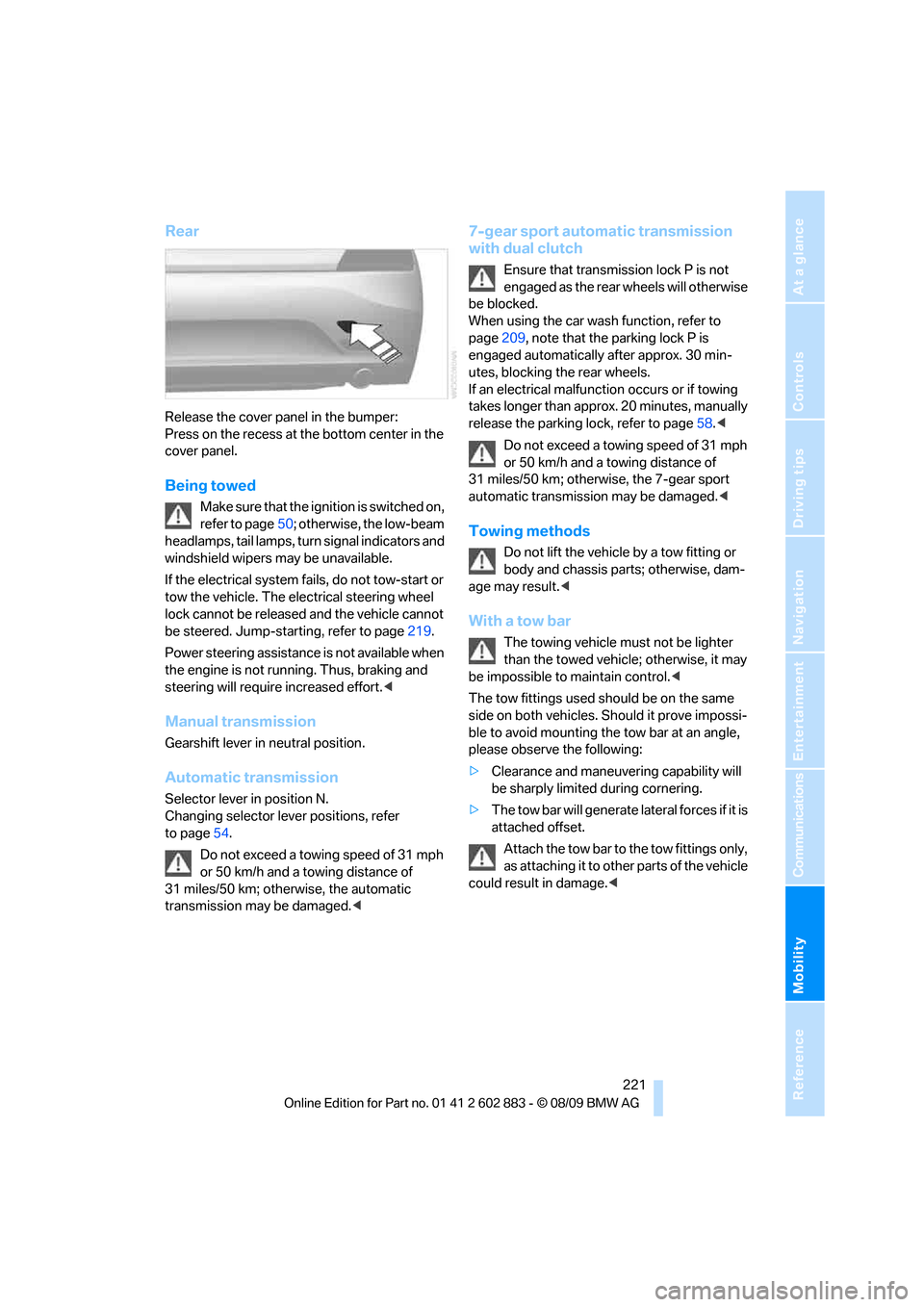
Release the cover panel in the bumper:
Press on the recess at the bottom center in the
cover panel.
Being towed
Make sure that the ignition is switched on,
refer to page50; otherwise, the low-beam
headlamps, tail lamps, turn signal indicators and
windshield wipers may be unavailable.
If the electrical system fails, do not tow-start or
tow the vehicle. The electrical steering wheel
lock cannot be released and the vehicle cannot
be steered. Jump-starting, refer to page219.
Power steering assistance is not available when
the engine is not running. Thus, braking and
steering will require increased effort.<
Manual transmission
Gearshift lever in neutral position.
Automatic transmission
Selector lever in position N.
Changing selector lever positions, refer
to page54.
Do not exceed a towing speed of 31 mph
or 50 km/h and a towing distance of
31 miles/50 km; otherwise, the automatic
transmission may be damaged.<
7-gear sport automatic transmission
with dual clutch
Ensure that transmission lock P is not
engaged as the rear wheels will otherwise
be blocked.
When using the car wash function, refer to
page209, note that the parking lock P is
engaged automatically after approx. 30 min-
utes, blocking the rear wheels.
If an electrical malfunction occurs or if towing
takes longer than approx. 20 minutes, manually
release the parking lock, refer to page58.<
Do not exceed a towing speed of 31 mph
or 50 km/h and a towing distance of
31 miles/50 km; otherwise, the 7-gear sport
automatic transmission may be damaged.<
Towing methods
Do not lift the vehicle by a tow fitting or
body and chassis parts; otherwise, dam-
age may result.<
With a tow bar
The towing vehicle must not be lighter
than the towed vehicle; otherwise, it may
be impossible to maintain control.<
The tow fittings used should be on the same
side on both vehicles. Should it prove impossi-
ble to avoid mounting the tow bar at an angle,
please observe the following:
>Clearance and maneuvering capability will
be sharply limited during cornering.
>The tow bar will generate lateral forces if it is
attached offset.
Attach the tow bar to the tow fittings only,
as attaching it to other parts of the vehicle
could result in damage.<
Page 224 of 254
Giving and receiving assistance
222
With a tow rope
When starting off in the towing vehicle, make
sure that the tow rope is taut.
To avoid jerking and the associated
stresses on vehicle components when
towing, always use nylon ropes or nylon straps.
Attach the tow rope to the tow fittings only, as
attaching it to other parts of the vehicle could
result in damage.<
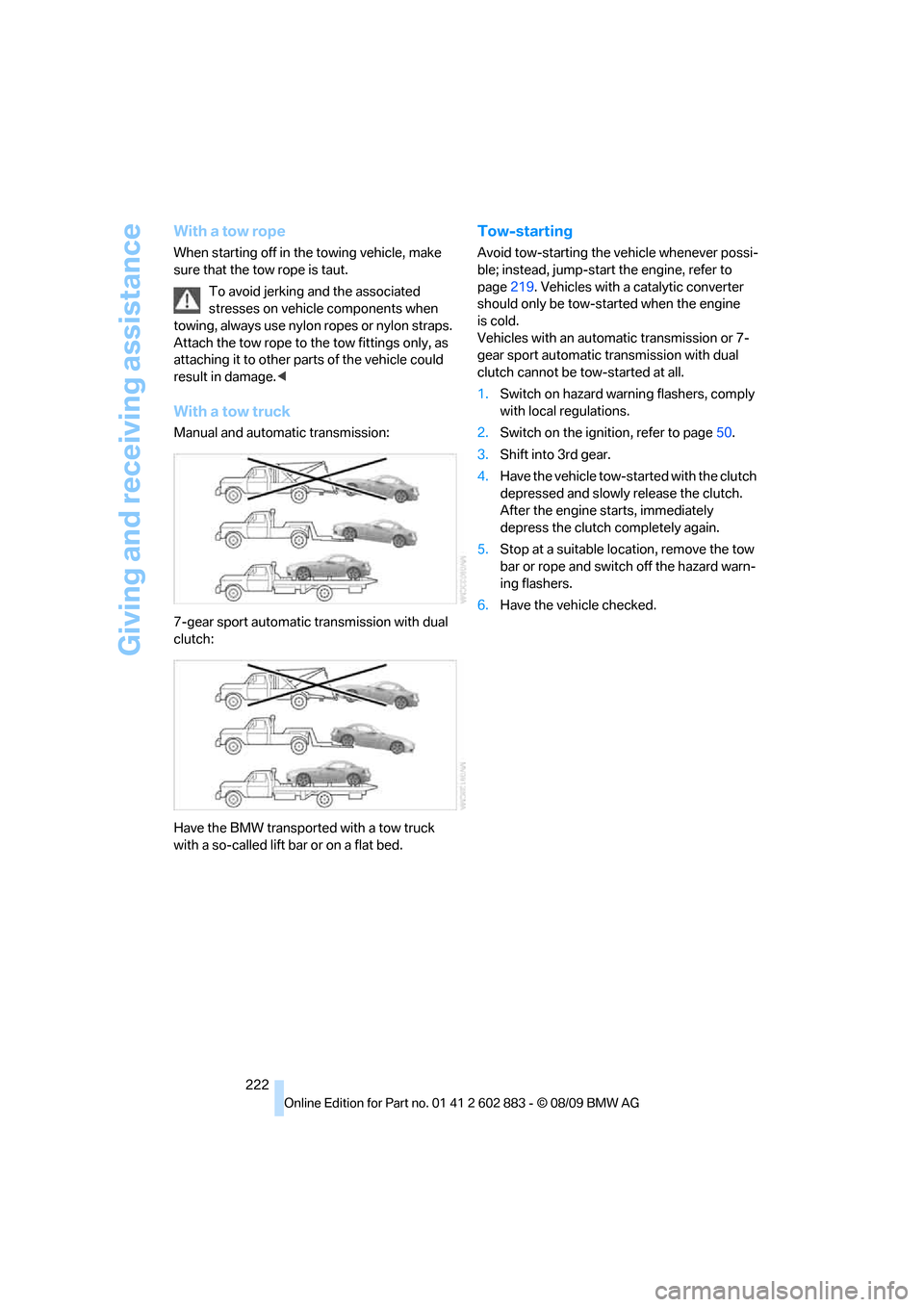
With a tow truck
Manual and automatic transmission:
7-gear sport automatic transmission with dual
clutch:
Have the BMW transported with a tow truck
with a so-called lift bar or on a flat bed.
Tow-starting
Avoid tow-starting the vehicle whenever possi-
ble; instead, jump-start the engine, refer to
page219. Vehicles with a catalytic converter
should only be tow-started when the engine
is cold.
Vehicles with an automatic transmission or 7-
gear sport automatic transmission with dual
clutch cannot be tow-started at all.
1.Switch on hazard warning flashers, comply
with local regulations.
2.Switch on the ignition, refer to page50.
3.Shift into 3rd gear.
4.Have the vehicle tow-started with the clutch
depressed and slowly release the clutch.
After the engine starts, immediately
depress the clutch completely again.
5.Stop at a suitable location, remove the tow
bar or rope and switch off the hazard warn-
ing flashers.
6.Have the vehicle checked.
Page 230 of 254
Technical data
228
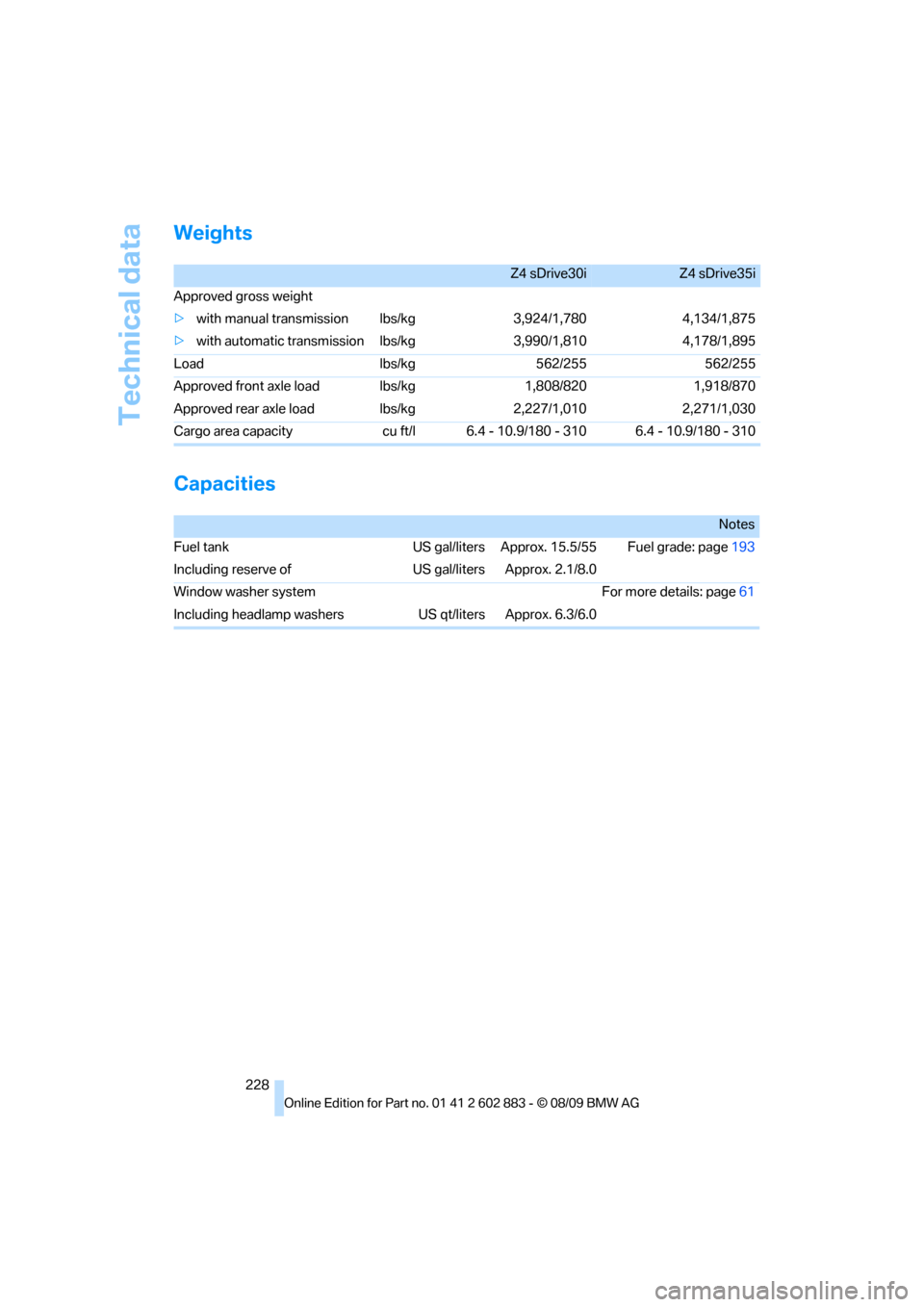
Weights
Capacities
Z4 sDrive30iZ4 sDrive35i
Approved gross weight
>with manual transmission lbs/kg 3,924/1,780 4,134/1,875
>with automatic transmission lbs/kg 3,990/1,810 4,178/1,895
Load lbs/kg 562/255 562/255
Approved front axle load lbs/kg 1,808/820 1,918/870
Approved rear axle load lbs/kg 2,227/1,010 2,271/1,030
Cargo area capacity cu ft/l 6.4 - 10.9/180 - 310 6.4 - 10.9/180 - 310
Notes
Fuel tank US gal/liters Approx. 15.5/55 Fuel grade: page193
Including reserve of US gal/liters Approx. 2.1/8.0
Window washer system For more details: page61
Including headlamp washers US qt/liters Approx. 6.3/6.0
Page 239 of 254
Reference 237
At a glance
Controls
Driving tips
Communications
Navigation
Entertainment
Mobility
Automatic high beams and
low beams, refer to High-
beam assistant90
Automatic recirculated-air
control AUC98
Automatic Service
Request188
Automatic transmission with
Steptronic53
– interlock53,54
– overriding selector lever
lock55
– shiftlock, refer to Changing
selector lever position54
– sport program54
– towing220
– tow-starting220
AUTO program for automatic
climate control97
AUX-IN port104,163
Available services188
Average fuel consumption66
– setting the units68
Average speed66
Avoid highways in
navigation130
Avoiding unintentional
alarms34
Axle loads, refer to
Weights228
B
Backrest contour, refer to
Lumbar support43
Backrests, refer to Seat
adjustment42
Backrest width adjustment43
Backup lamps
– replacing bulb214
Backup lamps, refer to Tail
lamps214
Band-aids, refer to First-aid
pouch219
Bar, refer to Towing
methods221Base plate for telephone or
mobile phone
– refer to Snap-in adapter180
– refer to Snap-in adapter in
the center armrest storage
compartment104
Bass, tone setting140
Battery216
– charging216
– disposal36,216
– jump-starting219
– remote control28
– temporary power failure216
Battery for mobile phone181
Battery renewal
– remote control36
– remote control for vehicle36
Being towed221
Belts, refer to Safety belts44
Belt tensioner, refer to Safety
belts44
Beverage holders, refer to
Cupholders105
Blower, refer to Air flow
rate94,97
Bluetooth, activating/
deactivating173
Bluetooth, refer to separate
Owner's Manual
BMW
– car shampoo211
BMW Assist,
activating186,188
BMW Assist184
BMW Homepage4
BMW Maintenance
System206
BMW Search186
BMW webpage4
Bottle holders, refer to
Cupholders105
Brake
– parking brake52
Brake Assist, refer to Dynamic
Brake Control DBC78Brake fluid, refer to Service
requirements69
Brake Force Display85
Brake lamps
– Brake Force Display85
– replacing bulb214
Brake pads112
– breaking in112
Brake rotors114
– brakes112
– breaking in112
Brakes
– ABS78
– BMW Maintenance
System206
– breaking in112
– service requirements69
Brakes, refer to Braking
safely114
Brake system112
– BMW Maintenance
System206
– breaking in112
– disc brakes114
Breakdown services, refer to
Roadside Assistance218
Breaking in the clutch112
Breaking in the differential,
refer to Engine and
differential112
Break-in period112
Brightness of Control
Display76
Bulb changing, refer to Lamps
and bulbs212
Button for starting the engine,
refer to Start/stop button50
Buttons on the steering
wheel11
C
California Proposition 65
warning6
Page 242 of 254
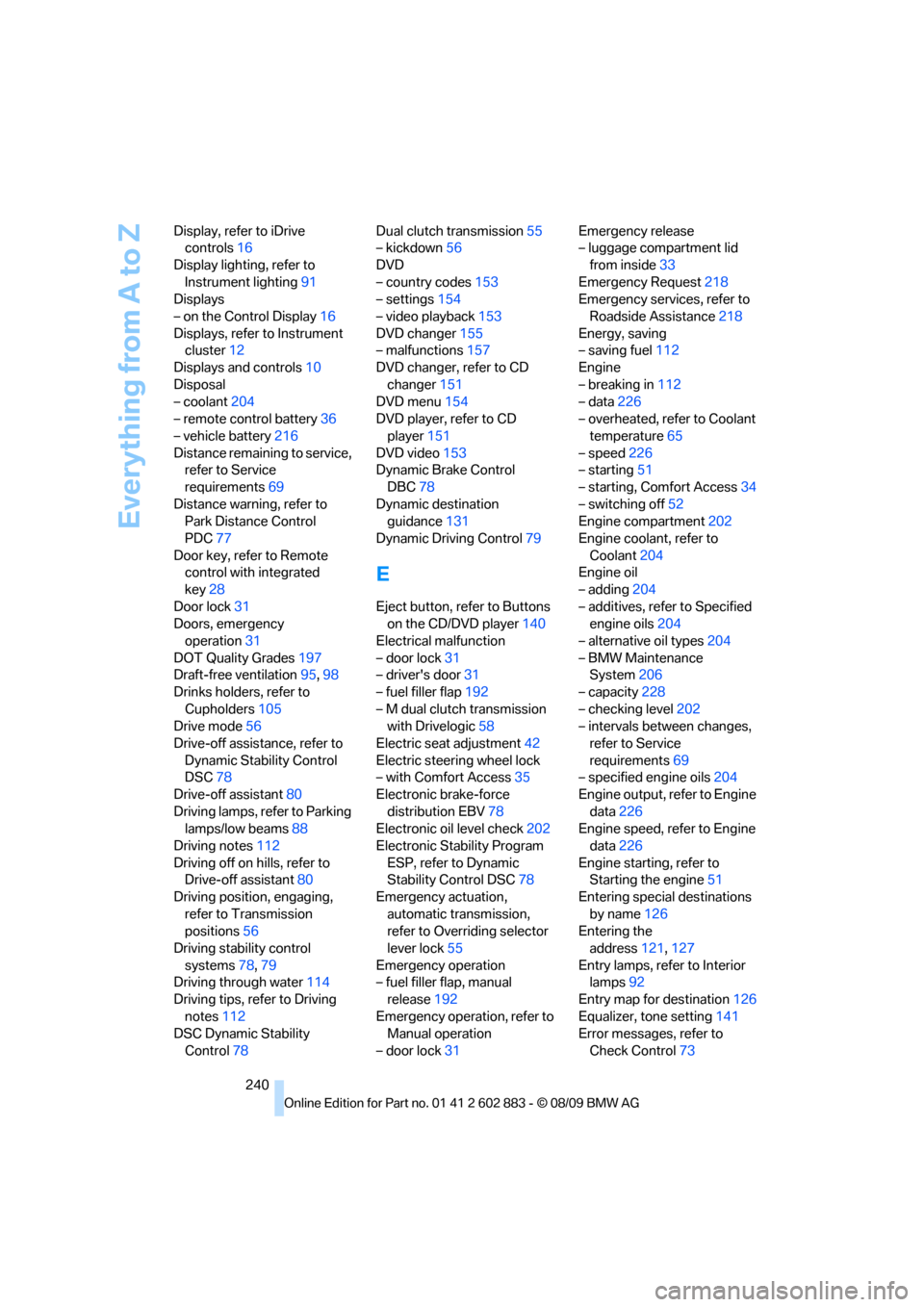
Everything from A to Z
240 Display, refer to iDrive
controls16
Display lighting, refer to
Instrument lighting91
Displays
– on the Control Display16
Displays, refer to Instrument
cluster12
Displays and controls10
Disposal
– coolant204
– remote control battery36
– vehicle battery216
Distance remaining to service,
refer to Service
requirements69
Distance warning, refer to
Park Distance Control
PDC77
Door key, refer to Remote
control with integrated
key28
Door lock31
Doors, emergency
operation31
DOT Quality Grades197
Draft-free ventilation95,98
Drinks holders, refer to
Cupholders105
Drive mode56
Drive-off assistance, refer to
Dynamic Stability Control
DSC78
Drive-off assistant80
Driving lamps, refer to Parking
lamps/low beams88
Driving notes112
Driving off on hills, refer to
Drive-off assistant80
Driving position, engaging,
refer to Transmission
positions56
Driving stability control
systems78,79
Driving through water114
Driving tips, refer to Driving
notes112
DSC Dynamic Stability
Control78Dual clutch transmission55
– kickdown56
DVD
– country codes153
– settings154
– video playback153
DVD changer155
– malfunctions157
DVD changer, refer to CD
changer151
DVD menu154
DVD player, refer to CD
player151
DVD video153
Dynamic Brake Control
DBC78
Dynamic destination
guidance131
Dynamic Driving Control79
E
Eject button, refer to Buttons
on the CD/DVD player140
Electrical malfunction
– door lock31
– driver's door31
– fuel filler flap192
– M dual clutch transmission
with Drivelogic58
Electric seat adjustment42
Electric steering wheel lock
– with Comfort Access35
Electronic brake-force
distribution EBV78
Electronic oil level check202
Electronic Stability Program
ESP, refer to Dynamic
Stability Control DSC78
Emergency actuation,
automatic transmission,
refer to Overriding selector
lever lock55
Emergency operation
– fuel filler flap, manual
release192
Emergency operation, refer to
Manual operation
– door lock31Emergency release
– luggage compartment lid
from inside33
Emergency Request218
Emergency services, refer to
Roadside Assistance218
Energy, saving
– saving fuel112
Engine
– breaking in112
– data226
– overheated, refer to Coolant
temperature65
– speed226
– starting51
– starting, Comfort Access34
– switching off52
Engine compartment202
Engine coolant, refer to
Coolant204
Engine oil
– adding204
– additives, refer to Specified
engine oils204
– alternative oil types204
– BMW Maintenance
System206
– capacity228
– checking level202
– intervals between changes,
refer to Service
requirements69
– specified engine oils204
Engine output, refer to Engine
data226
Engine speed, refer to Engine
data226
Engine starting, refer to
Starting the engine51
Entering special destinations
by name126
Entering the
address121,127
Entry lamps, refer to Interior
lamps92
Entry map for destination126
Equalizer, tone setting141
Error messages, refer to
Check Control73
Page 243 of 254
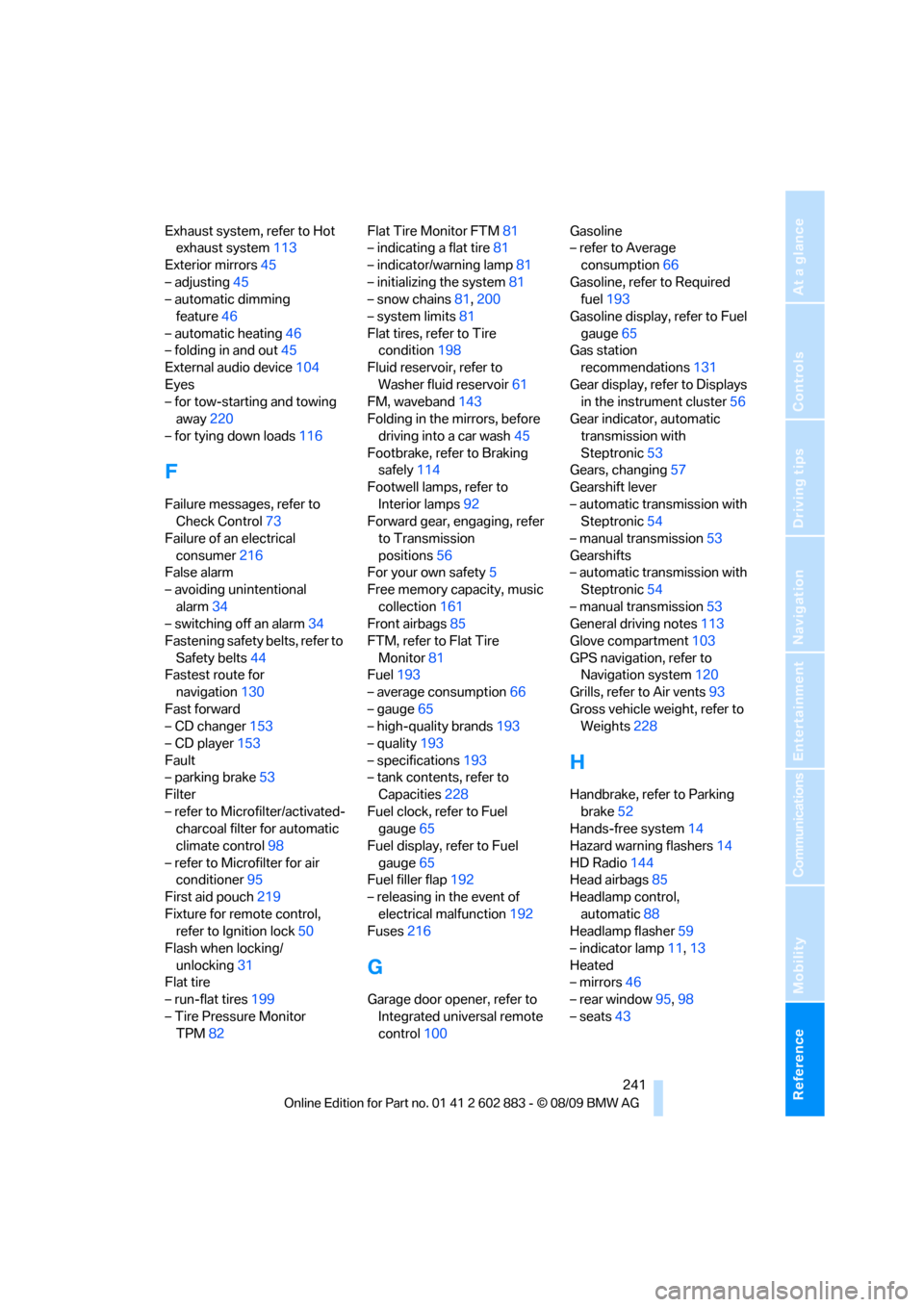
Reference 241
At a glance
Controls
Driving tips
Communications
Navigation
Entertainment
Mobility
Exhaust system, refer to Hot
exhaust system113
Exterior mirrors45
– adjusting45
– automatic dimming
feature46
– automatic heating46
– folding in and out45
External audio device104
Eyes
– for tow-starting and towing
away220
– for tying down loads116
F
Failure messages, refer to
Check Control73
Failure of an electrical
consumer216
False alarm
– avoiding unintentional
alarm34
– switching off an alarm34
Fastening safety belts, refer to
Safety belts44
Fastest route for
navigation130
Fast forward
– CD changer153
– CD player153
Fault
– parking brake53
Filter
– refer to Microfilter/activated-
charcoal filter for automatic
climate control98
– refer to Microfilter for air
conditioner95
First aid pouch219
Fixture for remote control,
refer to Ignition lock50
Flash when locking/
unlocking31
Flat tire
– run-flat tires199
– Tire Pressure Monitor
TPM82Flat Tire Monitor FTM81
– indicating a flat tire81
– indicator/warning lamp81
– initializing the system81
– snow chains81,200
– system limits81
Flat tires, refer to Tire
condition198
Fluid reservoir, refer to
Washer fluid reservoir61
FM, waveband143
Folding in the mirrors, before
driving into a car wash45
Footbrake, refer to Braking
safely114
Footwell lamps, refer to
Interior lamps92
Forward gear, engaging, refer
to Transmission
positions56
For your own safety5
Free memory capacity, music
collection161
Front airbags85
FTM, refer to Flat Tire
Monitor81
Fuel193
– average consumption66
– gauge65
– high-quality brands193
– quality193
– specifications
193
– tank contents, refer to
Capacities228
Fuel clock, refer to Fuel
gauge65
Fuel display, refer to Fuel
gauge65
Fuel filler flap192
– releasing in the event of
electrical malfunction192
Fuses216
G
Garage door opener, refer to
Integrated universal remote
control100Gasoline
– refer to Average
consumption66
Gasoline, refer to Required
fuel193
Gasoline display, refer to Fuel
gauge65
Gas station
recommendations131
Gear display, refer to Displays
in the instrument cluster56
Gear indicator, automatic
transmission with
Steptronic53
Gears, changing57
Gearshift lever
– automatic transmission with
Steptronic54
– manual transmission53
Gearshifts
– automatic transmission with
Steptronic54
– manual transmission53
General driving notes113
Glove compartment103
GPS navigation, refer to
Navigation system120
Grills, refer to Air vents93
Gross vehicle weight, refer to
Weights228
H
Handbrake, refer to Parking
brake52
Hands-free system14
Hazard warning flashers14
HD Radio144
Head airbags85
Headlamp control,
automatic88
Headlamp flasher59
– indicator lamp11,13
Heated
– mirrors46
– rear window95,98
– seats43