lock BMW Z4 SDRIVE28I 2012 User Guide
[x] Cancel search | Manufacturer: BMW, Model Year: 2012, Model line: Z4 SDRIVE28I, Model: BMW Z4 SDRIVE28I 2012Pages: 220, PDF Size: 9.9 MB
Page 27 of 220
▷ The central locking system remains
unlocked.7.Press button 2.
Unlocking and opening doors
▷Press the button. The doors are un‐
locked. To open, pull the door han‐
dle above the armrest.▷Pull the door handle above the armrest
twice: the door is unlocked the first time and
opened the second time.
Locking
▷Press the button. The doors are
locked.▷Press the lock button of a door. To prevent
you from being locked out, the opened driv‐
er's door cannot be locked using the lock
button.
Take the remote control with you
People or animals left unattended in a
parked vehicle can lock the doors from the in‐
side. Always take the remote control with you
when leaving the vehicle so that the vehicle can
then be opened from the outside.◀
Trunk lid Note the opening height of the trunk lid
During opening, the trunk lid pivots back
and up. Ensure that there is sufficient clearance
when the trunk lid opens; otherwise, damage
may result.◀
Opening from the inside
Press the button.
The trunk lid opens unless it has been
locked.
Opening from the outside
▷Press on the top half of the BMW emblem.▷ Press the button on the remote control
for approx. one second.
The trunk lid can be opened.
Closing
Recessed grips in the interior trim of the trunk
lid make it easier to pull down the lid.
Seite 27Opening and closingControls27
Online Edition for Part no. 01 40 2 609 184 - 09 11 500
Page 28 of 220
Danger of pinching
Make sure that the closing path of the
trunk lid is clear; otherwise, injuries may result. ◀
Press the trunk lid down lightly.
It is closed automatically.
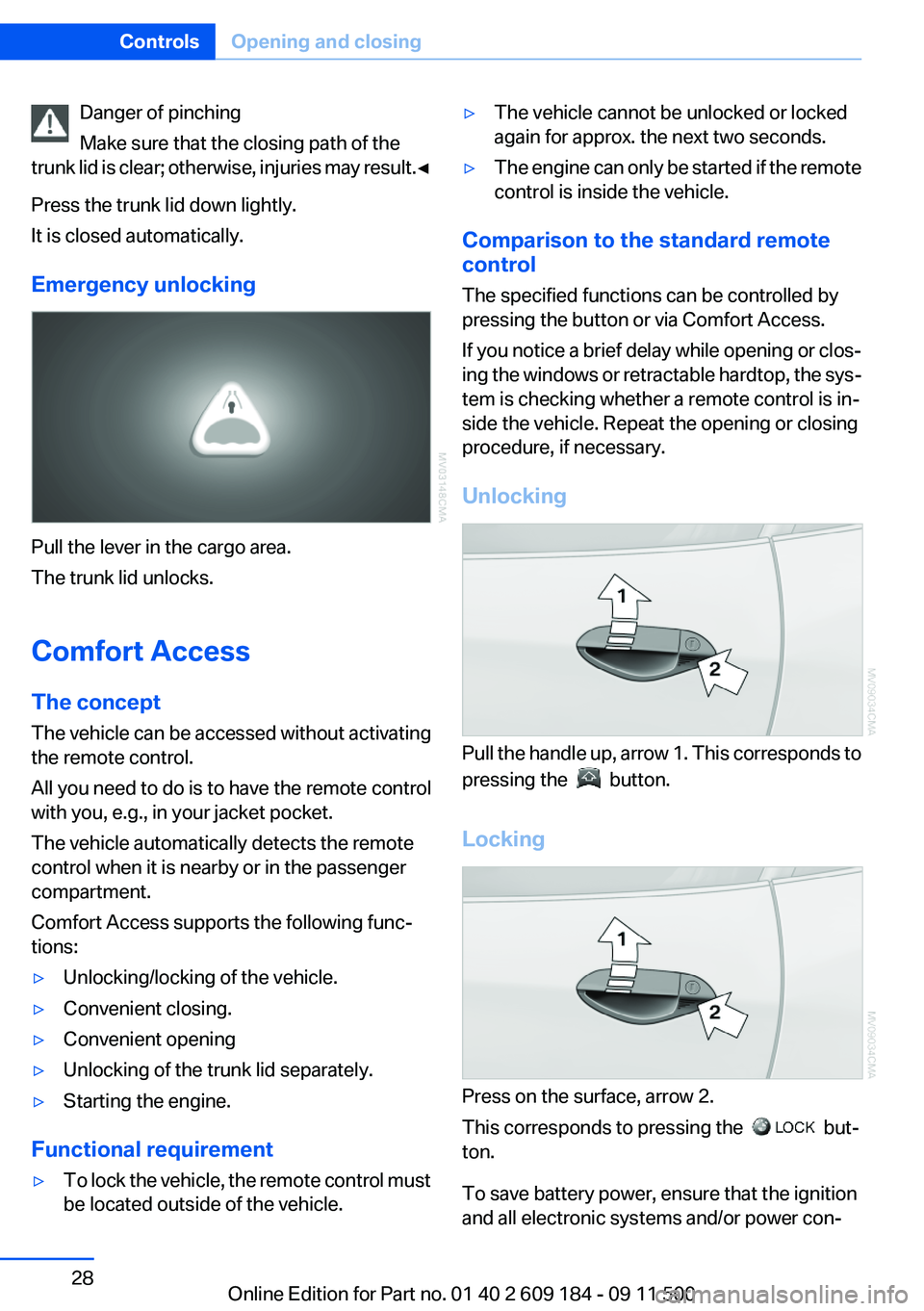
Emergency unlocking
Pull the lever in the cargo area.
The trunk lid unlocks.
Comfort Access
The concept
The vehicle can be accessed without activating
the remote control.
All you need to do is to have the remote control
with you, e.g., in your jacket pocket.
The vehicle automatically detects the remote
control when it is nearby or in the passenger
compartment.
Comfort Access supports the following func‐
tions:
▷Unlocking/locking of the vehicle.▷Convenient closing.▷Convenient opening▷Unlocking of the trunk lid separately.▷Starting the engine.
Functional requirement
▷To lock the vehicle, the remote control must
be located outside of the vehicle.▷The vehicle cannot be unlocked or locked
again for approx. the next two seconds.▷The engine can only be started if the remote
control is inside the vehicle.
Comparison to the standard remote
control
The specified functions can be controlled by
pressing the button or via Comfort Access.
If you notice a brief delay while opening or clos‐
ing the windows or retractable hardtop, the sys‐
tem is checking whether a remote control is in‐
side the vehicle. Repeat the opening or closing
procedure, if necessary.
Unlocking
Pull the handle up, arrow 1. This corresponds to
pressing the
button.
Locking
Press on the surface, arrow 2.
This corresponds to pressing the
but‐
ton.
To save battery power, ensure that the ignition
and all electronic systems and/or power con‐
Seite 28ControlsOpening and closing28
Online Edition for Part no. 01 40 2 609 184 - 09 11 500
Page 29 of 220
sumers are switched off before locking the ve‐
hicle.
Window and convertible top operation
With the ignition in the radio ready state or be‐
yond, the windows and the convertible top can
be opened and closed when a remote control is
located inside the vehicle.
Unlocking the trunk lid separately
Press on the top half of the BMW emblem. This
corresponds to pressing the
button.
If a remote control accidentally left in the trunk
is detected in the locked vehicle, then the trunk
lid opens again. The hazard warning system
flashes and an acoustic signal sounds.
Switching on the radio ready state
Pressing the Start/Stop button switches on the
radio ready state, refer to page 45.
Do not depress the brake or the clutch; other‐
wise, the engine will start.
Starting the engine
The engine can be started or the ignition can be
switched on when a remote control is inside the
vehicle. It is not necessary to insert a remote
control into the ignition lock, refer to page 45.
Switching off the engine in cars with
Sport automatic transmission
When the engine is switched off, transmission
position P is engaged automatically unless N is
engaged and the remote control is inserted in
the ignition lock.
Driving into an automatic car wash with a
Sport automatic transmission
To make it possible for the vehicle to roll, such
as in an automatic car wash, follow the instruc‐
tions in Car washes, refer to page 182.
Malfunction
The Comfort Access functions can be disturbed
by local radio waves, such as by a mobile phone
in the immediate vicinity of the remote control or
when a mobile phone is being charged in the
vehicle.
If this occurs, open or close the vehicle using the
buttons on the remote control or use the
integrated key in the door lock.
To start the engine afterward, insert the remote
control into the ignition switch.
Warning lamps The warning lamp in the instrument
cluster lights up when you attempt to
start the engine: the engine cannot be
started.
The remote control is not inside the vehicle or is
malfunctioning. Take the remote control with
you inside the vehicle or have it checked. If nec‐
essary, insert another remote control into the
ignition switch.
The warning lamp in the instrument
cluster lights up while the engine is
running: the remote control is no lon‐
ger inside the vehicle.
After the engine is switched off, the engine can
only be restarted within approx. 10 seconds.
The indicator lamp in the instrument
cluster lights up: replace the remote
control battery.Seite 29Opening and closingControls29
Online Edition for Part no. 01 40 2 609 184 - 09 11 500
Page 30 of 220
Replacing the battery
The remote control for Comfort Access con‐
tains a battery that will need to be replaced from
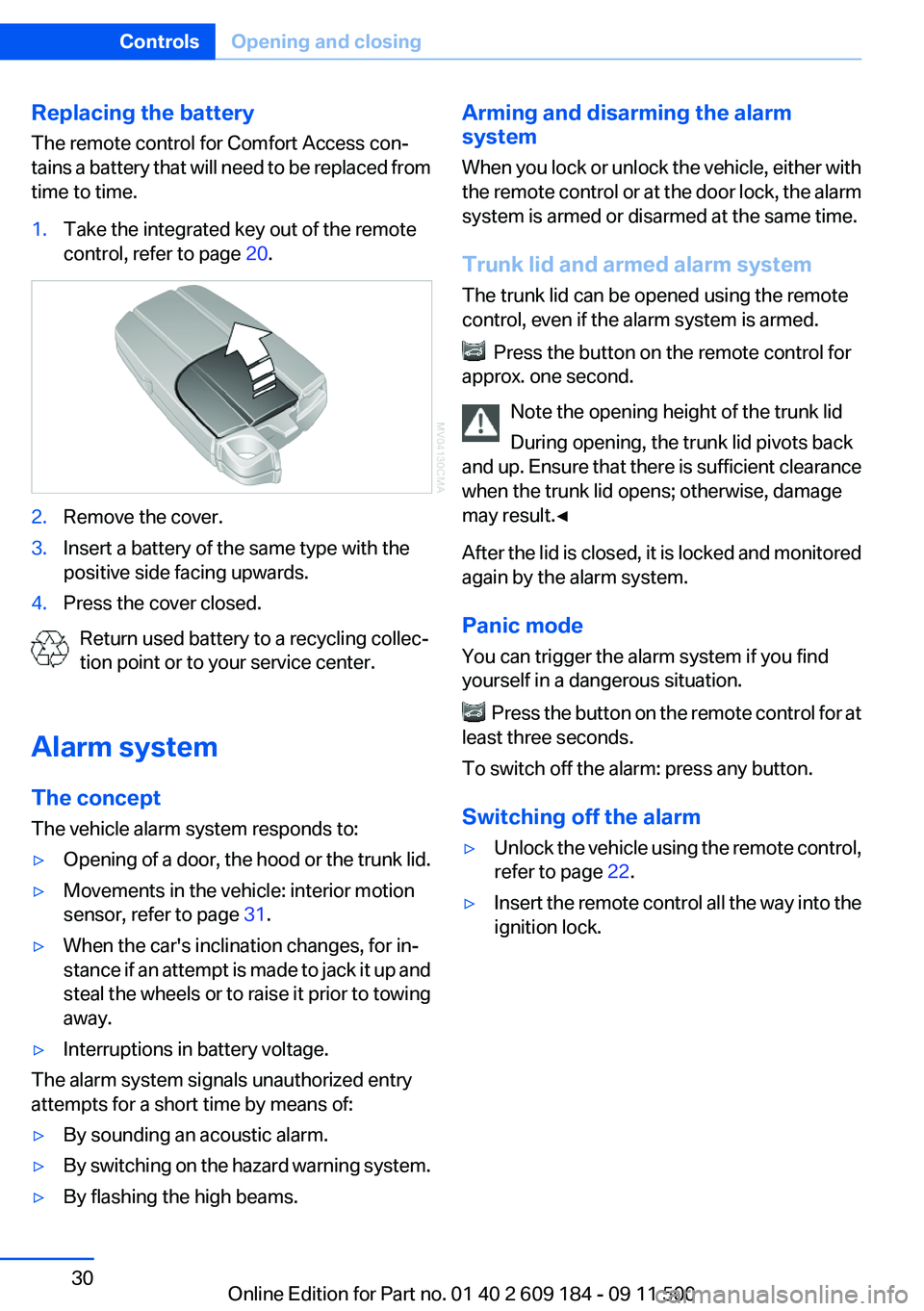
time to time.1.Take the integrated key out of the remote
control, refer to page 20.2.Remove the cover.3.Insert a battery of the same type with the
positive side facing upwards.4.Press the cover closed.
Return used battery to a recycling collec‐
tion point or to your service center.
Alarm system
The concept
The vehicle alarm system responds to:
▷Opening of a door, the hood or the trunk lid.▷Movements in the vehicle: interior motion
sensor, refer to page 31.▷When the car's inclination changes, for in‐
stance if an attempt is made to jack it up and
steal the wheels or to raise it prior to towing
away.▷Interruptions in battery voltage.
The alarm system signals unauthorized entry
attempts for a short time by means of:
▷By sounding an acoustic alarm.▷By switching on the hazard warning system.▷By flashing the high beams.Arming and disarming the alarm
system
When you lock or unlock the vehicle, either with
the remote control or at the door lock, the alarm
system is armed or disarmed at the same time.
Trunk lid and armed alarm system
The trunk lid can be opened using the remote
control, even if the alarm system is armed.
Press the button on the remote control for
approx. one second.
Note the opening height of the trunk lid
During opening, the trunk lid pivots back
and up. Ensure that there is sufficient clearance
when the trunk lid opens; otherwise, damage
may result.◀
After the lid is closed, it is locked and monitored
again by the alarm system.
Panic mode
You can trigger the alarm system if you find
yourself in a dangerous situation.
Press the button on the remote control for at
least three seconds.
To switch off the alarm: press any button.
Switching off the alarm
▷Unlock the vehicle using the remote control,
refer to page 22.▷Insert the remote control all the way into the
ignition lock.Seite 30ControlsOpening and closing30
Online Edition for Part no. 01 40 2 609 184 - 09 11 500
Page 31 of 220
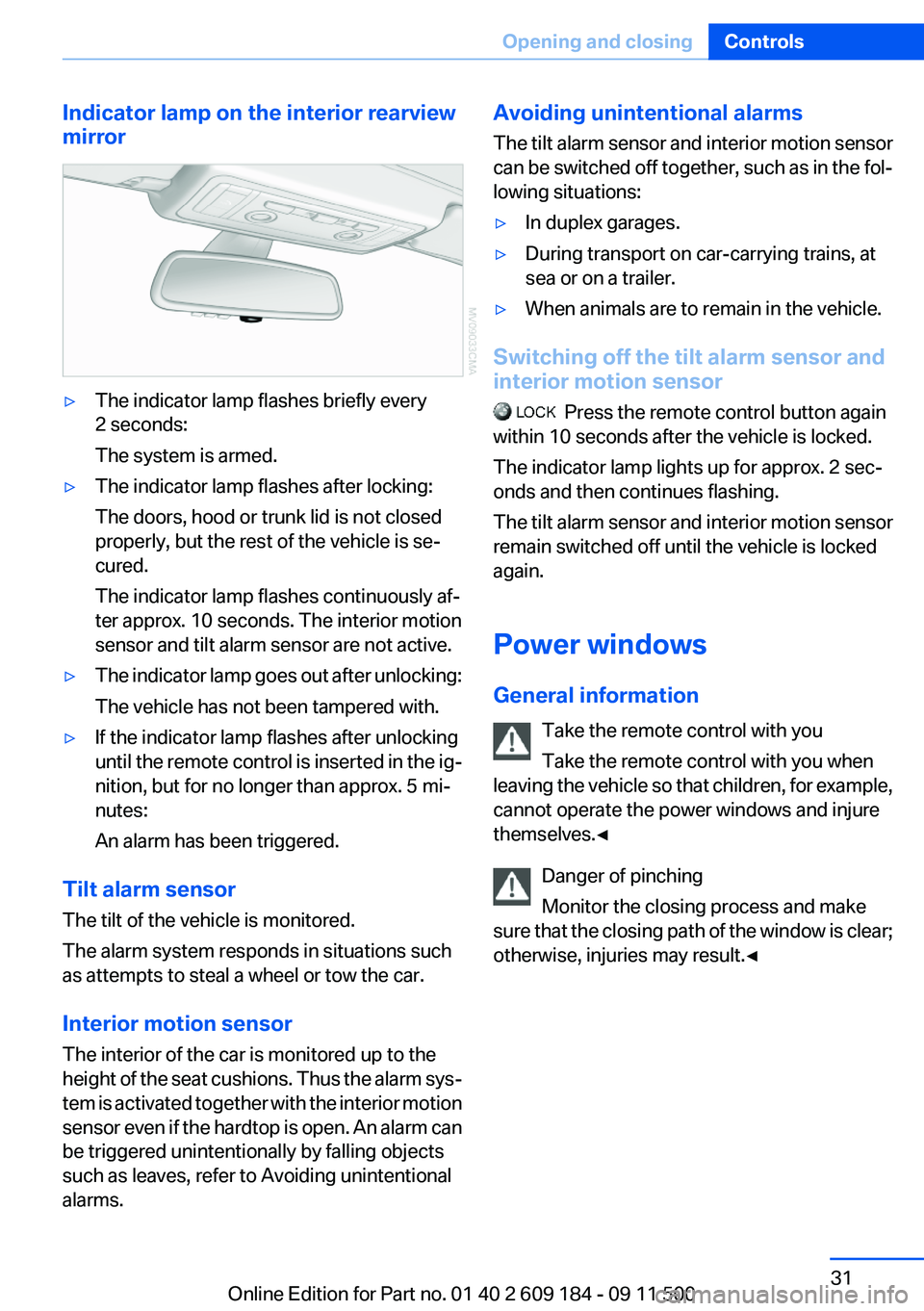
Indicator lamp on the interior rearview
mirror▷The indicator lamp flashes briefly every
2 seconds:
The system is armed.▷The indicator lamp flashes after locking:
The doors, hood or trunk lid is not closed
properly, but the rest of the vehicle is se‐
cured.
The indicator lamp flashes continuously af‐
ter approx. 10 seconds. The interior motion
sensor and tilt alarm sensor are not active.▷The indicator lamp goes out after unlocking:
The vehicle has not been tampered with.▷If the indicator lamp flashes after unlocking
until the remote control is inserted in the ig‐
nition, but for no longer than approx. 5 mi‐
nutes:
An alarm has been triggered.
Tilt alarm sensor
The tilt of the vehicle is monitored.
The alarm system responds in situations such
as attempts to steal a wheel or tow the car.
Interior motion sensor
The interior of the car is monitored up to the
height of the seat cushions. Thus the alarm sys‐
tem is activated together with the interior motion
sensor even if the hardtop is open. An alarm can
be triggered unintentionally by falling objects
such as leaves, refer to Avoiding unintentional
alarms.
Avoiding unintentional alarms
The tilt alarm sensor and interior motion sensor
can be switched off together, such as in the fol‐
lowing situations:▷In duplex garages.▷During transport on car-carrying trains, at
sea or on a trailer.▷When animals are to remain in the vehicle.
Switching off the tilt alarm sensor and
interior motion sensor
Press the remote control button again
within 10 seconds after the vehicle is locked.
The indicator lamp lights up for approx. 2 sec‐
onds and then continues flashing.
The tilt alarm sensor and interior motion sensor
remain switched off until the vehicle is locked
again.
Power windows
General information Take the remote control with you
Take the remote control with you when
leaving the vehicle so that children, for example,
cannot operate the power windows and injure
themselves.◀
Danger of pinching
Monitor the closing process and make
sure that the closing path of the window is clear;
otherwise, injuries may result.◀
Seite 31Opening and closingControls31
Online Edition for Part no. 01 40 2 609 184 - 09 11 500
Page 32 of 220
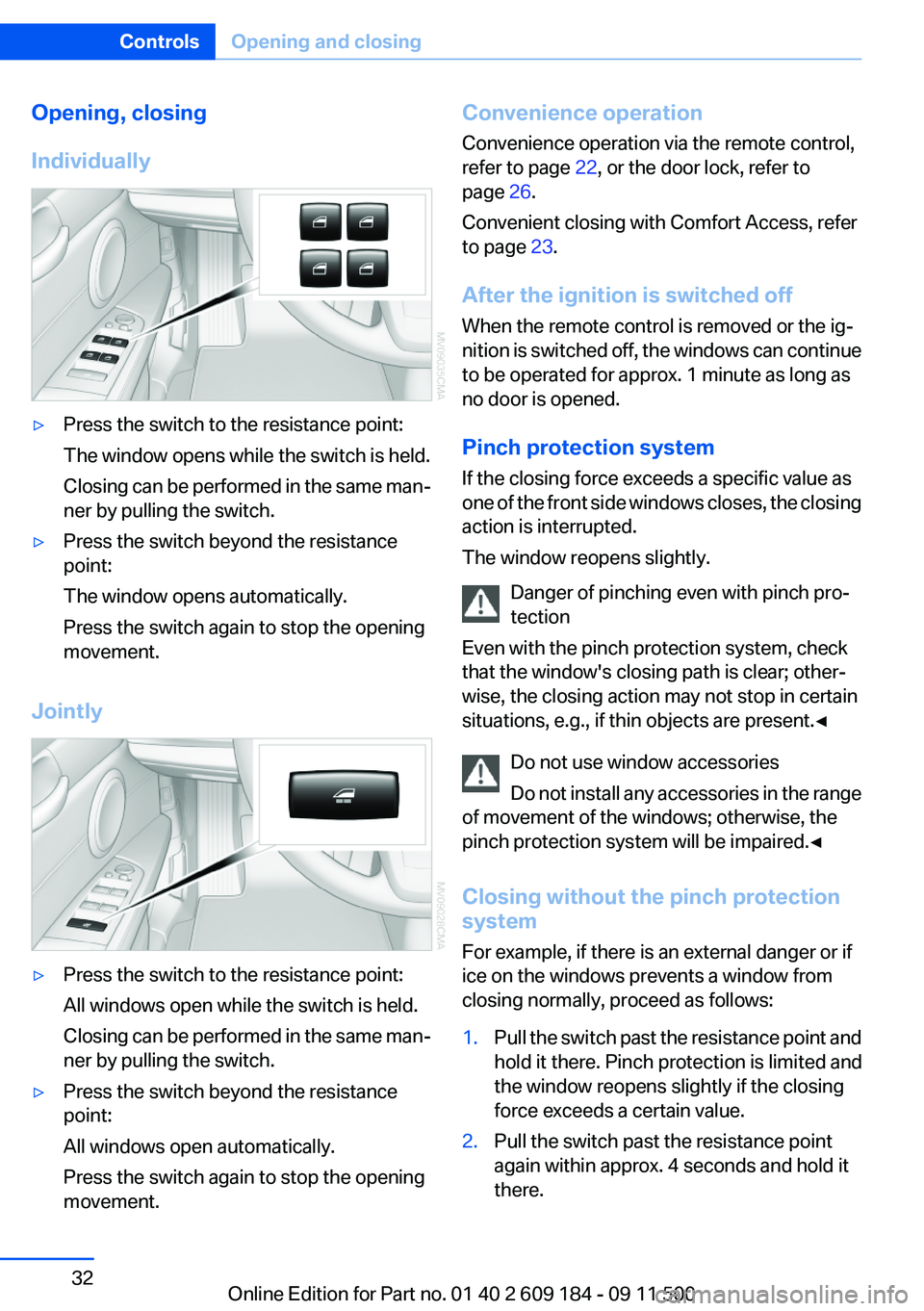
Opening, closing
Individually▷Press the switch to the resistance point:
The window opens while the switch is held.
Closing can be performed in the same man‐
ner by pulling the switch.▷Press the switch beyond the resistance
point:
The window opens automatically.
Press the switch again to stop the opening
movement.
Jointly
▷Press the switch to the resistance point:
All windows open while the switch is held.
Closing can be performed in the same man‐
ner by pulling the switch.▷Press the switch beyond the resistance
point:
All windows open automatically.
Press the switch again to stop the opening
movement.Convenience operation
Convenience operation via the remote control,
refer to page 22, or the door lock, refer to
page 26.
Convenient closing with Comfort Access, refer
to page 23.
After the ignition is switched off
When the remote control is removed or the ig‐
nition is switched off, the windows can continue
to be operated for approx. 1 minute as long as
no door is opened.
Pinch protection system
If the closing force exceeds a specific value as
one of the front side windows closes, the closing
action is interrupted.
The window reopens slightly.
Danger of pinching even with pinch pro‐
tection
Even with the pinch protection system, check
that the window's closing path is clear; other‐
wise, the closing action may not stop in certain
situations, e.g., if thin objects are present.◀
Do not use window accessories
Do not install any accessories in the range
of movement of the windows; otherwise, the
pinch protection system will be impaired.◀
Closing without the pinch protection
system
For example, if there is an external danger or if
ice on the windows prevents a window from
closing normally, proceed as follows:1.Pull the switch past the resistance point and
hold it there. Pinch protection is limited and
the window reopens slightly if the closing
force exceeds a certain value.2.Pull the switch past the resistance point
again within approx. 4 seconds and hold it
there.Seite 32ControlsOpening and closing32
Online Edition for Part no. 01 40 2 609 184 - 09 11 500
Page 33 of 220
The window closes without pinch protec‐
tion.
Retractable hardtop
General information
Adhere to the following instructions:
▷It is advisable that you close the retractable
hardtop when you park the vehicle. Not only
does the closed hardtop protect the vehicle
interior against unanticipated weather dam‐
age, it also offers theft protection. However,
even when the hardtop is closed, valuables
should only be stored in the locked cargo
area.▷Do not attach roof rack systems to the re‐
tractable hardtop, and in particular do not
attach magnetic racks.▷Do not attach rack systems to the trunk lid,
and in particular do not attach magnetic
racks.▷When the retractable hardtop is operated,
the trunk lid swings back and up.
Before operating the retractable hardtop,
ensure that there is enough clearance, e.g.,
in tight parking spaces.▷If you open the hardtop while it is wet, e.g.,
after driving in the rain, water may drip into
the cargo area.
If necessary, remove items from the cargo
area beforehand to avoid water stains or
soiling.▷At temperatures below 14 ℉/-10 ℃, the re‐
tractable hardtop cannot be moved.
Do not touch the mechanism and keep the
opening path clear.
During opening and closing, do not reach into
the mechanism and keep children away from the
opening path of the retractable hardtop; other‐
wise, there is the risk of injury.◀
Only open or close the hardtop while the
vehicle is stationary.
Do not drive away until the hardtop movement
is completed. Driving when the hardtop is not
fully opened or not fully closed may result in
damage or injury.◀
Do not place objects on the retractable
hardtop.
Do not place any objects on the retractable hard‐
top or on the trunk lid; otherwise, they could fall
during movements of the retractable hardtop
and cause damage or injury.◀
Before opening and closing Always open or close the hardtop fully.
Do not let the hardtop stop in an inter‐
mediate position when opening or closing. Oth‐
erwise, there is the danger of personal injury
since the hardtop will be lowered automatically
after a few minutes.◀▷Observe the safety precautions above.▷Ensure that the trunk lid is closed.▷The vehicle should be parked on fairly level
ground. Excessive angle is indicated by a
lamp.▷Fold down the trunk cover and make sure it
engages, refer to the instructions below.▷Do not place any objects next to or on the
cargo area partition and close the storage
compartment on the left side of the cargo
area.▷Do not exceed the maximum loading height
under the cargo area partition; refer to the
label in the cargo area showing a line indi‐
cating the maximum height.Seite 33Opening and closingControls33
Online Edition for Part no. 01 40 2 609 184 - 09 11 500
Page 34 of 220
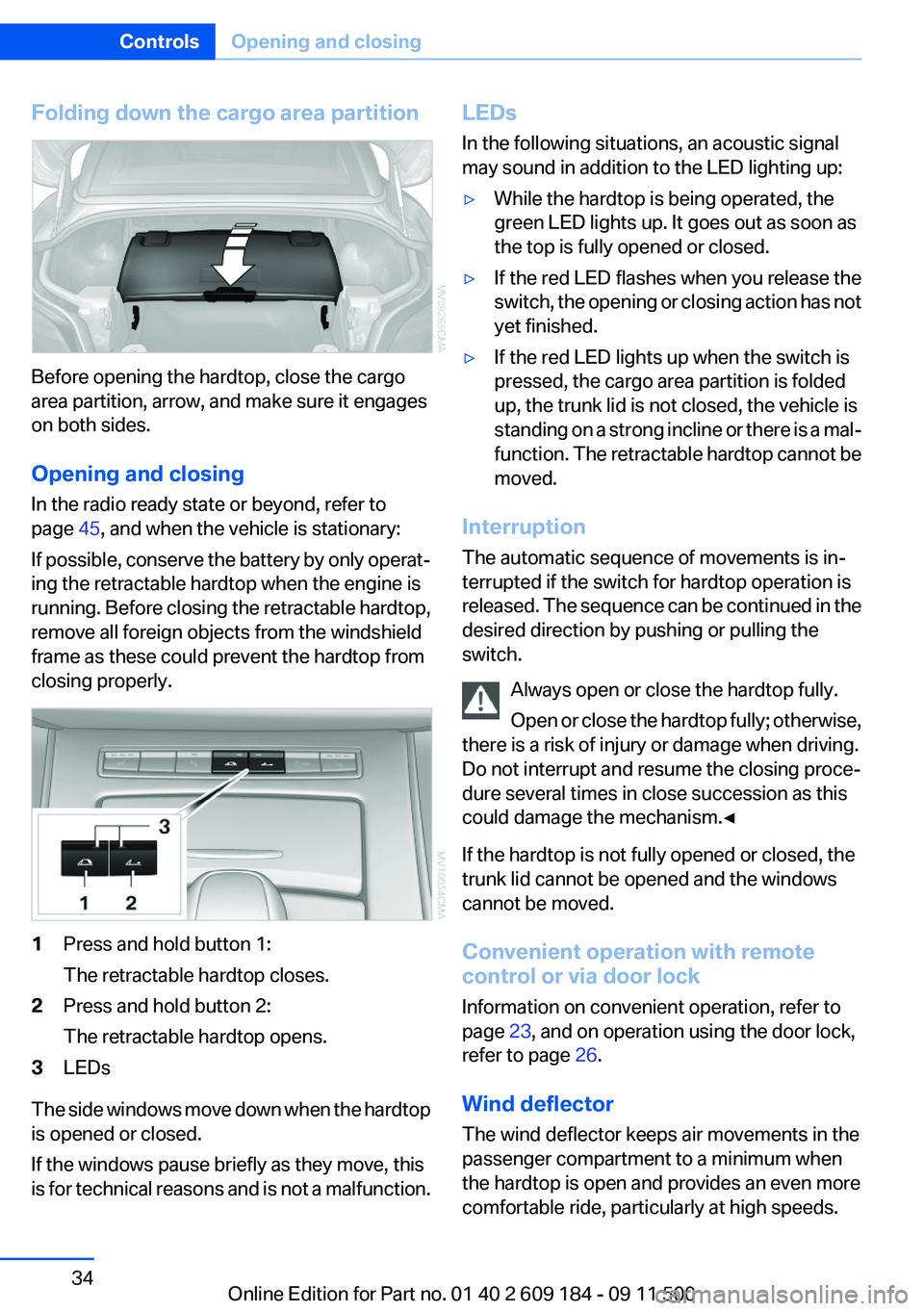
Folding down the cargo area partition
Before opening the hardtop, close the cargo
area partition, arrow, and make sure it engages
on both sides.
Opening and closing
In the radio ready state or beyond, refer to
page 45, and when the vehicle is stationary:
If possible, conserve the battery by only operat‐
ing the retractable hardtop when the engine is
running. Before closing the retractable hardtop,
remove all foreign objects from the windshield
frame as these could prevent the hardtop from
closing properly.
1Press and hold button 1:
The retractable hardtop closes.2Press and hold button 2:
The retractable hardtop opens.3LEDs
The side windows move down when the hardtop
is opened or closed.
If the windows pause briefly as they move, this
is for technical reasons and is not a malfunction.
LEDs
In the following situations, an acoustic signal
may sound in addition to the LED lighting up:▷While the hardtop is being operated, the
green LED lights up. It goes out as soon as
the top is fully opened or closed.▷If the red LED flashes when you release the
switch, the opening or closing action has not
yet finished.▷If the red LED lights up when the switch is
pressed, the cargo area partition is folded
up, the trunk lid is not closed, the vehicle is
standing on a strong incline or there is a mal‐
function. The retractable hardtop cannot be
moved.
Interruption
The automatic sequence of movements is in‐
terrupted if the switch for hardtop operation is
released. The sequence can be continued in the
desired direction by pushing or pulling the
switch.
Always open or close the hardtop fully.
Open or close the hardtop fully; otherwise,
there is a risk of injury or damage when driving.
Do not interrupt and resume the closing proce‐
dure several times in close succession as this
could damage the mechanism.◀
If the hardtop is not fully opened or closed, the
trunk lid cannot be opened and the windows
cannot be moved.
Convenient operation with remote
control or via door lock
Information on convenient operation, refer to
page 23, and on operation using the door lock,
refer to page 26.
Wind deflector
The wind deflector keeps air movements in the
passenger compartment to a minimum when
the hardtop is open and provides an even more
comfortable ride, particularly at high speeds.
Seite 34ControlsOpening and closing34
Online Edition for Part no. 01 40 2 609 184 - 09 11 500
Page 40 of 220
Comfort function1.Open the driver's door or switch on the radio
ready state, refer to page 45.2.Briefly press the desired memory but‐
ton 1 or 2.
The seat is automatically moved to the stored
position.
The procedure stops when a switch for adjust‐
ing the seat or one of the buttons is pressed.
Safety mode
1.Close the driver's door and switch the igni‐
tion on or off, refer to page 45.2.Press and hold the desired button 1 or 2 until
the adjustment procedure is completed.
Mirrors
Exterior mirrors
General information
The mirror on the passenger side is more curved
than the driver's mirror.
Estimating distances correctly
Objects reflected in the mirror are closer
than they appear. Do not estimate the distance
to the traffic behind you based on what you see
in the mirror, as this will increase your risk of an
accident.◀
The setting for the exterior mirrors is stored for
the remote control currently in use. The stored
position is called up automatically when the ve‐
hicle is unlocked.
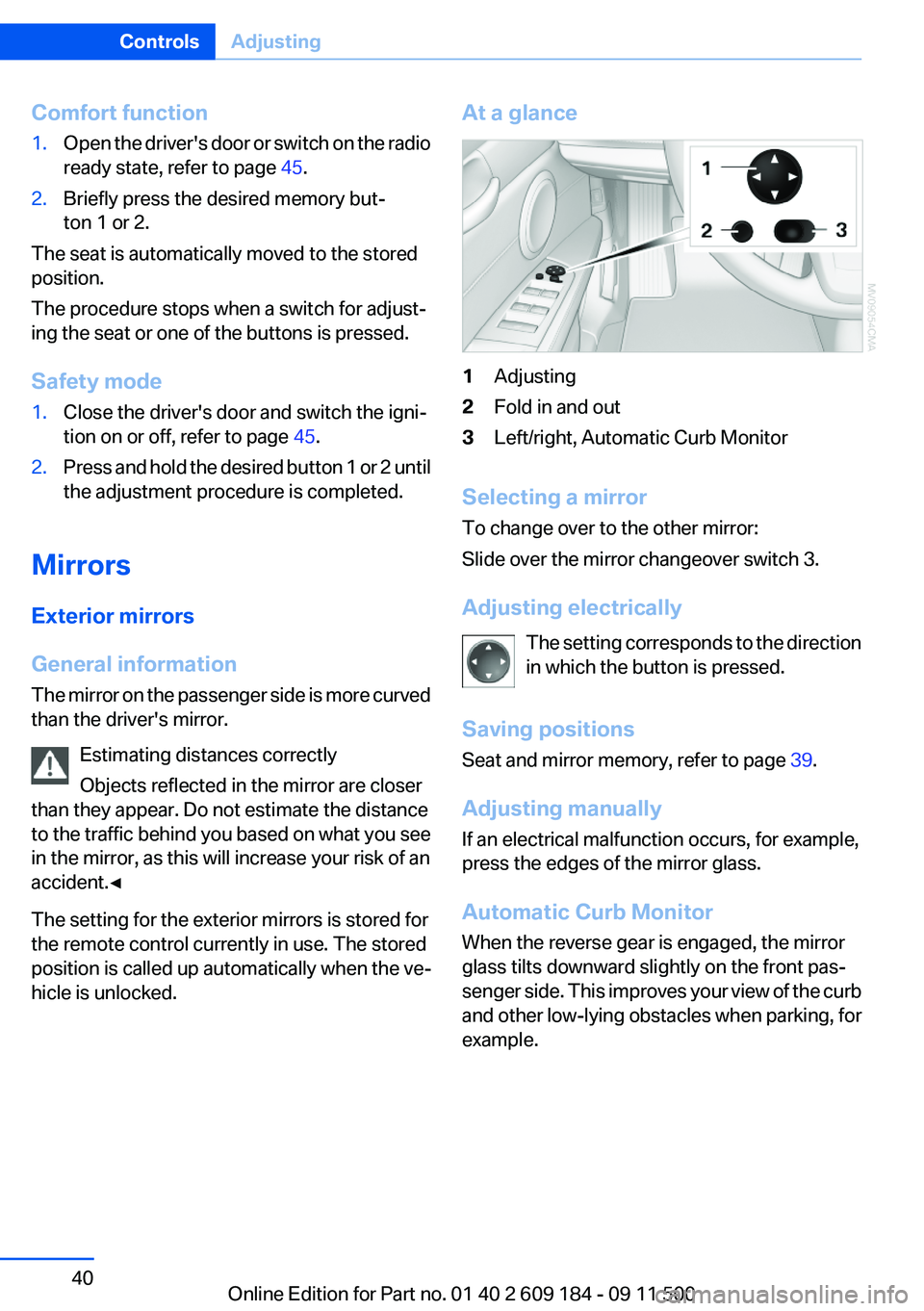
At a glance1Adjusting2Fold in and out3Left/right, Automatic Curb Monitor
Selecting a mirror
To change over to the other mirror:
Slide over the mirror changeover switch 3.
Adjusting electrically The setting corresponds to the direction
in which the button is pressed.
Saving positions
Seat and mirror memory, refer to page 39.
Adjusting manually
If an electrical malfunction occurs, for example,
press the edges of the mirror glass.
Automatic Curb Monitor
When the reverse gear is engaged, the mirror
glass tilts downward slightly on the front pas‐
senger side. This improves your view of the curb
and other low-lying obstacles when parking, for
example.
Seite 40ControlsAdjusting40
Online Edition for Part no. 01 40 2 609 184 - 09 11 500
Page 44 of 220
Backrest width1.Adjust the backrest width to its widest set‐
ting, refer to page 37.2.Install the child seat.
Backrest width for the child seat
Before installing a child restraint fixing
system in the front passenger seat, the backrest
width must be opened completely. Do not
change the adjustment after this; otherwise, the
stability of the child seat will be reduced.◀
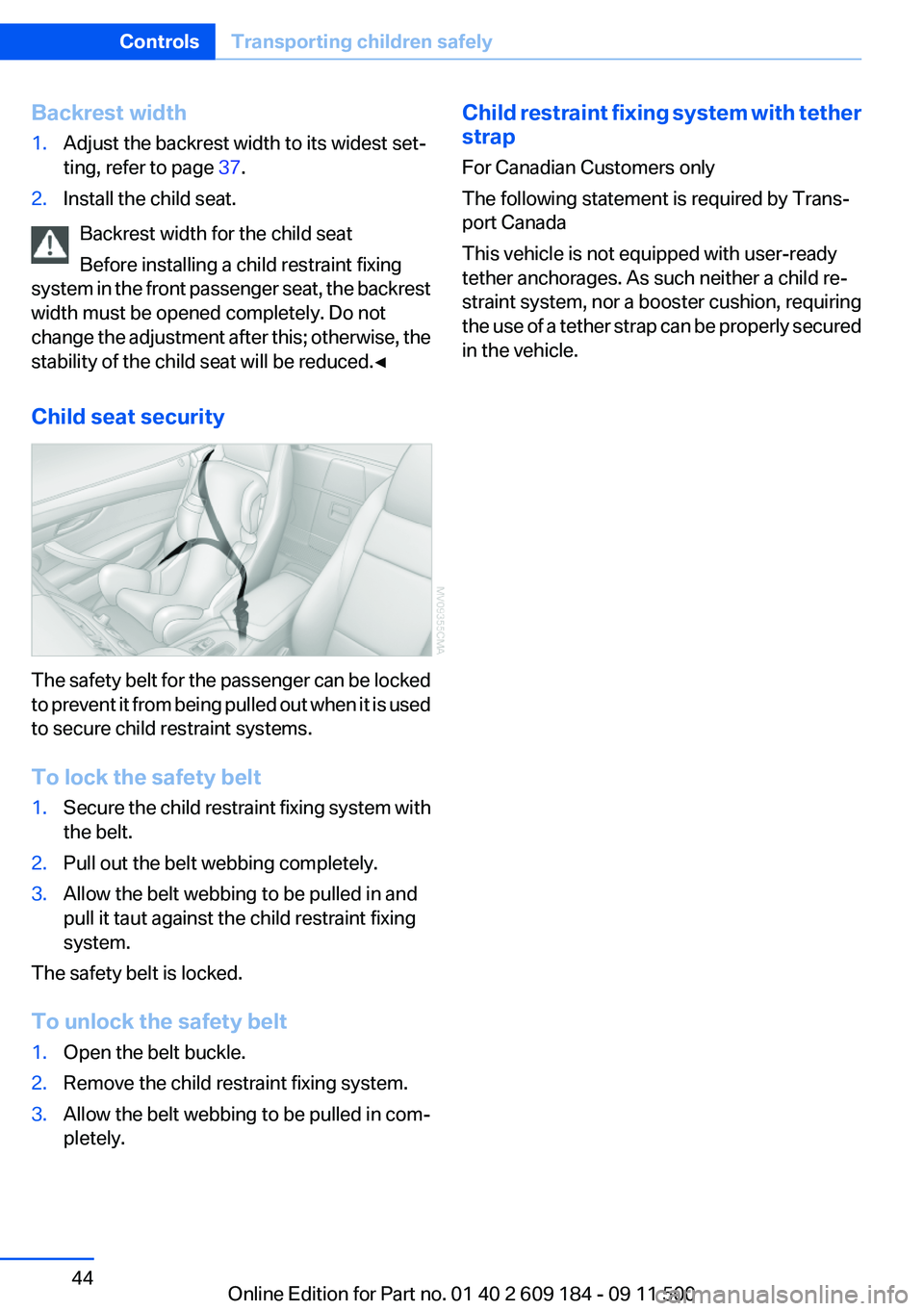
Child seat security
The safety belt for the passenger can be locked
to prevent it from being pulled out when it is used
to secure child restraint systems.
To lock the safety belt
1.Secure the child restraint fixing system with
the belt.2.Pull out the belt webbing completely.3.Allow the belt webbing to be pulled in and
pull it taut against the child restraint fixing
system.
The safety belt is locked.
To unlock the safety belt
1.Open the belt buckle.2.Remove the child restraint fixing system.3.Allow the belt webbing to be pulled in com‐
pletely.Child restraint fixing system with tether
strap
For Canadian Customers only
The following statement is required by Trans‐
port Canada
This vehicle is not equipped with user-ready
tether anchorages. As such neither a child re‐
straint system, nor a booster cushion, requiring
the use of a tether strap can be properly secured
in the vehicle.Seite 44ControlsTransporting children safely44
Online Edition for Part no. 01 40 2 609 184 - 09 11 500