battery BMW Z4 SDRIVE28I 2012 Owner's Manual
[x] Cancel search | Manufacturer: BMW, Model Year: 2012, Model line: Z4 SDRIVE28I, Model: BMW Z4 SDRIVE28I 2012Pages: 220, PDF Size: 9.9 MB
Page 137 of 220
▷The phone book entries of the telephone
stored on the SIM card or mobile phone are
transmitted to the vehicle after detection,
depending on the mobile phone.▷Four mobile phones can be paired.▷Specific settings may be necessary in some
mobile phones, e.g., authorization or a se‐
cure connection; refer to the mobile phone
operating instructions.
Connecting a particular mobile phone
If more than one mobile phone is detected by the
vehicle, the first mobile phone on the list is con‐
nected. A different detected mobile phone may
be connected with the vehicle.
The mobile phone is connected with the ve‐
hicle.
A different mobile phone can be connected by
selecting it.
1.Switch on the radio ready state or the igni‐
tion.2. Press the button.3."PHONE"4."BT"5.Turn the right knob until the mobile phone
to be connected is displayed.6."PRIO"
Press the button repeatedly until the desired
position is reached.
Unpairing the mobile phone
1.Switch on the radio ready state or the igni‐
tion.2. Press the button.3."PHONE"4."BT"5.Turn the right knob until the mobile phone
to be unpaired is displayed.6."DELETE"7."YES"
What to do if...
Information on suitable mobile phones, refer to
page 134.
The mobile phone could not be paired or con‐
nected.
▷Is Bluetooth activated in the vehicle and on
the mobile phone? Activate Bluetooth on
the vehicle and on the mobile phone.▷Do the Bluetooth passkeys on the mobile
phone and the vehicle match? Enter the
same passkey on the mobile phone and on
the radio.▷Did it take longer than 30 seconds to enter
the passkey? Repeat the pairing procedure.▷Are too many Bluetooth devices connected
to the mobile phone or vehicle? Delete con‐
nections with other devices if necessary.▷Is the mobile phone in power-save mode or
does it have only a limited remaining battery
life? Charge the mobile phone in the snap-
in adapter or via the charging cable.▷Depending on the mobile phone, it is possi‐
ble that only one mobile phone can be con‐
nected to the vehicle. Unpair the connected
mobile phone from the vehicle and pair and
connect only one mobile phone.
The mobile phone no longer reacts?
▷Switch the mobile phone off and on again.▷Is the ambient temperature too high or low?
Do not expose the mobile phone to extreme
environmental conditions.
No phone book entries or only some phone book
entries are displayed, or they are incomplete.
▷Transmission of the phone book entries is
not yet complete.▷It is possible that only the phone book en‐
tries of the mobile phone or the SIM card are
transmitted.Seite 137TelephoneCommunication137
Online Edition for Part no. 01 40 2 609 184 - 09 11 500
Page 144 of 220
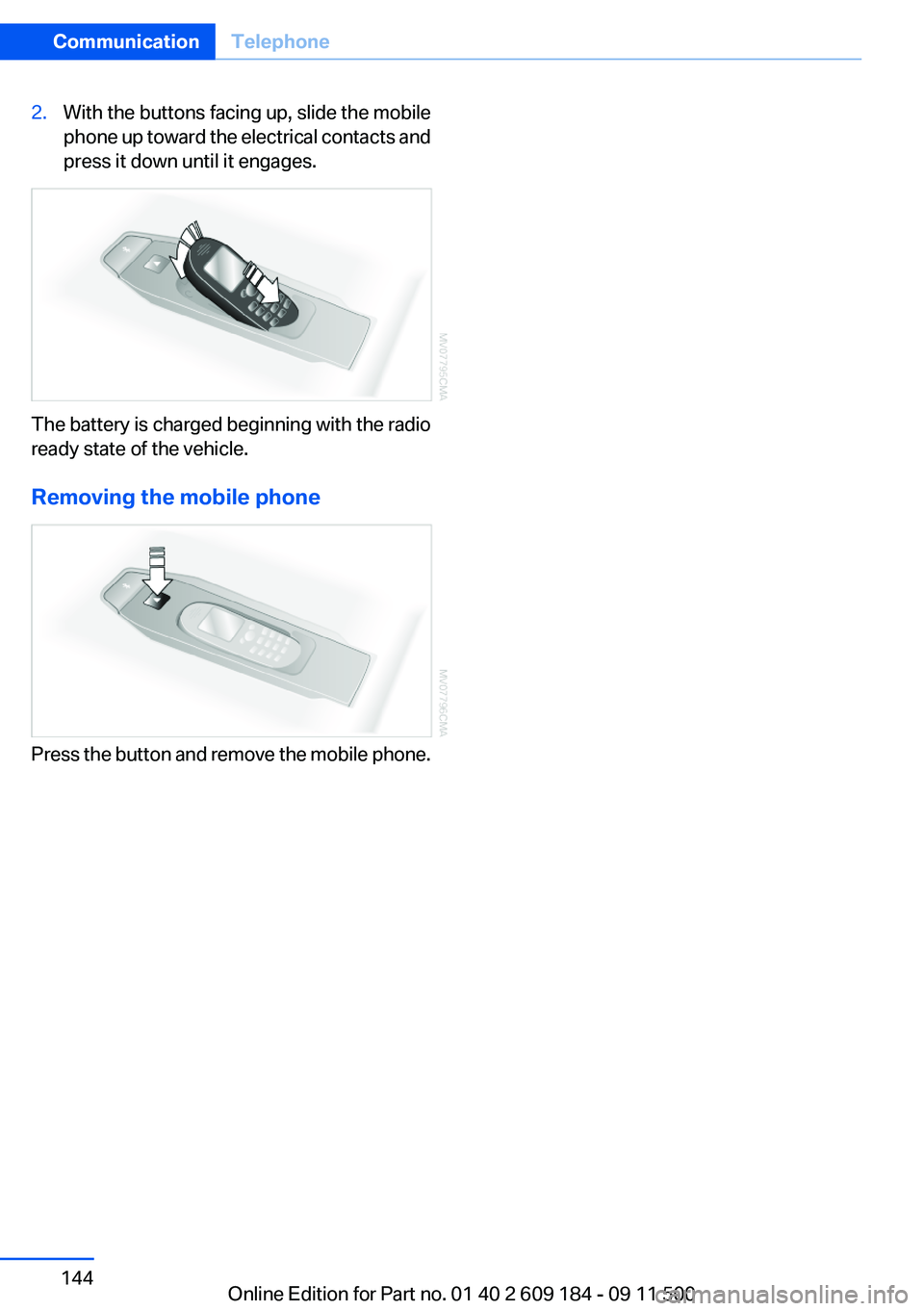
2.With the buttons facing up, slide the mobile
phone up toward the electrical contacts and
press it down until it engages.
The battery is charged beginning with the radio
ready state of the vehicle.
Removing the mobile phone
Press the button and remove the mobile phone.
Seite 144CommunicationTelephone144
Online Edition for Part no. 01 40 2 609 184 - 09 11 500
Page 174 of 220
No spare tire is available in the case of a flat tire.
The tools for changing wheels are available as
accessories from your service center.
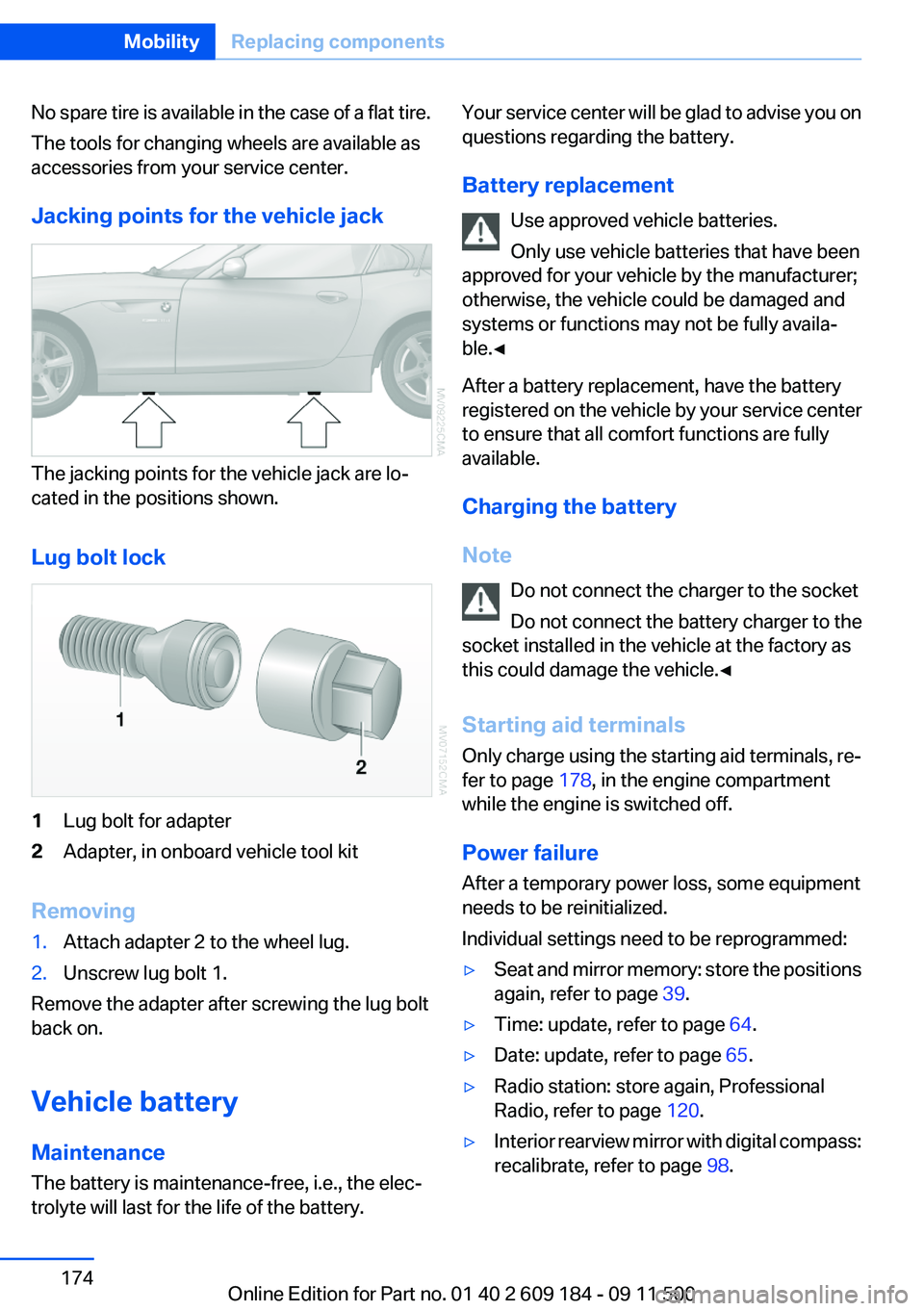
Jacking points for the vehicle jack
The jacking points for the vehicle jack are lo‐
cated in the positions shown.
Lug bolt lock
1Lug bolt for adapter2Adapter, in onboard vehicle tool kit
Removing
1.Attach adapter 2 to the wheel lug.2.Unscrew lug bolt 1.
Remove the adapter after screwing the lug bolt
back on.
Vehicle battery
Maintenance
The battery is maintenance-free, i.e., the elec‐
trolyte will last for the life of the battery.
Your service center will be glad to advise you on
questions regarding the battery.
Battery replacement Use approved vehicle batteries.
Only use vehicle batteries that have been
approved for your vehicle by the manufacturer;
otherwise, the vehicle could be damaged and
systems or functions may not be fully availa‐
ble.◀
After a battery replacement, have the battery
registered on the vehicle by your service center
to ensure that all comfort functions are fully
available.
Charging the battery
Note Do not connect the charger to the socket
Do not connect the battery charger to the
socket installed in the vehicle at the factory as
this could damage the vehicle.◀
Starting aid terminals
Only charge using the starting aid terminals, re‐
fer to page 178, in the engine compartment
while the engine is switched off.
Power failure
After a temporary power loss, some equipment
needs to be reinitialized.
Individual settings need to be reprogrammed:▷Seat and mirror memory: store the positions
again, refer to page 39.▷Time: update, refer to page 64.▷Date: update, refer to page 65.▷Radio station: store again, Professional
Radio, refer to page 120.▷Interior rearview mirror with digital compass:
recalibrate, refer to page 98.Seite 174MobilityReplacing components174
Online Edition for Part no. 01 40 2 609 184 - 09 11 500
Page 175 of 220
Disposing of old batteriesHave old batteries disposed of by your
service center or bring them to a recy‐
cling center.
Maintain the battery in an upright position for
transport and storage. Secure the battery so
that it does not tip over during transport.
Fuses
Notes Replacing fuses
Never attempt to repair a blown fuse and
do not replace a defective fuse with a substitute
of another color or amperage rating; this could
lead to a circuit overload, ultimately resulting in
a fire in the vehicle.◀
A pair of plastic tweezers is found on the current
distributor.
See the inside of the cover for information on
fuse assignment.
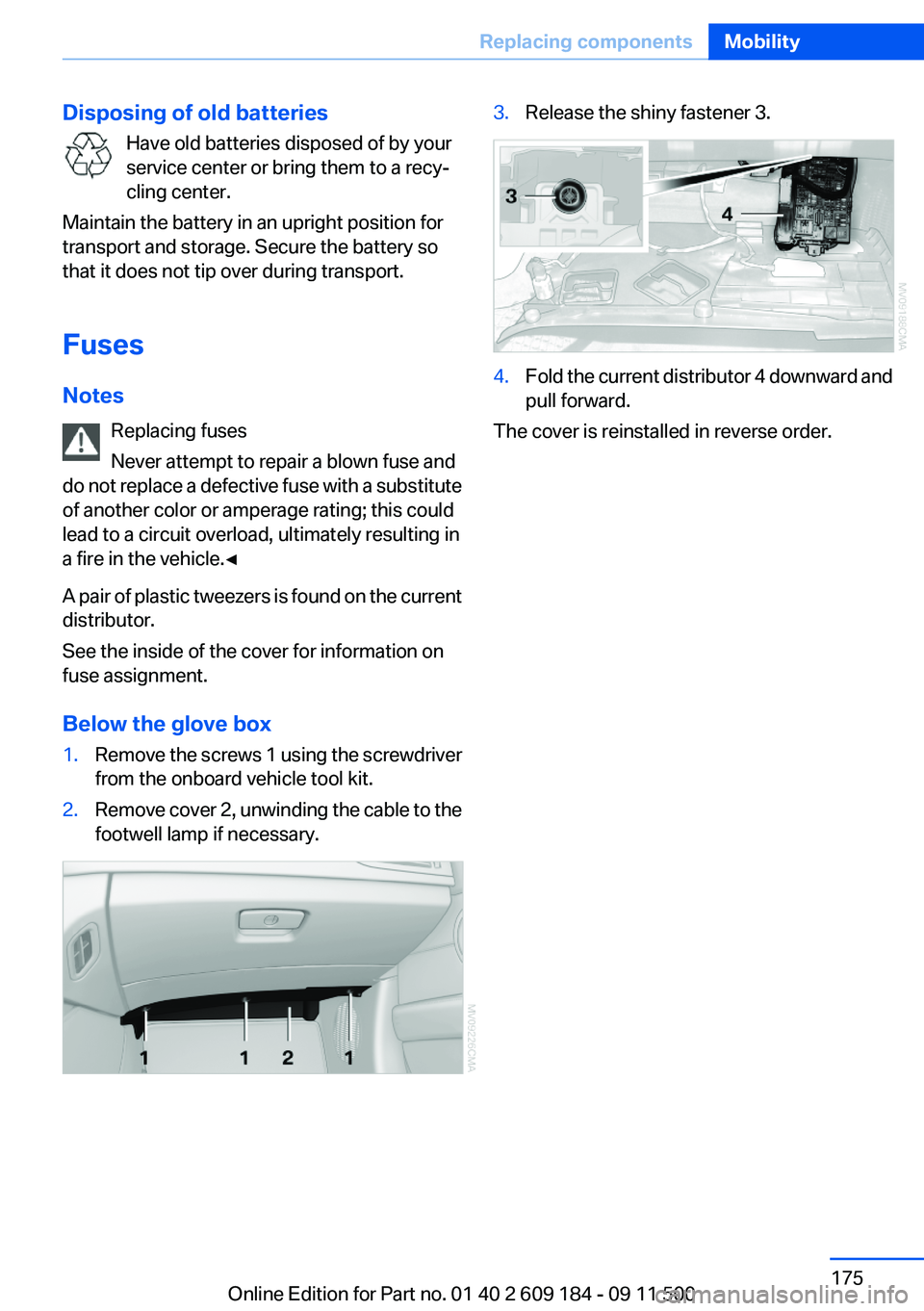
Below the glove box1.Remove the screws 1 using the screwdriver
from the onboard vehicle tool kit.2.Remove cover 2, unwinding the cable to the
footwell lamp if necessary.3.Release the shiny fastener 3.4.Fold the current distributor 4 downward and
pull forward.
The cover is reinstalled in reverse order.
Seite 175Replacing componentsMobility175
Online Edition for Part no. 01 40 2 609 184 - 09 11 500
Page 177 of 220
After the Emergency Request arrives at the
BMW Assist Response Center, the BMW
Assist Response Center contacts you and
takes further steps to help you.
Even if you are unable to respond, the BMW
Assist Response Center can take further
steps to help you under certain circumstan‐
ces.
For this purpose, data that are used to de‐
termine the necessary rescue measures,
such as the current position of the vehicle if
it can be established, are transmitted to the
BMW Assist Response Center.▷If the LED is flashing but the BMW Assist
Response Center cannot be heard on the
hands-free system, the hands-free system
may be malfunctioning. However, the BMW
Assist Response Center may still be able to
hear you.
Initiating an Emergency Request
automatically
Under certain conditions, an Emergency Re‐
quest is automatically initiated immediately after
a severe accident. Automatic Collision Notifica‐
tion is not affected by pressing the SOS button.
Warning triangle
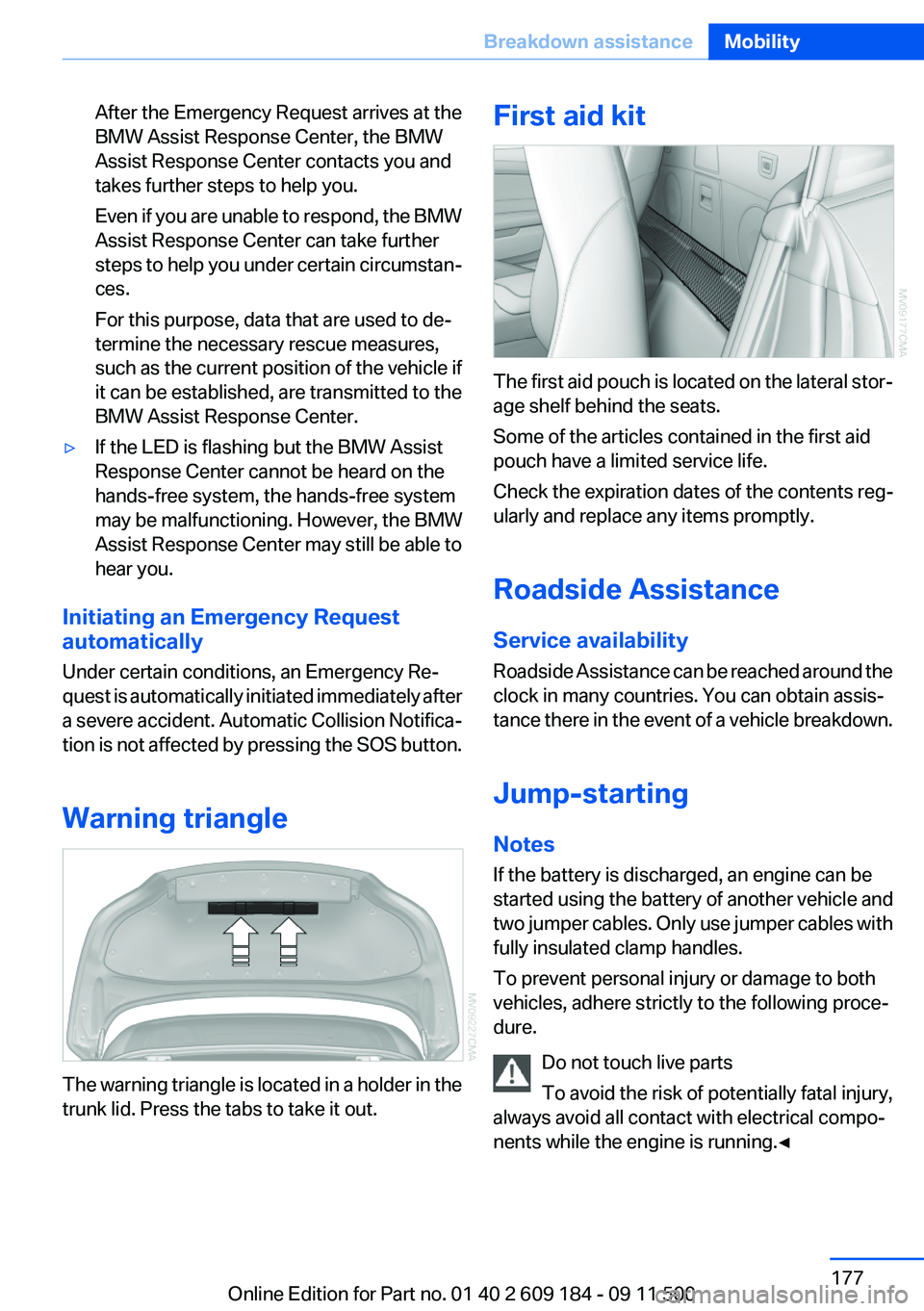
The warning triangle is located in a holder in the
trunk lid. Press the tabs to take it out.
First aid kit
The first aid pouch is located on the lateral stor‐
age shelf behind the seats.
Some of the articles contained in the first aid
pouch have a limited service life.
Check the expiration dates of the contents reg‐
ularly and replace any items promptly.
Roadside Assistance
Service availability
Roadside Assistance can be reached around the
clock in many countries. You can obtain assis‐
tance there in the event of a vehicle breakdown.
Jump-starting
Notes
If the battery is discharged, an engine can be
started using the battery of another vehicle and
two jumper cables. Only use jumper cables with
fully insulated clamp handles.
To prevent personal injury or damage to both
vehicles, adhere strictly to the following proce‐
dure.
Do not touch live parts
To avoid the risk of potentially fatal injury,
always avoid all contact with electrical compo‐
nents while the engine is running.◀
Seite 177Breakdown assistanceMobility177
Online Edition for Part no. 01 40 2 609 184 - 09 11 500
Page 178 of 220
Preparation1.Check that the battery of the other vehicle
has a voltage of 12 V. This information can
be found on the battery.2.Switch off the engine of the assisting vehi‐
cle.3.Switch off any electronic systems/power
consumers in both vehicles.
Bodywork contact between vehicles
Make sure that there is no contact be‐
tween the bodywork of the two vehicles;
otherwise, there is the danger of short cir‐
cuits.◀
Starting aid terminals
Connecting order
Connect the jumper cables in the correct
order; otherwise, there is the danger of injury
from sparking.◀
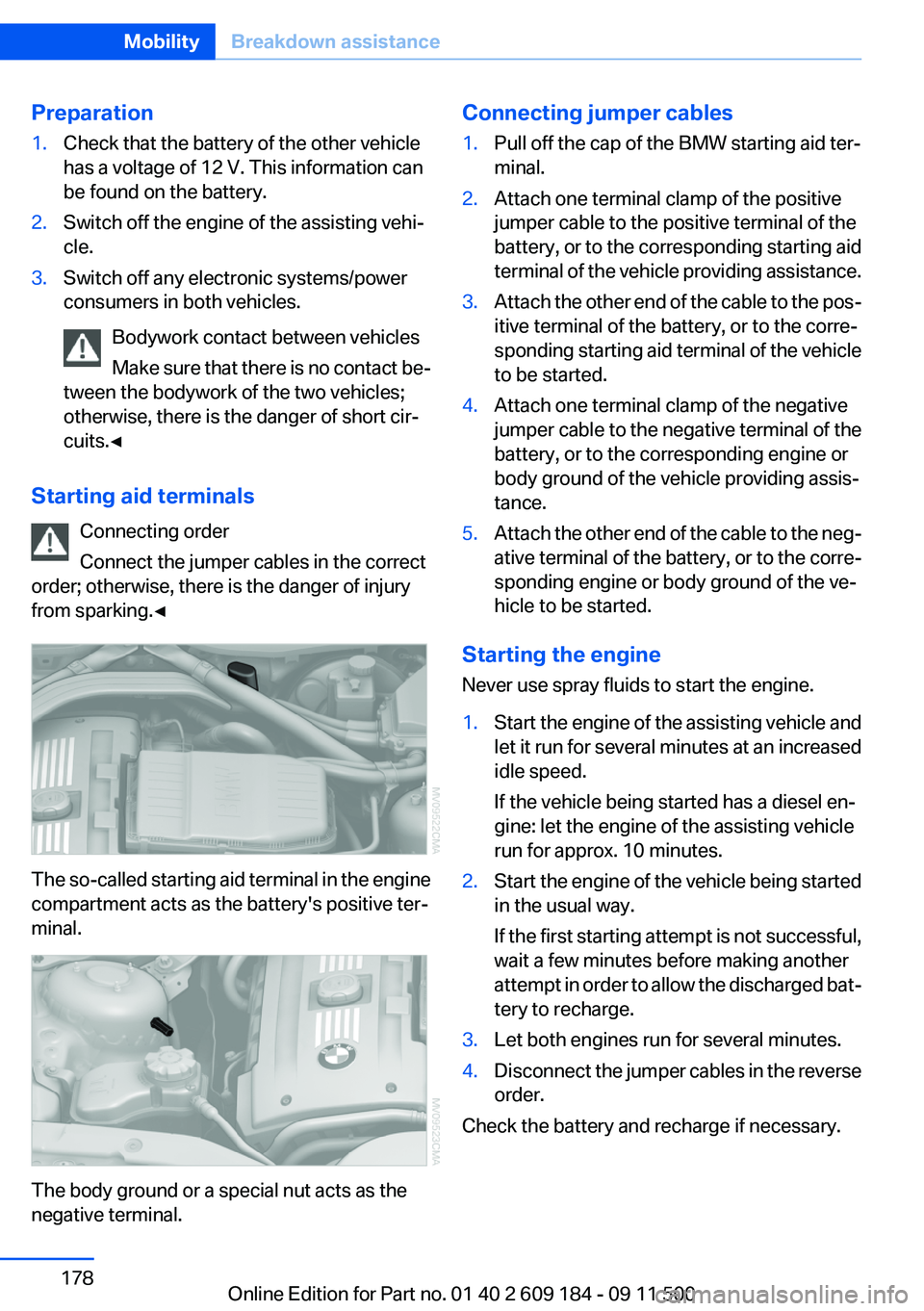
The so-called starting aid terminal in the engine
compartment acts as the battery's positive ter‐
minal.
The body ground or a special nut acts as the
negative terminal.
Connecting jumper cables1.Pull off the cap of the BMW starting aid ter‐
minal.2.Attach one terminal clamp of the positive
jumper cable to the positive terminal of the
battery, or to the corresponding starting aid
terminal of the vehicle providing assistance.3.Attach the other end of the cable to the pos‐
itive terminal of the battery, or to the corre‐
sponding starting aid terminal of the vehicle
to be started.4.Attach one terminal clamp of the negative
jumper cable to the negative terminal of the
battery, or to the corresponding engine or
body ground of the vehicle providing assis‐
tance.5.Attach the other end of the cable to the neg‐
ative terminal of the battery, or to the corre‐
sponding engine or body ground of the ve‐
hicle to be started.
Starting the engine
Never use spray fluids to start the engine.
1.Start the engine of the assisting vehicle and
let it run for several minutes at an increased
idle speed.
If the vehicle being started has a diesel en‐
gine: let the engine of the assisting vehicle
run for approx. 10 minutes.2.Start the engine of the vehicle being started
in the usual way.
If the first starting attempt is not successful,
wait a few minutes before making another
attempt in order to allow the discharged bat‐
tery to recharge.3.Let both engines run for several minutes.4.Disconnect the jumper cables in the reverse
order.
Check the battery and recharge if necessary.
Seite 178MobilityBreakdown assistance178
Online Edition for Part no. 01 40 2 609 184 - 09 11 500
Page 189 of 220
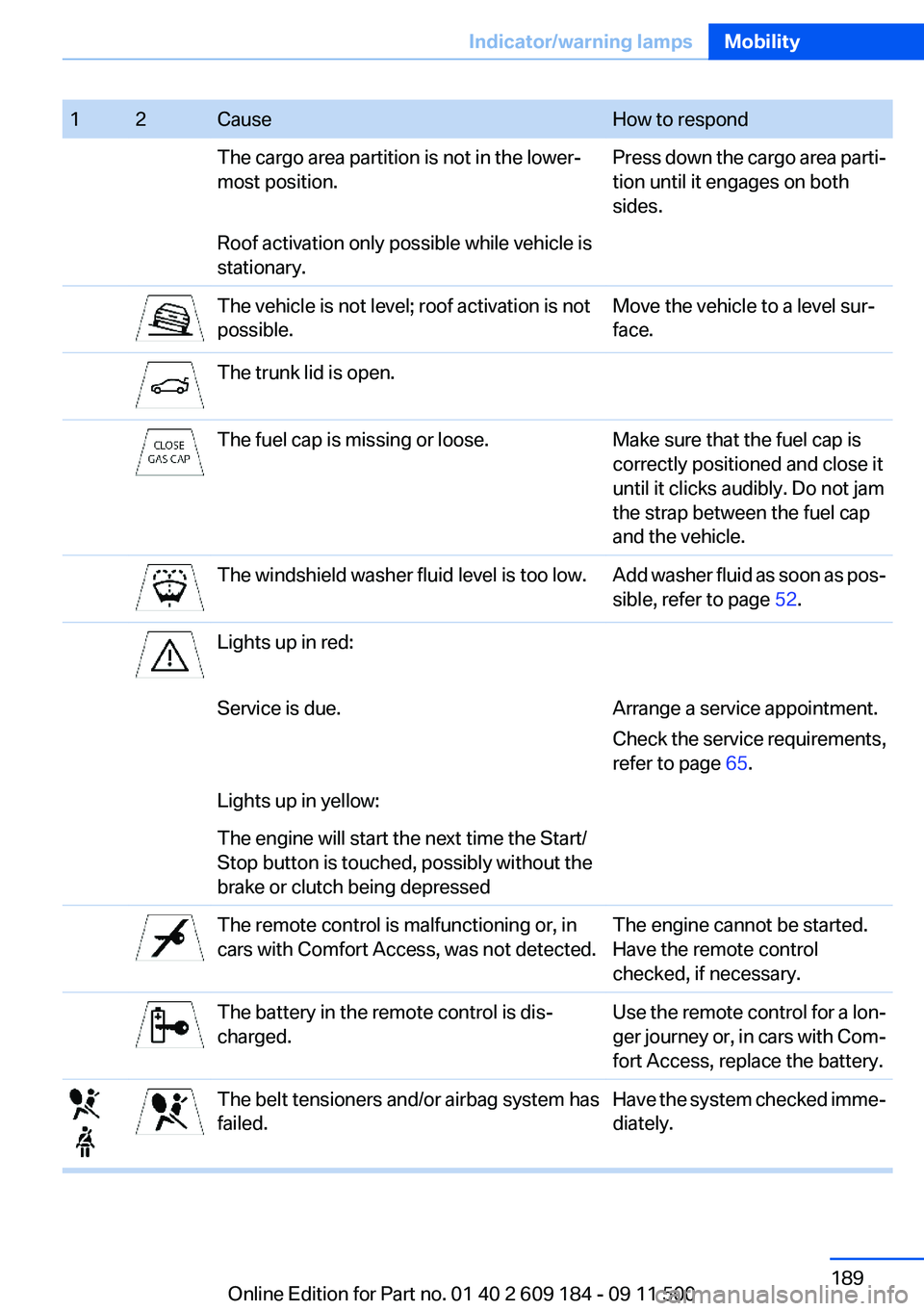
12CauseHow to respondThe cargo area partition is not in the lower‐
most position.Press down the cargo area parti‐
tion until it engages on both
sides.Roof activation only possible while vehicle is
stationary.The vehicle is not level; roof activation is not
possible.Move the vehicle to a level sur‐
face.The trunk lid is open.The fuel cap is missing or loose.Make sure that the fuel cap is
correctly positioned and close it
until it clicks audibly. Do not jam
the strap between the fuel cap
and the vehicle.The windshield washer fluid level is too low.Add washer fluid as soon as pos‐
sible, refer to page 52.Lights up in red:Service is due.Arrange a service appointment.
Check the service requirements,
refer to page 65.Lights up in yellow:The engine will start the next time the Start/
Stop button is touched, possibly without the
brake or clutch being depressedThe remote control is malfunctioning or, in
cars with Comfort Access, was not detected.The engine cannot be started.
Have the remote control
checked, if necessary.The battery in the remote control is dis‐
charged.Use the remote control for a lon‐
ger journey or, in cars with Com‐
fort Access, replace the battery.The belt tensioners and/or airbag system has
failed.Have the system checked imme‐
diately.Seite 189Indicator/warning lampsMobility189
Online Edition for Part no. 01 40 2 609 184 - 09 11 500
Page 191 of 220
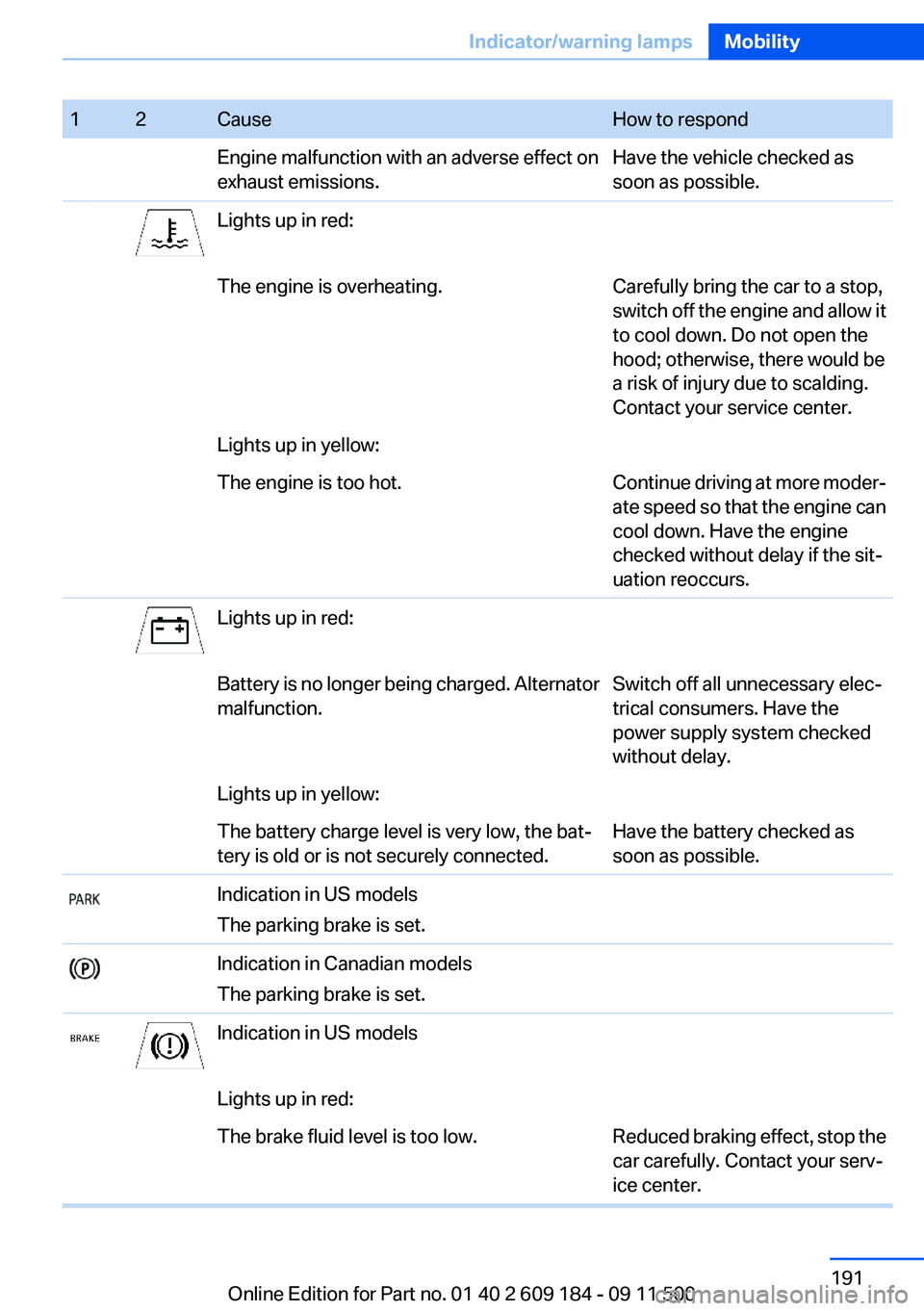
12CauseHow to respondEngine malfunction with an adverse effect on
exhaust emissions.Have the vehicle checked as
soon as possible.Lights up in red:The engine is overheating.Carefully bring the car to a stop,
switch off the engine and allow it
to cool down. Do not open the
hood; otherwise, there would be
a risk of injury due to scalding.
Contact your service center.Lights up in yellow:The engine is too hot.Continue driving at more moder‐
ate speed so that the engine can
cool down. Have the engine
checked without delay if the sit‐
uation reoccurs.Lights up in red:Battery is no longer being charged. Alternator
malfunction.Switch off all unnecessary elec‐
trical consumers. Have the
power supply system checked
without delay.Lights up in yellow:The battery charge level is very low, the bat‐
tery is old or is not securely connected.Have the battery checked as
soon as possible.Indication in US models
The parking brake is set.Indication in Canadian models
The parking brake is set.Indication in US modelsLights up in red:The brake fluid level is too low.Reduced braking effect, stop the
car carefully. Contact your serv‐
ice center.Seite 191Indicator/warning lampsMobility191
Online Edition for Part no. 01 40 2 609 184 - 09 11 500
Page 209 of 220
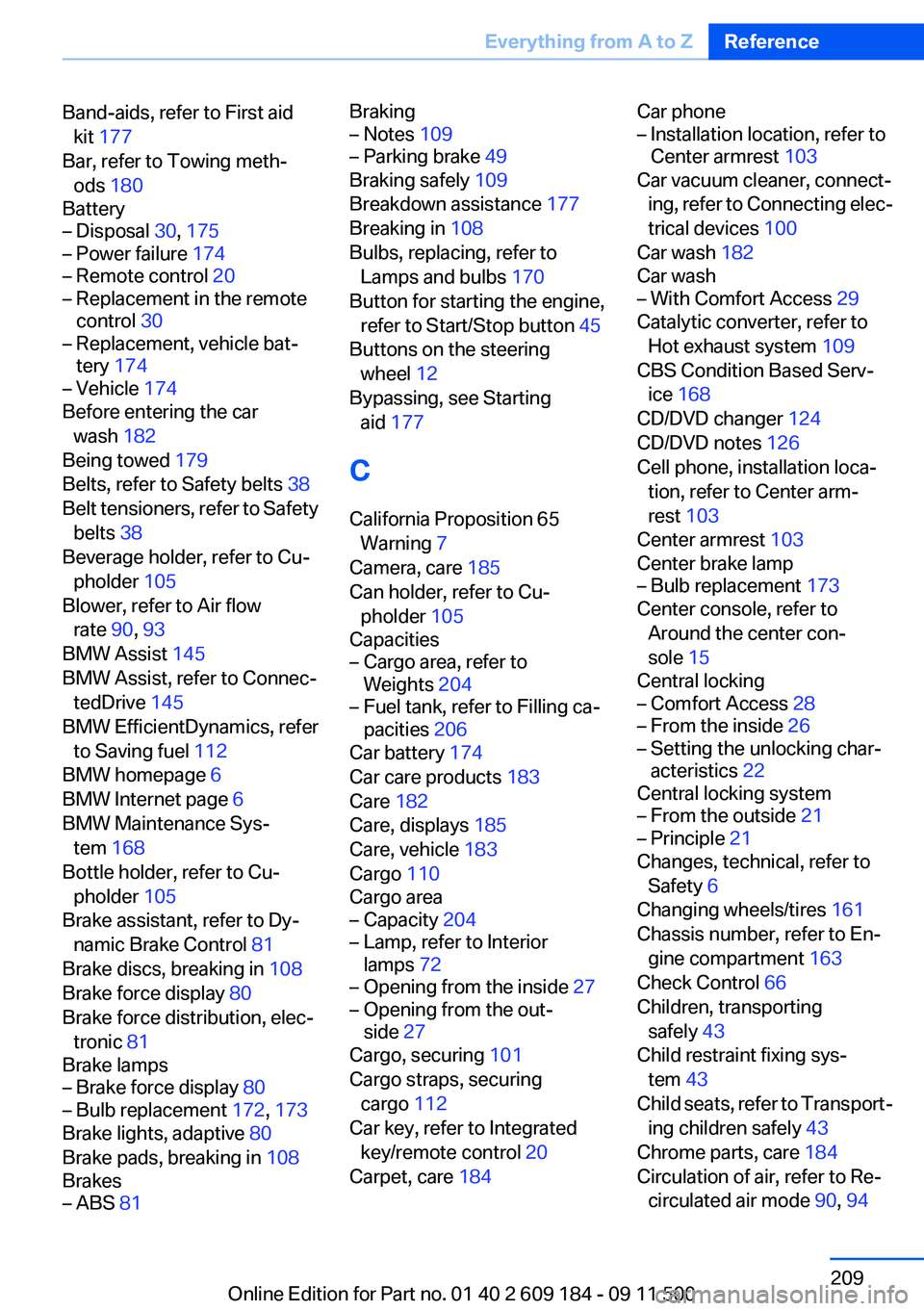
Band-aids, refer to First aidkit 177
Bar, refer to Towing meth‐ ods 180
Battery– Disposal 30, 175– Power failure 174– Remote control 20– Replacement in the remote
control 30– Replacement, vehicle bat‐
tery 174– Vehicle 174
Before entering the car
wash 182
Being towed 179
Belts, refer to Safety belts 38
Belt tensioners, refer to Safety belts 38
Beverage holder, refer to Cu‐ pholder 105
Blower, refer to Air flow rate 90, 93
BMW Assist 145
BMW Assist, refer to Connec‐ tedDrive 145
BMW EfficientDynamics, refer to Saving fuel 112
BMW homepage 6
BMW Internet page 6
BMW Maintenance Sys‐ tem 168
Bottle holder, refer to Cu‐ pholder 105
Brake assistant, refer to Dy‐ namic Brake Control 81
Brake discs, breaking in 108
Brake force display 80
Brake force distribution, elec‐ tronic 81
Brake lamps
– Brake force display 80– Bulb replacement 172, 173
Brake lights, adaptive 80
Brake pads, breaking in 108
Brakes
– ABS 81Braking– Notes 109– Parking brake 49
Braking safely 109
Breakdown assistance 177
Breaking in 108
Bulbs, replacing, refer to Lamps and bulbs 170
Button for starting the engine, refer to Start/Stop button 45
Buttons on the steering wheel 12
Bypassing, see Starting aid 177
C
California Proposition 65 Warning 7
Camera, care 185
Can holder, refer to Cu‐ pholder 105
Capacities
– Cargo area, refer to
Weights 204– Fuel tank, refer to Filling ca‐
pacities 206
Car battery 174
Car care products 183
Care 182
Care, displays 185
Care, vehicle 183
Cargo 110
Cargo area
– Capacity 204– Lamp, refer to Interior
lamps 72– Opening from the inside 27– Opening from the out‐
side 27
Cargo, securing 101
Cargo straps, securing cargo 112
Car key, refer to Integrated key/remote control 20
Carpet, care 184
Car phone– Installation location, refer to
Center armrest 103
Car vacuum cleaner, connect‐
ing, refer to Connecting elec‐
trical devices 100
Car wash 182
Car wash
– With Comfort Access 29
Catalytic converter, refer to
Hot exhaust system 109
CBS Condition Based Serv‐ ice 168
CD/DVD changer 124
CD/DVD notes 126
Cell phone, installation loca‐ tion, refer to Center arm‐
rest 103
Center armrest 103
Center brake lamp
– Bulb replacement 173
Center console, refer to
Around the center con‐
sole 15
Central locking
– Comfort Access 28– From the inside 26– Setting the unlocking char‐
acteristics 22
Central locking system
– From the outside 21– Principle 21
Changes, technical, refer to
Safety 6
Changing wheels/tires 161
Chassis number, refer to En‐ gine compartment 163
Check Control 66
Children, transporting safely 43
Child restraint fixing sys‐ tem 43
Child seats, refer to Transport‐ ing children safely 43
Chrome parts, care 184
Circulation of air, refer to Re‐ circulated air mode 90, 94
Seite 209Everything from A to ZReference209
Online Edition for Part no. 01 40 2 609 184 - 09 11 500
Page 210 of 220
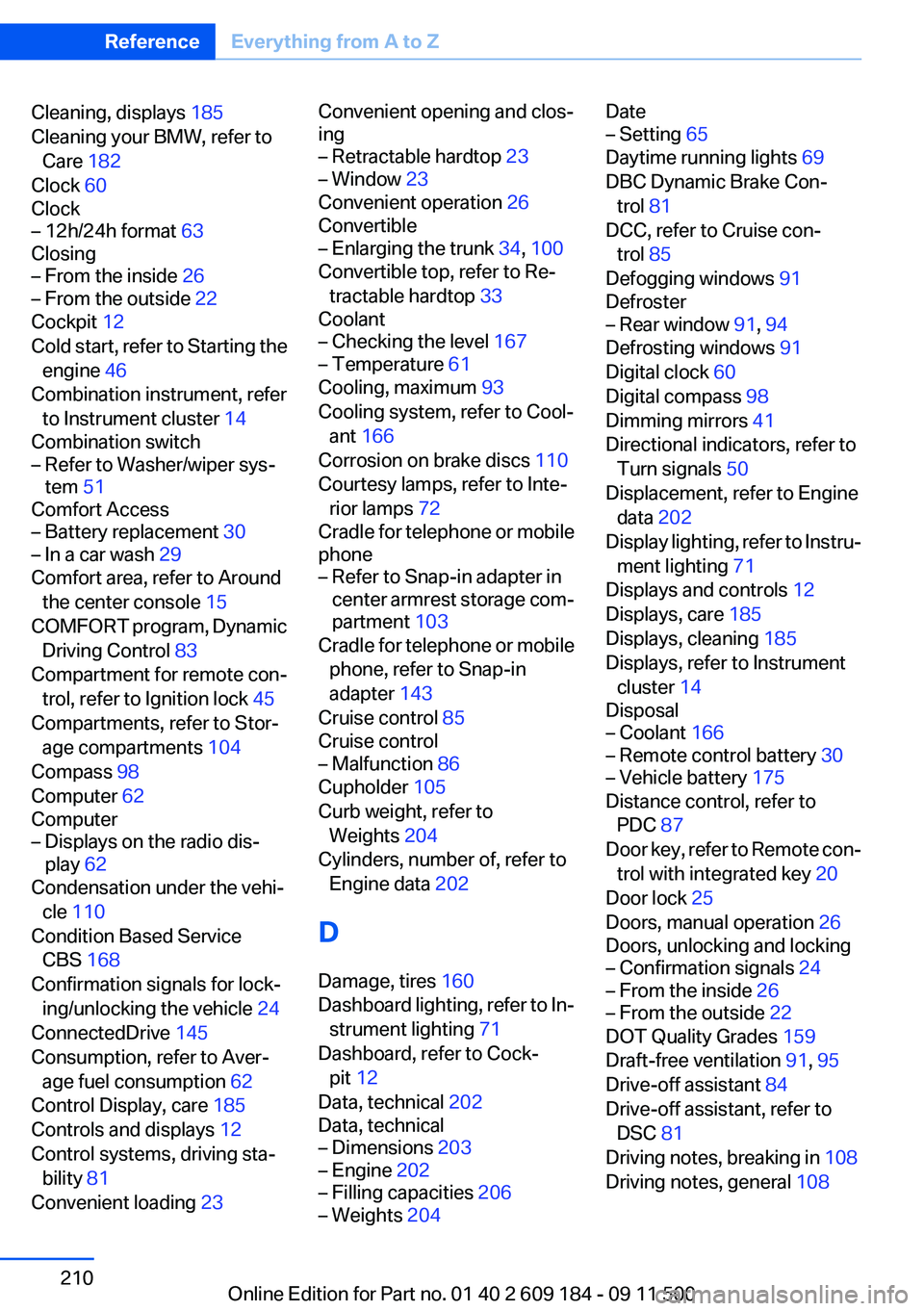
Cleaning, displays 185
Cleaning your BMW, refer to Care 182
Clock 60
Clock– 12h/24h format 63
Closing
– From the inside 26– From the outside 22
Cockpit 12
Cold start, refer to Starting the engine 46
Combination instrument, refer to Instrument cluster 14
Combination switch
– Refer to Washer/wiper sys‐
tem 51
Comfort Access
– Battery replacement 30– In a car wash 29
Comfort area, refer to Around
the center console 15
COMFORT program, Dynamic Driving Control 83
Compartment for remote con‐ trol, refer to Ignition lock 45
Compartments, refer to Stor‐ age compartments 104
Compass 98
Computer 62
Computer
– Displays on the radio dis‐
play 62
Condensation under the vehi‐
cle 110
Condition Based Service CBS 168
Confirmation signals for lock‐ ing/unlocking the vehicle 24
ConnectedDrive 145
Consumption, refer to Aver‐ age fuel consumption 62
Control Display, care 185
Controls and displays 12
Control systems, driving sta‐ bility 81
Convenient loading 23
Convenient opening and clos‐
ing– Retractable hardtop 23– Window 23
Convenient operation 26
Convertible
– Enlarging the trunk 34, 100
Convertible top, refer to Re‐
tractable hardtop 33
Coolant
– Checking the level 167– Temperature 61
Cooling, maximum 93
Cooling system, refer to Cool‐ ant 166
Corrosion on brake discs 110
Courtesy lamps, refer to Inte‐ rior lamps 72
Cradle for telephone or mobile
phone
– Refer to Snap-in adapter in
center armrest storage com‐
partment 103
Cradle for telephone or mobile
phone, refer to Snap-in
adapter 143
Cruise control 85
Cruise control
– Malfunction 86
Cupholder 105
Curb weight, refer to Weights 204
Cylinders, number of, refer to Engine data 202
D
Damage, tires 160
Dashboard lighting, refer to In‐ strument lighting 71
Dashboard, refer to Cock‐ pit 12
Data, technical 202
Data, technical
– Dimensions 203– Engine 202– Filling capacities 206– Weights 204Date– Setting 65
Daytime running lights 69
DBC Dynamic Brake Con‐ trol 81
DCC, refer to Cruise con‐ trol 85
Defogging windows 91
Defroster
– Rear window 91, 94
Defrosting windows 91
Digital clock 60
Digital compass 98
Dimming mirrors 41
Directional indicators, refer to Turn signals 50
Displacement, refer to Engine data 202
Display lighting, refer to Instru‐ ment lighting 71
Displays and controls 12
Displays, care 185
Displays, cleaning 185
Displays, refer to Instrument
cluster 14
Disposal
– Coolant 166– Remote control battery 30– Vehicle battery 175
Distance control, refer to
PDC 87
Door key, refer to Remote con‐ trol with integrated key 20
Door lock 25
Doors, manual operation 26
Doors, unlocking and locking
– Confirmation signals 24– From the inside 26– From the outside 22
DOT Quality Grades 159
Draft-free ventilation 91, 95
Drive-off assistant 84
Drive-off assistant, refer to DSC 81
Driving notes, breaking in 108
Driving notes, general 108
Seite 210ReferenceEverything from A to Z210
Online Edition for Part no. 01 40 2 609 184 - 09 11 500