ignition BMW Z4 SDRIVE28I 2014 User Guide
[x] Cancel search | Manufacturer: BMW, Model Year: 2014, Model line: Z4 SDRIVE28I, Model: BMW Z4 SDRIVE28I 2014Pages: 285, PDF Size: 7.21 MB
Page 56 of 285
Radio ready stateIndividual electrical consumers can operate.
The time and the external temperature are dis‐
played in the instrument cluster.
Radio ready state is switched off automatically:▷When the remote control is removed from
the ignition lock.▷In cars with Comfort Access, by touching
the surface above the door lock, locking,
refer to page 37.
Ignition on
All electrical consumers can operate. The od‐
ometer and trip odometer are displayed in the
instrument cluster.
To save battery power when the engine is off,
switch off the ignition and any unnecessary
electronic systems/power consumers.
Radio ready state and ignition off
All indicator and warning lamps as well as dis‐
plays in the instrument cluster go out.
Sport automatic transmission
In certain situations, transmission position P is
engaged automatically. To make it possible for
the vehicle to roll, such as in an automatic car
wash, follow the instructions in Car washes, re‐
fer to page 255.
Starting the engine Enclosed areas
Do not let the engine run in enclosed
areas; otherwise, breathing of exhaust fumes
may lead to loss of consciousness and death.
The exhaust gases contain carbon monoxide,
an odorless and colorless but highly toxic
gas.◀
Unattended vehicle
Do not leave the car unattended with the
engine running; otherwise, it presents a poten‐
tial source of danger.
Before leaving the car with the engine running,
set the parking brake and place the transmis‐
sion in position P or neutral to prevent the car
from moving.◀
Frequent starting in quick succession
Avoid repeated futile attempts at starting
the car and avoid starting the car frequently in
quick succession. Otherwise, the fuel is not
burned or is inadequately burned, and there is
the danger of overheating and damaging the
catalytic converter.◀
Do not wait for the engine to warm-up while
the vehicle remains stationary. Start driving
right away, but at moderate engine speeds.
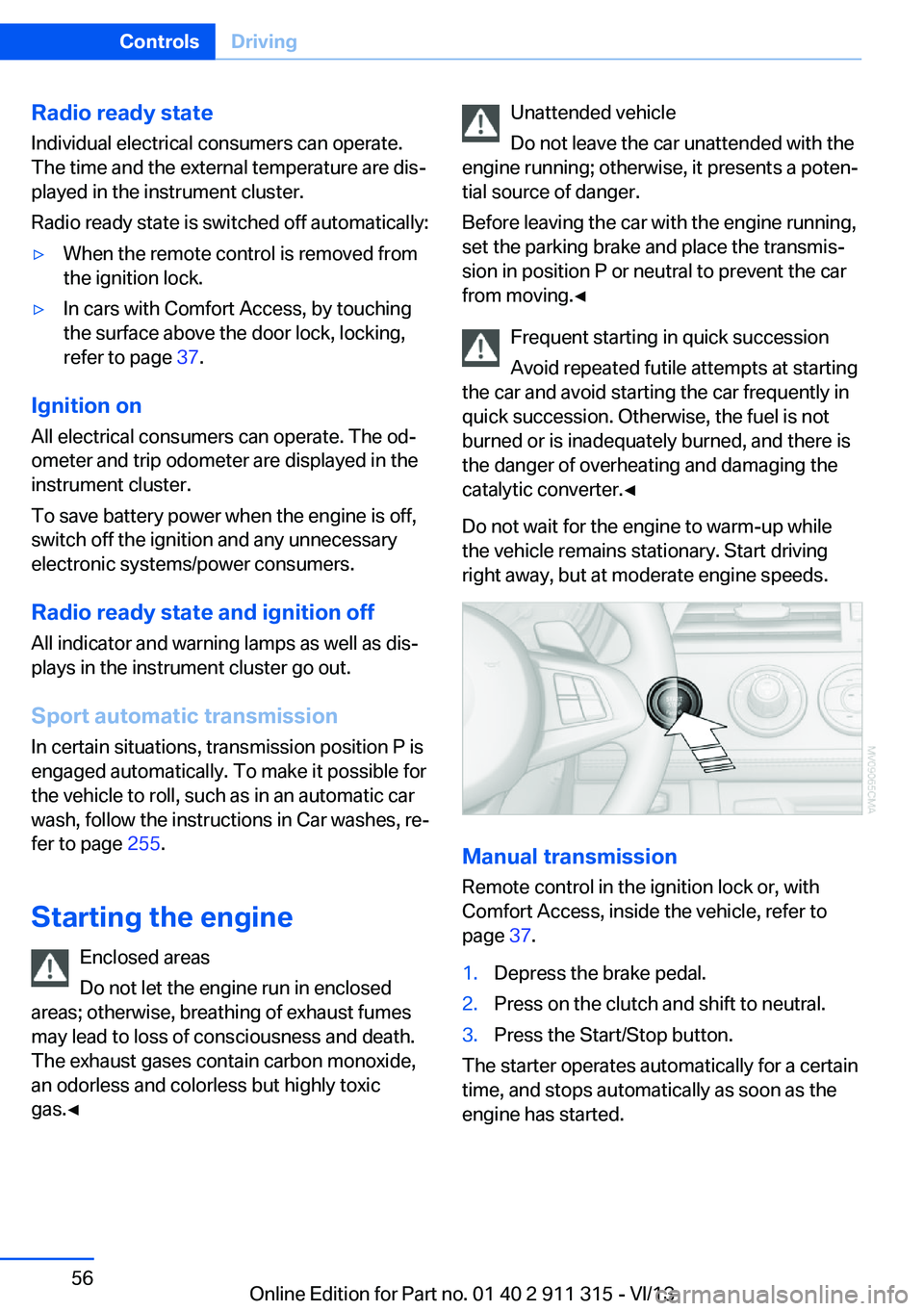
Manual transmission
Remote control in the ignition lock or, with
Comfort Access, inside the vehicle, refer to
page 37.
1.Depress the brake pedal.2.Press on the clutch and shift to neutral.3.Press the Start/Stop button.
The starter operates automatically for a certain
time, and stops automatically as soon as the
engine has started.
Seite 56ControlsDriving56
Online Edition for Part no. 01 40 2 911 315 - VI/13
Page 57 of 285
Sport automatic transmissionRemote control in the ignition lock or, with
Comfort Access, inside the vehicle, refer to
page 37.1.Depress the brake pedal.2.Press the Start/Stop button.
The starter operates automatically for a certain
time, and stops automatically as soon as the
engine has started.
Engine stop Take the remote control with you
Take the remote control with you when
leaving the vehicle so that children, for exam‐
ple, cannot start the engine or release the
parking brake.◀
Set the parking brake and further secure
the vehicle as required
Set the parking brake firmly when parking; oth‐
erwise, the vehicle could roll. On steep upward
and downward inclines, further secure the ve‐
hicle, for example, by turning the steering
wheel in the direction of the curb.◀
Manual transmission
1.With the vehicle at a standstill, press the
Start/Stop button.2.Shift into first gear or reverse.3.Set the parking brake.4.Remove the remote control from the igni‐
tion lock, refer to page 55.
Sport automatic transmission
1.With the vehicle at a standstill, press the
Start/Stop button.2.Set the parking brake.3.Remove the remote control from the igni‐
tion lock, refer to page 55.Automatic Engine Start/Stop
Function
The concept The Automatic Engine Start/Stop Function
helps save fuel and lower emissions. The sys‐
tem automatically switches off the engine dur‐
ing a stop, e.g., in traffic congestion or at traffic
lights. The ignition remains switched on. The
engine starts again automatically when the
clutch is pressed.
Certain vehicle components may experience
additional wear as a result of this system.
Automatic operation
The automatic engine Start/Stop function is
operational after each engine start. It is acti‐
vated whenever you drive forward faster than
3 mph/5 km/h.
Automatic engine stop The engine is switched off automatically dur‐
ing a stop under the following conditions:▷Neutral gear is engaged and the clutch
pedal is not depressed.▷The driver's safety belt is fastened or the
driver's door is closed.
When the engine is switched off, the air vol‐
ume of the air conditioner or automatic climate
control is reduced.
Indicator lamp in the instrument
cluster
The indicator lamp lights up when the
Auto Start/Stop function is ready to
start the engine automatically.
The indicator lamp lights up if the re‐
quirements for an automatic engine
stop are not fulfilled.
Seite 57DrivingControls57
Online Edition for Part no. 01 40 2 911 315 - VI/13
Page 58 of 285
NoteThe engine is not switched off automatically in
the following situations:▷External temperature too low.▷High external temperature and operation of
the automatic climate control.▷The interior is not yet heated or cooled as
much as desired.▷The engine is not yet at operating temper‐
ature.▷Sharp steering angle or the steering wheel
is being turned.▷After driving in reverse.▷Fogging of the windows when the auto‐
matic climate control is switched on.▷Vehicle battery charge is very low.▷Hood is unlocked.▷Stop-and-go traffic.
The indicator lamp is lit.
Parking the vehicle during an
automatic engine stop
The vehicle can be parked safely during an au‐
tomatic engine stop, such as when you wish to
leave the vehicle.
1.Press the Start/Stop button. The ignition is
switched off. The Auto Start/Stop function
is deactivated.2.Set the parking brake.
Start the engine as usual using the Start/Stop
button.
Automatic engine start To drive away, the engine starts automatically
as soon as the clutch pedal is depressed.
After the engine starts, accelerate as usual.
Safety mode
The engine does not start by itself after it is
switched off automatically if any of the follow‐
ing conditions are fulfilled:▷The driver's safety belt is unfastened or
the driver's door is open.▷Hood was unlocked.
The indicator lamp lights up. A mes‐
sage appears on the Control Display.
The engine can only be started via
the Start/Stop button.
Note Even if you do not wish to drive away, the stop‐
ped engine still starts automatically in the fol‐
lowing situations:
▷The interior has heated up strongly with
the cooling function switched on.▷The steering wheel is turned.▷The vehicle begins to roll.▷Fogging of the windows when the auto‐
matic climate control is switched on.▷Vehicle battery charge is very low.▷The interior has cooled down strongly with
the heating switched on.▷Low braking pressure, such as from de‐
pressing the brake pedal a number of times
consecutively.
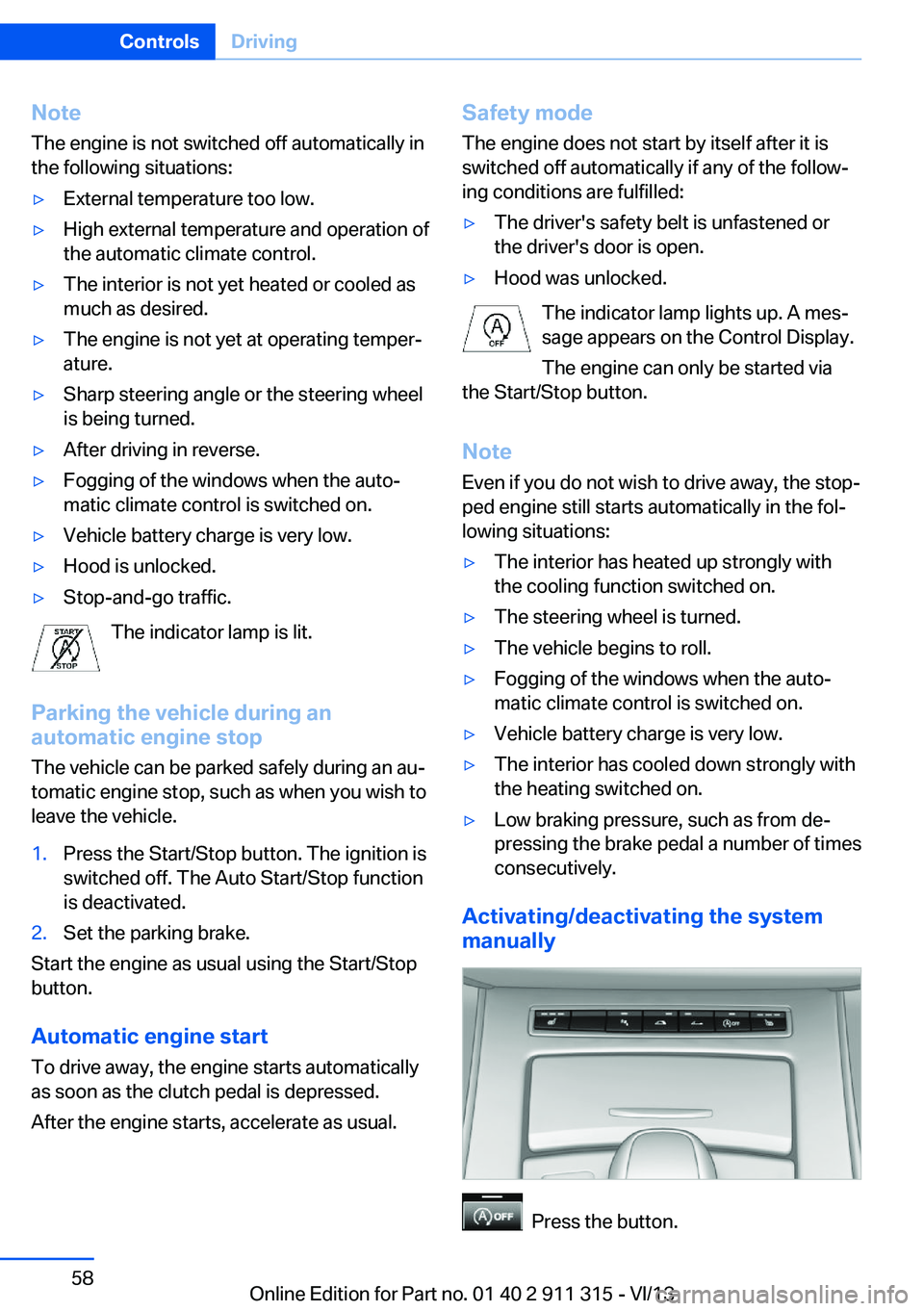
Activating/deactivating the system
manually
Press the button.
Seite 58ControlsDriving58
Online Edition for Part no. 01 40 2 911 315 - VI/13
Page 59 of 285
▷LED on the button lights up: the Auto Start/
Stop function is deactivated.
The engine is started during an automatic
engine stop.
The engine can only be stopped or started
via the Start/Stop button.▷LED goes out: the Auto Start/Stop function
is activated.
Automatic deactivation
In certain situations, the Auto Start/Stop func‐
tion is deactivated automatically in the interest
of safety, for example if the driver's absence is
detected.
Malfunction The automatic engine Start/Stop
function no longer switches of the
engine automatically. The indicator
lamp lights up. A message appears on the
Control Display.It is possible to continue driv‐
ing. Have the system checked.
Parking brake The concept
Your vehicle is equipped with an electrome‐
chanical parking brake that can be set and re‐
leased by using a switch.
The parking brake is primarily used to prevent
the vehicle from rolling when it is parked.
When the vehicle is stationary, the parking
brake acts on the rear wheels via an electro‐
mechanical mechanism. When the vehicle is
rolling or being driven, the parking brake acts
on the disc brakes of the front and rear wheels
via the hydraulic brake system.
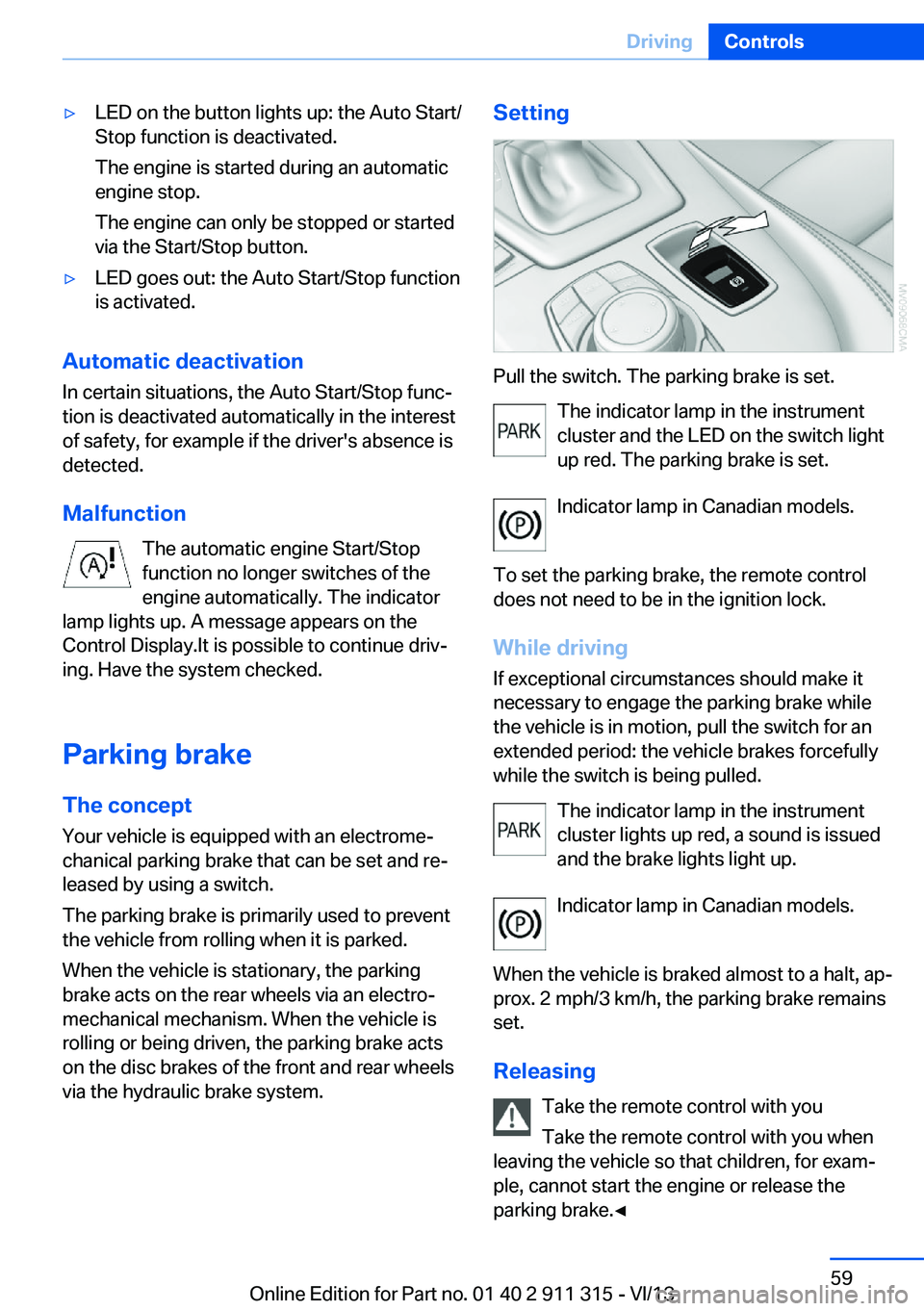
Setting
Pull the switch. The parking brake is set.
The indicator lamp in the instrument
cluster and the LED on the switch light
up red. The parking brake is set.
Indicator lamp in Canadian models.
To set the parking brake, the remote control
does not need to be in the ignition lock.
While driving
If exceptional circumstances should make it
necessary to engage the parking brake while
the vehicle is in motion, pull the switch for an
extended period: the vehicle brakes forcefully
while the switch is being pulled.
The indicator lamp in the instrument
cluster lights up red, a sound is issued
and the brake lights light up.
Indicator lamp in Canadian models.
When the vehicle is braked almost to a halt, ap‐
prox. 2 mph/3 km/h, the parking brake remains set.
Releasing Take the remote control with you
Take the remote control with you when
leaving the vehicle so that children, for exam‐
ple, cannot start the engine or release the
parking brake.◀
Seite 59DrivingControls59
Online Edition for Part no. 01 40 2 911 315 - VI/13
Page 60 of 285
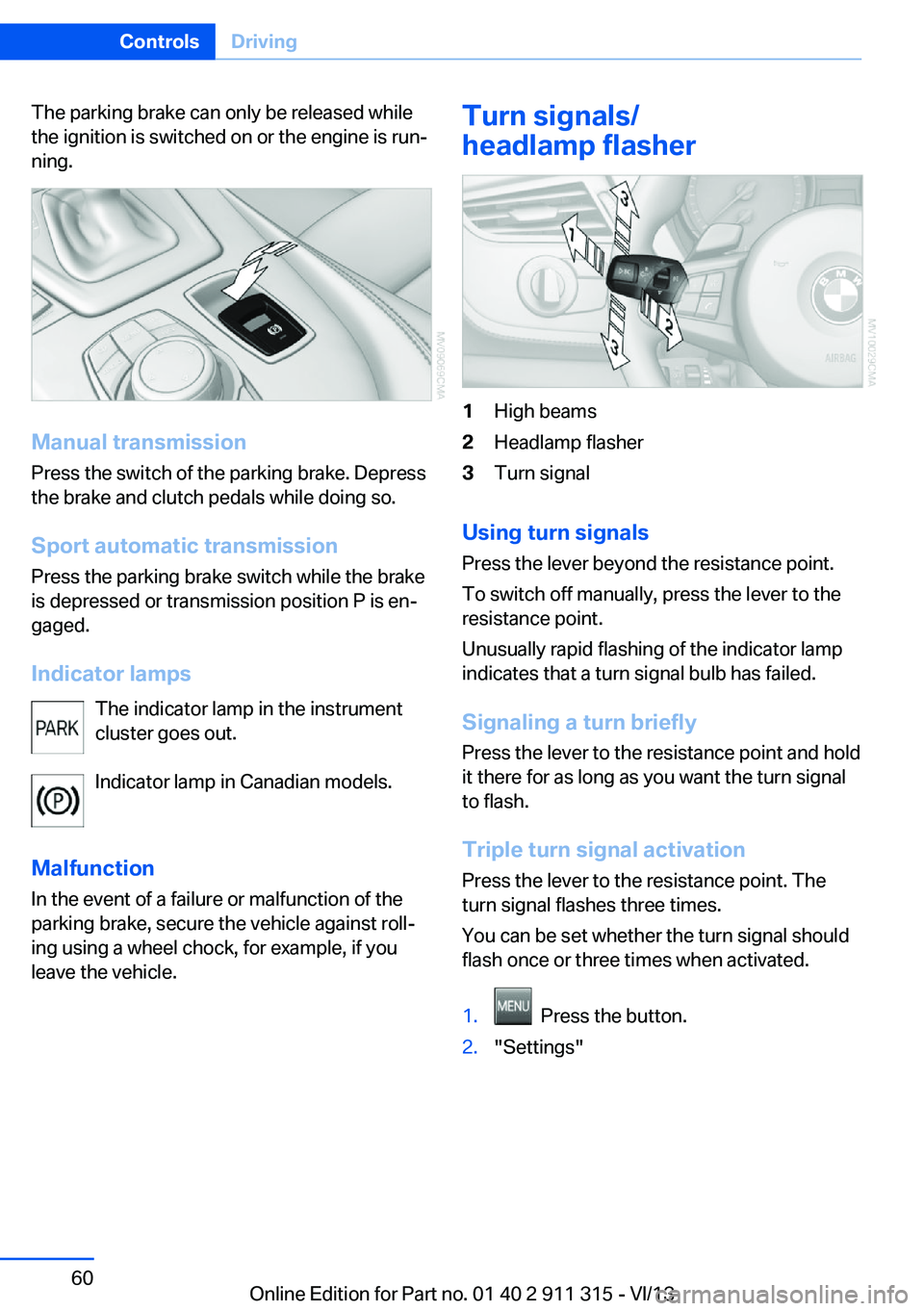
The parking brake can only be released while
the ignition is switched on or the engine is run‐
ning.
Manual transmission
Press the switch of the parking brake. Depress
the brake and clutch pedals while doing so.
Sport automatic transmission Press the parking brake switch while the brake
is depressed or transmission position P is en‐
gaged.
Indicator lamps The indicator lamp in the instrument
cluster goes out.
Indicator lamp in Canadian models.
Malfunction
In the event of a failure or malfunction of the
parking brake, secure the vehicle against roll‐
ing using a wheel chock, for example, if you
leave the vehicle.
Turn signals/
headlamp flasher1High beams2Headlamp flasher3Turn signal
Using turn signals
Press the lever beyond the resistance point.
To switch off manually, press the lever to the
resistance point.
Unusually rapid flashing of the indicator lamp
indicates that a turn signal bulb has failed.
Signaling a turn briefly Press the lever to the resistance point and hold
it there for as long as you want the turn signal
to flash.
Triple turn signal activation Press the lever to the resistance point. The
turn signal flashes three times.
You can be set whether the turn signal should
flash once or three times when activated.
1. Press the button.2."Settings"Seite 60ControlsDriving60
Online Edition for Part no. 01 40 2 911 315 - VI/13
Page 62 of 285
Press the button, arrow 3. The LED in the but‐
ton lights up.
Setting speed for intermittent wipe or
sensitivity of the rain sensor
Turn thumbwheel 5 up or down.
Deactivating intermittent wipe or rain
sensor
Press the button again, arrow 3. The LED in
the button goes out.
Deactivate the rain sensor in car washes
Deactivate the rain sensor when passing
through an automatic car wash; otherwise,
damage could be caused by undesired wiper
activation.◀
Cleaning the windshield and
headlamps
Pull the lever, arrow 4.
The system sprays washer fluid on the wind‐ shield and activates the wipers briefly.
When the vehicle lighting system is switched
on, the headlamps are cleaned at regular and
appropriate intervals.
Do not use the washer system at freezing
temperatures
Do not use the washers if there is any danger
that the fluid will freeze on the windshield; oth‐
erwise, your vision could be obscured. For this
reason, use antifreeze.
Avoid using the washer when the reservoir is
empty; otherwise, you could damage the
pump.◀
Windshield washer nozzles
The windshield washer nozzles are heated au‐
tomatically while the engine is running or the
ignition is switched on.Washer fluid
General information Antifreeze for washer fluid
Antifreeze is flammable and can cause
injuries if used improperly.
Therefore, keep it away from sources of igni‐
tion.
Only keep it in the closed original container
and inaccessible to children.
Follow the notes and instructions on the con‐
tainer.
United States: The washer fluid mixture ratio is
regulated by the U.S. EPA and many individual
states; do not exceed the allowable washer
fluid dilution ratios limits that apply. Follow the
usage instructions on the washer fluid con‐
tainer. Use BMW's Windshield Washer Con‐
centrate or the equivalent.◀
Washer fluid reservoir Adding washer fluid
Only add washer fluid when the engine is
cool, and then close the cover completely to
avoid contact between the washer fluid and
hot engine parts.
Otherwise, there is the danger of fire and a risk
to personal safety if the fluid is spilled.◀
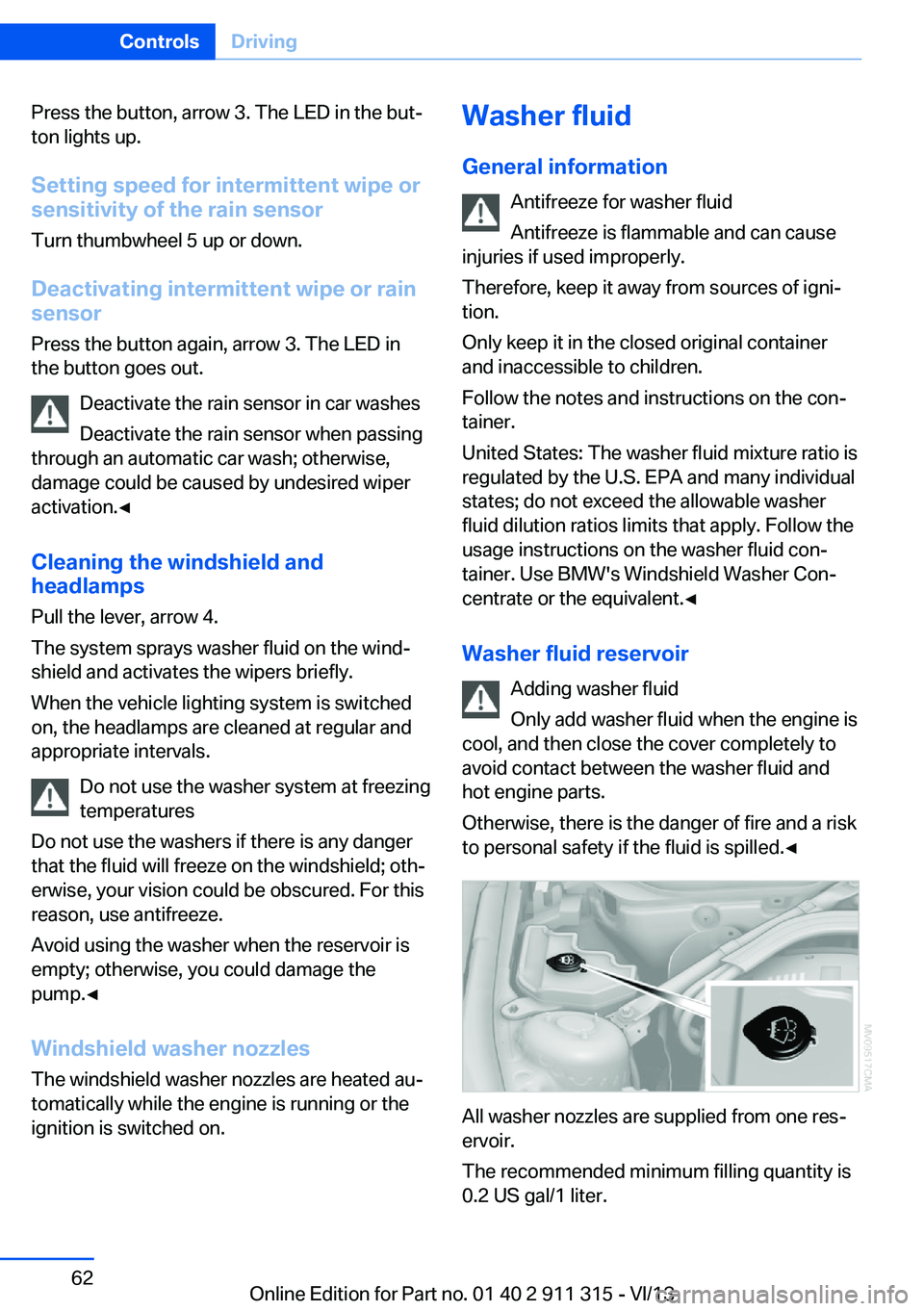
All washer nozzles are supplied from one res‐
ervoir.
The recommended minimum filling quantity is
0.2 US gal/1 liter.
Seite 62ControlsDriving62
Online Edition for Part no. 01 40 2 911 315 - VI/13
Page 63 of 285
Fill with a mixture of window washing concen‐
trate and tap water; if needed, add antifreeze
according to the manufacturer instructions.
Mix the washer fluid before adding to maintain
the correct mixing ratio.
Do not fill in undiluted window washing con‐
centrate and antifreeze and do not fill in pure
water; this could damage the washer system.
Do not mix window washing concentrate from
different manufacturers; this could cause the
washer nozzles to clog.
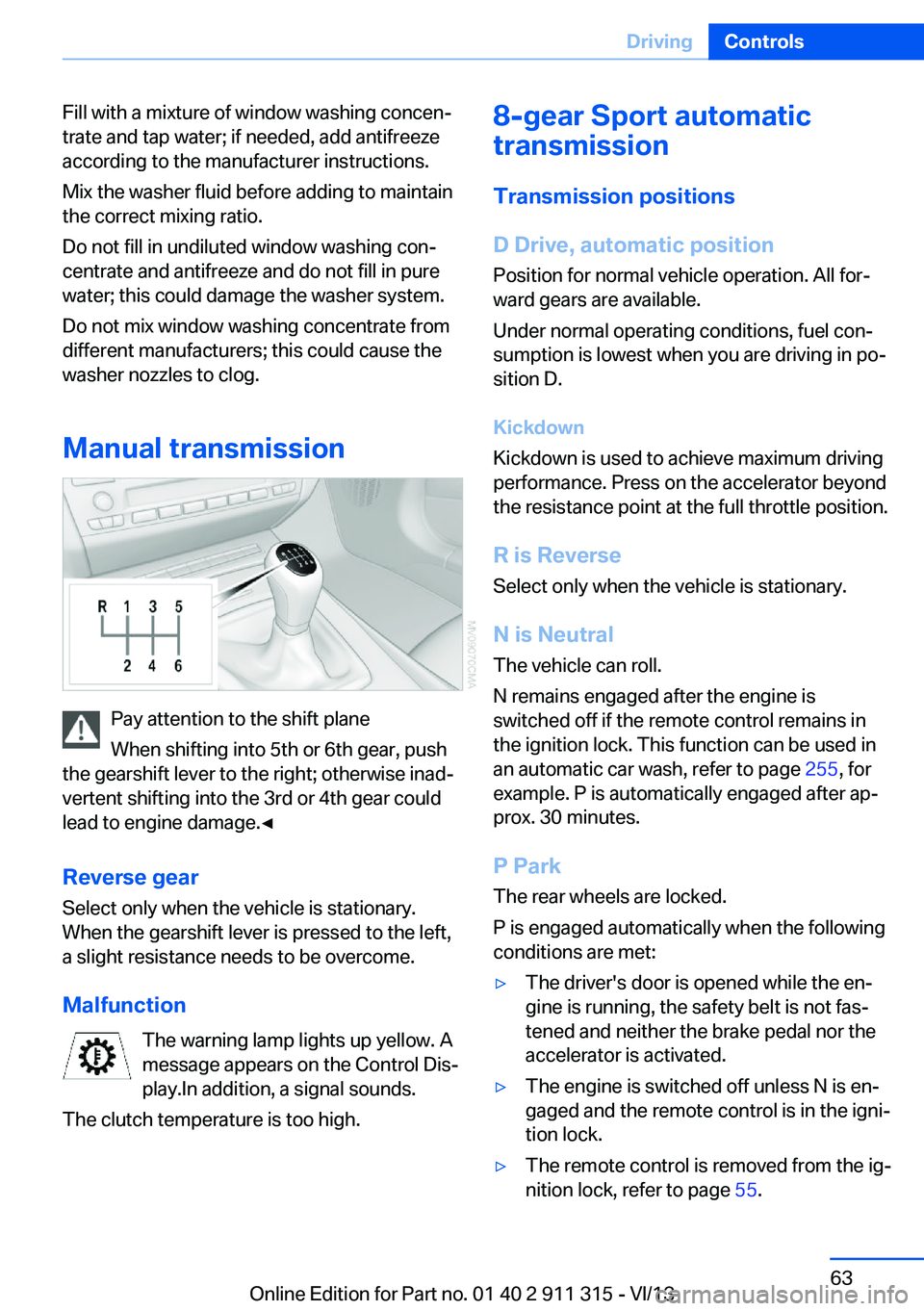
Manual transmission
Pay attention to the shift plane
When shifting into 5th or 6th gear, push
the gearshift lever to the right; otherwise inad‐
vertent shifting into the 3rd or 4th gear could
lead to engine damage.◀
Reverse gear Select only when the vehicle is stationary.
When the gearshift lever is pressed to the left,
a slight resistance needs to be overcome.
Malfunction The warning lamp lights up yellow. A
message appears on the Control Dis‐
play.In addition, a signal sounds.
The clutch temperature is too high.
8-gear Sport automatic
transmission
Transmission positions
D Drive, automatic position Position for normal vehicle operation. All for‐
ward gears are available.
Under normal operating conditions, fuel con‐
sumption is lowest when you are driving in po‐
sition D.
Kickdown
Kickdown is used to achieve maximum driving
performance. Press on the accelerator beyond
the resistance point at the full throttle position.
R is Reverse
Select only when the vehicle is stationary.
N is NeutralThe vehicle can roll.
N remains engaged after the engine is
switched off if the remote control remains in
the ignition lock. This function can be used in
an automatic car wash, refer to page 255, for
example. P is automatically engaged after ap‐
prox. 30 minutes.
P Park The rear wheels are locked.
P is engaged automatically when the following
conditions are met:▷The driver's door is opened while the en‐
gine is running, the safety belt is not fas‐
tened and neither the brake pedal nor the
accelerator is activated.▷The engine is switched off unless N is en‐
gaged and the remote control is in the igni‐
tion lock.▷The remote control is removed from the ig‐
nition lock, refer to page 55.Seite 63DrivingControls63
Online Edition for Part no. 01 40 2 911 315 - VI/13
Page 67 of 285
N is NeutralThe vehicle can roll.
N remains engaged after the engine is
switched off if the remote control remains in
the ignition lock. This function can be used in
an automatic car wash, refer to page 255, for
example. P is automatically engaged after ap‐
prox. 30 minutes.
D drive mode
In drive mode, all forward gears are shifted au‐
tomatically.
R is Reverse
Select only when the vehicle is stationary.
P ParkThe rear wheels are locked.
P is engaged automatically when the following
conditions are met:▷The driver's door is opened while the en‐
gine is running, the safety belt is not fas‐
tened and neither the brake pedal nor the
accelerator is activated.▷The engine is switched off unless N is en‐
gaged and the remote control is in the igni‐
tion lock.▷The remote control is removed from the ig‐
nition lock, refer to page 55.
Before leaving the vehicle, ensure that the
transmission position P is engaged; otherwise,
the vehicle may begin to roll.
Engaging transmission position P Select only when the vehicle is stationary.
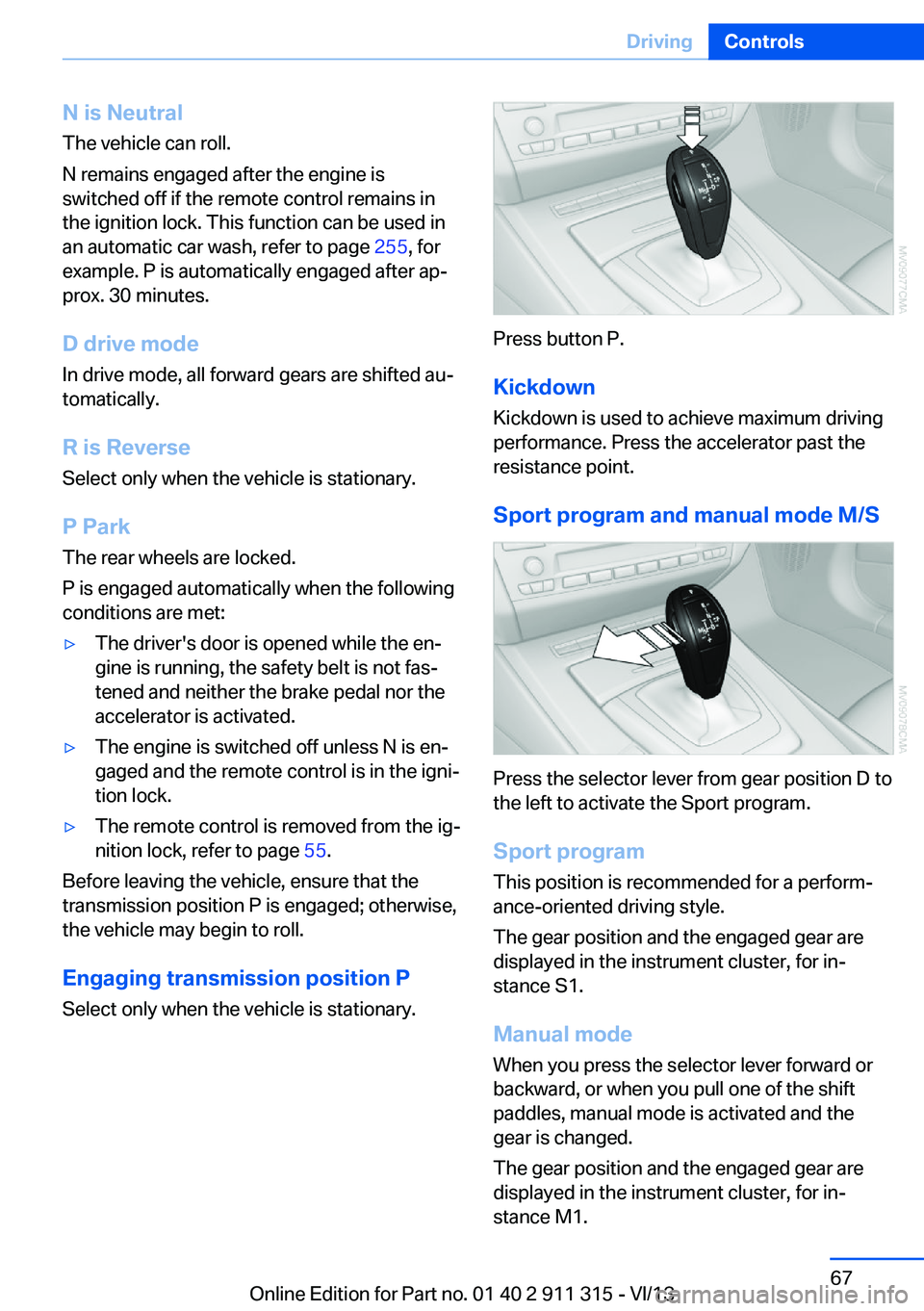
Press button P.
Kickdown Kickdown is used to achieve maximum driving
performance. Press the accelerator past the
resistance point.
Sport program and manual mode M/S
Press the selector lever from gear position D to
the left to activate the Sport program.
Sport program
This position is recommended for a perform‐
ance-oriented driving style.
The gear position and the engaged gear are
displayed in the instrument cluster, for in‐
stance S1.
Manual mode
When you press the selector lever forward or
backward, or when you pull one of the shift
paddles, manual mode is activated and the
gear is changed.
The gear position and the engaged gear are
displayed in the instrument cluster, for in‐
stance M1.
Seite 67DrivingControls67
Online Edition for Part no. 01 40 2 911 315 - VI/13
Page 71 of 285
DisplaysVehicle equipmentThis chapter describes all series equipment as
well as country-specific and special equipment
offered for this model series.Therefore, it also
describes equipment that may not be found in
your vehicle, for instance due to the selected
special equipment or the country version. This
also applies to safety-related functions and
systems.
Odometer, outside
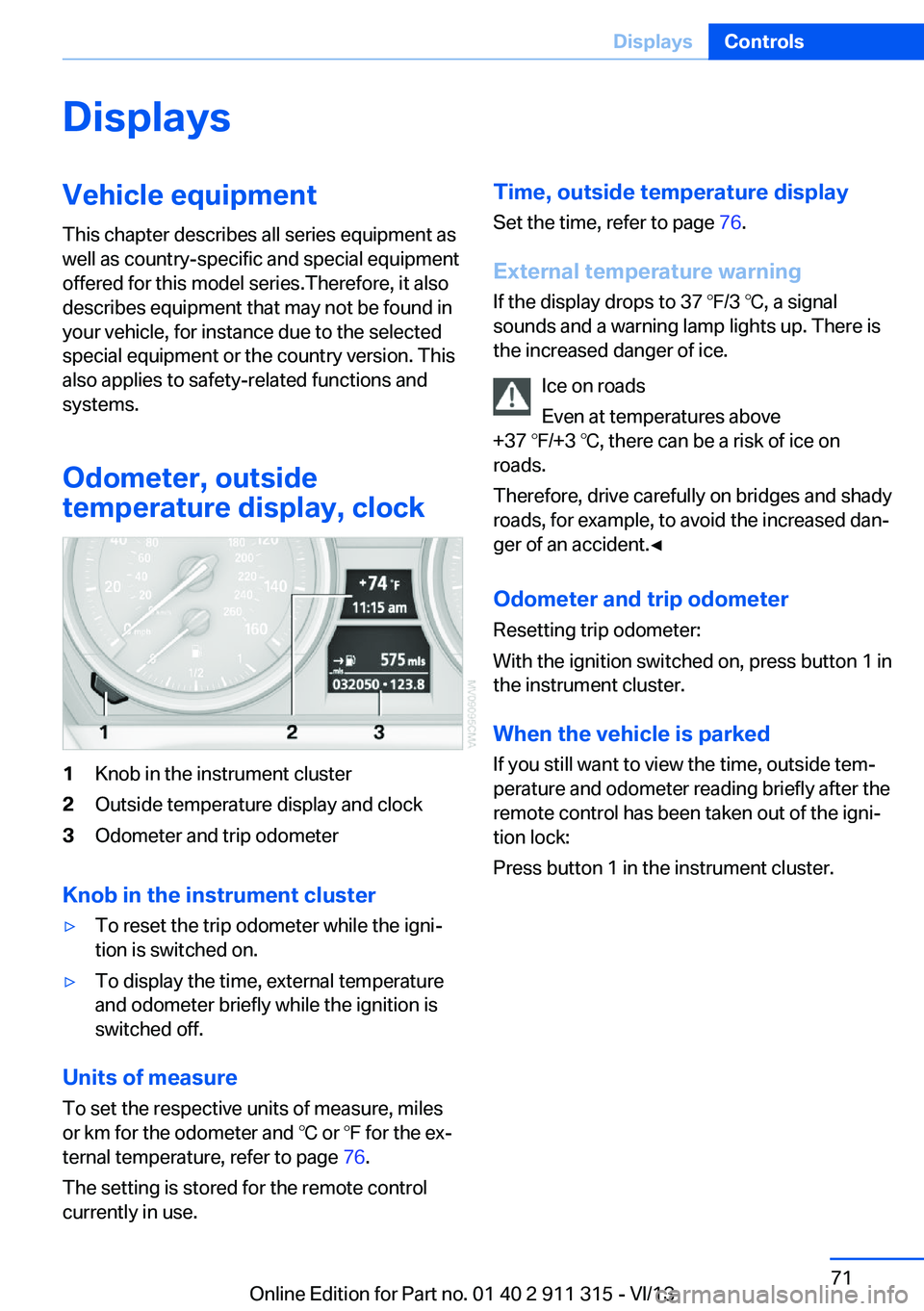
temperature display, clock1Knob in the instrument cluster2Outside temperature display and clock3Odometer and trip odometer
Knob in the instrument cluster
▷To reset the trip odometer while the igni‐
tion is switched on.▷To display the time, external temperature
and odometer briefly while the ignition is
switched off.
Units of measure
To set the respective units of measure, miles
or km for the odometer and ℃ or ℉ for the ex‐
ternal temperature, refer to page 76.
The setting is stored for the remote control
currently in use.
Time, outside temperature display
Set the time, refer to page 76.
External temperature warning
If the display drops to 37 ℉/3 ℃, a signal
sounds and a warning lamp lights up. There is
the increased danger of ice.
Ice on roads
Even at temperatures above
+37 ℉/+3 ℃, there can be a risk of ice on
roads.
Therefore, drive carefully on bridges and shady
roads, for example, to avoid the increased dan‐
ger of an accident.◀
Odometer and trip odometer
Resetting trip odometer:
With the ignition switched on, press button 1 in
the instrument cluster.
When the vehicle is parked If you still want to view the time, outside tem‐
perature and odometer reading briefly after the
remote control has been taken out of the igni‐
tion lock:
Press button 1 in the instrument cluster.Seite 71DisplaysControls71
Online Edition for Part no. 01 40 2 911 315 - VI/13
Page 78 of 285
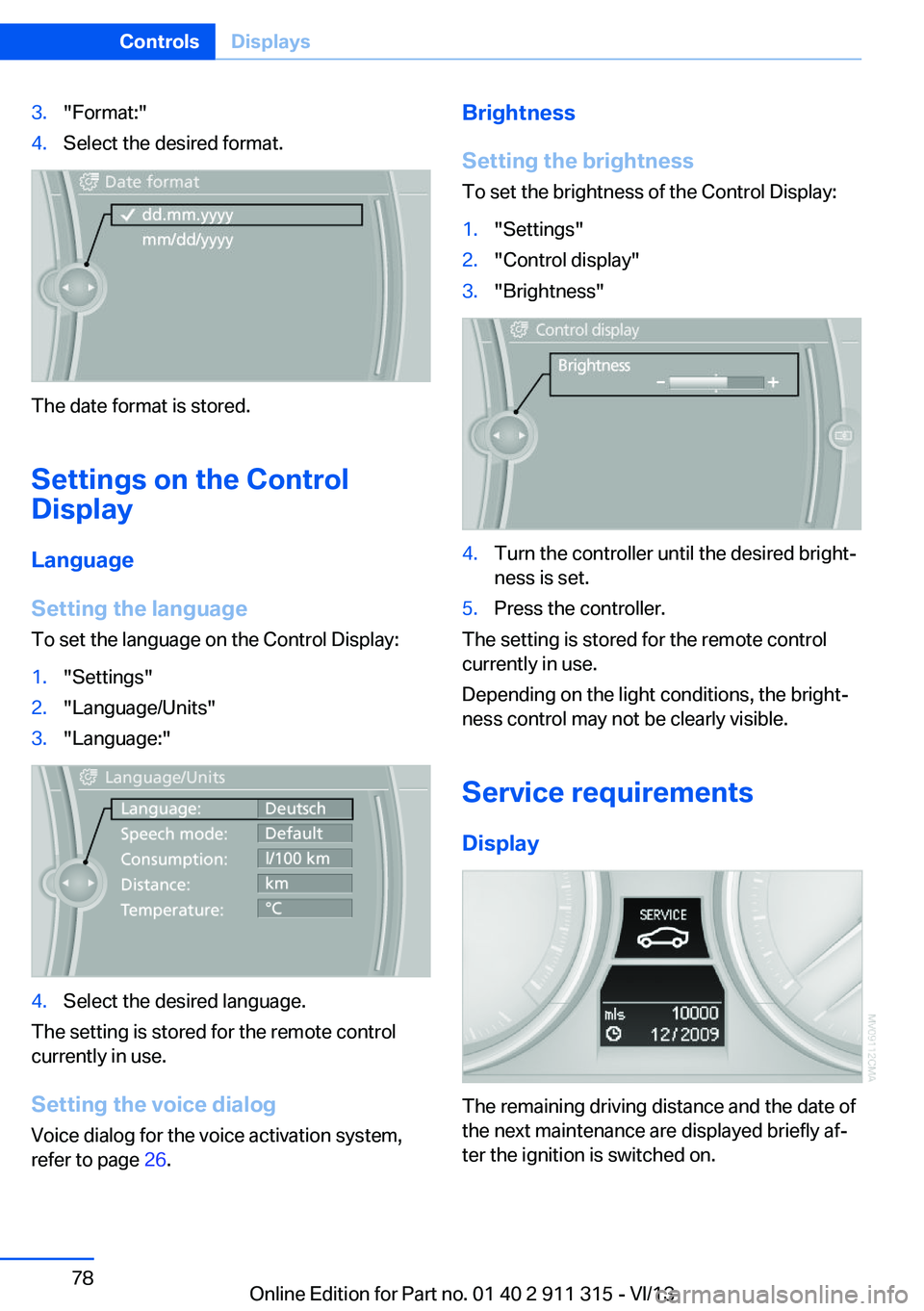
3."Format:"4.Select the desired format.
The date format is stored.
Settings on the Control
Display
Language
Setting the language
To set the language on the Control Display:
1."Settings"2."Language/Units"3."Language:"4.Select the desired language.
The setting is stored for the remote control
currently in use.
Setting the voice dialog
Voice dialog for the voice activation system,
refer to page 26.
Brightness
Setting the brightness
To set the brightness of the Control Display:1."Settings"2."Control display"3."Brightness"4.Turn the controller until the desired bright‐
ness is set.5.Press the controller.
The setting is stored for the remote control
currently in use.
Depending on the light conditions, the bright‐
ness control may not be clearly visible.
Service requirements
Display
The remaining driving distance and the date of
the next maintenance are displayed briefly af‐
ter the ignition is switched on.
Seite 78ControlsDisplays78
Online Edition for Part no. 01 40 2 911 315 - VI/13