controls BMW Z4 SDRIVE35I 2009 User Guide
[x] Cancel search | Manufacturer: BMW, Model Year: 2009, Model line: Z4 SDRIVE35I, Model: BMW Z4 SDRIVE35I 2009Pages: 248, PDF Size: 7.63 MB
Page 21 of 248
At a glance
19Reference
Controls
Driving tips
Communications
Navigation
Entertainment
Mobility
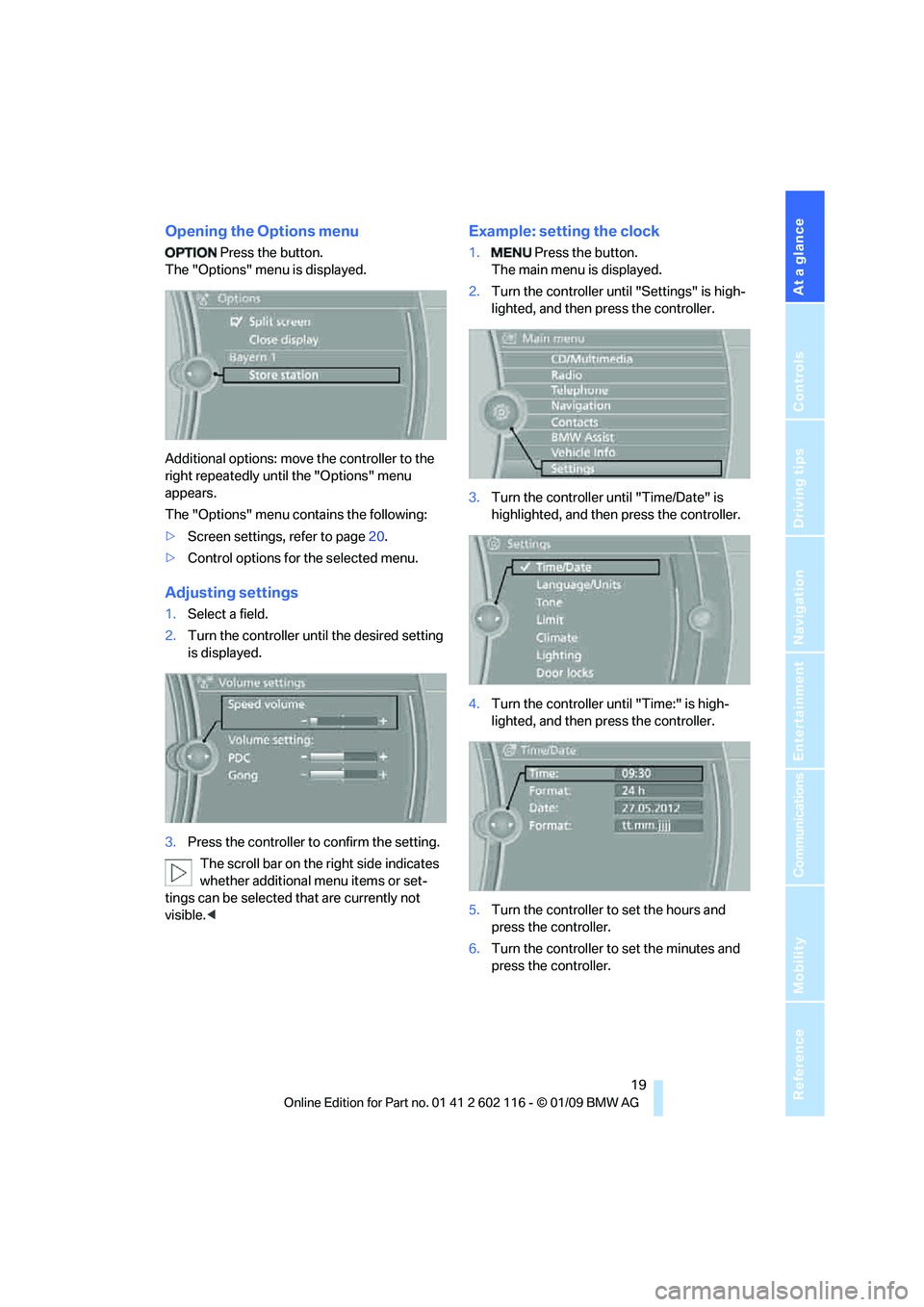
Opening the Options menu
Press the button.
The "Options" menu is displayed.
Additional options: move the controller to the
right repeatedly until the "Options" menu
appears.
The "Options" menu contains the following:
> Screen settings, refer to page 20.
> Control options for the selected menu.
Adjusting settings
1.Select a field.
2. Turn the controller unt il the desired setting
is displayed.
3. Press the controller to confirm the setting.
The scroll bar on the right side indicates
whether additional menu items or set-
tings can be selected that are currently not
visible. <
Example: setting the clock
1. Press the button.
The main menu is displayed.
2. Turn the controller unt il "Settings" is high-
lighted, and then press the controller.
3. Turn the controller un til "Time/Date" is
highlighted, and then press the controller.
4. Turn the controller until "Time:" is high-
lighted, and then press the controller.
5. Turn the controller to set the hours and
press the controller.
6. Turn the controller to set the minutes and
press the controller.
Page 23 of 248
At a glance
21Reference
Controls
Driving tips
Communications
Navigation
Entertainment
Mobility
Programmable memory keys
Certain iDrive functions can be stored on the
programmable memory keys and called up
directly, e.g. radio stations, navigation destina-
tions, phone numbers and entry points into
the menu.
Storing functions
1. Select the function via the iDrive.
2. ... Press the desired button
for longer than 2 seconds.
Example for programmable
memory keys
Switch the voice instructions for the navigation
on/off.
1. "Navigation"
2. "Map"
3. Select the symbol using the controller.
4. ... Press the desired button
for longer than 2 seconds.
Executing a function
... Press the button.
The function is executed immediately. This
means, for example, that the number is dialed
when a phone number is selected.
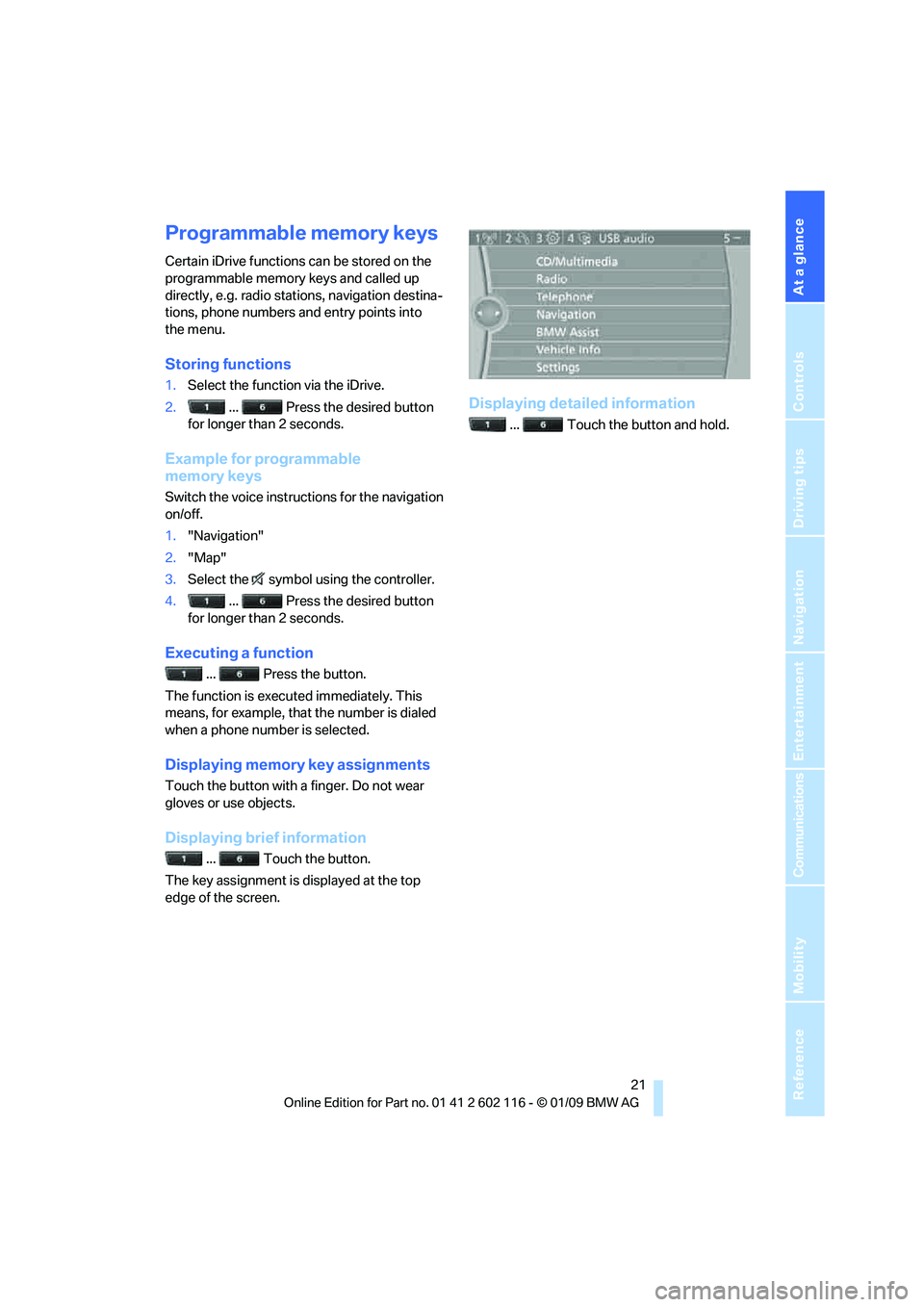
Displaying memory key assignments
Touch the button with a finger. Do not wear
gloves or use objects.
Displaying brief information
... Touch the button.
The key assignment is displayed at the top
edge of the screen.
Displaying detailed information
... Touch the button and hold.
Page 25 of 248
At a glance
23Reference
Controls
Driving tips
Communications
Navigation
Entertainment
Mobility
Voice activation system
The concept
The voice activation system allows you to con-
trol operation of various vehicle systems with-
out removing your hands from the steering
wheel.
Individual menu items on the Control Display
can be spoken as commands. It is not neces-
sary to use the controller.
The voice activation system transforms your
oral commands into control signals for the
selected systems and provides support in the
form of instructions or questions.
the voice activation system uses a special
microphone located in the area of the steering
column.
Precondition
Via iDrive, select the language in which the
voice activation system is operating, so that the
spoken commands can be identified. Selecting
the language for iDrive, refer to page 75.
Symbols in the Owner's Manual
Saying commands
Activating voice activation system
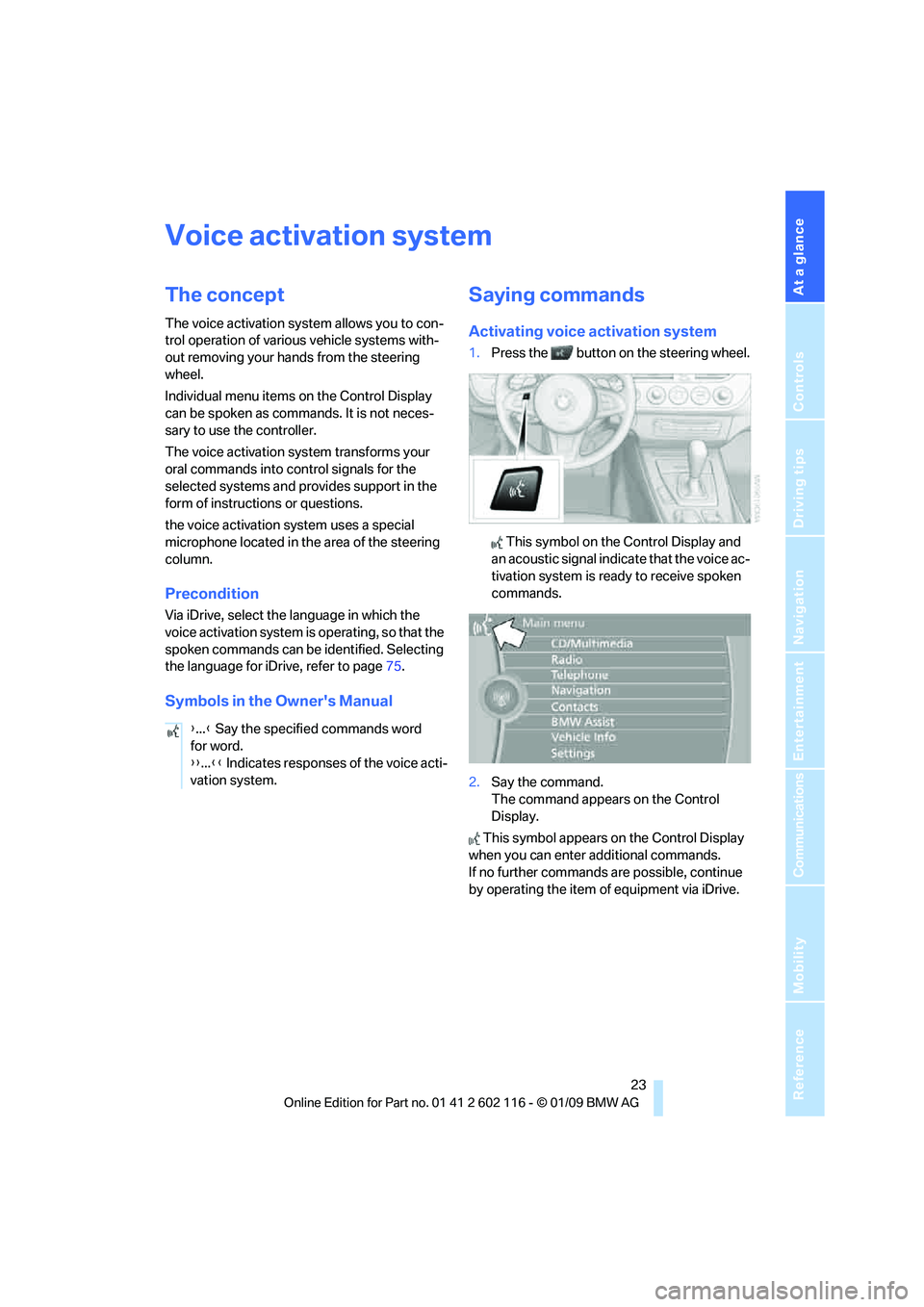
1. Press the button on the steering wheel.
This symbol on the Control Display and
an acoustic signal indicate that the voice ac-
tivation system is ready to receive spoken
commands.
2. Say the command.
The command appears on the Control
Display.
This symbol appears on the Control Display
when you can enter additional commands.
If no further commands are possible, continue
by operating the item of equipment via iDrive.
{
...} Say the specified commands word
for word.
{{ ...}} Indicates responses of the voice acti-
vation system.
Page 27 of 248

At a glance
25Reference
Controls
Driving tips
Communications
Navigation
Entertainment
Mobility
Page 29 of 248
Controls
This chapter is intended to provide you with
information for complete control of your vehicle. All features and accessories that are useful for
driving and your safety, comfort andconvenience are described here.
Controls
Page 30 of 248
Opening and closing
28
Opening and closing
Remote control
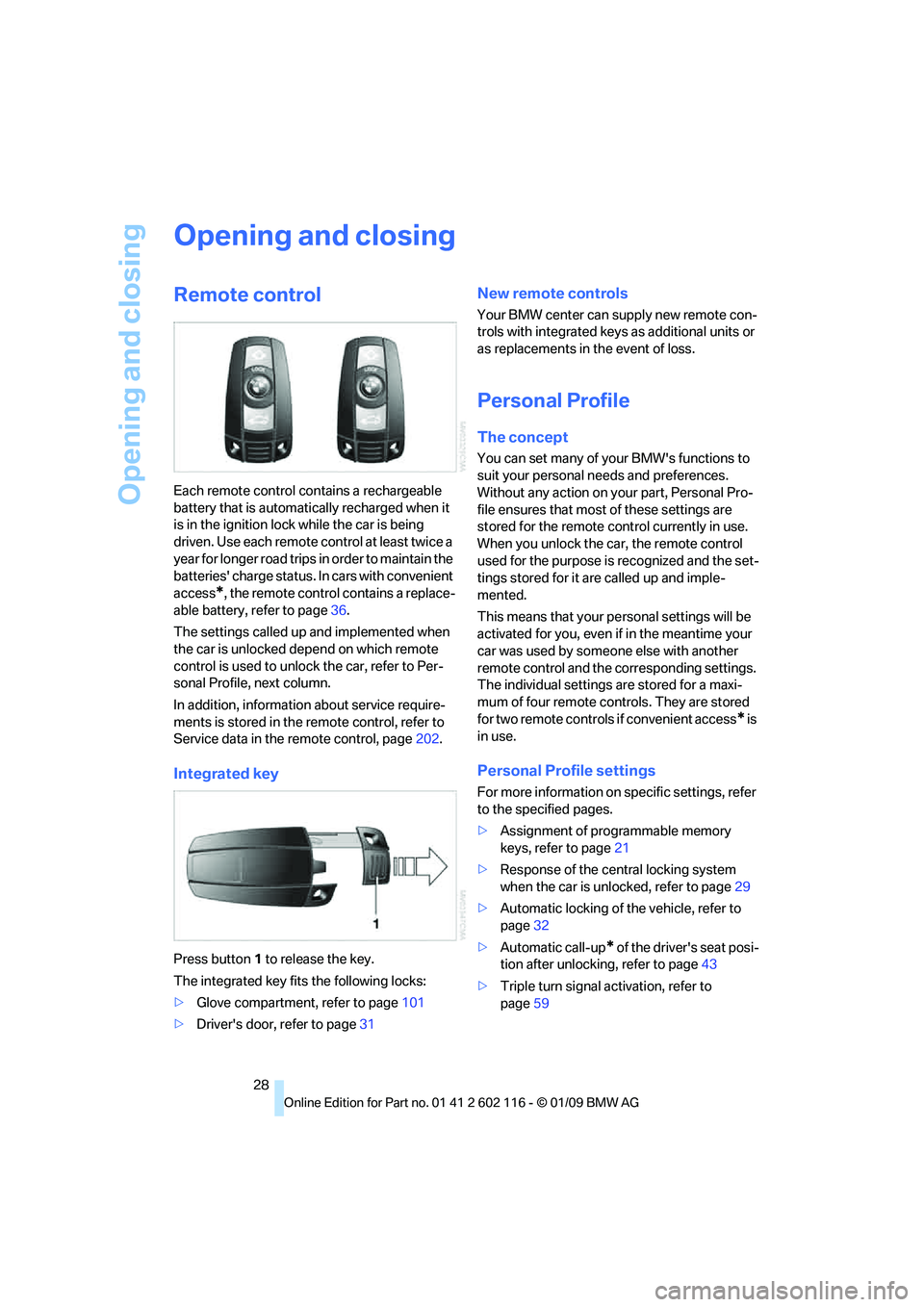
Each remote control contains a rechargeable
battery that is automatically recharged when it
is in the ignition lock while the car is being
driven. Use each remote control at least twice a
year for longer road trips in order to maintain the
batteries' charge status. In cars with convenient
access
*, the remote control contains a replace-
able battery, refer to page 36.
The settings called up and implemented when
the car is unlocked depend on which remote
control is used to unlock the car, refer to Per-
sonal Profile, next column.
In addition, informatio n about service require-
ments is stored in the re mote control, refer to
Service data in the remote control, page 202.
Integrated key
Press button 1 to release the key.
The integrated key fits the following locks:
> Glove compartment, refer to page 101
> Driver's door, refer to page 31
New remote controls
Your BMW center can supply new remote con-
trols with integrated keys as additional units or
as replacements in the event of loss.
Personal Profile
The concept
You can set many of yo ur BMW's functions to
suit your personal needs and preferences.
Without any action on your part, Personal Pro-
file ensures that most of these settings are
stored for the remote control currently in use.
When you unlock the ca r, the remote control
used for the purpose is recognized and the set-
tings stored for it are called up and imple-
mented.
This means that your pe rsonal settings will be
activated for you, even if in the meantime your
car was used by someone else with another
remote control and the corresponding settings.
The individual settings are stored for a maxi-
mum of four remote cont rols. They are stored
for two remote controls if convenient access
* is
in use.
Personal Profile settings
For more information on specific settings, refer
to the specified pages.
> Assignment of programmable memory
keys, refer to page 21
> Response of the central locking system
when the car is unlocked, refer to page 29
> Automatic locking of the vehicle, refer to
page 32
> Automatic call-up
* of the driver's seat posi-
tion after unlocking, refer to page 43
> Triple turn signal activation, refer to
page 59
Page 31 of 248
Controls
29Reference
At a glance
Driving tips
Communications
Navigation
Entertainment
Mobility
>Settings for the display on the Control Dis-
play and in the instrument cluster:
>12h/24h format of the clock, refer to
page 71
> Date format, refer to page 72
> Brightness of Control Display, refer to
page 76
> Language on the Control Display, refer
to page 75
> Units of measure for fuel consumption,
distance covered/remaining distances,
and temperature, refer to page 68
> Show visual warning for Park Distance Con-
trol PDC
*, refer to page 77
> Light settings:
>Welcome lamps, refer to page 88
> Pathway lighting, refer to page 89
> Daytime running lamps, refer to page 89
> Automatic climate control: activating/deac-
tivating AUTO program, cooling function
and automatic recirculated-air control, set-
ting temperature, air fl ow rate and distribu-
tion, refer to page 95 ff
> Entertainment:
>Audio volume, refer to page 138
> Tone control, refer to page 138
> Volume, refer to page 139
Central locking system
The concept
The central locking system functions when the
driver's door is closed.
The system simultaneously engages and
releases the locks on the following:
>Doors
> Luggage compartment lid
> Fuel filler door
> Center armrest
*
Operating from outside
>Via the remote control
> Using the door lock
> In cars with convenient access
*, via the
handles on the driver's and passenger's
doors
In addition, if the remo te control is used, the
welcome lamps, interior lamps and the door's
courtesy lamps
* are switched on or off. The
alarm system
* is also armed or disarmed.
For further details of the alarm system,
refer to
page 33.
Operating from inside
By means of the button for central locking, refer
to page 32.
In the event of a sufficiently severe accident, the
central locking system un locks automatically. In
addition, the hazard warning flashers and inte-
rior lamps come on.
Opening and closing:
Using the remote control
Persons or animals in a parked vehicle
could lock the doors from the inside. You
should therefore take the remote control with
you when you leave the ve hicle so that the latter
can be opened from outside. <
To operate the retractable hardtop with
the remote control, the doors and lug-
gage compartment lid must be closed and the
cargo bay partition must be folded down and
engaged on both sides. Refer also to page38.<
Unlocking
Press the button.
The interior lamps, the courtesy lamps
* and the
welcome lamps come on.
Setting unlocking characteristics
You can set whether only the driver's door or
the entire vehicle is to be unlocked when the
button is pressed for the first time.
Page 33 of 248
Controls
31Reference
At a glance
Driving tips
Communications
Navigation
Entertainment
Mobility
3.Press down the cargo bay partition until it
engages on both sides and close the lug-
gage compartment lid.
4. Press the button for a longer period to
fold the retractabl e hardtop back in.
Confirmation signals
You can activate or deac tivate the confirmation
signals.
iDrive, for operating principle refer to page 16.
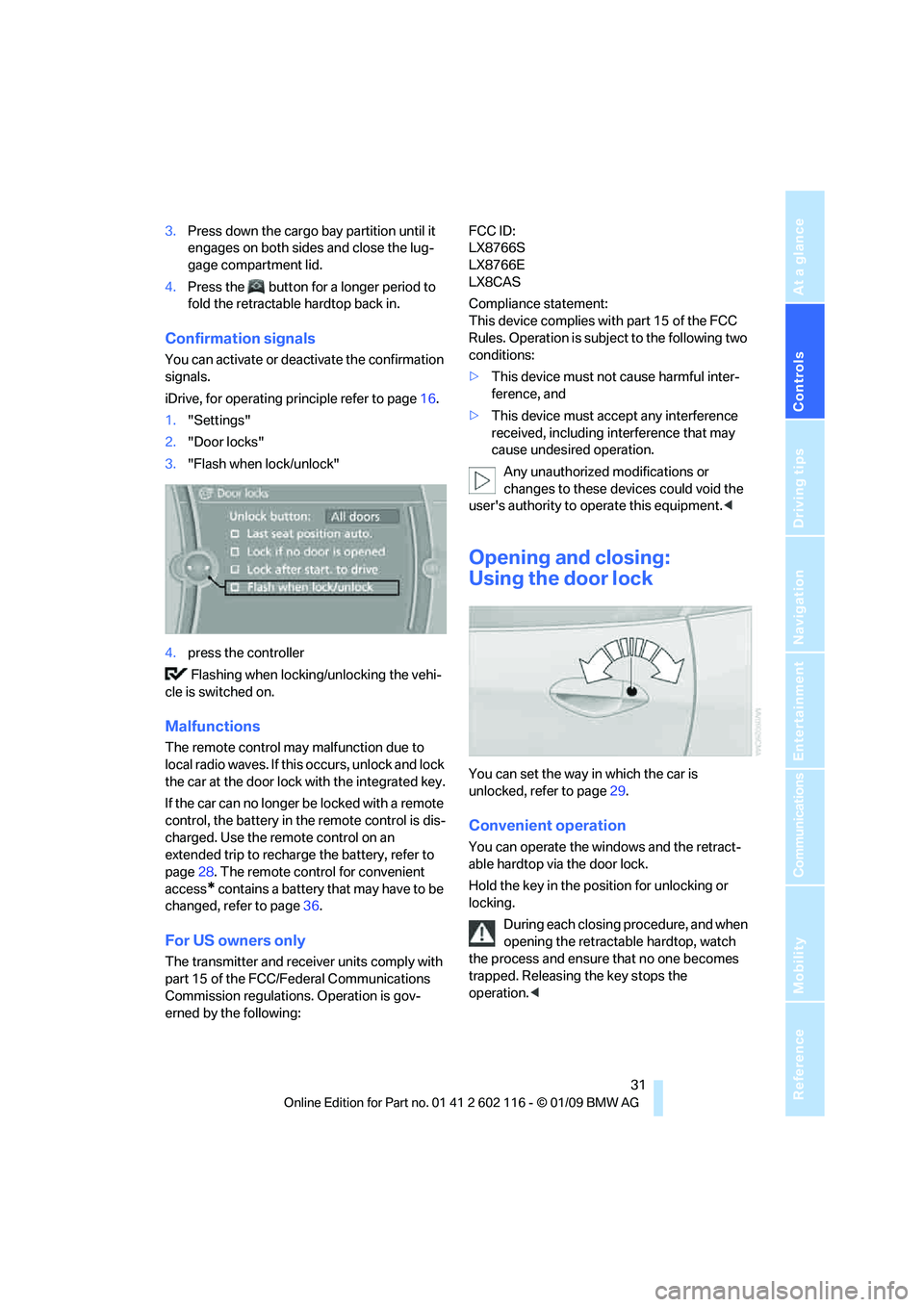
1. "Settings"
2. "Door locks"
3. "Flash when lock/unlock"
4. press the controller
Flashing when locking/unlocking the vehi-
cle is switched on.
Malfunctions
The remote control may malfunction due to
local radio waves. If this occurs, unlock and lock
the car at the door lock with the integrated key.
If the car can no longer be locked with a remote
control, the battery in the remote control is dis-
charged. Use the remote control on an
extended trip to rechar ge the battery, refer to
page 28. The remote control for convenient
access
* contains a battery that may have to be
changed, refer to page 36.
For US owners only
The transmitter and receiver units comply with
part 15 of the FCC/Fe deral Communications
Commission regulations. Operation is gov-
erned by the following: FCC ID:
LX8766S
LX8766E
LX8CAS
Compliance statement:
This device complies with part 15 of the FCC
Rules. Operation is subject to the following two
conditions:
>
This device must not cause harmful inter-
ference, and
> This device must accept any interference
received, including in terference that may
cause undesired operation.
Any unauthorized modifications or
changes to these devices could void the
user's authority to operate this equipment. <
Opening and closing:
Using the door lock
You can set the way in which the car is
unlocked, refer to page29.
Convenient operation
You can operate the wi ndows and the retract-
able hardtop via the door lock.
Hold the key in the position for unlocking or
locking.
During each closing procedure, and when
opening the retractable hardtop, watch
the process and ensure that no one becomes
trapped. Releasing the key stops the
operation. <
Page 35 of 248
Controls
33Reference
At a glance
Driving tips
Communications
Navigation
Entertainment
Mobility
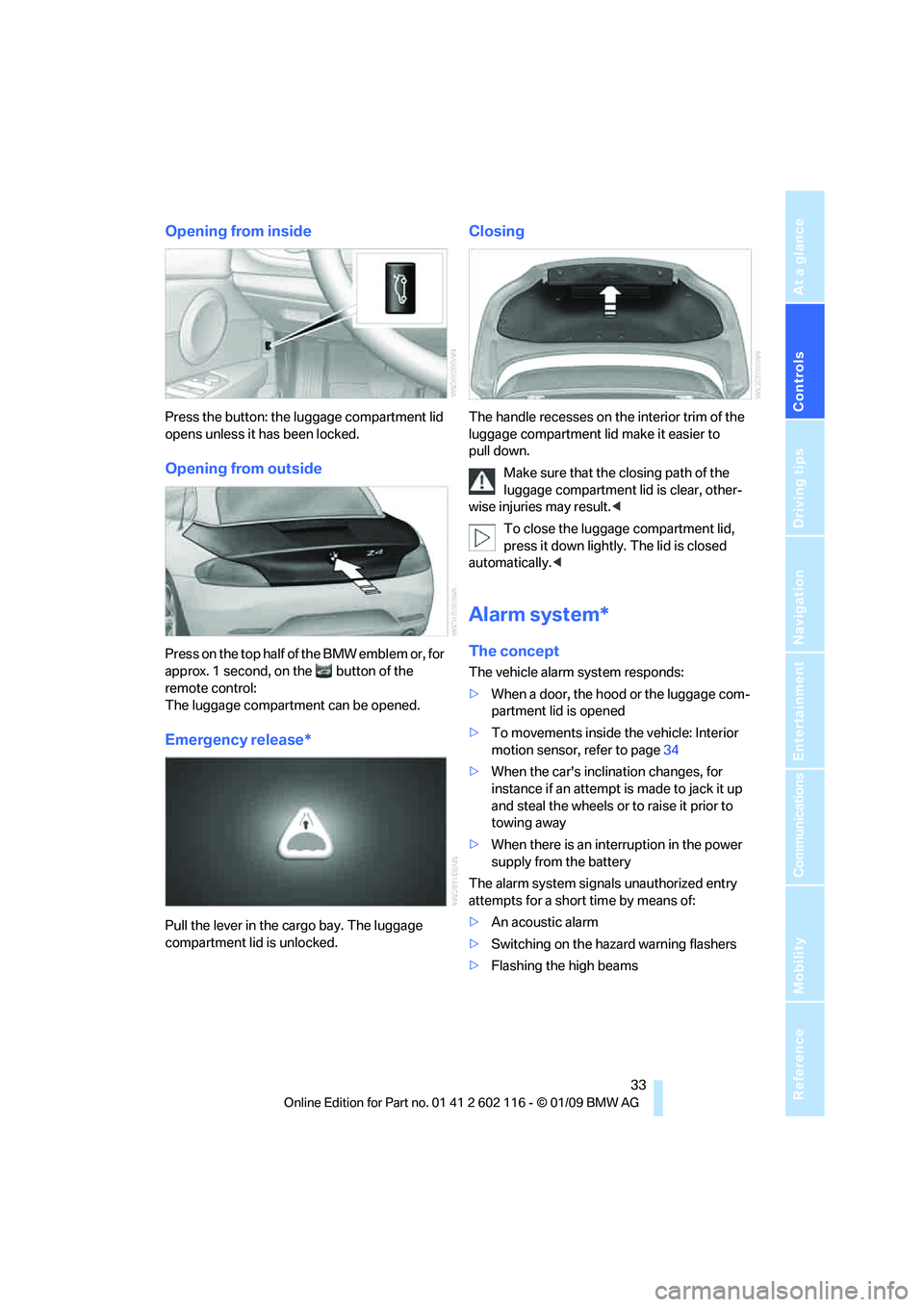
Opening from inside
Press the button: the luggage compartment lid
opens unless it has been locked.
Opening from outside
Press on the top half of the BMW emblem or, for
approx. 1 second, on the button of the
remote control:
The luggage compartment can be opened.
Emergency release*
Pull the lever in the cargo bay. The luggage
compartment lid is unlocked.
Closing
The handle recesses on the interior trim of the
luggage compartment lid make it easier to
pull down.
Make sure that the closing path of the
luggage compartment lid is clear, other-
wise injuries may result. <
To close the luggage compartment lid,
press it down lightly. The lid is closed
automatically. <
Alarm system*
The concept
The vehicle alarm system responds:
>When a door, the hood or the luggage com-
partment lid is opened
> To movements inside the vehicle: Interior
motion sensor, refer to page 34
> When the car's inclination changes, for
instance if an attempt is made to jack it up
and steal the wheels or to raise it prior to
towing away
> When there is an interruption in the power
supply from the battery
The alarm system signals unauthorized entry
attempts for a short time by means of:
> An acoustic alarm
> Switching on the haza rd warning flashers
> Flashing the high beams
Page 37 of 248
Controls
35Reference
At a glance
Driving tips
Communications
Navigation
Entertainment
Mobility
Convenient access*
Convenient access enables you to enter your
vehicle without needing to hold the remote con-
trol in your hand. All you need to do is wear the
remote control close to your body, e.g. in your
jacket pocket. The vehicle detects the corre-
sponding remote control within the immediate
vicinity or in the passenger compartment.
Convenient access supports the following
functions:
> Unlocking/locking the vehicle
> Unlocking the luggage compartment lid
separately
> Starting the engine
> Convenient closing
Functional requirement
>The vehicle or the luggage compartment lid
can only be locked when the vehicle detects
that the remote contro l currently in use is
outside of the vehicle.
> The vehicle cannot be locked or unlocked
again until after approx. 2 seconds.
> The engine can only be started when the
vehicle detects that th e remote control cur-
rently in use is inside the vehicle.
Comparison to the standard remote
control
In general, there is no difference between using
convenient access or pressing the buttons on
the remote control to carry out the functions
mentioned above. You should therefore first
familiarize yourself with the instructions on
opening and closing starting on page 28.
Special features regarding the use of conve-
nient access are described below. If you notice a brief delay while opening or
closing the windows or retractable hard-
top, the system is chec king whether a remote
control is inside the vehi cle. Please repeat the
opening or closing procedure, if necessary. <
Releasing
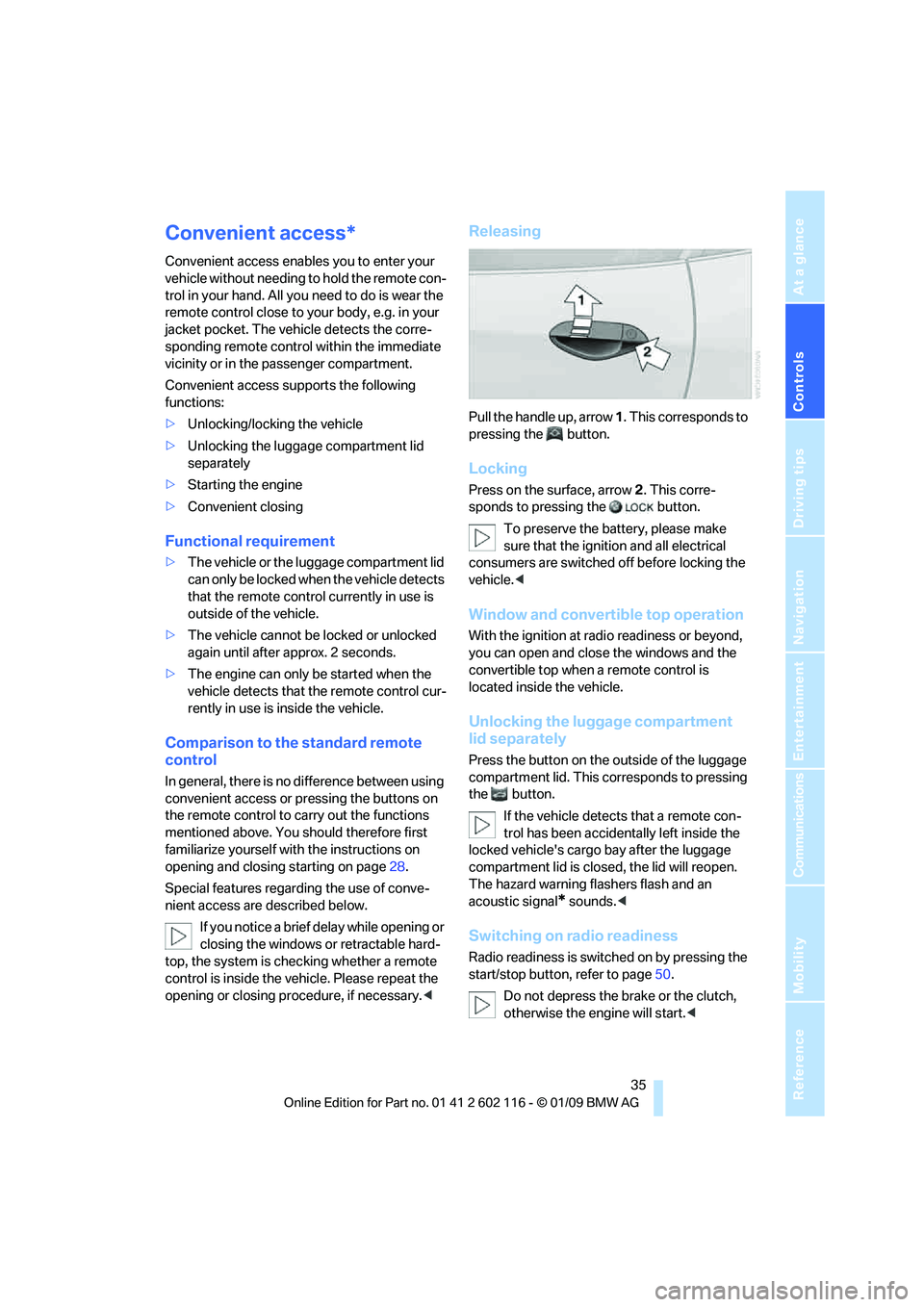
Pull the handle up, arrow 1. This corresponds to
pressing the button.
Locking
Press on the surface, arrow 2. This corre-
sponds to pressing the button.
To preserve the ba ttery, please make
sure that the ignition and all electrical
consumers are switched off before locking the
vehicle. <
Window and convertible top operation
With the ignition at radio readiness or beyond,
you can open and close the windows and the
convertible top when a remote control is
located inside the vehicle.
Unlocking the luggage compartment
lid separately
Press the button on the outside of the luggage
compartment lid. This corresponds to pressing
the button.
If the vehicle detects that a remote con-
trol has been accident ally left inside the
locked vehicle's cargo bay after the luggage
compartment lid is closed, the lid will reopen.
The hazard warning flashers flash and an
acoustic signal
* sounds. <
Switching on radio readiness
Radio readiness is switch ed on by pressing the
start/stop button, refer to page50.
Do not depress the br ake or the clutch,
otherwise the engine will start. <