navigation BMW Z4 SDRIVE35I 2009 Workshop Manual
[x] Cancel search | Manufacturer: BMW, Model Year: 2009, Model line: Z4 SDRIVE35I, Model: BMW Z4 SDRIVE35I 2009Pages: 248, PDF Size: 7.63 MB
Page 105 of 248
Controls
103Reference
At a glance
Driving tips
Communications
Navigation
Entertainment
Mobility
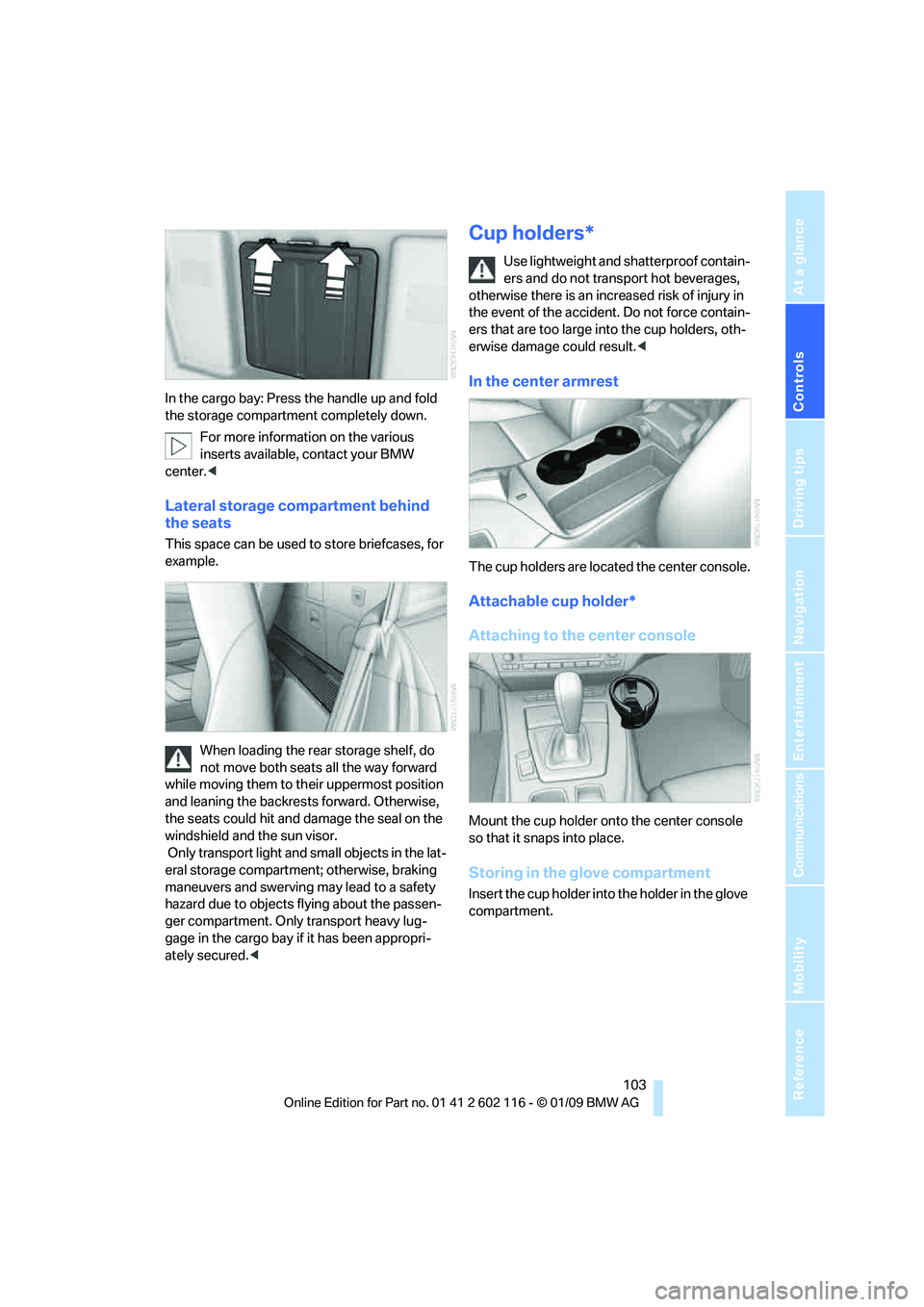
In the cargo bay: Press the handle up and fold
the storage compartment completely down.For more information on the various
inserts available, contact your BMW
center. <
Lateral storage compartment behind
the seats
This space can be used to store briefcases, for
example.
When loading the rear storage shelf, do
not move both seats all the way forward
while moving them to th eir uppermost position
and leaning the backrests forward. Otherwise,
the seats could hit and damage the seal on the
windshield and the sun visor.
Only transport light and small objects in the lat-
eral storage compartment; otherwise, braking
maneuvers and swerving may lead to a safety
hazard due to objects flying about the passen-
ger compartment. Only transport heavy lug-
gage in the cargo bay if it has been appropri-
ately secured. <
Cup holders*
Use lightweight and shatterproof contain-
ers and do not transp ort hot beverages,
otherwise there is an increased risk of injury in
the event of the accident. Do not force contain-
ers that are too large in to the cup holders, oth-
erwise damage could result. <
In the center armrest
The cup holders are located the center console.
Attachable cup holder*
Attaching to the center console
Mount the cup holder onto the center console
so that it snaps into place.
Storing in the glove compartment
Insert the cup holder into the holder in the glove
compartment.
Page 107 of 248
Controls
105Reference
At a glance
Driving tips
Communications
Navigation
Entertainment
Mobility
Enlarging the cargo bay
When the hardtop is closed you can enlarge the
cargo bay:
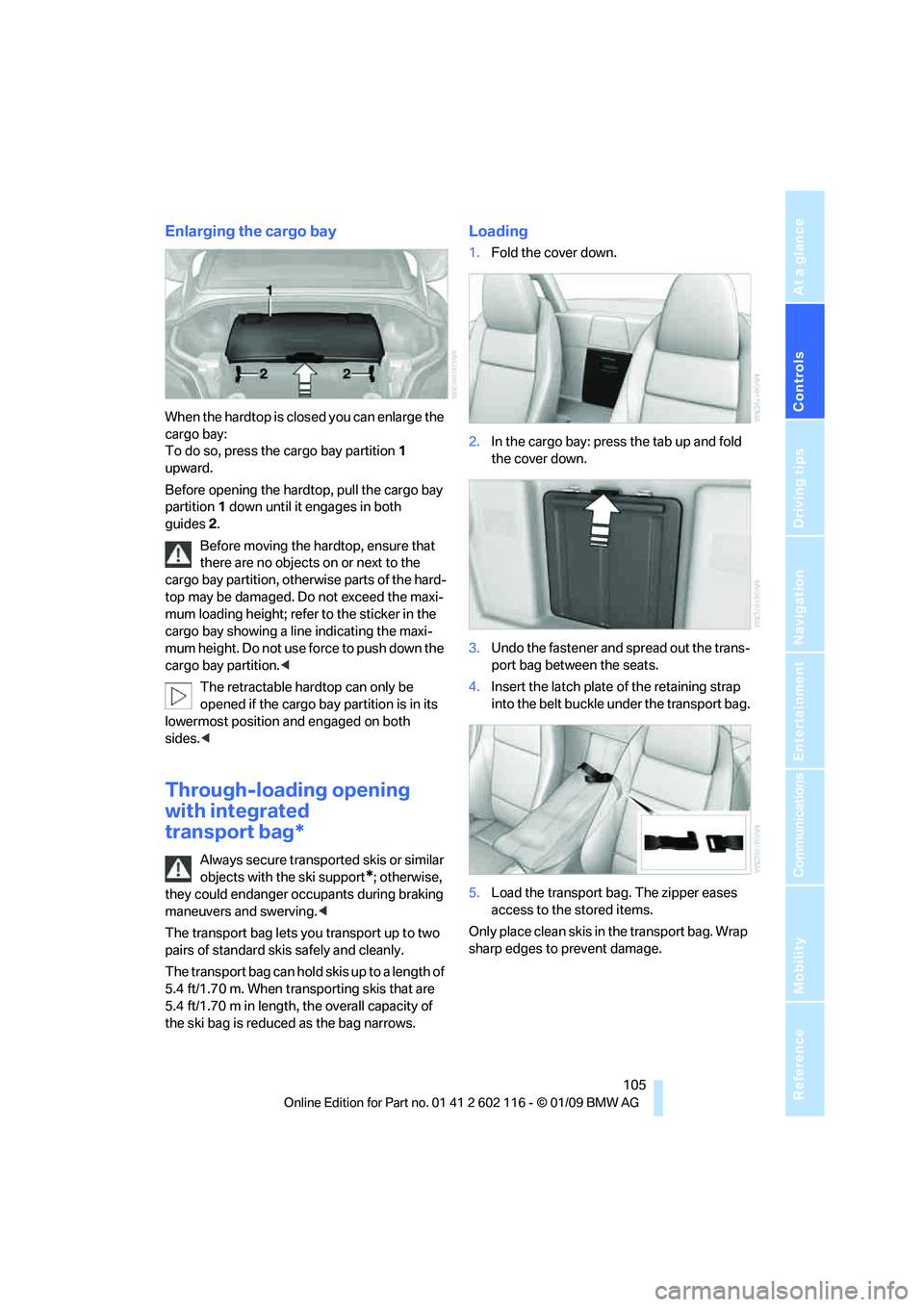
To do so, press the cargo bay partition 1
upward.
Before opening the hardtop, pull the cargo bay
partition 1 down until it engages in both
guides 2.
Before moving the hardtop, ensure that
there are no objects on or next to the
cargo bay partition, othe rwise parts of the hard-
top may be damaged. Do not exceed the maxi-
mum loading height; refer to the sticker in the
cargo bay showing a line indicating the maxi-
mum height. Do not use fo rce to push down the
cargo bay partition. <
The retractable hard top can only be
opened if the cargo bay partition is in its
lowermost position and engaged on both
sides. <
Through-loading opening
with integrated
transport bag*
Always secure transported skis or similar
objects with the ski support
*; otherwise,
they could endanger occupants during braking
maneuvers and swerving. <
The transport bag lets you transport up to two
pairs of standard skis safely and cleanly.
The transport bag can hold skis up to a length of
5.4 ft/1.70 m. When transporting skis that are
5.4 ft/1.70 m in length, th e overall capacity of
the ski bag is reduced as the bag narrows.
Loading
1. Fold the cover down.
2. In the cargo bay: press the tab up and fold
the cover down.
3. Undo the fastener and spread out the trans-
port bag between the seats.
4. Insert the latch plate of the retaining strap
into the belt buckle under the transport bag.
5. Load the transport bag. The zipper eases
access to the stored items.
Only place clean skis in the transport bag. Wrap
sharp edges to prevent damage.
Page 109 of 248
Controls
107Reference
At a glance
Driving tips
Communications
Navigation
Entertainment
Mobility
Page 113 of 248
Driving tips
111Reference
At a glance
Controls
Communications
Navigation
Entertainment
Mobility
Drive defensively
Avoid unnecessary acceleration and braking
maneuvers. To do so, keep an adequate dis-
tance to the forward vehicle. A defensive
and smooth driving style keeps fuel con-
sumption down.
Avoid high engine speeds
Only use first gear when setting off. In second
and higher gears, accele rate without hesitation
or pauses. When accelerating, shift up before
reaching high engine speeds.
When you reach the desired speed, shift into
the highest applicable ge ar and drive with the
engine speed as low as possible and at a con-
stant speed.
As a rule: driving at low engine speeds lowers
fuel consumption and reduces wear.
Coasting
When approaching a red lig ht, take your foot off
the accelerator and coast to a stop in the high-
est applicable gear.
On a downhill slope, take your foot off the accel-
erator and coast in a suitable gear.
The fuel supply is interrupted when coasting.
Switch off the engi ne during lengthy
stops
Switch off the engine when stopping for lengthy
periods, e.g. at traffic lights, railroad crossings
or in traffic congestion. You achieve fuel sav-
ings even if standing time is as short as approx.
4 seconds.
Switch off functions you do not need at
the moment
Functions such as the air conditioner and the
seat or rear window heating draw large amounts
of power and consume a dditional fuel. Espe-
cially in city traffic and in stop and go driving
they have a considerable impact. Therefore,
switch these functions off when they are not
really needed.
Have the vehicle serviced
Have the vehicle serviced regularly to achieve
good economy and a long vehicle life. BMW
recommends having the vehicle serviced at a
BMW center. Also note the BMW service sys-
tem, refer to page 202.
General driving notes
Close the luggag e compartment lid
Operate the vehicle only when the lug-
gage compartment lid is closed. Other-
wise, exhaust fumes could enter the interior of
the vehicle. <
If the vehicle must be driven with the luggage
compartment lid open:
1. Close all windows.
2. Greatly increase the ai r volume of the auto-
matic climate control system, refer to
page 96.
Hot exhaust system
In all vehicles, extremely high tempera-
tures are generated in the exhaust sys-
tem. Do not remove the heat shields installed
adjacent to various sect ions of the exhaust sys-
tem, and never apply un dercoating to them.
When driving, standing at idle and while park-
ing, take care to avoid possible contact
between the hot exhaust system and any highly
flammable materials such as hay, leaves, grass,
etc. Such contact could lead to a fire, with the
risk of serious personal injuries and property
damage. Do not touch ho t exhaust tail pipes.
Otherwise there is a risk of burns. <
Hydroplaning
When driving on wet or slushy roads,
reduce road speed. If you do not, a wedge
of water can form between tires and road sur-
face. This situation, known as hydroplaning,
means that the tire can completely lose contact
with the road surface, so that neither the car can
be steered nor the brake be properly applied.<
Page 115 of 248
Driving tips
113Reference
At a glance
Controls
Communications
Navigation
Entertainment
Mobility
Before driving into a car wash
General information on caring for your BMW
can be found on page204.
With convenient access and automatic
transmission
Insert the remote control into the ignition
switch.
The engine can be switched off when the selec-
tor lever is in position N. Refer also to page 204.
With convenient access and 7-gear
sport automatic transm ission with dual
clutch
Insert the remote control into the ignition
switch.
The engine can be switched off when the trans-
mission is in position N. Refer also to page 205.
Cargo loading
To avoid loading the tires beyond their
approved carrying capacity, never over-
load the vehicle. Overlo ading can lead to over-
heating and increases the rate at which damage
develops inside the tires. This can ultimately
result in a sudden blow-out. <
Make sure that no liquids are spilled or
leak from their containers in the cargo
bay, as this could result in damage to the
vehicle. <
When storing objects in the rear storage
shelf, do not move both seats all the way
forward while moving th em to their uppermost
position and leaning the backrests forward.
Otherwise, the seats could hit and damage the
seal on the windshield, the sun visor and the
headliner. <
Determining loading limit
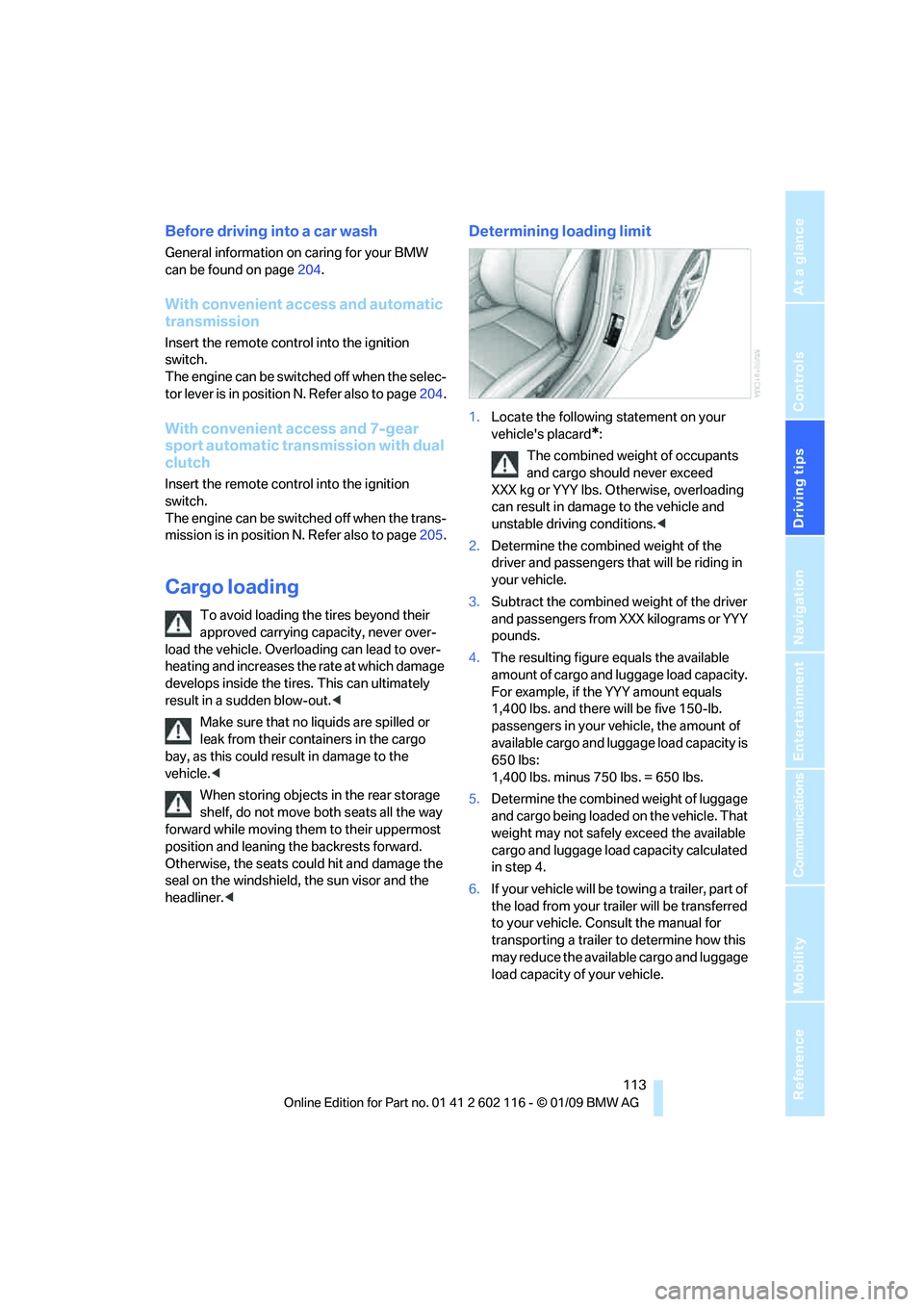
1.Locate the following statement on your
vehicle's placard
*:
The combined weight of occupants
and cargo should never exceed
XXX kg or YYY lbs. Otherwise, overloading
can result in damage to the vehicle and
unstable driving conditions.<
2. Determine the combined weight of the
driver and passengers that will be riding in
your vehicle.
3. Subtract the combined weight of the driver
and passengers from XXX kilograms or YYY
pounds.
4. The resulting figure equals the available
amount of cargo and luggage load capacity.
For example, if the YYY amount equals
1,400 lbs. and there will be five 150-lb.
passengers in your ve hicle, the amount of
available cargo and lugga ge load capacity is
650 lbs:
1,400 lbs. minus 750 lbs. = 650 lbs.
5. Determine the combined weight of luggage
and cargo being loaded on the vehicle. That
weight may not safely exceed the available
cargo and luggage load capacity calculated
in step 4.
6. If your vehicle will be towing a trailer, part of
the load from your tra iler will be transferred
to your vehicle. Consult the manual for
transporting a trailer to determine how this
may reduce the availa ble cargo and luggage
load capacity of your vehicle.
Page 117 of 248
Driving tips
115Reference
At a glance
Controls
Communications
Navigation
Entertainment
Mobility
Page 119 of 248
Navigation
This chapter describes how you can
enter destinations and specify your route
so that your navigation system guides you
reliably to your destination.
Navigation
Page 120 of 248
Navigation system
118
Navigation system
General information
With the help of satellites, the navigation sys-
tem is able to ascertain the precise position of
the vehicle and guide you reliably to any desti-
nation you enter.
The navigation data is st ored in the vehicle and
can be updated using navigation DVDs.
Enter data only when the vehicle is sta-
tionary, and always give priority to the
applicable traffic regulati ons in the event of any
contradiction between traffic and road condi-
tions and the instructions issued by the naviga-
tion system. Failure to ta ke to this precaution
can place you in violation of the law and put
vehicle occupants and other road users in
danger. <
Updating the navigation data
The navigation data is st ored in the vehicle and
can be updated using a na vigation DVD. Please
contact the BMW center if you have any ques-
tions.
Inserting navigation DVD
1. Insert the navigation DVD into the DVD
player with the labe led side facing up.
2. Follow the instructio ns on the display.
3. Enter the authorization code of the naviga-
tion DVD and change the DVD if needed.
Displaying information on the version
1. "Navigation"
2. Open "Options".
3. "Navigation system version".
Information on the data version is displayed.
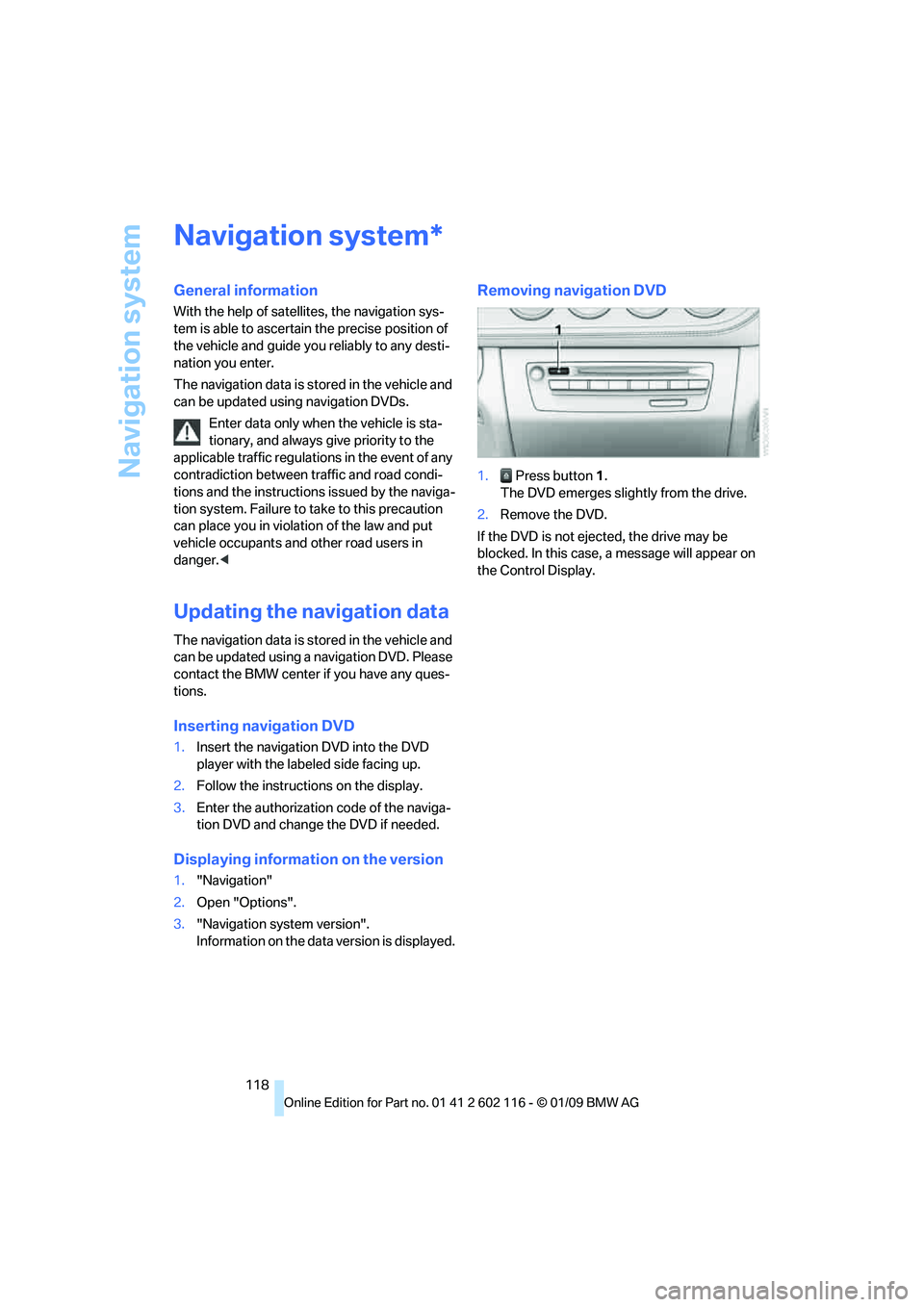
Removing navigation DVD
1. Press button 1.
The DVD emerges slightly from the drive.
2. Remove the DVD.
If the DVD is not ejected, the drive may be
blocked. In this case, a message will appear on
the Control Display.
*
Page 121 of 248
Navigation
Driving tips
119Reference
At a glance
Controls
Communications
Entertainment
Mobility
Destination entry
In entering your destination you can select from
the following options:
>Entering a destination manually, see below
> Selecting destination from the address
book, refer to page 121
> Last destinations, refer to Last destinations,
page 122
> Special destinations, refer to page 122
> Entering a destination on the map, refer to
page 124
> Selecting a home a ddress, refer to
page 122
> Entering a destination by voice com-
mands*, refer to page 125
You can also store a navigation destination on
the programmable memo ry keys, refer to
page 21.
Enter data only when the vehicle is sta-
tionary, and always give priority to the
applicable traffic regulations in the event of any
contradiction between traffic and road condi-
tions and the instructions issued by the naviga-
tion system. Otherwise, vehicle occupants and
other road users may be endangered. <
Entering a destination
manually
The system's word-matching principle makes it
easier for you to enter the names of towns or
streets. This allows you to enter different spell-
ings and completes your entry automatically so
that stored names can be called up quickly.
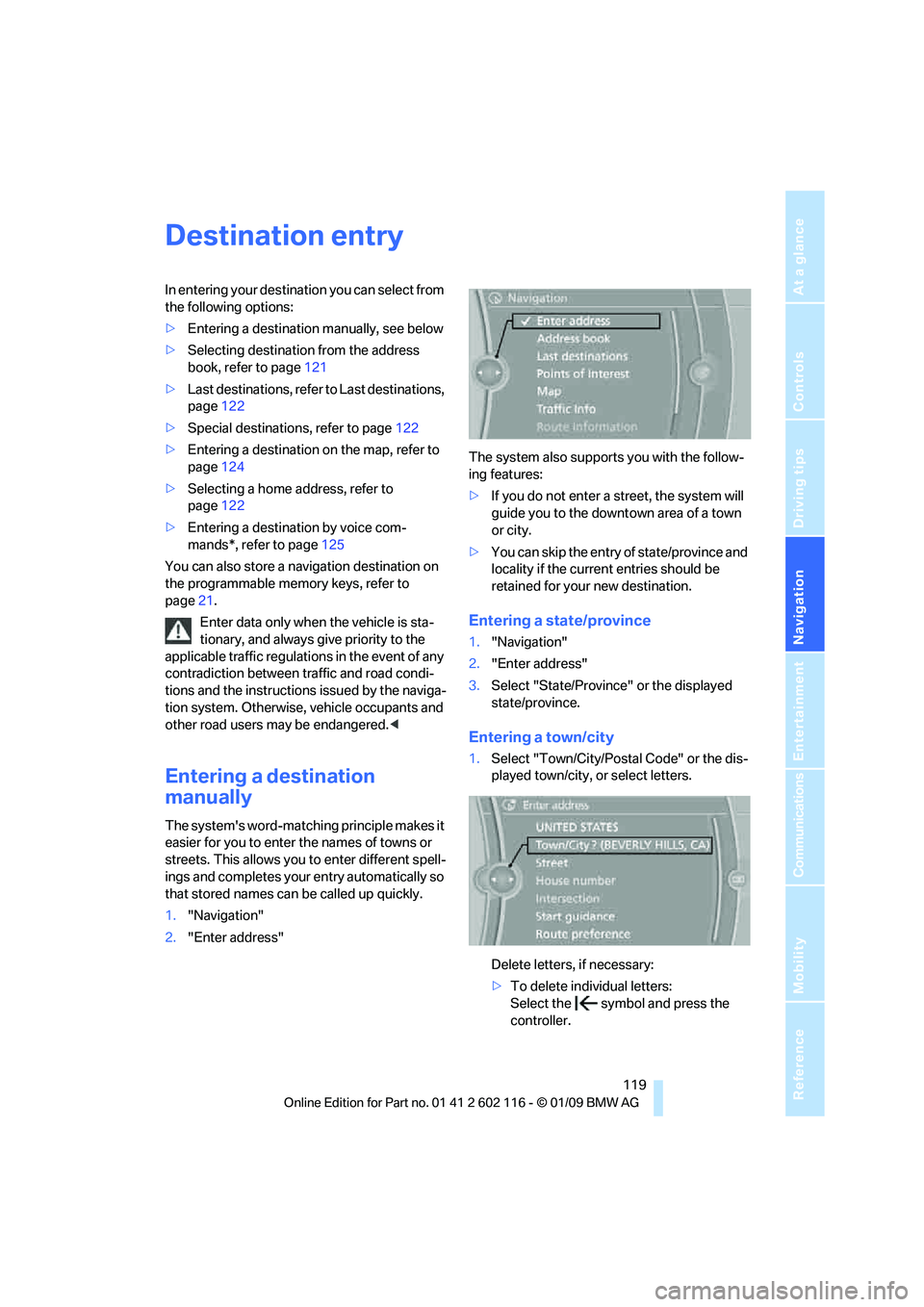
1. "Navigation"
2. "Enter address" The system also supports you with the follow-
ing features:
>
If you do not enter a street, the system will
guide you to the downto wn area of a town
or city.
> You can skip the entry of state/province and
locality if the current entries should be
retained for your new destination.
Entering a state/province
1."Navigation"
2. "Enter address"
3. Select "State/Province" or the displayed
state/province.
Entering a town/city
1.Select "Town/City/Postal Code" or the dis-
played town/city, or select letters.
Delete letters, if necessary:
>To delete indi vidual letters:
Select the symbol and press the
controller.
Page 122 of 248
Destination entry
120
>
To delete all letters:
Select the symbol and press the
controller for a lengthy period.
> To enter spaces:
Select the symbol.
The list gradually grow s smaller each time
you enter a new letter.
2. Move the controller to the right.
3. Select the name of th e town/city from the
list. The three destinations stored last are
displayed.
If there are several towns/cities with the
same name:
1. Change to the list of town/city names.
2. Highlight the town/city: a preview map is
displayed.
3. Select the town/city.
Entering the postal code
1.Select "Town/City/Postal Code" or the dis-
played town/city.
2. Select the symbol.
3. Select the digits.
4. Change to the list of postal codes and
towns/cities.
5. Highlight the postal code. A preview map is
displayed in the assistance window.
6. Select the postal code.
Entering street and intersection
1.Select "Street" or the displayed street.
2. Enter a street and intersection as you would
the town/city.
After the street you can also enter the intersec-
tion or the house number.
If there are several streets with the same name:
1. Change to the list of street names.
2. Highlight the street: a preview map is dis-
played.
3. Select the street.
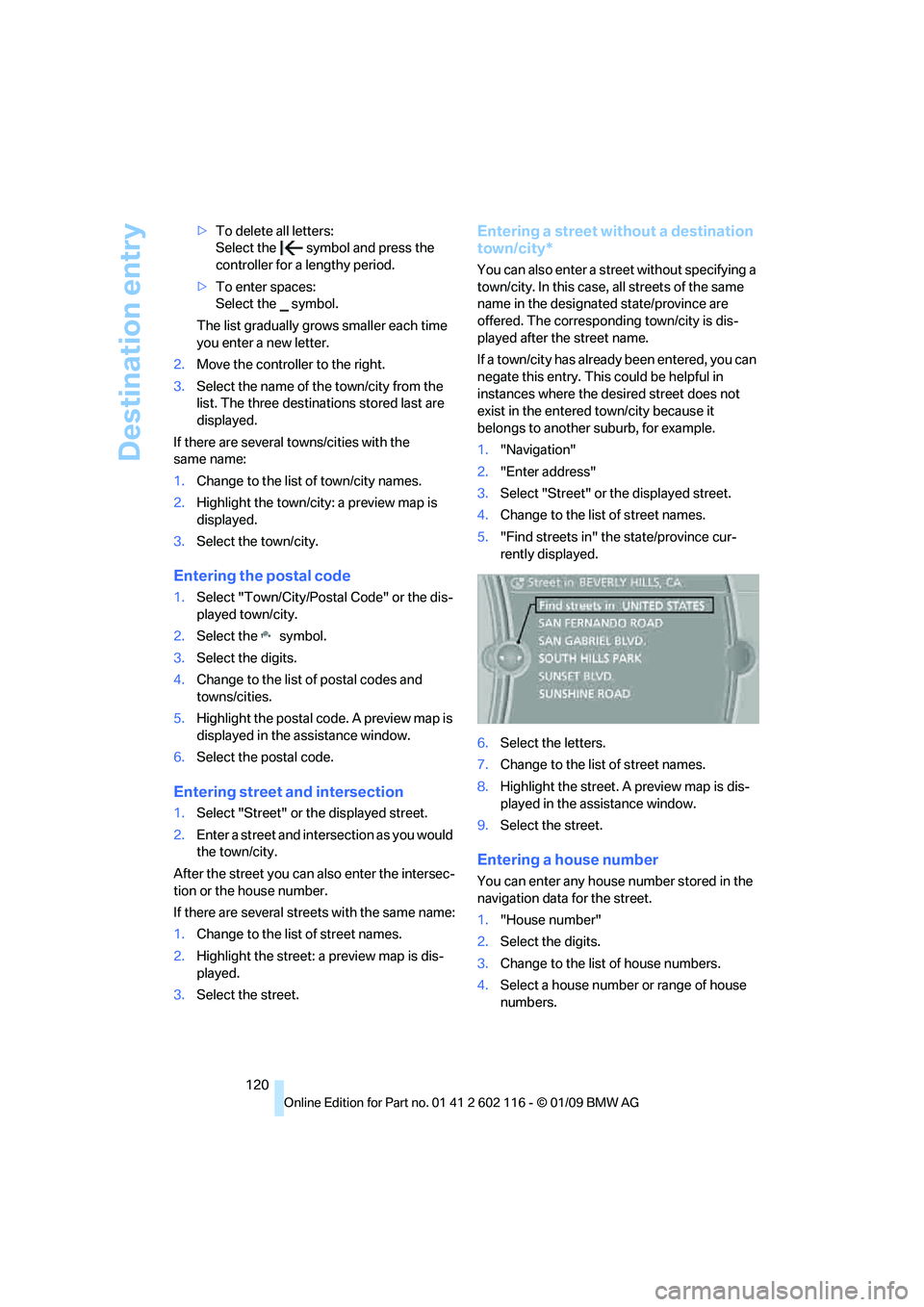
Entering a street without a destination
town/city*
You can also enter a street without specifying a
town/city. In this case, all streets of the same
name in the designated state/province are
offered. The correspond ing town/city is dis-
played after the street name.
If a town/city has already been entered, you can
negate this entry. This could be helpful in
instances where the desired street does not
exist in the entered town/city because it
belongs to another suburb, for example.
1. "Navigation"
2. "Enter address"
3. Select "Street" or the displayed street.
4. Change to the list of street names.
5. "Find streets in" the state/province cur-
rently displayed.
6. Select the letters.
7. Change to the list of street names.
8. Highlight the street. A preview map is dis-
played in the assistance window.
9. Select the street.
Entering a house number
You can enter any house number stored in the
navigation data for the street.
1."House number"
2. Select the digits.
3. Change to the list of house numbers.
4. Select a house number or range of house
numbers.