climate control BMW Z4 SDRIVE35I 2012 User Guide
[x] Cancel search | Manufacturer: BMW, Model Year: 2012, Model line: Z4 SDRIVE35I, Model: BMW Z4 SDRIVE35I 2012Pages: 220, PDF Size: 9.9 MB
Page 94 of 220
Press any button except the rear window de‐
froster to reactivate the automatic climate con‐
trol.
Residual heat
The heat stored in the engine is used to heat the
interior.
This function can be switched on
using the right-hand button under
the following conditions:▷Up to 15 minutes after switching off the en‐
gine.▷When the engine is warm.▷With sufficient battery voltage.▷At an external temperature under 77 ℉/
25 ℃.
The middle LED is lit when the function is on.
Automatic recirculated air mode/
recirculated air mode
Switch on the desired operating
mode by pressing this button re‐
peatedly:
▷LED off: outside air flows in
continuously.▷Left LED on, automatic recirculated air con‐
trol: a sensor detects pollutants in the out‐
side air. If necessary, the system blocks the
supply of outside air and recirculates the in‐
side air. As soon as the concentration of pol‐
lutants in the outside air has decreased suf‐
ficiently, the system automatically switches
back to outside air supply.▷Right LED on, recirculated air mode: the
supply of outside air into the vehicle is per‐
manently blocked. The system then recir‐
culates the air currently within the vehicle.
Only use recirculated air mode for a limited
period
If condensation starts to form on the inside win‐
dow surfaces during operation in the recircu‐
lated air mode, you should switch it off while also
increasing the air flow rate as required. The re‐
circulated air mode should not be used for an
extended period of time, as the air quality inside
the vehicle deteriorates steadily.◀
Defrosting and defogging windows Quickly removes ice and conden‐
sation from the windshield and
front side windows.
For this purpose, also switch on the cooling
function.
Rear window defroster The defroster switches off auto‐
matically after a certain time or
when the hardtop is opened.
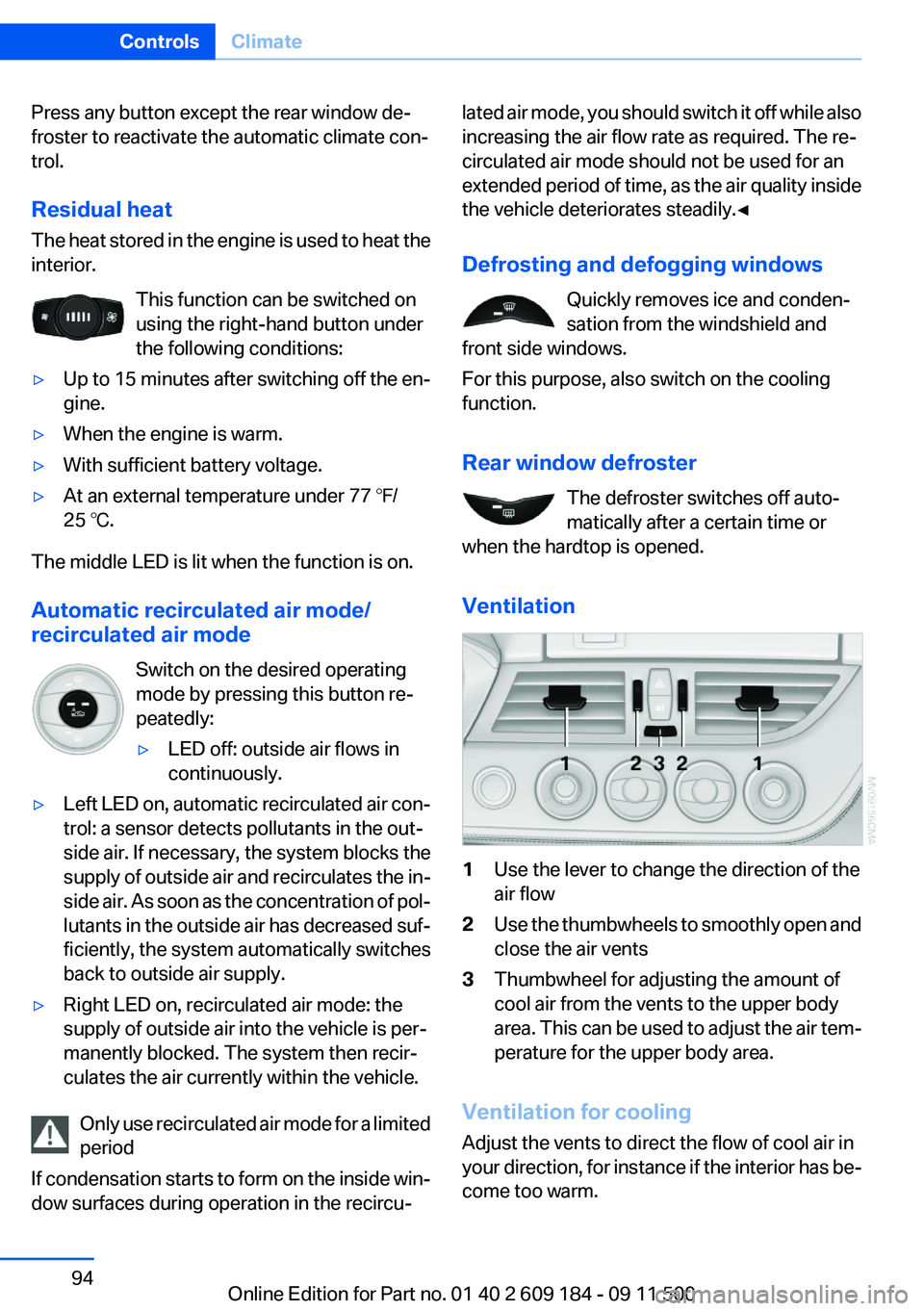
Ventilation1Use the lever to change the direction of the
air flow2Use the thumbwheels to smoothly open and
close the air vents3Thumbwheel for adjusting the amount of
cool air from the vents to the upper body
area. This can be used to adjust the air tem‐
perature for the upper body area.
Ventilation for cooling
Adjust the vents to direct the flow of cool air in
your direction, for instance if the interior has be‐
come too warm.
Seite 94ControlsClimate94
Online Edition for Part no. 01 40 2 609 184 - 09 11 500
Page 95 of 220
Draft-free ventilation
Adjust the vents to let the air flow past you.
Microfilter/activated-charcoal filter
The microfilter traps dust and pollen in the in‐
coming air. The activated-charcoal filter pro‐
vides additional protection by filtering gaseous
pollutants from the outside air. Your service cen‐
ter replaces this combined filter during routine
maintenance.Seite 95ClimateControls95
Online Edition for Part no. 01 40 2 609 184 - 09 11 500
Page 109 of 220
If the vehicle must be driven with the trunk lid
open:1.Close all windows.2.Greatly increase the air flow rate of the air
conditioner or automatic climate control.
Hot exhaust system
Hot exhaust system
High temperatures are generated in the
exhaust system.
Do not remove the heat shields installed and
never apply undercoating to them. Make sure
that flammable materials, e. g. hay, leaves, grass,
etc. do not come in contact with the hot exhaust
system during driving, while in idle position
mode, or when parked. Such contact could lead
to a fire, and with it the risk of serious personal
injury as well as property damage.
Do not touch hot exhaust pipes; otherwise, there
is the danger of getting burned.◀
Mobile communication devices in the
vehicle
Mobile communication devices in the ve‐
hicle
It is not recommended to use mobile phones,
such as mobile phones without a direct connec‐
tion to an external aerial in the vehicle's passen‐
ger compartment. Otherwise, the vehicle elec‐
tronics and mobile communication devices can
interfere with each other. In addition, there is no
assurance that the radiation generated during
transmission will be discharged from the vehicle
interior.◀
Hydroplaning
On wet or slushy roads, a wedge of water can
form between the tires and road surface.
This phenomenon is referred to as hydroplan‐
ing. It is characterized by a partial or complete
loss of contact between the tires and the road
surface, ultimately undermining your ability to
steer and brake the vehicle.
Hydroplaning
When driving on wet or slushy roads, re‐
duce your speed to prevent hydroplaning.◀
Driving through water
Drive though calm water only if it is not deeper
than 9.8 inches/25 cm and at this height, no
faster than walking speed, up to 6 mph/10 km/h.
Adhere to water depth and speed limita‐
tions
Do not exceed this water depth and walking
speed; otherwise, the vehicle's engine, the elec‐
trical systems and the transmission may be
damaged.◀
Braking safely
Your vehicle is equipped with ABS as a standard
feature.
Applying the brakes fully is the most effective
way of braking in situations when this is neces‐
sary.
The vehicle maintains steering responsiveness.
You can still avoid any obstacles with a minimum
of steering effort.
Pulsation of the brake pedal and sounds from
the hydraulic circuits indicate that ABS is in its
active mode.
Objects in the area around the pedals No objects in the area around the pedals
Keep floor mats, carpets, and any other
objects out of the area of motion of the pedals;
otherwise, the function of the pedals could be
impeded while driving
Do not place additional floor mats over existing
mats or other objects.
Only use floor mats that have been approved for
the vehicle and can be properly fixed in place.Seite 109Things to remember when drivingDriving tips109
Online Edition for Part no. 01 40 2 609 184 - 09 11 500
Page 110 of 220
Ensure that the floor mats are securely fastened
again when they are returned after being re‐
moved, such as for cleaning.◀
Driving in wet conditions
When roads are wet or there is heavy rain, briefly
exert gentle pressure on the brake pedal every
few miles.
Ensure that this action does not endanger other
road users.
The heat generated in this process helps dry the
brake discs and pads.
In this way braking efficiency will be available
when you need it.
Hills
Drive long or steep downhill gradients in the gear
in which the least braking is required. Otherwise,
the brake system may overheat, resulting in a
reduction in the brake system efficiency.
You can increase the engine's braking effect by
shifting down, going all the way to first gear, if
necessary.
Downshifting in manual mode of the 8-gear
Sport automatic transmission, refer to page 54.
Downshifting in manual mode of the 7-gear
Sport automatic transmission with dual clutch,
refer to page 57.
Avoid load on the brakes
Avoid placing excessive load on the brake
system. Light but consistent brake pressure can
lead to high temperatures, brake wear and pos‐
sibly even brake failure.◀
Do not drive in neutral
Never drive with the transmission in neu‐
tral, with the engine switched off or with the
clutch depressed; otherwise, you will have nei‐
ther the braking action of the engine or nor its
power assistance when braking or steering.◀Brake disc corrosion
Corrosion on the brake discs and contamination
on the brake pads are furthered by:▷Low mileage.▷Extended periods when the vehicle is not
used at all.▷Infrequent use of the brakes.
Corrosion occurs when the minimum pressure
that must be exerted by the pads during brake
applications to clean the discs is not reached.
Should corrosion form on the brake discs, the
brakes will tend to respond with a pulsating ef‐
fect that generally cannot be corrected.
Condensation under the parked vehicle
When using the automatic climate control, con‐
densation water develops that exits underneath
the vehicle.
Therefore, traces of condensed water under the
vehicle are normal.
Loading Overloading the vehicle
To avoid exceeding the approved carrying
capacity of the tires, never overload the vehicle.
Overloading can lead to overheating and in‐
creases the rate at which damage develops in‐
side the tires. This could result in a sudden loss
of tire inflation pressure.◀
Secure heavy objects
Never transport unsecured heavy or hard
objects in the passenger compartment, as they
could be thrown around and pose a safety haz‐
ard to the vehicle's occupants during abrupt
braking or evasive maneuvers.◀
No fluids in the cargo area
Make sure that fluids do not leak into the
cargo area; otherwise, the vehicle may be dam‐
aged.◀
Seite 110Driving tipsThings to remember when driving110
Online Edition for Part no. 01 40 2 609 184 - 09 11 500
Page 113 of 220
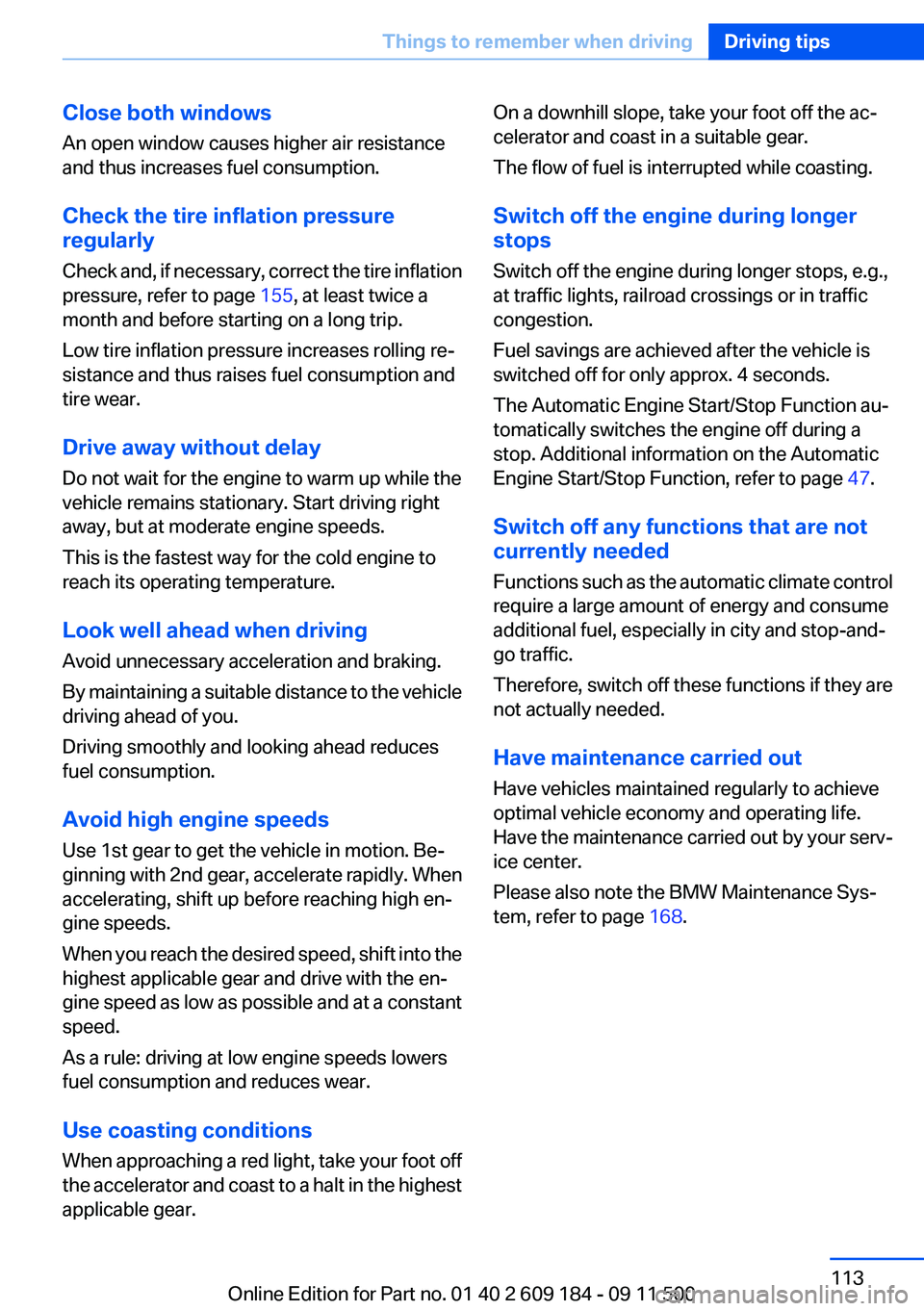
Close both windows
An open window causes higher air resistance
and thus increases fuel consumption.
Check the tire inflation pressure
regularly
Check and, if necessary, correct the tire inflation
pressure, refer to page 155, at least twice a
month and before starting on a long trip.
Low tire inflation pressure increases rolling re‐
sistance and thus raises fuel consumption and
tire wear.
Drive away without delay
Do not wait for the engine to warm up while the
vehicle remains stationary. Start driving right
away, but at moderate engine speeds.
This is the fastest way for the cold engine to
reach its operating temperature.
Look well ahead when driving
Avoid unnecessary acceleration and braking.
By maintaining a suitable distance to the vehicle
driving ahead of you.
Driving smoothly and looking ahead reduces
fuel consumption.
Avoid high engine speeds
Use 1st gear to get the vehicle in motion. Be‐
ginning with 2nd gear, accelerate rapidly. When
accelerating, shift up before reaching high en‐
gine speeds.
When you reach the desired speed, shift into the
highest applicable gear and drive with the en‐
gine speed as low as possible and at a constant
speed.
As a rule: driving at low engine speeds lowers
fuel consumption and reduces wear.
Use coasting conditions
When approaching a red light, take your foot off
the accelerator and coast to a halt in the highest
applicable gear.On a downhill slope, take your foot off the ac‐
celerator and coast in a suitable gear.
The flow of fuel is interrupted while coasting.
Switch off the engine during longer
stops
Switch off the engine during longer stops, e.g.,
at traffic lights, railroad crossings or in traffic
congestion.
Fuel savings are achieved after the vehicle is
switched off for only approx. 4 seconds.
The Automatic Engine Start/Stop Function au‐
tomatically switches the engine off during a
stop. Additional information on the Automatic
Engine Start/Stop Function, refer to page 47.
Switch off any functions that are not
currently needed
Functions such as the automatic climate control
require a large amount of energy and consume
additional fuel, especially in city and stop-and-
go traffic.
Therefore, switch off these functions if they are
not actually needed.
Have maintenance carried out
Have vehicles maintained regularly to achieve
optimal vehicle economy and operating life.
Have the maintenance carried out by your serv‐
ice center.
Please also note the BMW Maintenance Sys‐
tem, refer to page 168.Seite 113Things to remember when drivingDriving tips113
Online Edition for Part no. 01 40 2 609 184 - 09 11 500
Page 159 of 220
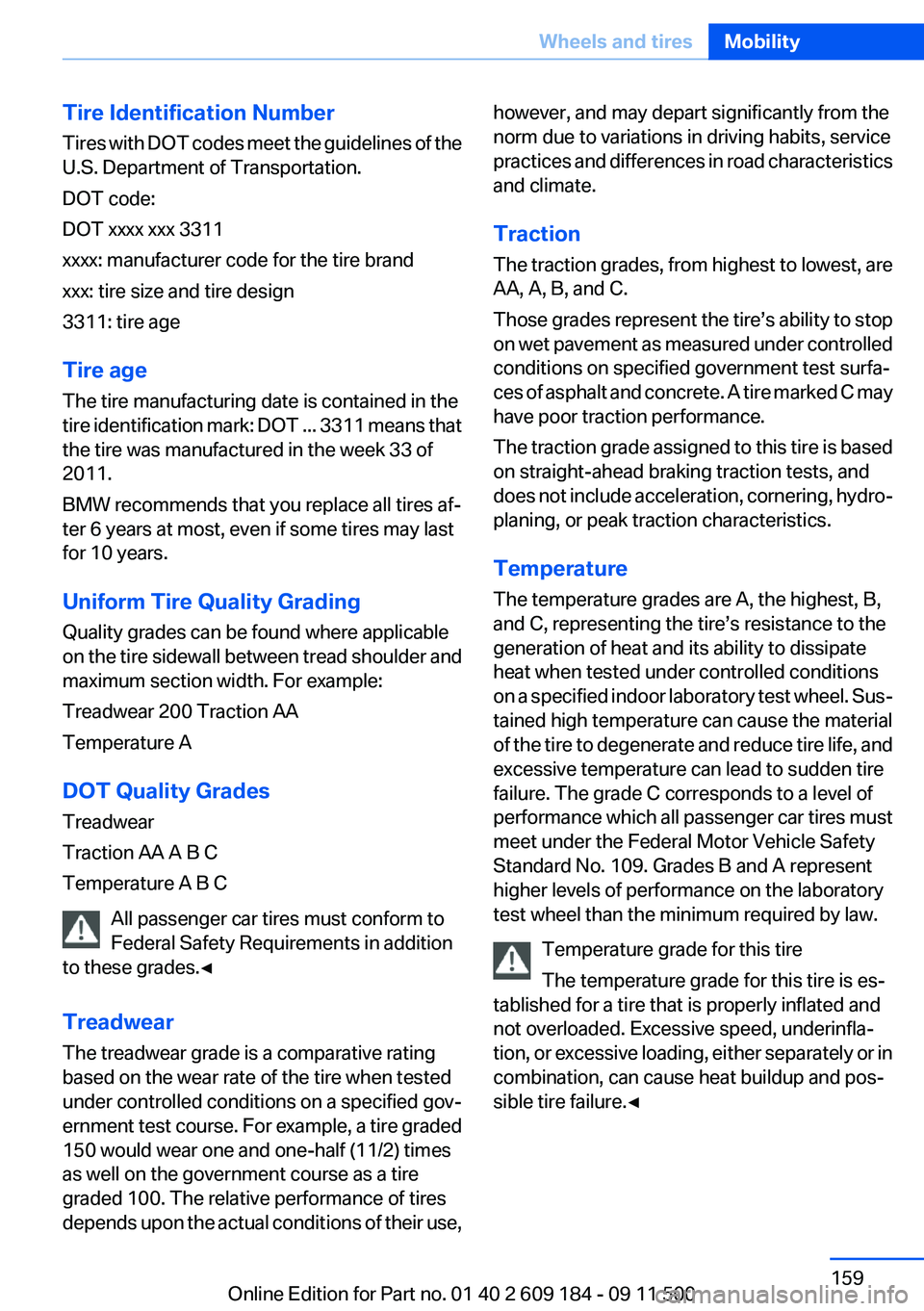
Tire Identification Number
Tires with DOT codes meet the guidelines of the
U.S. Department of Transportation.
DOT code:
DOT xxxx xxx 3311
xxxx: manufacturer code for the tire brand
xxx: tire size and tire design
3311: tire age
Tire age
The tire manufacturing date is contained in the
tire identification mark: DOT ... 3311 means that
the tire was manufactured in the week 33 of
2011.
BMW recommends that you replace all tires af‐
ter 6 years at most, even if some tires may last
for 10 years.
Uniform Tire Quality Grading
Quality grades can be found where applicable
on the tire sidewall between tread shoulder and
maximum section width. For example:
Treadwear 200 Traction AA
Temperature A
DOT Quality Grades
Treadwear
Traction AA A B C
Temperature A B C
All passenger car tires must conform to
Federal Safety Requirements in addition
to these grades.◀
Treadwear
The treadwear grade is a comparative rating
based on the wear rate of the tire when tested
under controlled conditions on a specified gov‐
ernment test course. For example, a tire graded
150 would wear one and one-half (11/2) times
as well on the government course as a tire
graded 100. The relative performance of tires
depends upon the actual conditions of their use,however, and may depart significantly from the
norm due to variations in driving habits, service
practices and differences in road characteristics
and climate.
Traction
The traction grades, from highest to lowest, are
AA, A, B, and C.
Those grades represent the tire’s ability to stop
on wet pavement as measured under controlled
conditions on specified government test surfa‐
ces of asphalt and concrete. A tire marked C may
have poor traction performance.
The traction grade assigned to this tire is based
on straight-ahead braking traction tests, and
does not include acceleration, cornering, hydro‐
planing, or peak traction characteristics.
Temperature
The temperature grades are A, the highest, B,
and C, representing the tire’s resistance to the
generation of heat and its ability to dissipate
heat when tested under controlled conditions
on a specified indoor laboratory test wheel. Sus‐
tained high temperature can cause the material
of the tire to degenerate and reduce tire life, and
excessive temperature can lead to sudden tire
failure. The grade C corresponds to a level of
performance which all passenger car tires must
meet under the Federal Motor Vehicle Safety
Standard No. 109. Grades B and A represent
higher levels of performance on the laboratory
test wheel than the minimum required by law.
Temperature grade for this tire
The temperature grade for this tire is es‐
tablished for a tire that is properly inflated and
not overloaded. Excessive speed, underinfla‐
tion, or excessive loading, either separately or in
combination, can cause heat buildup and pos‐
sible tire failure.◀Seite 159Wheels and tiresMobility159
Online Edition for Part no. 01 40 2 609 184 - 09 11 500
Page 208 of 220
Everything from A to Z
IndexA
ABS, Antilock Brake Sys‐ tem 81
Acceleration assistant, Launch Control 58
Accident, refer to Emergency Request, initiating 176
Activated charcoal filter with automatic climate control 95
Adaptive brake light, refer to Brake force display 80
Adaptive light control 70
Additives– Coolant 166
Additives, oil 166
After washing vehicle 183
Airbags 73
Airbags
– Indicator/warning lamps 75
Air circulation, refer to Recir‐
culated air mode 90, 94
Air conditioner 90
Air conditioning mode
– Air conditioner 90– Automatic climate con‐
trol 92– Ventilation 91, 94
Air distribution
– Automatic 93– Individual 90– Manual 90
Air flow rate 90, 93
Airing, refer to Ventila‐ tion 91, 94
Air outlets, refer to Air vents 89
Air pressure, refer to Tire infla‐ tion pressure 155
Air supply– Air conditioner 90– Automatic climate con‐
trol 92– Ventilation 91, 94
Air vents 89
Air vents
– Refer to Ventilation 91, 94
Alarm system 30
Alarm system
– Avoiding unintentional
alarms 31– Ending an alarm 30– Interior motion sensor 31– Tilt alarm sensor 31
All around the headliner 16
All-season tires, refer to Win‐ ter tires 162
Alternating-code hand-held transmitter 97
Alternative oil types 166
Antifreeze
– Coolant 166– Washer fluid 52
Antilock Brake System,
ABS 81
Anti-slip control, refer to DSC 81
Anti-theft protection 22
Anti-theft protection, lug bolts 174
Approved axle loads, refer to Weights 204
Approved engine oils 166
Approved gross vehicle weight, refer to Weights 204
Armrest, refer to Center arm‐ rest 103
Assist 145
Assistance, Roadside Assis‐ tance 177
Assistance systems, refer to
Driving stability control sys‐
tems 81
Assistance when driving off 84
Audio device, external 103
Automatic air distribution 93
Automatic air flow rate 93
Automatic car wash 182
Automatic climate control– Automatic air distribution 93
Automatic cruise control 85
Automatic Curb Monitor 40
Automatic Engine Start/Stop Function 47
Automatic headlamp con‐ trol 69
Automatic recirculated air control 94
Automatic transmission
– 7-gear with dual clutch 55– 8-gear 53
AUTO program with automatic
climate control 93
AUX-IN port 103, 127
Average fuel consumption 62
Average fuel consumption
– Setting the units 63
Average speed 62
Axle loads, refer to Weights 204
B
Backrest curvature, refer to Lumbar support 37
Backrests, refer to Seat ad‐ justment 36
Backrest width adjustment 37
Backup lamps
– Bulb replacement 172, 173Seite 208ReferenceEverything from A to Z208
Online Edition for Part no. 01 40 2 609 184 - 09 11 500
Page 211 of 220
Driving stability control sys‐tems 81
Driving tips 108
DSC Dynamic Stability Con‐ trol 81
DTC Dynamic Traction Con‐ trol 82
Dynamic Brake Control DBC 81
Dynamic Driving Control 82
Dynamic Stability Control DSC 81
Dynamic Traction Control DTC 82
E
EBV electronic brake-force distribution 81
EfficientDynamics, refer to Saving fuel 112
Electrical fault– 7-gear automatic transmis‐
sion 58
Electrical malfunction
– Door lock 26– Driver's door 26– Fuel filler flap 152
Electric seat adjustment 37
Electronic brake-force distri‐ bution 81
Electronic engine oil level check 164
Electronic Stability Program ESP, refer to DSC 81
Emergency operation
– Fuel filler flap, unlocking
manually 152
Emergency Request 176
Emergency service, refer to Roadside Assistance 177
Emergency unlocking
– Trunk lid, from the inside 28
Energy, saving
– Automatic Engine Start/Stop
Function 47
Engine compartment 163
Engine coolant, refer to Cool‐
ant 166
Engine data 202
Engine oil, adding 165
Engine oil additives 166
Engine oil, checking the level 164
Engine oil, filling capacity 206
Engine oil temperature 61
Engine oil types, alterna‐ tive 166
Engine oil types, ap‐ proved 166
Engine, overheating, refer to Coolant temperature 61
Engine power, refer to Engine data 202
Engine, RPM 202
Engine start, Help 177
Engine, starting 46
Engine, starting– Comfort Access 28– Start/Stop button 45
Engine, stopping, Start/Stop
button 45
Engine, switching off 46
Engine temperature 61
Entry lamps, refer to Interior lamps 72
Equipment, interior 96
Error messages, refer to Check Control 66
ESP Electronic Stability Pro‐ gram, refer to DSC 81
Exchanging wheels/tires 161
Exhaust system 109
Exterior mirrors 40
Exterior mirrors
– Automatic dimming 41– Automatic heating 41– Folding in and out 41– Setting 40
External audio device 103
External start 177
External temperature dis‐ play 60
External temperature display– Changing the units 63– On the computer 63
External temperature warn‐
ing 60
Eyes for securing cargo 112
F
Failure messages, refer to Check Control 66
Failure of an electrical acces‐ sory 175
False alarm
– Avoiding unintentional
alarms 31– Ending an alarm 30
Fastening safety belts, refer to
Safety belts 38
Fasten safety belts reminder
– Refer to Safety belt re‐
minder 39
Filter
– Refer to Microfilter/acti‐
vated-charcoal filter with au‐
tomatic climate control 95– Refer to Microfilter for air
conditioner 91
Fine wood, care 184
First aid kit 177
Fittings
– For tow-starting and tow‐
ing 179
Flashing when locking/unlock‐
ing 24
Flat tire, Flat Tire Monitor FTM 75
Flat Tire Monitor
– Snow chains 162
Flat Tire Monitor FTM 75
Flat tire, Tire Pressure Monitor TPM 77
Flat tire, warning lamp 76
Flat tire, wheel change 173
Flooding 109
Floor carpet, care 184
Floor mats, care 184
Foot brake 109
Seite 211Everything from A to ZReference211
Online Edition for Part no. 01 40 2 609 184 - 09 11 500
Page 213 of 220
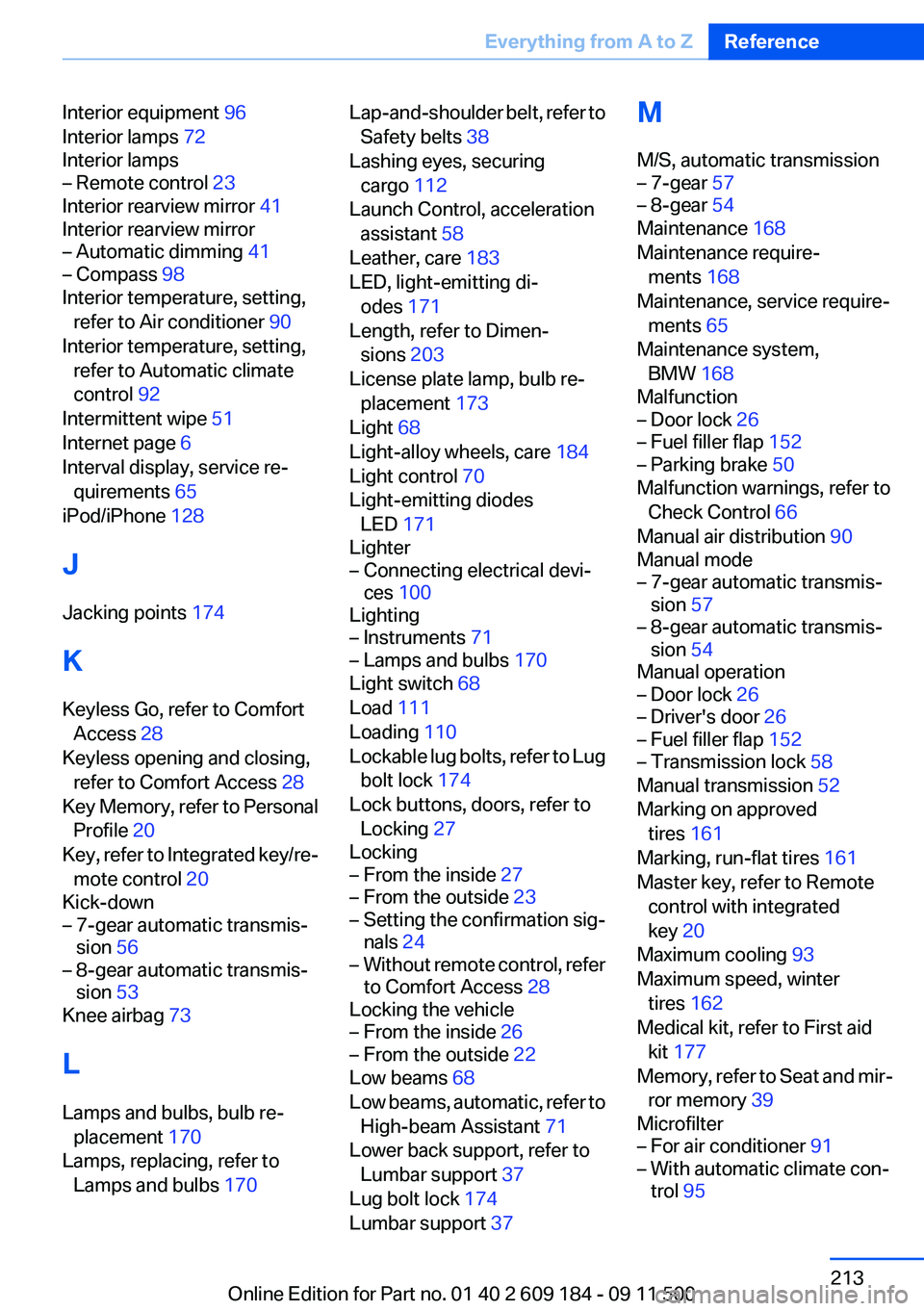
Interior equipment 96
Interior lamps 72
Interior lamps– Remote control 23
Interior rearview mirror 41
Interior rearview mirror
– Automatic dimming 41– Compass 98
Interior temperature, setting,
refer to Air conditioner 90
Interior temperature, setting, refer to Automatic climate
control 92
Intermittent wipe 51
Internet page 6
Interval display, service re‐ quirements 65
iPod/iPhone 128
J
Jacking points 174
K
Keyless Go, refer to Comfort Access 28
Keyless opening and closing, refer to Comfort Access 28
Key Memory, refer to Personal Profile 20
Key, refer to Integrated key/re‐ mote control 20
Kick-down
– 7-gear automatic transmis‐
sion 56– 8-gear automatic transmis‐
sion 53
Knee airbag 73
L
Lamps and bulbs, bulb re‐ placement 170
Lamps, replacing, refer to Lamps and bulbs 170
Lap-and-shoulder belt, refer to
Safety belts 38
Lashing eyes, securing cargo 112
Launch Control, acceleration assistant 58
Leather, care 183
LED, light-emitting di‐ odes 171
Length, refer to Dimen‐ sions 203
License plate lamp, bulb re‐ placement 173
Light 68
Light-alloy wheels, care 184
Light control 70
Light-emitting diodes LED 171
Lighter– Connecting electrical devi‐
ces 100
Lighting
– Instruments 71– Lamps and bulbs 170
Light switch 68
Load 111
Loading 110
Lockable lug bolts, refer to Lug bolt lock 174
Lock buttons, doors, refer to Locking 27
Locking
– From the inside 27– From the outside 23– Setting the confirmation sig‐
nals 24– Without remote control, refer
to Comfort Access 28
Locking the vehicle
– From the inside 26– From the outside 22
Low beams 68
Low beams, automatic, refer to High-beam Assistant 71
Lower back support, refer to Lumbar support 37
Lug bolt lock 174
Lumbar support 37
M
M/S, automatic transmission– 7-gear 57– 8-gear 54
Maintenance 168
Maintenance require‐ ments 168
Maintenance, service require‐ ments 65
Maintenance system, BMW 168
Malfunction
– Door lock 26– Fuel filler flap 152– Parking brake 50
Malfunction warnings, refer to
Check Control 66
Manual air distribution 90
Manual mode
– 7-gear automatic transmis‐
sion 57– 8-gear automatic transmis‐
sion 54
Manual operation
– Door lock 26– Driver's door 26– Fuel filler flap 152– Transmission lock 58
Manual transmission 52
Marking on approved tires 161
Marking, run-flat tires 161
Master key, refer to Remote control with integrated
key 20
Maximum cooling 93
Maximum speed, winter tires 162
Medical kit, refer to First aid kit 177
Memory, refer to Seat and mir‐ ror memory 39
Microfilter
– For air conditioner 91– With automatic climate con‐
trol 95Seite 213Everything from A to ZReference213
Online Edition for Part no. 01 40 2 609 184 - 09 11 500
Page 214 of 220
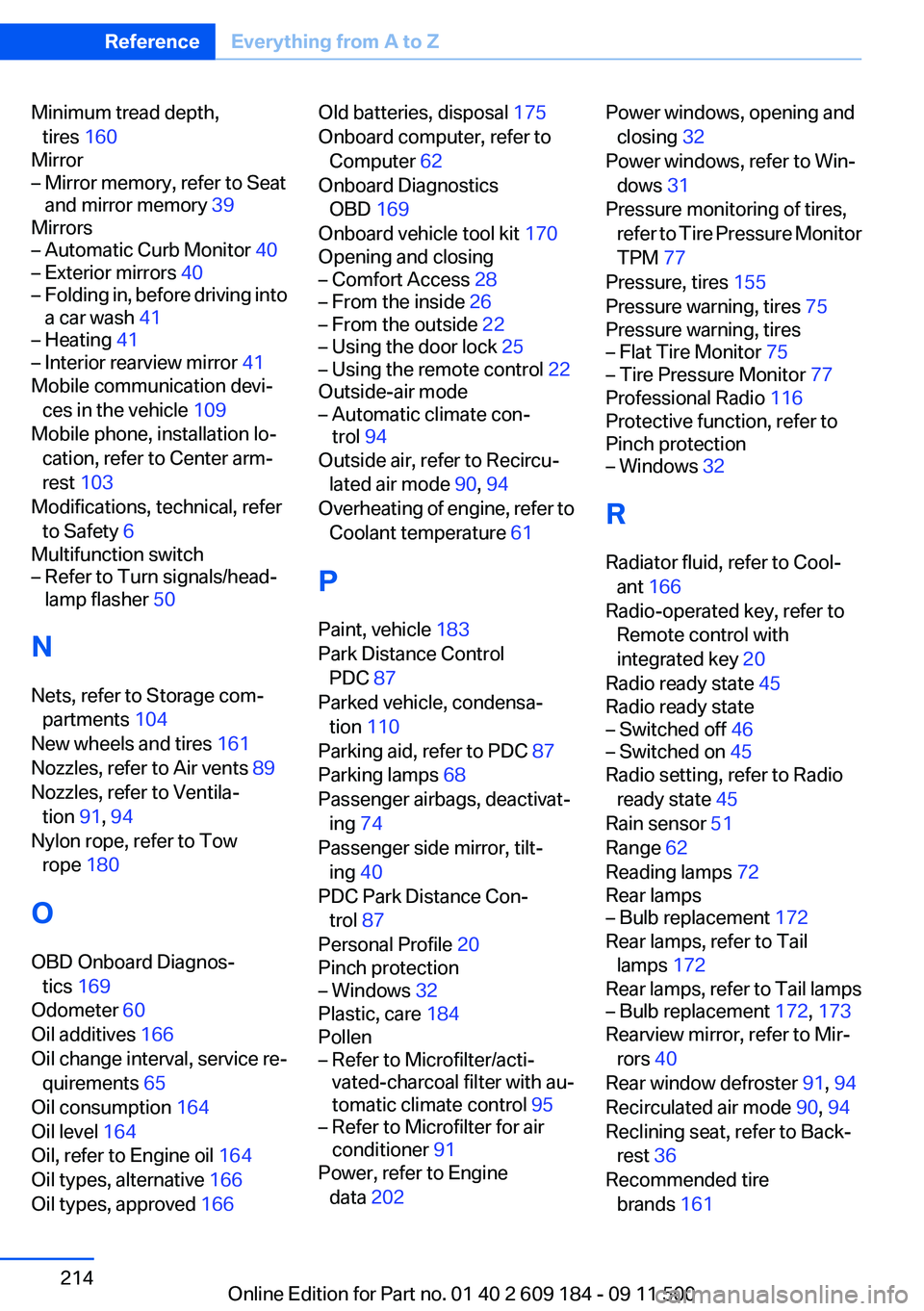
Minimum tread depth,tires 160
Mirror– Mirror memory, refer to Seat
and mirror memory 39
Mirrors
– Automatic Curb Monitor 40– Exterior mirrors 40– Folding in, before driving into
a car wash 41– Heating 41– Interior rearview mirror 41
Mobile communication devi‐
ces in the vehicle 109
Mobile phone, installation lo‐ cation, refer to Center arm‐
rest 103
Modifications, technical, refer to Safety 6
Multifunction switch
– Refer to Turn signals/head‐
lamp flasher 50
N
Nets, refer to Storage com‐ partments 104
New wheels and tires 161
Nozzles, refer to Air vents 89
Nozzles, refer to Ventila‐ tion 91, 94
Nylon rope, refer to Tow rope 180
O
OBD Onboard Diagnos‐ tics 169
Odometer 60
Oil additives 166
Oil change interval, service re‐ quirements 65
Oil consumption 164
Oil level 164
Oil, refer to Engine oil 164
Oil types, alternative 166
Oil types, approved 166
Old batteries, disposal 175
Onboard computer, refer to Computer 62
Onboard Diagnostics OBD 169
Onboard vehicle tool kit 170
Opening and closing– Comfort Access 28– From the inside 26– From the outside 22– Using the door lock 25– Using the remote control 22
Outside-air mode
– Automatic climate con‐
trol 94
Outside air, refer to Recircu‐
lated air mode 90, 94
Overheating of engine, refer to Coolant temperature 61
P
Paint, vehicle 183
Park Distance Control PDC 87
Parked vehicle, condensa‐ tion 110
Parking aid, refer to PDC 87
Parking lamps 68
Passenger airbags, deactivat‐ ing 74
Passenger side mirror, tilt‐ ing 40
PDC Park Distance Con‐ trol 87
Personal Profile 20
Pinch protection
– Windows 32
Plastic, care 184
Pollen
– Refer to Microfilter/acti‐
vated-charcoal filter with au‐
tomatic climate control 95– Refer to Microfilter for air
conditioner 91
Power, refer to Engine
data 202
Power windows, opening and
closing 32
Power windows, refer to Win‐ dows 31
Pressure monitoring of tires, refer to Tire Pressure Monitor
TPM 77
Pressure, tires 155
Pressure warning, tires 75
Pressure warning, tires– Flat Tire Monitor 75– Tire Pressure Monitor 77
Professional Radio 116
Protective function, refer to
Pinch protection
– Windows 32
R
Radiator fluid, refer to Cool‐ ant 166
Radio-operated key, refer to Remote control with
integrated key 20
Radio ready state 45
Radio ready state
– Switched off 46– Switched on 45
Radio setting, refer to Radio
ready state 45
Rain sensor 51
Range 62
Reading lamps 72
Rear lamps
– Bulb replacement 172
Rear lamps, refer to Tail
lamps 172
Rear lamps, refer to Tail lamps
– Bulb replacement 172, 173
Rearview mirror, refer to Mir‐
rors 40
Rear window defroster 91, 94
Recirculated air mode 90, 94
Reclining seat, refer to Back‐ rest 36
Recommended tire brands 161
Seite 214ReferenceEverything from A to Z214
Online Edition for Part no. 01 40 2 609 184 - 09 11 500