lock BMW Z4 SDRIVE35I 2012 Owner's Manual
[x] Cancel search | Manufacturer: BMW, Model Year: 2012, Model line: Z4 SDRIVE35I, Model: BMW Z4 SDRIVE35I 2012Pages: 220, PDF Size: 9.9 MB
Page 45 of 220
DrivingVehicle equipment
This chapter describes all series equipment as
well as country-specific and special equipment
offered for this model series.Therefore, it also
describes equipment that may not be found in
your vehicle, for instance due to the selected
special equipment or the country version. This
also applies to safety-related functions and sys‐
tems.
Ignition lock
Insert the remote control into the
ignition lock
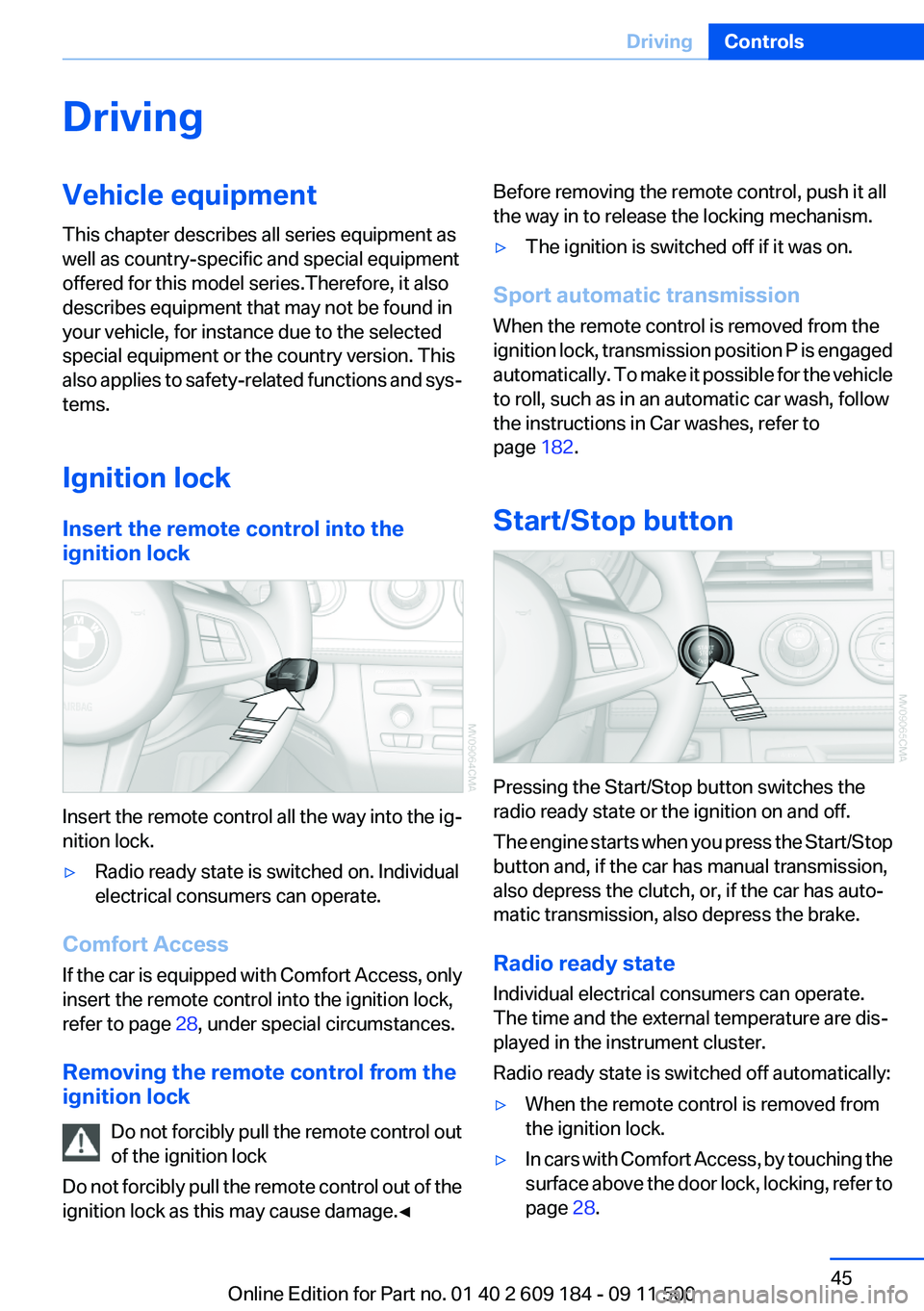
Insert the remote control all the way into the ig‐
nition lock.
▷Radio ready state is switched on. Individual
electrical consumers can operate.
Comfort Access
If the car is equipped with Comfort Access, only
insert the remote control into the ignition lock,
refer to page 28, under special circumstances.
Removing the remote control from the
ignition lock
Do not forcibly pull the remote control out
of the ignition lock
Do not forcibly pull the remote control out of the
ignition lock as this may cause damage.◀
Before removing the remote control, push it all
the way in to release the locking mechanism.▷The ignition is switched off if it was on.
Sport automatic transmission
When the remote control is removed from the
ignition lock, transmission position P is engaged
automatically. To make it possible for the vehicle
to roll, such as in an automatic car wash, follow
the instructions in Car washes, refer to
page 182.
Start/Stop button
Pressing the Start/Stop button switches the
radio ready state or the ignition on and off.
The engine starts when you press the Start/Stop
button and, if the car has manual transmission,
also depress the clutch, or, if the car has auto‐
matic transmission, also depress the brake.
Radio ready state
Individual electrical consumers can operate.
The time and the external temperature are dis‐
played in the instrument cluster.
Radio ready state is switched off automatically:
▷When the remote control is removed from
the ignition lock.▷In cars with Comfort Access, by touching the
surface above the door lock, locking, refer to
page 28.Seite 45DrivingControls45
Online Edition for Part no. 01 40 2 609 184 - 09 11 500
Page 46 of 220
Ignition on
All electrical consumers can operate. The od‐
ometer and trip odometer are displayed in the
instrument cluster.
To save battery power when the engine is off,
switch off the ignition and any unnecessary
electronic systems/power consumers.
Radio ready state and ignition off
All indicator and warning lamps as well as dis‐
plays in the instrument cluster go out.
Sport automatic transmission
In certain situations, transmission position P is
engaged automatically. To make it possible for
the vehicle to roll, such as in an automatic car
wash, follow the instructions in Car washes, re‐
fer to page 182.
Starting the engine Enclosed areas
Do not let the engine run in enclosed
areas; otherwise, breathing of exhaust fumes
may lead to loss of consciousness and death.
The exhaust gases contain carbon monoxide, an
odorless and colorless but highly toxic gas.◀
Unattended vehicle
Do not leave the car unattended with the
engine running; otherwise, it presents a poten‐
tial source of danger.
Before leaving the car with the engine running,
set the parking brake and place the transmission
in position P or neutral to prevent the car from
moving.◀
Frequent starting in quick succession
Avoid repeated futile attempts at starting
the car and avoid starting the car frequently in
quick succession. Otherwise, the fuel is not
burned or is inadequately burned, and there is
the danger of overheating and damaging the
catalytic converter.◀Do not wait for the engine to warm up while the
vehicle remains stationary. Start driving right
away, but at moderate engine speeds.
Manual transmission
Remote control in the ignition lock or, with Com‐
fort Access, inside the vehicle, refer to page 28.
1.Depress the brake pedal.2.Press on the clutch and shift to neutral.3.Press the Start/Stop button.
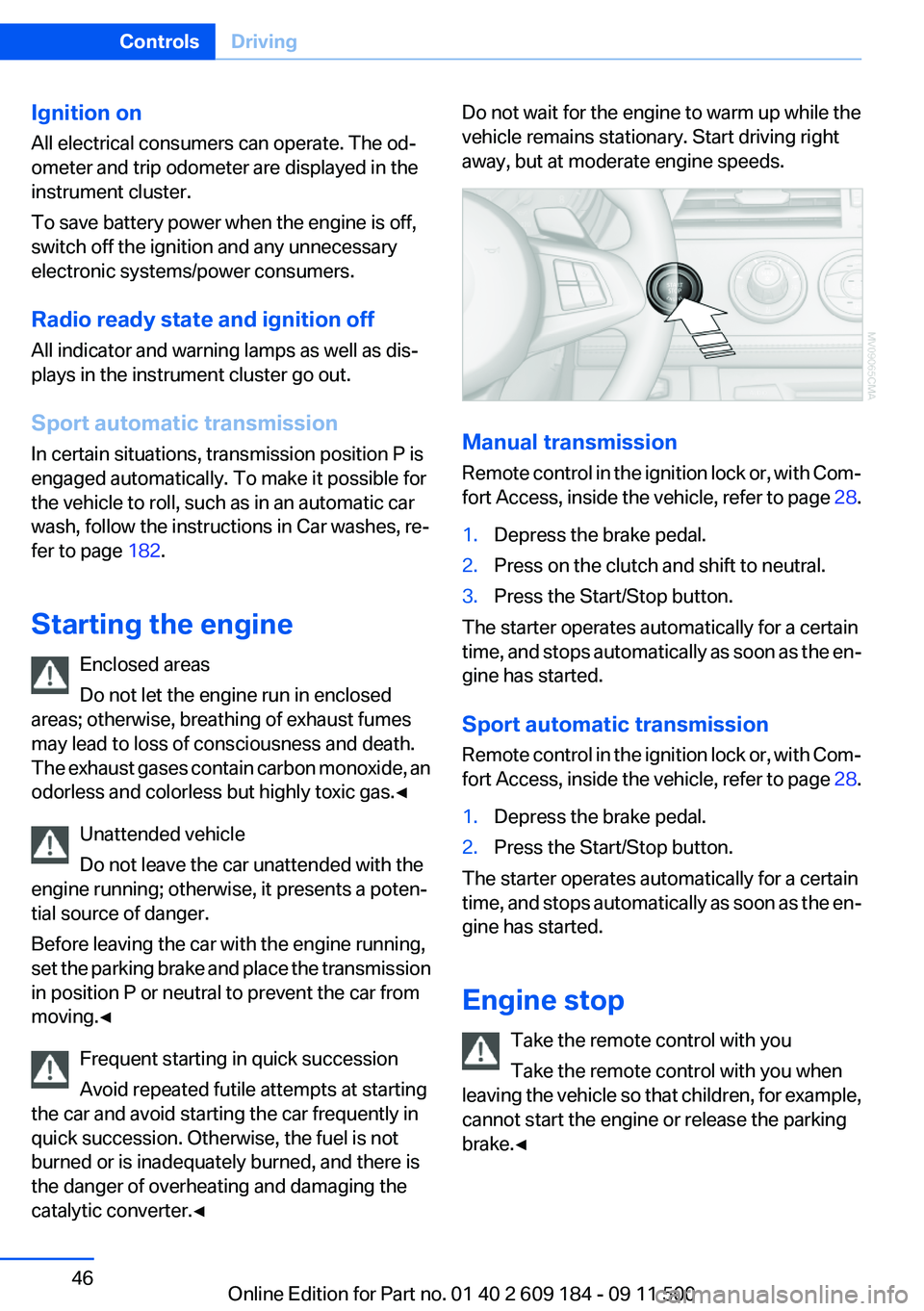
The starter operates automatically for a certain
time, and stops automatically as soon as the en‐
gine has started.
Sport automatic transmission
Remote control in the ignition lock or, with Com‐
fort Access, inside the vehicle, refer to page 28.
1.Depress the brake pedal.2.Press the Start/Stop button.
The starter operates automatically for a certain
time, and stops automatically as soon as the en‐
gine has started.
Engine stop Take the remote control with you
Take the remote control with you when
leaving the vehicle so that children, for example,
cannot start the engine or release the parking
brake.◀
Seite 46ControlsDriving46
Online Edition for Part no. 01 40 2 609 184 - 09 11 500
Page 47 of 220
Set the parking brake and further secure
the vehicle as required
Set the parking brake firmly when parking; oth‐
erwise, the vehicle could roll. On steep upward
and downward inclines, further secure the vehi‐
cle, for example, by turning the steering wheel in
the direction of the curb.◀
Manual transmission1.With the vehicle at a standstill, press the
Start/Stop button.2.Shift into first gear or reverse.3.Set the parking brake.4.Remove the remote control from the ignition
lock, refer to page 45.
Sport automatic transmission
1.With the vehicle at a standstill, press the
Start/Stop button.2.Set the parking brake.3.Remove the remote control from the ignition
lock, refer to page 45.
Automatic Engine Start/Stop
Function
The concept
The Automatic Engine Start/Stop Function
helps save fuel and lower emissions. The sys‐
tem automatically switches off the engine dur‐
ing a stop, e.g., in a traffic congestion or at traffic
lights. The ignition remains switched on. The
engine starts again automatically when the
clutch is pressed.
Automatic operation
The automatic engine start/stop function is op‐
erational after each engine start. It is activated
whenever you drive forward faster than 3 mph/
5 km/h.
Automatic engine stop
The engine is switched off automatically during
a stop under the following conditions:▷Neutral gear is engaged and the clutch pedal
is not depressed.▷The driver's safety belt is fastened or the
driver's door is closed.
When the engine is switched off, the air volume
of the air conditioner or automatic climate con‐
trol is reduced.
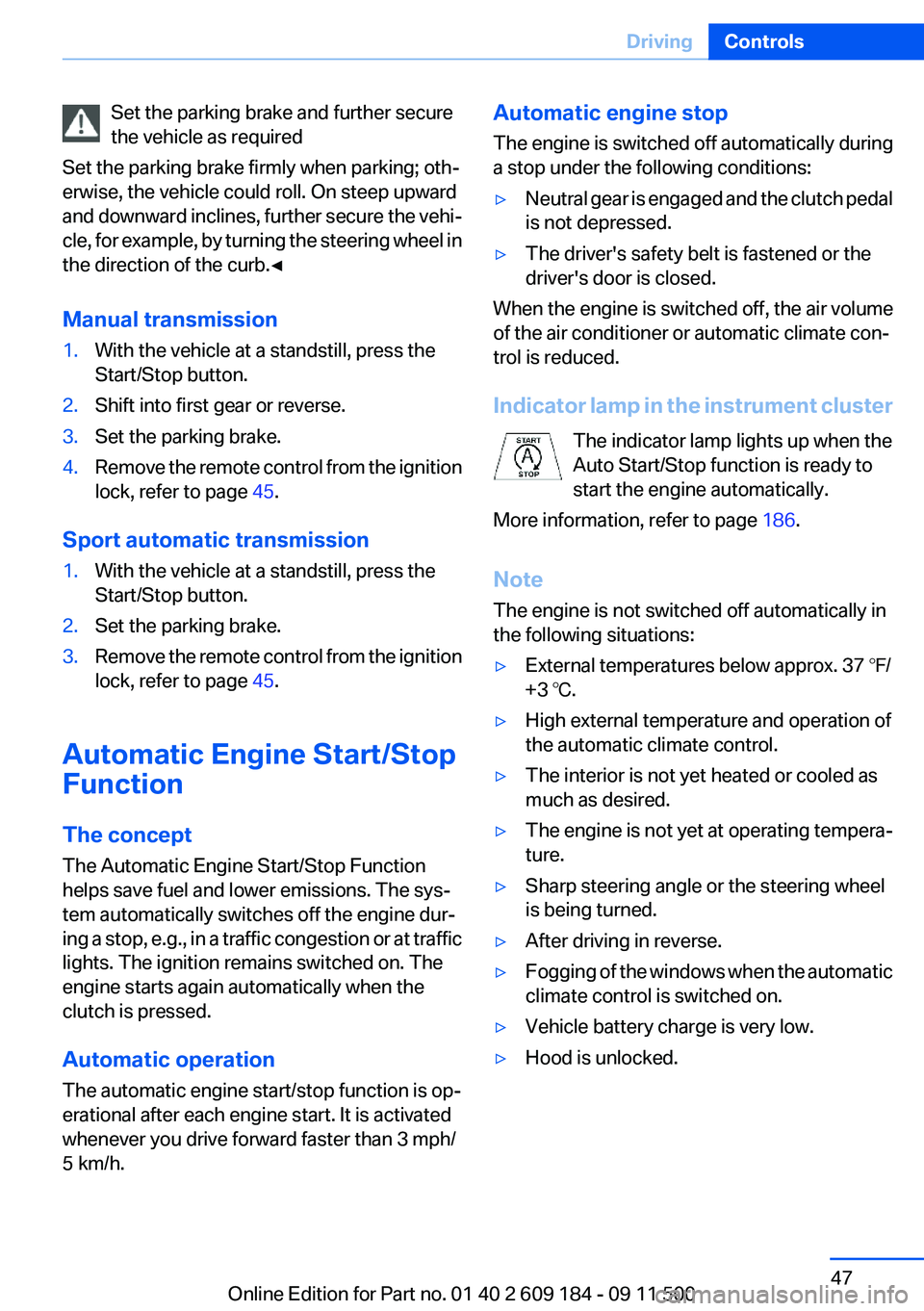
Indicator lamp in the instrument cluster The indicator lamp lights up when the
Auto Start/Stop function is ready to
start the engine automatically.
More information, refer to page 186.
Note
The engine is not switched off automatically in
the following situations:
▷External temperatures below approx. 37 ℉/
+3 ℃.▷High external temperature and operation of
the automatic climate control.▷The interior is not yet heated or cooled as
much as desired.▷The engine is not yet at operating tempera‐
ture.▷Sharp steering angle or the steering wheel
is being turned.▷After driving in reverse.▷Fogging of the windows when the automatic
climate control is switched on.▷Vehicle battery charge is very low.▷Hood is unlocked.Seite 47DrivingControls47
Online Edition for Part no. 01 40 2 609 184 - 09 11 500
Page 48 of 220
Parking the vehicle during an
automatic engine stop
The vehicle can be parked safely during an au‐
tomatic engine stop, such as when you wish to
leave the vehicle.1.Press the Start/Stop button. The ignition is
switched off. The Auto Start/Stop function
is deactivated.2.Set the parking brake.
Start the engine as usual using the Start/Stop
button.
Automatic engine start
To drive away, the engine starts automatically as
soon as the clutch pedal is depressed.
After the engine starts, accelerate as usual.
Safety mode
The engine does not start by itself after it is
switched off automatically if any of the following
conditions are fulfilled:
▷The driver's safety belt is unfastened or the
driver's door is open.▷Hood was unlocked.
The indicator lamp lights up.
The engine can only be started via the
Start/Stop button.
More information, refer to page 186.
Note
Even if you do not wish to drive away, the stop‐
ped engine still starts automatically in the fol‐
lowing situations:
▷The interior has heated up strongly with the
cooling function switched on.▷The steering wheel is turned.▷The vehicle begins to roll.▷Fogging of the windows when the automatic
climate control is switched on.▷Vehicle battery charge is very low.▷The interior has cooled down strongly with
the heating switched on.▷Low braking pressure, such as from de‐
pressing the brake pedal a number of times
consecutively.
Activating/deactivating the system
manually
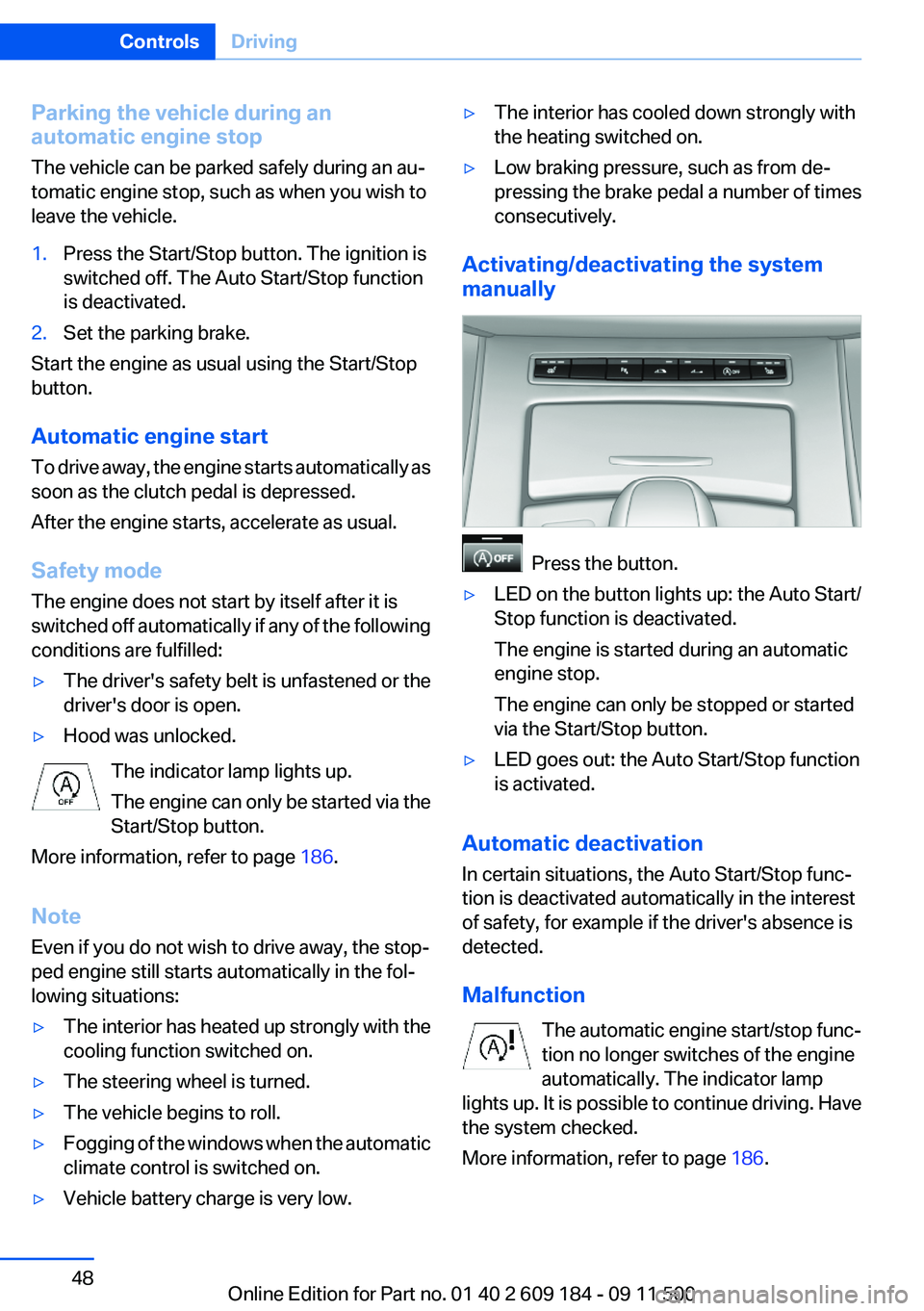
Press the button.
▷LED on the button lights up: the Auto Start/
Stop function is deactivated.
The engine is started during an automatic
engine stop.
The engine can only be stopped or started
via the Start/Stop button.▷LED goes out: the Auto Start/Stop function
is activated.
Automatic deactivation
In certain situations, the Auto Start/Stop func‐
tion is deactivated automatically in the interest
of safety, for example if the driver's absence is
detected.
Malfunction The automatic engine start/stop func‐
tion no longer switches of the engine
automatically. The indicator lamp
lights up. It is possible to continue driving. Have
the system checked.
More information, refer to page 186.
Seite 48ControlsDriving48
Online Edition for Part no. 01 40 2 609 184 - 09 11 500
Page 49 of 220
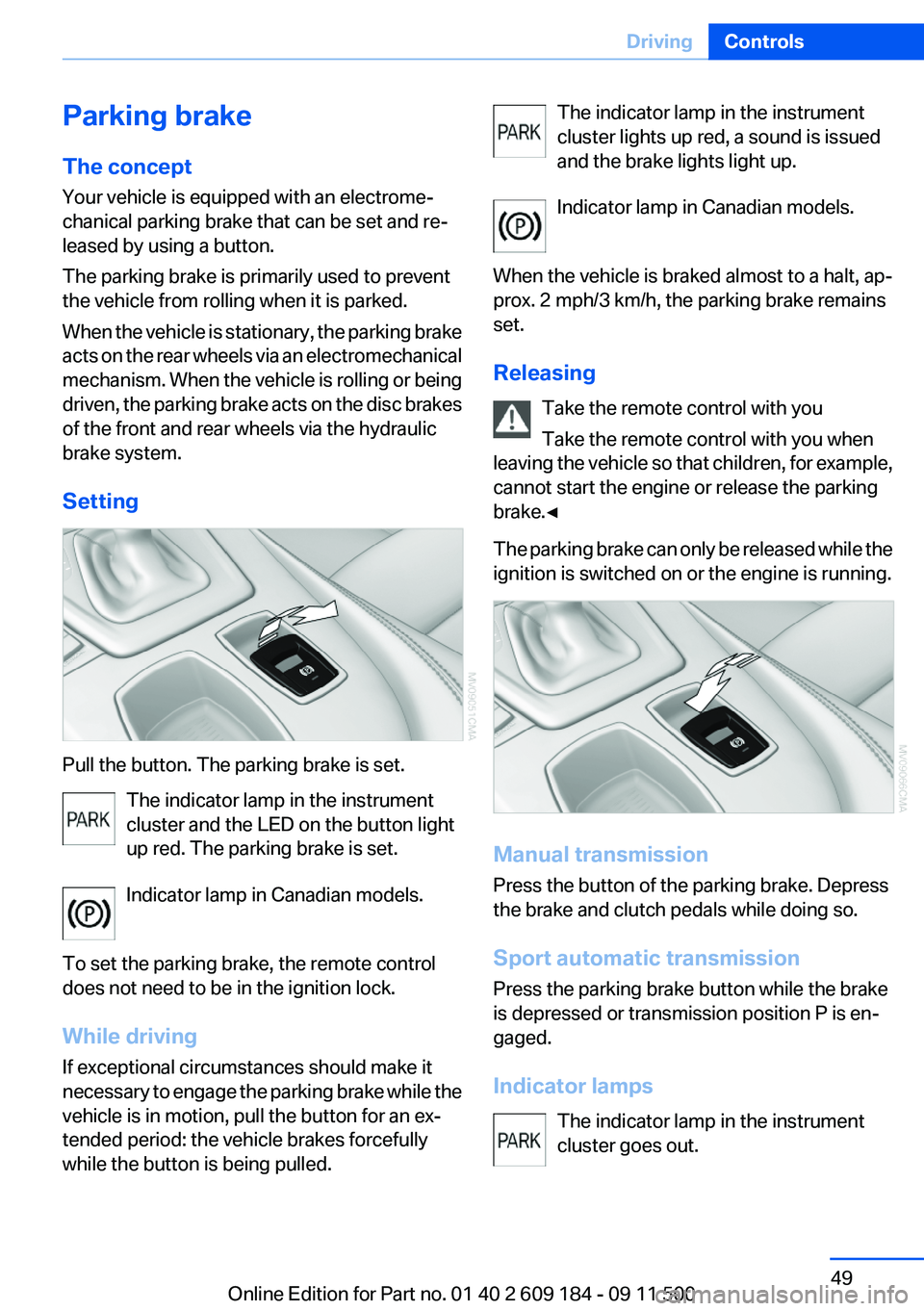
Parking brake
The concept
Your vehicle is equipped with an electrome‐
chanical parking brake that can be set and re‐
leased by using a button.
The parking brake is primarily used to prevent
the vehicle from rolling when it is parked.
When the vehicle is stationary, the parking brake
acts on the rear wheels via an electromechanical
mechanism. When the vehicle is rolling or being
driven, the parking brake acts on the disc brakes
of the front and rear wheels via the hydraulic
brake system.
Setting
Pull the button. The parking brake is set. The indicator lamp in the instrument
cluster and the LED on the button light
up red. The parking brake is set.
Indicator lamp in Canadian models.
To set the parking brake, the remote control
does not need to be in the ignition lock.
While driving
If exceptional circumstances should make it
necessary to engage the parking brake while the
vehicle is in motion, pull the button for an ex‐
tended period: the vehicle brakes forcefully
while the button is being pulled.
The indicator lamp in the instrument
cluster lights up red, a sound is issued
and the brake lights light up.
Indicator lamp in Canadian models.
When the vehicle is braked almost to a halt, ap‐
prox. 2 mph/3 km/h, the parking brake remains
set.
Releasing Take the remote control with you
Take the remote control with you when
leaving the vehicle so that children, for example,
cannot start the engine or release the parking
brake.◀
The parking brake can only be released while the
ignition is switched on or the engine is running.
Manual transmission
Press the button of the parking brake. Depress
the brake and clutch pedals while doing so.
Sport automatic transmission
Press the parking brake button while the brake
is depressed or transmission position P is en‐
gaged.
Indicator lamps The indicator lamp in the instrument
cluster goes out.
Seite 49DrivingControls49
Online Edition for Part no. 01 40 2 609 184 - 09 11 500
Page 53 of 220
8-gear Sport automatic
transmission
Transmission positions
D Drive, automatic position
Position for normal vehicle operation. All for‐
ward gears are available.
Under normal operating conditions, fuel con‐
sumption is lowest when you are driving in po‐
sition D.
Kickdown
Kickdown is used to achieve maximum driving
performance. Press on the accelerator beyond
the resistance point at the full throttle position.
R is Reverse
Select only when the vehicle is stationary.
N is Neutral
The vehicle can roll.
N remains engaged after the engine is switched
off if the remote control remains in the ignition
lock. This function can be used in an automatic
car wash, refer to page 182, for example. P is
automatically engaged after approx. 30 minutes.
P Park
The rear wheels are locked.
P is engaged automatically when the following
conditions are met:▷The driver's door is opened while the engine
is running, the safety belt is not fastened and
neither the brake pedal nor the accelerator
is activated.▷The engine is switched off unless N is en‐
gaged and the remote control is in the igni‐
tion lock.▷The remote control is removed from the ig‐
nition lock, refer to page 45.Before leaving the vehicle, ensure that the trans‐
mission position P is engaged; otherwise, the
vehicle may begin to roll.
Engaging transmission position▷Transmission position P can only be disen‐
gaged if the engine is running and the brake
pedal is pressed.▷With the vehicle stationary, press on the
brake pedal before shifting out of P or N;
otherwise, the shift command will not be
executed: shift lock.
Press on the brake pedal until you start
driving
To prevent the vehicle from creeping after you
select a driving position, maintain pressure on
the brake pedal until you are ready to start.◀
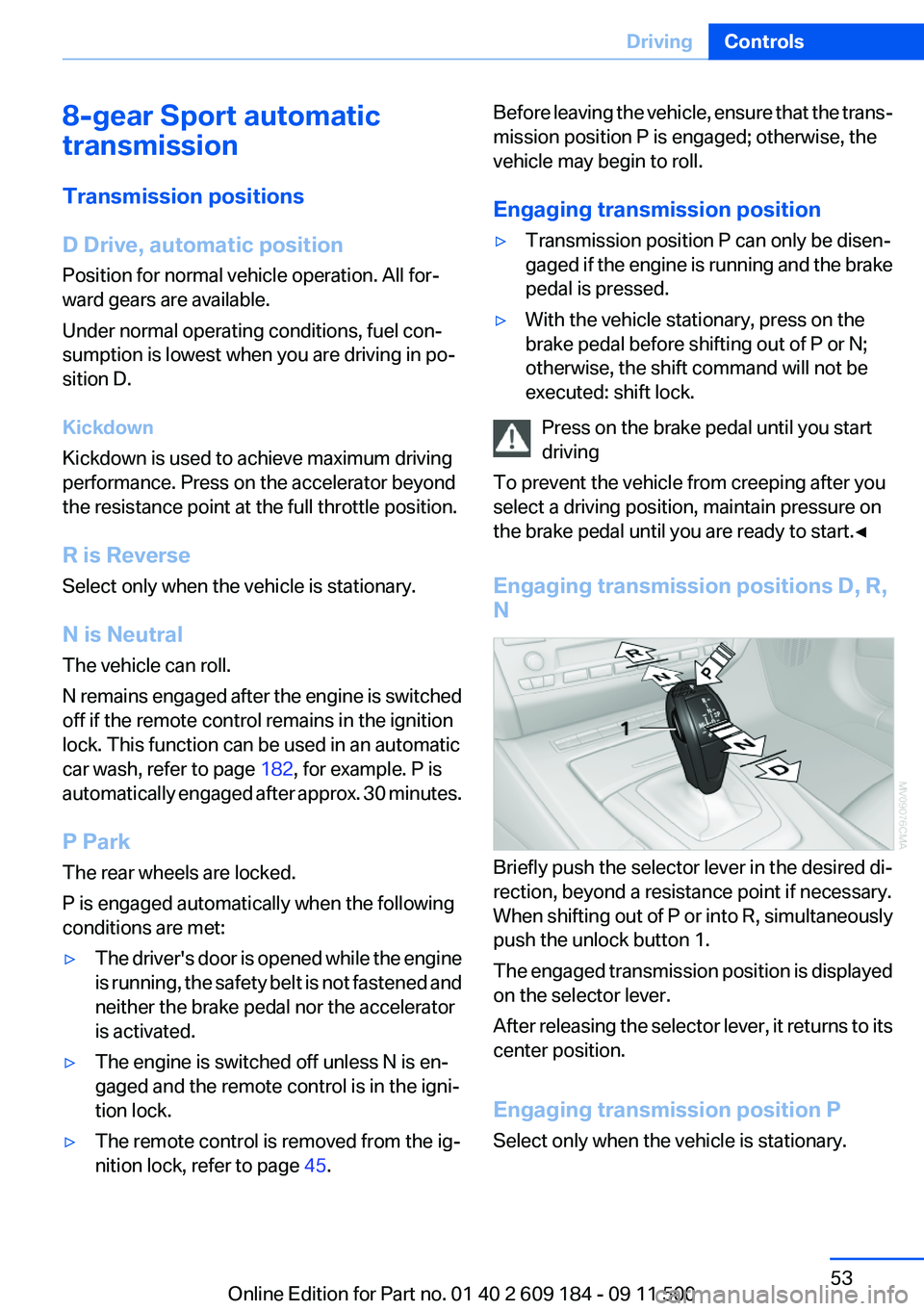
Engaging transmission positions D, R,
N
Briefly push the selector lever in the desired di‐
rection, beyond a resistance point if necessary.
When shifting out of P or into R, simultaneously
push the unlock button 1.
The engaged transmission position is displayed
on the selector lever.
After releasing the selector lever, it returns to its
center position.
Engaging transmission position P
Select only when the vehicle is stationary.
Seite 53DrivingControls53
Online Edition for Part no. 01 40 2 609 184 - 09 11 500
Page 56 of 220
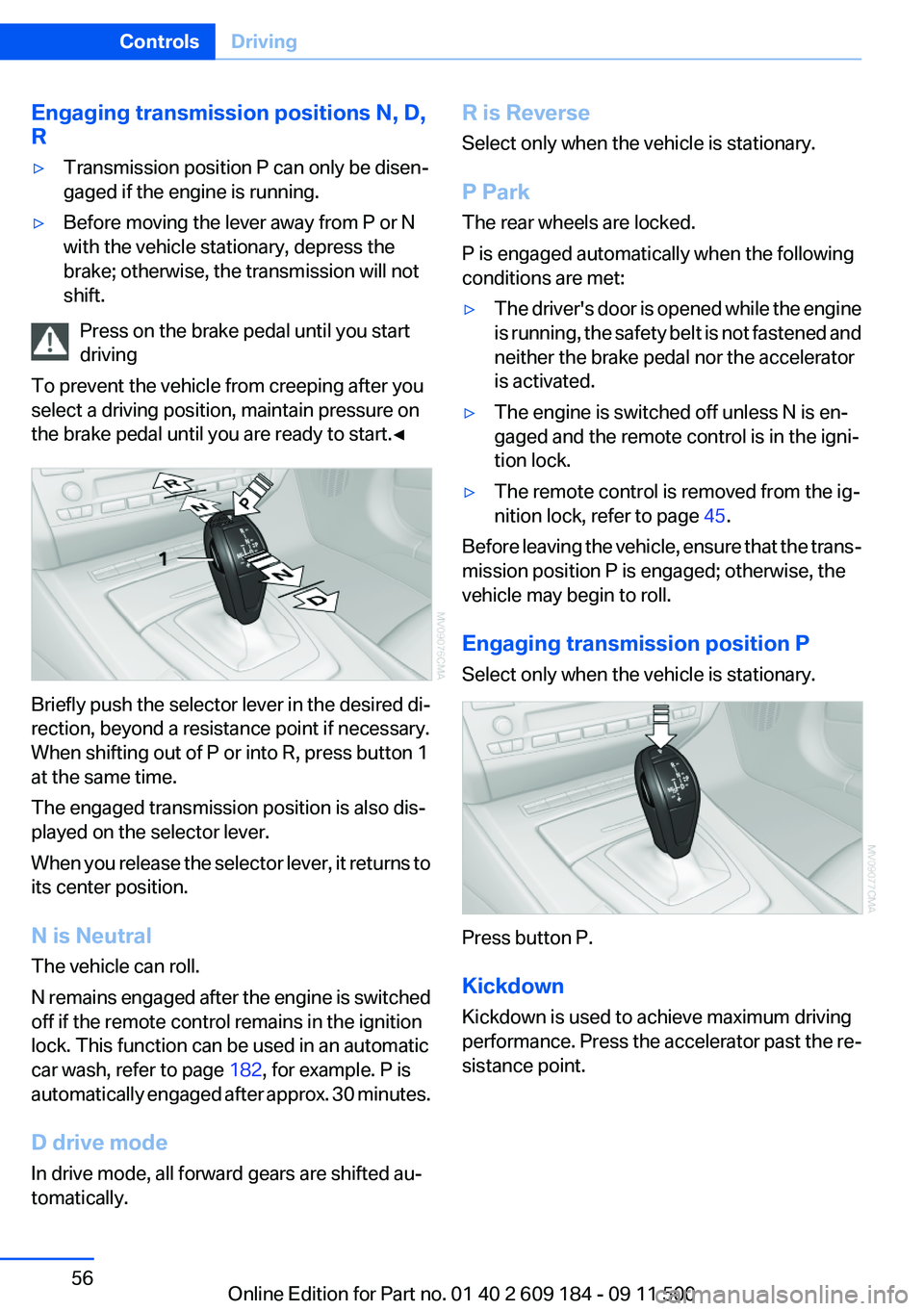
Engaging transmission positions N, D,
R▷Transmission position P can only be disen‐
gaged if the engine is running.▷Before moving the lever away from P or N
with the vehicle stationary, depress the
brake; otherwise, the transmission will not
shift.
Press on the brake pedal until you start
driving
To prevent the vehicle from creeping after you
select a driving position, maintain pressure on
the brake pedal until you are ready to start.◀
Briefly push the selector lever in the desired di‐
rection, beyond a resistance point if necessary.
When shifting out of P or into R, press button 1
at the same time.
The engaged transmission position is also dis‐
played on the selector lever.
When you release the selector lever, it returns to
its center position.
N is Neutral
The vehicle can roll.
N remains engaged after the engine is switched
off if the remote control remains in the ignition
lock. This function can be used in an automatic
car wash, refer to page 182, for example. P is
automatically engaged after approx. 30 minutes.
D drive mode
In drive mode, all forward gears are shifted au‐
tomatically.
R is Reverse
Select only when the vehicle is stationary.
P Park
The rear wheels are locked.
P is engaged automatically when the following
conditions are met:▷The driver's door is opened while the engine
is running, the safety belt is not fastened and
neither the brake pedal nor the accelerator
is activated.▷The engine is switched off unless N is en‐
gaged and the remote control is in the igni‐
tion lock.▷The remote control is removed from the ig‐
nition lock, refer to page 45.
Before leaving the vehicle, ensure that the trans‐
mission position P is engaged; otherwise, the
vehicle may begin to roll.
Engaging transmission position P
Select only when the vehicle is stationary.
Press button P.
Kickdown
Kickdown is used to achieve maximum driving
performance. Press the accelerator past the re‐
sistance point.
Seite 56ControlsDriving56
Online Edition for Part no. 01 40 2 609 184 - 09 11 500
Page 58 of 220
cient, the forward gears are changed again au‐
tomatically.
Launch Control
Launch Control enables you to drive off with an
optimal vehicle acceleration on a high grip road
surface.
Do not use Launch Control too often
Do not use Launch Control too often, as
the higher loads on the vehicle lead to premature
component wear.◀
Launch Control is available when the engine is
at operating temperature, i.e., after driving con‐
tinuously for at least 6 miles/10 km.1.With the engine running, depress the brake
pedal with your left foot.2.Activate the SPORT+ program of the Dy‐
namic Driving Control, refer to page 82.3.With the vehicle stationary, activate manual
mode and select first gear.4.Press the accelerator all the way down. The
engine speed when driving off is controlled.
A flag symbol appears in the instrument
cluster.5.The vehicle accelerates when you release
the brake pedal. Keep the accelerator
pressed all the way down.6.The transmission shifts up automatically as
long as the accelerator is pressed all the way
down.
Launch Control only becomes available again
after a certain distance has been driven.
Launch Control can only be used after the
break-in phase, refer to page 108.
To maintain driving stability, activate DSC
whenever possible.
Manually releasing and engaging the
transmission lock
If a power failure occurs, e.g., if the battery is
discharged or disconnected, the transmission
lock must be released manually, otherwise the
rear wheels are blocked and the vehicle cannot
be towed.
Release the transmission lock manually for tow‐
ing only and set the parking brake beforehand to
prevent the vehicle from rolling. After parking
the vehicle, engage the transmission lock again
manually, refer to page 59.
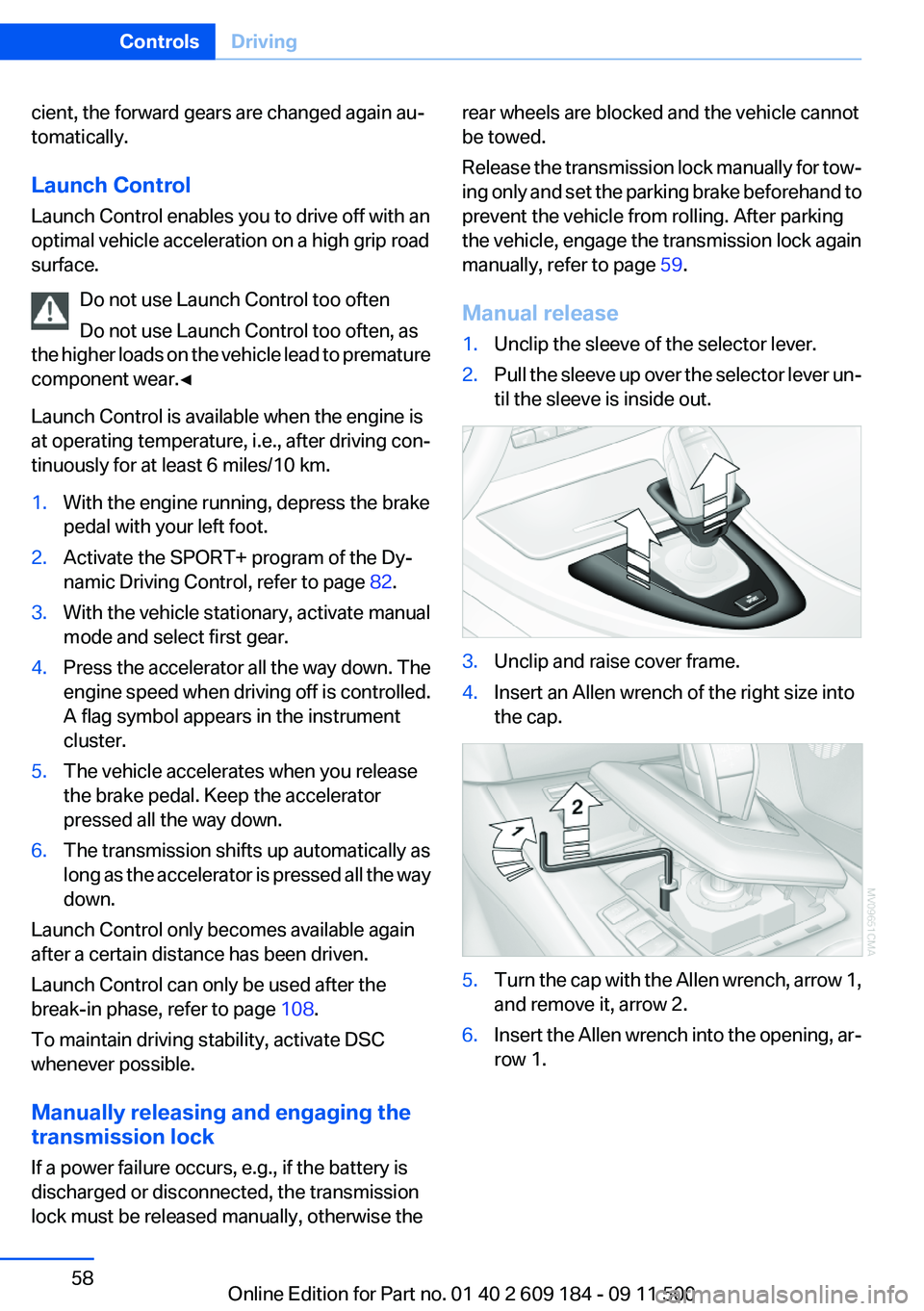
Manual release1.Unclip the sleeve of the selector lever.2.Pull the sleeve up over the selector lever un‐
til the sleeve is inside out.3.Unclip and raise cover frame.4.Insert an Allen wrench of the right size into
the cap.5.Turn the cap with the Allen wrench, arrow 1,
and remove it, arrow 2.6.Insert the Allen wrench into the opening, ar‐
row 1.Seite 58ControlsDriving58
Online Edition for Part no. 01 40 2 609 184 - 09 11 500
Page 59 of 220
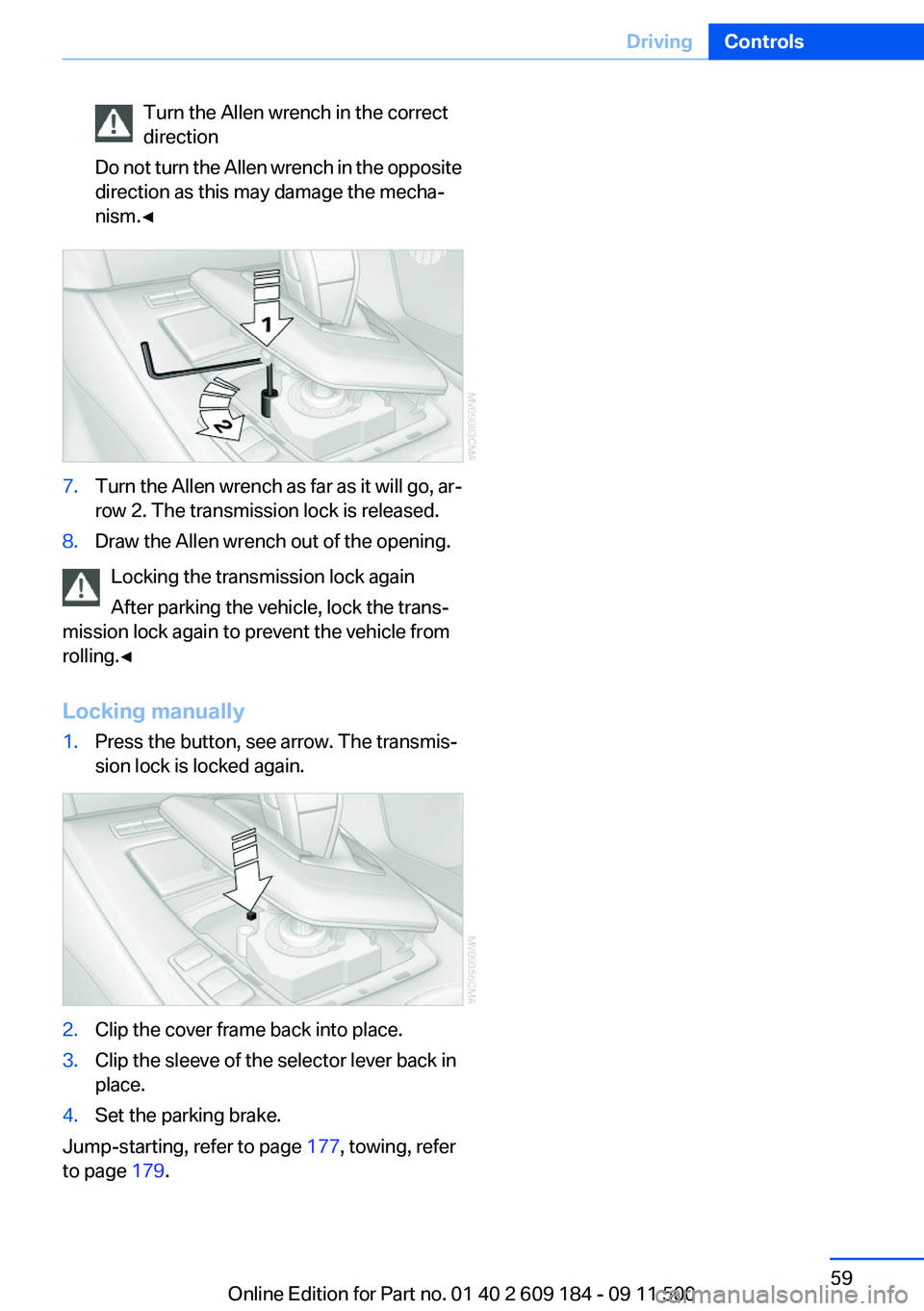
Turn the Allen wrench in the correct
direction
Do not turn the Allen wrench in the opposite
direction as this may damage the mecha‐
nism.◀7.Turn the Allen wrench as far as it will go, ar‐
row 2. The transmission lock is released.8.Draw the Allen wrench out of the opening.
Locking the transmission lock again
After parking the vehicle, lock the trans‐
mission lock again to prevent the vehicle from
rolling.◀
Locking manually
1.Press the button, see arrow. The transmis‐
sion lock is locked again.2.Clip the cover frame back into place.3.Clip the sleeve of the selector lever back in
place.4.Set the parking brake.
Jump-starting, refer to page 177, towing, refer
to page 179.
Seite 59DrivingControls59
Online Edition for Part no. 01 40 2 609 184 - 09 11 500
Page 60 of 220
DisplaysVehicle equipment
This chapter describes all series equipment as
well as country-specific and special equipment
offered for this model series.Therefore, it also
describes equipment that may not be found in
your vehicle, for instance due to the selected
special equipment or the country version. This
also applies to safety-related functions and sys‐
tems.
Odometer, outside
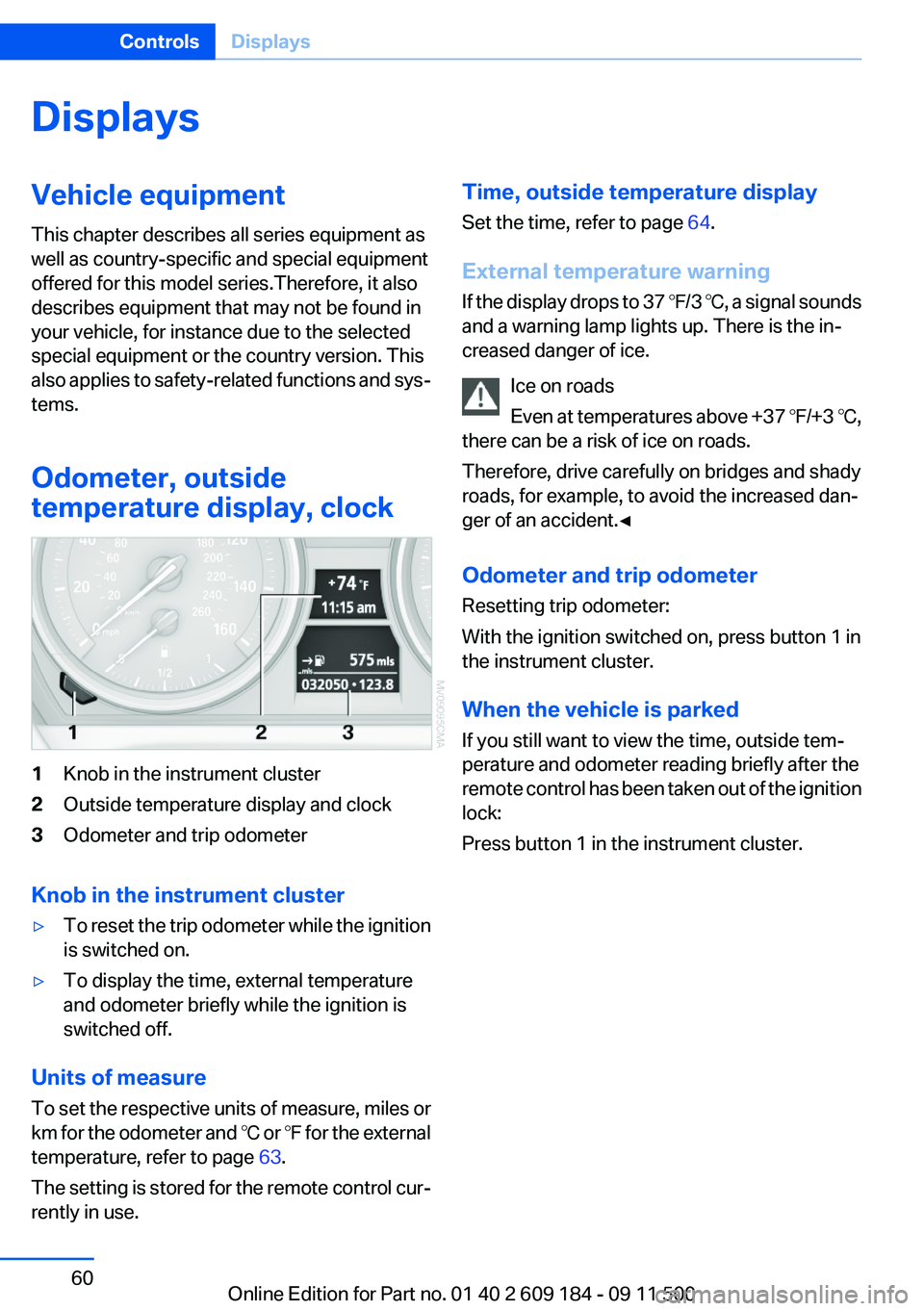
temperature display, clock1Knob in the instrument cluster2Outside temperature display and clock3Odometer and trip odometer
Knob in the instrument cluster
▷To reset the trip odometer while the ignition
is switched on.▷To display the time, external temperature
and odometer briefly while the ignition is
switched off.
Units of measure
To set the respective units of measure, miles or
km for the odometer and ℃ or ℉ for the external
temperature, refer to page 63.
The setting is stored for the remote control cur‐
rently in use.
Time, outside temperature display
Set the time, refer to page 64.
External temperature warning
If the display drops to 37 ℉/3 ℃, a signal sounds
and a warning lamp lights up. There is the in‐
creased danger of ice.
Ice on roads
Even at temperatures above +37 ℉/+3 ℃,
there can be a risk of ice on roads.
Therefore, drive carefully on bridges and shady
roads, for example, to avoid the increased dan‐
ger of an accident.◀
Odometer and trip odometer
Resetting trip odometer:
With the ignition switched on, press button 1 in
the instrument cluster.
When the vehicle is parked
If you still want to view the time, outside tem‐
perature and odometer reading briefly after the
remote control has been taken out of the ignition
lock:
Press button 1 in the instrument cluster.Seite 60ControlsDisplays60
Online Edition for Part no. 01 40 2 609 184 - 09 11 500