turn signal BMW Z4 SDRIVE35I 2016 User Guide
[x] Cancel search | Manufacturer: BMW, Model Year: 2016, Model line: Z4 SDRIVE35I, Model: BMW Z4 SDRIVE35I 2016Pages: 289, PDF Size: 7.13 MB
Page 170 of 289
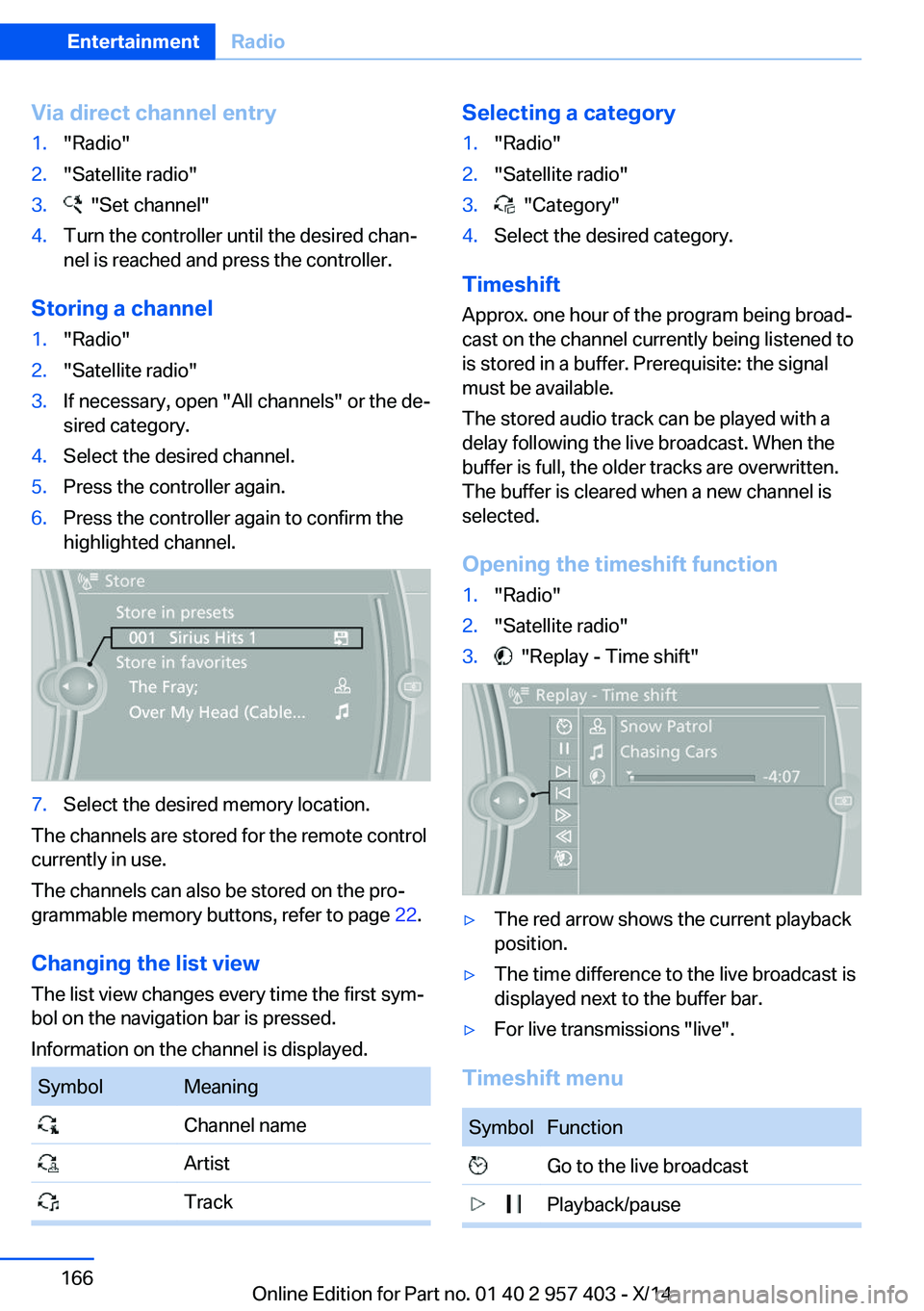
Via direct channel entry1."Radio"2."Satellite radio"3. "Set channel"4.Turn the controller until the desired chan‐
nel is reached and press the controller.
Storing a channel
1."Radio"2."Satellite radio"3.If necessary, open "All channels" or the de‐
sired category.4.Select the desired channel.5.Press the controller again.6.Press the controller again to confirm the
highlighted channel.7.Select the desired memory location.
The channels are stored for the remote control
currently in use.
The channels can also be stored on the pro‐
grammable memory buttons, refer to page 22.
Changing the list view
The list view changes every time the first sym‐
bol on the navigation bar is pressed.
Information on the channel is displayed.
SymbolMeaning Channel name Artist TrackSelecting a category1."Radio"2."Satellite radio"3. "Category"4.Select the desired category.
Timeshift
Approx. one hour of the program being broad‐
cast on the channel currently being listened to
is stored in a buffer. Prerequisite: the signal
must be available.
The stored audio track can be played with a
delay following the live broadcast. When the
buffer is full, the older tracks are overwritten.
The buffer is cleared when a new channel is
selected.
Opening the timeshift function
1."Radio"2."Satellite radio"3. "Replay - Time shift"▷The red arrow shows the current playback
position.▷The time difference to the live broadcast is
displayed next to the buffer bar.▷For live transmissions "live".
Timeshift menu
SymbolFunction Go to the live broadcast Playback/pauseSeite 166EntertainmentRadio166
Online Edition for Part no. 01 40 2 957 403 - X/14
Page 200 of 289
▷Switch the mobile phone off and on again.▷Is the ambient temperature too high or
low? Do not expose the mobile phone to
extreme environmental conditions.
The telephone functions are not available.
▷Is the mobile phone paired as an additional
telephone and is the additional telephone
function deactivated? Activate the func‐
tion.▷Is an outgoing call not possible? Connect
the mobile phone as a telephone.
No phone book entries or only some phone
book entries are displayed, or they are incom‐
plete.
▷Transmission of the phone book entries is
not yet complete.▷It is possible that only the phone book en‐
tries of the mobile phone or the SIM card
are transmitted.▷It may not be possible to display phone
book entries with special characters.▷The number of phone book entries to be
stored is too high.▷Is the data volume of the contact too large,
e. g., due to stored information such as
notes? Reduce the data volume of the con‐
tact.▷Is the mobile phone connected as an audio
source or additional telephone? The mo‐
bile phone must be connected as a tele‐
phone.
The phone connection quality is poor.
▷The strength of the Bluetooth signal on the
mobile phone can be adjusted, depending
on the mobile phone.▷Insert the mobile phone into the snap-in
adapter or place it in the area of the center
console.▷Adjust the volume of the microphone and
loudspeakers separately.If all points in this list have been checked and
the required function is still not available, con‐
tact Customer Relations or the service center.
Controls
Adjusting the volume
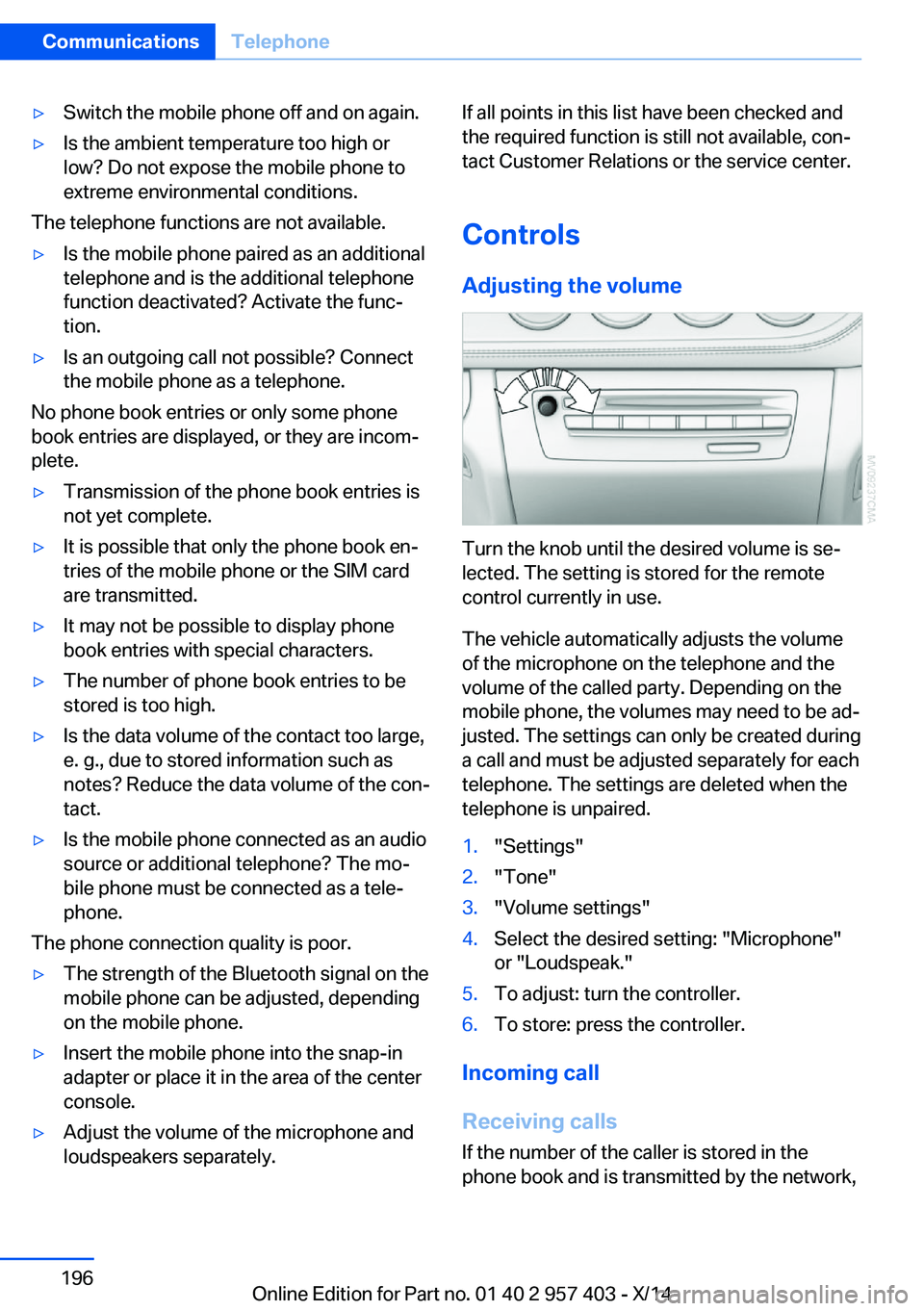
Turn the knob until the desired volume is se‐
lected. The setting is stored for the remote
control currently in use.
The vehicle automatically adjusts the volume
of the microphone on the telephone and the
volume of the called party. Depending on the
mobile phone, the volumes may need to be ad‐
justed. The settings can only be created during
a call and must be adjusted separately for each
telephone. The settings are deleted when the
telephone is unpaired.
1."Settings"2."Tone"3."Volume settings"4.Select the desired setting: "Microphone"
or "Loudspeak."5.To adjust: turn the controller.6.To store: press the controller.
Incoming call
Receiving calls If the number of the caller is stored in the
phone book and is transmitted by the network,
Seite 196CommunicationsTelephone196
Online Edition for Part no. 01 40 2 957 403 - X/14
Page 202 of 289
If a second call comes in during an ongoing
call, a call waiting signal is sounded.
"Accept"
The call is accepted and the existing call is put
on hold.
Establishing a second call
Establish an additional call during an active
call.
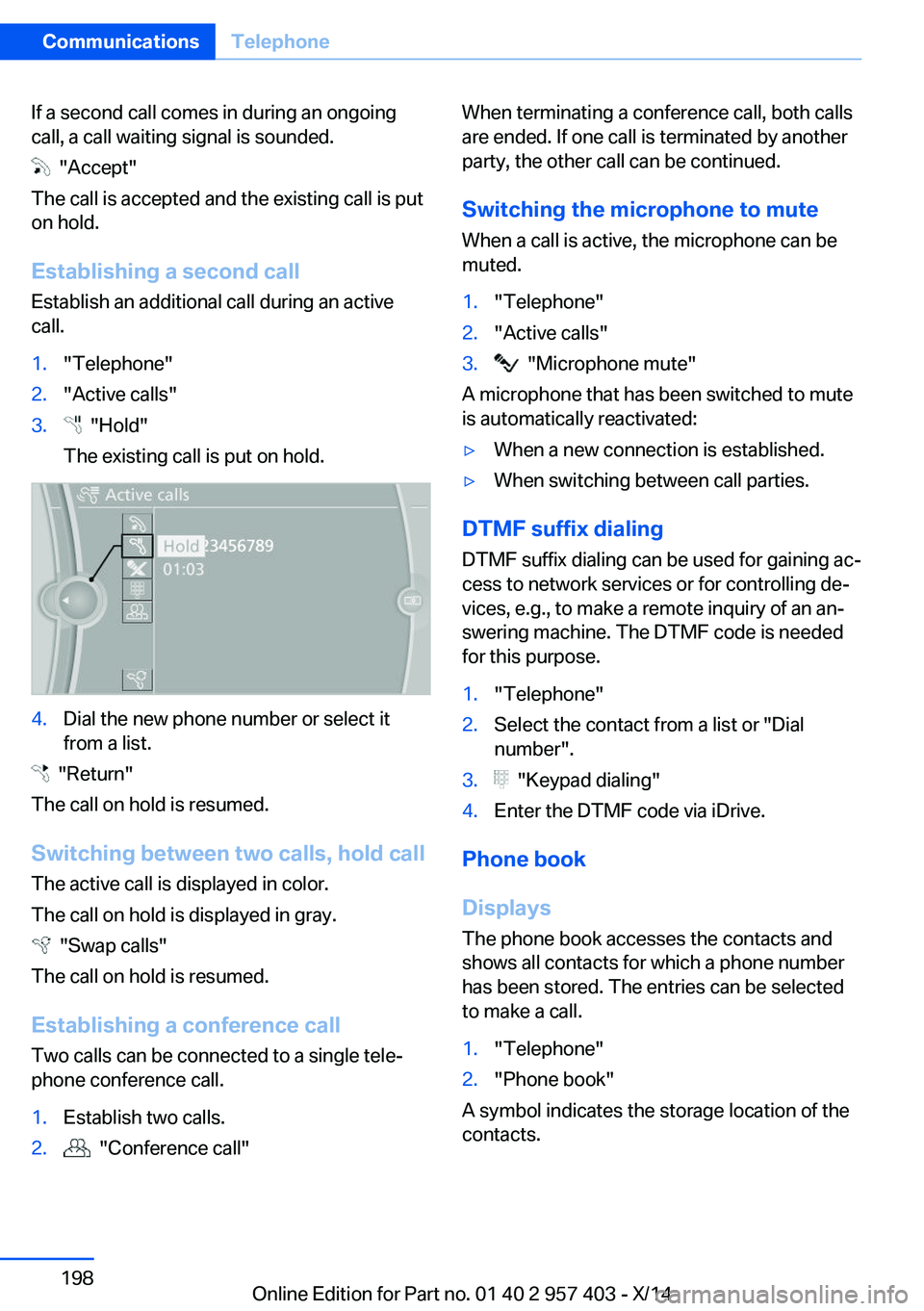
1."Telephone"2."Active calls"3. "Hold"
The existing call is put on hold.4.Dial the new phone number or select it
from a list.
"Return"
The call on hold is resumed.
Switching between two calls, hold call The active call is displayed in color.
The call on hold is displayed in gray.
"Swap calls"
The call on hold is resumed.
Establishing a conference call Two calls can be connected to a single tele‐
phone conference call.
1.Establish two calls.2. "Conference call"When terminating a conference call, both calls
are ended. If one call is terminated by another
party, the other call can be continued.
Switching the microphone to mute When a call is active, the microphone can be
muted.1."Telephone"2."Active calls"3. "Microphone mute"
A microphone that has been switched to mute
is automatically reactivated:
▷When a new connection is established.▷When switching between call parties.
DTMF suffix dialing
DTMF suffix dialing can be used for gaining ac‐
cess to network services or for controlling de‐
vices, e.g., to make a remote inquiry of an an‐
swering machine. The DTMF code is needed
for this purpose.
1."Telephone"2.Select the contact from a list or "Dial
number".3. "Keypad dialing"4.Enter the DTMF code via iDrive.
Phone book
Displays The phone book accesses the contacts and
shows all contacts for which a phone number
has been stored. The entries can be selected
to make a call.
1."Telephone"2."Phone book"
A symbol indicates the storage location of the
contacts.
Seite 198CommunicationsTelephone198
Online Edition for Part no. 01 40 2 957 403 - X/14
Page 248 of 289
Use a clean tissue, cloth or something similar,
or hold the bulb by its base.◀
Light-emitting diodes LED
Light-emitting diodes installed behind translu‐
cent lenses serve as the light source for many
of the controls and displays in your vehicle.
These light-emitting diodes, which operate us‐
ing a concept similar to that applied in conven‐
tional lasers, are officially designated as
Class 1 light-emitting diodes.
Do not remove the covers
Do not remove the covers, and never
stare into the unfiltered light for several hours;
otherwise, irritation of the retina could result.◀
Headlight glass
Condensation can form on the inside of the ex‐
ternal lights in cool or humid weather. When
you drive with the lights switched on, the con‐
densation evaporates after a short time. The
headlight glasses do not need to be changed.
If the condensation in the headlights does not
evaporate after trips with the lights switched
on, and the amount of moisture in the head‐
lights increases, for example if water droplets
form, have them checked by your service cen‐
ter.
Headlight setting
Changing the bulbs and lights may influence
the headlight settings. Have the headlight set‐
ting checked by a service center and corrected
if necessary after changing bulbs or lights.Xenon headlights
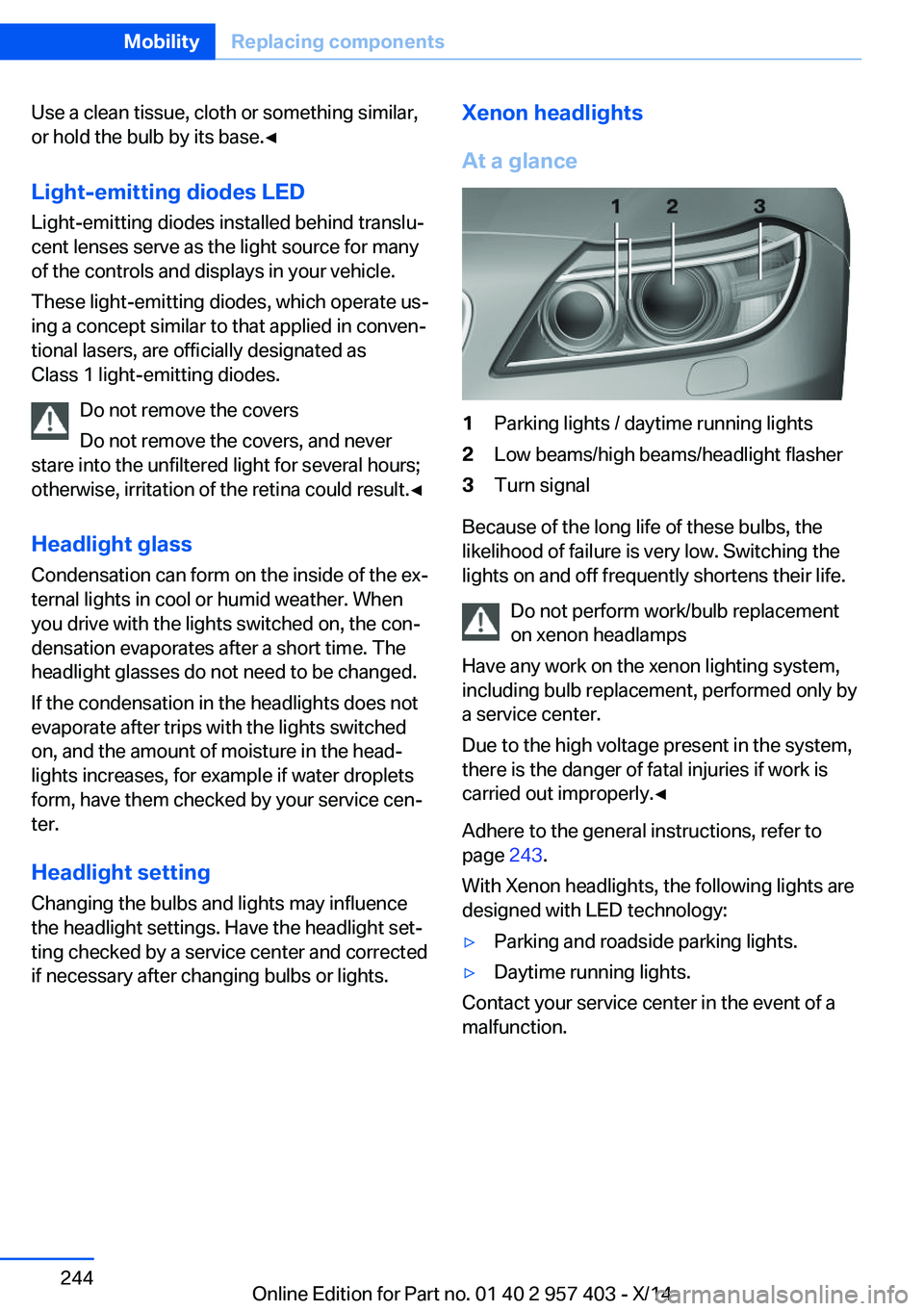
At a glance1Parking lights / daytime running lights2Low beams/high beams/headlight flasher3Turn signal
Because of the long life of these bulbs, the
likelihood of failure is very low. Switching the
lights on and off frequently shortens their life.
Do not perform work/bulb replacement
on xenon headlamps
Have any work on the xenon lighting system,
including bulb replacement, performed only by
a service center.
Due to the high voltage present in the system,
there is the danger of fatal injuries if work is
carried out improperly.◀
Adhere to the general instructions, refer to
page 243.
With Xenon headlights, the following lights are
designed with LED technology:
▷Parking and roadside parking lights.▷Daytime running lights.
Contact your service center in the event of a
malfunction.
Seite 244MobilityReplacing components244
Online Edition for Part no. 01 40 2 957 403 - X/14
Page 249 of 289
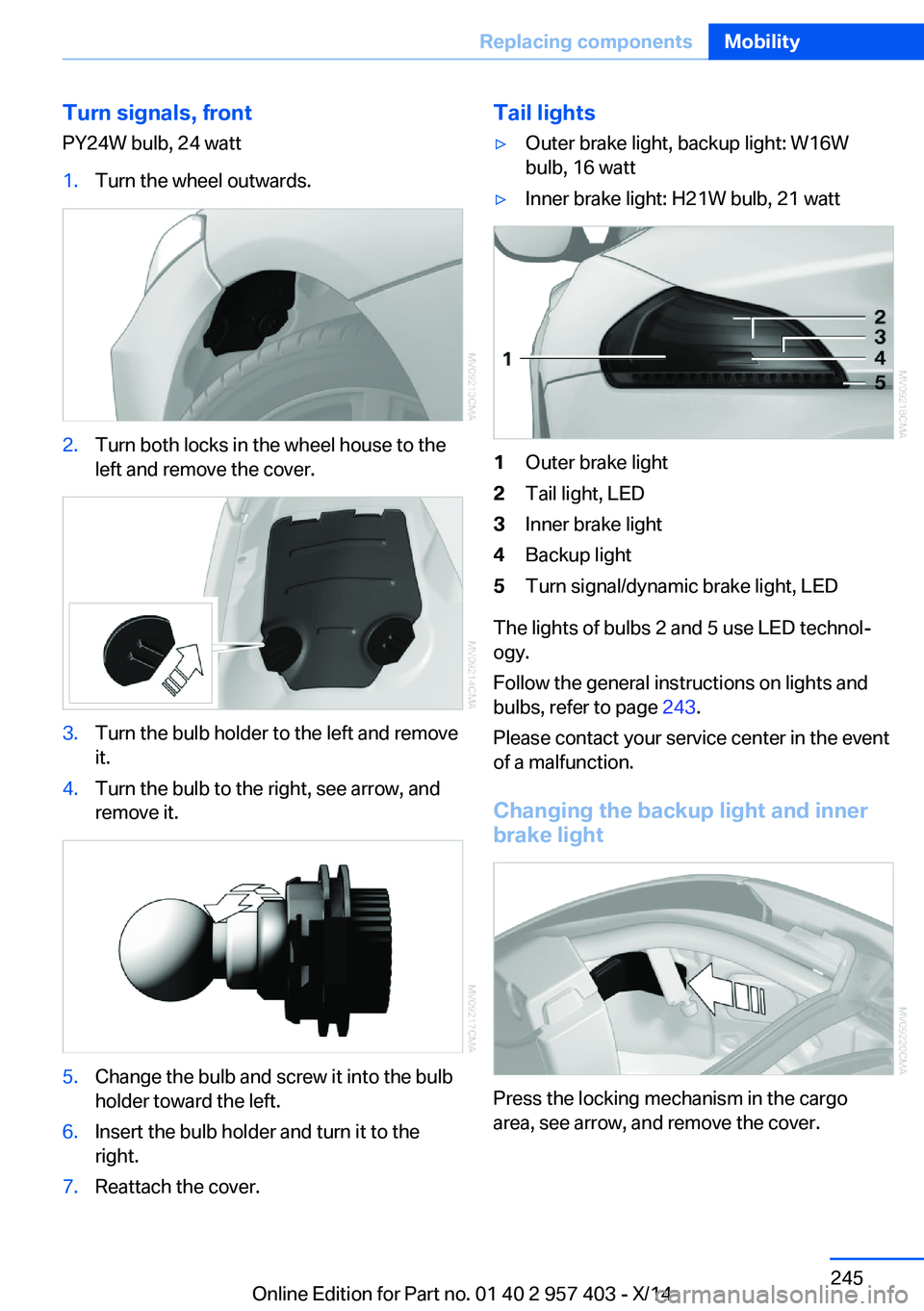
Turn signals, frontPY24W bulb, 24 watt1.Turn the wheel outwards.2.Turn both locks in the wheel house to the
left and remove the cover.3.Turn the bulb holder to the left and remove
it.4.Turn the bulb to the right, see arrow, and
remove it.5.Change the bulb and screw it into the bulb
holder toward the left.6.Insert the bulb holder and turn it to the
right.7.Reattach the cover.Tail lights▷Outer brake light, backup light: W16W
bulb, 16 watt▷Inner brake light: H21W bulb, 21 watt1Outer brake light2Tail light, LED3Inner brake light4Backup light5Turn signal/dynamic brake light, LED
The lights of bulbs 2 and 5 use LED technol‐
ogy.
Follow the general instructions on lights and
bulbs, refer to page 243.
Please contact your service center in the event
of a malfunction.
Changing the backup light and inner brake light
Press the locking mechanism in the cargo
area, see arrow, and remove the cover.
Seite 245Replacing componentsMobility245
Online Edition for Part no. 01 40 2 957 403 - X/14
Page 250 of 289
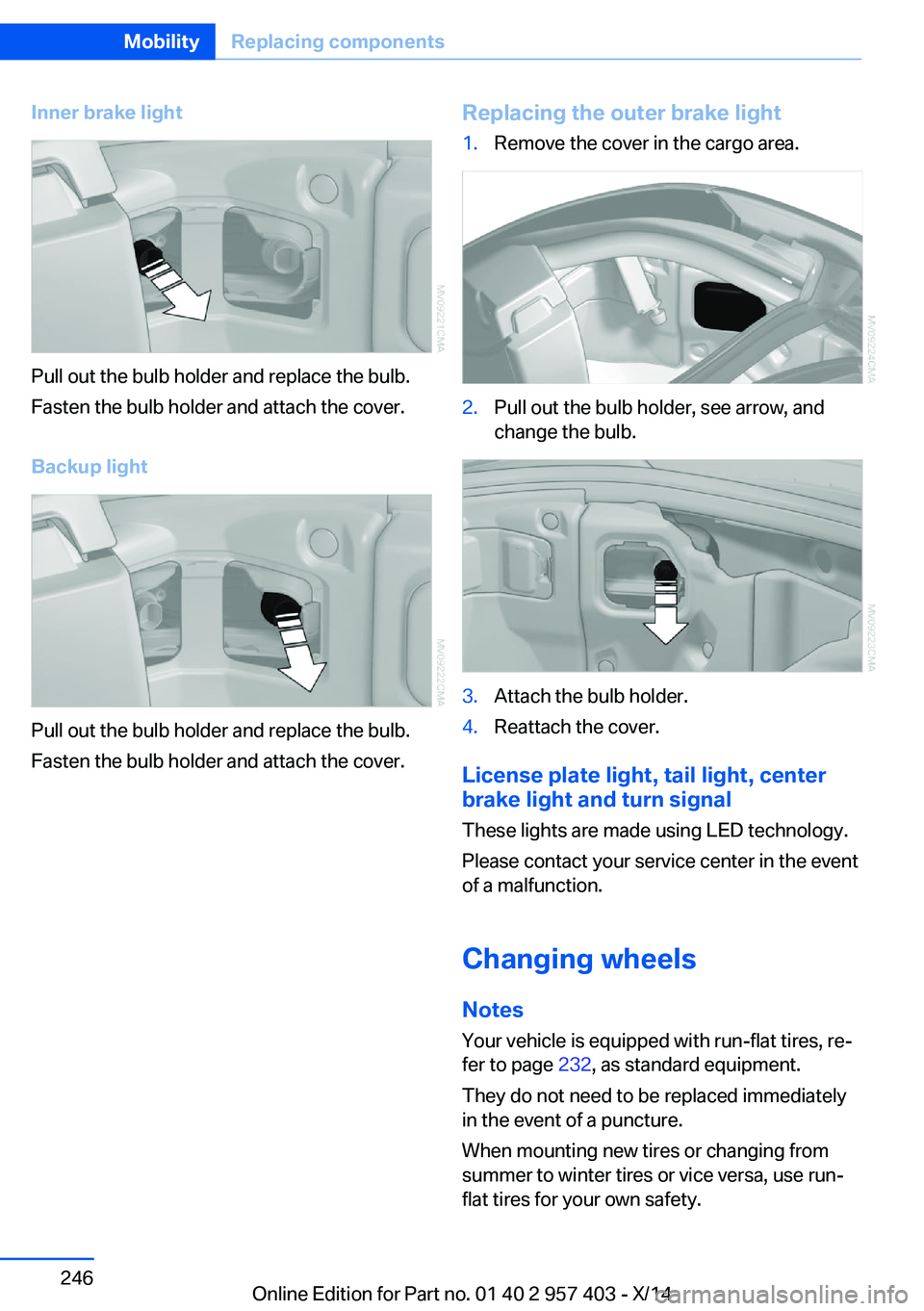
Inner brake light
Pull out the bulb holder and replace the bulb.
Fasten the bulb holder and attach the cover.
Backup light
Pull out the bulb holder and replace the bulb.
Fasten the bulb holder and attach the cover.
Replacing the outer brake light1.Remove the cover in the cargo area.2.Pull out the bulb holder, see arrow, and
change the bulb.3.Attach the bulb holder.4.Reattach the cover.
License plate light, tail light, center
brake light and turn signal
These lights are made using LED technology.
Please contact your service center in the event
of a malfunction.
Changing wheels Notes
Your vehicle is equipped with run-flat tires, re‐
fer to page 232, as standard equipment.
They do not need to be replaced immediately
in the event of a puncture.
When mounting new tires or changing from
summer to winter tires or vice versa, use run-
flat tires for your own safety.
Seite 246MobilityReplacing components246
Online Edition for Part no. 01 40 2 957 403 - X/14
Page 256 of 289
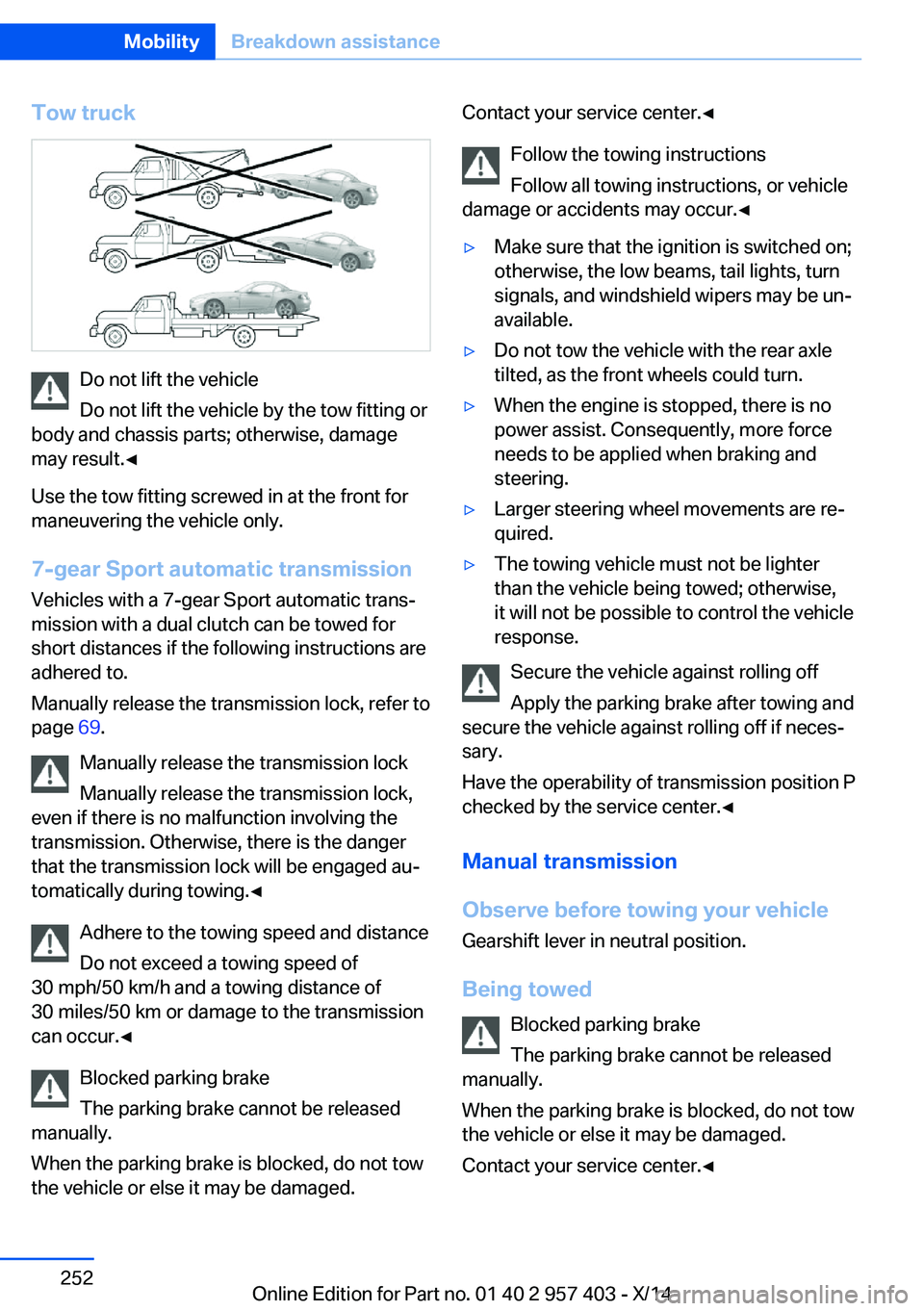
Tow truck
Do not lift the vehicle
Do not lift the vehicle by the tow fitting or
body and chassis parts; otherwise, damage
may result.◀
Use the tow fitting screwed in at the front for
maneuvering the vehicle only.
7-gear Sport automatic transmission
Vehicles with a 7-gear Sport automatic trans‐
mission with a dual clutch can be towed for
short distances if the following instructions are
adhered to.
Manually release the transmission lock, refer to
page 69.
Manually release the transmission lock
Manually release the transmission lock,
even if there is no malfunction involving the
transmission. Otherwise, there is the danger
that the transmission lock will be engaged au‐
tomatically during towing.◀
Adhere to the towing speed and distance
Do not exceed a towing speed of
30 mph/50 km/h and a towing distance of
30 miles/50 km or damage to the transmission
can occur.◀
Blocked parking brake
The parking brake cannot be released
manually.
When the parking brake is blocked, do not tow
the vehicle or else it may be damaged.
Contact your service center.◀
Follow the towing instructions
Follow all towing instructions, or vehicle
damage or accidents may occur.◀▷Make sure that the ignition is switched on;
otherwise, the low beams, tail lights, turn
signals, and windshield wipers may be un‐
available.▷Do not tow the vehicle with the rear axle
tilted, as the front wheels could turn.▷When the engine is stopped, there is no
power assist. Consequently, more force
needs to be applied when braking and
steering.▷Larger steering wheel movements are re‐
quired.▷The towing vehicle must not be lighter
than the vehicle being towed; otherwise,
it will not be possible to control the vehicle
response.
Secure the vehicle against rolling off
Apply the parking brake after towing and
secure the vehicle against rolling off if neces‐
sary.
Have the operability of transmission position P
checked by the service center.◀
Manual transmission
Observe before towing your vehicle Gearshift lever in neutral position.
Being towed Blocked parking brake
The parking brake cannot be released
manually.
When the parking brake is blocked, do not tow
the vehicle or else it may be damaged.
Contact your service center.◀
Seite 252MobilityBreakdown assistance252
Online Edition for Part no. 01 40 2 957 403 - X/14
Page 257 of 289
Follow the towing instructions
Follow all towing instructions, or vehicle
damage or accidents may occur.◀▷Make sure that the ignition is switched on;
otherwise, the low beams, tail lights, turn
signals, and windshield wipers may be un‐
available.▷Do not tow the vehicle with the rear axle
tilted, as the front wheels could turn.▷When the engine is stopped, there is no
power assist. Consequently, more force
needs to be applied when braking and
steering.▷Larger steering wheel movements are re‐
quired.▷The towing vehicle must not be lighter
than the vehicle being towed; otherwise,
it will not be possible to control the vehicle
response.
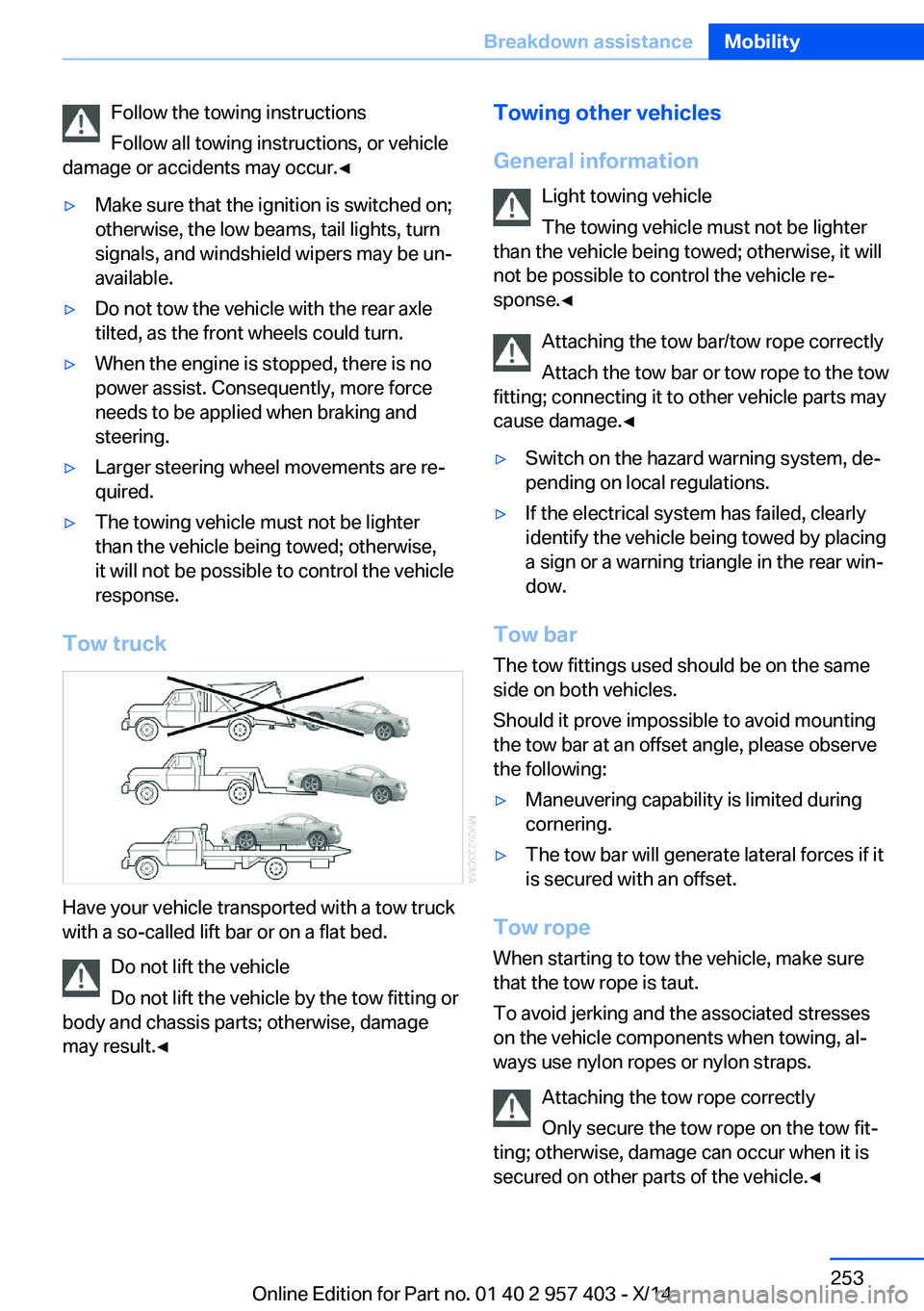
Tow truck
Have your vehicle transported with a tow truck
with a so-called lift bar or on a flat bed.
Do not lift the vehicle
Do not lift the vehicle by the tow fitting or
body and chassis parts; otherwise, damage
may result.◀
Towing other vehicles
General information Light towing vehicle
The towing vehicle must not be lighter
than the vehicle being towed; otherwise, it will
not be possible to control the vehicle re‐
sponse.◀
Attaching the tow bar/tow rope correctly
Attach the tow bar or tow rope to the tow
fitting; connecting it to other vehicle parts may
cause damage.◀▷Switch on the hazard warning system, de‐
pending on local regulations.▷If the electrical system has failed, clearly
identify the vehicle being towed by placing
a sign or a warning triangle in the rear win‐
dow.
Tow bar
The tow fittings used should be on the same
side on both vehicles.
Should it prove impossible to avoid mounting
the tow bar at an offset angle, please observe
the following:
▷Maneuvering capability is limited during
cornering.▷The tow bar will generate lateral forces if it
is secured with an offset.
Tow rope
When starting to tow the vehicle, make sure
that the tow rope is taut.
To avoid jerking and the associated stresses
on the vehicle components when towing, al‐
ways use nylon ropes or nylon straps.
Attaching the tow rope correctly
Only secure the tow rope on the tow fit‐
ting; otherwise, damage can occur when it is
secured on other parts of the vehicle.◀
Seite 253Breakdown assistanceMobility253
Online Edition for Part no. 01 40 2 957 403 - X/14
Page 278 of 289
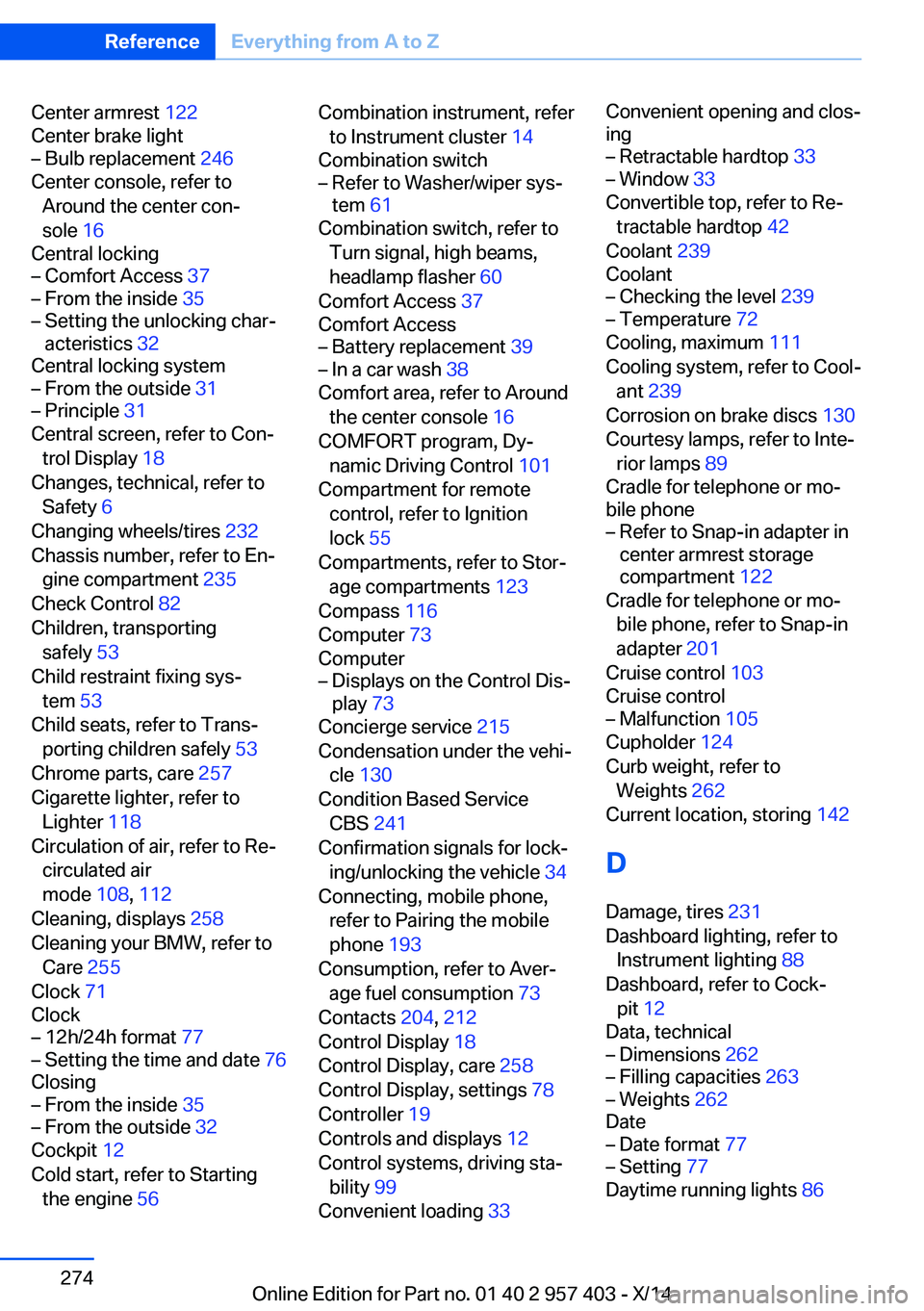
Center armrest 122
Center brake light– Bulb replacement 246
Center console, refer to
Around the center con‐
sole 16
Central locking
– Comfort Access 37– From the inside 35– Setting the unlocking char‐
acteristics 32
Central locking system
– From the outside 31– Principle 31
Central screen, refer to Con‐
trol Display 18
Changes, technical, refer to Safety 6
Changing wheels/tires 232
Chassis number, refer to En‐ gine compartment 235
Check Control 82
Children, transporting safely 53
Child restraint fixing sys‐ tem 53
Child seats, refer to Trans‐ porting children safely 53
Chrome parts, care 257
Cigarette lighter, refer to Lighter 118
Circulation of air, refer to Re‐ circulated air
mode 108, 112
Cleaning, displays 258
Cleaning your BMW, refer to Care 255
Clock 71
Clock
– 12h/24h format 77– Setting the time and date 76
Closing
– From the inside 35– From the outside 32
Cockpit 12
Cold start, refer to Starting the engine 56
Combination instrument, refer
to Instrument cluster 14
Combination switch– Refer to Washer/wiper sys‐
tem 61
Combination switch, refer to
Turn signal, high beams,
headlamp flasher 60
Comfort Access 37
Comfort Access
– Battery replacement 39– In a car wash 38
Comfort area, refer to Around
the center console 16
COMFORT program, Dy‐ namic Driving Control 101
Compartment for remote control, refer to Ignition
lock 55
Compartments, refer to Stor‐ age compartments 123
Compass 116
Computer 73
Computer
– Displays on the Control Dis‐
play 73
Concierge service 215
Condensation under the vehi‐ cle 130
Condition Based Service CBS 241
Confirmation signals for lock‐ ing/unlocking the vehicle 34
Connecting, mobile phone, refer to Pairing the mobile
phone 193
Consumption, refer to Aver‐ age fuel consumption 73
Contacts 204, 212
Control Display 18
Control Display, care 258
Control Display, settings 78
Controller 19
Controls and displays 12
Control systems, driving sta‐ bility 99
Convenient loading 33
Convenient opening and clos‐
ing– Retractable hardtop 33– Window 33
Convertible top, refer to Re‐
tractable hardtop 42
Coolant 239
Coolant
– Checking the level 239– Temperature 72
Cooling, maximum 111
Cooling system, refer to Cool‐ ant 239
Corrosion on brake discs 130
Courtesy lamps, refer to Inte‐ rior lamps 89
Cradle for telephone or mo‐
bile phone
– Refer to Snap-in adapter in
center armrest storage
compartment 122
Cradle for telephone or mo‐
bile phone, refer to Snap-in
adapter 201
Cruise control 103
Cruise control
– Malfunction 105
Cupholder 124
Curb weight, refer to Weights 262
Current location, storing 142
D
Damage, tires 231
Dashboard lighting, refer to Instrument lighting 88
Dashboard, refer to Cock‐ pit 12
Data, technical
– Dimensions 262– Filling capacities 263– Weights 262
Date
– Date format 77– Setting 77
Daytime running lights 86
Seite 274ReferenceEverything from A to Z274
Online Edition for Part no. 01 40 2 957 403 - X/14
Page 279 of 289
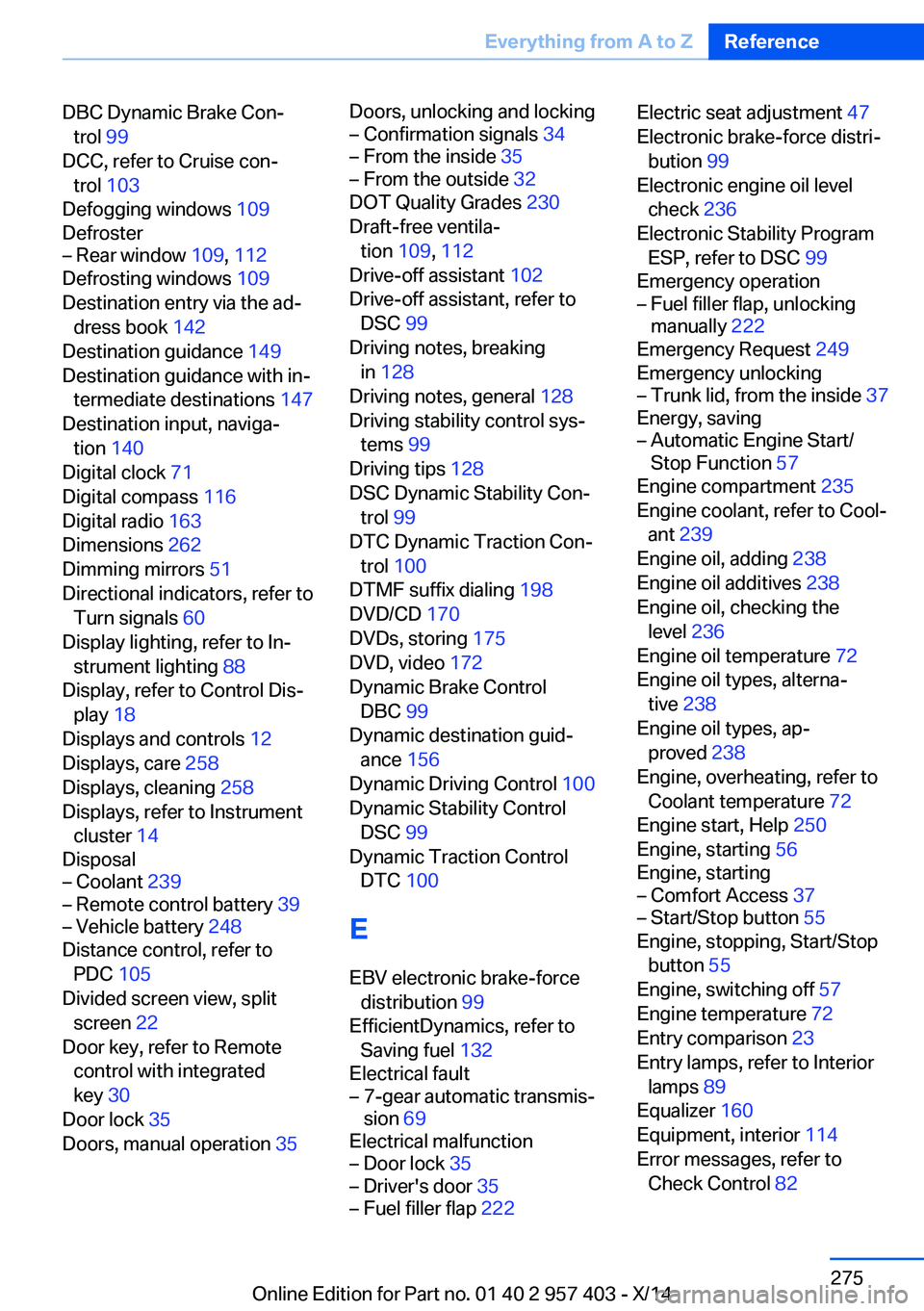
DBC Dynamic Brake Con‐trol 99
DCC, refer to Cruise con‐ trol 103
Defogging windows 109
Defroster– Rear window 109, 112
Defrosting windows 109
Destination entry via the ad‐ dress book 142
Destination guidance 149
Destination guidance with in‐ termediate destinations 147
Destination input, naviga‐ tion 140
Digital clock 71
Digital compass 116
Digital radio 163
Dimensions 262
Dimming mirrors 51
Directional indicators, refer to Turn signals 60
Display lighting, refer to In‐ strument lighting 88
Display, refer to Control Dis‐ play 18
Displays and controls 12
Displays, care 258
Displays, cleaning 258
Displays, refer to Instrument cluster 14
Disposal
– Coolant 239– Remote control battery 39– Vehicle battery 248
Distance control, refer to
PDC 105
Divided screen view, split screen 22
Door key, refer to Remote control with integrated
key 30
Door lock 35
Doors, manual operation 35
Doors, unlocking and locking– Confirmation signals 34– From the inside 35– From the outside 32
DOT Quality Grades 230
Draft-free ventila‐ tion 109, 112
Drive-off assistant 102
Drive-off assistant, refer to DSC 99
Driving notes, breaking in 128
Driving notes, general 128
Driving stability control sys‐ tems 99
Driving tips 128
DSC Dynamic Stability Con‐ trol 99
DTC Dynamic Traction Con‐ trol 100
DTMF suffix dialing 198
DVD/CD 170
DVDs, storing 175
DVD, video 172
Dynamic Brake Control DBC 99
Dynamic destination guid‐ ance 156
Dynamic Driving Control 100
Dynamic Stability Control DSC 99
Dynamic Traction Control DTC 100
E
EBV electronic brake-force distribution 99
EfficientDynamics, refer to Saving fuel 132
Electrical fault
– 7-gear automatic transmis‐
sion 69
Electrical malfunction
– Door lock 35– Driver's door 35– Fuel filler flap 222Electric seat adjustment 47
Electronic brake-force distri‐ bution 99
Electronic engine oil level check 236
Electronic Stability Program ESP, refer to DSC 99
Emergency operation– Fuel filler flap, unlocking
manually 222
Emergency Request 249
Emergency unlocking
– Trunk lid, from the inside 37
Energy, saving
– Automatic Engine Start/
Stop Function 57
Engine compartment 235
Engine coolant, refer to Cool‐ ant 239
Engine oil, adding 238
Engine oil additives 238
Engine oil, checking the level 236
Engine oil temperature 72
Engine oil types, alterna‐ tive 238
Engine oil types, ap‐ proved 238
Engine, overheating, refer to Coolant temperature 72
Engine start, Help 250
Engine, starting 56
Engine, starting
– Comfort Access 37– Start/Stop button 55
Engine, stopping, Start/Stop
button 55
Engine, switching off 57
Engine temperature 72
Entry comparison 23
Entry lamps, refer to Interior lamps 89
Equalizer 160
Equipment, interior 114
Error messages, refer to Check Control 82
Seite 275Everything from A to ZReference275
Online Edition for Part no. 01 40 2 957 403 - X/14